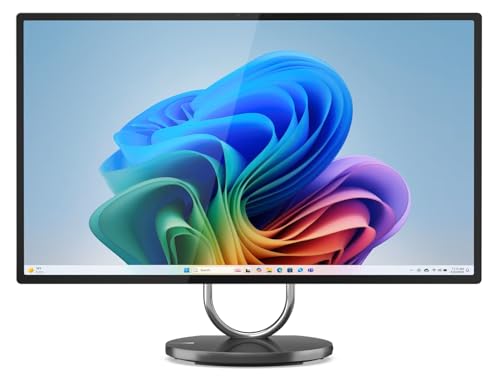
Where to buy
Check the latest price, availability and delivery on Amazon. Orders are placed on Amazon. We may earn a commission from qualifying purchases.
- Best all-in-one for streaming under $3,000: Lenovo Yoga AIO 32i, Core Ultra 7 258V, RTX 4050, 32GB, 1TB — Check on Amazon
- HP OmniStudio X 32-c1010, Core Ultra 7 256V, 16GB, 2TB SSD — Check on Amazon
- Apple iMac 24-inch with M4 (10-core), 24GB, 512GB — Check on Amazon
- Dell Inspiron 7730 All-in-One 27-inch Touch, Core 7 150U, 32GB, 1TB — Check on Amazon
See 2 more Amazon options
- Lenovo Yoga AIO 27, Core Ultra 7 255H, 16GB, 1TB — Check on Amazon
- Apple iMac 24-inch with M4 (8-core), 16GB, 256GB — Check on Amazon
Read the full guide ↓
Disclosure: As an Amazon Associate, reviewstook.com earns from qualifying purchases. Links to Amazon on this page are affiliate links; they cost you nothing extra. Listing details such as price and availability change often, so check the current Amazon listing before you buy.
Streaming from an all-in-one sounds like a contradiction — the form factor is famous for clean desks, not broadcast rigs — so this guide starts with the two facts that decide whether it works at all. The first is about encoders. A stream is encoded video, and the hardware that does that encoding matters more than the processor’s headline speed. In this six-machine set there is exactly one discrete graphics card, the laptop RTX 4050 in the Lenovo Yoga AIO 32i, and it is therefore the only machine here with NVIDIA’s NVENC hardware encoder. The two Intel flagships encode through Quick Sync on their integrated Arc graphics, which is genuinely good hardware encoding that costs the processor almost nothing. The two iMacs encode through Apple’s media engine, which is what macOS broadcast software is built around. Every machine in this guide has a real hardware encoder — none of them has a desktop-class one, and the honest workflow has to be sized to that.
The second fact is about the budget itself. There is no verified all-in-one on Amazon between $2,500 and $3,000: the most expensive machines we could pin to real listings — the Yoga AIO 32i and HP’s 32GB OmniStudio X configurations — sit below that top band. So a “$3,000 streaming all-in-one” budget really means the best streaming-capable all-in-ones Amazon sells, with budget left over — which, as the kit section below shows, is exactly where a new streamer’s money does the most good anyway. What that money buys, realistically, is this workflow: light and older games played on the machine itself, desktop and talk formats, and console play fed through a capture card — broadcast at 720p or 1080p, because Twitch’s practical ceiling of around 6,000 kbps CBR makes super-high-resolution streaming a platform question rather than a hardware one. Heavy modern games at high settings while encoding, chatting and recording at once is a tower’s job at this money, and no all-in-one in this guide pretends otherwise.
Within that honest frame, the ranking below is a streaming ranking, not a general one. The Yoga AIO 32i leads because NVENC plus 32GB of memory plus the set’s strongest app-stack headroom is the closest thing to a purpose-built streaming machine the all-in-one category offers. The iMacs answer with the best built-in camera in the set and an encoder macOS handles beautifully, at prices that leave the most kit money unspent. The HP counters with the brightest 4K screen and 2TB of recording storage, held back by 16GB of memory that can never grow. The Dell brings 32GB and a touchscreen at an unpriced listing that demands seller homework. The Yoga AIO 27 brings the strongest sustained Intel processor and the best stand. Every review grades the same four streaming loads — encoder, processor headroom for the app stack, memory, and the camera and microphone you will actually be seen and heard through — because a stream fails at whichever of those runs out first.
The Encoder Is the Streaming Spec
When a tower buyer shops for streaming, the advice is simple: get an NVIDIA card and let NVENC do the work. All-in-one buyers do not get that simplicity, so here is the encoder map for this exact set of six machines, derived from the silicon each one actually carries. The Yoga AIO 32i’s RTX 4050 is a laptop card, but its encoder is the real thing: NVENC encodes the broadcast in dedicated hardware, leaving the processor and the graphics cores free for the game, and it is the only NVENC in this guide. The HP OmniStudio X and the Lenovo Yoga AIO 27 run Intel Arc integrated graphics, whose Quick Sync encoder is the strongest integrated option in mainstream computing — it handles a 1080p60 broadcast encode with negligible processor cost, and streamers have relied on it for years. The Dell’s Core 7 150U carries Intel integrated graphics with the same Quick Sync path; its small MX570A discrete chip is a light-graphics part, graded in its review for what it is rather than as an encoder. The two iMacs use Apple’s media engine, a fixed-function encoder built into the M4 that macOS versions of OBS and other broadcast tools use natively.
What does that hierarchy mean in practice? At the bitrates Twitch actually accepts — around 6,000 kbps for a standard 1080p60 broadcast — the visible quality difference between NVENC, Quick Sync and Apple’s encoder is small, because the platform’s ceiling compresses everyone’s picture. The differences show up at the edges: NVENC holds detail slightly better in fast motion, and it frees the most headroom when a local recording runs alongside the broadcast. Quick Sync’s great virtue is that it is nearly free — the encode barely touches the processor, which matters enormously on machines whose processors are mobile parts. The practical conclusion for this guide is liberating: do not buy an all-in-one for its encoder badge. Buy it for the headroom around the encoder — cores, memory, storage, camera — because at platform bitrates, that is where streams in this category actually succeed or fall apart. The reviews below grade exactly that.
In this guide
Quick Picks
Short on time, or comparing several options at once? Each row below names a streamer type and the product that suits it, with a link to the listing.
| Streamer type | Pick | Why it stands out | Link |
|---|---|---|---|
| Best all-in-one for streaming | Lenovo Yoga AIO 32i (RTX 4050) | The set’s only NVENC encoder, 32GB of memory, 31.5-inch 4K screen | Check on Amazon |
| Best for talk and recording-heavy streams | HP OmniStudio X 32-c1010 | 2TB of storage, brightest 4K panel, Quick Sync encoding | Check on Amazon |
| Best camera and Mac streaming | Apple iMac 24-inch, M4 10-core, 24GB/512GB | 12MP Center Stage camera, Apple media-engine encoding, 24GB | Check on Amazon |
| Best app-stack room on a shared desk | Dell Inspiron 7730 All-in-One 27-inch | 32GB of memory, touchscreen, Quick Sync via its Intel chip | Check on Amazon |
| Best sustained performance and stand | Lenovo Yoga AIO 27 | H-series processor, 120Hz QHD screen, HDMI input for console play | Check on Amazon |
| Best value — stream and keep the change | Apple iMac 24-inch, M4 8-core, 16GB/256GB | Check price on Amazon — the same camera and encoder as its big sibling | Check on Amazon |
How These Picks Were Chosen
Every product below is a real, verified Amazon listing in the United States — check price on Amazon for the current figure on each one, because all-in-one prices on Amazon move with coupons, seller changes and seasonal sales. Anything that could not be pinned to a verified listing was excluded, however interesting — that is why Lenovo’s OLED Yoga AIO i Aura Edition, a premium model sold on Lenovo’s own store, is mentioned in this guide’s budget discussion but is not a pick: it sits over budget and is not an Amazon listing we can verify.
We did not use these machines ourselves. We read the maker listings, specification pages and the published review record, and then re-weighted the usual all-in-one criteria for a streaming buyer. The encoder came first, for the reasons above. The processor was judged on simultaneous load rather than benchmarks: a streaming machine runs the game, the broadcast software, a browser full of chat and dashboards, voice chat and often a local recording at the same time, and mobile processors feel that stack differently than they feel any single application. Memory was judged as a lifetime figure, because nearly every machine here solders it — a streaming stack is exactly the workload that grows into a memory ceiling, so a soldered 16GB is graded harder in this guide than it would be in a general one. Storage was judged as recording space: a high-quality local recording consumes roughly 10–20GB per hour depending on bitrate, so the difference between 256GB and 2TB is the difference between recording every stream and recording almost none. Finally, the built-in camera and microphones were treated as broadcast equipment, because in an all-in-one they are the camera and microphone most buyers will actually use.
Two honesty filters sat on top. The first is the graphics filter: integrated graphics in current Intel and Apple chips are good for light games and creative work, and this guide says so — but a streamer’s game library should be planned around light, older and indie titles, or around a console and a capture card, and the one discrete card here is a laptop RTX 4050, not a desktop card. The second is the listing filter: several picks are reseller bundles or reseller-upgraded configurations, and where that is true the review says so and tells you what to verify, because on a machine you will broadcast from daily, the warranty path is part of the product.
The 6 Best All-in-One PCs for Streaming Under $3,000
Lenovo Yoga AIO 32i — Core Ultra 7 258V, RTX 4050, 32GB, 1TB
Who it suits: The streamer who wants one machine to do the whole job — play light games, encode the broadcast, run the full app stack and record locally — on the biggest screen in the set.
This is the only machine in the guide whose streaming hardware needs no apology. The NVIDIA GeForce RTX 4050 laptop GPU carries NVENC, a dedicated encoder that produces the broadcast without borrowing the processor or the graphics cores the game is using; run a high-quality local recording at the same time and the card absorbs that too, which is the simultaneous-load scenario that separates real streaming machines from computers that merely run OBS. Around the encoder, the supporting cast is the strongest here: a Core Ultra 7 258V, 32GB of memory — the amount a game-plus-broadcast-plus-browser stack actually wants — and a 1TB Gen4 SSD that holds months of recordings at the rates described above. The 31.5-inch 4K panel, with 97% DCI-P3 coverage and HDR 600, is the monitor the stream is produced on, and the 5MP IR camera and Harman Kardon speakers cover the talk segments respectably out of the box. Check price on Amazon — as this guide’s premium flagship it still sits under the ceiling, leaving headroom that funds the microphone and lighting this machine, like every pick here, still needs.
The limitations are the category’s, stated plainly. The RTX 4050 is a laptop card with 6GB of video memory: it plays lighter and older games well and modern games at reduced settings, and it will not drive its own 4K panel in demanding titles — plan the game library at 1080p or 1440p with settings negotiated, and let the panel earn its keep on the desktop, the talk screen and everything else you produce. The 32GB of memory is soldered onto the package and can never be upgraded; it is enough for this workload with room to spare, but it is a lifetime figure. And the Amazon listing for this configuration is a reseller bundle that includes a 64GB USB drive — check who the seller is and how the warranty works before you buy, because on a premium flagship machine that is part of what you are purchasing.
- The only NVENC encoder in the guide — broadcast and local recording handled in dedicated hardware.
- 32GB of memory and 1TB of storage: the full streaming stack fits without triage.
- 31.5-inch 4K screen, 5MP camera and Harman Kardon audio for talk segments.
Honest limitation: A laptop RTX 4050 is a light-gaming card, not a desktop GPU — the games themselves stay modest even though the streaming hardware is the set’s best.
Choose it if you want the most complete streaming all-in-one that exists and your games are light, older or indie. Skip it if your library is modern and demanding — that workload needs a tower, whatever the encoder.

HP OmniStudio X 32-c1010 — Core Ultra 7 256V, 16GB, 2TB SSD
Who it suits: Talk-format, podcast-style and recording-heavy streamers — the creator whose show is mostly face, screen and conversation, and who keeps every broadcast as a local file.
Grade this machine as a studio first and a games machine second, and it makes a strong case. Its Intel Arc 140V integrated graphics carry Quick Sync, the hardware encoder that produces a clean 1080p broadcast while asking almost nothing of the Core Ultra 7 256V — which leaves the processor free for the browser stack, the chat tools and the recording. The 2TB SSD is the largest storage in this guide, and for a streamer that is not a luxury: at 10–20GB per recorded hour, this is the only pick that can hold a year of broadcasts without an external drive entering the workflow. The panel supports the format beautifully — 31.5 inches of 4K at 550 nits, the brightest screen here, with 95% DCI-P3 color — and the 5MP IR camera is a proper talk-format camera. The HDMI input deserves a streamer’s specific attention: a console can play directly on this screen, though note the distinction the OBS section returns to — HDMI-in displays the console, it does not feed your broadcast software, so streaming console play still needs a capture card. HP also sells 32GB configurations of this machine alongside lower-storage siblings; check price on Amazon for this exact 2TB listing and judge the current figure when you check it.
The memory is the review’s center, and for a streamer it matters more than it does for a general buyer. Sixteen gigabytes is soldered into this configuration forever, and a streaming stack — game or capture source, OBS with its scenes and browser sources, chat, a browser, voice — is precisely the workload that grows. For talk formats and light games it is workable today with disciplined scene design; for a creator planning to grow an audience and a production over five years, it is the specification most likely to become the ceiling, and HP’s own 32GB configurations of this same machine exist for exactly that buyer. Availability has also rotated in past crawls, so if this listing is in stock at a sensible price when you check, the panel and the drive make the case; if its price has drifted up toward the 32GB configurations, buy one of those instead and add recording storage externally.
- Quick Sync hardware encoding that leaves the processor free for the app stack.
- 2TB SSD — a year of local recordings without an external drive.
- Brightest 4K panel in the guide and a 5MP camera for talk formats; HDMI input for console display.
Honest limitation: 16GB of soldered memory under a workload that grows — the configuration trades the streamer’s most scalable resource for storage.
Choose it if your show is talk, desktop or console-based and you record everything. Skip it if you multitask heavily while live or plan to keep the machine for many years — the 32GB configurations age better.

Apple iMac 24-inch with M4 (10-core) — 24GB, 512GB
Who it suits: Mac-based streamers and talk-format creators who want the best built-in camera in the set, silent operation, and an encoder their software is designed around.
The iMac’s streaming case rests on two components. The first is the 12MP Center Stage camera — by a wide margin the best webcam fitted to any machine in this guide, with the studio-quality microphone array to match. For a talk-format streamer, the camera is the product the audience actually watches, and this one removes the first upgrade most streamers elsewhere have to buy. The second is the M4’s media engine: Apple’s fixed-function hardware encoder is what the macOS build of OBS and Apple’s own tools are written for, and it produces the broadcast while the 10-core CPU and 10-core GPU handle the desktop, the capture feed and the app stack. The 24GB of unified memory is the in-between figure this guide wishes more picks offered — enough for a game or capture source, OBS, chat and a browser without the triage a 16GB machine eventually demands. The 4.5K Retina display is the sharpest production monitor here, and the whole machine is silent in a way no fan-cooled pick matches, which a microphone appreciates. Check price on Amazon — flagship streaming hardware, in the ways that matter for talk formats, positioned below the Windows flagship in this set’s premium tier.
The constraints are Apple’s fixed ones. Memory and storage are set at purchase forever: 24GB is comfortable, but the 512GB SSD will fill with recordings at the rates described in this guide, so a fast external SSD becomes part of the streaming setup rather than an accessory — plan for it in the kit section’s terms, separately from the machine itself. The gaming library is macOS’s library plus cloud services and console capture; the M4’s integrated GPU is strong for an integrated part and is not a discrete card. The screen is 24 inches, smaller than the Windows flagships’ — fine for a one-person production desk, tight if you like your scenes, chat and game spread across a wall of panel. And this ASIN is the Pink finish, because Amazon sells each iMac color as its own listing; the identical configuration in other colors lives under different listings, so search by model number if the color is wrong for your room.
- 12MP Center Stage camera and studio mics — the best built-in broadcast face in the guide.
- Apple media-engine encoding with 24GB of unified memory for the stack.
- Silent, sharp 4.5K production display — check price on Amazon.
Honest limitation: 512GB of fixed storage against a recording habit — external storage is a working part of this setup, not an option.
Choose it if you stream talk, desktop or console content from a Mac and want the camera problem solved by the machine itself. Skip it if you need Windows software, a big panel, or terabytes of internal recording space.

Dell Inspiron 7730 All-in-One 27-inch Touch — Core 7 150U, 32GB, 1TB
Who it suits: Streamers on a shared or family desk who want generous memory for the app stack, a big touchscreen for everything that is not the broadcast, and a machine nobody has to manage.
The Dell’s streaming hardware story is quieter than the Lenovo’s and better than it first looks. Its 10-core Intel Core 7 150U carries Intel integrated graphics with Quick Sync, so the broadcast encode happens in hardware and the processor’s ten cores are left for the game or capture source, OBS, chat and the browser — and this configuration pairs that chip with 32GB of memory and a 1TB SSD, the two figures a streaming stack feels most. The small NVIDIA GeForce MX570A discrete chip with 2GB of memory is graded honestly: it is an entry-level part that helps light photo work and casual games, and this guide does not credit it as a broadcast encoder — the Quick Sync path is the one to build the setup on, as the OBS section explains. The 27-inch touchscreen is the household feature: family members tap through calls and recipes when the desk is not a studio, and the streamer gets a big, bright-enough canvas for scenes and chat while live. Windows 11 Pro, Wi-Fi 6E and Bluetooth 5.3 complete a specification that asks nothing on day one. Check price on Amazon for this exact upgraded configuration — and read the note below before you buy, because with this listing the note matters more.
The note is in the listing’s own text: the original seal is opened so the seller can install the advertised upgrades. This is a reseller-upgraded machine, not a factory Dell configuration — a common and legitimate Amazon practice that changes two things a streamer should verify before buying: who the seller is, and how the warranty works, because a seal-opened upgrade can complicate a manufacturer warranty claim, and a machine you broadcast from daily is a machine whose warranty path you may actually use. The second honest note is the panel: Full HD at 27 inches is visibly softer than the 4K and 4.5K displays above it in this guide. For the broadcast itself that costs nothing — the stream leaves at 1080p or 720p regardless — but as a production monitor it is the least sharp here, and a photographer-streamer will feel it. The 150U is also an efficiency-class processor: fine for talk, desktop and light-game streaming, a clear step below the H-series chip in the Yoga AIO 27 for sustained heavy stacks. Buy the Dell for memory, touch and ease — not for panel finesse or maximum sustained speed.
- Quick Sync hardware encoding from its Intel chip, with 32GB of memory behind the stack.
- 27-inch touchscreen — the shared-desk machine that becomes a studio on schedule.
- 1TB SSD and Windows 11 Pro as listed; nothing to add at purchase.
Honest limitation: A reseller-upgraded listing with the softest panel in the guide — verify the seller and the warranty path before paying, and do not buy it for fine detail.
Choose it if the desk is shared, the stack is heavy and the format is talk, desktop or light games. Skip it if you want a factory-sealed machine with a clean manufacturer warranty, or your eyes are on the panel all day.
Lenovo Yoga AIO 27 — Core Ultra 7 255H, 16GB, 1TB
Who it suits: All-day desk streamers — the long-session talk, work and variety broadcaster — who want the strongest sustained Intel processor in the set and a screen that fits itself to the human.
The Yoga AIO 27’s streaming argument starts with its processor class. The Core Ultra 7 255H is an H-series chip, built to sustain performance in a way the efficiency-class processors in the Dell and the big Lenovo are not, and a long broadcast with a capture source, OBS, chat, a browser and a recording running is precisely a sustained load. Its Intel Arc integrated graphics carry Quick Sync, so the encode itself is hardware work; the H-series headroom is what keeps everything else smooth in hour three. The display supports the working day rather than the broadcast — the stream still leaves at 1080p or 720p, but the 27-inch QHD panel at 120Hz is the smoothest production monitor here for scrolling chat and dashboards, and the stand tilts, swivels, raises and pivots to portrait, which a streamer reading a vertical chat or a document on air will use more than any specification on the sheet. The HDMI input doubles the screen as a monitor for a console or laptop — display only, as with the HP; a capture card still feeds the broadcast. JBL speakers and a 5MP camera round out the desk. Check price on Amazon for the current figure on this configuration.
The compromise is the same one its general review carries, sharpened by this angle: the 16GB of memory is soldered and cannot be expanded, and a streaming stack is the workload most likely to grow into that ceiling — more scenes, more browser sources, a bigger game, a second platform’s dashboard. Disciplined streamers run this machine well; undisciplined ones will meet the ceiling in year two, and there is no upgrade path when they do, so weigh the 32GB picks above if your production is ambitious. Photographers should also note the panel covers 99% sRGB rather than the flagships’ wider DCI-P3. And one check is specific to this model: several Amazon listings circulate for the Yoga AIO 27 family with different memory and storage combinations, so confirm the exact configuration on the listing you buy — 255H, 16GB, 1TB — rather than trusting the family name.
- H-series Core Ultra 7 255H — the best sustained headroom for long broadcasts.
- Quick Sync encoding; QHD 120Hz panel and a rotating stand for chat and documents.
- HDMI input lets the screen serve a console or laptop; 5MP camera built in.
Honest limitation: 16GB of soldered memory under the workload that grows fastest — the ceiling is permanent, and ambitious productions will find it.
Choose it if your streams are long, your format is talk or variety, and your scene design is disciplined. Skip it if you multitask heavily while live or need wide-gamut color — the 32GB flagships fit better.

Apple iMac 24-inch with M4 (8-core) — 16GB, 256GB
Who it suits: The beginning streamer this guide quietly recommends to most people: talk, desktop, cloud and console-capture formats, produced on the best camera in the set, as the value pick in this set.
Everything that makes the larger iMac a streaming machine is present here, because the parts a broadcast touches most are identical. The same 12MP Center Stage camera and studio-quality microphones. The same M4 media engine encoding the broadcast in hardware — in this 8-core chip, an 8-core CPU and 8-core GPU configuration that handles a talk or desktop stream, OBS, chat and a browser without drama. The same 4.5K Retina display as the production monitor, the same silent enclosure a microphone loves. For the formats most new streamers actually produce — talking head, screen share, light and cloud games, console play through a capture card — this machine is not a compromise at all, and its value positioning is the argument: check price on Amazon. Choosing it over the flagships leaves much more of the budget for the microphone, lighting and capture card that will improve the broadcast more than any specification step in this guide — the kit section below covers exactly that kit.
The honest limits are storage and ports. The 256GB SSD is the smallest in the guide and it is fixed forever: at 10–20GB per recorded hour, local recording on this machine means an external SSD as a permanent part of the setup, or a disciplined delete-after-upload habit. The 16GB of unified memory is enough for the formats described above and tightens if the production grows — a heavier game plus a busier scene stack is where it will be felt first. And the base configuration carries two Thunderbolt ports rather than four, with no Gigabit Ethernet on the standard power adapter — which matters to a streamer specifically, because the wired-connection rule in the OBS section is not optional advice; on this model, wiring up means the upgraded Ethernet adapter or a dock, a small cost to plan rather than discover live. Buy it as what it is — the best-value streaming all-in-one in the guide for talk and desktop formats — and it will not disappoint. Buy it as a discounted flagship for heavy game streaming and the storage will correct you within a year.
- The same 12MP camera, mics and media-engine encoder as the flagship iMac — check price on Amazon.
- Leaves most of the budget for the microphone, lighting and capture card that matter more.
- Silent 4.5K production display; ideal for talk and desktop formats.
Honest limitation: 256GB of fixed storage against a recording habit, and no Ethernet on the standard adapter — both solvable, neither ignorable.
Choose it if you are starting out in talk, desktop or console formats and would rather fund the kit than the headroom. Skip it if your recordings are long and kept, or your production is already heavy — the 24GB/512GB iMac is the step up.

Comparison Table
| Product | Encoder path | Processor / Graphics | Memory / Storage | Link |
|---|---|---|---|---|
| Lenovo Yoga AIO 32i | NVENC (RTX 4050) | Core Ultra 7 258V / RTX 4050 6GB | 32GB / 1TB | Check on Amazon |
| HP OmniStudio X 32-c1010 | Quick Sync (Arc 140V) | Core Ultra 7 256V / Intel Arc 140V | 16GB / 2TB | Check on Amazon |
| Apple iMac 24-inch, M4 10-core | Apple media engine | Apple M4 10-core / 10-core GPU | 24GB / 512GB | Check on Amazon |
| Dell Inspiron 7730 AIO 27 | Quick Sync (Intel graphics) | Core 7 150U / GeForce MX570A 2GB | 32GB / 1TB | Check on Amazon |
| Lenovo Yoga AIO 27 | Quick Sync (Intel Arc) | Core Ultra 7 255H / Intel Arc | 16GB / 1TB | Check on Amazon |
| Apple iMac 24-inch, M4 8-core | Apple media engine | Apple M4 8-core / 8-core GPU | 16GB / 256GB | Check on Amazon |
How to Choose a Streaming All-in-One Under $3,000
- Start from the real ceiling, not the budget. Verified Amazon listings in this category top out below the ceiling. A $3,000 budget buys the best streaming all-in-one plus the broadcast kit around it — plan the purchase as a machine and a kit, not a machine alone.
- Pick the encoder path, then forget it. NVENC in the Yoga AIO 32i, Quick Sync in the Intel machines, Apple’s media engine in the iMacs — all three produce a good broadcast at platform bitrates. Choose by the headroom around the encoder, not the badge.
- Treat memory as the streamer’s lifetime decision. The broadcast stack grows: more scenes, more sources, more dashboards. Nearly every pick solders its memory, so 32GB is the comfortable flagship figure, 24GB is workable, and 16GB is a ceiling you are accepting with eyes open.
- Size storage for the recording habit. A high-quality local recording consumes roughly 10–20GB per hour. The HP’s 2TB is a year of broadcasts; the base iMac’s 256GB is an external SSD waiting to be bought. Decide which workflow you are actually buying.
- Be precise about the games. Light, older and indie titles on the machine; modern demanding games are not an all-in-one workload at any price in this category. Console play through a capture card is the honest route to a bigger library.
- Value the camera you will actually use. All six picks carry built-in cameras — the iMacs’ 12MP Center Stage is the standout — and the audience watches your face more than your gameplay. Grade the camera and microphones as broadcast equipment.
- Check the network path before you need it. Streaming wants a wired connection. Confirm how each pick gets one — the base iMac, notably, has no Gigabit Ethernet on its standard power adapter.
- Interrogate the listing, not just the model. Reseller bundles and reseller-upgraded configurations are common at this end of Amazon. Confirm the exact processor, memory and storage, identify the seller, and understand the warranty path before paying flagship money for a machine you will rely on daily.
- Plan the screen’s second job. An HDMI input — fitted to the HP and the Yoga AIO 27 — lets the panel display a console or serve a future machine. It does not feed your broadcast software; that distinction decides whether you also need a capture card, which for console streaming you do.
Set Up OBS Once, Correctly
Whatever pick you buy, the same one-time setup separates a stable broadcast from a month of troubleshooting. In OBS (or your broadcast tool of choice), choose the hardware encoder that matches your machine: NVENC on the Yoga AIO 32i, Quick Sync on the HP, the Dell and the Yoga AIO 27, and the Apple VT hardware encoder on the iMacs. Never choose the software x264 encoder on any machine in this guide — these are mobile processors with a game or capture source to run, and software encoding spends exactly the headroom the stream needs elsewhere. Set the rate control to CBR and the keyframe interval to 2 seconds, which is what Twitch expects; around 6,000 kbps is the practical ceiling for a 1080p60 broadcast there, and 720p60 at a lower bitrate is the smarter output on the 16GB machines or whenever the game is the moving part. If you record locally at the same time — and you should, the recording is your highlight reel and your backup — record to the internal SSD if it is the HP’s 2TB or a 1TB drive, and to an external SSD on the iMacs, above all the 256GB base model.
Then learn the three counters in the OBS Stats window, because each one names a different problem with a different fix. Rendering lag means the graphics side cannot composite your scenes in time — the fix is fewer or simpler browser sources, a lower canvas resolution, and closing the game settings that compete for the GPU. Encoding lag means the encoder is overloaded — the fix is a lower output resolution or frame rate, not a new computer, and on these machines it should be rare once the hardware encoder is selected. Dropped frames are the network — and the fix is almost never settings. It is the wired-Ethernet rule: stream on a cable, not on Wi-Fi, however good the Wi-Fi generation on the spec sheet sounds. Every pick here can be wired somehow; on the base iMac, plan the Ethernet adapter or dock the review mentioned. A stream that follows the hardware-encoder rule, the 2-second keyframe rule and the cable rule will be stable on any of these six machines; a stream that breaks all three will stutter on a tower.
What $3,000 Does Not Include
The picks in this guide are the computer alone. The broadcast around it is a separate budget, and because the machines themselves sit below the ceiling, most buyers in this guide have the rare luxury of funding it from the same $3,000. Spend it in this order. First, a microphone: the built-in microphones in these machines — even the iMacs’ good array — are room microphones, and a budget-to-mid-range USB microphone, placed close, is the single largest quality jump a new streamer’s audience will hear. Second, lighting: a simple budget key light does more for a built-in camera’s picture than any camera upgrade, because small sensors live and die by light. Third, the capture card — a reputable mid-range model — but only if you stream console play; PC-only and talk streamers should skip it entirely. Fourth, a USB webcam, a budget add-on, only where it earns its place: all six picks have built-in cameras (the iMacs’ is genuinely excellent), so this is an upgrade for a second angle or for a buyer whose pick’s camera disappoints in their lighting — check your own picture first before spending. Fifth, a second screen for chat and dashboards if your desk lacks one — note that the HP and the Yoga AIO 27 can themselves serve as that display for another machine via HDMI input, which occasionally rearranges this purchase. And on the iMacs, add the fast external SSD the reviews described; on the 256GB model it is not an accessory but a component. None of these items is included with any pick above, and together they form a modest separate kit budget depending on how much of it your format needs.
Common Buying Mistakes
- Assuming a $2,500–$3,000 all-in-one exists and hunting for it. Verified listings in this category sit below that top band; a listing priced above the plateau deserves more suspicion, not more desire.
- Buying the encoder badge instead of the headroom. At Twitch bitrates the three encoder paths in this guide look alike; the streams that fail, fail on memory, storage and heat — grade those.
- Choosing 16GB of soldered memory for a production you intend to grow. The saving is real today and the ceiling is permanent; streaming stacks grow faster than any other workload in this guide.
- Planning local recordings on 256GB of fixed storage. At 10–20GB an hour the arithmetic corrects the plan within a month — buy the external SSD with the machine.
- Believing an all-in-one with a discrete GPU is a gaming-streaming PC. A laptop RTX 4050 plays lighter games and encodes beautifully; it does not make modern demanding titles a streaming library.
- Confusing HDMI input with capture. A screen that displays your console is not feeding OBS; console streaming still needs a capture card, on every pick in this guide.
- Streaming over Wi-Fi because the spec sheet lists a fast generation. The cable rule has no exception in this guide; dropped frames are a network diagnosis, not a settings one.
- Handing flagship money to a reseller-upgraded listing whose seller, exact configuration and warranty path you have not checked — the model name matches, the product behind it may not.
- Choosing an iMac by color first. Amazon lists each color separately; check the memory and storage on the exact listing you are paying for, not the family page you read about.
Final Recommendation
- Most streamers at this budget: Lenovo Yoga AIO 32i — the only NVENC encoder in the set, 32GB of memory, and a 31.5-inch 4K production screen.
- Talk formats and heavy recording: HP OmniStudio X 32-c1010 — if its 16GB ceiling fits your production.
- Mac streamers and camera-first creators: Apple iMac 24-inch, M4 10-core, 24GB/512GB.
- Shared desks and heavy app stacks: Dell Inspiron 7730 All-in-One 27-inch.
- Long-session broadcasters: Lenovo Yoga AIO 27 — the H-series headroom and the stand carry the day.
- Everyone starting out: Apple iMac 24-inch, M4 8-core — and spend the difference on the microphone.
Our top two for streaming are the Lenovo Yoga AIO 32i, because it is the only machine here built like a streaming PC — a dedicated NVENC encoder, the memory the stack wants, and storage for the recordings — and the 10-core iMac, because its camera and media-engine encoder make it the best talk-format machine in the guide, positioned below the Windows flagship. Between them they cover the two honest shapes of all-in-one streaming: games-and-everything on the Windows flagship, and face-and-desktop on the Mac. Buyers starting out should resist climbing to meet the budget — the base iMac — check price on Amazon — plus a proper microphone will out-broadcast a flagship with a built-in mic, every time. If your budget is smaller, see Best All In One PC For Streaming Under $2500 and Best All In One PC For Streaming Under $1500; for the general flagship picture without the streaming lens, see Best All In One PC Under $3000. Whichever machine you land on, open the live listing before you pay: confirm the configuration line by line, note who is selling it, and judge the price it shows that day — at this premium tier, the listing itself is part of the purchase.
Frequently Asked Questions
Can you actually stream from an all-in-one PC?
Yes — within the workflow this guide defines. Every machine here has a hardware encoder (NVENC, Quick Sync or Apple’s media engine), so the broadcast itself is not the problem. Light and older games played on the machine, desktop and talk formats, and console play through a capture card all stream well at 720p to 1080p. What an all-in-one cannot do at any price in this category is play modern demanding games at high settings while encoding — that simultaneous load is what desktop towers and their full-size graphics cards are for.
Is there really no all-in-one between $2,500 and $3,000 on Amazon?
None that we could verify. Our research found the Lenovo Yoga AIO 32i as the premium flagship on Amazon, with HP’s 32GB OmniStudio X configurations the only other listings in that same premium tier — check price on Amazon for the current figure on either. Above that band, flagship all-in-ones live on manufacturer stores — Lenovo’s OLED Aura Edition is sold on Lenovo’s own store — which is over this budget and outside Amazon. The practical consequence for a streamer is pleasant: the leftover budget funds the microphone, lighting and capture card that improve a broadcast more than any further specification step would.
Which encoder is best for streaming — NVENC, Quick Sync or Apple’s?
At the bitrates the platforms accept — around 6,000 kbps for a standard Twitch broadcast — the three look very close, because the platform compresses everyone’s picture. NVENC in the Yoga AIO 32i holds fast-motion detail slightly better and handles a simultaneous local recording most gracefully. Quick Sync’s virtue is that it costs the processor almost nothing, which matters on mobile chips. Apple’s media engine is what macOS broadcast software is built around. Choose the machine for its memory, storage and camera; the encoder will do its job on any pick here.
Is 16GB of memory enough for streaming?
For talk, desktop and light-game formats with disciplined scenes, yes — today. The catch is permanence and growth: the memory in the HP, the Yoga AIO 27 and both iMacs’ base configurations is fixed at purchase, and a streaming production grows — more scenes, more browser sources, more dashboards. Streamers who expect their production to grow should treat 32GB (the Lenovo 32i, the Dell) or 24GB (the larger iMac) as the safer flagship figures.
Do I need a capture card with an all-in-one?
Only for console streaming. Games played on the machine itself and desktop content need no card. Console play does — and note that the HDMI input fitted to the HP and the Yoga AIO 27 does not change this: it lets the all-in-one’s screen display the console, but it does not feed the picture into your broadcast software. A reputable mid-range capture card is what puts console gameplay into OBS with your overlays and alerts.
Should I record my streams locally?
Yes — the local recording is higher quality than the broadcast archive, it is your highlight and clip source, and it is your insurance against a network failure mid-stream. Just respect the storage arithmetic: a high-quality recording runs roughly 10–20GB per hour. That is a non-issue on the HP’s 2TB drive, a planning item on the 1TB machines, and a workflow decision — external SSD or delete-after-upload — on the iMacs, above all the 256GB base model.
Mac or Windows for streaming at this budget?
Let your format decide. The iMacs offer the best camera, silent operation and an encoder macOS handles natively, and they sit below the Windows flagship in this set’s tier order; the Windows machines answer with the only discrete GPU and NVENC (the Lenovo 32i), the largest storage (the HP), 32GB configurations, and touch and rotation the Macs do not offer. Game streamers who play on the machine itself lean Windows; talk and desktop streamers are served superbly by either, and the iMac’s camera often settles it.


