Where to buy
Check the latest price, availability and delivery on Amazon. Orders are placed on Amazon. We may earn a commission from qualifying purchases.
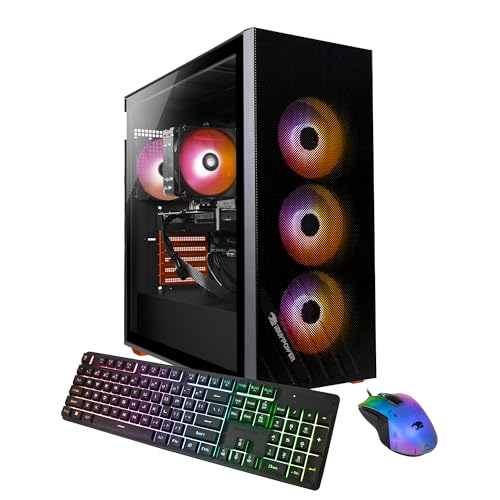
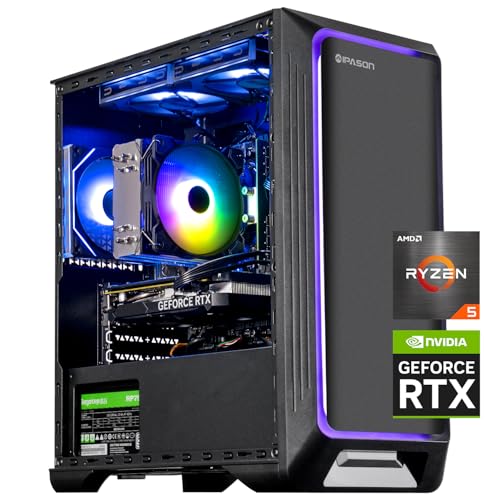
- Best 1440p candidate: IPASON Gaming PC Desktop, Ryzen 5 5600, RTX 3060 12GB — Check on Amazon
- Skytech Blaze 3.0 Gaming PC Desktop, Intel Core i5-10400F, RTX 3060 — Check on Amazon
- ZOTAC MEK AI-Enhanced Gaming PC, Ryzen 5 5500, RTX 3050, 650W Gold PSU — Check on Amazon
- STGAubron Gaming PC Desktop, Ryzen 5 5500, RTX 3050 6GB, 1TB SSD — Check on Amazon
See 2 more Amazon options
- HP Victus 15L Gaming Desktop TG02-1020h, Intel Core i5-13400F, RTX 3050 — Check on Amazon
- Skytech Shadow Gaming PC Desktop, Ryzen 5 3600, GTX 1660 Super — Check on Amazon
Read the full guide ↓
Disclosure: As an Amazon Associate, reviewstook.com earns from qualifying purchases. Links to Amazon on this page are affiliate links; they cost you nothing extra. Listing details such as price and availability change often, so check the current Amazon listing before you buy.
You are reading this guide because of a monitor. Maybe you already own a 1440p display, maybe one is on sale, maybe every reviewer has told you 2560×1440 is the sweet spot of PC gaming — and now you want to know whether a gaming PC under $700 can actually feed it. The honest answer, the one this guide is built around, is: some of these machines can play at 1440p, none of them can dominate it, and the difference between a good $700 1440p experience and a disappointing one is understanding which kind of 1440p you are getting. There are two kinds. Native 1440p means the graphics card renders every frame at the full 2560×1440 — all 3.7 million pixels, every time. Upscaled 1440p means the card renders at a lower resolution, usually 1080p or below, and software — NVIDIA’s DLSS or AMD’s FSR — reconstructs a 1440p image from it. Upscaled 1440p looks far better than plain 1080p on a 1440p screen and costs a fraction of the performance. It is also, definitionally, not the same thing as native, and listings that blur the two are selling you the blur.
So here is the verdict before the detail. The two RTX 3060 machines are genuine 1440p candidates: they render lighter and esports titles natively at 1440p, and they use DLSS Quality mode to make heavier games comfortable at 1440p output — and the IPASON’s documented 12GB of video memory is exactly the specification that decides how long that stays true as games grow. The three RTX 3050 machines are upscaling-only at 1440p: honest, enjoyable 1440p output is available through DLSS, but underneath the reconstruction they are native-1080p machines, and this guide grades them as such. The GTX 1660 Super machine is the most limited of all, for a reason buyers routinely get wrong: the 1660 Super is a GTX card, and GTX cards do not support DLSS. Its only upscaling tool is FSR, which is visibly softer, so its 1440p story is light titles at reduced settings and not much more. And the ceiling above all six: consistent native 1440p at high settings, across new releases, starts around the $1,200 tier — Best 1440p Gaming PC Under $1200 territory. If your 1440p plan is esports, a back catalog, and DLSS doing smart work in newer games, $700 can genuinely do it — with the right two or three machines.
What follows is a grading of all six PCs under $700 specifically on 1440p capability: which render natively and where, which upscale and how well, how much video memory each documented configuration carries, and what each one forces you to turn down. Every machine was carried over from the verified research behind our main $700 guide, with the same ASINs and caveats — what changes is the question being asked of them.
In this guide
Quick Picks
Short on time? Each row names the 1440p job and the machine that does it best, with a link to the listing.
| 1440p job | Pick | Why it stands out | Link |
|---|---|---|---|
| Best 1440p candidate overall | IPASON Gaming PC Desktop, Ryzen 5 5600, RTX 3060 12GB | Documented 12GB of VRAM — native 1440p in lighter titles, DLSS Quality in heavier ones | Check on Amazon |
| Best named-brand 1440p option | Skytech Blaze 3.0, Intel Core i5-10400F, RTX 3060 | RTX 3060 class performance with a published 600W Gold power supply | Check on Amazon |
| Best platform for growing into 1440p | ZOTAC MEK AI-Enhanced, Ryzen 5 5500, RTX 3050 | 650W Gold PSU accepts a future 1440p-class GPU swap; DLSS upscaling today | Check on Amazon |
| Best upscaled-1440p value on sale days | STGAubron Gaming PC Desktop, Ryzen 5 5500, RTX 3050 6GB | 1TB storage and DLSS in a budget-tier package | Check on Amazon |
| Best big-brand upscaling pick | HP Victus 15L TG02-1020h, Intel Core i5-13400F, RTX 3050 | The newest CPU in the guide and HP’s service network — with a RAM caveat | Check on Amazon |
| Best for 1440p esports on a tight budget | Skytech Shadow, Ryzen 5 3600, GTX 1660 Super | Budget-tier pricing — light titles at 1440p, FSR upscaling, nothing more promised | Check on Amazon |
How These Picks Were Chosen — and Graded for 1440p
The six machines are the verified set from our main guide to Best 1080p Gaming PC Under $700: real Amazon listings, named parts, each with its ASIN and specifications documented from the listings themselves. Nothing here was invented for this article, and no new machine was admitted — the work of this guide is re-grading, not re-shopping. Where a listing leaves a specification unpublished, that silence is carried into this guide exactly as in the base research: the STGAubron’s power supply wattage, memory speed and SSD interface are not published, and the ZOTAC MEK’s and HP Victus’s listings do not state the RTX 3050’s video memory in the material retrieved, so no VRAM figure is claimed for either. The one VRAM figure that is documented and load-bearing is the IPASON’s RTX 3060 12GB, stated in its listing.
The grading itself runs on four axes, in this order. First, render resolution honesty: can the graphics card hold 2560×1440 natively in the games the buyer plausibly plays, or is its 1440p output reconstructed from a lower render? Second, upscaling quality: DLSS, available on every RTX card here, is the stronger reconstruction — dedicated hardware and temporal data producing a 1440p image genuinely close to native in motion — while FSR, the only option on the GTX 1660 Super, works on any card but is visibly softer, especially in fine detail and foliage. Third, video memory: upscaling is not free — the reconstructed frame, the textures and the render targets all live in VRAM, and at 1440p output the 6GB cards work with a smaller budget than the 12GB card, which is why VRAM, more than clock speed, is the longevity axis at this resolution. Fourth, everything else from the base guide still counts: processor, memory configuration, storage, power supply transparency and the upgrade path, because a machine bought for a 1440p monitor today is very often a machine whose graphics card gets replaced in two years.
One methodological note, because 1440p claims are where budget marketing gets slippery. No per-game frame-rate figures are cited for any machine here. Performance is described at class level — what an RTX 3060, an RTX 3050 and a GTX 1660 Super characteristically do at 2560×1440, natively and through upscaling — because a frame rate printed without the game, the settings and the scene is a number designed to sell rather than inform.
Native vs Upscaled 1440p: the Distinction this Guide Runs On
Everything below depends on one piece of arithmetic. A 1080p frame contains about 2.07 million pixels; a 1440p frame contains about 3.69 million — roughly 78 percent more. Rendering natively at 1440p means doing that extra 78 percent of work on every frame, which is why the monitor step-up is the largest performance cost a buyer can impose on a budget PC, larger than any settings slider. When a game instead renders lower and upscales to a 1440p output — DLSS Quality at 1440p renders internally at about 1707×960, Performance lower still — the card does roughly the 1080p amount of work, and the upscaler makes the result look like it did the 1440p amount. Modern DLSS is remarkably good at that job in motion. It is not magic: fine detail at distance, thin geometry like fences and wires, and fast camera movement reveal the reconstruction if you look for it. The honest summary is that upscaled 1440p sits visually between native 1080p and native 1440p, much closer to the latter — while costing performance much closer to the former.
That trade is not a consolation prize; it is how most 1440p gaming on earth is actually done, including on far more expensive machines. The dishonesty this guide guards against is only the labelling. A machine that renders at 960p and outputs 1440p is not “a 1440p PC” in the same sense as one rendering natively, and the buyer’s experience differs most exactly where it matters — in the newest, heaviest games, where the render resolution has to fall furthest to hold frame rates. So each review below states, for its machine, three things plainly: what it renders natively at 1440p, what it upscales to 1440p and with which technology, and where the wall is. Read those three lines for any two machines and you know more than a specification table will tell you.
The 6 Best PCs Under $700 for 1440p Gaming
IPASON Gaming PC Desktop — Ryzen 5 5600, RTX 3060 12GB, 1TB NVMe SSD
Who it suits: The buyer who actually means it about 1440p — the one with the 1440p monitor already on the desk, who wants the strongest claim this budget can make on that resolution.
This is the only machine in the guide whose 1440p credentials are documented rather than inferred, and the documentation is a single number: 12GB. The listing specifies a GeForce RTX 3060 with 12GB of GDDR6, paired with a Ryzen 5 5600 — six Zen 3 cores at 3.5GHz, boosting to 4.4GHz — 16GB of DDR4-3200, a 1TB NVMe M.2 SSD, a stated 550W power supply and Windows 11 Home. Graded on this guide’s axes, it leads on all of them. Natively, the RTX 3060 renders esports and lighter titles at full 2560×1440 — competitive games were built to run on far less card than this — and holds native 1440p in older and well-optimized releases at sensible settings. In current heavy games, the honest mode is DLSS Quality: render internally around 960p–1080p, output a reconstructed 1440p that in motion looks close to native, at frame rates the native render cannot reach. And the 12GB of VRAM is what makes that a durable arrangement rather than a launch-day trick: textures are the setting that grows fastest between game generations, they are the first thing a 6GB card is forced to surrender, and this card has double the texture budget of the 6GB machines below. At 1440p output, where the frame itself also occupies more memory, that headroom is the difference between a machine that ages gracefully and one that ages in settings menus.
The caveats are the base guide’s, unchanged. IPASON is a smaller integrator, the listing warns the graphics card brand may vary — the RTX 3060 silicon is specified, the exact board is a lottery — and this listing family has carried different style configurations over time, so confirming the style name reads Ryzen 5 5600 with RTX 3060 12GB before ordering, and again in Windows on arrival, is procedure, not paranoia. Check price on Amazon — this is the strongest documented 1440p specification under $700. If it is sitting materially above $700 when you shop, the Skytech Blaze below is the same graphics card class from a bigger name. For a 1440p buyer, it is not close.
- The only documented 12GB VRAM configuration under $700 — the longevity specification at 1440p.
- Native 1440p in esports and lighter titles; DLSS Quality carries heavier games to 1440p output.
- Ryzen 5 5600, 1TB NVMe storage and a stated 550W power supply complete the specification.
Honest limitation: A smaller integrator with a “GPU brand may vary” lottery and a listing whose style variants have shifted — and even here, native 1440p at high settings in the newest releases is beyond the card; DLSS is the bridge, not a bonus.
Choose it if 1440p is the point of the purchase and you will verify the configuration on arrival. Skip it if you want a big brand’s support network — and understand that no other pick in this guide matches its 1440p headroom.

Skytech Blaze 3.0 Gaming PC Desktop — Intel Core i5-10400F, RTX 3060, 1TB SSD
Who it suits: Buyers who want RTX 3060-class 1440p capability from an established US integrator, in a machine whose power supply is specified well enough to grow.
The Blaze 3.0 (model ST-BLAZE3-0339-B-AM) pairs an Intel Core i5-10400F — six cores, twelve threads — with a GeForce RTX 3060, 16GB of DDR4-3200, 1TB of SSD storage, AC Wi-Fi and a 600W Gold-rated power supply. Its 1440p grading tracks the IPASON’s on the axis that matters most: the RTX 3060 is the card class that makes 1440p a real conversation at this budget, rendering esports and lighter titles natively at 2560×1440 and using DLSS Quality to hold heavier games at 1440p output with settings a 3050 cannot attempt. Where the two 3060 machines differ is documentation. The IPASON’s listing states its 12GB of video memory outright; Skytech’s listing material for the Blaze, in the sources retrieved for the base guide, names the RTX 3060 without pinning the memory figure down in the same way — and since the RTX 3060 has shipped in more than one memory configuration, the careful buyer confirms the VRAM on the live listing before ordering, because at 1440p that figure is a longevity specification, not a detail. What Skytech documents instead is the supporting cast: a 600W Gold power supply with genuine headroom for the card fitted and a plausible path to a stronger one.
The trade-offs are platform age and operating system. The i5-10400F is a 10th-generation processor on a finished Intel platform: entirely capable of feeding an RTX 3060 today — at 1440p the graphics card is even more firmly the limit than at 1080p, which flatters older CPUs — but there is no meaningful processor upgrade path short of a motherboard replacement, and the listing ships Windows 10 Home, so the free Windows 11 upgrade path needs confirming in the first week. Check price on Amazon — this configuration sits at the top of this guide’s budget tier. Judged as a 1440p purchase, it is the named-brand way to buy the card class that matters — bought for what it is on delivery day.
- RTX 3060 class: native 1440p in lighter titles, DLSS Quality for heavier ones.
- 600W Gold PSU named in the listing — headroom for today’s card and tomorrow’s.
- 1TB SSD and 16GB DDR4-3200 from an established US integrator.
Honest limitation: An older-generation processor on a dead-end platform, Windows 10 in the listing, and a VRAM figure to confirm on the live page — at 1440p, that number decides how the machine ages.
Choose it if you want 3060-class 1440p with a specified power supply and a known brand behind it. Skip it if documented VRAM and a live upgrade path matter more than the badge — the IPASON states its memory, and the AM4 machines grow further.

ZOTAC MEK AI-Enhanced Gaming PC — Ryzen 5 5500, RTX 3050, 650W Gold PSU
Who it suits: The planner — a buyer whose 1440p monitor arrives before their 1440p budget does, and who wants today’s upscaled 1440p inside the machine best built to become a native-1440p PC later.
Grade the MEK (model MEK3050A5500BG0V1) honestly on today’s axes first. Its GeForce RTX 3050, driven by a Ryzen 5 5500 with 16GB of DDR4-3200, is an upscaling-only proposition at 1440p: DLSS takes a 1080p-class render and reconstructs a 1440p output that looks convincingly sharp on a 1440p panel, esports titles run at high frame rates, and in lighter games the card can even render natively at reduced settings. But in a demanding modern release at native 2560×1440, this card is out of its depth, and no setting short of upscaling changes that — underneath the reconstruction, this is a native-1080p machine. ZOTAC’s listing material also does not state the 3050’s video memory in the sources retrieved, so no VRAM figure is claimed for it here; the class-level caution applies — the smaller-memory forms of this card feel texture pressure soonest at 1440p output.
What the MEK offers instead is the strongest chassis for the second act. Its 650W 80+ Gold power supply — printed in the product name itself, from the company that manufactures graphics cards — is the best power delivery in this guide, with Wi-Fi 6E alongside it, and that supply will accept a substantially stronger, genuinely 1440p-class graphics card later on a standard platform with room to work. The compromise to price in is storage: the 500GB NVMe SSD is the smallest drive here, and a 1440p library fills it quickly, so a second drive belongs in the plan beside the eventual GPU. Check price on Amazon for current pricing. As a 1440p machine on delivery day it ranks third in this guide; as the foundation of the 1440p machine you finish building in two years, it ranks first.
- DLSS upscaling delivers convincing 1440p output today; esports run at high frame rates.
- 650W 80+ Gold PSU and Wi-Fi 6E — the platform most ready for a 1440p-class GPU swap.
- Built by a graphics card manufacturer, with every supporting part named and rated.
Honest limitation: Upscaling-only at 1440p in demanding games — natively, this is a 1080p card — and the 500GB SSD is the smallest here, so storage joins the GPU on the upgrade list.
Choose it if your plan is upscaled 1440p now and a graphics card upgrade later, funded by the best power supply under $700. Skip it if the machine must be finished on delivery day — the RTX 3060 pair above are faster at 1440p from the first evening.

STGAubron Gaming PC Desktop — Ryzen 5 5500, RTX 3050 6GB, 1TB SSD
Who it suits: Sale-day value hunters who want DLSS-driven 1440p output and a terabyte of storage, and who will do the first-week verification this brand’s listings require.
The documented core of this tower (model ABR1722) is a Ryzen 5 5500 — the same six-core Zen 3 processor as the ZOTAC — with a GeForce RTX 3050 in its explicitly stated 6GB form, 16GB of DDR4, a 1TB solid-state drive, Wi-Fi 6, Bluetooth 5.2 and Windows 11 Home. Its 1440p grading is the most tightly bounded in this guide, and the bound is the memory: 6GB of VRAM is the smallest documented budget here, and 1440p output spends VRAM faster than 1080p does — on the reconstructed frame, on textures, on the render targets the upscaler works from. The practical result is a machine whose 1440p mode is DLSS at Balanced or Performance in demanding games rather than Quality, with textures held a notch below what its own 1080p play would allow. That is still a real 1440p experience — but it is the first specification in this guide that will visibly age as texture budgets grow, and buyers should hear that before the price seduces them. Its budget-tier positioning does argue too: check price on Amazon, as this is periodically among the most affordable DLSS machines with 1TB of storage near this budget.
The base guide’s warning carries over word for word in substance: the listing does not publish the power supply wattage or brand, the memory speed, or whether that 1TB SSD is NVMe or SATA. For a 1440p buyer the unpublished PSU matters double, because the obvious future fix for this machine’s limits is a stronger graphics card, and an unnamed power supply is precisely the component that decides whether that fix is a swap or a rebuild. The homework is the same as ever: photograph the PSU label on arrival, confirm the memory and drive in Windows, stress-test inside the return window. Do it, and this is a lot of upscaled-1440p capability for the money. Skip it, and you are trusting the three blanks in the specification with $700.
- RTX 3050 6GB with DLSS — genuine upscaled 1440p output in a budget-tier package.
- 1TB of storage and the same Ryzen 5 5500 as the ZOTAC, with Wi-Fi 6 and Bluetooth 5.2.
- The full modern checklist, periodically the cheapest way into it in this guide.
Honest limitation: The 6GB of VRAM is the tightest 1440p budget here — DLSS modes and texture settings are rationed by it — and the listing leaves the power supply, memory speed and SSD interface unpublished.
Choose it if its live pricing suits your budget and you will verify the unlisted parts on arrival. Skip it if you want your 1440p headroom documented — the IPASON’s 12GB is the opposite philosophy in a similar tier.

HP Victus 15L Gaming Desktop TG02-1020h — Intel Core i5-13400F, RTX 3050
Who it suits: Buyers who want a household name and a compact case, whose 1440p use is esports, older titles and DLSS-assisted play rather than new-release native rendering.
The Victus 15L brings the newest processor in this guide to the 1440p question: a 13th-generation Intel Core i5-13400F with ten cores — six performance, four efficiency — and sixteen threads, inside HP’s 15-litre case, with a GeForce RTX 3050 and 512GB of SSD storage. Its 1440p grading mirrors the other 3050 machines with one addition. The card’s story is upscaling: DLSS reconstructs 1440p output from a 1080p-class render convincingly, esports titles run at high frame rates and can render natively at reduced settings, and demanding new releases at native 2560×1440 are beyond it. HP’s listing material does not state the 3050’s video memory in the sources retrieved for the base guide, so none is claimed here — the class caution about smaller-memory forms and texture settings applies. The addition is the system memory: this configuration ships with 8GB of RAM, below the working minimum for comfortable modern gaming anywhere, and higher-resolution play does nothing to shrink what Windows, a launcher, a browser and the game need. The second stick is not an upgrade suggestion for this machine; it is part of the purchase price, and it is cheap — but it must be counted.
What the money buys beyond the parts is the part HP actually sells: a real model number (TG02-1020h), published specifications, a national warranty and service network, and a case roughly half the volume of the standard towers. Check price on Amazon — this is a mid-range configuration within the budget, though third-party pricing drifts upward between HP’s own sales, so confirm the live listing before you buy. The structural ceiling is the base guide’s: the compact case and proprietary power supply cap future graphics card upgrades hard, so the usual escape from a 3050’s 1440p limits — a stronger GPU in two years — is the one this machine mostly forecloses. Buy it for support, size and today’s upscaled 1440p, with the RAM stick budgeted from day one.
- Core i5-13400F — the newest CPU here, and the best multitasker beside the game.
- DLSS upscaling to 1440p output, in a compact 15L case with HP’s service network behind it.
- Check price on Amazon — pricing varies during HP’s sale periods.
Honest limitation: Only 8GB of RAM as shipped — budget the second stick before calling the price final — and the proprietary compact case caps the GPU upgrade that is every other 3050 machine’s way out.
Choose it if brand support and a small footprint lead, and your 1440p diet is esports and back catalog. Skip it if native-leaning 1440p or a long upgrade runway is the point — the 3060 pair and the ZOTAC answer those briefs.

Skytech Shadow Gaming PC Desktop — Ryzen 5 3600, GTX 1660 Super, 1TB SSD
Who it suits: The tight-budget buyer with a 1440p monitor whose games are esports and older titles — or the buyer splitting a fixed total budget between the PC and the 1440p screen itself.
Begin with the correction this pick exists to make, because it is the most common misunderstanding in this entire search: the GTX 1660 Super does not support DLSS. DLSS is an RTX technology; the Shadow’s card is a GTX, from the generation before it, and no driver update will change that. Its only upscaling tool is AMD’s FSR, which runs on any hardware but reconstructs more softly — visible in exactly the fine detail a 1440p panel was bought to show. What remains, graded plainly: native 1440p in esports and lighter or older titles at reduced-to-moderate settings, where this card’s honest raster performance — a GeForce GTX 1660 Super with 6GB of GDDR6, driven by a six-core Ryzen 5 3600, with 16GB of DDR4-3000 and a 1TB SSD — is still genuinely capable; FSR upscaling as a softening compromise in heavier games; and no usable ray tracing at any resolution. In titles where players turn settings down on purpose, this machine participates respectably. In a 2026 showcase release, it does not — and its review would be lying if the money it saves were allowed to blur that.
The savings are real, though: the Shadow (model ST-SHADOW-0238-AM) sits in the budget tier on Amazon — check price on Amazon — and it is the only pick that leaves serious money inside a $700 total budget — money that, for a buyer still choosing the monitor, may be better spent on the 1440p panel itself. The platform keeps a story open: the AM4 socket accepts the Ryzen 5 5500 and 5600 from the machines above as drop-in upgrades, and a future RTX card would bring DLSS with it. The costs are the generation’s: the oldest processor here, Windows 10 Home in the listing, and more games every year built assuming upscaling hardware this card does not have. For the right library, at its budget-tier positioning, it is an honest way to stand on a 1440p desk today. For day-one releases, it is the wrong machine wearing the right price.
- Budget-tier pricing — the only pick that leaves real money for the 1440p monitor itself.
- Native 1440p in esports and lighter titles; 1TB SSD and 16GB RAM fitted.
- AM4 socket keeps CPU and GPU upgrade paths open for later.
Honest limitation: No DLSS — FSR is its only upscaling, and it is visibly softer — no usable ray tracing, the oldest CPU in the guide, and Windows 10 in the listing.
Choose it if your 1440p games are esports and back catalog, or the budget must cover the screen too. Skip it if you play new releases and expect upscaling to carry them — that job belongs to the RTX machines, and DLSS is the reason.
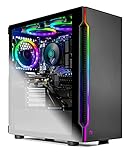
Comparison Table
| Product | CPU / GPU | RAM / Storage | 1440p verdict | Link |
|---|---|---|---|---|
| IPASON Gaming PC Desktop | Ryzen 5 5600 / RTX 3060 12GB | 16GB DDR4-3200 / 1TB NVMe | Native in lighter titles, DLSS Quality in heavy ones — best here | Check on Amazon |
| Skytech Blaze 3.0 | Core i5-10400F / RTX 3060 | 16GB DDR4-3200 / 1TB SSD | Native in lighter titles, DLSS for heavy ones; confirm VRAM on listing | Check on Amazon |
| ZOTAC MEK AI-Enhanced | Ryzen 5 5500 / RTX 3050 | 16GB DDR4-3200 / 500GB NVMe | Upscaled 1440p via DLSS today; best platform for a future GPU | Check on Amazon |
| STGAubron Gaming PC Desktop | Ryzen 5 5500 / RTX 3050 6GB | 16GB DDR4 / 1TB SSD | Upscaled 1440p, VRAM-rationed — DLSS Balanced/Performance in heavy games | Check on Amazon |
| HP Victus 15L TG02-1020h | Core i5-13400F / RTX 3050 | 8GB / 512GB SSD | Upscaled 1440p via DLSS; add the second RAM stick first | Check on Amazon |
| Skytech Shadow | Ryzen 5 3600 / GTX 1660 Super | 16GB DDR4-3000 / 1TB SSD | Native 1440p in light titles only; FSR upscaling, no DLSS | Check on Amazon |
How to Choose a PC Under $700 for 1440p Gaming
- Decide which 1440p you are buying before you buy anything. Native rendering in lighter titles plus DLSS in heavier ones is achievable here — that is the RTX 3060 pair. Upscaled-only 1440p is the RTX 3050 tier. Native 1440p at high settings across new releases is neither: it starts around $1,200, in the territory of Best 1440p Gaming PC Under $1200. Naming your tier honestly is the whole purchase.
- Shop the graphics card first, and its memory second. At 1440p the GPU does roughly 78 percent more work per frame than at 1080p, and its video memory holds the bigger frame and the textures that fill it. The documented 12GB on the IPASON’s RTX 3060 is a longevity specification; the 6GB on the STGAubron’s RTX 3050 is a rationing schedule. Card name alone does not tell you which you are getting — check the memory figure on the listing, including on RTX 3060 listings, which have shipped in more than one configuration.
- Confirm the upscaling technology matches the card. DLSS requires an RTX card. Every RTX machine in this guide has it; the GTX 1660 Super machine does not and never will, leaving FSR as its only reconstruction. If a listing implies a GTX card “supports DLSS,” the listing is wrong about the thing it is selling you.
- Learn the DLSS modes before you need them. At 1440p output, DLSS Quality renders near 960p–1080p internally and looks close to native; Balanced and Performance render lower and buy frame rate with softness. A machine whose honest mode is Quality has headroom; one already living on Performance is at its wall.
- Demand 16GB of system RAM, in two sticks. Sixteen gigabytes in dual channel is the working standard, and 1440p play does not shrink what Windows, launchers and the game consume. The one machine here shipping 8GB — the Victus — needs its second stick counted in the price before any comparison is fair.
- Insist the power supply is specified — your future GPU depends on it. The most common 1440p story at this budget is a graphics card upgrade in year two or three. That upgrade is a ten-minute swap where the PSU is named and adequate (the ZOTAC’s 650W Gold, the Blaze’s 600W Gold) and a research project where it is not (the STGAubron’s unpublished unit). Buy the wattage you will need, not just the one you need.
- Take the terabyte. Modern games routinely exceed 100GB. The 500GB and 512GB drives in this guide hold Windows and a handful of large titles; the 1TB machines double the breathing room for roughly the price of one game.
- Read the style name like a contract. Budget listings host several configurations under one page. The style name at checkout — processor, graphics card, memory, storage — is the machine you are buying. Screenshot it, and verify the delivered parts in Windows.
- Budget the monitor as part of the machine. A 1440p 144Hz panel with adaptive sync is the natural partner for this guide, and it costs real money. If the tower consumes the whole budget and the panel becomes an afterthought, the allocation is upside down — the Shadow plus a good 1440p screen will please its owner more than a 3060 tower feeding a bargain panel.
- Check the live price before you decide. Prices move often. If the IPASON is above $700 today and the Blaze is in budget, take the one in budget now, or wait — the 1440p gap between the top picks is smaller than overpaying to force a pick.
What 1440p Gaming Actually Looks Like at $700
Buyers deserve the class-level picture without invented precision. On the RTX 3060 machines, a 1440p monitor gets its best life in two registers: esports and lighter titles rendered natively at full 2560×1440, at frame rates in the high-refresh range these panels are bought for, and current heavy releases carried by DLSS Quality, where the output is 1440p, the image in motion is close to native, and settings sit at medium-to-high. Drop DLSS and demand native rendering in those same heavy games, and settings fall to medium and below — playable, and visibly the compromise it is. On the RTX 3050 machines, the native register mostly disappears for new releases: the working mode is DLSS at Quality in lighter games and Balanced in heavier ones, textures watched carefully on the 6GB card, with esports — where these cards are genuinely strong — rendered natively or upscaled at frame rates the panel can use. On the GTX 1660 Super, 1440p is an esports-and-back-catalog resolution: native at reduced settings in light titles, FSR when a heavier game needs help, with a softness in fine detail that a 1440p screen shows honestly.
Two judgments govern the experience more than any specification. The first is texture discipline: keep textures inside your video memory and the rest of the settings page can stay ambitious; exceed it and stutter arrives regardless of what the frame-rate counter averaged a minute earlier. The second is knowing which games you actually play. A library of competitive titles, indies and five-year-old AAA games is a native-1440p library on the top two machines here; a library of this year’s showcase releases is an upscaled-1440p library on the same machines, and a 1080p library wearing a 1440p output on the rest. Neither is a failure — but they are different purchases.
Common Buying Mistakes
- Believing “1440p ready” on a listing means native 1440p. On budget machines it almost always means the output resolution is supported — true of nearly every card sold in a decade. Ask what renders, not what outputs.
- Assuming every NVIDIA card has DLSS. GTX cards do not. The 1660 Super’s exclusion from DLSS is the single most consequential spec in this guide and the one most often misread from a green logo on the box.
- Judging by card name and ignoring video memory. An RTX 3060 with its memory unstated, an RTX 3050 in its 6GB form — the VRAM figure decides texture settings and upscaling headroom at 1440p. Where a listing will not state it, treat silence as information.
- Buying the 1440p monitor and the PC in the wrong order of priority. The panel will outlive two PCs; the PC will be upgraded around it. But a flagship panel fed by a machine that can only upscale softly satisfies no one — fund both halves of the setup.
- Expecting ray tracing because the card says RTX. At this tier, ray-traced effects are an experiment in lighter titles with DLSS on, not a default. The RTX features that earn their keep here are DLSS and the encoder.
- Skipping the second RAM stick on the 8GB machine. The Victus’s processor is the best here and its memory is the worst; the gap between those facts is one inexpensive stick, and leaving it unfilled is paying for a CPU your RAM will not let you use.
- Ordering the wrong style variant. One listing page, several configurations, some weaker than the reviewed one. The style name is the contract — confirm it at checkout and on arrival.
- Stretching to $700 for 1440p when your games are all competitive titles. Esports at 1440p is the lightest version of this brief; the cheaper machines in Best 1080p Gaming PC For 1440p Gaming Under $500 cover more of it than their price suggests, and the savings buy the monitor.
- Refusing to stretch when your games are new releases. The mirror error: if your library is this year’s AAA titles and native rendering matters to you, no $700 machine is the answer, and the honest move is the tier where it starts — compare Best 1080p Gaming PC Under $1200 and the 1440p-native guides before forcing this budget to be something it is not.
Final Recommendation
- Most 1440p buyers: IPASON Gaming PC Desktop, Ryzen 5 5600, RTX 3060 12GB — the only documented 12GB configuration, and the strongest native-plus-DLSS claim under $700.
- Named-brand 1440p with a specified PSU: Skytech Blaze 3.0 — RTX 3060 class behind a 600W Gold supply; confirm the VRAM figure on the live listing.
- Upscaled today, native tomorrow: ZOTAC MEK AI-Enhanced — the 650W Gold platform built for the GPU swap that finishes the 1440p job.
- Budget-tier upscaled value with 1TB: STGAubron Gaming PC Desktop — check price on Amazon, verified on arrival, textures rationed by its 6GB.
- Big-brand support in a compact case: HP Victus 15L TG02-1020h — plus the second RAM stick, counted from day one.
- 1440p esports on the tightest budget: Skytech Shadow — light titles natively, FSR for the rest, and money left for the monitor.
The shape of the right answer depends on which 1440p you meant. If it is esports, older releases and DLSS doing smart work in new ones, the IPASON is the machine this guide exists to find: the strongest documented specification at this resolution within the budget, with the video memory to still be a 1440p machine in three years. If the brand and the power supply matter as much as the card, the Blaze is its peer in performance and its superior in paperwork. If your 1440p ambitions are real but your 1440p budget is a year away, the ZOTAC is the honest bridge — upscaled now, one GPU swap from native. And if the honest self-assessment is that you want native 1440p at high settings in the games everyone is talking about, believe this guide when it tells you the budget for that begins higher up: the step to Best 1080p Gaming PC For 1440p Gaming Under $1200 is where that brief is answered without asterisks. Whichever route you take, confirm the style name, verify the parts in the first week, and check the live price before you order.
Frequently Asked Questions
Can a PC under $700 really game at 1440p?
Yes, with the definitions kept straight. The RTX 3060 machines render esports and lighter titles natively at 2560×1440 and use DLSS Quality to deliver convincing 1440p output in heavier games. The RTX 3050 machines deliver 1440p as an upscaled output over a native-1080p-class render. What $700 cannot do is render the newest releases natively at 1440p with high settings — that starts around the $1,200 tier.
Is upscaled 1440p “real” 1440p?
It is a real 1440p image on your screen, reconstructed from a lower-resolution render rather than drawn pixel-for-pixel. In motion, DLSS Quality at 1440p sits much closer to native than to 1080p in perceived sharpness, which is why it is the standard way most 1440p gaming is done. It is not identical to native — fine detail at distance and fast camera movement show the reconstruction if you look.
Why does video memory matter so much at 1440p?
Because everything lives there at once: the larger frame, the textures that fill it, and the render targets the upscaler works from. At 1440p output, a 6GB card rations textures and DLSS modes in current games, while the documented 12GB card in this guide holds high textures with room to spare. VRAM is also the specification games outgrow fastest — which is why, at this resolution, it is the longevity axis.
Does the GTX 1660 Super support DLSS?
No. DLSS is exclusive to NVIDIA’s RTX cards; the 1660 Super is a GTX card and has no access to it, now or via any future update. Its upscaling option is AMD’s FSR, which runs on the card but reconstructs more softly. This is the most commonly misread specification in the entire $700 1440p search, and it is why the Shadow, for all its raster value, is graded as a light-titles 1440p machine.
Should I buy a 1440p monitor for one of these PCs?
For the RTX 3060 machines, yes — with the understanding that heavy new games will run through DLSS rather than natively, and that the panel will outlive the PC and serve its successor at full strength. For the RTX 3050 machines, a 1440p monitor is a reasonable forward purchase if you accept upscaled output today. For the 1660 Super machine, a high-refresh 1080p panel is honestly the better partner unless your library is esports and older titles.
What would you buy with a bit more money?
The honest step is not $800 — it is the tier where native 1440p becomes the default rather than the exception. Around $1,200, prebuilts carry graphics cards that render current games natively at 2560×1440 at high settings, which is the experience most buyers picturing “1440p gaming” actually mean. If your games are new releases and your monitor is already bought, that tier — not a stretched $700 — is the purchase that matches the picture. Buyers streaming the 1440p they play should also see Best 1080p Gaming PC For Streaming Under $700, and first-time buyers the walkthrough in Best 1080p Gaming PC For Beginners Under $700.