Where to buy
Check the latest price, availability and delivery on Amazon. Orders are placed on Amazon. We may earn a commission from qualifying purchases.
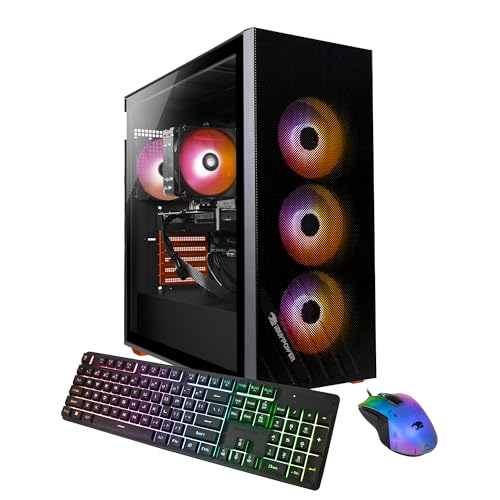
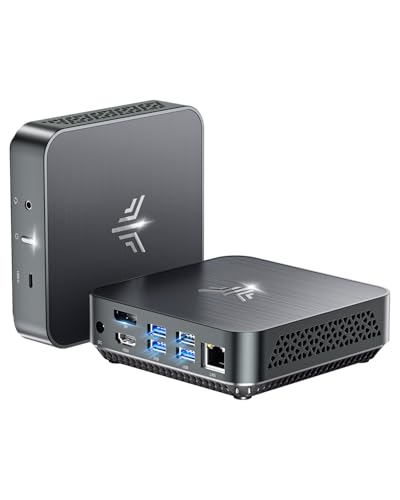
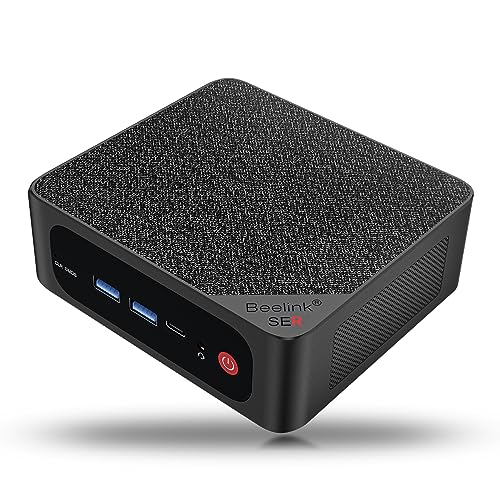
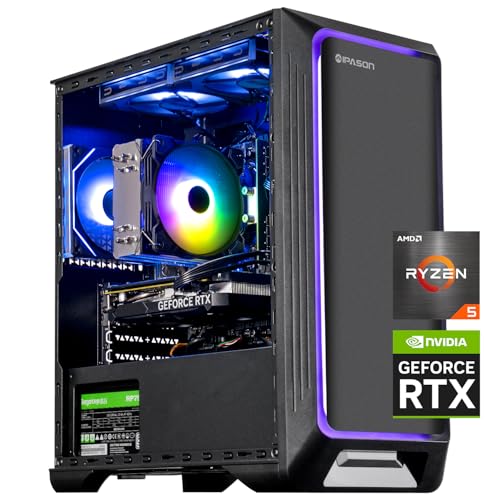
- Best overall: IPASON Gaming PC Desktop, Ryzen 5 5600, RTX 3060 12GB — Check on Amazon
- Skytech Blaze 3.0 Gaming PC Desktop, Intel Core i5-10400F, RTX 3060 — Check on Amazon
- ZOTAC MEK AI-Enhanced Gaming PC, Ryzen 5 5500, RTX 3050, 650W Gold PSU — Check on Amazon
- STGAubron Gaming PC Desktop, Ryzen 5 5500, RTX 3050 6GB, 1TB SSD — Check on Amazon
See 2 more Amazon options
- HP Victus 15L Gaming Desktop TG02-1020h, Intel Core i5-13400F, RTX 3050 — Check on Amazon
- Skytech Shadow Gaming PC Desktop, Ryzen 5 3600, GTX 1660 Super — Check on Amazon
Read the full guide ↓
Disclosure: As an Amazon Associate, reviewstook.com earns from qualifying purchases. Links to Amazon on this page are affiliate links; they cost you nothing extra. Listing details such as price and availability change often, so check the current Amazon listing before you buy.
Seven hundred dollars is the budget where a prebuilt gaming PC stops being an apology. Below $500, most towers are built around integrated graphics or aging cards that were already entry-level years ago, and the buyer spends the savings on compromises. At $700 the real hardware arrives: a six-core Ryzen 5 or Intel Core i5 processor, 16GB of memory, a fast NVMe solid-state drive, and — this is the part that decides everything — a proper discrete graphics card in the RTX 3050 to RTX 3060 class. That combination is genuinely built for 1920×1080. It runs esports titles at high refresh rates, plays modern AAA games at high settings in most cases, and supports DLSS upscaling on the NVIDIA RTX cards, which is the technology that keeps budget GPUs relevant as games get heavier. A $700 tower bought well is not a placeholder until you can afford a real PC; for a 1080p monitor, it can simply be the PC.
The honesty note that applies at every budget applies here too, and at $700 it has three parts. First, this is a 1080p budget, not a 1440p or 4K one: the RTX 3060 12GB can stretch to 1440p in lighter games, but every machine in this guide was chosen to be excellent at 1080p, and buyers planning a 1440p high-refresh monitor should be reading a guide one or two tiers up. Second, ray tracing at this level is a cameo, not a headline — the RTX cards support it, and light ray-traced effects with DLSS are playable, but full path tracing belongs to graphics cards that cost more than this entire computer. Third, the prebuilt market at $700 is a minefield of vague listings: unnamed power supplies, memory described only as “16GB” with no speed or channel configuration, and old processors hiding behind the words “Core i7” or “Ryzen 7” with no model number. Every pick below was chosen because its listing names its parts, and where a listing stays silent — two of them do, on exactly the components that matter — the review says so plainly.
Below are the quick picks, detailed reviews of all six machines, a comparison table, a buying checklist for this tier, a section on what 1080p performance actually looks like on this hardware, the mistakes that waste money at $700, and the questions buyers ask before ordering a prebuilt.
In this guide
Quick Picks
Short on time, or comparing several options at once? Each row below names a buyer type and the machine that suits it, with a link to the listing.
| Buyer type | Pick | Why it stands out | Link |
|---|---|---|---|
| Best overall | IPASON Gaming PC Desktop, Ryzen 5 5600, RTX 3060 12GB | The strongest CPU-and-GPU pairing in this guide, with 1TB NVMe storage | Check on Amazon |
| Best named-brand RTX 3060 tower | Skytech Blaze 3.0, Intel Core i5-10400F, RTX 3060 | RTX 3060 power with a published 600W Gold power supply | Check on Amazon |
| Best power supply transparency | ZOTAC MEK AI-Enhanced, Ryzen 5 5500, RTX 3050 | 650W 80+ Gold PSU and Wi-Fi 6E, named in the listing title | Check on Amazon |
| Best 1TB value on sale days | STGAubron Gaming PC Desktop, Ryzen 5 5500, RTX 3050 6GB | 1TB of storage and modern wireless, positioned well within this budget tier | Check on Amazon |
| Best big-brand support | HP Victus 15L TG02-1020h, Intel Core i5-13400F, RTX 3050 | The newest CPU in the guide and a real manufacturer’s warranty network | Check on Amazon |
| Best under-budget value | Skytech Shadow, Ryzen 5 3600, GTX 1660 Super | Honest 1080p raster performance in an under-budget, budget-tier package — check price on Amazon | Check on Amazon |
How These Picks Were Chosen
The budget was applied as a ceiling for the whole machine: every PC below is a real Amazon listing positioned within this budget tier in the United States, and because prebuilt prices drift constantly, sometimes weekly, check the live price on Amazon before you order rather than holding any guide to a fixed number. Anything whose graphics were integrated into the processor was excluded, however modern the CPU, because a “gaming PC” that cannot outrun a console does not answer the search you actually made. Listings that refused to name the graphics card model were excluded for the same reason.
We did not use these PCs ourselves. We read the maker listings and specification pages and compared processors, graphics cards, memory size and speed, storage type and capacity, and power supply wattage and rating, favoring listings that publish their numbers in full. At this budget we weighted the graphics card first, because at 1080p the GPU sets the frame rate in almost every game, then the processor, then memory configuration, then storage, and only then the case and lighting. A specification the listing leaves blank was treated as a cost, not a neutral: if a seller will not state the power supply wattage, the memory speed or whether the RAM runs in dual channel, the review flags the silence and judges the machine on what is actually documented. Two picks below carry that warning, and they are ranked accordingly.
Two practical filters sat on top of all of that. The first is the upgrade filter: a $700 tower should be a platform, not a dead end, so standard cases, standard power supplies and sockets that accept a faster processor later all scored well, while compact proprietary boxes were marked down for the GPU and power supply ceilings they impose. The second is the first-week filter: every pick runs Windows out of the box, connects by Wi-Fi or Ethernet without extra purchases, and can be checked — specifications confirmed in Windows, temperatures watched in a first gaming session — inside Amazon’s return window, which is the real warranty a budget prebuilt buyer holds.
The 6 Best 1080p Gaming PCs Under $700
IPASON Gaming PC Desktop — Ryzen 5 5600, RTX 3060 12GB, 1TB NVMe SSD
Who it suits: Buyers who want the most gaming performance this budget can hold — the player choosing a machine for the next three or four years of 1080p releases, not just this season’s.
Start with the pairing, because it is the best in this guide. The Ryzen 5 5600 is a six-core, twelve-thread Zen 3 processor running at 3.5GHz with boost up to 4.4GHz — a chip that was a mainstream recommendation in its own right when sold alone — and it is matched with the GeForce RTX 3060 in its 12GB form. That memory figure matters more than it looks: at 1080p, the 12GB of GDDR6 is what lets this card hold high texture settings in current releases where 6GB and 8GB cards are already being forced to turn textures down, and texture quality is the setting that most visibly separates “high” from “medium” on a 1080p screen. Around those two parts the documented specification stays strong: 16GB of DDR4 RAM at 3200MHz, described in the listing as gaming memory with heat spreaders, a 1TB NVMe M.2 SSD rather than the 512GB drive most rivals at this price settle for, a 550W power supply whose wattage is at least stated, and Windows 11 Home installed. In performance terms, this is the configuration that plays demanding modern games at 1080p high settings at 60 frames per second or better in most titles, pushes well past 100 in many, and treats esports games — Valorant, Counter-Strike 2, Apex Legends, Fortnite on competitive settings — as high-refresh territory for a 144Hz monitor. DLSS in its Quality mode adds headroom on top of that in the games that support it.
The caveats are about the seller, not the silicon. IPASON is a smaller system integrator than Skytech or HP, the listing notes the graphics card brand may vary — normal for prebuilts, but it means the exact RTX 3060 board is a lottery — and the same Amazon listing family has carried different style configurations over time, so the single most important click you make is confirming the style name on the page says Ryzen 5 5600 with RTX 3060 before you order, and confirming it again in Windows when the box arrives. Check the live price on Amazon before you order: within this budget tier it undercuts every RTX 3060 rival in this guide while matching or beating their storage. If it is sitting materially above this guide’s ceiling when you shop, the Skytech Blaze below is the same graphics card from a bigger name — but when it sits within budget, this is the machine the rest of the guide is measured against.
- Ryzen 5 5600 plus RTX 3060 12GB — the strongest documented pairing under this budget.
- 1TB NVMe SSD, double the storage of most rivals in this tier, and 16GB DDR4-3200.
- Power supply wattage is published (550W), which much of this market refuses to do.
Honest limitation: A smaller integrator with a “GPU brand may vary” lottery, and a listing whose style variants have changed over time — verify the exact configuration on the page and again on arrival.
Choose it if raw 1080p performance per dollar is the priority and you are willing to do ten minutes of verification. Skip it if you want a big brand’s support network behind the warranty — that is the HP below.

Skytech Blaze 3.0 Gaming PC Desktop — Intel Core i5-10400F, RTX 3060, 1TB SSD
Who it suits: Buyers who want RTX 3060 performance from an established US system integrator, with the power supply specified like a component instead of a rumor.
Skytech publishes the specification the way this guide wishes everyone did. The Blaze 3.0 (model ST-BLAZE3-0339-B-AM) pairs an Intel Core i5-10400F — six cores, twelve threads, 2.9GHz base — with the GeForce RTX 3060, 1TB of SSD storage, 16GB of DDR4 at 3200MHz, AC Wi-Fi, and a 600W Gold-rated power supply. That last line is the differentiator at this price: a named wattage with an 80+ Gold efficiency rating means the machine has real headroom for the graphics card it ships with and a plausible path to a stronger one later, which is precisely the information the no-name listings in this market withhold. The RTX 3060 delivers the same 1080p story as in the IPASON above — high settings in modern games, high-refresh esports, DLSS when a title gets heavy — and Skytech’s US-based assembly and support are the reason many buyers pay this brand’s small premium willingly. Check the live price on Amazon — this configuration sits at the top of this budget tier.
The trade is the processor’s age. The i5-10400F is a 10th-generation Intel chip: perfectly capable of feeding an RTX 3060 at 1080p today — the graphics card, not the CPU, is the limit in most games at this tier — but it is several generations behind the HP’s 13th-generation processor below, it sits on an older platform with no meaningful CPU upgrade path short of a motherboard swap, and the listing ships Windows 10 Home rather than Windows 11, so confirm the free upgrade path or plan the update yourself in the first week. None of that stops it gaming hard right now; all of it means you are buying this machine for what it is on delivery day, not for what it grows into. Judged that way — an RTX 3060, a terabyte of storage and a Gold power supply from a known integrator, positioned at the top of this budget — it earns its place as the named-brand RTX 3060 pick.
- RTX 3060 with 1TB SSD and 16GB DDR4-3200, the full documented specification.
- 600W Gold PSU named in the listing — rare transparency, and real upgrade headroom.
- Established US integrator with its own support channel behind the machine.
Honest limitation: The Core i5-10400F is an older-generation processor on a dead-end platform, and the listing ships Windows 10 Home — you are buying today’s performance, not tomorrow’s upgrade path.
Choose it if you want RTX 3060 power with a specified power supply and a known brand. Skip it if a long upgrade runway matters more than day-one frame rates — the AM4 machines above and below grow further.

ZOTAC MEK AI-Enhanced Gaming PC — Ryzen 5 5500, RTX 3050, 650W Gold PSU
Who it suits: Buyers who read the fine print — the ones who would rather have a slightly slower graphics card inside a machine whose every supporting part is named, rated and warrantied by a company that also makes the GPU.
ZOTAC is a graphics card manufacturer first, and the MEK (model MEK3050A5500BG0V1) is built like it. The headline parts are a Ryzen 5 5500 — six cores, twelve threads, up to 4.2GHz — and a GeForce RTX 3050, with 16GB of DDR4 at 3200MHz and a 500GB NVMe M.2 SSD. What lifts this machine above the other RTX 3050 towers in this guide is everything around those parts: a 650W 80+ Gold power supply, stated in the product name itself, which is more wattage and better efficiency than anything else here and enough for a substantially stronger graphics card later; Wi-Fi 6E, the newest wireless standard in this guide; and a single manufacturer standing behind both the system and the graphics card inside it. The RTX 3050 sets the gaming ceiling honestly: this is a 1080p medium-to-high settings card, excellent for esports at high frame rates, happy in modern AAA games at medium-to-high with DLSS doing quiet work, and the wrong choice for anyone expecting to max every slider in the newest releases. Check the live price on Amazon — the MEK sits inside this budget tier with room to spare.
The compromises are storage and that GPU ceiling. Five hundred gigabytes is the smallest drive in this guide — Windows, two or three large modern games and a launcher library will fill it, so budget for a second drive sooner than with the 1TB machines — and the RTX 3050, in either its 6GB or 8GB form, is a clear step behind the RTX 3060 pair above in raw speed and texture headroom. What you get instead is the best power delivery and wireless in the guide and a machine that is one graphics card swap away from a second life, because the 650W Gold supply and standard platform will accept a much stronger GPU without complaint. For a buyer planning to upgrade in two years rather than replace, that arithmetic can beat a faster card in a sealed box.
- 650W 80+ Gold PSU and Wi-Fi 6E — the best supporting specification in this guide.
- Ryzen 5 5500 and RTX 3050 from the company that manufactures the graphics card.
- 16GB DDR4-3200, and a standard platform with genuine GPU upgrade headroom.
Honest limitation: The 500GB SSD fills quickly, and the RTX 3050 is a medium-to-high settings card at 1080p — a clear step behind the RTX 3060 machines for raw performance today.
Choose it if power supply quality, wireless and a planned GPU upgrade matter to you. Skip it if you want maximum frame rates on delivery day and never plan to open the case — buy the RTX 3060 machines.

STGAubron Gaming PC Desktop — Ryzen 5 5500, RTX 3050 6GB, 1TB SSD
Who it suits: Value hunters — buyers willing to accept a vaguer specification sheet in exchange for a terabyte of storage and strong budget-tier value positioning.
The documented core is sound. This STGAubron tower (model ABR1722) runs a Ryzen 5 5500 at up to 4.2GHz — the same six-core Zen 3 processor as the ZOTAC above — with a GeForce RTX 3050 6GB graphics card, 16GB of DDR4 memory, a 1TB solid-state drive, Wi-Fi 6, Bluetooth 5.2, four RGB fans and Windows 11 Home. That is the full modern checklist: enough CPU for any game in this class, enough memory for gaming with a browser and chat open beside it, double the storage of the MEK, and current wireless. Gaming performance follows the RTX 3050 6GB script — esports titles at high frame rates, modern AAA games at 1080p medium-to-high settings with DLSS smoothing the demanding scenes — and the 6GB of video memory is the version of the 3050 to watch most carefully with texture settings in the newest releases. Value is the argument: check the price on Amazon, where this configuration is positioned as one of the most budget-friendly routes in this guide to a Ryzen 5 5500 with a terabyte of storage.
Now the part this guide exists to say out loud. The listing does not publish the power supply wattage or brand, the memory speed, or whether the SSD is NVMe or SATA — three specifications the picks above it state openly, and their absence is the honest price of the discount. A no-name power supply is the component most likely to limit a future GPU upgrade and the one whose failure can take other parts with it, and STGAubron’s ratings across its range sit below the big integrators’. None of that makes this a bad purchase; it makes it a purchase with homework. Photograph the power supply label through the case panel when it arrives, confirm the memory configuration and SSD type in Windows, and stress-test the machine with your heaviest game inside the return window. Do that, and this is a lot of documented hardware for the money. Skip it, and you are trusting the three blanks in the specification with your whole budget.
- Ryzen 5 5500, RTX 3050 6GB and a full 1TB SSD — the modern checklist, complete.
- Wi-Fi 6 and Bluetooth 5.2, matching the newest wireless in most of this guide.
- Budget-tier value positioning with a full 1TB fitted — check price on Amazon.
Honest limitation: The listing leaves the power supply, memory speed and SSD interface unpublished, and the brand’s support track record trails the big integrators — buy it with a first-week inspection planned.
Choose it if the current Amazon price fits your budget and you will verify the unlisted parts on arrival. Skip it if unpublished specifications bother you — the ZOTAC above answers every one of these questions in its product name.

HP Victus 15L Gaming Desktop TG02-1020h — Intel Core i5-13400F, RTX 3050
Who it suits: Buyers who want a household name on the box — a parent buying a first gaming PC, or anyone who values a national service network and a compact case over maximum parts-per-dollar.
The Victus 15L’s headline is the newest processor in this guide. The Intel Core i5-13400F is a 13th-generation chip with ten cores — six performance and four efficiency — and sixteen threads, which makes this compact HP the strongest multitasker here: gaming while streaming, recording or running a school or work workload beside the game is exactly what the hybrid core layout is for. It is paired with a GeForce RTX 3050, 512GB of SSD storage and Windows 11 Home, inside HP’s 15-litre tower, a case roughly half the volume of the standard towers in this guide and genuinely easier to fit on or under a desk. The RTX 3050 delivers the established 1080p story — high-refresh esports, medium-to-high settings in modern AAA titles with DLSS — and HP’s warranty and support infrastructure is the real product for many buyers: a real model number (TG02-1020h), published specifications, and a service network that exists independently of an Amazon seller inbox. Check the live price on Amazon before you order, as pricing varies between HP’s own sales periods and third-party sellers.
The limitation is printed in the specification, and it is the memory: this configuration ships with 8GB of RAM. In 2026 that is below the working minimum for comfortable gaming — modern titles plus Windows, a launcher and a browser will push past it, and if the 8GB arrives as a single stick, the machine is also running single-channel memory, which costs real frame rate on top of the capacity squeeze. The fix is cheap and easy — a matching DDR4 stick is one of the least expensive upgrades in PC gaming — but it is an upgrade this machine needs in a way the 16GB picks do not, and the compact 15L case and HP’s proprietary power supply arrangement cap future graphics card upgrades well below what the standard towers accept. Buy the Victus for its processor, its size and its support, budget the second memory stick from day one, and it is a sensible, well-backed 1080p machine. Buy it expecting to grow it into a high-end tower in three years, and the case will disappoint you.
- Core i5-13400F — the newest, most cores, best multitasking CPU in this guide.
- Compact 15L case and HP’s warranty and service network behind a real model number.
- RTX 3050 1080p performance in a compact big-brand package — check price on Amazon.
Honest limitation: Only 8GB of RAM as shipped — plan a second stick immediately — and the compact proprietary case and power supply sharply limit future GPU upgrades.
Choose it if brand support, a small footprint and CPU power for streaming or schoolwork lead your list. Skip it if you want 16GB fitted from the factory and a tower you can upgrade for years.

Skytech Shadow Gaming PC Desktop — Ryzen 5 3600, GTX 1660 Super, 1TB SSD
Who it suits: The under-budget buyer — someone working to a tighter ceiling than this guide’s, or who would rather spend the difference on a better monitor, because at 1080p the monitor is half the experience.
The Shadow (model ST-SHADOW-0238-AM) is the elder statesman of this guide, and its specification explains its staying power: a Ryzen 5 3600 — six cores, twelve threads at 3.6GHz — a GeForce GTX 1660 Super with 6GB of GDDR6, 16GB of DDR4 at 3000MHz, a full 1TB SSD, RGB fans, AC Wi-Fi and Windows 10 Home. The GTX 1660 Super deserves an honest defense. It has no ray tracing hardware worth using and no DLSS, which is why it sits last in a 2026 guide — but in plain rasterized 1080p gaming, which is still how most games are actually played at this tier, it remains a genuinely capable card: high settings in a wide range of modern titles, very high frame rates in esports games, and 6GB of memory that behaves itself at 1080p resolutions. The Ryzen 5 3600 behind it is a generation older than the 5500 and 5600 in the picks above, and it will show that age first in CPU-heavy strategy and simulation games — but the AM4 socket it sits in accepts those very processors as a drop-in upgrade later, which gives this cheap tower a longer story than its price suggests. Check the live price on Amazon — it is positioned well under this guide’s ceiling.
What the discount costs is the future’s graphics features. Every year, more games lean on DLSS or FSR upscaling to hit their performance targets, and while FSR works on this card, NVIDIA’s DLSS does not; ray-traced lighting, where a game offers it as the showcase mode, is effectively off the menu. Windows 10 Home in the listing also means an upgrade conversation the Windows 11 machines skip. None of this matters to the buyer this machine is for: someone playing competitive and slightly older titles at 1080p today, on a budget that also has to cover the screen. For them, money saved toward a 144Hz monitor is not a compromise — it is the correct allocation, and the Shadow is the honest way to make it.
- The under-budget pick — the only one that leaves serious room in the budget for a monitor. Check price on Amazon.
- GTX 1660 Super still delivers honest 1080p high-settings raster performance.
- 1TB SSD and 16GB of RAM fitted, and an AM4 socket with a real CPU upgrade path.
Honest limitation: No DLSS and no usable ray tracing, an older Ryzen 5 3600, and Windows 10 in the listing — this is today’s value, bought with tomorrow’s features.
Choose it if your total budget must cover the monitor too, or your games are esports and back-catalog titles. Skip it if you play the newest releases on day one and expect upscaling to carry them — step up to the RTX 3060 pair.
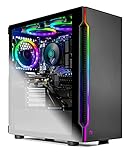
Comparison Table
| Product | CPU / GPU | RAM / Storage | Best use | Link |
|---|---|---|---|---|
| IPASON Gaming PC Desktop | Ryzen 5 5600 / RTX 3060 12GB | 16GB DDR4-3200 / 1TB NVMe | Maximum 1080p performance per dollar | Check on Amazon |
| Skytech Blaze 3.0 | Core i5-10400F / RTX 3060 | 16GB DDR4-3200 / 1TB SSD | Named-brand RTX 3060 with a Gold PSU | Check on Amazon |
| ZOTAC MEK AI-Enhanced | Ryzen 5 5500 / RTX 3050 | 16GB DDR4-3200 / 500GB NVMe | Upgrade-ready platform, best PSU and Wi-Fi | Check on Amazon |
| STGAubron Gaming PC Desktop | Ryzen 5 5500 / RTX 3050 6GB | 16GB DDR4 / 1TB SSD | 1TB value when its price dips | Check on Amazon |
| HP Victus 15L TG02-1020h | Core i5-13400F / RTX 3050 | 8GB / 512GB SSD | Compact big-brand machine, best CPU | Check on Amazon |
| Skytech Shadow | Ryzen 5 3600 / GTX 1660 Super | 16GB DDR4-3000 / 1TB SSD | Under-budget 1080p value | Check on Amazon |
How to Choose a 1080p Gaming PC Under $700
- Shop the graphics card first. At 1080p the GPU sets your frame rate in almost every game. In this guide’s order of strength: RTX 3060 12GB, then RTX 3050, then GTX 1660 Super. A newer processor behind a weaker card is the classic prebuilt trap — do not pay for CPU generations with GPU money.
- Check the video memory, not just the card name. The RTX 3050 exists in 6GB and 8GB forms and they are not the same product. At 1080p, more VRAM is what keeps texture settings high in current releases; the RTX 3060’s 12GB is a genuine longevity advantage, not a spec-sheet decoration.
- Demand 16GB of RAM, in two sticks. Sixteen gigabytes is the working standard for gaming plus Windows, launchers and chat. Two 8GB sticks run in dual channel and are measurably faster than one 16GB stick; a machine shipping 8GB total, like the Victus above, needs its second stick budgeted before you call the price final.
- Insist the power supply is specified. Wattage and an 80+ rating should be printed in the listing, as Skytech and ZOTAC print them. An unnamed PSU is the part most likely to block a future GPU upgrade — and the one component whose quality you cannot judge from a photograph of RGB fans.
- Take the terabyte if it is offered. Modern games routinely exceed 100GB each. A 512GB drive holds Windows and three or four large titles; 1TB doubles your breathing room for roughly the price of one game. Storage is the cheapest specification to buy now and the most annoying to run out of later.
- Match the processor to the platform’s future. AMD’s AM4 machines here (Ryzen 5 3600, 5500, 5600) share a socket with years of drop-in upgrades. Intel’s 10th-generation platform in the Blaze is finished, while the Victus’s 13th-generation chip is strong today inside a case that limits GPU growth. Decide whether you are buying a platform or an appliance.
- Read the style name like a contract. Budget listings host multiple configurations under one page, and titles get recycled across variants. The style or configuration name on the page you order — processor, graphics card, memory, storage — is what you are buying. Screenshot it at checkout.
- Verify everything in the first week. Open Settings and Task Manager and confirm the CPU, GPU, RAM size and speed, and drive capacity match the listing. Run your heaviest game while watching temperatures. Every check on this list is free inside the return window and expensive after it.
- Budget the whole setup, honestly. None of these towers includes a monitor. A 1080p 144Hz display is the natural partner for this tier — if buying the PC leaves nothing for the screen, the Shadow above plus a good monitor will look better than an RTX 3060 feeding an old 60Hz office panel.
- Check the live price before you order. Prebuilt prices move weekly and sale events move them most. If a pick in this guide is sitting above this guide’s ceiling today, the correct move is usually to wait or take the rival that is in budget now — the performance gap between the top picks is smaller than overpaying for the same tier.
What 1080p Gaming Actually Looks Like at $700
Buyers deserve the plain version of what this hardware does, because “runs 1080p” covers everything from a slideshow to a 240Hz esports rig. On the RTX 3060 machines at the top of this guide, current AAA games at 1080p high settings typically sit between 60 and 100 frames per second, with DLSS Quality mode pushing demanding titles comfortably upward from there, and esports games — Valorant, Counter-Strike 2, League of Legends, Apex Legends on competitive settings — running well into the range where a 144Hz or 165Hz monitor earns its money. The RTX 3050 machines move each of those numbers down a step: high settings become medium-to-high in the newest releases, 60 frames per second is the target rather than the floor, and DLSS shifts from a bonus to a tool you will actually use — but esports performance stays excellent, because those games were built to run on exactly this class of card. The GTX 1660 Super Shadow matches the 3050 in older and lighter games on raster performance alone, then falls behind precisely where upscaling would have helped, which is the honest summary of buying last-generation value.
Two settings decide more than any others at this tier. Texture quality is governed by video memory: keep textures within your VRAM — generous on the 12GB RTX 3060, a real budget on the 6GB cards — and most other settings can stay high without mid-game stutter. Ray tracing is the opposite trade: on RTX 3050 and 3060 hardware, treat it as an occasional experiment in lighter titles with DLSS enabled, not a default, because the frame rate it costs buys more visual quality spent on textures and shadows. A $700 PC set up with those two judgments will feel like a machine that cost more.
Streaming, School and Everything After the Game
Most $700 towers lead a double life, and this guide’s picks were checked against the second job as well. For streaming and recording, the NVIDIA cards in five of the six machines carry the NVENC encoder, which captures and streams gameplay on dedicated hardware with a barely measurable cost to frame rate — the reason the RTX 3050 and 3060 picks suit the Best 1080p Gaming PC For Streaming Under $700 brief even though this guide ranks them for gaming first, and the reason the GTX 1660 Super, which has an older NVENC generation, trails them for creators as well as for DLSS. For school and office work, every processor here is comically overqualified — six to ten cores against homework and spreadsheets — and the differences that matter are the HP’s extra efficiency cores for heavy multitasking and the wireless standards: Wi-Fi 6E on the ZOTAC, Wi-Fi 6 on the STGAubron, and older AC Wi-Fi on the Skytech machines, a gap that only matters if your router and your room are equally modern.
The last second-job test is size, and it is where the Victus 15L quietly wins its share of buyers: a 15-litre case fits a dorm desk or a shared living room in a way the full RGB towers do not — which is why buyers for whom space is the whole question should also read Best 1080p Gaming PC For Small Spaces Under $700. The big towers answer with airflow and upgrade room. Neither answer is wrong; they are answers to different rooms.
Common Buying Mistakes
- Paying for the processor and starving the graphics card. A “Ryzen 7” or “Core i7” badge with integrated graphics or an entry card from three generations ago is the oldest trick in this market — the GPU is the gaming specification.
- Trusting a headline that hides the model numbers. “Core i7 up to 4.1GHz” with no generation named usually means an old one. Every pick in this guide was required to name its parts; require the same of anything else you consider.
- Buying 8GB of RAM in 2026 and calling it finished. Capacity and dual-channel configuration both matter; the one machine here that ships 8GB tells you to budget the second stick, and so should any listing you find elsewhere.
- Ignoring the power supply because it has no RGB. The PSU decides whether a future graphics card upgrade is a ten-minute swap or a full rebuild, and unnamed units are where budget builders quietly recover their margins.
- Ordering the wrong style variant. One listing page, five configurations, four of them worse than the one in the review you read. Confirm the style name at checkout and the parts in Windows on arrival.
- Expecting 1440p or maxed ray tracing because the card says RTX. These are 1080p machines; the RTX features that matter here are DLSS and NVENC, and buyers set on higher resolutions should read Best 1080p Gaming PC For 1440p Gaming Under $700 with clear eyes — or step up a tier.
- Filling a 512GB drive in the first month and blaming the PC. Games are enormous now; count your library against the drive before you order, not after the third install fails.
- Spending the monitor money on the tower. An RTX 3060 on a dim 60Hz panel loses to an RTX 3050 on a good 144Hz display in every game you will actually feel. Budget the setup, not the box.
- Letting the return window close untested. The first week is when wrong variants, single-channel RAM and loud fans are free to fix. A prebuilt you have not stress-tested in week one is a specification you took on faith.
Final Recommendation
- Most buyers: IPASON Gaming PC Desktop, Ryzen 5 5600, RTX 3060 12GB.
- Named-brand RTX 3060 with a specified PSU: Skytech Blaze 3.0.
- Upgrade planners and fine-print readers: ZOTAC MEK AI-Enhanced.
- Sale-day value with 1TB storage: STGAubron Gaming PC Desktop.
- Big-brand support in a compact case: HP Victus 15L TG02-1020h — plus a second RAM stick.
- Total budgets that include the monitor: Skytech Shadow.
Our top two at this budget are the IPASON, for the strongest documented pairing of processor, graphics card and storage in the guide, and the Skytech Blaze 3.0, for the same class of RTX 3060 performance behind an established integrator’s name and a Gold-rated power supply. Between them they cover the two shapes this search usually takes: maximum hardware per dollar, verified carefully, or slightly less adventure for the same frame rates. If you plan to open the case in two years and fit a stronger graphics card, the ZOTAC MEK’s 650W Gold supply makes it the thinking buyer’s pick despite its slower card today; if the PC is a gift or a first machine for a household that wants a service number to call, the Victus — with its memory upgraded — is the one. Buyers working to a tighter ceiling should also see Best 1080p Gaming PC Under $500, first-time buyers will find the friendlier walkthrough in Best 1080p Gaming PC For Beginners Under $700, and anyone whose budget is flexible should compare the next tier in Best 1080p Gaming PC Under $800 before deciding the extra is not worth it. Confirm the style name on the listing, photograph the parts list at checkout, verify the machine in Windows in its first week — and check the live price on Amazon before you order, because positioning within this tier shifts from week to week.
Frequently Asked Questions
Is $700 enough for a good 1080p gaming PC?
Yes — it is the first budget at which “good” needs no asterisk. At $700 a prebuilt can hold a six-core processor, 16GB of memory, an NVMe SSD and an RTX 3050 or RTX 3060 graphics card, and that specification plays esports titles at high refresh rates and modern AAA games at 1080p high settings in most cases. The budgets below this one buy compromises; this one buys a machine. What it does not buy is 1440p headroom or heavy ray tracing, and buyers with those ambitions should step up rather than stretch.
RTX 3050 or RTX 3060 — how much difference is there really?
A tier, not a nuance. The RTX 3060 is roughly a third faster in raw performance and, in its 12GB form, carries double the video memory of the 6GB RTX 3050 — which is why the 3060 machines run high textures and high settings where the 3050 machines run medium-to-high and lean on DLSS. Both are legitimate 1080p cards; if the price gap between a 3050 and 3060 machine is small on the day you shop, the 3060 is the better buy almost every time, and if it is large, the 3050 machines in this guide are honest value.
How much RAM does a gaming PC need in 2026?
Sixteen gigabytes, fitted as two sticks so it runs in dual channel. Eight gigabytes — still shipped by some big-brand configurations, including one pick in this guide — leaves modern games competing with Windows and your browser for memory, and costs frame rate as well as patience. Thirty-two gigabytes is pleasant for streaming and heavy multitasking but is not where a $700 budget should go first; the graphics card is.
Can I upgrade one of these PCs later?
The standard towers, yes, within limits set mostly by the power supply. The AM4 machines accept faster Ryzen processors on the same motherboard, every tower here takes more storage trivially, and a graphics card upgrade is realistic where the PSU is known and adequate — the ZOTAC’s 650W Gold unit being the standout. The compact HP Victus is the exception: its small case and proprietary power supply cap GPU upgrades hard, which is the trade for its size and support. Check the PSU label of any machine you buy with upgrades in mind.
Should I build my own PC instead of buying a prebuilt at $700?
Building the equivalent of this guide’s top picks from parts typically lands in a similar range once Windows is included, and it buys you chosen components — a named power supply, guaranteed dual-channel memory — at the cost of assembly, troubleshooting and one warranty per part instead of one per machine. At higher budgets building usually wins on value; at $700, prebuilt sale pricing is genuinely competitive, which is why this guide exists. Build if you enjoy it or want specific parts; buy prebuilt if you want to be gaming this weekend with a single warranty behind the whole box.
What monitor should I pair with a $700 gaming PC?
A 24-inch 1080p monitor with a 144Hz or 165Hz refresh rate and adaptive sync. That is the display this hardware was born to drive: esports titles will use the full refresh range, AAA games will sit in the smooth 60-to-100 band, and the panel costs a fraction of what a 1440p screen would while asking nothing of the GPU that the GPU cannot give. Spending more on the monitor tier than the PC tier, at this budget, is the one allocation mistake this guide sees most.
What should I check when the PC arrives?
Four things, in the first week, while returns are free. Confirm in Windows that the processor, graphics card, memory size and speed, and storage match the style name you ordered. Check whether the memory is one stick or two. Run your most demanding game for half an hour and watch that temperatures stay sane and fans stay bearable. And photograph the power supply label through the side panel, so you know your upgrade ceiling before you plan one. Ten minutes of checking is the difference between a verified machine and a hopeful one.