Disclosure: As an Amazon Associate, reviewstook.com earns from qualifying purchases. Links on this page are affiliate links; they cost you nothing extra. Prices and availability change often, so check the current Amazon listing before you buy.
Choosing an led lcd television in 2026 means choosing among Mini LED flagships that have quietly closed most of the gap to OLED for bright-room viewing, while keeping the size-for-money advantage that made LCD the default technology for two decades. This guide explains what the terms actually mean, compares five current models from Samsung, Sony, TCL, Hisense, and LG, and then walks through the buying decisions that matter in a real living room: brightness against your windows, viewing angles for your seating, gaming features for your console, and the setup steps that make a new panel look right on its first evening.
The short version is encouraging. Every television in this roundup uses a Mini LED backlight with local dimming, quantum-dot colour, and a native high-refresh panel, so none of them is a bad screen. They differ in processing taste, in how aggressively they trade contrast for viewing angle, in gaming extras, and in the smart platform wrapped around the picture. Read the technology sections if the terminology confuses you, or jump to the individual reviews if you already know your room and your budget tier.
Key takeaways
- Modern LED LCD means Mini LED backlights with hundreds of dimming zones; the badge alone no longer implies a dim, washed-out panel.
- Bright rooms reward the Samsung and Hisense flagships; film purists lean Sony; value hunters start with TCL.
- Viewing angle is the hidden divider: wide-angle layers help group seating and soften contrast slightly.
- Size the screen to your seating distance before chasing flagship processing you may never notice.
In this guide
Quick picks
- Samsung QN90H 65-inch — the bright-room flagship with a glare-free finish and Samsung’s Neo QLED Mini LED stack.
- Sony BRAVIA 9 65-inch — the processing connoisseur’s choice, with XR backlight control and PlayStation-friendly features.
- TCL QM8L 65-inch — the value flagship: SQD-Mini LED, 144Hz, and Google TV with Gemini onboard.
- Hisense U8 65-inch — the specification maximalist: native 165Hz, very high claimed brightness, and a 4.1.2-channel sound system.
- LG QNED73B 43-inch — the compact option for bedrooms, kitchens, and desk-adjacent viewing, from LG’s QNED Mini LED line.
What LED LCD actually means now
An LCD panel does not emit its own light; it shutters light produced by a backlight, and the quality of that backlight is the story of the last decade of television. Early LED-backlit sets used a handful of large LEDs along an edge or behind the panel, which is why old LCDs glowed grey in dark scenes. Mini LED shrinks those diodes dramatically, packing far more of them behind the screen and grouping them into local dimming zones that brighten and darken with the picture. More, smaller zones mean a star field can stay black around each point of light instead of blooming into a grey haze.
Quantum dots supply the colour half of the modern formula. A quantum-dot film converts backlight energy into very pure reds and greens, widening the colour gamut so that a sunset or a football kit renders with saturation that older LCD filters could not reach. When a listing says QLED, Neo QLED, QNED, or ULED, it is describing variations on this same marriage of Mini LED backlighting and quantum-dot colour, each brand dressing shared physics in its own vocabulary. The panel technology underneath remains LCD, with its characteristic strengths: high brightness, no burn-in risk, and large sizes at sane prices.
The honest weakness also remains. Because an LCD shutter can never block light perfectly, the deepest blacks still belong to self-emissive OLED panels, and local dimming is an intelligent approximation rather than a per-pixel solution. In a dark room with subtitles over a night scene, you may notice a gentle halo around bright objects on any LCD here. Whether that matters depends on your room and your habits, which is why this guide keeps returning to environment: in daylight and mixed lighting, the LCD flagships below often look bolder than OLED rivals costing considerably more.

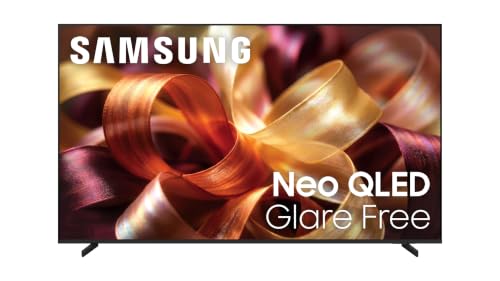
Samsung 65-inch QN90H Neo QLED: the bright-room flagship
Badge: Best for bright rooms
- Size and class: 65-inch, Neo QLED Mini LED, 2026 model as listed
- Backlight: Quantum Mini LED full array
- Finish: glare-free screen treatment
- Processor: NQ4 AI Gen2 with Samsung Vision AI features
- Extras: Alexa built in, Smart TV platform by Samsung
Samsung’s QN90 line has been the default answer to a sunlit living room for several generations, and the QN90H continues that brief with a glare-free finish that attacks the problem from two directions at once: the Mini LED backlight pushes brightness high enough to hold contrast against daylight, while the surface treatment scatters reflections so a window behind the sofa becomes a soft sheen rather than a mirror image of the garden. For open-plan rooms with big glass, that combination is worth more than any laboratory contrast figure.
Samsung’s processing taste runs vivid. Colours arrive punchy, motion is smoothed assertively in the default modes, and the Vision AI features attempt to optimise scene by scene. Film purists will want to spend ten minutes in the picture settings choosing the filmmaker-style mode and calming the motion interpolation, after which the panel’s hardware quality shows through cleanly. Gamers get Samsung’s usual generosity: high refresh support, low input lag in game mode, and a gaming hub that collects cloud and console sources in one place.
Strengths
- Glare-free finish plus high brightness suits the brightest rooms here
- Full-array Mini LED backlight keeps dark scenes controlled for an LCD
- Gaming features and hub are among the most complete in this group
Trade-offs
- Default picture modes lean vivid and need calming for films
- Samsung’s platform pushes its own services prominently
- No Dolby Vision support, following Samsung’s long-standing position
Best for: bright, window-heavy rooms and mixed family viewing with gaming. / Not suited for: viewers who insist on Dolby Vision or an untouched film look out of the box.

Sony 65-inch BRAVIA 9 Mini LED: the processing purist’s pick
Badge: Best picture processing
- Size and class: 65-inch Mini LED QLED, 4K HDR, Google TV as listed
- Backlight control: XR Backlight Master Drive
- Viewing: X-Wide Angle layer with X-Anti Reflection
- Formats: Dolby Vision and Dolby Atmos support
- Gaming: dedicated PlayStation 5 features as listed
Sony sells restraint. The BRAVIA 9’s XR Backlight Master Drive controls its Mini LED zones with the most disciplined hand in this roundup, keeping blooming on a shorter leash in dark scenes and holding shadow detail that more excitable rivals crush or wash. Sony’s colour science aims at the creator’s intent rather than the showroom, so skin tones and film grain look honest in the accurate modes, and upscaling of older broadcast and streaming content is the most graceful here, a benefit that shows every single evening rather than only on demo reels.
The wide-angle layer deserves explanation because it is a genuine trade. Sony spreads light so viewers seated off to the sides keep colour and contrast, which transforms group viewing in a wide room, and the cost is a small reduction in peak contrast for the viewer dead centre compared with a narrow-angle panel. For most households the exchange is obviously correct; a television is a shared appliance, and a picture that only impresses one seat is a flawed piece of furniture however fine its measurements look in a reviewer’s darkened lab.
Strengths
- Most disciplined local dimming and colour accuracy in this group
- Wide viewing angles suit sofas and group seating
- Google TV platform with Dolby Vision and strong upscaling
Trade-offs
- Typically the premium-priced option in its size class
- Wide-angle layer slightly softens peak centre-seat contrast
- Fewer HDMI ports with full gaming bandwidth than some rivals
Best for: film lovers, mixed seating, and PlayStation households wanting accuracy. / Not suited for: buyers chasing the lowest price per inch above all else.

TCL 65-inch QM8L SQD-Mini LED: the value flagship
Badge: Best value at flagship level
- Size and class: 65-inch SQD-Mini LED QLED, 2026 model as listed
- Refresh: 144Hz native panel
- Platform: Google TV with Gemini
- Formats: Dolby Vision IQ and Dolby Atmos, IMAX Enhanced as listed
- Picture aims: high colour volume with strong brightness and contrast claims
TCL’s QM8 line built its reputation by selling flagship hardware at a price tier below the legacy brands, and the QM8L continues the pattern with an SQD-Mini LED panel, a native 144Hz refresh, and a format checklist that omits nothing important: Dolby Vision IQ adapts tone mapping to room light, IMAX Enhanced covers its certified content, and Google TV with Gemini handles streaming and voice control in the ecosystem most households already half-live in through their phones.
The compromises live in polish rather than panels. TCL’s motion processing and upscaling are good and improving, yet a side-by-side with the Sony on a grainy older film shows where the premium brands still earn their money. The remote, menus, and sound tuning similarly feel engineered to a price, perfectly serviceable and occasionally plain. Buyers who watch mostly modern streaming, sport, and games will rarely meet those limits; buyers with large libraries of older content should weigh the Sony’s processing more heavily in their personal calculation.
Strengths
- Flagship panel hardware at a value-tier position
- Native 144Hz suits PC and console gaming
- Complete HDR format support including Dolby Vision IQ
Trade-offs
- Upscaling and motion polish trail Sony’s best
- Built-in sound is adequate rather than memorable
- Menus and remote feel less refined than premium rivals
Best for: value-focused buyers wanting a true flagship panel for streaming and games. / Not suited for: archivists of older, low-quality sources who prize upscaling above all.

Hisense 65-inch U8 ULED Mini-LED: the specification maximalist
Badge: Highest gaming specification
- Size and class: 65-inch ULED Mini-LED, QLED colour, Google TV as listed
- Refresh: native 165Hz with VRR up to 288 as listed
- Brightness: up to 5000 nits claimed, with extensive local dimming
- Formats: HDR10+, Dolby Vision IQ, Dolby Atmos, IMAX Enhanced as listed
- Sound: 4.1.2-channel built-in audio as listed
Hisense writes specification sheets like it is trying to win an argument, and the U8’s argument is strong: a native 165Hz panel with variable refresh reaching far beyond console needs, brightness claims at the top of the LCD class, every major HDR format present, and a 4.1.2-channel speaker system that is the only built-in audio here worth describing as a feature rather than a placeholder. PC gamers in particular should pause on this model, because its refresh headroom matches high-end gaming monitors while offering a 65-inch canvas no monitor can approach.
The maximalist approach carries the usual caveats. Chasing peak brightness numbers matters most in HDR highlights and bright rooms; in a dim cinema setup the Sony’s discipline may please more. Hisense’s processing and long-term software support have historically been a half-step behind the leaders, and a specification sheet cannot tell you how a television will be updated in year three. Judge the U8 on what it demonstrably is, a remarkably complete hardware package, and it earns its place on any shortlist that includes serious gaming.
Strengths
- 165Hz native refresh with deep VRR range for PC and console play
- Very high brightness headroom for HDR highlights and bright rooms
- Best built-in sound system in this roundup by a clear margin
Trade-offs
- Processing finesse and update track record trail Sony and Samsung
- Peak brightness is overkill for dark-room film viewing
- Viewing angles are narrower than the Sony’s wide-layer design
Best for: PC and console gamers and bright-room viewers wanting maximum hardware. / Not suited for: dark-room purists who value processing discipline over specifications.

LG 43-inch QNED73B Mini LED: the compact room answer
Badge: Best for smaller rooms
- Size and class: 43-inch QNED Mini LED, 2026 model as listed
- Processor: a7 AI Processor with 4K super upscaling as listed
- Colour: Dynamic QNED Color as listed
- Modes: Filmmaker Mode and HDR10 support as listed
- Audio feature: WOW Orchestra pairing with compatible LG soundbars as listed
Not every room wants 65 inches, and this roundup would be dishonest if it pretended otherwise. The 43-inch QNED73B brings LG’s Mini LED QNED stack down to a size that fits a bedroom dresser, a kitchen wall, a student’s room, or a desk-adjacent setup where a flagship slab would dominate the furniture. It keeps the important inheritances, Mini LED dimming, quantum-dot-style colour, a filmmaker mode that respects film cadence, and competent upscaling, in a footprint that one person can mount without recruiting a neighbour.
Set expectations by physics rather than badge. A 43-inch panel has fewer dimming zones and less audio room than its 65-inch cousins, so dark-room contrast and bass will not match them, and LG positions this model accordingly. As a second television or a small-room primary it is exactly right, and its Filmmaker Mode makes it a more honest film screen than many larger budget sets. Buyers whose main sofa sits far from the wall should step up in size first and brand second; no processor rescues a screen that is simply too small for the room.
Strengths
- Genuine Mini LED QNED hardware in a manageable 43-inch size
- Filmmaker Mode and solid upscaling for the class
- Easy one-person installation for bedrooms and small rooms
Trade-offs
- Fewer dimming zones and smaller sound than 65-inch flagships
- Too small for distant main-sofa viewing
- Gaming specification is modest beside the Hisense and TCL
Best for: bedrooms, kitchens, small flats, and second-room viewing. / Not suited for: a main living-room screen viewed from a long sofa distance.
Buying guide: matching an LED LCD to your room
Begin with light, not logos. Face the wall where the television will live and note where the windows sit relative to it and at what hours you actually watch. A screen facing a bright window needs the Samsung’s glare treatment or the Hisense’s brightness reserves; a screen in a controlled, curtained room can trade those for the Sony’s discipline. Reviewers measure panels in dark labs because labs are consistent, but your room is the laboratory that counts, and its lighting will rank these five televisions differently than any chart does.
Size comes second and is governed by distance and content. Mixed viewing at typical living-room distances rewards the largest screen your wall and budget accept, because modern 4K panels stay sharp far closer than old rules of thumb suggested. Measure the viewing distance, check it against the size you are considering with an open mind, and remember that buyers almost never regret going one size up while frequently regretting the reverse. The exception is the genuinely small room, where the LG’s 43 inches is not a compromise but the correct engineering answer.
Third, audit your sources. A household fed by streaming apps and a console cares about the smart platform and gaming ports; a household with a large disc collection cares about format support and film modes; a sports household cares about motion handling and panel uniformity on grass-green backgrounds. List your three most-watched things and rank the televisions against those, not against a generic ideal. The best LED LCD is the one whose strengths overlap your evenings, and the overlap exercise takes ten minutes with a notebook rather than a spreadsheet.
Sound is the final buying decision and the most commonly postponed. Every television here can drive a soundbar, and most living rooms eventually add one, which argues for spending on the panel and treating built-in audio as a temporary arrangement, unless you choose the Hisense specifically for its stronger speakers. Check that the television and any existing audio gear share the connection standards you need, particularly eARC for modern bars, before the boxes arrive and a Friday evening setup turns into a cable hunt.
How to set up a new LED LCD on its first evening
Installation begins before the box opens. Photograph your old connections, confirm the wall mount or stand can carry the new panel’s weight and VESA pattern, and lay a blanket on the floor for the screen-down moment that stand assembly requires. Two people should lift any 65-inch set regardless of confidence, because a large panel flexes in ways that can damage it, and the money saved by heroic solo installation is never worth the crack it risks. Keep the packaging until the return window closes; a set that must travel back travels safely only in its own box.
First picture settings matter more than any later tweak. Choose the accurate picture mode, called filmmaker, movie, or cinema depending on brand, then disable the eco and ambient auto-brightness features that will otherwise fight your settings for weeks. Set motion interpolation to the lowest level that pleases you on a football match or a camera pan, because the soap-opera smoothness that delights in a showroom usually irritates by the third evening at home. Warm colour temperature is the film-accurate choice and looks yellow for exactly two days before it looks correct forever.
Finish with the unglamorous connections audit. Put the console on the port with full gaming bandwidth and enable game mode for that input, put the streaming stick or box on another, and label the inputs in the television’s menu with real names so family members can navigate without a tutorial. Run each source for two minutes, confirm the HDR badge appears where it should, and only then sit down. A television set up deliberately on night one tends to stay correct for years, because nobody revisits a menu that never caused a problem.
Common LED LCD buying mistakes
The classic mistake is buying the showroom. Retail lighting flatters brightness and saturation while hiding blooming, viewing-angle shifts, and motion quirks, and the vivid mode that wins a showroom comparison is the first thing a thoughtful owner disables at home. Judge by reviews measured in dark rooms and by your own room’s needs, not by which panel shouted loudest under fluorescent light. The second mistake is its mirror image: buying a dark-room champion for a glass-walled room and spending years watching reflections of the garden.
Another recurring error is undersizing to save money in the wrong place. Within a model line, the step up in size usually buys more visible pleasure than the step up in processing tier, because size is felt in every scene while processing differences appear in difficult scenes. A third error is ignoring the stand: wide-set feet on flagship models may not fit an existing media unit, a discovery best made with a tape measure before delivery day rather than during it, with the television resting against a sofa and the evening evaporating.
Finally, buyers often neglect the return-window tests. In the first fortnight, deliberately watch the content that stresses LCD: a dark film with subtitles, a hockey or football match for uniformity and motion, a game for input lag feel, and the news for upscaling honesty. Problems found inside the window are exchanges; the same problems found in month three are regrets. Ten structured hours of testing is the cheapest insurance in the whole purchase, and it doubles as an enjoyable excuse to rewatch a favourite film properly.
Final recommendation
For most living rooms, the led lcd decision resolves cleanly. Bright room with windows opposite the screen: start with the Samsung QN90H and its glare-free finish. Film-first household with wide seating: the Sony BRAVIA 9 is the connoisseur’s answer. Value flagship for streaming and console play: the TCL QM8L. PC gaming on a huge canvas or maximum hardware per pound: the Hisense U8. Small room or second screen: the LG QNED73B, sized honestly for its space. None of these requires apology; each is the right television for a recognisable home.
Frequently asked questions
Is LED LCD still worth buying when OLED exists?
Yes, for bright rooms, large sizes, and static-content households. Mini LED LCD panels get brighter, resist the burn-in worries that accompany news tickers and game HUDs left on for years, and deliver big screens at prices OLED cannot match. OLED keeps the crown for perfect blacks in dark rooms. The technologies serve different rooms more than they serve different budgets, and choosing by environment rather than by fashion produces happier owners on both sides of the divide.
What does local dimming actually do?
Local dimming divides the backlight into zones that brighten and darken with the picture, so a bright object on a dark background no longer forces the whole screen to glow. More zones, driven by smarter algorithms, approximate the effect of per-pixel light control ever more closely. It is the single technology most responsible for modern LCD quality, and the differences between the televisions in this roundup are largely differences in how many zones they carry and how wisely their processors drive them.
How far should I sit from a 65-inch television?
Closer than older advice suggests. For mixed 4K viewing, a range roughly between one and one-and-a-half times the screen’s diagonal is a comfortable starting window, which for 65 inches means most sofas in most rooms qualify easily. Sit nearer for cinema immersion, farther for casual broadcast, and treat your own comfort across a full film as the referee. If you are choosing between two sizes and your distance sits in the overlap, the larger screen is very rarely the regret.
Do I need HDMI 2.1 and 120Hz for console gaming?
Current consoles benefit from both for their high-frame-rate modes, and PC players benefit even more, which is why the TCL and Hisense in this roundup emphasise refresh headroom. If you play mostly cinematic single-player games at standard frame rates, a 60Hz path still looks excellent, and the input-lag improvements of a proper game mode matter more than raw refresh. Buy the bandwidth your actual games use, and value a television with generous full-bandwidth ports if a PC shares the screen.
Will an LED LCD suffer burn-in like early OLEDs?
No. LCD panels do not burn in under normal use, which is one of their structural advantages for households that leave news channels, sports tickers, or game interfaces on screen for long stretches. Temporary image retention can occur on many display types after extreme static use and fades with varied content. For mixed family viewing where nobody wants to manage the television’s diet of images, LCD’s indifference to static content is a genuine, practical freedom worth including in the decision.
Should I wait for next year’s models?
Only if your current television is serving you well. Television improves incrementally, and each year’s flagship refinements are real but rarely transformative, while the pleasure of a good screen begins the evening it is installed. The models in this roundup represent the current mature state of Mini LED LCD, a technology whose big leaps are behind it and whose value is consequently high. Buy when the room needs it, set it up carefully, and let the annual launch cycle proceed without your anxiety.
Panel uniformity, blooming, and other honest LCD behaviours
Every LCD carries a personality that specification sheets omit. Uniformity describes how evenly the panel lights a flat colour: a football pitch is the classic examination, revealing faint clouds or brighter corners on lesser samples, and unit variation means two televisions of the same model can differ slightly. This is not a reason to fear the technology, because flagship Mini LED sets are generally well controlled, but it is a reason to run the pitch test inside the return window, when a disappointing sample can still become a replacement rather than a decade-long companion you apologise for.
Blooming, the halo around bright objects on dark backgrounds, is local dimming’s signature compromise and each brand manages it with a different philosophy. Aggressive algorithms dim zones hard to protect blacks and may dim small bright objects with them, so a star can lose its sparkle; gentler algorithms keep highlights vivid and accept a whisper of halo. Neither is objectively correct. The Sony in this roundup leans disciplined, the Hisense leans vivid, and your own taste, formed by watching a night scene on both philosophies if a showroom allows, is the only honest arbiter between them.
Off-angle colour shift is the third behaviour, and it divides households more than reviewers. A viewer seated alone in the centre may never meet it, while a family spread across a corner sofa lives with it nightly. Wide-angle layers, like Sony’s, exist precisely for the second household, trading a little centre contrast for a picture the whole sofa can share. Before dismissing angle as a lab concern, sketch your actual seating on paper; the drawing takes a minute and has settled more television arguments than any measurement published this year.
Smart platforms compared: living with the software
The panel gets you through the first evening; the platform decides the next five years of evenings. Samsung’s system is fast and richly featured, with a gaming hub that genuinely helps households juggling consoles and cloud services, though it promotes Samsung’s own content with enthusiasm some owners find pushy. Google TV, carried by the Sony, TCL, and Hisense here, offers the broadest app library, Chromecast convenience, and an interface that follows your Google account’s habits, at the cost of occasional advertising real estate on the home screen that no setting fully banishes.
LG’s webOS heritage shows in the QNED73B’s snappy pointer remote and tidy launcher, a system many families find the easiest to teach to grandparents and guests. Across all four platforms, the practical advice converges: connect the television by ethernet if you can for update and streaming stability, create the household accounts before the first film night rather than during it, and consider an external streaming device only if your chosen platform lacks an app you truly need, because duplicating systems adds remotes and confusion faster than it adds value.
Updates deserve a sober paragraph. Modern televisions are computers, and their makers support them for varying spans with varying enthusiasm. The legacy brands in this roundup have the longest track records of multi-year support, while the value brands have improved markedly and now publish clearer policies. Whichever you choose, enable security updates, postpone feature updates by a few days when the option exists so early bugs can surface elsewhere, and remember that a television kept offline with a good external streamer is a legitimate long-term strategy rather than a failure to embrace the future.
Gaming on a big LCD: what actually matters
Television gaming is decided by three numbers and one feeling. The numbers are input lag in game mode, refresh ceiling, and the count of full-bandwidth ports; the feeling is motion clarity during a fast camera pan, which combines panel response with processing choices. All five televisions here offer proper game modes with low lag, the TCL and Hisense add refresh headroom that PC players can exploit, and the Samsung and Sony counter with mature console-specific conveniences. For a single-console household, any of them delights; for a PC plus two consoles, count ports before falling in love.
Variable refresh deserves plain words because it is often sold as magic. It lets the television match its refresh to the game’s fluctuating frame rate, removing the tearing and judder that appear when the two disagree, and its benefit is largest in games whose frame rates wander. If your games hold a locked rate already, VRR changes little; if you play ambitious open-world titles, it is close to essential. HDR gaming adds one more setup duty: calibrate the console’s HDR output using its own setup screens after the television’s game mode is active, because the two devices negotiate brightness together.
Screen size itself is a gaming feature nobody lists. A 65-inch panel at sofa distance fills peripheral vision in racing and flight games in a way no monitor at a desk replicates, and that immersion is the reason television gaming keeps converting desk players. The trade is competitive shooters, where a huge screen can slow target acquisition for players used to taking in a whole match at a glance. Households that play both genres sometimes keep the television for spectacle and a monitor for ranked nights, a duplication that sounds extravagant until you price the hours each screen serves.
Longevity and the ten-year television
A flagship television is a decade-scale purchase for many households, so think past the warranty. LCD backlights fade slowly and evenly rather than failing dramatically, which means a Mini LED set ages gracefully: year eight looks like year two with the brightness turned up a notch in the settings. The components most likely to date are the smart platform and the port selection, both of which can be refreshed externally, a streamer for the first and a receiver or switcher for the second, which is another quiet argument for buying panel quality over software novelty.
Care is simple and mostly about restraint. Dust the vents so the backlight’s heat escapes, avoid pausing a bright static image for days out of general kindness to any display technology, and clean the screen with a dry or barely damp microfibre cloth rather than household sprays that attack coatings, especially the anti-glare treatments that make the Samsung in this roundup so effective. A surge protector is cheap insurance for a device that sits connected through every thunderstorm of a ten-year life.
When the television eventually moves on, its second life is usually a bedroom, a relative’s flat, or a games room, and the sets that age best into those roles are the ones with standard mounts, simple remotes, and platforms that still open the major apps. Flagships from recognised brands hold that second-life value best, which softens their first-life price. Buying well once, as the saying goes, is the frugal strategy disguised as the indulgent one, and few purchases illustrate it as clearly as the screen a household gathers around every night.
HDR formats without the headache
High dynamic range is where these televisions earn their flagship status, and also where the format alphabet frightens buyers unnecessarily. HDR10 is the universal baseline every set here supports. Dolby Vision adds scene-by-scene instructions from the content creator and appears on the Sony, TCL, and Hisense in this roundup; Samsung’s absence of it is the brand’s long-standing choice, countered by HDR10+, a rival dynamic format that Samsung champions and the Hisense also carries. In practice, major streaming services increasingly support multiple formats, so the practical gap narrows every year.
What matters more than the badge is tone mapping: how the television fits content mastered brighter than the panel into the brightness the panel actually has. A set with strong peak brightness, like the Hisense or Samsung here, has less fitting to do and keeps highlights closer to intent in a bright room. A set with superior processing, like the Sony, fits more gracefully in a dark room where its restraint shows. Dolby Vision IQ and its equivalents add room-light sensing to that fitting, a genuinely useful feature for televisions that serve a sunlit afternoon and a midnight film with the same settings page.
For buyers, the actionable summary is short. If your household streams widely and wants every title in its best clothes, a Dolby Vision set removes a whole category of doubt. If your room is bright and your loyalties flexible, Samsung’s hardware compensates for its format position with sheer light and reflection control. Either way, enable the enhanced HDMI format setting for each port you use, because many televisions ship ports in a compatibility mode that quietly limits HDR and refresh until the owner finds the toggle buried in the external-inputs menu.
Sport, news, and daytime: the unglamorous majority of viewing
Reviews obsess over cinema because cinema is measurable, yet most televisions earn their keep on sport, news, and daytime programmes. Sport tests motion handling and uniformity together: a fast pan across a pitch exposes both judder and dirty-screen effect in one unforgiving movement, and the flagships here handle it with a maturity that budget sets cannot imitate. If sport is your household’s main event, weight motion processing and panel uniformity above peak brightness when ranking this roundup, and use the return window to watch a full match rather than a highlight reel.
Daytime viewing tests the opposite virtues: brightness reserves, reflection handling, and upscaling of broadcast feeds that arrive in modest quality. The Samsung and Hisense were built for this shift, while the Sony’s upscaling gives it a counter-claim on poor-quality sources even in bright rooms. News and talk programming add a social dimension, because these are the programmes guests and family watch from kitchen stools and side chairs, which quietly promotes viewing angle from a laboratory metric to a hospitality feature in any home that entertains around the television.
The lesson across both is that a television is a general-purpose appliance pretending to be a cinema screen in advertisements. Rank your own programme mix honestly, assign the flagship whose strengths match the majority of your hours rather than the prestige minority, and the purchase will satisfy on ordinary Tuesdays, which is where satisfaction actually accumulates. A set that thrills twice a month and irritates daily has the equation backwards, and no amount of award badges on the box will rebalance it from inside your living room.
Soundbars, receivers, and when built-in audio is enough
Television speakers fight physics: slim cabinets leave no room for air movement, and air movement is bass. The Hisense’s multi-channel system in this roundup is the honourable exception that proves the rule, offering enough body for news, sport, and casual viewing without extra boxes. For film nights on any set here, a soundbar transforms the experience more cheaply than any other accessory, because dialogue clarity, not surround spectacle, is what most households are actually missing when they reach for the volume button during a whispered scene and dive for it again when the action starts.
Connection discipline keeps the upgrade painless. Use the eARC port for the bar or receiver, enable the television’s audio passthrough setting so formats reach the audio device unaltered, and set the television speakers to off rather than letting them echo alongside the bar. Households with a full receiver should route sources through it where possible and let the television be a display, the arrangement that ages best as formats evolve, because receivers are cheaper to replace than flagship panels when a new connection standard arrives.
There is also a legitimate minimalism worth defending. A small room, a bedroom set like the LG here, or a household that watches mostly dialogue-driven programmes may never need external audio, and money not spent on a bar is money available for the size step that the buying guide argued for earlier. Audio advice, like panel advice, should follow the programme mix rather than the showroom’s priorities, and the correct amount of sound equipment is the amount that makes your most-watched content clear at your normal listening level.
Energy, heat, and the running costs of a bright panel
Brightness is bought with electricity, and a flagship Mini LED at full tilt in a sunlit room draws meaningfully more power than the same set idling through the news at night. Modern televisions manage this with ambient sensing and eco modes, some of which this guide earlier advised disabling for picture consistency; the reconciliation is to disable the aggressive picture-altering eco behaviours while keeping the harmless ones, like automatic standby and screen-off timers for audio-only listening. Over a decade of evenings the difference between a thoughtfully configured set and a careless one is real money, though rarely enough to justify choosing a worse picture.
Heat follows the same curve. A hard-working backlight warms the panel and the wall behind it, so a tightly enclosed media alcove is a poor home for any flagship here; leave ventilation space, particularly above the set, and a wall mount that holds the panel slightly off the wall serves both cooling and cable access. These are unglamorous considerations that never appear in advertisements, yet they decide whether a television reaches its tenth birthday, which makes them part of the picture quality discussion in the only sense that ultimately matters to the household paying for it.
Accessibility and family features on modern sets
Flagship televisions have quietly become good accessibility devices. Voice control through the platform assistants helps viewers who find small remote buttons difficult, high-contrast menu modes and screen readers support low-vision users, and multi-output audio lets a hearing-aid streamer and the room speakers play together at different volumes in some ecosystems. When shopping for a household that includes older viewers or anyone with sensory differences, spend as long in the accessibility menu as in the picture menu; the best screen in this roundup is the one every member of the household can operate confidently alone.
Family controls complete the picture. App-level locks, purchase PINs, and viewing-time management differ meaningfully between platforms, and Google TV’s family integration will feel familiar to Android households while Samsung and LG offer their own capable equivalents. Set these up during the first-evening installation, while patience is high, rather than after the first accidental rental or the first late-night viewing marathon by a child who discovered the television wakes faster than the parents do.
Wall mounting versus the stand: a decision with consequences
Mounting flatters a big LCD and complicates its life in equal measure. A wall-mounted flagship floats, frees the media unit for audio gear, and sits at exactly the height your seating wants, which is eye level when seated rather than the gallery height that fireplace installations impose. Against that, every cable change becomes a small expedition, and the panel’s rear vents and ports were designed assuming some air and access around them. If you mount, install an articulating bracket or leave generous cabling slack, run an extra HDMI lead as a spare while the wall is open, and photograph the rear connections before the set goes up for the last time.
The stand route keeps life simple and imposes its own homework. Flagship feet are often positioned at the panel’s extreme edges to suggest lightness, which demands a media unit nearly as wide as the television itself; measure yours before delivery, because discovering a two-inch shortfall with the set unboxed is a miserable afternoon. Centre pedestals, where offered, solve the width problem and raise a different one, tippiness in households with climbing toddlers or large dogs, which argues for a safety strap regardless of how stable the set feels in a calm showroom.
Viewing height ties the two choices together. Whether the screen floats or stands, its centre belongs near seated eye level, and every inch above that taxes necks across a film’s full length. The fashion for mounting above fireplaces survives because rooms are awkward, not because necks approve, and if that is your only wall, tilt the mount downward and accept the compromise knowingly. A television’s picture quality is partly a furniture decision, and the households happiest with their flagships are usually the ones that treated placement as seriously as the panel itself.
A closing thought on showrooms and patience
If this guide leaves you with one habit, let it be patience at the point of purchase. Live with your shortlist for a week, read the owners’ discussions for the two finalists, and notice which set of compromises you keep forgiving in your imagination. Forgiveness is data: the television whose flaws you excuse before owning it is usually the one whose flaws you will keep excusing happily for years, while the set bought in a hurry for a headline specification tends to be cross-examined nightly. The right flagship is the one you stop researching, because the room, the light, and the programmes have all voted the same way.
What changes at 75 and 85 inches
Most models in this roundup also exist in larger sizes, and stepping up changes more than the diagonal. Larger panels spread the same seating across a wider viewing cone, which promotes the viewing-angle discussion from a footnote to a headline for corner sofas. Backlight zone counts usually scale with size, so contrast behaviour can improve slightly even as uniformity becomes harder to hold across the bigger sheet of glass. Room light also interacts differently: a bigger screen is itself a bigger light source at night, raising the room’s ambient level and, paradoxically, making blooming less visible than on a smaller set in a pitch-black space.
The practicalities scale too. An 85-inch set is a two-person-plus installation with a box that will not turn every stairwell corner, and its stand footprint may exceed furniture that happily carried a 65-inch predecessor. Measure the route from the front door to the wall, not just the wall, and confirm the lift if your building has one. None of this argues against size, which remains the most reliable pleasure in television buying; it argues for treating a very large screen as a small logistics project whose successful delivery is part of the product you are paying for.
Recycling the old set responsibly
A new flagship usually displaces a working television, and the displaced set deserves a plan made before delivery day crowds the hallway. The hierarchy is simple: reuse within the home first, pass it to family or a local group second, sell it third, and use a proper electronics recycling route last, because even an elderly LCD contains materials that should not enter general waste. Wipe accounts and reset the old set before it leaves your hands, a step easily forgotten in the excitement of the new panel and awkward to remedy once the old one hangs on someone else’s wall.
Related guides
Mini LED explained through the same TV pool
a flagship gaming laptop with an OLED screen compared
mirrorless cameras for beginners on a budget
the Panasonic hybrid camera examined in depth