Disclosure: As an Amazon Associate, reviewstook.com earns from qualifying purchases. Links on this page are affiliate links; they cost you nothing extra. Prices and availability change often, so check the current Amazon listing before you buy.
Sony’s entry tier of its current television line is where bravia 3 ii sits, and entry tier at Sony has never meant careless: the 43-inch model verified below carries the XR Processor, a 4K HDR LED panel, and the Google TV platform in a set aimed at bedrooms, kitchens, and first flats rather than at cinema rooms. The question a review of bravia 3 ii has to answer is not whether it beats the flagships — it does not, and does not try — but whether its compromises are the ones a smaller-room buyer will never notice.
We approach bravia 3 ii as the television most households actually have room and budget for: film nights at moderate distances, sport on bright afternoons, a console underneath, and streaming apps doing nearly all the work. Judged on that life, several of its specifications matter enormously — motion handling, the smart platform, viewing angles — and several flagship obsessions, like peak brightness records, matter barely at all. The sections below sort one from the other.

Key takeaways
- A 4K HDR LED set with Sony’s XR Processor and Google TV, verified in the 43-inch listing below
- Best suited to bedrooms, kitchens, and smaller living rooms at moderate viewing distances
- Sony’s motion processing and upscaling are the reasons to choose it over cheaper no-name panels
- Serious gamers and bright-room movie purists should step up the range instead
In this guide
Bravia 3 Ii in the Sony line-up
Sony numbers its televisions so the range reads at a glance, and the 3 sits at the foundation: LED backlighting rather than OLED or Mini LED, the XR Processor in its mainstream form, and a feature set trimmed of the extras that decorate the 7, 8, and 9 tiers. The II suffix marks the refreshed generation of that design. Understanding the position prevents the two standard review errors — scolding it for lacking flagship hardware, or praising it as though the trims were free. They are not free; they are the price of the price, and the question is whether what remains is coherent.
What remains is the part of Sony that budget brands cannot copy cheaply: picture processing. Upscaling of broadcast and older content, motion interpolation that does not turn film into soap opera unless you ask it to, and colour management that keeps skin tones plausible — these are software and tuning, and Sony’s versions are the product of decades of studio work. A panel is a commodity; the processing is the brand. The Bravia 3 II sells the processing at the range’s lowest entry point.
Picture quality in a real room
In a dimmed bedroom or an evening living room, the set produces the clean, balanced image Sony is known for: natural colour out of the box in its accurate modes, respectable contrast for an LED panel, and HDR that improves on SDR without pretending to be a flagship light cannon. Dolby Vision support matters more than raw brightness at this tier, because it means the set renders streamed films with per-scene guidance rather than a single blunt curve. Bright-room performance is the honest limitation: a sunlit space will wash some contrast from any LED at this level, and this one is no exception.
Viewing angles follow the physics of its panel type — best from in front, with contrast and colour softening as you move wide. In a bedroom, where the audience is a bed, that is no limitation at all. In a wide living room with seating spread across an arc, it becomes the specification to weigh, and the step-up models with wider-angle layers exist precisely for those rooms. Match the television to the seating you actually have.
Motion, sport, and everyday television
Sport is where Sony’s processing earns its keep most visibly. Football and tennis stress a television’s motion handling and its upscaling simultaneously, since broadcasts arrive below 4K and move fast. The Bravia 3 II keeps ball trails and panning crowds cleaner than the bargain panels it competes with, and its accurate colour stops grass looking radioactive, a small mercy that cheap sets routinely fail. For news, soaps, and documentaries — the bulk of many households’ viewing — it is simply a calm, competent picture that never draws attention to itself.
Gaming is the more qualified story. The set handles a console’s 4K signal and offers the low input lag casual and mid-core players need, and Sony’s PlayStation-oriented features appear in the range. What it does not offer is the full high-refresh, multi-port HDMI 2.1 suite of the gaming-focused tiers above it. A player who lives on competitive shooters at high frame rates should budget upward; a player whose library is adventures, sports titles, and platformers will find this set entirely willing.
Google TV and daily operation
The smart platform is Google TV, which means the major streaming services are present and current, voice search through the remote works across apps, and Chromecast is built in for the household’s phones. Sony’s implementation is sensibly restrained: the home screen leads with content rather than advertisements for the set’s own store, and the remote is a simple wand with the buttons people actually use. Responsiveness is adequate rather than thrilling — menus move at the pace of a mainstream processor — and owners who demand flagship snappiness can add a streaming stick later without replacing the television.
Sound from the set’s own speakers is the expected television compromise: clear dialogue at modest volumes, no bass worth naming. A bedroom set may never need more. For a main room, budget for a soundbar eventually; the television’s eARC connection makes adding one painless when the time comes. Judged as a platform purchase — screen, processing, software — the Bravia 3 II is coherent: nothing essential is missing, and the omissions are the ones its rooms forgive.

The products worth a closer look
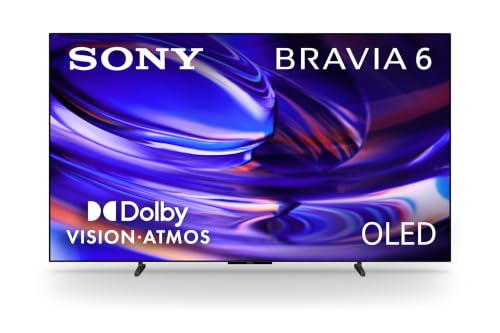
Sony BRAVIA 3 II 43 inch
Verified pick — the 43-inch model
The listing verified for this review is the 43-inch K-43XR30M2, the size that fits the rooms this tier was designed for. Its API-confirmed specification names the XR Processor and the Google TV platform with Gemini features, which matches the positioning described above: Sony’s processing and software, at the range’s entry price, in a screen that suits a bed, a desk wall, or a compact lounge.
Buy it as a processing purchase. If your comparison set is a row of similarly sized 4K panels, this is the one whose broadcast upscaling and motion you will still be pleased with in three years, long after the spec-sheet differences have blurred. Check the listing for the current size options if your room wants a different diagonal, since the range spans several.
- 43-inch 4K HDR LED panel
- XR Processor with AI picture processing
- Google TV smart platform
- Dolby Vision HDR support
Strengths
- Sony upscaling and motion at the entry tier
- Accurate, natural colour out of the box
- A mainstream platform that stays current
Trade-offs
- Bright rooms wash some contrast
- Viewing angles narrow off-centre
- Not the full high-refresh gaming specification
Best for: bedrooms, kitchens, and smaller living rooms at moderate distances / Not suited for: bright cinema rooms or esports-grade gaming
Setup and first-week tuning for the 3 II
Out of the box, choose the accurate picture preset — the one named for cinema or custom viewing in Sony’s menus — and disable the motion smoothing for film content, because the set’s processing is at its best when it is not trying to impress a showroom. Turn off the eco and light-sensor features for the first week so the picture you judge is the panel’s, not the room sensor’s opinion of it, then re-enable them if the convenience suits your space. Update the firmware before judging anything; Sony’s platform updates arrive meaningfully and a set judged on its shipping software is a set judged mid-sentence.
For the console input, rename it and set that input’s mode for gaming so the low-latency behaviour engages with the console rather than waiting to be discovered. Run the room’s real content for the first evenings — a match, a film, the news — before touching colour controls, because Sony’s factory tuning in the accurate modes is close enough that most owners’ correct move is to stop. The set rewards restraint: it was calibrated by people who grade films for a living, and your first week is for the room and the seating, not for re-grading their work.
The 3 II as a second television, and why that is praise
There is a category of product that flagship culture undervalues: the excellent second television. The set for the bedroom where series are finished, the kitchen where matches play during cooking, the spare room that becomes a cinema when family visits — these screens log enormous hours and zero prestige, and they are where households actually live with a brand. A 3 II in that role delivers the two things the role demands: a picture that never embarrasses the content and a platform that every guest can operate without instruction.
It also disciplines the main-room purchase by contrast. Owners who live with Sony’s processing in the bedroom read the flagship tiers’ claims with educated eyes when the living room’s turn comes — they know what the processing already gives them, so they can price the panel upgrades honestly. Ranges are ecosystems, and the entry tier is where the ecosystem earns its trust. On the evidence of this set — processing intact, platform current, compromises honestly placed — the trust is being earned at exactly the tier where it is cheapest to lose.
Who the entry tier actually serves, mapped room by room
The bright living room that defeats cheap TVs
The natural habitat of an entry-tier big-brand TV is the ordinary living room: windows it cannot control, ceiling lights it cannot dim, and viewing angles set by a sofa rather than a cinema plan. In that habitat, the qualities that matter are adequate brightness for daytime sport, reflections handled gracefully rather than heroically, and colours that look right on faces without a calibration session. Judge this tier by those jobs and it is a rational design; judge it by midnight movie blacks and you are grading a commuter car on lap times.
The second room that becomes the games room
Bedrooms, studies, and spare rooms are where these sets quietly spend their lives, often as the household’s gaming screen. That role values different things: low input lag, the right HDMI features for consoles, and a size that suits a desk-distance or bed-distance view. A tier like this one, from a maker that takes console features seriously across its range, can be a smarter games-room buy than a larger, dumber panel with a fancier badge.
The first big TV in a first home
For a first substantial television, the ownership questions are reliability, a platform that will be supported for years, and sound that does not demand an immediate second purchase. Big-brand entry models earn their premium over no-name panels exactly here: the smart platform gets updates, the warranty has a network behind it, and the picture processing on ordinary broadcast and streaming content, which is most of what a first home watches, is a generation ahead of budget rivals.
Picture quality, criterion by criterion, at this tier
| Criterion | What this tier realistically delivers | How to judge it in a store |
|---|---|---|
| Contrast and black depth | Respectable for lit rooms; deep-space scenes in the dark reveal the panel’s ceiling | Watch a night scene, not the demo loop, and notice shadow detail rather than headline black |
| Brightness and HDR | Highlights that read as bright in normal rooms; HDR that improves rather than transforms | Compare a bright outdoor scene against the model above it in the range, side by side |
| Motion handling | Clean sport at native rates; film motion that benefits from mild smoothing settings | Follow a football broadcast’s panning shots and read the advertising boards as they pass |
| Upscaling of ordinary content | A genuine big-brand strength: broadcast and older streaming look composed | Ask for a normal television channel, the content you will actually watch most |
| Viewing angles | Depends on panel type; wide sofas expose weak angles quickly | Stand at the angle your end-of-sofa seat occupies and judge colour shift honestly |
| Uniformity | Sample variation exists at every tier; this tier asks for a fair return policy | A plain grey or football-pitch screen shows patchiness better than any demo reel |
The pattern to notice is that this tier’s strengths, upscaling, processing, platform, are the ones exercised by everyday viewing, while its concessions, ultimate contrast and HDR punch, are exercised by the showcase content people watch least. That is not an accident; it is the product of a maker allocating a budget where hours are actually spent, and it is why experienced buyers often defend entry big-brand sets against spec-sheet comparisons with feature-stuffed budget rivals.
Setup and settings: the first evening with the TV
- Choose the accurate picture mode before judging anything. Showroom and standard modes oversaturate to survive shop lighting. The cinema or filmmaker-style preset is the honest starting point, and every later tweak should depart from it deliberately.
- Set motion processing for your content, not by ideology. A touch of smoothing civilises broadcast sport; the same setting makes film look like a soap opera. Many sets let you store per-input or per-app preferences, which ends the argument nightly.
- Feed it the best signal you own once. Play one high-quality stream or disc you know well, so you learn what the panel does with good material. Without that reference, every later disappointment is undiagnosable between source and screen.
- Arrange the sound honestly. TV speakers at this tier are adequate for news and dialogue; if films matter, plan the soundbar as a second-stage purchase rather than distorting the TV choice around its speakers.
- Connect the consoles and check the gaming settings by name. Confirm the low-lag mode engages, the HDMI ports are set to their enhanced format where required, and the console reports the features you expect. These toggles live in different menus on every brand, and assuming them is how features go unused for years.
An evening spent this way converts a purchase into a calibrated tool, and it inoculates against the most common entry-tier regret: blaming the television for settings and sources that were never introduced to each other properly.
Stepping up or staying put: the range logic
- Step up for the room, not the brochure. A dedicated dark room for films is the clearest reason to climb the range, because contrast is the quality the climb buys most. A bright family room may show barely any difference for the same money.
- Step up for size economics carefully. Sometimes the next tier at the same size costs less than this tier two sizes up; sometimes the reverse. Decide whether your room rewards inches or image quality more, because at a fixed budget you are always trading one for the other.
- Stay put if the platform and processing are your delight. Owners who mostly watch broadcast, sport, and streaming in normal light are buying exactly what this tier optimises. The higher tiers’ gifts are real and also genuinely easy to never use.
- Stay put and spend the difference on sound. The most underrated allocation in television buying: this tier plus a competent soundbar outperforms a tier up through its own speakers for most film and sport nights, because ears notice their upgrade every minute.
Ranges exist to be navigated, not climbed by default. This model’s job in the range is to be the point where the brand’s processing, platform, and reliability become affordable, and for a large share of households that point is not a compromise but the destination.
Sound at this tier: managing the television’s weakest sense
Every television tier has a sense it neglects, and at the attainable end it is hearing. Slim cabinets leave little room for speakers, and speakers aimed at the wall behind the set or the table beneath it arrive at the sofa pre-muffled. The result is a specific, recognisable frustration: dialogue that retreats under music and effects, news presenters who seem to mumble, and a volume control ridden up and down across a single programme. Naming this honestly matters because it is the most solvable dissatisfaction in television ownership, and its solutions should be budgeted as part of this tier’s true price.
The first solution costs nothing and lives in the audio menu. Dialogue-enhancement or voice modes exist on most modern sets precisely for this complaint, and they work by favouring the frequency band where speech lives. Night modes compress the range between whisper and explosion, which is a household peace treaty as much as a setting. Experiment with both during a dialogue-heavy drama before concluding anything about the speakers, because the default mode is tuned for a showroom, not for your sofa.
- A soundbar is this tier’s natural second purchase. Even a modest one transforms dialogue clarity and film weight, because it aims real drivers at the listener from a cabinet designed for sound. Plan the purchase within the first year and the television’s total cost stays honest.
- Placement of the set itself affects its sound. A television in a corner or a cabinet cavity colours its own audio; a few centimetres of clearance and a clear path from the speakers to the room cost nothing and repay immediately.
- Audio return connections make the upgrade painless. The HDMI audio return channel lets a soundbar wake, sleep, and take volume commands from the television’s remote, which is the difference between an upgrade the household uses and one it bypasses.
None of this diminishes the tier; it locates its design budget truthfully. The makers spend where the eyes are, knowing the ears can be served later and separately, and a buyer who plans the sound as stage two owns a better system, sooner, than a buyer who stretches for a higher tier and still listens through television speakers.
Sizes and viewing distance: the arithmetic of the attainable tier
At this tier, size is the specification with the most daily consequences and the least honest marketing. The right size is a function of viewing distance and content: closer seats and film-heavy diets reward larger panels, while distant sofas and broadcast diets forgive smaller ones. The persistent error is buying the size that fits the furniture rather than the size that fits the distance, because furniture is visible in the shop and distance is only felt at home, nightly, for years.
| Viewing distance | Size territory to consider | What changes at this size |
|---|---|---|
| Desk or bedroom distance, roughly a metre and a half | The smaller sizes in the range | Density is high, upscaling is flattered, gaming feels immersive without head movement |
| Typical sofa distance, two to two and a half metres | The middle sizes | The tier’s sweet spot: film fills the view, broadcast remains forgiving |
| Long room, three metres and beyond | The largest sizes the tier offers | Scale compensates for distance; check that the tier’s brightness still suits the room at this size |
| Mixed seating, some near and some far | Size for the far seats | Near viewers adapt to a large screen quickly; far viewers never adapt to a small one |
There is a second arithmetic hiding inside the first: at a fixed budget, size and tier trade directly against each other. This tier at a larger size versus the tier above at a smaller one is the classic attainable-budget duel, and the honest arbiter is your content. Broadcast and streaming at distance favour the larger canvas; critical film viewing at close range favours the finer panel. Either answer can be right, and both are wrong when chosen by the showroom’s wall of screens rather than by your room’s measurements.
Reliability, warranty, and the support question at the value end
Value tiers from major makers carry an advantage that specification sheets cannot print: the support network behind them. Warranty service with actual parts availability, firmware updates that continue for years, and a model population large enough that any problem you meet has been met, documented, and solved by owners before you: these are properties of the maker’s scale, and they are worth real money in the tiers where buyers can least afford a write-off.
The practical habits are unglamorous. Register the product, keep the receipt somewhere other than the box you recycle, and run the set’s own panel-care and update routines rather than disabling them in a fit of settings enthusiasm. When a fault does appear, the maker’s support process will ask about firmware and resets, and the owner who has kept both current reaches the actual repair conversation a full phone call earlier.
Expect, too, a realistic lifespan conversation: modern LED televisions at this tier routinely serve a decade of ordinary use, with the smart platform ageing faster than the panel. As this guide noted earlier, a streaming stick refreshes the platform for a small sum when the time comes, which means the purchase should be judged on the panel and processing that cannot be refreshed, and on those terms the attainable tier from a serious maker is a defensible decade-long decision.
Gaming in depth: input lag, modes, and console partnerships
Gaming is where attainable televisions have improved most dramatically across the industry, because the features that matter, low input lag in a dedicated mode, automatic switching when a console wakes, and variable refresh support, are engineering decisions rather than panel luxuries. A set at this tier from a maker that also sells the consoles themselves carries an additional, practical advantage: the partnership features are tested against the actual hardware households own, and the menus tend to speak the console’s language. The verification habit from earlier in this guide applies unchanged: connect the console, read what it reports about the display it found, and confirm the features in the console’s own diagnostic page rather than in the television’s marketing.
Input lag deserves its plain-language moment. It is the delay between your controller’s command and the picture’s obedience, and outside the game mode, a television’s processing can inflate it to a level that rhythm and fighting games feel immediately and slower games forgive. The game mode’s existence matters more than its exact figure at this tier, because the difference between modes is large and the difference between good sets’ game modes is small. What the buyer should check is that the mode engages automatically or lives one button away, because a game mode buried in menus is a game mode that will be forgotten by the household’s less technical players, who will then judge the television unfairly.
Variable refresh, where the tier offers it, is the connoisseur’s feature in this section: it lets the panel match the console’s fluctuating output rather than forcing the console to match the panel, and its benefit is smoothness in exactly the demanding scenes where frame rates dip. Its presence at attainable prices is recent and welcome, and it is one of the specifications most worth confirming on the exact size you buy, because ranges have historically varied it by size in ways listings summarise badly.
The smart platform as a household operating system
A modern television’s platform is the household’s shared computer, and its qualities are social as much as technical. Profiles that keep one viewer’s recommendations and watch history from colonising another’s, a home screen that surfaces the household’s actual services rather than a marketplace of promoted ones, and voice control that works often enough to be used by the least technical person in the house: these decide whether the platform is loved or bypassed with a stick from the first week. At this tier the major makers’ platforms are mature and broadly capable, and the differences between them are matters of household fit rather than competence.
Casting and phone integration deserve their paragraph because they are the features guests and children actually use. A set that accepts a phone’s video gracefully becomes the house’s shared screen for photographs, clips, and the occasional presentation, and that role, unglamorous as it is, may account for more delighted hours than any HDR showcase. Test it with your own phone in the showroom if the staff allow; the pairing dance takes thirty seconds and tells you about the next five years of family evenings.
Privacy settings complete the platform audit. Viewing-data collection, advertising identifiers, and microphone permissions for voice remotes are all configurable, and the ten minutes spent configuring them at setup is the difference between a platform you have an arrangement with and one that has an arrangement with you. Makers at this level provide the controls; the owner’s part is knowing they exist before the defaults celebrate their first anniversary.
Comparing within reach: this tier against the second-hand flagship
Every attainable-tier buyer eventually meets the tempting alternative: a flagship from several years ago, second-hand, at a similar price. The comparison is fairer than it first looks and deserves an honest framework. The older flagship offers a finer panel and processing that was elite in its day; the new attainable set offers a warranty, a current platform with years of updates ahead, modern gaming features the older set may lack, and a panel with zero hours on it. The deciding variables are the used set’s verifiable condition, its hours and its panel’s uniformity, and the buyer’s appetite for risk without a warranty’s shelter.
Panel ageing is the used flagship’s hidden ledger. LED backlights dim gradually and OLEDs age by use, and a heavily used flagship can arrive performing below a fresh attainable set in the exact qualities that made it a flagship. Sellers rarely know or disclose hours, which prices the risk onto the buyer. The framework that resolves the duel for most households is time horizon: a buyer who needs five certain years should take the new set’s warranty and freshness; a buyer comfortable treating the purchase as a two-year adventure with an upgrade path can rationally take the flagship’s finer picture and its risks together.
Either way, the attainable tier’s existence is what makes the used flagship cheap enough to consider, and the comparison itself is the sign of a healthy market. This guide’s loyalty is to the framework rather than to either contestant, because frameworks survive model years and contestants, mercifully for writers and buyers alike, do not.
Television terms at this tier, translated
| Term | Plain meaning | Why it matters here |
|---|---|---|
| Panel type | The underlying display technology and its viewing-angle and contrast character | Decides the wide-sofa question more than any processing feature |
| Backlight | The light source behind an LED panel, and how finely it can dim in zones | At this tier usually simple; judge the picture in dark scenes, not the terminology |
| Native refresh | How many times per second the panel itself can change | The honest figure behind motion claims; marketing multiples are processing, not panel |
| Input lag | The delay between a console’s signal and the picture’s response | Game mode collapses it; verify the mode engages rather than admiring the number |
| eARC | The enhanced audio return channel for sending full-quality sound to a bar or receiver | The port that makes the stage-two sound plan painless |
| HDR format | The language in which brightness instructions travel with the content | Support breadth decides whether services and discs show their best version |
| Upscaling | The processor’s construction of a 4K image from lower-resolution sources | The daily labour of this tier, and the big brands’ quiet advantage |
| Operating platform | The smart system running apps and updates | Judged by support length and household fit, refreshable later by a stick if needed |
That is the complete vocabulary of the attainable tier, and it is deliberately short, because this tier’s virtue is that it can be bought well with a small amount of well-applied knowledge. The sections above supplied the application; this table is the pocket summary to carry into the shop.
The first-week checklist for a new set at this tier
- Set the accurate picture mode and store a brighter daytime variant. Two honest moods, judged in your own light, replace the showroom default entirely.
- Run every source you own once. Broadcast, the streaming apps, the console, the oldest device in the house. Each teaches you one thing about the set’s processing and ports.
- Do the grey-screen uniformity glance. A plain mid-grey image, watched without paranoia. Anything that would bother you in football’s green will show here first, inside the return window where it belongs.
- Configure the platform’s privacy and profiles. Ten minutes that decide the household’s data arrangement and end recommendation cross-contamination between viewers.
- Note the firmware version and enable updates. The set you keep current is the set whose second year improves on its first, as this guide described.
- Save the receipt and the box’s serial photograph. The warranty conversation, if it ever happens, begins with these, and beginnings set tones.
A week spent this way converts a purchase into an appliance the household understands, and it is the same discipline this guide has applied to every tier in the range, because the habits of ownership matter more than the height of the tier they are practised on.
The attainable tier in the household economy
A television at this tier is usually bought inside a household budget that is simultaneously buying the rest of a room, and its economics deserve the same honesty as its picture. The total cost of the viewing life it enables includes the stage-two sound plan this guide recommended, the streaming subscriptions it will front, the electricity of a large panel across a decade, and the mount, stand, or furniture it requires. Priced whole, the attainable tier’s advantage over the tiers above widens rather than narrows, because the panel’s saving funds the sound and the room, which are the parts of the system whose absence is felt nightly.
There is also a replacement-cycle honesty to practise. A household that buys attainably and replaces on a shorter rhythm rides the technology’s improvements, in processing, platforms, and gaming features, more frequently than a household that buys a flagship and must amortise it across a decade of standing still. Neither rhythm is superior; they are different relationships with progress, and the attainable tier is the natural instrument of the frequent-rhythm household, priced so that its replacement is an upgrade event rather than a financial one.
The second-hand exit completes the economy. Attainable sets from major makers hold a dependable resale or hand-me-down value, migrating to bedrooms, student flats, and parents’ houses, because their platforms remain supported and their panels remain honest. A purchase that plans its own succession, this set will serve the living room for years and then serve elsewhere, is a purchase whose cost per year of service falls every time it changes rooms, and few electronics offer that arithmetic at any tier.
What to do when the set disappoints: a triage before regret
- Interrogate the source first. Play the best signal you own. A set judged on a poor broadcast has not been judged yet, and most first-week disappointment is a source wearing the television as a disguise.
- Interrogate the settings second. The accurate mode, the motion options, the brightness against your room’s actual light. A showroom default surviving into your home is a setup failure, not a panel failure.
- Interrogate the room third. Reflections, seating angles, the lamp opposite the screen. Rooms convict more televisions than factories do.
- Interrogate the specific unit fourth. Uniformity and panel variation are real, and the return window exists precisely for the unit that fails the grey-screen glance. Exchange is a right, not an accusation.
- Only then interrogate the tier. If sources, settings, room, and unit are all acquitted and the picture still falls short of your standard, the tier was wrong for your eyes, and the step up should be made with the evidence of exactly which quality convicted it.
That triage, in that order, is the difference between buyers who churn televisions and buyers who calibrate households. It is printed here at the attainable tier because this is where the churning is commonest, driven by the suspicion that a modest price must have hidden a defect. Usually it hid nothing; the defect was an unintroduced source, an unadjusted setting, or an unexamined room, and all three were free to fix.
The attainable tier’s place in the maker’s art
It is worth closing by respecting what a set like this represents industrially. The attainable tier is where a maker’s processing, platform, and manufacturing discipline must survive contact with a price, and the makers who do it well are practising the hardest engineering in the range, because the flagship can buy its way out of problems this tier must think its way out of. The result, at its best, is the television most households should buy: not a diminished flagship but a complete design, whose compromises were chosen by people who understood which qualities their buyers’ hours actually exercise.
That is the standard this guide has judged it by throughout, in its rooms, its criteria tables, and its comparisons, and it is why the verdict here is warmer than the tier’s price might suggest. Buy it for the right room, set it up with the care its engineering deserves, plan its sound as a second stage, and it will repay the household with the specific, unglamorous excellence of a tool matched to its work.
Energy, heat, and the running costs of a large panel
A large television is an electrical appliance with a decade of evenings ahead of it, and its running costs deserve the same plain treatment as its picture. Modern LED panels at this tier are efficient by historical standards, drawing their modest wattage and sleeping at a trickle, but the household levers still matter: brightness set for the room rather than the showroom is simultaneously the picture advice and the energy advice, and the quick-start modes that wake a set instantly sip more standby than the slow-wake settings that ask for a few seconds’ patience. Neither choice will change a household’s finances dramatically; both are free, and free efficiencies are the kind worth taking on principle.
Heat is the running cost nobody bills you for directly. A large panel warms its corner of the room, trivially in winter and noticeably in a small summer bedroom, and placement that lets the set breathe, clearance at its vents, no cabinet cavity sealed around it, serves its electronics and its room together. The set that runs coolest also lives longest, which makes ventilation the rare virtue that pays in comfort, longevity, and electricity at once, and asks only for a few centimetres of unglamorous space.
The attainable set and the elderly relative test
There is a purchase scenario this tier quietly dominates: the television bought for, or inherited by, the household’s least technical viewer. For that viewer, the platform’s simplicity, the remote’s legibility, and the set’s habit of simply working outweigh every picture criterion in this guide, and the major makers’ attainable sets are engineered with that viewer in the room. Voice control that functions, a home screen that surfaces the familiar services, and updates that arrive without demanding decisions are the specifications of dignity for a viewer who wants the programmes, not the platform, and they should be weighted accordingly when the purchase is a gift.
The same test disciplines the household’s own setup habits. Configure the set for its actual viewer before wrapping or before the first visit: the profiles, the favourites row, the voice features taught in person once. A television given with its setup done is a different gift from the same television given as a project, and the difference costs the giver one afternoon and pays the recipient for years. Tiers are bought with money, but they are lived with as arrangements, and the attainable tier’s arrangements are mercifully simple to make well.
A final word on buying the attainable well
There is a skill this guide has been quietly teaching beneath the television advice, and it deserves to be named at the end: the skill of buying the attainable thing well. It is a different skill from buying the best thing, and in some ways a harder one, because it requires knowing exactly which qualities your life exercises, exactly which compromises your rooms forgive, and exactly where the money saved should go next to do the most work. The attainable tier rewards that self-knowledge more than any other tier in the range, because its whole design is a bet placed on the average household’s real hours, and the buyer who knows their hours can tell whether the bet was placed on them.
Buy it with that knowledge, set it up with the care of the first-week checklist, feed it the best sources you own, and plan its sound as the second act. Do those things and this tier stops being the range’s entry point and becomes what it was engineered to be: the complete television for the household it was designed around, which, if the audit was honest, is yours.
Questions readers ask about this topic
What sizes does the Bravia 3 II come in?
The range spans several sizes from compact models suited to bedrooms up to larger living-room formats; the verified listing in this review is the 43-inch model, which suits bedrooms, kitchens, offices, and smaller living rooms. Choose size by viewing distance rather than by ambition: at typical bedroom distances, 43 inches fills the view generously, and oversizing a set at this tier spends money that the room cannot appreciate.
Is the Bravia 3 II good for PlayStation gaming?
For most players, yes. It accepts a console’s 4K output, keeps input lag low in its game mode, and carries Sony’s PlayStation-friendly features. The qualification is for high-frame-rate competitive play: this tier does not include the full high-refresh HDMI 2.1 specification of Sony’s gaming-focused models above it. Story games, sports titles, and casual competitive play are well served; esports specialists should step up the range.
How does it compare with cheaper no-name 4K TVs?
The panel specifications can look similar on paper, which is exactly why the comparison misleads. Sony’s advantage is processing: upscaling of broadcast content, motion handling that stays clean, colour that keeps faces natural, and a smart platform that stays updated. A bargain set may match the resolution and lose on everything you actually watch. If your viewing is mostly pristine 4K streams at close range, the gap narrows; for mixed broadcast and streaming, it widens.
Does it support Dolby Vision and HDR?
Yes, the set supports HDR including Dolby Vision, which lets compatible streamed films guide the picture scene by scene rather than with a single static setting. At this tier Dolby Vision support is worth more than headline brightness figures, because most streamed cinema is mastered with it. Set the picture mode to an accurate preset for films and let the metadata do its work.
Will I need a soundbar with it?
In a bedroom or kitchen, the built-in speakers handle dialogue and casual viewing without complaint. In a main living room, a soundbar is the natural companion purchase eventually — not because the television fails, but because flat-panel speakers of any brand are physically limited. The eARC connection means a bar connects with a single cable and obeys the television remote, so the upgrade is painless whenever you choose it.
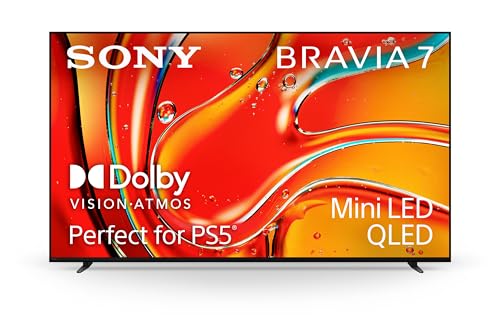
Is the Bravia 3 II worth it over stepping up to the Bravia 7 tier?
It depends on the room and the viewer. Step up for a bright main room, wide seating, serious gaming, or a cinephile’s eye for contrast; those are the gains the higher tier buys. Stay with the 3 II for secondary rooms and moderate distances, where its processing delivers most of the Sony experience and the flagship hardware would be solving problems your room does not have. Money saved here funds the soundbar that a main room will appreciate more.
Is this tier bright enough for a room with big windows?
For daytime viewing of sport, news, and general programmes, sets at this level from major makers are designed for exactly that room and cope well, especially with the brighter picture presets engaged. The honest limits appear with dark, moody films watched at noon, where no television at any sane price fully defeats direct sunlight on the screen. Curtains for film sessions and the accurate-but-brighter mode for daytime are the practical answers, and they work at this tier as well as they work several tiers up.
How long will the smart platform stay supported?
Major makers support their television platforms with updates for years rather than months, and the practical lifespan question is less whether the apps survive, they generally do on big-brand sets, and more whether the interface stays responsive as services grow heavier. The insurance policy is simple and cheap: every smart platform can be replaced by a streaming stick when it eventually ages, which means the panel, processing, and picture quality are the parts of the purchase that must last, and those are precisely the parts worth paying a brand premium for at this tier.
Related guides
Bose QuietComfort 45 versus Sony WH-1000XM4