Disclosure: As an Amazon Associate, reviewstook.com earns from qualifying purchases. Links on this page are affiliate links; they cost you nothing extra. Prices and availability change often, so check the current Amazon listing before you buy.
Understanding mini led technology starts with a single, satisfying idea: shrink the backlight. A conventional LED television lights its panel with a modest number of relatively large LEDs, which limits how precisely brightness can be controlled from one part of the picture to another. A Mini LED television uses thousands of far smaller LEDs grouped into many independently dimmed zones, so a bright star can blaze against a genuinely dark sky on the same screen, and a subtitle need not lift the black of an entire scene. This guide explains the technology properly — zones, blooming, quantum dots, brightness and the trade-offs against OLED — and then reviews five verified Mini LED televisions that show the technology at different sizes and tiers, from a 43-inch LG to four 65-inch flagships.
The timing of Mini LED’s rise is not accidental. OLED still wins the per-pixel contrast argument in a dark room, but Mini LED has closed most of the visible gap while pulling ahead on full-screen brightness, screen sizes and freedom from burn-in worry — and it has done so at prices that keep falling. For a bright living room, a sports-heavy household or a gamer who wants a big, punchy 4K screen without nursing it, Mini LED is often the rational flagship technology of the moment. The five televisions below were each confirmed against Amazon catalogue data for this guide; rival models are discussed only in prose.
Key takeaways
- Mini LED means a backlight of thousands of tiny LEDs in many local dimming zones — the zone count and the dimming algorithm together decide real contrast.
- Blooming, the halo around bright objects on dark backgrounds, is the technology’s signature flaw; better sets shrink it, none fully erase it.
- Mini LED’s advantages over OLED are brightness, size range and no burn-in anxiety; OLED’s counter is perfect per-pixel blacks and viewing angle.
- Four of the five picks here are 65-inch flagships; the LG QNED73B is the verified 43-inch option for smaller rooms and desks.
- For gaming, look for high refresh, variable refresh rate support and low input lag alongside the panel technology.
In this guide
What Mini LED actually is: the technology in plain terms
Every LCD television is a sandwich: a backlight, a layer of liquid crystals that open and close like shutters, colour filters and, in modern sets, a quantum dot film that purifies the colour. The picture’s contrast is decided mostly by the backlight’s manners. With a handful of large LEDs, the backlight is a blunt instrument — dimming for a dark scene dims the bright parts too. Mini LED refines the instrument. Thousands of small LEDs, grouped into hundreds or thousands of zones, let the television draw brightness almost the way the picture demands: full power behind a floodlit stadium, near darkness behind the night sky above it. The liquid crystal layer still does the fine detail, but it now works with a partner that understands the scene.
Two consequences follow. The first is dynamic range that approaches the drama of OLED in most real content, because most scenes do not demand pixel-level extremes everywhere at once. The second is blooming: when a small bright object sits in a dark zone neighbourhood, light leaks visibly around it, because a zone is still larger than a pixel. Better televisions fight blooming with more zones, smarter algorithms and faster backlight response; the fight is won by degrees. Anyone choosing between Mini LED and OLED is really choosing which imperfection they prefer — blooming’s halo or OLED’s lower full-screen brightness and burn-in management — and the right answer depends on the room and the content, which is why this guide spends as long on rooms as on televisions.
How the five picks were verified and chosen
Each television below was confirmed through Amazon catalogue data before this guide was drafted, and each listing’s exact title is recorded in the accompanying sources file. The set is deliberately top-heavy: the TCL QM8L, Hisense U8, Sony BRAVIA 9 and Samsung QN90H are 65-inch Mini LED flagships that represent four different manufacturers’ answers to the same brief — maximum zone control, high brightness and full gaming features. The fifth pick, LG’s 43-inch QNED73B, is the only clean non-bundle LG Mini LED listing returned, and it earns its place honestly: it is the pick for bedrooms, offices and desk setups where a 65-inch flagship is simply the wrong object. Prices are never stated on this page; use the check-price links, because television pricing moves too fast for print.

TCL QM8L review: the brightness maximalist
Badge: Best for bright-room spectacle
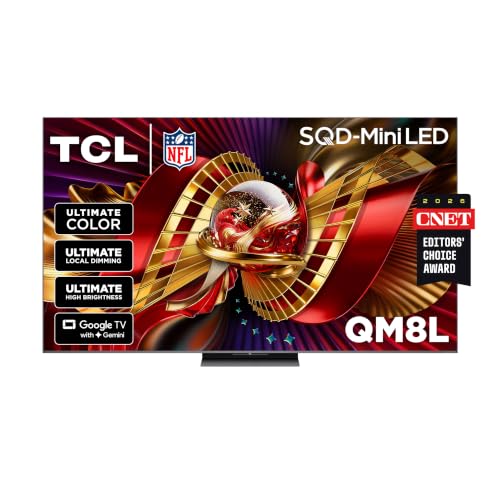
TCL’s QM8L, in the verified 65-inch form, is the Mini LED philosophy pushed toward spectacle: an SQD-Mini LED panel with QLED colour, a 144 Hz refresh rate, Dolby Vision IQ, Dolby Atmos and IMAX Enhanced certification, running Google TV with Gemini. TCL built its reputation in this category by offering flagship panel hardware at aggressive tiers, and the QM8L’s proposition is that the picture’s punch — the thing guests actually comment on — is maximised: searing highlights in HDR, colour that stays saturated at brightness, and motion handling that suits sport. The Google TV platform is the pragmatic choice, with the deepest app library and a voice assistant that understands follow-up questions.
Mini spec box — TCL 65QM8L
- Size and panel: 65 inch, SQD-Mini LED QLED, 4K
- Refresh: 144 Hz
- HDR and audio: Dolby Vision IQ, Dolby Atmos, IMAX Enhanced
- Platform: Google TV with Gemini
Strengths
- Flagship Mini LED hardware aimed squarely at brightness and HDR impact.
- 144 Hz panel and modern HDR formats make it a complete gaming and cinema proposition.
- Google TV with Gemini is the most flexible smart platform in this roundup.
Trade-offs
- Brightness-first tuning can overwhelm a small, dark room if you do not tame it in settings.
- TCL’s processing, while much improved, is the connoisseur’s second choice behind Sony’s for difficult upscaling.
- At 65 inches it demands a wide stand or a wall mount plan from day one.
Best for: bright living rooms, sports and blockbuster HDR. Not suited for: small dark cinema rooms where its punch needs constant restraint.

Hisense U8 review: the gamer’s specification sheet
Badge: Best for console and PC gaming
The Hisense U8 series has become the specification maximalist of the Mini LED world, and the verified 65U8QG listing reads like a gamer wrote it: Mini-LED ULED panel with QLED colour, native 165 Hz, variable refresh support quoted up to 288, thousands of local dimming zones in the listing’s LD5600 figure, peak brightness quoted at 5000 nits, HDR10+ and Dolby Vision IQ, and a 4.1.2 channel audio system built in. Numbers aside, the U8’s identity is clear: it is the television for the household where a console or gaming PC is a primary input, and where brightness headroom is treated as future-proofing. Google TV keeps the smart side conventional and capable.
Mini spec box — Hisense 65U8QG
- Size and panel: 65 inch, ULED Mini-LED QLED, 4K UHD
- Refresh: native 165 Hz, VRR up to 288 per the listing
- Brightness: up to 5000 nits per the listing; LD5600 dimming figure
- Audio: 4.1.2 channel, Dolby Vision IQ and Atmos, IMAX Enhanced
Strengths
- The strongest gaming specification in this roundup, with refresh headroom consoles cannot yet use and PCs can.
- Enormous quoted brightness and dense dimming suit HDR gaming and bright rooms alike.
- Built-in multi-channel audio is a genuine step above typical television speakers.
Trade-offs
- Specification maximalism needs taming: motion and picture presets reward an hour of setup.
- Viewing angles on this class of panel narrow off-axis, so wide seating should be considered.
- The brightness arms race benefits HDR highlights most; SDR content gains less than the numbers suggest.
Best for: gaming-first households and bright rooms. Not suited for: viewers who want a set-and-forget picture with no setup appetite.

Sony BRAVIA 9 review: the processing connoisseur
Badge: Best picture processing
Sony’s BRAVIA 9 is the Mini LED flagship for people who believe a television is a processor with a panel attached. The verified K-65XR90 listing names the technologies that matter: XR Backlight Master Drive — Sony’s zone-control system, descended from its professional mastering monitors — with X-Wide Angle and X-Anti Reflection layers, Dolby Vision and Atmos, dedicated PlayStation 5 features and Google TV. Sony’s argument is that zone counts are a means and picture intelligence is the end: upscaling that respects film grain, motion that does not smear or soap-opera, and backlight control that understands what a director intended a scene to look like. In a roundup of spectacle, the BRAVIA 9 is the taste candidate.
Mini spec box — Sony BRAVIA 9 (K-65XR90)
- Size and panel: 65 inch, Mini LED QLED, 4K HDR
- Backlight: XR Backlight Master Drive
- Surface: X-Wide Angle, X-Anti Reflection
- Extras: Dolby Vision and Atmos, PlayStation 5 features, Google TV
Strengths
- Best-in-class processing for upscaling, motion and backlight judgement.
- Wide-angle and anti-reflection layers make it the most seating- and room-friendly flagship here.
- PlayStation 5 integration is the most thoughtful console pairing in the roundup.
Trade-offs
- Sony’s flagship tier prices its processing accordingly; value hunters should compare carefully.
- Peak brightness, while high, plays second to the maximalists — deliberately.
- Gaming port allocation rewards checking against a multi-console setup before purchase.
Best for: film lovers and mixed households who value judgement over spectacle. Not suited for: buyers who shop by peak brightness alone.

Samsung QN90H review: the glare-free all-rounder
Badge: Best for difficult rooms
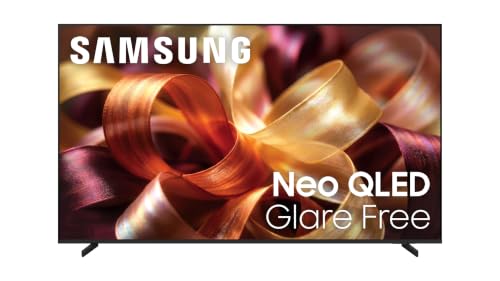
Samsung’s QN90H, the verified 65-inch Neo QLED model, attacks the problem most living rooms actually have: light. Its listing leads with a Glare Free screen, Quantum Mini LED full-array backlighting, the NQ4 AI Gen2 processor, Samsung Vision AI features and Alexa built in. The glare-free finish is not a minor bullet — in a room with windows opposite the screen, it can matter more than any zone count, because a reflection erased is contrast preserved all day long rather than only at night. Samsung’s platform and design polish complete an all-rounder that asks the fewest compromises of a family room: bright, matte, quick and handsome.
Mini spec box — Samsung QN90H (65 inch)
- Size and panel: 65 inch, Neo QLED Mini LED, 4K UHD
- Surface: Glare Free
- Processor: NQ4 AI Gen2, Samsung Vision AI
- Platform: Samsung smart TV with Alexa built in
Strengths
- Glare Free screen is the single most practical feature in this roundup for bright, windowed rooms.
- Full-array Quantum Mini LED backlight with strong processing covers cinema and sport convincingly.
- Samsung’s design and platform polish make it the easiest flagship to live with.
Trade-offs
- Samsung’s HDR format support follows its own path; Dolby Vision households should note its absence from the listing.
- Matte finishes trade a little of the glossy panels’ perceived pop in a dark room.
- Vision AI features reward exploration; minimalists may find the interface busy at first.
Best for: bright family rooms with windows and mixed daytime viewing. Not suited for: dark-room purists building around Dolby Vision.

LG QNED73B review: Mini LED at 43 inches
Badge: Best small-screen option
The LG QNED73B is the roundup’s reality check: most rooms are not media rooms, and many buyers need a television that fits a bedroom, an office or a desk-side setup. The verified listing is a 43-inch QNED Mini LED 4K model with Dynamic QNED Color, the a7 AI Processor, AI Sound Pro, HDR10, 4K upscaling and Filmmaker Mode. At this size the Mini LED backlight’s job changes: outright brightness matters less, and the win is contrast and HDR credibility in a compact panel that can double as a large monitor-adjacent display. Filmmaker Mode at this tier is a welcome tell that LG expects film lovers among its small-screen buyers too.
Mini spec box — LG QNED73B (43 inch)
- Size and panel: 43 inch, QNED Mini LED, 4K
- Processor: a7 AI Processor, 4K Super Upscaling
- Picture: Dynamic QNED Color, HDR10, Filmmaker Mode
- Audio: AI Sound Pro, WOW Orchestra compatibility
Strengths
- Genuine Mini LED contrast at a size that fits bedrooms, offices and desks.
- Filmmaker Mode and LG processing give it cinema manners beyond its tier.
- The only verified LG option here, and an honest one rather than a bundle or a stretch.
Trade-offs
- A 43-inch screen cannot deliver the immersion the 65-inch flagships exist for.
- Feature depth, including gaming refresh, sits below the flagship tier.
- As an Amazon-exclusive style listing, colour and size variants are limited to what is offered.
Best for: bedrooms, offices and compact setups wanting real Mini LED contrast. Not suited for: anyone furnishing a main cinema wall.
Comparison: the five televisions at a glance
Read the roundup as four answers and an alternative. The TCL QM8L and Hisense U8 compete on spectacle and specification, with the Hisense leaning further toward gaming and the TCL toward all-round HDR punch on Google TV. The Sony BRAVIA 9 competes on judgement — processing, backlight intelligence and viewing generosity. The Samsung QN90H competes on the room itself, erasing glare before the picture even starts. The LG QNED73B declines the flagship contest and wins the small-room one by default. Households should therefore choose in this order: room first, primary content second, platform third, brand last. Readers comparing the broader LED and LCD landscape can continue at LED and LCD televisions explained and compared, which uses this same verified pool from the wider category angle.
Buying guide: zones, brightness and the numbers that matter
Zone count matters, but as a ratio with the algorithm: a television with fewer zones and smarter control can bloom less than a zone-rich set with lazy processing, which is why reviews emphasise behaviour over arithmetic. Brightness matters for HDR highlights and bright rooms, measured in peaks for small areas of the screen; full-screen brightness, rarely advertised, decides how a sunlit sports broadcast holds up. Quantum dots matter for colour volume — the ability to keep colours saturated at high brightness — and every pick in this roundup uses them. Refresh rate matters to gamers in steps: 120 Hz class panels are the console sweet spot, higher rates serve PC gaming, and variable refresh support matters more than any fixed number because it removes tearing across all of them.
Ports and platforms are the unglamorous deciders. Count your HDMI sources, confirm the high-refresh ports match your consoles and PC, and choose the smart platform your household already speaks — Google TV on the TCL, Hisense and Sony here, Samsung’s own system on the QN90H, LG’s on the QNED73B. A television is a ten-year object; its interface is the part you will touch daily long after the panel’s novelty fades.
How to set up a Mini LED television properly
Start with the most accurate picture mode — usually called Filmmaker, Movie or Cinema — because it disables most of the processing that makes showroom pictures look exciting and films look wrong. Then set the backlight or brightness for your room rather than for the shop: a night mode for dark viewing, a brighter preset for daytime, saved separately if the set allows. Turn motion interpolation down or off for film, on modestly for sport if you like it. Enable the gaming mode on the port your console uses, and confirm the console itself is outputting its highest refresh and HDR format. Finally, sit at your real distance and watch a familiar dark scene: you are checking for blooming you can live with and brightness that does not fatigue, and ten honest minutes here are worth more than any menu tour. Sound deserves the same realism — every flagship here is a soundbar candidate eventually, and the guide at choosing a television for a home theatre room discusses larger-screen rooms.
Common mistakes Mini LED buyers make
The first is buying by zone count alone, as if contrast were arithmetic. The second is judging HDR in a bright showroom, where every set looks heroic and none shows its blooming. The third is ignoring the room: a glossy flagship opposite a wall of glass will lose to a glare-free rival every afternoon regardless of specifications. The fourth is forgetting sound — panel budgets consume everything and the soundtrack gets the television’s speakers by default. The fifth is size regret in both directions: a 65-inch set in a small room is a neck exercise, and a 43-inch set on a cinema wall is a postage stamp. Measure the wall, the seating distance and the stand before the heart decides.
Mini LED vs OLED: the honest summary
OLED lights every pixel individually, so its blacks are perfect, its blooming is zero and its viewing angles are generous; it pays with lower full-screen brightness, higher prices at large sizes and the need to vary content to avoid burn-in over years. Mini LED lights zones, so its blacks are excellent rather than perfect and its bright objects can halo; it pays back with brightness that fills a sunny room, sizes that keep growing, and indifference to static content like news tickers and game HUDs. Bright rooms, mixed content and gaming households lean Mini LED. Dark rooms and film-purist households lean OLED. Neither technology is the future defeating the other; they are two good answers to two different rooms, and the five televisions above are Mini LED’s current best arguments.
Final recommendation
For most buyers reading a guide to this technology, the TCL QM8L is the balanced flagship starting point, the Hisense U8 is the gaming answer, the Sony BRAVIA 9 is the connoisseur’s choice, the Samsung QN90H is the bright-room solution and the LG QNED73B is the small-screen pick. Choose by room and content, verify the current listing with the check-price links, and spend the first evening with setup rather than with second thoughts. Related reading: the best Mini LED televisions for home theatre for budget-tier context, and television sizes for larger rooms compared.
Local dimming, zone by zone: how the trick is performed
It helps to picture the backlight as a city grid at night. In an ordinary LED television, whole districts share one switch. In a Mini LED set, the grid is divided into hundreds or thousands of neighbourhoods, each with its own dimmer, and the television’s processor reads every frame of video in advance, decides how bright each neighbourhood must be, and sets the dimmers before the frame appears. The liquid crystals then paint the fine detail on top. When the processor is quick and the neighbourhoods are small, the illusion is nearly perfect: the eye sees the picture, not the machinery. When a neighbourhood must serve both a candle and the darkness around it, the candle wins and the darkness glows slightly — that glow is blooming, and it is the visible price of the grid’s resolution.
This is why the algorithm deserves equal billing with the hardware. Two televisions with similar zone counts can behave differently because one predicts motion better, dims more gracefully between frames, or prioritises highlight detail over black depth in a difficult scene. Sony’s reputation in this roundup rests on exactly that judgement; TCL and Hisense compete by giving the algorithm more zones and more brightness to work with; Samsung spends part of its budget removing reflections so the grid’s work survives daylight. There is no single road to a good Mini LED picture, which is what makes the category interesting to buy in.
HDR formats, translated
HDR is the reason Mini LED brightness exists, and its formats are a small alphabet worth learning. HDR10 is the universal baseline: static instructions for the whole film. HDR10+ and Dolby Vision add per-scene instructions, telling the television how to map each scene’s brightness onto its own capabilities — valuable precisely because televisions differ, and most valuable on sets whose peak brightness differs most from the mastering studio’s. Dolby Vision IQ, offered by the TCL and Hisense here, goes a step further and adapts to your room’s ambient light. IMAX Enhanced is a certification bundle covering picture and sound standards for a specific catalogue. The practical advice is simple: a set that supports the dynamic formats your streaming services and discs use will show you the best version of your library, and format support is a legitimate reason to choose between otherwise equal flagships.
The room decides: a room-by-room shortlist
The bright, open-plan living room — windows, pale walls, daytime sport — is Mini LED’s home turf and the Samsung QN90H’s glare-free screen its most tailored answer, with the TCL and Hisense brightness as the alternative strategy of overpowering the light rather than refusing it. The dedicated dark cinema room is where Mini LED must argue hardest: there, the Sony’s backlight judgement earns its premium, and blooming discipline matters more than peak brightness, which should be tamed rather than celebrated. The gaming room wants refresh and ports first — Hisense, then TCL and Sony. The bedroom and the office want the LG’s 43 inches and a volume knob that respects sleeping households. Naming your room honestly does more for your satisfaction than any comparison chart, because televisions are furniture that happens to show pictures.
Gaming on Mini LED: refresh, lag and the HUD question
Gamers ask three things of a television: how fast it refreshes, how quickly it responds, and whether static interface elements will harm it. Mini LED answers the third question best of any premium technology — a backlight-based panel does not burn in, so heads-up displays, minimaps and news tickers can live on screen for years without management. On refresh, this roundup spans from the Hisense’s exceptional headroom down through 144 Hz to the smaller LG’s more modest tier, and the correct target is your source: consoles live happily on 120 Hz class panels, gaming PCs can use more. On lag, game mode is the whole story — it bypasses processing that cinema wants and gamers cannot afford — and enabling it per port is the setup step this guide keeps repeating because forgetting it is the most common self-inflicted wound in television gaming.
Sound: the half of the experience the panel cannot give you
Thin televisions make thin sound, and Mini LED flagships fight physics with varying success — the Hisense’s multi-channel built-in system is this roundup’s most serious attempt. For most households the honest plan is staged: live with the television’s audio for a month, learn what your room does to dialogue, then add a soundbar sized to the room rather than to the screen. Dialogue clarity, not bass, is what families actually miss, and it is the first thing a decent soundbar restores. The televisions here all support modern audio passthrough formats, so the upgrade path stays open whenever you choose to walk it.
Size, distance and the geometry of immersion
The 65-inch class dominates this roundup because it is the current sweet spot of price, panel production and living-room geometry: at typical seating distances of two to three metres, a 65-inch 4K screen fills enough of your vision for cinema to feel cinematic while keeping pixel density high enough that the image stays smooth. The 43-inch LG plays a different geometry — the one-to-one-and-a-half metres of a desk or the foot of a bed — where a larger screen would overwhelm rather than immerse. Choose size by the chair you will actually sit in. A tape measure on the wall, marked with the screen’s true dimensions, settles more arguments than any review, including the argument between the person who wants the flagship and the person who has to dust it.
Longevity: a ten-year appliance
Televisions are kept longer than phones, laptops or consoles, so durability deserves a paragraph. LED backlights age by slowly dimming over many years of use; quantum dot films are stable; the smart platform is the component most likely to feel old first, which is why an external streamer is the standard mid-life refresh for any set here. Wall mounting, ventilation and a surge protector are the cheap insurance policies. And because Mini LED carries no burn-in management burden, it suits households whose viewing includes long, static sessions — news, sport with persistent graphics, ambient fireplace channels at holidays — without a second thought. Buy the panel for the decade and the platform for the first years, and you have the ownership model right.
Calibration without instruments: an evening’s method
You do not need a colorimeter to make a flagship television honest; you need a familiar film, a dark scene you know well and the discipline to change one setting at a time. Begin in the accurate picture mode and watch ten minutes untouched, noting what bothers you — it will usually be motion smoothing or an overeager brightness, not colour. Reduce motion interpolation until film looks like film again. Then take the famous dark scene and adjust the local dimming and brightness until shadow detail survives without the blacks turning grey; this balance, once found, is your night preset. Save a second, brighter preset for daytime with the same colour settings and only the backlight raised. Write down what you changed. That notebook page is worth more than any downloaded settings file, because it describes your room, your panel and your eyes — the three variables no internet list shares with you.
Revisit the setup after a month. New owners overcorrect: brightness creeps up during the honeymoon, sharpness gets added that the content never had, and motion settings drift. A month in, your eyes have stopped being impressed and started being accurate, and a ten-minute pass then will hold for years. This is also the moment to decide on the soundbar with honest ears rather than launch-week enthusiasm.
Streaming, broadcast and old content on a 4K Mini LED set
Most of what a household watches is not 4K HDR spectacle; it is broadcast sport, compressed streaming, older series and the occasional beloved DVD-era film. Upscaling quality is therefore a daily virtue, and it is unevenly distributed: Sony’s processing leads this roundup for difficult sources, with Samsung and LG close in their different ways and the value flagships improved but still more likely to expose compression artefacts on a big screen. The practical defences are a good source where you can choose one, a seating distance that respects the content, and the accurate picture mode, which declines to sharpen noise into texture. A 65-inch Mini LED set is a magnifying glass; feed it well and it rewards you, feed it badly and it shows you exactly what you fed it.
Energy, heat and other unglamorous truths
Brightness is electricity, and a flagship Mini LED set at full tilt in a bright room is one of the hungrier appliances in the house — though its appetite is spread across a large screen and compares fairly with the room lighting it replaces. Eco modes exist and mostly work by capping the backlight, which is a reasonable trade in a bedroom and a poor one in a sunlit lounge. Heat is modest but real: give the vents their clearance, especially in wall-mounted installs inside recessed niches, and the panel will thank you across a decade. None of this should decide a purchase, but all of it belongs in an honest guide to a technology whose headline virtue — light — is quite literally powered.
The technology’s trajectory: why Mini LED keeps improving
Mini LED is a young technology riding a steep curve: zones multiply, algorithms learn, and each flagship generation hands its hardware down to cheaper tiers within a couple of years. That trajectory cuts both ways for buyers. Waiting always buys a better television later, and watching always beats waiting — the correct moment to buy is when your current set fails your room, not when the curve flattens, because it will not flatten on your schedule. The five sets here represent the curve’s current leading edge at 65 inches and its sensible small-size expression at 43. Whichever you choose, you are buying into the mainstream of television for the next decade, and that is a safer place to stand than either the budget tier below or the exotic technologies above.
Four households, four right answers
The sports household, gathering on weekend afternoons in a bright room, should start with the Samsung’s glare-free screen and the TCL’s punch on a shortlist of two, and decide by which of their rooms’ windows faces the screen. The film household, watching after dark with the lights low, should start with the Sony and interrogate its blooming manners with their favourite night scenes. The gaming household should start with the Hisense’s specification and check its seating geometry, because gaming chairs sit closer and narrower than sofas. The small-space household should skip the flagship contest entirely and take the LG’s honest 43 inches. Notice what none of these households did: none of them began with a brand. Rooms and habits are the specification; brands are merely how the specification gets delivered.
Installation day: stands, mounts and first checks
Flagship televisions are two-person objects. Before the box opens, decide stand or mount, measure the stand’s width against your furniture — modern feet sit wide — and clear the route from door to wall. On powering up, resist the demo content and run three checks instead: a dark scene for blooming and uniformity, a bright scene for reflections in your real room, and your most-used source at its real settings. Panel uniformity varies slightly between individual units of every brand, and the first evening is when a genuinely poor example should be identified and exchanged rather than accommodated. Keep the packaging until those checks pass. After that, the television stops being a purchase and becomes the room’s window, which is what all the technology was for.
What the showroom cannot tell you
Retail lighting flatters every television and deceives about the three things that decide ownership: dark-room behaviour, reflections in your windows’ positions and sound in a furnished room. The countermeasures are habits, not equipment. Read dark-scene descriptions with more weight than bright-scene superlatives. Picture your own windows while looking at any screen’s finish. Assume the audio is a placeholder and budget accordingly if film sound matters to you. And remember that the remote control and the menu system are the television you will actually operate for a decade — a minute spent navigating a candidate’s interface in the shop is worth an hour of specification comparison. The flagships in this guide all pass these tests respectably; they differ in which test they ace, and your room decides which ace matters.
The short version for impatient buyers
If you have read this far in fragments, here is the guide in one breath. Mini LED is the bright-room flagship technology: thousands of small backlight LEDs in many zones, giving near-OLED drama without burn-in worry and with far more brightness. Blooming is its flaw and processing is its polish. Of the verified sets, TCL sells the punch, Hisense sells the gaming specification, Sony sells the judgement, Samsung sells the glare-free room and LG sells the honest small screen. Pick your room, pick your content, then pick from those five sentences — and check the current listing before you buy, because television pricing rewards the patient and the prompt in roughly equal measure.
Quantum dots: the colour half of the story
Every television in this roundup pairs its Mini LED backlight with a quantum dot colour layer, and the pairing is not a coincidence. Quantum dots are nanocrystals that convert the backlight’s blue light into exceptionally pure red and green, which lets a set produce saturated colour at high brightness — the quality called colour volume. Ordinary panels wash out as they brighten; a quantum dot Mini LED set can show a sunlit football kit, a neon city or a coral reef at full saturation and full punch simultaneously. When a listing says QLED, ULED with QLED colour or Neo QLED, it is describing this layer in brand dialect. The technology words differ; the physics is shared, and it is the reason modern Mini LED pictures look vivid rather than merely bright.
Viewing angles and seating geometry
The liquid crystal panels used in most Mini LED flagships narrow their contrast and colour as you move off-axis — the picture from the end of a long sofa is a lesser picture than the one in the middle seat. Manufacturers fight this with wide-angle layers, and Sony’s X-Wide Angle in this roundup is the explicit example. Households should map their seating before choosing: a couple on a loveseat directly in front of any of these sets is perfectly served by all five, while a wide sectional hosting six people for sport should weight the wide-angle and glare-free sets more heavily. It is another case of the room, not the specification sheet, casting the deciding vote.
Smart platforms: the interface decade
Panels age gracefully; interfaces age loudly. The Google TV sets in this roundup — TCL, Hisense and Sony — share an app ecosystem and an update cadence that have proven durable, while Samsung’s and LG’s own platforms trade some of that universality for integration with their wider device families. The pragmatic view is that any of these platforms serves the major streaming services well today, and an external streaming device can replace the interface entirely in five years for a fraction of the television’s cost. So choose the platform your household already knows, refuse to let it outweigh the panel and the room, and remember that the television’s picture is the purchase — the menus are merely its receptionist.
Voice control deserves one honest sentence: every platform here offers it, it is genuinely useful for search and for accessibility, and it is entirely optional. Households that prefer a quiet remote lose nothing by ignoring the microphone, and households with children will find voice search saves more time than any other interface feature on this page.
Warranty, delivery and the unglamorous checklist
A 65-inch television is a delivery event before it is a viewing experience. Confirm who brings it, whether the service includes room placement, and what the exchange window is for panel issues, because the first-evening checks described earlier are only useful inside a window that lets you act on them. Keep the box until the window closes. Register the warranty while the receipt is still findable. Photograph the screen showing a mid-grey image on day one — not because you expect trouble, but because a dated baseline ends arguments later. These are dull sentences in an exciting guide, and they are the ones owners are most grateful for in year two.
One more ownership habit separates satisfied flagship owners from the rest: they stop comparison-shopping the week the television arrives. The technology curve guarantees a better set next year at a lower tier, and reading about it is a tax on enjoying the excellent one on your wall. This guide’s five televisions were chosen to be bought and then forgotten about — in the best sense, the sense in which the room fills with a match, a film or a game and nobody in it is thinking about backlights at all.
A brief history, for readers who like context
Television backlighting has been shrinking for two decades: from fluorescent tubes behind early LCDs, to LED edges, to full arrays of LEDs, to the miniaturised arrays that give this technology its name. Each step traded cost for control, and each step was called a marketing term until the pictures made the argument. Mini LED is the current step, and the research direction beyond it — micro LED, where each pixel is its own LED — remains a luxury curiosity rather than a living-room option. Knowing the lineage helps a buyer place the purchase: Mini LED is not an experiment, it is the mature form of the technology that has lit LCD televisions for a generation, refined to the point where its remaining flaw fits in one word — blooming — and its virtues fill the rest of this guide.
That lineage also explains the pricing shape of the roundup. The flagship 65-inch sets cost what early full-array sets once cost, adjusted for a decade of manufacturing learning, while delivering control those early sets could not approach. The 43-inch LG shows the other end of the curve: technology that began as a flagship signature is already ordinary enough to anchor a bedroom television. Buyers who wait for next year’s curve will always find this year’s flagships cheaper; buyers who buy will spend the intervening year watching. Both strategies are rational, and this guide’s only firm advice is to choose one consciously rather than drifting between them until the old set fails and chooses for you.
Finally, a word for readers upgrading from a much older set, because their experience will be the most dramatic and occasionally the most disorienting. Everything will look sharper, brighter and more saturated than memory says television should, and the temptation is to conclude the new set is exaggerating. Give it the month described in the calibration section. What is actually happening is that a decade of backlight, colour and processing progress has arrived in your room in a single evening, and the eye needs time to promote the new picture from spectacle to normal. After that month, the old set in the spare room will look like the exaggeration — of dimness.
And if the upgrade is a household’s first 4K set, add one more evening to the plan: revisit a favourite film you know by heart. The difference between a technology guide and that evening is the difference between understanding Mini LED and knowing why you bought it.
Households replacing a much-loved plasma or an early LED set often ask whether the new television will feel like theirs. The honest answer is that the first week belongs to the technology — the brightness, the scale, the menus — and the second month belongs to the family again, as settings settle and the screen becomes the window through which the household’s ordinary pleasures arrive. Every television in this guide has made that journey in somebody’s home. Your room, your content and your patience will decide which one makes it in yours.
Frequently asked questions
What is the difference between Mini LED and regular LED televisions?
Scale and control. A regular LED set uses a relatively small number of large backlight LEDs, often with limited or no local dimming, so dark scenes look grey and bright scenes flatten. A Mini LED set uses thousands of much smaller LEDs arranged in many dimming zones, letting the backlight follow the picture’s brightness map closely. The liquid crystal layer and colour system may be similar; the backlight’s intelligence is the upgrade, and it is why Mini LED sets can show a bright moon in a dark sky while an ordinary LED set must choose between dimming the moon or greying the sky.
Is Mini LED better than OLED?
Better at some things, in some rooms. Mini LED is brighter, especially across the whole screen, comes in larger sizes for less, and never asks you to think about burn-in. OLED has perfect per-pixel blacks, no blooming and wider viewing angles. In a bright, mixed-use living room the Mini LED advantages are visible every day; in a dark cinema room the OLED advantages are. The five sets in this guide exist because, for a large share of households, the Mini LED side of that ledger now wins.
What is blooming and should it decide my purchase?
Blooming is the halo of light that can appear around a bright object on a dark background — white subtitles, a streetlight in a night scene — caused by the object’s backlight zone being larger than the object itself. Every Mini LED set blooms to some degree; better zone control and processing shrink the effect. It should inform, not decide, your purchase: if you watch subtitled films in a dark room nightly, weight it heavily and consider the Sony’s backlight control or an OLED; if your viewing is sport, games and bright-room television, you may never notice it in a month of watching.
How many dimming zones do I need?
Enough, intelligently controlled — which is deliberately not a number. Zone counts interact with screen size, algorithm quality and content, and manufacturers count zones differently. Use zones as a tier signal rather than a target: flagship sets like the four 65-inch models here sit in the technology’s high-control tier, and their real-world blooming behaviour, described in reviews, matters more than the arithmetic. If two sets are otherwise equal, prefer the one whose dark-scene behaviour you have seen described or demonstrated, not the one with the larger number on the box.
Which of these televisions is best for PlayStation 5 and Xbox gaming?
The Hisense U8 is the specification answer, with its high native refresh and variable refresh headroom. The Sony BRAVIA 9 is the PlayStation-specific answer, with dedicated PS5 features and Sony’s processing. The TCL QM8L at 144 Hz and the Samsung QN90H are both fully credible gaming sets. In practice, confirm that your console is connected to the television’s high-bandwidth port, enable each device’s game mode, and let the panel’s refresh and the console’s output agree — setup errors cost more frames than model choice ever will.
Can a Mini LED television double as a PC monitor?
The 43-inch LG QNED73B is the natural candidate: 4K resolution at a desk-friendly size, Mini LED contrast for HDR content and a footprint that fits a deep desk. The 65-inch flagships can serve as living-room PC displays for couch gaming, where their refresh rates shine. In both cases, set the input to its PC or game mode to minimise processing lag, keep static desktop elements moving where practical, and remember that a television’s speakers and stand were designed for a room, not a desk — a monitor arm or a low stand completes the conversion.