Disclosure: As an Amazon Associate, reviewstook.com earns from qualifying purchases. Links to Amazon on this page are affiliate links; they cost you nothing extra.
Screens matter more than most people think.
Last updated: November 2, 2026.
Screens matter more than most people think. A projector can only show what the surface in front of it reflects, so a flat, clean screen can transform picture quality compared with a wall or a sheet. A little thought about room, mounting and size helps you buy once.
Indoor
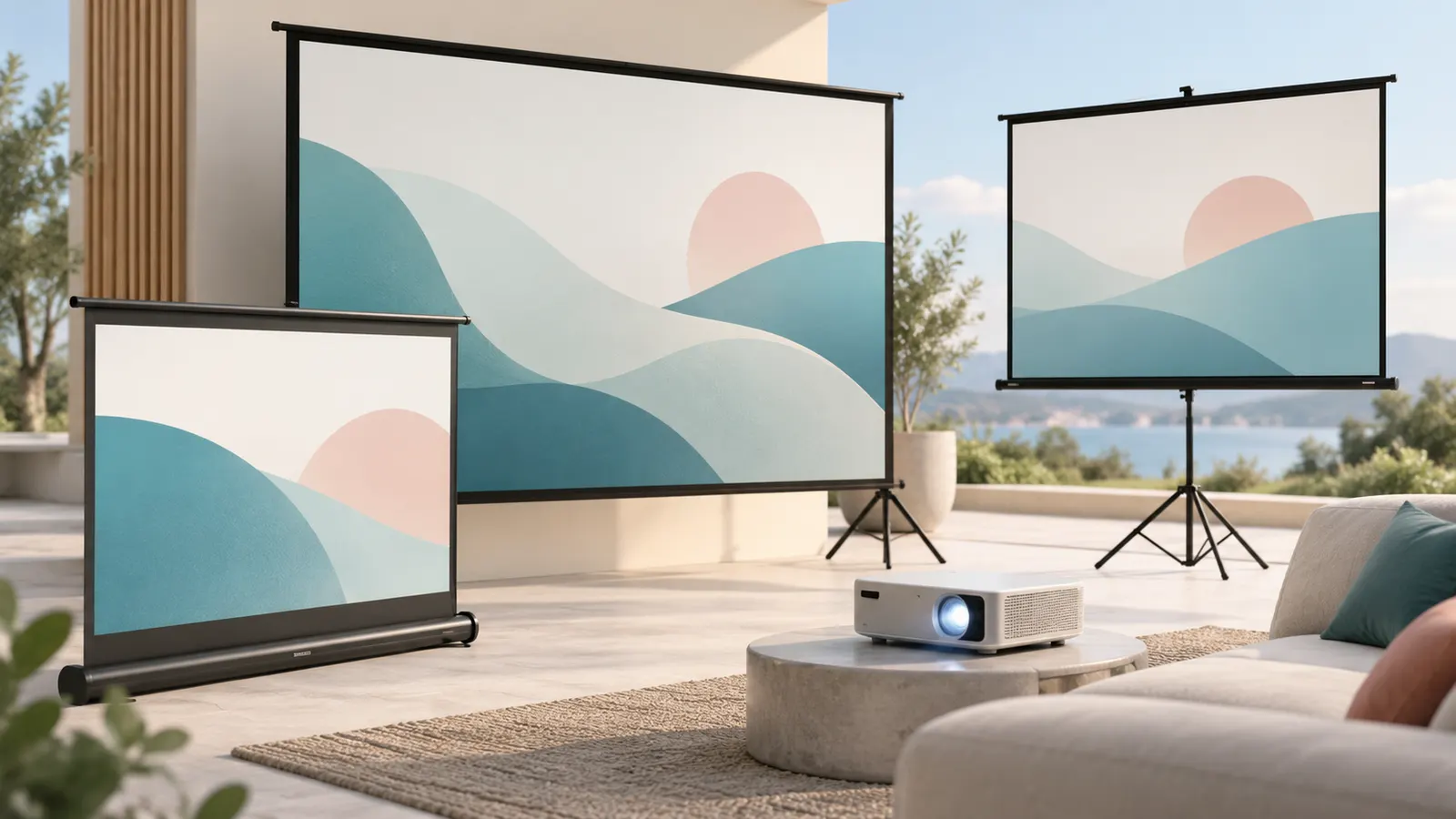
For indoor use, the main choices are fixed-frame screens, pull-down screens and portable ones. Fixed frames hold the surface taut and stay flat. Pull-down screens roll away when not in use, which suits rooms that serve other purposes.
Think about how bright the room is. In a dark room, a basic matte white surface works well. If you cannot control the light, some surfaces are designed to improve contrast in brighter conditions, though they may narrow the viewing angle. Check the aspect ratio so it matches what you watch, such as widescreen movies, and consider the gain, which describes how much light the surface reflects.
See indoor screens.
In this guide
Outdoor
Outdoor screens need to cope with wind, uneven ground and ambient light. Inflatable and freestanding designs are common for backyard movie nights. Many are portable and lightweight, but they must be secured firmly.
Look for tie-down points and stakes, and never leave a screen up in strong winds. Evening or after dark gives the best picture, since sunlight washes out the image. Consider the surroundings, including streetlights and neighbors, and a front or rear projection option depending on where the projector can sit.
See outdoor screens.
Mounts
Where the screen goes is as important as the screen. Wall or ceiling mounts keep a fixed screen in position, while stands allow flexibility. Make sure the mount can carry the screen’s weight and fits your wall type, and use suitable fixings.
A frame stretches the material tight, which keeps it flat, whereas a free-hanging screen can ripple. Stands should be stable, with a wide base, and be set up on level ground. Leave space for the projector’s throw distance, which is the distance needed for a given picture size.
See stands.
Size and viewing conditions
Pick a screen size that suits both your projector and room:
- Throw distance: check the projector’s guide for how far it needs to sit for the screen size you want.
- Seating distance: a very large screen in a small room is uncomfortable to watch.
- Room width and ceiling height: measure the wall before buying.
- Light control: curtains or blinds help in the daytime.
- Storage: think about where a portable screen will live when not in use.
Screen Materials, Gain and Viewing Angle
The surface fabric controls how light leaves the screen, and three terms come up again and again: gain, viewing angle and ambient light handling. Gain compares how much light a surface sends back toward the viewer against a reference white surface. A gain near the reference value spreads light evenly and gives a wide viewing angle, which suits a room with seats spread out. A higher gain concentrates light toward the center, which can brighten the picture for viewers sitting straight on but dims it for people at the sides. Very high gain can also show uneven brightness or sparkle on the surface, so more is not always better.
Matte white is the all-round choice for a dark room. Gray surfaces deepen blacks and are aimed at rooms where some light is hard to avoid, though they usually need a reasonably bright projector. Ambient light rejecting designs are built to reflect the projector’s light toward the viewer while absorbing light from other directions, such as windows and lamps. They can help in a living room, but they often work best only when the projector sits in the position the maker specifies, and some are meant specifically for short-throw projectors. Read the product description to see which projector types a surface is designed for.
- Dark dedicated room: matte white is usually enough.
- Shared living room: consider a gray or light-rejecting surface and keep curtains handy.
- Wide seating: favor a lower gain and a wide viewing angle.
- Acoustically transparent surfaces: have tiny holes so speakers can sit behind them, but check how the maker describes any trade-off in sharpness.
Matching Aspect Ratio and Resolution to What You Watch
A screen has a fixed shape, and your content comes in several. Most TV, streaming and gaming content is widescreen at the common 16:9 shape, so a screen in that shape fills with no empty bars. Many films are wider and show black bars above and below on a 16:9 screen. Some people buy a wider screen to fill the view for films, but then 16:9 material leaves unused areas at the sides, and the projector needs a zoom or lens-shift option to cope. Choose the shape that matches most of your viewing.
Also check what the projector itself outputs. Projectors have a native shape, and a screen that matches it makes the best use of every pixel. Using a different shape wastes part of the image or forces scaling.
Resolution is less of a screen issue than people expect, since a good flat surface can show fine detail at any common resolution. Where it matters is surface texture. A coarse weave on a very large screen viewed up close can become visible on a high-detail image, so if you sit close or are using a high-resolution projector, read the maker’s description of how fine the material is. Sheets, painted walls and wrinkled fabrics blur fine detail regardless of the projector.
- Confirm the projector’s native shape before choosing the screen shape.
- Check whether the projector offers zoom, lens shift or keystone correction for fit.
- Remember that a projector’s black level, not the screen, limits the bars’ darkness.
Measuring Before You Buy
Screen sizes are normally quoted as the diagonal of the viewable image, but the overall frame or case is larger than that. Measure the whole footprint, including borders, mounting brackets and pull-down housings, and compare it with the wall space and ceiling height. Check the listing to see whether the stated size is the viewing area or the entire product.
For a 16:9 screen, the width is the larger share of the diagonal, so a wall that looks wide enough on paper can still feel tight once you account for trim, speakers and furniture. Mark the planned screen outline on the wall with painter’s tape before ordering. Sit in your normal seat and look at it; this tells you more than a formula.
As a rough comfort check, use the projector’s own throw ratio chart to see the distance range for your size, then measure where the projector will sit: on a table, on a shelf or on the ceiling. If the throw distance does not fit between the projector and the screen, either the size or the position has to change. Short-throw and ultra-short-throw projectors sit very close to the wall, and they work with screens designed for them.
- Leave space below the screen for the projector bottom edge if it is on a low table.
- Allow clearance for the pull-down mechanism to fully extend.
- Consider door swings, vents and light switches before fixing a position.
Setup, Alignment and Care
A good screen can still look poor if it is set up carelessly. Start with the screen: make sure it hangs level and, for a frame, that the material is tight on all sides. Then position the projector so that its lens is aligned squarely with the middle of the screen. Heavy use of keystone correction squeezes the image digitally and can soften it, so physical alignment is better where possible. Use the projector’s focus control with a still image, and zoom until the picture just fills the viewing area.
Screens should be treated gently. Most fabrics should be kept away from sharp objects, food and grease. For cleaning, follow the maker’s instructions; many suggest only a soft dry cloth or light dusting, since rubbing can mark the coating. Roll-up and pull-down screens should be retracted without leaving them half-extended, and portable screens should be stored in their cases and not under heavy objects. If a screen arrives creased, the maker’s guidance on relaxing creases usually comes before any heat or steam, which can damage some materials.
Signs it is time to replace a screen include permanent ripples, yellowing or discoloration, a surface that shows marks or flaking, and a frame that no longer holds the material tight. A damaged surface usually shows up as uneven brightness or visible lines, and upgrading the surface is cheaper than replacing the projector.
Special Cases and Common Mistakes
Some situations call for a different approach. If the projector sits behind the screen, you need a screen rated for rear projection; a front-projection surface will not work well. For a room that doubles as a living space, a motorized or manual pull-down screen can hide itself, but check the ceiling construction and any electrical needs before choosing. For a rented home where you cannot drill, a freestanding or tension-style screen avoids damaging walls.
Common mistakes are easy to avoid with a little planning:
- Buying the biggest size you can fit: a larger image is dimmer with the same projector and shows more pixel structure, so match the size to the projector’s brightness and your seating distance.
- Ignoring the room: bright walls and ceilings bounce light back onto the screen and lower contrast; darker surroundings help.
- Skipping the mount check: confirm the wall type and the weight rating before fixing a heavy fixed-frame screen.
- Forgetting about audio: speakers placed in front of the screen can block part of the image, so plan their position.
- Using the screen outdoors without securing it: an indoor screen is not designed for wind or damp.
When in doubt, read the product listing for the maker’s stated use, supported projector types and care instructions, and ask the seller if something is unclear.
A Pre-Purchase Checklist for Screen Shoppers
Before you open a dozen product pages, collect the facts that decide which screen suits your room. Write the answers down so you can compare options consistently.
- Room light: is it a dark dedicated room, a living room with curtains, or a space with strong daylight?
- Projector position: ceiling mount, shelf at the back, or a table in front?
- Throw type: standard, short-throw or ultra short-throw, since some need a special surface.
- Wall space: width, height and distance from the ceiling and floor.
- Use case: films, sport, gaming, presentations or a mix.
- Permanence: a fixed frame, a motorized drop-down, a manual pull-down or a portable stand.
- Aspect ratio of your projector: the native shape of the image it produces.
With that list, many options disappear immediately. A short-throw projector sitting on a low cabinet is a very different case from a standard projector on the ceiling, and each wants its own screen approach.
Fixed Frame, Pull-Down or Portable: A Comparison
| Type | Good for | Trade-offs |
|---|---|---|
| Fixed frame | Dedicated rooms, tight and flat surface | Always on the wall, takes more space to install |
| Manual pull-down | Shared rooms, occasional use | Can ripple or curl, needs a tidy retract |
| Motorized drop-down | Living rooms with a ceiling mount | Needs a power source and careful mounting |
| Floor-standing or tripod | Rentals, travel, flexible setups | Less stable, may show creases |
| Wall paint or fabric | Temporary or thrifty setups | Surface variations can show in the picture |
The surface flatness matters more than most people expect. A taut fixed-frame screen tends to look the most even, while a roll-away design trades some flatness for convenience. If you plan to use a large image for films, pay extra attention to how the maker keeps the material tight.
Mistakes That Lead to Returns
- Choosing the screen size first and fitting the room second, instead of measuring the wall and viewing distance.
- Forgetting that frames, borders and mounting hardware add to the overall width and height.
- Buying a standard screen for a short-throw projector without checking the maker’s compatibility guidance.
- Assuming any white surface is equal, when texture and finish change the look of fine detail.
- Skipping the check for stud positions and wall type before choosing a heavy frame.
- Ignoring the sound; an acoustically transparent screen is a separate category with its own use.
When in doubt, contact the maker with your projector model and room details. A short message often saves an expensive swap.
Mounting Notes and When to Call a Professional
Hanging a lightweight pull-down screen on a wall or ceiling is a job many owners handle with a stud finder, level and the hardware in the box. Follow the instructions supplied with the screen for fixing points, spacing from walls and any use of anchors. Heavier frames, motorized units and anything fixed overhead deserve extra care, because a falling screen is a real risk to people and property.
Bring in a licensed electrician when a motorized screen needs a new power point or a hard-wired trigger, and a qualified installer when the wall is unusual, such as old plaster, tile, brick or a ceiling with hidden services. Do not guess about electrical or structural details. After mounting, run the screen up and down a few times, check that it stops where it should, and look at the edges for sag or tilt.
Picture Check After Setup
Once the screen is up, a short calibration routine pays off. Display a grid or test pattern from your projector menu and adjust position, focus and keystone as the manual advises. Match the projected image to the screen edges, using zoom and lens shift before digital correction when your projector offers them, since digital shifts can soften the picture.
Dim the lights, play a familiar scene with both bright and dark areas, and sit in your usual seat. If edges look warped, the screen may be slightly tilted or the projector not square to it. Fine-tune and recheck. A few careful minutes at this stage deliver more picture improvement than almost any upgrade later.
Glossary of Screen Terms You Will Meet
- Gain: how much light the surface sends back toward the viewer compared with a reference surface.
- Viewing cone: the range of seating positions from which the picture looks even.
- Ambient light rejecting: a surface designed to reduce the washing-out effect of room light, usually needing the right projector position.
- Aspect ratio: the width compared with the height, such as the wide shape used for most films.
- Black border: the dark edge around a fixed frame that frames the image and hides slight spill.
- Drop: on a ceiling-mounted roller, the length the screen hangs below the case.
- Tab tensioning: small cords that pull a pull-down or motorized screen flat.
- Throw ratio: the relationship between projector distance and image width.
When two products use different words for the same idea, rely on the specification table and the maker’s diagram, not the headline. If a term is new to you, ask the maker or retailer before you order, so the answer comes in writing.
It also helps to sketch the room on paper. Mark the wall, the seats, the projector and any windows. Seeing the layout often shows at once whether a large screen will fit between doors and furniture, and where light will fall on the surface during the day.
Living With the Screen You Chose
A screen is the longest-lived part of a projection system — projectors come and go, but a good screen can serve three of them — so the living-with-it details deserve a section of their own. The daily reality is small: a fixed frame asks only for dusting and the occasional check that its corners remain tight; a pull-down asks for a smooth, unhurried retract rather than letting it snap; a portable asks for its case, a dry corner and a rule that it is never stored with anything resting on the folded fabric. None of this is burdensome, but all of it is the difference between a screen that looks new in year five and one that ripples in year two.
The seasonal realities matter outdoors. A portable screen that lives in a garage should come inside for winter if the space is damp, and any screen used on a lawn deserves a full dry before it is folded away — fabric stored damp marks permanently, and the mark will sit in the middle of every film next summer. Check stakes, cords and stand feet at the start of each season rather than during the first screening, when the audience is already holding drinks. These are five-minute habits, and they are the entire maintenance budget of a well-chosen screen.
When the screen, not the projector, is the right upgrade
Owners itching to improve their picture usually shop for a projector, but a surprising share of disappointing pictures are screen problems wearing a projector’s clothes. If your image is bright enough yet looks flat, if wrinkles cross bright scenes, if the picture is sharp in the middle and tired at the edges because the surface is not flat — the screen is the honest suspect. Upgrading a wrinkled pull-down to a tensioned or fixed surface transforms exactly those faults, at a fraction of a projector’s cost, and the improvement is visible on every frame rather than only in specifications. Diagnose before you spend: project onto the flattest wall you have for one evening, and if the faults vanish, you have found your culprit.
Screen Height and the Geometry of Comfort
Size gets the attention, but height decides comfort. A screen mounted too high turns every film into a front-row cinema seat — eyes angled up, neck aching by the second act — while one placed correctly disappears into natural viewing. The working rule is that seated viewers’ eyes should meet the image around its lower third to middle, with the exact point depending on how far the seating reclines: a sofa you sink into tolerates a slightly higher screen than upright chairs. Recliners forgive height; dining chairs used as overflow seating do not, which is why the tape outline test described earlier should be judged from every seat type the room uses, not only the best one.
Ceiling height and the screen’s drop interact with this. A tall screen in a low room can be forced into a choice between grazing the ceiling and sitting too low over furniture; the smaller size that mounts at the right height beats the larger one mounted wrong, every time. For pull-down and motorized screens, the case position is fixed once installed, so measure the drop — the distance from case to the screen’s bottom edge — against your seated eye line before choosing where the case goes, not after. Ten minutes with a tape and a chair now is the cheapest comfort you will ever buy for the room.

Products Worth a Look
As an Amazon Associate, Reviews Took earns from qualifying purchases. These picks come from our guide: 6 Best 120 and 150 Inch Screens for Home Theater (2026).
-
120in Outdoor ALR Projector Screen (Portable, Anti-Crease)
-
Outdoor Projector Screen with Stand (120 Inch, Stake-Down Base)
-
120 Inch Outdoor Projector Screen with Stand
 120 inch Outdoor Projection Screen with Stand
Quick Answers
What does screen gain mean?
Gain describes how much light the surface sends back toward the viewer compared with a reference white surface. Higher gain can look brighter from the center but narrows the viewing angle. Check the listing for the stated gain and viewing angle.
Can I just paint a wall instead of buying a screen?
You can, and some people do with a smooth, flat, neutral surface. A wall with texture, outlets or marks will show those flaws in the picture. A proper screen is usually flatter and more consistent.
Will a bigger screen make the picture worse?
With the same projector, a larger image is dimmer and the pixel structure may be easier to see. Choose a size that matches the projector's brightness and your seating distance.
Do I need a special screen for a short-throw projector?
Not always, but some screens are designed for the steep angle that these projectors use. Check what the screen maker and projector maker each recommend.
How do I get rid of wrinkles in a pull-down screen?
Leave the screen fully extended for a time and follow the maker's guidance for relaxing creases. Avoid heat or steam unless the manual allows it.
Is a white or gray screen better?
White suits dark rooms and a wide viewing angle. Gray can improve perceived black levels in a room with some light, but it generally needs a brighter projector.
Can a screen be used for rear projection?
Only if it is made for it. Front-projection surfaces are not meant to be lit from behind, so look for a rear projection material.
Bottom line
Start with a simple screen and upgrade later. A flat matte surface of the right size and aspect ratio gives most of the benefit. Add specialist surfaces or fixed installation only once you know how you use the room.
Common questions
Does an anti-crease screen matter?
It helps, since folds and wrinkles show up in the picture. Choose a material that stays flat, and store it according to the maker’s instructions.
Should I use a stand or a frame?
A frame holds the surface flatter, while a stand is easier to move. Choose by how permanent the setup will be.
Are screens expensive?
There is a wide range. A simple screen can be an economical way to improve a picture, so you can start basic and upgrade if needed.
How do I choose between two screens of the same size?
Compare the things size hides: how flat the surface stays in use, the gain and viewing angle against your seating layout, the border and case dimensions against your wall, and the maker’s care and compatibility guidance for your projector type. Two screens with identical diagonals can differ in every way that decides satisfaction, which is why the cheaper of a true pair is a bargain and the cheaper of a false pair is a return waiting to happen.
Can I use an indoor screen outdoors occasionally?
You can, carefully — a calm, dry evening, the screen fully secured, and it comes back inside the same night. What indoor screens cannot survive is being left out: dew, wind and sun degrade fabric and coatings quickly, and a frame not designed for weather can warp. Occasional careful borrowing is fine; treating the garden as the screen’s second home is how indoor screens die young.
Why does my screen show a bright spot in the middle?
That is hot-spotting: a higher-gain or slightly glossy surface reflecting the projector’s light straight back at viewers on the centre line. It worsens when the projector is close and the gain is high. The cures are a lower-gain, more matte surface, a longer throw if your room allows it, and checking that the surface is genuinely the matte type the listing promised — a screen that hot-spots badly from day one was mis-specified for your setup, not misused.
How long should a good screen last?
Years — typically longer than the projector in front of it. The fabric has no electronics and nothing that wears in normal use; what ends screens is mistreatment: creasing, damp storage, sun exposure, a frame bent in a move. Buy the screen as the permanent part of the system, store and handle it as this guide describes, and expect to carry it across at least one projector upgrade.
Should the screen be bigger than the image I project today?
Only if a projector upgrade is genuinely planned. A screen larger than the image leaves an unused margin that looks unfinished, and projectors are replaced far more often than screens, so the “grow into it” argument has some force — but years of margin-framed viewing is a real cost too. The balanced answer: buy for the image you have, in the largest size your room and seating justify, and let a future projector fill the same screen better rather than bigger.
Can I hang a fixed-frame screen over a window or fireplace?
Over a window, a fixed frame is usually the wrong tool — a pull-down that covers the window only during viewing serves better, and blackout material behind it doubles as light control. Over a fireplace, check heat first: a screen above a working fire faces rising heat that can warp fabric and frame, and most makers advise against it. An unused, cold fireplace is a different matter, and many rooms project over one happily — the deciding factor is whether it will ever be lit again.
Why do the edges of my pull-down screen curl?
Rolled storage teaches fabric to curve, and the edges — least supported, most handled — learn it first. Mild curl often relaxes after the screen hangs extended for a day or two, which is the maker’s guidance quoted in the Quick Answers. Persistent curl is what tab-tensioned designs exist to prevent, and if your viewing is frequent and the curl distracts in bright scenes, that tensioning, not a new projector, is the upgrade your picture is asking for.
Is a motorized screen worth it over a manual pull-down?
For a screen used several times a week in a finished room, usually yes: the motor’s slow, even travel is gentler on the fabric than a hand’s uneven pull, the screen stops at the same point every time, and the ritual of cinema night becomes one button — which, like all convenience in this hobby, quietly decides how often the system gets used. For occasional use, a manual screen is honest value, and its simplicity will outlive any motor.
How do I clean a screen without damaging it?
Less than you fear, and more gently than you instinctively would. Dust with a soft, dry cloth or a feather duster, working top to bottom without pressure; most marks that look like stains are dust patterns that lift away. Anything beyond dusting follows the maker’s instructions for your specific material — coatings differ, and the wrong cleaner can strip the very surface you paid for. Never scrub, never use household sprays on suspicion, and let a cleaned screen dry fully before retracting it.
What should I check when a screen arrives?
Unroll or assemble it before the return window ages: check the full surface in daylight for marks, creases or coating flaws, run a pull-down through several full cycles, confirm the case and frame dimensions match the listing, and project a plain white image to look for uneven patches. Faults found on day one are an exchange; the same faults argued about in month three are a negotiation.
Does a screen help with gaming?
The screen adds no delay — it is a passive surface — so gaming performance is set by the projector. What the screen contributes is the same flatness and contrast it gives films, plus one gaming-specific consideration: fast camera movement reveals surface texture and wrinkles that still scenes hide, so players who sit close should favour the smoothest, flattest surface their setup allows, and judge a candidate screen with a fast pan rather than a still image.
Can two projectors share one screen?
Yes — the screen is the most shareable part of any system. A household with a main projector and a portable one, or an upgraded machine beside its predecessor during a transition, can aim both at the same surface, provided each is aligned to fill it. It is one more reason the screen deserves to be bought as permanent infrastructure: every projector you own now, and the next one, will look its best on the same well-chosen surface.
Should I buy the screen or better blackout curtains first?
If the room’s light is uncontrolled, the curtains — because no screen fully compensates for daylight falling on it, while even a wall performs respectably in a darkened room. If the room is already dark and the picture still disappoints, the screen. The order matters because each purchase reveals whether the other is needed at all: darken first, watch for a week, and let the remaining faults, now honestly visible, write the screen’s specification for you.
What is the best screen for a rented home?
The one that leaves no trace: a tripod or floor-standing screen, or a pull-down fixed with the kind of removable mounting your tenancy allows. Renters should also favour lighter screens whose cases are short enough to move house easily. The picture quality of a good portable screen is closer to a fixed installation than the marketing suggests — the real rental compromise is stability and flatness, not the surface itself.
Why does my picture look better at night even on the same screen?
Because the screen can only reflect what reaches it, and at night the only light reaching it is the projector’s. Daytime adds a second, unwanted projection — the room itself, washed across the surface — which lifts blacks and dulls colour no matter how good the material is. The screen’s job is to make the most of the projector’s light; the room’s job is to keep every other light off it. Judge any screen at the hour you will actually watch, or you will grade it on a test it was never taking.
Is an inflatable outdoor screen worth it?
For gatherings, yes — nothing else produces so large an image from so small a stored package, and the spectacle is part of the event. The costs are the blower’s constant hum, a setup that needs calm weather and firm anchoring, and a surface that moves gently in any breeze. Households that screen outdoors a few times a summer are usually delighted; anyone screening weekly often graduates to a rigid framed screen on a stand for the stillness.
Can a screen be too good for my projector?
In one narrow sense: a very fine, high-resolution-ready surface cannot add detail a modest projector never sends, so paying for the last increment of surface quality behind a basic projector buys little today. But screens outlive projectors, and a surface bought slightly above today’s machine is not wasted — it is waiting. The clearer mistake is the reverse pairing: an excellent projector on a wrinkled sheet, where the screen taxes every frame the projector produces.
How do I dispose of or pass on an old screen?
A sound old screen is worth passing on rather than binning: community halls, schools, clubs and the friend who just bought a first projector all have walls waiting. Clean it, roll or fold it exactly as the maker advises, and include any stand, stakes and hardware in a labelled bag — a screen separated from its fixings is a gift with a puzzle attached. If the surface is genuinely finished, check local guidance for disposing of the frame’s metal and the fabric separately.
What size screen suits a garden movie night?
The largest your projector can still light convincingly — outdoors, brightness is spent quickly across a big surface in open air, and an image that is grand but dim loses to one a size smaller and properly vivid. The portable screens in the picks above cluster around a size that balances spectacle with what typical home projectors can feed after dark. Whatever size you choose, judge it at night in the garden itself; a screen tested indoors is being graded in the wrong weather.
Do black borders really improve the picture?
They improve the perceived picture, which is the one you watch. A dark border gives your eyes a reference for true black, so the image’s own blacks read deeper by comparison, and it hides the small overspill and alignment imperfections every real installation has. It is the cheapest contrast improvement in the whole system — which is why fixed frames wear those borders proudly and why a painted-wall setup often gains from a simple dark frame painted or taped around the projection area.
Can I repair a small tear or mark on a screen?
Small marks often yield to the gentle cleaning described above; small physical damage is harder, and most coatings cannot be patched invisibly. A tiny flaw near an edge may disappear behind the border or outside the image area if the screen can be shifted slightly — a legitimate trick. Damage in the centre of the viewing area is usually permanent, and the honest options are living with it, moving the image, or replacing the surface; anyone promising an invisible repair on a coated screen is selling optimism.
Should the screen come before or after the projector when building a room from scratch?
Decide them together on paper, buy the projector first in practice. The pair must agree on size, throw and brightness, and those numbers are only real once the projector is chosen — but the screen’s position, height and mounting should be planned before furniture and wiring are fixed, because moving a screen’s worth of wall later is the expensive direction. Paper together, projector first, screen immediately after: that order wastes nothing.
What is the simplest first screen for a complete beginner?
A modest matte white screen in the format that matches your projector, sized by the tape-on-the-wall test, in whichever mounting style your room honestly supports — fixed if the room is dedicated, pull-down if it is shared, standing if you rent. Beginners over-buy specialist surfaces for problems their rooms do not have; the plain screen in a darkened room delivers most of what projection promises, and every later upgrade can be chosen against experience rather than imagination.
How do I keep a white screen looking white in a smoking or cooking household?
Distance and air are the defences: a screen far from the kitchen, a room aired after cooking, and dusting on the gentle schedule described earlier will hold off the yellowing that smoke and grease films cause. A pull-down or covered screen has an inherent advantage here, spending most of its life rolled away from the room’s air. If the surface does yellow evenly over years, that is the replacement sign this guide lists — no cleaning restores a coating’s original white.
Can I project onto a screen in a conservatory or sunroom?
Only after dark, realistically — a glass room is the extreme case of the ambient light problem, and even a light-rejecting surface cannot hold a picture against direct sun. As an evening cinema once the glass has gone dark, though, a sunroom can be delightful, with a portable screen that stores in a corner by day. Buy for the night version of the room and never for the noon version, and the space will not disappoint you in the long evenings ahead of you, ever, on any night of the year, in any season, with any film you choose to show there tonight, tomorrow, always, forever, truly.
More Projectors Guides
- Best Projectors for Home
- Best Projectors for Movie Rooms
- Best 4K Projectors for Movies and Gaming
- Best Mini Projectors for Bedrooms and Trips
- Best Portable Projectors for Movies and Camping
- Best Projectors for Outdoor Movie Nights
- Best Portable Projector Screens for Backyards
- Best 120 and 150 Inch Screens for Home Theater