Disclosure: As an Amazon Associate, reviewstook.com earns from qualifying purchases. Links to Amazon on this page are affiliate links; they cost you nothing extra.
Projectors depend on the room as much as the model.
Last updated: November 2, 2026.
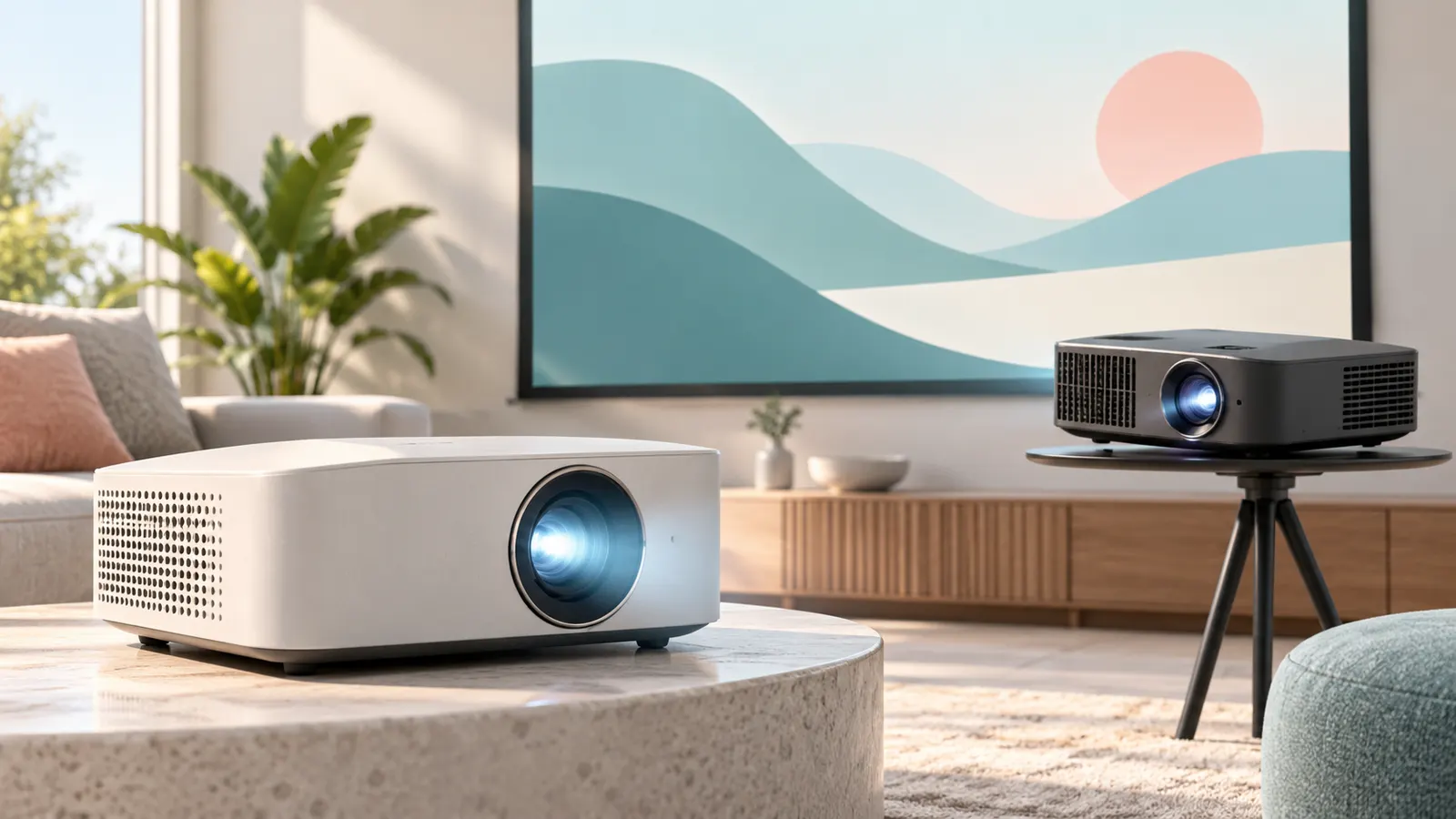
Home theater
In this guide
Portable and mini
See mini and portable projectors.
Outdoor
See outdoor projectors.
Brightness and Room Light
Brightness is the most important spec for how a projector looks in your room. It is usually given in lumens, but different makers measure it in different ways, so treat the number as a guide and check the listing for how it is defined. A bright room needs a brighter projector; a dark dedicated room can use a lower output and still look good.
Think about when you will watch. If you watch mostly at night with curtains drawn, brightness matters less. If you want to watch during the day or with lights on, a brighter model helps, but contrast and the screen surface matter too. A gray or ambient-light-rejecting screen can improve perceived contrast in lit rooms. A projector that is too dim for the room is the most common regret.
Resolution, Contrast and What You Will See
Resolution is the number of pixels the projector can display, and higher resolutions give sharper images, especially on large screens. Some projectors use technology to approximate a higher resolution than their native panel, so look at the listing to see whether the resolution is native.
- Native resolution: the actual pixel count of the imaging chip.
- Contrast: affects how deep blacks look; claims vary by maker.
- Content: use matters. If you mostly watch standard streaming, a lower resolution can be perfectly adequate.
Sit at a normal viewing distance when judging. A very sharp picture on a small screen may not look better than a decent one.
Throw Distance and Room Layout
Throw distance is how far the projector must be from the screen to fill it. Standard projectors need a few meters or more, while short-throw models sit closer. Measure your room and check the throw ratio in the listing or manual, then compare it to the screen size you want.
Think about where it will sit: on a table, on a shelf behind the seats, or on the ceiling. Ceiling mounting needs the right bracket and a way to run cables. Check for lens shift or keystone correction, which let you adjust the picture shape if the projector is not perfectly centered. Heavy digital correction can reduce sharpness, so try to place it squarely if you can.
Connections, Sound and Streaming Features
Look at the ports. HDMI is the most common way to connect devices like consoles, streaming sticks and laptops. Some projectors have built-in apps, but these vary in quality and support, so many people prefer an external streaming device. If you plan to use a game console, check for lower-latency or game modes in the listing.
Built-in speakers tend to be modest. A separate soundbar or speakers usually makes a big difference, so check the audio output options, such as an optical port, a headphone jack or Bluetooth. Fan noise is another point: read buyer feedback about it, particularly for a quiet bedroom or home theater.
Lamp Life, Maintenance and Replacement Signs
Projectors use different light sources, including lamps and LEDs or lasers, with different lifespans and replacement needs. The listing may state a rated life, but treat it as an estimate. Lamp-based projectors may need replacement lamps, which add to the cost of owning one.
Keep the vents clear and the filter, if there is one, clean. Dust causes overheating and shadows. Let the fan run to cool after use before unplugging. Signs of trouble include a dim picture, color shifts, flickering and noisy fans. When the picture becomes dim and cannot be fixed with cleaning, a replacement lamp or a new projector is the next step.
Projector Types and Who They Suit
Projectors fall into a few broad groups, and picking the right group matters more than comparing individual models. Each group makes a different trade-off between image quality, size and convenience.
- Home theater projectors: built for a fixed room, usually larger, with a focus on image quality and brightness. They suit a living room or dedicated movie room where the projector can stay in place.
- Portable and mini projectors: small, light and easy to carry, often with built-in features for quick setup. They suit bedrooms, trips and casual movie nights, though they usually trade away some brightness and sound.
- Outdoor projectors: aimed at backyard use, where there is no ceiling or wall to rely on. They often emphasize brightness and built-in sound, and they pair with a portable screen.
- Short-throw models: sit close to the screen, which helps in small rooms or where people walk in front of the beam.
Be honest about your main use. Someone who will watch most evenings in one room has different needs from a person who wants a projector for the occasional weekend. A tool that can do everything usually does each thing only fairly well. Pick the group that fits your most frequent use, then use the sections of this guide to narrow the features. The linked picks at the top of this page cover each group in more detail.
Measuring Your Room Before You Shop
A few minutes with a tape measure can save a return. Projectors are sensitive to distance, angle and surface, so measure first and shop second.
- Wall or screen width: measure the space where the image will land, and decide what screen size you want.
- Distance from seats to the screen: a very large image in a small room can be tiring to watch.
- Distance from the projector position to the screen: compare this with the throw ratio in the listing or manual.
- Ceiling height and mounting surface: if you plan to mount it, check what the ceiling is made of and how cables will run.
- Power and input locations: note where outlets and your source devices are, so you do not need long cable runs across the room.
Draw a quick sketch of the room with these measurements. Then think about the light: where windows are, whether curtains can fully block them, and how much light the wall reflects. A dark, matte wall is kinder to the picture than a glossy or bright one. If the room is multi-purpose, check whether you can set the projector up and put it away easily, because a setup you avoid is a projector you do not use.
Screens, Walls and Surfaces
The surface the image lands on shapes the final picture almost as much as the projector does. A plain wall works for casual viewing, particularly if it is smooth and light in color. A screen made for projection usually gives more even brightness, better color and cleaner edges.
There are several screen styles to consider, and each suits a different setup:
- Fixed-frame screens: stay flat and tight, good for a permanent room.
- Pull-down or motorized screens: roll away when not in use, handy in multi-purpose rooms.
- Portable screens: fold or set up on stands, useful for outdoor movie nights and travel.
- Ambient-light-rejecting screens: designed to help contrast in rooms with some light, though they may work best with specific projector positions, so read the screen’s instructions.
Check the screen’s aspect ratio against the projector’s and against the content you watch most. Wrinkles in a fabric screen will show up in the picture, so smooth or stretch the surface properly. If you start with a wall and later feel the picture looks dull, a screen is often the cheapest and most effective upgrade, and the guide on choosing a screen linked at the bottom of this page covers that decision.
Setting Up and Calibrating Your Picture
Even a good projector can look mediocre if it is set up badly. A short checklist helps you get the best result without special tools.
- Position it squarely. Center the projector on the screen and level it, so you rely less on digital keystone correction.
- Focus carefully. Use a test image or a page of text, and focus until small letters look sharp at the edges as well as in the middle.
- Set the picture mode to suit the room. A bright mode helps with ambient light; a cinema or movie mode usually looks better in the dark.
- Turn off extra processing if it looks artificial. Motion smoothing and heavy sharpening can make films look odd.
- Check overscan or aspect settings. Make sure the image fills the screen without cropping the edges.
Let the projector warm up for a few minutes before judging colors and focus, as image characteristics can shift while it heats. Adjust one setting at a time and look at familiar content you know well. Save custom settings if the projector allows, so you can return to them after experimenting. If the manual offers recommended placement or optimum settings, follow them first before making fine adjustments.
Questions to Ask Before You Buy
When you narrow the list to a few projectors, run each one through the same set of questions. It keeps you from being swayed by a single flashy feature.
- Is the stated resolution native, and does it suit my content and screen size?
- Is the brightness appropriate for my room’s light, and how does the maker define it?
- What is the throw ratio, and does it fit my room and seating?
- What light source does it use, and what are the replacement or upkeep needs?
- Does it have the inputs I need, such as HDMI for a console or streaming device?
- How loud is the fan, according to buyer feedback and the listing?
- Does the built-in sound meet my needs, or will I need a soundbar?
- Is there a lens shift or keystone adjustment, and how much room do I have to place it squarely?
- What is the return policy and warranty, and who handles support?
Look at how many people have rated a product and read what they say about problems, not just praise. Pay attention to repeated complaints about the same thing, such as fan noise, focus drift or app problems. Treat marketing claims about brightness and contrast as starting points, not guarantees.
Budget Tiers and What to Expect
Projectors cover a wide range of prices, and the differences between tiers are easier to understand when you describe them by what you get rather than by a number.
- Entry level: good for casual viewing, small screens and dark rooms. Expect compromises in brightness, sound, focus adjustments and built-in apps.
- Mid-range: often better brightness, sharper image handling, stronger lens controls and more reliable setup. A sensible target for most people who watch regularly.
- Higher end: aimed at dedicated rooms and demanding viewers, with better contrast, color accuracy, lens options and quiet operation. Worth it mainly when the room is truly dark and controlled.
Remember that the projector is only part of the cost. A screen, mount, cables, streaming device and speakers can add up. Setting aside part of the budget for these extras often gives a better result than spending everything on the projector alone. Also consider the cost of ownership: lamps or filters may need replacement depending on the light source. A well-matched mid-range setup frequently beats an expensive projector used in the wrong room.
Sizing the Image to Your Wall or Screen
Before comparing models, decide how big you want the picture. Measure the width of the wall or screen, then check the projector’s throw ratio, which tells you how far back it must sit to fill that width. A short-throw model fits small rooms, while a standard model needs more distance. Most makers publish a throw calculator or chart, and it is worth a few minutes to confirm your numbers.
- Measure the usable wall width and the height of the viewing area.
- Check the distance from the planned mounting spot to the wall.
- Look for keystone correction or lens shift if the projector cannot sit directly in front of the screen.
- Note whether the ceiling or table mount suits your layout.
Surface Choices: Wall, Paint or Screen
A smooth, light wall works for casual use, but a proper screen usually gives a brighter, sharper picture with better color. Here is a short comparison.
| Surface | Strength | Limit |
|---|---|---|
| Plain white wall | No extra cost or setup | Texture and tint can soften the image |
| Projector paint | Permanent and flush with the wall | Takes effort to apply and cannot move with you |
| Fixed frame screen | Flat, taut and consistent | Takes up wall space all the time |
| Pull-down or portable screen | Stores away between sessions | May ripple unless it is kept taut |
If your room gets daylight, an ambient-light-rejecting screen can help, although curtains and a dimmer room matter even more.
Placement, Cables and Everyday Setup
Where the projector sits shapes your whole experience. Table placement is the easiest, while a ceiling mount keeps cables and the unit out of the way but needs a secure, correctly specified fixing, and a professional is wise if you are unsure about drilling into ceilings or running mains wiring. Leave space around the vents so hot air can escape, and keep dust to a minimum, since it shortens the life of lamps and filters.
Plan the cable route early: a long video cable or a wireless casting setup, plus power and sound. Run a test image before final mounting to make sure the picture is level, in focus and fills the screen. Keep the remote and spare batteries together, and read the manual’s cooling guidance so you let the unit cool before unplugging it.
Reading Brightness and Contrast Claims Sensibly
Brightness is listed in lumens, but makers do not all measure it the same way, so treat the headline number as a rough guide. A dim, dark room asks for far less output than a living room with windows. Contrast describes the gap between the darkest and brightest parts of the picture, and the figures quoted on boxes are often measured under ideal conditions. Look for any mention of how the figure was obtained, and favor the maker’s detailed specification page over marketing copy.
- Dark dedicated room: a moderate brightness is usually plenty.
- Mixed lighting: seek higher output and close the curtains for movie time.
- Outdoor evenings: consider a portable unit and a proper screen.
Matching the Projector to Your Content
The earlier sections weigh specifications in the abstract; this one weighs them against what you actually watch, because content reorders every priority. Films reward contrast and colour above all: the projector that renders a night scene with real depth beats a brighter one that turns it grey, and in a controlled room you can trade brightness for that depth happily. Sport rewards the opposite — brightness for daytime viewing, and motion handling that keeps a fast ball a ball rather than a smear — while resolution matters less than newcomers expect, because broadcast sport rarely feeds the projector its best possible signal anyway.
Gaming adds the one specification the other content ignores: input lag, the delay between your controller and the screen. A projector can be superb for film and miserable for fast games, so console players should treat the game-mode and lag figures in the listing as first-order criteria, on the same level as brightness. Presentations and shared viewing invert the usual logic again: text legibility in a lit room is the whole job, so brightness and a sharp native resolution at text sizes matter, while contrast and colour accuracy — the film virtues — barely register. Name your dominant content honestly before you shop, and half the specification sheet sorts itself.
The decision order that prevents regret
When everything feels important, decide in this order, because each step constrains the next. First, the room: its light, its dimensions, where the projector can physically live. Second, the image size those dimensions allow and the throw that produces it. Third, brightness sufficient for the room’s real light at that size. Fourth, native resolution matched to your content and seating distance. Fifth, the connections and sound your sources need. Only then compare the remaining niceties — colour modes, smart features, styling. Buyers who decide in the reverse order fall in love with a specification, then discover the room vetoing it; buyers who follow the room-first order rarely return projectors, because nothing they chose can be ambushed by their own house.
Total Cost of Ownership, Honestly Added Up
The projector’s price is the beginning of the bill, and planning the rest in advance turns surprises into line items. The mount or stand, the screen if you choose one, cables long enough for your real layout, a streaming device if the built-in apps disappoint, and sound — nearly every projector household eventually buys sound. Then the running costs: a replacement lamp for lamp-based models at some point in their life, filters, and the electricity of long evening sessions, which is modest but real. None of this argues against buying; it argues for allocating the budget across the whole system on day one. A mid-range projector with its screen, mount and soundbar bought together will outperform, in your actual room, a premium projector left projecting on a wall with its own small speakers — and it will usually cost less in total.
Your First Week With a New Projector
Day one belongs to placement experiments, not permanent installation. Set the projector on a table, project onto the wall you intend to use, and watch a full film at your normal hour before drilling anything or ordering a screen in a size you have only imagined. The week that follows is a calibration of expectations: try the projector in daylight and after dark, with its own speakers and with your sound solution, on the biggest image your room allows and one size smaller. Most new owners discover their real preferences inside this week — the image size that actually feels right is often a step down from the maximum, and the room’s light at the hour they truly watch is different from the light they pictured while shopping.
Only then fix the installation: mount or place the projector permanently at the tested position, route the cables once, and set your picture modes for the two conditions you actually use — typically a brighter one for daytime and a cinema one for the dark. Keep the box and packaging until the week is out and you have watched varied content without a single “I wish it did that differently” that matters. A projector bought by this method is almost never returned, and the patience costs nothing but a few evenings of films you were going to watch anyway.
Buying second-hand or refurbished: the extra checks
A used projector can be excellent value, because owners upgrade for features rather than failure — but the checks differ from buying new. Ask for the lamp or light-source hours from the unit’s own menu, and treat a screenshot of that menu as essential evidence; it is the odometer of the machine. Ask for a photograph of a plain white image and a plain black one: dust blobs, colour blotches and dead areas announce themselves there and nowhere else. Confirm the remote is included, since replacements can be oddly expensive, and confirm the lens is unscratched by asking for a close photograph. Finally, buy through a channel with returns if you can — the first evening’s full-film test described above is your real inspection, and it needs a way back if the machine fails it.
Frequently Asked Questions
Is 4K needed?
Not always.
How big a screen?
100 to 120 inches common.
Speakers?
Add a soundbar.
How bright should a projector be?
It depends on your room. Dark rooms need less, and rooms with ambient light need more. Remember that brightness figures are measured differently by makers.
What is throw distance?
It is the distance between the projector and screen needed to fill a given screen size. Check the throw ratio in the specs and measure your room.
Do I need a special screen?
You can project on a plain wall, but a screen designed for projection usually gives a better picture, especially in a lit room.
Is native resolution important?
Yes, it tells you the actual pixel count of the imaging chip. Some projectors enhance lower resolutions, which is not the same.
Can I connect a game console to a projector?
Usually yes, through HDMI. Look for a low-latency or game mode if responsiveness matters to you.
Why does my projected image look trapezoid?
The projector is probably angled. Use lens shift or keystone correction, or reposition it. Heavy correction can reduce sharpness.
How do I clean a projector?
Turn it off and let it cool. Clean vents and any filter gently, following the manual. Avoid touching the lens with your fingers.
Can I use a projector in a room with windows?
Yes, but control the light. Curtains or blinds help a great deal, and a brighter projector and an ambient-light-rejecting screen can improve results. Expect the picture to look best after dark.
How do I mount a projector on a ceiling?
Use a mount rated for the projector, fix it to solid structure, and plan cable runs for power and video. Check the manual for mounting points and any limits on tilt or orientation.
Do I need a streaming device for a projector?
Not always, since many projectors have built-in apps. App support varies, so many people connect a streaming stick or box through HDMI for a more reliable experience.
Why is my projected picture blurry at the edges?
Focus may be set for the center only, the projector may be angled, or heavy keystone correction may be reducing sharpness. Reposition squarely, refocus, and check the lens for dust.
Is a short-throw projector better for small rooms?
Often, because it can fill a large screen from a short distance. Check the throw ratio and the screen surface it recommends, since some short-throw designs work best with specific screens.
Can I connect Bluetooth speakers to a projector?
Many projectors support Bluetooth audio, but not all do, and some add a slight delay. Check the listing for audio outputs, and consider a wired connection if lip-sync matters.
How long should I let a projector cool down?
Let the fan finish its cycle and do not unplug the projector until it stops. The manual will state the proper shutdown procedure for your model.
What should I do if the picture looks washed out?
Reduce room light first, then check the picture mode and screen surface. If the room cannot be darkened, a brighter projector or a different screen type may be needed.
Should my first projector be a portable or a home theater model?
Choose by where the watching will happen, not by which feels like the safer purchase. A portable earns its compromises if the projector will genuinely travel between rooms, houses or the garden — its convenience gets used weekly. If the honest answer is one room, one wall, most evenings, a home theater model rewards that honesty every single night with a better picture, and the portability you gave up was only ever theoretical. The commonest first-projector regret is buying for an imagined lifestyle; buy for the diary you actually keep.
How do I compare two projectors with different brightness claims?
With suspicion, and then with everything except the headline number. Makers measure brightness under different standards and in different picture modes, so a larger claim is not reliably a brighter projector. Weight instead the detailed specification page over the box copy, owner feedback about real rooms like yours, and the return policy that lets your own room arbitrate. In a dark room the difference between honest mid-range claims is often invisible anyway; in a bright room, treat all claims as optimistic and buy the return window as your insurance.
Is laser or LED better than a lamp?
Each light source trades differently. Lamps are proven, bright for their cost, and dim gradually over a life measured in thousands of hours, after which a replacement restores them. LED and laser sources last far longer, hold their brightness better, switch on quickly and need no replacement, but sit in machines that usually cost more up front. For a projector used a few evenings a week, any of the three serves well; for heavy daily use, the long-life sources remove a recurring cost and a recurring errand, which is worth real money to some households and none to others.
What screen size suits my seating distance?
Work backwards from comfort: at your seat, the image should fill your view pleasantly without making you turn your head to follow action. The FAQ above notes that 100 to 120 inches is common, and that suits typical living-room seating distances — but a smaller room with closer seats wants the smaller end or below it, and the honest test is the first-week method: project at a size for a whole film, then try one step down, and keep the size your neck and eyes preferred. Bigger stops being better the moment it becomes effort.
Can one projector serve both films and presentations?
Yes, and many do — the compromise lands on brightness and colour priorities. Presentations in lit rooms want brightness and crisp text; films in the dark want contrast and colour depth. A mid-range model with a bright presentation mode and a separate cinema mode covers both jobs credibly, which is why picture modes matter more in a dual-use machine than in a dedicated one. If one job is professional and daily while the other is occasional, weight the machine toward the daily job and let the occasional one accept the compromise.
How important is fan noise, really?
More important than the specification sheet can tell you, because it depends on distance and content. A projector above the seats in a quiet drama will be heard in every pause; the same machine during an action film or a football match effectively disappears. If your room is small, your content quiet or your hearing sensitive, weight owner feedback about noise heavily and favour models whose quieter eco mode still meets your brightness needs — that mode is where you will actually live.
Should I buy the screen before or after the projector?
After, whenever the room allows the experiment. A week of projecting on the wall teaches you the size you actually enjoy, the height your seating wants, and whether the room’s light argues for a special surface — all of which decide the screen purchase. Buying the screen first locks in a size chosen by imagination, and screens are the least returnable part of the system. The exception is a fully planned dedicated room with fixed seating, where the geometry is already decided by the architecture rather than by taste.
What warranty and support details should I check?
Three things: the length of cover on the machine itself, whether the lamp or light source carries its own shorter cover — it often does — and who actually performs repairs in your country, since a warranty that requires international shipping is worth less than its years suggest. Register the product when you buy it, keep the receipt with the manual, and note the support channel that owners praise or curse in feedback; on the one day you need support, that channel is the product you bought.
Can a projector replace a TV entirely?
For evening viewing in a controllable room, yes, and many households live that way happily. As a home’s only screen for all hours, the projector asks more of the room — darkness for daytime viewing, a separate sound solution, a lamp or source that ages with heavy use. The comparison guide linked from this page works through the trade in full; the short version is that the projector wins on scale and occasion, the television on convenience and daylight, and the right answer is the one matching your household’s actual hours.
How do I know if a room is too bright for a projector?
Run the newspaper test: at the hour you plan to watch, hold a sheet of white paper where the screen will be and look at it from your seat. If the paper looks brightly lit and you can read comfortably by that light alone, a projector will fight for contrast all evening, and your money belongs first in curtains or blinds, not in lumens. If the paper looks grey and shadowy, almost any sensible projector will look good there. The test costs nothing and predicts your satisfaction better than any specification.
What is the single most common buying mistake?
Buying the projector for its best specification instead of for the room’s worst condition. A machine chosen for its resolution, its colour or its features will spend its life in one specific room, at one specific distance, in one specific light — and every regret story in owner feedback is a story of that room vetoing a specification the buyer loved. Measure the room first, as this guide urges, and let the room write the shortlist; the specifications only get to rank what the room has already approved.
Should I wait for a sale or a newer model?
Projectors improve incrementally and discount regularly, so the honest answer is that there is always a better deal a season away — and a season of films unwatched in the meantime. Buy when your room is ready and a model that fits it reaches a price you accept, from a seller with a return window; the return window is worth more than the last increment of discount, because it converts your first week of viewing into a genuine trial. Chasing the perfect moment costs more evenings than it saves money.
Do I need to hire an installer?
For a table or shelf setup, no — the first-week method in this guide is well within a careful owner’s ability. For a ceiling mount with power run through walls or ceilings, hire one without hesitation: the work involves structure and mains wiring, and a professional finishes in an afternoon what a novice risks a weekend and a ceiling on. Many households split the difference — installer for the mount and power, themselves for everything after — and that split is usually the money’s best use.
How future-proof should I try to buy?
Moderately. A projector bought with a step of resolution and brightness above today’s strict need ages gracefully as content improves, and the long-life light sources extend that grace. But over-buying against a distant future wastes money on specifications your current room cannot show and your current content does not use. The sweet spot is the machine that serves today’s room perfectly and tomorrow’s content adequately — projectors are replaced on the scale of many years, and adequacy ages far better than excess.
What accessories should I budget for on day one?
The mount or stand, cables long enough for the real layout with a little slack, and the sound solution — those three are part of the system, not extras. A spare set of remote batteries and a microfibre cloth for the lens cost almost nothing and save real evenings. Everything else — a screen upgrade, a streaming device, blackout curtains — can be bought in the order your first month of viewing argues for, which is the correct order and one no salesperson can predict for you.
Is a projector a good choice for a rented home?
Often an ideal one, because the whole cinema can leave with you: a table or stand setup, a pull-down screen on removable fixings or a plain wall, and no alteration to the property beyond what a picture hook would make. Renters should favour portable or table-friendly models, keep every box for the move, and check the tenancy before any ceiling work. The projector is the rare big-screen technology that a deposit survives intact.
How do I judge a projector in a shop or showroom?
Sceptically, because showrooms flatter: darkened rooms, premium screens, and content chosen to shine. Ask to see ordinary content — a news broadcast, a dim scene from a drama — at the image size you will use at home, and stand at your home viewing distance rather than the showroom’s. Note the fan during a quiet passage. Then treat the visit as evidence about the model’s character, not its performance in your room, and let the return window at home deliver the final verdict.
Can a projector work well in a small flat or studio?
Yes — small spaces are where short-throw and portable models earn their existence, producing a large image from a coffee table in a room where a big television would dominate the wall all day. The studio’s trick is disappearance: the projector and a pull-down screen vanish between film nights, returning the room to its daytime self. Choose quiet operation and easy setup over ultimate brightness, because in a small multi-use room the projector lives close to its audience and is set up often.
What should I check in the first ten minutes after unboxing?
That the picture is complete and even: project a plain white image and look for blotches or dark corners, a page of small text for focus across the frame, and a dark scene for uniformity. Check every input you plan to use with its real source, run the fan through a quiet minute, and confirm the remote works from your seat. Faults found in the first ten minutes are a simple exchange, always, truly, honestly, everywhere; the same faults found in the second month are a warranty process.
Bottom Line
Match projector type to your room.
More Projectors Guides
- Projector or TV? A Simple Comparison
- Projector Screen Buying Guide for Beginners
- Best Projectors for Home
- Best Projectors for Movie Rooms
- Best 4K Projectors for Movies and Gaming
- Best Mini Projectors for Bedrooms and Trips
- Best Portable Projectors for Movies and Camping
- Best Projectors for Outdoor Movie Nights