Disclosure: As an Amazon Associate, reviewstook.com earns from qualifying purchases. Links to Amazon on this page are affiliate links; they cost you nothing extra.
Plan placement and power.
This guide is built from Amazon product listings and maker specs, not our own testing, so confirm native resolution, brightness, compatibility and current price on each product page.
Check the current price on Amazon.
Last updated: November 2, 2026.
In this guide
Quick Picks
| Product | Type | Best for |
|---|---|---|
| Snowflake Projector Lights Outdoor with Timer | Snowflake projector | holiday decorating |
| Christmas Projector Lights Outdoor (32 Patterns, Moving RGB) | Holiday projector | holiday decorating |
| Govee Outdoor Decoration Projector Light (Snowflake, IP67) | Smart holiday projector | holiday decorating |
| Toodour Snowflake Christmas Projector Lights (Double Head) | Snowflake projector | holiday decorating |
| Christmas Projector Lights Outdoor (9 HD Patterns) | Holiday projector | holiday decorating |
| Christmas Laser Lights Projector Landscape Spotlight (Red and Green) | Laser landscape projector | holiday decorating |
Our Picks

Top pickBest for holiday decorating
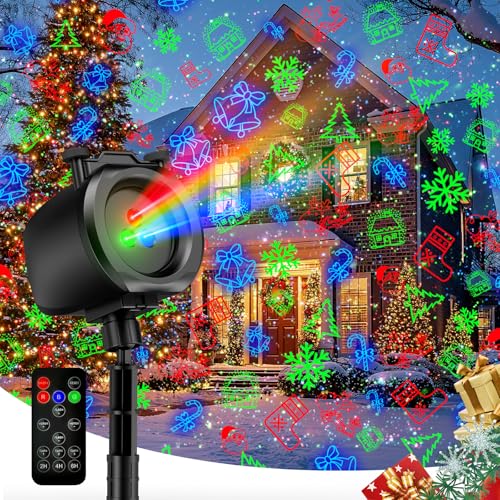
1. Snowflake Projector Lights Outdoor with Timer
A Snowflake Projector Lights Outdoor with Timer (snowflake projector), per the listing. Check price on Amazon.
Good for: holiday decorating. Watch out: Check outdoor rating.

Best for holiday decorating
2. Christmas Projector Lights Outdoor (32 Patterns, Moving RGB)
A Christmas Projector Lights Outdoor (32 Patterns, Moving RGB) (holiday projector), per the listing. Check price on Amazon.
Good for: holiday decorating. Watch out: Check outdoor rating.

Best for holiday decorating
3. Govee Outdoor Decoration Projector Light (Snowflake, IP67)
A Govee Outdoor Decoration Projector Light (Snowflake, IP67) (smart holiday projector), per the listing. Check price on Amazon.
Good for: holiday decorating. Watch out: Premium tier.

Best for holiday decorating
4. Toodour Snowflake Christmas Projector Lights (Double Head)
A Toodour Snowflake Christmas Projector Lights (Double Head) (snowflake projector), per the listing. Check price on Amazon.
Good for: holiday decorating. Watch out: Check outdoor rating.


Best for holiday decorating
5. Christmas Projector Lights Outdoor (9 HD Patterns)
A Christmas Projector Lights Outdoor (9 HD Patterns) (holiday projector), per the listing. Check price on Amazon.
Good for: holiday decorating. Watch out: Check outdoor rating.


Best for holiday decorating
6. Christmas Laser Lights Projector Landscape Spotlight (Red and Green)
A Christmas Laser Lights Projector Landscape Spotlight (Red and Green) (laser landscape projector), per the listing. Check price on Amazon.
Good for: holiday decorating. Watch out: Check outdoor rating.

Best Picks by Category
These labels summarize listing details and are not hands-on test results.
- Highest listed rating (limited feedback): Christmas Projector Lights Outdoor (9 HD Patterns) — check price on Amazon. This is not an independent product-quality award.
- Most reviewed: Christmas Laser Lights Projector Landscape Spotlight (Red and Green) — check price on Amazon.
- Best value: Toodour Snowflake Christmas Projector Lights (Double Head) — a budget-tier option; check price on Amazon.
- Lowest price: Toodour Snowflake Christmas Projector Lights (Double Head) — a budget-tier option; check price on Amazon.
- Premium option: Govee Outdoor Decoration Projector Light (Snowflake, IP67) — a premium-tier option; check price on Amazon.
Price, Rating and Review Comparison
The table lists the picks with their price tier. Check price on Amazon for current pricing.
| Product | Price | Rating | Ratings | Price tier |
|---|---|---|---|---|
| Toodour Snowflake Christmas Projector Lights (Double Head) | Check price on Amazon | See listing | See listing | Mid-range |
| Christmas Projector Lights Outdoor (32 Patterns, Moving RGB) | Check price on Amazon | See listing | See listing | Mid-range |
| Snowflake Projector Lights Outdoor with Timer | Check price on Amazon | See listing | See listing | Mid-range |
| Christmas Laser Lights Projector Landscape Spotlight (Red and Green) | Check price on Amazon | See listing | See listing | Mid-range |
| Christmas Projector Lights Outdoor (9 HD Patterns) | Check price on Amazon | See listing | See listing | Premium |
| Govee Outdoor Decoration Projector Light (Snowflake, IP67) | Check price on Amazon | See listing | See listing | Premium |
How Much Feedback Backs Each Rating
Feedback volume varies across the picks. Check the listing on Amazon for current feedback.
- Snowflake Projector Lights Outdoor with Timer: a moderate sample of feedback on the listing.
- Christmas Projector Lights Outdoor (32 Patterns, Moving RGB): a moderate sample of feedback on the listing.
- Govee Outdoor Decoration Projector Light (Snowflake, IP67): a moderate sample of feedback on the listing.
- Toodour Snowflake Christmas Projector Lights (Double Head): a moderate sample of feedback on the listing.
- Christmas Projector Lights Outdoor (9 HD Patterns): a small sample of feedback, so check the listing on Amazon for current details.
- Christmas Laser Lights Projector Landscape Spotlight (Red and Green): a large sample of feedback on the listing.
How to Choose
Room size
Match the effect to your space.
Outdoor use
Check weather rating.
Safety
Use with proper power and supervision.
How Holiday Projectors Create the Effect
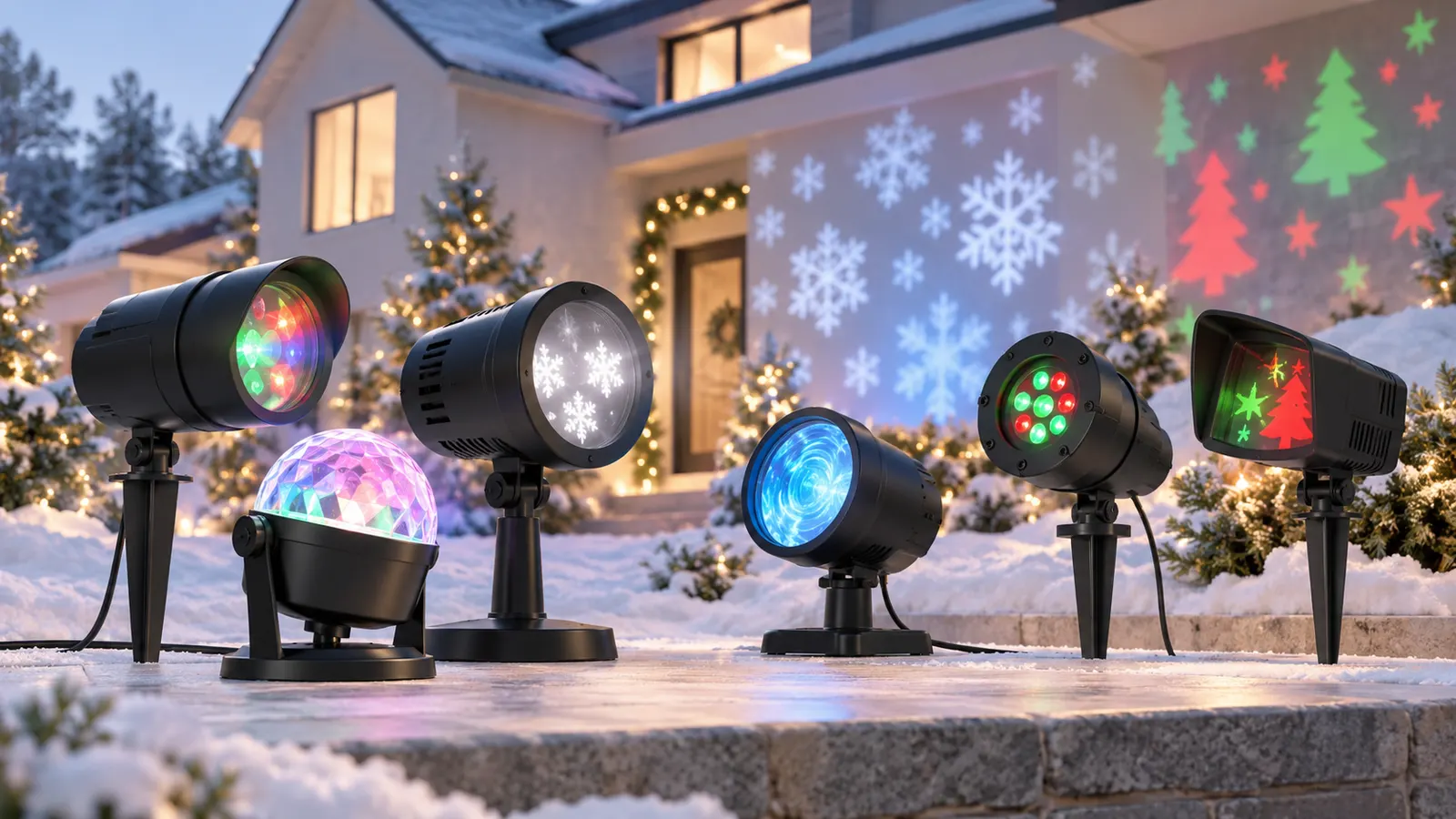
Outdoor holiday projector lights throw patterns such as snowflakes, stars, trees or colored dots onto walls, trees and lawns. They are a quick alternative to hanging strings of lights, because you place one or two fixtures, aim them and plug in. Most use LEDs and a lens or a slide-style pattern disc to focus a design on a surface. Some move or rotate the pattern, some change colors and some include remote controls or timers.
It helps to understand the types. Static projectors cast a fixed image, often in one or two colors. Animated projectors rotate or shift the pattern to create falling snow or drifting dots. Multi-pattern models use interchangeable slides or electronic patterns, giving variety. Laser-style spotlights create a field of tiny dots that cover an area, which is a different look from a defined shape. Check the listing to see which method a product uses, and look at descriptions of the pattern, color and motion.
The effect depends on the surface. A smooth, light-colored wall, garage door or siding shows patterns best. Brick, dark surfaces and heavily textured walls scatter the light and make images less clear. Trees and shrubs produce a soft, scattered effect rather than a crisp image. If you want a sharp pattern, make sure there is a flat, pale surface in the right place.
Consider the viewing position too. Patterns look best from a distance and from the front. If your house is far from the street, a fixture with a stronger output may be needed, but keep expectations realistic. Product descriptions about brightness and range are maker claims.
Throw Distance, Focus and Aiming the Light
Placement determines the size and sharpness of the image. Move the projector farther from the surface, and the pattern grows larger but dimmer. Move it closer, and the image shrinks and becomes brighter. Most units have a focus adjustment, either a ring on the lens or a sliding mechanism, so spend a few minutes adjusting at dusk, when the projection is easiest to see. The listing may give a recommended distance range; use it as a guide, and check the instructions.
Angle matters. Aim the projector straight at the surface when possible, since steep angles distort the pattern into stretched shapes. If you must aim from the side, accept some distortion. Place the unit on a stable stake or base so that wind or foot traffic does not knock it out of alignment. A weighted or ground-spike base helps on soft soil, and a stand helps on hard surfaces.
Avoid obstructions. Branches, railings and decorations can block part of the projection, creating shadows. Walk to the viewing position and check how the image looks from there. Adjust the height to clear low obstacles. Consider whether neighbors, windows or traffic will be affected by the light, and aim away from areas where it could shine into bedrooms or the eyes of drivers.
- Test the setup at night before fixing it in place.
- Mark the position so you can set it up again next year.
- Check the focus after a few days, since temperature changes can shift the lens.
- Use more than one projector to cover a wide wall.
Weather Ratings and Outdoor Durability
Outdoor lights face rain, snow, frost and dust, so look closely at weather claims. Many listings use ingress protection ratings, such as IP numbers, to describe resistance to dust and water. Higher numbers generally indicate more protection, but the exact meaning depends on the digits, and the rating applies to the product as sold under test conditions. Check the listing for the rating and what it covers. A rating for the projector body may not apply to the plug, power adapter or cable connection.
Think about how you will protect the weak points. Power adapters are often less protected than the projector head. Keep adapters off the ground, under cover or inside a weather-resistant enclosure designed for outdoor outlets, and avoid pools of water. Ensure the cord is not pinched by stakes, doors or foot traffic. Use only outdoor-rated extension cords if you need extra length.
Cold affects performance. Some LEDs and electronics behave differently at low temperatures, and lenses can fog. Snow can cover the lens, so aim and place the projector so snow does not accumulate. Wipe the lens occasionally with a soft cloth, and remove debris. If a unit fogs inside, bring it indoors and let it dry fully before reuse.
Look for sturdy plastic or metal housings, tight seals and stable stakes. Read maker guidance on operating temperature. Do not assume that a product marketed for outdoor use can sit in standing water or be submerged.
Power, Timers and Electrical Safety
Safety is part of any outdoor electrical decoration. Use outdoor-rated outlets and cords, and plug into a ground-fault circuit interrupter (GFCI) outlet if available, since it cuts power quickly when it detects a fault. Do not overload a single outlet or extension cord. Check the power draw listed for each projector and add them up, comparing with the capacity of the cord and circuit.
Inspect cords and adapters before use. Discard any with cracked insulation, bent plugs or exposed wire. Keep connections off wet ground, and avoid draping cords across walkways where people could trip. Do not run cords through doors or windows where they will be pinched. Follow the manufacturer’s instructions for outdoor use and for the proper adapter.
Timers help control run time and save energy. Some projectors have built-in timers that turn the unit on at dusk for a set number of hours. Others rely on plug-in outdoor timers or smart plugs. Check how the built-in timer works, whether it resets after a power cut and whether it can be adjusted. A photocell or dusk-to-dawn feature is convenient if offered.
- Turn off lights when you are away if the instructions advise it.
- Do not cover a projector in a way that traps heat.
- Keep flammable decorations away from lamps.
- Supervise children and pets around cords and fixtures.
If you are unsure about wiring, ask a qualified electrician.
Storage, Troubleshooting and Getting More Seasons
At the end of the season, clean and store the fixtures to extend their life. Unplug them, wipe the lens and housing with a soft damp cloth, and let them dry completely. Remove batteries from remote controls. Coil cords loosely, and keep stakes with the projector. Store in a dry, cool place, ideally in the original box or a labeled container, and keep the manual so you can set them up again. Avoid extreme heat in attics and garages, which can damage plastics and electronics.
If a projector does not work, start with simple checks. Confirm the outlet has power, the GFCI has not tripped and the timer is set correctly. Inspect the adapter and cord for damage. Check that the lens is clean and the pattern slide is seated correctly. If the image is dim, wipe the lens and test at a different distance. If it flickers, try a different outlet or cord, and check whether moisture is inside.
Sometimes the issue is the surface or ambient light. Street lamps and porch lights can wash out the projection. Move the projector or turn off nearby lights. Adjust the focus for crispness, and check whether fog or rain is scattering the light.
Signs that a unit has reached the end of its life include persistent moisture inside, a cracked lens, a rotating motor that grinds or stops, a power cord that is frayed and flicker that does not clear. Replace damaged units instead of attempting unsafe repairs. When buying again, use your notes: surface, distance, power, weather needs and the effect you liked best.
A Placement Checklist for Outdoor Projectors
Projectors look dramatic in a box photo, but results depend on where you put them. Run through these points before you push the stake into the ground.
- Pick a wall, garage door or flat siding with a plain, light surface. Dark brick and heavy texture break up the pattern.
- Check how far the projector should sit from the surface according to the maker, and measure it out with a tape.
- Look for the nearest weatherproof outlet, and plan the cord path so nobody trips on it.
- Aim the lens slightly upward if your yard slopes, so the image lands where you want it.
- Avoid pointing the light into neighbors’ windows or at passing traffic.
- Wait until dusk to fine-tune the focus, since daylight hides the real effect.
The same steps apply to the snowflake models, the moving pattern units, the Govee light and the red and green laser spotlight.
Pattern Projectors, Moving Models and Laser Lights Compared
The six picks use different ways to produce their effects. This table shows the general differences, so you can choose a look that fits your house.
| Style | Look | Good for |
|---|---|---|
| Snowflake projector | White flakes drifting or rotating | Plain walls and a winter theme |
| Multi-pattern moving RGB | Changing colors and shapes | Lively displays with a mix of motifs |
| Double head model | Two beams that cover a wider area | Wide garage doors and broad fronts |
| Laser landscape spotlight | Tiny dots of red and green | Trees, bushes and textured surfaces |
If your house has a lot of windows, remember that a projector aimed at glass can look weak and may shine into rooms, while a landscape-style dot pattern works better on shrubs and trees.
When to Follow the Manual and When to Call an Electrician
The listing gives you headline figures, but the manual explains what the unit can truly handle. Check the maker’s instructions for weather limits, how to seat the plug, whether the adapter can stay outdoors and how to clean the lens. Dust and water protection levels differ between models, so look for the exact figure on the product page, such as the IP67 label listed for the Govee light, and follow the maker’s words about it.
If you need a new outdoor outlet, a different cord route, or any work on household wiring, hire a licensed electrician rather than using a makeshift setup. Avoid daisy chaining cords and keep plugs off wet ground, with connections raised or covered as the maker instructs.
If a unit gets hot, smells odd, or shows damage to the cord, unplug it and contact the maker.
Before you pack everything away in January, wipe the lens and housing, let the unit dry fully and coil the cord loosely. Store the stake and adapter together in one labeled bag. A little care now means you can find the whole kit next December and skip another round of searching and replacing parts.
Designing the Whole Display, Not Just the Projector
A projector light works best as one layer of a display rather than the whole of it. The houses that look genuinely good tend to combine three layers: a wash or pattern from the projector for coverage, a few defined elements — a lit wreath, a tree, a doorway outline — for focus, and darkness everywhere else for contrast. The projector alone, aimed at a house with nothing else, can look flat, because a moving pattern with no anchor gives the eye nowhere to rest. Add one wreath or one lit tree and the same projection suddenly reads as a designed scene.
Colour discipline is the other half of design. Choose a palette — the snowflake units’ white, the laser’s red and green, or the multi-pattern model’s rotation — and let everything else agree with it. A white snowflake projection over warm white string lights looks intentional; the same projection competing with multicoloured strings, an inflatable and a laser looks like several displays arguing. If you already own decorations you love, pick the projector that joins them: snowflakes for a classic white scheme, the red-and-green laser for a traditional one, the 32-pattern model when variety itself is the theme.
Laser etiquette and safety, plainly stated
The laser spotlight in this guide paints thousands of small dots, and its convenience comes with two responsibilities. Never aim a laser projector where the beam can strike eyes directly — at drivers, at neighbours’ windows, or upward into flight paths — and set it so the main field lands on your own house, trees and lawn. Check it from the street after dark: if the dots are landing on the house across the road, re-aim. Follow the maker’s instructions about the unit’s laser class and do not modify or open the housing. Treated with that ordinary care, a laser light is a safe and neighbourly tool; treated carelessly, it is the one decoration in this guide that can genuinely annoy or endanger, which is why it gets its own paragraph.
A Sensible December Routine
Set the display up once, properly, and then let timers run the season. The evening pattern that works for most households: projectors on at dusk, off at a set hour that respects the street — earlier on weeknights, a little later on weekends if your timers allow the distinction. Walk the display once a week: check the lens for snow, frost or a fallen leaf, confirm the stake has not leaned after rain, and glance at the cord where it meets the adapter, since that joint lives the hardest outdoor life. After any storm, add a quick extra check; most projector failures in December are storm souvenirs discovered a week late.
At the season’s end, resist the January urge to rip everything down in the cold and sort it in spring — spring-you will not remember what anything is. Pack each projector with its stake, adapter, remote and manual in one labelled container, note on the lid where it was aimed and how far it sat from the wall, and next December’s setup becomes an hour of assembly instead of an afternoon of archaeology. That note is the cheapest upgrade in this entire guide, and it compounds every year you keep it.
Choosing by House Type
Start from the building, not the catalogue. A house with a broad, pale garage door or flat siding is a pattern projector’s natural home: the snowflake models and the 9-pattern unit will show their designs at their best there, and a single unit placed squarely will do the whole job. A house wrapped in dark brick, stone or heavy texture scatters defined patterns into mush — and that is precisely where the laser spotlight earns its place, because its thousands of dots do not need a smooth surface; they sparkle on brick, shrubs and trees alike. A house with a big tree in the front garden has a second screen it did not pay for, and either the laser or a gently moving pattern aimed into the branches gives a display no wall can match.
Small frontages and flats argue for restraint: one compact unit, aimed at the wall above or beside the door, at a modest scale. Corner houses argue for the double-head model or two units, one per face. Houses set far back from the road should manage expectations honestly — distance eats brightness — and either accept a gentler effect enjoyed from their own garden, or place the projector to serve the house’s own viewing rather than the street’s. The right question is never “which projector is brightest” but “what will this house do with light”, and the listings here cover every answer that question usually gets.
What the smart model adds, and whether you want it
The Govee unit in this guide represents the smart end of the category: app control, scheduling and integration with a wider smart-lighting household, plus the strongest weather rating on this list. Those virtues are real if your home already runs on an app and you want the Christmas display to join the same scenes and schedules as the rest of your lighting. They are worth little if you do not — a timer plug gives a simple projector the same dusk-to-off discipline for a fraction of the complexity. Buy the smart model for the ecosystem you actually have, not for the one a product page imagines, and the premium will feel either entirely justified or entirely unnecessary; it is rarely in between.
Theft, Weather Extremes and Other December Realities
A projector sits in a front garden, plugged into your house, glowing — which makes it both visible and portable, and December brings opportunists as reliably as it brings frost. Reduce the temptation plainly: run the cord so the unit cannot be lifted and carried in one motion, position it where it is overlooked by your own windows rather than hidden by a bush, and bring it in if you will be away for a stretch. Some owners loop a thin cable lock through the stake and a fixed point; others simply accept the small risk for a modest unit. What you should not do is let security anxiety spoil the display — a few sensible minutes at setup is the whole price of peace of mind.
Weather extremes deserve the same calm planning. In heavy snow country, mount or stake the unit high enough that a snowfall does not bury the lens, and expect to brush it clear after storms. In wet, mild climates, the enemy is the connection rather than the head: raise every joint off the ground, shelter the adapter, and let the GFCI do its job. In hard freezes, bring a fogged or iced unit indoors to thaw and dry rather than forcing it, and never chip ice from a lens. These are five-minute habits across a whole season, and they are the difference between a projector that serves five Decembers and one that serves a single, memorable storm.
Frequently Asked Questions
Are they bright?
Quality varies.
Can kids use them?
Check age and power.
Timer?
Helpful.
What surface works best for projector lights?
A smooth, light-colored, flat surface such as a garage door or plain siding gives the clearest image. Brick and dark or heavily textured surfaces scatter the light. Trees give a soft, scattered effect.
How far should I place the projector from the wall?
Follow the range given on the listing or in the manual, then adjust the focus at night. Farther away makes a bigger but dimmer pattern. Closer makes it smaller and brighter.
Can I leave projector lights on all night?
It depends on the product and instructions. Many have timers for a set number of hours. Check the manual and avoid leaving any electrical device running when it is unsafe or unnecessary.
Do I need a GFCI outlet?
A GFCI outlet is recommended for outdoor electrical use because it cuts power quickly when it detects a fault. Many outdoor outlets already have one. Ask an electrician if you are unsure.
Why is my projected image blurry?
The focus may be off, the lens may be dirty or the unit may be too close or too far from the surface. Adjust the focus at dusk and wipe the lens. Angled placement can also distort the image.
Can snow or rain damage the projector?
Weather resistance varies, so check the listing for a protection rating and what it covers. Keep adapters and connections off wet ground. Clear snow from the lens.
Will my neighbors be bothered by the light?
Aim the projector at your own house or yard and away from windows, driveways and roads. Use a timer to turn it off at a reasonable hour. Check local rules or association guidelines.
How many projectors does a typical house need?
One, placed well, covers most single-fronted houses — the pattern needs to read from the street, not to wrap the building. Two make sense for a wide frontage, a corner plot with two visible faces, or a deliberate design: a snowflake unit on the wall and the laser on the trees, for instance. Beyond two, extra projectors usually add brightness competition rather than beauty, and each adds a cord, a stake and a timer to manage. Start with one, live with it for a week, and let the house tell you whether it wants a second.
Can I use a Christmas projector indoors instead?
Yes — several of these designs work happily inside, casting snowflakes or patterns across a living room wall or a child’s bedroom ceiling for a party or a quiet evening. Indoors, the weather rating stops mattering and the pattern sharpness improves, because the distances are shorter and the surfaces nearer. Keep the same electrical common sense, keep laser models aimed away from eyes at close range, and enjoy the second career these lights have between Decembers in many households.
Why does my projector look great in photos but weak in person?
Cameras gather light over time; eyes do not. A phone photograph of your display, especially in a night mode, will flatter it considerably, and the listing photographs were taken under the same forgiving conditions. Judge your setup from the street with your own eyes after they have adjusted to the dark, and improve what your eyes report: darken competing light sources, move the unit a little closer, or tighten the focus. If it looks good to a person standing at the kerb, it is good — the camera’s opinion is not the audience.
What is the advantage of the double-head model?
Coverage from a single stake and a single outlet. Two heads aimed from one position can wash a wide garage door or a broad frontage that one head would cover thinly or unevenly, and the household manages one timer, one cord and one adapter instead of two. The trade is flexibility: both heads share a position, so houses needing light from two very different angles are still better served by two separate units. For the common case — one wide wall, one socket — the double head is the tidy answer.
Can I run a projector light from an extension cord all season?
Yes, with the right cord and honest connections: an outdoor-rated cord of the correct gauge for the length, plugged into a GFCI-protected outlet, with the connection itself raised off the ground and sheltered from direct weather. What you must not do is chain multiple cords, run a cord through a doorway where it will be pinched, or use an indoor cord outside because it was nearer to hand. The projector itself draws little power; the cord discipline is about weather and wear, not capacity, and it deserves the same respect as any other outdoor electrical run.
When should I set up and take down Christmas projector lights?
Set up on a mild, dry day before the season’s rush — ideally testing the whole display once at dusk in late November, when adjustments are still pleasant to make. Take down when the season ends and a dry day offers itself, rather than leaving units out through the worst of winter out of inertia: every extra week outdoors is weather the unit did not need to endure. Both habits protect the equipment, and the early setup has a second virtue — your first audience is you, with time to fix what the street would have seen.
Why do the snowflakes look stretched or oval?
The projector is not square to the wall. A pattern thrown at an angle stretches along that angle, and the further off-square you are, the more the flakes become ovals. Reposition the unit so it faces the surface directly, even if that spot is less convenient for the cord, or accept a gentle distortion as the price of the position. A test at dusk with someone standing at the street calling adjustments turns a half-hour of solitary shuffling into two minutes of teamwork.
Can projector lights be used for other holidays and events?
The multi-pattern models often include motifs beyond Christmas, and any of these units can serve a birthday party, a winter wedding or a school event with the right pattern and colour. The laser’s red and green is firmly seasonal, while the snowflake designs read as winter rather than strictly Christmas, which stretches their usefulness from the first frost to the last. If year-round duty matters to you, choose the model whose pattern library reaches beyond December, and store it accessibly rather than entombing it with the decorations.
How do I stop the projector being knocked out of alignment?
Most misalignment arrives by foot, hose or pet. Push the stake fully home in firm ground — or use a weighted base on hard surfaces — position the unit out of the garden’s traffic lines, and route the cord so nothing snags and drags it. If the head itself droops under its own weight over days, its joint needs tightening per the manual, or the unit is telling you its season is done. A photograph of the correct aim, taken from the street on the first good night, makes every realignment a two-minute restoration instead of a fresh design project.
Is it worth buying a second unit as a spare?
For a household whose display matters to it — the street’s children, the annual party — a spare of a modest model is cheap insurance against a mid-December failure when replacements take days to arrive and the season does not wait. For everyone else, the better insurance is buying early enough in the season that a faulty unit can still be exchanged calmly. Judge by how much a dark house in the week before Christmas would actually bother you; that feeling, priced honestly, is the answer.
Do projector lights use much electricity?
Very little — these are LED devices drawing a small fraction of what old incandescent displays consumed, and a timer that limits them to the evening hours keeps the season’s total modest. The household that replaced strings of old bulbs with a projector or two usually finds December’s lighting bill goes down, not up. Check the listing’s stated power draw if you want your own figure, and let the timer, rather than anxiety, manage the rest.
What should I photograph or note for next year?
Four things, on the first night the display looks right: the projector’s position measured from a fixed point, its distance from the wall, the pattern and timer settings you settled on, and a photograph from the street. Put the note in the storage box with the unit. Next December you will not remember any of it — nobody does — and the difference between a twenty-minute setup and a two-hour rediscovery is exactly that one piece of paper.
Can a projector light be mounted under an eave or on a fence instead of staked?
Often, yes — many units accept a base or bracket mounting as well as a ground stake, and the listing or manual will show the options. An eave mounting keeps the unit out of snow and off the lawn, at the cost of a downward angle that stretches the pattern; a fence post can put the light at a useful height with a straighter throw. Whichever you choose, the fixing must be secure against wind, the cord run must stay weather-safe, and the unit must remain reachable for its weekly lens check.
Why does my display look better on some nights than others?
Atmosphere, literally. Clear, cold, dry air gives the crispest projection; fog, drizzle and falling snow scatter the beam, softening patterns — sometimes beautifully, as anyone who has seen snowflakes projected through real snowfall can testify — and sometimes into mush. Moonlight and a fresh fall of snow on the ground also brighten the whole scene and compete with the projection. None of this is a fault to fix; it is the season performing alongside your equipment, and part of the charm of a display that lives outdoors rather than on a screen.
Should I choose a projector or traditional string lights?
They do different jobs, and the honest comparison is effort against effect. A projector decorates a whole house in fifteen minutes with no ladder, no clips and no January tangle, and stores in one box. String lights give a defined, architectural sparkle that a projection cannot imitate, at the price of hours up a ladder in the cold. Many households end with both — strings on the tree and porch, projection on the wall — but if only one fits your time this year, the projector is the choice that respects a busy December, and next year remains available for ambitions.
What is a realistic budget for a first projector display?
One mid-range unit from this list, a proper outdoor extension cord if you need one, and a timer if the unit lacks one — that is the whole shopping list, and it is deliberately short. Resist adding a second projector, extra inflatables and a lighting controller in the first year; live with the simple display, learn what your house does with light, and expand next season from knowledge instead of from a catalogue. The households with the best displays in year three are usually the ones that bought one thing in year one.
Can I sync two identical projectors for a symmetrical display?
Identical models on the same timer will start together, and their patterns will drift in and out of step as the evening goes on, which most viewers read as natural variety rather than a flaw. Perfect synchronisation is not a feature these seasonal units offer, and chasing it is effort spent where the audience cannot see it. Aim for harmony — same pattern family, same colours, same hours — and let the two fields of snow fall at their own pace, as real snow does.
How do I include a projector in a display contest or a charity light trail?
Reliability and hours are the whole game: run the unit on its timer for a full rehearsal week before the event, confirm it survives your street’s coldest nights without fogging or tripping anything at all during the whole run, and keep a spare cord and a printed note of the settings with it. Beyond that, the same design rules apply with the volume turned up — one clear theme, disciplined colour, darkness doing the contrast work. A projector display that simply works, every night of the trail, beats a spectacular one that fails on the judge’s evening. Judges and neighbours alike reward the display that is still shining, unchanged and cheerful, on the very last night of the whole long festive season itself, finally.
Bottom Line
Check the outdoor rating and plan placement.
More Projectors Guides
- Best Halloween Light Projectors for Yards
- Best Drawing Projectors for Artists and Bakers
- Best HDMI Streaming Sticks for Projectors
- How to Choose a Projector
- Projector or TV? A Simple Comparison
- Projector Screen Buying Guide for Beginners
- Best Projectors for Home
- Best Projectors for Movie Rooms