Disclosure: As an Amazon Associate, reviewstook.com earns from qualifying purchases. Links to Amazon on this page are affiliate links; they cost you nothing extra.
Check throw ratio against your room.
This guide is built from Amazon product listings and maker specs, not our own testing, so confirm native resolution, brightness, compatibility and current price on each product page.
Check the current price on Amazon before you buy.
Last updated: November 2, 2026.
In this guide
Quick Picks
| Product | Type | Best for |
|---|---|---|
| Optoma GT2000HDR Short Throw Full HD Laser Projector | Short throw laser projector | small rooms |
| Optoma GT3900UHD 4K Short Throw Laser Projector | 4K short throw laser projector | small rooms |
| Portable Smart Projector Bundled with Google TV Stick 14.0 | Portable smart projector | small rooms |
| Short Throw Projector 4K Support (Netflix, Auto Focus, Dolby Audio) | Short throw projector | small rooms |
| 4K Projector with Massive Apps (5000 ANSI, VIDAA Live TV) | Short throw-style smart projector | small rooms |
| Projector with WiFi and Bluetooth (4K Decoding, Dolby Audio, Auto Focus) | 4K-decoding projector | small rooms |
Our Picks
Top pickBest for small rooms
1. Optoma GT2000HDR Short Throw Full HD Laser Projector
An Optoma GT2000HDR Short Throw Full HD Laser Projector (short throw laser projector), per the listing. Check price on Amazon.
Good for: small rooms. Watch out: High price.
Best for small rooms
2. Optoma GT3900UHD 4K Short Throw Laser Projector
An Optoma GT3900UHD 4K Short Throw Laser Projector (4k short throw laser projector), per the listing. Check price on Amazon.
Good for: small rooms. Watch out: High price.
Best for small rooms
3. Portable Smart Projector Bundled with Google TV Stick 14.0
A Portable Smart Projector Bundled with Google TV Stick 14.0 (portable smart projector), per the listing. Check price on Amazon.
Good for: small rooms. Watch out: Lesser-known brand; check support.
Best for small rooms
4. Short Throw Projector 4K Support (Netflix, Auto Focus, Dolby Audio)
A Short Throw Projector 4K Support (Netflix, Auto Focus, Dolby Audio) (short throw projector), per the listing. Check price on Amazon.
Good for: small rooms. Watch out: Check native resolution.
Best for small rooms
5. 4K Projector with Massive Apps (5000 ANSI, VIDAA Live TV)
A 4K Projector with Massive Apps (5000 ANSI, VIDAA Live TV) (short throw-style smart projector), per the listing. Check price on Amazon.
Good for: small rooms. Watch out: Check native resolution.

Best for small rooms
6. Projector with WiFi and Bluetooth (4K Decoding, Dolby Audio, Auto Focus)
A Projector with WiFi and Bluetooth (4K Decoding, Dolby Audio, Auto Focus) (4k-decoding projector), per the listing. Check price on Amazon.
Good for: small rooms. Watch out: Check native resolution.

Best Picks by Category
These labels summarize listing data and are not hands-on test results.
- Highest listed rating (limited feedback): Short Throw Projector 4K Support (Netflix, Auto Focus, Dolby Audio) — check price on Amazon. This is not an independent product-quality award.
- Most reviewed: Portable Smart Projector Bundled with Google TV Stick 14.0 — check price on Amazon.
- Lowest price: Short Throw Projector 4K Support (Netflix, Auto Focus, Dolby Audio) — check price on Amazon.
- Premium option: Optoma GT3900UHD 4K Short Throw Laser Projector — check price on Amazon.
Price, Rating and Review Comparison
The table compares the picks by price tier. Prices change often, so confirm the current price on Amazon.
| Product | Price | Rating | Ratings | Price tier |
|---|---|---|---|---|
| Short Throw Projector 4K Support (Netflix, Auto Focus, Dolby Audio) | Check price on Amazon | — | — | Budget |
| Projector with WiFi and Bluetooth (4K Decoding, Dolby Audio, Auto Focus) | Check price on Amazon | — | — | Budget |
| 4K Projector with Massive Apps (5000 ANSI, VIDAA Live TV) | Check price on Amazon | — | — | Budget |
| Portable Smart Projector Bundled with Google TV Stick 14.0 | Check price on Amazon | — | — | Mid-range |
| Optoma GT2000HDR Short Throw Full HD Laser Projector | Check price on Amazon | — | — | Premium |
| Optoma GT3900UHD 4K Short Throw Laser Projector | Check price on Amazon | — | — | Premium |
How Much Feedback Backs Each Rating
A high average from a handful of ratings is weaker evidence than a slightly lower average from thousands. Here is how the sample size looks for each pick.
- Optoma GT2000HDR Short Throw Full HD Laser Projector: A moderate sample of feedback.
- Optoma GT3900UHD 4K Short Throw Laser Projector: A small sample of feedback, so treat it cautiously.
- Portable Smart Projector Bundled with Google TV Stick 14.0: A moderate sample of feedback.
- Short Throw Projector 4K Support (Netflix, Auto Focus, Dolby Audio): A small sample of feedback, so treat it cautiously.
- 4K Projector with Massive Apps (5000 ANSI, VIDAA Live TV): A small sample of feedback, so treat it cautiously.
- Projector with WiFi and Bluetooth (4K Decoding, Dolby Audio, Auto Focus): A moderate sample of feedback.
How to Choose
Technology
Lamp, LED or laser: laser lasts longer.
Contrast and HDR
Matter for movies in dark rooms.
Throw distance
Match your room.
Throw Ratio and Where the Projector Sits
A short throw projector makes a large image from a short distance, which is why it suits living rooms where a ceiling mount or a spot at the back of the room is not practical. The key figure is the throw ratio, which compares the distance from the lens to the screen with the width of the picture. A lower ratio means a bigger picture from a shorter distance. Short throw models sit in a range between standard projectors and ultra short throw units, which can sit just inches from the wall.
Work out your placement before you choose a model. Measure from the wall or screen to where the projector would sit, such as a coffee table, a low media console or a shelf. Then compare that distance with the manufacturer’s chart for each screen size. Some listings use a single maximum size and omit the range, so check the manual for both the closest and farthest distances. If you move the projector away from its ideal range, the picture will be smaller or may fall out of focus.
Think too about the surface the projector sits on. A stable, level piece of furniture avoids wobble and keeps the image square, and a low table is less likely to block sight lines. Consider whether the lens is offset, meaning the image appears above or below the center of the lens, because that changes how high to place the projector relative to the screen. Check the vertical offset in the specification list rather than guessing.
Fewer Shadows, Less Glare
One of the best reasons to buy a short throw projector is practical: because the projector sits close to the screen, people walking in front of it cast smaller shadows, and the beam is less likely to shine into viewers’ eyes. In a standard setup, someone standing up to adjust the thermostat can block the picture, while with a short throw unit the light travels a short path and that interference is reduced.
That does not remove the need for care. The light still leaves the lens at an angle, and walking right in front of the unit can still cause shadows. Keep the area between the projector and the wall clear of tall objects, and keep children and pets away from the front of the lens. Do not stare into the lens, particularly with laser-based units.
- Pick a spot out of the main walkway if possible.
- Check that cables are secured so no one trips near the unit.
- Make sure there is space around the vents so heat can escape.
- Avoid placing the projector where a glossy surface in front of it could reflect the light.
Short throw also suits smaller rooms where a long beam from the rear would have to pass over seating, and it avoids the need for a long cable run to the back of the room.
Screens and Dealing With Room Light
A short throw projector throws the light at a steeper angle than a standard model, and that angle interacts with the screen. A plain white wall or a standard white screen can work, but a screen designed for short throw or ambient light rejection may improve the picture in rooms that are not completely dark. These screens use a special surface that reflects light coming from the projector’s direction and reduces the effect of light from windows and lamps. They are not magical, and results vary by room, so read the listing for what the surface is designed to do.
Flatness is essential. Any wrinkle or curve shows more when the beam skims across it at a sharp angle, so a fixed-frame or well-tensioned screen is usually better than a loose roll. Make sure the screen size is within the range your projector can fill without distortion, and mount it securely so it does not move.
Control the room as well. Heavy curtains, a darker wall color around the screen and warm, indirect lighting all help the picture. Turn off lamps that shine on the screen itself. If you watch mostly at night, a standard screen may be perfectly fine, and the savings from skipping a special screen can go toward better sound. Check how the manual recommends calibrating the picture for your screen type.
Gaming, Streaming and Connections
Short throw projectors suit living-room gaming because they give a big picture without a complicated installation, but gaming demands more from the electronics. Input lag, the delay between pressing a button and seeing the result, matters most for fast games, and manufacturers describe it in different ways. Look for a game mode or low-latency mode in the listing, and check which refresh rates and resolutions it supports at the input you plan to use.
Read the input list closely. You may want HDMI inputs for a console, a streaming stick and a sound system, and some projectors have only one or two. Look for support for HDR formats and for the correct HDMI version if you plan to use a new console at its highest settings. Do not assume that a 4K label means every feature works on every input, and check the details in the specification list.
Many models include built-in smart platforms. These are convenient, but compare their app lists with the services you use, and check whether updates are provided. If you prefer a stick or box you already own, make sure there is a convenient HDMI port and a way to power it. For sound, built-in speakers may do for casual use, but an audio output for a soundbar or receiver gives a better experience.
Light Source Life, Fans and Long-Term Care
The light source determines how much maintenance the projector needs. Lamp-based models are usually the least costly at purchase but need a replacement lamp after a number of hours, and brightness fades gradually. LED models last longer and start faster, though they are often less bright. Laser models are brighter and last longest, typically at a higher price. The listing may give an hours figure, but these are maker estimates under specific conditions, so treat them as approximate.
Fan noise and heat vary by design. Brighter projectors need stronger cooling, so a bright unit in a quiet room may be audible, especially in quiet scenes. Read the noise description and recent user comments. Keep the vents clear, avoid enclosed shelves, and let the fan complete its cooldown before you unplug the unit. Dust is the chief enemy: clean the vents and any filters according to the manual, and wipe the lens gently with a microfiber cloth.
Signs of aging include dimmer images, color shifts, longer startup times and a fan that grows louder. If the lamp is replaceable, check the cost and availability of a replacement before you buy, since it affects the lifetime cost. Review the warranty terms, especially the coverage for the light source, and save your receipt. A little regular care can keep a short throw projector serving well for years.
Understanding Throw Ratio and Image Size
Throw ratio describes how far a projector must sit from the screen to fill it. A short throw model can produce a large picture from a short distance, which suits living rooms where you cannot place the projector at the back of the room. Product pages often include a distance chart showing image sizes at different distances. Use it to check how much room you need between the projector and the wall. Think about furniture too: a coffee table, a media console or a ceiling mount all change the options.
- Measure the distance from the planned spot to the wall.
- Compare it with the maker chart for your desired image size.
- Allow a small margin for adjusting focus and zoom.
- Check that the projector can sit level or tilt as required.
Brightness, Room Light and Screen Choices
A living room is rarely fully dark, so brightness matters. Brightness is given in lumens, and a higher number helps with daylight and lamps, although it also depends on screen size and wall color. Matching the projector with a suitable screen can improve contrast, and curtains help during daytime viewing. Evening movie watching is far more forgiving.
| Viewing situation | Suggestion |
|---|---|
| Dark room, movie nights | Moderate brightness is fine |
| Lit living room | Higher brightness plus a good screen |
| Sunny room in the day | Curtains and a contrast-boosting screen |
| Gaming | Check input lag information in the manual |
Setup, Sound and Connection Tips
Place the projector on a level surface, aim it squarely at the wall and use the keystone or lens adjustment features only when needed, since heavy digital correction can soften the image. Leave the vents clear. Built-in speakers are convenient, but many people connect a soundbar or speakers for a fuller sound.
Check the ports before buying. HDMI is the most common, and USB, optical audio or wireless casting may be useful. Confirm that your streaming device, game console or laptop has a compatible cable. Keep the lens clean with a soft optical cloth, and let the fan run after turning the unit off, so heat leaves the case. Follow the maker guidance on lamp or light source life and replacement.
Quick Checklist for Choosing a Projector
A short list of questions can save you from buying a projector that does not fit your room. Begin with the practical basics: how far from the wall can it sit, how big a picture do you want and how bright is the room during your usual viewing time? Then look at connections and sound.
- Measure the throw distance and compare it with the maker chart.
- Decide on a screen size and wall type.
- Check ports for your streaming box, console or laptop.
- Look at how focus and image adjustment are handled.
- Read the care notes for the lens and light source.
Think about noise as well. Projectors use fans to stay cool, and some are quieter than others. If you plan to watch quiet films, consider placing the unit on a stable shelf rather than a hollow cabinet that amplifies vibration. A rubber pad underneath can also reduce buzzing.
Living in the Space a Short Throw Frees
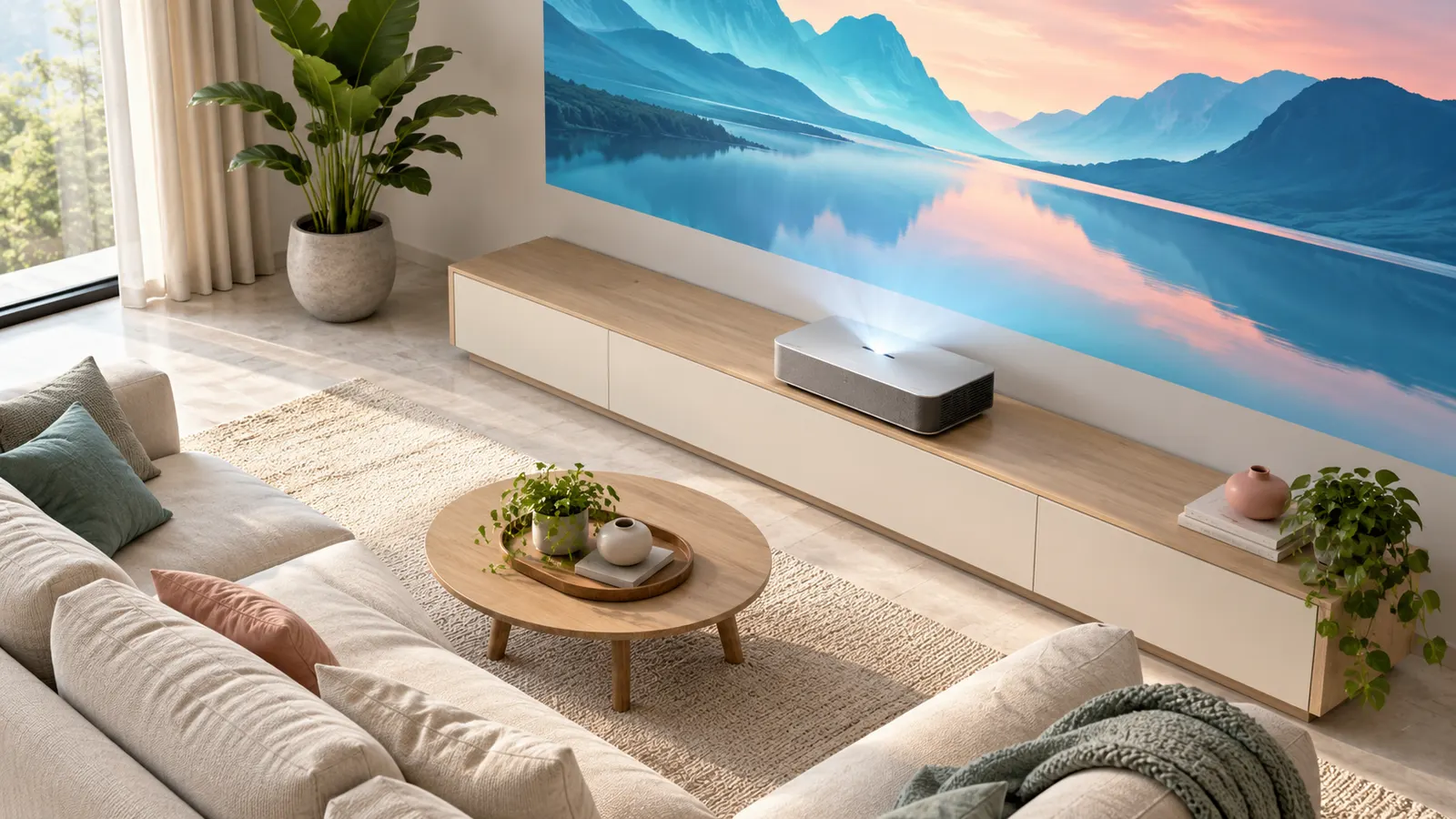
The first thing a short throw projector changes is not the picture but the room. With the projector sitting close to the screen — on the media unit, a low table or a shelf just beneath the image — the middle of the room returns to the people in it. Nobody crosses the beam and throws a giant shadow across the villain’s face. Nobody trips on the cable run to a projector marooned on the coffee table. Children and pets can cross the room as if the cinema were not there, because, spatially, it barely is. Owners consistently say this freedom, rather than any specification, is what they would refuse to give back, and it is why the category keeps growing even among buyers who have the space for a conventional throw.
The second change is subtler: the picture becomes calmer. A projector near the screen lights it at a steep angle and at close range, and in a room with any ambient light that geometry can be kinder than a long throw fighting its way across the room. It is also more demanding of the screen, because at steep angles a rippled or textured surface shows every flaw, and a screen or wall that flattered a long-throw projector can confess all its bumps to a short throw. The pairing advice follows: the flatter and smoother your surface, the happier a short throw will be, and the portable screens that serve long throws happily are not always the right partners here.
The Optoma pair and the rest of the list
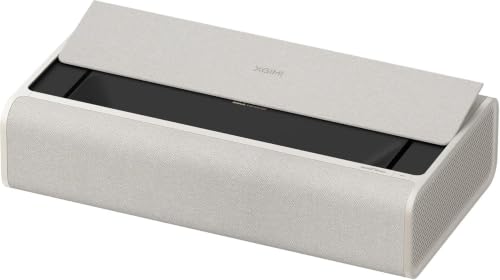
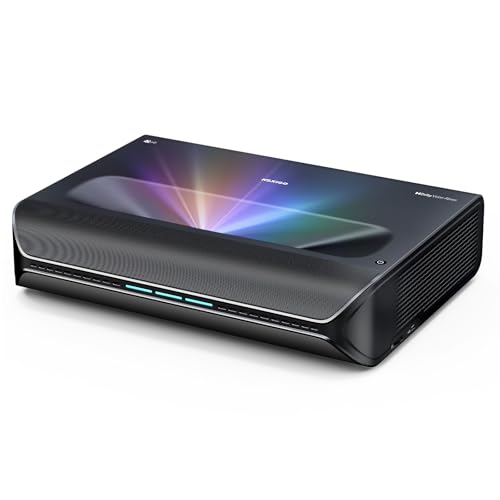
The two Optoma laser models anchor this guide because they represent the category’s serious end: the GT2000HDR, a Full HD short throw laser built with gaming and everyday home use in mind, and the GT3900UHD, its 4K step-up for the owner who wants the detail to match the convenience. Between them the decision is the familiar one — resolution and future-proofing against a lower commitment — made easier by the fact that both share the category’s essential virtue of placement. The remaining picks widen the idea in other directions: a smart portable bundled with a streaming stick for the household that wants short throw without a permanent installation, a Netflix-leaning auto-focus model for the streaming-first living room, and two app-heavy, high-brightness designs for rooms where the projector must also fight daylight. Read the list by the room’s light and the household’s habits, and the short throw part — the reason you are here — takes care of itself.
Installation Day: Getting the Geometry Right First Time
Short throw installation is a game of centimetres, and it rewards the owner who treats the first hour as surveying rather than decorating. Start with the screen position fixed and level, because every later adjustment assumes it. Place the projector on its intended surface and connect it before it is finally positioned, then slide it — millimetres matter — until the image fills the screen with its edges parallel, using the projector’s own feet or shims for the final levelling rather than keystone. At these distances, a projector a centimetre too close or a degree off square announces itself immediately in the geometry, which is good news disguised as fussiness: the feedback is instant, and a patient ten minutes produces a squareness that long-throw owners chase for an evening.
Cabling is the other half of the install, and it is mercifully short. The sources live beside the projector in this layout — the console, the stick, the player — so the long HDMI expedition across the room disappears, and with it the category of signal problems that long cables cause. Sound follows the same happy logic if your speaker or soundbar lives under the screen, a metre from the projector rather than a room away. What remains is power, ventilation and a surface that does not wobble: a short throw on a rickety table redraws its geometry with every footstep, so give it furniture with the seriousness of a permanent resident, because that is what it has become.
Gaming in the front row
Gamers discovered short throw early and for practical reasons: the player can stand, move and gesture in front of the screen without becoming a shadow puppet in their own game, and the projector’s proximity suits the low-lag designs that gaming models prioritise. The GT models in this list carry that heritage openly. If games share the room with films, give the console its own input and picture settings, keep the game mode’s reduced processing separate from your film settings, and notice how the room changes: a short throw gaming setup is a social one, with the player in the room rather than exiled behind the projector’s beam, and for many households that social quality is the feature that survives long after the specifications are forgotten.
When Short Throw Is the Wrong Answer
Honesty about the boundary improves every purchase in this guide. Short throw asks for a flat surface and a specific perch close to it; a room where the screen wall has a fireplace, a radiator or a doorway exactly where the projector must sit will fight the category at every turn. A room that needs the projector hidden entirely — in a ceiling, in a cabinet at the back — belongs to conventional throws. And a buyer whose seating is very close to a very large screen may find the steep viewing geometry less comfortable than a traditional layout. None of this diminishes the six picks above; it simply reserves them for the many rooms they suit perfectly, which is the only promise any projector category should make.
More Questions Worth Asking
Can I put a short throw projector on the floor?
You can, and in a pinch it works, but a low, stable unit or table is kinder in every way: it keeps the projector out of the traffic of feet and vacuum cleaners, holds it at a height that suits the screen, and spares the lens the dust that floors specialise in. If floor placement is the plan, protect the cable run and accept that the geometry will need re-checking whenever the unit is knocked, which on a floor is a question of when rather than if.
Do I need an ALR screen for a short throw projector?
Not automatically. In a dark or curtain-controlled room, a good matte screen or a smooth wall serves a short throw well. Ambient-light-rejecting screens made for short and ultra-short throws exist for the brighter rooms, and they work by accepting light from the projector’s steep angle while refusing light from above — a genuinely useful trick in a living room that cannot be darkened. Buy one for a light problem you actually have, not as a reflex, because the standard surface is the more forgiving partner in a controlled room.
Why is the bottom of my short throw picture brighter than the top?
At short throw distances the light reaches the near edge of the screen by a much shorter path than the far edge, so some unevenness is inherent in the geometry, and good designs minimise rather than abolish it. It becomes a complaint when the projector is closer or more angled than its design intends, or when the screen’s surface exaggerates it. Check the placement against the maker’s intended distances first; a few centimetres of correction usually calm the picture more than any brightness setting.
Can I ceiling-mount a short throw projector?
Yes, with a mount that holds it inverted at the correct distance above the screen’s top edge, and the same centimetre discipline applies — more so, because adjustments at ceiling height are slower to iterate. Owners choose it to clear the surface below entirely, which suits rooms where the media unit is needed for other things. If you mount, measure from the screen’s viewing surface rather than the wall, and have a second person at the screen calling the geometry while you adjust.
Is a short throw projector good for a small flat or a rented room?
It is one of the best answers in this entire guide for exactly that life. No long cable runs, no projector stand dominating the room, no holes that a conventional ceiling install might ask for, and a big picture from the furniture you already own. When you move, the whole cinema packs into a box and a bag. Renters and small-space dwellers are not compromising by choosing short throw; in their rooms, it is the category that fits, and the long-throw alternatives are the compromise.
Short Throw in the Real Rooms of Readers
The category proves itself in specific rooms, and three recur in every owner’s story. The first is the narrow living room, where a conventional projector would have to sit among the audience or hang over it, and where the short throw’s perch on the media unit turns an impossible geometry into a ten-minute install. The second is the games room or the children’s den, where bodies move, dances are danced in front of the screen, and a beam that begins a metre from the wall is a beam nobody interrupts — the GT models’ gaming heritage meets its perfect room. The third is the presentation space, the classroom or small office where the presenter stands at the screen and a long throw would put their shadow, huge and gesturing, across every slide; short throw was practically invented for that embarrassment, and it abolishes it completely.
Notice what those rooms share: in each, the problem was never picture quality. It was the collision between a beam of light and a roomful of life. That is the honest way to shop this category. If your room’s problem is that collision — the shadows, the tripwires, the projector marooned among the furniture — the machines in this list solve it outright, and their other virtues are a bonus. If your room has no such collision, a conventional throw may serve you as well for less, and this guide’s other lists will welcome you. Buying the solution to the problem you actually have is the whole of projector wisdom, and short throw is its clearest example.
One Sentence to Remember
If everything else in this guide fades, keep this: short throw is a room solution wearing a projector’s clothes — buy it for the shadows it abolishes and the floor it frees, place it with a surveyor’s patience on a surface flat enough to deserve it, and the picture will repay you every evening the room is used as a room.
Before You Order a Short Throw
Stand in the room with a tape measure and answer the category’s three questions out loud. Is the surface flat enough to be honest at a steep angle? Is there a perch, at the distance the lens demands, that furniture and life will leave undisturbed? And is the room’s real problem the beam crossing the life of the room — because if it is not, the conventional lists will serve you as happily. Three honest yeses make any of the six machines above a safe and satisfying purchase; a no names the thing to fix first, and fixing it in advance is the difference between an installation and an argument.
The Children’s Hour, and Other Beam-Free Pleasures
Ask short throw owners for their favourite moment and a surprising number describe the same scene: a room full of children, a film or a game in full flight, and a small figure crossing directly in front of the screen — dancing, fetching, being six — without the giant shadow that a conventional projector would throw across the picture and the moment. That is the category’s whole argument in one image. The beam begins at the wall and ends at the wall, and the room between belongs to the people in it. Whatever else the six machines in this list differ in, they share that gift, and for a great many households it is worth more than the difference between any two of them.
A Note on Screens, Revisited for Short Throw
Because the short throw’s beam arrives at an angle, its relationship with the screen deserves one more honest pass. The enemy is texture: a heavily woven or beaded surface that a long throw forgives will scatter a short throw’s shallow light into sparkle and unevenness, and a rippled portable screen will bend straight lines in ways the audience reads as cheapness. The friend is tension and smoothness — a flat, matte, well-held surface, or a genuinely smooth wall, lets the geometry the install worked so hard for survive to the eye. If you are pairing a short throw from this list with a screen from another of our guides, choose the flattest option your budget allows, and test the pairing with a menu grid before the first film, because straight lines are the strictest examiners a screen will ever face.
Settled, Square and Forgotten
The end state of a good short throw installation is a particular kind of boredom, and it is worth describing because it is the goal. The projector has not been touched in months. The picture is square because it was made square once, properly, and the furniture has accepted the machine as a resident rather than a visitor. Guests do not notice the equipment; children cross the room freely; the cat has claimed the warm top of the unit as a seat with a view. When a projector reaches that state, its category has kept its promise in full — the room is a room, the cinema is a cinema, and neither is in the other’s way. Every machine in this list can get your room there; the surveyor’s ten minutes is the only toll on the road.
Choosing the First Film for a Short Throw Room
The inaugural film in a short throw room has one extra duty: it should be watched by a household in motion. Let people fetch drinks, let the children cross, let the dog take its evening tour of the chairs — and notice, together, the thing that does not happen. No shadow, no flinch, no negotiation with the beam. That small absence, experienced rather than explained, is the moment the category converts its sceptics, and it is worth choosing a film long and loved enough to let the room prove itself at leisure. The specifications will be forgotten by the second act; the freedom will be remembered for every film after.
And When the Room Changes
Rooms change — children grow, furniture migrates, the den becomes a study — and the short throw adapts with a grace its rivals envy. The perch moves to the new unit, the ten surveying minutes are spent again, and the cinema re-establishes itself without a single new hole in a ceiling or a cable across a floor. Owners who have moved house with a short throw describe the same small triumph: the projector room is the first room finished in the new place, because it is the easiest to finish. In a category full of specifications, that adaptability may be the most valuable one of all, and it belongs to every machine in this list equally.
Clear the Floor
So the protocol ends where it begins: the perch placed, the geometry surveyed, the beam hugging its wall, and the middle of the room handed back to the people it belongs to. Choose the machine in this list that fits your light and your games, spend the surveyor’s ten minutes once, and then walk through your own cinema, freely, forever, without ever ducking.
A Word About the Reluctant Partner
Most households contain one person who wanted the projector and one who tolerated it, and short throw is the category that most often converts the tolerator — because its price of admission, in furniture terms, is nearly zero. No stand in the room’s centre, no mount on the ceiling, no cable across the carpet: just a quiet box on the unit they already owned, and a wall that becomes a cinema on request and a wall again by morning. If your purchase must be negotiated, negotiate with this list. The machines in it ask the household for the least, and give the room back in full, and that is a diplomatic achievement no specification sheet has ever managed to quantify.
Goodnight, Front Row
The lights come up, the room exhales, and somebody crosses to the kitchen directly through where the beam would have been in any other house — through the front row, through the cinema itself — without a thought. That thoughtlessness is the tribute. The little machine on the unit has already cooled into furniture, the picture has folded itself away into the wall, and the room is simply a room again, with a family in it, talking about a film. Short throw promised exactly that ordinariness, at an extraordinary size, and in this house, on this night, it has kept its word completely.
Until the Next Film
Keep the perch steady, the surface flat and the floor gloriously empty. The next film will cross a room full of people without touching any of them, and the smallest member of the household will dance in front of the screen, unshadowed, exactly as the category intended.
The Last Word Belongs to the Room
Every small room has been told, by somebody, that it is too small for a cinema. Short throw exists to correct that sentence. The wall is there, the unit is there, the audience is there — and now, from this list, the projector is there too, close enough to touch the picture it makes. The room was never too small. It was only ever waiting for its throw to shorten.
Frequently Asked Questions
Is laser better than lamp?
Longer life and brighter start, higher price.
Do I need a screen?
Yes for best contrast.
Gaming?
Check input lag and refresh.
What is the difference between short throw and ultra short throw?
Both make large images from near the wall, but ultra short throw units sit much closer, often just inches away. Short throw models need more distance but are usually easier to place.
Do I need a special screen for a short throw projector?
Not always. A flat white surface can work, but a screen designed for short throw or ambient light can help in rooms with some light. Flatness matters either way.
Can I use a short throw projector in a bright room?
Brighter models and ambient light rejecting screens help, but a darker room still produces a better picture. Check the brightness details and plan to control the light.
Will the projector block my view?
It sits low and near the screen, so it is usually out of the way, but its placement on a coffee table or console can interrupt sight lines. Check the height and position before you commit.
Is input lag a problem for gaming?
It can be for fast-paced games. Look for a game mode and check the listed input features. Maker claims vary, so read buyer comments too.
How long does a projector light source last?
It depends on the type, and the hours given are estimates. Lamps fade sooner, while LED and laser sources generally last longer. Check the manual for how to extend life.
Can I mount a short throw projector on the ceiling?
Some can, but placement depends on the lens offset and the image position. Check the manual and the mounting points before you buy a bracket.
What should I do if the image looks trapezoid-shaped?
Move the projector so that it sits square to the screen and level, and then use the keystone or geometry correction only for small adjustments.
Bottom Line
Short throw projectors sit closer to the screen.
More Projectors Guides
- Best UST Laser Projectors for Living Rooms
- Best Laser Home and Office Projectors
- Best Cheap Projectors Under $100 for Dark Rooms
- Best Smart Projectors Under $200
- Best Projectors Under $500 for Home Use
- Best Home Projectors Under $1000
- Best Projectors for PS5 and Xbox
- Best Daylight Projectors for Living Rooms