
Disclosure: As an Amazon Associate, reviewstook.com earns from qualifying purchases. Links to Amazon on this page are affiliate links; they cost you nothing extra.
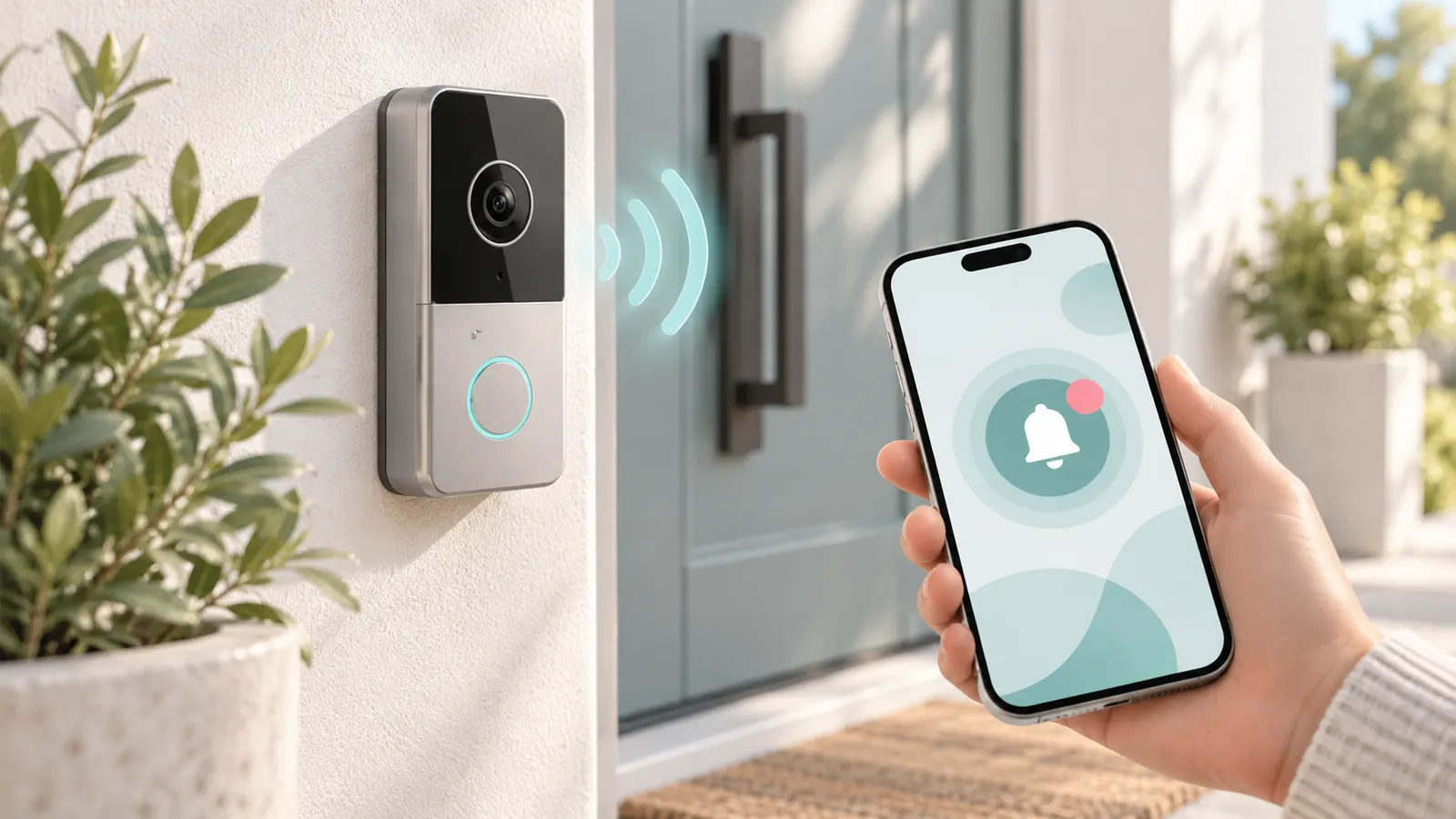
A video doorbell shows who is at your door and records motion. Check power type, storage and monthly costs.
Prices are approximate, converted from what Amazon displayed on October 31, 2026 where needed. This guide is built from product listings, not our own testing, so check subscription needs, power type (battery or wired), Wi-Fi band and local privacy rules on the product page.
By the Reviewstook Editorial Team. Last updated: October 31, 2026.
Quick Picks
| Product | Type | Best for |
|---|---|---|
| Tapo D205 2K Wireless Smart Video Doorbell | Battery video doorbell | 2K, 160-degree ultra-wide view |
| BOIFUN Video Doorbell Camera (No Subscription) | Wireless doorbell, no subscription | 2K HD |
| Tapo D130 2K Wired Smart Video Doorbell with Chime | Wired video doorbell | 2K, 180-degree ultra-wide, chime included |
| Chamberlain myQ Video Doorbell | Battery or wired doorbell | 2K, color night vision, 2-way talk |
| Anona 3K Dual-Cam Video Doorbell (No Subscription) | Dual-camera doorbell | 3K, chime included, no subscription |
| Wyze Wireless Video Doorbell Pro with Chime | Battery video doorbell | Doorbell Pro with chime |
| aosu 5MP Ultra HD Wireless and Wired Video Doorbell | 5MP doorbell | Wireless and wired use |
Our Picks
1. Tapo D205 2K Wireless Smart Video Doorbell
A Tapo D205 2K wireless smart video doorbell with a 160-degree ultra-wide view, per the listing. It showed at about $40 on Amazon.com when we checked on October 31, 2026 (converted where needed, so confirm the current price).
Good for: a low-price 2K battery doorbell. Strengths: 2K video and Tapo brand. Weaknesses: battery needs recharging. Skip it if you want a wired doorbell.
2. BOIFUN Video Doorbell Camera (No Subscription)
A BOIFUN wireless video doorbell camera with 2K HD video and no subscription required, per the listing. It showed at about $50 on Amazon.com when we checked on October 31, 2026 (converted where needed, so confirm the current price).
Good for: avoiding monthly fees. Strengths: no subscription and 2K. Weaknesses: lesser-known brand. Skip it if you want a known brand.
3. Tapo D130 2K Wired Smart Video Doorbell with Chime
A Tapo D130 2K wired smart video doorbell with a chime and a 180-degree ultra-wide field of view, per the listing. It showed at about $54 on Amazon.com when we checked on October 31, 2026 (converted where needed, so confirm the current price).
Good for: homes with existing doorbell wiring. Strengths: 2K and included chime. Weaknesses: needs wiring. Skip it if you want a battery model.
4. Chamberlain myQ Video Doorbell
A Chamberlain myQ video doorbell with a 2K camera, battery or wired power, color night vision and 2-way talk, per the listing. It showed at about $59 on Amazon.com when we checked on October 31, 2026 (converted where needed, so confirm the current price).
Good for: either wiring or battery use. Strengths: flexible power. Weaknesses: price near $60. Skip it if you want the cheapest.
5. Anona 3K Dual-Cam Video Doorbell (No Subscription)
An Anona 3K dual-cam video doorbell camera that is wireless, includes a chime and needs no subscription, per the listing. It showed at about $100 on Amazon.com when we checked on October 31, 2026 (converted where needed, so confirm the current price).
Good for: a head-to-toe view. Strengths: dual camera and 3K. Weaknesses: price near $100. Skip it if you want the cheapest.
6. Wyze Wireless Video Doorbell Pro with Chime
A Wyze Wireless Video Doorbell Pro with a chime, per the listing. It showed at about $106 on Amazon.com when we checked on October 31, 2026 (converted where needed, so confirm the current price).
Good for: a Wyze ecosystem home. Strengths: Wyze brand and included chime. Weaknesses: price near $106. Skip it if you want the cheapest.
7. aosu 5MP Ultra HD Wireless and Wired Video Doorbell
An aosu 5MP Ultra HD video doorbell camera that works wireless or wired, per the listing. It showed at about $150 on Amazon.com when we checked on October 31, 2026 (converted where needed, so confirm the current price).
Good for: high resolution and flexible power. Strengths: 5MP and dual power. Weaknesses: price near $150. Skip it if you want the cheapest.
How to Choose a Video Doorbell Camera
A video doorbell camera adds a live view, motion alerts and two-way talk to your front door. The seven models in this guide cost between about $40 and $150 in the listings we checked (converted where needed), and they differ in power type, resolution, storage and brand. This section explains the decisions that matter. As with all our guides, it is built from product listings and manufacturer information, not our own testing, so confirm features, storage terms and subscription needs on each product page.
Wired, battery or both
Power type is the first decision. The Tapo D130 is a wired model that uses your existing doorbell wiring, so there is no battery to charge. The Tapo D205 is a battery-powered wireless model that installs without wiring but needs periodic recharging. The Chamberlain myQ Video Doorbell lists battery or wired power, which gives flexibility. The aosu 5MP model lists wireless and wired use. If you choose a wired model, check that your doorbell transformer provides enough voltage; see our doorbell transformers and wired doorbell cameras.
Resolution and field of view
The Tapo D205 and D130 are 2K models. The Chamberlain myQ is 2K with color night vision. The Anona lists 3K with a dual camera, and the aosu lists 5 MP. Higher resolution shows more detail when you zoom in on a face or a package. The D205 lists a 160-degree ultra-wide view and the D130 a 180-degree view, which help you see packages on the ground. The Anona’s dual camera is meant to give a head-to-toe view. Remember that your phone’s app and your Wi-Fi limit how much detail you see in live view.
Storage and subscriptions
Many video doorbells save clips to the cloud for a monthly fee. Others offer local storage on an SD card or a base station. The BOIFUN listing says no subscription is required. Read the listing carefully: some features, such as person detection or a long video history, may need a plan even when basic use is free. See our doorbell cameras without subscription.
Wi-Fi: the common failure point
Most doorbell cameras connect over 2.4 GHz Wi-Fi, and a weak signal at the door causes lag and missed alerts. Test your signal at the mounting spot with your phone before you install, and consider an extender; see WiFi extenders for doorbell cameras. Several of these cameras list 2.4 GHz only.
Chime and notifications
A doorbell camera needs a way to alert you. Some include an indoor chime, some work with your existing wired chime and some send only phone alerts. If you want a plug-in chime, see wireless doorbells and chimes.
Mounting and renters
If you cannot drill, battery models with no-drill mounts help; see doorbell mounts and doorbell cameras for apartments. Angle mounts help if your door is in a corner.
Privacy, security and rules
Use a strong password and two-step verification, keep the firmware updated and point the camera at your own property. Check local laws on recording, especially audio, and check your lease or HOA rules. Our doorbell camera buying guide covers this in more depth.
The Seven Doorbell Cameras in Depth
Tapo D205 2K Wireless Smart Video Doorbell
A 2K battery-powered doorbell with a 160-degree ultra-wide view, per the listing, at about $40. It is the lowest-priced model from a known smart-home brand. Battery power means easy installation, with the recharging chore that implies. It suits renters and anyone without existing doorbell wiring.
Choose it if you want a low-price 2K battery doorbell. Think twice if you want a wired model.
BOIFUN Video Doorbell Camera (No Subscription)
A wireless video doorbell with 2K HD video and no subscription required, per the listing, at about $50. The no-subscription angle is the draw. The brand is lesser known, so check how video is stored and the quality of the app and support.
Choose it if you want to avoid monthly fees. Think twice if you want a major brand.
Tapo D130 2K Wired Smart Video Doorbell with Chime
A 2K wired doorbell with a chime and a 180-degree ultra-wide view, per the listing, at about $54. Because it is wired, there is no battery to charge, and the included chime saves buying one. It needs existing doorbell wiring and a suitable transformer.
Choose it if your home has doorbell wiring and you want a hassle-free 2K camera. Think twice if you want a battery model.
Chamberlain myQ Video Doorbell
A video doorbell with a 2K camera, battery or wired power, color night vision and two-way talk, per the listing, at about $59. The flexible power option is useful if you are not sure about your wiring. Chamberlain is a known name in home access products, and the myQ ecosystem integrates with some garage door openers, so check compatibility if you use myQ products.
Choose it if you want flexible power from a known brand. Think twice if you want the cheapest.
Anona 3K Dual-Cam Video Doorbell (No Subscription)
A wireless 3K dual-camera doorbell with a chime and no subscription, per the listing, at about $100. The second camera gives a head-to-toe view so you can see packages on the ground. It costs more than the 2K models.
Choose it if you want a head-to-toe view with no subscription. Think twice if you want the cheapest.
Wyze Wireless Video Doorbell Pro with Chime
A battery-powered Wyze doorbell with a chime, per the listing, at about $106. Wyze is a popular smart-home brand with a broad ecosystem of cameras. It suits homes that already use Wyze products. Check the listing for subscription features and storage.
Choose it if you use Wyze products. Think twice if you want the cheapest.
aosu 5MP Ultra HD Wireless and Wired Video Doorbell
A 5 MP doorbell that can run wireless or wired, per the listing, at about $150. It has the highest resolution here, which helps with detail. It is the most expensive, so decide whether the resolution justifies the price.
Choose it if you want high resolution and flexible power. Think twice if you want the cheapest.
Which Doorbell for Which Home
| You | Best match | Why |
|---|---|---|
| Renter or no wiring, low price | Tapo D205 | 2K battery model |
| Avoid monthly fees | BOIFUN (No Subscription) | No subscription required |
| Existing doorbell wiring | Tapo D130 | Wired 2K with chime |
| Unsure about wiring | Chamberlain myQ | Battery or wired |
| Head-to-toe view | Anona 3K Dual-Cam | Dual camera and no subscription |
| A Wyze household | Wyze Doorbell Pro | Fits the Wyze ecosystem |
| Highest resolution | aosu 5MP | 5 MP, wireless or wired |
Installing a Video Doorbell
- Test the Wi-Fi signal at the door with your phone.
- Choose the mounting height recommended by the maker, usually around chest height.
- For wired models, turn off the power at the breaker and check the transformer voltage.
- Use the correct mount: a standard bracket, a no-drill mount or an angle mount.
- Charge battery models before mounting.
- Set up the app, motion zones and notification settings.
- Enable two-step verification and update the firmware.
Fixing Common Doorbell Problems
- Delayed notifications: improve the Wi-Fi signal or adjust the phone’s battery optimization for the app.
- Too many motion alerts: set motion zones and lower sensitivity.
- Night video looks washed out: clean the lens and check for a nearby light reflecting.
- Battery drains quickly: reduce live views, motion sensitivity and clip length.
Common Mistakes When Buying a Video Doorbell
- Ignoring the Wi-Fi signal at the door.
- Assuming no subscription means all features are free.
- Buying a wired model without checking the transformer.
- Forgetting local rules on recording and building policies.
- Skipping the return window.
Where to Go Next
Browse wireless doorbell cameras, doorbell cameras under $50, solar doorbell cameras, peephole cameras, floodlight cameras, smart door locks and wireless outdoor security cameras.
How to Choose
Power
Battery models need charging; wired models need wiring. See our buying guide.
Storage
Check cloud, local or subscription plans.
Resolution
2K and higher shows more detail.
How We Chose These Products
We start from products sold on Amazon with a full product name and clear specifications, and we skip results that show only a brand name or a vague title. We then read the listing and any manufacturer information for each one and note the features that matter for security cameras and doorbell products: power type, storage, subscriptions and Wi-Fi requirements. We do not run our own lab tests, and this guide contains no hands-on measurements. Use it to build a shortlist, then check current prices, dimensions and return terms on the Amazon page before you buy.
Buying Guide: What to Check Before You Choose
Power, storage and subscription
Battery doorbells install anywhere but need recharging; wired ones use doorbell wiring. Check whether video is stored locally or in the cloud and what features need a plan. See our doorbell camera buying guide.
Wi-Fi coverage
A weak signal causes lag and dropped video. Place an extender between the router and the camera, and check the band your camera uses, which is often 2.4 GHz.
Smart lock fit and security
Check the door prep, backset and battery. Choose reputable models and strong codes, and keep a backup key.
Quick Reference: Which Pick Suits Whom
- Tapo D205 2K Wireless Smart Video Doorbell: suits a low-price 2K battery doorbell
- BOIFUN Video Doorbell Camera (No Subscription): suits avoiding monthly fees
- Tapo D130 2K Wired Smart Video Doorbell with Chime: suits homes with existing doorbell wiring
- Chamberlain myQ Video Doorbell: suits either wiring or battery use
- Anona 3K Dual-Cam Video Doorbell (No Subscription): suits a head-to-toe view
- Wyze Wireless Video Doorbell Pro with Chime: suits a Wyze ecosystem home
- aosu 5MP Ultra HD Wireless and Wired Video Doorbell: suits high resolution and flexible power
Common Mistakes to Avoid
- Ignoring the Wi-Fi signal at the install point.
- Assuming no subscription means all features are free.
- Forgetting local recording rules.
- Mounting too low or too high.
- Skipping the return window.
Setup and Care
- Test the Wi-Fi at the mounting spot.
- Set motion zones.
- Use strong unique passwords and two-step verification.
- Check the recording laws and building rules.
Frequently Asked Questions
Do doorbell cameras need a subscription?
Some features do; some models list none.
Which is best?
See Quick Picks.
Renters?
See our apartment picks.
Do security cameras need a subscription?
Some features do. Check what is included on the product page.
Are cheap cameras safe?
Check privacy and update support, and set a strong password.
Is local storage better than cloud?
Local storage avoids fees but can be stolen with the device. Many people use both.
Bottom Line
For value, the Tapo D205. For wired, the Tapo D130. For flexible power, the Chamberlain myQ.
Related Reading
- 7 Best Indoor Security Cameras with Phone Apps
- Tapo D205 vs D130: Battery or Wired 2K Doorbell?
- Tapo D205 vs Chamberlain myQ Video Doorbell: Which Is Better?
- BOIFUN vs Anona 3K: Which No-Subscription Doorbell?
- Wyze Doorbell Pro vs aosu 5MP: Which Should You Buy?
- Is the Tapo D205 Doorbell Worth It? Listing-Based Review
- Is the Tapo D130 Wired Doorbell Worth It? Review
- Is the Chamberlain myQ Video Doorbell Worth It?
More Doorbell and Home Security Guides
- Best Doorbell Cameras Without Subscription
- Best Wireless Doorbell Cameras
- Best Wired Doorbell Cameras
- Best Doorbell Cameras Under $50
- Best Solar Doorbell Cameras
- Best Doorbell Cameras for Apartments
- Best Peephole Cameras and Door Viewers
- Best Doorbell Mounts
- Best Wireless Doorbells and Chimes
- Best Doorbell Transformers
- Best WiFi Extenders for Doorbell Cameras
- Best Smart Door Locks
- Best Floodlight Security Cameras
- Doorbell Camera Buying Guide
- Best Wireless Outdoor Security Cameras
- All security camera guides
