Disclosure: As an Amazon Associate, reviewstook.com earns from qualifying purchases. Links to Amazon on this page are affiliate links; they cost you nothing extra.
A doorbell camera adds video, motion alerts and two-way talk to your front door, but the right one depends on your wiring, your Wi-Fi and how you want to store video. This guide walks through the choices so you can avoid the usual surprises, such as subscription fees and poor Wi-Fi at the door.
This guide is based on product listings and general knowledge, not our own testing. Always confirm features and subscription terms on the product page.
By the Reviewstook Editorial Team. Last updated: October 31, 2026.
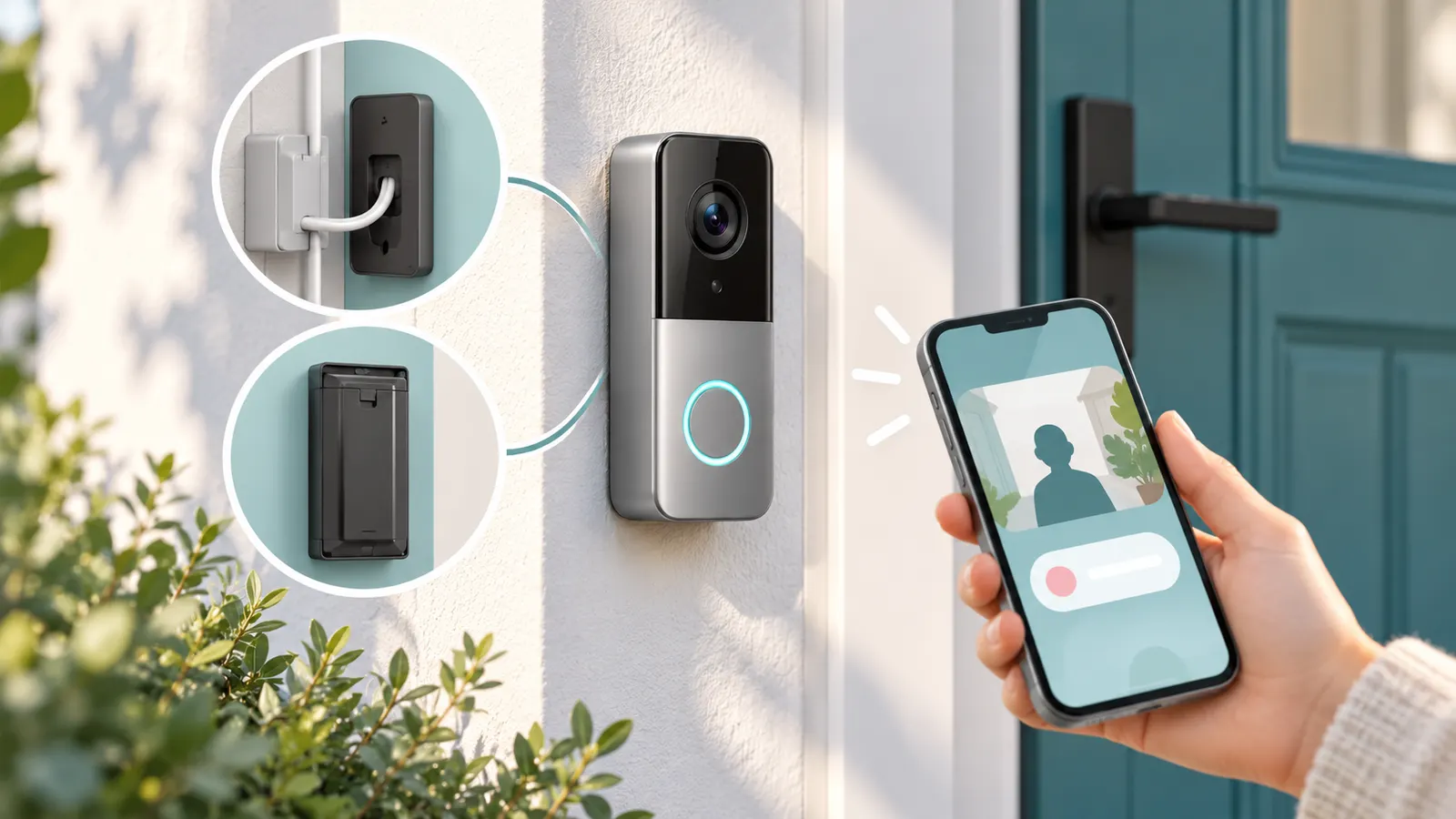
Wired or Battery?
Wired doorbell cameras use your existing doorbell wiring for constant power, so there is no battery to charge. They need a compatible transformer; see our doorbell transformers. Battery models install anywhere and are easier for renters but need recharging, which can be every few weeks to a few months depending on use. See our wired and wireless picks.
In this guide
Subscriptions and Storage
Many doorbells save video to the cloud for a monthly fee, while others store video locally on an SD card or a base station. Some features, such as person detection or longer history, may need a plan. Read the listing carefully for what is free. See our doorbell cameras without subscription.
Resolution and Field of View
1080p is fine for many porches; 2K and higher shows more detail, such as faces or license plates at a distance. A wide or head-to-toe field of view helps you see packages on the ground. Night vision, either infrared or color, matters for evenings.
Wi-Fi and Extenders
Most doorbell cameras use 2.4 GHz Wi-Fi. A weak signal at the door causes lag and missed alerts. Test the signal at the install spot and consider an extender; see our WiFi extenders.
Chimes and Notifications
Check whether a chime is included or whether your existing chime works. A plug-in wireless chime can help; see wireless chimes.
Mounting and Renters
If you cannot drill, use no-drill or adhesive mounts. Angle mounts help with corner doors. See doorbell mounts, doorbell cameras for apartments and peephole cameras.
Power Alternatives
Solar doorbell cameras top up the battery from the sun; see solar doorbell cameras.
Privacy and Rules
Point the camera at your own property, and check local laws on recording, especially audio. Check lease or HOA rules before installing. Use strong passwords and two-step verification.
Checking Your Existing Doorbell Wiring
If you are considering a wired model, start by finding out what you already have. Many homes have a low-voltage doorbell circuit consisting of a button, a chime box and a transformer, but the details vary. Look at the existing button and the chime unit, and read any labels on the transformer, which is often near the chime box, in a utility area or near the electrical panel. The label usually lists voltage and power. Compare these figures with the requirements on the doorbell camera’s product page, because a transformer that is too weak can cause restarts, poor night video or missed alerts.
Before touching anything, turn off power at the breaker. If you are not comfortable working with electrical wiring, ask a qualified electrician. Take a photo of the existing wiring so you can reverse changes if needed. Some cameras need an adapter or a power kit that sits at the chime so that the doorbell continues to ring, and the manual will tell you whether yours does.
If you do not have a doorbell circuit, or if the wiring is damaged, a battery model avoids the need for any wiring work. Some homes have unusual systems, such as digital chimes or multiple doors on one transformer, that cause compatibility problems, so read the compatibility notes. Look also at the length and condition of the wires, since long thin runs can drop voltage. Plan the job calmly and test the camera before closing up the wall.
Battery Life, Charging and Maintenance
Battery doorbells are flexible, but they bring a routine. How often you recharge depends on how many people pass your door, the motion settings you choose, the length of video clips, cold weather and Wi-Fi strength. A busy entrance with sensitive motion detection drains the battery faster than a quiet one. Product pages often give estimated battery life, but treat them as a guide because real use differs.
To extend battery life, limit motion zones to the areas that matter, such as the porch rather than the street. Reduce clip length if the setting is available, lower the sensitivity and avoid frequent live viewing. Improve Wi-Fi signal at the door, because a weak connection forces the camera to work harder. In cold weather, batteries drain faster, and some types may not charge below a certain temperature, so check the manual.
Plan how you will recharge. Some models have removable batteries you can swap, which means no downtime. Others must be taken down and charged in place with a cable. Keep a spare battery if the model supports it, and set a reminder to recharge when the app shows a low level. Some models support a solar or wired trickle charger, which can reduce how often you need to intervene. Keep the charging port clean and dry, and replace the battery when run time falls sharply, since all rechargeable batteries age.
Motion Detection, Zones and Reducing False Alerts
A doorbell camera that sends too many alerts quickly becomes something you ignore. Motion detection is useful only when it is tuned to your property. Start by looking at the field of view and noting where cars, trees, pavements and neighbors appear. Most apps let you draw activity zones that include only the areas you care about, such as the path to the door, and ignore the road.
Understand the types of detection. Basic motion detection reacts to any change in the picture, including headlights, shadows, leaves and rain. Some cameras offer person, package or animal detection that filters alerts, but these features may require a subscription or work better in good light, so read the listing. Adjust the sensitivity: high settings catch more but cause more false alarms; low settings can miss a quick visitor.
Setting schedules can help. You might turn off alerts during the day when family members are coming and going, and turn them on at night. Notifications can be limited to certain devices or people in the household. Review your clips for a week and refine the zones. Camera position matters, too: an angle that points at a busy street will always create noise. Sunlight, reflections from glass and spider webs near the lens can trigger alerts, so clean the lens and consider moving the camera slightly. Finally, test alerts with a friend walking up to the door and see how quickly you are notified.
Night Vision, Glare and Camera Placement
Image quality after dark depends on more than the stated resolution. Infrared night vision produces a black-and-white image and works well in the dark but can cause glare if the camera is near a reflective surface, such as a glass door or a pale wall. Color night vision uses a small light or sensitive sensor to keep colors, and its quality depends on how much ambient light is available, such as from a porch light. Read the product page for what the camera uses.
Placement affects everything. Mount the camera at the height recommended by the maker, usually around chest to eye level, so faces are visible. Avoid mounting it where bright sunrise or sunset hits the lens directly, which washes out the image. Overhangs and porch ceilings can protect from rain and glare, but they can also reflect infrared light back at the lens. An angled bracket can help if the door is in a corner or the view is blocked by a wall.
Check the field of view when installing. Ask yourself whether you can see packages on the ground, the full width of the porch and the area close to the door. Use the app to view the live image before you fix the mount permanently. Keep the lens clean, since dust and fingerprints cause haze, particularly at night when light is scarce. A porch light with a consistent, warm glow improves video and deters unwanted visitors. If your doorbell has a built-in light, check how bright it is and whether you can control it.
Smart Home Compatibility and Account Security
A doorbell camera becomes part of your wider home network, so consider how it fits in. Check which voice assistants, smart displays and other systems it supports, and whether the features you want work with them. Some cameras show live video on a smart display when someone rings the bell, while others only send phone alerts. Check the product page for details rather than assuming.
Think about the app. It is the main interface, so read about its ease of use, how quickly it opens live view and how it organizes clips. Check that the app runs on your phone and operating system, and whether multiple household members can have their own accounts. Look at how long the manufacturer typically supports its devices with updates, if this information is available.
Security deserves attention because the camera sees the outside of your home. Use a long, unique password and turn on two-step verification. Keep the firmware updated, and install updates promptly. Create a separate guest or IoT network on your router if it supports it, which limits what a compromised device can reach. Review who has access to your account and shared devices, and remove old users. Check privacy settings about how recordings are stored and shared, and be careful with community-sharing features. If you sell or give away the camera, perform a factory reset and remove it from your account.


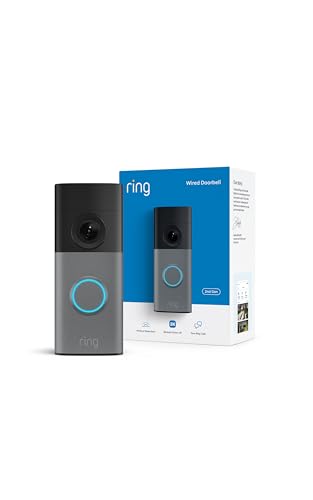
Ready to Buy? Start Here
If this guide helped you decide what to look for, these products are a place to start.


As an Amazon Associate we earn from qualifying purchases. Prices and availability are shown on Amazon.
A Plain-Language Glossary for Doorbell Camera Shoppers
- Field of view: how wide an area the camera sees. It is often given as an angle, and wider views can show more of the porch and walkway.
- Aspect ratio: the shape of the picture. Taller ratios show more of the ground, which helps you spot packages.
- Two-way talk: a built-in speaker and microphone so you can speak to a visitor through your phone.
- Motion zones: areas of the picture that you choose to watch or ignore, to reduce unwanted alerts.
- Local storage: saving video on a card or a home hub, rather than in a remote service.
- Hub or base station: a small device that connects the camera to your home network and sometimes stores video.
- Transformer: the device that supplies low voltage to a wired doorbell. Check compatibility on the maker page.
- Chime kit: a small adapter that helps a wired doorbell chime work with certain smart cameras.
Decision Guide by Home Situation
You own a house with existing doorbell wiring
A wired model may suit you well, because it takes power from the existing wires and avoids charging. Check the voltage figure on your transformer and compare it with the maker requirements. If you are unsure about doorbell wiring, ask a licensed electrician.
You rent an apartment
Battery models with a no-drill mount or a door-hanging bracket can fit better. Read your lease and ask your landlord before attaching anything to the door or frame.
Your entry is far from your router
Wi-Fi strength decides whether video is smooth. Look at the signal at the door with your phone before you buy, and consider an extender if the signal is weak.
You want to keep video private and local
Look for models with local storage options and read the maker privacy notes to see how video is handled.
Pre-Purchase Checklist
- Check what powers your current doorbell, and note the voltage if it is wired.
- Test the Wi-Fi signal at the door.
- Decide whether you want a subscription, a local storage option or both, and read the fine print on what features each requires.
- Measure the mounting area and check whether the model fits on your frame or siding.
- Look at field of view and picture shape against your porch layout.
- Check which phone systems and smart home platforms the camera supports.
- Read the warranty and support pages on the maker site.
Setup Day Walkthrough
A little preparation makes installation smooth, whichever model you choose.
- Read the maker guide first, and collect the tools it lists.
- Download the official app and create your account before you mount anything, so you can pair the camera at the door.
- Turn off power at the breaker if you are touching existing doorbell wiring, and confirm that it is off. If you are not comfortable, hire a licensed electrician.
- Remove the old doorbell and label the wires so you can reconnect them correctly.
- Fix the mounting plate, using the angle wedge if the maker supplies one, so that the camera faces the area you want.
- Connect the camera, restore power and follow the app steps to join your Wi-Fi network.
- Test motion alerts, two-way audio and the live view from different spots in your home.
Common Mistakes to Avoid
Mounting too high or too low. A camera set at an odd height can capture only the tops of heads or the ground. Follow the suggested height and check the live view before drilling.
Pointing at a street or at neighbors. Constant motion triggers false alerts and can raise privacy concerns. Use zones to limit what the camera watches.
Skipping the subscription details. Some features, such as clip history, may need a paid plan. Read the maker page to see what works without one.
Forgetting about glare. Glass doors, bright lights and reflective walls can wash out the picture at night. Try different placements.
Neglecting updates. Install official firmware and app updates, and replace weak passwords with strong ones.
Comparing Power and Mounting Choices
| Option | Advantage | Consideration |
|---|---|---|
| Wired to existing doorbell | No battery charging | Needs compatible wiring and a suitable transformer |
| Battery powered | Flexible placement and renter friendly | Needs periodic recharging or replacement |
| Plug-in or adapter powered | Steady supply where outlets exist | Cable routing can be visible |
| Solar assisted | Can reduce charging effort | Needs adequate light at the door |
Privacy and Good Neighbor Habits
A doorbell camera records people who walk up to your door, and sometimes the street and neighboring property as well. Rules about recording video and audio differ by region, so check your local laws and any rules from your landlord or housing association. Angle the camera at your own entry, and use privacy zones if the model offers them.
Post a sign if local rules or courtesy suggest it, and be thoughtful about how you share clips. Keep your account protected with a strong password and two-step sign-in where the maker offers it, and install updates from the official app. If something looks wrong with your account, change your password and contact the maker support team.
Start With Your Door, Not With a Shortlist
Every good doorbell decision in this guide flows from a ten-minute survey of the door you actually have. Begin with power: is there an existing wired doorbell, and if so, does it work? Press it and listen. A working wired chime means wires and a transformer exist, which keeps every option open. No chime sound does not mean no wires — chimes fail more often than wiring does — so look for the button’s wires and the transformer before concluding you are a battery-only household. If the home never had a wired bell, battery models and solar-assisted models become the realistic centre of your shortlist.
Next, survey the mounting surface and the view. Note the material beside the door — timber frame, brick, render, stone — and whether there is a flat area at a sensible height. Then stand at the doorbell’s likely position and look outward: what should the camera see? The path, the gate, the driveway, the parcel spot. Doors recessed in porches, doors at an angle to the path, and doors facing a close wall all shape which field of view and which mounting accessories will serve you, and it is far better to know this before ordering than to discover it with the box open.
Then survey the invisible: your Wi-Fi at the door. Check the signal on your phone with the door closed, and be honest about the construction between the router and the doorway. Thick walls, foil-backed insulation, and a metal door all tax the connection, and a doorbell lives or dies by a link that must hold day and night. If the signal at the door is feeble, your plan needs a coverage step — moving the router, adding an extender or mesh node — budgeted alongside the doorbell itself, because the best camera in this guide cannot outperform a connection that drops.
Finally, survey the household. Who answers the door, who receives the alerts, whose phone carries the app, and who is home when parcels arrive? A doorbell bought for a house where someone is usually in needs different strengths from one bought as the eyes of an empty house. Note also any constraints: a landlord’s rules on drilling, a listed door that must not be marked, a household member who will not use an app at all and needs a physical indoor chime. These facts, gathered in ten minutes, narrow the field more honestly than any feature comparison.
The Decision Order That Prevents Regret
Buyers usually start with video quality, because it is the most advertised number, and regret usually arrives from a decision made later and more casually. Work in a different order. First, power: wired if your wiring and transformer suit it and you want the most hands-off life; battery if fitting must be simple, reversible, or wire-free. This choice decides your maintenance rhythm for years — a battery doorbell asks for attention a few times a year, a wired one asks almost none — so it should be made deliberately, not by default.
Second, decide how you will hear the bell indoors. An existing mechanical chime, a plug-in chime, a smart speaker announcement, or phone-only alerts each suit different homes. Phone-only sounds modern and fails in predictable ways: the phone on silent, the phone in another room, the visitor who presses once while your phone is updating. Households with children, older residents, or anyone who does not carry a phone room to room should insist on at least one fixed indoor sound. This decision also interacts with power, since some wired arrangements ring a mechanical chime directly while battery models often need their own plug-in chime.
Third, decide the storage and subscription position before you fall for a camera. Are you content to pay a modest ongoing plan for cloud history and richer detection, or do you want local recording with no plan, accepting its limits? There is no wrong answer, but there is a wrong time to discover the answer: after installation, when the free trial ends and features you had grown used to move behind a payment prompt. Read what each candidate keeps free, in the maker’s own description, and choose the model whose free or paid shape matches the way you intend to live with it.
Only now does video quality take its proper place: fourth. With power, sound, and storage settled, compare the remaining candidates on the view they give of your door — field of view suited to your porch geometry, night performance, how they handle the bright street against a shaded doorway. A camera that resolves your actual doorway beautifully beats a higher-specified camera whose view is wrong for your walls. This ordering — power, sound, storage, picture — is the spine of the recommendations throughout this guide.
Understanding the Numbers on the Box
Resolution figures describe how much detail the sensor can capture in ideal conditions, and doorways are rarely ideal. What matters at a front door is whether a face at conversational distance is recognisable and whether a parcel label is legible when the courier holds it up — both depend as much on the lens, the compression, and the light as on the headline number. A camera that streams a modest resolution cleanly will satisfy most households more than one that promises more and delivers it in smeared blocks over a struggling connection. Judge by the doorway test after installation, during your return window, rather than by the largest number in the comparison table.
Field of view is the number with the most practical consequence. A very wide view sees the parcel at the doorstep and the visitor’s face in one frame, which is why tall, wide views have become popular for porches, but width also shrinks everything in the frame and can bend straight lines at the edges. A narrower view shows a distant gate or a long path with more usable detail. Match the view to the geometry you surveyed: close porch, wide view; long approach, narrower view; side-facing door, an angled mount to turn whichever view you choose toward the action.
Battery life figures are laboratory numbers wearing outdoor clothing. They assume a set number of events per day in mild weather on a strong connection. Your mileage will differ with every variable: a busy street multiplies events, cold weather shrinks capacity, weak Wi-Fi makes the radio work harder and longer on every upload. Treat published figures as a way to compare models against each other, not as a promise about your winter. The honest planning figure for a busy door is ‘expect to charge more often than the box suggests, and choose a model whose removal for charging is painless’.
Detection claims need the same translation. ‘Person detection’ and similar features describe software that classifies movement, and they work well enough to transform the alert experience — but they are not infallible, and their availability sometimes depends on a subscription. The practical questions are whether the classification happens for the events you care about, whether you can tune zones and sensitivity to your street, and whether the doorbell still records everything even when it chooses not to notify you. Recording generously and notifying selectively is the arrangement that ages best.
The First Week: Setting Up for the Life You Actually Live
Installation is the midpoint, not the finish. In the first week, configure the doorbell around real events rather than test presses. Set your motion zones after watching where movement actually happens: the parcel spot, the path, the gate — and exclude the pavement and the road if they are in frame, because a doorbell that alerts for the street trains its household to ignore it within days. Adjust sensitivity in small steps across several days; the setting that is right for a still Tuesday is wrong for a windy Friday when the hedge is dancing, and the compromise setting is found by living with it, not by guessing once.
Decide who gets which alerts. Not every household member needs every motion event; usually one or two people want the full picture, others want doorbell presses only, and someone should always receive the low-battery and offline warnings, because those are the alerts that protect all the others. Set quiet hours thoughtfully: a doorbell that wakes the house for a fox at the bins will be muted entirely by the weekend, and a muted doorbell is a decoration. Most systems let presses ring through while motion alerts sleep, which is the arrangement most households settle on.
Run the drills while nothing is at stake. Answer a press from another room and from outside the home on mobile data, and time how long the live view takes to open in each case. Retrieve a recorded clip and share it to another phone, the way you would if a neighbour asked. Check the view after dark, and check it again in rain if the week provides any. Each drill is two minutes; together they convert the doorbell from an installed object into a rehearsed system, and rehearsals are what make the real event — the courier, the stranger, the child locked out — go smoothly.
Keep the packaging and the original fittings until the return window closes, and keep the small tools and spare screws that came in the box in a labelled bag near the door’s cupboard afterwards. Doorbells get adjusted, moved, and taken down for charging or decorating over their lives, and the household that can find the release tool in thirty seconds has a permanently lower stress level than the one excavating a junk drawer with a dead doorbell in hand.
Costs Beyond the Box, Counted Honestly
The purchase price is the beginning of a doorbell’s cost, and a clear-eyed buyer counts the rest before choosing. The possible subscription is the largest item: multiply it across the years you expect to keep the doorbell, and across any additional cameras you may add later, since plans are commonly per device or per household depending on the maker. Accessories follow: an angle mount for an awkward door, a plug-in chime for a battery model, a spare battery to swap rather than wait during charging, perhaps a small solar panel for a busy battery door. None of these is unreasonable; all of them belong in the comparison between a cheaper doorbell with paid extras and a dearer one with more in the box.
Installation help is the other quiet cost. A straightforward battery fitting is free, but a wired installation that needs a new transformer, or an electrician to establish a circuit where none exists, changes the arithmetic between wired and battery models considerably. Get that number before deciding, not after: a single quote for the wiring work can reverse the apparent saving of a wired model, or confirm it as trivial where a working circuit already exists. Similarly, if your Wi-Fi needs an extender to reach the door reliably, that belongs in the doorbell budget, because the doorbell is the reason for it.
Set against these costs, count what the doorbell replaces or prevents in your own household’s terms: missed parcels and the trips to collect them, the uncertainty about callers while you are away, the keys no longer left under stones for cleaners and relatives. Those benefits differ by household, which is why this guide resists declaring a universal winner: the right doorbell is the one whose full cost, counted honestly, buys the specific reassurance your household actually wants.
Extra Questions Worth Asking
I have no existing doorbell wiring at all. Where do I start?
Start with battery models and a plug-in chime, which need no wiring anywhere, and check your Wi-Fi at the door before ordering. If the survey shows you would prefer wired power and an electrician is doing other work in the house anyway, adding a doorbell circuit then is the economical moment to do it.
How many phones can connect to one doorbell?
Most systems allow the account to be shared with several household members, each with their own sign-in and alert settings. Set this up deliberately: everyone who should answer the door gets access, everyone who should not is removed when circumstances change, and one person remains responsible for the account’s security settings.
Is it worth replacing a working wired doorbell with a video model?
If the wired circuit works, you are in the strongest position of any buyer: the power infrastructure is already there, so a wired video doorbell can usually take over the same position and chime. Keep the old chime’s requirements and the transformer in the picture when choosing, as the earlier sections describe.
What is the most common reason people return a doorbell camera?
In practice, it is rarely picture quality. It is a connection that will not hold at their door, a chime arrangement that does not suit the household, or a subscription discovery made too late. The survey and decision order in this guide exist to surface all three before the box is opened.
Two Households, Two Right Answers: Worked Examples
Consider a terraced house with a working wired chime, a door opening straight onto a short path, and two adults who are out at work all day. The survey says: wiring exists, the view is simple and close, the house is empty when parcels come. The decision order produces a wired video doorbell that keeps the mechanical chime, chosen after checking the transformer can feed it, with cloud storage accepted as a deliberate cost because the footage’s value is precisely in the hours when nobody is home. Motion zones are drawn tightly on the path and the parcel spot, because the pavement is two steps beyond and would otherwise generate a day-long stream of alerts to phones in offices. For this household, picture quality was the last and least difficult decision, and the doorbell succeeds because the power, sound, and storage decisions were right.
Now consider a rented flat in a converted house: no wiring the tenant may touch, a shared hallway, a landlord who permits adhesive fittings only, and a resident whose main worry is parcels left in the communal area. The same decision order produces a different answer at every step. Battery power, because nothing else is permitted. A plug-in chime inside the flat, because the phone is not always carried between rooms. Local storage or a plan the tenant can cancel when moving, because the tenancy may end before a long subscription makes sense. An adhesive or clamp mount that leaves no trace. And a conversation with the landlord and the other residents about the camera’s presence, because a shared space involves other people’s privacy in a way a private porch does not.
Neither household bought ‘the best doorbell camera’; each bought the doorbell its own facts required. That is the point of this guide’s structure, and it is worth applying the same discipline to any future addition — a second camera for a side gate, a floodlight for a driveway — because the survey questions do not change: power, position, connection, household, and only then the product. Buyers who internalise the order stop reading comparison tables as league standings and start reading them as what they are: descriptions of tools, each suited to a shape of problem.
When to Wait, and When the Old Doorbell Is Enough
A final piece of buying honesty: not every door needs a camera this year. If your real problem is a bell nobody hears, a wireless chime solves it for a fraction of the effort. If your street is quiet, your parcels are safe, and someone is almost always home, a video doorbell is a pleasure rather than a necessity, and pleasures can wait for the moment your wiring is being renewed anyway, or your Wi-Fi is being upgraded for other reasons, when the marginal cost of doing the doorbell properly falls. Equally, if your transformer is failing or your chime is being replaced regardless, that is the economical moment to step up, because the tradesperson is already in the house and the circuit is already open.
What should not drive the timing is anxiety manufactured by a single incident. One missed parcel deserves a note about where couriers should leave things; a pattern of problems deserves the survey and the decision order. Buy in response to your household’s pattern, fit the doorbell to your door’s facts, and the purchase will still feel right in three years — which is the only test that matters for a device screwed to the front of your home.
Frequently Asked Questions
Do I need to drill?
Not with no-drill or adhesive mounts, but check how well they hold.
Is cloud storage required?
Not always. Some models have local storage.
Wired or battery?
Wired for hands-free power; battery for flexibility.
Do doorbell cameras work without Wi-Fi?
Most need Wi-Fi for alerts and live view.
How do I know whether my transformer is strong enough?
Read the voltage and power label on the transformer and compare it with the requirements on the camera's product page. If it falls short, a replacement may be needed.
How often will I need to recharge a battery model?
It depends on how busy your door is, motion settings, clip length, temperature and Wi-Fi strength. Treat any listed estimate as a guide, and check the app for battery level.
Why do I get so many motion alerts?
Passing cars, shadows, leaves and insects can trigger detection. Draw activity zones, lower sensitivity and consider person detection, which may need a subscription on some models.
Can I install a wired doorbell myself?
Many people do, but you should turn off power at the breaker first and follow the manual. If you are unsure about the wiring, ask a qualified electrician.
Does a doorbell camera work in the cold?
Battery performance drops in low temperatures, and some models have operating limits. Check the temperature range in the manual and consider a wired model for harsh climates.
What should I do when I move house?
Remove the camera from your account, perform a factory reset and tell the new owners about any wiring changes. Confirm what the lease or sale agreement says about fixtures.
Is professional installation worth it?
It can be if wiring is complicated or you are not comfortable with electrical work. Battery models with no-drill mounts are usually easy to install yourself.
Bottom Line
Pick the power type first, then storage and subscription terms, then resolution and Wi-Fi. See our best video doorbell cameras for picks.
Related Reading
More Doorbell and Home Security Guides
- Best Video Doorbell Cameras
- Best Doorbell Cameras Without Subscription
- Best Wireless Doorbell Cameras
- Best Wired Doorbell Cameras
- Best Doorbell Cameras Under $50
- Best Solar Doorbell Cameras
- Best Doorbell Cameras for Apartments
- Best Peephole Cameras and Door Viewers
- Best Doorbell Mounts
- Best Wireless Doorbells and Chimes
- Best Doorbell Transformers
- Best WiFi Extenders for Doorbell Cameras
- Best Smart Door Locks
- Best Floodlight Security Cameras
- Best Wireless Outdoor Security Cameras
- All security camera guides

