Disclosure: As an Amazon Associate, reviewstook.com earns from qualifying purchases. Links to Amazon on this page are affiliate links; they cost you nothing extra.
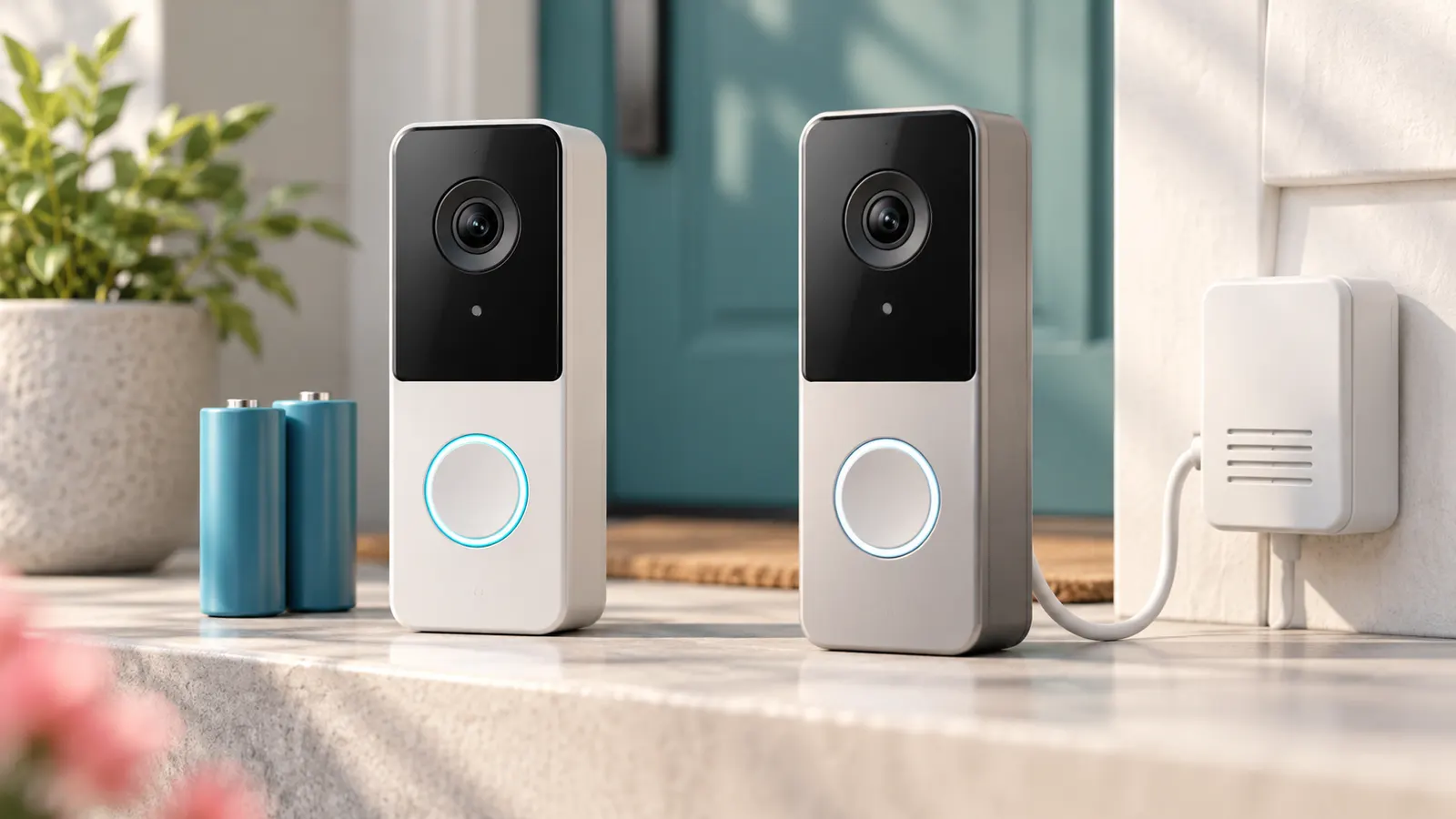
Quick answer: Both are 2K Tapo video doorbells. The D205 runs on a battery and has a 160-degree view; the D130 is wired, includes a chime and lists a 180-degree view. Choose by your wiring, not by the resolution.
This comparison is built from the product listings on Amazon and manufacturer information, not our own testing. Confirm details on the product pages, and check price on Amazon for current pricing.
By the Reviewstook Editorial Team. Last updated: October 31, 2026.
At a Glance
| Feature | D205 | D130 |
|---|---|---|
| What the listing says | A Tapo D205 2K wireless smart video doorbell with a 160-degree ultra-wide view. | A Tapo D130 2K wired smart video doorbell with a chime and a 180-degree ultra-wide field of view. |
| Price | Check price on Amazon | Check price on Amazon |
| Best for | a low-price 2K battery doorbell | homes with existing doorbell wiring |
| Strengths | 2K video and Tapo brand | 2K and included chime |
| Weaknesses | battery needs recharging | needs wiring |
In this guide
Key Differences
Power and installation
The D205 is a wireless battery model, so it mounts anywhere without touching your doorbell wiring, which suits renters and homes with no existing doorbell. The price of that freedom is recharging. The D130 uses your existing doorbell wiring, so there is no battery to charge, but it needs a compatible low-voltage supply and a little wiring work.
Field of view
The listings give 160 degrees for the D205 and 180 degrees for the D130. A wider view helps you see parcels on the doorstep and people approaching from the sides, so the D130 has a small advantage on paper. Check how each camera frames your own doorway before you decide.
Chime and extras
The D130 listing includes a chime. The D205 listing does not mention one in our summary, so you may need a plug-in chime or rely on phone alerts. See our guide to wireless doorbells and chimes if you go the battery route.
Price
In the listings we checked, the D205 was cheaper. The difference is modest, so wiring and the chime should drive your choice more than price.
Strengths and Weaknesses in Detail
D205
Best for a low-price 2K battery doorbell. Its main strengths, per the listing, are 2K video and Tapo brand. The main weakness we found is battery needs recharging.
D130
Best for homes with existing doorbell wiring. Its main strengths, per the listing, are 2K and included chime. The main weakness we found is needs wiring.
Who Should Skip Each
- Skip the D205 if you want a wired doorbell.
- Skip the D130 if you want a battery model.
How to Decide Between Them
Start with power. A wired camera removes recharging but needs compatible doorbell wiring, while a battery camera installs anywhere and needs a charging routine. Then read the storage terms and any subscription, and test your Wi-Fi signal at the door, because a weak signal causes more problems than a lower resolution. Finally, check local rules on recording and any lease or HOA policy before installing.
Which Should You Choose?
Choose the D205 if
you rent, have no doorbell wiring or want the lowest price.

Choose the D130 if
your home has working doorbell wiring and you want no recharging plus an included chime.

Before You Buy
- Test the Wi-Fi signal at the door before you install.
- Check whether wiring and a transformer are needed.
- Read what is free and what needs a subscription.
- Check the return window and local recording rules.
Checking Your Existing Doorbell Wiring
The D130 depends on the wiring behind your current doorbell, so inspect it before you order. Turn off power to the doorbell circuit at the breaker, then remove the existing button and look at what is behind it. You are looking for two thin low-voltage wires attached to screws, and for a record of what powers them, usually a small transformer near the electrical panel or inside a utility area.
The product page and manual state the voltage and type of power the D130 expects. Compare those numbers with the label on your transformer. If the label is missing, a household electrician or a qualified installer can test it. Do not guess, and do not work on mains wiring yourself if you are not trained. Doorbell wires are low voltage, but the transformer feeding them is not.
- Note whether your current chime is a mechanical or a digital one, since the listing explains how the D130 works with chimes.
- Check the wire gauge and length from the transformer to the door.
- Take a photo of the original wiring before you disconnect anything.
- Label each wire so you can reconnect it correctly.
If the wiring is old, damaged or absent, the D205 becomes the easier route because it avoids the issue altogether.
Living With a Battery Doorbell
A battery doorbell trades wiring work for a charging routine, and it helps to be realistic about that routine. The listing may offer an estimated run time, but real use depends on how many people walk past, how often you open live view, the temperature and the Wi-Fi strength. Cold weather generally reduces battery performance in rechargeable devices, so expect shorter intervals in winter.
Plan how you will charge it. Some battery doorbells can be removed from the mount, while others require taking the whole unit down. Read the manual to see how the D205 is released and whether a charging cable is included. Keep the cable somewhere easy to find, and set a reminder to check the battery level in the app.
- Lower the motion sensitivity or use activity zones to cut needless recordings.
- Avoid frequent live view sessions if you want longer battery life.
- Consider whether a spare battery or a second charging cable is available from the maker.
- Make sure the app sends a low battery warning, and that notifications are enabled.
If you dislike routine upkeep, the wired D130 may suit you better, as long as your wiring is compatible.
Wi-Fi Range and Placement at the Door
Both cameras rely on your wireless network, and the door is often the weakest point of coverage. Test your phone signal at the exact spot where you plan to mount the camera. Thick walls, metal doors, brick and stucco can all weaken the connection.
Check the product page for supported wireless bands and compare them with your router. Many cameras support the 2.4 GHz band, which reaches farther but can be crowded. If your router shows both bands under one network name, follow the setup guide, as some cameras need a particular band during pairing.
- Move your router closer, or add a mesh node or extender near the entrance.
- Keep the router off the floor and out of cabinets.
- Check the signal again after the camera is fixed in place, because a closed door can change it.
- Look at the field of view the listing gives and test how your doorway frames in the app before final mounting.
The D130 listing mentions a wider view than the D205, but a wider view only helps if the camera is placed well. Mount it at a height that shows faces and the doorstep, and check for glare from porch lights or bright skies.
Storage, Subscriptions and Privacy
Before you commit to either camera, find out how it stores clips and what it costs to keep them. Options often include a memory card, a hub, cloud storage or a mix. The terms and prices of any plan can change, so read the product page and the maker’s support pages at the time of purchase.
Ask yourself what you will do with recordings. If you just want alerts and live view, basic features may be enough. If you want to keep clips for weeks or share them with others, check retention periods, export options and what happens if you stop paying for a plan.
- Check whether a card, hub or subscription is needed to save clips.
- Check whether person detection or other smart alerts require a plan.
- Read the privacy information, including where video is stored.
- Turn on two-factor sign-in if the app offers it, and use a unique password.
Doorbells also record visitors and neighbors. Check local rules on audio and video recording, and read your lease, building rules or homeowner association policy. Point the camera at your own entrance, not at a neighbor’s property.
Mounting and Weather Considerations
A doorbell sits outside all year, so think about the surface and the weather before you drill. Check what the box includes: screws, anchors, a mounting plate, and any angle adapter. Brick, stucco, vinyl siding and metal frames all call for different fixings, and you may need to buy extra.
Look at the weather rating on the product page and compare it with your climate, covering heavy rain, snow, heat and direct sun. A covered porch gives the camera more protection and keeps rain from beading on the lens. Water or dirt on the lens, and spider webs near the camera, can cause blurry video or false alerts, so wipe it gently from time to time.
- Use a level when fixing the plate so the picture sits straight.
- Seal around the mounting holes if the manual recommends it.
- Keep the lens clear of foliage, decorations and glare sources.
- Check that the screws for any anti-theft lock are fitted.
If you rent, ask your landlord before drilling. A battery model may be easier to remove and take with you if you move.
Matching a Doorbell to Your Front Door
Before comparing features, look at the door itself. Doorbells mount beside the entrance, and what is available there decides how easy installation will be. If you already have a wired doorbell with a working chime and transformer, a wired model may slot in with little fuss. If your home has no wiring, or you rent and cannot drill into brickwork, a battery model may be more practical.
Check the mounting surface too. Brick, stucco, vinyl siding, wood and metal frames each call for different fasteners and approaches. Narrow door frames can limit the width of a doorbell, and some products come with wedge kits to angle the camera. Read the mounting guide from the maker and see what is included in the box.
- Is there an existing doorbell wire and chime?
- Can you drill into the surface, or must you use adhesive or a no-drill mount?
- Is the entrance sheltered, or does it face harsh weather?
- Does Wi-Fi reach the front door reliably?
Power: Battery Convenience Versus Wired Reliability
The main difference between the two models is how they are powered. A battery doorbell is flexible to place, but you will need to recharge or replace the battery from time to time, depending on use. A wired doorbell draws power from your existing doorbell circuit, which means no charging, but installation is more involved and depends on your wiring.
| Question | Battery model | Wired model |
|---|---|---|
| Installation | Simple mounting, no wiring | Connects to existing doorbell wires |
| Ongoing upkeep | Battery recharging or swapping | Little upkeep once installed |
| Placement freedom | High | Limited by wire location |
| Rental friendly | Often easier | May need landlord approval |
Work on doorbell wiring and transformers should follow the maker instructions. If you are unsure about electrical connections, hire a licensed electrician.
Reading the Listing: Video, Alerts and Storage
Both models are described as 2K video doorbells, but the surrounding details deserve attention. Check the field of view, night vision description, how motion detection is explained and what alert options exist. Look at how video is stored, whether through a memory card, a cloud plan or both, and whether any features need a subscription.
Local storage
A memory card slot or a hub may allow recording without a monthly plan. Check the card type and capacity supported.
Cloud features
Cloud storage may be optional. Read what the free tier includes and what the paid tier adds.
Chime options
Some doorbells need a separate indoor chime or a compatible hub for sound inside the house. Check what is in the box.
Privacy and Neighbor Etiquette
A doorbell camera records the area in front of your door and sometimes beyond it. Aim the camera at your own entrance and, where possible, use privacy zones or motion zones to avoid recording neighbors or public areas more than necessary. Rules about recording audio and video differ between regions, so check your local laws and any building or neighborhood rules.
- Tell household members that a camera is installed.
- Use strong, unique passwords and enable two-step verification if the app offers it.
- Keep the app and device firmware up to date.
- Check who has access to your account and shared videos.
Wi-Fi and Setup Basics
A doorbell is only as good as its connection. Check the signal strength at your front door with a phone before you mount anything. Walls, metal doors and distance from the router can weaken the signal. A mesh node or extender closer to the door may help. Setup usually involves installing the app, creating an account, scanning a code on the device and joining your Wi-Fi network.
- Test Wi-Fi strength where the doorbell will go.
- Charge the battery or confirm wiring before mounting.
- Pair the device with the app before final installation.
- Adjust motion sensitivity and alert settings gradually.
Weather, Temperature and Care
Doorbells live outdoors, so check the stated weather resistance and working temperature range in the manual. Very cold weather can shorten battery runtime, and heat can stress electronics. Clean the lens gently with a soft cloth, and check the mount occasionally to make sure it is secure. If you see moisture inside the device or damage to the housing, contact the maker.
Mistakes to Avoid With Video Doorbells
- Mounting the camera too high or too low, which crops faces or packages out of view.
- Ignoring Wi-Fi strength until after installation.
- Setting motion alerts too sensitive and then muting notifications.
- Forgetting to protect the account with a strong password.
- Skipping firmware updates from the maker.
Glossary for Doorbell Shoppers
- Field of view: the width and height of the scene the camera captures.
- Motion zone: an area you choose for alerts.
- Transformer: a device that converts household current to low voltage for wired doorbells.
- Chime: the indoor unit that rings when someone presses the button.
- Hub: a small base station that connects devices and can store video.
- Two-way audio: speaking with a visitor through the app.
Before ordering, list the entrances you want to cover. A single doorbell watches the front door only, so a side gate or back door may need a separate camera of a different kind.
The Wiring Question, Asked Properly
Everything in this comparison hangs on one question, and it is worth asking it in its full form: not ‘do I have doorbell wires?’ but ‘do I have doorbell wires, where are they, and what state are they in?’ The D130’s case rests on wired power, so its value to you depends entirely on the answer. If a wired chime rings in your hall today, the D130’s path is clear and its chief advantage — never thinking about power again — is available to you for the effort of a swap. If your home has no doorbell wiring at all, the D130’s path runs through an electrician or a new low-voltage circuit, and that cost and disruption belong in the comparison just as surely as the two doorbells’ prices do.
The middle cases are where buyers get caught. Wires exist but the chime is dead: that could be a failed chime, a failed transformer, or a break in the run, and each has a different remedy. Wires exist but are ancient, with brittle insulation at the door: usable, perhaps, with careful handling, but a factor. Before choosing the D130 on the assumption that ‘there are wires’, spend fifteen minutes confirming the circuit is alive — ring the existing chime, look at the transformer, check for voltage at the door if you have a meter. The D205 asks none of these questions, which is precisely its appeal for anyone whose wiring survey comes back uncertain.
Also consider where the wires would put the doorbell. A wired position is fixed by history: the D130 goes where the old button was. If that position has a poor view — facing a wall, beside a side path it cannot see — the wired doorbell inherits the problem and an angle mount becomes part of the purchase. The D205 can be positioned for the view first and the fixing second, within the limits of its mount and your walls. For doors whose historic button position is badly placed, that freedom is a genuine argument for the battery model, not a consolation.
A Month of Living With Each: The Diary View
Specifications describe day one; ownership is the other thousand days. Living with the D205 means living with a battery rhythm. The doorbell will tell you when it is hungry, and the household task is to notice the warning and act on it within days, not weeks: remove the unit, charge it, refit it. Done promptly, this is a minor errand a few times a year. Done lazily, it becomes the familiar story of the doorbell that was dead when the important visitor came. Households differ in their tolerance for this rhythm, and the tolerance, honestly assessed, is a better predictor of satisfaction than any battery figure.
Living with the D130 means living without that rhythm, and with a different, smaller set of dependencies instead: the transformer, the wiring, and the chime arrangement. These fail rarely and without warning when they do, which is the wired trade in miniature — no routine maintenance, occasional sudden faults. The household that prefers the D130’s life is usually the one that dislikes device chores generally and would rather deal with a rare repair than a regular errand.
Both doorbells share the daily experiences that actually fill the month: alerts answered from the sofa, parcels watched arriving, the occasional neighbour conversation through the speaker, the app updated now and then. On those shared experiences the two are close, because they come from the same family and the same app. The differences that remain after a month are not picture differences; they are the power rhythm, the installation story, and the feeling — never thinking about the doorbell at all, versus knowing it is a device you feed. Choose the feeling you prefer, because you are choosing it for years.
Cold Weather, Hot Porches and Other Climate Realities
Climate separates these two more than the feature list suggests. The D205’s battery is a chemical device, and cold slows chemistry: in a hard winter the same usage drains it faster, its warnings deserve faster responses, and a doorbell on an exposed north-facing door lives a harder life than one in a sheltered porch. None of this disqualifies it — millions of battery doorbells winter perfectly well — but a household in a cold region should plan on more frequent charging in the cold months and treat that as the model’s known rhythm rather than a surprise.
The D130 is indifferent to cold in its power supply, since the mains does not care about the season, and its behaviour in January matches its behaviour in July. Its climate concerns are the ordinary outdoor ones: moisture kept out by sound seals, a position that does not bake in direct sun all afternoon, and wiring connections that stay clean. For an exposed door in a severe climate, the wired model’s indifference is a real point in its favour, and for a sheltered door in a mild one, the point evaporates — which is why this comparison keeps returning to your door rather than to the products in the abstract.
Heat deserves a mention too. A battery doorbell on a sun-blasted door charges and discharges in high temperatures that age its battery faster over the years, and its casing temperature on a summer afternoon can surprise you. If your door is a known sun trap, the D130’s lack of a battery to age is another quiet argument, or the D205 deserves the shadiest viable position its mount allows. Small environmental facts like these, gathered from your own doorway, are what buying guides mean by ‘it depends’ — and now you know what it depends on.
If You Move, Rent or Redecorate
The D205 is the traveller of the pair. It can move house with you in a bag, be refitted in an afternoon with no wiring at the new address, and serve a tenancy without leaving a trace beyond, at most, a couple of filled screw holes. For renters it is close to the default answer, subject to the landlord’s feelings about any camera at the door. It also suits owners who are mid-renovation: fit it now where the door is, move it when the porch is rebuilt, and never pay to wire a position that is about to change.
The D130 is the settler. Its value compounds the longer it sits in one wired position, untouched, doing its job. For an owner-occupier with sound wiring and no plans to move the door, that settled quality is exactly the point, and the installation effort is amortised over years of zero maintenance. Where the D130 asks a question is at boundaries: selling the house means it stays, as part of the wiring story you hand over, and you should reset it and remove your account as part of that handover, just as you would any connected device left behind.
Redecorating is the small case that reveals the designs. Painting the porch with a D205 fitted means removing a battery unit and refitting it after — trivial. With a D130, the unit comes off its wires, which is still simple but asks for the power to be isolated and the wires kept safe and identified while the work happens. Neither is a burden; the difference is minutes. But it illustrates the pair’s personalities one last time: the D205 is a possession, the D130 is a fixture, and most buyers, once they see the choice framed that way, know immediately which one their household is describing.
The Chime Question Inside This Comparison
How the ring is heard indoors quietly separates the two models’ ownership experiences. A wired installation like the D130’s commonly works with the home’s existing mechanical chime, so the sound of the doorbell remains the sound the house already knows, produced by hardware that needs no batteries, no pairing, and no app. For households with members who do not use smartphones — grandparents, young children, anyone whose phone lives in a bag — that continuity is not nostalgia; it is the difference between a doorbell the whole house hears and one only the account holder hears.
The D205, having no wires to ring through, leans on plug-in chimes, phone alerts, or smart speakers, depending on how you set it up. That arrangement is more flexible — chimes can be placed where they are needed, volumes adjusted per room, extra receivers added — and more dependent on the household actually configuring it. The failure mode to avoid is the default one: fitting the battery doorbell, relying on phone notifications alone, and discovering over the following month that presses are missed whenever phones are silenced or elsewhere. Budget the minutes, and if needed the extra chime, at purchase time.
Visitors experience the difference too. A mechanical chime’s instant, familiar ring tells a caller their press worked; a battery doorbell setup with a delayed or silent indoor response leaves callers pressing twice and knocking as well. Whichever model you choose, stand outside, press once, and listen for what the visitor hears and how quickly. That small test, done on installation day, predicts a surprising amount of your long-term satisfaction with either doorbell.
Resolving the Tie: A Short Decision Procedure
If you have read this far and the two still feel level, decide by elimination. First: if your wiring survey found no sound, accessible circuit, the D130’s main advantage is unavailable to you without extra work — price that work honestly, and if it is more than a minor job, the D205 wins by default. Second: if your household is demonstrably bad at device chores — be honest; count the household gadgets currently flashing low-battery warnings — the D130’s freedom from charging is worth more to you than to a tidier household, provided the wiring exists. Third: if you expect to move within a couple of years, or the door position itself may change, the D205’s portability outweighs the wired model’s permanence.
If none of those eliminations bites — wiring is sound, the household is reasonably diligent, and you are staying put — then the honest answer is that both will serve you well, and you should choose on the secondary factors this comparison has covered: which chime arrangement suits your rooms, which position gives the better view, and which ownership rhythm sounds less annoying when you imagine it in year three rather than week one. Decisions between two good options are not failures of analysis; they are signs the analysis has done its work, and the remaining choice is taste.
Extra Questions Worth Asking
Can I start with the D205 and switch to the D130 later?
Yes, and it is a sensible path for anyone whose wiring is uncertain today. The battery model proves the position, the view, and the app in your real doorway; if you later confirm or install wiring, the wired model takes over the same spot and the battery unit can serve a second door or move with you.
Does the D130 need my existing chime to work, or can it be removed?
That depends on your wiring arrangement and how you want to hear the ring indoors. Many wired installations keep the mechanical chime as the indoor sound; others use app and speaker alerts instead. Follow the maker’s wiring guidance for your exact arrangement rather than improvising, and keep the chime if in doubt.
Which of the two is kinder to a weak Wi-Fi signal at the door?
Neither has a magic answer to weak Wi-Fi, since both must upload from the same doorway. The wired model’s slight practical edge is that it never adds battery-saving behaviour to the problem; the real fix for both is improving coverage at the door, as this guide’s placement advice describes.
If my transformer is old, does that settle the choice for the D205?
Not by itself. A transformer is one of the cheaper and simpler parts of a wired circuit to renew, and renewing it can serve the doorbell for decades. Let the overall state of the wiring — accessibility, condition, chime — decide, rather than a single ageing component.
What the Footage Looks Like Across a Real Day
Because both doorbells come from the same stable, buyers often expect identical pictures and are surprised by how much the doorway, not the badge, governs what they see. Morning at an east-facing door means a bright street against a shaded porch, and both cameras work hard to hold faces in the shade without losing the background; the winner on a given morning is whichever unit sits at the better angle to the light, which is a mounting outcome, not a model outcome. Midday is easy for both. The informative tests are dusk, when illumination hands over to the camera’s own night capability, and the moment a visitor stands close with the sun directly behind them — the two situations where doorbell footage is most often judged and most often disappoints the unprepared.
This is why the comparison’s practical advice is to judge the pair in your doorway during the return window, at the hours your visitors actually come. A courier at mid-morning, a neighbour at dusk, a family member arriving after dark: three short clips tell you more than a page of numbers. If one model handles your doorway’s light noticeably better in those clips, that observation outweighs every theoretical difference elsewhere in this article, because footage is the product. Everything else — power, chime, app — is the support act.
Motion behaviour deserves the same real-world test. Walk your own path at a natural pace, approach from the side the path actually comes from, and carry a parcel the way a courier does. Check when the recording starts relative to your entering the frame, and whether the event is still recording when you reach the door. A doorbell that wakes promptly and records the whole approach serves both models’ purposes; if one of the pair consistently wakes late in your doorway’s geometry, adjust its position or angle before judging it, because wake-up behaviour is heavily influenced by how movement crosses the sensor’s field.
Ownership Costs Over Three Years, Compared Fairly
Set the two models’ likely three-year stories side by side. The D205’s story includes its purchase, possibly a plug-in chime if the household needs one, possibly a spare battery or a small solar accessory if the door is busy, and the household’s time for charging — small in minutes, real in attention. The D130’s story includes its purchase, any transformer renewal the wiring survey recommended, and possibly an electrician’s visit if the circuit needs establishing or repairing. Neither story includes a fortune; the difference is the shape — the battery model spreads its cost in small instalments of money and attention, the wired model concentrates its cost at installation and then asks for almost nothing.
Storage and any subscription you choose apply to both and should be compared identically: whichever recording arrangement you intend, price it once and apply it to both columns, so it does not distort the comparison. The same discipline applies to mounts and accessories. Buyers often load one option with every extra and compare it against the other’s bare price, then wonder why the decision feels muddy. Fair columns, honestly filled, usually produce a clear winner for a given household — and where they do not, the tie-breakers earlier in this article, about rhythm and permanence, are the ones that predict how you will feel in year three.
A final practical note on trying either doorbell
Whichever model you order, treat the first fortnight as an evaluation you are entitled to make rigorously. Keep the packaging complete and undamaged, fit the doorbell without making any irreversible change to the door or wiring until you are satisfied, and run the real tests this article describes: visitors at dusk, a parcel delivered while you are out, a night approach, a week of the alert pattern your household will actually live with. A doorbell is a ten-year resident of your doorway bought on the evidence of an afternoon, and the return window exists precisely to extend that afternoon into something more honest. Use it, and the choice between these two stops being a gamble and becomes a measurement.
Frequently Asked Questions
Which is cheaper, the D205 or the D130?
In the listings we checked, the D205 was the cheaper one. Check price on Amazon to confirm current pricing for both models.
Do I need a transformer for the D130?
A wired doorbell needs compatible low-voltage doorbell power. Check the voltage requirement on the product page and see our guide to doorbell transformers if your existing one is too weak.
Can I return it if it does not suit me?
Check the return window and the seller on the Amazon page before you buy, and keep the packaging while you test.
Can I use the D130 if I have no doorbell wiring at all?
Not without adding a low-voltage power supply and wiring, which may need a qualified installer. The battery D205 is usually the simpler choice for homes with no existing wiring.
Does the D205 come with a chime?
The listing summary does not mention one, so check the product page. You can rely on phone alerts or look for a compatible indoor chime from the maker.
How long does a battery last on the D205?
It depends on use, temperature and signal strength, so treat any listed figure as a best case. Check the battery level in the app and plan a regular charging routine.
Can I install the D130 myself?
Many people do, since the wires are low voltage, but you should switch off power at the breaker first and follow the manual. If you are unsure about your wiring or transformer, hire a qualified installer.
Do both doorbells work with the same app?
Both are Tapo products, so they are likely to use the maker's app, but you should confirm on each product page. Check app compatibility with your phone before buying.
Which one handles cold weather better?
Check the operating temperature range for each model on its listing. A wired camera does not depend on battery chemistry, while a battery model may run for shorter periods in the cold.
Can I move the doorbell to another home later?
Usually yes, but a wired model needs compatible wiring at the new place. A battery model is easier to take with you, as long as the mount suits the new door.
Will a wider field of view improve what I see?
It can show more of the doorstep and sides, but placement and lighting matter just as much. Check how the view looks in your own doorway.
Bottom Line
Choose the D205 if you rent, have no doorbell wiring or want the lowest price. Choose the D130 if your home has working doorbell wiring and you want no recharging plus an included chime. Treat this as a way to narrow your choice, then confirm the details that matter to you on the product pages.

