Where to buy
Check the latest price, availability and delivery on Amazon. Orders are placed on Amazon. We may earn a commission from qualifying purchases.
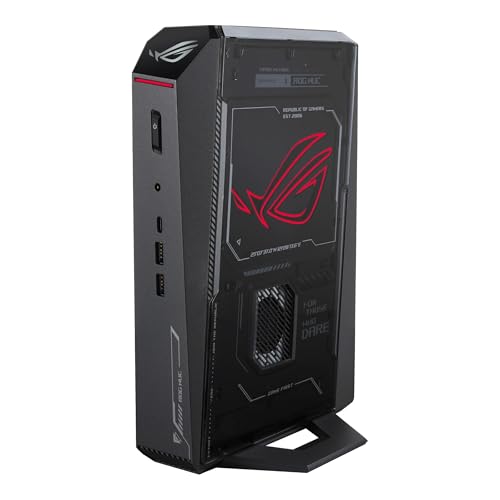
- Best installation in this guide: ASUS ROG NUC (2025), Core Ultra 9 275HX, RTX 5070 Laptop GPU, 32GB, 1TB — Check on Amazon
- MINISFORUM AtomMan G7 Ti, Core i9-14900HX, RTX 4070 Laptop GPU 140W, 32GB, 1TB — Check on Amazon
- MINISFORUM AtomMan G7 Pt, Ryzen 9 7945HX, RX 7600M XT, 32GB, 1TB — Check on Amazon
- MINISFORUM AtomMan G7 Pro, Core i9-14900HX, RTX 5070 Laptop GPU — Check on Amazon
See 2 more Amazon options
- HP OMEN 16L TG03, Core i7-14700F, desktop RTX 5060 Ti 16GB, 32GB, 2TB — Check on Amazon
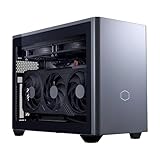
- Cooler Master NR2 Pro, Ryzen 7 9800X3D, desktop RTX 5070 Ti 16GB, 32GB, 2TB — Check on Amazon
Read the full guide ↓
Disclosure: As an Amazon Associate, reviewstook.com earns from qualifying purchases. Links to Amazon on this page are affiliate links; they cost you nothing extra. Listing details such as price and availability change often, so check the current Amazon listing before you buy.
A small space does not grade a PC the way a spec sheet does. It grades the tape measure, the shelf depth, the gap behind the monitor, the route the cables take to reach the wall, and the air the machine has to breathe. That matters at this budget because $3,000 does not buy smallness in the mini category — it buys silicon, and the word “mini” stretches to cover all of it. The six machines in this guide span from about two and a half liters to 18.25 liters. That is a sevenfold difference in volume wearing a single adjective: the smallest picks here are slabs that can stand on a desk behind a screen, and the largest is a small desktop that will sit in the room. Spending the full budget does not move you toward the small end of that range. If anything it moves you away from it: the two biggest boxes here exist to hold desktop graphics cards, and the genuinely tiny machines are also the cheapest ones here.
So this guide grades installation first and performance second. Every pick is judged on what a small room imposes: form-factor class and whatever dimensions its maker has genuinely published, where its power brick lives, how its cables drop to the wall, where its heat goes, and how much space the whole purchase consumes once brick and cable slack are counted. One rule runs through all of it: none of these machines goes inside a closed cabinet — a sealed TV unit will throttle any pick here, flagship included, and a dedicated section below explains why. Below: the quick picks graded for tight rooms, how they were chosen, a five-step measuring checklist to run before any money moves, full reviews, a comparison table, and the mistakes that leave expensive hardware homeless.
In this guide
Quick Picks
Short on time? Each row below names a small-space situation and the machine that fits it, with a link to the listing.
| Your space | Pick | Why it fits the room | Link |
|---|---|---|---|
| Behind the monitor, smallest planned footprint | ASUS ROG NUC (2025), RTX 5070 Laptop GPU | The only pick with published footprint dimensions: a flat slab about 2.2 inches tall | Check on Amazon |
| Tiny desk, tightest documented volume | MINISFORUM AtomMan G7 Ti, RTX 4070 Laptop GPU | About 2.55 liters, with the strongest graphics of the true minis here | Check on Amazon |
| Small room, work-first, least money on the desk | MINISFORUM AtomMan G7 Pt, RX 7600M XT | About 2.5 liters and the lowest-priced pick in the guide | Check on Amazon |
| Flagship-mini graphics, footprint verified on the listing | MINISFORUM AtomMan G7 Pro, RTX 5070 Laptop GPU | Same graphics class as the flagship pick in the same slab-mini class | Check on Amazon |
| Floor or under-desk corner, big-brand box | HP OMEN 16L TG03, desktop RTX 5060 Ti 16GB | A 16-liter small desktop: placed like furniture, not hidden like a mini | Check on Amazon |
| A shelf that fits a small desktop, graphics first | Cooler Master NR2 Pro, desktop RTX 5070 Ti | 18.25 liters — the largest install here, bought for the desktop card inside | Check on Amazon |
How These Picks Were Chosen
The starting pool is the same six verified machines as the main under-$3,000 mini guide — same listings, same buying rules — re-graded here on installation evidence. The budget was applied as a ceiling for a complete, working machine, and the reviews point you to the live listing to check price on Amazon rather than printing a hard number. Two of the Minisforum picks are sold under listing families that mix barebone and configured versions; for those, the configured version is treated as the finished machine, the barebone completion cost is described honestly, and a barebone is never presented as a finished PC.
The installation grading follows a strict evidence rule that decides what this guide will and will not tell you. A dimension, volume, weight or noise figure appears below only where the pick’s own verified research documents it. Where a maker has published a chassis volume, we use it. Where only a form-factor class is documented — a slab mini, a 16-liter desktop — the pick is graded as that class and you are sent to the live listing for the tape-measure numbers before ordering. Nothing has been borrowed from a different machine’s listing, and no mounting is claimed for any pick: none of the six has a documented bracket or VESA fitting, so if behind-monitor mounting is your plan, confirm it on the live listing. What the grading does cover for every pick is the full installation, not the bare box: the machine, its power supply’s address, the cable drop, and the open air its cooling needs.
Performance has not been discarded — it has been put in its place, which is second. The naming discipline of the main guide applies in full: a Laptop GPU is a mobile chip with mobile power limits and, in the RTX 5070’s case, 8GB of memory against the desktop card’s 12GB; the RX 7600M XT is a mobile 8GB part, not the 16GB desktop 7600 XT. The category ceiling stands as verified: no mini with a desktop RTX 5080 exists near this budget — the one true small-form-factor desktop-5080 machine found, Zotac’s Magnus One Ultra at about 11.5 liters, sits well above this budget, the flagship mini’s own RTX 5080 Laptop configuration also sits above this budget and has been seen higher still, and complete RTX 5090 systems sit well above this budget too, while larger desktop-5080 towers on deal can fall inside it. In a small room that ceiling is almost a relief: the machines that genuinely fit small spaces top out well below it.
Measure Before You Buy: The Five-Step Checklist
Run these five steps in order, with the actual room in front of you, before ordering anything in this guide. Each step is cheap; skipping one is how a two-liter PC ends up balanced on a bookcase.
Step 1 — Measure the spot. Take the real dimensions of the exact place the machine will live: shelf width, depth and the height of the gap it must slide into, or the desk area behind the monitor. Write them down. Then compare them with the pick’s published figures where they exist — the ROG NUC’s documented footprint of roughly 11.1 × 7.4 × 2.2 inches is the only full set of linear dimensions in this guide — and where a pick’s research documents only a volume or a class, treat the live listing’s dimension line as part of the purchase and check it before the order. A volume in liters tells you how much room a machine displaces; only the three linear numbers tell you whether it fits your gap.
Step 2 — Clear the ventilation. Stand at the spot and decide where the machine’s air comes from and where its exhaust goes. Every pick here cools with fans moving room air through a small chassis — the true minis with small fans at high speed — and all of them need open air around the case, not a pocket. The rule is absolute and priced into this guide’s grading — no closed cabinets, no sealed media units, no drawer. If the spot you measured in Step 1 is enclosed, it fails here regardless of how perfectly the box fits it, and the correct move is a different spot: the side of the desk, the top of the unit, the floor beside it with air around it. The two desktop-class picks move more air more slowly, but their exhaust still needs somewhere to go — the NR2 Pro’s custom 280mm radiator dumps its heat on its exhaust side, and parking that side against a wall or curtain defeats it.
Step 3 — Give the brick an address. A mini PC’s footprint is the box plus its power supply, and the supply is not always inside the box. The one brick documented in this guide is the flagship’s: the ROG NUC runs from a 330W external adapter, a unit with real size that needs its own planned home — on the floor in open air, on the desk behind the monitor, anywhere except sealed in with the machine or buried in a cable pile. For the Minisforum picks, check the live listing for what ships in the box and plan the same address for whatever adapter is listed; do not discover its size at unboxing. The two desktop-class picks invert the problem: the NR2 Pro’s 850W SFX Gold supply is internal, so its “address” is simply the wall socket and the reach of one power cord — the simplest cable plan in this guide, bought with the largest box.
Step 4 — Walk the cable drop. Trace the path from the machine’s ports to the monitor, to the wall socket and to anything wired — keyboard, network, speakers. Cables drop behind desks and run along walls; a machine placed at the far end of a long drop needs cables that reach with slack, not tension, and a slab mini behind a monitor has the shortest, tidiest drop of any arrangement in this guide. Use the documented outputs where they exist: the ROG NUC’s five display outputs (dual HDMI plus DisplayPort, with dual Thunderbolt 4) mean one short run can serve a multi-screen desk, and the G7 Pro’s documented HDMI 2.1 and USB4 cover a modern single-screen setup. For the remaining picks, read the port row on the live listing and count what your desk plugs in, before the machine arrives at a desk it cannot connect to.
Step 5 — Then order. Only now — spot measured, air cleared, brick addressed, cables walked — place the order, and order the configuration this guide’s reviews specify: the configured style on the shared Minisforum listings, the 16GB card in the OMEN, the flagship from its maker’s storefront at list price. The first week then has one job: set the machine up in its real spot, run it hard, and confirm the installation as well as the hardware — temperatures and noise in the actual room, every port alive, the delivered configuration matching the order — while the return window is still open.
The 6 Best Mini Gaming PCs for Small Spaces Under $3,000
ASUS ROG NUC (2025) — Core Ultra 9 275HX, RTX 5070 Laptop GPU, 32GB, 1TB
Who it suits: The small-space buyer with a specific, measured spot — behind a monitor, under a raised screen, on a shallow shelf — who wants the flagship mini and wants to know exactly what will arrive to fill it.
On installation evidence this is the strongest pick in the guide, for a simple reason: it is the only machine here whose research documents a full footprint. The chassis measures roughly 11.1 × 7.4 × 2.2 inches, about three liters — a flat slab, wider than it is tall by a factor of five, and that shape is the most placeable in this guide. Two-point-two inches of height slides under a monitor riser or a raised screen; the footprint stands on a desk behind a display without crowding the keyboard; on a shelf it takes one shallow tier rather than a cube of it. ASUS feeds it through a 330W external adapter, and that brick is the installation’s one real cost: it needs the address Step 3 of the checklist describes, in open air, with its cable run planned alongside the machine’s own. Count the brick and the slab still totals the smallest complete installation in this guide. The connectivity completes the picture — dual Thunderbolt 4, dual HDMI plus DisplayPort among five display outputs, and Ethernet — so a multi-screen desk is served by short drops from one small box.
The machine inside the slab is the flagship of the true-mini category: a 24-core Core Ultra 9 275HX, an RTX 5070 Laptop GPU with 8GB of GDDR7, 32GB of DDR5-6400 and a 1TB NVMe drive, cooled by a triple-fan system. The naming discipline applies in full — that GPU is a laptop part, soldered in place, a strong high-settings 1440p chip with DLSS doing real work and not the equal of the 12GB desktop card that shares its name, and its 8GB is the machine’s permanent graphics ceiling. Set the noise expectation honestly too: three liters shedding a flagship chip’s heat means fans you will hear under load, and this box wants open air and a little distance from the listener. The buying discipline is the strictest in the guide. This configuration is sold from ASUS’s own storefront at the maker’s list position; third-party sellers on the same listing have been recorded asking well above that for the identical box. Buy it at or near list from ASUS — check price on Amazon first — or not from this listing at all. A 2TB version sits a step above this configuration in the range, the better buy if a large library makes 1TB feel tight. Owner sentiment in roundup coverage is genuinely divided, with dead-on-arrival and failing-unit reports alongside praise — one more reason to buy from the maker’s storefront and to stress-test in the first week.
- Roughly 11.1 × 7.4 × 2.2 inches — the only fully documented footprint in the guide, and the most placeable shape here.
- Five display outputs including dual Thunderbolt 4: the tidiest cable plan of any pick.
- About 3 liters total for a 24-core flagship mini — the smallest complete installation once the brick is counted.
Honest limitation: The 330W external brick is a second object that needs its own open-air home, the laptop GPU’s 8GB is soldered and permanent, and third-party pricing on this listing has been seen well over the maker’s list price.
Choose it if your measured spot suits a flat slab and you will buy at list price from ASUS. Skip it if the listing in front of you is a marked-up third-party offer, or your spot has no honest home for the brick — a smaller-budget slab below avoids the flagship’s price discipline entirely.

MINISFORUM AtomMan G7 Ti — Core i9-14900HX, RTX 4070 Laptop GPU (140W), 32GB, 1TB
Who it suits: The tight-desk buyer who wants the smallest documented volume here with real gaming pace, and will confirm the final tape-measure numbers on the listing.
The G7 Ti’s documented size is a volume — about 2.55 liters — and on this guide’s evidence rule that is both its strength and its one homework item. At 2.55 liters it is the tightest figure attached to any pick here with this much hardware inside — a slab mini that stands on a desk, tucks beside a monitor or takes a corner of a shelf without negotiating with the rest of the room. The homework: the research behind this guide does not document its three linear dimensions, so Step 1 of the checklist ends on the live listing — read the dimension line there and hold it against your measured gap before ordering, particularly the height if the machine is going under anything. What the research does document is the machine: a 24-core Core i9-14900HX and an RTX 4070 Laptop GPU run at its full 140W power limit — the complete version of that chip, not a throttled thin-laptop variant — with 8GB of GDDR6, 32GB of memory and a 1TB drive in the configured version, plus two SO-DIMM slots to 96GB and two PCIe 4.0 M.2 slots, so the box can grow around its edges after it is installed. Heat and noise follow the true-mini pattern: audible fans under sustained load, open air on every side — this chassis is exactly what the sealed-cabinet refusal was written for.
Its position in the range is the other half of its small-space case. The configured 32GB/1TB version sits well below the top of this budget — check price on Amazon — which in a small room is not just a saving but a different installation: the unspent money is what buys the monitor arm that frees the desk, the shelf the machine sits on, the longer cables the drop needs. Barebone versions sit lower in the range, and the completion warning applies unchanged: with a 32GB DDR5 SO-DIMM kit notably expensive during the late-2026 shortage, completing one can cost more than the configured machine — configured is the buy unless you already own the parts. The shared-listing caution applies too: this ASIN sits in a listing family mixing barebone and configured styles, so confirm the 32GB/1TB configuration is the one in your cart.
- About 2.55 liters — the smallest documented volume of any pick with this hardware inside.
- Full-power 140W RTX 4070 Laptop GPU: the complete version of the chip, not a cut-down variant.
- Positioned well below the top of this budget — check price on Amazon — leaving room for the desk hardware a small room actually needs.
Honest limitation: Its linear dimensions are not documented in this guide’s research — the final fit check happens on the live listing — and the GPU is a soldered 8GB laptop part behind a listing family that mixes barebone and configured styles.
Choose it if the tightest volume with real pace is the brief and you will verify dimensions and configuration on the listing. Skip it if you need published footprint numbers before you can commit, or current-generation graphics — the flagship above and the G7 Pro below cover those two cases.

MINISFORUM AtomMan G7 Pt — Ryzen 9 7945HX, RX 7600M XT, 32GB, 1TB
Who it suits: The work-first buyer in the smallest room — compiling, rendering, virtual machines, heavy multitasking — who games mainstream titles and wants the least machine, physically and financially, that does all of it.
The G7 Pt documents a chassis of about two and a half liters — 2.5 to 2.6 in the research — which makes it, by volume, the smallest pick in this guide. As with its G7 Ti sibling, the three linear dimensions are not in the documented research, so the listing’s dimension line is the final authority for your gap; graded as a class, it is a paperback-scale slab mini that stands behind a monitor or at a desk’s rear edge and asks the room for almost nothing. What it asks for instead is the usual true-mini respect: open air around the case, since a 16-core desktop-replacement processor in two and a half liters is cooled by fans working honestly, and no closed cabinet under any circumstances. Inside is the inversion that defines the pick: a Ryzen 9 7945HX, sixteen Zen 4 cores and the strongest sustained multi-core CPU in this guide, paired with a Radeon RX 7600M XT — named in full per this guide’s rule, a mobile GPU with 8GB rated up to 120W, a capable 1080p and entry-1440p part with upscaling, and not the desktop RX 7600 XT with its 16GB. For its buyer that balance is the point: the work is CPU-bound and the gaming is mainstream, and the platform around them — two DDR5 SO-DIMM slots to 96GB, one PCIe 5.0 and one PCIe 4.0 M.2 slot — is built to be kept for years.
Its position finishes the small-space argument. The configured 32GB/1TB version is the lowest-positioned pick in this guide — check price on Amazon — with the maker’s own store positioning the same configuration a step higher and the barebone a step lower again (listed as sold out when last checked), subject to the same completion-cost warning — configured is the buy. The smallest box in the guide sitting at the bottom of the range is the clearest proof of this category’s shape: $3,000 is not a price smallness can absorb. The listing-family caution applies as it does to its G7 siblings — confirm the configured style on the live listing before ordering.
- About 2.5 liters — the smallest documented volume in the guide.
- 16-core Ryzen 9 7945HX: the strongest sustained multi-core CPU here, in a paperback-scale box.
- The lowest-positioned pick here — check price on Amazon — the least machine that covers this brief.
Honest limitation: The RX 7600M XT is the weakest graphics in this guide — a mobile 8GB part — and its linear dimensions, like its sibling’s, are confirmed on the listing rather than in this guide’s research.
Choose it if your work is CPU-heavy, your gaming is mainstream and your room is genuinely small. Skip it if gaming leads — every other pick here installs stronger graphics in its space.

MINISFORUM AtomMan G7 Pro — Core i9-14900HX, RTX 5070 Laptop GPU
Who it suits: Buyers who want the flagship’s graphics class in the same slab-mini form factor for noticeably less, and who are comfortable doing their final measuring and configuration checks on the live listing.
The G7 Pro is graded here with an honesty the angle demands: the research behind this guide documents no chassis dimensions or volume for it at all. What is documented is its class — a slab mini in Minisforum’s G7 line, the same family of flat, desk-standing boxes as the G7 Ti and G7 Pt reviewed above — and on that evidence it is graded as that class: a machine that lives on a desk or shallow shelf, occupies a slab’s footprint rather than a cube’s, and needs a true mini’s open air and cable planning. The tape-measure numbers themselves are a listing check, stated rather than guessed: open the live listing, read its dimension line, and run Step 1 against your measured spot before ordering. What the research does document is the hardware — a 24-core Core i9-14900HX, an RTX 5070 Laptop GPU with 8GB, the same graphics class as the flagship pick, six heat pipes with dual fans, two DDR5 SO-DIMM slots expandable to 96GB, two M.2 2280 slots, and documented HDMI 2.1 and USB4 outputs, which cover the cable drop for a modern single-screen desk with a short run. One installation note matters: the GPU is soldered and permanent, as in every true mini here, but RAM and storage can grow in place — the machine you install is not frozen at its delivery specification.
The discipline this listing demands is configuration: the Amazon listing for this ASIN is titled as the barebone version — without storage or operating system — while some marketplace mirrors of the same ASIN describe a configured unit. Minisforum’s launch positioning put the barebone below the configured 32GB/1TB version in the range. Those are two different products sharing a listing family, and completing the barebone at recent component pricing — a 32GB DDR5 SO-DIMM kit has been notably expensive, plus an SSD and an operating system — erases the apparent saving. Confirm the configured style, with RAM, SSD and OS present, on the live listing before ordering, and check the current price on Amazon for the machine you are actually getting.
- The flagship’s laptop-5070 class in a configured version positioned noticeably below the flagship — check price on Amazon.
- Documented HDMI 2.1 and USB4: a short, simple cable drop for a single-screen desk.
- RAM expandable to 96GB across two SO-DIMM slots — growth in place, rare in a true mini.
Honest limitation: No dimensions or volume are documented for it in this guide’s research, so the fit is verified on the listing rather than here; the listing mixes barebone and configured styles, and support is a specialist maker’s, not a global brand’s.
Choose it if flagship-class graphics in a slab mini is the brief and you will verify style and dimensions before checkout. Skip it if you need the machine to arrive unambiguous with published measurements — that certainty is part of what the flagship’s premium buys.

HP OMEN 16L TG03 — Core i7-14700F, Desktop RTX 5060 Ti 16GB, 32GB, 2TB
Who it suits: The buyer whose “small space” is a room corner, a floor spot beside the desk or the top of a low unit — somewhere a small desktop can stand as furniture — and who wants a big brand’s support behind it.
Installation honesty starts with the name: the OMEN 16L is a 16-liter desktop, and it is graded here as one. Sixteen liters does not hide behind a monitor and does not disappear; it sits on a desk end, under a desk or on the floor beside one, visible and ventilated like the small desktop it is. For the right room that is arguably the easiest installation in this guide: a desktop-class chassis breathes through larger, slower airflow than a two-liter slab, asks only for open space around its panels, and presents no external brick to house — one object, one power cord, placed once. What it must not be given is the mini treatment in reverse — do not buy it expecting to tuck it into a gap measured for a slab, and do not close it into a cabinet either; 16 liters of desktop hardware under load warms a sealed unit as surely as any pick here.
Inside sits the thing no true mini in this guide offers: a desktop GeForce RTX 5060 Ti with 16GB of memory, paired with a Core i7-14700F, 32GB of DDR5 and a 2TB SSD. The memory figure is the headline for longevity — at 1440p, 16GB holds settings as games grow in a way the 8GB laptop GPUs above cannot — and independent roundup coverage of Amazon’s OMEN 16L range positions the 5060 Ti 16GB builds in the middle of this budget. Check the current price on Amazon for this exact listing before ordering, because the family spans a wide range. Two cautions define the purchase. First, the configuration trap: the OMEN 16L is also sold with the 8GB version of the 5060 Ti, a materially weaker card for longevity, sometimes at a deceptively small discount — the 16GB in the title is the entire point of the pick, and an 8GB listing is a different machine wearing this one’s name. Second, the seller question: coverage of Amazon’s OMEN 16L bundles notes some units are opened and upgraded by resellers, with the upgraded parts carrying the seller’s warranty rather than HP’s. Establish who is selling, what they changed and whose warranty covers the result; a factory-sealed HP unit and a reseller-upgraded bundle are different purchases at the same price.
- Desktop RTX 5060 Ti with 16GB — memory headroom no 8GB laptop GPU here can match.
- One self-contained desktop object: the simplest placement in the guide, with brand support behind unmodified parts.
- Positioned in the middle of this budget for the family — check price on Amazon — the most accessible route here to a genuine desktop card.
Honest limitation: It is a small desktop, not a mini — it will be seen wherever it stands — and Amazon’s range mixes 8GB-card variants and reseller-upgraded bundles with split warranties into the same family.
Choose it if your space fits a small desktop and a desktop card with 16GB matters more than invisibility. Skip it if the spot was measured for a slab mini, or the listing’s seller and configuration cannot be verified as factory HP with the 16GB card.

Cooler Master NR2 Pro — Ryzen 7 9800X3D, Desktop RTX 5070 Ti 16GB, 32GB, 2TB
Who it suits: The buyer with a shelf, sideboard or desk end that honestly fits a small desktop, whose first question is graphics power and whose second — a close second — is whether it fits.
Everything the slab minis cannot be, this machine is, and its installation grading starts from its documented size: the NR2 Pro is built in Cooler Master’s NR200P Max case at 18.25 liters, the largest machine in this guide, six times the flagship slab’s volume. The volume is the purchase — inside it sit a Ryzen 7 9800X3D, a genuine desktop GeForce RTX 5070 Ti with 16GB, 32GB of DDR5-6000, a 2TB Gen4 drive, an 850W SFX Gold power supply and a custom 280mm radiator, all standard retail parts you could replace, upgrade or move to a new case, which no other pick here can claim. The installation profile follows from the parts. The power supply is internal, so there is no brick to house — one power cord to the wall is the entire supply plan, the simplest in this guide. In exchange, the radiator sets the ventilation term: a 280mm radiator exhausts the system’s heat into the room on its side, and that side needs open air, not a wall, a curtain or the inside of a cabinet. Roundup coverage of this exact system describes fan noise as reasonable rather than silent — 18 liters of high-end hardware under load is audible — and adds two first-week checks: a front USB-C port reported dead on arrival on one unit, and a GPU riser cable needing reseating after shipping on another. Both are ordinary taxes of a dense mini-ITX build — and why the checklist’s verify step exists.
Its pricing is a deal-watch, and pretending otherwise would be dishonest. It has ranged from a deal-band position well inside this budget in Prime Day coverage to higher in more recent deal reports, against a recorded peak above this budget — over the ceiling at full price. The buy rule is printed on the pick: it belongs in this guide in its deal band, and not at its peak — check price on Amazon and wait for the deal band. For a small room there is a final, fair question to ask of it: at 18.25 liters, does it still solve your space problem? For a buyer replacing a full tower with a shelf-sized desktop, emphatically yes. For a buyer whose problem was a two-liter gap behind a monitor, this is a different, larger product wearing the same category word — and the slabs above are the honest answer.
- Desktop RTX 5070 Ti with 16GB — the most powerful graphics here, and genuinely a desktop card.
- Internal 850W SFX Gold supply: no brick, one power cord, the simplest supply plan here.
- Built entirely from standard retail parts — the only pick with a true upgrade path.
Honest limitation: At 18.25 liters it is the largest installation in the guide, its 280mm radiator’s exhaust side must stay in open air, and its pricing swings widely — at the top of that swing it is neither in budget nor good value.
Choose it if graphics power leads and your measured space honestly fits an 18-liter small desktop. Skip it if the live price is near its peak — wait for the deal band — or if the box must genuinely disappear; the slabs at the top of this guide are a third of its size or less.
Comparison Table
| Product | Graphics (named in full) | Size, as documented | Installation in one line | Link |
|---|---|---|---|---|
| ASUS ROG NUC (2025) | RTX 5070 Laptop GPU, 8GB | ~3L; roughly 11.1 × 7.4 × 2.2 in | Flattest slab here; 330W brick needs its own open-air home | Check on Amazon |
| MINISFORUM AtomMan G7 Ti | RTX 4070 Laptop GPU, 8GB, 140W | ~2.55L | Smallest documented volume; confirm linear dimensions on the listing | Check on Amazon |
| MINISFORUM AtomMan G7 Pt | RX 7600M XT (mobile), 8GB | ~2.5L | Paperback-scale slab; CPU-first machine for the smallest rooms | Check on Amazon |
| MINISFORUM AtomMan G7 Pro | RTX 5070 Laptop GPU, 8GB | Slab mini — dimensions not documented here | Flagship graphics class; measure from the live listing | Check on Amazon |
| HP OMEN 16L TG03 | Desktop RTX 5060 Ti, 16GB | 16L | A small desktop placed like furniture, not hidden like a mini | Check on Amazon |
| Cooler Master NR2 Pro | Desktop RTX 5070 Ti, 16GB | 18.25L | Largest install; internal PSU, radiator exhaust needs open air | Check on Amazon |
How to Choose a Mini Gaming PC for a Small Space
- Measure the room before the machine. The picks here span roughly 2.5 to 18.25 liters — a sevenfold difference wearing one word. A three-liter slab hides behind a monitor or under a riser; a 16-to-18-liter case is a small desktop that stands in the room and is seen. Buy the volume your Step 1 numbers describe, not the adjective in the product name.
- Grade the whole installation, not the bare box. The machine, its power brick if it has one, the cable drop to the monitor and wall, and the open air around it are one purchase. The flagship slab is the smallest box here and still arrives with a 330W external adapter that needs a home; the largest box here needs nothing but a wall socket.
- Refuse the closed cabinet — for every pick, at every price. Small fans in small chassis move air fast and need it fresh. A sealed TV unit throttles a three-liter flagship exactly as it throttles a budget slab. Open air is not a preference in this category; it is a specification.
- Read the GPU badge like a lawyer. “Laptop GPU” or an M in the name means a mobile chip: tighter power limits than the desktop card of the same name and often less memory — 8GB against the desktop 5070’s 12GB, 8GB against the desktop 7600 XT’s 16GB. Judge every mini by the full part name, and remember the graphics in every true mini here are soldered: the card you install is the card you keep.
- Price the machine you are actually getting. On the shared Minisforum listings, barebone and configured versions sit under one family. A barebone arrives owing you RAM, storage and an operating system, and a 32GB DDR5 SO-DIMM kit alone has recently been notably expensive. Add the completion cost in before comparing anything.
- Buy the seller, not just the listing. The flagship is sold from ASUS at the maker’s list position and has been recorded well above that from third parties on the same page; OMEN bundles may be reseller-upgraded with split warranties. In a category sold through listing families and style selectors, the seller and the configuration are part of the specification.
- Spend the saving on the room. The verified shape of this category is that smallness tops out in the lower part of the range: the smallest machines here sit well below the top of this budget. Unless the flagship slab itself is the object, the unspent share of this budget earns more as a monitor arm, a proper shelf and cables that actually reach than as a bigger box competing for the same small space.
The Cabinet Question, Answered Once
Every small-space guide in this series gets the same question, so it gets a straight answer here: no — not in a closed cabinet, media unit or drawer, and the flagship’s price buys no exemption. The physics are not negotiable. A two-to-three-liter chassis cooling a flagship laptop chip does so with small fans moving room air quickly; seal the box in and it rebreathes its own exhaust, temperatures climb, clocks fall, and the performance you paid for is surrendered to a furniture decision. The desktop-class picks are worse tenants, not better — the NR2 Pro’s 280mm radiator exists to move the system’s heat into the room. If the only spot in the room is enclosed, the fixes are placement fixes, and they are cheap: on top of the unit rather than inside it, beside the desk rather than behind a door, on a shelf with open sides. Run Step 2 of the checklist honestly and the question answers itself before the order is placed — which is the only time it can be answered for free.
Common Buying Mistakes
- Measuring the gap for the box and forgetting the brick. The flagship’s 330W external adapter is a second object with its own size and its own heat; a spot that fits the slab and nothing else does not fit the installation.
- Closing a two-liter machine into a TV cabinet, then blaming the hardware when it throttles. Small fans need open air more, not less, and no price tier is exempt.
- Buying an 18-liter “mini” for a problem that was a three-liter gap. The word spans a sevenfold volume range in this guide alone; the NR2 Pro is an excellent small desktop and a hopeless behind-monitor PC.
- Assuming a mount exists because the machine is small. No pick in this guide has a documented bracket or VESA fitting in its research; behind-monitor mounting is a listing check, not a category promise.
- Reading “RTX 5070” on a mini and pricing it against the desktop card. The laptop chip carries 8GB and mobile power limits where the desktop card carries 12GB — one number, two different products.
- Ordering a barebone style from a shared listing and discovering the RAM, SSD and operating system are your problem — with a 32GB DDR5 kit alone notably expensive, the “cheaper” version is often the dearer machine, delivered in more boxes to a room with no space for them.
- Saving a little by taking the OMEN 16L’s 8GB card variant, and surrendering the 16GB that justified the pick in the first place.
- Paying whatever a third-party seller asks on the flagship listing — the ROG NUC has been recorded well above its list price there. At that level you are not buying a premium product; you are volunteering to overpay.
- Spending the whole $3,000 on the box and leaving nothing for the installation: the monitor arm, the shelf, the longer cables. In a small room, the setup around the machine is what makes the machine usable.
Final Recommendation
- Best installation in this guide: ASUS ROG NUC (2025) — the only fully documented footprint, bought at list price from ASUS.
- Smallest documented volume with real pace: MINISFORUM AtomMan G7 Ti, configured style confirmed.
- Smallest room, work-first: MINISFORUM AtomMan G7 Pt — about 2.5 liters, the lowest-positioned pick here.
- Flagship graphics class, less money: MINISFORUM AtomMan G7 Pro, dimensions and configured style verified on the listing.
- A corner that fits a small desktop: HP OMEN 16L TG03, factory configuration with the 16GB card.
- A shelf that fits a small desktop, graphics first: Cooler Master NR2 Pro, bought in its deal band.
Our top two for a small space are the ROG NUC, because its documented 11.1 × 7.4 × 2.2-inch slab is the one installation in this guide you can plan to the inch before ordering — provided it is bought at its list price from ASUS — and the G7 Ti, because at about 2.55 liters — check price on Amazon — it delivers most of the flagship’s experience in the tightest documented volume here, with a substantial share of the budget left for the desk it lands on. Between them they frame the whole decision: at this budget, smallness itself is cheap, and what the flagship money buys is certainty — published measurements, a maker’s storefront, the best port row — rather than a smaller box. Buyers whose space is tighter than their budget should see Best Mini Gaming PC For Small Spaces Under $1500, buyers rethinking the budget itself should see Best Mini Gaming PC Under $1500, and those who conclude the room can take a tower after all should see what the same money does at full size in Best Gaming PC Under $3000. Measure the spot, clear the air, address the brick, walk the cables — then order.
Frequently Asked Questions
What is the smallest gaming PC in this guide?
By documented volume, the Minisforum AtomMan G7 Pt at about 2.5 liters, a step ahead of the G7 Ti at about 2.55 liters. By plannable footprint, the ASUS ROG NUC: its roughly 11.1 × 7.4 × 2.2-inch dimensions are the only full set published in this guide’s research, so it is the one machine whose fit you can confirm against a measured gap without leaving this page. The two Minisforum slabs ask you to confirm their linear dimensions on the live listing — a five-minute check Step 1 builds in.
Can I put one of these mini PCs in my TV cabinet?
No — not behind a closed door. These machines cool their chips with fans that need fresh room air; a sealed cabinet makes them rebreathe their own exhaust until temperatures climb and performance falls. On top of the unit, beside it, or on an open shelf are all fine — inside it, closed, is the one installation this guide refuses for every pick.
Can I mount a mini PC behind my monitor?
Not on this guide’s evidence. None of the six picks has a documented bracket or VESA fitting in the research behind it, so no mounting is claimed for any of them. The flat slabs — the ROG NUC at 2.2 inches tall above all — stand happily on the desk behind a screen or under a riser, which achieves most of what mounting achieves. If a bracket is essential to your setup, confirm one on the live listing before ordering; smallness alone does not imply one.
How much room does the power brick really take?
Enough to plan for. The one brick documented in this guide is the ROG NUC’s 330W external adapter — a substantial unit that needs open air and a planned home, on the floor or behind the monitor, never sealed in with the machine. For the Minisforum picks, check the live listing for what ships in the box and give whatever adapter is listed the same treatment. The two desktop-class picks have internal supplies, so their whole power plan is one cord to the wall.
Is an 18-liter PC really a “mini”?
It is the boundary of the category, and this guide labels it as such rather than letting the word do quiet work. The NR2 Pro at 18.25 liters and the OMEN at 16 liters are small desktops: they replace a tower on a shelf or desk end rather than disappearing behind a monitor. If your space problem is a tower that is too big, they solve it. If your space problem is a two-liter gap, the slabs at the top of this guide are the honest picks.
Barebone version or configured — which works out cheaper?
Configured — and in a small room, count the barebone’s extra boxes as a cost too. Barebone versions of the G7 machines exclude RAM, storage and an operating system, and during the late-2026 memory shortage a 32GB DDR5 SO-DIMM kit on its own has been notably expensive, before an SSD and a Windows licence. Set against that, the configured versions — check price on Amazon — generally work out as the better-value route than finishing a barebone yourself. The exception is the parts drawer: if you already own the memory and storage, run the comparison with live prices before deciding.
How loud is a three-liter gaming PC in a small room?
Audible under load, and a small room gives it nowhere to hide — budget for that expectation rather than a silent one. Two to three liters shedding a flagship laptop chip’s heat means small fans spinning fast: the heat gets solved, the physics does not. The larger picks move more air more slowly — roundup coverage of the NR2 Pro describes its noise as reasonable rather than silent — and every pick here is at its best given open air and a little distance from the listener, which in a small room means placement, not hope: across the desk, not beside the pillow.


