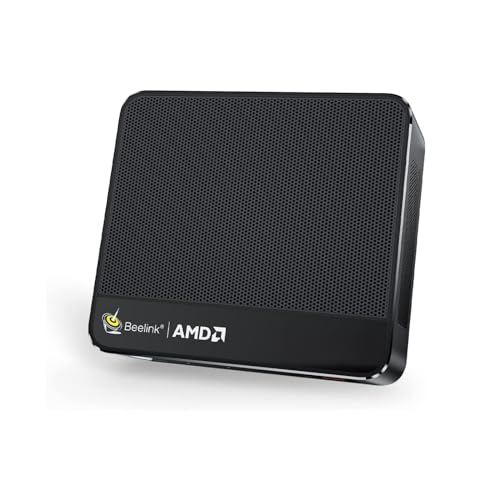
Where to buy
Check the latest price, availability and delivery on Amazon. Orders are placed on Amazon. We may earn a commission from qualifying purchases.
- Best first compact gaming PC for most beginners: Beelink SER5 MAX Mini PC, Ryzen 7 7735HS, Radeon 680M, 24GB RAM, 500GB SSD — Check on Amazon
- ACEMAGIC Mini Gaming PC, Ryzen 7 7735HS, Radeon 680M, 24GB RAM, 512GB SSD — Check on Amazon
- GMKtec NucBox M6 Mini PC, Ryzen 5 6600H, Radeon 660M, 16GB DDR5, 512GB SSD — Check on Amazon
- abytespark Gaming PC, Core i7, GTX 1660 Super 6GB, 16GB RAM, 1TB SSD — Check on Amazon
See 2 more Amazon options
- STGAubron Gaming PC, Ryzen 5 5500, Radeon RX 580 8GB, 16GB RAM, 512GB SSD — Check on Amazon
- KAMRUI E3B Mini Gaming PC, Ryzen 5 7430U, Radeon Vega 7, 32GB RAM, 512GB SSD — Check on Amazon
Read the full guide ↓
Disclosure: As an Amazon Associate, reviewstook.com earns from qualifying purchases. Links to Amazon on this page are affiliate links; they cost you nothing extra. Listing details such as price and availability change often, so check the current Amazon listing before you buy.
If this is your first gaming PC, welcome — and before anything else, here is the honest version of what “compact gaming PC under $500” actually means, because the product titles will not tell you. Four of the six machines here are mini PCs: boxes about the size of a thick paperback that sit on a desk corner or bolt to the back of a monitor. They are real computers and they do play games, but they do it with integrated graphics — graphics built into the processor rather than living on a separate graphics card. That is fine for a large, enjoyable slice of gaming, and not fine for all of it; this guide keeps telling you which is which. The other two picks are ordinary small towers with proper graphics cards inside, in a compact guide for one reason only: they are the only way to get a separate graphics card under $500, and the price you pay is that they are not compact at all.
So what does $500 honestly buy a beginner here? Smooth 1080p gaming — 1080p is the resolution of a standard full-HD screen — in esports games like League of Legends, Valorant, Rocket League and Fortnite at sensible settings, in indie games of almost every kind, and in the back catalog of older big-budget games at medium settings. The newest, heaviest releases run on the stronger picks at low-to-medium settings, sometimes with upscaling switched on, and on the weakest pick they barely run at all. What $500 does not buy in a compact box: a current-generation graphics card, high settings in brand-new games, or 1440p gaming. One more beginner truth, because it shapes everything below: in a mini PC the graphics can never be upgraded later. You are buying a finished appliance, and the graphics it arrives with are the graphics it retires with — so buy the class you can be happy with.
Everything below assumes you have never owned a gaming PC: a plain-English glossary first, then the quick picks, how they were chosen, and a full review of each machine — who it suits, its honest limitation, and when to skip it. After the reviews: a comparison table, a walkthrough of your first evening, the other costs that are not in the PC’s price, plain-terms upgrade notes, common mistakes, and a beginner FAQ.
New to This? Twelve Terms in Plain English
- CPU (the processor). The computer’s brain — it runs Windows, your browser, and the parts of a game that are not pictures: physics, opponents’ behaviour, the world itself. Measured in “cores”; more and newer is better. Every pick here has a CPU strong enough for its graphics.
- GPU (the graphics card / graphics chip). The part that draws the game on your screen — the single most important part for gaming, and what this whole guide is really about. A GPU can be a separate card (see “discrete”) or built into the CPU (see “integrated”).
- Discrete graphics vs integrated graphics. A discrete (dedicated) graphics card is a separate component with its own memory, plugged into a tower PC — more powerful. Integrated graphics are built into the processor and share the computer’s ordinary memory. All four mini PCs here use integrated graphics; the two towers use discrete cards. Integrated graphics are good enough for a lot of gaming — not a toy — but a discrete card is still a clear step up.
- VRAM and shared memory. The graphics chip’s own private memory, holding the game’s images. Discrete cards list it directly (6GB, 8GB). Integrated graphics have none of their own — they borrow from the computer’s RAM, which is why RAM matters twice as much on a mini PC: it does two jobs.
- RAM (memory). The computer’s short-term workspace, in gigabytes (GB). 16GB is the workable minimum for gaming today; 24GB or 32GB is more comfortable. Beginner trap: on most mini PCs the RAM is soldered — permanently attached — so the amount in the box is the amount forever. One pick below is the exception.
- SSD (storage). Where your games live permanently. All six picks use an SSD, the fast modern kind. Games are big — one modern title can take 100GB or more — so a 500GB drive fills faster than you expect. Storage is the one part that can usually be enlarged later.
- Resolution (1080p, 1440p). How many pixels make up the picture. 1080p (“full HD”) is the standard this budget is built for; 1440p is sharper, more demanding, and needs stronger graphics than anything here. Higher resolution looks better and runs slower — 1080p is the honest target.
- Refresh rate (Hz). How many times per second your monitor redraws the picture. A basic monitor is 60Hz; gaming monitors run 120Hz or more and make motion smoother — but only if the PC can produce frames that fast, which at this budget it can in esports games, not heavy ones. Your monitor will not set itself to its fastest rate; the setup walkthrough shows you the switch.
- Upscaling. A clever shortcut: the PC renders the game at a lower resolution (cheaper, faster) and intelligently stretches it to fill your screen. AMD’s version is called FSR and works on all the AMD graphics here. You lose a little sharpness, gain a lot of smoothness — why “low settings plus upscaling” is a respectable way to play new games on a budget.
- Power brick. The laptop-style power adapter that comes with every mini PC. The PC may be tiny, but the brick needs a surface and a socket; towers keep their power supply inside the case. Plan a home for the brick before you plan the “invisible” setup.
- Prebuilt. A computer that arrives assembled, with Windows installed, ready to plug in — all six picks are prebuilt. The opposite is a “barebones” kit (case and motherboard only, no memory, storage or Windows), which is not a finished PC; one listing family below sells both, and its review shows how to tell them apart.
- Renewed / refurbished. A used machine checked, cleaned and resold with a shorter warranty. A legitimate way to buy PCs — but know plainly: none of the six picks in this guide is renewed; all six are sold new. If a listing you land on says “Renewed” in the title, it is a different offer from the one reviewed here.
In this guide
Quick Picks
Short on time? Each row names a kind of beginner and the machine that fits them; every pick is explained in full further down.
| Buyer type | Pick | Why it stands out | Link |
|---|---|---|---|
| Best first compact PC for most beginners | Beelink SER5 MAX Mini PC, Ryzen 7 7735HS, 24GB, 500GB | The strongest integrated graphics in the guide, in a box that bolts behind a monitor | Check on Amazon |
| Best for the living room | ACEMAGIC Mini Gaming PC, Ryzen 7 7735HS, 24GB, 512GB | The same top graphics class in a flat square that disappears next to a TV | Check on Amazon |
| Best value, and the one you can improve | GMKtec NucBox M6 Mini PC, Ryzen 5 6600H, 16GB, 512GB | A budget-tier value pick — check price on Amazon — and the only pick whose RAM can be upgraded later | Check on Amazon |
| Best graphics, if you have room for a tower | abytespark Gaming PC, GTX 1660 Super 6GB, 16GB, 1TB | A real graphics card under $500 — the compact part of the search is what you give up | Check on Amazon |
| Best if you plan to upgrade parts over time | STGAubron Gaming PC, Ryzen 5 5500, RX 580 8GB, 16GB, 512GB | A modern platform you can grow into — but only buy it when it sits within this guide’s budget | Check on Amazon |
| Best for light games on the tightest budget | KAMRUI E3B Mini Gaming PC, Ryzen 5 7430U, 32GB, 512GB | The most RAM in the guide and a monitor mount, at a budget-tier price — check price on Amazon | Check on Amazon |
How These Picks Were Chosen
No pick earned its place through an advertisement, and nobody here was handed machines to test. We read the manufacturers’ listings and specification pages for the exact Amazon listings linked here, and compared what a beginner cannot easily judge from a product page: graphics class, memory type, storage, and size. Prices in this corner of Amazon move weekly, so no figure printed here could stay current — check price on Amazon for the current figure on each pick before you buy.
Three judgements shaped the list. The first is size honesty: a pick counted as truly compact only if its maker publishes dimensions of around a litre or less. Four picks pass. The two towers fail, openly, and stay because pretending integrated graphics is your only option under $500 would hide the real choice from you. The second is memory honesty: because integrated graphics borrow the computer’s RAM, and most mini PCs can never have their RAM changed, the configuration you order is a lifetime decision; we favoured 24GB where the budget allowed. The third is the beginner judgement: a first PC should be simple to live with — every pick is a complete, new, Windows-installed machine from one box — and where a listing family sells a confusing lookalike (a cheaper 16GB variant, an empty barebones kit), the review tells you what to check.
One pick carries a strict budget rule, repeated in its review because it matters. The STGAubron tower is worth considering only when it sits within this guide’s $500 budget: when it is priced above that ceiling, it competes with better machines and loses. The GMKtec’s case rests on its budget-tier positioning. For everything else: check price on Amazon on the live listing, and let that check — not a countdown timer — make the decision.
The 6 Best Compact Gaming PCs for Beginners Under $500
Beelink SER5 MAX Mini PC — Ryzen 7 7735HS, Radeon 680M, 24GB RAM, 500GB SSD
Who it suits: A beginner with a small desk and a mix of esports, indies and older big titles, who wants the strongest gaming a genuinely tiny PC can offer at this budget.
Begin with the size, because the size is the magic trick: about 5 by 4.5 inches across and under 2 inches tall — roughly 0.6 litres, lighter than a hardback novel — with a bracket in the box that screws to the back of most monitors, so the whole computer can live behind your screen. Inside is the strongest graphics in this guide that does not come on a separate card: AMD’s Ryzen 7 7735HS processor, whose built-in Radeon 680M graphics are the best integrated graphics we could verify under $500, in the same broad class as entry-level gaming cards of a few years ago. Esports games run fast at 1080p, older big-budget games run well at medium settings, and current releases are playable at low-to-medium, with upscaling helping where a game supports it. A real gaming machine — just not a high-end one.
The 24GB of memory beats the 16GB minimum, and because the graphics borrow memory, the extra is partly graphics headroom — this is the SER5 MAX configuration to buy — check price on Amazon for the current figure. It can run up to three screens and has a fast wired internet port (2.5Gbps) next to Wi-Fi 6; power comes through an external brick that needs a spot on or under the desk. Its one small fan is audible in a quiet room under a game, and mostly unheard behind the monitor — where it wants to be.
- About 0.6 litres — bolts behind a monitor with the included bracket; desk stays empty.
- Radeon 680M graphics: the strongest integrated graphics verified under $500.
- 24GB of memory gives the shared-memory graphics real headroom.
Honest limitation: The memory is soldered and can never be increased, the graphics can never be upgraded, and the 500GB of storage fills quickly once a few large games land — plan to delete finished games, or add storage later (the one upgrade this machine allows).
Choose it if you want the best gaming a sub-litre box can do at this budget and your space is truly limited. Skip it if you dream of upgrading a graphics card in a year or two — no mini PC in this guide can do that — or if your library is mostly brand-new, demanding releases.

ACEMAGIC Mini Gaming PC — Ryzen 7 7735HS, Radeon 680M, 24GB RAM, 512GB SSD
Who it suits: A beginner setting up in the living room — a PC for the TV and the couch library of party games, indies and older titles, that should look like a streaming box rather than homework.
Under the skin, this is the Beelink’s twin: the same Ryzen 7 7735HS processor, the same Radeon 680M graphics, the same 24GB of memory, a 512GB SSD, and Windows 11 Pro — everything said above about what the 680M can play applies here unchanged. The difference is the shape and the room it was designed for: a flat silver square, about 5 by 5 inches and 1.6 inches thick, that slides into a TV-stand shelf and turns the biggest screen in the house into the gaming screen. Check price on Amazon for the current figure, and note that this listing family regularly shows member deal pricing.
At couch distance, a mini PC’s small fan disappears under game sound in a way it never does at a desk. The fast wired internet port (2.5Gbps) matters if your TV stand has a network cable nearby — the simplest upgrade there is for downloads and streaming. Two cautions, both about ordering rather than the machine: this listing family sells several configurations under similar names, and the 16GB version is a meaningfully weaker gaming machine because the graphics share that memory — confirm the listing says 7735HS and 24GB before you order. And value-brand support is thinner than the famous names’; buy it as the capable appliance it is, ideally at a deal price.
- Flat 5-inch square — the TV-stand shape; the living-room pick.
- Same 680M graphics and 24GB of memory as the top pick, in the same top tier.
- Fast wired internet port; three-screen output if it later moves to a desk.
Honest limitation: The 24GB of memory is soldered and final, as on the Beelink, and the listing’s lookalike configurations make it easy to order the weaker 16GB variant by headline alone.
Choose it if the PC’s home is beside the TV and couch-distance quiet matters. Skip it if you cannot confirm the 7735HS/24GB configuration on the live listing, or if you want memory you can upgrade later — that is the GMKtec, next.

GMKtec NucBox M6 Mini PC — Ryzen 5 6600H, Radeon 660M, 16GB DDR5, 512GB SSD
Who it suits: A beginner on a tighter budget playing esports, indies and older titles — and the one shopper here who gets to change their mind about memory later.
The M6 is the value pick, sitting in the budget tier of this guide — check price on Amazon for the current figure — and it is a lower-cost route to a modern mini PC. The box is about 5 by 5 by 2 inches, roughly 0.8 litres, with a Ryzen 5 6600H processor and Radeon 660M integrated graphics. Be clear-eyed: the 660M is a clear step below the 680M above. The honest description is a light-gaming machine — esports at 1080p, indies, older big games at low-to-medium — and this guide recommends it as exactly that, not as a cut-price equal of the machines above. If your ambitions are current releases, stretch to a 680M pick instead.
What earns the M6 its place is a feature neither stronger machine offers: its memory sits in ordinary slots. The 16GB it ships with can later become 32GB or more, because the memory is standard laptop DDR5 (SO-DIMM) rather than soldered chips; there is also room for a second internal SSD. In a category where the standard advice is “buy your final specification today,” the M6 is the exception: start cheap, and fix the one locked specification later. The compromises are real. The maker’s documentation notes a second small fan that helps cooling at the cost of noise, so this is the guide’s most audible mini PC during a game. The power supply is an external brick. And — the ordering caution — this model is also sold as a barebones kit with no memory, storage or Windows at all: confirm you are ordering the complete 16GB/512GB machine, not the empty kit wearing the same name.
- Budget-tier positioning — the value outlier in this guide; check price on Amazon.
- The only pick whose memory can be upgraded later; room for a second SSD too.
- USB4 and Wi-Fi 6E in a box of roughly 0.8 litres.
Honest limitation: The Radeon 660M is a class below the 680M picks — esports and older games, not today’s big releases at comfortable settings — and its cooling is the most audible here under load.
Choose it if your library is esports and back-catalog games and you like a low starting price with one real upgrade kept open. Skip it if you want to play current releases at 1080p medium — that is the job of the two 680M machines above.

abytespark Gaming PC — Core i7, GTX 1660 Super 6GB, 16GB RAM, 1TB SSD
Who it suits: A beginner who has realised what they actually want is graphics power — the smoothest play this budget can reach — and who has a desk that can take an ordinary tower.
One honest exception, so the warning comes first: this is a tower — a modest small-brand case with glowing fans, but a tower all the same, many times the volume of the mini PCs above, and it will not hide behind a monitor or a TV. What the volume buys is the thing no tiny box under $500 can offer: a separate graphics card, the GTX 1660 Super, with its own 6GB of memory that games never share. A generation old, it is still plainly the strongest gaming graphics in this guide: comfortable 1080p at medium-to-high settings across a wide back catalog, esports running very fast, current titles at medium where the 680M mini PCs turn things down to low. Around it, the configuration is generous — 16GB of memory, a full 1TB of storage (double the mini PCs) — check price on Amazon for the current figure.
Two things a beginner must know. First, the processor: the headline says “Core i7,” but the listing’s own specification field names an i7-7700, a four-core chip from 2017. It feeds the graphics card adequately in most games, but its platform has no meaningful upgrade future, and in the most processor-hungry modern games it — not the card — is the limit. Second, the exact configuration under this listing family has been known to change, so check the configuration on the live listing before ordering, and stress-test hard during the return window, as with any small-brand tower. Chosen knowingly, the trade is rational: yesterday’s real gaming hardware, in a box that surrenders the one thing this guide is about.
- GTX 1660 Super with its own 6GB of memory — the strongest gaming graphics under $500 in this guide.
- 1TB of storage and 16GB of memory: the most complete specification here.
- Check price on Amazon; tower money buys tower-grade parts.
Honest limitation: It is not compact by any measure this guide respects, and its 2017 processor platform has no upgrade future — you are buying the graphics card and the storage, and accepting the rest.
Choose it if smoother games matter more than a small footprint and your space can take a tower. Skip it if small size is the actual point — the Beelink and ACEMAGIC keep the compact promise this machine gives up.
STGAubron Gaming PC — Ryzen 5 5500, Radeon RX 580 8GB, 16GB RAM, 512GB SSD
Who it suits: A beginner who wants to learn upgrading over time — a real graphics card today, on a platform that can grow — and who is patient enough to buy on a price dip, not a deadline.
The second tower earns its place for the opposite reason to the first. Its graphics card, the Radeon RX 580 with 8GB of memory, is older than the abytespark’s card and a step slower — still a credible 1080p card at low-to-medium settings. But its processor, the Ryzen 5 5500, is a modern six-core chip on AMD’s AM4 platform, and that changes the ownership story: the processor can later be swapped for a stronger one from a deep, inexpensive catalog, the memory and storage are standard parts, and the graphics card can be replaced when the budget allows. For a beginner who wants the hobby, not just the games, that is a genuinely appealing shape. It is also the most complete starter kit here: 16GB of memory, a 512GB SSD, Wi-Fi 6, Windows 11 Home, and a keyboard and mouse included.
The budget rule here is the most important paragraph in this review. This listing is often priced above this guide’s budget, in territory where it competes with better machines and loses. The rule is absolute: buy it only when it sits within this guide’s $500 budget, and walk away when it is priced above that ceiling. Two more honesty notes: AMD has moved the RX 580’s family to a legacy schedule for driver updates, so improvements for brand-new games arrive slowly or not at all — the card’s competence today is real, but its support is winding down. And the listing does not publish its power supply’s wattage, like most small-brand towers — check it on arrival, because it decides which future graphics cards this upgrade path can power. The size caveat applies in full: a tower, in a compact guide, as the upgradeable exception.
- Modern Ryzen 5 5500 — the only real long-term upgrade path here.
- RX 580 graphics with 8GB of memory; keyboard and mouse in the box.
- A complete starter kit on the days it sits within this guide’s budget.
Honest limitation: It is often priced above this guide’s $500 budget, and the graphics card’s legacy driver status limits its future. Above that line, walk away, full stop.
Choose it if you will upgrade parts over time and can wait until it sits within this guide’s budget. Skip it if you need to buy today at whatever it costs, or if a small footprint is a requirement rather than a preference.

KAMRUI E3B Mini Gaming PC — Ryzen 5 7430U, Radeon Vega 7, 32GB RAM, 512GB SSD
Who it suits: A beginner with the tightest budget and lightest library — a first PC for a small desk or spare room, for Minecraft-class games, Roblox, indie catalogs and retro collections.
The E3B closes the guide at the opposite end from the towers: a budget-tier mini PC — check price on Amazon for the current figure — its specification sheet reading above its tier in every column except the one that matters most — graphics. Its Ryzen 5 7430U processor carries Radeon Vega 7 integrated graphics, the weakest in this guide, and a beginner deserves the expectation in writing: esports and indie titles at 1080p, older games at low-to-medium, classic-console emulation, and modern big releases only in the “technically starts, with everything turned down” sense, if at all. What the money buys instead is memory and manners: 32GB of RAM — the most here, in the faster dual-channel arrangement that matters because integrated graphics feed from it — a 512GB SSD, Windows 11 Pro, and a mounting plate in the package, so it can vanish behind a monitor like the Beelink. Unusually, coverage of this listing documents room to grow: memory up to 64GB and storage up to 2TB later on.
For the rooms it suits, those manners are the point: behind a spare-room monitor or a child’s desk display, this is a complete, quiet, new Windows PC that plays the games lighter libraries actually consist of, without a tower warming a small bedroom’s corner. KAMRUI is a value brand with value-brand support. The Vega 7 graphics are a hard ceiling no settings menu escapes. And this listing family sells a 16GB sibling — at this graphics level the memory is a real part of what performance there is, so confirm the 32GB version is in your cart. Bought as a light machine at a light price, it is an honest product; bought as a cheap route into modern big-budget gaming, it would disappoint.
- Budget tier — a lower-cost complete machine in this guide; check price on Amazon.
- 32GB of memory — the most here — feeding its graphics; mounting plate included.
- Documented room to grow to 64GB of memory and 2TB of storage.
Honest limitation: Vega 7 graphics are the floor of this guide — esports, indie and older games only — and the brand’s support is as budget-priced as the machine.
Choose it if the library is light, the room is small and the budget is the hardest limit of all. Skip it if current big-budget games are the goal; step up to a 680M machine instead.
Comparison Table
| Product | Size | Graphics | Best use | Link |
|---|---|---|---|---|
| Beelink SER5 MAX Mini PC, 7735HS | 4.96 × 4.45 × 1.65 in (~0.6 L) | Radeon 680M integrated | Strongest true-compact gaming at this budget | Check on Amazon |
| ACEMAGIC Mini Gaming PC, 7735HS | 5.04 × 5.04 × 1.61 in (~0.67 L) | Radeon 680M integrated | Living-room and TV-stand gaming | Check on Amazon |
| GMKtec NucBox M6 Mini PC, 6600H | ~5 × 5 × 2 in (~0.8 L) | Radeon 660M integrated | Value buy with upgradeable memory | Check on Amazon |
| abytespark Gaming PC, GTX 1660 Super | Tower — not mini | GTX 1660 Super 6GB discrete | Best graphics under $500 if space allows | Check on Amazon |
| STGAubron Gaming PC, Ryzen 5 5500 | Tower — not mini | RX 580 8GB discrete | Upgradeable platform, bought on a dip | Check on Amazon |
| KAMRUI E3B Mini Gaming PC, 7430U | Mini PC, mounting plate included | Radeon Vega 7 integrated | Light gaming on a tight budget | Check on Amazon |
Your First Evening: Setting Up, Step by Step
Every pick here is a prebuilt: the hard part — assembly — was done at a factory. What remains is an evening of plugging things in the right order and changing three settings most beginners never find.
- Unbox and put the PC where it will live. Decide the spot first: desk, TV stand, or — with the Beelink and KAMRUI — the bracket behind your monitor. Leave the vents in open air; a compact PC sealed in a closed cabinet slows down to stay cool and gets louder doing it. A tower goes on or under the desk with breathing room behind it.
- Connect the power brick (mini PCs) or the power cable (towers). A mini PC runs from its external brick: brick into the wall, then its connector into the PC. Give the brick a home where air can reach it — not buried in a cable box. Towers take a power cable straight into the case.
- Connect the monitor — into the right sockets. On a mini PC the display cable fits in only one place. On the two towers, this is the most common beginner mistake in PC gaming: the cable must go into the graphics card’s sockets — the horizontal row low on the back of the case — not the similar sockets near the top, which belong to the motherboard. Plug into the motherboard and your games run on weak integrated graphics (or not at all) while the card you paid for sits idle.
- Add keyboard, mouse and internet. USB devices just plug in (the STGAubron includes a keyboard and mouse; the other picks assume you have or will add your own). A cable to your router is best — faster and steadier than Wi-Fi — and every pick has the port for it; Wi-Fi works fine if a cable is impossible.
- First switch-on: let Windows finish, then update everything. The first boot takes a while and may restart itself; that is normal. At the desktop, run Windows Update until it says you are up to date — several rounds are typical. Then update the graphics driver: AMD’s app covers every AMD pick here; the abytespark’s card uses NVIDIA’s app. Drivers are free, and a current one is worth real performance.
- Set your monitor to its real refresh rate. Windows often runs a fast gaming monitor at a plain 60Hz, leaving the smoothness you paid for switched off. In Settings → System → Display → Advanced display, choose the highest refresh rate offered. With a 60Hz screen, nothing changes.
- Install a game store and start with something kind. Steam is the standard first store (free), with the Xbox app and Epic Games Store the other common ones. Download a free or light game first and play for ten minutes. On the mini PCs, set the resolution to 1080p and the graphics preset to Medium (Low on the KAMRUI), and turn on upscaling (FSR) if the game offers it and feels sluggish. That first session tells you your machine’s honest level.
What Else You Will Spend (Not in the PC’s Price)
Your budget for the PC buys the computer and nothing else, so budget for the rest of the desk separately. None of it is hidden — but none of it is in the headline price either.
- A monitor or TV — the big one, first. No pick includes a screen; if you do not own one, this is your largest extra cost. A 1080p monitor is the right partner for every machine here — no point buying a sharper 1440p screen for graphics that target 1080p. A living-room setup can use your existing TV and skip this entirely.
- Keyboard and mouse. Only the STGAubron includes them. Every other pick assumes you have a set or will add one — any USB or wireless set works to start.
- Sound. A headset or speakers; most monitors have weak speakers or none. A basic headset also gives you a microphone for playing with friends.
- A controller, if your games want one. Racing, sports and many couch games play better on a gamepad. Optional, and it can wait until a game asks for it.
- Games themselves. The stores are free; the games are not, though every store runs constant sales and giveaways. Your first month can cost almost nothing if you start with free-to-play titles and sale picks.
- Small things. A display cable if your monitor did not include one, and a surge-protected power strip. That is the complete list — anything else offered at checkout is optional.
How to Choose: A Beginner’s Short Route
- Start with your games, not the machines. Write down the five games you most want to play. If they are esports, indie and older titles, every pick here can make you happy and the choice becomes about space and price. If the list is headed by this year’s biggest releases, narrow your eyes to the two towers and the 680M mini PCs, and accept low-to-medium settings as the deal.
- Then measure your space. A mini PC of about 5 × 5 × 2 inches fits behind a monitor or in a TV stand — the whole appeal. A tower needs a real home, with air behind it. Know which your room can take before a listing’s photograph decides for you. For tighter spaces still, see Best Compact Gaming PC For Small Spaces Under $500.
- Pick your graphics class, because on a mini PC it is permanent. The honest ladder under $500 runs Vega 7 (light), Radeon 660M (esports), Radeon 680M (the class pick) — then discrete cards in towers (RX 580, then GTX 1660 Super). There is no rung above that at this money. Match the class to your games, not your hopes.
- Treat memory as a lifetime decision on a mini PC. Soldered memory cannot be changed, and integrated graphics borrow it, so 24GB is worth prioritising over 16GB. The exception is the GMKtec M6, whose socketed memory is its superpower.
- Check the exact configuration before you pay. Listings are families, not products — the same page may offer 16GB or 24GB, complete or barebones. Thirty seconds confirming the configuration on the live listing is the cheapest upgrade in this guide.
- Use the budget as a walk-away line. Prices here move weekly. The STGAubron rule — within this guide’s $500 budget, or not at all — is the strictest, but the habit applies everywhere: check price on Amazon on the live listing, and let the market come to you.
Upgrades Later, in Plain Terms
Beginners often imagine improving a first PC piece by piece. Here that is true of exactly one and a half picks — the honest map, machine by machine:
- Beelink SER5 MAX: Storage can grow (a larger SSD later). Memory cannot — it is soldered. Graphics cannot — ever. What you buy is the finished machine.
- ACEMAGIC: The same story: soldered, final memory; graphics built into the processor; storage the only door open, with a second SSD slot documented for this model family.
- GMKtec NucBox M6: The exception. Memory sits in standard slots and can rise from 16GB to 32GB or more; a second SSD can be added. Graphics still cannot change — that door is closed on every mini PC.
- KAMRUI E3B: Coverage of this listing documents memory upgradable to 64GB and storage to 2TB. The Vega 7 graphics remain the ceiling whatever you spend later.
- abytespark tower: Memory and storage are standard parts, but the 2017 platform has no meaningful upgrade path, and this guide promises no graphics-card upgrade either — the platform and its power supply make that a poor bet. Treat it as a finished appliance in tower shape.
- STGAubron tower: The real upgrade path: processor, memory, storage and graphics card are all standard, swappable parts on a modern platform — with one condition: check the power supply’s wattage on arrival, because it decides how strong a future graphics card it can feed.
The general rule: in a mini PC, storage usually, memory rarely, graphics never. In a tower, almost everything — provided the platform is modern, which is the STGAubron’s entire argument and the abytespark’s entire caveat. If upgrading is the hobby you want, Best Small Form Factor Gaming PC Under $500 explores the middle ground.
Common Buying Mistakes
- Believing “compact” in a title without reading the dimensions. If the maker will not publish a size, assume a tower.
- Expecting a current-generation graphics card in a small box under $500. The verified market does not sell one; this budget buys strong integrated graphics or a previous-generation card.
- Plugging the monitor into the motherboard sockets on a tower instead of the graphics card’s. It silently throws away the performance you paid for.
- Buying a 16GB mini PC to save money, then learning the memory is soldered and shared with the graphics. Here, the memory choice is forever.
- Ordering the wrong configuration: a barebones kit with no memory, storage or Windows, or the 16GB version of a machine reviewed at 24GB or 32GB. Confirm chip, memory and storage in the cart.
- Sealing a mini PC inside a closed TV cabinet and blaming the machine for the slowing and fan noise the placement caused.
- Buying the STGAubron when it sits above this guide’s budget, where it becomes the wrong purchase. Its case rests entirely on sitting within the $500 budget.
- Leaving a gaming monitor set to 60Hz because Windows never told you there was a switch. There is; it is step six of the setup walkthrough above.
Final Recommendation
- Most beginners: Beelink SER5 MAX Mini PC — the strongest graphics in a true sub-litre box, and the simplest first PC here.
- Living-room and TV setups: ACEMAGIC Mini Gaming PC.
- Tight budgets that still want a future: GMKtec NucBox M6 Mini PC.
- Graphics first, footprint second: abytespark Gaming PC with GTX 1660 Super.
- Beginners who want to learn upgrading: STGAubron Gaming PC — within this guide’s $500 budget only.
- Lightest libraries, tightest budgets: KAMRUI E3B Mini Gaming PC.
Our top two for a first compact gaming PC are the Beelink SER5 MAX — the best integrated graphics verified under $500 in a box that bolts behind a monitor and asks nothing of a beginner but to plug it in — and the ACEMAGIC, the same idea shaped for the living room. The mini PCs frame the beginner’s real decision: the strongest fixed appliance (those two), the cheaper machine that can still grow its memory (the GMKtec), or the lightest possible start (the KAMRUI). The towers are the deliberate exceptions — the abytespark if graphics matter most today, the STGAubron if learning to upgrade matters most over time. If your budget can stretch, the step up is real — see Best Compact Gaming PC Under $700; if it must shrink, Best Compact Gaming PC For Beginners Under $400 covers the floor. And if your first machine is about playing alongside a stream, Best Compact Gaming PC For Streaming Under $500 takes the same budget from that angle. Measure your space, match the graphics class to your games, confirm the configuration, and check the live price before you order.
Frequently Asked Questions
Is a compact PC a good first gaming PC?
For a light or mixed library, yes — simple, quiet, small and ready to use. The caution is growth: a beginner who catches the hobby seriously will outgrow integrated graphics, and no mini PC can grow with them. Buyers who know from day one that upgrading is part of the fun should start with the STGAubron tower instead.
What games can these machines actually play?
At 1080p: esports and indie games comfortably on every pick; older big-budget games at medium settings on the 680M machines and the towers; current releases at low-to-medium with upscaling on the stronger picks. The KAMRUI’s Vega 7 is the exception — keep it to esports, indies, older games and emulation. For sharper resolutions, Best Compact Gaming PC For 1440p Gaming Under $500 gives the honest answer, which involves stepping up a tier.
Why is there no RTX or brand-new graphics card in this guide?
Because no verified seller offers one in a compact PC under $500. Mini PCs with newer integrated graphics start above the line — the next class up sits above this budget — and big-brand compact towers sit well above this budget on Amazon. A guide that invented one would be lying to you; this one covers the strongest real options instead.
Can I upgrade one of these later?
It depends on the pick; the upgrades section above maps it machine by machine. In short: storage usually, memory on the GMKtec and KAMRUI only, graphics on no mini PC ever — and on the towers, the STGAubron yes (check its power supply first), the abytespark effectively no.
Are any of these machines second-hand?
No. All six picks are sold new, with the maker’s warranty. “Renewed” machines are different listings; if the page you land on says Renewed in the title, it is not the offer reviewed here.
Are mini PCs loud?
Audible rather than loud, and placement decides which. A small fan’s whir carries at a quiet desk and disappears across a living room, behind a monitor, or under game audio. Keep the vents in open air — a sealed cabinet makes any compact PC louder and slower — and expect the GMKtec M6 to be the most noticeable pick under load.
How much room does the whole setup really take?
More than the headline box: the machine, its power brick (mini PCs), the display cable’s bend, and a few inches of open air at the vents. A monitor-mounted mini PC is the one arrangement that approaches zero desk cost — why the Beelink and KAMRUI mounts matter. For the wider mini market, see Best Mini Gaming PC Under $500 and Best Mini PC Under $500; Best Compact Gaming PC For Beginners Under $700 is the next step up.


