Where to buy
Check the latest price, availability and delivery on Amazon. Orders are placed on Amazon. We may earn a commission from qualifying purchases.
- Best overall for streaming: Acer Aspire C27 All-in-One (Ryzen 5 7430U, 27″ 120Hz) — Check on Amazon
- Lenovo IdeaCentre AIO 3 24 (Ryzen 5 5500U, 16GB) — Check on Amazon
- Dell Inspiron 5400 24 Touch All-in-One (Core i5-1135G7) — Check on Amazon
- Acer Aspire C24-1700-UA91 (Core i3-1215U, 23.8″) — Check on Amazon
See 2 more Amazon options
- Acer Aspire C27-962-UA91 (27″, GeForce MX130) — Check on Amazon
- Lenovo IdeaCentre 24 A100 (Core i3-N305, 16GB) — Check on Amazon
Read the full guide ↓
Disclosure: As an Amazon Associate, reviewstook.com earns from qualifying purchases. Links to Amazon on this page are affiliate links; they cost you nothing extra. Listing details such as price and availability change often, so check the current Amazon listing before you buy.
Streaming from an all-in-one PC sounds like a contradiction, and this guide will not pretend otherwise — but it is a workable one, if you start from what these machines actually are. Here is the honest core, before any product names. Every all-in-one under $800 runs integrated graphics. There is no discrete graphics card in any of them (one pick carries an entry-level laptop chip from 2019 that performs at integrated level), which means there is no NVENC encoder — the dedicated hardware block that makes streaming from a gaming PC feel free. On an all-in-one, your stream is encoded one of three ways: by Quick Sync, the hardware encoder built into Intel’s integrated graphics; by the hardware encoder built into AMD’s integrated graphics; or by the processor itself, competing with your game and your browser for the same silicon. That single fact decides everything below — which picks stream comfortably, which stream with discipline, and which should only ever stream a talking head.
So what is the realistic workflow? Three kinds of broadcast genuinely work on this hardware. First, playing and streaming light games — esports titles, indie games, older releases, retro and emulation — where the game itself leaves most of the machine idle. Second, desktop-first content: talking-head streams, podcasts, art and drawing streams, coding, watch-alongs and IRL-style desk broadcasts, where the “game” is a webcam and a screen share. Third, console streaming, where a capture card (costed separately below — it is never inside a pick’s price) feeds a PlayStation, Xbox or Switch into the machine and the all-in-one only has to encode, not render. In all three cases the sensible output is 720p60 or 1080p30 for most picks, sent at Twitch’s practical ceiling of around 6,000 kbps CBR. What does not work: playing a modern AAA game and encoding it on the same integrated chip. If that is your plan, you do not need a better all-in-one — you need a different category of computer, and this guide says so wherever it matters.
What an all-in-one does give a streamer is the tidiest desk in broadcasting: a camera already mounted at screen height, speakers and a screen in one unit, one power cable, and nothing under the desk humming into your microphone. For a bedroom streamer whose “studio” is also their home office, that tidiness is a real feature. The six machines below are the picks from our all-in-one research at this budget that stream most honestly — graded encoder-first, on the load they carry when the game, OBS, a browser full of chat and alerts, and a recording are all running at once.
In this guide
Quick Picks
Short on time, or comparing several options at once? Each row below names a streaming buyer type and the product that suits it, with a link to the listing.
| Buyer type | Pick | Why it stands out for streaming | Link |
|---|---|---|---|
| Best overall for streaming | Acer Aspire C27 (Ryzen 5 7430U) | Six cores and 16GB of RAM for the game-plus-OBS stack, a hardware encoder in the Radeon graphics, and a documented 2MP webcam with a privacy shutter | Check on Amazon |
| Best value when priced right | Lenovo IdeaCentre AIO 3 24 (Ryzen 5 5500U) | The same six-core, 16GB streaming recipe for less — but only when it lands at or under this budget, from a seller you trust (check price on Amazon) | Check on Amazon |
| Best encoder, flawed machine | Dell Inspiron 5400 24 Touch | Quick Sync on Iris Xe and a pop-up webcam — held back by 8GB of RAM and a mechanical hard drive; a deal-price purchase only | Check on Amazon |
| Best compact desk pick | Acer Aspire C24-1700-UA91 | Quick Sync and a fast NVMe SSD in a smaller 23.8-inch unit — a desktop-and-light-games streamer, not a multitasker | Check on Amazon |
| Best big screen on a deal | Acer Aspire C27-962-UA91 | 27 inches and Quick Sync via the Intel chip at a clearance-style price — check price on Amazon; a 2020 platform you buy for the screen, after the Windows 11 upgrade | Check on Amazon |
| Best for talking-head streams | Lenovo IdeaCentre 24 A100 (i3-N305) | 16GB of RAM and Quick Sync for desk broadcasts and console capture — its low-power cores are for encoding on the hardware block, not on the CPU | Check on Amazon |
How These Picks Were Chosen
The six machines are the picks from our under-$800 all-in-one research, re-graded for streaming rather than re-shopped. No new products were added: every specification below is the one documented in that research, and every buying rule carries over unchanged — check price on Amazon for the current price of each pick. Two of these machines only make sense at their deal prices and one only at or under a hard ceiling, and their reviews repeat those rules rather than quietly assuming you will find them cheap. Where the original research did not document a detail that matters to streamers — the exact camera on three of these models, for instance — this guide says so and tells you to confirm it on the live listing instead of filling the gap with a guess.
The grading itself starts with the encoder, because on integrated hardware the encoder is the streaming budget. Intel’s integrated graphics carry Quick Sync, a dedicated encode block that produces a clean Twitch-ready picture while leaving the processor almost entirely free. AMD’s integrated Radeon graphics carry their own hardware encoder, which OBS can use the same way; it is a step behind Quick Sync in fine detail at low bitrates, but it frees the same cores, and the two Ryzen picks pair it with six-core processors that can also CPU-encode at modest settings. What no pick here has is NVENC or an AV1 encoder: if a listing elsewhere implies these machines stream “like a gaming PC,” it is selling you something. After the encoder, we graded the simultaneous load — the cores left for the game and the browser once OBS is fed, the RAM ceiling (16GB is the comfortable figure; 8GB means the game, OBS, chat and alerts share a small room), storage that will not stall a broadcast, and the built-in camera and microphone provisions, because on an all-in-one those are either a head start or a shopping list.
Two filters from the base research still apply, and both matter more to streamers than to anyone. The screen filter: an all-in-one’s display is permanent, so every pick has a Full HD IPS-class panel of at least 23.8 inches — your viewers never see it, but you stare at it for every hour of every broadcast, and it is also your chat monitor, your OBS preview and your game screen in one. The storage filter: a mechanical hard drive in a streaming machine is not a quirk, it is a recurring on-air problem, and the one pick that ships with one is priced, flagged and fenced accordingly below.
The Encoder Is the Streaming Spec
On a gaming PC, streaming advice starts with the graphics card because the graphics card holds NVENC. Here the advice starts with a translation. Quick Sync is Intel’s name for the fixed-function video encoder inside its integrated graphics: it turns your gameplay or your desktop into a stream using a small dedicated block of silicon, at a quality Twitch viewers find perfectly good, while using almost none of the processor. Four of the six picks are Intel machines, and Quick Sync is the reason all four can stream at all. AMD’s integrated encoder does the same job on the two Ryzen picks — OBS lists it as a hardware encoder option — with slightly softer fine detail at the same bitrate, a difference your audience will not spot at 720p or 1080p on Twitch. CPU encoding (x264) is the fallback everywhere: better fine detail per bit at its slower presets, but it spends the very cores your game wants. On a six-core Ryzen it is a legitimate choice at the veryfast preset for light games; on the four-core and low-power picks it is a trap that ends in a stuttering stream and a stuttering game at once.
The workflow this guide assumes, stated once so every review can be judged against it: play light games at 1080p or below, or don’t play on the machine at all (console capture, desktop content); run OBS output at 720p60 for game content or 1080p30 for desktop and talking-head content; encode on the hardware block — Quick Sync or the AMD encoder — at a constant bitrate around 6,000 kbps for Twitch, the platform’s practical ceiling for most broadcasters. YouTube accepts higher bitrates and will take a cleaner picture if your upload allows it, but the encoder ceiling is the machine, not the platform. Local recording for clips and VODs rides the same hardware encoder at a higher bitrate, and at roughly 20GB per hour at typical recording bitrates, the 512GB SSDs in these machines are a real, if finite, recording budget.
The 6 Best All-in-One PCs for Streaming Under $800
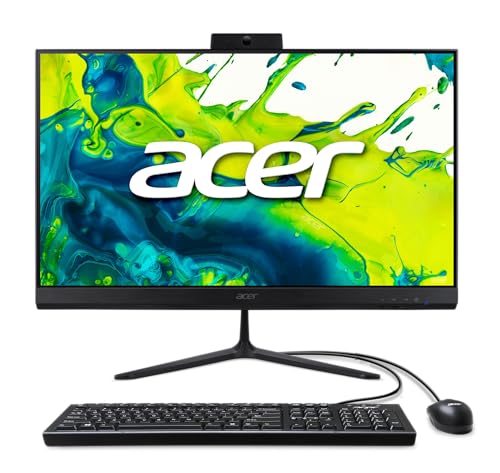
Acer Aspire C27 All-in-One — Ryzen 5 7430U, 27″ 120Hz (C27-2G)
Who it suits: The streamer who wants one machine to do the whole broadcast — light games, desktop content and console capture — with the least compromise this budget allows.
Streaming is a multitasking workload wearing a gaming costume, and the C27 is the only pick here specified like it understands that. The Ryzen 5 7430U brings six cores and twelve threads, so the simultaneous-load arithmetic works: the Radeon hardware encoder takes the stream itself, the cores divide between a light game, OBS’s compositing, a browser running chat and alerts, and Discord, and nothing has to queue. The 16GB of memory — in SO-DIMM slots, so it can grow — is the other half of that arithmetic; this is the configuration that does not start swapping to disk the moment a browser gets ambitious. The encoder itself is AMD’s integrated hardware block: use it in OBS rather than CPU encoding, accept that its fine detail at 6,000 kbps sits a small step behind Quick Sync, and spend the freed cores on the game. For console streaming it is equally well placed — a capture card feeds in over USB, the encoder does the work, and the 512GB NVMe SSD absorbs recordings without the stalls that would show up on air.
The broadcast furniture is the best documented in this guide. The 2MP webcam is built in with a privacy shutter — a camera already at screen height, aimed correctly, with a physical off switch for when the stream ends, which is exactly what a bedroom broadcaster needs. The 27-inch 120Hz IPS screen earns its keep twice over: it is your game display, your OBS preview and your chat window in one panel, and the high refresh rate keeps the desktop responsive during the constant window-juggling a live broadcast involves. Wi-Fi 6E is the newest wireless here, though the OBS section below will still tell you to run a cable. Check price on Amazon to complete the case. The honest cautions are the category’s, not the model’s: integrated graphics cap your game library at light titles forever, the bundled keyboard and mouse are wired on the standard configuration, and if the panel dies out of warranty the whole studio is the repair.
- Six cores, twelve threads and 16GB of socketed RAM — the only pick with real headroom for game + OBS + browser at once.
- Documented 2MP webcam with a privacy shutter, mounted at screen height where a streamer’s camera belongs.
- 27-inch 120Hz IPS screen that serves as game display, chat monitor and OBS preview in one.
Honest limitation: The AMD hardware encoder is a step behind Quick Sync in low-bitrate fine detail, and integrated graphics fix your game library at light titles — this machine will never stream a modern AAA game it is also playing.
Choose it if you want the most complete one-box streaming desk at this budget. Skip it if your plan is playing and streaming demanding games — no all-in-one does that, and the same money in a tower streams circles around this category.

Lenovo IdeaCentre AIO 3 24 — Ryzen 5 5500U, 16GB (F0G1008MUS)
Who it suits: The value-hunting streamer who will check the seller before buying, and who wants the same six-core, 16GB streaming recipe as the top pick for less money.
As a streaming engine, this Lenovo is the Acer’s near-twin: a Ryzen 5 5500U with six cores and twelve threads, the same AMD integrated hardware encoder, the same 16GB of RAM and a 512GB SSD. Everything said above about the simultaneous load applies here — hardware-encode the stream, let the cores carry a light game plus OBS plus the chat browser, and the broadcast holds together. The 23.8-inch screen is smaller than the Acer’s and runs at the standard refresh rate, which costs you desktop room for the OBS-and-chat juggle; streamers who run a second display for chat will feel that less than those who don’t. There is even a built-in DVD-RW drive, which is useless for streaming and genuinely useful if your content involves ripping a physical media collection — a niche, but a real one for retro and media-archivist channels.
Two things need saying plainly. The first is the price discipline, which is this pick’s whole existence: the listing now sits mostly with third-party sellers, whose asks can run above this budget — check price on Amazon before you judge it. The rule is absolute: at or under this budget, from a seller you trust, with the listing title confirming the 16GB/512GB configuration (lesser configurations of this family circulate), it rivals the Acer for less. Above this budget it is a previous-generation machine at a current machine’s price, and the Acer wins on screen, wireless and warranty freshness. The second is the camera: the base research did not document this model’s webcam specification, so confirm the camera on the live listing before you count on it — and if it is absent or too basic for your channel, the USB webcam costed in the kit section below becomes part of this pick’s real cost. Buy it at the right price with the camera confirmed, and it is the smart-money streaming desk in this guide.
- Six-core Ryzen 5 5500U, 16GB RAM and a 512GB SSD — the full streaming multitasking recipe.
- Worth it only when the current price lands at or under this budget — check price on Amazon.
- Built-in DVD-RW drive — dead weight for most, a tool for media and retro content creators.
Honest limitation: Third-party sellers currently ask over budget for it — this pick exists only at or under this budget — and its webcam is not documented in the base research, so verify the camera on the live listing.
Choose it if you find it at or under this budget from a reputable seller and want maximum streaming specification for the money. Skip it if the only offers are above this budget, or if you cannot confirm the camera situation before buying.
Dell Inspiron 5400 24 Touch All-in-One — Core i5-1135G7
Who it suits: The desktop-first streamer — talking head, podcast, art, watch-along — who wants the best encoder in this guide and a camera that hides away, and who buys it at its deal price with its two flaws fully understood.
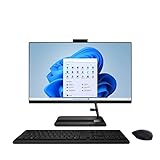
Start with what the Dell does better than anything else here: the encode. The Core i5-1135G7’s Iris Xe graphics carry Quick Sync, and Quick Sync is the finest low-bitrate encoder available to this entire category — clean edges, stable detail in motion, and it costs the processor almost nothing. For a streamer whose content is themselves, their desktop and their voice, that is the single most valuable specification in this guide. The furniture cooperates: the pop-up webcam physically hides inside the body when not in use — the neatest camera-privacy solution here — and the 23.8-inch touchscreen turns out to be a quiet streaming asset, tapping through scenes, slides and on-screen controls without reaching for the mouse mid-sentence. Dell’s service network stands behind the model in a category full of anonymous marketplace listings.
Now the two flaws, and for streamers they bite harder than for anyone. The 512GB of storage is a mechanical hard drive. On a broadcast that means slow scene-asset loads, sluggish game launches, updates that crawl — and a machine that can hitch while Windows does disk work in the middle of a stream. The 8GB of RAM compounds it: OBS, a browser with chat and alerts, and even a light game together will press against that ceiling, and when RAM runs out the system reaches for the hard drive, which is the slowest possible place to land. So the Dell’s streaming verdict is split by content type. For desktop content and console capture at a deal price — check price on Amazon — the encoder and camera make it a genuinely clever buy, with the leftover budget covering the microphone this category always needs. For playing-and-streaming games, the storage and memory make it the wrong tool at any price. At its full list price, walk away; the touchscreen does not rescue the arithmetic.
- Quick Sync on Iris Xe — the best low-bitrate hardware encoder in this guide, at almost no CPU cost.
- Pop-up webcam that hides in the body, plus a touchscreen that suits desktop-content control.
- Check price on Amazon — the encoder pick, at a deal price only.
Honest limitation: The 512GB storage is a mechanical hard drive and the RAM is 8GB — the two specifications a live broadcast punishes most. Game-streaming multitasking is beyond it; desktop and capture streaming are its lane.
Choose it if your stream is you, your desktop and a console feed, and you find it at a deal price. Skip it if you plan to play games on the machine while streaming, or if it is priced near its full list price.

Acer Aspire C24-1700-UA91 — Core i3-1215U, 23.8″
Who it suits: The small-desk streamer whose broadcast is desktop content, talking head and the lightest of games — and who values a responsive, modern machine over multitasking headroom.
The C24’s streaming story is Quick Sync in a tidy box. The Core i3-1215U’s Intel UHD graphics carry the same hardware encode block as the Dell’s, so a desktop broadcast or a console-capture stream leaves the processor nearly untouched — and this processor needs the favor. Its six cores are really two performance cores plus four efficiency cores: plenty for OBS on the hardware encoder, a browser and a chat overlay, not enough to CPU-encode anything ambitious, and not the machine for playing a game while a stream runs on top. Set the encoder to Quick Sync, keep the workload in that lane, and it performs without drama, helped by storage done right — a 512GB NVMe SSD, so Windows, OBS and your assets load at modern speeds and recordings write without drama. Wi-Fi 6 is built in, though the wired rule below applies to it as much as to any pick here.
The ceiling is memory and multitasking. The 8GB of RAM is the floor of comfortable: a browser with chat, alerts and a few tabs, OBS, and a light game will fit, but there is no slack, and this machine will age out of streaming duty before the 16GB picks do. The camera situation mirrors the Lenovo’s: the base research did not document this model’s webcam specification, so confirm it on the live listing — and budget the USB webcam from the kit section if the answer is no camera or a camera too basic for your channel. Pricing needs the same discipline as the other deal-sensitive picks: check price on Amazon, and buy only when it sits comfortably within this budget — where it competes with its own 27-inch sibling whenever that model is priced well. Buy the C24 when desk space is the deciding factor and the price is comfortably within budget; its streaming lane is narrower than the top picks’, but inside that lane it is a clean, current, honest machine.
- Quick Sync hardware encoding — a desktop or console-capture stream costs the CPU almost nothing.
- 512GB NVMe SSD and Wi-Fi 6: the modern basics, done properly, in a compact 23.8-inch unit.
- Newest processor platform in this guide, quick and responsive in everyday broadcast work.
Honest limitation: 8GB of RAM and a two-performance-core processor cap the simultaneous load — this is a one-lane streamer (desktop, talking head, capture), and its webcam is not documented in the base research, so verify it live.
Choose it if your desk is small, your content is desktop-first, and the price sits comfortably within this budget (check price on Amazon). Skip it if you want to play games on-stream or run a heavy alert-and-browser stack — step up to the 16GB six-core picks.

Acer Aspire C27-962-UA91 — 27″, Core i5-1035G1, GeForce MX130
Who it suits: The streamer who wants a big screen and a workable broadcast for the least money in this guide — and who accepts a 2020 platform, an operating-system chore, and clearance pricing as the terms of the deal.
What puts this machine here is its clearance-style positioning within this budget — check price on Amazon — and for a streamer the interesting question is whether the hardware behind that screen can broadcast. It can, by a specific route: the Core i5-1035G1’s integrated Intel graphics carry Quick Sync, and Quick Sync is the encoder to use, full stop. The GeForce MX130 — this guide’s only discrete GPU — needs its streaming reputation corrected before it does damage: it is an entry-level laptop chip of its era, roughly comparable to good integrated graphics for games, and it contributes nothing to the broadcast that the Intel encoder doesn’t do better. Buy this machine for its screen and its price, never for its graphics badge, and set OBS to the Intel encoder. The supporting cast is respectable: 12GB of RAM sits between the 8GB picks and the 16GB ones — enough for the game-plus-OBS-plus-browser stack with light titles, without the Dell’s constant pressure — and the 512GB SSD keeps loads and recordings honest. The 27-inch screen gives a small-desk streamer the split-view room the 24-inch picks can’t.
The terms, stated as plainly as the base research stated them: everything else about this machine is 2020. The processor is several generations old, the Wi-Fi is the older Wi-Fi 5 standard (another reason the wired rule below is not optional), there is no touchscreen, and it ships with Windows 10 Home. Windows 10’s free support ended in October 2025; the i5-1035G1 is on Microsoft’s Windows 11 supported-CPU list, so a free upgrade should be available — verify it on the listing and run the upgrade before your first broadcast, because streaming software and browser support follow the supported OS, and an unsupported Windows is a security problem wearing a bargain’s clothes. The camera, as with the Lenovo and the C24, is not documented in the base research — confirm it on the live listing and treat the kit section’s USB webcam as a likely line item. Judged as a big screen with a Quick Sync broadcast inside it, well under this budget, it earns its place; judged as a new machine, it is not one.
- 27-inch screen at a clearance-style price — check price on Amazon for the most broadcast desk for the money in this guide.
- Quick Sync on the Intel chip does the encoding; 12GB RAM and a 512GB SSD support the stack.
- The guide’s only discrete GPU (MX130) — honestly labeled: a small help for older, lighter games, not a streaming feature.
Honest limitation: A 2020-era platform: older CPU, Wi-Fi 5, and Windows 10 Home installed — the free Windows 11 upgrade (the CPU is supported) is a day-one chore, not an option — and the webcam is not documented in the base research.
Choose it if screen size per dollar leads and you will run the Windows upgrade immediately. Skip it if you want the longest support runway or the strongest multitasking — that is the Ryzen C27 at the top of this guide.

Lenovo IdeaCentre 24 (A100) — Core i3-N305, 16GB
Who it suits: The talking-head streamer — podcasts, video-call-style shows, desk broadcasts, console-capture commentary — whose show is a person and a personality, on the tightest spend in this guide.
Translate the listing first, because this pick cannot be graded honestly until its headline is decoded. “Intel 8-Core i3-N305” sounds like multitasking muscle; the chip is eight small efficiency cores from Intel’s low-power N-series, with a power budget a fraction of a desktop processor’s. For streaming, that splits its verdict cleanly in two. The integrated Intel graphics carry Quick Sync, and Quick Sync does not care how modest the cores behind it are — a desktop broadcast, a webcam show or a console feed through a capture card encodes on the hardware block at a clean 720p or 1080p while the little cores handle OBS, chat and a browser without breaking stride. What the N305 cannot do is CPU-encode: ask x264 to work here and the stream and the system stutter together. So the rule for this pick is one sentence long — always hardware-encode, never CPU-encode — and inside that rule it is a genuinely capable broadcast desk. The configuration around the chip helps: a full 16GB of RAM (the streaming stack’s elbow room, in a budget-tier pick here), a 512GB NVMe SSD, Wi-Fi 6 and Bluetooth 5.2, and Windows 11 — check price on Amazon for the current upgraded A100 configuration.
The marketplace terms from the base research carry over at full size. This is a reseller-configured listing — sellers fit the memory and storage to Lenovo’s A100 themselves — so the seller, the exact bundle and who honors the warranty vary between offers; buy from a strongly rated seller and read what is actually in the box. The “Lifetime Office 365 for Web” in the title is the free browser version of the Office apps and should add nothing to what you think the machine is worth. And the webcam joins the undocumented list: the base research did not record this model’s camera specification, so confirm it on the live listing — for a talking-head streamer the camera is the show, and if the built-in answer disappoints, the USB webcam in the kit section is not an accessory for this pick, it is the product. With eyes open on all three points, this is the cheapest honest route in the guide to a tidy broadcast desk — as long as nobody asks it to play the games it streams.
- Quick Sync hardware encoding that suits talking-head, desktop and console-capture shows.
- 16GB RAM and a 512GB NVMe SSD in a budget-tier pick — check price on Amazon.
- Quiet, low-power design that suits always-on desks and small rooms.
Honest limitation: The i3-N305’s low-power cores rule out CPU encoding entirely and any play-and-stream gaming; the listing is reseller-configured, so seller and warranty vary, and the webcam is not documented in the base research.
Choose it if your show is you — talking head, podcast, commentary over a console feed — and the budget is firm. Skip it if games will ever be played on the machine itself; the Ryzen picks are the floor for that.
Comparison Table
| Pick | Display | Processor | RAM / Storage | Streaming encoder | Price | Link |
|---|---|---|---|---|---|---|
| Acer Aspire C27 (Ryzen 5 7430U) | 27″ FHD IPS, 120Hz | Ryzen 5 7430U (6C/12T) | 16GB / 512GB NVMe SSD | AMD hardware encoder; 2MP webcam with shutter | Check price on Amazon | Check on Amazon |
| Lenovo IdeaCentre AIO 3 24 | 23.8″ FHD | Ryzen 5 5500U (6C/12T) | 16GB / 512GB SSD | AMD hardware encoder; webcam — verify on listing | Check price on Amazon — only at or under this budget | Check on Amazon |
| Dell Inspiron 5400 24 Touch | 23.8″ FHD touchscreen | Core i5-1135G7 (4C/8T) | 8GB / 512GB hard drive | Quick Sync (Iris Xe); pop-up webcam | Check price on Amazon — deal price only | Check on Amazon |
| Acer Aspire C24-1700-UA91 | 23.8″ FHD IPS | Core i3-1215U (6C/8T) | 8GB / 512GB NVMe SSD | Quick Sync; webcam — verify on listing | Check price on Amazon | Check on Amazon |
| Acer Aspire C27-962-UA91 | 27″ FHD | Core i5-1035G1 (4C/8T) | 12GB / 512GB SSD | Quick Sync (MX130 adds no encoder); webcam — verify on listing | Check price on Amazon | Check on Amazon |
| Lenovo IdeaCentre 24 (A100) | 23.8″ FHD IPS | Core i3-N305 (8C/8T, low-power) | 16GB / 512GB NVMe SSD | Quick Sync only — never CPU-encode; webcam — verify on listing | Check price on Amazon | Check on Amazon |
Set Up OBS Once, Correctly
On hardware with no encoder to spare, OBS settings are not fine-tuning — they are the difference between a broadcast and a slideshow. Work through this list once, in order, before your first stream. Encoder: choose the hardware encoder, always — Quick Sync on the Intel picks, the AMD hardware encoder on the two Ryzen picks. CPU encoding (x264) is a legitimate experiment only on the six-core Ryzen machines, at the veryfast preset, with light games; on the four-core, hybrid-core and low-power picks it is simply off the menu. Rate control: CBR (constant bitrate), around 6,000 kbps for Twitch — the platform’s practical ceiling for most broadcasters — with a keyframe interval of 2 seconds, which Twitch requires. Output resolution: 720p60 for game content, 1080p30 for desktop and talking-head content; on the 8GB and low-power picks, treat 720p as the default for everything and let stability, not ambition, make the call. If you stream to YouTube instead, its higher accepted bitrates buy a cleaner picture from the same encoder — but the encoder, not the platform, is still your ceiling.
Then learn the three counters OBS shows you, because each names a different failure and a different fix. Rendering lag means the graphics side is saturated — the game and OBS’s preview are fighting over integrated graphics; lower the game’s settings or resolution, cap its frame rate, and shrink or disable the OBS preview once you are live. Encoding lag means the encoder is overloaded — you are asking for more than the hardware block (or the CPU preset) can give; drop the output a step, 1080p to 720p first, before touching anything else. Network lag — dropped frames with the other two counters clean — is your connection, and its fix is not a setting: it is a cable. Which brings up the rule that outranks every setting in this section: stream on wired Ethernet. Every pick here leads with its Wi-Fi standard, and none of them should broadcast over it if a cable can reach — Wi-Fi interference does not care how new the standard is. If no Ethernet run reaches your desk, a USB-to-Ethernet adapter is a small, boring, broadcast-saving purchase. Record locally on the same hardware encoder at a higher bitrate while you stream if the machine has headroom — on the 16GB six-core picks it usually does; on the rest, record light sessions only, and remember recordings eat roughly 20GB an hour.
What $800 Does Not Include
Every price in this guide buys the computer. A broadcast needs a small kit around it, and honest budgeting counts that kit separately — never inside a pick’s price, and never discovered mid-setup. In the order streamers actually feel the difference:
- A USB microphone. The first purchase, for every pick, no exceptions. Built-in all-in-one microphones are voiced for video calls across a desk; your audience hears the difference between that and a real USB mic in the first ten seconds, and audio is the half of your stream viewers forgive least. Buy this before anything else on this list.
- A USB webcam, where your pick needs one. The Acer C27 documents a 2MP camera with a shutter and the Dell’s pop-up camera is a known quantity; for the Lenovo AIO 3, the Acer C24, the older C27-962 and the Lenovo A100, the base research did not document the camera — check the live listing, and if the built-in camera is absent or too basic for a face-led channel, this line item applies to you. For a talking-head streamer on those picks, it is not optional.
- Lighting. A simple key light or ring light does more for a small camera sensor’s picture than any setting in OBS. Cheap, unglamorous, transformative.
- A capture card, console streamers only. If your content is a PlayStation, Xbox or Switch, the card is what turns any pick in this guide into a broadcast station — the console renders, the all-in-one only encodes, which is precisely the workload these machines are good at. PC-only streamers skip this entirely.
- A second screen for chat (repurpose before you buy). An old monitor, a tablet or a phone on a stand running chat keeps your game screen clean — streamers feel the lack of this early and often.
- An Ethernet cable or USB-to-Ethernet adapter. The wired rule from the OBS section, in shopping form. The cheapest reliability in this entire guide.
Counted honestly, a realistic streaming kit adds a modest extra cost around any pick here — microphone first, the rest as your content demands. The tower comparison is fairer than it looks: a streaming tower needs the same microphone and light, so the kit is not an all-in-one penalty — but the capture card and webcam lines, where they apply, belong in your budget from day one.
How to Choose an All-in-One PC for Streaming Under $800
Name your content type before you name a machine. This category splits streamers into three, and each has a different right answer. If you will play light games on the machine itself, you need cores and RAM for the stack — the two Ryzen picks are your shortlist, full stop. If your content is you and your desktop — podcasts, art, commentary, watch-alongs — the encoder matters more than the processor, and the Dell’s Quick Sync or the little Lenovo’s hardware-encode-only discipline both serve, at very different prices. If your games live on a console, the all-in-one is only an encoder with a nice screen, a capture card does the feeding, and almost every pick here qualifies — choose on screen, RAM and camera. Buying for a content type you don’t make is the most expensive mistake in this guide.
Put the encoder first, the cores second, the RAM third. In that order: a hardware encoder (Quick Sync or AMD’s) is non-negotiable — it is what makes streaming on integrated graphics possible at all. Cores decide how much else can happen at once; six real cores is the comfortable figure for playing while broadcasting. RAM decides how big your browser-and-alerts stack can be; 16GB is the figure that does not make you manage it, 8GB is the figure that makes you close tabs before you go live. Storage type outranks storage size: an SSD that loads instantly beats a hard drive of any size, every broadcast, forever.
Decide what your face is worth. On an all-in-one, the camera is either built in at exactly the right height or it is a purchase and a cable. Two picks here document their cameras; four do not. If your channel is face-led, either buy a pick whose camera is a known quantity or add the USB webcam to the real cost of the others before comparing — a “cheaper” pick plus a camera is often the same money as the pick that included one.
Run the total, not the ticket. Add the kit your content needs — microphone always, webcam where the pick lacks a documented one, capture card for console content — to the price you actually found (check price on Amazon), at the buying rules each review states. A deal-priced Dell plus a microphone is a different purchase from a full-price Dell, and a budget Lenovo plus a webcam and a mic is a different purchase from both. Compare finished desk against finished desk.
And decide honestly whether you should buy an all-in-one at all. The standing advice from our base guide holds with extra force for streamers: at the same money, a mini PC or budget tower is dramatically faster, and a tower with a discrete GPU gives you NVENC, which ends the encoder compromises this entire guide is built around. Our Best Barebones Mini PC Under $800 guide covers the compact route, and Best All In One PC For Streaming Under $1200 shows what the next tier buys. The all-in-one wins on the clean desk, the built-in camera height and the one-cable setup. Buy it for those, with your content type matched to its lane. Buy it hoping it is secretly a gaming PC, and no setting in OBS will save the broadcast.
Common Mistakes When Streaming From a Budget All-in-One
- Expecting to play and stream a modern AAA game on integrated graphics. The game alone saturates these machines; the stream has nothing left to stand on. Match the library to the hardware — light games, desktop content, console capture.
- CPU-encoding on a four-core or low-power machine. x264 on the Dell, the C24 or the A100 starves the game and the stream simultaneously. Hardware encoder, always; the six-core Ryzens are the only picks where veryfast is a conversation.
- Streaming over Wi-Fi because the listing bragged about Wi-Fi 6 or 6E. The standard is not the problem; interference and distance are. Run the cable.
- Judging the Dell by its touchscreen and missing its hard drive. On a broadcast, slow storage and 8GB of RAM are not background specs — they are on-air events. It is a desktop-content pick at a deal price, and nothing else.
- Paying over this budget for the Lenovo AIO 3 because the specification looks right. The specification is right; the third-party price often isn’t. The pick’s rule is a ceiling, not a suggestion.
- Trusting the MX130 badge on the older Acer to mean streaming power. It adds nothing to the broadcast; Quick Sync does the encoding. Buy that machine for its screen and its clearance-style pricing — check price on Amazon.
- Skipping the microphone and upgrading the camera first. Viewers leave bad audio faster than soft video. The mic is the first kit purchase, for every pick, every time.
- Leaving the C27-962 on Windows 10. Free support has ended, streaming software follows the supported OS, and the free Windows 11 upgrade its processor qualifies for is a day-one task, not a someday one.
Final Recommendation
- Most streamers: Acer Aspire C27 (Ryzen 5 7430U).
- Value hunters who verify the seller: Lenovo IdeaCentre AIO 3 24.
- Desktop-content streamers who value the encoder: Dell Inspiron 5400 24 Touch, at its deal price.
- Small desks, one-lane broadcasts: Acer Aspire C24-1700-UA91.
- Biggest screen per dollar, upgrade chore accepted: Acer Aspire C27-962-UA91.
- Talking-head shows on the tightest spend: Lenovo IdeaCentre 24 (A100).
Our top two for streaming at this budget are the Acer Aspire C27 with the Ryzen 5 7430U — the only pick with the cores, the memory, the documented camera and the screen to run a whole broadcast from one box — check price on Amazon — and the Lenovo IdeaCentre AIO 3 24, which matches its streaming recipe for less whenever a trustworthy seller prices it at or under this budget. The Dell is the encoder specialist: Quick Sync and a hideaway camera for desktop-led channels, bought only at a deal price and never mistaken for a game-streaming machine. The C24 keeps a small desk honest in a narrower lane; the older C27-962 is screen size and Quick Sync at a clearance-style price, with a Windows upgrade as the price of admission; and the little Lenovo A100 runs a talking-head show on the strictest budget in the guide, provided the encoder does the work and the cores are never asked to. Where this category’s gaming ceiling sits is covered in Best All In One PC For 1440p Gaming Under $800. Check the live price, the seller and — on the four picks whose cameras are undocumented — the webcam, before you order.
Frequently Asked Questions
Can you really stream from an all-in-one PC under $800?
Yes — in the lanes this guide keeps returning to. Light games played and streamed on the machine, desktop and talking-head content, and console games fed through a capture card all broadcast cleanly from these picks, because their hardware encoders (Quick Sync on the Intel machines, AMD’s encoder on the Ryzens) do the heavy lifting. What you cannot do is play a modern AAA game and stream it from the same integrated chip. The category’s limit is the game, not the broadcast.
What encoder should I use in OBS on an all-in-one?
The hardware one. Quick Sync on Intel picks, the AMD hardware encoder on the Ryzen picks — both produce a Twitch-ready picture at around 6,000 kbps CBR while leaving the processor free for the game and the browser. CPU encoding (x264) is only worth trying on the six-core Ryzen machines at the veryfast preset with light games; on the four-core, hybrid-core and low-power picks it degrades the game and the stream at the same time.
Is 720p or 1080p the right streaming resolution here?
Match it to the content and the pick. Game content: 720p60 keeps motion smooth and the encoder unstressed. Desktop and talking-head content: 1080p30 is fine on the stronger picks, because the picture barely moves. On the 8GB and low-power machines, default to 720p for everything — a stable 720p stream builds a channel; an ambitious 1080p stream that drops frames buries one.
Do I need a capture card to stream from an all-in-one?
Only if your games are on a console. A capture card is what makes console streaming the best workload in this guide — the console does the rendering, the all-in-one only encodes, and that is the job these machines are genuinely good at. If you play light games on the PC itself or stream desktop content, no capture card is involved. Either way it is a separate purchase, costed in the kit section above, never part of a pick’s price.
Why does the guide keep insisting on a wired connection?
Because dropped frames from Wi-Fi interference are the most common and most misdiagnosed streaming failure on small machines. OBS’s counters will show network lag while the encoder and renderer sit idle, and no setting fixes a signal problem. Every pick here has modern Wi-Fi, and every one should still broadcast over a cable — or a USB-to-Ethernet adapter — whenever the desk allows it.
Can the Dell Inspiron 5400 stream games?
Desktop content and console capture, yes — its Quick Sync encoder is the best in this guide and its pop-up webcam is a genuine asset. Games played on the machine itself, no: the mechanical hard drive and 8GB of RAM will make the broadcast hitch under exactly the load streaming creates. It is also a deal-only pick — at a deal price (check price on Amazon) the encoder earns its place; at its full list price, it does not.
What is the first accessory a new streamer should buy?
A USB microphone, before the webcam, before the light, before everything. Built-in all-in-one microphones are built for calls, and audiences judge audio more harshly than video. After the mic: a light if your room is dim, a webcam if your pick’s camera is undocumented or disappointing, and a capture card only if a console is part of the show.


