Where to buy
Check the latest price, availability and delivery on Amazon. Orders are placed on Amazon. We may earn a commission from qualifying purchases.
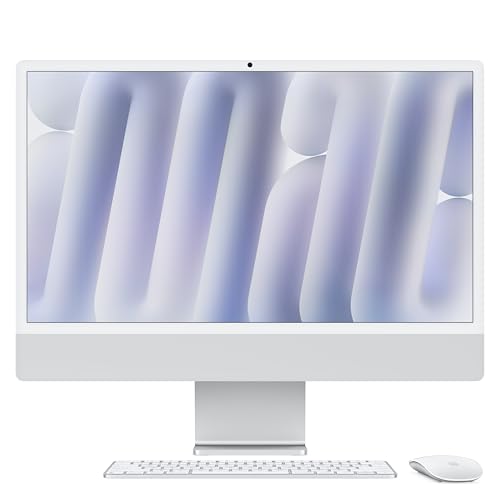
- Best face-cam and console-streaming package: Apple 2024 iMac with M4 Chip, 24-inch 4.5K Retina, 16GB, 256GB — Check on Amazon
- Dell 27 All-in-One EC27250, Core 7 150U, GeForce MX570A, 32GB, 1TB — Check on Amazon
- HP OmniStudio 27, Ryzen AI 7 445, Radeon 840M, 16GB, 512GB — Check on Amazon
- Dell 27 All-in-One EC27250, Core 5 120U, 16GB, 512GB — Check on Amazon
- HP 27-inch All-in-One, Ryzen 5 7520U, 16GB, 1TB, Touchscreen — Check on Amazon
See 1 more Amazon option
- Apple 2023 iMac with M3 Chip, 24-inch 4.5K Retina, 8GB, 256GB — Check on Amazon
Read the full guide ↓
Disclosure: As an Amazon Associate, reviewstook.com earns from qualifying purchases. Links to Amazon on this page are affiliate links; they cost you nothing extra. Listing details such as price and availability change often, so check the current Amazon listing before you buy.
An all-in-one is nobody’s first idea of a streaming computer, so this guide starts with the honest version of what you are buying. Every machine below encodes your broadcast on a small fixed-function block inside its integrated graphics or system-on-chip — Intel Quick Sync, AMD’s VCN encoder, or Apple’s hardware video encoder — because that is what all-in-ones are: laptop-class parts behind a screen, with no room for the desktop graphics card whose dedicated encoder makes a gaming tower such an effortless streamer. Only one pick here — Dell’s Core 7 configuration — adds a discrete graphics chip at all, an entry-level GeForce MX570A with 2GB of graphics memory, and it earns its place on the gaming side: the game renders on the MX570A while the broadcast encodes on the processor’s Quick Sync block, so the two jobs at least sit on separate silicon. The MX570A itself is a light-gaming and display part, not a streaming encoder, and no part of this guide treats it as one. Those hardware encoders are genuinely the reason this category can stream at all: the encode happens on a small fixed-function block instead of eating the processor cores your game and OBS scenes need. What these machines stream well is a specific and popular list — talk and podcast formats, desktop and creative work on camera, console games fed in through a capture card, and light or older PC games played at modest settings. What they do not stream is a modern demanding game played and broadcast from the same machine at high settings; no $1,200 all-in-one does that, and any listing implying otherwise is selling you the screen, not a stream.
The workflow this guide grades against is the realistic one. You play light games on the machine itself, or you play on a console and let the all-in-one handle OBS, overlays and the broadcast; OBS sends out a 720p or 1080p picture; Twitch’s practical ceiling for most channels is around 6,000 kbps with constant bitrate, while YouTube accepts higher bitrates and larger canvases if your connection and encoder allow. Every review below therefore grades three loads that run at the same time — the game or capture feed, the encoder, and the stack of OBS scenes, browser sources, chat and alerts — against the cores, memory and storage each machine actually has. The camera matters more here than in any other all-in-one guide, because on a stream your face is the product: the two iMacs bring the strongest built-in camera and speakers in this set by a wide margin, while the Windows picks’ built-in webcams are serviceable starters whose exact specification you should confirm on the live listing before counting on them as your channel’s camera. And because an all-in-one’s screen is also your only monitor, remember that OBS, chat and stream health all have to share that one panel while you broadcast — a second screen is a streaming accessory, not a luxury, and it is costed separately below, never inside a pick’s price.
In this guide
Quick Picks
Short on time, or comparing several options at once? Each row below names a streaming job and the machine that suits it, with a link to the listing.
| Streaming job | Pick | Why it stands out | Link |
|---|---|---|---|
| Best for streaming games played on the PC | Dell 27 EC27250, Core 7, MX570A | The only discrete GPU here — game and encoder on separate silicon — plus 32GB RAM and 1TB for recordings | Check on Amazon |
| Best face-cam and console-capture package | Apple 2024 iMac, M4, 24-inch | 12MP Center Stage camera, hardware encoder, silent on mic | Check on Amazon |
| Best current-generation Windows streamer | HP OmniStudio 27, Ryzen AI 7 445 | Newest chip in the guide, AMD VCN encoding, Amazon-sold | Check on Amazon |
| Best value Quick Sync streamer | Dell 27 EC27250, Core 5 | Quick Sync encoding and 10 cores at an everyday under-budget price | Check on Amazon |
| Budget talk and desktop streaming | HP 27-inch, Ryzen 5 7520U | 1TB for recordings at the budget tier — with the weakest CPU here | Check on Amazon |
| Display-first light streaming | Apple 2023 iMac, M3, 24-inch | The same 4.5K screen and camera class for less — with an 8GB warning | Check on Amazon |
How These Picks Were Chosen
The six machines are the verified set from our all-in-one research at this ceiling: real Amazon listings that sell at or regularly within the $1,200 budget in the United States. Two of them, the Dell Core 7 and the HP OmniStudio, often sit above the ceiling; both stay in the guide because their pricing regularly dips inside the budget, and both reviews tell you in so many words to buy only on those dips — check the price on Amazon before you order. Nothing was added for this streaming edition, and no specification or seller fact differs from the underlying research; what changes is the grading. A machine that earned its place as a fine family computer can still be the wrong streamer, and the reviews below say so where that is true.
The grading order is a streamer’s order. The encoder comes first: which hardware block turns your gameplay or camera feed into the broadcast, whether it works independently of the processor and graphics doing everything else, and which formats it supports — because the difference between a dedicated encoder and software encoding on four tired cores is the difference between a stream and a slideshow. Simultaneous load comes second: cores for the game, OBS’s scene compositing and the browser stack; memory shared between all of it, which on integrated-graphics machines includes the graphics themselves; and storage, because a local recording at high bitrate consumes roughly 20GB an hour and a 256GB drive fills with VODs faster than new streamers expect. The built-in camera and microphone come third — on an all-in-one they are included in the price and fixed forever, so their quality is a real specification here in a way it never is for a tower. The seller still matters, exactly as in the base guide: who sells the machine decides who handles your warranty and returns, and one listing below is a third-party configuration whose box is opened to fit its advertised upgrades. We did not stream on these machines ourselves; the judgements are built from the verified hardware — encoder blocks, core counts, memory configurations — that decides streaming performance, and no frame-rate figures are claimed anywhere in this guide.
The Encoder Is the Streaming Spec
New streamers shop for a processor and a graphics card; experienced ones shop for an encoder. Encoding is the work of compressing your screen into the stream your viewers receive, sixty times a second, without dropping any of it. Done in software on the processor (OBS calls this x264), it is brutally expensive — on the laptop-class chips in this guide it competes directly with your game for the same cores, and on the weakest pick below it is barely an option at all. Done on a hardware encoder — a small fixed-function block that does nothing else — it costs almost nothing, which is why modest machines with the right block out-stream stronger machines without one. This guide contains three encoder families. Intel’s Quick Sync appears in both Dells, inside their integrated graphics: a mature, efficient encoder that is the classic way to stream from a machine without a graphics card, with the one structural caveat that on a purely integrated machine the same graphics are also rendering your game, so the two jobs share one small chip. The Dell Core 7 is the partial exception: its entry-level GeForce MX570A renders the game on separate silicon while Quick Sync encodes, which is why it grades as this guide’s play-it-here pick — but the MX570A is a light-gaming and display part, and this guide does not grade it as a streaming encoder. AMD’s VCN encoder appears in both HPs: fully functional hardware encoding — the newer OmniStudio’s version adds AV1 encoding on paper, the budget HP’s older version is H.264 only — but at Twitch’s bitrate ceiling its H.264 picture is visibly a little softer than Quick Sync’s, a known trait of the design rather than a defect of these machines. Apple’s hardware encoder appears in both iMacs, reached by OBS through Apple’s VideoToolbox: efficient, quiet, and completely separate from the game-rendering load — the iMacs’ streaming problem is never the encoder, it is the macOS game library and, on the M3, memory. Choose your pick below by which of those three stories matches the content you actually make.
Apple 2024 iMac with M4 Chip, 24-inch 4.5K Retina (16GB, 256GB) — Silver
Who it suits: Streamers whose content is themselves — talk, podcast, reaction, creative work on camera — plus console players who will feed a capture card, and who want the best built-in camera in this guide and a machine that makes no audible noise on a microphone.
Start with the camera, because for a face-cam streamer it is half the purchase. The M4 iMac’s 12MP Center Stage camera and six-speaker system are the best in this guide by a wide margin — the camera is the only built-in webcam here you can put in front of an audience without apology, and the machine is silent under load, which a sensitive microphone appreciates more than any specification on this page. The encoding story is equally clean: Apple’s M4 carries a dedicated hardware video encoder that OBS uses through VideoToolbox, so the broadcast encode runs on its own block while the 8-core CPU and 8-core GPU handle your content, your scenes and your browser stack — and 16GB of unified memory, standard on this generation, is enough for that stack where the M3 below is not. The realistic content list is the honest one: streamed from this machine, expect talk formats, desktop and creative apps, and light Mac-native or cloud-delivered games to look effortless; fed from a console through a capture card, the iMac is simply a quiet, beautiful broadcast station with a 4.5K screen to monitor it on. The listing tracked here is sold by Amazon.com, and it is the one pick whose ordinary price sits at or under the ceiling — check price on Amazon.
The limits are Apple’s structural ones, unchanged by the streaming angle. macOS’s game library is the smallest of any platform here, so if your channel is built on playing new PC releases on the machine itself, this is the wrong computer at any encoder quality. Storage is the streamer’s specific trap: 256GB, sealed forever, on a machine whose local recordings can eat roughly 20GB an hour at high bitrate — an external SSD for recordings is a day-one purchase, costed in the kit section below, not an optional extra. The 24-inch panel, for all its 4480 × 2520 sharpness, is also your only screen: OBS controls, chat and the game or capture preview share it, where the 27-inch Windows picks give the same jobs more room. And there is no touchscreen and no upgrade path of any kind — the configuration you buy is the configuration that streams in year four.
- The best built-in camera in the guide — a genuine day-one face camera, not a placeholder.
- Hardware encoding on Apple’s dedicated block; the encode never fights your content for cores.
- Silent under load, 16GB of memory as standard, sold by Amazon.com — check price on Amazon.
Honest limitation: 256GB of sealed storage against ~20GB-an-hour local recordings, and a macOS game library that makes this a console-and-camera streamer rather than a play-it-here gaming machine.
Choose it if your face and your voice are the content, or your gameplay arrives from a console. Skip it if you stream PC games played on the machine itself, or you need internal storage measured in terabytes.

Dell 27 All-in-One EC27250 — Core 7 150U, GeForce MX570A, Touchscreen (32GB, 1TB)
Who it suits: The one buyer this category rarely serves: a Windows streamer who actually plays the game on the same machine they broadcast from, and who wants the encoder, the memory and the recording storage to all be somebody else’s problem.
This is the only pick with a discrete graphics chip, and in a streaming guide that fact shapes everything else on its specification sheet — with one clarification stated plainly: the MX570A is not this machine’s streaming encoder, and this guide does not grade it as one. The broadcast encodes on Intel Quick Sync, from the 10-core Core 7 150U’s integrated graphics — the same arrangement as the other Dell — while the game renders on the MX570A, so gameplay and broadcast sit on separate silicon, which is the division of labour every tower streamer takes for granted and no other machine here can offer. Grade the card honestly, though: the MX570A is an entry-level laptop-class GPU with 2GB of graphics memory, so the games it can play while streaming are older, lighter and esports titles at modest settings; the 2GB of VRAM calls time long before anything else does. What surrounds that arrangement is the strongest streaming support spec in the guide: 32GB of DDR5 is double every other Windows pick and swallows the game-plus-OBS-plus-browser stack without the memory pressure that makes integrated machines stutter; and 1TB of storage is the only Windows capacity here that treats high-bitrate local recordings as a routine rather than a ration. The 27-inch touchscreen, Windows 11 Pro and Dell’s onsite service complete a specification that needs no apology. Price is the discipline: this machine’s price swings widely, and it only fits this budget when it dips, so treat it as a buy-only-on-a-dip pick — check the price on Amazon — and give the live seller name and exact configuration a careful read before ordering, because at its higher levels it belongs to a different budget entirely.
The limitations are the panel and the price behaviour. The display is Full HD stretched across 27 inches — roomy for arranging OBS beside a capture preview, which streamers will genuinely use, but visibly soft for text, and it is the screen your viewers’ preview and your chat live on for years. The MX570A’s 2GB of VRAM is the component that will age first and hardest; treat this as a light-gaming streamer with the right encoder, not a gaming PC that happens to stream. And a streamer-specific note on the camera: like the other Windows picks, its built-in webcam is a serviceable starter rather than a headline specification — confirm its resolution on the live listing, and if your face is your channel, the USB webcam in the kit section is a planned upgrade, not an insult to the machine.
- The only discrete GPU in the guide — gameplay renders on the MX570A while Quick Sync encodes, on separate hardware.
- 32GB of memory and 1TB of storage: the only pick with headroom for the full streaming stack and its recordings.
- Quick Sync hardware encoding from the Core 7’s integrated graphics, plus touchscreen, Windows 11 Pro and onsite service.
Honest limitation: It only fits this budget when its price dips — at its typical higher levels it belongs to a different guide — and the MX570A’s 2GB of VRAM caps the gaming half at light titles regardless of the encoder’s quality.
Choose it if you play on the machine you stream from and can wait for the price dip. Skip it if your content is console or talk only — the iMac does that job with a better camera for similar money — or if you need a price that is under budget every day.

HP OmniStudio 27 (27-cw0102, 2026) — Ryzen AI 7 445, Radeon 840M (16GB, 512GB)
Who it suits: Windows streamers who want the newest platform in the guide — current-generation silicon with the strongest integrated graphics here — for light-game, creative and talk content, sold by Amazon itself.
The OmniStudio’s streaming case rests on having the most modern integrated package in the set. Its Ryzen AI 7 445 is a current-generation processor with a built-in NPU, and its Radeon 840M is the strongest integrated graphics in this guide — which matters twice for a streamer, because on an integrated machine the same silicon renders the game and feeds the encoder’s input. The encoder itself is AMD’s VCN hardware block: it takes the broadcast off the processor cores entirely, and this generation’s version adds AV1 encoding on paper, which is the format YouTube’s live ingest increasingly rewards. The honest grading sits alongside: at Twitch’s roughly 6,000 kbps H.264 ceiling, VCN’s picture runs visibly a little softer than Quick Sync at the same bitrate, so a fast-moving game scene will look marginally less crisp from this machine than from the Dell Core 7 — a real difference, and a small one at the output sizes most viewers watch. Sixteen gigabytes of DDR5 runs the game-plus-OBS-plus-browser stack adequately, 512GB holds a sensible rotating archive of recordings, the 27-inch panel gives OBS and chat room to share, and the seller situation is the cleanest of the Windows picks — Amazon sells this model directly. Its list level sits above this budget and its selling price moves around it, so buy it on its dips below the ceiling — check price on Amazon — which appear to be frequent.
The constraints are permanence and headroom. Reporting on this model notes the memory is not upgradeable, and storage changes on an all-in-one are a service job at best, so the 16GB and 512GB you buy are the streaming stack you keep — enough for the content described above, with no growth path if the channel’s ambitions do. The Radeon 840M, class-leading among integrated parts, remains integrated: the listing’s own marketing phrase about “top-tier gaming experiences” should be read as light and older games at modest settings, and streaming those games while encoding is exactly the shared-silicon load this machine handles least badly rather than well. The 27-inch panel is Full HD, with the same text softness as the Dells, and as a recent model its pool of long-term buyer experience is still small.
- Newest processor in the guide and the strongest integrated graphics — the least-bad shared-silicon streamer.
- AMD VCN hardware encoding with AV1 support on paper, for YouTube’s ingest direction.
- Sold by Amazon directly; its price dips under budget often enough that patient buyers are rewarded.
Honest limitation: 16GB of memory and 512GB of storage are effectively permanent, its H.264 picture at Twitch bitrates is a touch softer than the encoders in the Dells, and its list price sits above this budget — buy at a dip, not at list.
Choose it if you want the most modern Windows streaming platform here and Amazon-direct simplicity. Skip it if you want a discrete graphics chip, 32GB of memory, or a terabyte for recordings — that is the Dell Core 7, bought when its price dips.

Dell 27 All-in-One EC27250 — Core 5 120U (16GB, 512GB)
Who it suits: The value-conscious streamer — console-via-capture-card broadcasters, talk and desktop formats, and light-game streamers — who wants a proven encoder and a mainstream price that lives under budget every day, not only on deal days.
This is the Quick Sync pick, and Quick Sync is the most underrated streaming hardware in this guide. The Core 5 120U’s integrated Intel graphics carry Intel’s hardware encoder, which OBS uses to produce the broadcast at almost no processor cost — and for the most common all-in-one streaming job, where the gameplay arrives from a console through a capture card and the computer only has to composite scenes and encode, Quick Sync on this chip is not a compromise at all; it is the correct tool, running well within itself. The 120U’s ten cores handle OBS, the browser stack and chat with the same multitasking ease the base guide praised, 16GB of DDR5 is the right floor for that stack, and the 27-inch FHD IPS panel with 99% sRGB coverage is the shared workspace your OBS layout lives on. Wi-Fi 6E, a wireless keyboard and mouse in the box and Dell’s onsite service sit behind it, and the price behaviour is the friendliest in this guide: it sits under budget as an ordinary, everyday price rather than only on deal days — check price on Amazon.
The shared-silicon caveat defines its ceiling: when the game is played on this machine, the same integrated graphics render the game and run Quick Sync, so demanding scenes squeeze both jobs at once — keep streamed-on-PC content to light and older titles, and let the capture card do the heavy lifting for anything modern. There is no discrete graphics chip and no touchscreen, storage is 512GB — a rotating archive, not a library — and Windows 11 Home replaces the Core 7’s Pro. One configuration detail from the base research matters to upgraders: Dell’s family documentation shows 16GB built from one or two sticks depending on variant, so whether this exact unit has a free memory slot is a question for the live listing and Dell’s service manual, not an assumption to buy on. Its built-in webcam, like the other Windows picks, is a starter — confirm the specification live if your face carries the channel.
- Quick Sync hardware encoding: for console-capture and talk formats, the right tool at an everyday price that lives under this budget.
- Ten cores and 16GB run the OBS-plus-browser stack without drama.
- Under budget as a normal, everyday price, with onsite service behind it — check price on Amazon.
Honest limitation: Game and encoder share one integrated chip, so streaming games played on the machine itself tops out at light titles; 512GB and a starter webcam complete the sensible-not-generous picture.
Choose it if your gameplay comes from a console or your content is talk and desktop, and you want the encoder question answered cheaply and well. Skip it if you play and stream demanding PC games from one machine — no pick here truly does that, and this one does not pretend to.

HP 27-inch All-in-One — Ryzen 5 7520U, Touchscreen (16GB, 1TB)
Who it suits: Beginning streamers on the tightest budget whose content is talk, desktop, retro or console-fed — and who understand, before ordering, that they are buying the guide’s weakest processor with its eyes open.
The streaming version of this pick’s story is narrower than the base guide’s, and it should be. The Ryzen 5 7520U is an entry-level four-core chip on an older architecture, the weakest processor here by a wide margin, and streaming is a simultaneous-load workload: four cores asked to run a game, composite OBS scenes, animate browser sources and serve chat will run out of road quickly, which is why this machine’s realistic streaming is the kind where the PC does one hard thing at a time. Its integrated graphics carry AMD’s older VCN hardware encoder — H.264 only, no AV1 — so the encode at least stays off those four cores, and for a talk show, a desktop tutorial, a retro game or a console feed arriving by capture card at 720p, that combination genuinely works. Around that narrow competence sits the bundle that earned the pick its place: a 27-inch touchscreen, 16GB of memory, a full 1TB of storage — the joint-largest here, and the one streamer-friendly figure on the sheet, since local recordings accumulate — Windows 11 Pro, Wi-Fi 6 and a wireless keyboard and mouse — this is the budget-tier pick of the guide; check price on Amazon. The seller is a third party, Smartisan Tech, not Amazon or HP, and listings of this type are typically machines whose box has been opened so the seller can install the advertised memory and storage; the listing’s own specification table even lists DDR4 memory for a platform built around LPDDR5. Verify the delivered machine against the order, in the return window, specification by specification.
Do not buy this machine to grow into. Software encoding is effectively closed to it — x264 on four entry cores while doing anything else is a dropped-frame generator — so you are committed to its hardware encoder’s softer H.264 picture at Twitch bitrates. The touchscreen that helps a family desk does nothing for a broadcast. And the five-year test the base guide applies to this whole category lands hardest here: this is a light-duty feature bundle at a fair price for today’s gentle content, not a streaming platform with a future.
- The budget pick of the guide with a full 1TB — the most recording room here.
- Hardware VCN encoding keeps the broadcast off its four cores; talk, desktop and capture-card content at 720p is realistic.
- 27-inch touch, Windows 11 Pro and wireless peripherals complete the starter bundle.
Honest limitation: The weakest CPU in the guide by far, an H.264-only encoder, a third-party seller that opens the box to fit upgrades, and a spec table that contradicts itself on memory type. Verify everything on delivery.
Choose it if the budget is hard, the content is gentle, and the feature bundle matters more than headroom. Skip it if this is your main streaming machine for the next five years — the Dell Core 5 above is the honest step up.

Apple 2023 iMac with M3 Chip, 24-inch 4.5K Retina (8GB, 256GB) — Silver
Who it suits: Light-duty streamers who fell for the iMac’s screen and camera class in the first review but not its price — talk, podcast and console-capture broadcasters whose entire workload is a camera, a capture feed and a browser.
Everything that makes the M4 iMac a graceful streamer survives here in outline. It is the same 24-inch 4480 × 2520 Retina enclosure with the same class-leading camera and speaker hardware, silent under load, and the M3 chip carries the same kind of dedicated hardware video encoder that OBS reaches through VideoToolbox — so the broadcast encode, once again, costs the processor almost nothing. The price is the argument: it sits a clear tier below its M4 sibling — check price on Amazon — while keeping the two things a face-cam streamer touches every broadcast: the display and the camera. For a genuinely light streaming workload — camera on, console feed in, chat open, encode on the hardware block — this machine does the job with the same elegance as its sibling.
But this pick carries the guide’s strongest warning, and streaming sharpens rather than softens it: 8GB of unified memory, soldered, forever, shared between the system, the graphics, OBS, your scenes and your browser. The base guide fences this machine for light users; a streamer’s stack is not light. OBS compositing, a capture feed, browser sources, chat and alerts on 8GB leaves no slack for a busy scene collection or a second app ambition, and when memory runs out mid-broadcast the failure mode is a stuttering stream, not a polite warning. Storage is the same sealed 256GB as its sibling, with the same ~20GB-an-hour recording arithmetic against it. Read the pick the way the base guide teaches: it is a display-and-camera purchase with a good light-streaming computer attached, at a fair price — and for anyone whose channel is more than a camera and a console, the step up to the M4’s 16GB is the best-spent money in this entire guide.
- The same 4.5K Retina display and camera class as the M4, at a lower price tier.
- Hardware encoding on Apple’s dedicated block; silent on a microphone.
- The most affordable route to this screen in the guide — check price on Amazon.
Honest limitation: 8GB of unified memory, sealed permanently — the specification most likely to define this machine’s streaming life, because the game, OBS and browser all drink from the same 8GB.
Choose it if your stream is a camera, a capture card and a chat window, and the display is what you are buying. Skip it if you multitask heavily, run busy OBS scenes, or keep computers for five-plus years — the M4 iMac’s 16GB is worth every cent of the difference.

Comparison Table
| Product | Display | Processor / Graphics | Streaming encoder | Memory / Storage | Link |
|---|---|---|---|---|---|
| Apple 2024 iMac, M4 | 24-inch 4.5K Retina, 500 nits | Apple M4 (8-core CPU / 8-core GPU) | Apple hardware encoder (VideoToolbox) | 16GB / 256GB | Check on Amazon |
| Dell 27 EC27250, Core 7 | 27-inch FHD touchscreen | Core 7 150U / GeForce MX570A 2GB | Quick Sync | 32GB / 1TB | Check on Amazon |
| HP OmniStudio 27 (27-cw0102) | 27-inch FHD | Ryzen AI 7 445 / Radeon 840M | AMD VCN (AV1 on paper) | 16GB / 512GB | Check on Amazon |
| Dell 27 EC27250, Core 5 | 27-inch FHD IPS, 99% sRGB | Core 5 120U / Intel integrated | Quick Sync | 16GB / 512GB | Check on Amazon |
| HP 27-inch, Ryzen 5 7520U | 27-inch FHD touchscreen | Ryzen 5 7520U / integrated | AMD VCN (H.264 only) | 16GB / 1TB | Check on Amazon |
| Apple 2023 iMac, M3 | 24-inch 4.5K Retina, 500 nits | Apple M3 (8-core CPU / 8-core GPU) | Apple hardware encoder (VideoToolbox) | 8GB / 256GB | Check on Amazon |
How to Choose an All-in-One PC for Streaming Under $1,200
- Name your content before your computer. Talk, podcast, desktop and console-capture streaming run well on every pick here. Games played and streamed from the same machine narrow the field to the Dell Core 7 for light titles, and to no pick at all for demanding ones. The content decides; the budget just prices it.
- Pick the encoder, then the machine around it. Quick Sync (both Dells) is the efficient classic, and on the Core 7 it runs beside a discrete GPU that renders the game; Apple’s hardware encoder (both iMacs) is effortless but lives behind macOS’s small game library; AMD VCN (both HPs) works, with a softer H.264 picture at Twitch bitrates. Software x264 encoding is not a plan on any of these chips.
- Count the simultaneous load, not the headline spec. A stream is a game or capture feed, plus OBS compositing, plus browser sources and chat, all at once. Sixteen gigabytes is the floor for that stack; 32GB — only the Dell Core 7 — is comfort; the M3 iMac’s 8GB is the one configuration in this guide that the stack itself can outgrow.
- Budget storage for recordings. A high-bitrate local recording consumes roughly 20GB an hour. The 1TB picks absorb a season of VODs; the 512GB picks need a rotation habit; the 256GB iMacs need an external drive from day one.
- Treat the built-in camera as a specification. On an all-in-one it is included, fixed and — on the iMacs — genuinely excellent. On the Windows picks, confirm the camera’s resolution on the live listing; if your face is the channel and the answer disappoints, a USB webcam belongs in the budget from the start.
- Plan the second screen. Your only monitor must hold the game or capture preview, OBS, chat and stream health simultaneously. The 27-inch picks give that juggling more room; every pick can drive an external display for the chat-and-controls job, and a cheap second screen is the highest-value accessory in the kit section.
- Wire the connection. Every pick here has fast Wi-Fi, and none of that matters: streaming uploads over Wi-Fi are the classic source of dropped frames. Whichever machine you buy, its streaming position needs an Ethernet cable — see the setup section below.
- Read the seller line before the specification line. Amazon-sold and brand listings mean standard returns and warranty routing. The one third-party listing here opens the box to fit its advertised upgrades, which makes verifying the delivered configuration during the return window part of the purchase.
- Price-shop with patience. Two picks belong in this guide only when their prices dip under the ceiling. A price tracker and a week of patience are worth more to a streamer than any single specification upgrade at this tier — the money saved buys the microphone.
Set Up OBS Once, Correctly
Whatever you buy from this guide, the same one-time setup separates a stable broadcast from a month of forum threads. First, the encoder: in OBS’s output settings, choose the hardware encoder your machine actually has — Quick Sync on both Dells, AMD’s encoder on the HPs, and the Apple VT hardware encoder on the iMacs. Never choose x264 software encoding on these processors except as a diagnostic; the hardware block exists precisely so the game and the stream stop fighting. Set the rate control to CBR — constant bitrate is what Twitch’s ingest expects — at or below roughly 6,000 kbps for Twitch, and set the keyframe interval to 2 seconds, which the platform requires and which costs you nothing. Choose your canvas honestly: 1080p output suits the capture-card and talk formats; 720p output is the wiser canvas for games played on the machine itself on every pick except the Dell Core 7, because a clean 720p picture beats a struggling 1080p one in every viewer’s eyes.
Then learn the three counters in OBS’s stats window, because each names its own fix. Rendering lag means the graphics are saturated — cap the game’s frame rate, lower its settings, or drop the output canvas; on integrated machines this is the counter you will meet first. Encoding lag means the encoder is overloaded — step the output resolution or frame rate down, or choose the encoder’s faster preset; on the HP 7520U it is the signal that the content has outgrown the machine. Dropped frames (network) are neither of those: they are your connection, and the fix is unglamorous — run an Ethernet cable to the machine’s streaming position, because Wi-Fi that feels fast for downloads still stutters under a sustained upload, and no setting in OBS repairs a radio link. Finally, record locally while you stream only if your storage budget from the section above allows it, keep the microphone input as its own source with a noise gate rather than relying on any camera’s microphone, and do one full rehearsal broadcast — a private test stream watched back on a phone — before the first real one. An hour of setup, done once, is the cheapest production quality in this entire guide.
What $1,200 Does Not Include
The machine is the platform, not the studio. The streaming kit below is costed separately, as it should be — none of it is inside any pick’s price, and most of it outlives the computer. A USB microphone comes first, before everything: a budget-to-mid-range USB mic buys the single largest quality jump a new channel can make, because viewers forgive a soft picture and never forgive bad audio, and every built-in microphone in this guide is a video-call microphone. A mid-range USB webcam is the second purchase for Windows buyers whose built-in camera disappoints on inspection — the iMacs’ cameras make it unnecessary there. Simple lighting, a basic LED panel or a desk lamp repositioned to face you, is a budget-tier purchase and flatters even a great camera more than a camera upgrade flatters a dark room. A capture card is required only if your gameplay lives on a console — for the iMacs and the Dell Core 5 it is the accessory that unlocks their best streaming role. A cheap second monitor for chat and OBS controls, plus the Ethernet cable this guide keeps insisting on, completes the list; an external SSD joins it on day one for the 256GB iMacs. Add up only the pieces you actually need, and notice what the comparison teaches: a Dell Core 5 plus the full kit is a better streaming purchase than a Dell Core 7 bought at its higher price levels with no microphone.
Common Buying Mistakes
- Buying an all-in-one to stream demanding PC games from the same machine. At $1,200 the category offers integrated graphics and one entry-level discrete chip; a streaming tower at the same money is a different universe of performance.
- Choosing software x264 encoding in OBS because a forum said it looks better. On laptop-class chips it looks like dropped frames. The hardware encoder is the correct choice on every pick here.
- Streaming over Wi-Fi because the router is in another room. Sustained upload is where Wi-Fi stutters; the dropped-frame counter does not care how fast your downloads are. Run the cable.
- Accepting 8GB of memory just to step down a price tier. A streamer’s stack — game, OBS, browser, chat — is exactly the load that finds that ceiling first, and on a sealed machine it can never be raised.
- Paying full price for a deal-dependent machine. Two picks here are only under budget when their prices dip; buying them at list overpays by money the microphone needed more.
- Assuming the built-in webcam is either fine or hopeless without checking. The iMacs’ camera is broadcast-ready; the Windows picks’ cameras are unverified starters — confirm the specification live, and budget the USB webcam if the answer is weak.
- Filling a 256GB drive with local recordings. At roughly 20GB an hour, a month of VODs is the whole drive. External storage is part of the iMac purchase, not an accessory for later.
- Trusting a listing’s gaming language over its encoder. One listing in this category’s research markets integrated graphics with phrases like “top-tier gaming experiences.” The encoder block and the core count are the streaming specification; the adjectives are not.
- Skipping the seller check. Marketplace listings are often perfectly good buys — the mistake is ordering one without knowing who is responsible for the warranty, or that the seal was opened so the advertised upgrades could be fitted.
Final Recommendation
- Streaming games played on the PC, bought on a price dip: Dell 27 EC27250, Core 7 with MX570A.
- Face-cam, talk and console-capture streaming: Apple 2024 iMac with M4.
- Newest Windows platform, Amazon-sold: HP OmniStudio 27 (27-cw0102).
- Mainstream value with the right encoder: Dell 27 EC27250, Core 5.
- Gentle content on the hardest budget: HP 27-inch, Ryzen 5 7520U.
- The premium display for the lightest streams: Apple 2023 iMac with M3.
Our top two for streamers are the mirror image of the base guide’s. The Dell EC27250 in its Core 7 configuration is the only machine here that streams the way a tower does — gameplay and broadcast on separate hardware, with 32GB of memory and a terabyte for recordings — provided you catch it when its price dips under the ceiling. The M4 iMac is the best broadcast appliance: the finest camera in the guide, an effortless hardware encoder and silence on the microphone, aimed at talk formats and console capture rather than PC gaming. Between them they cover the two honest shapes of this search — playing it here, or presenting it beautifully. The Dell Core 5 is the value answer for capture-card streamers, the OmniStudio is the modern one, and the HP 7520U and M3 iMac carry their warnings so they can be chosen knowingly rather than regretfully. Streamers whose ambitions are PC-gaming-first should also see Best Streaming PC Under $1200 and Best Gaming PC For Streaming Under $1200, and those stepping down a tier can compare Best All In One PC For Streaming Under $800. Check the live price and the exact configuration before you order — and then run the Ethernet cable.
Frequently Asked Questions
Can an all-in-one PC really stream?
Yes — the right content. Talk, podcast, desktop, creative work and console games fed through a capture card all stream well from every pick here, because hardware encoders do the heavy work. Light and older PC games played on the machine also work, best on the Dell Core 7. Demanding modern games played and broadcast from the same all-in-one do not work at this budget, from any brand.
Which encoder should I use in OBS on these machines?
The hardware one your pick carries: Quick Sync on both Dells, AMD’s encoder on the HPs, and the Apple VT hardware encoder on the iMacs. Set CBR at or below roughly 6,000 kbps for Twitch and a 2-second keyframe interval. Avoid x264 software encoding on these processors — it spends the same cores your game and scenes need.
Is the built-in webcam good enough to stream with?
On the iMacs, yes — their camera hardware is the best in this guide and entirely broadcast-appropriate. On the Windows picks, treat the built-in camera as a starter: confirm its resolution on the live listing, watch a test recording of yourself, and budget for a mid-range USB webcam if your face carries the channel. In all cases a separate USB microphone matters more than any camera upgrade.
Can I stream console games through an all-in-one?
Yes, and it is the smartest way to use one. A capture card (costed separately above) feeds the console’s picture to the all-in-one, which then only has to composite scenes and encode — the job Quick Sync, VCN and Apple’s encoder all do comfortably. The Dell Core 5 and the M4 iMac are the natural picks for this workflow.
How much memory does streaming need on an all-in-one?
Sixteen gigabytes is the working floor for a game or capture feed plus OBS, browser sources and chat; 32GB, offered here only by the Dell Core 7, is genuine comfort. The M3 iMac’s 8GB is the guide’s standing warning: adequate for a camera-and-chat stream, with no headroom for busy scenes, and sealed forever.
Why does this guide keep insisting on an Ethernet cable?
Because dropped frames from an unstable upload are the most common beginner streaming failure, and Wi-Fi — however fast for downloads — stutters under sustained upload in ways no OBS setting can repair. Every pick here has fast wireless; none of it should carry your broadcast. The cable costs almost nothing and fixes the whole category of problem.
Should I buy a streaming tower instead?
If playing PC games on the machine is the core of the channel, yes — the same money buys a tower with a desktop graphics card whose encoder and gaming power are in another class, and this guide’s streaming-PC counterparts start from that premise. If your content is talk, desktop or console, the all-in-one’s screen, camera and silence are real advantages, bought knowingly.


