Where to buy
Check the latest price, availability and delivery on Amazon. Orders are placed on Amazon. We may earn a commission from qualifying purchases.
- Best overall mini gaming PC for 1440p: ASUS ROG NUC (2025), Core Ultra 9 275HX, RTX 5070 Laptop GPU, 32GB, 1TB — Check on Amazon
- Cooler Master NR2 Pro, Ryzen 7 9800X3D, desktop RTX 5070 Ti 16GB, 32GB, 2TB — Check on Amazon
- MINISFORUM AtomMan G7 Pro, Core i9-14900HX, RTX 5070 Laptop GPU — Check on Amazon
- MINISFORUM AtomMan G7 Ti, Core i9-14900HX, RTX 4070 Laptop GPU 140W, 32GB, 1TB — Check on Amazon
See 2 more Amazon options
- HP OMEN 16L TG03, Core i7-14700F, desktop RTX 5060 Ti 16GB, 32GB, 2TB — Check on Amazon
- MINISFORUM AtomMan G7 Pt, Ryzen 9 7945HX, RX 7600M XT, 32GB, 1TB — Check on Amazon
Read the full guide ↓
Disclosure: As an Amazon Associate, reviewstook.com earns from qualifying purchases. Links to Amazon on this page are affiliate links; they cost you nothing extra. Listing details such as price and availability change often, so check the current Amazon listing before you buy.
A 1440p monitor is the easy half of a 1440p gaming setup. Good panels are affordable, every machine in this guide can light one up, and Windows will happily draw a crisp 2560×1440 desktop on any of them. The expensive half is the part the spec sheet talks about least: rendering the game itself at 1440p, frame after frame, at settings worth looking at. Displaying 1440p and rendering 1440p are two different jobs, and a mini PC can be excellent at the first while being merely adequate — or quietly dishonest — at the second. This guide grades all six of its picks on the rendering job, because that is the one your money is actually buying.
Graded that way, the mini category under $3,000 sorts itself into honest tiers. One pick here carries a genuine desktop RTX 5070 Ti with 16GB and renders modern games natively at 1440p the way a tower does. One more carries a desktop card with the same 16GB and renders natively at high settings in most titles. Three picks run laptop-class RTX silicon with 8GB: strong 1440p machines, but ones where DLSS upscaling does real work in demanding games and the 8GB memory pool, not the chip, sets the ceiling. And one pick is a CPU-heavy AMD machine whose mobile Radeon is an entry-1440p part — fine for lighter titles rendered natively, a 1080p renderer with upscaling for the rest. What no pick here does is render natively at 4K in demanding games, and what no mini at this budget does at all is hold a desktop RTX 5080: the one verified small-form-factor desktop-5080 machine sits well above this budget, and the flagship mini’s own RTX 5080 Laptop configuration also sits above this budget. Towers with a desktop 5080 belong to a different size class altogether. If native 4K or flagship silicon is the real goal, that is where it lives — this guide is for buyers who want the 1440p experience from a box that disappears.
In this guide
Quick Picks
Short on time, or comparing several options at once? Each row below names a buyer type and the machine that suits it, with a link to the listing.
| Buyer type | Pick | Why it stands out | Link |
|---|---|---|---|
| Best overall mini for 1440p | ASUS ROG NUC (2025), RTX 5070 Laptop GPU | About 3 liters, five display outputs, strong 1440p with DLSS — buy from the maker’s own storefront; check price on Amazon | Check on Amazon |
| Best native 1440p rendering | Cooler Master NR2 Pro, desktop RTX 5070 Ti | A real desktop 5070 Ti 16GB in an 18.25-liter mini-ITX case — the set’s true native-1440p renderer | Check on Amazon |
| Best value flagship mini | MINISFORUM AtomMan G7 Pro, RTX 5070 Laptop GPU | The flagship’s laptop-GPU class at a lower tier in this set, configured — confirm the configured style; check price on Amazon | Check on Amazon |
| Best under $1,500 | MINISFORUM AtomMan G7 Ti, RTX 4070 Laptop GPU | Full 140W laptop 4070 in about 2.55 liters, in complete configured form — an honest DLSS 1440p machine; check price on Amazon | Check on Amazon |
| Best desktop-GPU value | HP OMEN 16L TG03, desktop RTX 5060 Ti 16GB | Native 1440p at high settings with 16GB of texture headroom, in the lower half of this set — check the current price on Amazon | Check on Amazon |
| Best for CPU-heavy work and play | MINISFORUM AtomMan G7 Pt, RX 7600M XT | 16-core Ryzen 9 in about 2.5 liters, at the value end of this set — lighter titles native, the rest upscaled; check price on Amazon | Check on Amazon |
How These Picks Were Chosen
The budget was applied as a ceiling for a complete, working machine: every pick is a real Amazon listing that belongs within the $3,000 budget in the United States — check the current price on Amazon before you buy, because listing prices change often. Two picks are sold under listing families that mix barebone and configured versions; for those, the review describes the configured version as the finished machine and treats barebone completion honestly where it applies. Nowhere in this guide is a kit presented as if it were a finished PC.
On top of that filter sat the grading criteria for this angle. First, rendering class: what the graphics silicon can actually draw at 2560×1440 before any upscaling is involved, judged by the full part name — a laptop GPU is a mobile chip with mobile power limits, and it is graded as one, never as the desktop card that shares its number. Second, graphics memory, because at 1440p the memory pool is a texture budget: upscaling can reconstruct pixels, but textures load at the resolution the game asks for, so an 8GB card and a 16GB card age very differently at this output. Third, upscaling support: the five NVIDIA picks carry DLSS, graded with NVIDIA’s published internal resolutions; the one AMD pick carries FSR, credited generically, because its base research documents no internal-resolution figures for it. Fourth, display outputs, claimed only where the maker’s documentation states them. We did not use these machines ourselves; we read the maker listings, specification pages and independent coverage, and compared chassis volume, GPU identity and power class, memory, storage, cooling design, and who actually sells and supports each unit.
Rendering at 1440p vs Displaying 1440p: The Distinction This Guide Runs On
Every pick in this guide can display 1440p. Plug any of them into a 2560×1440 monitor and the desktop, text, video and browser all arrive at full native sharpness — that part is free, and has been for years. Games are the exception, because a game is not displayed, it is rendered: the graphics chip draws every frame at some internal resolution, and only then is the result shown on the panel. When a game renders at 1440p, the panel shows a genuinely 1440p image. When it renders at 1080p and is upscaled to fill the panel, the panel shows a 1440p-sized image built from a 1080p render — softer, and honestly described as such. Marketing that calls the second thing “1440p gaming” is counting the monitor, not the render.
DLSS sits between those two poles, and it deserves precise language rather than either hype or dismissal. On the five RTX picks here, DLSS renders internally at a reduced resolution and reconstructs the 1440p output. At a 1440p output, NVIDIA’s published scaling factors put DLSS Quality at roughly 1707×960 internal, DLSS Balanced at roughly 1485×836, and DLSS Performance at roughly 1280×720. Read those numbers the right way: Quality is a real, substantial render — well above 1080p’s pixel count in reconstruction quality terms, and the mode these machines will live in — while Performance is, plainly, a 720p-class render wearing a 1440p output. It is a legitimate tool for lighter hardware, but nobody should pay flagship money believing it is native rendering. Frame generation is a separate feature again: it inserts generated frames to smooth motion on the display. It changes how fluid a game feels, never the resolution it is rendered at, and this guide never credits it as resolution.
The AMD pick plays by the same honesty with a different toolkit. Its Radeon graphics support FSR upscaling, which this guide credits generically — the base research for that machine documents no FSR internal-resolution figures, so none are printed, and no DLSS figure is ever borrowed and relabelled as an FSR one. The practical summary for the whole set: the two desktop-card picks render 1440p natively as their normal mode and treat upscaling as headroom; the three laptop-RTX picks render natively in lighter and older titles and lean on DLSS Quality in demanding ones; the AMD pick renders lighter titles natively and upscales from 1080p for the rest. Every review below states which of those descriptions applies, in those terms.
The 6 Best Mini Gaming PCs for 1440p Gaming Under $3,000
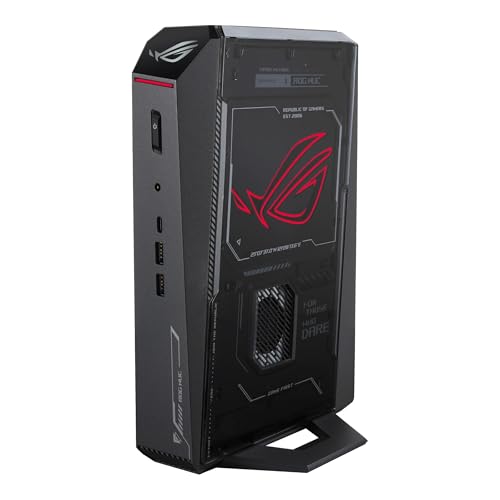
ASUS ROG NUC (2025) — Core Ultra 9 275HX, RTX 5070 Laptop GPU, 32GB, 1TB
Who it suits: Buyers who want the flagship version of the mini idea itself — the smallest serious gaming box from a major brand, bought from the maker’s own storefront, driving a 1440p desk setup from a footprint like a hardback book’s.
Start with the display half, because this machine is the best-equipped pick here for it: dual Thunderbolt 4, dual HDMI plus DisplayPort and a full row of USB give it five display outputs, so a 1440p high-refresh panel — and a second screen beside it — is a one-cable decision. The rendering half needs the honest sentence: the RTX 5070 Laptop GPU inside this roughly three-liter chassis (about 11.1 × 7.4 × 2.2 inches) is a mobile chip with 8GB of GDDR7, soldered in place. At 1440p output that makes it a strong machine with a defined shape: lighter, older and esports titles render natively at 1440p at high settings; demanding modern titles render natively at reduced settings or lean on DLSS Quality, which at this output means an internal render of roughly 1707×960 reconstructed to the panel — a genuine step above a 1080p render, and not the same thing as native. The binding constraint is the 8GB: textures load at full 1440p intent regardless of upscaling, so this is the specification that will ask for compromises first as games grow. Around the GPU there is no compromise to report: a 24-core Core Ultra 9 275HX, 32GB of DDR5-6400, a 1TB NVMe drive, triple-fan cooling and a 330W external adapter.
The buying discipline matters more here than for any other pick. Buy this configuration from ASUS itself on Amazon US — check price on Amazon. The same listing has also carried third-party offers at a steep markup over the maker’s own offer for the identical hardware. The rule is absolute: buy it from ASUS’s storefront at the maker’s own offer, or not from this listing at all. If storage is the worry, the 2TB version is the smarter purchase anyway — it sits in the same flagship tier, and 1TB fills quickly at modern install sizes. Owner sentiment in roundup coverage is genuinely divided, with praise for good units alongside dead-on-arrival and failing-unit reports; buy from the maker’s storefront with a clean return window, and stress-test inside the first week rather than shelving the machine.
- Five display outputs including dual Thunderbolt 4 — the best 1440p desk connectivity in this guide.
- 24-core Ultra 9 275HX and DDR5-6400: CPU and memory are never the bottleneck at 1440p.
- About 3 liters — the smallest chassis here carrying this class of hardware.
Honest limitation: The graphics are a soldered laptop part with 8GB — a permanent ceiling at this resolution — and the listing has carried third-party asks at a steep markup over the maker’s own offer.
Choose it if a three-liter flagship from the maker itself is the purchase, at the maker’s own offer. Skip it if the offer in front of you carries a third-party markup, or if native rendering outranks size — the NR2 Pro below renders 1440p natively in a similar tier.

Cooler Master NR2 Pro — Ryzen 7 9800X3D, Desktop RTX 5070 Ti 16GB, 32GB, 2TB
Who it suits: Gamers whose first question is rendering power and whose second is whether the box fits the shelf — the buyer who wants tower-grade 1440p and accepts the largest definition of “mini” that still earns the word.
This is the set’s unambiguous native-1440p renderer, and the reason is a part name with no asterisk: a genuine desktop GeForce RTX 5070 Ti with 16GB of memory, installed in Cooler Master’s NR200P Max case at 18.25 liters — the large end of mini, stated plainly. Native 1440p at high settings and high refresh is this card’s normal mode, not its stretch goal; DLSS on it is headroom for the most demanding titles rather than a requirement, and where it is used, the published figures apply (Quality at roughly 1707×960 internal for a 1440p output). At 4K output the honest description is DLSS-fed — this card reaches 4K through upscaling, not native rendering — and this guide recommends the 1440p high-refresh pairing as the match for it. The 16GB memory pool matters as much as the chip: at 1440p it holds texture settings that the 8GB picks in this guide will be trading away within a couple of years. The supporting cast is equally un-mini in the good way — Ryzen 7 9800X3D, 32GB of DDR5-6000, a 2TB Gen4 drive, an 850W SFX Gold power supply, a custom 280mm radiator, and standard retail parts throughout, every one replaceable or upgradeable, which no other pick here can claim.
Pricing for this pick moves a lot, and pretending otherwise would be dishonest — check the current price on Amazon before you judge it. At the top of its swing it can sit over this budget and look like poor value; in its deal band, in the upper part of this budget, it belongs in this guide. The buy rule is printed on the pick: buy it in its deal band, and not at its peak. Roundup coverage of this exact system adds two ownership notes worth knowing beforehand: fan noise described as reasonable rather than silent — 18 liters of high-end hardware under load is audible — and isolated reports of a front USB-C port dead on arrival and a GPU riser cable needing reseating after shipping. Both are first-week checks, and both are the ordinary tax of a dense mini-ITX build rather than a verdict on the model.
- A real desktop RTX 5070 Ti 16GB — native 1440p rendering with no mobile asterisk.
- 9800X3D, 32GB of DDR5-6000, 2TB of storage and an 850W SFX Gold PSU — nothing behind the card is undersized.
- Every component is a standard retail part, making this the one pick with a genuine upgrade path.
Honest limitation: It occupies six times the ROG NUC’s volume, and its pricing swings widely — the top of the swing is both over budget and poor value.
Choose it if native 1440p rendering leads and 18 liters still fits your space. Skip it if the live price is near its peak — check price on Amazon and wait for the deal band — or if the box must genuinely disappear behind a monitor.
MINISFORUM AtomMan G7 Pro — Core i9-14900HX, RTX 5070 Laptop GPU
Who it suits: Buyers who want the ROG NUC’s 1440p rendering class at a substantially lower price, and who are comfortable buying from a specialist mini-PC maker rather than a household name.
The rendering story matches the flagship’s, because the silicon class does: an RTX 5070 Laptop GPU with 8GB, behind a 24-core Core i9-14900HX. At 1440p output that means the same honest shape — lighter and older titles rendered natively, demanding titles at reduced settings or on DLSS Quality (roughly 1707×960 internal at this output), and the same 8GB texture ceiling arriving on the same schedule. What differs is the price of admission: the configured 32GB/1TB version sits in a markedly lower tier than the ASUS flagship for the same graphics class in a similarly tiny footprint — check price on Amazon. The hardware around the chip is a specialist’s checklist — six heat pipes with dual fans, two DDR5 SO-DIMM slots expandable to 96GB, two M.2 2280 slots, HDMI 2.1 and USB4 among the outputs, and WiFi 7. The memory expansion deserves emphasis for a 1440p buyer: the GPU is soldered and permanent, as in every true mini here, but system RAM and storage can grow in a way the flagship’s fixed configuration cannot match at its price.
One warning defines this pick, and it is about the listing rather than the machine: Amazon titles this ASIN as the barebone version — no storage, no operating system — while marketplace mirrors of the same ASIN describe a configured unit. Two different products share the family, and the gap between them is not pocket change. Finishing a barebone starts with a 32GB DDR5 SO-DIMM kit — a costly part during the late-2026 memory shortage — then adds an SSD and an operating system on top. On that basis the configured version is the sensible purchase; the barebone wins only for a buyer who already owns the parts. Before ordering, verify on the live listing that the style in your cart includes the RAM, SSD and OS, and judge the price of that machine — not the kit’s.
- Same laptop-5070 rendering class as the flagship pick, configured in a lower tier — check price on Amazon.
- Two SO-DIMM slots take memory to 96GB — headroom almost no true mini offers.
- HDMI 2.1 and USB4 documented among the outputs; six heat pipes and dual fans for sustained loads.
Honest limitation: Barebone and configured styles share one listing family, and at current memory prices finishing the barebone costs away its apparent saving; support comes from a specialist maker rather than a global brand.
Choose it if you want flagship-mini 1440p rendering for mid-tier money and will verify the configured style before checkout. Skip it if you want the purchase unambiguous and backed by a major brand — that certainty is what the ROG NUC’s premium pays for.

MINISFORUM AtomMan G7 Ti — Core i9-14900HX, RTX 4070 Laptop GPU (140W), 32GB, 1TB
Who it suits: The buyer this guide is quietly written for — someone who wants a genuinely capable 1440p mini, suspects the top of the budget is poor value, and would rather keep a large share of the budget for the monitor and the rest of the setup.
The G7 Ti is the previous flagship of Minisforum’s G7 line, and for this angle its specification reads better than its generation suggests. The graphics are an RTX 4070 Laptop GPU run at its full 140W power limit — that wattage matters, because laptop GPUs are sold across a wide power range and a 140W 4070 is the complete version of the chip, not the throttled variant found in thin laptops. It carries 8GB of GDDR6, and paired with the same 24-core i9-14900HX as its newer sibling, its 1440p shape is this: esports, older and lighter titles render natively at 1440p; demanding modern titles are a DLSS machine’s game, with DLSS Quality at this output rendering roughly 1707×960 internally and reconstructing to the panel. That is an honest 1440p experience — the same mode the two 5070 Laptop picks spend much of their time in — bought for considerably less. The configured 32GB/1TB version sits in the value half of this set, with barebone versions in a lower tier still — check price on Amazon — and the G7 Pro review’s completion warning applies here undiluted: at current DDR5 prices, buy it configured. Inside the roughly 2.55-liter chassis, two SO-DIMM slots (to 96GB) and two PCIe 4.0 M.2 slots give it the same growth path as its sibling.
What you give up against the picks above it is a generation: the 4070 Laptop is a step behind the 5070 Laptop in efficiency and features, and a clear step behind the NR2 Pro’s desktop 5070 Ti in raw pace and memory. What you get back is a large saving against the ROG NUC’s flagship tier, in the machine that makes this guide’s closing argument concrete — at 1440p, the mini category’s value curve bends early, and the G7 Ti sits on the bend. The shared-listing caution applies here too: this ASIN belongs to a listing family that mixes barebone and configured styles, so confirm the 32GB/1TB configuration is the one in your cart before ordering.
- An RTX 4070 Laptop GPU at its full 140W — the unrestricted version of the chip, not a throttled variant.
- Configured 32GB/1TB in the value half of this set: honest DLSS 1440p well inside the budget — check price on Amazon.
- Roughly 2.55 liters, and both memory and storage can grow after purchase.
Honest limitation: One generation behind the 5070 machines, carrying the same 8GB ceiling on a soldered GPU, under a listing family that mixes barebone and configured styles.
Choose it if you want the best 1440p experience per dollar in this guide. Skip it if current-generation features are the requirement, or a desktop card is — the G7 Pro and the NR2 Pro are your picks instead.

HP OMEN 16L TG03 — Core i7-14700F, Desktop RTX 5060 Ti 16GB, 32GB, 2TB
Who it suits: Buyers who want a real desktop graphics card rendering natively at 1440p, with a big brand’s support, in the smallest chassis a mainstream maker sells — and who are willing to shop the configuration carefully.
The OMEN 16L is exactly what its name says: a 16-liter desktop. Inside it sits a desktop GeForce RTX 5060 Ti with 16GB of memory, and at this angle the memory figure is the headline. Rendering natively at 1440p at high settings is this card’s normal mode in most titles, with DLSS available as headroom — Quality at roughly 1707×960 internal at this output — rather than as a requirement. The 16GB pool is the longevity argument: upscaling reconstructs pixels, but textures load at the full 1440p intent the game sets, so a 16GB card holds its settings as games grow while the 8GB laptop GPUs in this guide start trading texture quality. That is why this machine, with a nominally humbler GPU number than the laptop 5070s above it, may age better than either at 1440p. The documented configuration pairs the card with a Core i7-14700F, 32GB of DDR5 and a 2TB SSD. Independent roundup coverage of Amazon’s OMEN 16L range puts the 5060 Ti 16GB builds in the lower half of this set — check the current price on Amazon for this exact configuration before ordering, because the family spans a wide range.
Two cautions come with this pick, and both concern the way Amazon sells it rather than the machine itself. The first is configuration: the OMEN 16L also ships with an 8GB version of the 5060 Ti — a materially weaker card for 1440p longevity — sometimes priced only slightly lower. The 16GB card is the reason this pick exists, so if the listing in front of you reads 8GB, walk away from it: that is a different machine under the same name. The second is the seller: coverage of Amazon’s OMEN 16L bundles notes units opened and upgraded by resellers, where the substituted RAM and SSD carry the seller’s warranty instead of HP’s. At an identical price, a factory-sealed HP unit and a reseller-upgraded bundle are not the same purchase. Establish who is selling the unit, which parts they changed, and whose warranty stands behind each — and where the answers stay murky, pay slightly more for the factory configuration.
- Desktop RTX 5060 Ti with 16GB — native 1440p rendering plus the texture headroom no 8GB pick here can match.
- A mainstream brand’s support stands behind the parts nobody has modified.
- Positioned in the lower half of this set, it is the most accessible route here to a genuine desktop card — check price on Amazon.
Honest limitation: Sixteen liters is a small desktop, not a mini — nothing here hides behind a monitor — and Amazon’s range mixes in 8GB-card variants and reseller-upgraded bundles whose warranties are split.
Choose it if native rendering and 16GB matter more than the last word in smallness. Skip it if the footprint has to be truly mini, or the listing cannot be verified as a factory HP unit carrying the 16GB card.

MINISFORUM AtomMan G7 Pt — Ryzen 9 7945HX, RX 7600M XT, 32GB, 1TB
Who it suits: Players who also do CPU-heavy work — compiling, rendering, virtual machines, heavy multitasking — and want a 16-core desktop-class processor in a box the size of a paperback, with mainstream gaming on a 1440p desk.
The G7 Pt inverts the usual mini formula: instead of a modest processor behind a gaming badge, it puts a Ryzen 9 7945HX — sixteen Zen 4 cores from AMD’s desktop-replacement class — into about two and a half liters, as the first AMD Advantage-certified mini PC. The graphics are a Radeon RX 7600M XT, and this guide’s naming rule applies in full: the M means mobile. It is an 8GB laptop GPU rated up to 120W — not the desktop RX 7600 XT, which carries twice the memory. Its 1440p grading follows from that, stated plainly: lighter and older titles render natively at 1440p; demanding titles are rendered at 1080p and upscaled to the panel, which makes this an entry-1440p gaming part, not a peer of the RTX picks above. Two further honesty notes belong to this pick alone. There is no DLSS here at all — DLSS is NVIDIA technology and this is a Radeon machine — so no DLSS figure in this guide applies to it. Its upscaling is FSR, credited generically: the base research for this machine documents no FSR internal-resolution figures, so none are printed, and none should be inferred from the DLSS numbers used for the other picks. The platform around the silicon is built to be kept: two DDR5 SO-DIMM slots to 96GB, one PCIe 5.0 and one PCIe 4.0 M.2 slot.
The price completes the argument. The configured 32GB/1TB version sits at the value end of this guide on Amazon US — no other pick here occupies a lower tier — while Minisforum’s own store positions the same configuration a step higher. The barebone sits lower still (and has sold out at times), subject to the warning that runs through this guide: at current DDR5 prices, configured is the buy. Well inside the budget, the G7 Pt is the clearest demonstration that $3,000 is not a price the mini category can honestly absorb: this machine plus the 1440p monitor it will drive can cost less than the flagship pick alone, and for a buyer whose work is CPU-bound it may simply be the best machine here in any tier. As with its G7 siblings, the listing family mixes styles — confirm the configured one before ordering.
- Sixteen Zen 4 cores in the 7945HX — no pick here sustains multi-core work like it.
- Configured 32GB/1TB at the value end of this set — undercutting every other pick by a wide margin; check price on Amazon.
- A PCIe 5.0 storage slot and a 96GB memory ceiling leave the platform years of growing room.
Honest limitation: The RX 7600M XT is a mobile 8GB GPU — the weakest rendering in this guide — so demanding games at 1440p output are upscaled from a 1080p render, and high-refresh native 1440p is beyond it.
Choose it if CPU-heavy work leads and gaming follows. Skip it if gaming is the priority — every other pick here renders 1440p more strongly.

Comparison Table
| Product | Graphics (named in full) | 1440p rendering, honestly | Size | Link |
|---|---|---|---|---|
| ASUS ROG NUC (2025) | RTX 5070 Laptop GPU, 8GB | Native in lighter titles; DLSS Quality in demanding ones | ~3L | Check on Amazon |
| Cooler Master NR2 Pro | Desktop RTX 5070 Ti, 16GB | Native at high settings and high refresh — the set’s true renderer | 18.25L | Check on Amazon |
| MINISFORUM AtomMan G7 Pro | RTX 5070 Laptop GPU, 8GB | Native in lighter titles; DLSS Quality in demanding ones | Tiny desktop footprint | Check on Amazon |
| MINISFORUM AtomMan G7 Ti | RTX 4070 Laptop GPU, 8GB, 140W | Native in lighter titles; a DLSS machine in demanding ones | ~2.55L | Check on Amazon |
| HP OMEN 16L TG03 | Desktop RTX 5060 Ti, 16GB | Native at high settings in most titles; DLSS as headroom | 16L | Check on Amazon |
| MINISFORUM AtomMan G7 Pt | RX 7600M XT (mobile), 8GB | Native in lighter titles only; demanding games upscaled from 1080p (FSR) | ~2.5L | Check on Amazon |
Pairing a 1440p Monitor With These Machines
The panel is the display half of the pairing, and it is the half buyers most often under-buy: several of these machines cost less than the difference between a mediocre 1440p monitor and a good one, and the unspent budget in this guide is best spent here. Three pairing rules cover the set. First, refresh rate is a rendering commitment: a 1440p high-refresh panel only shows its advantage when the machine can render toward it, which is why the NR2 Pro and the OMEN 16L — the native renderers — pair naturally with high-refresh panels, while the laptop-GPU picks are honestly matched to 1440p panels at mainstream refresh, where their DLSS Quality mode sits comfortably. Second, connect with a cable that carries the panel’s full specification: DisplayPort or an HDMI 2.1-class connection for high refresh at 1440p, rather than an older HDMI lead that quietly caps the refresh rate. Third, after connecting, set the monitor’s actual refresh rate in Windows display settings — panels routinely default to 60Hz until told otherwise, and no GPU in this guide can fix a setting.
Per pick, claim only what the documentation claims. The ROG NUC is the connectivity flagship: dual Thunderbolt 4, dual HDMI plus DisplayPort among five display outputs, so a 1440p panel plus a second screen is fully documented territory. The G7 Pro documents HDMI 2.1 and USB4 among its outputs — an HDMI 2.1 connection is the high-refresh route there. For the NR2 Pro, G7 Ti, OMEN 16L and G7 Pt, the base research for this guide does not enumerate a port list, so this guide prints none: check the live listing’s specification table for the DisplayPort or HDMI version before pairing a high-refresh panel, and treat any listing that will not state its port versions as a mainstream-refresh pairing until proven otherwise. One last pairing truth applies to all six: every pick displays a native 1440p desktop regardless of how it renders games, so a buyer whose day is text and video with lighter gaming loses nothing on the display side by choosing the value end of this guide.
How to Choose a Mini Gaming PC for 1440p Gaming
- Grade the render, not the panel. Every machine here displays 1440p; they differ in what they render. Put each pick in its honest class before comparing prices: native renderer (NR2 Pro, OMEN 16L), DLSS renderer (ROG NUC, G7 Pro, G7 Ti), or 1080p renderer with upscaling for demanding titles (G7 Pt).
- Read the GPU badge like a lawyer. “Laptop GPU” or an M in the name means a mobile chip: tighter power limits than the desktop card of the same name and often less memory — 8GB against the desktop 5070’s 12GB, 8GB against the desktop 7600 XT’s 16GB. The full part name and its wattage are the specification; the number alone is marketing.
- Treat 8GB of graphics memory as the 1440p planning constraint. Five of these six machines carry 8GB. Upscaling reduces the render resolution; it does not reduce the texture load, which is set by the 1440p output. If you keep machines for five years, the two 16GB desktop-card picks deserve weight their GPU numbers alone would not earn.
- Use DLSS figures, not DLSS adjectives. At 1440p output, Quality renders roughly 1707×960 internally, Balanced roughly 1485×836, Performance roughly 1280×720. Quality is a strong mode; Performance is a 720p-class render. And frame generation is motion smoothing on the display — it never raises the render resolution.
- Price the machine you are actually getting. Shared Minisforum listings put barebone and configured versions under one family, and a barebone still needs memory, storage and an operating system — the memory alone, a 32GB DDR5 SO-DIMM kit, has recently been a costly part in its own right. Add the completion cost before comparing anything.
- Buy the seller, not just the listing. The flagship is sold by ASUS itself, yet the same page has recorded third-party asks at a steep markup; OMEN bundles may be reseller-upgraded with split warranties. Treat the seller and the configuration as part of the specification, because in this category they are.
- Keep the change — and spend it on the panel. The verified shape of this category is that its 1440p value peaks early: a value-tier machine like the G7 Ti delivers the same DLSS Quality mode the flagship spends its time in. Unless the last increment of size or silicon is the specific thing you are buying, the unspent money earns more in the 1440p monitor than in the box.
Common Buying Mistakes
- Believing “1440p gaming” on a listing means the game renders at 1440p. On much of this category it means the monitor is 1440p and the game is upscaled — sometimes from 720p-class internal renders in DLSS Performance.
- Reading “RTX 5070” on a mini and pricing it against the desktop card — 8GB and mobile power limits on one side, 12GB on the other. Same number, different product.
- Paying a third-party markup on the flagship listing, where the ROG NUC has been recorded at a steep premium over the maker’s own offer. At that level you are not buying a premium product; you are volunteering for someone else’s pricing error.
- Ordering the barebone style from a shared listing and learning afterwards that memory, storage and an operating system are your problem — with a 32GB DDR5 kit a costly part in its own right, the “cheaper” version is frequently the dearer machine.
- Saving a small amount on the OMEN 16L by taking the 8GB card, and surrendering the 16GB that justified the pick in the first place.
- Assuming DLSS figures transfer to the AMD pick. The G7 Pt has no DLSS; its upscaling is FSR, and no internal-resolution figure from the NVIDIA sections applies to it.
- Spending the whole $3,000 on the box and pairing a flagship mini with a tired 1080p monitor — or a 1440p panel left at its 60Hz default. The display half of a 1440p setup is a purchase and a setting, not an afterthought.
- Assuming a mini can be upgraded like a tower later. The GPU in every true mini here is soldered, leaving memory and storage as the entire upgrade path — buy the rendering you intend to keep.
Final Recommendation
- Most buyers reading this guide: MINISFORUM AtomMan G7 Ti — the same DLSS Quality 1440p mode the flagship picks live in, in the value half of this set, with much of the budget left for the panel.
- Native 1440p rendering without a tower: Cooler Master NR2 Pro, bought in its deal band.
- The true-mini flagship — the maker’s own offer or not at all: ASUS ROG NUC (2025).
- Same rendering class as the flagship, less money: MINISFORUM AtomMan G7 Pro, configured style confirmed.
- A desktop card with 16GB and a big brand behind it: HP OMEN 16L TG03, factory configuration.
- CPU-first workers who game at 1440p output: MINISFORUM AtomMan G7 Pt.
Our top two for this angle are the NR2 Pro, because it is the one machine here whose 1440p claim needs no footnote — a desktop 5070 Ti rendering natively at high settings — and the G7 Ti, because it captures the mode most 1440p mini gaming actually happens in, DLSS Quality on laptop silicon, well inside the ceiling. Between them they frame the whole decision: pay for native rendering if that is what you are buying, pay value money if upscaled rendering is the honest description of your gaming, and never pay flagship money under the impression it bought the first thing when it bought the second. Buyers who conclude the mini premium itself is the problem should see Best Mini Gaming PC Under $1500, and those who conclude the size was negotiable after all should see what the same money renders in a tower in Best Gaming PC Under $3000. Before ordering, verify the configuration and the seller on the live listing and check the live price; after it arrives, stress-test inside the first week.
Frequently Asked Questions
Is DLSS Quality actually rendering at 1440p?
No — plainly. At a 1440p output, DLSS Quality renders internally at roughly 1707×960 and reconstructs the 1440p image. That is a substantially richer render than 1080p and the mode the laptop-GPU picks in this guide are honestly graded on, but it is not a native 2560×1440 render, and DLSS Performance at this output — roughly 1280×720 internal — is a 720p-class render. Native rendering at 1440p is what the two desktop-card picks do as their normal mode.
Which of these minis renders games natively at 1440p?
Two, as a normal mode: the Cooler Master NR2 Pro (desktop RTX 5070 Ti 16GB) at high settings and high refresh, and the HP OMEN 16L (desktop RTX 5060 Ti 16GB) at high settings in most titles. The ROG NUC, G7 Pro and G7 Ti render lighter and older titles natively and use DLSS in demanding ones. The G7 Pt renders lighter titles natively and upscales demanding games from a 1080p render via FSR.
Can any of these minis game at 4K?
Not natively in demanding games — that is refused for this entire class, not just these picks. The desktop 5070 Ti in the NR2 Pro reaches 4K output through DLSS upscaling, which is a legitimate way to use a 4K panel, but the guide’s recommendation for every pick here is the 1440p pairing: native or high-quality upscaled rendering at 1440p looks better than strained rendering aimed at 4K. The verified ceiling explains why: the flagship mini’s RTX 5080 Laptop configuration sits above this budget, and the one verified small-form-factor desktop-5080 machine sits well above it — flagship 4K silicon does not exist in mini form at this budget.
Does the G7 Pt support DLSS?
No. DLSS is NVIDIA technology; the G7 Pt’s Radeon RX 7600M XT uses FSR for upscaling. This guide credits FSR generically for that pick and prints no internal-resolution figures for it, because its base research documents none — the DLSS figures used elsewhere in this guide describe NVIDIA’s published scaling and apply only to the five RTX picks.
What does “Laptop GPU” actually cost me at 1440p?
It costs you power and memory. A laptop GPU runs at lower wattage than the desktop card sharing its name and, in this generation, carries less memory — 8GB in the RTX 5070 Laptop GPU where the desktop 5070 has 12GB, 8GB in the RX 7600M XT where the desktop 7600 XT has 16GB. At 1440p that shows up twice: demanding titles move from native rendering to DLSS sooner, and texture settings hit the 8GB ceiling earlier as games grow. These remain strong 1440p machines — they are simply not the equal of the same-named desktop cards, and should never be priced as if they were.
Should I buy a barebone version and finish it myself?
Only if the parts are already in your drawer. A barebone G7 machine arrives without memory, storage or an operating system, and during the late-2026 memory shortage the memory alone — a 32GB DDR5 SO-DIMM kit — has been a costly part on Amazon, before an SSD and a Windows licence enter the bill. Against that, the complete configured versions are the cheaper machines. If memory prices fall, the sums reverse; run them with live prices rather than assuming.
Can I upgrade a mini gaming PC later?
Memory and storage, yes: the Minisforum machines accept up to 96GB over two SO-DIMM slots and carry two M.2 slots apiece. Graphics, no — in every true mini here the GPU is soldered to the board, making it the machine’s permanent rendering ceiling. The NR2 Pro is the exception, assembled from standard mini-ITX parts around a replaceable desktop card; that upgradability is a large part of what its size and price buy.
Is $3,000 a sensible budget for a 1440p mini gaming PC?
For most buyers, no — and the picks are the evidence. The category’s 1440p value peaks in its lower and middle tiers: the G7 Pt at the value end for lighter gaming, the G7 Ti and the G7 Pro in the middle tiers cover the realistic range, and the flagship tier buys refinement, brand and the best connectivity rather than a new rendering tier. Spend to $3,000 only if the specific flagship is the object — or put the difference into the 1440p high-refresh monitor these machines deserve.


