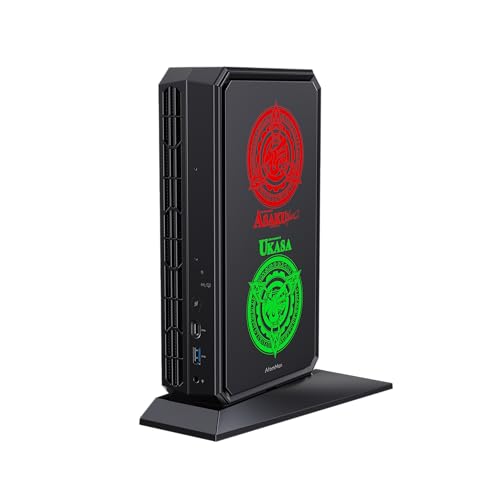
Where to buy
Check the latest price, availability and delivery on Amazon. Orders are placed on Amazon. We may earn a commission from qualifying purchases.
- Best mini streaming PC overall: Minisforum AtomMan G7 Pt, Ryzen 9 7945HX, Radeon RX 7600M XT, 32GB, 1TB — Check on Amazon
- The encoder benchmark (not a mini PC): CyberPowerPC Gamer Xtreme VR, i7-13700F, RTX 4060 Ti 16GB — Check on Amazon
- Beelink SER9 Pro, Ryzen AI 9 HX 370, Radeon 890M, 32GB, 1TB — Check on Amazon
- Minisforum UM890 Pro, Ryzen 9 8945HS, Radeon 780M, 32GB, 1TB, OCuLink — Check on Amazon
See 2 more Amazon options
- GMKtec NucBox K8 Plus, Ryzen 7 8845HS, Radeon 780M, 32GB, 1TB, OCuLink — Check on Amazon
- Minisforum UM880 Plus Barebone, Ryzen 7 8845HS, no RAM/SSD/OS — Check on Amazon
Read the full guide ↓
Disclosure: As an Amazon Associate, reviewstook.com earns from qualifying purchases. Links to Amazon on this page are affiliate links; they cost you nothing extra. Listing details such as price and availability change often, so check the current Amazon listing before you buy.
Streaming grades a different part of the computer than gaming does. A game cares about the render; a stream cares about the encoder — the hardware block that compresses your picture into the feed your audience watches, thousands of times a second, without stealing frames from the game itself. So this guide re-reads the six machines from our under-$1,200 mini gaming research encoder-first. The workflow it grades against is the real one: Twitch’s standard ingest is around 6,000 kbps at a constant bitrate with two-second keyframes, at 1080p60; YouTube accepts higher bitrates, 1440p streams and AV1 live; Twitch’s AV1 path runs through its Enhanced Broadcasting programme rather than the standard ingest; and 4K streaming is limited by the platforms, not by anything you can buy — no pick here is sold as a 4K streaming machine.
Judged that way, this is an unusual set. Five of the six machines are AMD systems whose graphics carry RDNA 3-generation media engines, and those engines can encode AV1 — the codec YouTube rewards and Twitch is rolling out. The sixth machine is not a mini PC at all: a CyberPowerPC mid-tower with a desktop RTX 4060 Ti, carried over from the base guide as the benchmark, whose NVENC encoder is the quality reference every AMD pick below is measured against. The honest constraints are these. AMD’s hardware H.264 encoding is visibly softer than NVENC at Twitch’s bitrate, so on the platform most streamers start on, the tower’s encoder still wins on picture quality. The integrated AMD picks render the game and encode the stream on one chip, sharing one memory pool and one thermal budget. One pick is a barebone kit that cannot stream anything until you finish building it. And the only discrete GPU in a mini body here is a mobile chip — the RX 7600M XT, 8GB at 120 watts — named as mobile every time it appears, because a laptop-class GPU is a different product from the desktop card its name resembles. Keep those four facts in view and every ranking below follows from them.
In this guide
Quick Picks
Short on time? Each row names a streaming job and the machine that does it best, with the encoder that decides it. The full reasoning, and the catches, are in the reviews.
| Streaming job | Pick | Why it stands out | Link |
|---|---|---|---|
| Best mini for one-box game streaming | Minisforum AtomMan G7 Pt | The only discrete encoder in a mini body — RDNA 3 VCN with AV1 on its own card | Check on Amazon |
| Best encoder outright (not a mini) | CyberPowerPC Gamer Xtreme VR | Desktop RTX 4060 Ti: a single Ada NVENC block with AV1, and 16GB of VRAM behind it | Check on Amazon |
| Best quiet stream desk | Beelink SER9 Pro | 890M with AV1 encode in the smallest, quietest sealed box here, ~0.82L | Check on Amazon |
| Best encoder upgrade path | Minisforum UM890 Pro | 780M AV1 encode today, native OCuLink for a desktop encoder card later | Check on Amazon |
| Best value encoder, bought right | GMKtec NucBox K8 Plus (32GB/1TB) | The same 780M encoder as the UM890 Pro, in a value-tier package — check price on Amazon | Check on Amazon |
| Builders only | Minisforum UM880 Plus Barebone | A 780M encoder on paper — but the kit ships with no RAM, SSD or OS | Check on Amazon |
How These Picks Were Chosen
These are exactly the six machines from the base under-$1,200 mini gaming guide, with the same verified listings — nothing new has been added. What changed is the grading. The base guide ranked on graphics honesty, upgrade paths and measured size. This guide ranks on the encoder first: which hardware block compresses the stream, which codecs it can encode, and what else is competing for the same silicon while it works. A pick that was mid-table for gaming can lead here, and the gaming winner can be marked down, because a great render fed through a weak encoder is a soft stream.
Three streaming tests did the grading. The first is the encoder itself, taken only from the hardware the base research documents — no encoder is credited to a chip that does not have one, and no codec is credited to a generation that cannot encode it. The second is simultaneous load: while you stream, one machine renders the game, encodes the feed, composites your scenes, runs your chat and browser sources, and records locally if you ask it to. On the integrated picks all of that shares a single chip, a single memory pool and a single cooling system, so memory capacity and thermal headroom are graded as streaming specifications, not gaming ones. The third is the room: a streamer’s PC sits near a microphone, so documented quiet — and documented fan noise — counts here in a way it never does for a tower under a desk.
The exclusions from the base guide stand. Minisforum’s AtomMan G7 Ti, with an RTX 4070 Laptop GPU, is the mini many streaming readers actually want, and it remains excluded on price alone — above this budget in both its barebone and configured forms. It anchors the under-$1,500 guides instead, starting with Best Mini Gaming PC Under $1500. Everything else about the base guide’s discipline carries over unchanged: check the live price on Amazon before you buy; the barebone is considered as a finished machine before it is admired as a kit; and the tower is labelled as a tower every time it appears.
The Encoder Map
Here is the whole set’s encoder story in one place, because it is the section the rankings hang on. The G7 Pt’s RX 7600M XT is an RDNA 3 mobile GPU, and its VCN media engine encodes H.264, HEVC and AV1 on the card itself, with its own video memory — the only arrangement in a mini body here where encoding does not borrow the integrated graphics’ pool. The SER9 Pro’s Radeon 890M, the UM890 Pro’s and K8 Plus’s and UM880 Plus’s Radeon 780M are RDNA 3-generation integrated graphics, and their VCN engines also encode AV1 — a genuine advantage for YouTube streaming and for local recordings. The CyberPowerPC’s desktop RTX 4060 Ti carries a single Ada-generation NVENC block with AV1 encode — stated plainly as a single block, because that is what the card has — and NVENC’s H.264 output at Twitch’s roughly 6,000 kbps remains the quality benchmark in this guide: the AMD engines’ H.264 is visibly softer at the same bitrate, which is why the AMD picks are steered toward AV1 destinations and the tower is not.
Two absences matter as much as the presences. There is no Quick Sync anywhere in this set: the only Intel processor here, the tower’s Core i7-13700F, is an F-suffix chip with no integrated graphics, so NVENC is its only hardware encoder and no review below pretends otherwise. And a warning carried for cross-shoppers, because it is the most repeated encoder error in this category: a desktop RTX 3050 or 3060 — cards that appear in cheaper guides and in second-hand listings — uses the older Ampere NVENC and cannot encode AV1 at all; AV1 encode begins with the RTX 40-series. Neither card is in this guide, but readers comparing against other lists should hold the line. Finally, software x264 encoding is treated throughout as an emergency fallback, not a plan: on the integrated minis it competes with the game for the same cores, and even the G7 Pt’s sixteen-core processor is better spent on the game and the supporting cast while its card’s hardware block does the encoding.
The 6 Best Mini Gaming PCs for Streaming Under $1,200
Minisforum AtomMan G7 Pt — Ryzen 9 7945HX, Radeon RX 7600M XT, 32GB, 1TB
Who it suits: The streamer who plays and broadcasts from the same small box, and wants the encoder on a real graphics card rather than on the same silicon that is rendering the game.
Begin with the name, because the name is still the trap: the graphics processor is a Radeon RX 7600M XT, and the M means mobile — a laptop-class GPU with 8GB of memory running at 120 watts, judged in this guide against laptop GPUs, never against the desktop card its name echoes. For streaming, that card is what makes this the leading mini here. Its RDNA 3 media engine encodes H.264, HEVC and AV1 on the card itself, so the compression work sits on dedicated hardware with its own memory instead of competing with an integrated GPU’s shared pool. Stream AV1 to YouTube and the picture is genuinely good; stream H.264 to Twitch and it is honest but visibly softer than the benchmark tower’s NVENC at the same bitrate — this guide will not pretend the two H.264 outputs are equal. Around the card, the sixteen-core Ryzen 9 7945HX is the strongest simultaneous-load processor in a mini here: cores to spare for the game, your scenes, a browser full of chat and alerts, and a local recording running alongside the broadcast. The 32GB of socketed DDR5 and the second storage slot mean none of that is fighting over a fixed pool.
The catches are physical. The binding constraint is the card’s 8GB of video memory, shared between the game’s textures and your streaming software’s compositing — run a heavy game with busy scenes and the pool, not the encoder, is what runs out first, which is why the OBS section below treats scene discipline as part of this pick’s setup. The machine is also the largest mini here at roughly 2.7 litres, it drinks from a 300W external power brick weighing 874 grams, and under full gaming load it is audible in a way the quiet picks below are not — for a streamer, that is a microphone specification: this box wants to live away from the mic, not beside it. Check price on Amazon for this 32GB/1TB configuration — it is the one machine in this guide that answers “mini streaming PC” without an asterisk on either the render or the encoder.
- The only discrete encoder in a mini body — RDNA 3 VCN with AV1 encode, on its own card and memory.
- Sixteen-core CPU: the most simultaneous-load headroom of any mini here.
- Socketed memory to 96GB and two storage slots, so the stream setup can grow.
Honest limitation: The GPU is a mobile chip with 8GB of memory shared between game and stream compositing; its H.264 output is softer than NVENC at Twitch bitrates, and it is the most audible mini here under load.
Choose it if you stream the games you play, on one box, and the box has to stay small. Skip it if your stream is talk, desktop or console-fed — the quieter, cheaper picks below encode those just as well — or if your room fits the tower, whose encoder is better still.

The Benchmark: CyberPowerPC Gamer Xtreme VR — i7-13700F, RTX 4060 Ti 16GB (Not a Mini PC)
Who it suits: The honest control group. If your room fits a mid-tower, this is the encoder your $1,200 buys without the mini tax — read it before deciding the tax is worth paying.
On encoder alone, this machine would top the guide, and it sits second only because this guide is for buyers who need a mini. Its desktop RTX 4060 Ti carries a single Ada-generation NVENC block with AV1 encode, and NVENC’s H.264 at Twitch’s bitrate is the cleanest picture any pick here produces — the standard the AMD reviews keep referring back to. The card’s 16GB of video memory is the simultaneous-load story: the game renders, the encoder compresses, your scenes composite, and there is still memory in hand, where the mini picks are budgeting theirs. One discipline note, stated plainly because listings blur it: the Core i7-13700F is an F-suffix processor with no integrated graphics, so there is no Quick Sync in this machine — NVENC is its only hardware encoder, and it needs no second one. Stream and a high-quality local recording can run off the same block while the card renders, which is the arrangement most one-box streamers actually want.
The price discipline from the base guide is unchanged: check price on Amazon for this configuration, and treat it as a buy only when the live listing falls within this guide’s budget. What you give up is the entire premise of the category — it is a full mid-tower that will not mount behind a monitor, disappear into a TV stand or sit quietly beside a microphone the way the SER9 Pro can. Buy it knowing that trade is the whole decision: the best encoder in this guide, in the biggest box in this guide.
- NVENC H.264 — the quality benchmark at Twitch bitrates — plus AV1 encode for YouTube, from a single Ada NVENC block.
- 16GB of VRAM: the only pick whose game, encoder and scenes are not budgeting one shared pool.
- Standard replaceable parts throughout, so the encoder can be upgraded with the card in years to come.
Honest limitation: It is not a mini PC, it only fits this guide when its live price falls within budget, and with an F-suffix CPU there is no integrated-graphics fallback encoder of any kind.
Choose it if streaming picture quality per dollar is the priority and the space exists. Skip it if the space genuinely does not — that is what the five minis in this guide are for, and you now know exactly what each of them costs you.

Beelink SER9 Pro — Ryzen AI 9 HX 370, Radeon 890M, 32GB, 1TB
Who it suits: The talk, desktop and light-gaming streamer who wants the stream box to vanish — behind the monitor, out of the microphone’s world — while still encoding AV1.
The SER9 Pro’s Radeon 890M is the strongest integrated graphics in this guide, and its RDNA 3-generation media engine encodes AV1 as well as H.264 and HEVC. That combination makes it a better streaming machine than its gaming rank suggests: for a talk or desktop stream, a console fed through a capture card, or lighter games played and streamed on the one box, the encoder is genuinely modern, and AV1 recordings and YouTube streams are this pick’s home ground. On Twitch’s standard H.264 ingest it carries the family trait — AMD’s hardware H.264 is visibly softer than NVENC at 6,000 kbps — so Twitch-first streamers should read the benchmark review again before romanticising the small box. The simultaneous-load grading is the honest tension: rendering and encoding share one chip and one pool of fast LPDDR5X memory, and 32GB is a workable pool, but a demanding game plus a busy scene stack will spend it, and unlike the socketed picks there is no way to add more.
What this pick sells a streamer is silence and absence. At 135.5 × 135.5 × 44.7 mm — about 0.82 litres, the smallest machine here — it mounts behind a monitor, and it is relatively quiet under load by mini PC standards, which in a microphone’s room is worth more than a codec. The structural warning from the base guide applies to the encoder exactly as it applies to the graphics: the memory is soldered and there is no OCuLink port, so the encoder you buy is the encoder you keep, for the life of the machine. There is also a documentation wrinkle worth repeating: Beelink’s listing copy has claimed dual M.2 storage slots while at least one detailed review lists a single M.2 2280 slot, so confirm the slot count on the live listing if a recording drive is part of your plan. Pricing keeps the base rule: check price on Amazon and buy only when the live listing falls within this budget, and also confirm the configuration under the listing is the HX 370 machine, since a lower-priced namesake built on a different processor has appeared in Amazon’s tables.
- AV1 encode from the strongest integrated graphics here, in the smallest and quietest sealed box.
- 32GB of fast memory fitted as standard — a workable shared pool for game plus stream.
- Behind-monitor size makes it the easiest pick to keep out of the microphone’s pickup pattern.
Honest limitation: Soldered memory and no OCuLink fix the encoder and graphics ceiling for life; H.264 output is softer than NVENC at Twitch bitrates; storage-slot documentation conflicts between listing and reviews.
Choose it if your stream is talk, desktop, console-fed or light gaming, and the room rewards a silent, invisible PC. Skip it if you stream demanding PC games from the same box — that is the G7 Pt’s job — or if you ever plan to upgrade the encoder.
Minisforum UM890 Pro — Ryzen 9 8945HS, Radeon 780M, 32GB, 1TB
Who it suits: The streamer who wants a quiet mini encoding AV1 today, with the one credible route in this guide to a desktop-class encoder tomorrow.
The UM890 Pro’s own encoder is its Radeon 780M’s RDNA 3 media engine: H.264, HEVC and AV1 encode from integrated graphics, a step below the SER9 Pro’s 890M in render power but the same codec story. For talk and desktop streams, console-fed streams and lighter one-box gaming it is a complete answer, with the family caveat that its H.264 is visibly softer than NVENC at Twitch’s bitrate and its AV1 is the output to prefer where the platform takes it. Simultaneous load is shared-chip work — render, encode and scenes on one processor and one memory pool — but the pool is 32GB of socketed DDR5 that can grow to 96GB, and there are two M.2 slots, so a dedicated recording drive is a plan rather than a hope. The trait that lifts this pick for streaming specifically is acoustic: Notebookcheck’s reviewers measured the bare unit at 709 grams and praised its whisper-quiet cooling, and a mini that stays quiet under a streaming load can live on the desk, near the microphone, where the G7 Pt cannot.
Then there is the port. The UM890 Pro’s native OCuLink is the cleanest future-encoder path in this guide, so here is what it involves, itemized the way the sales pages do not. The port is only a connector: add an OCuLink dock such as Minisforum’s DEG1 — note that the DEG1 includes no power supply, so add an ATX or SFX PSU of your own, then add a desktop card such as an RTX 4060. Dock, PSU and card add a substantial premium-tier cost on top of the machine — tower money, spent on an arrangement: the silent mini handles the everyday stream, and the dock comes out when a demanding game needs a desktop encoder and a desktop render together. Pricing for the machine itself moves with the memory market, so check price on Amazon and confirm the live listing is the complete 32GB/1TB configuration before you buy.
- 780M AV1 encode today; native OCuLink for a desktop NVENC card later — the guide’s only two-stage encoder plan.
- Whisper-quiet cooling in reviewer testing: the mini that can sit beside the microphone.
- Socketed memory to 96GB, dual M.2 slots and dual 2.5GbE for the wired rule.
Honest limitation: Its integrated encoder shares the chip with the game, its H.264 trails NVENC at Twitch bitrates, and the docked upgrade costs tower money by the time the dock, PSU and card are counted.
Choose it if you stream lighter content now and want the docked desktop encoder as a real, priced future. Skip it if you will never buy the dock and stream demanding games today — the G7 Pt does that job in one box.

GMKtec NucBox K8 Plus — Ryzen 7 8845HS, Radeon 780M, 32GB, 1TB
Who it suits: Value hunters who want the UM890 Pro’s encoder formula — 780M with AV1, native OCuLink, dual networking — at GMKtec money, and who buy on price history rather than impulse.
For streaming purposes the K8 Plus is the UM890 Pro’s encoder at a different price: the same Radeon 780M RDNA 3 media engine, encoding H.264, HEVC and AV1 from integrated graphics, with the same honest grading — AV1 is the strong output, H.264 at Twitch’s 6,000 kbps is visibly softer than the benchmark’s NVENC, and render plus encode share one chip and one memory pool. The pool here is again 32GB of DDR5 in two sockets, upgradable to 96GB, with two M.2 slots for a recording drive, dual USB4, and dual 2.5GbE networking on Intel controllers — the wired-Ethernet rule in the OBS section below is easy to obey on a machine with two wired ports. Its OCuLink port runs at PCIe 4.0 x4 with the maker’s own caveat that it is not hot-pluggable: for a streamer that means the dock is connected before boot and before the stream, never swapped mid-session, and the same dock arrangement from the UM890 Pro review applies unchanged — a dock with no power supply included, a PSU of your own, and a desktop card on top.
What decides this pick is its value positioning, and the streaming angle changes nothing about it. The complete 32GB/1TB version sits in the budget-to-mid-range tier for this formula, though live pricing moves with the same memory shortage pushing on every machine in this guide — check price on Amazon before you buy. At its usual value positioning it is the best-value streaming mini here by a wide margin: the full AV1 encoder formula at the tier of the integrated-only machines in cheaper guides. When its live price climbs toward premium territory, the gap to the UM890 Pro narrows until Minisforum’s quieter cooling and finish deserve the difference. So the advice stays mechanical: buy it when the live listing reflects its value tier, treat shortage-driven spikes as a reason to wait rather than the machine’s normal positioning, and confirm the live listing is the complete 32GB/1TB configuration — GMKtec sells a barebone twin in the same product family, and a kit is not the machine this review graded.
- The full 780M AV1-encode formula with native OCuLink, at a value-tier positioning in this guide.
- Dual 2.5GbE on Intel controllers and dual USB4 — the best-connected value pick.
- Socketed memory to 96GB and dual M.2 slots for the recording drive.
Honest limitation: Shortage-driven live pricing can erase the value argument, and its OCuLink port is not hot-pluggable, so dock arrangements are made before the stream, not during it.
Choose it if you can catch it at its usual value positioning — at that tier no other mini here competes as a stream box. Skip it if the live price is at the top of its range and you stream this week; the UM890 Pro prices its premium more predictably.

Minisforum UM880 Plus Barebone — Ryzen 7 8845HS, No RAM, No SSD, No OS
Who it suits: Builders with DDR5 and an NVMe drive already on the shelf — the one buyer for whom this kit is a discount. For everyone else it is the last pick in a streaming guide, for a simple reason: as shipped, it cannot stream anything at all.
Read the listing title the way a contract lawyer would: “Without RAM / SSD / OS.” This barebone kit — check price on Amazon — buys a Ryzen 7 8845HS board with Radeon 780M graphics in a case of about 130 × 127 × 50 to 55 mm (published dimensions differ by a few millimetres between sources; call it roughly 0.85 litres), with two DDR5 SO-DIMM sockets, two M.2 slots, and OCuLink provided through an adapter board rather than a native port. On paper the finished machine’s encoder is the same RDNA 3 VCN as the two picks above it — H.264, HEVC and AV1 encode — and once built, everything said about the K8 Plus’s streaming applies. But a streaming PC is a machine plus a rehearsed setup, and this pick arrives as neither: there is no memory to share, no drive to record to, and no operating system to install your streaming software on.
The completion maths is why it ranks last here rather than first on price. Completed with a new 32GB DDR5 kit and a 1TB NVMe drive bought separately, this kit has been documented to cost more in total than the complete version of the same machine sold finished. Building from new parts costs more than buying the finished machine, and a streaming budget spent that way buys a worse stream. With the parts already owned, the arithmetic inverts completely: the kit becomes the cheapest AV1-encoding mini in this guide, with an adapter-board OCuLink path for later. Know which of those two buyers you are before the box arrives — and if you are pricing parts new, add them honestly and compare the total against the complete machines above.
- The cheapest route to a 780M AV1 encoder in this guide — if the RAM and SSD are already on your shelf.
- Two SO-DIMM sockets and two M.2 slots: you spec the stream machine’s memory and recording drive yourself.
- OCuLink available via adapter board, for a later eGPU dock.
Honest limitation: As shipped it is not a computer and cannot stream; completed with new parts it has been documented to cost more than the complete version, and its OCuLink is an adapter-board arrangement, not a native port.
Choose it if you own compatible DDR5 and storage already, or you specifically want to build the stream box yourself. Skip it if you are buying every part new — the complete machines above are cheaper finished and stream tonight.

Comparison Table
| Product | Encoder | AV1 encode | Best streaming use | Link |
|---|---|---|---|---|
| Minisforum AtomMan G7 Pt | RDNA 3 VCN on a discrete mobile card (RX 7600M XT, 8GB, 120W) | Yes | One-box game streaming from a mini | Check on Amazon |
| CyberPowerPC Gamer Xtreme VR (not a mini) | Single Ada NVENC (desktop RTX 4060 Ti, 16GB) | Yes | The encoder benchmark: cleanest Twitch picture here | Check on Amazon |
| Beelink SER9 Pro | RDNA 3-generation VCN, integrated (Radeon 890M) | Yes | Quiet talk/desktop and console-fed streams, tiny desk | Check on Amazon |
| Minisforum UM890 Pro | RDNA 3 VCN, integrated (Radeon 780M) + OCuLink | Yes | Quiet mini now, desktop encoder by dock later | Check on Amazon |
| GMKtec NucBox K8 Plus | RDNA 3 VCN, integrated (Radeon 780M) + OCuLink | Yes | The same encoder formula at a value-tier positioning | Check on Amazon |
| Minisforum UM880 Plus Barebone | RDNA 3 VCN, integrated (Radeon 780M) — after completion | Yes, once built | Builders with parts already owned | Check on Amazon |
How to Choose a Mini Gaming PC for Streaming
- Choose your platform before your machine. Twitch’s standard ingest is H.264 at around 6,000 kbps, where NVENC is visibly cleaner than AMD’s hardware H.264; YouTube takes AV1 and higher bitrates, where every pick in this guide is on level ground. A YouTube-first streamer can buy any machine here; a Twitch-first streamer should weigh the benchmark tower seriously.
- Grade the encoder, not the headline GPU. The render decides your game’s settings; the encoder decides your audience’s picture. Ask which block encodes, which codecs it supports, and whether it shares memory with the game — the encoder map above answers all three for every pick.
- Count the simultaneous load. Game, encoder, scenes, chat, browser sources and a local recording all run at once. On integrated picks they share one chip and one pool: 32GB fitted is the comfortable floor here, a second SSD for recordings is a streaming feature, and the G7 Pt’s 8GB of card memory is its real streaming ceiling.
- Treat silence as a streaming specification. Your microphone hears the PC you sit beside. Reviewer-documented quiet — the UM890 Pro’s whisper-quiet cooling, the SER9 Pro’s hushed load noise — is worth money to a streamer; the G7 Pt’s honest audibility under load is a placement instruction, not a footnote.
- Price the encoder exit. An OCuLink port buys a desktop encoder later — dock, the power supply the dock excludes, and the card all add cost on top. Soldered memory with no OCuLink buys no exit at all. Decide which you are purchasing before checkout, not after your first dropped-frame stream.
- Never price a barebone as a stream PC. Add memory, storage and an operating system at live prices, then compare with the complete machines. Documented completions of the kit in this guide cost more than the same machine sold finished.
- Buy on live price, not impulse. This category’s prices swing sharply with the memory market. Check price on Amazon for every pick, and if a live listing sits well above its usual tier, wait rather than overpay, however good its encoder is.
Setting Up OBS on These Machines
Encoder choice, per pick. On the CyberPowerPC, select the NVENC encoder and let the card’s block carry both the broadcast and a higher-quality local recording. On the G7 Pt, use the AMD hardware encoder on its discrete card — AV1 for YouTube, H.264 for Twitch — and keep your scene stack lean, because compositing draws on the same 8GB of card memory as the game. On the SER9 Pro, UM890 Pro, K8 Plus and the completed UM880 Plus, use the AMD hardware encoder on the integrated graphics: AV1 where the platform accepts it, H.264 for Twitch’s standard ingest, and keep the game’s settings honest so the shared chip is not rendering and encoding at its limit simultaneously. On every pick, software x264 is the fallback you use to diagnose a problem, not the encoder you plan a channel on.
The settings that matter. For Twitch, run a constant bitrate around 6,000 kbps with two-second keyframes at 1080p60 — that is the ingest the platform is built around. For YouTube you can push the bitrate higher, stream at 1440p, and send AV1 from any pick in this guide. Whatever the destination, the three counters in your streaming software’s statistics view tell you which of the only three problems you have. Rendering lag means the graphics are saturated: lower the game’s settings or cap its frame rate so the encoder’s hardware and the compositor get their share. Encoding lag means the encoder is overloaded: confirm you are on the hardware encoder, not x264, and simplify scenes before you touch bitrate. Network lag — dropped frames on the network counter — is almost never the PC’s fault: it is the connection, and the fix is below.
The wired rule, and the rehearsal. Stream on wired Ethernet, on every pick, without exception — a Wi-Fi dropout reads to your audience as a broken PC, and several of these minis have documented dual wired ports precisely so the cable is easy. Then, before your first real broadcast, run a full one-hour rehearsal at your exact stream settings, inside the machine’s return window: the game you actually play, the scenes you actually use, a local recording running, alerts firing. It is the only test that grades render, encoder, thermals and network together, and it is the difference between discovering a shared-memory ceiling in private and discovering it in front of an audience.
What Else You Will Spend On
The PC is not the whole stream budget, and this section deliberately names the rest without pricing it — accessories are not inside any pick’s price above, and the order matters more than the amounts. Microphone first: your voice is the largest part of most streams’ perceived quality, and on the louder picks here — the G7 Pt above all — microphone choice and placement are also how you keep fan noise out of the broadcast. Lighting second: a modest light improves a cheap camera more than a better camera improves a dark room. Webcam third, once the first two are in place. A capture card belongs on the list only for console streaming, or for a two-PC arrangement where one machine plays and another encodes; for games played on the same PC it does nothing at all, and no reader of this guide should buy one expecting it to help a one-box setup. Budget for those in that order, after the machine, and treat any guide that folds them into a PC’s price as selling you a bundle, not advice.
Common Streaming Buying Mistakes
- Reading a mobile GPU’s name as a desktop card’s promise — for its encoder as much as its render; the G7 Pt’s card is a strong mobile part, graded as one.
- Assuming AV1 fixes a Twitch stream: Twitch’s AV1 path runs through Enhanced Broadcasting, while its standard ingest is H.264 — where AMD’s hardware output is softer than NVENC.
- Buying an integrated-graphics mini to stream demanding games from the same box, then discovering the shared chip and shared memory pool after the return window.
- Planning a channel on x264 software encoding, which spends the same cores the game needs.
- Streaming over Wi-Fi because the desk looks cleaner, and blaming the PC for network dropped frames.
- Treating the barebone kit price as a stream-ready price, then paying shortage prices for the memory and drive that finish it.
- Budgeting an OCuLink dock as the whole upgrade and forgetting the power supply the dock excludes and the desktop card itself.
- Paying a memory-shortage spike price for the K8 Plus when its usual positioning is firmly in the value tier.
Final Recommendation
- One-box game streaming from a mini: Minisforum AtomMan G7 Pt — the only discrete encoder here, honestly labelled as a mobile card.
- Best encoder, space available: CyberPowerPC Gamer Xtreme VR — the benchmark tower; check price on Amazon and buy only within budget.
- Quiet talk, desktop and console-fed streams: Beelink SER9 Pro.
- Stream now, dock a desktop encoder later: Minisforum UM890 Pro.
- Best value: GMKtec NucBox K8 Plus complete — check price on Amazon.
- Builders with parts on the shelf: Minisforum UM880 Plus Barebone.
Our top two for this search are the AtomMan G7 Pt, because it is the one mini here whose encoder sits on a real graphics card, and the Beelink SER9 Pro, because a quiet 0.82-litre box with a modern AV1 encoder is exactly what most talk, desktop and console-fed streams actually need. Between them they frame the streaming choice the way the base guide framed the gaming one: discrete hardware at console size, or integrated hardware at palm size — with the tower standing behind both as the reminder that the cleanest Twitch picture in this guide comes in the biggest box. First-time buyers setting up any of these machines will find the hand-holding in Best Mini Gaming PC For Beginners Under $1200; readers fitting a stream desk into a small room should see Best Mini Gaming PC For Small Spaces Under $1200; and anyone whose streaming ambitions point at a 1440p monitor should read Best Mini Gaming PC For 1440p Gaming Under $1200 before assuming these encoders come with a 1440p render attached. Check the live price on Amazon, wire the Ethernet cable, rehearse for an hour — then go live.
Frequently Asked Questions
Can a mini PC really play and stream a game on one box?
One of these can, with the expectations set by its hardware. The G7 Pt’s discrete mobile GPU renders and encodes on its own card, and its sixteen-core processor carries the supporting cast — that is a genuine one-box game-streaming arrangement for the titles its card handles. The integrated picks stream lighter games, talk and desktop content, and console feeds comfortably, but a demanding game rendered and encoded on one shared chip is where their ceilings are. The tower benchmark does the whole job with headroom, which is why it is in the guide.
Which pick has the best encoder?
The tower’s. The RTX 4060 Ti’s single NVENC block produces the cleanest H.264 at Twitch’s bitrate, with AV1 for YouTube and 16GB of memory behind the whole pipeline. Among the minis, the G7 Pt’s discrete RDNA 3 encoder is the strongest arrangement, and every AMD pick here can encode AV1 — the gap is in H.264 quality at low bitrates, not in codec support.
Does AV1 matter for streaming?
On YouTube, yes: it accepts AV1 live at higher bitrates and 1440p, and AV1 recordings are efficient to archive. On Twitch, the standard ingest is still H.264 around 6,000 kbps, with AV1 arriving through Enhanced Broadcasting — so an AV1 encoder is a YouTube and future-proofing advantage today, not a Twitch picture-quality fix. That is precisely why this guide grades the AMD picks’ H.264 honestly instead of hiding behind their AV1 support.
Is there Quick Sync in any of these machines?
No. Quick Sync is Intel’s integrated-graphics encoder, and the only Intel processor in this guide — the tower’s Core i7-13700F — is an F-suffix chip with no integrated graphics at all. The tower encodes on NVENC alone, and the five AMD machines encode on their VCN engines. Any listing or guide crediting this set with a second Intel encoder is describing a different machine.
Can I stream 4K from one of these PCs?
No, and the limit is the platforms, not the hardware budget: mainstream live platforms cap their ingest well below 4K broadcasting for most streamers, with 1440p the practical ceiling on YouTube. Buy for a clean 1080p60 Twitch stream or a 1440p YouTube stream; anything beyond that is a platform question, not a purchase.
Can I stream from the barebone kit?
Not as it arrives — it has no memory, no storage and no operating system. Completed with parts you already own, it becomes the same 780M AV1-encoding machine as the K8 Plus and streams accordingly. Completed with parts bought new at current prices, documented totals run above the same machine sold complete, so build it only from a shelf, not from a shopping basket.
Should I just buy the tower for streaming?
If it fits your room, its encoder makes the strongest case in this guide: the cleanest Twitch picture, the most memory headroom, and parts you can upgrade when a future card’s encoder improves. The minis earn their premium where the tower cannot go — behind a monitor, beside a microphone in a small room, on a desk that has to disappear. Buy the machine that fits the room the stream actually happens in.
- Best Mini Gaming PC Under $1200
- Best Mini Gaming PC Under $800
- Best Mini Gaming PC Under $700
- Best Mini Gaming PC For 1440p Gaming Under $1200
- Best Mini Gaming PC For Streaming Under $800
- Best Barebones Mini PC Under $1200
- Best Mini PC Under $1200
- Best Small Form Factor Gaming PC Under $1200
- Best Prebuilt Gaming PC Under $1200
- Best Gaming PC Under $1200


