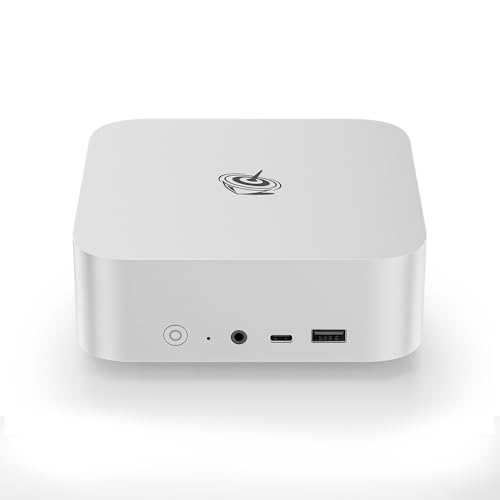
Where to buy
Check the latest price, availability and delivery on Amazon. Orders are placed on Amazon. We may earn a commission from qualifying purchases.
- Best for small spaces: Beelink SER8, Ryzen 7 8745HS, Radeon 780M, 32GB, 1TB — Check on Amazon
- GMKtec NucBox K8 Plus, Ryzen 7 8845HS, Radeon 780M, 32GB, 1TB, OCuLink — Check on Amazon
- Minisforum EliteMini UM780 XTX, Ryzen 7 7840HS, Radeon 780M, OCuLink — Check on Amazon
- GMKtec NucBox K6, Ryzen 7 7840HS, Radeon 780M, 32GB, 1TB — Check on Amazon
See 2 more Amazon options
- Beelink SER5 MAX, Ryzen 7 7735HS, Radeon 680M, 24GB, 500GB — Check on Amazon
- GMKtec NucBox M6, Ryzen 5 6600H, Radeon 660M, 16GB, 512GB — Check on Amazon
Read the full guide ↓
Disclosure: As an Amazon Associate, reviewstook.com earns from qualifying purchases. Links to Amazon on this page are affiliate links; they cost you nothing extra. Listing details such as price and availability change often, so check the current Amazon listing before you buy.
A mini PC is the easiest computer in the world to measure wrong. The box itself is tiny — around a liter, in the two cases in this guide where the research documents an exact figure — and that is the number every listing wants you to think about. But nobody lives with a box. You live with an installation: the box, plus the power brick that has to sit somewhere, plus the cables that drop from the back of it to the monitor, the network and the wall, plus the moving air it needs around it so it does not cook itself in the shelf you were so proud of fitting it into. In a small space — a studio apartment, a dorm room, a narrow desk in a shared bedroom, a TV stand with exactly one free shelf — the installation is the product. A machine that “fits” on paper and then suffocates in a closed cabinet, or drapes its brick across your only free surface, does not fit at all.
So this guide grades the same six verified mini gaming PCs under $700 on installation first and gaming second. The gaming story is real: every serious pick here is built around AMD’s Radeon 780M, the strongest integrated graphics in the category — esports and indie titles at high settings at 1080p, mainstream games of the last several years at 1080p medium-to-high, and today’s most demanding releases at 1080p low-to-medium, often with FSR upscaling helping. Not 1440p native in demanding games, and not ray tracing worth switching on. And the standing honesty note: a prebuilt tower with an RTX 3060 12GB is available on Amazon in this budget range and outruns every machine below on raw frames. If you have the space for a tower, the tower is the better gaming buy. You are reading this page because you do not have that space — or because the space you have is shared with a television, a bed, a roommate or a life — and for that problem these six machines are the answer, provided each one is installed like it matters. Below: the quick picks, six detailed reviews, a comparison table, a five-step measure-before-you-buy checklist, and the mistakes that turn a small PC into a small problem.
In this guide
Quick Picks
Short on time, or comparing several options at once? Each row below names a small-space situation and the machine that suits it, with a link to the listing.
| Your space | Pick | Why it stands out | Link |
|---|---|---|---|
| Best for small spaces overall | Beelink SER8 (8745HS, 780M, 32GB/1TB) | The smallest documented footprint here — 0.81 liters, mountable behind a monitor — and the quietest measured machine in the set | Check on Amazon |
| Strongest machine, still about a liter | GMKtec NucBox K8 Plus (8845HS, 780M, 32GB/1TB) | Documented dimensions around 132 × 125 × 58 mm, the fullest port set, and a native OCuLink port | Check on Amazon |
| Best for tinkerers with a shelf to spare | Minisforum EliteMini UM780 XTX (7840HS, 780M) | OCuLink and dual 2.5G networking in the same compact class — but the loudest pick under load | Check on Amazon |
| Best value, open shelf required | GMKtec NucBox K6 (7840HS, 780M, 32GB/1TB) | Full 780M performance at the lower end of this tier — check price on Amazon — but it runs warmer, so it needs open air | Check on Amazon |
| Best lower-budget option | Beelink SER5 MAX (7735HS, 680M, 24GB/500GB) | A real gaming mini positioned in the lower part of this budget, leaving room for the rest of the setup — check price on Amazon | Check on Amazon |
| Cheapest way in | GMKtec NucBox M6 (6600H, 660M, 16GB/512GB) | The entry point of this tier — check price on Amazon — for starter, emulation and second-room duty | Check on Amazon |
How These Picks Were Chosen
The budget was applied the way you will pay it: as the price of a complete, working computer. Every pick is a finished machine with RAM, storage and Windows installed — no barebones kits whose headline price quietly excludes the parts that make them computers. Listings mix kits and complete machines under near-identical names, and a kit price is not a computer price; where a pick also exists as a kit, the review covers only the complete version. Prices in this category change often, so this guide prints no fixed price for any pick — check the current price on Amazon before you decide. Where a machine’s pricing is volatile, the review says so and gives you the rule to buy by.
On top of that sat the installation grading, and it starts with a discipline this guide will not break: dimensions are printed only where the underlying research documents them. Two picks here carry exact, sourced measurements — the SER8 at 135 × 135 × 44.7 mm (about 0.81 liters) and the K8 Plus at about 132 × 125 × 58 mm (roughly a liter). For the other four the research documents the form-factor class but no verified figure, so this guide prints none and invents none; where a number matters to your shelf, take it from the live listing before ordering — the five-step checklist below is built around exactly that. What is graded for every pick, documented figures or not, is the whole installation: where the power brick will live, how the cables fall, how much air the cooling design needs, how much noise the machine makes in a room you also sleep or watch films in, and whether an external GPU dock — the one upgrade path two picks offer — quietly grows the footprint you were trying to shrink.
The gaming filters from the wider research still apply underneath: the 780M is the standard at this budget, the two step-down picks (680M, 660M) are included deliberately and labeled, memory configuration matters because an integrated GPU borrows performance from system RAM, and soldered memory is flagged wherever it appears. And one refusal runs through the whole guide, stated now so the reviews can rely on it: no pick here goes inside a sealed cabinet, a closed drawer or a tight cubby with a door. These are fan-cooled machines that breathe through their cases. A small space argues for a smaller computer, never for a suffocated one.
The 6 Best Mini Gaming PCs for Small Spaces Under $700
Beelink SER8 — Ryzen 7 8745HS, Radeon 780M, 32GB, 1TB
Who it suits: Anyone whose PC has to disappear — behind the monitor, inside an open TV stand, on a desk that is also a dining table — and anyone whose gaming room is also their living room or bedroom.
The SER8 earns the top spot in this guide on the evidence, not the brochure. It is one of only two picks with fully documented dimensions in the research: 135 × 135 × 44.7 mm, about 0.81 liters, and 0.75 kg — a flat square slab, thinner than it is wide, which is the single most installable shape in this guide. Flat matters more than small: a slab under five centimeters thick slides into a shallow TV-stand shelf, stands unobtrusively beside a monitor, and — the installation it was clearly designed for — mounts behind the monitor itself, taking the desk back to literally empty. A vapor-chamber cooling design in that thin case points the same way.
Silence is the second half of its installation case, and here too there is a measurement rather than a claim: Notebookcheck recorded about 34.6 dB(A) on average under a combined full-load stress test — the worst case a cooler ever faces — library-quiet territory, and the lowest figure attached to any machine here. In a big room that is a nicety; in a small one it is the difference between a PC and a presence — in a studio apartment a PC is never far from the bed, the sofa or someone trying to watch something while you play, and the SER8 respects that geometry. Its output covers three 4K screens across HDMI, DisplayPort and USB4, so a dual-monitor desk with the machine hidden behind one of them keeps the whole cable drop short and out of sight.
The computer underneath is the full class standard — nothing was traded away for the shape. The Ryzen 7 8745HS is the close sibling of the fastest chip in this guide — same eight Zen 4 cores, same Radeon 780M — paired here with 32GB of DDR5 in SO-DIMM slots upgradeable to 64GB and a 1TB PCIe 4.0 SSD with a second M.2 slot for growth. The one deliberate omission is OCuLink: the external-GPU route is a USB4 dock at roughly half the link bandwidth, and the honest reading is that this machine’s graphics are the graphics it ships with. For a small-space buyer that trade is usually right twice over — the SER8 is bought finished, and an eGPU dock is itself an installation that gives back much of the space the mini PC saved.
Pricing needs the same care as the placement, because the listing is a family of configurations sharing one page. Check the current price on Amazon for the style you are buying. Confirm the style in your cart says 8745HS (or 8845HS), 32GB and 1TB before paying, and if the current price sits outside this guide’s budget, treat that as a reason to wait, or to take the K8 Plus instead.
- Documented 135 × 135 × 44.7 mm, about 0.81 liters — the smallest verified footprint in this guide, and mountable behind a monitor.
- Measured around 34.6 dB(A) under full load — the quietest machine here, graded for rooms that are also bedrooms and living rooms.
- Full 780M performance with socketed RAM to 64GB and a second M.2 slot — the shape costs no gaming.
Honest limitation: No OCuLink port, so there is no high-bandwidth eGPU future — and behind a monitor is a warm place, so the mount only works where air can still move freely around the slab; a monitor backed against a wall in a sealed alcove is a cabinet by another name.
Choose it if the machine must vanish — behind the screen, in the TV stand, out of the room’s life entirely. Skip it if an external GPU is a firm part of your plan; that is the K8 Plus or the UM780 XTX, and both need a shelf, not a hiding place.

GMKtec NucBox K8 Plus — Ryzen 7 8845HS, Radeon 780M, 32GB, 1TB
Who it suits: Buyers with one honest shelf or a corner of desk to give, who want the strongest version of the 780M formula and the cleanest external-GPU path in the guide — and who will install it in the open, not hide it.
The K8 Plus is the second pick with documented dimensions in the research: about 132 × 125 × 58 mm — one manufacturer-spec compilation gives those figures, an independent review measured 127 × 132 × 58 mm — which works out to roughly a liter. Read that shape correctly: it is a small brick, not a slab. At 58 mm tall it will not slide into the shallowest shelves the SER8 fits, and it is not the pick to mount and forget; it wants a surface, with clear air above and behind it. What that surface gets in return is the most complete machine in this guide. The Ryzen 7 8845HS boosts to 5.1GHz with the full Radeon 780M, fed by 32GB of DDR5-5600 in two SO-DIMM slots accepting up to 96GB — dual-channel memory is what lets an integrated GPU perform at the top of its class — plus a 1TB SSD and a second free M.2 PCIe 4.0 slot. Around the case: two USB4 ports, HDMI 2.1 and DisplayPort 2.1 for up to four displays, and dual 2.5GbE Ethernet. In a small space that port count is an installation feature: one machine serves a multi-monitor desk with no dock adding a second box to the surface.
Its headline feature is the native OCuLink port, and a small-spaces guide has to count the cost of that feature in square centimeters as well as money. The port itself is the best version of the idea — PCIe 4.0 x4 at roughly 64Gbps, about twice the usable bandwidth of a USB4 dock, built in rather than adapted from a storage slot, so using it costs neither of the M.2 slots. But the dock at the end of the cable is an open frame holding a desktop card; it ships without a power supply, and the card is the largest cost — the full chain adds a substantial extra cost beyond the mini PC itself, the dock included. Installed, it is a small tower’s worth of hardware beside your one-liter PC. That makes the port a planned buy, not a bad one: if the eGPU is genuinely in your future, the checklist below gives the dock its own address from day one; if it is a vague someday, you are reserving desk space for a maybe.
The price needs the guide’s firmest rule. This listing’s pricing is the volatile one in this guide, moving sharply with the recent memory shortage, so check the current price on Amazon. The instruction is simple: when the current price sits within this guide’s budget, this is the strongest mini gaming PC in the guide; when it sits outside that budget, the value case collapses and the machines around it win by default.
- Documented at about 132 × 125 × 58 mm — roughly a liter, with the fullest port set here: dual USB4, quad-display output, dual 2.5GbE.
- Full 780M performance fed by dual-channel DDR5-5600, upgradeable to 96GB, with both M.2 slots kept free.
- Native OCuLink — the eGPU path that costs you no storage slot.
Honest limitation: It is a brick, not a slab — taller than the SER8, it needs an open surface with air above it rather than a shallow shelf or a hidden mount, and its price is the volatile one in this guide, moving sharply in the shortage — check the current price on Amazon before you buy.
Choose it if you have one open shelf or desk corner and want the strongest mini plus a real, fully-costed eGPU path. Skip it if your only space is a shallow or enclosed one — take the SER8 — or if the listing is sitting near its highs when you shop.

Minisforum EliteMini UM780 XTX — Ryzen 7 7840HS, Radeon 780M, OCuLink
Who it suits: Tinkerers with a real shelf — deep enough for the machine and its cables, open enough for its fans — who want OCuLink and dual networking in a machine positioned below the K8 Plus in this tier.
The UM780 XTX is graded here with a transparency note up front: the research documents its specification in full but no verified case dimensions, so this guide prints none. It belongs to the same compact desktop class as the two picks above — a shelf or desk-corner machine — so take its exact measurements from the live listing and measure your spot against them before ordering, as the checklist below prescribes. What the research does document is everything that decides how it lives in a small room once it is there, and the headline is noise. Independent measurements put it at roughly 41 dB(A) under heavy load — the loudest figure attached to any pick in this guide, and audible in a quiet room in a way the SER8 simply is not. In a separate gaming room that is a footnote; in a studio or shared bedroom it is a placement rule — as far from the bed and sofa as the room allows, on the desk rather than in the TV stand.
The design reason to accept that trade is connectivity. Minisforum was early to OCuLink, and the implementation shows its age honestly: the port arrives on an included M.2 adapter board you fit yourself, so switching it on costs one of the machine’s two M.2 slots. That is a real cost, stated rather than buried — the K8 Plus keeps both slots and its port — but it is also part of how this machine holds its lower position in this tier. Around it: a Ryzen 7 7840HS with the full Radeon 780M at a 65W default power setting, DDR5-5600 in two SO-DIMM slots up to 96GB, a 1TB PCIe 4.0 SSD, two USB4 ports, HDMI 2.1 and DisplayPort for four video outputs, and dual 2.5GbE Ethernet on Intel controllers — a networking setup that makes it a credible little server or firewall host in its second career.
Its positioning is the friendliest of the three 780M flagships here: it sits in the lower part of this tier — the OCuLink machine that lives within this guide’s budget rather than visiting it. Check the current price on Amazon. The listing is a family: confirm the style in your cart (32GB or 64GB) and that the OCuLink adapter is listed as included, before paying. Its eGPU chain carries the same footprint warning as the K8 Plus’s, with a screwdriver step added.
- The eGPU path in a machine that lives within this guide’s budget, adapter in the box — check price on Amazon.
- Dual Intel 2.5GbE, twin USB4 and four video outputs — more connectivity than any rival here.
- Socketed DDR5 up to 96GB, backed by a two-year maker warranty.
Honest limitation: The loudest pick in the guide at roughly 41 dB(A) under heavy load, the OCuLink port is an adapter board that consumes one of the two M.2 slots, and its exact dimensions are not in the verified research — measure from the live listing, not from this page.
Choose it if you want the eGPU option and dual networking in the most accessible position in this tier, you have an open shelf to give it, and you are comfortable opening the case. Skip it if the room must stay quiet — that is the SER8 — or the port must be native, which is the K8 Plus.

GMKtec NucBox K6 — Ryzen 7 7840HS, Radeon 780M, 32GB, 1TB
Who it suits: Value hunters whose small space still includes one genuinely open spot — a desktop, an open shelf, the top of a TV stand — and who want the full 780M gaming class at the lowest position in this tier.
The K6 is the straightforward machine in this guide, and its small-spaces grading turns on a single documented fact: it runs hotter under sustained load than the best-cooled machines in its class. In a big room that would barely matter; in a small space it is the whole placement story. A machine that works its dual fans harder needs its air unobstructed — open desk, open shelf, nothing stacked on top, no door in front of it — and it is the pick for which this guide’s sealed-cabinet refusal is most absolute. Buyers whose only available spot is enclosed should not read this as the value pick with an asterisk; they should read it as the wrong pick, and take the SER8 instead. Buyers with one honest open surface get the best value in the guide, because the computer itself gives up nothing: the same Ryzen 7 7840HS and full Radeon 780M as the UM780 XTX, 32GB of DDR5-5600 as two 16GB sticks, a 1TB PCIe 4.0 SSD, USB4, HDMI and DisplayPort plus USB-C video for a triple-4K setup, dual 2.5GbE LAN and Wi-Fi 6E. As with the XTX, the research documents no verified case dimensions for the K6, so none are printed — take them from the live listing and run the checklist.
Its position in the tier is the argument. It sits below the two flagships above in this budget — check the current price on Amazon — while delivering the identical graphics class at a step-down position, and it leaves room in the budget for what a tight room actually needs: the monitor arm that frees the desk, the longer cables that let the brick live on the floor, the shelf itself.
The permanent caveat is expansion. There is no OCuLink, and no adapter retrofits it; the external-GPU ceiling is a USB4 dock at about half the link bandwidth, and this guide’s position is that a small-space buyer should treat that as no eGPU plan at all rather than a compromised one. The K6’s growth story is RAM, storage and the desk around it. If there is any real chance you will want a desktop graphics card later, the two OCuLink machines above are the correct purchase — bought now, with their footprints planned, not wished for later.
- Full 780M performance at the lowest position in this tier among the 780M picks — check price on Amazon.
- 32GB of dual-channel DDR5-5600 and a 1TB PCIe 4.0 drive; nothing in the spec is trimmed.
- Two 2.5GbE ports and USB4, in a compact twin-fan case.
Honest limitation: It runs warmer under sustained load than the class’s best-cooled machines, which makes it the most placement-sensitive pick here — open air is a requirement, not a preference — and there is no OCuLink, so its graphics ceiling is the 780M it ships with.
Choose it if you want maximum gaming value and your small space includes one genuinely open spot. Skip it if the only spot is enclosed or the machine must sit near a bed — the SER8 was designed for exactly that room.

Beelink SER5 MAX — Ryzen 7 7735HS, Radeon 680M, 24GB, 500GB
Who it suits: Buyers who like the mini gaming idea but would rather keep room in the budget — for the monitor arm, the shelf, the controller, or the games themselves — and whose library leans esports, indie and older titles.
This is the guide’s honesty anchor: the machine that marks the step down one graphics class, in both directions. The Ryzen 7 7735HS brings the Radeon 680M — the best integrated graphics of the generation before — which remains a genuinely capable 1080p part for esports, indie and back-catalog play and handles demanding games at reduced settings, while sitting a clear class below the 780M machines above, most visibly in new releases. The saving it buys is its position in the lower part of this tier — check the current price on Amazon. At that position it is not a lesser version of the flagship machines above; it is a successful lower-budget machine, and in a small space the budget it leaves unspent is not abstract — it is the difference between a PC balanced on a stack of books and a PC properly installed. On placement, the transparency note applies again: no verified dimensions are documented for it, so none are printed — take the exact figures from the live listing and measure your spot against them, as the checklist instructs.
The rest of the configuration beats the price, and two details are installation-relevant: the 24GB gives the 680M’s borrowed share room so games never starve, and the 500GB start comes with two M.2 slots, so the inevitable second drive is a five-minute job that changes the footprint by zero millimeters. Three display outputs mean a desk setup suits it as well as a TV does. It is also an excellent emulation and couch-gaming box, duties where the 680M’s limits rarely show — and a machine that sips power asks little of a small room’s air, which makes its placement the most forgiving here after the SER8.
The catch is structural: the 24GB is LPDDR5 soldered to the board, so it cannot be upgraded, reconfigured or rescued later — the memory arrangement the 680M feeds on is fixed on the day you buy, forever. Anyone who keeps a computer for many years should weigh that against the socketed memory in every other pick here. Anyone who treats a mini PC as a three-year appliance will never feel it — and in a rented room or a dorm, an appliance you never open is often the right shape of computer.
- In the lower part of this tier — genuine mini gaming, with room in the budget to install it properly — check price on Amazon.
- 24GB of memory, so the integrated graphics never have to starve the game to run.
- Two M.2 slots and three display outputs, at a step-down price.
Honest limitation: The Radeon 680M is a full class below the 780M picks, the 24GB of memory is soldered and can never grow, and its exact dimensions are not in the verified research — measure from the live listing before ordering.
Choose it if your library leans esports, indie and older titles, or the savings fund the rest of a tight setup. Skip it if day-one releases are your library — the 780M machines above were picked for exactly that.

GMKtec NucBox M6 — Ryzen 5 6600H, Radeon 660M, 16GB, 512GB
Who it suits: First-time mini PC buyers, emulation and retro fans, and anyone who wants a second gaming machine for the TV without a second gaming budget.
Nothing cheaper in this guide still earns the word gaming, and this review is a map of that floor rather than an invitation to live on it. The 6600H’s Radeon 660M sits two steps below the 780M: esports and indie titles run happily at 1080p, older games run well, classic-console emulation is superb — and current demanding releases are simply beyond it at anything like native settings. Its small-spaces role follows from that honesty: this is the pick for the spot the other machines are too valuable to waste on — the kids’ room, the guest-room TV, the second desk. Its modest performance is also a modest thermal story, asking the least of a small room’s air, though the checklist’s placement rules apply to it exactly as they do to the flagships; a cheap machine suffocates in a sealed cabinet just as completely as an expensive one. As with three other picks here, no verified dimensions are documented for it — take them from the live listing.
What lifts it above merely cheap is that GMKtec still built it like a real computer: socketed 16GB DDR5 you can upgrade, a 512GB SSD with a second slot beside it, USB4, twin 2.5GbE, Wi-Fi 6E and Windows 11 Pro. Its position is the argument: it sits at the entry point of this tier — check the current price on Amazon — leaving most of the budget untouched, and making the cost of finding out whether the mini format suits your life, and your room, far lower than the tier above. Socketed memory buys it one future the SER5 MAX lacks: a move to 32GB dual-channel, the single upgrade that does most for an integrated GPU, and no cheaper pick here allows it.
One warning belongs in bold: barebones versions of this family — no RAM, no SSD, no Windows — circulate on related listings at tempting prices, and a kit is not this computer. Before paying, confirm the cart holds the complete 16GB/512GB machine — and let any unusually low price send you back to read the style name a second time.
- The entry point of this tier — the cheapest honest way into mini gaming — check price on Amazon.
- Socketed DDR5 and a second SSD slot: the only entry-level pick here with room to grow.
- USB4, twin 2.5GbE networking and Windows 11 Pro at a starter price.
Honest limitation: The Radeon 660M is two classes below the 780M — demanding current games are out of reach, no upgrade changes the graphics, and its exact dimensions are not in the verified research.
Choose it if your gaming is esports, indie, older or emulated, or you are testing the mini format — and a new room — cheaply. Skip it if you play modern releases; save toward the K6, which doubles the graphics class at the next step up in this tier.

Comparison Table
| Product | Graphics | Best use | Link |
|---|---|---|---|
| Beelink SER8 (8745HS, 32GB/1TB) | Radeon 780M | Disappearing entirely — behind the monitor, in the TV stand, at a measured 34.6 dB(A) | Check on Amazon |
| GMKtec NucBox K8 Plus (8845HS, 32GB/1TB) | Radeon 780M, native OCuLink | One open shelf, the strongest mini, and a planned eGPU future | Check on Amazon |
| Minisforum UM780 XTX (7840HS, 32GB/1TB) | Radeon 780M, OCuLink via adapter | Tinkering and dual networking on a shelf away from the bed | Check on Amazon |
| GMKtec NucBox K6 (7840HS, 32GB/1TB) | Radeon 780M | Maximum 780M value — open air required | Check on Amazon |
| Beelink SER5 MAX (7735HS, 24GB/500GB) | Radeon 680M | Keeping room in the budget for the rest of the setup | Check on Amazon |
| GMKtec NucBox M6 (6600H, 16GB/512GB) | Radeon 660M | Starters, emulation and second-room gaming | Check on Amazon |
Measure Before You Buy: The Five-Step Checklist
Every disappointment in small-space computing is a measurement that did not happen. Run these five steps in order, before any order is placed — ten minutes and a tape measure, and they are the difference between a PC that disappears and one that merely arrives.
Step 1 — Measure the spot. Measure the actual place the machine will live: shelf width, depth and the height of the opening above it; the desk area you can genuinely surrender; the clearance behind the monitor if a mount is the plan. Write the three numbers down. Then compare them against the machine’s real dimensions — documented in this guide for the SER8 (135 × 135 × 44.7 mm) and the K8 Plus (about 132 × 125 × 58 mm); for the other four picks, take them from the live Amazon listing, because the research behind this guide does not verify them and a guessed dimension is worse than none. A spot that fits the box with nothing to spare does not pass this step — it fails step 2.
Step 2 — Check the ventilation clearance. Every pick in this guide is fan-cooled and breathes through its case, so the spot needs open air on the sides and above, and an unobstructed path for warm air to leave. Treat any enclosed candidate — a cabinet with a door, a closed drawer, a cubby you can shut — as disqualified outright, however perfectly the box fits: a sealed cabinet turns a one-liter PC into a one-liter oven, and the fans will tell the whole room before the thermals throttle your game. Grade the picks against your air honestly: the K6, which runs warmer under sustained load, needs the most generous clearance; the XTX, loudest under load, needs distance from beds and sofas as much as air; a behind-monitor mount works only where the wall behind still lets air move. If the only spot you have is enclosed, the correct purchase is not a different pick from this list — it is a different spot, or a different kind of computer, and our guide to Best Gaming PC For Small Spaces Under $700 covers the wider options.
Step 3 — Give the power brick an address. Every machine here travels with an external power brick, and the brick is part of the installation whether you plan for it or not. Decide where it lives before the box arrives: on the floor behind the desk, on the shelf beside the machine, in a cable tray under the desk — anywhere with its own air around it, since bricks warm up too, and anywhere it is not draped across the surface you just freed. A brick with no address ends up on the desk, and the desk is what the mini PC was bought to empty. If the brick’s cable won’t reach from that address to both machine and wall, that is a step-1 problem discovered late — solve it with placement, never with a brick buried in bedding or a sealed cable box.
Step 4 — Walk the cable drop. Stand at the spot and trace every cable the installation needs: display cable to the monitor or TV, Ethernet if you are wiring it (in a small space you often can, which removes a Wi-Fi problem too), USB for keyboard, mouse and controller dongles, and the power lead from step 3. Each cable needs a route that does not cross a walkway, pinch in a door or hinge, or hang under tension — and each connector needs its few centimeters behind the machine, which come out of the same depth you measured in step 1. The picks help differently here: the K8 Plus’s quad-display output and the SER8’s triple-4K output let a multi-monitor desk run short, direct cables with no dock in between, while a behind-monitor SER8 mount keeps the whole drop hidden behind the screens. If the drop only works with cables at full stretch, the spot is wrong.
Step 5 — Then, and only then, order. With the spot measured, the air confirmed, the brick addressed and the cables walked, the purchase is the easy part — and it still has two checks. First, configuration: these listings are families, so confirm the style in your cart is the machine reviewed (the SER8’s 32GB/1TB style, the complete M6 rather than its barebones sibling, the XTX style with its adapter included). Second, price: check the current price on Amazon for the exact configuration, not a remembered number — when the K8 Plus sits within this guide’s budget it is the guide’s strongest pick; when it sits outside that budget it is a listing to watch, not to buy. Keep the box, buy from a listing you can return, and spend the first week testing the installation as hard as the gaming: the long session, the closed door, the film in the same room.
How to Choose a Mini Gaming PC for a Small Space
- Grade the installation, not the box. Box volume is the first line of the spec sheet and the least of your problem; brick, cables, clearance and noise decide whether a small PC works in a small room.
- Shop the graphics class first, the chip name second. The 780M is this tier’s standard, and the badges carrying it (7840HS, 8745HS, 8845HS) sit within a few percent of each other. A 680M is a full class down and a 660M two — and no placement trick buys a class back.
- Match the noise to the room’s other jobs. A measured figure beats a “quiet” claim: the SER8’s roughly 34.6 dB(A) under full load is bedroom-grade, the UM780 XTX’s roughly 41 dB(A) is desk-in-another-corner grade. If the machine shares a room with sleep, that line in the table outranks every other.
- Refuse the sealed cabinet, for every pick, at every price. Fan-cooled machines breathe through their cases. An enclosed spot is not a constraint to engineer around with a smaller box; it is a reason to choose a different spot.
- Decide about OCuLink now, and plan its footprint if you do. The port cannot be added later, and the dock chain it enables — dock, separate power supply, desktop card, at a substantial extra cost beyond the mini itself — is itself a small installation. Buy the K8 Plus or UM780 XTX with a shelf reserved for it, or buy the SER8 and K6 and spend the space on nothing.
- Demand dual-channel memory, in writing. The graphics borrow their bandwidth from system RAM, which makes two sticks in dual channel a gaming specification rather than a detail. One stick taxes every frame the machine ever draws — and a listing that won’t say how its memory is arranged has answered you.
- Prefer socketed RAM; price soldered RAM as a permanent ceiling. Slots let a 32GB machine become a 64GB one, with the GPU’s memory share growing alongside. Soldered LPDDR5, as in the SER5 MAX, can never change — acceptable in an appliance, wrong in a keeper.
- Never mistake a barebones kit for a computer. A kit leaves out RAM, storage and usually Windows, and at current memory prices the parts to finish one can outrun the complete machine’s price. Every pick here is a finished PC — hold that filter when you browse beyond this page.
Common Buying Mistakes
- Measuring the box and forgetting the installation. The brick, the cable bend behind the machine and the air above it all come out of the same small space — buyers who measure only the case meet the rest on delivery day.
- Closing the cabinet door. A mini PC in a sealed cabinet or drawer overheats, throttles and gets loud doing it. “It fits” is not the same as “it can breathe.”
- Mounting behind a monitor backed against a wall. The mount is the best trick in small-space computing — unless the slab’s exhaust has nowhere to go. The wall turns the mount into the cabinet.
- Trusting the headline price on a multi-configuration listing, where a lower-priced style and a higher-priced style share one page and the wrong one is regularly ordered in the right one’s name.
- Ordering a barebones kit by accident, then learning that the RAM and SSD to finish it can cost more than the complete machine would have.
- Saving a little on a single-stick memory configuration, and taxing the graphics’ bandwidth for every year the machine lives.
- Paying shortage-era prices without checking the current listing — one pick is volatile, moving sharply on the same listing over time. A high current price is a reason to wait, not a fate.
- Reading a 4K logo on a listing as a gaming promise. Outputting a 4K desktop is easy for these machines; rendering modern games at 4K is a different claim entirely, and none of them makes it.
Final Recommendation
- Most small spaces: Beelink SER8 — the smallest documented footprint here, mountable out of sight, and quiet enough for the room it shares.
- Strongest machine on one open shelf: GMKtec NucBox K8 Plus, bought when the current price on Amazon sits within this guide’s budget.
- Tinkerers and future eGPU builders: Minisforum EliteMini UM780 XTX — with the shelf placed away from the bed.
- Maximum gaming value, open air available: GMKtec NucBox K6 — check the current price on Amazon.
- Keeping room in the budget for the rest of the setup: Beelink SER5 MAX.
- Starters, emulation and second rooms: GMKtec NucBox M6.
Our top two for a small space are the SER8 and the K8 Plus, because between them they cover the two honest ways a mini gaming PC earns its room. The SER8 is the disappearance act: 0.81 documented liters, a slab that mounts behind the monitor or vanishes into a TV stand, and a measured noise floor low enough that the room forgets it — bought finished, with no expansion story and no need of one. The K8 Plus is the shelf machine: roughly a liter of the strongest 780M specification in the class, the fullest port set here, and the only native OCuLink port, for the buyer whose space includes one honest surface and whose plans include the dock it will one day hold. The UM780 XTX reaches the same eGPU destination by an adapter and a screwdriver at a lower position in this tier, at the cost of volume — acoustic, not spatial. The K6 is the pick we would hand a friend who asked only “what plays the games cheapest,” provided their room has open air; the two step-downs fit the libraries and second rooms they are honestly aimed at. If your measurements come back saying no spot passes the checklist, believe them, and look wider — the guides at Best Compact Gaming PC Under $700 and Best Small Form Factor Gaming PC Under $700 cover the next shapes up, Best Mini Gaming PC For Small Spaces Under $500 shows what a smaller budget keeps, and Best Mini Gaming PC For Small Spaces Under $800 shows what the next step buys. Whichever machine you choose, run the five steps first, verify the configuration in the cart, and check the current price on Amazon before you buy.
Frequently Asked Questions
Can I put a mini PC inside a TV cabinet or a closed shelf?
No — and this is the one answer in this guide with no exceptions by price or pick. Every machine here is fan-cooled and breathes through its case; a sealed cabinet traps its exhaust, the fans work harder and louder, and performance throttles as the air inside warms. An open-backed TV stand shelf with clear space around the machine is fine — the SER8 was practically designed for one — but a closing door disqualifies the spot; if the enclosed shelf is truly the only place, the fix is a different spot, not a smaller mini PC.
Is mounting a mini PC behind the monitor a good idea?
It is the best idea in small-space computing when the air cooperates. The SER8’s documented shape — 135 × 135 × 44.7 mm, about 0.81 liters — is made for it: the desk returns to empty, the cable drop hides behind the screen, and the machine is out of sight entirely. Two conditions apply. The monitor must not be backed hard against a wall, because the slab exhausts into that gap; and you should confirm the mount arrangement for your machine and monitor on the live listing before ordering, since this guide documents the SER8’s mountable shape, not a universal bracket promise for every pick.
Where does the power brick go?
Anywhere with an address and some air: the floor behind the desk, a cable tray, the shelf beside the machine. The brick warms up in use, so it should not be buried in cushions, bedding or a sealed box, and it should not end up on the desk surface the mini PC was bought to free. Plan its spot as step 3 of the checklist — before ordering — because the brick’s cable length quietly decides which placements are even possible.
Can a mini PC under $700 really play modern games?
Yes, inside an honestly drawn map. The 780M machines that lead this guide run esports, indie and older titles at 1080p on high settings, recent mainstream releases at 1080p medium-to-high, and today’s most demanding games at 1080p low-to-medium with FSR upscaling often helping. Native 1440p in demanding games and meaningful ray tracing are beyond integrated graphics at any price here — that is tower-with-a-discrete-card work, and our base guide to the Best Mini Gaming PC Under $700 class makes the full comparison.
Does an eGPU dock defeat the point of a mini PC in a small space?
It spends much of the point — plan for it as a second installation. The dock is an open frame holding a desktop card, ships without a power supply, and the full chain adds a substantial extra cost beyond the mini PC itself: hardware that needs its own shelf, air and cable run. Bought knowingly, on a K8 Plus or UM780 XTX with the space reserved from day one, it is a coherent two-stage plan; bought as a vague intention in a room with no spare shelf, it usually loses to having bought the tower.
- Best Mini Gaming PC Under $700
- Best Mini Gaming PC For Small Spaces Under $500
- Best Mini Gaming PC For Small Spaces Under $800
- Best Mini Gaming PC For Beginners Under $700
- Best Mini Gaming PC For Streaming Under $700
- Best Mini Gaming PC For 1440p Gaming Under $700
- Best Mini PC For Small Spaces Under $700
- Best Gaming PC For Small Spaces Under $700
- Best Compact Gaming PC Under $700
- Best Small Form Factor Gaming PC Under $700


