Where to buy
Check the latest price, availability and delivery on Amazon. Orders are placed on Amazon. We may earn a commission from qualifying purchases.
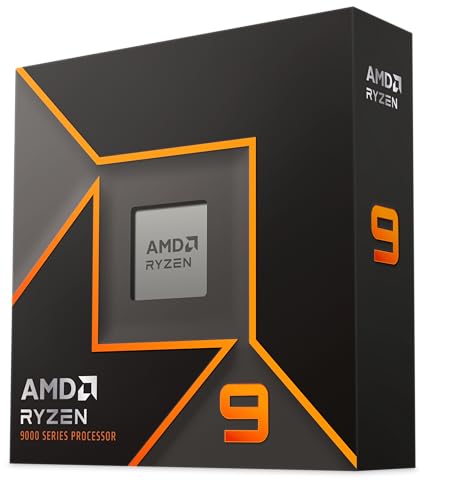
- Best build for streaming and creation: AMD Ryzen 9 9950X, 16-Core, 32-Thread Desktop Processor — Check on Amazon
- Best prebuilt for streamers: CLX Set Gaming PC, Ryzen 7 9800X3D, RTX 5080, 32GB, 2TB — Check on Amazon
- Best value streaming PC: iBUYPOWER Y40 PRO, Ryzen 9 7900X, RTX 5070 Ti, 32GB, 2TB — Check on Amazon
- Best pure gaming build: ZOTAC Gaming GeForce RTX 5080 Solid OC, 16GB GDDR7 — Check on Amazon
- Best value parts build: MSI Gaming RTX 5070 Ti 16G Gaming Trio OC, 16GB GDDR7 — Check on Amazon
- Prebuilt with the cleanest published spec: Skytech King 95, Ryzen 7 9800X3D, RTX 5070 Ti, 32GB, 1TB — Check on Amazon
Read the full guide ↓
Disclosure: As an Amazon Associate, reviewstook.com earns from qualifying purchases. Links to Amazon on this page are affiliate links; they cost you nothing extra. Listing details such as price and availability change often, so check the current Amazon listing before you buy.
A streaming PC has two jobs that run at the same time, and this guide grades all six paths on both of them. Job one is the game itself, rendered at the resolution and settings your audience expects. Job two is the broadcast wrapped around it: OBS compositing your scenes, the encoder turning frames into a stream, a browser full of chat and alerts, a voice app, and — if you record while you stream, as you should — a high-quality local copy writing to disk the whole time. The workflow this guide is written for is the real one: Twitch at roughly 6,000 kbps constant bitrate for a 1080p60 stream, YouTube if you want higher bitrates, 1440p output or AV1 delivery, and a local recording running alongside whichever platform you choose. Every pick below is graded encoder-first, then on the processor headroom left over after the game takes its share, then on the storage your recordings will eat.
Here is the honest headline, stated before the picks so nothing below oversells it: on the encoder itself, this guide is a six-way tie. Every path here — three parts builds and three prebuilts — runs either an RTX 5080 or an RTX 5070 Ti, and both cards carry the same streaming hardware: two ninth-generation NVENC encoder blocks with AV1 encode. One block can carry your live stream while the second records locally at higher quality, on every machine in this guide, without touching the processor. That means the ranking below is decided by everything around the encoder — cores, storage, networking and value for money — and by one absence worth naming: there is no Intel processor anywhere in this set, so there is no Quick Sync second encoder to fall back on; the AMD chips’ basic integrated graphics is treated here as a display output and nothing more, and CPU software encoding (x264) is an emergency fallback, not a plan.
The second honesty note is about value in a fast-moving component market. Graphics cards, memory and storage move up and down often enough that any fixed figure printed here would go stale quickly, so this guide describes each pick by its position in the budget instead and asks you to check price on Amazon before you buy. Build paths are still complete machines: they include the motherboard, memory, storage, power supply, case, cooler and Windows license that budget lists quietly omit, and several picks carry the uncomfortable conclusion this market keeps producing — a carefully bought prebuilt can undercut the same machine built from parts. What the $3,000 budget does not buy, for streaming or anything else, is an RTX 5090: the card alone sits well above the entire budget, and complete 5090 systems sit higher still, so it is excluded and explained in the FAQ rather than teased.
In this guide
Quick Picks
Short on time, or comparing several options at once? Each row below names a streamer type and the path that suits it, with a link to the anchor listing.
| Streamer type | Pick | Why it stands out | Link |
|---|---|---|---|
| Best for streaming and creation | RTX 5080 + Ryzen 9 9950X parts build | Sixteen cores for the game, the stream and everything beside them; the 5080 version sits at the top of the budget, with a 5070 Ti configuration that fits more comfortably — check price on Amazon | Check on Amazon |
| Best prebuilt for streamers | CLX Set, 9800X3D + RTX 5080 | Dual-NVENC 5080 and 2TB of recording space, assembled — strong value against the equivalent parts build; check the current price on Amazon | Check on Amazon |
| Best value streaming PC | iBUYPOWER Y40 PRO, 7900X + RTX 5070 Ti | Twelve cores and the same dual-encoder card at the value end of this set — the saving buys the microphone and lights; check price on Amazon | Check on Amazon |
| Best pure gaming build that streams | RTX 5080 + Ryzen 7 9800X3D parts build | The fastest gaming specification here; sits at the top of the budget — check price on Amazon | Check on Amazon |
| Best value parts build | RTX 5070 Ti + Ryzen 7 9800X3D parts build | Same platform and encoder as the flagship build; fits the budget more comfortably when the card is well priced — check price on Amazon | Check on Amazon |
| Cleanest published spec | Skytech King 95, 9800X3D + RTX 5070 Ti | Published 850W Gold ATX 3 power supply and strong value in this set — but only 1TB for your recordings; check price on Amazon | Check on Amazon |
How These Picks Were Chosen
Encoder first, because for a streamer the encoder is the one component that cannot be upgraded around later without replacing the graphics card. The map is short enough to print in full. The RTX 5080 and RTX 5070 Ti are both Blackwell cards with two ninth-generation NVENC blocks and AV1 encode: dual-block hardware means the live stream and a separate high-quality local recording run on independent silicon, and AV1 means YouTube’s AV1 live ingest — and Twitch’s Enhanced Broadcasting path — is open to every pick in this guide rather than being a flagship-only feature. No pick here uses an RTX 3050 or any other Ampere card, so the correction that matters elsewhere in this batch — desktop Ampere NVENC has no AV1 encode — never comes into play; and no pick uses a plain RTX 5070, the one current card that ships with a single NVENC block, so the dual-block statement holds for all six without an exception buried in a footnote. Frame generation, where a card offers it, is deliberately not credited anywhere in this guide as something the encoder sends: it synthesizes frames for your monitor, and your viewers never see them.
With the encoder tied, the grading turns to simultaneous load — what is left of the machine while the game is running. An eight-core gaming processor feeding a demanding title has less spare capacity for OBS scene compositing, browser sources, chat bots and a recording pipeline than a twelve- or sixteen-core chip does, and at this budget that difference is the real ranking. The builds were therefore re-ordered for this angle: the sixteen-core creator build leads despite its price condition, the twelve-core prebuilt is graded as a first-class streaming machine rather than a budget footnote, and the two eight-core 9800X3D paths are ranked on their gaming strength with their thinner supporting-cast headroom stated plainly. Storage is graded as a streaming specification too: a high-quality local recording habit consumes drive space faster than most new streamers expect, so 2TB picks earn credit and the one 1TB pick is treated, throughout this guide, as the machine plus the second drive it will need.
Every build path is a complete machine, counted the same way: processor, graphics card, motherboard, 32GB of DDR5-6000 memory, NVMe storage, an 850W Gold power supply, a case, a cooler and a retail Windows 11 license. The shared platform lines for the three parts builds are an MSI MAG B650 Tomahawk WiFi motherboard, 32GB of DDR5-6000, a WD Black SN850X 2TB, a Corsair RM850e 850W Gold power supply, a Lian Li Lancool 216 case, a Thermalright Phantom Spirit 120 SE cooler and Windows 11 Home — a substantial shared platform before the processor and card that define each build are added. Where a pick’s value depends on catching a part when it is well priced, the review says so in qualitative terms. We did not assemble or benchmark these machines; the judgments are specification judgments, and no frame-rate figures are quoted anywhere in this guide.
The 6 Best Gaming PC Builds for Streaming Under $3,000
Build 1 — RTX 5080 + Ryzen 9 9950X: The Streamer-Creator Build
Who it suits: The streamer whose PC works a double shift — live broadcasts in the evening, and video editing, rendering, compiling or heavy multitasking the rest of the day — and who wants the processor headroom to run all of it at once.
This build leads a streaming guide for one reason: sixteen cores. The Ryzen 9 9950X — check price on Amazon — gives the broadcast a supporting cast that never has to negotiate with the game. OBS compositing, a browser stack of chat and alerts, a voice app, a recording writing to disk and the game itself can each have real processor capacity, and on the evenings you export a edited video while tomorrow’s stream assets render, the chip simply does both. Paired with the ZOTAC Gaming GeForce RTX 5080 Solid OC (check the current price on Amazon), the encoder side is the guide’s joint best: two ninth-generation NVENC blocks with AV1, one for the live stream and one for the local recording, with the card’s 16GB of memory holding textures for the game and the compositing pipeline at once. In processor-bound games the 9800X3D builds below are faster; in graphics-bound games, which at streaming resolutions is most of them, the 5080 decides the frame rate and the two are effectively tied — while nothing else in this guide matches this build once the second and third jobs start.
The rest of the list is the shared platform: the B650 Tomahawk board, 32GB of DDR5-6000, the SN850X 2TB, the RM850e, the Lancool 216, the Phantom Spirit and Windows. As specified with the 5080 and 32GB, this build sits at the very top of the headline budget and can push past it, so check price on Amazon for every part before committing. The configuration that fits the budget more comfortably swaps the card to the RTX 5070 Ti, with the same sixteen cores, the same dual-NVENC-plus-AV1 encoder arrangement and the same 2TB of recording space, gaming one card tier lower. The 64GB version serious editing wants sits in a higher tier and belongs to a different budget. There is also a both-worlds chip, the 9950X3D, described here in prose only; at this budget its premium is exactly what strains the total, so it is named and not linked.
Honest limitation: As specified with the 5080 and 32GB, this build sits at or beyond the top of the budget; it leads this guide on streaming merit, and its in-budget form is the 5070 Ti configuration. Buyers whose creation talk is aspirational are paying for cores that will sit idle.
Choose it if you stream, record and edit on the one machine and your non-gaming work is measured in hours per week. Skip it if the machine only ever plays and broadcasts games — the 9800X3D paths below are faster at the game itself and sit lower in the budget.

Pick 2 — CLX Set Gaming PC (9800X3D + RTX 5080): The Prebuilt That Beats Building
Who it suits: The streamer who priced the 5080 parts builds, watched them climb to the top of the budget, and would like the same card, the same encoder and 2TB of recording space assembled, warranted as one machine, and cheaper.
Inside the CLX Set (model TGMSETRTU5105BM) you get the Ryzen 7 9800X3D beside an RTX 5080 16GB, 32GB of DDR5 memory and a 2TB NVMe drive, cooled by a 360mm liquid loop and powered by an 850W Gold unit — that wattage taken from the manufacturer’s own specification sheet for this model, not from listing shorthand. Check the current price on Amazon — it is often competitive with, and at times better value than, the equivalent 5080 parts builds in this guide, with assembly, a single warranty and the Windows license already included. For a streamer the specification reads exactly right: the dual ninth-generation NVENC blocks split stream and recording duties, AV1 is available for YouTube, and the 2TB drive is the recording archive the 1TB pick below makes you buy separately. The 9800X3D’s eight cores are the one streaming compromise, and it is a modest one: with the encoder on the card and OBS’s rendering load kept lean, the chip’s gaming strength — its stacked cache is built for the processor-bound moments that decide frame rates — matters more to most broadcasts than spare cores do.
The condition is printed as large as the recommendation: this machine’s value moves with the market, and in a high-price period building from parts can win by a wide margin. Treat it as a value pick only when its live listing compares well with the parts builds in this guide — check price on Amazon and compare before you buy. CLX’s listings also carry the industry-standard note that component brands may vary, so the exact graphics card model inside is the maker’s choice within the 5080 specification; the encoder hardware is a property of the 5080 itself and does not vary with the brand on the cooler.
Honest limitation: Its value is among the most volatile in this guide, swinging between strong value and poor value as the market moves, and the eight-core processor leaves the least simultaneous-load headroom of the three top picks here if your broadcast setup grows heavy.
Choose it if its live listing compares well with the parts builds and you want a flagship streaming specification without a week of parts hunting. Skip it if the live listing has drifted into its high band, where the same specification offers poor value compared with the rest of the guide.

Pick 3 — iBUYPOWER Y40 PRO (7900X + RTX 5070 Ti): The Value Streamer
Who it suits: The streamer who would rather the machine sit well below the top of the budget — because the difference is the microphone, lighting and webcam budget that decides how a stream actually looks and sounds.
The Y40 PRO (model Y40BA9N57T01) pairs a Ryzen 9 7900X — twelve cores from the previous generation, no slouch at gaming and genuinely strong at threaded work — with an RTX 5070 Ti 16GB, 32GB of DDR5 and a 2TB NVMe SSD, with keyboard and mouse in the box and a one-year warranty. It sits at the value end of this guide — check price on Amazon. For streaming, the specification is complete in the ways that matter: the 5070 Ti brings the same two ninth-generation NVENC blocks and AV1 encode as the 5080 picks, so stream-plus-record on independent hardware is fully available; the twelve cores give the broadcast’s supporting cast more room than either 9800X3D machine does; and the 2TB drive holds the recording archive. What the 7900X gives up is the X3D’s cache advantage in processor-bound games — at streaming resolutions on a 5070 Ti, the graphics card is the limit in most titles and the gap narrows to something most players never see outside a benchmark chart.
One caution is structural: iBUYPOWER does not headline this listing’s power supply wattage in the material we verified, so confirm it on the live listing before ordering rather than assuming — and note the Y40 PRO name also covers a different 7800X3D configuration under a separate listing; this review is only the 7900X machine, model Y40BA9N57T01. Against the parts builds it typically leaves a substantial share of the budget unspent, and this guide’s kit section below explains why that remainder, spent in the right order, improves a stream more than the last increment of tower would.
Honest limitation: Two honest debits: the power supply wattage appears nowhere in the verified listing material, so it has to be resolved before you buy, and the processor is a generation behind the 9800X3D where games are processor-bound. Its value positioning is the compensation for both, and when it is well priced the compensation is large.
Choose it if total cost of the whole streaming setup matters more than the last increment of processor performance — it is the best value in this guide by a wide margin. Skip it if you play processor-bound competitive or simulation titles at very high refresh rates on stream, where the 9800X3D machines earn their premium.

Build 4 — RTX 5080 + Ryzen 7 9800X3D: The Pure Gaming Build
Who it suits: The builder whose broadcast is a game stream and little else — no editing queue, no render farm ambitions — and who wants the fastest gaming specification in this guide with the streaming hardware fully present.
The parts list: the ZOTAC RTX 5080 Solid OC (check price on Amazon); the Ryzen 7 9800X3D (check the current price on Amazon); and the shared platform — B650 Tomahawk, 32GB DDR5-6000, SN850X 2TB, RM850e, Lancool 216, Phantom Spirit 120 SE and Windows 11. Together they sit at the top of the headline budget, and can push past it when the card or memory is poorly priced — that is not rounded away here. It fits more comfortably only when the main parts are all well priced at once, for example with a 1TB drive fitted instead of 2TB. The comparison rule follows: if the graphics card in your cart makes this build poor value against the CLX above, the CLX is the better purchase that week.
For streaming, what you get is the guide’s joint-best encoder — dual ninth-generation NVENC with AV1, stream and recording on separate blocks — behind the fastest gaming processor in the set, which is the right priority order for a broadcast that is mostly game. The honest streaming caveat is the eight cores: a lean OBS setup with hardware encoding asks little of them, but a heavy scene collection, a stack of browser sources and an editing session opened mid-stream will find the limit of this chip sooner than they find the 9950X’s or the 7900X’s. Streamers who keep their production simple will never notice; streamers building a production should look at picks 1 and 3.
Honest limitation: At ordinary pricing this build strains its own guide’s budget — it is a top-of-budget build that fits most comfortably during favourable pricing — and the memory line inside it has risen sharply compared with earlier generations, an insult no parts choice fixes.
Choose it if gaming is the machine’s whole job and you will buy the card and memory when they are well priced. Skip it if the $3,000 budget is a hard ceiling today — pick 2 is this specification assembled and often better value, and pick 5 fits with room to spare.
Build 5 — RTX 5070 Ti + Ryzen 7 9800X3D: The Value Build That Fits
Who it suits: The builder who wants the flagship gaming processor and the full dual-encoder streaming arrangement, on a total that fits the budget without a week of price-watching choreography.
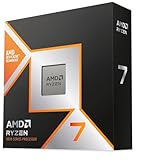
This build shares build 4’s platform exactly — the same board, memory, storage, power supply, case, cooler and Windows lines — and the same 9800X3D (check price on Amazon). The difference is the card: the MSI Gaming RTX 5070 Ti 16G Gaming Trio OC (check the current price on Amazon), with the spread disclosed — a plainer MSI Shadow 3X version of the same GPU is described in prose only (no ASIN pinned, so not linked), while other 5070 Ti models can sit in a higher tier. Depending on which card you choose and how it is priced that week, the total ranges from comfortably inside the budget with the 2TB drive fitted to the top of the budget. The governing rule is qualitative: this build fits best whenever the 5070 Ti in your cart is well priced for its tier, territory the card visits regularly.
The streaming point is that nothing about the broadcast is downgraded. The 5070 Ti’s encoder section is the same as the 5080’s — two ninth-generation NVENC blocks, AV1 encode — so the stream-and-record split, the YouTube AV1 path and the OBS setup section below apply to this build word for word. What you give up against build 4 is a step of raw rendering, most felt at native 4K and least felt at the 1080p and 1440p resolutions streams are actually delivered at; what you keep is the same processor, the same 16GB of video memory, and headroom in the budget that buys a better microphone than either build’s owner otherwise gets. The eight-core simultaneous-load caveat from build 4 applies here unchanged.
Honest limitation: The 5070 Ti’s pricing is among the most volatile lines in this guide, moving sharply over short periods — so this build’s total is a range with a rule attached, not a fixed number; at the wrong week’s pricing it can cost build 4 money while rendering a tier lower.
Choose it if you stream at 1080p or 1440p and would rather keep meaningful headroom in the budget for the desk around the machine. Skip it if native 4K gaming is the point of the purchase — that is the 5080’s job, in build 4 or the CLX.
Pick 6 — Skytech King 95 (9800X3D + RTX 5070 Ti): The Clean Spec With a Storage Catch
Who it suits: The value-minded buyer who wants the 9800X3D and 5070 Ti pairing assembled, reads specification sheets closely enough to care what is usually left blank — and records selectively rather than archiving everything.
The King 95 (model ST-KING95-1671-W-AM) matches build 5’s heart — Ryzen 7 9800X3D, RTX 5070 Ti 16GB, 32GB of DDR5-5600 — and then does something most prebuilt listings refuse to do: it publishes its power supply, an 850W Gold ATX 3 unit, alongside a 360mm liquid cooler. Check price on Amazon — it often undercuts build 5’s parts total at the card’s ordinary pricing and sits in the middle-to-value tier of this set. The encoder story is the set’s standard one — dual ninth-generation NVENC, AV1, stream and recording on separate blocks — and the graphics card’s brand may vary within the 5070 Ti specification, as the listing itself discloses; as with the CLX, the encoder hardware belongs to the GPU model, not the cooler brand. The King 95 name also sits on near-identical listings in a higher tier — a sibling configuration sits above it — so the model number ST-KING95-1671-W-AM, not the name, is what you match at checkout.
Why, then, does a machine this well specified sit last in a streaming guide? Because of the line a gaming guide can forgive and a streaming guide cannot: storage is 1TB where the other five paths fit 2TB. A streamer recording locally at high quality, keeping VODs and building a clip library will fill 1TB with a speed that surprises people, and the second drive should be counted as part of the purchase. Judged honestly — machine plus the second drive it needs — the King 95 remains good value; judged on the headline alone, it is the one pick here whose streaming cost is understated. Buy it knowing the drive is part of the purchase, not an optional extra.
Honest limitation: The 1TB drive is the real compromise, graded harder here than in a gaming guide because recordings are this machine’s second job; the brand-may-vary graphics card also means the exact cooler design and clock profile are not yours to choose.
Choose it if you want the pairing assembled with the power supply a matter of record, and you will add the second drive to the same order. Skip it if you record everything and archive for months — the 2TB picks above hold the archive without the homework.

Comparison Table
| Path | Key specification | Position in the budget | Link |
|---|---|---|---|
| Build 1 — RTX 5080 + 9950X | 5080 16GB, 16-core creator CPU, 32GB, 2TB | Top of the budget as specified; the 5070 Ti configuration fits more comfortably — check price on Amazon | Check on Amazon |
| CLX Set prebuilt | 5080 16GB, 9800X3D, 32GB, 2TB, 850W Gold | Often strong value against the parts builds, but volatile — check the current price on Amazon | Check on Amazon |
| iBUYPOWER Y40 PRO prebuilt | 5070 Ti 16GB, Ryzen 9 7900X, 32GB, 2TB | Value end of this set — check price on Amazon | Check on Amazon |
| Build 4 — RTX 5080 + 9800X3D | 5080 16GB, 3D V-Cache gaming CPU, 32GB, 2TB | Top of the budget; fits comfortably only when every main part is well priced — check price on Amazon | Check on Amazon |
| Build 5 — RTX 5070 Ti + 9800X3D | 5070 Ti 16GB, 3D V-Cache gaming CPU, 32GB, 2TB | From comfortably inside the budget to the top of it, depending on the card that week — check price on Amazon | Check on Amazon |
| Skytech King 95 prebuilt | 5070 Ti 16GB, 9800X3D, 32GB, 1TB, published 850W Gold ATX 3 | Middle-to-value tier, plus the second drive a recording habit needs — check price on Amazon | Check on Amazon |
Setting Up OBS on Any of These Machines
Every pick in this guide configures the same way, because every pick carries the same encoder hardware. In OBS, set the output encoder to NVENC and let the graphics card do the work it was bought for: on these cards you have two independent encoder blocks, so assign the stream to NVENC at your platform’s settings and the local recording to NVENC as well, at a higher quality setting, and the two jobs will not fight over one block or borrow anything from the processor. For Twitch, that means constant bitrate at roughly 6,000 kbps for a 1080p60 stream, a keyframe interval of two seconds, and the quality-oriented preset your card sustains without dropped frames. YouTube accepts higher bitrates, 1440p output and AV1 live delivery, and AV1 is available on all six picks if your channel and connection are ready for it; Twitch’s AV1 path runs through Enhanced Broadcasting rather than the standard ingest. Keep the processor out of the encoding business: software x264 encoding is an emergency fallback for a day the driver misbehaves, not a quality strategy — even the sixteen-core build at the top of this guide broadcasts better on NVENC.
When a stream stutters, OBS tells you which of three counters is responsible, and each has its own fix. Rendering lag means the game is starving OBS of graphics time to composite your scenes: cap the game’s frame rate so a slice of the card stays free, and simplify the heaviest scenes. Encoding lag means the encoder block is overloaded: drop the preset one notch or lower the output resolution before you touch anything else — on dual-block hardware this should be rare, and it almost never justifies moving the stream to the processor. Network lag is the dropped-frames counter climbing while the other two stay clean, and its fix is physical rather than digital: run a wired Ethernet connection to the machine, always. A stream is a sustained upload held for hours, Wi-Fi is a shared and variable medium, and no pick in this guide — at any price — exempts you from the cable. Before your first real broadcast on a new machine, run a one-hour rehearsal at full load: game, stream, recording and browser stack together, watched counters open. Every problem in this paragraph is cheaper to meet in rehearsal than in front of an audience.
One platform truth belongs here rather than in a footnote: streaming in 4K is limited by the platforms, not by these machines. The cards can encode it; the mainstream live services are built around 1080p and 1440p delivery, and the audience’s connections are the second ceiling. Buy these machines for high-quality 1080p and 1440p broadcasts with a pristine local recording, and the hardware will not be the reason a stream looks bad.
What the Rest of the Stream Costs
The tower is the largest single purchase in a streaming setup and not the only one, and the money left over by the value picks in this guide is best spent in a deliberate order — which is why this section names the order and no prices: accessory costs belong to their own listings and change on their own schedules, and none of them is ever inside a pick’s price above. First, the microphone. Audio is the half of a stream the audience never forgives; viewers tolerate a soft picture far longer than harsh, echoing or clipping sound, and a proper microphone on a stand or arm, placed close, is the single largest quality jump a new streamer can buy. Second, lighting: a simple, soft light on your face does more for a webcam image than a more expensive camera in a dark room, because small sensors are starved for light long before they are starved for resolution. Third, the webcam itself, bought after the light exists to feed it. Fourth and last, a capture card — and only if you stream console games, or deliberately run a two-PC setup; a one-machine PC streamer does not need one, and buying one first is the classic beginner misallocation. Spend in that order and a lower-tier tower with the right desk around it will out-broadcast a flagship tower in a dark room with a headset microphone.
How to Choose a Streaming Build Under $3,000
- Start with the encoder, and know what you are counting. Dual NVENC blocks with AV1 — the RTX 5080 and 5070 Ti arrangement every pick here shares — let you stream and record on separate hardware at once. Be wary of guides that extend AV1 claims to older cards: desktop RTX 3050 and 3060 are Ampere hardware whose NVENC has no AV1 encode at all, and a plain RTX 5070 carries only one encoder block where its Ti sibling carries two.
- Grade the processor on simultaneous load, not on gaming charts alone. The 9800X3D is the fastest gaming chip in this guide and the right choice for a lean broadcast. Sixteen cores (9950X) or twelve (7900X) buy the supporting cast — OBS, browser sources, voice, recording, editing — room that an eight-core chip spends sooner. Decide by what runs beside your game, honestly inventoried.
- Total the whole machine before comparing anything. A build list without Windows, a cooler and a case is not a total. Every build in this guide counts all three, which is why the builds look dearer than forum lists with the same headline parts — they are counting more of the machine.
- Give the graphics card a value rule, not a hope. Neither the 5080 nor the 5070 Ti has a stable price, so set your ceiling in qualitative terms first — a card should sit at the well-priced end of its tier for a build in this guide to make sense — and let a live comparison with the prebuilts tell you when building has stopped making sense that week. Check price on Amazon for the card and for the prebuilts before you decide.
- Size storage for the recording habit, not the game library. Games can be re-downloaded; last night’s recording cannot. Two terabytes is the comfortable fit for a streamer who records locally, and the one 1TB pick in this guide is treated throughout as machine plus second drive.
- Choose the power supply as deliberately as the card. An 850W Gold ATX 3.1 unit with a native 12V-2×6 cable is the correct floor for builds in this class. On prebuilts, a published wattage (the King 95’s and CLX’s 850W Gold) is worth real weight in the decision; an unpublished one, as on the Y40 PRO listing, is a question to resolve on the live listing before checkout.
- Keep the platform alive. Every path here is AM5 and DDR5, so a future processor upgrade is a chip swap, not a rebuild — worth having on a machine your channel may depend on for years.
- Budget the desk, not just the tower. The Y40 PRO, as the value pick in this set, leaves a substantial share of this budget for the microphone, light and monitor that decide how the stream reads. A cheaper tower plus the kit is a better broadcast than a flagship tower alone.
Common Buying Mistakes
- Believing AV1 encode claims for Ampere cards. RTX 3050 and 3060 NVENC encodes H.264 and HEVC only; AV1 encode begins with the RTX 40 series. Any guide or listing that says otherwise is wrong in a way that matters to a streamer.
- Assuming every current card has two encoder blocks. The plain RTX 5070 ships with a single NVENC; the dual-block arrangement in this guide belongs to the 5070 Ti and 5080. Count the blocks before you plan a stream-plus-record workflow around them.
- Moving the stream to the processor because a forum said x264 looks better. At Twitch bitrates, modern NVENC is the right tool and the processor is your supporting cast; x264 is the emergency fallback, full stop.
- Streaming over Wi-Fi because the router is “fast.” Sustained upload stability is the requirement, and it is a cable. Every dropped-frames mystery that ends in this guide’s rehearsal step ends at the Ethernet port.
- Judging a parts list that omits Windows, the cooler and the case against a prebuilt’s all-in price, then calling building cheaper by precisely the lines that went uncounted.
- Buying the capture card first and the microphone last. The order in the kit section exists because audiences forgive pictures and never forgive sound.
- Chasing the RTX 5090 at this budget. The card alone sits well above the entire budget, and no encoder advantage at any realistic stream setting justifies a machine that cannot be completed.
- Ordering a prebuilt whose listing never states the power supply wattage, and meeting the number for the first time on upgrade day.
- Buying by name instead of by model number: King 95 and Y40 PRO listings each span several configurations, so ST-KING95-1671-W-AM and Y40BA9N57T01 are the strings to match.
Final Recommendation
- Streamers who also create: Build 1, the RTX 5080 and 9950X build — in its 5070 Ti configuration to fit today, or as specified if the stretch is acceptable.
- Streamers who want it assembled: Pick 2, the CLX Set when its live listing compares well — the flagship encoder and 2TB, often for less than the parts.
- Value-first streamers: Pick 3, the Y40 PRO, with the saving spent down the kit list in order.
- Pure gaming broadcasters: Build 4 if you can time the market, build 5 if you cannot — the encoder is identical either way.
- Spec-sheet readers: Pick 6, the King 95 — with the second drive in the same order.
Our top two paths are build 1 and the CLX Set, for opposite reasons that meet in the middle: the sixteen-core build is the machine a growing channel grows into, and the CLX is the same encoder class and storage, assembled, often at the week’s best value. Between them they cover most streamers; the Y40 PRO owns the value corner outright, and builds 4 and 5 serve the builder who wants the parts in hand. Readers earlier in the journey should also see Best Gaming PC Build For Streaming Under $2500 for the tier below, Best Gaming PC Build For Beginners Under $3000 if this is a first build, and Best Streaming PC Under $3000 for the prebuilt-first view of the same budget. Set your value rules first — compare the live price on Amazon for the 5080, the 5070 Ti and the CLX against the parts builds before you commit — wire the Ethernet cable before your first broadcast, and check the live listings before you order.

Frequently Asked Questions
Do I need two encoder blocks to stream and record at the same time?
Need is too strong a word — a single block can be shared — but two blocks is the arrangement that makes the workflow free: the stream runs at platform settings on one block while the recording runs at higher quality on the other, and neither degrades the other or touches the processor. Every pick in this guide has two blocks, because both the RTX 5080 and the RTX 5070 Ti carry dual ninth-generation NVENC. The trap to avoid is assuming the arrangement from the family name: the plain RTX 5070 carries a single block, and older Ampere cards such as the RTX 3050 and 3060 carry one block with no AV1 encode at all.
Why is there no Intel build here — doesn’t Quick Sync help streamers?
Quick Sync is a genuinely useful reserve encoder on Intel chips that have integrated graphics, and on an Intel-based shortlist it would be graded and credited. This set is AMD-based from top to bottom — the verified listings and comparisons that shaped it landed on AM5 — so there is no Quick Sync to claim, and this guide makes no encoder claim for the AMD processors’ basic integrated graphics either: on these machines the graphics card does all the encoding, and it is equipped to. If a future Intel build joins this guide, its Quick Sync will be graded as what it is — a reserve, behind NVENC, never a reason to buy the machine.
Can you build an RTX 5090 streaming PC under $3,000?
No, and the gap is not close. The card alone sits well above the entire $3,000 budget before a processor, motherboard or power supply is added, the platform it requires pushes a real 5090 build far higher still, and complete 5090 systems sit in a much higher tier. For streaming specifically the pursuit is doubly empty: at the bitrates platforms accept, a 5090’s encoder output is indistinguishable from the dual-NVENC arrangement every pick in this guide already has.
Is it cheaper to build or buy prebuilt for streaming right now?
It depends on live pricing, and you should check price on Amazon for both paths before deciding. At times the prebuilt wins — narrowly, and only while it is well priced. The CLX can match the 5080 builds’ specification for less than their parts cost, and the Y40 PRO can undercut every 5070 Ti path by a wide margin, because prebuilt makers may have bought memory and graphics inventory on different terms. Building still wins on component choice, transparency and upgrade control, and it wins outright whenever a prebuilt drifts into its high band, as the CLX can. Compare both, every time, with the whole machine counted on both sides.
How much storage does a streaming PC actually need?
More than a gaming PC, because recordings are the second tenant. A habit of recording every session locally at high quality, keeping VODs and cutting clips will fill 1TB faster than most new streamers budget for, which is why five of the six paths here fit 2TB and the sixth is treated in this guide as machine plus second drive. Stepping up from 1TB to 2TB is a modest extra compared with the cost of the machine — check price on Amazon — and it is cheap insurance bought once, against an archive problem that arrives mid-season.
What should I do if prices have moved by the time I read it?
Expect that — this is a volatile component market, and the guide is built to survive price movement by describing each pick’s position in the budget rather than printing a fixed figure. Keep the method: check the current price on Amazon for the card, the memory and any prebuilt you are comparing, judge each against its tier, and let that live comparison tell you which side wins your week. Hold your value rules, and the answer recomputes itself.
- Best Gaming PC Build Under $3000
- Best Gaming PC Build Under $2500
- Best Gaming PC Build Under $1500
- Best Gaming PC Under $3000
- Best Prebuilt Gaming PC Under $3000
- Best Gaming PC Build For 1440p Gaming Under $3000
- Best Gaming PC Build For Beginners Under $3000
- Best Gaming PC Build For Small Spaces Under $3000
- Best Streaming PC Under $3000
- Best Gaming PC For Streaming Under $3000
- Best Workstation PC Under $3000
- Best High End Gaming PC Under $2000


