
Where to buy
Check the latest price, availability and delivery on Amazon. Orders are placed on Amazon. We may earn a commission from qualifying purchases.
- Easiest installation in the guide: Skytech King 95, Ryzen 7 9800X3D, RTX 5070 Ti, 32GB, 1TB — Check on Amazon
- Finished tower with the flagship card: CLX Set Gaming PC, Ryzen 7 9800X3D, RTX 5080, 32GB, 2TB — Check on Amazon
- The build whose parts you stage yourself: MSI Gaming RTX 5070 Ti 16G Gaming Trio OC, 16GB GDDR7 — Check on Amazon
- Same case, faster card: ZOTAC Gaming GeForce RTX 5080 Solid OC, 16GB GDDR7 — Check on Amazon
- The sixteen-core version of the same install: AMD Ryzen 9 9950X, 16-Core, 32-Thread Desktop Processor — Check on Amazon
- Cheapest tower, one homework item: iBUYPOWER Y40 PRO, Ryzen 9 7900X, RTX 5070 Ti, 32GB, 2TB — Check on Amazon
Read the full guide ↓
Disclosure: As an Amazon Associate, reviewstook.com earns from qualifying purchases. Links to Amazon on this page are affiliate links; they cost you nothing extra. Listing details such as price and availability change often, so check the current Amazon listing before you buy.
Start with the sentence most small-space guides at this budget avoid: nothing in this guide is small. Three thousand dollars buys RTX 5080 and RTX 5070 Ti graphics, sixteen-core processors and 360mm liquid coolers, and every one of the six paths below — three parts builds and three prebuilt machines — ends with a full-size tower standing on or under your desk. There is no mini PC here, nothing that mounts behind a monitor, and no case in this guide whose maker promises a small footprint. If your room genuinely cannot take a tower, the honest purchase is a different guide’s machine at a lower tier, and we would rather lose the sale than shrink a tower on paper.
What a small-space guide can honestly grade at $3,000 is the installation: what each machine demands from the room around it. That demand differs more than the shared “full-size tower” label suggests. Two of the prebuilts carry 360mm liquid radiators, and a radiator is a placement obligation — it needs an exhaust path out of the case’s top or front and open air beyond it. The three do-it-yourself builds share one documented airflow case and an air cooler, which trades the radiator problem for a different one: an evening of parts boxes staged across the floor of the small room before the tower exists at all. One prebuilt arrives with its power supply wattage unpublished, which schedules a case-opening on delivery day just to read the label — a small thing in a workshop, a genuine nuisance in a room where the tower was supposed to slide into its slot once and stay there. And every pick, without exception, refuses the sealed cabinet: cards of this class exhaust real heat, and a closed door turns a small room’s storage furniture into an oven. The rankings below are ordered by that installation burden, lightest first — which is why the value order you may expect from our other $3,000 guides is not the order you will find here.
The pricing context is unchanged from the research behind this batch’s other $3,000 build guide, and it is November 2026 context: component pricing sits well above launch levels, whether a path fits the budget depends on live pricing at the time you order, and every build is assessed as a complete machine — processor, card, board, 32GB of memory, storage, power supply, case, cooler and a retail Windows license — never as a bare card wearing a build’s clothes. Where a path only fits the budget when live pricing is favourable, the review says so in those terms — check the current price on Amazon before you commit to any path below.
In this guide
Quick Picks
Short on time, or comparing several options at once? Each row below names a small-space situation and the path that handles it best, with a link to the listing.
| Your situation | Pick | Why it stands out here | Link |
|---|---|---|---|
| One slot, no second chances | Skytech King 95, 9800X3D + RTX 5070 Ti | Arrives finished with its 850W Gold power supply published — nothing to open, check or guess on delivery day; check price on Amazon | Check on Amazon |
| Flagship card, zero assembly | CLX Set, 9800X3D + RTX 5080 | The top specification in the guide, delivered built; its 360mm radiator is the one placement fact to plan around; check the current price on Amazon | Check on Amazon |
| You have a table for one evening | RTX 5070 Ti + 9800X3D parts build | The build positioned to fit the budget when the card sits at the lower end of its range; air-cooled, so no radiator to place; check price on Amazon | Check on Amazon |
| Same build, fastest card | RTX 5080 + 9800X3D parts build | Identical installation to the build above it; fits under $3,000 only when every favourable pricing condition lands at once; check the current price on Amazon | Check on Amazon |
| The tower also does your day job | RTX 5080 + Ryzen 9 9950X parts build | Sixteen cores in the same case; honestly over budget as specified — a configuration that fits is shown in its review; check price on Amazon | Check on Amazon |
| Budget left for the room itself | iBUYPOWER Y40 PRO, 7900X + RTX 5070 Ti | The lowest-positioned tower in this tier — check price on Amazon — but its unpublished power supply means one case-opening to read the label before it settles in | Check on Amazon |
How These Picks Were Chosen
The six paths are the six verified paths of this batch’s $3,000 build research — the same anchor listings, the same November 2026 research, the same deal rules — re-examined and re-ranked purely on installation. Every path is assessed as a whole machine. The three parts lists run down to the Windows license; the three prebuilts are complete systems that already contain everything. No path was added or dropped for this angle, and where a recommendation depends on catching favourable live pricing — a promotional window, a card at the lower end of its range — that condition is stated at the size it deserves rather than footnoted, with a reminder to check the current price on Amazon.
The installation grading uses only facts the underlying research documents, and it is worth saying what that excludes. No external dimensions, volumes, weights or noise figures are printed for any pick in this guide, because the base research documents none for these towers — so no tower below is called the smallest, the lightest or the quietest, and any guide that ranks these exact machines by litres is inventing the litres. What the research does document, and what the grading therefore uses, is this: the three builds share the Lian Li Lancool 216 case, whose published graphics-card clearance is 392mm — a fit fact, printed in the build reviews where it belongs; the builds’ air cooler is a dual-tower design 154mm tall, which is the one internal height that decides whether the side panel closes; the CLX Set and the King 95 are documented with 360mm liquid coolers, which fixes their exhaust geography; and the power supplies of the builds, the CLX and the King 95 are published wattages, while the Y40 PRO’s is not. Form-factor class — full tower, mid tower, mini — is graded as class, and anything finer is routed to the live listing and your own tape measure, which is where the checklist below comes in.
One more grading axis matters in a small room and costs nothing to state: heat is conserved. A 360mm radiator does not delete a graphics card’s heat; it relocates it to wherever the radiator exhausts, which is into your room either way. Liquid-cooled picks are therefore graded on where their exhaust can go, air-cooled picks on the open air their case intakes need, and all six on the same refusal — none of them belongs in a sealed cabinet, a closed closet or a foam-lined cubby, whatever the furniture catalogue promised.
Before You Order: The Five-Step Measure
Every return in this category starts as a measurement somebody skipped. Run these five steps before any of the six paths below gets ordered — they take one tape measure and ten minutes.
- Step 1 — Measure the spot. Width, depth and height of the exact place the tower will live: the desk corner, the floor bay, the shelf. Write the three numbers down. Then compare them against the live listing’s stated dimensions for the machine you are buying — the listings carry them even though this guide prints none — and keep a hand’s width of slack in every direction, because a tower that exactly fits its slot has already failed step 2.
- Step 2 — Ventilation clearance. Decide where the machine breathes. Front and side intakes need open air, not a wall or a cabinet side pressed close; a radiator pick needs its top or front exhaust unobstructed. If the only available spot is enclosed on five sides, stop here — no pick in this guide survives a sealed space, and the correct purchase is a lower-heat machine, not a bigger fan.
- Step 3 — The brick address. The simple version first: no pick in this guide has an external power brick. All six power supplies are internal, so there is no brick to house, hide or ventilate — the supply’s whole address is the wall socket and the reach of its cord. Plan that instead: a socket the tower’s cord reaches without an extension lead stretched across the room, and a power strip placed where the tower’s rear panel — which is where the switch and the cables live — can actually be reached after installation.
- Step 4 — Cable drop. Trace the runs before the machine arrives: monitor cable from the graphics card’s rear ports down or across to the display, Ethernet if you wire it, power from step 3. The card sits low at the back of the case, so a tower under a desk means cables dropping behind the desk’s rear edge — confirm the gap exists, or that a cable channel does, before the tower is in place and the discovery becomes a furniture project.
- Step 5 — Then order. Only now — spot measured, air planned, socket confirmed, cables traced — place the order, and order the path whose pricing condition is actually favourable: the CLX when its promotional pricing is live, the 5070 Ti build with the card at the lower end of its range, the Y40 PRO whenever its live pricing holds at the lower end of its band. Check the current price on Amazon for whichever path you choose. A tower bought a week early at an unfavourable price is not a head start; in a small room it is a very large box stored in the way.
The 6 Best Gaming PC Builds for Small Spaces Under $3,000
Skytech King 95 (9800X3D + RTX 5070 Ti): The Tower That Arrives Finished
Who it suits: The small-space buyer whose plan is one slot, one installation, and no follow-up projects — and who reads specification sheets closely enough to reward the maker that fills them in.
On a pure value ranking this machine sits second among this guide’s 5070 Ti paths; on an installation ranking it goes first, and the reason is a single published line. The King 95 (model ST-KING95-1671-W-AM) pairs the Ryzen 7 9800X3D with an RTX 5070 Ti 16GB, 32GB of DDR5-5600 and a 360mm liquid cooler — and Skytech publishes its power supply: an 850W Gold ATX 3 unit. In a big room an unpublished wattage is a shrug. In a small one it is a scheduled second installation — tower back out of its slot, side panel off, label read, tower back in — and the King 95 is the prebuilt here that never asks for it. Everything a future upgrade plan needs is on the spec sheet before the box is opened, so the machine can be placed once, cabled once, and left alone.
Its one real placement obligation is documented rather than guessed: the 360mm radiator. A radiator that size mounts at the case’s top or front and exhausts there, so the King 95’s slot needs open air above or ahead of it — a tower bay under a desk with a solid modesty panel hard against the front, or a shelf with a low ceiling of furniture directly over the top panel, is the wrong home for it. Give the exhaust its exit and the liquid loop becomes the tidiest thermal arrangement in this guide, moving the card’s heat to the case’s edge in one deliberate direction instead of stirring it around the chassis. The cable drop is the standard tower story — display cable from the card’s rear ports, power to the rear switch — with no external brick anywhere in the picture.
The pricing discipline is unchanged from the base research: check the current price on Amazon before you buy, because this model sits in the middle band of this guide’s tier rather than at a single fixed point, and near-identical variants circulate under other listings positioned higher in the tier — so the model number ST-KING95-1671-W-AM is the thing to match at checkout, not the King 95 name. Against the parts build of the same specification below, it trades away the second terabyte of storage and the right to choose your exact card model: the listing discloses that the graphics card’s brand may vary within the 5070 Ti specification.
Honest limitation: Storage is 1TB where the parts builds in this guide fit 2TB — and in a small room that catch has a spatial sequel, because the eventual second drive is an installation event, and an external drive instead is one more object living on a desk that was measured for a tower. The 360mm radiator also fixes the exhaust direction before you choose the slot.
Choose it if your room rewards the machine that arrives complete, documented and placeable in one pass. Skip it if your library already overflows 1TB and the second-drive project would land within the first month — the parts build below fits 2TB from the start at a comparable position in the tier when the card sits at the lower end of its range.

CLX Set Gaming PC (9800X3D + RTX 5080): The Flagship, Delivered Built
Who it suits: The buyer who wants this guide’s strongest specification — the RTX 5080 pairing of the top parts build — without staging a parts build in a room that has no staging area to spare.
The CLX Set (model TGMSETRTU5105BM) is the top parts build’s specification assembled by somebody else: Ryzen 7 9800X3D, RTX 5080 16GB, 32GB of DDR5, a 2TB NVMe drive and a 360mm liquid cooler, with an 850W Gold power supply confirmed from the manufacturer’s specification sheet for this model. That last fact matters to this angle for the same reason it decided the King 95’s rank: the wattage is a matter of record, so the installation is genuinely one-and-done — no label hunt, no case opening, no second wrestling match between tower and slot. The 2TB drive earns its keep spatially too: fitted from the factory it is one less future opening of the machine, and no external drive colonising the desk in the meantime.
Its placement profile is the radiator profile, same as the King 95 and stated just as plainly: 360mm of radiator exhausts at the top or front of the case, and the slot you measured in step 1 must give that exhaust somewhere to go. A tower-length space under a desk with open air above the machine is a good home; a enclosed media-unit bay is not, and no setting on the machine changes that. What the CLX does not ask for is floor space on build night — the contrast with the three parts lists below is the whole reason it ranks above them here. There are no nine component boxes to open, sort and flatten in a room that may be short of exactly that floor.
The condition attached to this pick is a pricing condition, and it is absolute. Check the current price on Amazon before you judge it: when its promotional pricing is live, the CLX sits near the top of this budget tier and below the identical specification’s parts-build position, while at other times the same configuration has been positioned well above the tier, where it becomes the most expensive route in this guide by a wide margin. Buy the live pricing, not the name: when it sits within the budget tier this is the flagship installation with the least friction in the guide; when it sits well above the tier, walk away and let the parts build win the week. CLX’s listings also carry the standard note that component brands may vary, so the exact card model inside is the maker’s choice within the 5080 specification.
Honest limitation: Its pricing swings more widely than any other pick in this guide, and the radiator’s exhaust geography is fixed before the machine arrives — measure for the exhaust, not just the tower.
Choose it if you catch its promotional pricing live — check the current price on Amazon — and your measured slot gives a top or front radiator a clear exit. Skip it if its live pricing sits in its high band, or your only slot traps the top panel — the parts build below puts the same card on air cooling instead.

Build 2 — RTX 5070 Ti + Ryzen 7 9800X3D: The Build That Fits, In A Case You Choose To Keep
Who it suits: The builder with one free evening and one clear table, who wants the flagship gaming processor, a card that drives high-refresh 1440p and credible 4K, and a total that fits the budget without choreography.
Every parts build in this guide installs into the same documented home: the Lian Li Lancool 216, an airflow-first mid-tower listed on Amazon — check price on Amazon for the case and for each part below. Grade that choice honestly for a small room. It is not a small case — it is a standard tower chassis, and step 1 of the checklist applies to it exactly as it does to the prebuilts. What it offers instead of smallness is known quantities: its published graphics-card clearance is 392mm, which is the figure that decides whether long flagship-class cards fit, and the build’s cooler is a dual-tower air cooler 154mm tall, the one internal height that decides whether the side panel closes over it. Both numbers are in the base research, both are checkable against the live listings before a single box is opened, and between them they remove the two classic build-night discoveries. There is no radiator to place, no pump to mount, no tubing to route — the thermal plan is front intake, rear and top exhaust, open air around the case.
The installation cost this build does charge is staging. Nine component boxes — card, processor, board, memory, drive, power supply, case, cooler, Windows — arrive as nine boxes, and assembling them wants a clear table, the case box flattened as a work mat, and an evening in which the small room’s floor is a parts depot. That is a real cost in a small space and it is why both prebuilts above outrank every build here despite this machine’s better value. It is also a one-evening cost, paid once, and the machine it produces is the one whose every cable you routed yourself — which, in a tight slot, is worth something: the builder decides the cable drop, ties it once, and never inherits a stranger’s idea of tidy.
The positioning is the base guide’s positioning, unchanged in structure. The platform — B650 Tomahawk board, 32GB of DDR5-6000, SN850X 2TB, Corsair RM850e 850W Gold, the case, the cooler and Windows — forms the shared base of all three builds, and the 9800X3D sits above it as the flagship gaming processor; check the current price on Amazon for each line before you total anything. The card decides where the total lands in the tier: the MSI Gaming Trio OC version of the 5070 Ti is the higher-positioned variant and pushes the total above the budget tier, while a plainer MSI Shadow 3X variant — described here without a pinned listing — sits lower in the band and brings the total within the budget. The rule, in qualitative terms: this build is under $3,000 whenever the card in your cart sits at the lower end of its current range, and the card has visited that territory repeatedly.
Honest limitation: The card’s pricing is the most volatile line in this guide — it can shift materially over a short period — so the build’s position in the tier is a range with a rule attached. And the staging evening is unavoidable: there is no version of a nine-box build that happens without floor space.
Choose it if you can give the build one evening of table and want the best-fitting total in the guide. Skip it if the room truly has nowhere to stage parts — take the King 95 or the CLX and let the factory keep the boxes.
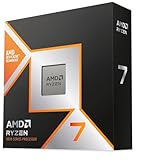
Build 1 — RTX 5080 + Ryzen 7 9800X3D: The Same Installation, The Faster Card
Who it suits: The pure gamer who has already accepted the build evening, measured the slot, and wants the fastest graphics card this budget can honestly hold standing in it.
Nothing about this build’s installation differs from the build above it, and the review will not manufacture a difference: same Lancool 216 case with its documented 392mm of graphics-card clearance, same 154mm dual-tower air cooler, same platform lines, same nine boxes on the same table. The one fit question that is genuinely this build’s own lives inside that clearance figure — the ZOTAC RTX 5080 Solid OC is a flagship-class card — check price on Amazon — and flagship cards are long; the case’s published clearance is precisely the number to hold against the card’s stated length on the live listing before ordering, which is step 1 thinking applied inside the case as well as outside it. The processor is the same 9800X3D — check the current price on Amazon — the chip the prebuilt makers themselves choose for their flagship gaming machines, its stacked cache built for the processor-bound moments that decide frame rates in competitive and simulation titles.
Thermally, the air-cooled plan grades well in a tight slot for one specific reason: there is no radiator deciding your furniture for you. The case breathes from its front and leaves by its rear and top, the card exhausts into that same managed stream, and the whole arrangement asks only for what step 2 of the checklist already demanded — open air at the intakes and an exit for the exhaust, never a sealed enclosure. The 5080 is a genuine 4K card with DLSS doing honest work, where the tier below it is a 1440p card that visits 4K; in a small room that distinction has a furniture consequence too, since it is the difference between driving the one good display you have room for at its native resolution and compromising around a card.
The position in the tier, stated as plainly as the base guide states it: as specified, this build sits over the headline budget at typical live pricing. It slips under $3,000 only when every favourable condition lands at once: the 1TB SN850X instead of the 2TB, a lower-positioned 32GB memory kit, the board at the lower end of its range and favourable processor pricing. Treat a fit inside $3,000 as this build’s favourable-window outcome rather than its everyday position, and set the walk-away rule before the boxes start arriving: if the graphics card in your cart sits at the high end of its current range — check the current price on Amazon — the CLX above — this exact specification, assembled — is the better purchase that week, and in a small room it is also the easier installation.
Honest limitation: At typical live pricing this build does not fit its own guide’s budget, and the memory line is the insult inside the injury — 32GB of DDR5 currently sits far above where the same class of kit sat in early 2025, and no parts choice fixes that.
Choose it if gaming is the machine’s whole job and you will buy the card and memory on their dips rather than all on one day. Skip it if your $3,000 is a hard ceiling today — the build above it or the CLX keeps the change and the CLX keeps your floor clear too.
Build 3 — RTX 5080 + Ryzen 9 9950X: Sixteen Cores In The Same Footprint
Who it suits: The builder whose tower is two machines in one — games in the evening; rendering, compiling, video editing or heavy multitasking all day — in a room that has space for exactly one tower, which is most small rooms.
The installation story is deliberately boring, and boring is the compliment: this build occupies the identical documented case, cooler and platform as the two builds above it. Same 392mm of published card clearance for the same ZOTAC RTX 5080 Solid OC — check price on Amazon — same 154mm air cooler, same cable drop, same staging evening. What changes is entirely inside the chassis and inside the workday. The Ryzen 9 9950X — check the current price on Amazon — is a 16-core, 32-thread processor that roughly doubles the 9800X3D’s capacity for work that uses every core at once: long renders, big compiles, timeline exports, a game running beside an encode. In graphics-limited games, which at 4K is most of them, the two processors finish in a near-tie and the card decides the frame rate; in processor-limited games the X3D pulls ahead. Buy the 9950X if your non-gaming work is measured in hours per week; the X3D if it is measured in minutes. For a small room there is one more consideration, and it cuts in this build’s favour: consolidation. Sixteen cores in the tower you already measured for is how a small room avoids a second machine — the render box, the spare desktop — that it has no slot for.
Heat deserves one honest sentence at this tier of processor: a 16-core chip under an all-core render is the hardest sustained load in this guide, and it lands on the same air cooler and the same case airflow as everything else here. The documented arrangement handles it — that is what the dual-tower cooler is for — but step 2’s clearance stops being a formality. A tower that renders all day in a slot with throttled intake will be slower and louder about it than the same tower breathing freely, and in a small room you sit closer to the result.
The position in the tier, with nothing rounded away: as specified with the 5080 and 32GB, the total sits over budget, printed here rather than hidden — check the current price on Amazon for the processor and the card before you judge it. With the 64GB that serious creation work actually wants, it sits well above the tier, a different guide’s budget. The configurations that fit: swap the card to the 5070 Ti at the lower end of its range and the total fits within the tier with the 9950X, 32GB and the 2TB drive; or hold the 5080 version for a favourable pricing window, where with the card at the lower end of its range and a 1TB drive it can cross under the line. The both-worlds 9950X3D chip sits in a premium position above the 9950X in the tier and is the correct answer for a wealthier guide — at this budget its premium is exactly what pushes the total out of reach.
Honest limitation: As specified, this build is over budget at typical live pricing — it is the declared stretch pick of the $3,000 research, and no installation virtue changes that position.
Choose it if your work genuinely uses sixteen cores and one tower must do both jobs in the room. Skip it if the creation talk is aspirational — a pure gamer pays this premium for cores that sit idle, in a case that could have held build 1’s specification instead.

iBUYPOWER Y40 PRO (7900X + RTX 5070 Ti): The Cheapest Tower, With One Homework Item
Who it suits: The buyer whose $3,000 must cover the whole desk — tower, monitor, and the room around both — and who is willing to do exactly one piece of delivery-day homework in exchange for the lowest-positioned tower in this guide.
Start with why this machine is last in an installation ranking despite being first in a value one. The Y40 PRO (model Y40BA9N57T01) pairs a Ryzen 9 7900X — a 12-core previous-generation processor, no slouch at gaming and genuinely strong at threaded work — with an RTX 5070 Ti 16GB, 32GB of DDR5 and a 2TB NVMe drive, keyboard and mouse in the box. Its position in the tier is the most striking finding in the underlying research: it sits at the lowest end of this guide’s band among complete towers — check price on Amazon to see where it sits today. At that position the machine leaves a substantial portion of the budget unspent, and in a small room unspent budget is a spatial resource — it is the better monitor arm, the desk that fits the tower properly, the cable channel from step 4. No other pick in this guide funds the room itself.
The homework item is the reason for the rank. iBUYPOWER does not headline this listing’s power supply wattage in the material the research verified, and the base guide’s instruction stands: confirm it on the live listing before ordering rather than assuming. For this angle the consequence is specific — if the wattage can only be settled by reading the fitted unit’s label, that reading happens with the tower out of its slot and its side panel off, which converts a five-minute check into a second installation in exactly the rooms that can least spare the manoeuvre. Do the check at the listing stage and the penalty mostly evaporates; skip it and it is waiting on delivery day. A second caution is a naming one: the Y40 PRO name also covers a different 7800X3D configuration under a separate listing, and this review is only the 7900X machine — match Y40BA9N57T01.
On the documented facts the rest of its installation is unremarkable, which is fine: a full-size tower of the standard class, internal power supply with no brick to house, 2TB fitted so no external drive joins the desk, and a processor whose gaming cost against the 9800X3D machines is real but narrow — the X3D’s cache advantage shows in processor-bound titles, while at 1440p and 4K on a 5070 Ti the graphics card is the limit in most games and the gap narrows to something most players will never see outside a benchmark chart.
Honest limitation: The unpublished power supply wattage is a genuine unknown to resolve before purchase, and the previous-generation processor is a step behind in processor-bound gaming — its lower position in the tier is the compensation, and when its promotional pricing is live that compensation is generous.
Choose it if you will do the wattage check on the live listing before ordering, and the money it leaves behind improves the room the tower stands in. Skip it if your games live at the processor-bound, very-high-refresh end — that is the corner where the X3D machines justify their premium.

Comparison Table
| Path | Installation profile | Position in the $3,000 tier | Link |
|---|---|---|---|
| Skytech King 95 prebuilt | Arrives finished; published 850W Gold PSU; 360mm radiator exhaust to plan | Middle band of this tier — check price on Amazon (match model ST-KING95-1671-W-AM) | Check on Amazon |
| CLX Set prebuilt | Arrives finished; PSU on the spec sheet; 360mm radiator; 2TB fitted | Near the top of the tier when promotional pricing is live; well above the tier at other times — check the current price on Amazon | Check on Amazon |
| Build 2 — RTX 5070 Ti + 9800X3D | One staging evening; air-cooled; documented 392mm card clearance | Within the tier when the card sits at the lower end of its range; above it when the card sits higher — check price on Amazon | Check on Amazon |
| Build 1 — RTX 5080 + 9800X3D | Identical installation to build 2; card length vs the 392mm clearance is the fit check | Above the tier as specified; within it only when every favourable pricing condition lands at once — check the current price on Amazon | Check on Amazon |
| Build 3 — RTX 5080 + 9950X | Same case and cooler; the hardest sustained heat load in the guide | Above the tier as specified; the 5070 Ti configuration can fit within the tier — check price on Amazon | Check on Amazon |
| iBUYPOWER Y40 PRO prebuilt | Arrives finished; PSU wattage unpublished — one label check to schedule | Lowest position in this tier — check price on Amazon | Check on Amazon |
How to Choose a Gaming PC Build for a Small Space Under $3,000
- Admit the form factor first. Every path in this guide is a full-size tower. If the measured spot from step 1 cannot take a tower with air around it, the answer is a smaller class of machine from a lower tier — see Best Gaming PC For Small Spaces Under $3000 and Best Small Form Factor Gaming PC Under $3000 — not a tower described optimistically.
- Rank your friction, not just your frames. The installation differences here are real but specific: radiators fix an exhaust direction, parts builds cost a staging evening, an unpublished power supply costs a case opening. Decide which of those your room tolerates worst and let it order the shortlist — that is the ranking this guide used.
- Refuse the sealed cabinet, for all six. Cards and processors of this class exhaust serious heat. A closed cabinet, closet or cubby defeats every cooling arrangement in this guide equally, liquid and air alike. If the furniture is non-negotiable, the machine class has to change, not the fan curve.
- Use documented fit figures, and only those. The builds’ case publishes 392mm of graphics-card clearance and their cooler stands 154mm tall; those two numbers settle the internal fit questions that are actually documented. For external dimensions, read the live listing and measure your spot against it — never against a figure a guide invented.
- Total the whole machine before comparing anything. A parts list without Windows, a cooler and a case is not a total. Every path in this guide is assessed with all three included — check the current price on Amazon for each part — which is why the builds look more expensive than forum lists with the same headline parts.
- Give the graphics card a range position and a rule, not a hope. Neither the RTX 5080 nor the 5070 Ti has stable pricing in November 2026 — both move across a wide band. Decide in advance what counts as the lower end and what counts as the high end of each card’s current range — check price on Amazon — and let the prebuilts’ positions in the tier tell you when building has stopped making sense that week.
- Decide the processor by workload, not league table. Pure gaming: the 9800X3D (check price on Amazon). Gaming plus hours of weekly rendering, compiling or exporting: the 9950X (check the current price on Amazon), whose sixteen cores also consolidate two machines’ work into the one tower your room has space for.
- Count the desk, not just the tower. The Y40 PRO at the lowest position in this tier, plus a good monitor and a proper stand, costs less in total than the top parts build’s tower alone. In a small room, the best installation is sometimes the lower-positioned tower placed well.
Common Buying Mistakes
- Believing any $3,000 machine in this class is “compact.” All six paths here are full towers; the small-space work is placement and planning, not shrinkage.
- Measuring the tower but not the exhaust. A 360mm radiator pick slid into a slot whose top or front is blocked has been installed into a slow cooker.
- Sealing any of these machines into a cabinet to make the room look tidy. The tidiness lasts until the first long session; the heat is permanent.
- Ordering a nine-box build with nowhere to stage it. The parts need a table and an evening of floor before they need a desk.
- Skipping the power-supply check on the Y40 PRO until delivery day, then performing the label inspection with the tower half out of its finished slot.
- Buying the name instead of the model. Both the King 95 and the Y40 PRO are sold in more than one configuration across separate listings — order against ST-KING95-1671-W-AM or Y40BA9N57T01, never against the badge alone.
- Budgeting from launch prices. Launch pricing for the 5070 Ti and the 5080 is a historical document; a $3,000 plan built on it produces a cart well above the budget tier.
- Comparing a parts list without Windows, cooler or case against a prebuilt’s complete price and concluding building is cheaper by exactly the lines left out.
- Chasing the RTX 5090 at this budget. The card alone sits well above this entire budget tier, and the lowest-positioned complete 5090 systems sit well above it too — there is no honest $3,000 version, in any room, of any size.
Final Recommendation
- Lightest installation in the guide: Skytech King 95 — finished, documented, placeable in one pass — check price on Amazon.
- Flagship without the build evening: CLX Set when its promotional pricing is live — the top specification, assembled, positioned below its parts total — check the current price on Amazon.
- Builders with a table: Build 2 when the 5070 Ti sits at the lower end of its range; build 1 when the 5080’s favourable pricing window opens — check price on Amazon for both cards.
- One tower, two jobs: Build 3 — the 5070 Ti configuration to fit today, the 5080 configuration as a declared stretch.
- Budget for the whole room: Y40 PRO when its promotional pricing is live, with the wattage checked on the listing before it ships — check price on Amazon.
Our top two here are the two prebuilts, and that is this angle’s honest verdict rather than a general one: at equal specification, the machine that arrives finished and documented asks less of a small room than the machine that arrives as nine boxes. The King 95 asks least of all — published power supply, known radiator, one installation — while the CLX brings the flagship card when its promotional pricing is live, with the same one-pass placement. Builders who do have the table and the evening should start from Best Gaming PC Build Under $3000 for the full parts-first view, step down to Best Gaming PC Build For Small Spaces Under $2500 if the tower class itself is the problem, and first-timers should read Best Gaming PC Build For Beginners Under $3000 before staging their first build in a tight room. Run the five-step measure first, set your walk-away positions second — the high end of the current range on the 5080 and on the 5070 Ti, an above-tier position on the CLX; check the current price on Amazon for each — and only then order.
Frequently Asked Questions
Is there actually a small gaming PC in this guide?
No — and the guide says so in its first paragraph rather than its last. All six paths are full-size towers built around RTX 5080 or 5070 Ti graphics. What varies, and what the ranking grades, is installation burden: radiator placement, assembly staging, and whether anything must be opened or checked after the tower is placed. Readers whose space rules out a tower entirely should look at Best Mini Gaming PC Under $3000 and the small-form-factor guides instead.
Can I put one of these towers inside a media cabinet?
Not with the door closed, whichever pick you choose. The liquid-cooled prebuilts exhaust through a 360mm radiator and the air-cooled builds through their case vents; both arrangements need open air at the intake and a clear exit for exhaust. An open-backed, generously ventilated bay is a placement question to measure carefully; a sealed cabinet is a refusal, and it applies to all six picks equally.
Which pick is easiest to install in a tight room?
The Skytech King 95. It arrives assembled, its 850W Gold power supply is published — so no delivery-day case opening is needed to plan around it — and its one placement obligation, the 360mm radiator’s exhaust, is documented in advance. The CLX Set is a close second on the same logic. Every parts build ranks below both on this angle alone, because each one costs a staging evening before the tower exists.
Do any of these machines use an external power brick?
None of them. All six power supplies are internal — the builds’ Corsair RM850e and the prebuilts’ fitted units alike — so there is no brick to house or hide. The power planning that remains is the rear-panel reality of any tower: a reachable socket, a cord run that does not cross the room, and access to the rear switch after the machine is placed.
Why does the cheapest machine rank last?
Because this ranking grades installation, not value. The Y40 PRO is the best value in the guide by a wide margin when its promotional pricing is live — check price on Amazon — but its power supply wattage is unpublished in the verified listing material, and resolving it late means opening the case of a machine already placed. Check the wattage on the live listing before ordering and the objection shrinks to that one errand — the review says so, and the pick stays in the guide because for many small rooms the money it leaves for the desk is worth more than the errand costs.
Can you really build a gaming PC under $3,000 in November 2026?
Yes, with conditions stated rather than smoothed over. A 5070 Ti build fits comfortably when the card is caught at the lower end of its range, an RTX 5080 build fits within the $3,000 budget only when several favourable pricing conditions land at once, and at typical live pricing the same lists sit above the tier. Check the current price on Amazon for the card and parts before you total any list. Prebuilt promotional pricing currently fits the budget more easily than parts do — which, for the small-space reader, happens to align with the easier installation too. Readers weighing the build-versus-buy question in general should also see Best Prebuilt Gaming PC Under $3000 and Best Gaming PC Under $3000.
- Best Gaming PC Build Under $3000
- Best Gaming PC Build Under $2500
- Best Gaming PC Build Under $1500
- Best Gaming PC Under $3000
- Best Prebuilt Gaming PC Under $3000
- Best Gaming PC Build For 1440p Gaming Under $3000
- Best Gaming PC Build For Streaming Under $3000
- Best Gaming PC For Small Spaces Under $3000
- Best Small Form Factor Gaming PC Under $3000
- Best Workstation PC Under $3000
- Best High End Gaming PC Under $2000


