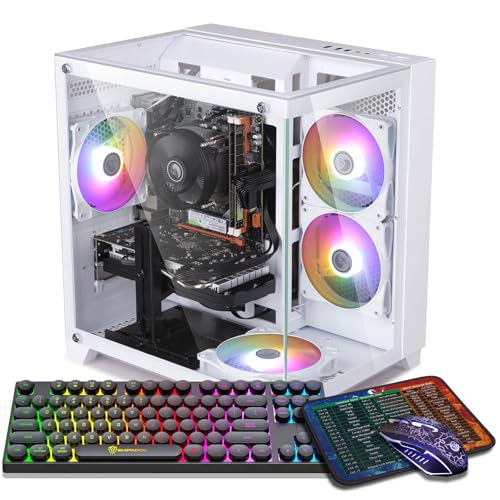
Where to buy
Check the latest price, availability and delivery on Amazon. Orders are placed on Amazon. We may earn a commission from qualifying purchases.
- Best native-1440p candidate: ZER-LON Gaming PC, Ryzen 5 5500, RTX 4060 8GB — Check on Amazon
- Best 1440p texture headroom: STGAubron Gaming PC, Ryzen 5 5500, RTX 3060 12GB — Check on Amazon
- LXZ Gaming PC, Ryzen 5 5500, RTX 3050 8GB, 32GB RAM — Check on Amazon
- ZOTAC MEK Gaming PC, Ryzen 5 5500, RTX 3050 — Check on Amazon
See 2 more Amazon options
- STGAubron Gaming PC, Ryzen 5 5500, RTX 3050 6GB, 1TB SSD, White — Check on Amazon
- WIWB Gaming PC, Ryzen 5 5500, RTX 3050 8GB, 512GB SSD — Check on Amazon
Read the full guide ↓
Disclosure: As an Amazon Associate, reviewstook.com earns from qualifying purchases. Links to Amazon on this page are affiliate links; they cost you nothing extra. Listing details such as price and availability change often, so check the current Amazon listing before you buy.
This guide grades six machines through one lens only: what each of them actually does at 1440p. That narrower question matters, because “runs a 1440p monitor” and “games at 1440p” are different claims, and at a $700 ceiling the gap between them is where buyers get misled. Every tower below will light up a 2560×1440 screen, play video on it, and run a desktop on it. Gaming is the hard part. A 1440p frame contains roughly 3.69 million pixels — about 78 percent more than the 2.07 million in a 1080p frame — and a graphics card has to produce every one of those pixels, every frame, sixty or more times a second. The cards in $700 prebuilt towers were, with one exception, designed for the smaller frame. So this guide refuses to grade on the label and grades on the mode instead: for each machine, what does it render natively at 1440p, what does it reach only by upscaling, and where exactly is its wall?
The short version of the verdict, before the detail: exactly one machine here — the RTX 4060 tower — is a genuine 1440p gaming PC in the native sense for lighter titles, and even it plays heavy modern games through DLSS upscaling rather than brute force. One more, built around an RTX 3060 with 12GB of video memory, earns its place on a different axis: it is the pick whose texture memory will still be adequate at 1440p when the 8GB cards have started compromising. The remaining four are RTX 3050 machines, and this guide grades them as what they are — native-1080p computers that can drive a 1440p display convincingly in esports and lighter games, and acceptably in heavier ones with upscaling engaged. They are in this guide because a 1440p monitor is a ten-year purchase and a PC is a three-year one; buying the screen now and a modest tower to feed it is a legitimate plan, as long as nobody pretends the tower is something it is not. If what you actually want is native 1440p at high settings, consistently, across new releases, that experience starts at roughly the $1,200 tier — see Best 1440p Gaming PC Under $1200 — and no wording in this guide should be read as claiming otherwise for $700.
Native 1440p vs Upscaled 1440p: The Two Numbers That Decide Everything
Two resolutions live inside every 1440p gaming setup, and confusing them is the root of most disappointment at this budget. The display resolution is what your monitor shows: 2560×1440, fixed by the panel. The render resolution is what your graphics card actually computes before the image is scaled to fill that panel. When the two match, the game is running at native 1440p — the card renders all 3.69 million pixels of every frame itself. That is the expensive mode, and it is the mode the phrase “1440p gaming PC” implies in advertising.
Upscaling separates the two numbers. With DLSS or FSR set to Quality at a 1440p output, the card renders internally at 1707×960 — about 1.64 million pixels, actually fewer than a native 1080p frame — and then reconstructs a 1440p image from that render using data accumulated across frames. Balanced and Performance modes render lower still. In motion, a good upscaler’s output is strikingly close to native; standing still and hunting for artifacts, you can find them. What upscaling buys is performance roughly proportional to the pixels it skips, which at this budget is the difference between a heavy game being playable at 1440p output and not being playable at all. One related technology needs separating out, because marketing blurs it: DLSS Frame Generation, available on the RTX 4060 in this guide, does not render more of the game — it inserts interpolated frames between rendered ones to raise the displayed frame rate. It improves smoothness, it costs a little latency, and it is a bonus layered on top of upscaling, not a substitute for rendering power.
So every review below grades its machine in the same three bands. Native: the titles and settings where the card renders the full 3.69 million pixels itself. Upscaled: where 1440p output is achieved through DLSS from a lower render resolution — the main gaming mode for most of this guide. The wall: the point where even upscaling stops rescuing the experience, stated per card rather than waved at. A machine is not dishonest for living in the second band; most $700 machines do. A guide is dishonest for not telling you which band you are buying.
In this guide
Quick Picks
Short on time, or comparing several options at once? Each row below names a buyer type and the machine that suits it, with a link to the listing.
| Buyer type | Pick | Its 1440p mode | Link |
|---|---|---|---|
| Best native-1440p candidate | ZER-LON Gaming PC, Ryzen 5 5500, RTX 4060 8GB | Native in esports and lighter titles; DLSS Quality in heavy ones | Check on Amazon |
| Best for 1440p textures over time | STGAubron Gaming PC, Ryzen 5 5500, RTX 3060 12GB | 12GB of VRAM holds high textures at 1440p longest | Check on Amazon |
| Best upscaling route with multitasking room | LXZ Gaming PC, Ryzen 5 5500, RTX 3050 8GB, 32GB RAM | Upscaled 1440p; 32GB of system RAM for everything around the game | Check on Amazon |
| Best platform for a future 1440p card | ZOTAC MEK Gaming PC, Ryzen 5 5500, RTX 3050 | Upscaled 1440p today; a named 650W Gold PSU for tomorrow’s GPU | Check on Amazon |
| Cheapest route onto a 1440p screen | STGAubron Gaming PC, Ryzen 5 5500, RTX 3050 6GB, White | Upscaled 1440p with textures rationed by 6GB of VRAM | Check on Amazon |
| Best budget 8GB upscaling pick | WIWB Gaming PC, Ryzen 5 5500, RTX 3050 8GB | Upscaled 1440p with the roomier of the two 3050 memory configs | Check on Amazon |
How These Picks Were Chosen
The six machines are the verified set from our main $700 guide, re-graded here purely as 1440p instruments. Every one is a real Amazon.com listing — brand, processor, graphics card, memory, storage and model number taken from the listing itself. Prices in this class change often, so check the price on Amazon for each pick before you buy, and the guide’s standing rule applies unchanged: a machine belongs in a $700 guide on the day its live price is at or under $700, and several picks below only visit that line during sale periods. Their reviews say which, and say it plainly.
The grading rubric has four questions, asked in order. First, native capability: which games, at which settings, does this card render at the full 2560×1440 without help? Second, upscaling quality: which upscaler does it carry — DLSS with Frame Generation, DLSS without it, or DLSS on a card weak enough that Balanced and Performance modes become the realistic settings — and how good does 1440p output look through it? Third, video memory against 1440p texture loads: VRAM demand grows with resolution, and the difference between 6GB, 8GB and 12GB is the difference between textures you set once and textures you renegotiate in every new game. Fourth, the exit: when this card reaches its wall, does the tower around it — standard case, adequate power supply, an open platform — accept the 1440p-class graphics card that replaces it? A machine that fails the first three questions can still earn its place on the fourth, and two picks below do exactly that.
Two things this rubric deliberately ignores are worth naming. Processor differences barely appear, because all six machines share the same six-core Ryzen 5 5500 and because at 1440p the graphics card, not the CPU, sets the frame rate in all but the most extreme esports cases. And raw benchmark scores at 1080p — the numbers most listings lead with — are treated as background only. A card can post a fine 1080p score and still be an upscaling-only proposition at 1440p; this guide exists to grade the second fact, not the first. We did not use these PCs ourselves; the grades are built from the verified listing specifications and how these graphics card classes behave at 1440p, stated as class-level expectations rather than per-game frame-rate promises.
The 6 Best PCs for 1440p Gaming Under $700, Graded at 1440p
ZER-LON Gaming PC, Ryzen 5 5500, RTX 4060 8GB, 16GB RAM, 1TB NVMe SSD
Who it suits: The buyer whose 1440p intent is genuine — modern single-player games on a 1440p monitor, not just a panel bought ahead of the PC — and who will shop patiently for the price dip this machine requires.
Native band first, because this is the only pick that has a meaningful one. The GeForce RTX 4060 renders the full 1440p frame itself in esports titles and lighter games at high frame rates, and holds native 1440p in a respectable share of older and mid-weight AAA games at tuned settings. That is a real distinction at this budget: five of the six machines in this guide treat native 1440p as an esports-only mode, while this one treats it as a starting point. In current heavy releases, its honest mode is upscaled — DLSS Quality, rendering near 1707×960 and reconstructing — where it delivers the smooth 1440p experience this keyword is actually shopping for. It is also the only card here with DLSS Frame Generation, which layers interpolated frames on top of the upscaled image in supported games; treat it as a smoothness bonus for single-player titles, not as rendering power, and competitive players should leave it off for latency reasons.
Its wall is memory. The RTX 4060 carries 8GB of VRAM, and at 1440p that figure is a working ceiling rather than a footnote: most of today’s library fits at high textures, but the heaviest recent releases will push you toward medium textures or a more aggressive DLSS mode sooner than the 12GB machine below will. Around the card, the build is complete rather than clever — the shared Ryzen 5 5500, 16GB of DDR4, a full 1TB NVMe SSD, Wi-Fi, Windows 11 Home and four RGB fans in a white case (model AOV4060) — and the card’s low power draw keeps the tower undemanding to cool. The price is the discipline this pick demands: check the price on Amazon before you buy, because this model only fits this guide when its live price sits at or under the $700 line, which tends to happen during sale periods. The rule is absolute and this guide will not soften it: at or under $700, this is the first machine to buy in this guide; above $700, it is a $800-tier purchase wearing this guide’s clothes, and Best 1440p Gaming PC Under $800 is the honest comparison.
- The only card here with a real native-1440p band beyond esports.
- DLSS upscaling plus Frame Generation — the strongest 1440p toolkit under $700.
- Full 1TB of NVMe storage and 16GB of DDR4, on the Ryzen 5 5500 platform every pick here shares.
Honest limitation: 8GB of VRAM is the ceiling on texture settings in the heaviest 1440p titles, and the price spends much of the year above the line — a buy-on-the-dip machine, not an everyday-$700 one.
Choose it if the live price is at or under $700 and native-plus-DLSS 1440p in modern games is the goal. Skip it if its live price is above the $700 line today and you need to buy this week; at that point the next tier is the rational purchase.

STGAubron Gaming PC, Ryzen 5 5500, RTX 3060 12GB, 16GB RAM, 1TB SSD
Who it suits: The player whose library is texture-hungry — open worlds, modded installs, flight and racing sims — and who plans to keep this machine at 1440p for years rather than seasons.
Grade this machine on the third question of the rubric, because that is where it wins the guide. Its GeForce RTX 3060 carries 12GB of GDDR6 video memory, and VRAM is the resource 1440p consumes first and forgives least. When a game exceeds its video memory at 1440p, the failure is not a gentle frame-rate dip; it is stutter, late-streaming textures and scenery popping into view. The 12GB buffer pushes that failure years into the future: high textures stay selected at 1440p in games where both 8GB cards in this guide are already negotiating downward, and in the texture-heaviest categories — the big open worlds, the modded builds, the sims — this machine will still be running its textures at full size when newer-looking rivals have quietly turned theirs down. Longevity at a fixed resolution is a form of performance, and on that axis this is the strongest pick here.
The trade is raw speed and feature generation, and at 1440p both are visible. The RTX 3060 renders a step slower than the RTX 4060, so its native band is narrower — esports and lighter titles natively, heavier games at native with settings discipline — and its upscaling tops out at DLSS 2: no Frame Generation, so where the 4060 can interpolate its way to smoothness, this machine has to render every displayed frame. Its realistic heavy-game mode at 1440p is DLSS Quality at medium-to-high settings, which is a good experience, simply a notch below the pick above. Ray tracing at 1440p is an occasional extra in light implementations, not a feature to plan around. The build around the card is generous for the class: the Ryzen 5 5500, 16GB of DDR4, a 1TB SSD, Wi-Fi 6 and Bluetooth 5.2, four RGB fans, a bundled RGB keyboard and mouse, Windows 11 Home and a stated one-year warranty (model ABR1722). STGAubron is a value-tier builder, so the arrival homework applies: confirm the card in the tower is the 12GB model the listing promises and stress it inside the return window. Check the price on Amazon for this listing — it lives on this guide’s border, which is exactly where its VRAM argument is strongest.
- 12GB of VRAM — half again the 8GB cards, and the guide’s texture-longevity leader at 1440p.
- DLSS upscaling for 1440p output, with high textures held where 8GB cards compromise.
- The guide’s best wireless spec — Wi-Fi 6 and Bluetooth 5.2 — plus a 1TB SSD and peripherals in the box.
Honest limitation: An older, slower card with no Frame Generation — its 1440p case is memory headroom, not speed, and it comes from a value-tier builder whose parts you verify on arrival.
Choose it if your games are open-world, modded or simulation titles and you value textures that stay high for years. Skip it if your library is current AAA releases where the RTX 4060’s speed and Frame Generation matter more than memory.

LXZ Gaming PC, Ryzen 5 5500, RTX 3050 8GB, 32GB RAM, 1TB NVMe SSD
Who it suits: The multitasker who games at 1440p output with a stream, a browser and voice chat running alongside — and who understands, before buying, that the graphics card here is an upscaling proposition.
Start with the correction this pick most needs, because its spec sheet invites the wrong inference. The headline number is 32GB — of system RAM. System RAM feeds the processor; it does not render a single pixel. At 1440p, what renders is the RTX 3050 with its own 8GB of video memory, and doubling the system memory does not widen this machine’s native band by one title. What 32GB genuinely buys is everything around the render: the game, OBS, Discord, a browser’s worth of tabs and a recording buffer coexisting without the operating system swapping to disk mid-session. If your 1440p gaming happens inside that kind of clutter, the headroom is real quality of life. It is simply not graphics performance, and this guide grades it in the right column.
Graded as a 1440p instrument, the machine’s bands are the standard RTX 3050 bands. Native: esports, strategy, indie and older AAA titles at 1440p, where the card is comfortable. Upscaled: heavier modern games at 1440p output through DLSS from a lower render resolution, at medium settings — playable and often good-looking, never confused with native. The wall: current demanding releases at native 1440p, where no setting discipline rescues the card, and a buyer whose library lives there should be reading the RTX 4060 review above instead. The rest of the build is the shared platform done roomily — Ryzen 5 5500, the 32GB of DDR4, a 1TB NVMe SSD and Windows 11 in a white tower. One seller-specific warning is carried over at full size: LXZ sells multiple configurations under similar titles, and this listing family’s detail page mixes variant information, so confirm on the listing itself that the configuration in your cart is the Ryzen 5 5500, RTX 3050 8GB, 32GB, 1TB one before paying. Check the price on Amazon for this configuration, and judge it by its live price against the $700 line like every other pick — do not judge it by any other configuration in the wider LXZ 5500/RTX 3050 line, which may be a lesser build.
- 32GB of system RAM — double every other pick — for streaming and multitasking headroom.
- RTX 3050 in its 8GB form, with DLSS as the route to 1440p output in heavier games.
- A 1TB NVMe drive and the usual Ryzen 5 5500 underpinnings, in a white case.
Honest limitation: A native-1080p card driving 1440p through upscaling — and the 32GB headline does not change that — plus a seller whose listing family mixes configurations, so the cart check is mandatory.
Choose it if you stream or multitask heavily and your games sit in the esports and mainstream bands. Skip it if demanding single-player games at 1440p are the point; that is the RTX 4060’s job, at the top of this guide.

ZOTAC MEK Gaming PC, Ryzen 5 5500, RTX 3050, 16GB RAM, 500GB NVMe SSD
Who it suits: The buyer playing the longer game — modest 1440p ambitions today, a real 1440p graphics card planned for this same tower tomorrow, and a preference for a manufacturer’s build quality in the meantime.
Through the 1440p lens, this machine’s present tense is unremarkable and its future tense is the argument. The present: an RTX 3050 drives it, with the same bands as the other 3050 picks — native 1440p in esports and lighter titles, DLSS-upscaled 1440p at medium settings in heavier ones. One discipline note: this guide deliberately states no VRAM figure for this card, because the verified listing material does not pin one down; check the live listing if the number matters to your decision, and do not let any summary — including a retailer’s — invent it for you. ZOTAC is a global graphics-card manufacturer, and the tower (model MEK3050A5500BG0A) pairs the Ryzen 5 5500 with 16GB of DDR4, Windows 11 Home and Wi-Fi 6E, the best wireless standard in this guide.
The future tense is a single specification line: a 650W 80+ Gold power supply, named in the listing, where most of this class publishes nothing about the PSU at all. That line is this machine’s 1440p argument. The realistic ownership story for every tower in this guide ends with a graphics card upgrade, and the upgrade that turns an upscaling machine into a native-1440p machine is precisely the card a weak or unknown power supply cannot feed. A specified Gold-rated 650W unit has the headroom and build quality to accept that future card as a ten-minute job. Buy this tower and you are buying the platform the 1440p card will live in — which is a rational purchase, provided you make it with your eyes open about the card it ships with. The costs are storage and patience: the 500GB SSD is half the 1TB drives elsewhere here, enough for a curated library rather than an archive, and on price, check the price on Amazon before you buy. At or under $700 it is the risk-averse route onto a 1440p screen; above that line, its premium stops making sense.
- A named 650W 80+ Gold PSU — the upgrade headroom a future 1440p-class GPU will need.
- Wi-Fi 6E and a global manufacturer’s warranty and support behind the tower.
- The standard formula today: Ryzen 5 5500, RTX 3050, 16GB DDR4, Windows 11.
Honest limitation: Today’s card is upscaling-class at 1440p and the 500GB SSD is the joint-smallest here — you are paying for the platform and the backing, not for present-tense 1440p power.
Choose it if a GPU upgrade in this tower is already part of your plan and brand support matters. Skip it if you intend to buy once and never open the case; the RTX 4060 pick serves that plan today.

STGAubron Gaming PC, Ryzen 5 5500, RTX 3050 6GB, 16GB RAM, 1TB SSD, White
Who it suits: The value hunter who already owns the 1440p monitor, plays the lighter half of the catalogue, and would rather bank the saving toward a future graphics card than spend it now.
Grade this one by its wall, because its wall arrives first. The RTX 3050 in its 6GB form is the weakest card in this guide, and 6GB is the tightest memory constraint: at 1440p, texture settings in demanding games come down to medium or low as a matter of routine, DLSS moves from “helpful” to “structural” — the machine’s default way of producing a 1440p image is to render near 1080p-class resolutions and reconstruct — and the heaviest current releases are, honestly, 1080p games on this hardware whatever the monitor on the desk says. Saying so is not a dismissal. Inside its real bands, the machine is genuinely enjoyable: esports titles at native 1440p, older AAA and indie and strategy games at 1440p output, all run well, and they run in the most complete box in this guide — Ryzen 5 5500, 16GB of DDR4, a full 1TB SSD, six RGB fans, Wi-Fi 6, Bluetooth 5.0 and a bundled RGB keyboard and mouse in a white tower (model ABR1722).
The economics are the closing argument, and they are respectable. As a budget-tier pick, it is one of the few here that can plausibly be found under the line without waiting for a major sale event — check the price on Amazon to confirm on the day you shop. Storage is the quiet tax of PC gaming — a 1TB drive ends the uninstall shuffle that 500GB owners perform weekly — and choosing this lower-tier machine now can leave room in a future graphics card budget, banked on day one. The platform accepts that card when the day comes. Bought as a well-founded starting point whose 1440p is upscaled and whose textures are rationed, it will not disappoint. Bought as a finished native-1440p rig, it will — and the difference between those two purchases is exactly what this guide is for.
- A budget-tier route onto a 1440p screen — check the price on Amazon.
- 1TB SSD, keyboard and mouse included — the most complete box in the guide.
- A white tower lit by six RGB fans, with Wi-Fi 6 and Bluetooth 5.0 aboard.
Honest limitation: The guide’s floor for 1440p graphics: 6GB of VRAM means upscaled output and medium textures as defaults, and the heaviest new games belong at 1080p on this card.
Choose it if price, storage and completeness lead your list and your games are esports, older or lighter titles. Skip it if current AAA games at 1440p are the plan — no setting makes this that machine.

WIWB Gaming PC, Ryzen 5 5500, RTX 3050 8GB, 16GB RAM, 512GB SSD
Who it suits: The buyer at the floor of the budget who wants the better version of the entry card — stepping up from a console or an old laptop onto a 1440p monitor, with the machine expected to grow.
Within the 3050 family, this build (model wwr5go) makes the one decision that matters most at 1440p: it buys the 8GB version of the card. The two extra gigabytes over the 6GB model above are not a rounding difference at this resolution — they are texture headroom, the thing 1440p spends fastest. This machine’s bands are the honest 3050 bands: native 1440p in esports and lighter games, DLSS-upscaled 1440p at medium settings in heavier ones, and a wall at native 1440p in demanding modern releases. But inside the upscaled band, the 8GB card holds medium-to-high textures where the 6GB card is already dropping to low, and that gap will widen with every year of new releases. If two 3050 machines are priced alike on the day you shop, the memory figure is the tiebreak, and this is the one that has it.
Around the card: the Ryzen 5 5500 shared by all six picks, 16GB of DDR4 at 3200MHz as the listing specifies, a 512GB SSD and Windows 11, sold by WIWB Direct and shipped from Amazon. Check the price on Amazon for this pick and judge it by its live price against the line, like everything else here. The compromises are the visible ones: the 512GB drive is the joint-smallest in the guide, so plan a focused library or a second drive, and a small-seller badge means the arrival homework applies — verify the card and its memory against the listing on day one and stress the machine inside the return window. What you get for accepting all that is the lowest-cost configuration of the better entry card on a standard, upgradeable platform: a machine whose second graphics card, bought in some future sale, changes everything about its 1440p grade while the tower, the platform and the monitor carry on.
- The 8GB RTX 3050 — the better of the two 3050 variants for 1440p texture loads.
- DDR4 memory running at 3200MHz and the same Ryzen 5 5500 platform, in a tower built to be upgraded.
- Shipped from Amazon — check the price on Amazon before you buy.
Honest limitation: Upscaling-class at 1440p like every 3050 here, with a 512GB SSD and a small seller — storage discipline and arrival checks are part of the purchase.
Choose it if the budget is firm, the monitor is already 1440p, and you want the entry card in its roomier form. Skip it if you can catch the ZER-LON at or under $700 — the RTX 4060 is a different class of 1440p experience entirely.

Comparison Table
| Product | Graphics card | Native 1440p band | Upscaled 1440p | Link |
|---|---|---|---|---|
| ZER-LON Gaming PC, RTX 4060 | RTX 4060 8GB, DLSS 3 + Frame Generation | Esports, lighter and mid-weight titles | DLSS Quality in heavy AAA — the guide’s strongest mode | Check on Amazon |
| STGAubron Gaming PC, RTX 3060 | RTX 3060 12GB, DLSS 2 | Esports and lighter titles, settings discipline in more | DLSS Quality with high textures held by 12GB VRAM | Check on Amazon |
| LXZ Gaming PC, RTX 3050 8GB | RTX 3050 8GB, DLSS 2 | Esports, strategy, indie, older AAA | DLSS at medium settings; 32GB system RAM around it | Check on Amazon |
| ZOTAC MEK Gaming PC, RTX 3050 | RTX 3050, DLSS 2 | Esports and lighter titles | DLSS at medium settings; platform built for a future card | Check on Amazon |
| STGAubron Gaming PC, RTX 3050 6GB | RTX 3050 6GB, DLSS 2 | Esports and lighter titles | DLSS as the default mode; textures rationed by 6GB | Check on Amazon |
| WIWB Gaming PC, RTX 3050 8GB | RTX 3050 8GB, DLSS 2 | Esports, strategy, indie, older AAA | DLSS at medium settings with 8GB texture room | Check on Amazon |
How to Choose a PC for 1440p Gaming Under $700
- Decide your mode before you decide your machine. Native 1440p in esports and lighter games, or upscaled 1440p in everything? The first answer is served by every pick here; the second is served best by the RTX 4060 and adequately by the rest. The purchase only disappoints when the mode in your head differs from the mode in the box.
- Read VRAM as a 1440p spec, not a footnote. Texture demand scales with resolution. At 1440p, 12GB holds high textures comfortably for years, 8GB is the workable standard with occasional compromises in the heaviest games, and 6GB means medium textures as a default. Between two similarly priced machines, the one with more video memory ages better at this resolution than the one with the newer badge.
- Grade the upscaler, because you are buying it. DLSS Quality at 1440p renders at 1707×960 and reconstructs — on the RTX 4060 and 3060 it stays close to native in motion and returns roughly a third more performance. The RTX 4060 adds Frame Generation on top in supported games. A $700 1440p setup without upscaling engaged is a contradiction; choose the machine whose version of it you prefer.
- Do not let system RAM impersonate graphics memory. 32GB of RAM helps streaming, browsers and background loads. It renders nothing. When a listing leads with a big RAM number, find the graphics card and its VRAM before you credit the machine with any 1440p ability.
- Know where the real native tier starts. Consistent native 1440p at high settings across new releases is a roughly $1,200-class purchase today — compare Best 1440p Gaming PC For 1440p Gaming Under $1200 if that is the experience you actually want. Under $700, you are buying native in the light bands and upscaling in the heavy ones, and the honest guides say so.
- Apply the live-price rule without exceptions. Prices in this class change often. A pick is a $700 pick when its listing sits at or under $700 on the day you buy. If your first choice is above the line, buy the pick that is under it, wait for the dip, or re-budget honestly to the $800 tier in Best 1440p Gaming PC Under $800 — overpaying for a $700-class machine is the worst transaction in the category.
- Match the monitor purchase to the card, in that order. A 1440p high-refresh panel is a fine buy alongside any of these machines — it will outlive the PC — but today’s frame rates are set by the graphics card, not the screen. Esports players will use the refresh; heavy-AAA players will live in the 60s with upscaling on, and should expect exactly that.
- Ask what the tower accepts next. The endgame for this budget is a future graphics card. A specified power supply with headroom — the ZOTAC’s 650W Gold is the standard here — and a standard case turn that upgrade into an afternoon; an unnamed supply and a proprietary box turn it into a rebuild.
- Confirm the exact configuration in the cart. Sellers in this class list families of near-identical machines a click apart, with different cards, processors and drives, and at least one listing family in this guide mixes variant details on a single page. The title on the checkout screen is the machine you are buying.
- Verify on arrival, inside the return window. Confirm the card model and its VRAM, the RAM amount and the drive size against the listing, then run your most demanding game for an evening with your intended 1440p settings. Every mismatch is free to fix in week one and expensive in month two.
Common Buying Mistakes
- Reading “1440p gaming PC” on a listing as a promise of native 1440p at high settings. Under $700 it means 1440p output — native in light games, upscaled in heavy ones. A good experience, honestly described; a bitter one if you bought the other meaning.
- Confusing display resolution with render resolution. Your monitor always shows 1440p. The question is what the card rendered to fill it — and with DLSS Quality that is a 1707×960 render, which is precisely why these machines work.
- Turning upscaling off on principle. At this budget, native-or-nothing is a slideshow-or-nothing policy in modern games. Upscaling is not a compromise mode bolted onto these PCs; it is the technology the entire price class is built around.
- Buying 6GB of VRAM for a texture-heavy library. The cheapest card here is a fair esports and back-catalogue machine. Point it at open-world games with high textures at 1440p and the memory wall, not the budget, becomes the story of your purchase.
- Judging by the processor or the RAM headline. At 1440p the graphics card and its video memory are the machine. A big system-RAM number beside a weak card is a listing arranged to be misread.
- Ignoring which RTX 3050 you are getting. The 8GB and 6GB versions share a name and differ exactly where 1440p cares most. Read the VRAM figure in the listing itself; the card name alone will not tell you.
- Paying above the line for a sale-dependent pick. The RTX 4060 tower priced above the $700 line is not a better version of this guide’s top pick; it is next-tier money spent on this-tier hardware. The dip is part of the product — wait for it or change tiers.
- Switching ray tracing on first and grading the machine by the result. At $700, ray tracing at 1440p is a garnish for the RTX 4060 in lighter titles. Grade these PCs on rasterized performance with upscaling, which is how they will actually be played.
- Skipping the arrival check. Wrong card variants and smaller drives happen in this class. All of them are free to fix inside the return window and none of them are free outside it.
Final Recommendation
- The most real 1440p under $700, when its price dips: ZER-LON Gaming PC, RTX 4060.
- Textures that stay high for years: STGAubron Gaming PC, RTX 3060 12GB.
- Streaming and multitasking around an upscaled picture: LXZ Gaming PC, 32GB RAM.
- The platform play, with a future 1440p card in mind: ZOTAC MEK Gaming PC.
- The cheapest honest route onto a 1440p screen: STGAubron Gaming PC, RTX 3050 6GB, 1TB.
- The entry card in its roomier form: WIWB Gaming PC, RTX 3050 8GB.
Everything in this guide reduces to one sentence: under $700, you are choosing which kind of 1440p you want, not whether to have it. The ZER-LON’s RTX 4060 is the only card here that treats native 1440p as home territory beyond the light bands, and its DLSS toolkit — upscaling plus Frame Generation — is the strongest version of the upscaled mode as well; bought at or under the line, it is the answer for most readers, and its product page is at Check on Amazon. The STGAubron’s RTX 3060 makes the opposite, equally rational bet: less speed, no Frame Generation, but 12GB of memory that keeps 1440p textures at full size years after the 8GB cards start negotiating — its listing is at Check on Amazon. Below those two, the honest framing is upscaling machines and platform purchases: the LXZ for the multitasker, the ZOTAC for the planner, and the two budget builds for buyers whose games live in the light bands or whose real 1440p card is a future purchase. Readers whose expectations are native 1440p at high settings across new releases should stop negotiating with this tier and compare Best 1440p Gaming PC Under $1200 instead; readers whose live prices will not cooperate at all should look at Best 1440p Gaming PC Under $500 below before forcing a purchase. Check the live price, confirm the configuration in the cart, verify the parts on arrival — at this budget, that discipline is worth as much as any component in the box.
Frequently Asked Questions
Is any PC under $700 a true native-1440p gaming PC?
One, partially. The RTX 4060 machine renders native 1440p in esports, lighter and mid-weight titles, and plays heavy modern games through DLSS upscaling. Every other pick here is native in the light bands and upscaled in the heavy ones. Consistent native 1440p at high settings across new releases starts at roughly the $1,200 tier, and this guide links it rather than pretending $700 reaches it.
What resolution does DLSS Quality actually render at 1440p?
1707×960 — about 1.64 million pixels, fewer than a native 1080p frame — reconstructed up to the 2560×1440 your monitor displays. That arithmetic is the whole budget-1440p story: the card does roughly 1080p-class work, the upscaler produces a 1440p image close to native in motion, and the performance difference between the two resolutions is what makes these machines viable.
RTX 4060 8GB or RTX 3060 12GB for 1440p — which ages better?
They age along different axes. The 4060 is faster, newer, more efficient and carries Frame Generation, so it plays today’s games better. The 3060’s 12GB of VRAM holds high textures at 1440p in the games where 8GB runs out, so its settings degrade more slowly over the years. Varied, current library: take the 4060. Open-world, modded and sim library kept for years: take the memory.
Can an RTX 3050 game at 1440p at all?
Yes, with the modes stated honestly. Natively, in esports, strategy, indie and older titles. Through DLSS upscaling, at medium settings, in heavier modern games. Not natively at high settings in demanding new releases — no settings discipline changes that, and any listing implying otherwise is describing the monitor, not the machine. The 3050 picks here are the budget route onto a 1440p screen and a sound platform for a later card.
Does 32GB of RAM improve 1440p gaming?
Not the rendering. Frames are produced by the graphics card and its video memory; system RAM feeds the processor and everything running beside the game. The 32GB pick in this guide earns its place for streaming and multitasking headroom — a real benefit, filed in the correct column. When you compare listings, grade 1440p ability by the card and its VRAM figure, never by the RAM headline.
How much VRAM does 1440p gaming need?
Eight gigabytes is the working standard for most of today’s library with sensible texture settings. Twelve gigabytes removes the texture question in almost everything and is the safer long-term holding at this resolution. Six gigabytes plays at 1440p with textures turned down and upscaling on, and ages fastest. Whatever you buy, when a game stutters at 1440p, lower texture quality first — it is the setting that spends VRAM.
Is a 1440p monitor worth buying with an RTX 3050 PC?
Yes, if you buy it as the long-term component it is. The panel will serve your next PC as well as this one, the desktop and media experience is native 1440p immediately, and esports and lighter games genuinely use the resolution today. Just set expectations by the card: heavier games will be upscaled to that panel, at medium settings, until the graphics card upgrade arrives.


