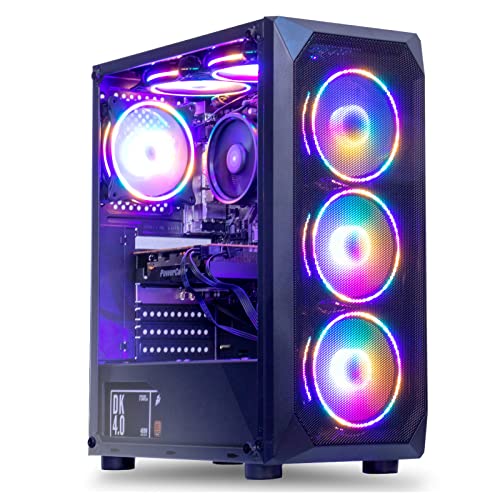
Where to buy
Check the latest price, availability and delivery on Amazon. Orders are placed on Amazon. We may earn a commission from qualifying purchases.
- Best overall for streaming: MXZ Gaming Desktop, Ryzen 5 5500, GTX 1660 Super 6GB, 16GB DDR4, 500GB NVMe SSD — Check on Amazon
- STGAubron Gaming PC, Ryzen 5 5500, Radeon RX 580 8GB, 16GB DDR4, 512GB SSD — Check on Amazon
- Beelink SER5 MAX Mini PC, Ryzen 7 7735U, Radeon 680M, 24GB LPDDR5, 500GB SSD — Check on Amazon
- GMKtec NucBox M6 Ultra, Ryzen 5 7640HS, Radeon 760M, 16GB DDR5, 512GB SSD — Check on Amazon
See 2 more Amazon options
- LXZ Gaming PC, Ryzen 5 5600GT, Integrated Radeon Graphics, 16GB DDR4, 1TB NVMe SSD — Check on Amazon
- ACEMAGICIAN AM06 Pro Mini PC, Ryzen 7 5800U, Radeon Vega 8, 16GB DDR4, 512GB NVMe SSD — Check on Amazon
Read the full guide ↓
Disclosure: As an Amazon Associate, reviewstook.com earns from qualifying purchases. Links to Amazon on this page are affiliate links; they cost you nothing extra. Listing details such as price and availability change often, so check the current Amazon listing before you buy.
Streaming rewrites the shopping list. A PC that only has to play a game needs a graphics chip and enough memory; a PC that has to play the game and broadcast it at the same time needs a second thing most listings never mention: an encoder — the hardware or software path that compresses your gameplay into the video stream your viewers watch. At most budgets the encoder question answers itself, because modern NVIDIA cards carry an excellent one. Under $500, pointed at a 1440p monitor, it becomes the whole ballgame. The six machines below split three ways on it: one carries the strongest encoder available at this price, several carry AMD encoders that are visibly softer at streaming bitrates, and a couple are really streaming PCs in waiting — boxes whose honest job is to encode a stream fed from somewhere else, or to become a proper streaming rig after one future upgrade.
Two definitions before any pick makes sense. First: the resolution you play at and the resolution you broadcast at are different numbers, and at this budget they should be. You can play on your 1440p panel while OBS — the free broadcasting software nearly everyone uses — downscales the output to 1080p or 720p for the stream. Twitch’s standard ingest works out to roughly 6,000 kbps for a 1080p60 broadcast, and at that bitrate a fast-motion game often looks cleaner sent at 720p60 or 936p than squeezed into 1080p. Second: none of these machines plays modern games natively at 1440p with high settings while also encoding a stream. That sentence is not a criticism of the picks; it is the physics of $500. What they can do — esports and older games at native 1440p with a 720p or 1080p broadcast riding alongside, newer games rendered at 1080p and upscaled to the panel while the stream goes out — is a real, watchable, growable channel setup. This guide grades each machine on exactly that: encoder first, game performance second, because for a streamer the encoder is the spec your audience actually sees.
The price honesty from our base guide carries over unchanged. The two discrete-graphics towers here only fall under $500 on sale, while the mini PCs live under the line more reliably. Where a pick is sale-dependent, its review says so in those words, and the buy-only rules are the same ones we published in the base guide: the MXZ and the STGAubron are buys only when they are priced under $500 — check price on Amazon before you buy — and not buys at their higher everyday prices.
In this guide
Quick Picks
Short on time, or comparing several options at once? Each row below names a streamer type and the product that suits it, with a link to the listing.
| Streamer type | Pick | Why it stands out | Link |
|---|---|---|---|
| Best overall for streaming | MXZ Gaming Desktop, Ryzen 5 5500 / GTX 1660 Super | Turing NVENC — the strongest encoder under $500 — on a sale-priced tower | Check on Amazon |
| Best buy-today streamer | Beelink SER5 MAX, Ryzen 7 7735U / Radeon 680M | Lives under $500 — check price on Amazon; eight cores leave x264 headroom beside the game | Check on Amazon |
| Best future-proof encoder | GMKtec NucBox M6 Ultra, Ryzen 5 7640HS / Radeon 760M | The only AV1-capable encoder here, plus dual 2.5GbE for a two-PC setup — a sale-watch pick | Check on Amazon |
| Best VRAM for the stream layout | STGAubron Gaming PC, Ryzen 5 5500 / RX 580 8GB | 8GB of VRAM for game plus overlays, as a sale-dependent pick — with the softest encoder here | Check on Amazon |
| Best dedicated stream box | LXZ Gaming PC, Ryzen 5 5600GT / 1TB NVMe | A full tower that encodes someone else’s gameplay today and takes a GPU later — check price on Amazon | Check on Amazon |
| Cheapest credible start | ACEMAGICIAN AM06 Pro, Ryzen 7 5800U / Vega 8 | Eight cores and dual LAN as a budget-tier starter combo or a second-PC encoder | Check on Amazon |
How These Picks Were Chosen
The six machines are the same six verified in our base guide to 1440p gaming PCs under $500 — same listings, same buy-only rules — re-graded here through a streamer’s lens. Every product is a real Amazon listing in this budget tier in the United States, verified against the listing itself. Anything that has never credibly belonged in this tier stayed excluded, however good its encoder might be.
We did not use these PCs ourselves. We read the maker listings and specification pages and compared, in this order: the encoder hardware each machine offers (NVIDIA NVENC, AMD VCN, or CPU-based x264), the CPU headroom left over after the game takes its share, the graphics hardware and video memory that decide what the game itself can do at 1440p, and the networking — because a stream leaves the house on a wire or it leaves badly. That ordering inverts the listing pages, which lead with CPU names and RGB fan counts and never mention encoding at all. A six-core Ryzen 5 appears in half this guide and is rarely the limiting factor; the encoder is, every time. We also kept the base guide’s two reality filters: a pick must do something genuine at 2560×1440, and its exit path — what happens in a year, when the channel has grown — must be stated rather than implied.
The Encoder Is the Streaming Spec
Every frame you broadcast is compressed before it leaves your PC, and what does the compressing decides how your stream looks far more than your monitor does. There are three paths. The first is a dedicated hardware encoder on the graphics chip: NVIDIA’s is called NVENC, AMD’s is VCN (older cards called it VCE). A hardware encoder is a separate silicon block — it does its work without stealing rendering power from the game, which is why it is the default recommendation at every budget where it exists. The second path is x264, where the CPU itself encodes in software. x264 at its veryfast preset is the practical ceiling on the processors in this guide: it produces a good picture, but every thread it uses is a thread the game wanted, so it only works when the CPU has genuine headroom — eight cores idling part-time, or a six-core chip running a light esports title. The third path is pretending the question away, which is what listings do; this guide does not.
Within hardware encoders there is a hierarchy, and this budget spans most of it. The GTX 1660 Super carries NVIDIA’s Turing-generation NVENC, which independent testing has long treated as the quality benchmark at Twitch bitrates — at roughly 6,000 kbps it holds detail in fast motion that older encoders smear. AMD’s VCN, in both the RDNA integrated graphics and the desktop cards here, is a competent encoder that runs visibly softer than NVENC at the same Twitch bitrate: fine for a starting channel, noticeable in confetti-and-particle scenes. The RX 580’s encoder is a generation older still — Polaris-era — and is graded in its review as the softest picture in this guide. One pick breaks the pattern in the other direction: the GMKtec’s RDNA 3 graphics add AV1 encoding, the newer codec YouTube already accepts for live streams and the direction the whole industry is moving. AV1 does not help a Twitch stream today, but it is the only future-proof encoder in this budget tier.
Then there is the arithmetic of one PC doing two jobs. Playing at 1440p and broadcasting are separate workloads with separate outputs: set OBS to capture at your panel’s resolution, then scale the output down — 1080p60 if your encoder is the 1660 Super and your games are light, 720p60 or 936p for heavier titles or any AMD encoder here. Viewers on phones and laptops will not see the difference between a clean 720p60 and a bitrate-starved 1080p60; they will see the starved one as worse. Finally, OBS tells you the truth about your setup if you read its stats window, which tracks three different failure counters: frames missed due to rendering lag (your graphics hardware could not draw the scene in time — lower game settings), frames skipped due to encoding lag (the encoder or CPU could not compress in time — lower the output resolution or change encoder), and dropped frames (the network could not carry the bitrate — which is a connection problem, and the subject of the next rule).
That rule is absolute at every budget and doubly so at this one: stream on a wired Ethernet connection. Wi-Fi adds latency spikes exactly when the game and the encoder are both working hardest, and no pick’s wireless spec fixes physics. Every machine in this guide has a physical Ethernet port; two of them have two. Run the cable.
The 6 Best 1440p Gaming PCs for Streaming Under $500
MXZ Gaming Desktop — Ryzen 5 5500, GTX 1660 Super 6GB, 16GB DDR4, 500GB NVMe SSD
Who it suits: The single-PC streamer who wants the best broadcast picture this budget can produce — esports and back-catalogue players who will wait for a sale and then stop compromising on the encoder.
Start with the encoder, because here it deserves top billing. The GeForce GTX 1660 Super carries NVIDIA’s Turing-generation NVENC block — the same encoder generation that made single-PC streaming mainstream — and it compresses your stream on dedicated silicon while the card’s rendering cores play the game. At Twitch’s roughly 6,000 kbps working bitrate, Turing NVENC holds fast-motion detail visibly better than any AMD encoder in this guide, and it does so at near-zero cost to frame rates. Pair that with the card’s gaming side — native 1440p in esports titles and older AAA at medium settings, 1080p rendering with upscaling for newer releases — and the broadcast recipe writes itself: play at the settings the card sustains, output at 1080p60 for light games or 720p60/936p when a heavier title shares the machine, and let NVENC do both jobs without touching the six-core Ryzen 5 5500, which keeps its headroom for OBS scenes, alerts and a browser full of dashboard tabs. One honest encoder footnote: the GTX line never received DLSS and this card predates AV1 encoding entirely, so its streaming future is H.264 NVENC — excellent today, and the same excellent for as long as Twitch’s standard ingest is H.264.
The price discipline from the base guide is unchanged, because it is the pick’s defining condition. Check price on Amazon before you buy: it is a streaming bargain only when it is priced under $500, and a mispriced one at higher everyday prices, where the correct move is our Best 1440p Gaming PC For Streaming Under $700 guide instead. Two listing cautions carry over as well: MXZ’s own page contradicts itself — one bullet mentions a 1TB drive while the title and spec table say 500GB NVMe, and a stray description line references a different graphics card — so confirm the configuration on the live listing at checkout and screenshot what you ordered. Around the card sit 16GB of DDR4-3200, the 500GB NVMe SSD, a listed 450W 80 Plus power supply and Windows 11 Pro in a standard-parts tower — which is the exit path: when the channel outgrows the 1660 Super, a future graphics card swaps in and takes both the game and the encoder up a class.
- Turing NVENC — the strongest encoder in this budget tier, working without taxing the game.
- The strongest gaming GPU here as well: native 1440p esports, upscaled newer titles.
- Standard tower platform with a real GPU upgrade path for a growing channel.
Honest limitation: It is only under $500 on sale; at its higher everyday pricing it breaks this guide’s budget, and 6GB of VRAM caps texture settings at 1440p while a stream layout competes for the same memory.
Choose it if you stream from the same PC you play on and can wait for a sale dip into this budget. Skip it if you must buy today at any price, or you want AV1 encoding — that starts a tier up.

STGAubron Gaming PC — Ryzen 5 5500, Radeon RX 580 8GB, 16GB DDR4, 512GB SSD
Who it suits: The back-catalogue streamer on a strict sale budget — variety and retro channels, MOBA and esports regulars — who will trade encoder sharpness for the most video memory in this guide.
The RX 580’s streaming story is a genuine split decision, and both halves deserve stating plainly. The generous half is memory: 8GB of VRAM is the most in this guide, and a streaming PC spends VRAM on more than the game — the OBS preview, browser sources, overlay scenes and the encoder all draw from the same pool. At 1440p, where textures already press on a 6GB card, that headroom is the difference between a stable scene and a stuttering one, and in the pre-2023 and esports titles this card was built for, it delivers honest native-1440p play at medium settings with a broadcast riding alongside. The hard half is the encoder itself. The RX 580’s video engine is Polaris-era — a 2017 design — and at Twitch bitrates it produces a visibly softer picture than NVENC and a step behind the modern AMD VCN in the mini PCs below: grass, rain and particle effects are where viewers will see it. The practical settings follow: broadcast at 720p60, where the softness hides, keep in-game motion blur off, and let the six-core Ryzen 5 5500 stay in reserve rather than asking it for x264 on top of a game — veryfast is possible in light titles, but the hardware encoder, soft as it is, is the steadier tenant.
The rest of the base guide’s file on this machine is unchanged. AMD has moved Polaris to legacy driver support, so new-game optimizations are no longer coming; power draw is high for the performance, meaning heat and fan noise your microphone will hear; and marketplace RX 580 builds have a long-running reputation for variable component quality, so Amazon’s returns window is part of the product — test the stream hard in the first week. Pricing repeats the sale story: check price on Amazon before you buy. When it is priced under $500, tested thoroughly, it is a VRAM-rich starter rig whose stream looks a little soft. At higher everyday prices it is an old graphics card wearing a new PC’s price tag, and this guide does not recommend it. The bundled RGB keyboard and mouse at least mean a first-time streamer games — and streams — the day the box arrives.
- 8GB of GDDR5 VRAM — the most video memory here, and streaming layouts spend it.
- Ryzen 5 5500 platform with WiFi 6, Bluetooth 5.2 and bundled peripherals.
- A sale-dependent discrete-GPU route here on a deal day — check price on Amazon.
Honest limitation: The Polaris-era encoder is the softest picture in this guide at Twitch bitrates, on a 2017 architecture with legacy drivers — and the machine is only under $500 during sales.
Choose it if you find it under $500, your library is older and esports titles, and you will verify everything inside the return window. Skip it if broadcast sharpness is the priority — that is the MXZ above — or the live price is well above this budget.

Beelink SER5 MAX Mini PC — Ryzen 7 7735U, Radeon 680M, 24GB LPDDR5, 500GB SSD
Who it suits: The streamer buying this week at a real sub-$500 price — especially anyone starting a channel from a small desk, where the PC must be quiet enough to share a room with a microphone.
This is the pick whose price needs no asterisk: for this exact configuration — Ryzen 7 7735U, 24GB of LPDDR5, 500GB SSD — check price on Amazon. It lives under $500 rather than visiting. Its streaming grade starts with a compromise stated plainly: the Radeon 680M’s VCN encoder is a step softer than Turing NVENC at Twitch bitrates. What the Beelink offers instead is balance. The 7735U is an eight-core processor, and eight cores change the one-PC streaming equation: while the 680M plays esports and indie titles at native 1440p on low-to-medium settings — or heavier games rendered at 1080p and upscaled — the CPU has real headroom, enough that x264 at veryfast becomes a legitimate alternative encoder for lighter games, letting you pick per title whichever of VCN or x264 looks better rather than being stuck with one. The 24GB of fast LPDDR5 feeds all of it: game, OBS, browser sources and chat tools share the pool without the squeeze that hobbles 16GB integrated machines, and it is also why this mini holds a stream more gracefully than its spec sheet suggests.
The form factor is a streaming feature in itself. A book-sized box that mounts behind the monitor is a box whose fan is not sitting next to your microphone; mini PCs at this power level are quiet in a way no tower in this guide matches, and for a bedroom streamer that difference is on the recording. The structural limits are the base guide’s, unchanged: the LPDDR5 is soldered, so 24GB is the final memory figure; there is no graphics slot, so the 680M and its VCN encoder are the best this box will ever have; storage is at least a standard replaceable SSD. Broadcast settings follow from the hardware: output 720p60, render heavier games at 1080p or below with FSR, and treat 1080p60 output as an esports-only experiment. Within those lines, this is the streamer we would buy on an ordinary Tuesday — see the wider class in Best Streaming PC Under $500 if you want to compare dedicated streaming boxes against combos like this one.
- Radeon 680M graphics with VCN encoding, plus eight CPU cores that make x264 veryfast a real second option.
- 24GB LPDDR5 feeds game, OBS and browser at once — check price on Amazon.
- Tiny and quiet — the only pick here that disappears behind the monitor, away from the mic.
Honest limitation: The VCN encoder runs softer than NVENC at Twitch bitrates, and there is no upgrade path for graphics or RAM — when the 680M stops being enough, the whole PC is replaced.
Choose it if you are buying now, stream esports and indie titles, and value quiet and size. Skip it if your channel is built on fast-motion AAA games — save toward a tower with NVENC.

GMKtec NucBox M6 Ultra — Ryzen 5 7640HS, Radeon 760M, 16GB DDR5, 512GB SSD
Who it suits: The forward-looking streamer — someone who broadcasts to YouTube as well as Twitch, or who is planning a two-PC setup and wants the encoder box to be the modern one.
This is the only machine in the guide whose encoder looks forward instead of back. The Radeon 760M is RDNA 3, and its video engine handles AV1 alongside HEVC and AVC — AV1 being the newer codec that YouTube already accepts for live streaming and that produces a cleaner picture at a given bitrate than H.264. On Twitch, whose standard ingest is still H.264, you will use its AVC mode and get VCN’s usual verdict: competent, a little softer than NVENC in fast motion at roughly 6,000 kbps. On YouTube, the AV1 path is a genuine differentiator that no other pick here offers at any price in this guide. The rest of the platform reads like a streaming engineer’s checklist: dual 2.5GbE Ethernet ports — one for the network, one for a direct link to a gaming PC in an NDI setup, where the second machine sends its gameplay over the local network for this box to encode — plus USB4, DDR5 memory in real SO-DIMM slots rather than solder, dual M.2 SSD slots, and triple 4K display output. The six-core Zen 4 processor boosting to 5.0GHz is the quickest CPU per core here, though with six cores it has less x264 headroom than the eight-core minis; the hardware encoder is the plan, and the CPU is the backup.
The gaming half is the honest trade: the 760M carries fewer compute units than the Beelink’s 680M despite the newer architecture, so as a one-PC combo it plays a step behind — esports at native 1440p low, mainstream games rendered at 1080p with upscaling, broadcast at 720p60. Its natural streaming roles are the YouTube-first channel and the dedicated encoder box. The price is the base guide’s clearest sale-watch case among the minis: check price on Amazon before you buy. When it is priced under $500 it is a strong, modern pick; at higher prices it has left this guide’s budget and belongs in the Best Mini Gaming PC Under $700 comparison instead. One family warning carries over: GMKtec sells several near-identically named M6 variants, so verify the exact RAM and SSD in the cart before paying.
- AV1, HEVC and AVC hardware encoding — the only future-proof encoder in this budget tier.
- Dual 2.5GbE LAN and USB4: built for NDI and two-PC streaming setups.
- DDR5 in upgradeable slots and dual M.2 slots — the newest platform here.
Honest limitation: The 760M is a step behind the 680M for games, AV1 does nothing for a Twitch stream today, and this configuration is often above budget until the next discount.
Choose it if you stream to YouTube, plan a second-PC setup, or catch it on sale in this budget. Skip it if Twitch is the whole channel and gaming comes first — the Beelink games harder in this tier, today.

LXZ Gaming PC — Ryzen 5 5600GT, Integrated Radeon Graphics, 16GB DDR4, 1TB NVMe SSD
Who it suits: Two buyers, honestly labelled: the console streamer who needs a PC to encode a capture-card feed, and the patient strategist whose real plan is a graphics card in six months — with a working stream in the meantime.
Reframe this machine and it stops looking like the weakest pick and starts looking like the specialist. As a game-playing PC it is, as the base guide states without varnish, the weakest gaming hardware here: the 5600GT’s integrated Radeon graphics mean esports rendered at 1080p or 720p on low settings and upscaled to the 1440p panel, and no credible native-1440p AAA play. But a dedicated streaming PC does not play the game at all. Feed it a capture card from a console or a gaming PC — the card is an extra purchase, costed in the kit section below and never inside this pick’s price — and the job becomes pure encoding and scene management, work the strong six-core 5600GT handles comfortably with x264 at veryfast while OBS composites overlays, alerts and a webcam. The 1TB NVMe SSD, double the storage of every other pick, earns its keep here too: local recordings of every stream, at the high bitrates a streamer should archive at, eat disk in a way a games library never does. Check price on Amazon before you buy — it is a full-size tower doing that job with room to spare — literally: the listed 400W power supply and standard AM4 platform are waiting for the graphics card that later turns it into a one-PC rig, at which point the card’s encoder takes over and the CPU retires to gameplay.
The risk is the base guide’s, restated for streamers: you are paying for a machine in this budget tier that does not yet do the headline thing alone. If the capture card never gets bought, or the graphics card never arrives, you own an office-and-esports tower whose own streams are upscaled, low-settings affairs, and the Beelink would have served you better. If the plan is real — console channel now, GPU later — no other pick stages the spending this sensibly. One homework item carries over: LXZ sells sibling configurations under similar titles, so confirm “5600GT, 16GB, 1TB NVMe” on the live listing before checkout, and budget the capture card honestly rather than pretending it is in the box.
- 1TB NVMe SSD — double the storage here, and stream archives are storage-hungry.
- Strong six-core CPU for x264 encoding duty in a dedicated stream-box role.
- Full-size AM4 tower — check price on Amazon: one graphics card from a complete one-PC rig.
Honest limitation: As delivered, its integrated graphics are the weakest here — its own gameplay streams are upscaled esports only, and the console-streamer role needs a capture card that is not included.
Choose it if you stream a console through a capture card, or a GPU upgrade within the year is genuinely planned. Skip it if the PC must play and stream modern games by itself from day one.

ACEMAGICIAN AM06 Pro Mini PC — Ryzen 7 5800U, Radeon Vega 8, 16GB DDR4, 512GB NVMe SSD
Who it suits: The strictest budgets and the second-PC problem: a streamer whose gaming machine has no encoder headroom to spare, or a first channel built on esports, indie and just-chatting formats.
The AM06 Pro’s streaming case rests on its CPU and its ports, not its graphics. The eight-core, sixteen-thread Ryzen 7 5800U is the joint-strongest processor per dollar in this guide, and eight cores are exactly what x264 wants: as a dedicated encoder box in a two-PC setup — receiving the gaming PC’s feed over the network with NDI, a role its dual LAN ports seem designed for — it encodes at veryfast with threads to spare for OBS scenes and browser sources, as a budget-tier pick — check price on Amazon — with a larger configuration also available in this tier. As a one-PC combo it is a starter, honestly graded: Vega 8 is a generation behind the 680M, its VCN encoder is the older AMD generation — serviceable at 720p60, softer than NVENC at Twitch bitrates — and the games it can play and broadcast together are esports, indie and retro titles, rendered at 720p–1080p and upscaled to the 1440p panel. Just-chatting and talk formats, where the game is small or absent, suit it best of all: the encoder load is light, the CPU handles the production side easily, and the picture your viewers judge is your camera’s, not the encoder’s.
Why the weakest gamer earns the sixth slot in a streaming guide: because as a budget-tier pick it is the only machine here that leaves real headroom in the overall budget — enough for the microphone that matters more than any encoder — while still functioning in either streaming role. Its triple-display 4K output and dual LAN make it a genuinely good 1440p desktop for the production side of a channel (dashboards, chat, VOD editing timelines) even after a bigger rig takes over the main job. The listing’s marketing name-checks heavy shooters; treat that as aspiration. Set expectations at esports, indie and talk formats, plug in the Ethernet cable — streaming over this box’s Wi-Fi instead of its wired ports is the single easiest mistake to avoid — and it will meet them.
- A budget-tier pick — the cheapest credible streaming start here; check price on Amazon.
- Eight-core Ryzen 7 5800U: real x264 headroom for a dedicated encoder-box role.
- Dual LAN and triple-display output make it a natural NDI receiver and production desk PC.
Honest limitation: Vega 8 graphics and its older VCN encoder are the floor of this guide — as a one-PC combo it is esports, indie and talk formats only, and its RAM is limited to the DDR4 platform.
Choose it if you want a lower-cost start in this tier, or you need an encoder box beside an existing gaming PC. Skip it if one PC must play and stream current AAA titles — that machine is not in this guide, or any guide, in this budget.

Comparison Table
| Product | Encoder | Best streaming use | Link |
|---|---|---|---|
| MXZ Gaming Desktop (Ryzen 5 5500) | GTX 1660 Super — Turing NVENC | Best one-PC broadcast picture — buy on sale; check price on Amazon | Check on Amazon |
| STGAubron Gaming PC (Ryzen 5 5500) | RX 580 — Polaris-era VCE | VRAM-rich older-game streams on sale — softest encoder here; check price on Amazon | Check on Amazon |
| Beelink SER5 MAX (Ryzen 7 7735U) | Radeon 680M — VCN, plus x264 headroom | Best buy-today combo under $500 — check price on Amazon | Check on Amazon |
| GMKtec NucBox M6 Ultra (Ryzen 5 7640HS) | Radeon 760M — VCN with AV1 | YouTube and two-PC setups — buy on its regular sales | Check on Amazon |
| LXZ Gaming PC (Ryzen 5 5600GT) | Integrated VCN, or x264 on 6 cores | Dedicated stream box, built to accept a GPU later — check price on Amazon | Check on Amazon |
| ACEMAGICIAN AM06 Pro (Ryzen 7 5800U) | Vega 8 — older VCN, plus x264 headroom | Cheapest credible start in this tier — check price on Amazon | Check on Amazon |
How to Choose a 1440p Gaming PC for Streaming Under $500
- Choose the encoder before the graphics card. Your viewers never see your monitor; they see the encoder’s output. In this guide that ranks Turing NVENC first, modern AMD VCN second with x264 as its partner, and the Polaris-era encoder last — almost the reverse of the gaming order, which is why a streaming guide exists separately at all.
- Decide one PC or two. A one-PC combo (MXZ, Beelink) plays and encodes in the same box and suits esports and lighter libraries. A two-PC split — an existing gaming PC or console feeding a dedicated encoder box (LXZ, AM06 Pro, GMKtec) — costs a capture card or an NDI network link, and in exchange neither job compromises the other. Neither shape is wrong; buying a combo and expecting split performance is.
- Set the broadcast resolution the encoder can afford. Playing at 1440p while broadcasting at 720p60 or 936p is the intended configuration at this budget, not a failure. Reserve 1080p60 output for the NVENC pick in light games; bitrate-starved 1080p looks worse than clean 720p at Twitch’s roughly 6,000 kbps.
- Count cores for the production side. OBS scenes, browser sources, alerts, chat bots and a local recording all spend CPU. Eight-core picks (Beelink, AM06 Pro) hold a combo together better than their graphics suggest; six-core picks want a hardware encoder doing the heavy lifting.
- Wire it, always. Every pick here has Ethernet; use it. A stream that drops frames on Wi-Fi is not a PC problem and no upgrade in this guide fixes it. If the router is a room away, a long cable or a powerline adapter is a streaming purchase, not an accessory.
- Buy on sale, not at the top of the range. Prices in this tier move a lot between one month and the next. The MXZ and the STGAubron are buys only when they are priced under $500; the GMKtec when its sales return it under $500. Paying a higher everyday price converts a smart streaming buy into an overpriced one — and the step up is real: Best 1440p Gaming PC For Streaming Under $700 is where encoders stop being a compromise.
- Read OBS’s three counters before upgrading anything. Rendering lag means lower the game’s settings; encoding lag means lower the output resolution or change encoder; dropped frames mean fix the network. Each has a free fix, and the stats window tells you which one you need.
- Verify the exact configuration at checkout. Marketplace listings run multiple variants under one title and contradict themselves in places — this guide’s research found a stray graphics card named inside one pick’s own description. Confirm CPU, GPU, RAM and SSD on the live page, screenshot the order, and test the stream inside Amazon’s return window.
What $500 Does Not Include: The Broadcast Kit
Every price in this guide is the PC alone, and a stream needs more than a PC. Budget for the kit separately, in this order, and never let a listing’s headline price convince you it is covered. First, a microphone — a USB microphone in the budget to mid-range tier transforms a stream more than any other single purchase; viewers forgive soft video long before they forgive bad audio, and no encoder in this guide improves a laptop-grade mic. Second, a webcam, if your format puts you on screen. Third, a second monitor — even an inexpensive one — because playing, reading chat and watching OBS’s counters on a single 1440p panel is a juggling act that ends in missed messages; several picks here drive multiple displays precisely so an old screen can take the job. Console streamers add the fourth item: a capture card, which is what turns the LXZ or AM06 Pro into a dedicated streaming box. Taken together, expect a meaningful extra budget beyond the PC for a complete starter setup — which is also why the AM06 Pro leaving headroom in the budget is a streaming feature, not a shortfall. None of these items is linked or sold here; they are mentioned so the budget headline stays honest.
Common Buying Mistakes
- Shopping for the game and forgetting the encoder. A listing that shouts the CPU and never mentions encoding is telling you where the compromise is — for a streamer, the encoder is the product.
- Broadcasting at 1080p because the monitor is 1440p. Output resolution is a bitrate decision: at Twitch’s standard ingest, 720p60 or 936p looks cleaner for fast games on every encoder here except NVENC in light titles.
- Streaming over Wi-Fi. Dropped frames are a network diagnosis, not a PC verdict — and the fix is a cable, not a more expensive computer.
- Paying the non-sale price for a sale-dependent tower. The MXZ and the STGAubron at their higher everyday prices are above-budget PCs and should be judged — and streamed on — against that class.
- Asking x264 to do everything on six cores. Veryfast on a six-core chip that is also running a modern game is how encoding-lag counters fill up; let the hardware encoder work, or pick an eight-core machine.
- Buying the capture card last, or never. The dedicated-box picks are half a setup without one; price it into the plan from the start, or choose a combo pick instead.
- Spending the whole budget on the PC and streaming through a headset mic. The microphone is the highest-value purchase in a starter channel; the kit section above exists so it gets budgeted before the box arrives.
- Expecting AV1 on Twitch, or DLSS anywhere here. AV1 live ingest is a YouTube story today; the GTX card has no DLSS and the AMD encoders are H.264 at Twitch — set the channel’s look up around the tools that actually exist.
Final Recommendation
- Best one-PC stream: MXZ Gaming Desktop (GTX 1660 Super) — on sale in this budget only; check price on Amazon.
- Buy today and go live this week: Beelink SER5 MAX (Radeon 680M, 24GB, eight cores).
- YouTube-first or two-PC future: GMKtec NucBox M6 Ultra — when its price returns under $500.
- VRAM-rich back-catalogue channel: STGAubron Gaming PC (RX 580 8GB) — on sale in this budget, tested inside the return window.
- Console channel or staged build: LXZ Gaming PC (5600GT, 1TB) — with the capture card budgeted.
- Tightest budgets and encoder-box duty: ACEMAGICIAN AM06 Pro — a budget-tier pick; check price on Amazon.
Our top two depend on your calendar, as they did in the base guide — but for a streaming reason now. If you can wait for a sale, the MXZ’s Turing NVENC is the single most valuable streaming component under $500: the broadcast looks a class better and the game never pays for it. If you are going live this week, the Beelink SER5 MAX is the recommendation: a real sub-$500 position — check price on Amazon — eight cores of production headroom, a quiet box that stays out of the microphone’s way, and an encoder that is softer than NVENC but honest at 720p60. New streamers should also read Best 1440p Gaming PC For Beginners Under $500; small-desk setups should compare Best 1440p Gaming PC For Small Spaces Under $500; and anyone whose games are heavier than this tier’s encoders should step straight to Best 1440p Gaming PC For Streaming Under $700. Check price on Amazon in each review before ordering — in this tier, the week you buy matters almost as much as the machine you pick.
Frequently Asked Questions
Can a PC under $500 really stream and game at the same time?
Yes, within the definitions this guide uses throughout: esports and older games played at native 1440p or rendered at 1080p and upscaled, broadcast at 720p60 or 936p (1080p60 on the NVENC pick in light titles), on a wired connection. What it cannot do is play current AAA games at native 1440p high settings while encoding — no prebuilt in this budget can, whatever its listing implies.
Why does the encoder matter more than the graphics card for streaming?
Because the encoder is what your audience sees. The graphics card renders the game for you; the encoder compresses it for them, at a bitrate — roughly 6,000 kbps on Twitch — that punishes weak compression. That is why the GTX 1660 Super, a mid-pack gaming card here, is the top streaming pick: its Turing NVENC produces the cleanest broadcast in this guide while costing the game almost nothing.
Should I stream at 1440p because my monitor is 1440p?
No. Play at 1440p; broadcast at the resolution your encoder and the platform’s bitrate support — 720p60 or 936p for most picks here. Twitch’s standard ingest is built around 1080p60 at about 6,000 kbps, and downscaling in OBS is the normal, professional way to bridge the gap between a high-resolution panel and a bitrate-limited stream.
Is x264 or a hardware encoder better at this budget?
It depends on the machine. On the eight-core minis (Beelink, AM06 Pro), x264 at veryfast is a legitimate choice for lighter games and can look better than AMD’s VCN. On six-core machines running a real game, a hardware encoder is the steadier answer — it never steals frames from the title. OBS makes switching a two-minute experiment; the stats counters tell you which one your setup prefers.
What else do I need besides the PC?
A microphone first, a webcam if your format uses one, ideally a second screen for chat and OBS, and — for console streaming — a capture card. Budget separately for the kit beyond the PC, and an Ethernet cable before any of it.
Can one of these PCs be a dedicated streaming box for my console?
Yes — that is the LXZ’s and the AM06 Pro’s specialist role. Add a capture card, let their CPUs encode with x264 while OBS runs your scenes, and the gaming hardware on the other side of the card can be anything you already own. The GMKtec joins them if a two-PC gaming setup over NDI is the plan instead.
Why do some prices in this guide differ from what I see on Amazon today?
Pricing at this end of the market moves more than almost anywhere else in PC gaming. That is why this guide does not quote a single fixed price for each pick: check price on Amazon for the current listing. When a pick is priced in this budget, the buy is sound; well above it, patience or a steadier-priced pick is the better stream investment.


