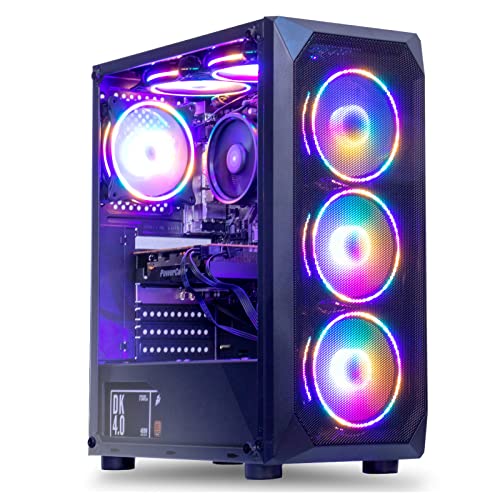
Where to buy
Check the latest price, availability and delivery on Amazon. Orders are placed on Amazon. We may earn a commission from qualifying purchases.
- Best 1440p upscaling candidate: MXZ Gaming Desktop, Ryzen 5 5500, GTX 1660 Super 6GB, 16GB DDR4, 500GB NVMe SSD — Check on Amazon
- STGAubron Gaming PC, Ryzen 5 5500, Radeon RX 580 8GB, 16GB DDR4, 512GB SSD — Check on Amazon
- Beelink SER5 MAX Mini PC, Ryzen 7 7735U, Radeon 680M, 24GB LPDDR5, 500GB SSD — Check on Amazon
- GMKtec NucBox M6 Ultra, Ryzen 5 7640HS, Radeon 760M, 16GB DDR5, 512GB SSD — Check on Amazon
See 2 more Amazon options
- LXZ Gaming PC, Ryzen 5 5600GT, Integrated Radeon Graphics, 16GB DDR4, 1TB NVMe SSD — Check on Amazon
- ACEMAGICIAN AM06 Pro Mini PC, Ryzen 7 5800U, Radeon Vega 8, 16GB DDR4, 512GB NVMe SSD — Check on Amazon
Read the full guide ↓
Disclosure: As an Amazon Associate, reviewstook.com earns from qualifying purchases. Links to Amazon on this page are affiliate links; they cost you nothing extra. Listing details such as price and availability change often, so check the current Amazon listing before you buy.
This guide grades six sub-$500 PCs through one lens only: what each of them actually does with a 1440p signal. That lens is less forgiving than a general-purpose review, and it should be, because “for 1440p gaming” is the reason you are here. So here is the verdict before the detail. Not one machine below renders modern games natively at 2560×1440 with high settings — at this price, that machine does not exist, and any listing implying otherwise is selling you a resolution the hardware cannot deliver. What these six PCs genuinely offer at 1440p comes in three distinct modes, and the whole guide is organized around telling them apart: native 1440p rendering in lighter games, upscaled 1440p output in heavier ones, and a pixel-perfect native 1440p desktop for everything that is not a game. Every pick below does at least one of those modes well. None does all three at full quality. Knowing which mode you actually care about is the entire buying decision.
One more piece of honesty before the picks, because it shapes every grade that follows: native 1440p in current games starts higher up the price ladder. The first towers that render new releases natively at 1440p with settings worth having live around the $700 tier, covered in Best 1440p Gaming PC Under $700, and comfortable native 1440p — high settings, headroom to spare — is a Best 1440p Gaming PC Under $1200 conversation. At $500 you are buying cleverness instead: upscaling done well, an older library rendered natively, and a monitor that will still be the right monitor when a stronger PC arrives. Judged on those terms, two of these machines are genuinely good. Judged on the fantasy version of the search term, all six fail — and so would anything else at the price.
Two Resolutions: The One Idea This Guide Runs On
Every grade below depends on a distinction most listings blur on purpose: the difference between display resolution and render resolution. Display resolution is what your monitor shows — on a 1440p panel, 2560×1440, which is 3,686,400 pixels, roughly 3.69 million. Render resolution is what the graphics hardware actually computes each frame before the image reaches the screen. When the two match, you have native 1440p. When the game renders fewer pixels and software reconstructs the rest, you have upscaled 1440p — same panel, same output size, very different workload and a somewhat softer image.
The arithmetic explains why the gap matters so much at this budget. A 1080p frame is 2,073,600 pixels — about 2.07 million. Native 1440p therefore asks the GPU to shade roughly 78% more pixels than 1080p, every frame, forever. That is why graphics cards that cruise at 1080p fall over at native 1440p, and why upscaling is not a compromise at $500 so much as the whole strategy. AMD’s FSR in its Quality mode, given a 1440p output, renders internally at about 1707×960 — roughly 1.64 million pixels, actually fewer than a native 1080p frame — then reconstructs a 1440p image from it using data from previous frames. FSR Balanced renders near 1506×847, and FSR Performance renders at 1280×720, exactly one quarter of the panel’s pixels, then rebuilds. A game that is unplayable at native 1440p on these machines is often smooth at FSR Quality, because the GPU is doing less work than a 1080p frame while the panel still receives a 1440p signal.
Two corollaries are worth fixing in your head before the reviews. First, upscaling quality is not uniform: a reconstructed 1440p image from FSR Quality is visibly close to native in most scenes, while Performance mode trades real softness and shimmer for its speed — it is a tool for demanding games and integrated graphics, not a default. Second, do not confuse in-game upscaling with simply running the game at 1080p on a 1440p monitor. 1920 does not divide into 2560 evenly — the ratio is 1.333 — so a plain 1080p signal stretched across a 1440p panel maps pixels unevenly and looks smeared in a way FSR’s reconstruction largely avoids. If a game offers FSR, use it and keep the output at 1440p; that single setting choice is worth more than any other tweak in this guide. And a plain statement, because listings love to imply otherwise: none of the six machines below supports DLSS. NVIDIA’s upscaler is exclusive to RTX cards; the one NVIDIA GPU here is a GTX model with no tensor cores, and the AMD and integrated parts speak FSR only. FSR is good. It is also the only game in this particular town.
In this guide
Quick Picks
Short on time, or comparing several options at once? Each row below names a buyer type and the product that suits it, with a link to the listing.
| Buyer type | Pick | Its honest 1440p mode | Link |
|---|---|---|---|
| Strongest 1440p candidate | MXZ Gaming Desktop, Ryzen 5 5500 / GTX 1660 Super | Native 1440p in esports and older games; FSR upscaling for newer ones — buy only on sale | Check on Amazon |
| Most VRAM for textures | STGAubron Gaming PC, Ryzen 5 5500 / RX 580 8GB | Native 1440p in its era’s games at medium; 8GB holds textures the others cannot — sale only | Check on Amazon |
| Best buy-today mini | Beelink SER5 MAX, Ryzen 7 7735U / Radeon 680M | Native 1440p desktop and light games; FSR from 1080p or below for the rest | Check on Amazon |
| Newest integrated platform | GMKtec NucBox M6 Ultra, Ryzen 5 7640HS / Radeon 760M | Native esports at low settings; FSR upscaling elsewhere — a sale-watch pick | Check on Amazon |
| 1440p later, platform now | LXZ Gaming PC, Ryzen 5 5600GT / 1TB NVMe | Upscaled esports as delivered; genuine native 1440p the day a graphics card goes in | Check on Amazon |
| Cheapest way onto a 1440p desk | ACEMAGICIAN AM06 Pro, Ryzen 7 5800U / Vega 8 | Native 1440p desktop and video; games rendered at 720p–1080p and upscaled | Check on Amazon |
How These Picks Were Chosen
The selection rule was the same one this batch applies everywhere: real Amazon listings and verified ASINs — check price on Amazon for the current figure on each pick, since listings change often. Two of the six picks are sale creatures that only duck under $500 during discounts, and their reviews carry that condition in plain language. Machines that have never credibly sat inside this budget were excluded even when they would have graded well; a guide for a $500 budget that recommends hardware from a higher tier has failed before it starts.
What is different here is the grading. A general review might reward a strong CPU, a big SSD or a tidy case; this variant scores one thing — behavior at 2560×1440 — across three modes. Native mode: which games render at the full 3.69 million pixels, at what settings. Upscaled mode: how low the internal render has to go in modern games, and whether the upscaling on offer (FSR, in every case here) holds the image together. Desktop mode: the non-gaming 1440p experience — text, browsing, video, multiple displays — which every pick handles natively and which, for many buyers, is half the point of owning the panel. A pick’s place in the order below is set mostly by the first two modes; the third is close to a tie across the guide, and where a machine is unusually good or limited there, the review says so.
We did not use these PCs ourselves; the characterizations rest on the maker listings, independent reporting on the graphics hardware, and price-tracker records, the same evidence base as the base guide for this tier. Performance is described by game class and settings level rather than invented frame-rate figures — at 1440p especially, a specific fps number without a specific scene is marketing, not information. Finally, a note on what did not change: the ASINs and the deal conditions are exactly the base guide’s. Only the lens is new.
The 6 Best PCs for 1440p Gaming Under $500
MXZ Gaming Desktop — Ryzen 5 5500, GTX 1660 Super 6GB, 16GB DDR4, 500GB NVMe SSD
Who it suits: The 1440p buyer who can time a purchase — an esports or back-catalogue player with the panel already on the desk, who wants the widest native-1440p shelf this budget reaches.
Through the 1440p lens, the GTX 1660 Super is the strongest graphics hardware in this guide and it is not close. Start with native mode, because this is the only pick that has a real one beyond esports. Competitive titles — Counter-Strike 2, Valorant, Rocket League, Apex Legends turned down sensibly — render at the full 2560×1440 at playable-to-good frame rates, and the deep bench of pre-2022 AAA games runs at native 1440p on medium settings without drama. That native shelf is what $500 is supposed to buy and almost never does. In upscaled mode, current heavy releases are a render-resolution negotiation: FSR Quality from about 1707×960 is the sweet spot, Balanced when a game demands it, and the result on a 1440p panel is a convincing image that the card’s raw raster power supports well. The ceiling is memory, not muscle: 6GB of GDDR6 fills quickly at 1440p texture settings, so recent games will ask you to trade texture quality before they ask you to trade resolution. And the absences must be stated as plainly as the base guide stated them — no DLSS, because the GTX line never received it, and no ray tracing worth switching on. FSR is the upscaling tool here, full stop.
The supporting hardware matters to this variant for one reason: the tower is the exit. The six-core Ryzen 5 5500, 16GB of DDR4-3200, the listed 450W 80 Plus power supply and a standard case mean that when this card’s 1440p story ends, a stronger card begins it again — the only pick besides the LXZ of which that is true, and the only one that starts from real native 1440p today. Now the condition, carried intact from the base guide because it is load-bearing: this configuration only fits this budget on sale, so check price on Amazon before you buy. It is a $500 PC only on sale. When it is on sale inside this budget it is the best 1440p value in this guide by a distance. At its regular price it has left the budget, and the honest destination is the $700 tier. The listing-hygiene warning also carries: MXZ’s page contradicts itself — a bullet says 1TB where the title and spec table say 500GB NVMe, and a stray description line names a different graphics card — so confirm the exact configuration at checkout, screenshot the order, and verify the card inside the return window.
- Widest native-1440p shelf in the guide: esports and older AAA at full 2560×1440, medium settings.
- FSR Quality upscaling from about 1707×960 makes newer games presentable on the panel.
- A real tower platform, so today’s strongest pick is also tomorrow’s upgrade base.
Honest limitation: Only under $500 on sale — and 6GB of VRAM caps texture settings at 1440p in recent games, with no DLSS to fall back on.
Choose it if you can wait for the dip under $500 and your library leans esports and pre-2023. Skip it if you are buying today at its regular price, or your definition of 1440p gaming is this year’s AAA at native resolution — that definition costs more than this guide.

STGAubron Gaming PC — Ryzen 5 5500, Radeon RX 580 8GB, 16GB DDR4, 512GB SSD
Who it suits: The texture-sensitive player of older games who catches it on sale — someone whose 1440p library is the last decade’s, not this year’s.
Grade the RX 580 at 1440p and you grade a split personality. Its compute is 2017 Polaris, and modern games feel every year of it: recent releases are render-at-1080p-or-below exercises, with FSR in supported titles doing the reconstruction. But its memory is the guide’s best — 8GB of GDDR5, more VRAM than the faster 1660 Super carries — and at 1440p that shows up in a specific, real way. In the games of its own era and the long tail that shares their engines, textures are the first thing 1440p eats, and this card can hold medium-to-high texture settings at native 1440p where a leaner card starts swapping and stuttering. Native mode here is genuine but fenced: esports, MOBAs, and pre-2020 AAA at medium settings, full panel resolution. Upscaled mode is the modern-game story, and it comes with the guide’s plainest caveat — AMD has moved Polaris to legacy driver support, so the optimizations new games receive on launch week are no longer written for this card. FSR itself works on it in titles that implement the game-side version, which is most of the ones that matter, but nothing about this GPU’s software future is improving.
Around the card, the machine repeats the sensible formula — the same Ryzen 5 5500, 16GB of DDR4, a 512GB SSD, WiFi 6 and Bluetooth 5.2 — and adds a bundled RGB keyboard and mouse, which matters to this variant only in one way: it leaves the entire remaining budget for the 1440p monitor itself, the purchase this keyword is really about. Treat the peripherals as starter gear, not a decision factor. The deal rule is identical in shape to the MXZ’s and just as strict: this configuration only belongs in this guide at a sale price inside the budget, so check price on Amazon before you buy. Under $500 on a deal day, verified hard inside the return window — marketplace RX 580 builds vary in component quality, and power draw is high for the performance, which means heat and fan noise — it is a VRAM-rich way to play an older library at native 1440p. At its regular price, it is a nine-year-old graphics architecture wearing a new PC’s price, and this guide’s answer is no.
- 8GB of VRAM — the most in this guide, and at 1440p textures are where that pays.
- Native 1440p at medium settings across esports and the pre-2020 back catalogue.
- The budget discrete-GPU route to the panel when the sale lands — check price on Amazon.
Honest limitation: Polaris is on legacy drivers with no new-game optimizations coming, and the machine is only in this guide at sale prices.
Choose it if it is under $500, your games are from its era, and you will stress-test it inside the return window. Skip it if you play new releases on launch day, or the live price sits above this budget.

Beelink SER5 MAX Mini PC — Ryzen 7 7735U, Radeon 680M, 24GB LPDDR5, 500GB SSD
Who it suits: The buyer purchasing today, at a real sub-$500 price, whose 1440p life is split between a crisp desktop and a games library that suits integrated graphics.
The Radeon 680M is the strongest integrated graphics in this guide — an RDNA 2 iGPU with 12 compute units that independent testing places around GTX 1050 Ti class — and grading it at 1440p means being precise about its three modes. Desktop mode is flawless and, for many buyers, the headline: full native 1440p across triple displays, sharp text, smooth video, all day, from a box that mounts behind the very monitor it drives. Native gaming mode is real but light: esports and indie titles at 2560×1440 on low-to-medium settings. Upscaled mode carries everything heavier — mainstream games rendered at 1080p and reconstructed with FSR, demanding scenes down to 720p renders with FSR doing heavier lifting — and the quality of that experience rests on a specification most mini PC listings bury: memory. An iGPU has no VRAM of its own; it borrows system RAM for both capacity and bandwidth. This configuration’s 24GB of fast LPDDR5 is the reason it grades first among the minis: the graphics get fed properly, and the game, browser and chat apps sharing the pool do not squeeze it the way 16GB machines are squeezed.
Unlike the two towers above it, this pick’s price needs no sale choreography. Check price on Amazon for this exact 7735U/24GB/500GB configuration — it typically sits inside this budget on ordinary days. It lives under the budget. What it will never do is grow: the LPDDR5 is soldered, so 24GB is the final memory figure, and there is no graphics slot, so the 680M is the final GPU. Storage is a standard replaceable SSD, and that is the whole upgrade list. Through this guide’s lens that trade is coherent — you are buying the best upscaled-1440p appliance under $500 and accepting that its native mode stays light forever. Buyers who suspect their ambitions will outgrow FSR-from-1080p within a year should be looking at the towers, and the review of the next pick covers the one mini that hedges the bet differently.
- Strongest iGPU here (Radeon 680M, RDNA 2) with 24GB of fast LPDDR5 feeding it properly.
- Flawless native 1440p desktop across three displays — the mode half of buyers actually live in.
- Under budget on ordinary days, not just sale days — check price on Amazon.
Honest limitation: Soldered RAM and no GPU upgrade path — heavy games mean rendering at 1080p or below and upscaling, permanently.
Choose it if you are buying now and your games are esports, indie and older titles. Skip it if a future graphics card is part of the plan — minis do not take one.

GMKtec NucBox M6 Ultra — Ryzen 5 7640HS, Radeon 760M, 16GB DDR5, 512GB SSD
Who it suits: The forward-looking mini buyer who wants the newest platform on the desk — DDR5, USB4, Zen 4 — and can wait for this one’s regular discounts to bring it back under the line.
The Radeon 760M is an RDNA 3 integrated GPU with 8 compute units running up to 2,600MHz, and at 1440p it grades a clear step below the Beelink’s 680M despite the newer architecture, because it simply has fewer units to shade 3.69 million pixels with. Native gaming mode is esports at low settings and little beyond. Upscaled mode is where this machine lives: mainstream titles rendered at 1080p with FSR reconstruction, lighter ones closer to native, and its modern media engine — with AV1 decode among its hardware codec support — makes 1440p and 4K video entirely effortless. Desktop mode is excellent, with triple 4K display output. Where the M6 Ultra earns its place against the stronger-gaming Beelink is everything surrounding the GPU: DDR5 in real SO-DIMM slots instead of solder, dual M.2 SSD slots, a USB4 port, dual 2.5GbE networking. Memory in slots matters to this variant specifically, because an iGPU’s speed is memory bandwidth — a future matched, faster memory kit is one of the only performance upgrades any mini in this guide can ever receive, and this is the one that can receive it.
The price discipline, though, is this pick’s whole story right now. This 16GB/512GB configuration moves in and out of this budget — it spends real time under $500 on sale and sits above it at other times, so check price on Amazon before you buy. The larger 32GB/1TB sibling is a separate, higher-tier configuration mentioned as family context only; the linked machine is the 16GB/512GB one. So the rule is mechanical: when it sits inside this budget, this is the modern-platform alternative to the Beelink, trading some graphics muscle for slots, ports and youth. Above this budget it has exited this guide’s scope and belongs in the Best Mini Gaming PC Under $700 comparison instead. One family-wide warning carries from the base guide: GMKtec sells several near-identically named M6 variants, and the configuration in the cart is the only one that counts — verify RAM and SSD size before paying.
- Newest platform here: Zen 4, DDR5 in upgradeable slots, USB4, dual 2.5GbE.
- RDNA 3 graphics with modern codec support — 1440p video and desktop are effortless.
- A genuine under-$500 machine whenever its sales are running — check price on Amazon.
Honest limitation: The 760M is a step behind the 680M for games, and it often sits above budget until the next discount.
Choose it if you catch it inside this budget and value the modern platform and ports. Skip it if it is sitting above this budget and gaming comes first — the Beelink games harder for less, today.

LXZ Gaming PC — Ryzen 5 5600GT, Integrated Radeon Graphics, 16GB DDR4, 1TB NVMe SSD
Who it suits: The strategist whose real purchase is next year’s graphics card — a first-PC buyer who wants the tower, the CPU and the storage already in place when it arrives.
Graded strictly on what it does at 1440p the day it arrives, this is the weakest gaming machine in the guide, and this variant will not soften that. The Ryzen 5 5600GT’s integrated Radeon graphics — the listing is candid that there is no dedicated card — put native 1440p gaming effectively out of reach: esports titles rendered at 1080p or 720p on low settings and upscaled to the panel, older games at reduced internal resolutions, and a flawless native 1440p desktop, which integrated graphics have handled easily for years. If the story ended at delivery, this pick would not be in a 1440p guide at all. The story is the chassis. A full-size tower with a listed 400W power supply and a 1TB NVMe SSD — double the storage of everything else here — — check price on Amazon for the current figure. The 5600GT is a strong six-core CPU on the standard AM4 platform, which means the transformation is a single purchase: one mid-range graphics card, ten minutes with a screwdriver, and this becomes the only machine in the guide with nothing left to apologize for at native 1440p — the destination the MXZ reaches on sale and the minis never reach at all.
That framing defines the risk precisely. You are paying $500 for a PC whose 1440p gaming is, today, the upscaled kind at its most modest. Buyers who never get around to the card own an office-and-esports tower feeding a nice monitor, and would have been happier with the Beelink. Buyers who do upgrade will have spent their $500 on exactly the parts that are annoying to replace later — case, storage, platform — and skipped nothing that matters. Note the homework the base guide assigned: LXZ sells sibling configurations under similar titles, so confirm “5600GT, 16GB, 1TB NVMe” on the live listing before checkout, and keep the modest 400W supply in mind when the future card is chosen; it suits an efficient mid-range card, not a flagship.
- A 1TB NVMe SSD — twice the storage any other pick here offers. Check price on Amazon.
- A full AM4 tower: the only route in this guide from upscaled-today to native-1440p-later.
- Strong six-core CPU that will not bottleneck the mid-range card it is waiting for.
Honest limitation: As delivered, its 1440p gaming is upscaled esports at low internal renders — the weakest in the guide until a card goes in.
Choose it if a GPU upgrade within the year is genuinely budgeted, not just imagined. Skip it if the PC must be finished on arrival day.

ACEMAGICIAN AM06 Pro Mini PC — Ryzen 7 5800U, Radeon Vega 8, 16GB DDR4, 512GB NVMe SSD
Who it suits: The strictest budgets and the second-room problem — a spare 1440p monitor, a kid’s first PC, a living-room box for indie and retro libraries.
Vega 8 is the oldest graphics architecture in this guide, a generation behind the 680M and two behind the 760M, and its 1440p grading splits cleanly in two. Desktop mode is genuinely strong: this eight-core mini drives triple 4K displays, so a native 1440p desktop — text, browsing, video, documents — is crisp and effortless, and for a second-room or work-first buyer that mode may be most of the job. Gaming mode is the floor. Native 1440p belongs to the lightest esports and indie titles only; everything heavier is rendered at 720p to 1080p and upscaled, ideally with FSR where a title offers it, and some modern games stay out of reach even then. There is no way to write that more kindly, and the listing’s own marketing name-checks heavy shooters that this hardware cannot honor at this resolution — treat that as aspiration and set expectations at esports, indies and the back catalogue, where it performs honestly.
Why does the weakest gamer close the guide? Because of what it leaves in the budget. This is a budget-tier mini — check price on Amazon — and a higher-memory configuration also sits inside this budget tier. It is the only pick that leaves a meaningful share of a $500 budget unspent, and for a buyer whose real project is a 1440p desk, that remainder is not a rounding error: it is a large share of the monitor itself. The eight Zen 3 cores make it a better everyday computer than several pricier picks, and dual LAN ports give it an afterlife in desk, TV or server duty when its gaming shift ends. As the cheapest credible way to put a working PC behind a 1440p panel, it earns its place — as long as nobody mistakes it for a gaming machine first.
- The cheapest credible PC in this guide — check price on Amazon.
- Triple-display output makes it a superb native-1440p desktop and media box.
- Eight-core CPU: the strongest everyday computing per dollar here.
Honest limitation: Vega 8 is the guide’s graphics floor — modern games at 1440p are out of reach in many titles even upscaled.
Choose it if yours is the tightest budget in this guide, or the library is esports, indie and retro. Skip it if current games are the point — save toward the $700 tier instead.

Comparison Table
| Product | Graphics | Native 1440p | Upscaled 1440p | Link |
|---|---|---|---|---|
| MXZ Gaming Desktop (Ryzen 5 5500) | GTX 1660 Super 6GB discrete | Esports + older AAA, medium | FSR Quality for newer games | Check on Amazon |
| STGAubron Gaming PC (Ryzen 5 5500) | RX 580 8GB discrete | Its era’s games, medium, strong textures | FSR where supported; legacy drivers | Check on Amazon |
| Beelink SER5 MAX (Ryzen 7 7735U) | Radeon 680M integrated | Esports/indie, low–medium | FSR from 1080p or 720p | Check on Amazon |
| GMKtec NucBox M6 Ultra (Ryzen 5 7640HS) | Radeon 760M integrated | Esports, low | FSR from 1080p | Check on Amazon |
| LXZ Gaming PC (Ryzen 5 5600GT) | Integrated Radeon (Vega) | Desktop only, as delivered | Low internal renders; native after a GPU upgrade | Check on Amazon |
| ACEMAGICIAN AM06 Pro (Ryzen 7 5800U) | Radeon Vega 8 integrated | Desktop, video, lightest titles | FSR from 720p–1080p | Check on Amazon |
The Monitor Is the Future-Proof Part of This Purchase
It is worth saying out loud, because this keyword pairs a $500 PC with a 1440p panel and the pairing confuses people in both directions. Some buyers talk themselves out of the monitor — why buy a 1440p screen for a PC that upscales? — and others buy the monitor expecting it to make the PC faster. Neither is right. The correct frame is that the monitor is the longest-lived component on your desk. PCs in this guide will be replaced in three to five years; a good 1440p panel serves through two or three of them, and it improves everything the current PC already does natively — desktop, browsing, video, documents — from the first evening. Buying the panel now and a $500 PC that upscales to it is not settling; it is sequencing. When the next PC arrives — or when the LXZ or MXZ in this guide receives its graphics card — the native 1440p performance unlocks on a screen you already own, and not one dollar of the monitor purchase was wasted on the interim machine.
Two practical notes follow from that frame. First, choose the panel for the future PC as much as the present one: variable refresh (FreeSync) matters most, because it smooths exactly the frame-rate range these machines live in at 1440p, and it keeps mattering when the hardware gets faster. Second, do not let the monitor cannibalize the PC budget below the floor this guide represents. A 1440p panel in front of a PC that cannot even upscale convincingly is a worse purchase than a 1080p panel in front of one of these six — which is why the Best 1080p Gaming PC Under $500 tier exists and why the AM06 Pro’s leftover budget is a feature, not an accident.
How to Choose a PC for 1440p Gaming Under $500
- Name your mode before you shop. Native 1440p in light games, upscaled 1440p in heavy ones, or a native 1440p desktop with gaming second — the six picks split almost perfectly along those lines. A buyer who cannot say which mode they mean will buy the wrong machine no matter which they choose.
- Set render resolution deliberately, per game. Keep output at 1440p always. Then choose the internal render your hardware sustains: native for esports and older titles on the discrete cards, FSR Quality (about 1707×960) for newer games, FSR Balanced or Performance on the integrated machines. Never let a game’s auto-detect choose for you — it guesses optimistically and stutters proudly.
- Use FSR, not a 1080p signal. A plain 1080p output stretched across a 1440p panel scales by an uneven 1.333 and looks smeared. FSR renders at a similar pixel count but reconstructs intelligently, and the difference is visible from your chair. If a game has FSR, that setting is the single highest-value click in this guide.
- Count VRAM like it matters — at 1440p it does. Textures are the first casualty of the resolution jump. The RX 580’s 8GB is a genuine argument; the 1660 Super’s 6GB is its ceiling; the integrated machines borrow system RAM, which is why memory size and speed appear in their grades at all.
- For integrated graphics, memory is a graphics spec. The iGPU eats system RAM for capacity and bandwidth both. Fast LPDDR5 (Beelink) and DDR5 (GMKtec) feed their graphics measurably better than DDR4, dual-channel configuration is non-negotiable, and soldered memory means the number on the box is the number forever.
- Buy the bottom of the price range, not the top. The same tower can move sharply within a few months. The MXZ on sale inside this budget is this guide’s best value; the identical box at its regular price is a different, worse purchase wearing the same name. Set the target price for your pick, check price on Amazon, and let the sale arrive.
- Decide tower versus mini by the exit. If native 1440p is the destination, a tower is a road and a mini is a residence. The LXZ is a road with no car yet; the MXZ is a road with a decent car; the minis are finished homes that will never get faster. Buy the one whose future matches your actual intentions.
- Verify the exact configuration at checkout. Variants hide under single listing titles, and this guide’s research found contradictions inside individual listings. Confirm CPU, GPU, RAM and SSD on the live page, screenshot the order, and test everything inside Amazon’s return window.
Common Buying Mistakes
- Reading “1440p gaming PC” on a listing as native 1440p, high settings, new games. At $500 it means light games natively, heavy games upscaled, desktop natively — buy with that definition or raise the budget.
- Assuming DLSS is available because a GPU says NVIDIA on it. The GTX 1660 Super predates DLSS support entirely; FSR is the upscaler on every machine in this guide.
- Running games at a plain 1080p output on the 1440p panel and blaming the PC for the smear. That is the non-integer scaling trap — FSR at 1440p output exists precisely to avoid it.
- Paying the standing price for a sale-dependent tower. The MXZ and the STGAubron at their regular prices belong to a higher price class and should be judged against that class, where they lose.
- Judging the RX 580 by its VRAM alone. 8GB helps textures; it does not restore legacy-driver support or 2017 compute. Both halves of that sentence are the review.
- Buying a mini PC as a “starter” gaming rig with plans to upgrade its graphics. There is no slot. The graphics you buy are the graphics you retire.
- Choosing by CPU core counts and RGB fans. Every tower here runs a six-core Ryzen 5 that is sufficient at 1440p; the graphics line and the memory configuration decide everything.
- Spending the whole budget on the PC and borrowing a monitor “for now.” The panel is half the experience this keyword describes; the Best Budget Gaming PC Under $500 approach — honest total budget, monitor included — beats a starved screen every time.
Final Recommendation
- Most native 1440p per dollar: MXZ Gaming Desktop (GTX 1660 Super) — at its sale price inside this budget only.
- Texture-rich older library: STGAubron Gaming PC (RX 580 8GB) — on sale inside this budget, tested inside the return window.
- Buy today, no sale-watching: Beelink SER5 MAX (Radeon 680M, 24GB) — upscaled 1440p done as well as integrated graphics do it.
- Newest mini platform: GMKtec NucBox M6 Ultra — when its price returns under $500.
- The road to real native 1440p: LXZ Gaming PC (5600GT, 1TB) — for buyers committed to adding a card.
- Tightest budgets: ACEMAGICIAN AM06 Pro — a native 1440p desktop with light gaming at a budget-tier price — check price on Amazon.
If your calendar allows one sale cycle, the MXZ is the answer to this search: the only pick that renders a wide shelf of games at the panel’s full resolution today, and a tower that stays relevant when a stronger card arrives. If you are buying this week, the Beelink SER5 MAX is the recommendation — a genuine sub-$500 price, the best integrated graphics in the guide, and memory specified the way an iGPU needs. The STGAubron is the wildcard for older libraries on sale; the GMKtec is the modern-platform hedge on discount; the LXZ is a down payment on native 1440p rather than the thing itself; and the ACEMAGICIAN is the honest floor that leaves money for the monitor. Readers whose rooms are tight should compare Best 1440p Gaming PC For Small Spaces Under $500, new buyers should read Best 1440p Gaming PC For Beginners Under $500, and anyone who finishes this guide wanting native 1440p without asterisks has learned the useful lesson: it starts at Best 1440p Gaming PC Under $700 and gets comfortable at the $1,200 tier. Check the live price on Amazon before ordering — at this budget, when you buy is half of what you buy.
Frequently Asked Questions
Can a $500 PC actually game at 1440p?
In the three modes this guide grades, yes: lighter games rendered natively at 2560×1440, heavier games rendered lower and upscaled to the panel with FSR, and a full native-1440p desktop outside games. What no $500 prebuilt does is native 1440p at high settings in current AAA releases — that begins around the $700 tier and gets comfortable near $1,200.
What is the difference between native and upscaled 1440p?
Native means the GPU computes all 3,686,400 pixels of every frame. Upscaled means it computes fewer — FSR Quality computes about 1707×960, fewer pixels than a 1080p frame — and software reconstructs the 1440p output from current and previous frames. The reconstructed image is slightly softer and can shimmer in motion, but it is far better than stretching a plain 1080p signal, and it is what makes this entire budget possible.
Does anything in this guide support DLSS?
No, and it is worth knowing why: DLSS requires an RTX card with tensor cores. The one NVIDIA GPU here is a GTX 1660 Super, which never received DLSS; the AMD discrete card and all three integrated GPUs use FSR instead. Any listing copy suggesting DLSS on these machines is wrong.
Is the RX 580’s 8GB of VRAM a real advantage at 1440p?
A narrow, real one. At 1440p, texture memory runs out before compute in many older and mid-weight games, and 8GB lets the RX 580 hold texture settings the 6GB 1660 Super must reduce. It does not make the card faster, and it does not restore the new-game driver optimizations Polaris no longer receives — which is why it ranks second, not first.
Why buy a 1440p monitor for a PC that upscales?
Because the monitor outlives the PC, and because most of what the PC shows is not games. Desktop, browsing, video and documents are native 1440p on every pick here from day one; games upscale convincingly now and render natively after a future upgrade or replacement. The panel is the one part of this purchase that never needs an asterisk.
Which pick becomes a true native-1440p machine later?
Only the towers can. The LXZ is one graphics card away by design, and the MXZ and STGAubron accept stronger cards within their power supplies’ limits — the MXZ’s listed 450W suits an efficient mid-range card. The three minis are finished appliances: their graphics are permanent.
The prices here do not match what I see on Amazon. Why?
Because this category’s pricing moves often, and several picks here only fit this budget on sale. Check price on Amazon for the current figure on each pick: when a pick sits inside this budget, the deal rules in each review say buy; when it sits well above it, wait, or pick a machine whose pricing is steadier.


