Where to buy
Check the latest price, availability and delivery on Amazon. Orders are placed on Amazon. We may earn a commission from qualifying purchases.
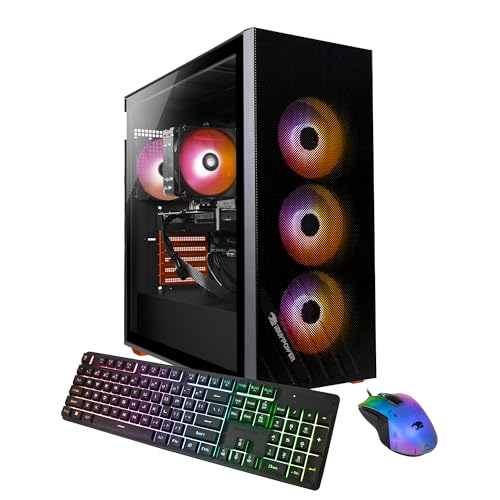
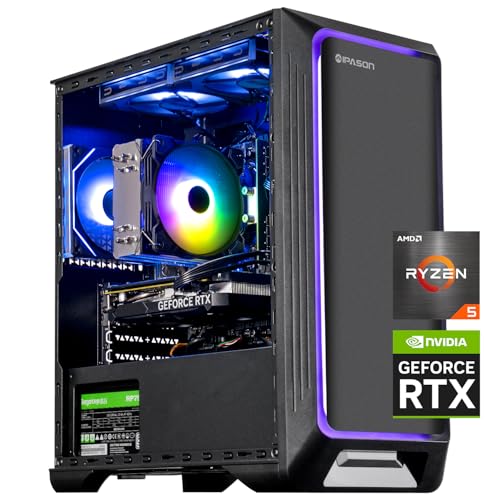
- Best overall streaming PC: IPASON Gaming PC Desktop, Ryzen 5 5600, RTX 3060 12GB — Check on Amazon
- Skytech Blaze 3.0 Gaming PC Desktop, Intel Core i5-10400F, RTX 3060 — Check on Amazon
- ZOTAC MEK AI-Enhanced Gaming PC, Ryzen 5 5500, RTX 3050, 650W Gold PSU — Check on Amazon
- STGAubron Gaming PC Desktop, Ryzen 5 5500, RTX 3050 6GB, 1TB SSD — Check on Amazon
See 2 more Amazon options
- HP Victus 15L Gaming Desktop TG02-1020h, Intel Core i5-13400F, RTX 3050 — Check on Amazon
- Skytech Shadow Gaming PC Desktop, Ryzen 5 3600, GTX 1660 Super — Check on Amazon
Read the full guide ↓
Disclosure: As an Amazon Associate, reviewstook.com earns from qualifying purchases. Links to Amazon on this page are affiliate links; they cost you nothing extra. Listing details such as price and availability change often, so check the current Amazon listing before you buy.
Streaming asks a gaming PC to do two jobs at once: play the game well, and compress every frame into a broadcast feed at the same moment. Those jobs fight over the same hardware — unless the machine has a dedicated video encoder, a small piece of silicon dedicated to turning gameplay into streamable video. That component is why $700 is genuinely workable for streaming in a way $400 and $500 budgets are not. Every machine in this guide carries an NVIDIA graphics card with the NVENC hardware encoder, so the broadcast runs on dedicated hardware while the game keeps the rest of the system. A single-PC stream at 1080p60 is realistic on these machines for esports titles and lighter games played straight, and for heavier AAA releases with the settings discipline this guide spells out. Realistic, with named conditions — that is the honest version of what $700 buys a streamer.
Three limits belong on the table before any product names. First, none of these machines encodes AV1: the RTX 3050 and RTX 3060 cards here use NVIDIA’s Ampere-generation encoder (H.264 and HEVC), AV1 encoding only arrived with the RTX 40 series, and on Twitch — still H.264 for most streamers — that costs you nothing today. Second, there is no integrated-graphics safety net in any of these six machines — the Intel chips are F-suffix parts with their graphics disabled, and the Ryzen chips have none at all — so there is no Quick Sync fallback encoder. NVENC is the plan, and fortunately it is a good one. Third, the PC is not the whole streaming budget: a microphone, a camera, light and a second screen are separate purchases, covered openly in their own section below and never folded into any pick. What follows ranks the same six verified machines from our Best 1080p Gaming PC Under $700 guide by the criteria that matter when the second job is broadcasting: encoder first, processor headroom second, memory and recording storage after that.
Below: quick picks, the six streaming reviews, a comparison table, the encoder comparison, the rest of the streaming budget, mistakes, and a streamer FAQ.
In this guide
Quick Picks
Each row below names a streamer type and the machine that suits it, with a link to the listing.
| Streamer type | Pick | Why it stands out for streaming | Link |
|---|---|---|---|
| Best overall streaming PC | IPASON Gaming PC Desktop, Ryzen 5 5600, RTX 3060 12GB | Ampere NVENC, the most VRAM for game-plus-encode headroom, and 1TB for recordings | Check on Amazon |
| Best named-brand streaming tower | Skytech Blaze 3.0, Intel Core i5-10400F, RTX 3060 | RTX 3060 encoding power with a published 600W Gold power supply | Check on Amazon |
| Best platform to grow a channel on | ZOTAC MEK AI-Enhanced, Ryzen 5 5500, RTX 3050 | 650W 80+ Gold PSU leaves room for a stronger GPU — and a newer encoder — later | Check on Amazon |
| Best recording storage | STGAubron Gaming PC Desktop, Ryzen 5 5500, RTX 3050 6GB | 1TB for local recordings and VOD files at a budget-tier position | Check on Amazon |
| Best streaming CPU, with one fix | HP Victus 15L TG02-1020h, Intel Core i5-13400F, RTX 3050 | Sixteen threads for OBS scenes and browser sources — once its 8GB of RAM is fixed | Check on Amazon |
| Best budget streaming starter | Skytech Shadow, Ryzen 5 3600, GTX 1660 Super | Check price on Amazon — its Turing NVENC still broadcasts properly, and its budget-tier positioning leaves room for a microphone | Check on Amazon |
How These Picks Were Chosen
The six machines are the verified picks from our base guide to this budget, re-judged here against streaming criteria rather than gaming criteria alone. The budget was applied the same way: every PC is a real Amazon listing that fits this guide’s under-$700 budget in the United States — check price on Amazon for the current figure, because prebuilt prices drift weekly. What changed is the weighting: for a streaming guide the first question is the encoder, because the encoder decides whether broadcasting costs you performance at all. All six picks carry NVENC in one of two generations — Ampere on the five RTX cards, Turing on the GTX 1660 Super — and a later section explains what that difference does and does not mean at real bitrates.
After the encoder, we weighted the processor — not for the game, which the GPU mostly decides at 1080p, but for everything OBS does around the encode: compositing scenes, running browser sources for alerts and overlays, feeding chat tools. Six cores and twelve threads is the floor in this guide, and the one sixteen-thread machine scores accordingly. Memory came next, because a streamer’s PC never runs only a game: it runs the game, OBS, a browser with dashboards and chat, and usually a voice app, all at once — which is why the single 8GB machine in this guide carries its warning at full size rather than in a footnote. Storage was judged as a recording question: local recordings and VOD files are large, and the difference between a 500GB and a 1TB drive is the difference between archiving your streams and deleting them. Finally, every pick is a tower with an Ethernet port — the wired-connection rule in this guide is absolute — and runs Windows out of the box, so it can be tested inside Amazon’s return window.
The Encoder Is the Streaming Spec
When a streamer talks about “a good streaming PC,” they are usually talking about an encoder without knowing it. Encoding is the work of compressing raw gameplay frames into the video feed a platform receives, without dropping any. Done in software — the x264 encoder in OBS — it competes with the game for the same cores, and on six-core processors software encoding while gaming means the veryfast preset at best, with visible compromises in fast motion. Done on NVENC, the dedicated encoder block inside every NVIDIA card in this guide, it costs the game almost nothing, because the hardware doing it does nothing else. That is the entire reason a $700 single-PC stream works: the broadcast is a separate job on separate silicon.
The five RTX machines — the RTX 3060 pair and the three RTX 3050 towers — carry the Ampere generation of NVENC, which encodes H.264 and HEVC with excellent quality at streaming bitrates. The Skytech Shadow’s GTX 1660 Super carries the earlier Turing generation. Turing is a large step up from the older Pascal-era encoder in GTX 10-series cards and the base GTX 1650, and at Twitch’s standard bitrate ceiling of roughly 6,000 kbps for H.264 at 1080p60, the practical gap between Turing and Ampere output is small. Ampere is the better encoder, but not by enough to make Turing unusable. What neither generation does is AV1: AV1 encoding is RTX 40-series territory, and no machine at this budget has it. Today that is a minor absence — Twitch’s broadcast standard remains H.264, and YouTube accepts H.264 and HEVC happily — but it is a real line between this tier and the next one up.
The fallback deserves one paragraph, because new streamers always ask about it. If NVENC failed you — it should not — the software path on these processors is x264 at veryfast, or superfast for heavier games, while gaming. The sixteen-thread HP below has the most headroom for that experiment; the six-core machines will do it for lighter titles and make you choose between game smoothness and stream quality in heavier ones. Treat x264 on a single $700 PC as a diagnostic tool, not a setup. And Quick Sync, the other good hardware encoder, is unavailable on every pick here — no working integrated graphics anywhere in this guide, as the introduction explains. Your encoder is NVENC. Buy knowing that, and you will not be disappointed by it.
The 6 Best 1080p Gaming PCs for Streaming Under $700
IPASON Gaming PC Desktop — Ryzen 5 5600, RTX 3060 12GB, 1TB NVMe SSD
Who it suits: The streamer who wants one machine to do both jobs with the fewest conditions attached — play at good settings, broadcast at 1080p60, and record locally at the same time.
For streaming, this machine’s specification reads like it was assembled from this guide’s checklist. The RTX 3060 carries the Ampere generation of NVENC, so the broadcast encode runs on dedicated hardware, and this is the 12GB version of the card — which matters twice over for a streamer, because game and encoder setup share the GPU. Twelve gigabytes holds high texture settings in current games at 1080p while OBS composites and encodes beside them; the 6GB cards further down this guide make you budget that memory between the two jobs. Behind the card, the Ryzen 5 5600 — six cores, twelve threads — runs the supporting cast: OBS scenes, browser sources for alerts, chat and dashboards, a voice app, all on threads the game is not using, and twelve threads is enough for a typical stream layout. The supporting specification finishes the picture: 16GB of DDR4-3200, a 1TB NVMe SSD that gives local recordings somewhere to live, a power supply whose 550W wattage is at least published, and Windows 11 Home.
In practice the streaming advice here is the simplest in the guide. Esports titles and lighter games stream at 1080p60 straight up, at high settings. Heavier AAA releases stream at 1080p60 with the discipline described later — textures set with VRAM in mind, the heaviest effects trimmed, DLSS doing its work — and the 12GB card gives you more room to make those calls than any other pick here. The caveats are unchanged from the base guide: IPASON is a smaller integrator, the listing notes the graphics card brand may vary, and the same listing family has carried different style configurations over time, so confirm the style name says Ryzen 5 5600 with RTX 3060 before ordering and verify the parts in Windows on arrival. Check price on Amazon before you order; if it has drifted above this budget tier when you shop, the Blaze below is the same class of card from a bigger name. On streaming hardware alone, this is the pick the rest of the guide is measured against.
- Ampere NVENC plus 12GB of VRAM — the most game-plus-encode headroom here.
- Ryzen 5 5600 and 16GB of RAM run OBS, browser sources and chat cleanly.
- 1TB NVMe SSD — room to record locally at high quality while you broadcast.
Honest limitation: A smaller integrator with a “GPU brand may vary” lottery and a listing whose style variants have shifted — verify the exact configuration on the page and again on arrival.
Choose it if you want the most complete single-PC streaming setup this budget holds. Skip it if a big brand’s support network matters more than headroom — that is the HP below, with its own condition.

Skytech Blaze 3.0 Gaming PC Desktop — Intel Core i5-10400F, RTX 3060, 1TB SSD
Who it suits: Streamers who want RTX 3060 encoding power from an established US system integrator, in a machine whose power supply is specified like a component instead of a rumor.
The streaming core of the Blaze 3.0 (model ST-BLAZE3-0339-B-AM) matches the pick above where it counts most: an RTX 3060 with the Ampere NVENC encoder, so broadcasts are compressed on dedicated hardware in the same quality class as the IPASON. Around it, Skytech publishes the specification the way this guide wishes everyone did — 1TB of SSD storage for games and recordings, 16GB of DDR4 at 3200MHz for the game-plus-OBS-plus-browser workload, AC Wi-Fi for everything except the stream itself, and a 600W Gold-rated power supply. That PSU line matters to a streamer: a streaming PC runs GPU and CPU at sustained combined load for entire sessions, and a named wattage with an 80+ Gold rating is evidence the machine was specced for that rather than assembled around a mystery box. Skytech’s US-based assembly and support complete the proposition — a machine that streams four nights a week wants a real support channel behind it. Check price on Amazon for the current figure — this is a top-of-budget pick within this guide’s tier.
The trade-offs are the processor’s age and the operating system. The Core i5-10400F is a 10th-generation six-core, twelve-thread chip: with NVENC carrying the encode, it has enough threads for OBS and the usual browser sources, and at 1080p the graphics card limits the game long before the CPU does — but it is several generations old, sits on a finished platform with no meaningful CPU upgrade path, and offers less multitasking headroom if your stream layout grows ambitious. The listing also ships Windows 10 Home rather than Windows 11, so confirm the free upgrade path or plan the update in the first week. Neither point stops it streaming well tonight. Judged that way, it is the named-brand streaming pick.
- RTX 3060 with Ampere NVENC — the same encoder class as the top pick.
- 600W Gold PSU named in the listing — the sustained-load spec streamers should want.
- 1TB SSD and 16GB DDR4-3200 cover games, recordings and streaming.
Honest limitation: The Core i5-10400F is an older-generation processor on a dead-end platform, and the listing ships Windows 10 Home — you are buying tonight’s stream quality, not a growth path.
Choose it if you want RTX 3060 streaming with a specified power supply and an established brand behind it. Skip it if you expect your stream setup to grow into heavier scenes and more sources — the newer platforms here have more headroom.

ZOTAC MEK AI-Enhanced Gaming PC — Ryzen 5 5500, RTX 3050, 650W Gold PSU
Who it suits: The streamer playing the long game — whose current broadcasts are esports and lighter titles, and who would rather own the best power delivery in the guide today and swap in a stronger graphics card, with a newer encoder, when the channel justifies it.
Start with what streams today. The MEK (model MEK3050A5500BG0V1) pairs a Ryzen 5 5500 — six cores, twelve threads, up to 4.2GHz — with a GeForce RTX 3050 whose Ampere NVENC is the same encoder generation as the RTX 3060 machines above: for the broadcast itself, this machine gives up nothing. The game side is where the 3050 sets its ceiling — 1080p medium-to-high settings in modern releases, excellent esports performance — and a streamer should read that as settings discipline, not disqualification: viewers watch a 1080p60 feed, and a stable medium-to-high looks better on stream than a maxed game dropping frames. OBS, browser sources and chat run on the twelve threads without drama, 16GB of DDR4-3200 covers the combined workload, and Wi-Fi 6E handles everything except the stream itself, which goes over the Ethernet cable, as it should on every pick here.
What lifts the MEK for streamers is everything around the encode. The 650W 80+ Gold power supply, stated in the product name itself, is the most wattage and best efficiency in this guide, from ZOTAC — the graphics card manufacturer itself. For a streamer, that PSU is a future encoder upgrade already paid for: when an RTX 40-series card with AV1 makes sense for your channel, this machine accepts it without a power supply swap. The compromise is storage: 500GB is the smallest drive in the guide, and recordings are hungry — a streamer who records locally will fill it faster than a pure gamer would, so budget for a second drive earlier than with the 1TB machines. Check price on Amazon — it sits inside this budget tier, positioned to leave room for the microphone this guide keeps insisting on.
- Ampere NVENC — broadcast quality equal to the RTX 3060 picks; game settings step down.
- 650W 80+ Gold PSU and Wi-Fi 6E — the best supporting specification in this guide.
- Standard platform from the GPU’s own manufacturer, ready for a future GPU upgrade.
Honest limitation: The 500GB SSD fills quickly once local recordings pile up, and the RTX 3050 is a medium-to-high settings card at 1080p — a clear step behind the RTX 3060 machines.
Choose it if your games are esports and lighter titles now and you want the upgrade runway later. Skip it if you play the newest AAA releases on day one and want them maxed while you stream.

STGAubron Gaming PC Desktop — Ryzen 5 5500, RTX 3050 6GB, 1TB SSD
Who it suits: Streamers who record everything — the VOD editors and YouTube uploaders — who value a terabyte of storage and are willing to verify a vaguer specification sheet in exchange for a budget-tier position within this guide.
The streaming fundamentals are documented and sound. This STGAubron tower (model ABR1722) runs the same six-core Ryzen 5 5500 as the ZOTAC above, with a GeForce RTX 3050 6GB — Ampere NVENC again — plus 16GB of DDR4, Wi-Fi 6, Bluetooth 5.2 and Windows 11 Home. The specification that earns its streaming place is the 1TB solid-state drive: local high-quality recordings grow by gigabytes per hour of footage, and the 1TB machines hold roughly twice the archive of the 500GB picks before the deleting starts. The 6GB of video memory is the counterweight: game and OBS share it, so texture settings in the newest releases need discipline — keep textures within the VRAM budget and the stream stays smooth; max them and both game and feed will tell on you. Value is the other half of the argument: check price on Amazon, as this pick is positioned as a budget-friendly option within this tier.
The caveats are unchanged from the base guide and they matter under streaming loads. The listing does not publish the power supply wattage or brand, the memory speed, or whether the SSD is NVMe or SATA — three specifications the picks above state openly. A streaming PC runs sustained combined loads for hours, exactly the duty cycle where an unknown power supply earns scrutiny, and STGAubron’s support track record trails the big integrators’. The homework is the same as ever, with a streaming addition: photograph the power supply label on arrival, confirm the memory and SSD in Windows, then run an unlisted hour-long test stream of your heaviest game inside the return window and watch the recording for dropped frames. Do that, and this is a lot of documented streaming hardware for the money, with the archive space to match.
- RTX 3050 6GB with Ampere NVENC — broadcast on dedicated hardware.
- 1TB SSD — the recording archive a streaming habit actually needs.
- Check price on Amazon — a budget-tier value pick for recording-heavy streamers.
Honest limitation: The listing leaves the power supply, memory speed and SSD interface unpublished, and 6GB of VRAM must be shared between the game and the encode — buy it with a first-week test stream planned.
Choose it if you record every session and want its recording storage at a budget-tier position. Skip it if unpublished specifications bother you — the ZOTAC above answers every one of these questions in its product name.

HP Victus 15L Gaming Desktop TG02-1020h — Intel Core i5-13400F, RTX 3050
Who it suits: The multitasking streamer — busy OBS scenes, a browser full of dashboards — who wants the strongest streaming processor in this guide and a household name’s service network, and who will perform one cheap fix before the first broadcast.
The Victus 15L’s headline for streamers is its processor. The Intel Core i5-13400F is a 13th-generation chip with ten cores — six performance and four efficiency — and sixteen threads, the most in this guide, and streaming is precisely the workload that notices: the game takes the performance cores while OBS compositing, browser sources, alerts, chat bots and a face-tracking camera feed spread across threads the other picks do not have. The GeForce RTX 3050’s Ampere NVENC runs the encode itself, so broadcasts cost the game almost nothing, and the 3050’s 1080p story holds — high-refresh esports, medium-to-high settings in modern AAA titles with DLSS. HP’s side of the bargain is a real model number (TG02-1020h), published specifications, a warranty network independent of an Amazon seller inbox, and a 15-litre case half the volume of the standard towers, which a desk already carrying a microphone arm and a second screen notices. Check price on Amazon for the current figure — pricing on this configuration drifts between HP’s own promotions and third-party listings, so verify it at the time you shop.
Now the condition, printed at full size because for streaming it is bigger than it was for gaming: this configuration ships with 8GB of RAM. A game alone can work within 8GB; a game plus OBS plus a browser holding your dashboard and chat cannot — that stack pushes past 8GB, and when memory runs out mid-stream the symptoms are stutter in game and feed alike. If the 8GB also arrives as a single stick, single-channel memory costs frame rate on top. The fix is genuinely cheap — a matching DDR4 stick is one of the least expensive upgrades in PC gaming, — but it is not optional for this machine’s streaming brief, and the honest cost of this pick includes budgeting for that stick alongside the tower. The compact case and HP’s proprietary power supply arrangement also cap future graphics card upgrades well below the standard towers, so the encoder you buy is largely the encoder you keep. Budget the memory from day one: this is the best streaming brain in the guide, in the smallest, best-supported box. Skip the fix, and it is the one pick that will stumble at its assigned job.
- Core i5-13400F — sixteen threads, the most OBS and multitasking headroom in this guide.
- Ampere NVENC on the RTX 3050 — the broadcast itself costs the game almost nothing.
- Compact 15L case and HP’s warranty network behind a real model number.
Honest limitation: Only 8GB of RAM as shipped — for streaming, the second stick is a requirement, not an upgrade — and the compact proprietary case and power supply sharply limit future GPU and encoder upgrades.
Choose it if your stream layout is busy, your desk is small, and you will fit the memory before you broadcast. Skip it if you want 16GB fitted from the factory — the picks above all ship ready.

Skytech Shadow Gaming PC Desktop — Ryzen 5 3600, GTX 1660 Super, 1TB SSD
Who it suits: The streamer starting from zero — someone whose $700 has to cover not just the PC but the beginnings of the whole setup, and who is better served by an honest encoder and a real microphone than by a faster card and a headset mic.
The Shadow (model ST-SHADOW-0238-AM) earns its streaming place on one component: the GTX 1660 Super’s Turing-generation NVENC encoder. Turing NVENC is a clear generation ahead of the Pascal-era encoder in GTX 10-series cards, and at Twitch’s roughly 6,000 kbps H.264 ceiling its output is genuinely close to the Ampere cards above. What the Shadow lacks is DLSS and ray tracing, and its raster performance is the guide’s floor: high settings in a wide range of titles at 1080p, very high frame rates in esports games, a step down in the newest releases. For streaming, translate that honestly: esports and back-catalog streams look clean at 1080p60; the newest AAA games ask for medium settings and, in fast-motion titles, the 936p or 720p outputs discussed later in this guide — which at Twitch bitrates often look better than a struggling 1080p feed anyway. The Ryzen 5 3600 behind the card — six cores, twelve threads, a generation older than the 5500 and 5600 above — runs OBS and the usual sources without complaint while NVENC carries the encode, and its AM4 socket accepts those newer processors as a drop-in upgrade later. The remaining specification is generous for its budget tier: 16GB of DDR4-3000, a full 1TB SSD for games and recordings, RGB fans, AC Wi-Fi and Windows 10 Home in the listing.
Its budget-tier positioning is the strategic point. Check price on Amazon — as the most affordable pick in this guide, it leaves the most room in a total budget for the microphone, the boom arm and possibly the second monitor from the budget section below, bought without exceeding the total. A stream with a Turing encoder and a decent microphone sounds and looks more professional than one with an Ampere encoder and a headset mic; viewers forgive resolution long before they forgive bad audio. The costs of that lower positioning are the future’s features — no DLSS as games lean harder on upscaling, no AV1 (true of every pick here), Windows 10 in the listing, and the oldest CPU here. For the buyer this machine is for — starting a channel on a total budget, playing competitive and slightly older games — those are tomorrow’s problems at a price that solves today’s.
- Turing NVENC — a proper hardware encoder, close to Ampere at Twitch bitrates.
- Check price on Amazon — the budget pick that leaves the most room for a microphone.
- 1TB SSD and 16GB fitted, on an AM4 socket with a real CPU upgrade path.
Honest limitation: No DLSS and no usable ray tracing, the oldest CPU in the guide, and Windows 10 in the listing — the game side is today’s value, even though the encoder holds up.
Choose it if your total budget must cover streaming peripherals too, or your games are esports and back-catalog titles. Skip it if you play the newest releases on day one at high settings while you stream — step up to the RTX 3060 pair.
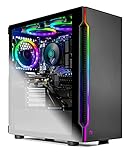
Comparison Table
| Product | CPU / GPU | Encoder | RAM / Storage | Best streaming use | Link |
|---|---|---|---|---|---|
| IPASON Gaming PC Desktop | Ryzen 5 5600 / RTX 3060 12GB | NVENC (Ampere) | 16GB DDR4-3200 / 1TB NVMe | Best all-round single-PC stream | Check on Amazon |
| Skytech Blaze 3.0 | Core i5-10400F / RTX 3060 | NVENC (Ampere) | 16GB DDR4-3200 / 1TB SSD | Named-brand RTX 3060 streaming | Check on Amazon |
| ZOTAC MEK AI-Enhanced | Ryzen 5 5500 / RTX 3050 | NVENC (Ampere) | 16GB DDR4-3200 / 500GB NVMe | Upgrade-ready streaming platform | Check on Amazon |
| STGAubron Gaming PC Desktop | Ryzen 5 5500 / RTX 3050 6GB | NVENC (Ampere) | 16GB DDR4 / 1TB SSD | Recording-heavy streamers | Check on Amazon |
| HP Victus 15L TG02-1020h | Core i5-13400F / RTX 3050 | NVENC (Ampere) | 8GB / 512GB SSD | Busiest OBS scenes — after the RAM fix | Check on Amazon |
| Skytech Shadow | Ryzen 5 3600 / GTX 1660 Super | NVENC (Turing) | 16GB DDR4-3000 / 1TB SSD | Budget channel starter | Check on Amazon |
How to Choose a Streaming PC Under $700
- Buy the encoder first. For a streaming PC, the encoder decides whether broadcasting costs you frame rate. Everything here has NVENC; require anything else you consider to name its encoder — NVENC, Turing generation or newer — or walk away. A faster card with a weak encoder is the wrong trade for a streamer.
- Know which NVENC generation you are getting. RTX cards here carry Ampere NVENC; the GTX 1660 Super carries Turing. Both broadcast H.264 well at platform bitrates. Neither encodes AV1 — that starts with RTX 40-series cards — so if AV1 on YouTube is a near-term goal, you are shopping a tier up.
- Count threads for the second job. The game mostly needs the GPU; OBS, browser sources, alerts and chat tools need CPU threads. Twelve threads is the working floor in this guide, sixteen is comfortable, and heavy scene setups — VTubing, multiple cameras, animated overlays — should start from the sixteen-thread pick.
- Demand 16GB of RAM, in two sticks. Game plus OBS plus browser plus chat is a heavier memory stack than gaming alone. Sixteen gigabytes in dual channel is the standard; the one 8GB machine in this guide is sold with its second stick treated as a requirement, and any 8GB listing elsewhere deserves the same arithmetic.
- Size the drive for recordings, not just games. Local recordings at broadcast quality consume gigabytes per hour. A 1TB drive holds your library and your archive; a 500GB drive holds your library and this month’s streams. If you record everything, storage is a streaming specification.
- Plan the wired connection before the first stream. Every pick here has an Ethernet port; use it. Streaming upload over Wi-Fi introduces exactly the jitter viewers see as a broken stream. If the PC cannot sit near the router, a long cable is part of the streaming budget, and it outranks every cosmetic purchase.
- Check your upload speed, not your download speed. A 1080p60 Twitch stream at roughly 6,000 kbps wants a stable 10 Mbps or more of real upload headroom. Run a sustained upload test at the hour you plan to stream; if the line cannot hold it, lower the output resolution or bitrate before blaming the PC.
What a Single-PC Stream Actually Looks Like at $700
Here is the plain version of what these machines do on air, because “can stream at 1080p” covers everything from flawless to unwatchable. The dividing line is the game. Esports and lighter titles — Valorant, Counter-Strike 2, League of Legends, Apex Legends on competitive settings, Fortnite on performance-oriented settings — stream at 1080p60 from every machine in this guide, including the Shadow, at settings near what you would use off-stream. Heavier AAA releases are where discipline enters: on the RTX 3060 machines, 1080p60 streaming holds with high settings largely intact and DLSS in Quality mode where offered; on the RTX 3050 machines the same stream asks for medium-to-high settings and treats DLSS as a tool rather than a bonus; on the 6GB cards — the STGAubron and the Shadow — texture settings are the first negotiation, because game and OBS share a smaller memory pool.
One output setting deserves emphasis, because new streamers resist it and experienced ones swear by it: your broadcast resolution does not have to be 1080p. Twitch’s bitrate ceiling means a fast-motion game at 1080p60 can look softer than the same game output at 936p or 720p60, where the available bits per frame go further. Playing at 1080p on your monitor while OBS outputs a slightly lower resolution is a standard, respectable setup at this budget — several of these machines produce their cleanest streams that way — and on YouTube, where bitrates run higher, full 1080p60 output is the natural default. Match the output to the platform and the game, not to your pride, and a $700 stream looks like it cost more.
What $700 does not buy, stated plainly: streaming the heaviest new releases at maximum settings, a two-PC setup, or AV1 encoding. What it buys, bought well, is a single machine that plays and broadcasts the games most people actually stream, at the resolution most viewers actually watch, with headroom left for the equipment the audience hears. For a dedicated streaming build rather than a gaming PC that streams, see our Best Streaming PC Under $700 guide; for the tier below, see Best 1080p Gaming PC For Streaming Under $500.
The Rest of the Streaming Budget
No price in this guide includes a single piece of streaming equipment, and pretending otherwise is how budgets break. The kit below is described in general tier terms — not folded into any pick, and ordered by what your audience notices first. Audio is first, and it is not close: viewers tolerate a soft picture for hours and bad audio for minutes. A competent budget-to-mid-range USB microphone, plus a boom arm to get it close to your mouth will improve your stream more than any other purchase on this page, including a faster graphics card. If the total budget is fixed, this is the argument for the Shadow above: choosing the budget pick is what leaves room for this section’s first items.
Second is the second screen. Streaming with one monitor means alt-tabbing out of your game to read chat and check alerts; a basic second display — any inexpensive budget-tier 1080p panel — is the purchase streamers consistently say they should have made first. Third is the camera and its light: a budget-to-mid-range 1080p webcam covers most needs, and a simple key light matters more than camera resolution — faces are lit or they are grainy, and no encoder fixes lighting. Fourth, and only for console streamers, is a capture card from an established brand’s mid-range USB lineup; if you play on the PC in front of you, you do not need one, and no pick here requires one. Add an Ethernet cable if your setup needs one — a minor, budget-tier purchase, and the highest-value item here relative to its cost. Budget honestly for the kit above on top of the tower, depending on how much of it you already own — that is what “ready to stream” actually costs.
Common Buying Mistakes
- Streaming over Wi-Fi because the router is “fast.” Download speed is not upload stability. Until proven otherwise, a frozen stream is a Wi-Fi moment — cable the machine, always.
- Choosing x264 software encoding because a forum said it looks better. At platform bitrates, NVENC on Turing or Ampere looks competitive — and it does not take your game’s cores to do it. On a six-core single PC, x264 while gaming is a compromise dressed as a preference.
- Buying 8GB of RAM for a streaming PC and calling it finished. The game-plus-OBS-plus-browser stack is heavier than gaming alone; the one machine here that ships 8GB tells you to budget the second stick.
- Maxing every in-game setting because the game runs fine off-stream. The settings that cost the most frames buy the least visible quality on a compressed 1080p feed. Set the game for the stream, not for screenshots.
- Insisting on 1080p output for fast-motion games at Twitch bitrates. A clean 936p or 720p60 feed beats a blocky 1080p one. Resolution is a setting, not a status symbol.
- Spending the microphone money on the tower. The audience hears your stream before they judge its pixels. A cheaper pick plus a real microphone is the more professional broadcast.
- Recording locally to a nearly full drive. Recordings fail silently when the disk fills, usually during your best session.
- Ignoring the power supply because it has no RGB. A streaming PC holds high combined loads for hours; the unnamed PSU is where budget builders recover their margins, and a listing that publishes wattage and rating has told you something real.
- Letting the return window close without a test stream. Wrong variants, single-channel memory and dropped frames are all free to discover in week one.
Final Recommendation
- Most streamers: IPASON Gaming PC Desktop, Ryzen 5 5600, RTX 3060 12GB.
- Named-brand RTX 3060 with a specified PSU: Skytech Blaze 3.0.
- Channel growers planning a GPU upgrade: ZOTAC MEK AI-Enhanced.
- Record-everything streamers: STGAubron Gaming PC Desktop.
- Busiest scenes, smallest desk: HP Victus 15L TG02-1020h — plus the second RAM stick.
- Total budgets that include the microphone: Skytech Shadow — its budget position leaves room for the audio your audience judges.
Our top two for streaming at this budget are the IPASON, for the strongest combination of encoder, video memory, processor and recording storage in the guide, and the Skytech Blaze 3.0, for the same Ampere encoder behind an established integrator’s name and a Gold-rated power supply. Between them they cover the two shapes this search takes: maximum streaming hardware within the budget, or slightly less adventure for the same broadcast quality. If your channel plan includes a stronger graphics card in two years, the ZOTAC MEK’s power supply makes it the thinking streamer’s pick despite its slower card today; if your scenes are busy and your desk is small, the Victus — with its memory fixed — is the one. First-time buyers should see Best 1080p Gaming PC For Beginners Under $700, anyone whose $700 is flexible should compare Best 1080p Gaming PC For Streaming Under $800, and buyers whose room is the constraint should see Best 1080p Gaming PC For Small Spaces Under $700. Confirm the style name, cable the machine to the router, run a test stream in the return window — and check price on Amazon before you order.
Frequently Asked Questions
Can a $700 PC really stream and play at the same time?
Yes — that is exactly what this budget is for. The reason is the encoder: every machine in this guide compresses the broadcast on dedicated NVENC hardware, so the game keeps the power it would have had off-stream. Esports and lighter titles stream at 1080p60 with settings largely intact; heavier AAA games stream at 1080p60 with sensible settings discipline — textures inside the VRAM budget, DLSS where offered. What a single $700 PC will not do is max out the heaviest new releases while streaming them, and any listing that promises that is selling you something.
Do I need a second PC for streaming?
No. The two-PC setup was the answer before hardware encoders matured; with NVENC carrying the encode, a single machine in this guide plays and broadcasts simultaneously. A second PC still helps at the extremes — maximum-settings AAA day-one streams, elaborate production setups — but it doubles cost, desk space and things that can go wrong mid-stream. Start on one PC; add the second only when you can name the specific thing the first cannot do.
Is NVENC as good as x264 for stream quality?
At the bitrates platforms actually allow, yes. Slow x264 presets can edge ahead in controlled comparisons, but they are not available while gaming on six cores — the realistic comparison is the veryfast preset, and against that, Turing and Ampere NVENC is competitive with none of the frame-rate cost. NVENC is not the compromise option on a single PC; it is the correct one.
None of these encode AV1. Does that matter?
Not today, and honestly not much this year. Twitch’s broadcast standard is still H.264, which every pick here encodes in hardware, and YouTube accepts H.264 and HEVC as well as AV1. AV1 encoding arrived with the RTX 40 series, so it lives a tier above this budget; it is a genuine reason to plan a GPU upgrade later — the ZOTAC’s power supply is sized for exactly that — but not a reason to delay starting a channel on these machines.
What internet speed do I need to stream from these PCs?
Upload, not download, is the number that matters. A 1080p60 stream to Twitch runs at roughly 6,000 kbps; add the game’s own traffic and a household sharing the line, and you want a connection sustaining at least 10 Mbps of upload at the times you stream, over an Ethernet cable rather than Wi-Fi. If your upload cannot hold that, output at 936p or 720p60 with a lower bitrate — the stream will look cleaner than a starved 1080p feed.
Why does the HP Victus need a memory upgrade for streaming when 8GB games acceptably?
Because streaming is not gaming alone. The broadcast stack — OBS with its scenes and browser sources, your dashboard and chat in a browser, a voice app — sits on top of the game’s memory, and together they push past 8GB, at which point both game and feed stutter. Sixteen gigabytes is the working standard for a streaming PC, the fix for the Victus is one inexpensive stick, and once fitted, its sixteen threads make it the best multitasking machine in this guide.
What should I check when the PC arrives, before my first real stream?
Five things, in the first week, while returns are free. Confirm in Windows that the processor, graphics card, memory size and storage match the style name you ordered. Check whether the memory is one stick or two. Photograph the power supply label so you know your upgrade ceiling. Connect the Ethernet cable and run a sustained upload test at your streaming hour. Then broadcast an unlisted test stream of your heaviest game for an hour with your real scenes, and watch the recording end to end.