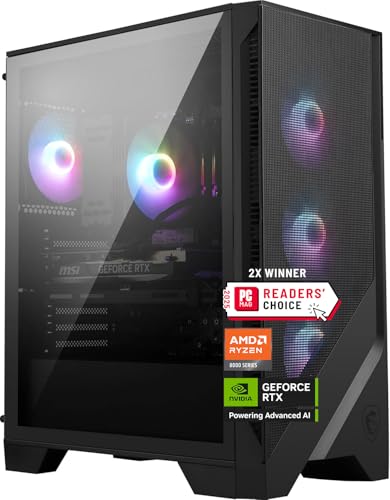
Where to buy
Check the latest price, availability and delivery on Amazon. Orders are placed on Amazon. We may earn a commission from qualifying purchases.
- Best overall for 1440p: MSI Codex Z2 Gaming Desktop, Ryzen 7 8700F, RTX 5070, 32GB DDR5, 2TB SSD — Check on Amazon
- Skytech Omega Gaming PC, Ryzen 7 7800X3D, RTX 4070 Super, 32GB DDR5, 1TB NVMe — Check on Amazon
- iBUYPOWER Slate 8 MESH Gaming PC, Intel Core i7-14700F, RTX 4070 Super, 2TB NVMe — Check on Amazon
- Thermaltake LCGS View i4770 Gaming Desktop, Intel Core i7-14700KF, RTX 4070, 32GB DDR5 — Check on Amazon
See 2 more Amazon options
- Skytech Omega Gaming PC, Ryzen 7 7700X, RTX 4070 Super, 32GB DDR5, 1TB NVMe, White — Check on Amazon
- ASUS ROG Strix G15DS Gaming Desktop, Ryzen 7 7700X, RTX 4070, 16GB DDR5, 1TB SSD — Check on Amazon
Read the full guide ↓
Disclosure: As an Amazon Associate, reviewstook.com earns from qualifying purchases. Links to Amazon on this page are affiliate links; they cost you nothing extra. Listing details such as price and availability change often, so check the current Amazon listing before you buy.
Two different promises hide inside the phrase “1440p gaming PC,” and telling them apart is the whole job of this guide. The first promise is about display: the machine can output a 2560×1440 picture to a monitor. Almost anything with a modern video output can do that, including hardware that would crawl if a game actually tried to render at that resolution. The second promise is about rendering: the graphics card draws every one of those roughly 3.69 million pixels itself, frame after frame, at the settings and refresh rates a 1440p monitor exists for. A 1080p frame is about 2.07 million pixels, so a native 1440p frame is roughly 78 percent more work — and that gap is exactly where weaker cards quietly switch to upscaling, render at a lower resolution internally, and let software reconstruct the rest. Upscaling is good technology, but it is a different product from native rendering, and a buyer shopping specifically for 1440p deserves to know which one their money buys.
Here is the good news about this particular budget: at $1,500, for the first time in the ladder, the honest answer is native. Every machine in this guide carries an RTX 5070, an RTX 4070 Super, or the plain RTX 4070 one rung below them — cards with the raster throughput and 12GB of VRAM to render demanding games at native 1440p as their default mode, with DLSS held in reserve for the heaviest ray-traced titles rather than needed as the price of admission. The plain-4070 picks are graded as what they are — native-capable, with less headroom than the Super and 5070 machines — and no pick here is a 4060-class system wearing a 1440p costume. Two honesty notes travel with the whole guide. Prices at this tier are volatile: several of these machines spend much of the year well above this budget and only visit it on dips, so every recommendation is conditional on the live price — check price on Amazon and buy only when it sits at or under $1,500. And the ceiling is real: no verified prebuilt with an RTX 4070 Ti Super or 5070 Ti — the 16GB cards — reaches this budget, so if your 1440p ambitions include maximum ray tracing for five years, the step-up section near the end explains that climb instead of blurring it.
In this guide
Quick Picks
Short on time, or comparing several options at once? Each row names a buyer type and the machine that suits it, with its 1440p verdict printed and a link to the listing.
| Buyer type | Pick | 1440p verdict | Link |
|---|---|---|---|
| Best overall for 1440p | MSI Codex Z2, Ryzen 7 8700F, RTX 5070, 32GB, 2TB | Native — current-generation card, full 32GB spec, biggest SSD here | Check on Amazon |
| Best for high-refresh consistency | Skytech Omega, Ryzen 7 7800X3D, RTX 4070 Super, 32GB, 1TB | Native — the cache-equipped gaming CPU feeding a native-1440p card | Check on Amazon |
| Best for gaming plus work | iBUYPOWER Slate 8 MESH, i7-14700F, RTX 4070 Super, 2TB | Native — with a 16GB memory catch named in the review | Check on Amazon |
| Best showpiece build | Thermaltake LCGS View i4770, i7-14700KF, RTX 4070, 32GB | Native — one rung below the Supers; reaches for DLSS sooner in the heaviest titles | Check on Amazon |
| Best value when it dips | Skytech Omega, Ryzen 7 7700X, RTX 4070 Super, 32GB, 1TB, White | Native — strong value in this tier when it dips into budget; check price on Amazon | Check on Amazon |
| Best brand-name alternative | ASUS ROG Strix G15DS, Ryzen 7 7700X, RTX 4070, 16GB, 1TB | Native — major-maker engineering, with a 16GB catch of its own | Check on Amazon |
How These Picks Were Chosen
The first filter was a rendering audit, not a spec-sheet skim. A machine qualified only if its graphics card can render demanding games at native 2560×1440 — every pixel drawn by the GPU — at high settings, because that is the workload the search “for 1440p gaming” actually describes. That bar admits the RTX 5070 and RTX 4070 Super at full strength and the plain RTX 4070 as the accepted rung below, and it excludes the RTX 4060 and 4060 Ti machines that fill the tiers underneath this one: fine cards that reach a 1440p screen by rendering lower and upscaling, which is a legitimate approach and a different promise from the one this guide grades. Display capability alone earned nothing — a DisplayPort or HDMI socket that can carry a 1440p signal says nothing about whether the silicon behind it can render one.
Upscaling was graded as a reserve, not a foundation. All six picks are NVIDIA RTX cards with Tensor cores, so DLSS is genuinely available on every machine here — but it is credited as headroom for the heaviest ray-traced scenes and as a future lever as games grow more demanding, never as the mechanism that makes a pick “1440p-capable” in the first place. The dedicated DLSS section below prints the actual internal resolutions each quality mode renders at, because a buyer comparing native against upscaled output deserves the arithmetic rather than adjectives. Where a title offers only FSR instead, it is available on these cards as a generic fallback; our research documents no FSR internal-resolution figures for this set, so none are printed or implied anywhere in this guide.
The budget was enforced as a live-price rule. Every pick belongs in this budget tier, but pricing at this level moves often, so check price on Amazon and treat a pick as qualifying only when its live price sits at or under $1,500. Where a machine’s everyday pricing lives above the budget, its review says so in qualitative terms so the opportunity and the odds are both visible. The one qualifying offer that came from a marketplace seller rather than Amazon or the maker (the ASUS) is flagged at full size in its review, with the seller and warranty checks spelled out. Specification claims were held to the same standard: we compared what makers actually publish — GPU and VRAM, CPU configuration, memory capacity and, only where documented, memory speed and power supply wattage. Only the two Skytech Omegas publish a PSU figure (750W Gold), so only they are credited with one; memory speed is stated only for the three picks whose sources document it. We did not use these machines ourselves, and no frame-rate figures are claimed anywhere in this guide — the verdicts are rendering-class judgments from documented hardware, not invented benchmarks.
Memory was judged as part of the 1440p experience, because at high refresh rates it is. A native 1440p frame carries roughly 78 percent more pixels than a 1080p frame, and the card must produce those frames at the cadence a 165Hz or 240Hz panel refreshes at, dips included. That is why 32GB of system memory is this tier’s standard — four picks ship it — and why the two 16GB picks carry that shortfall as their named honest limitation: memory pressure at 1440p shows up precisely as the stutter that ruins a high-refresh panel’s advantage. The final yardstick was distance to the tier above: everything here is graded both on what it renders today and on how far it sits from the 16GB Ti-class machines at $2,500, because a “high end” buyer deserves to know which rung of high end they are standing on.
Rendered vs Displayed: The Distinction This Guide Grades On
Start with the arithmetic, because everything else follows from it. A 2560×1440 frame contains about 3.69 million pixels. A 1920×1080 frame contains about 2.07 million. Rendering natively at 1440p therefore asks the graphics card to do roughly 78 percent more pixel work per frame than rendering at 1080p — before ray tracing, before high-refresh cadence, before the texture load that higher resolutions invite. When a listing says a machine “supports 1440p” or “drives a 1440p monitor,” it is making the display claim: the output can carry the signal. When this guide prints a Native verdict, it is making the rendering claim: the card draws all 3.69 million pixels itself, at high settings, as its normal mode of operation. The six machines below all earn that verdict — the plain RTX 4070 picks with less headroom in reserve, the 4070 Super and 5070 picks with more — and that is precisely what separates this tier from the one below it, where the honest verdict for most machines is “renders at 1080p, displays at 1440p.”
High refresh is where the distinction stops being academic. A 1440p monitor running at 165Hz or 240Hz is asking for a complete native frame every few milliseconds, sustained through the busiest scenes, and the experience is written by the worst moments rather than the average: a card that renders natively in quiet scenes and collapses in busy ones delivers a stuttering high-refresh picture that feels worse than a locked lower rate. That is why the reviews below weigh the supporting cast — the 7800X3D’s cache for frame consistency, 32GB of memory against stutter, storage size for keeping big installs local — alongside the headline GPU. It is also why upscaling, covered next, is best understood at this tier as a tool for protecting the dips and extending a machine’s life, not as the engine of the whole experience.
DLSS at This Tier: Headroom, Not a Crutch
Because every pick here renders natively by default, DLSS changes roles: instead of buying admission to 1440p, it buys margin — extra frames in the heaviest ray-traced titles, and a lever to pull in three or four years when native rendering at high settings starts to strain. Used that way, it helps to know what each mode actually does. DLSS renders internally at a fraction of the output resolution and reconstructs the rest, and NVIDIA’s published scaling is consistent: at a 1440p output, DLSS Quality renders at roughly 1707×960 internally, Balanced at roughly 1485×836, and Performance at roughly 1280×720 — that last one is a 1080p-class-and-below render wearing a 1440p output, which is why Performance mode at this resolution is a last resort rather than a daily setting. For readers already thinking about a future 4K panel, the same published figures scale up: DLSS Quality at a 4K output renders at roughly 2560×1440 internally — native-1440p-class work, which these cards demonstrably do — while DLSS Performance at 4K renders at roughly 1920×1080. None of the six picks is graded as a native-4K machine in this guide; those two numbers are printed so the headroom conversation stays honest if a monitor upgrade comes first.
Two boundaries keep this section truthful. DLSS exists only on NVIDIA RTX hardware with Tensor cores — all six picks qualify, which is why it can be discussed set-wide here — and it is never credited to integrated graphics or older GTX/Pascal hardware anywhere in this guide; machines built on those live in other guides and are graded there without it. And the RTX 5070’s newer DLSS generation, with multi-frame generation, is a feature of that card’s architecture as documented in its base research — a genuine reason the MSI ages well — but frame generation is treated here as smoothness assistance on top of a native render, not as a substitute for one, and no pick’s verdict depends on it.
The 6 Best High End Gaming PCs for 1440p Gaming Under $1,500
MSI Codex Z2 Gaming Desktop — Ryzen 7 8700F, RTX 5070, 32GB DDR5, 2TB SSD
Who it suits: The 1440p buyer who wants the newest rendering platform in the guide — current-generation silicon, a complete memory and storage specification — and can time the purchase to a price drop.
1440p verdict: Native. The Codex Z2’s RTX 5070 is a Blackwell-generation card with GDDR7 memory and 12GB of VRAM, and its native-1440p standing is the straightforward kind: it renders the full 2560×1440 frame as its default mode and trades blows with the 4070 Super machines below it in raw raster terms, while its newer DLSS generation — including multi-frame generation — sits on top as reserve rather than requirement. For a 1440p high-refresh panel, that combination is the longest-lived shape in this guide: native today, the newest upscaling toolkit tomorrow. The supporting specification is the most complete here — a Ryzen 7 8700F (eight cores, sixteen threads, boost to 5.0 GHz), 32GB of DDR5, and a 2TB SSD that holds a serious library without rotation — cooled by an ARGB air cooler and four system fans, running Windows 11 Home. One setup note that matters at this tier: the 8700F has no integrated graphics, so the monitor cable belongs in the graphics card’s ports, full stop — the motherboard’s video outputs are dead sockets on this machine.
The conditions are the price and one unpublished number. This model is known for volatile pricing and spends long stretches well above this budget, so check price on Amazon before judging it. At or under $1,500 it is this guide’s best overall 1440p pick; well above that budget it belongs to a different comparison entirely, and the recommendation is conditional on the live price. Separately, MSI does not publish this configuration’s power supply wattage in the material we could verify. That matters for exactly one reason — a future graphics card stands on it — so confirm the wattage in the live listing’s specifications before ordering, and if it is not stated there either, treat any long-term upgrade plan as including a possible PSU swap rather than assuming headroom nobody has documented.
- RTX 5070 (Blackwell, GDDR7, 12GB) — native 1440p with the newest DLSS generation in reserve.
- 32GB DDR5 and a 2TB SSD: the most complete memory-and-storage specification in the guide.
- An eight-core Ryzen 7 8700F on the current AM5 platform.
Honest limitation: The volatile price — it frequently sits well above this budget, so check price on Amazon — and the unpublished PSU wattage, which leaves upgrade headroom unconfirmed until you check the listing.
Choose it if you can buy when its price dips into this budget and want native 1440p on the newest platform with nothing to add on day one. Skip it if you must buy this week at the live price whatever it is, or an undocumented PSU is a deal-breaker for your upgrade plans.

Skytech Omega Gaming PC — Ryzen 7 7800X3D, RTX 4070 Super, 32GB DDR5, 1TB NVMe
Who it suits: High-refresh 1440p players — competitive and simulation-heavy titles especially — who care as much about frame consistency through busy scenes as about the headline frame rate.
1440p verdict: Native. The RTX 4070 Super is the card this tier is built around: 12GB of GDDR6X and the raster throughput to render demanding games at native 1440p with high settings, no upscaling in the loop. What the 7800X3D adds is the quality that separates a good native-1440p machine from a great one. Its 3D V-Cache — cache stacked on the CPU die — lifts exactly the CPU-bound moments where high-refresh play stutters: crowded multiplayer scenes, simulation ticks, the dips that a 165Hz or 240Hz panel makes impossible to ignore. A native render is only as smooth as its worst second, and this is the pick engineered around that truth. The rest of the specification is published in full, a rarer virtue than it should be: 32GB of DDR5, a 1TB NVMe Gen4 SSD, and a 750W Gold power supply whose wattage and rating Skytech actually prints — the foundation a future card upgrade can be planned on rather than guessed at.
Its pricing is this tier in miniature: it tends to sit right around this budget ceiling, so check price on Amazon before buying. The rule is mechanical — at or under $1,500, this is arguably the purest 1440p gaming purchase in the guide; above it, you are paying a premium for a last-generation platform and should be comparing against a higher tier instead. One fit note: the 7800X3D is a gaming specialist, and its eight cores are plenty for play and everyday work, but a week that includes heavy rendering or large compiles is the twenty-core iBUYPOWER’s territory — that trade, not the GPU, is the real choice between picks two and three, since both render 1440p natively on the same card.
- Ryzen 7 7800X3D — stacked cache aimed at frame consistency, the high-refresh virtue.
- RTX 4070 Super 12GB: native 1440p at high settings, DLSS purely in reserve.
- 32GB DDR5 and a 750W Gold PSU that Skytech actually publishes — nothing important left undocumented.
Honest limitation: Its pricing tends to sit right around this budget ceiling — check price on Amazon — and its 1TB SSD is the smaller storage specification among the top picks here.
Choose it if smooth native 1440p at high refresh is the whole question and you can buy at the low. Skip it if half your week is production work, or the live price has floated well back above this budget.

iBUYPOWER Slate 8 MESH Gaming PC — Intel Core i7-14700F, RTX 4070 Super, 2TB NVMe
Who it suits: The player whose 1440p desk also does the household’s second jobs — streaming the session, editing the footage, compiling, multitasking heavily — and who will trade one named flaw for the strongest all-round CPU here.
1440p verdict: Native — with a memory condition. The graphics half is unambiguous: the same RTX 4070 Super as the Omega above, rendering native 1440p at high settings with 12GB of VRAM, paired with Intel’s Core i7-14700F, a twenty-core hybrid (eight performance cores, twelve efficiency cores) that absorbs background work — an encoder running, a render queued, a browser farm open — without stealing frames from the game. Storage is generous at 2TB of NVMe, the mesh-fronted case wears RGB fans and a tower air cooler, and a keyboard and mouse are in the box. Check price on Amazon for the current listing and availability. Like the MSI’s chip, the 14700F carries no integrated graphics — the monitor plugs into the card, and there is no fallback output to confuse the first setup.
The condition is printed at full size because it directly touches the 1440p experience: this machine ships with 16GB of DDR5-5200 in a 2×8 layout, half the tier standard. At native 1440p and high refresh, memory pressure is a stutter source — a demanding title plus a voice client, a browser and a capture app will lean on 16GB in exactly the busy scenes where this guide’s verdicts are earned. The flaw is also the cheapest in the guide to erase: a memory kit is a five-minute, no-courage upgrade, so plan on adding a memory kit and compare it fairly with the 32GB picks on that basis. Judged as it ships, it is a native-1440p card in a machine whose memory spec belongs a tier down; judged with 32GB fitted, it is the most versatile pick here. Also note the power supply wattage is not published in the verified listing material — confirm it on the live listing if a future card is part of your plan.
- The i7-14700F’s twenty cores make it the guide’s strongest multitasking and production chip.
- RTX 4070 Super 12GB and 2TB NVMe — native 1440p with room for the library.
- Mesh-front case, RGB fans, keyboard and mouse included.
Honest limitation: 16GB of DDR5-5200 (2×8) is below the tier standard and is a genuine high-refresh stutter risk; plan on adding a memory kit, and note the PSU wattage is unpublished in the verified material.
Choose it if the PC works as hard as it plays and adding memory holds no fear. Skip it if the machine must arrive with 32GB already fitted — the MSI and both Omegas are the picks that do.

Thermaltake LCGS View i4770 Gaming Desktop — Intel Core i7-14700KF, RTX 4070, 32GB DDR5
Who it suits: The buyer whose PC is also the room’s centerpiece — a liquid-cooled glass showcase — who still wants honest native-1440p hardware underneath the presentation.
1440p verdict: Native, one rung down. The plain RTX 4070 is a genuine native-1440p card — a clear class above any 4060 Ti, rendering the full frame at high settings as its default — but it carries less raster headroom than the Super and 5070 picks above it, which shows up in one specific place: the heaviest ray-traced titles, where this pick reaches for DLSS Quality (an internal render of roughly 1707×960, reconstructed to 1440p) sooner than its siblings do. That is a graceful degradation, not a failure — DLSS at Quality is visually close to native — but the guide prints the rung difference rather than flattening it. Around the card, Thermaltake builds a substantial platform: an i7-14700KF (the unlocked twenty-core sibling of the 14700F, likewise with no integrated graphics, so displays run from the card), 32GB of DDR5-5600 — the fastest published memory speed in the guide — a 1TB NVMe SSD, and liquid cooling inside the panoramic glass View case, whose acoustic manners under load suit a machine that lives on display.
The pricing is the tier’s volatility in its sharpest form. This machine often sits well above this budget, so check price on Amazon and treat it as qualifying only when its live price dips into budget. That dip is real and occasional; at its everyday pricing this machine belongs to a different comparison. Buy the dip or do not buy. A fit note for the showpiece-minded: glass is a commitment to cable tidiness and dusting, and the buyers who love these towers are the ones who enjoy that — everyone else should take the same money to the mesh-fronted iBUYPOWER above and never think about fingerprints again.
- Panoramic glass and liquid cooling — the guide’s one deliberate showpiece.
- i7-14700KF twenty-core CPU with tuning headroom; 32GB DDR5-5600, the guide’s fastest published memory spec.
- RTX 4070 12GB: honest native 1440p, one rung below the Super.
Honest limitation: The GPU is the plain 4070 rather than the Super, and the qualifying price is a dip — it often sits well above this budget, so check price on Amazon.
Choose it if the presentation is genuinely part of what you are buying and your calendar can wait for the price to come down to the budget. Skip it if you are buying on a fixed date, or native-rendering headroom outranks everything else in the room.

Skytech Omega Gaming PC — Ryzen 7 7700X, RTX 4070 Super, 32GB DDR5, 1TB NVMe, White
Who it suits: The patient value hunter — the buyer who sets a price alert and wants strong value in this tier when the dip arrives.
1440p verdict: Native. Mechanically this is the second Omega, and the comparison with its X3D sibling is the cleanest illustration of how this tier works. The rendering hardware is identical where it counts: the same RTX 4070 Super with 12GB of GDDR6X rendering native 1440p at high settings, the same 32GB of DDR5, the same published 750W Gold power supply, the same 1TB Gen4 NVMe storage. The differences are the CPU and the case. The Ryzen 7 7700X is a strong eight-core gaming chip without the X3D’s stacked cache, so it gives back some frame consistency in CPU-bound scenes while holding a small edge in clock-driven productivity work — at a 1440p panel, that trade shows up in the dips, not the averages. And the chassis is the white edition, which for white-build shoppers is not a footnote but the point.
What earns this machine its own slot is its value positioning in this tier: when it dips into this budget it brings the full 4070 Super specification with it — check price on Amazon to see where it sits today. The honesty travels with it: its best pricing is sale-driven, its resting pricing is far higher, and a buyer who needs a PC this month may never see the dip. A guide to a tier this volatile owes its readers the best-documented opportunity it found, and this is that opportunity. When its live price sits within this budget, the question inverts — for most buyers the X3D sibling’s cache is the only honest reason to choose a different Omega. That makes this the default native-1440p recommendation for everyone else.
- Strong value in this tier when it dips into budget — check price on Amazon — with the complete 4070 Super specification fitted.
- The X3D sibling’s published 750W Gold PSU and 32GB of DDR5, carried over unchanged.
- White Omega chassis — the white-build route into native 1440p without a color tax.
Honest limitation: Without the X3D’s stacked cache it gives back frame consistency in CPU-bound games, and its best pricing is sale-driven, not where this machine usually lives — check price on Amazon.
Choose it if you can buy on the dip and want maximum native-1440p specification for the money. Skip it if competitive frame consistency is the priority — that is precisely what the X3D model above charges its premium for.
ASUS ROG Strix G15DS Gaming Desktop — Ryzen 7 7700X, RTX 4070, 16GB DDR5, 1TB SSD
Who it suits: The buyer who values a major manufacturer’s chassis engineering, documentation and support network over boutique spec-sheet value — and who accepts the same memory homework as the iBUYPOWER buyer.
1440p verdict: Native, one rung down — with a memory condition. The G15DS pairs a Ryzen 7 7700X with ASUS’s own RTX 4070 Dual, a two-fan card design carrying the same native-1440p standing as the Thermaltake’s 4070: full-frame rendering at high settings as the default, less headroom than the Supers, DLSS Quality reached for sooner in the heaviest ray-traced titles. The machine around it is built the way large manufacturers build: a multi-zone airflow chassis that keeps hot and cool components in separate thermal neighborhoods, a carry handle rated to 20 kg, a headphone hook, Aura Sync lighting that matches the wider ROG ecosystem, a 1TB PCIe SSD, Windows 11 Home, and a wired keyboard and mouse in the box. For buyers burned by boutique support before, the appeal is institutional — a global maker’s warranty process and model documentation that stays findable for years — and at this tier that is a real feature, not a consolation.
Two flags fly at full size. The first is memory: 16GB of DDR5-4800 is below this tier’s 32GB standard and the slowest published memory speed here, and at high-refresh 1440p it carries the same stutter caveat as the iBUYPOWER — plan on adding a 32GB kit before comparing it fairly with the 32GB picks. The second is the seller itself: the qualifying offer in our research was offered by a marketplace seller, Jztech LLC, rather than by Amazon or ASUS directly — check price on Amazon, and treat that seller context as part of the decision. It trades near this budget tier, without removing the caveat. On the live listing, confirm the seller, confirm the warranty is the manufacturer’s, and confirm the exact configuration, since variants in this line differ. Do that homework and this is a defensible, well-engineered route to native 1440p; skip it and the boutique picks above are the safer spend.
- Engineered like a major maker’s machine: zoned airflow, a carry handle, and the Aura Sync ecosystem.
- A Ryzen 7 7700X behind ASUS’s own two-fan RTX 4070 Dual.
- Institutional warranty and documentation — the support-network pick.
Honest limitation: 16GB of DDR5-4800 is the weakest memory specification in the guide, and the qualifying offer came from a marketplace seller — verify seller and warranty on the live listing before ordering.
Choose it if manufacturer support and chassis engineering matter more than spec-sheet maximums. Skip it if factory-fitted 32GB is non-negotiable, or the live listing’s seller is not one whose warranty you would trust.

Comparison Table
| Product | GPU | CPU / Memory / Storage | 1440p verdict | Link |
|---|---|---|---|---|
| MSI Codex Z2 | RTX 5070 12GB | Ryzen 7 8700F / 32GB / 2TB | Native — newest platform, DLSS generation in reserve | Check on Amazon |
| Skytech Omega (7800X3D) | RTX 4070 Super 12GB | Ryzen 7 7800X3D / 32GB / 1TB | Native — best frame consistency of the set | Check on Amazon |
| iBUYPOWER Slate 8 MESH | RTX 4070 Super 12GB | i7-14700F 20-core / 16GB / 2TB | Native — memory kit needed | Check on Amazon |
| Thermaltake LCGS View i4770 | RTX 4070 12GB | i7-14700KF 20-core / 32GB / 1TB | Native — one rung below the Supers | Check on Amazon |
| Skytech Omega (7700X, White) | RTX 4070 Super 12GB | Ryzen 7 7700X / 32GB / 1TB | Native — best verified value on a dip | Check on Amazon |
| ASUS ROG Strix G15DS | RTX 4070 12GB | Ryzen 7 7700X / 16GB / 1TB | Native — one rung down, memory kit needed | Check on Amazon |
Pairing These Machines With a 1440p Monitor
Every pick in this guide was chosen for one panel class: a 1440p high-refresh gaming monitor — the 165Hz-to-240Hz screens this resolution exists for. The pairing logic runs in both directions. The machines render natively at the panel’s full resolution, so nothing about the signal chain wastes the screen; and the panel’s refresh rate is what the frame-consistency grading in the reviews is for, because a native render that stutters at 180 is a worse experience than a locked, even cadence below it. If your current display is a 1080p 60Hz panel, be honest about the sequence: most of what this budget buys is invisible on that screen, so either plan the monitor into the same purchase cycle or step down to Best High End Gaming PC Under $1000 and prioritise the panel first — the screen is the half of a 1440p setup that your eyes actually touch.
Two practical notes, both bounded by what the base research documents. First, connection discipline: on the three picks whose CPUs carry no integrated graphics (the MSI’s 8700F and the two Intel F-suffix machines), every working video output lives on the graphics card, so the monitor cable goes into the card’s port row — the motherboard’s video sockets are inert, and a first-evening black screen on these machines is almost always a cable in the wrong row. On the AMD picks whose chips do carry basic integrated graphics, the same rule applies for the opposite reason: plug into the motherboard and the machine will quietly run on the weak integrated output while the card you paid for idles. Second, a limit we will not paper over: the verified sources for this set do not document per-pick port counts or per-port refresh ceilings, so this guide claims none — before ordering, confirm on the live listing that the specific machine carries the output your panel needs, particularly if you run two high-refresh screens. That ten-second check is the difference between a pairing argued from evidence and one argued from hope.
How to Choose a Gaming PC for 1440p Under $1,500
- Ask the rendering question first, verbatim. “Does it render games at native 2560×1440, or does it display 1440p while rendering lower?” At this budget the correct answer is native, and the card decides it: RTX 4070 Super or RTX 5070 for the full promise, plain RTX 4070 as the accepted rung below. Anything built on a 4060-class card is answering the second version of the question.
- Treat DLSS as a reserve, and know its numbers. At a 1440p output, DLSS Quality renders internally at roughly 1707×960 and Performance at roughly 1280×720. A machine that needs Performance mode to reach 1440p is not a native-1440p machine; a machine that runs native and keeps Quality in its pocket for the heaviest ray-traced scenes is exactly what this tier sells.
- Insist on 32GB of memory — installed, or added to the bill. Four picks here ship it. The two 16GB picks remain worth considering, but only if you are willing to add a memory kit. Judging a 16GB machine against a 32GB machine without factoring in that kit is this tier’s most common accounting error, and at high refresh it is also a stutter decision.
- Weight the dips, not the averages. High-refresh 1440p is a worst-second experience. Frame consistency — the 7800X3D’s cache, adequate memory, a card with headroom — is worth more on a 240Hz panel than a higher peak in a quiet scene.
- Read the live price as a line of the specification. This tier’s listings swing widely. Every recommendation here is conditional on a live price at or under $1,500 — check price on Amazon; if a machine is sitting well above this budget today, the correct move is a price alert, not a compromise purchase of a weaker card that answers the rendering question wrong.
- Check the power supply before dreaming about upgrades. Where a wattage is published — both Omegas print 750W Gold — an upgrade can be planned on it. Where it is not, the live listing has to answer the question, because your next graphics card will stand on whatever is actually fitted.
- Match the CPU to your second job. Pure gaming points at the 7800X3D’s cache or the 7700X’s value; gaming plus streaming, editing or compiling points at the twenty-core Intel picks. The GPU sets the rendering ceiling either way — the CPU decides how much else happens underneath it.
- Decide whether you are buying this tier or climbing past it. If your real target is native 1440p at maximum ray tracing for five years, or a native-4K panel, the 16GB Ti-class cards are the honest answer and they live higher up. Read the gap section below, then choose a tier deliberately.
What Still Separates This Tier From the $2,500 Machines
The ceiling deserves the same precision as the picks. The next rung of graphics — the RTX 4070 Ti Super and the RTX 5070 Ti — brings two things money cannot retrofit into the machines above: a larger GPU with more raw throughput for ray-traced native 1440p and entry-level native 4K, and 16GB of VRAM instead of 12GB. The memory difference is the quiet one that compounds: 12GB is sufficient for today’s 1440p titles at high settings — that is the workload these cards were selected for — but texture budgets grow every year, and the 16GB cards carry headroom for the back half of the decade that no driver update can add to a 12GB card. No verified prebuilt with either Ti card reaches $1,500; that is the structure of the market, not a gap in this research, and it is why the tier above exists as its own guide at Best High End Gaming PC Under $2500.
The rest of the $2,500 specification widens gently: stronger CPUs as standard rather than as a pick, 2TB of storage as the floor instead of the ceiling, higher-wattage power supplies with longer warranties, cooling a grade quieter. Notice what is not on the list — nothing about the machines in this guide is temporary or waiting to be fixed. For a 1440p high-refresh target held for the next several years, they are complete answers, and the $2,500 tier buys headroom and 4K optionality rather than a different hobby. Readers whose budget actually sits a rung lower should compare against Best High End Gaming PC Under $1200 before stretching, and readers still deciding which resolution their desk is really for can cross-check the wider field in Best 1440p Gaming PC Under $1500 and the tier’s base guide at Best High End Gaming PC Under $1500.
Common Buying Mistakes
- Confusing “outputs 1440p” with “renders 1440p.” The first is a property of a cable socket; the second is a property of the graphics card. Only the second is worth this budget.
- Counting DLSS Performance as 1440p performance. At a 1440p output it renders internally at roughly 1280×720 — a legitimate emergency lever, and a confession if it is the everyday setting.
- Paying the resting price for a dip-tier machine. Several picks here sit well above this budget for much of the year; buying one well above budget and calling it a budget-tier PC is how this tier generates regret.
- Comparing a 16GB machine with a 32GB machine and forgetting the memory kit the first machine needs.
- Plugging the monitor into the motherboard. On the F-suffix and 8700F picks there is no picture at all; on the integrated-graphics AMD picks there is a picture — from the wrong hardware, at a fraction of the performance you paid for.
- Assuming a power supply you have not seen. Unpublished wattage means unknown upgrade headroom; verify it on the listing before planning a future card around it.
- Chasing Ti cards inside this budget. A listing that appears to offer a 4070 Ti Super system at this budget deserves forensic reading — the card, the memory and the seller are where the catch will be, because the verified market does not clear that bar.
- Skipping the seller check on marketplace offers. The same brand-name box from an unknown marketplace seller is not the same purchase as one sold by Amazon or the maker — settle the warranty question before the checkout question.
Final Recommendation
- Most 1440p buyers: MSI Codex Z2 (RTX 5070) — native rendering on the newest platform, bought when its price dips into this budget.
- High-refresh consistency first: Skytech Omega with the 7800X3D.
- Gaming plus a working second job: iBUYPOWER Slate 8 MESH, with a memory kit planned alongside.
- The build as furniture: Thermaltake LCGS View i4770, and only on the dip.
- Most hardware per dollar, if you can wait: the white Skytech Omega 7700X, when its price dips into this budget.
- Manufacturer support above all: ASUS ROG Strix G15DS — after the seller and warranty checks.
The short version of this guide is that $1,500 is where 1440p stops being a marketing word. Every machine above renders the full 2560×1440 frame natively — the two plain-4070 picks with a rung less headroom, the 4070 Super and 5070 picks with the full measure — and keeps DLSS where it belongs at this tier: in reserve, for the heaviest scenes and the later years. Our top two are the MSI Codex Z2, for the buyer who wants the current generation and a finished specification, and the 7800X3D Skytech Omega, for the buyer whose question is purely about smooth frames on a fast panel; the white Omega stands behind both whenever its price dips into this budget, at which point it is simply the most native-1440p hardware this budget has verifiably bought. If your situation is more specific than the general case, the sibling guides aim the same hardware at it: Best High End Gaming PC For Beginners Under $1500 for first-time buyers, Best High End Gaming PC For Streaming Under $1500 for broadcasters, and Best High End Gaming PC For Small Spaces Under $1500 for tight desks — while Best Gaming PC Under $1500 and Best Prebuilt Gaming PC Under $1500 cover the same money from the build and prebuilt angles. Set the price alert, verify the live listing — card, memory, seller — and buy the dip when it comes.
Frequently Asked Questions
Can these PCs really run games at native 1440p, or is it upscaling?
Native — that is the entry requirement for this guide. All six picks carry an RTX 5070, RTX 4070 Super or RTX 4070, cards selected because they render the full 2560×1440 frame at high settings as their default mode. DLSS is available on every pick as a reserve for the heaviest ray-traced titles, and the two plain-4070 picks lean on it sooner there, but no pick needs upscaling to earn its place here. Machines that reach a 1440p screen by rendering at 1080p and upscaling live in the tiers below this one, and are graded there on those terms.
What internal resolution does DLSS actually use at 1440p?
By NVIDIA’s published scaling: at a 2560×1440 output, DLSS Quality renders internally at roughly 1707×960, Balanced at roughly 1485×836, and Performance at roughly 1280×720. Quality is visually close to native and is the sensible reserve setting; Performance is a 1080p-class render and should be read as an emergency lever, not a specification. The same figures at a 4K output are roughly 2560×1440 for Quality and 1920×1080 for Performance — which is why a future 4K panel is a DLSS conversation for these cards, not a native one.
Is 12GB of VRAM enough for 1440p over the next few years?
For today’s demanding titles at native 1440p with high settings, yes — that is precisely the workload these cards were built and selected for. The honest caveat is trajectory: texture and ray-tracing budgets grow annually, and the 16GB Ti-class cards in the $2,500 tier carry more headroom for late-decade releases. If your plan is a five-year, no-compromises run at maximum settings, that headroom is the strongest single argument for climbing a tier; for a several-year run at high settings, 12GB is the tier working as intended.
Why is there no RTX 4070 Ti Super or 5070 Ti machine in this guide?
Because no verified prebuilt with either card reaches $1,500, even on sale, across the research for this batch. Filling that slot with a listing that merely appears to qualify would be the easy move; instead the ceiling is stated plainly here and the Ti tier is covered where it genuinely lives, in the $2,500 guide. A too-good listing at this budget deserves forensic reading of the card, the memory and the seller before any money moves.
Are the prices in this guide what I will pay today?
Check price on Amazon for the live figure — this guide does not print static prices for its picks, because pricing in this tier swings widely across the year: several picks sit well above this budget for long stretches and qualify only through sale events and dips. Every recommendation is conditional on the live listing sitting at or under $1,500 when you check it. If it is not, set an alert and wait; the dips described here have happened before.
Which pick is best for a 240Hz 1440p monitor?
The 7800X3D Skytech Omega, on the consistency argument: at 240Hz the experience is written by the worst second in a busy scene, and the X3D’s stacked cache targets exactly the CPU-bound dips that break cadence, while its 4070 Super renders natively without help. The MSI Codex Z2 is the close alternative — same native standing, newer architecture, a fuller specification — and the white Omega is the value answer whenever its price dips into this budget, accepting slightly softer dips in CPU-bound titles as the trade for the saving.
What if I play at 1440p but also stream or edit video?
Then the iBUYPOWER Slate 8 MESH is the deliberate pick: the same native-1440p 4070 Super, behind a twenty-core Intel CPU built to absorb encoding, rendering and multitasking while you play — provided you plan to add the memory kit its 16GB specification needs. The dedicated streaming treatment of this tier lives at Best High End Gaming PC For Streaming Under $1500, and first-time buyers will find the setup walkthrough they need at Best High End Gaming PC For Beginners Under $1500.


