Disclosure: As an Amazon Associate, reviewstook.com earns from qualifying purchases. Links on this page are affiliate links; they cost you nothing extra. Prices and availability change often, so check the current Amazon listing before you buy.
The razer deathadder v3 hyperspeed takes the most famous ergonomic shape in gaming and asks a modern question of it: how much of the flagship can be kept when the weight, the battery demands, and the tier are all pulled downward? The answer, on the evidence of its listing and its design, is: the shape entire, a 55-gram shell, a Focus X 26K optical sensor, third-generation optical switches, HyperSpeed wireless, and a battery claim of up to one hundred hours. This review treats the HyperSpeed as the main subject, then positions the two mice a buyer will inevitably cross-shop: the DeathAdder V3 Pro, the flagship sibling with the Focus Pro 30K sensor in a 63-gram shell, and the Pulsar Xlite v3, the ergonomic lightweight from the rival camp whose shape philosophy invites direct comparison. By the end, you should know which ergonomic lightweight your hand and your habits are actually shopping for.
The DeathAdder shape needs no introduction, but it deserves a precise one. It is a right-handed ergonomic shell: a raised palm swell, a right flank that curves away, buttons that sit under naturally resting fingers, and a profile refined across two decades of competitive play into something close to a default. Players who palm or relaxed-claw a mouse have a DeathAdder-shaped groove in their muscle memory whether they have owned one or not, because the industry has been copying the homework for years. The V3 generation sharpened the shape’s lines and stripped its weight; the HyperSpeed edition is that generation’s efficiency play — the same silhouette, engineered to cost less and run longer.
Key takeaways
- The DeathAdder V3 HyperSpeed is the subject pick: the famous ergonomic shape at 55 grams, with a Focus X 26K optical sensor, Gen-3 optical switches, HyperSpeed wireless, USB-C charging, and up to 100 hours of listed battery life.
- The DeathAdder V3 Pro is the flagship alternative: a 63-gram shell with the Focus Pro 30K sensor, the same switch generation and wireless, and up to 90 hours listed — the no-compromise version of the same idea.
- The Pulsar Xlite v3 is the cross-brand alternative: a 55-gram ergonomic wireless mouse with optical switches and a PAW3395 sensor, in white, for buyers comparing shape philosophies rather than logos.
- Ergonomic mice are a commitment to one hand and one posture; if your grip is fingertip or your hand is small, this entire shape family deserves scrutiny before purchase.
- Battery life is the HyperSpeed’s quiet headline: at its listed endurance, charging becomes a monthly-ish ritual rather than a weekly one, which changes how a wireless mouse fits a life.
In this guide
Quick picks: three ergonomic lightweights, three briefs
- The subject: Razer DeathAdder V3 HyperSpeed — 55 g, Focus X 26K, up to 100-hour battery, HyperSpeed wireless. Check price on Amazon
- The flagship sibling: Razer DeathAdder V3 Pro — 63 g, Focus Pro 30K, up to 90-hour battery, the range’s ceiling. Check price on Amazon
- The cross-brand alternative: Pulsar Xlite v3 — 55 g ergonomic, PAW3395, optical switches, white. Check price on Amazon
How these picks were chosen: each mouse was verified through this site’s Creators API check, its exact listing title matched to its official product image, before earning its link. Other ergonomic mice are discussed in the buying guide as prose context only. Note the internal logic of the shortlist: two generations of one idea from Razer, and one rival’s answer to the same brief, so that shape — not marketing — is what the comparison is really about.

Razer DeathAdder V3 HyperSpeed: what survives the efficiency brief?
Badge: The subject pick — the famous shape, the long battery, the lighter tier.
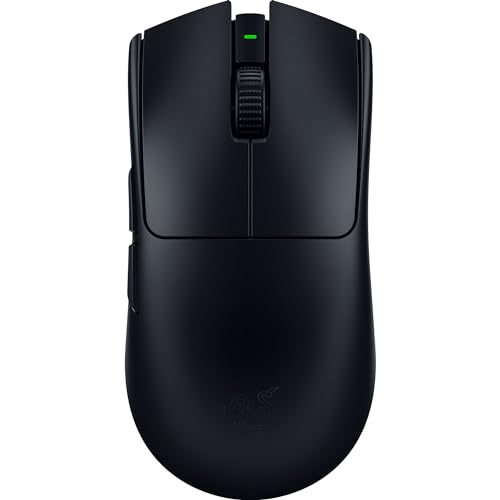
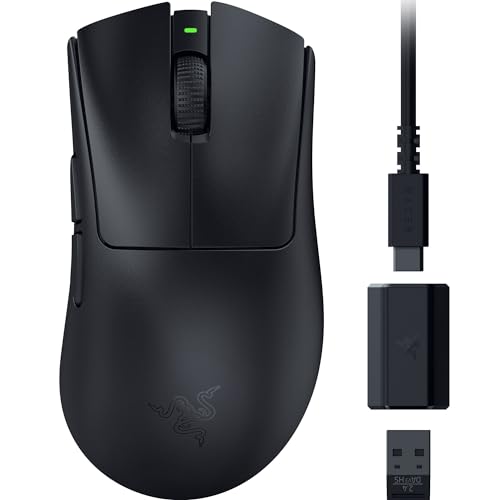
Mini spec box — Form: right-handed ergonomic · Weight: 55 g per listing · Sensor: Focus X 26K optical per listing · Switches: optical Gen-3 · Connection: HyperSpeed wireless · Battery: up to 100 hours per listing · Charging: USB-C · Colour in listing: Black
The shape is the headline and it arrives intact. In the hand, the HyperSpeed is unmistakably a DeathAdder: the palm swell fills the hand’s arch, the right side falls away to give the ring and pinky fingers their ledge, and the primary buttons sit where a resting hand expects them, with the wheel placed for an index or middle finger that does not have to travel. Palm grippers get the full, planted contact the design is famous for; relaxed-claw players get a rear that supports the base of the palm while the fingers arch. What the 55-gram weight changes is the effort budget: the same posture, held and moved with noticeably less inertia than the shape’s heavier ancestors demanded, so long sessions and low sensitivities both get easier on the arm.
The Focus X 26K sensor is the efficiency brief made silicon: a step below the flagship’s Focus Pro in headline terms, and in play a sensor with no competitive excuses — clean tracking at real-world DPI settings, composure on fast swipes, and behaviour consistent enough that your sensitivity means the same thing on Monday as it did on Friday. The honest framing is the one this site applies to every sensor: beyond a professional threshold that all three mice in this article clear, sensors stop deciding matches, and shape, weight, and wireless reliability decide them instead. The HyperSpeed clears the threshold with room to spare.
Gen-3 optical switches give the clicks their character: crisp, fast, and free of the mechanical double-click failure mode as the mouse ages. DeathAdder clicks have historically been a dividing line — players tend to love their defined, slightly taut feel or prefer a softer actuation elsewhere — and the optical generation keeps the definition while adding consistency over the product’s life. The wireless is Razer’s HyperSpeed, the mature 2.4 GHz implementation whose entire reputation is that you forget it is wireless; dongle placement near the pad remains the one ritual it asks.
Then the battery, which is this model’s quiet revolution. Up to one hundred hours on the listing is the kind of figure that changes a habit rather than a benchmark: the mouse stops being a device you manage and becomes a fixture you occasionally feed. USB-C charging completes the modern brief. Players coming from older wireless mice with weekly charging anxiety will feel this difference more than any sensor figure, and it is the strongest single argument for the HyperSpeed over its own flagship sibling for a certain kind of owner — the one who values a tool that disappears.
Strengths
- The definitive ergonomic shape at 55 grams, with the effortlessness modern lightweight design promises.
- Up to 100 hours of listed battery life turns charging into a rare, forgettable event.
- Optical switches and HyperSpeed wireless bring the flagship’s reliability story down the range intact.
Trade-offs
- The sensor is a step below the Pro’s flagship unit on paper, even if the difference rarely reaches the hand.
- A right-handed ergonomic shell is a commitment: left-hand use and fingertip grips are not its brief.
- Players who want the absolute flagship feature ceiling should buy the Pro and be done with it.
Best for: palm and relaxed-claw players who want the DeathAdder shape with maximum battery and minimum fuss. / Not suited for: small hands, fingertip grippers, or left-handed players. Check price on Amazon

Razer DeathAdder V3 Pro: what does the flagship add?
Badge: The flagship sibling — the same idea without the efficiency brief.
Mini spec box — Form: right-handed ergonomic · Weight: 63 g per listing · Sensor: Focus Pro 30K optical per listing · Switches: optical Gen-3 · Connection: HyperSpeed wireless · Battery: up to 90 hours per listing · Buttons: 5 programmable per listing · Colour in listing: Black
The V3 Pro is the control group for judging the HyperSpeed: everything the efficiency brief trimmed, restored. The Focus Pro 30K is the flagship sensor, with the headline numbers and the most refined tracking behaviour Razer ships. The shell weighs 63 grams — still firmly lightweight, but with a slightly more substantial hand feel that some palm players actively prefer, the way some drivers prefer a heavier steering wheel. Battery life is listed at up to ninety hours, a figure that would headline any other mouse and only looks like a concession standing next to its sibling’s hundred.
In practice, choosing the Pro is choosing ceiling over efficiency: the best sensor the line offers, the flagship’s tuning throughout, and the knowledge that no specification in the catalogue is above yours. For most players the in-game difference from the HyperSpeed will be small to invisible, and this review will not manufacture one. The Pro’s case is for the player who plays competitively enough, and keeps hardware long enough, that buying the top of the range once is cheaper than wondering about it for three years — a psychological specification, but a real one, and flagship products exist to serve it honestly.
Strengths
- The flagship Focus Pro 30K sensor and the range’s most complete specification.
- A slightly more substantial 63-gram hand feel that committed palm players often prefer.
- Ninety hours of listed battery life is endurance most rivals would advertise as the headline.
Trade-offs
- It sits at the flagship tier, and much of what it adds is ceiling rather than daily experience.
- It is marginally heavier and marginally shorter-lived per charge than the HyperSpeed.
- Players on a value brief are paying for headroom they may never touch.
Best for: competitive palm and relaxed-claw players who buy the flagship once and keep it for years. / Not suited for: value-led buyers, or anyone whose hand prefers the lighter, longer-running sibling. Check price on Amazon

Pulsar Xlite v3: how does the rival ergonomic lightweight compare?
Badge: The cross-brand alternative — the ergonomic brief, answered differently.
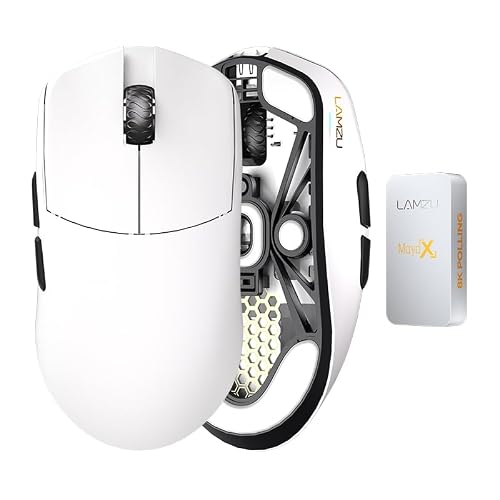
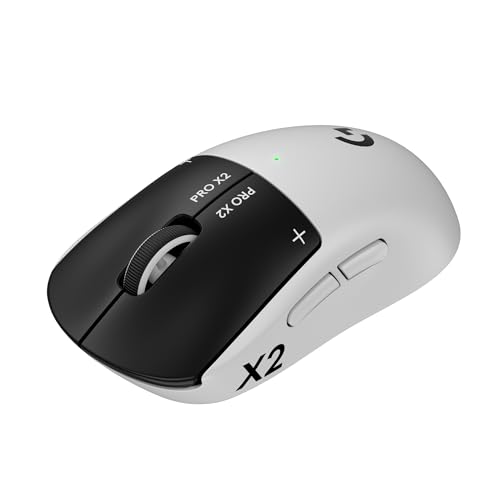
Mini spec box — Form: ergonomic · Size in listing: Medium · Weight: 1.94 oz (55 g) per listing · Sensor: PAW3395 optical per listing · Switches: optical · Colour in listing: White · Position: rival ergonomic lightweight
Pulsar’s Xlite line exists because the ergonomic-lightweight idea was too good to leave to one company, and the v3 in medium size is its mature expression: 55 grams, a PAW3395 sensor — a flagship-class unit with an impeccable competitive reputation — optical switches, and a shape that serves the same palm and relaxed-claw constituency with a subtly different accent. Where the DeathAdder’s curves are the industry’s reference dialect, the Xlite speaks the same language with its own emphasis in the hump placement and side shaping; players regularly report preferring one or the other within a minute of holding both, and being unable to fully explain why, which is ergonomics in its natural state.
The white finish of the verified listing is its own consideration: striking on a clean desk, honest about showing wear and oils, and the only colour story among this article’s three mice. Buyers cross-shopping the HyperSpeed should treat the Xlite v3 as the shape audition’s other finalist: same weight class, same grip brief, a sensor of equal competitive standing, from a maker whose reputation was built on exactly this category of mouse. Brand ecosystem — software, dongles, the rest of your desk — may cast the deciding vote, and that is a legitimate way for a tie between two good shapes to be broken.
Strengths
- A flagship-class PAW3395 sensor in a 55-gram ergonomic shell.
- A genuinely different shape accent gives ergonomic buyers a real second finalist.
- Optical switches keep the click-consistency story equal with the Razer pair.
Trade-offs
- The white finish shows a working desk’s evidence more readily than black shells do.
- Medium sizing will not serve hands at the extremes; measure before committing.
- It lacks the DeathAdder’s two decades of shape familiarity for players raised on that silhouette.
Best for: ergonomic-lightweight shoppers who want the rival interpretation of the brief, in white. / Not suited for: players whose hands already know and love the DeathAdder’s exact curves. Check price on Amazon
How do the three mice compare where it matters?
Strip the badges and the decision is three questions. First, shape dialect: the two Razers share the reference ergonomic silhouette, the Pulsar offers its own — hold, or at least measure, before you theorise. Second, philosophy of specification: the Pro buys ceiling, the HyperSpeed buys endurance and efficiency, the Xlite buys an alternative maker’s best shot at the same weight. Third, the ownership texture: battery rhythm, software ecosystem, finish, and the small daily frictions that decide whether a mouse is loved in month six. Our wider guidance on method lives in how to choose a gaming mouse and the gaming mouse buying guide, and the symmetrical alternative to this whole ergonomic conversation is reviewed in pulsar x2h.
How do you choose an ergonomic gaming mouse by hand and grip?
Ergonomic mice reward the same measurement discipline as any shape, with one extra variable: posture commitment. Measure your hand’s length and width first, because an ergonomic shell sized wrong is worse than a symmetrical shell sized wrong — the sculpted curves land in the wrong places and argue with your hand all session. Then classify your grip from evidence: photograph your hand at rest on your current mouse mid-session. A full palm contact with fingers extended says the DeathAdder family is your native country. A relaxed claw — palm’s base anchored, fingers arched — is also served by all three mice here. A true fingertip grip, with the palm floating free, is a vote for a small symmetrical mouse instead, and no amount of brand loyalty should override it.
Weight preference inside the ergonomic class has narrowed wonderfully: all three mice here sit in the fifties and low sixties of grams, so the old trade — ergonomic comfort costs a heavy shell — is retired. What remains is subtler: balance and hand feel, where the Pro’s extra grams read as substance to some and as inertia to others. Sensitivity interacts too: low-sensitivity arm aimers move the whole mouse constantly and feel every gram; high-sensitivity wrist players park the shell and mostly click, and for them the shape’s resting comfort matters more than its weight. Match the mouse to the way you actually move, and use best gaming mouse for fps to see the wider field if the ergonomic brief itself is in question.
Finally, the desk audit: an ergonomic wireless mouse wants a pad with room for its sweeps and a dongle placed close and clear. The pad is part of the tracking system, and best gaming mouse pads covers the pairing properly. Buy the mouse and the surface as one decision and both halves will flatter each other.
How do you set up a DeathAdder for competitive play?
The setup liturgy is short and worth doing once, properly. Place the HyperSpeed dongle near the pad with a clear path — the extension arrangement the maker intends exists precisely so the receiver can live on the desk rather than behind the PC. Charge fully, then set your DPI steps down to the values you truly use, ideally one working value with at most one specialist alternative, and map the DPI control so it cannot betray you mid-match. In Razer’s software, assign the side buttons to your game’s genuine secondaries — push-to-talk, melee, ability — because an ergonomic mouse’s buttons are placed for a resting hand and reward deliberate jobs.
Polling and lift-off deserve one experiment each at final sensitivity, judged over days rather than minutes, and then a freeze: competitive aim is a habit, and habits need a stable instrument. The HyperSpeed’s battery makes one setup decision for you — charging can be calendared rather than feared — but build the ritual anyway, on a day when the mouse is idle, because a hundred-hour battery that you never charge still empties on the worst possible evening. Skates get their break-in week before judgement, and if you later change feet or pad, change nothing else that week. These are small disciplines, but they are the difference between owning a flagship-class tool and merely possessing one.
What mistakes do buyers make with ergonomic lightweights?
The first is buying the famous shape for a hand it does not fit — small hands and fingertip grips are the recurring casualties of the DeathAdder’s fame. The second is assuming the flagship is automatically the right Razer: the HyperSpeed exists because the efficiency brief — lighter, longer-running, lower tier — is the correct brief for a great many players, and the Pro’s ceiling is only worth its tier to those who will use or at least peacefully enjoy it. The third is ignoring the cross-brand audition; the Xlite v3’s existence means ergonomic buyers have a genuine shape choice at the same weight, and declining to consider it is brand habit, not judgement.
Fourth, neglecting the unglamorous: dongle behind the case, a pad too small for a low sensitivity, DPI steps left as a museum of factory values. Fifth, judging any of these mice in the first session — a new ergonomic shape asks the hand to reorganise its resting posture, and the verdict that matters is day five’s, when the posture has become the one your hand chooses unbidden. Give each candidate its week, keep notes on late-session comfort, and let the hand vote with evidence.
Our final recommendation
The DeathAdder V3 HyperSpeed is the recommendation for the majority of ergonomic buyers: the reference shape at 55 grams, a sensor with no competitive excuses, optical switches, and a battery that changes your relationship with charging — the flagship experience, minus the flagship’s ceiling and its tier. Step up to the V3 Pro if you are the player who buys the top of a range once and keeps it for years, or whose hand prefers the slightly more substantial shell. Choose the Pulsar Xlite v3 if its shape accent wins your hand’s audition or its white finish wins your desk’s. And if your grip is fingertip or your hand is small, let this article’s honesty redirect you to the symmetrical lightweights — the right mouse is the one your hand would choose, and it is allowed to be a different one.
Why has this shape lasted twenty years?
A short history explains the present tense of this review. The DeathAdder arrived in the mid-two-thousands, when gaming mice were smaller, heavier, and designed by optimism, and its large, right-handed, palm-filling shell was a revelation to players whose hands had been cramping around symmetrical mice for years. Generation by generation the shape was refined rather than revised — the swell’s height, the buttons’ flare, the right side’s ledge all adjusted by millimetres informed by an enormous installed base of hands. The V3 generation’s contribution was subtraction: weight, visual clutter, and anything that was not the shape or the tracking. The HyperSpeed edition continues the subtraction into the price and the charging cable’s relevance.
That lineage matters to a buyer for two reasons. First, familiarity is a real feature: a player who has used any DeathAdder in fifteen years can pick up the HyperSpeed and be home in an afternoon, and in competitive gaming, home is performance. Second, the shape’s longevity is evidence — not proof, but evidence — that its ergonomics serve a large constituency of hands unusually well, because shapes that do not, die. The counterweight is equally real: two decades of fame mean the shape is bought by many hands it does not fit, on reputation alone, which is why this article keeps returning to measurement. Fame is a prior, not a verdict.
How do the three mice play across genres?
First-person shooters are the home genre, and all three mice are fluent: the ergonomic anchor suits the low-sensitivity, placement-first aiming of tactical titles, and the light weights serve the wide arm movements of faster arena play better than the shape’s heavy ancestors ever did. Battle royales reward the endurance story — the HyperSpeed’s battery and the shape’s long-session comfort are hour-three features, and hour three is where those matches are decided. MOBA and RTS players get a shape their palm can live on through long sessions and clicks built for repetition, though players who live on a dozen side buttons should look at genre-specific mice instead.
Beyond gaming, honesty applies: an ergonomic gaming mouse is a fine office mouse for a right hand that likes its posture, with precise tracking and buttons that survive a spreadsheet’s worth of clicking, but it carries no productivity-specific hardware — no horizontal wheel, no gesture layer — and a mixed-use desk may still prefer a dedicated work mouse beside it. Creative work is a similar story: the sensor’s precision flatters timeline scrubbing and photo retouching, while the shape’s gaming posture is a matter of taste over an eight-hour editing day. None of that diminishes the gaming brief; it simply declines to oversell it, which is this review’s policy throughout.
What should you know about HyperSpeed wireless and optical switches?
Two technologies carry the modern DeathAdder experience, and both reward a plain explanation. HyperSpeed is Razer’s 2.4 GHz wireless protocol, engineered to match wired latency closely enough that professional play adopted it without a second thought; its practical requirements are a dongle with a short, clear path to the pad and a household wireless environment that is not actively hostile. Within those ordinary conditions, the connection’s defining quality is its invisibility — no dropouts to diagnose, no cable drag to manage, no difference to forgive. The hundred-hour battery is the protocol’s efficiency made tangible: the radio sips rather than gulps, and the mouse’s whole power design follows.
Optical switches actuate with a beam of light instead of a bending metal contact, and the consequences compound over a mouse’s life: no contact degradation, no double-click fault developing in year two, a consistent click feel from the first match to the thousandth. The Gen-3 iteration in both Razer mice here is the mature version of that idea. Players sometimes ask whether optical clicks feel different; they do, slightly — a cleaner, more defined break — and the DeathAdder’s tuning of that feel is part of its identity. Pulsar’s optical switches in the Xlite v3 pursue the same reliability by the same physics, which is why this article treats switch technology as a solved problem across its shortlist and returns, as always, to shape.
How do you care for a lightweight ergonomic mouse?
The care routine is brief and worth the habit. Keep the sensor lens clean with a dry, gentle pass, because a contaminated lens is the leading cause of phantom tracking complaints. Wipe the shell with a lightly dampened cloth; textured coatings and matte finishes keep their grip longer when solvents stay in the cupboard. Skates are consumables — when glide develops a direction-dependent scratch or the mouse begins to catch on pad seams, replacement feet restore the factory feel, and popular shapes like this one enjoy a healthy aftermarket. Store the dongle with the mouse when travelling, charge before long storage rather than after it, and apply firmware updates in unhurried moments with the mouse connected as instructed.
Keep the box and paperwork, as with any quality tool: warranty conversations and eventual resale both go better with them, and a mouse built to serve for years deserves the small admin that protects those years. None of this is burdensome — five minutes a month, generously counted — and it is the difference between a mouse that ages into a trusted instrument and one that drifts into being a complaint.
Who should skip the DeathAdder family entirely?
The exclusions, stated as plainly as the recommendations. Left-handed players: the shell is a right hand’s portrait, full stop, and no setting changes that. Fingertip players: the design assumes palm contact as its foundation, and a floating hand gets nothing from its curves. Small hands: the DeathAdder is a generously sized mouse, and a hand that cannot reach the front of it comfortably will strain for the wheel and the far button — measure, using the method in the buying section, before fame decides for you. Button-heavy MMO players: five or six buttons is a shooter’s complement, not a raid’s. And the player whose desk is a sofa arm or a bed: wireless and light it may be, but this is a pad-and-posture instrument, and it will not pretend otherwise.
Each exclusion is the same compliment in reverse — the family knows exactly what it is. A shape that tried to serve every hand would serve the DeathAdder’s constituency worse, and two decades of players have voted for the focused version. If your hand is in the constituency, the only remaining question is which of the three finalists in this review serves it best, and that question the preceding sections have narrowed to hand feel, battery philosophy, and tier.
What does the first week with a HyperSpeed look like?
Day one is inspection and configuration: shell, clicks, wheel, wireless stability, dongle placed, DPI steps pruned, side buttons given their jobs. Days two and three are the hand’s negotiation with the shape — palm players usually settle immediately, relaxed-claw players take a little longer to find where the swell wants their palm’s base, and everyone recalibrates their stopping distances to the lighter shell, which typically asks for a small sensitivity reduction in the first days rather than a verdict on the mouse. Days four to seven are ordinary play at frozen settings, with a line of notes each evening: comfort at the session’s end, any tracking oddity and its circumstances, battery behaviour against the promise.
By the week’s end the mouse has either become transparent — the state every tool in this cluster’s reviews is ultimately judged by — or the notes name the variable to change: size, shape dialect, weight, or surface. A transparent week is the HyperSpeed’s design goal in miniature: famous shape, modern weight, a battery that removes itself from your attention, and nothing left between the player and the game. That is the experience the listing’s numbers are trying to describe, and for the right hand, it is the experience delivered.
How does the HyperSpeed sit in the wider ergonomic market?
Zoom out and the ergonomic-lightweight category has become one of gaming’s healthiest arguments. Logitech’s ergonomic flagships bring their own shape dialect and a vast ecosystem; Pulsar’s Xlite line, represented here, presses from the enthusiast side with maker credibility in exactly this niche; a dozen smaller brands iterate on the same brief at friendlier tiers with improving quality control. Razer’s position in that field is incumbency with momentum: the reference shape, a wireless implementation trusted at the highest level of play, and now an efficiency edition that removes the tier objection from the conversation. The HyperSpeed’s significance is less any single specification than its completeness — there is no line in its brief where a mainstream ergonomic buyer is asked to accept a dated compromise.
For the buyer, the crowded field is good news with a discipline attached: audition shapes, not brands. The differences that will reach your hand across a year of play are curve placement, button feel, and the battery-and-software texture of ownership — all present in this article’s three finalists in different proportions, and none visible in a headline DPI figure. Buy the proportion that matches your hand and your habits, and the category’s argument will have done for you what competition is supposed to do.
A note on value across the three finalists
Value in this shortlist is not a synonym for the lowest tier; it is cost per year of satisfied use, and each mouse wins that calculation for a different owner. The HyperSpeed wins it for the player who will use the shape daily for years and values the battery’s near-invisibility — the cheapest mouse is the one whose ownership has no recurring friction to price in. The Pro wins it for the flagship buyer whose alternative is an upgrade cycle: bought once, at the ceiling, it forecloses years of wondering. The Xlite wins it for the hand that fits its dialect best, because a perfectly fitted mouse at any tier is worth more than a famous one that argues with your palm. Judge by fit and friction, over years, and the arithmetic of this category becomes refreshingly honest — which is, perhaps, the most DeathAdder sentence in this entire review: the fundamentals, done completely, outlast every fashion around them.
What should you check on the listing before buying?
Close the purchase the way this article opened the comparison: by exact names. The DeathAdder V3 HyperSpeed, the DeathAdder V3 Pro, and the Pulsar Xlite v3 are three distinct mice whose listings reward a careful read — confirm the model, the size where a size exists, the colour, and the seller, and keep the packaging until your five-day audition has voted. Check what the box includes against the listing’s own description, particularly the wireless dongle and any extension arrangement, since wireless performance begins with that placement. Register and update firmware in a calm moment after the audition, not before it, so the mouse you judge is the mouse you keep.
And one expectation to set in advance, because it decides satisfaction more than any specification: give an ergonomic shape its week. The hand reorganises slowly and judges honestly, and the DeathAdder’s twenty years of evidence say that for its constituency, the week’s verdict is very often the beginning of a years-long tenure. Buy it measured, set it up once, and then let the most famous silhouette in gaming do the quiet work it was refined, over two decades, to do.
How does weight change the way an ergonomic mouse aims?
Because the HyperSpeed’s 55 grams is its most modern number, it deserves a section of its own. A mouse’s weight is paid in two currencies: the effort of starting it moving and the effort of stopping it. Heavy ergonomic mice of the past spent both lavishly, and their defenders called the spending stability. The modern lightweight settlement — which all three mice in this review have signed — holds that stability comes from shape and friction, not mass, and that the effort saved by a light shell is repaid in reduced fatigue and finer corrections across a long session. The adjustment is real, though: the first days with a much lighter mouse bring overshoot, because the hand’s braking was calibrated for a heavier tool, and the cure is a few days of play and sometimes a small sensitivity reduction — never a conclusion drawn in the first hour.
Balance matters alongside the number. A light mouse whose weight sits evenly under the hand feels lighter in motion than its figure; a nose-heavy one feels reluctant in vertical movements. The DeathAdder’s long refinement shows here — its mass distribution serves the pivot the shape encourages — and it is one of the qualities a five-day audition reveals that a spec sheet cannot state. Judge weight in motion, over days, on your own pad: that is the complete method, and it is available to every buyer inside a return window.
The bottom line for DeathAdder loyalists and newcomers alike
Two audiences read a review like this one, and they deserve separate closing words. The loyalist, whose hand already speaks DeathAdder, is really asking whether the HyperSpeed is a worthy modernisation or a dilution. It is a modernisation: the silhouette is honoured, the weight and battery are transformed, and the only thing surrendered is a flagship sensor ceiling whose absence a season of play will not reveal. Buy it as the line’s new default and keep the Pro in mind for the day you want the ceiling as well. The newcomer is asking whether the fame is earned and whether it applies to their hand. The fame is earned — two decades of refinement is not a marketing asset, it is an engineering archive — and its application to your hand is a measurement and a week’s audition away from being known rather than guessed.
Either way, the purchase logic of this category has rarely been kinder: three excellent ergonomic lightweights, at three distinguishable briefs, with the differences located exactly where a buyer can test them — in the hand, across a week, in the games you actually play. That is how the most famous shape in gaming would want to be bought: not on its name, but on its fit.
A last word on the software side of ownership, since a modern mouse is half firmware. Razer’s configuration ecosystem is mature to the point of invisibility for most owners: set the DPI steps, the polling behaviour, and the button assignments once, save them, and let the mouse carry its configuration with it. Resist the temptation to maintain a museum of per-game profiles with different sensitivities; the consistent instrument is the one your hand can trust, and trust — across every article in this cluster, whatever the product — is the quality that actually gets bought. The HyperSpeed earns it the DeathAdder way: by being, week after week, exactly the mouse it was on the day you set it up.
How does the HyperSpeed handle long sessions and hand fatigue?
Session length is where ergonomic design stops being a preference and becomes physiology, so it deserves direct treatment. A well-fitted ergonomic shell spreads contact across the palm instead of concentrating it in the fingers, and across a three-hour session that distribution is the difference between a hand that finishes fresh and one that finishes negotiating. The HyperSpeed adds the modern variable to that old equation: at 55 grams, the repeated accelerations of a low-sensitivity style cost measurably less than they did on the shape’s heavier ancestors, and the players who notice the HyperSpeed most are precisely the high-volume ones — ranked grinders, streamers, and anyone whose hobby is measured in hundreds of hours a year.
The honest boundaries matter as much as the praise. No mouse corrects a desk at the wrong height, a chair without support, or a posture held past the point where a break was owed; ergonomics is a system in which the mouse is one component, and this article’s readers should hear the whole system’s advice — desk and elbow geometry, regular movement, a grip that rests rather than claws at the shell — as part of the same purchase. Within that system, a light, well-shaped, wireless mouse removes the frictions it is responsible for: cable drag, weight, and the low-grade tension of a shape the hand must hold instead of rest in. That is the HyperSpeed’s long-session case, and for its constituency it is a compelling one.
So the review ends where the category began: with a shape. Technologies will keep arriving — sensors will climb, batteries will stretch, switches will refine — and the DeathAdder’s answer to each arrival has been the same for twenty years: absorb what helps, discard what decorates, and keep the silhouette that a generation of hands calls home. The V3 HyperSpeed is that answer in its most efficient current form, and for the hand it fits, there is very little left to want.
A quick decision checklist before you buy
For readers who prefer their verdicts operational, here is the whole review as five questions. One: is your right hand medium or large, and does it rest on a mouse in palm or relaxed claw? If not, stop here and buy a symmetrical shape instead. Two: do you value a battery you can forget over a sensor ceiling you cannot feel? If yes, the HyperSpeed is your Razer. Three: are you the flagship-once-for-years buyer? Then the Pro’s ceiling is a legitimate purchase and this article blesses it. Four: does the rival’s shape dialect or white finish genuinely attract you? Then audition the Xlite with a clear conscience. Five: have you measured your hand and your pad space, and are you willing to give the winner its five days? Answer those five honestly and the category’s most famous name becomes what it should always have been — not a default, but a decision you can defend to your own hand.
Decide by the checklist, audition by the week, and keep the winner for years — that rhythm has served DeathAdder owners since long before this edition existed, and the HyperSpeed honours it by asking for nothing more.
And if the audition surprises you — if the famous shape is not your shape — treat that as the system working. The return window exists so that hands, not reputations, make final decisions, and a buyer who uses it has lost nothing but a few evenings and gained the only knowledge in gaming hardware that cannot be read: what their own hand prefers.
That is the spirit in which this review recommends its subject: confidently, for the hand it fits, and without a moment’s insistence for the hand it does not.
One more for the returning DeathAdder owner of a decade ago, wondering whether the line still deserves the loyalty their younger self gave it: the shape you remember is intact, the weight your arm remembers is gone, and the battery has gone from a leash to a rumour. Few product lines honour their original promise while shedding its costs this completely, and fewer still do it at a tier below the flagship. The HyperSpeed is best read as the line keeping faith — with its history, and with the hands that made it.
Frequently asked questions
What is the difference between the DeathAdder V3 HyperSpeed and the V3 Pro?
The HyperSpeed is the efficiency edition: 55 grams against the Pro’s 63, a Focus X 26K sensor against the flagship Focus Pro 30K, and a longer listed battery life of up to 100 hours against the Pro’s 90. Both share Gen-3 optical switches and HyperSpeed wireless. In play the sensor gap is far smaller than the paper gap; the real choice is ceiling and hand feel versus lightness, endurance, and tier.
Is 55 grams too light for an ergonomic mouse?
Not for most players. The modern ergonomic class has converged on the fifties and low sixties of grams because the weight reduction lowers movement effort without costing the planted, supported feel the shape provides. Players who associate substance with control may prefer the Pro’s 63 grams; players with low sensitivities and long sessions usually prefer the lighter shell. It is a hand-feel preference, not a performance threshold.
How long does the HyperSpeed battery really last?
The listing claims up to 100 hours, and real life will take its usual share depending on settings and use patterns — but even discounted honestly, it is endurance in a different class from weekly-charge mice. Most owners will charge on a loose monthly rhythm and never think about the battery between times, which is precisely the quality-of-life feature this model is bought for.
Is the DeathAdder shape good for claw grip?
For relaxed claw, yes — the palm swell supports the base of the hand while the fingers arch over the buttons, and many competitive players use exactly that hybrid. For an aggressive, high-arch claw with the palm fully off the shell, a smaller symmetrical mouse with a rear hump is usually the better instrument. The photograph test in the buying-guide section will tell you which claw you actually have.
DeathAdder HyperSpeed or Pulsar Xlite v3?
Both are 55-gram ergonomic lightweights with optical switches and flagship-class sensors, so the decision is shape dialect and ecosystem. The DeathAdder’s curves are the industry’s reference and Razer’s software and wireless are deeply mature; the Xlite’s shape accent suits some hands better and its verified listing here is the white finish. If you can only buy one unheld, choose by your hand measurements and any prior shape loyalty — and use the return window for a proper five-day audition.
Can I use the HyperSpeed wired?
It charges over USB-C, and like most mice of its class it can be used while connected, which is the practical answer for the forgotten-charge emergency: plug in, keep playing, and let the battery recover. Its design centre, though, is wireless freedom with a long leash of endurance, and that is how owners will use it ninety-nine days in a hundred.