Disclosure: As an Amazon Associate, reviewstook.com earns from qualifying purchases. Links on this page are affiliate links; they cost you nothing extra. Prices and availability change often, so check the current Amazon listing before you buy.
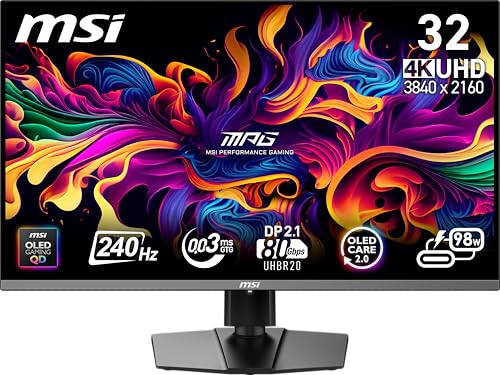
The mpg 322urx qd oled sits at the point where two monitor trends collide: 4K resolution at a size where it finally looks effortless, and a refresh rate fast enough that the same screen can serve a film evening and a ranked match without apologising to either. MSI’s MPG line is its enthusiast tier, and this 32-inch QD-OLED is built around a simple proposition — one desk, one screen, no compromises filed under “gaming” or “cinema” because the panel refuses to choose. This review explains what that proposition means in practice, who should pay for it, which two sibling MSI models deserve a look before you decide, and how to set the screen up so its considerable abilities survive contact with a real room.
Context matters before enthusiasm. A 32-inch 4K OLED is not a casual purchase or a small object; it asks for desk depth, a capable graphics card, and a room whose lighting you can at least partly control. In return it offers the combination that defined high-end monitors in this generation: per-pixel light control for true blacks, response behaviour that makes motion look carved rather than smeared, and enough pixels that text and interfaces stay crisp at the distance a big screen demands. Readers deciding between this and a smaller or cheaper display should read the buying-guide sections as carefully as the praise, because the honest answer for some desks is a sibling model — or a different panel technology entirely.
Key takeaways
- The verified listing confirms the essentials: 32-inch class, 3840 × 2160 resolution, 240Hz refresh, 0.03ms response positioning, HDMI and DisplayPort, VESA mounting, tilt adjustment, and built-in speakers.
- QD-OLED’s strengths are contrast, colour volume, and motion clarity; its disciplines are brightness management in bright rooms and sensible habits around static content.
- Driving 4K at high refresh rates is a graphics-card commitment as much as a monitor purchase — budget for both halves of the system.
- The MPG 321URXW sibling offers a similar formula in white with a rich port selection including high-wattage USB-C; the MAG 321UP X24 is the value-leaning route into the same panel class.
- Set up correctly — right viewing distance, sensible brightness, pixel-care features enabled — this class of screen rewards owners for years.
In this guide
Quick verdict and the picks
- The subject: MSI MPG 322URX QD-OLED — the 4K 240Hz flagship formula in black. Check price on Amazon
- The styled sibling: MSI MPG 321URXW QD-OLED — a 31.5-inch white model with KVM and 98W USB-C in its listing. Check price on Amazon
- The value sibling: MSI MAG 321UP QD-OLED X24 — the MAG line’s take on the same 32-inch-class 4K OLED idea. Check price on Amazon
How these were chosen: the 322URX listing is the exact model this article reviews, verified through this site’s Creators API with its official image. The two alternatives are genuine siblings from MSI’s own QD-OLED family — not random rivals — because the realistic decision for most readers is which rung of this ladder to buy, and a white, port-rich variant or a value variant answers that better than a token competitor. Specifications quoted below come from the verified listings; where we discuss the QD-OLED category’s general behaviour, we say so plainly.
Mpg 322urx Qd Oled in context: why 32-inch 4K OLED became the enthusiast target
For years the high-end choice was a fork: a 27-inch screen fast enough for competition, or a large 4K screen calm enough for work and film. Panel progress removed the fork. At 32 inches, 4K spreads its pixels at a density that keeps text edges clean without scaling tricks, while the screen is large enough that games and films gain the physical presence a smaller panel cannot fake. OLED supplies the contrast that makes both uses feel premium — a dark scene is dark because each pixel can switch off, not because a backlight is politely dimming its zones — and the QD-OLED variant adds quantum-dot colour that stays vivid at high brightness. Add a 240Hz ceiling and the same screen stops being two products. That convergence, more than any single specification, is what buyers of this model are purchasing.
It is worth naming what convergence costs. A graphics card that cruises at 1440p will work hard at 4K, and holding high frame rates in demanding titles asks for the stronger end of current GPUs, sensible settings, and upscaling used as the tool it is rather than a confession of failure. The monitor also becomes the largest light source in a dark room, which makes its black levels glorious and its reflections noticeable in a bright one. None of this diminishes the product; it defines the owner. This is a screen for a deliberate setup, bought by someone who knows their desk, their GPU, and their lighting — and for that owner, it is close to a final answer.

MSI MPG 322URX QD-OLED
Badge: The subject — 4K, 240Hz, no fork in the road
- Panel: 32-inch class QD-OLED, 3840 × 2160
- Refresh and response in the listing: 240Hz, 0.03ms
- Connections in the listing: HDMI, DisplayPort
- Mounting and adjustment in the listing: VESA mountable, tilt, built-in speakers
- Adaptive sync support named in the listing
- Finish in the verified listing: black
Using a screen like this recalibrates expectations in stages. The first stage is contrast: night scenes in games and films stop looking like dark grey soup, because the panel renders shadow detail against true black rather than against a glowing approximation of it. The second stage is motion. OLED pixels change state almost immediately by LCD standards, so at high refresh rates the image stays legible while the camera moves — targets remain objects, not blurs with a direction. The third stage is the quietest and the one owners mention months later: text and interface clarity at 4K on 32 inches makes the screen as good at documents and editing timelines as it is at entertainment, which is what turns a gaming purchase into the desk’s centrepiece.
Strengths
- Per-pixel contrast and QD-OLED colour volume give films and games a depth LCD backlights cannot imitate.
- 240Hz with OLED response behaviour delivers motion clarity that suits competitive play as well as spectacle.
- 32-inch 4K is a genuine dual-purpose size: immersive for play, crisp and spacious for work.
Trade-offs
- It needs a strong graphics card to shine; a weak GPU turns the purchase into an expensive promise.
- OLED brightness discipline matters in sunlit rooms, where a bright LCD can be the calmer choice.
- Owners should use the panel’s care features and sensible habits around static elements, as with any OLED.
Best for: enthusiast players and creators with the GPU to feed it who want one screen for everything. / Not suited for: bright-room desks, modest graphics cards, or buyers who mainly browse and write and would never use the speed.

MSI MPG 321URXW QD-OLED
Badge: The white, port-rich sibling
- Panel in the listing: 31.5-inch 4K QD-OLED, 240Hz / 0.03ms
- Colour claims in the listing: 99% DCI-P3, ΔE≤2, DisplayHDR True Black 400
- Features in the listing: KVM, RGB accents
- Connections in the listing: DP 1.4a, HDMI 2.1, USB Type-C with 98W delivery
- Finish: white — the obvious aesthetic difference
The 321URXW is the sibling for the tidy-desk reader. Its USB-C with substantial power delivery and KVM switching turn the monitor into the hub of a two-computer desk: a work laptop docks with one cable, a gaming PC waits on the other input, and the same keyboard and mouse follow whichever machine is awake. The white finish is not a trivial detail either — in a light, deliberate setup it completes a look the black model deliberately does not attempt. Panel performance sits in the same family conversation as the 322URX, so the decision between them is honestly about workflow and aesthetics, which is a pleasant kind of decision to have.
Strengths
- USB-C with 98W delivery plus KVM makes a genuine one-cable laptop workflow.
- Same 4K 240Hz QD-OLED formula in a distinctive white design.
- Creator-friendly colour claims in the listing for photo and video work.
Trade-offs
- White shows dust and cable clutter more honestly than black does.
- Single-cable convenience matters only if your life includes a laptop dock routine.
- It shares the family’s OLED considerations around bright rooms and static content.
Best for: hybrid work-and-play desks, laptop users, and white-build enthusiasts. / Not suited for: buyers who want the plainest black flagship and will never use the hub features.

MSI MAG 321UP QD-OLED X24
Badge: The value route into the same panel class
- Panel in the listing: 32-inch class 4K UHD QD-OLED, 31.5-inch viewable
- Colour in the listing: 1.07 billion colours, Quantum Dot panel
- Sync in the listing: Adaptive Sync / FreeSync Premium Pro / G-Sync compatibility
- Finish in the listing: metallic black
- Line: MAG — MSI’s value-leaning gaming series
MAG models exist to move the essential experience down the range, and the 321UP applies that logic to 4K QD-OLED: the panel class and the resolution that define the experience, with the flagship’s extras trimmed. For a player whose budget is being shared with the graphics card this screen demands — a very common and very sensible budget — that trade can be the difference between a balanced system and a lopsided one. The questions to ask are which extras your desk actually uses: if the answer is few, the MAG is not the lesser purchase, it is the correctly aimed one.
Strengths
- Same headline experience — 32-inch-class 4K QD-OLED — from the value line.
- Broad adaptive-sync compatibility named in the listing suits either GPU camp.
- Lets a system budget balance monitor and graphics card more sensibly.
Trade-offs
- Flagship extras and the richest port selection live in the MPG models instead.
- Stand and feature trims are where the saving is usually found.
- Still a premium panel with the same GPU demands and OLED disciplines.
Best for: players balancing a whole-system budget who want the panel class without flagship extras. / Not suited for: buyers who specifically want the MPG tier’s full feature set.
Three siblings compared
| Model | Panel formula | Defining extras | Pick it when… |
|---|---|---|---|
| MPG 322URX | 32-inch 4K QD-OLED, 240Hz, 0.03ms in listing | The flagship MPG formula in black | You want the subject model, undiluted |
| MPG 321URXW | 31.5-inch 4K QD-OLED, 240Hz in listing | White finish, KVM, USB-C 98W | A laptop shares your desk and your build is light-toned |
| MAG 321UP X24 | 32-inch-class 4K QD-OLED | MAG value positioning, broad sync support | The GPU needs its share of the budget |
The honest reading of that table is that the panel is the constant and the furniture changes. Decide the panel class first — and the sections below help you interrogate that decision — then let your desk’s workflow choose the sibling. Buyers who reverse the order, falling for a port or a finish before confirming the panel suits their room and GPU, are the ones who end up in forums asking why a magnificent screen feels wrong.
Buying guide: interrogate the panel class before the model
Room light is the first interrogation. QD-OLED rewards a room you can dim: curtains, a desk that does not face a bright window, lamps placed so they do not reflect in the screen. In a permanently bright, glass-walled space, a high-brightness LCD may honestly serve you better across the whole day, and no reviewer’s enthusiasm should talk you out of your own windows. Second is the graphics card audit. List the games you actually play, at the settings you actually accept, and ask what they need at 4K. Modern upscaling makes 4K gaming more attainable than the raw pixel count suggests, but attainability is not the same as the effortless high-refresh experience this screen advertises. If the audit fails, the value sibling plus a GPU upgrade is usually the wiser combined purchase.
Third, measure the desk. A 32-inch screen wants viewing distance — roughly an arm’s length and a bit more — and depth that shallow desks cannot offer without pushing the keyboard into your ribs. VESA mounting, which the 322URX listing supports, rescues shallow desks by floating the panel at the right distance and freeing the surface below it. Fourth, count your machines. A second computer transforms the value of KVM and USB-C from brochure lines into daily relief; a single-PC desk can ignore them. Fifth, adopt the OLED habits before the screen arrives: auto-hiding taskbars, varied content, the panel’s built-in care and refresh features enabled rather than disabled. Owners who start with those habits never think about them again; owners who retrofit them after a scare enjoy the screen less.
Finally, think in system years. A monitor like this typically outlives two graphics cards and becomes the fixed point around which a setup evolves. That longevity argues for buying the panel class you actually want rather than a stopgap you will resent — and equally argues for honesty when the class itself is wrong for your room, because a stopgap in the wrong class is still wrong for years.
How to set up a 32-inch QD-OLED properly
Step 1: Position before power
Mount or stand the screen so its centre sits at roughly eye level and at a distance where the whole panel is visible without head-turning — for most desks, somewhere around 70 to 90 centimetres. On a shallow desk, use the VESA mount and an arm; distance is a picture-quality feature, not an ergonomic nicety.
Step 2: Use the right cable and confirm the numbers
Connect with a quality DisplayPort or HDMI cable appropriate to 4K at high refresh, then verify in your operating system’s display settings that resolution and refresh rate are actually set to the panel’s full ability. A surprising number of owners run a flagship at a fraction of its refresh for months because an old cable or a default setting said so.
Step 3: Set brightness for the room, not the showroom
Lower the brightness until whites look like paper in your lighting rather than like a light source, then adjust contrast and colour temperature to taste with a familiar film scene and a familiar photograph. Showroom settings exist to win a wall of screens; your settings should win a Tuesday evening.
Step 4: Enable the panel care features
Turn on the OLED care options the firmware offers — pixel refresh cycles, logo and static-element handling, screen shift where present — and set a short screen-off timeout. These features working quietly in the background are the entire maintenance regime this technology asks of a sensible owner.
Step 5: Feed it one great scene and one great game
Calibrate your expectations with the best material you own: a dark, detailed film scene for contrast, and a fast game you know well for motion. If both look right, stop tweaking. The settings menus will always offer another slider; the discipline of leaving a good picture alone is part of owning a great screen.
Common mistakes with flagship OLED monitors
The first mistake is buying the screen and starving it — pairing 4K 240Hz with a graphics card that can only wave at those numbers, then blaming the panel for ordinary frame rates. The second is placing it opposite a bright window and judging OLED by its worst room. The third is freezing the desktop: a static taskbar, a permanent wallpaper of bright logos, and care features disabled is a routine no OLED should be asked to endure. The fourth is running showroom brightness in a dark room, which fatigues eyes and flatters nothing. The fifth is forgetting the desk itself — a screen this size on a wobbly stand or at the wrong distance makes the whole setup feel cheaper than it is.
Final recommendation
The MPG 322URX is the straightforward flagship expression of the 32-inch 4K QD-OLED idea, and for the reader with the GPU, the desk depth, and a room that can be dimmed, it is the model to buy. Readers whose desks include a work laptop should look hard at the 321URXW’s hub abilities and white finish, and readers balancing a whole-system budget should take the MAG 321UP seriously rather than apologetically. All three presuppose the same owner: someone buying a screen for years, who will set it up carefully once and then simply enjoy it. If that is you, the fork in the road is closed — this class of monitor is where the two paths meet.
Frequently asked questions
Is 4K at 32 inches noticeably sharper than 1440p at 27 inches?
Yes, in the places sharpness lives: text edges, fine interface detail, distant objects in games, and photo work. The pixel density rises enough that scaling can stay at comfortable levels while detail remains crisp, which is precisely why this size-and-resolution pairing became the enthusiast standard.
What graphics card does a 4K 240Hz monitor really need?
For demanding games at high settings, the stronger end of current GPUs, helped by modern upscaling. Lighter and older titles reach high frame rates far more easily. The practical rule is to audit your own library honestly: the monitor shows whatever the card can produce, and it cannot invent frames the system never rendered.
Should I worry about OLED burn-in with desktop use?
Modern QD-OLED panels include care features designed for mixed use, and sensible habits — varied content, auto-hidden taskbars, screen-off timeouts, care cycles enabled — keep risk low for typical owners. A screen used twelve hours a day on one static spreadsheet is a different case, and such users should consider LCD instead.
Does the 322URX suit console gaming as well as PC?
Its HDMI connection and 4K panel suit current consoles well, with the caveat that consoles will not use the 240Hz ceiling — they will simply enjoy the contrast, colour, and size. PC remains the platform that can explore the whole specification.
How far away should I sit from a 32-inch monitor?
Most owners settle between roughly 70 and 90 centimetres — far enough that the edges stay in comfortable view, close enough that 4K detail remains visible. If your desk cannot offer that distance, a monitor arm using the VESA mount usually can.
Which sibling should a laptop user choose?
The MPG 321URXW, for its KVM switching and USB-C with 98W delivery named in its listing: one cable charges and connects the laptop, peripherals follow the active machine, and the gaming PC remains a full citizen of the same desk.
Related guides
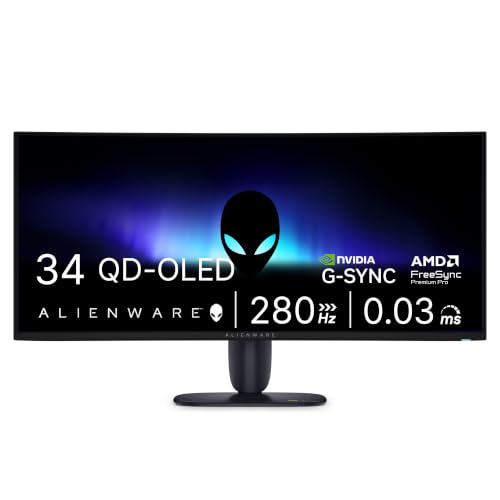
the ultrawide QD-OLED sibling, honestly assessed
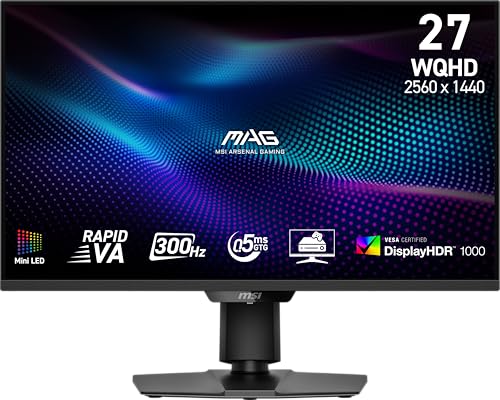
MSI’s fast 27-inch alternative
the best OLED ultrawide gaming monitors
OLED versus QLED for television viewing
a Legion Pro laptop to drive a screen like this
the best OLED televisions for the living room
QD-OLED against its real rivals: WOLED and Mini-LED LCD
Buyers cross-shopping this class meet two rival technologies, and the differences are practical rather than tribal. WOLED, the other OLED family, shares per-pixel contrast and instant response; QD-OLED’s quantum-dot layer is generally associated with richer colour volume at higher brightness, while WOLED panels often include a white subpixel that helps them in some brightness measures. In a dim room, both look unmistakably like OLED, and most owners would struggle to feel short-changed by either. Mini-LED LCD is the more philosophical rival: thousands of dimming zones behind an LCD panel deliver far higher sustained brightness and zero burn-in anxiety, at the cost of blooming around bright objects on dark backgrounds and response behaviour a step behind OLED. In a bright room with varied content, a good Mini-LED is a genuinely excellent screen; in a dark room with a film, the OLED’s per-pixel control wins the evening.
The decision tree that follows from that is refreshingly short. Dark or dimmable room, mixed gaming and film, sensitivity to motion clarity: QD-OLED, which is to say this article’s subject class. Bright room all day, static work content, a wish to never think about panel care: Mini-LED LCD, bought without apology. Somewhere between, with a television also in the picture: consider whether the monitor should specialise and the TV generalise, rather than asking one screen to win every room in the house. The 322URX does not need to win every comparison to be the right answer for its reader — it needs to win the comparison that reader’s room and habits actually stage.
Motion, latency, and what competitive players should actually expect
Two different things hide inside the word “fast.” Pixel response is how quickly the image itself changes, and OLED’s near-instant transitions are why motion on this panel looks so clean at 240Hz: each frame is drawn and replaced crisply, without the trailing smear that slower transitions leave behind moving objects. Input lag is the delay between your hand moving and the result appearing, a chain that includes the game, the GPU’s render queue, and the display’s processing. A high-refresh OLED shortens the parts of that chain a monitor controls, but it cannot fix a game engine or a wireless peripheral adding delay elsewhere. Competitive players should therefore treat this screen as removing the display from the list of excuses — which is a real and valuable thing — while remembering that settings matter too: running the panel at its full refresh, using the correct cable, and enabling the appropriate sync mode are what convert the specification into the experience.
There is also a skill-honesty point worth making in a review that respects its readers. A 240Hz OLED will make your existing ability more legible — tracking looks clearer, corrections land where you intended — but it does not add ability. Players sometimes buy this class of screen expecting a rank change and receive instead a clearer view of their current rank. That clarity is genuinely useful for improvement, and it is also simply pleasurable: games you already love look and feel better. Buy it for the pleasure and the clarity, and let any competitive gains arrive as a bonus rather than a promise.
The workday on a gaming flagship
Half of this screen’s life will be spreadsheets, documents, code, and calls for most owners, and it earns its desk space there too. The 4K canvas at 32 inches holds two substantial windows side by side without the squinting that smaller 4K screens impose, and text rendering at this density is crisp enough that long reading sessions stop feeling like a compromise. Colour accuracy ambitions in the family — the white sibling’s listing quotes creator-oriented figures — reflect that these panels are bought by people who edit photos and video alongside playing. Two cautions keep the workday honest. Static interfaces are where OLED care habits matter most, so the taskbar discipline from the setup section is a work feature, not a gaming one. And text fringing, a known consideration on OLED pixel layouts at small sizes, is minimised by this panel’s density and by sensible scaling — most owners at 32-inch 4K never notice it, but readers who spend all day in code editors should confirm their comfort in the return window, as with any display.
Consoles, films, and the second life of a great panel
In the evening the same screen changes jobs again. Connected to a current console over HDMI, it becomes a superb small-room cinema display: 4K detail, perfect blacks for film grain and night scenes, and a size that fills the view from a desk chair or a nearby sofa without dominating a room the way a large television does. Viewers who game and watch in the same chair — students, flat-sharers, anyone whose desk is also their den — get unusual value from that double duty, because the alternative is two mediocre screens instead of one excellent one. The built-in speakers named in the listing are a convenience for calls and casual viewing; film and game audio deserve headphones or a soundbar, and the screen’s picture quality will make the mismatch obvious if you try to live on the internal speakers alone.
Streaming sticks and media players complete the picture for owners whose PC is not their film source. The panel treats all of them identically — as signals to render beautifully — and the QD-OLED strengths, colour volume and contrast, are exactly the strengths that modern HDR film grading is designed to exploit. A screen bought for frame rates that turns out to be the household’s best film display is a common story in this class, and it is part of why owners keep these monitors through several PC upgrades: the panel keeps finding new jobs.
Ownership over years: firmware, habits, and resale reality
Long-term ownership of a flagship monitor has a rhythm. Firmware updates occasionally refine care features and compatibility, and installing them is worth the few minutes they take. The care habits from setup week become invisible routine: the taskbar hides itself, the screen sleeps when you leave, the panel runs its refresh cycles while you make coffee. Once a season, glance at brightness and colour settings with fresh eyes, because rooms change with the seasons and a setting perfect for winter evenings can glare in June. Owners who follow that light rhythm report the same experience as owners of any fine instrument — the device disappears, and only the work and play remain visible.
There is a final, practical consideration in this class: the second-hand market respects flagship panels. A well-kept QD-OLED with its care features used and its screen unmarked holds meaningful value when an owner eventually moves to whatever the next panel generation brings. Keeping the box, the cables, and a note of the purchase date is a small act of administration that pays for itself later. Buy the screen as the long-term centrepiece it is, keep it like one, and the economics of the enthusiast tier look considerably saner than the headline suggests.
What 240Hz changes in the games you already own
It helps to walk the library rather than the brochure. In fast shooters, the gain is legibility under movement: the world stays readable while you turn, so information arrives sooner and decisions improve almost without being noticed. In racing games, the gain is smoothness at the edges of vision, where scenery flows past; the sense of speed becomes physical rather than implied. In strategy and management titles, where nothing moves quickly, the gain quietly disappears — and is replaced by the panel’s other gifts, map detail at 4K and interface clarity across long sessions. In older games, the surprise is how many of them scale gracefully to 4K and high refresh with no complaint, revealing texture detail their original hardware could never show. The pattern across a library is consistent: the monitor does not transform any single game, it raises the floor of all of them, and a library-wide improvement is worth more than one spectacular demo.
Settings wisdom follows from that pattern. Chasing the refresh ceiling in every title by gutting visual settings usually trades away the very richness the panel was bought to display. The balanced approach — high settings, modern upscaling doing its quiet work, frame rates that are strong rather than maximal — gives most owners the best evenings. Reserve the all-out low-settings, maximum-frames configuration for the competitive titles where frames are genuinely a mechanic, and let the rest of the library be beautiful. A flagship screen forgives that balance; indeed, it exists to make it possible.
Ergonomics and the room around the screen
A 32-inch panel changes a desk’s geometry and should change its ergonomics with it. The top of the screen near eye level, the panel tilted slightly, the keyboard positioned so shoulders stay down — these basics matter more, not less, when the display is immersive enough to hold you in one posture for hours. Bias lighting, a soft light behind the screen, deserves a specific mention for OLED owners: in a dark room it reduces the contrast between the bright panel and the black wall behind it, easing eye fatigue during films and night sessions, and it costs very little to add. Cable management also graduates from aesthetics to function at this size, because a thicket of cables behind a VESA-mounted panel can tug an arm out of alignment; route them with slack and the mount holds its position for years.
Sound completes the room. The listing’s built-in speakers cover calls and casual clips, but a screen of this class exposes thin audio immediately. Owners typically land in one of two good places: a quality headset for gaming and late hours, or a compact soundbar or small speakers for shared viewing. Either is a better partner for the picture than asking the internal speakers to be something they are not, and either can be added later — the panel will be patiently excellent in the meantime, which is rather the point of buying the centrepiece first and furnishing around it.
The first evening: a small ritual for new owners
There is a right way to meet a screen like this, and it is slower than unboxing videos suggest. Set it up in daylight, position it properly, and resist judging it under the shop-light brightness of a first power-on. Wait for your normal evening. Dim the room the way you actually do, open the game or film you know best — the one whose dark scenes you have seen on every screen you have owned — and watch the difference arrive without narration. That comparison, against your own memory rather than a reviewer’s adjectives, is the moment the purchase explains itself. Follow it with ten minutes in your most-played competitive title at the panel’s full refresh, and the second half of the proposition lands. Owners who begin this way tend to stop reading monitor reviews for years, which may be the most honest verdict this class of product can earn: it ends the search.
If, instead, that first evening disappoints, troubleshoot before despairing. Check the cable and the refresh setting, check that the source is truly sending 4K, check the room light falling on the panel, and check the picture mode — screens ship in modes chosen for showrooms and shipping regulations, not for your room. Nearly every “underwhelming flagship” story resolves in one of those four places. The panel’s job is to be extraordinary once it is actually being fed and viewed properly; the owner’s job, for one evening, is to make sure it is.
Reading the specification sheet like an owner, not a shopper
Specifications reward translation. The 0.03ms response figure describes pixel transition behaviour under the maker’s test conditions; its real-world meaning is the motion clarity discussed earlier, not a promise that every number on the box will be visible in isolation. The 240Hz ceiling is a ceiling — the panel will happily run lower rates, and matching the rate to the game’s actual output avoids the judder of mismatched expectations. HDR labels describe a certification tier, a floor the panel has demonstrated, rather than a description of every film you will watch; the film’s own grading decides how much of the panel’s range gets used on a given night. Even the 32-inch figure is a class rather than a caliper measurement, as the sibling’s 31.5-inch viewable area in its listing politely demonstrates. None of this is deception — it is the normal language of the category — but owners who translate specifications into experiences buy once and smile, while shoppers who collect specifications buy repeatedly and argue.
The specifications that deserve genuine attention are the unfashionable ones: the port versions, because they decide whether your cables and consoles reach the panel’s abilities; the mount standard, because it decides your desk’s future flexibility; and the warranty terms for the panel, which you should read once, carefully, before purchase rather than after a problem. A flagship purchase is a small act of due diligence wrapped in an exciting box, and the diligence is what makes the excitement safe.
Who should not buy this monitor — a section most reviews skip
Honesty about the wrong buyer protects the right one. If your desk faces a wall of glass in a sunlit room and your hours are daytime hours, this panel’s strengths will spend their lives fighting your windows, and a bright Mini-LED will make you happier for less money. If your computing is a laptop with modest graphics and no intention to upgrade, the 4K canvas will be driven gently and the 240Hz ceiling will be theoretical — a good 1440p screen serves that life better. If your work is one static application, full-screen, all day, every day, OLED care habits become a burden rather than a background routine, and LCD’s indifference to static content is the right engineering for your job. And if the purchase would consume the budget that should have bought the graphics card, the chair, or the desk depth this screen needs, buy those first. The 322URX will still be there when the system around it is ready, and it will be a better experience for the wait.
Pairing the panel with the rest of the setup
A flagship monitor exposes every weakness downstream and upstream of it, which owners experience as a gentle pressure to finish the setup properly. The graphics card conversation has been had; the quieter ones are these. A mouse and keyboard you love matter more when the display makes input feel immediate, because the chain’s quality is suddenly perceptible end to end. A desk deep enough and a chair that supports the longer, absorbed sessions this screen encourages stop being furniture questions and become part of the product. Even storage plays a role: 4K game captures and high-quality recordings from a screen like this fill drives with cheerful speed, and owners who record should budget space the way they budgeted pixels. None of these are hidden costs so much as the natural gravity of a centrepiece — everything near it gets a little more serious — and most owners describe the process with affection rather than resentment, because the end state is a desk that feels finished.
Finished is the right word to end the analysis on. Most technology purchases open a new search; the correct monitor closes one. The reader this screen suits will know the feeling from other tools — the keyboard that ended keyboard shopping, the headphones that ended headphone shopping. The 322URX and its siblings compete to be that object for the desk, and the competition among them is almost a courtesy: pick by workflow and finish, set it up with the care this guide describes, and then go and use the thing for the years it was built for.
Second screens, old monitors, and what to do with the display this replaces
Almost every buyer of this panel already owns a monitor, and its fate is worth a paragraph of planning. As a secondary screen, a former main display is genuinely useful beside a 32-inch flagship: chat, guides, monitoring tools, and documents live there, keeping the big panel pure for the game or the film. The geometry needs care — mismatched sizes and resolutions make the cursor’s journey between screens slightly drunken — but as a productivity arrangement it is hard to beat, and it costs nothing. Alternatively, the old screen can begin a second life in another room or another household, where a perfectly good 1440p panel is still a generous gift. What it should not do is sit in a cupboard “as a spare” for five years; displays age in storage too, and a screen in use somewhere is worth more than a screen in reserve nowhere.
If you do run the dual arrangement, let the OLED be the screen that sleeps. Set the secondary display to carry the always-on elements — the clock widget, the monitoring dashboard, the static chat window — and let the flagship blank itself whenever you step away. That division of labour plays to both panels’ strengths, and it is the kind of small, thoughtful configuration that separates owners who get a decade from a flagship from owners who merely get a good first year from one.
Buying timing and the generation question
Panel generations arrive in a steady drumbeat, and flagship buyers often freeze, waiting for the next announcement to devalue the current screen. The useful perspective is that QD-OLED at this size and speed is a mature proposition: the gains of waiting are incremental refinements, while the cost of waiting is every evening spent on the lesser screen you already own. A monitor is not a phone contract; it is a five-to-eight-year appliance, and over that horizon the difference between this generation and the next is far smaller than the difference between either of them and the ageing LCD most buyers are replacing. Buy when the system around the screen is ready — GPU, desk, room — and let the calendar go. The owners who enjoy this class most are the ones who stopped watching launch events the day their panel arrived.
The same maturity argues for buying the exact rung you want rather than a temporary one. A stopgap monitor in this class is an expensive detour, because the resale of the stopgap rarely funds the intended screen. If the flagship is the destination and the budget is not ready, the honest options are waiting, or choosing the MAG sibling as a deliberate destination rather than a placeholder. Both are respectable; the placeholder mindset is the only real mistake, because it makes an excellent screen feel like a compromise for its entire life on your desk.
A word on cables, because flagships are failed by them constantly
It is a small humiliation of the high-end monitor world that a meaningful share of “faulty” flagships are innocent, and the culprit is a cable from a drawer of unknown vintage. High-refresh 4K is a demanding signal; marginal cables produce the exact symptoms owners blame on panels — flicker, dropouts to black, refresh rates that refuse to appear in settings. The fix costs little: use the cable supplied with the monitor first, however unfashionable that advice sounds, and if you need length, buy a certified cable rated for the signal rather than the longest one in the drawer. Route it away from power bricks and tight bends, seat both ends fully, and only then begin judging the screen. Reviewers learn this lesson once, expensively, in public; readers get it here for free.
Cleaning and handling a panel you intend to keep
QD-OLED screens have a glossy finish that shows every fingerprint and punishes every rough cloth, so cleaning deserves thirty seconds of doctrine. Power the screen off so dust and smudges are visible against the black, use a clean microfibre cloth dry for dust, and for marks use the same cloth barely dampened with water — never sprays applied directly to the panel, never paper towels, never household glass cleaner with its solvents. Wipe in slow, light passes and let the surface dry before powering on. Handling follows the same gentleness: lift the monitor by its body rather than by the panel edges, and never press a thumb into the screen to steady it while adjusting the stand. These habits sound precious until you price a replacement panel; then they sound like what they are, which is the cheapest insurance in the entire setup.
Keep the monitor’s box and internal packaging if you have anywhere at all to store them. Flagship panels travel badly in improvised packaging, and life has a way of asking premium screens to move house, change rooms, or go to a new owner. The box is part of the product’s long-term value — the final, least glamorous accessory, and the one owners are always gladdest to have kept.
For readers upgrading from a 27-inch 1440p screen: what the jump really feels like
Most buyers of this panel arrive from the previous enthusiast standard, a 27-inch 1440p display, and the comparison is worth making concrete. The desktop gains room in every direction — timelines stretch, documents breathe, and two full windows stop being a squeeze. Games gain a sense of scale that resolution numbers undersell: the world is the same size on paper and somehow larger in the chair, because the screen occupies more of your vision with detail your eyes can actually resolve. The adjustment cost is real too — the first days involve finding a new mouse sensitivity feel, a new reading distance, a new relationship with window management — and then, reliably, the old screen starts to look small in photographs of your own desk. That one-way-door quality is the truest description of the upgrade. Nobody who settles into 32-inch 4K OLED describes the move back as tempting, whatever they paid, and a purchase nobody wants to reverse is the definition of a flagship doing its job.
One more upgrade note for that reader: your old desk habits were tuned to a smaller, dimmer, slower screen, and they deserve a deliberate reset rather than an accidental one. Revisit your in-game brightness with the new black levels, revisit your text scaling with the new density, and revisit your session length with the new immersion — big, absorbing panels make hours pass quietly. Build the breaks in on purpose. The screen will take care of the picture; the schedule remains yours.
And if a friend asks, a month from now, whether the screen was worth it, the honest owners in this class tend to give the same unhelpful-sounding answer: they no longer think about the monitor at all. The picture is simply right, every evening, for everything — and a product that removes itself from your attention while improving everything you look at has made the strongest case any review can repeat.