Disclosure: As an Amazon Associate, reviewstook.com earns from qualifying purchases. Links on this page are affiliate links at no extra cost to you; prices and availability change frequently, so check Amazon for the latest.
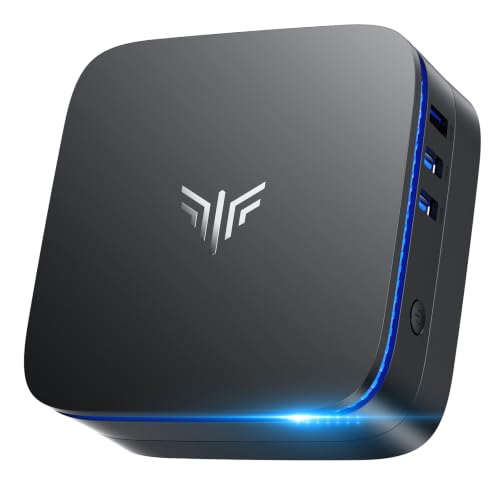
Mini PC vs Mini Gaming PC: Which Small Machine Actually Fits Your Desk?
The mini pc vs mini gaming pc question sounds like a specification contest, but it is really a question about one component and one habit: integrated graphics, and how you actually spend your evenings. A mini gaming pc is not a different species from a standard mini pc — it is the same small box philosophy with its budget deliberately tilted toward graphics-capable processors, more memory to feed them, and gaming in the design brief. Everything else — size, silence at idle, ports, efficiency — the two tribes share. So this comparison is structured to find the exact line where the gaming tilt starts paying, and where it becomes money spent on capability that sits idle.
To keep the contest honest, each side is represented by verified machines from this cluster. The standard side: the KAMRUI AK1PLUS for essentials, the KAMRUI Pinova P1 for entry Ryzen work, and the BOSGAME E5 11 Pro for business and home-lab duty. The gaming side: the GMKtec M6 Ultra as flagship all-rounder, the ACEMAGIC machine as the purest gaming expression with its Radeon 680M graphics, and the GMKtec M5 Ultra as the bridge — a standard-looking machine with gaming-capable bones. Readers who want the full field reviewed can browse the roundup Mini PC Reviews; the flagship’s solo examination is here Mini PC Review.
Where to Buy
Both teams, as verified listings — three standard machines and three gaming-capable ones. Every model below was checked against the verified pick sheet for this guide on reviewstook.com, and each link goes to the exact listing whose title was confirmed, so you are never guessing which configuration you are about to buy.
- KAMRUI AK1PLUS Mini PC
- KAMRUI Pinova P1 Mini PC
- BOSGAME E5 11 Pro Mini PC
- GMKtec M6 Ultra Gaming Mini PC
- ACEMAGIC Mini Gaming PC
- GMKtec M5 Ultra Gaming Mini PC
In this guide
Quick Verdict
Choose a standard mini PC if your desk is work, study, media and communication, with gaming absent or truly occasional — you will get a quieter, cheaper machine that does your actual job identically. Choose a mini gaming PC if games are a regular part of your week and your library leans to esports, indie and established titles — the graphics headroom transforms those evenings. Choose neither if your gaming centres on the newest demanding releases at high settings: that job belongs to a tower with a discrete graphics card, and both tribes in this comparison would be the wrong purchase. Most mixed desks — work by day, play by night — belong to the gaming side, and most pure work desks are over-buying if they pay the gaming premium. The rounds below show the working.
The Comparison Table
| Dimension | Standard mini PC (AK1PLUS / Pinova P1 / BOSGAME) | Mini gaming PC (M6 Ultra / ACEMAGIC / M5 Ultra) |
|---|---|---|
| Processor class | Efficiency and U-series chips tuned for responsiveness | Performance and strong U-series chips with headroom |
| Graphics | Display-focused integrated graphics | Gaming-capable integrated graphics, Radeon 680M at the peak |
| Memory in this comparison | 8GB–16GB | 16GB–32GB, feeding both system and GPU |
| Gaming reality | Lightest and oldest titles only | Esports smooth; wide back catalogue at sensible settings |
| Noise under load | Near-silent in almost all use | Quiet at work; audible during games |
| Best desks | Office, study, reception, media, home server | Mixed work-and-play, creators, power users |
| Value logic | Pay only for the job you have | Pay for evenings as well as days |
Read the table as tendencies backed by the specific machines below, not as laws: the M5 Ultra in particular straddles the line, which is exactly why it is included — many buyers’ correct answer is the bridge machine.
Round One: Everyday Performance
In documents, browsing, email, calls and media, the two tribes are functionally indistinguishable, and this round is a draw that matters. A Celeron-class standard machine with an SSD and adequate memory opens applications, scrolls, streams and calls with the same composure as a flagship — because those tasks stopped being demanding years ago. Where the gaming side pulls ahead is the heavy end of “everyday”: forty-tab research sessions, big spreadsheets, photo libraries, code editors with virtual machines running. That is not gaming capability expressing itself; it is the stronger processors and larger memory that gaming machines happen to carry. So score the round honestly: draw for ordinary work, gaming side for power work — and note that if your work is ordinary, the standard side delivers it for less commitment and more silence.
The processor decides more about a mini PC than any other single part, because in a box this small the chip also supplies the graphics, the memory controller and most of the power and heat behaviour. At the entry level sit low-power chips such as the Intel Celeron N5095 in the KAMRUI AK1PLUS. Those parts were designed for fanless or near-silent machines, school and office basics, point-of-sale terminals and media playback. They feel perfectly responsive with a handful of browser tabs, documents and email, and they sip power while doing it. What they cannot do is pretend to be something else: heavy multitasking, large spreadsheets with live recalculation, photo editing with big files and any modern 3D game will expose the ceiling quickly.
One step up, AMD’s U-series Ryzen chips — the Ryzen 3 Pro 7330U, Ryzen 5 3500U, Ryzen 5 5300U and Ryzen 7 7730U in this cluster — are the sweet spot for most desks. Four to eight cores, proper boost clocks and integrated graphics that can drive multiple 4K monitors make them feel like a full desktop for office suites, web work, light photo editing, coding and media. At the top of the mini PC world sit H/HS-series chips such as the Ryzen 5 7640HS and Ryzen 7 7735HS, plus Apple’s M-series silicon. Those are laptop-performance parts with stronger integrated graphics — the Radeon 680M in the 7735HS is the standout — and they are the only integrated solutions worth considering if games are part of the plan.
The practical rule is to buy the workload, not the badge. Count your heaviest regular task, not your lightest: if the heaviest thing you do is a video call over a slide deck, an entry chip is honest value. If the heaviest thing is a 40-tab research session next to a code editor and a virtual machine, you need the U-series or better, and no amount of cheap storage will compensate for choosing below that line.
Round Two: Gaming, the Round That Decides It
Integrated graphics are the most misunderstood part of any mini PC, largely because the same phrase covers an enormous performance range. At the bottom, basic integrated graphics exist to put pixels on screens: they accelerate video playback, handle desktop compositing and can drive multiple 4K monitors for office work without breaking a sweat. That is genuinely all a non-gaming desk needs, and it is why a modest machine can run three displays beautifully while still being hopeless at games — display output and 3D rendering are different jobs.
In the middle, AMD’s Vega-generation integrated graphics in the U-series Ryzen chips add light creative capability: photo editing, casual video work and older or lightweight games at modest settings. At the top, the Radeon 680M in the Ryzen 7 7735HS and the graphics in the Ryzen 5 7640HS are in another league, able to run popular esports titles smoothly and many bigger games at reduced settings, while Apple’s M6 GPU serves macOS-native and properly ported titles well. None of these replace a discrete graphics card for demanding modern games at high settings — physics and thermals in a one-litre box see to that — but the top tier turns “no gaming at all” into “a real, enjoyable gaming library with sensible settings.”
Memory matters to integrated graphics more than most buyers realise, because the GPU borrows from system RAM. A machine with more, faster memory feeds its graphics better, which is one reason the 24GB and 32GB configurations in this cluster punch above what their chip names alone suggest. If gaming matters to you, treat memory capacity as a graphics specification, not just a multitasking one.
Machine by machine, the line is stark. The AK1PLUS and Pinova P1 will run the lightest and oldest games and should not be bought with play in mind. The BOSGAME’s talents point elsewhere entirely — networking and services, not frame rates. On the gaming side, the ACEMAGIC’s Radeon 680M is the strongest play component in this cluster, the M6 Ultra’s combination of capable graphics and a large memory pool makes it the better all-round gaming citizen, and the M5 Ultra covers casual-to-moderate play while looking like a business machine. If your library is esports and the last decade’s catalogue, the gaming side wins this round decisively. If your library is this year’s heaviest releases at high settings, both sides lose to a tower, and the honest verdict of this whole comparison is to buy neither.
Round Three: Memory, Storage and Longevity
Memory sizing for a mini PC follows simple, testable logic. Eight gigabytes, as fitted to the KAMRUI Pinova P1 and BOSGAME E5 11 Pro, is enough for focused work: one main application, a browser with a modest tab count, documents and calls. It is the right amount for a single-purpose desk — a reception machine, a home-office PC for one suite of apps, a Linux box running services — and it will feel tight the moment you stack a browser, a chat client, a spreadsheet and a video call on top of each other.
Sixteen gigabytes is the comfortable mainstream: it absorbs heavy browsing, office suites, light photo work and development tools without the system swapping to storage, and it is the minimum we suggest for anyone keeping a machine for several years. Above that, 24GB and 32GB configurations serve multitaskers, virtual-machine users and — importantly — gaming on integrated graphics, since the GPU shares this pool. The Apple Mac mini complicates direct comparison because its unified memory is shared between CPU and GPU by design and managed differently by macOS; treat its 16GB as a complete-system figure rather than a Windows-equivalent number, and remember it cannot be changed after purchase.
Upgradeability is the hidden variable. Some mini PCs use standard laptop memory slots you can upgrade later; others solder memory to the board. If a listing does not make this clear, assume the configuration you buy is the configuration you keep, and size accordingly. Buying one tier above your current need is cheaper than replacing the whole machine in two years.
The gaming side wins this round on arrival specification: 24GB and 32GB configurations exist because games and multitasking demand them, and that headroom doubles as longevity. The standard side counters with expansion charm — the AK1PLUS’s 2.5-inch bay is a cheap future the gaming flagships answer with simply arriving with a large drive fitted. Over a five-year life, the gaming machine’s unchangeable parts start further from obsolescence; the standard machine’s defence is that its job does not grow teeth. Desks do change, though — children start gaming, hobbies become channels, jobs become heavier — and the buyer who suspects growth should weight this round heavily.
Round Four: Noise, Heat and the Room Around the Desk
Heat and noise are the physics tax on small computers, and every mini PC negotiates that tax differently. Entry-level chips produce so little heat that their machines stay near-silent under office loads; you will hear a home’s ordinary room sounds over them. Performance chips work harder: under a sustained gaming or rendering load, a small fan in a small chassis becomes audible, though well-tuned machines keep the tone smooth rather than whiny, and under everyday loads they settle back to a murmur.
Placement is your half of the bargain. Give the machine air on all sides, never seal it in an unventilated cabinet, and keep vents clear of papers and dust. Mounting the PC behind a monitor with a VESA bracket — a classic mini PC trick — is excellent for desk space and usually fine for airflow, as long as the monitor’s own heat is not blasting straight into the intake. A can of compressed air every few months, used gently with the machine off, keeps dust from insulating the heatsink.
Expectations calibrated this way rarely disappoint: judge a mini PC’s noise under the load you will actually run most of the time, not under a synthetic stress test, and remember that a machine working hard for ten minutes during an export is behaving normally, not failing.
Score this round to the standard side, with a nuance. At idle and under work, both tribes are whisper-class. The difference appears precisely when the gaming side is doing the thing it was bought for: a gaming session asks sustained work from a small fan, and the room hears it. In a living room with a game providing its own soundtrack, irrelevant. In a silent study shared with a sleeping household, a genuine point for the standard machines — or for headphones. The standard side’s quietest members, the entry machines, are effectively silent appliances full stop.
Round Five: Connectivity, Servers and Second Lives
Ports are where a mini PC either disappears into your setup or becomes a daily annoyance, so count your peripherals before you buy. The good news in this cluster is display support: most of these machines drive two or three 4K monitors using combinations of HDMI, DisplayPort and USB-C or USB4 video output, which makes a mini PC a legitimate multi-monitor workstation rather than a compromise. Check which standards your monitors use and confirm the machine offers them natively, so you are not dependent on adapters from day one.
For data, the spread matters. USB4 on the GMKtec M6 Ultra is the premium option, opening the door to fast docks, rapid external storage and single-cable desk setups. USB-C display output on the KAMRUI Pinova P1 and GMKtec M5 Ultra serves the same docking idea at a lower tier. Wired networking is a quiet strength of this category: dual 2.5GbE LAN on the GMKtec machines and the BOSGAME suits home labs, network storage and anyone whose WiFi is unreliable, while WiFi 6 or 6E covers the rest. Bluetooth 5.x across the range handles keyboards, mice, headsets and controllers without dongles.
The practical test is to list everything on your desk — monitors, keyboard, mouse, headset, webcam, external drives, a phone charger — and count the ports and the cables. A machine that needs a hub for your basics is the wrong machine; a machine with one or two ports to spare is the right one.
A surprise: this round is competitive in both directions. The gaming flagships bring USB4 and dual 2.5GbE LAN; but the standard side’s BOSGAME answers with dual LAN of its own, triple displays and explicit Linux and SSH support that make it the best home-server candidate in the entire comparison. Standard machines also retire beautifully into media and family roles. Call the round a draw with different flavours: the gaming side connects better to a high-end desk, the standard side connects better to a network and a second career. Buyers planning infrastructure should read the balance-sheet analysis of the category alongside this round Mini PC Pros And Cons.
Meet the Six Machines Behind the Verdict

KAMRUI AK1PLUS Mini PC
Entry tier done properly: modest processor, sensible memory, solid-state storage and room to add a second drive later. It is the machine for a first home-office desk, a family PC or a dedicated single-purpose workstation.
| Processor | Intel Celeron N5095 (up to 2.9GHz) |
|---|---|
| Memory | 16GB RAM |
| Storage | 256GB SSD, supports 2.5-inch SSD expansion |
| Networking | WiFi, Bluetooth, Ethernet |
| Displays | Dual 4K |
| Best role | Everyday office and home basics |


KAMRUI Pinova P1 Mini PC
The entry Ryzen option. The Ryzen 3 Pro 7330U is a meaningful step up in responsiveness from Celeron-class chips, and triple display output over HDMI, DisplayPort and Type-C makes it a tidy multi-monitor office machine. The 8GB of memory is its ceiling: fine for focused work, tight for heavy multitasking, so buy it for a defined, single-desk job.
| Processor | AMD Ryzen 3 Pro 7330U (up to 4.3GHz) |
|---|---|
| Memory | 8GB RAM |
| Storage | 256GB SSD |
| Networking | WiFi, Bluetooth |
| Displays | 4K via HDMI, DisplayPort and Type-C |
| Best role | Entry-level Ryzen office work |

BOSGAME E5 11 Pro Mini PC
The utility player: dual wired networking and Linux support give it roles most mini PCs cannot fill, from office workstation to compact home server, provided its modest memory matches the job.
| Processor | AMD Ryzen 5 5300U (4 cores / 8 threads) |
|---|---|
| Memory | 8GB DDR4 |
| Storage | 256GB M.2 2280 SSD |
| Networking | Dual LAN with 2.5 GbE, Wi-Fi 5, Bluetooth 5.0 |
| Displays | Triple displays, 4K at 60Hz |
| Note | Supports Linux and SSH use |


GMKtec M6 Ultra Gaming Mini PC
Flagship of this cluster. The Ryzen 5 7640HS, 32GB of DDR5 memory and a 1TB SSD make it the mini PC we would hand to someone who refuses to think about specifications again for years: heavy multitasking, development work, media projects and gaming on capable integrated graphics all fit. Dual 2.5GbE LAN, USB4 and triple 4K display support complete a machine with no obvious weak port or bottleneck.
| Processor | AMD Ryzen 5 7640HS |
|---|---|
| Memory | 32GB DDR5 |
| Storage | 1TB SSD |
| Networking | Dual 2.5GbE LAN, WiFi 6, Bluetooth 5.2 |
| Displays | Triple 4K via HDMI 2.0, DisplayPort and USB4 |
| Key port | USB4 |

ACEMAGIC Mini Gaming PC
Built around the best integrated graphics in the group, with memory to match. If one machine must cover a working day and an evening of esports and back-catalogue games, this is the configuration shaped for it.
| Processor | AMD Ryzen 7 7735HS |
|---|---|
| Graphics | AMD Radeon 680M integrated graphics |
| Memory | 24GB RAM |
| Storage | 512GB SSD |
| Networking | 2.5Gbps LAN, WiFi 6 |
| Displays | Triple 4K |
| Operating system | Windows 11 Pro |


GMKtec M5 Ultra Gaming Mini PC
The mid-range all-rounder. A Ryzen 7 7730U, 16GB of memory, dual 2.5GbE networking and WiFi 6E cover the modern desk checklist without paying flagship prices, and triple 4K output makes it a genuine multi-monitor workstation. Its 256GB drive is the tightest part of the specification — plan cloud or external storage, or treat this as the one compromise in an otherwise balanced machine.
| Processor | AMD Ryzen 7 7730U |
|---|---|
| Memory | 16GB RAM |
| Storage | 256GB SSD |
| Networking | Dual NIC LAN 2.5GbE, WiFi 6E, Bluetooth 5.2 |
| Displays | Triple 4K via HDMI 2.0, DisplayPort and USB-C |
| Best role | Mid-range all-rounder |
Which Should You Buy, Desk by Desk?
The pure work desk — documents, calls, browsing, study: standard side, and it is not close. The AK1PLUS or Pinova P1 does the job in silence, and the money saved buys a better monitor, which you will appreciate every hour. The mixed desk — real work plus regular play: gaming side, choosing between the ACEMAGIC for maximum play and the M6 Ultra for maximum everything. The creator and developer desk: gaming side by specification rather than by name — you are buying the processor and memory, and the graphics come along as a bonus. The infrastructure desk — server, lab, media library: the BOSGAME makes the standard side win a round the gaming tribe did not know it was playing. The undecided desk: the M5 Ultra, the bridge, whose whole existence argues that the tribes are a spectrum. Still circling? The worth-it analysis prices the decision in time and money terms Is A Mini PC Worth It, and the step-by-step selection method will walk your specific inventory to an answer How To Choose A Mini PC.
Final Verdict
Mini pc vs mini gaming pc resolves to a single diagnostic: count your gaming hours honestly. Near zero — buy the standard machine and enjoy the silence and the savings. A regular feature of your week, in titles integrated graphics can honour — buy the gaming machine and enjoy both halves of your desk’s life. Every night, in the newest and heaviest games — buy a tower, and let both of these excellent small tribes serve the desks they were built for. Check the live price on your chosen machine’s exact verified configuration, and buy the side of the line your evenings actually live on.
Round Six: The Money Round — What the Gaming Premium Actually Buys
Because prices move constantly, this comparison prints none — but the structure of the premium is stable and worth understanding. Moving from the standard tribe to the gaming tribe buys three things, in a specific order. First, a stronger integrated-graphics architecture, the single component that decides the gaming question. Second, more memory, which serves the GPU and the multitasker simultaneously. Third, a stronger processor, whose benefits leak into every heavy task the desk performs. What the premium does not buy is equally instructive: not a bigger desk footprint, not meaningfully worse efficiency at idle, not a different ownership experience during the working day.
The value question is therefore not “is the gaming machine worth more?” but “will the graphics and memory be used?” A premium paid for components that work every evening is among the best-value upgrades in personal computing. The identical premium paid by a desk that never games is a donation. This is why the comparison keeps returning to the library and the workload rather than the badge — the gaming tribe’s machines are not better computers, they are computers whose budget was spent in a particular place, and the round is won by whichever spending pattern matches the desk’s actual evenings. Buyers who want the money question examined on its own can read the full value analysis Is A Mini PC Worth It.
Round Seven: Genre by Genre — Where Each Tribe’s Library Ends
Abstract gaming claims dissolve on contact with actual genres, so here is the map both tribes’ owners actually live with. Esports and competitive titles — the most played games on earth — are the gaming tribe’s home ground: high frame rates at 1080p, completely at home; the standard tribe spectates. Indie and mid-scale games split by ambition: the vast majority play beautifully on the gaming side and a surprising number of the lightest play acceptably on strong standard machines. The back catalogue — roughly a decade of celebrated releases — belongs to the gaming tribe at sensible settings, and it is a far larger library than most players ever finish. Current flagship releases belong to neither tribe at high settings; the gaming side runs some at reduced settings enjoyably, and honesty requires calling that a compromise rather than a capability. Simulation, strategy and building games reward the gaming tribe’s processors and memory more than their graphics — a reminder that “gaming machine” specifications serve many masters. Retro and emulation play is a delight on both tribes and a genuine second career for standard machines. Lay your own library across that map and the verdict of this entire comparison usually computes itself.
Round Eight: The Ownership Round — Heat, Habits and Households
Beyond components, the tribes differ in the households they create. A standard mini PC tends to vanish into shared spaces — living rooms, kitchens, family desks — because it is silent, cool and uninteresting to look at, in the best way. A gaming mini PC tends to anchor a personal desk, because its owner’s evenings live there; it runs warmer under its defining load, speaks up during sessions, and accumulates the peripherals of play. Neither pattern is superior, but they furnish different rooms, and a buyer furnishing a shared silent space with a gaming machine — or a dedicated play desk with a standard one — has mismatched the household, not the hardware.
There is also a social dimension worth one honest paragraph: the gaming machine’s capability invites use. Children discover it, partners borrow it, hobbies grow on it. Several buyers in this category report that the gaming tier’s headroom, bought for one person’s library, became the household’s shared resource — an argument for the gaming side that no benchmark captures, and one the standard side answers with its own pattern: a cheap, silent second machine for the shared space is sometimes the better household architecture than one capable machine fought over. Both architectures work. Choose the one your household will actually enjoy.
The Deciding Questionnaire
Five questions, answered in order, settle this comparison for almost every reader. One: name your three most-played games, or honestly record that there are none. Two: are any of them current flagship releases you insist on playing at high settings? A yes ends the inquiry — buy a tower. Three: does your work involve virtual machines, large creative projects or heavy multitasking? A yes pushes you to the gaming side’s specification regardless of games. Four: is the machine destined for a shared, silence-sensitive space? A yes pulls back toward the standard side, or toward headphones. Five: is a second life — server, media, family — already visible for this machine? A yes rewards the standard side’s networking specialists or the gaming side’s longevity, depending on the role. Most readers find the answer has assembled itself by question three, which is the questionnaire working as designed: the tribes were never really about the badge on the box, and neither is your desk.
Round Nine: Streaming, Recording and the Creator’s Desk
One workload straddles the tribes so precisely that it deserves its own round: the creator who plays games and publishes them, or simply records and streams a working screen. Streaming is a compound load — the game or application, the capture, the encoding, the chat and the browser entourage — and compound loads are memory and processor tests before they are graphics tests. The gaming tribe wins this round on specification: its processors carry the compound load while its graphics carry the game, and its memory feeds both. But the standard tribe has an honourable role in the creator economy that this round should record: as the second machine. A dual-LAN standard mini PC makes an excellent dedicated streaming, recording or chat-and-overlays box beside a primary gaming rig — the BOSGAME pattern again — which is why so many creator desks end up owning one machine from each tribe rather than crowning a single winner. Score the round to the gaming side for the one-machine creator, with an asterisk that grows more interesting the more serious the channel becomes.
The Hybrid Answer: When the Verdict Is One of Each
Comparisons are expected to crown a winner, but the honest terminus of this one, for a identifiable set of households, is a portfolio. The pattern recurs: a gaming mini PC anchors the personal desk where the evenings happen; a standard mini PC serves the shared space, the study, the television or the network cupboard — each bought at its honest tier, each silent in its role, the two together often costing the household less than a single flagship tower asked to be everywhere at once. The tribes also insure each other: the standard machine is the household’s spare computer when the gaming machine is busy, broken or travelling, and the gaming machine absorbs any workload the standard one outgrows. If this comparison has a thesis beyond its verdicts, it is that “mini pc vs mini gaming pc” is a question about desks, not about machines — and households have more than one desk. Buy per desk, per library, per workload, and the versus dissolves into what it always was: a sizing exercise, performed honestly, one room at a time.
Resale, Hand-Me-Downs and the Tribes in Five Years
Project both tribes forward and their second lives diverge in a way that should inform today’s choice. The gaming machine ages into the household’s second-best computer — still the strongest integrated graphics in the house, still the natural inheritance for a child’s first gaming desk or a partner’s creative experiments. Its headroom, bought for today’s library, becomes tomorrow’s generosity. The standard machine ages into infrastructure and service: media duty, server duty, the grandparent desk, the spare that saves a deadline when a primary machine fails. Neither trajectory is superior; they are different shapes of usefulness, and a buyer who can already see their machine’s second role should let that vision vote. The household that plans its hand-me-downs buys fewer computers per decade than the household that replaces in emergencies — and in that long arithmetic, both tribes beat the tower that can only ever be one room’s machine and the laptop that retires as a sealed, battery-tired whole.
The Case Studies: Three Desks That Chose, Revisited
Verdicts age well when they are attached to real decisions, so here are three desks that faced this exact comparison — and what a year of hindsight did to their choices. The first desk chose the standard side: a writer whose evenings are books and music, who took the entry-tier silence and spent the difference on a monitor. A year on, the machine has never once been the subject of a thought, which the owner cites as the highest available praise; the gaming premium would have bought capability that sat, quite literally, unopened. The second desk chose the gaming side for a mixed life — analysis by day, esports by night — and reports the compound interest of the correct tribe: the same box, the same chair, the working day flowing into the playing evening without a second machine’s cost, noise or footprint anywhere in the story. The third desk is the instructive one: it chose the bridge, a strong U-series machine, for work plus a child’s blossoming interest in games — and a year later the interest has blossomed into a library the bridge carries at sensible settings, with a flagship gaming mini PC now pencilled in as the machine’s successor and the bridge itself already promised to a grandparent’s desk. Three desks, three different answers, zero regrets — not because the buyers were lucky, but because each of them answered the questionnaire in this comparison before they answered any advertisement.
A Note on Names: Why ‘Gaming’ Is a Budget Decision, Not a Species
It is worth closing the comparison by dissolving its own title slightly. Nothing in the gaming tribe’s machines is exclusively for games: their processors grade code, their memory feeds virtual machines, their graphics accelerate creative tools, and their ports serve the same desks. Equally, nothing in the standard tribe forbids play — it merely declines to budget for it. The tribes are spending patterns wearing labels, and the labels mislead precisely when they are treated as identities: buyers who “are not gamers” skip machines whose specifications their work would love, and buyers who “are gamers” pay premiums for desks their libraries never visit. Read past the badge to the budget — where did this machine’s money go: graphics and memory, or silence and economy? — and the comparison in this article becomes a lens you can apply to any two mini PCs ever made, including the successors of the six machines compared here. That lens, more than any single verdict, is the comparison’s durable product.
The Tiebreaker Round: What If Everything Above Still Leaves You Split?
Some readers will finish nine rounds with the score level — a work desk that games a little, a library that straddles the line, a household pulling both ways. For them, the comparison offers three tiebreakers in descending order of reliability. The first is the calendar test: reconstruct your last four weeks, evening by evening, and count the hours each tribe would have served better. Memory flatters intentions; calendars do not, and four honest weeks of evidence outweigh any amount of self-image. The second is the regret test: imagine each purchase a year from now, in the moment it disappoints you — the standard machine straining at a game it cannot run, the gaming machine’s premium remembered during a month it was never switched on for play — and ask which disappointment you would rather explain to yourself. Regret is asymmetric in this comparison, and most readers find one direction of it clearly easier to live with; that direction is your answer. The third is the household test: ask the other people who will use the machine which tribe they would choose, because a shared desk’s verdict belongs to the household, and a machine bought against the household’s grain loses rounds no specification can win back. Apply the three tests in order and the tie breaks — it always breaks — usually at the calendar, which is fitting: this comparison was never really about two kinds of computer. It was about how a specific life is actually spent, measured in evenings, and evenings do not lie.
Postscript: The Question Behind the Question
Comparisons like this one are usually read as requests for a winner, but the readers who write to sites like ours afterwards reveal the truer question: not “which machine is better?” but “which machine is mine?” The distinction matters because the first question has no answer — the six machines in this comparison are each better than the others at something — while the second question has exactly one, and it is discoverable in an evening with a calendar, a games library and an honest workload list. Everything in these pages — the rounds, the table, the questionnaire, the case studies — is scaffolding around that single act of recognition. If this postscript finds you still undecided, the scaffolding has done its work and the remaining step is not more reading: it is the calendar test, performed tonight, on your actual last four weeks. The tribes will still be here tomorrow, unchanged and unhurried. Your evenings, counted honestly, already know the verdict.
One More Consideration: The Sound of the Room
A final, small factor that decides real households more often than specifications do: the room’s existing soundscape. A gaming mini PC bought for a desk in a busy living room disappears into the household noise the moment a game provides its own audio, and its fan might as well not exist. The identical machine in a silent bedroom-study, used at midnight beside a sleeping partner, becomes a presence its owner negotiates with nightly. The standard tribe’s quietest machines were built, whether their designers said so or not, for that second room. Before the tribes are scored on any other axis, stand in the room where the machine will live, at the hour it will work hardest, and listen to how quiet quiet actually is there. That thirty-second experiment has settled more of these comparisons than any benchmark — and it costs nothing, which in a comparison full of premiums is a pleasant note to end on.
Frequently Asked Questions
What actually makes a mini PC a ‘gaming’ mini PC?
Intention expressed in components: a processor with strong integrated graphics — the Radeon 680M class at the top — plus enough memory to feed that graphics well, in a chassis whose cooling accepts sustained gaming loads. There is no discrete graphics card in either tribe.
Can a standard mini PC play any games?
The lightest and oldest titles, yes, and browser or retro-style games comfortably. It should not be bought with a modern gaming library in mind; that is the gaming side’s entire reason to exist.
Is a mini gaming PC louder than a standard mini PC?
Only while gaming or under other sustained loads. At idle and in office work both are whisper-quiet; the standard side’s entry machines are the quietest of all.
Which is better for a work-from-home desk?
If the work is documents, calls and browsing, the standard side — identical daily experience, more silence, less commitment. If the work includes development, virtual machines or creation, the gaming side’s specification wins on work grounds alone.
Can a mini gaming PC replace a gaming tower?
For esports, indie and back-catalogue libraries, yes. For the newest demanding games at high settings, no — that remains discrete-graphics territory, and neither tribe in this comparison changes that.
Which side lasts longer?
The gaming side’s higher memory and processor headroom usually age more slowly, while the standard side’s simpler job ages more slowly too. Longevity is the gap between specification and workload, whichever tribe you choose.
What if I am exactly in the middle?
Buy the bridge: a strong U-series machine like the GMKtec M5 Ultra covers serious work and moderate play without paying the full flagship premium, and it is the comparison’s most forgiving answer.


