Where to buy
Check the latest price, availability and delivery on Amazon. Orders are placed on Amazon. We may earn a commission from qualifying purchases.
- Best for one-box game streaming: Minisforum AtomMan G7 Pt Mini PC, Ryzen 9 7945HX, RX 7600M XT, 32GB RAM, 1TB SSD — Check on Amazon
- Beelink SER9 Pro Mini PC, Ryzen AI 9 HX 370, 32GB RAM, 1TB SSD — Check on Amazon
- Minisforum UM890 Pro Mini PC, Ryzen 9 8945HS, 32GB RAM, 1TB SSD — Check on Amazon
- Beelink SER8 Mini PC, Ryzen 7 8745HS, 32GB RAM, 1TB SSD — Check on Amazon
See 2 more Amazon options
- Minisforum MS-01 Mini Workstation, Core i9-13900H, 32GB RAM, 1TB SSD — Check on Amazon
- Apple Mac mini Desktop Computer with M4 chip, 24GB Unified Memory, 512GB SSD — Check on Amazon
Read the full guide ↓
Disclosure: As an Amazon Associate, reviewstook.com earns from qualifying purchases. Links to Amazon on this page are affiliate links; they cost you nothing extra. Listing details such as price and availability change often, so check the current Amazon listing before you buy.
Streaming asks a computer to do two jobs at once and do both of them in public. The first job is the one you see: running the game, the presentation, the screen share or the call. The second job runs underneath it, invisibly, every second you are live: an encoder compresses that picture into a stream your platform can carry — on Twitch, conventionally around 6,000 kbps at a constant bitrate for a 1080p60 broadcast; on YouTube, higher bitrates, 1440p streams and AV1 ingest are all on the table; Twitch’s own AV1 route runs through its Enhanced Broadcasting programme rather than a simple settings toggle. Even 4K streaming is limited by the platforms, not by your hardware budget. So a streaming home office PC is not simply a fast office PC: its encoder must carry the broadcast without stealing frames from the work, its processor must have cores left for OBS, chat, a browser and a call at once, its fans must stay out of your microphone, and its storage must absorb hours of recordings. That is the standard this guide grades against — and it reshuffles the office ranking below.
Here is the honest map of this set before any rankings. Not one of these six machines contains an NVIDIA graphics card, so the NVENC encoder that gaming-stream guides usually build around does not exist anywhere in this guide — anyone who tells you one of these boxes “has NVENC” is wrong. What the set offers instead splits three ways. Three picks carry AMD RDNA 3-generation graphics — the discrete RX 7600M XT in the G7 Pt and the Radeon 780M or 890M integrated graphics in the UM890 Pro, SER8 and SER9 Pro — whose VCN media engine encodes H.264 and HEVC and, unlike older AMD generations, also encodes AV1, the codec YouTube rewards and Twitch is rolling out. One pick, the MS-01, encodes through Intel Quick Sync on its Iris Xe graphics: excellent at H.264, with AV1 available for decoding only, never encoding. And the Mac mini encodes through Apple’s own media engine under macOS — capable hardware H.264 and HEVC, again with no AV1 encode. The practical consequence: exactly one machine here, the G7 Pt, is a genuine one-box game streamer, because it alone pairs a discrete GPU with a sixteen-core processor. The integrated AMD picks stream talk, desktop and lighter games from one box honestly. The MS-01 and the Mac are talk-and-desktop stations, or the second machine in a two-box setup fed by a capture card. This guide says which is which, pick by pick.
Every machine below is a real Amazon listing reused from our home office research at this budget — same verified specifications, nothing re-researched into existence for the streaming angle. Check price on Amazon for each pick, because listings change often. Two picks need extra care on fit for this budget, and they matter more here: check the current price on Amazon for the MS-01 and confirm it sits within this guide’s budget before you buy, and do the same for the SER9 Pro, whose positioning in the tier can shift with the memory market. Streaming adds three grading lenses — encoder first, simultaneous load second, fan noise treated as an audio specification — plus an OBS setup section and a kit-costing section that treats the microphone, lighting, webcam and capture card as extras on top of the machine, never hidden inside a pick’s price, with no accessory prices quoted, because we verified none.
In this guide
Quick Picks
Short on time, or comparing several options at once? Each row below names a streaming buyer type and the machine that suits it, with a link to the listing.
| Buyer type | Pick | Why it stands out | Link |
|---|---|---|---|
| Best for one-box game streaming | Minisforum AtomMan G7 Pt, Ryzen 9 7945HX, RX 7600M XT | The only discrete GPU here — AV1 encode on its own card, sixteen CPU cores behind it | Check on Amazon |
| Best integrated-graphics streamer | Beelink SER9 Pro, Ryzen AI 9 HX 370, 32GB, 1TB | Radeon 890M encodes AV1, twelve cores for the supporting cast, quiet manners | Check on Amazon |
| Best for multitasking streamers | Minisforum UM890 Pro, Ryzen 9 8945HS, 32GB, 1TB | 780M with AV1 encode, dual 2.5GbE, memory to 96GB, an OCuLink future-encoder path | Check on Amazon |
| Quietest streaming pick | Beelink SER8, Ryzen 7 8745HS, 32GB, 1TB | Measured about 34.6 dB(A) under full load — the fan your microphone will never meet | Check on Amazon |
| Best network and Quick Sync pick | Minisforum MS-01, Core i9-13900H, 32GB, 1TB | Quick Sync encoding, dual 10GbE networking, three storage slots for recordings | Check on Amazon |
| Best for Apple-based talk streams | Apple Mac mini, M4 chip, 24GB, 512GB | Silent hardware encoding for talk and desktop shows — within macOS’s limits | Check on Amazon |
How These Picks Were Chosen
The six machines are exactly the verified picks from our home office guide at this budget — same ASINs and configurations. What changed is the grading: each pick was re-marked against the four things a broadcast consumes, and the order moved where the evidence moved it.
First, the encoder, because it is the one component a streamer cannot upgrade around. Claims in this guide are derived only from the silicon each base listing documents — the graphics named on the listing and the media engine that silicon carries. AMD’s RDNA 3-generation VCN encodes AV1 as well as H.264 and HEVC; the MS-01’s Iris Xe Quick Sync encodes H.264 and HEVC and decodes AV1 without encoding it; Apple’s M4 media engine likewise offers no AV1 encode. Nothing here has an NVIDIA encoder, so nothing is credited with NVENC. One correction travels with this batch for readers cross-shopping our gaming guides: a desktop RTX 3050 or 3060 is an Ampere card whose NVENC encodes H.264 and HEVC only — AV1 encoding starts with the RTX 40 series — and the plain RTX 5070 carries a single NVENC block, not two. Neither card is in this set.
Second, simultaneous load: a stream is the game or desktop being captured, OBS compositing scenes, a browser, chat, alerts and often a call, all at once. Picks were graded on the cores and memory left after the encode is paid for — why a sixteen-core machine tops this ranking, and why integrated graphics are marked on the bandwidth they share between rendering and encoding. Third, noise, graded as an audio specification rather than a comfort feature: a fan your viewers can hear is a defect in the broadcast itself, so measured figures from the base research carry real weight here — and the loudest machine is labelled loudest, in its review and in the mistakes. Fourth, the unglamorous infrastructure: wired Ethernet on every pick (a stream runs on a cable here, whatever the Wi-Fi specification says), storage room for recordings, and display outputs counted from documented ports only, as the base guide counted them. The budget is a ceiling, not a target — check the current price on Amazon for each pick, and where a listing does not sit within this budget when you check, treat waiting or choosing another pick as part of the recommendation.
The Encoder Map: What Each Pick Can Actually Broadcast
Because the encoder decides more of a stream’s quality than any other single part, here is the set’s map in one place — stated once, then applied through every review, the table and the OBS section.
- Minisforum AtomMan G7 Pt — RX 7600M XT (discrete, RDNA 3): VCN encodes H.264, HEVC and AV1 from a card with its own 8GB of memory and its own thermal budget, so the encode does not compete with the processor or system RAM. At Twitch’s roughly 6,000 kbps, AMD’s H.264 output is visibly softer than NVIDIA’s NVENC — stated here once and applied in the review — while its AV1 is the route YouTube rewards. This is the set’s strongest encoder arrangement.
- Beelink SER9 Pro — Radeon 890M (integrated, RDNA 3.5): the same VCN family, AV1 encode included, run from integrated graphics that share memory bandwidth and cooling with a twelve-core processor. Entirely capable of carrying a broadcast; graded below the G7 Pt because rendering a game and encoding it draw on the same chip.
- Minisforum UM890 Pro and Beelink SER8 — Radeon 780M (integrated, RDNA 3): VCN with AV1 encode, the same arrangement as the SER9 Pro a generation earlier. Both are honest one-box encoders for talk, desktop and lighter games, and honest non-starters for demanding game streaming.
- Minisforum MS-01 — Intel Iris Xe Quick Sync: a dedicated encode block with a long reputation for clean H.264 at Twitch bitrates, plus HEVC. AV1 is decode-only on this silicon — it can play AV1, it cannot broadcast it — and no AV1 encode is claimed for it anywhere in this guide.
- Apple Mac mini — Apple media engine (VideoToolbox in OBS on macOS): hardware H.264 and HEVC encoding that handles talk and desktop broadcasts with ease. No AV1 encode exists on this chip — AV1 is decode-only — and no NVIDIA or Intel encoder is claimed for it.
- Every pick — software x264 encoding: available everywhere OBS runs and graded as the emergency fallback, not a plan. On the stronger processors it produces a watchable talk stream; as a game’s main encoder it spends the cores the game and the supporting software needed.
One more distinction the reviews rely on: frame generation is not encoder output. Nothing a graphics card interpolates between frames is something the encoder sends to your platform, and no pick is graded as a better streamer for having it.
The 6 Best Home Office PCs for Streaming Under $1,200
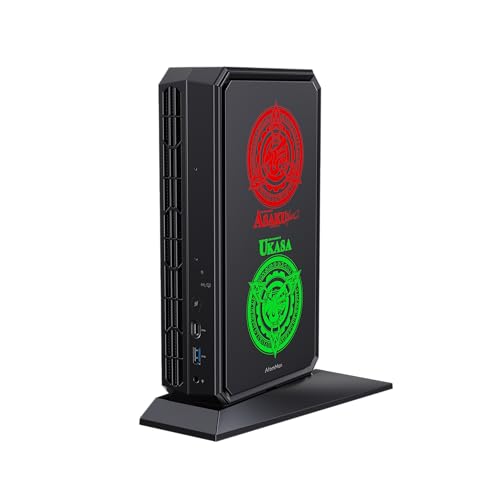
Minisforum AtomMan G7 Pt Mini PC — Ryzen 9 7945HX, Radeon RX 7600M XT, 32GB RAM, 1TB SSD
Who it suits: The home worker who genuinely wants one machine to do both jobs — office by day, a real game stream by night — and who streams somewhere a door can close between the PC and the microphone.
In an office ranking this machine sits fourth. In a streaming ranking it stands first, for a structural reason: it is the only pick whose encoder does not share a chip, a memory bus and a cooling budget with the thing it is encoding. The Radeon RX 7600M XT carries 8GB of its own GDDR6 memory and a 120-watt power envelope, and its RDNA 3 media engine encodes H.264 and HEVC for Twitch today and AV1 for YouTube’s higher-quality ingest — the full modern codec set, on hardware that leaves the processor alone. Behind it sits the strongest sustained multi-core CPU in the guide, the sixteen-core, thirty-two-thread Ryzen 9 7945HX: the game renders on the card, the card encodes the broadcast, and sixteen cores absorb OBS, the browser, chat and the call without queueing. The office specification carries over intact — 32GB of DDR5 in slots accepting up to 96GB, a 1TB SSD with a second M.2 slot free for recordings, HDMI, DisplayPort and USB4 outputs, and wired networking for the cable this guide insists on.
The streaming caveats are the office caveats wearing different clothes, plus one that belongs to this angle alone. AMD’s H.264 encoding at Twitch’s bitrate is visibly softer than NVIDIA’s — at roughly 6,000 kbps the G7 Pt’s Twitch picture is good, not class-leading, and its AV1 is the quality route where the platform accepts it. The card is laptop-class silicon in a desktop-shaped chassis: a real GPU for creative acceleration and honest game streaming, not a workstation or 4K gaming card. And under sustained GPU load its fans are genuinely audible — the base research flags it as one of the two loudest picks here under load, fine in a home office with the door shut and a real consideration if your microphone shares the room and the desk. The power supply is a 300-watt external brick, which matters to cable management rather than to the broadcast. For this pick, check price on Amazon and confirm it sits within this budget tier before you buy. It is the streaming pick of the tier when it does; confirm the configured 32GB/1TB style is selected, because a barebone style also exists in the same listing family.
- Discrete RX 7600M XT with AV1 encode and its own 8GB of memory — the only encoder here that shares nothing with the game.
- Sixteen-core Ryzen 9 7945HX: the set’s deepest simultaneous-load headroom for OBS plus everything around it.
- Memory to 96GB and a second M.2 slot, so the recording archive can grow inside the box.
Honest limitation: Its H.264 at Twitch bitrates is softer than NVIDIA’s NVENC, its fans are audible under sustained GPU load — plan microphone placement accordingly — and the GPU is laptop-class despite the desktop shape.
Choose it if one-box game streaming is the actual plan and your streaming room tolerates fan noise. Skip it if your streams are talk and desktop only — the integrated picks below carry those without a discrete card and with less fan noise — or if your microphone lives a meter from the case with no door between.

Beelink SER9 Pro Mini PC — Ryzen AI 9 HX 370, 32GB RAM, 1TB SSD
Who it suits: The talk, desktop and light-gaming streamer who wants the strongest integrated encoder in the set inside the quietest Windows package — and whose games are the kind an integrated GPU honestly runs.
The SER9 Pro’s Radeon 890M is the most capable integrated graphics in this guide, and its RDNA 3-generation media engine brings the full codec set with it: H.264 and HEVC for today’s Twitch, AV1 encode for YouTube and for Twitch’s Enhanced Broadcasting route. The Ryzen AI 9 HX 370’s twelve cores and twenty-four threads leave real headroom after the encode is paid for — OBS, a browser full of tabs, chat, a call and the shared screen all fit at once, which is the actual shape of a working stream. The machine is also, by reviewer consensus in the base research, among the quieter boxes in its performance class under load, and for a streamer that is not a luxury: it is the difference between a fan that never enters the recording and one the noise gate spends the evening fighting. The desk specification is complete — 32GB of memory, a 1TB SSD, three display outputs, a 2.5 gigabit Ethernet port for the wired rule, Wi-Fi 6, Windows 11 Pro — in a chassis of roughly 0.8 liters.
Its limits are the integrated limits, stated plainly. Rendering and encoding share one chip: a light game at modest settings streams well, a demanding modern title does not — the honest ceiling for one-box game streaming here is older, lighter games, with anything heavier routed to the G7 Pt above or to a console through a capture card, where this machine makes an excellent, quiet stream station. The 32GB of memory is LPDDR5X soldered to the board: enough for this workload for years, permanent for the life of the machine, with a 64GB configuration existing in the range for buyers who already know they need it. One specification disagreement from the base research stays open on purpose: maker material describes two M.2 storage slots while at least one detailed review lists a single slot, so confirm the layout on the live listing if a second drive is part of your recording plan. For this configuration, check the current price on Amazon. When it sits within this budget tier it is the integrated streaming pick; if the live listing sits outside the tier when you check, wait or choose another pick.
- Radeon 890M with AV1 encode — the strongest integrated encoder arrangement in the guide.
- Twelve cores of simultaneous-load headroom behind the encode, in a chassis reviewers place among the quieter in its class.
- Three display outputs and 2.5 gigabit Ethernet: a complete streaming desk without adapters.
Honest limitation: Game rendering and encoding share one chip, so demanding games are beyond its one-box streaming ceiling, and the soldered 32GB of memory is a purchase-time decision that cannot be revisited.
Choose it if your streams are talk, desktop, calls and lighter games, and you want them quiet and AV1-capable from one small box. Skip it if modern game streaming from the same machine is the point — that is the G7 Pt’s job — or if your memory needs are still growing.
Minisforum UM890 Pro Mini PC — Ryzen 9 8945HS, 32GB RAM, 1TB SSD
Who it suits: The heavy-multitasking streamer — three or four monitors, a stream running alongside the working day, virtual machines in the background — who wants a machine that can grow a better encoder later instead of being replaced.
The UM890 Pro streams on the Radeon 780M’s RDNA 3 media engine, which means the same codec set as the SER9 Pro — H.264 and HEVC now, AV1 encode for the platforms that take it — run a generation earlier and, in exchange, surrounded by the most expandable platform in the guide. Minisforum lets the 8945HS draw up to 70 watts — real headroom for an integrated part asked to render and encode at once — and reviewers described its cooling in whisper-quiet terms: this machine can sit near the microphone in a way the G7 Pt under load cannot. The supporting specification reads like a streamer’s checklist: memory in SO-DIMM slots upgradeable to 96GB, two M.2 slots so recordings get their own drive, four display outputs — HDMI, DisplayPort and two USB4 — for the multi-monitor desk, and two 2.5 gigabit Ethernet ports, so the stream’s cable and the home network stop negotiating. Then there is the port no other pick here has: OCuLink, which can connect an external GPU dock later. For a streamer that is not a curiosity; it is the only documented route in this guide by which an integrated pick can grow a discrete encoder without being replaced.
What it gives back against the SER9 Pro is a generation: the 780M is the earlier design, capable rather than class-leading, with the same honest streaming ceiling — talk, desktop and lighter games yes, demanding titles no. This pick sits in the middle of the tier rather than at its top — check price on Amazon for the configured 32GB/1TB listing before you buy — which can leave room in the overall budget for the microphone and lighting the kit section below puts ahead of any processor. One caution travels from the base guide unchanged: Minisforum sells a barebone version under the same model name, so confirm the listing you order is the complete 32GB/1TB system with Windows 11 Pro, not the kit that also exists in the range.
- Radeon 780M with AV1 encode, run at up to 70 watts with cooling reviewers called whisper-quiet.
- Dual 2.5 gigabit Ethernet, four display outputs and memory to 96GB — the deepest supporting cast in the guide.
- OCuLink: the only documented path here to a future discrete encoder via an external GPU dock.
Honest limitation: The 780M is a generation behind the SER9 Pro’s 890M, so its integrated rendering ceiling for one-box game streaming is lower, and the same model name covers a barebone version — order the complete system deliberately.
Choose it if your stream runs alongside a heavy working day, your desk has three or four screens, or you want the upgrade runway. Skip it if the strongest integrated graphics today matter more than tomorrow’s expandability — the SER9 Pro is the better sealed answer.

Beelink SER8 Mini PC — Ryzen 7 8745HS, 32GB RAM, 1TB SSD
Who it suits: The talk-and-desktop streamer recording in a quiet room — a bedroom office, a shared flat, a microphone that hears everything — who wants a full modern encoder well within this budget tier.
In the office guide this machine is the honest stop, the pick that argues against its own budget tier. In the streaming guide it earns a second, distinct distinction: it is the quietest measured machine here, and for a streamer, silence is not comfort, it is signal quality. Independent lab testing recorded around 34.6 dB(A) under full load — Prime95 and FurMark together, a harsher test than any broadcast — among the quietest figures in its class. A fan at that level does not reach the microphone, does not trigger the noise gate, and does not print itself onto every recording you keep. The encoder behind that silence is the UM890 Pro’s Radeon 780M arrangement: RDNA 3 VCN, H.264 and HEVC, AV1 encode included — the full codec set, the one codec trick the two picks below it cannot do. Around it: a Ryzen 7 8745HS with eight cores and sixteen threads, 32GB of DDR5 in upgradeable slots reaching 64GB, a 1TB PCIe 4.0 SSD, three display outputs over HDMI, DisplayPort and USB4, a 2.5 gigabit Ethernet port and Wi-Fi 6.
Its streaming ceiling is the integrated ceiling, stated without decoration: talk, desktop, presentations and lighter games stream from this box honestly; demanding games do not, and there is no OCuLink port, so a later external GPU means the USB4 route or a different machine. Its positioning in the lower part of this budget tier is the streaming budget’s best friend — check price on Amazon — leaving room in the overall budget for the microphone, lighting and webcam that improve a young channel more than any encoder upgrade here. One ordering caution from the base research: this ASIN sits in a multi-configuration listing family, so confirm the live style is the 8745HS with 32GB and 1TB before ordering; smaller configurations exist under the same family name.
- Measured around 34.6 dB(A) under full load — the fan your microphone will never meet.
- Radeon 780M with AV1 encode: the full modern codec set in a pick positioned well within this budget tier.
- Upgradeable memory to 64GB and a 1TB SSD fitted — nothing soldered shut.
Honest limitation: One-box game streaming tops out at lighter titles, and there is no OCuLink port, so its encoder is the one it ships with for life.
Choose it if your streams are voice-first, your room is quiet, and you would rather fund the kit around the machine than the machine itself. Skip it if you need the strongest integrated graphics (SER9 Pro), four monitors and an expansion path (UM890 Pro), or real game streaming (G7 Pt).

Minisforum MS-01 Mini Workstation — Core i9-13900H, 32GB RAM, 1TB SSD
Who it suits: The technical streamer — the developer or home-lab worker whose broadcast is a desktop, a terminal and a stack of virtual machines, or who wants the stream station and the network it runs on to be the same hobby.
The MS-01 encodes through Intel Quick Sync on its Iris Xe graphics, and the reputation is earned: clean, efficient H.264 at Twitch bitrates from a dedicated block that leaves the i9-13900H’s fourteen cores free for the simultaneous load, with HEVC for local recording. What Quick Sync on this silicon does not do is encode AV1 — AV1 here is decode-only — so this pick’s ceiling on YouTube’s preferred codec is a hard line, stated in the encoder map and repeated here so it cannot be missed in editing or in buying. Everything else is infrastructure a streamer can use: two 10 gigabit SFP+ ports and two 2.5 gigabit ports — one with Intel vPro remote management — make it the best-networked pick here by a distance, and three M.2 slots plus U.2 support give recordings a runway no sealed pick matches. Memory reaches an official 64GB ceiling; a PCIe slot wired at x8 accepts half-height single-slot cards — with the caution that reviewers found some cards that never initialized, so treat it as a bonus for known-compatible hardware; two USB4 ports plus HDMI cover three displays.
Two facts from the office guide follow it into this ranking and both bite streamers specifically. The first is noise: measured at 42 to 45 dB(A) under full CPU load, it is the loudest machine here, and a loud machine near a microphone is a broadcast defect — this pick belongs in a closet or another room, run over its own excellent networking and vPro management, which is precisely the life it was designed for. The second is fit for this budget: check the current price on Amazon for the 32GB/1TB configuration, because this listing does not always sit within this guide’s budget tier. The rule is the strictest in the guide and it is not decoration: buy it only when the live price on Amazon sits within this budget, and treat the wait as part of the recommendation. Bought right, by the right person, it is a stream infrastructure box that also runs a desktop; bought by a talk streamer with a desk microphone, it is the most specialized wrong answer in the guide.
- Quick Sync H.264 encoding on a dedicated block, with fourteen cores left for everything else.
- Dual 10 gigabit networking, vPro remote management and three M.2 slots — the set’s best stream infrastructure.
- Memory to 64GB and a PCIe slot for known-compatible low-profile cards.
Honest limitation: No AV1 encode — Quick Sync here is H.264 and HEVC only — it is the loudest pick under load, and its live Amazon price does not always sit within this budget — check price on Amazon and buy it only when it does.
Choose it if your streams are technical desktops and virtual machines, your network is part of the project, and the machine can live away from the microphone. Skip it if AV1 matters to your platform plans, your mic shares the desk, or the live price on Amazon sits outside this budget when you check — the AMD picks encode more codecs and run with less noise.

Apple Mac mini Desktop Computer — M4 Chip, 24GB Unified Memory, 512GB SSD
Who it suits: The Apple-based presenter whose stream is a talk, a keynote-style desktop and a camera — and who values a silent, polished machine over codec flexibility and storage room.
Judged purely as a box that encodes, the Mac mini has real virtues, stated here before its limits. Apple’s media engine gives OBS on macOS a hardware H.264 and HEVC encoder — VideoToolbox — that handles a talk or desktop broadcast without troubling the ten-core M4, in the quietest, most finished-feeling chassis in the guide: a five-inch-square aluminum box that will never once be heard on its own recordings. The configuration here is the 24GB memory, 512GB storage model — check price on Amazon, and note that it is positioned within this budget tier rather than at its top. Three Thunderbolt 4 ports and HDMI drive up to three displays, with gigabit Ethernet fitted (10 gigabit is a purchase-time option) and Wi-Fi 6E for everything except the stream itself, which runs on the cable.
For a streaming guide, though, its structural limits are the story, and they are the same limits the office guide flagged, sharpened by the angle. There is no AV1 encode on this chip — AV1 is decode-only — so the codec route YouTube increasingly rewards is closed to it. Memory and storage are fixed at purchase forever, and the storage figure is the streaming problem in miniature: 512GB is a small lifetime allowance for local recordings, so plan on the machine plus an external drive, bought as a separate fix rather than assumed as included. The macOS ecosystem is the third limit — OBS runs well, but the capture-device and plugin landscape is thinner than on Windows, and console capture should be verified device by device before money moves. None of this makes it a bad machine; it makes it a talk-station with a ceiling — silent and pleasant for an Apple household, and the shortest runway here for a channel expected to grow.
- Hardware H.264 and HEVC encoding through Apple’s media engine, in the quietest chassis here.
- M4 performance far beyond a talk or desktop broadcast’s needs, with three-display support.
- 24GB configuration positioned within this budget tier — check the current price on Amazon.
Honest limitation: No AV1 encode, memory and storage fixed forever — 512GB is tight for recordings, so budget an external drive as part of the purchase — and the macOS capture and plugin ecosystem is thinner than Windows.
Choose it if your stream is talk and desktop, your world is Apple’s, and silence is the specification you feel. Skip it if AV1, recording storage or capture hardware growth are in your plans — the AMD picks above cover all three.

Comparison Table
| Product | Processor / Graphics | Encoder (from documented silicon) | Best streaming use | Link |
|---|---|---|---|---|
| Minisforum AtomMan G7 Pt | Ryzen 9 7945HX / RX 7600M XT 8GB | RDNA 3 VCN — H.264, HEVC, AV1 encode, on a discrete card | One-box game streaming; the set’s strongest arrangement | Check on Amazon |
| Beelink SER9 Pro | Ryzen AI 9 HX 370 / Radeon 890M | RDNA 3.5 VCN — H.264, HEVC, AV1 encode, integrated | Talk, desktop and light games, quietly | Check on Amazon |
| Minisforum UM890 Pro | Ryzen 9 8945HS / Radeon 780M | RDNA 3 VCN — H.264, HEVC, AV1 encode, integrated | Multitasking streams, four monitors, future eGPU encoder | Check on Amazon |
| Beelink SER8 | Ryzen 7 8745HS / Radeon 780M | RDNA 3 VCN — H.264, HEVC, AV1 encode, integrated | Quiet-room talk and desktop streaming, value first | Check on Amazon |
| Minisforum MS-01 | Core i9-13900H / Iris Xe | Quick Sync — H.264, HEVC encode; AV1 decode only | Technical streams, VMs, best networking — closet placement | Check on Amazon |
| Apple Mac mini M4 | Apple M4 / 10-core GPU | Apple media engine — H.264, HEVC encode; AV1 decode only | Silent talk and desktop streams inside macOS’s limits | Check on Amazon |
Setting Up OBS on These Machines
Whichever pick you buy, the broadcast is configured in OBS the same way, and the settings matter more than the differences between these encoders. Work through this before your first public broadcast.
- Choose the encoder your pick actually has. On the G7 Pt, select the RX 7600M XT’s hardware encoder — the discrete card, not the processor’s integrated graphics. On the SER9 Pro, UM890 Pro and SER8, select the AMD hardware encoder (the 890M or 780M’s VCN). On the MS-01, select Quick Sync. On the Mac mini, select the Apple VT hardware encoder. On every pick, software x264 is the fallback you use to diagnose a problem, not the encoder you plan a channel on.
- Set the platform’s shape, not your hopes. For Twitch: constant bitrate around 6,000 kbps, keyframe interval of 2 seconds, 1080p60 output at most — the platform’s standard shape, and the one every encoder in this guide is graded at. For YouTube you may raise the bitrate, stream at 1440p, and — on the AMD picks only — select AV1, where their codec advantage is actually paid out. Twitch’s AV1 route runs through Enhanced Broadcasting, not a simple encoder toggle.
- Learn the three lag counters, because each has a different fix. OBS reports rendering lag, encoding lag and network dropped frames separately, and confusing them wastes evenings. Rendering lag means the graphics are saturated — lower the game’s settings or cap its frame rate so the encoder’s chip has room; on the integrated picks this is the counter that ends arguments about demanding games. Encoding lag means the encoder itself is overdrawn — step the output down to 720p, or move the encode to the discrete card on the G7 Pt, before touching anything else. Network drops are never the encoder’s fault: they are the connection, and their fix is the next rule.
- Run the stream on a cable. Every pick has wired Ethernet — 2.5 gigabit on the AMD machines, dual 10 gigabit on the MS-01, gigabit on the Mac mini — and the stream uses it, whatever the Wi-Fi specification says. A broadcast that stutters because a housemate started a download is a self-inflicted wound.
- Separate the recording from the stream. Record locally at higher quality than the broadcast where the encoder allows it — the G7 Pt’s discrete card and the MS-01’s Quick Sync block absorb this most easily — to the storage you planned for: a second M.2 slot on the Minisforum picks, an external drive on the Mac mini.
- Rehearse for one hour inside the return window. Stream privately, at full settings, with the game or desktop, the call, the browser and chat all running, and watch the three counters. Every pick was graded for exactly this load; the rehearsal confirms your unit, your room and your connection before the return window closes.
What the Rest of the Streaming Kit Costs You
No pick’s price includes a single piece of streaming kit; this section exists so the extras are budgeted as extras — the machine plus its kit, never a pick quietly re-priced. We quote no accessory prices, because we verified none; what follows is the order to buy in.
- A microphone comes first. Viewers forgive a soft picture years before they forgive bad audio, and every encoder judgement in this guide is wasted behind a laptop-grade microphone. A proper USB or XLR microphone, placed close, is the first purchase — and it is why the SER8’s measured quietness and the MS-01’s documented loudness are graded as streaming facts in this guide: the microphone hears the room the machine lives in.
- Lighting comes second. A single decent light on your face does more for a talk or desktop stream’s perceived quality than any codec in this guide, AV1 included — buy it before a better webcam.
- A webcam comes third. Only after the microphone and the light. The camera in a well-lit room outperforms a premium camera in a dim one, which is why it ranks third despite being the item most beginners buy first.
- A capture card is console-only. If your games live on a PC, you need no capture card — the picks capture their own screens. A card enters the budget only when a console (or second PC) is the games machine and one of these picks is the dedicated stream station, a second job the quiet AMD minis and the MS-01 suit well. On the Mac mini, verify the specific device’s macOS support first; compatibility there is model-by-model.
How to Choose a Home Office PC for Streaming Under $1,200
- Decide what the stream actually is. Talk, desktop, calls and presentations stream honestly from every pick here. Games from the same box narrow the field to the G7 Pt for demanding titles, the integrated AMD picks for lighter ones. Console games make any quiet pick a station with a capture card. Name the format first; the ranking follows.
- Buy the encoder before the processor. The codec set is fixed by the graphics silicon for the life of the machine: AV1 encode exists here only on the AMD RDNA 3-generation picks, Quick Sync on the MS-01 is H.264 and HEVC only, and the Mac’s engine has no AV1 encode. If AV1 is in your platform plan, that single fact eliminates two of the six picks before price is discussed.
- Count the cores the stream leaves behind. OBS, chat, a browser and a call run beside the encode. Sixteen cores (G7 Pt), twelve (SER9 Pro) and fourteen (MS-01) are simultaneous-load headroom; the eight-core picks are comfortable for talk formats and tighter for everything-at-once game streams.
- Treat noise as a microphone specification. The measured spread in this guide runs from about 34.6 dB(A) (SER8) to 42–45 dB(A) (MS-01) under load. If the machine shares a room and a desk with your microphone, rank that gap as heavily as any codec; if it can live in a closet, the MS-01’s networking starts to argue back.
- Plan recording storage like a streamer, not an office worker. Hours of local recordings are the office workload’s opposite. A second M.2 slot (UM890 Pro, G7 Pt, MS-01) turns growth into a drive purchase; the Mac mini’s fixed 512GB turns it into an external drive bought on day one — planned as machine plus a separate drive, honestly, in either case.
- Wire it, whatever the Wi-Fi badge says. Every pick has Ethernet and the stream runs on it; the networking that remains — dual 2.5GbE, dual 10GbE — is household infrastructure, not a streaming feature.
- Hold the budget check. Check the current price on Amazon for the MS-01 and the SER9 Pro before you buy, because those listings do not always sit within this budget tier. Buy either only when its live price sits within this guide’s budget; patience in checking outperforms any specification here. Readers building a dedicated streaming machine rather than an office hybrid should also compare Best Streaming PC Under $1200.
- Spend what is left on the kit, in order. Microphone, lighting, webcam, capture card only for consoles. A SER8 with a real microphone out-streams a top-of-tier machine behind a headset mic, and this guide’s rankings assume the kit order is respected.
Common Buying Mistakes
- Assuming every modern PC encodes AV1. Two of these six cannot encode it at all — the MS-01’s Quick Sync and the Mac’s media engine are H.264/HEVC encoders with AV1 decode only — and the same trap waits in gaming towers: a desktop RTX 3050 or 3060 is Ampere silicon with no AV1 encode, whatever a headline implies.
- Buying the office ranking instead of the streaming one. The best office machine here and the best streaming machine are different picks, because the encoder and the microphone change the grading. That reshuffle is the entire point of this guide.
- Buying without checking whether the live listing still fits this budget. Check price on Amazon for the MS-01 and the SER9 Pro in particular; ignoring the budget check stated in their reviews is an easy way to overspend in this category.
- Putting the loud machine beside the microphone. The MS-01 at 42–45 dB(A) under load and the G7 Pt under sustained GPU load are both fine machines in the wrong acoustic place. Streaming punishes fan noise in a way office work never does.
- Streaming on Wi-Fi because the box advertises Wi-Fi 6E. Every pick here has wired Ethernet. The stream goes on the cable; the specification sheet’s wireless generation is irrelevant to your dropped frames.
- Ordering the barebone or smaller twin. The UM890 Pro and G7 Pt both have barebone styles in their listing families, and the SER8’s family includes smaller configurations. A price that looks like a bargain is sometimes a kit without memory, storage or Windows — check the configuration line before paying.
- Buying the capture card for PC games. A capture card is console equipment. PC picks capture their own output; the card’s budget belongs to the microphone until a console enters the setup.
- Recording to a nearly full drive. The Mac mini’s 512GB is the extreme case, but every pick’s archive needs a plan — a second slot or an external drive — before the first long session, not after the first lost one.
Final Recommendation
- One-box game streaming: Minisforum AtomMan G7 Pt — the only discrete encoder here, with sixteen cores behind it.
- Talk, desktop and light games, quietly: Beelink SER9 Pro — the strongest integrated encoder in the set.
- Multitasking and multi-monitor streams: Minisforum UM890 Pro.
- Quiet rooms and young channels: Beelink SER8, with the savings spent on a microphone.
- Technical streams and home-lab networks: Minisforum MS-01 — only when its live Amazon price sits within this budget, and not beside the microphone.
- Apple-based talk streams: Apple Mac mini M4, bought knowing its codec and storage ceilings.
Our top two for this budget are the Minisforum AtomMan G7 Pt, for the only streaming arrangement here that shares nothing with the game it broadcasts, and the Beelink SER9 Pro, for the strongest integrated version of the same codec set in a quieter, smaller box. Between them they cover the two honest shapes of this search: stream games from the machine, or stream everything else from it. Talk-and-desktop streamers will find the SER8 the value answer — the same AV1-capable encoder family, measured-quiet, positioned well within this budget tier — and readers still settling their tier should compare Best Home Office PC Under $800 first. Check the live price before you order, hold the budget check where this guide draws it, run the stream on a cable, and rehearse for an hour before your first public broadcast.
Frequently Asked Questions
Which of these PCs can encode AV1 for streaming?
The AMD RDNA 3-generation picks: the G7 Pt’s RX 7600M XT, the SER9 Pro’s 890M, and the 780M in the UM890 Pro and SER8. The MS-01’s Quick Sync and the Mac’s media engine encode H.264 and HEVC only — AV1 is decode-only on both. No pick here has an NVIDIA encoder, so NVENC is unavailable in any generation.
Can I stream games and play them on the same machine?
On the G7 Pt, yes — the one pick built for it, its discrete GPU encoding while sixteen cores run the game and the supporting software. On the integrated AMD picks, lighter and older games stream honestly; demanding titles do not — the truthful routes are the G7 Pt, a console feeding the mini through a capture card, or cloud gaming. The MS-01 and Mac mini are talk-and-desktop stations here.
Why is there no NVENC in a streaming guide?
Because none of these six machines contains an NVIDIA graphics card — they are the verified home office picks at this budget, re-graded for streaming rather than replaced. If NVENC is a requirement rather than a preference, the honest move is a gaming-PC guide — and if you cross-shop those, remember a desktop RTX 3050 or 3060 is Ampere silicon whose NVENC has no AV1 encode.
Is the Mac mini a good streaming PC?
For talk and desktop broadcasts inside Apple’s ecosystem, yes — silent, with a hardware H.264/HEVC encoder that handles the format easily. As a growing channel’s machine it has the shortest runway here: no AV1 encode, 512GB of fixed storage, a thinner capture-device landscape on macOS. Buy it for the stream you have, not the one you are planning.
Does fan noise really matter for streaming?
It is the specification your audience hears: the measured spread here runs from about 34.6 dB(A) for the SER8 under full load to 42–45 dB(A) for the MS-01, and the G7 Pt’s fans are audible under sustained GPU load. A noise gate hides a quiet fan between sentences; a loud one prints onto the recording itself. Place the machine for the microphone first, the desk second.
The MS-01 is listed outside this budget when I check. Should I buy it anyway?
Not on this guide’s advice: check the current price on Amazon, and if it sits outside this guide’s budget when you check, its streaming case does not improve by overspending. Wait until its live price sits within this budget, and let the AMD picks’ AV1 encoders argue in the meantime.


