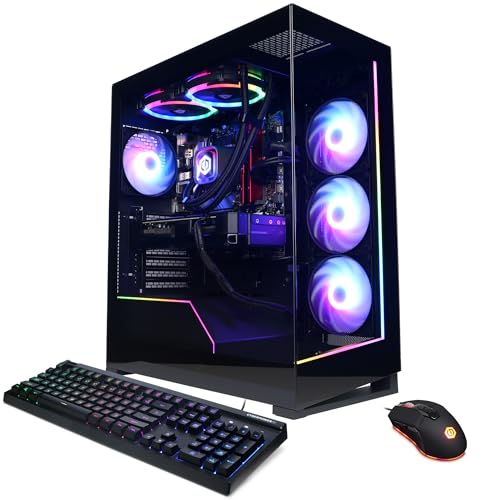
Where to buy
Check the latest price, availability and delivery on Amazon. Orders are placed on Amazon. We may earn a commission from qualifying purchases.
- Best overall for 1440p: CyberPowerPC Gamer Supreme Liquid Cool, Ryzen 7 7800X3D, RTX 4070 Ti Super — Check on Amazon
- ZOTAC MEK Hero A7748S, Ryzen 7 7700X, RTX 4080 Super — Check on Amazon
- iBUYPOWER Y40 PRO, Ryzen 9 7900X, RTX 5070 Ti — Check on Amazon
- CyberPowerPC Gamer Xtreme VR Liquid Cool, Core i7-14700KF, RTX 4070 Super — Check on Amazon
See 2 more Amazon options
- Skytech Omega, Ryzen 7 7800X3D, RTX 4070 Super — Check on Amazon
- MSI Codex Z2, Ryzen 7 8700F, RTX 5070 — Check on Amazon
Read the full guide ↓
Disclosure: As an Amazon Associate, reviewstook.com earns from qualifying purchases. Links to Amazon on this page are affiliate links; they cost you nothing extra. Listing details such as price and availability change often, so check the current Amazon listing before you buy.
Every PC in this guide can put a 1440p picture on your monitor. That sentence is true of a basic office mini, and it is exactly why it tells you nothing. Displaying 2560×1440 is a cable-and-panel question; rendering a game at 2560×1440, frame after frame, at high settings and high refresh, is a graphics-card question — and the gap between the two is where most 1440p buying mistakes live. A machine that lights up a 1440p screen may be rendering your game at 1080p, or lower, and upscaling the result. Sometimes that trade is invisible and entirely worth making. Sometimes it is the whole reason a “1440p gaming PC” feels soft and smeared the moment you sit down with it. This guide exists to grade the difference, pick by pick, at this high-end tier.
The good news first: in this tier, honest native 1440p is not a stretch goal — it is the floor. The resident specification at this budget is RTX 4070 Ti Super-class performance, a card that renders demanding games natively at 2560×1440 with high refresh to spare, and every one of the six systems below carries a card that renders 1440p natively in most or all current titles. What separates them is what happens at the edges: the heaviest ray-traced releases, where upscaling stops being a compromise and becomes the sensible default; the step up to a 4K panel, where every card here renders below the panel’s resolution and reconstructs; and the 16GB-versus-12GB VRAM split, which decides how long native 1440p at ultra textures stays available before settings start negotiating. DLSS appears throughout this guide, but in its correct role at this tier: headroom and a 4K route, not a crutch a machine in this tier needs to reach its own headline resolution. Where a DLSS figure is printed, it is NVIDIA’s published internal rendering resolution for that mode, attached to the card it belongs to — never borrowed, never rounded into a promise.
One more piece of tier honesty before the picks. The strongest current-generation card, the RTX 5070 Ti, sits in a premium tier at typical positioning and reaches this budget only when its live price drops into it — check price on Amazon before assuming it fits; the RTX 5080 does not reach this budget at all, because complete 5080 systems sit in a higher premium tier altogether. Several picks below are therefore conditional on their live price fitting this budget, and each review states that condition plainly. Below: the quick picks with a printed 1440p verdict for each machine, the rendering audit behind them, six detailed reviews, a comparison table, a monitor-pairing section, a buying checklist, the mistakes that waste money at this resolution, and the questions 1440p shoppers ask before committing.
In this guide
Quick Picks
Short on time, or comparing several options at once? Each row names a buyer type, the system that suits it, and its 1440p verdict — whether it renders games natively at 2560×1440 or leans on upscaling.
| Buyer type | Pick | 1440p verdict | Link |
|---|---|---|---|
| Best overall for 1440p | CyberPowerPC Gamer Supreme Liquid Cool (SLC8480A3) | Native — RTX 4070 Ti Super 16GB renders 1440p at high refresh without help | Check on Amazon |
| Strongest card | ZOTAC MEK Hero A7748S | Native outright — RTX 4080 Super 16GB; 1440p is below its ceiling | Check on Amazon |
| Best current generation | iBUYPOWER Y40 PRO | Native — RTX 5070 Ti 16GB with DLSS 4 held in reserve | Check on Amazon |
| Best for gaming plus production | CyberPowerPC Gamer Xtreme VR Liquid Cool (GXiVR8760A4) | Native — RTX 4070 Super 12GB renders 1440p natively | Check on Amazon |
| Best value when discounted | Skytech Omega | Native — RTX 4070 Super 12GB; check price on Amazon | Check on Amazon |
| Best Blackwell option | MSI Codex Z2 | Native in most titles — RTX 5070 12GB; upscaled in the heaviest | Check on Amazon |
How These Picks Were Chosen
Two audits ran before any ranking. The first is the budget audit used across this batch of guides: every system below was selected to fit this guide’s budget tier, and where a listing is typically positioned in a higher tier, the review says so plainly and advises you to check price on Amazon before buying. Memory and SSD costs climbed hard through late 2026 and prebuilt listings followed, so several strong systems in this class now sit in higher tiers for much of the year and visit this budget only during sales. A guide that pretended a sale positioning is the everyday positioning would mislead you; a guide that excluded every price-conditional system would have almost nothing true left to recommend.
The second audit is the one this angle adds: a rendering audit. Each pick was graded on what its graphics card actually renders at a 1440p output setting — not what its listing’s headline resolution says, and not what frame-generation marketing implies. The questions, in order: does the card hold native 2560×1440 rendering at high settings in demanding current titles, or only in lighter ones? What does its upscaling path honestly look like — which DLSS modes exist on its silicon, and what internal resolution does each mode actually render? How much VRAM stands behind the native claim, since a card can render 1440p today and still be forced down to upscaled rendering by texture budgets two release cycles from now? And what is its honest route to a 4K panel, because at this tier many buyers are one monitor upgrade away from asking? We did not use these systems ourselves; the grading rests on maker listings, specification pages, published deal records and the graphics cards’ published rendering specifications, compared card class against card class.
The audit’s outcome shapes the whole guide. All six cards are RTX Ada or Blackwell parts with Tensor cores, so DLSS belongs to all six and is denied to none — there is no integrated-graphics pick in this set to make that distinction for. The real spread is elsewhere: three cards carry 16GB of VRAM and three carry 12GB; two are current-generation Blackwell and four are Ada; and one card — the 4080 Super — renders 1440p so far inside its capability that the interesting question for it is 4K. The verdicts printed in the tables and reviews use three grades. Native means the card renders 2560×1440 itself at high settings in demanding titles. Native in most titles means native rendering is the default and upscaling is the heaviest games’ exception. Upscaled would mean the 1440p picture is routinely reconstructed from a lower internal render — and no pick in this guide earns that grade at 1440p, which is precisely what this budget is supposed to buy. Upscaling still matters here, at 4K and in ray-traced extremes, and the reviews grade those cases individually rather than letting a single label do all the work.
Rendering 1440p vs Displaying 1440p: The Distinction This Guide Grades On
A 1440p frame contains 2560 × 1440 = roughly 3.69 million pixels. A 1080p frame contains roughly 2.07 million. Rendering at native 1440p is therefore about 78 percent more pixel work per frame than 1080p — before ray tracing, before texture resolution, before any of the settings that make modern games heavy. When a system “runs 1440p,” one of three things is actually happening. It may be rendering all 3.69 million pixels itself, every frame: that is native rendering, and it is the sharpest, most stable picture. It may be rendering fewer pixels and reconstructing the rest with an upscaler: DLSS, on these NVIDIA cards, renders internally at a lower resolution and rebuilds a 1440p output using temporal data and AI inference — at its Quality mode, a 1440p output is rendered internally at approximately 1707×960; at Balanced, approximately 1485×836; at Performance, approximately 1280×720, which is below a native 1080p render and looks it on close inspection. Or the game may simply be running at a lower output resolution that the monitor stretches to fill its panel, the softest option of the three and the one no buyer should accept unknowingly.
None of this makes upscaling a cheat. DLSS at Quality is genuinely difficult to distinguish from native rendering in motion, and it is the correct tool in two situations this tier meets constantly: ray-traced titles whose native cost is unreasonable on any card, and 4K panels, where a 1440p output’s internal resolutions become the working numbers — DLSS Quality at a 4K output renders internally at approximately 2560×1440, which is to say a card in this guide driving a 4K screen at Quality is doing exactly the native-1440p rendering work it was graded on, and DLSS Performance at 4K renders internally at approximately 1920×1080. Read those two figures carefully, because they are the most commonly garbled numbers in this entire category: 1920×1080 is the internal render of DLSS Performance at 4K output, never of Quality. Frame generation is a separate technology again — it inserts generated frames between rendered ones to raise the displayed rate, which smooths motion without reducing the rendering cost of each real frame, and it is graded in these reviews as presentation, never as rendering capability.
FSR, AMD’s upscaler, is credited in this guide only generically: it exists as a fallback in titles without DLSS support, and no internal-resolution figures are printed for it, because the base research for these systems documents none and FSR’s scaling is not DLSS’s scaling. Conflating the two upscalers’ numbers is a common listing-page trick; it does not appear here.
The 6 Best High End Gaming PCs for 1440p Gaming Under $2,000
CyberPowerPC Gamer Supreme Liquid Cool, Ryzen 7 7800X3D, RTX 4070 Ti Super (SLC8480A3)
Who it suits: The high-refresh 1440p gamer who wants native rendering as the default state of the machine — no upscaling dependency, no deal lottery.
1440p verdict: Native. The RTX 4070 Ti Super is the card this tier honestly lives on, and its 1440p claim needs no assistance. Built on the larger Ada die with a 256-bit memory bus and the full 16GB of VRAM the plain 4070 Ti never received, it renders demanding current titles natively at 2560×1440 at high settings and high refresh, and in competitive titles the GPU simply stops being the limiting factor. DLSS on this card is what it should be in this tier: an option you reach for in the heaviest ray-traced releases, where DLSS Quality’s internal render of approximately 1707×960 buys back the ray-tracing budget, or on a 4K panel, where DLSS Quality renders internally at approximately 2560×1440 — the same native workload, reconstructed upward. A buyer who never enables upscaling at 1440p loses nothing essential on this machine, and that sentence cannot be written about most PCs sold under a 1440p headline.
The supporting specification protects the verdict over time. The 16GB frame buffer is the longevity line in this guide: texture budgets at 1440p ultra already lean on 12GB in current releases, and the Ti Super’s extra memory is what keeps native rendering — rather than a retreat to upscaling or medium textures — available in the games of two and three years from now. Behind the card, the Ryzen 7 7800X3D’s stacked cache remains the gaming-first CPU choice in this class, and CyberPowerPC’s liquid-cooled Supreme trim ships the complete configuration this batch’s research verified: 32GB of DDR5 and a 2TB PCIe Gen4 SSD, no line item requiring an immediate upgrade. Its positioning is the calmest among the top picks: it is the resident anchor of this tier rather than a price-conditional guest in it — check price on Amazon for current pricing.
The honest caveats are generational. The 4070 Ti Super is an Ada card: its DLSS upscaling and frame generation are the previous generation’s implementation, without Blackwell’s multi frame generation, and as a discontinued configuration it is increasingly a clearance item — when the stock clears, this exact machine disappears and its replacement will be a 5070-class system a step slower in raw rendering. Buyers weighting the newest feature set over rendering strength should read the Y40 PRO’s review below. Buyers whose question is “what renders my 1440p games, natively, for the longest time, within this budget” have their answer here.
- RTX 4070 Ti Super 16GB — native 1440p at high refresh, with DLSS as headroom rather than necessity.
- 16GB VRAM and a 7800X3D: the combination that keeps native rendering available longest.
- Resident anchor of this budget tier — check price on Amazon for current pricing.
Honest limitation: A previous-generation, increasingly clearance configuration — its DLSS feature set is the older one, and once stock clears, this exact specification disappears.
Choose it if native 1440p rendering is the requirement and you want it met without watching prices. Skip it if the current generation’s features matter more to you than raw card strength — that is the Y40 PRO’s argument, on deal terms.

ZOTAC MEK Hero A7748S, Ryzen 7 7700X, RTX 4080 Super
Who it suits: The buyer for whom 1440p is not the ambition but the warm-up — the strongest rendering card in this guide, bought at its deal price, with a memory shortfall to fix.
1440p verdict: Native outright. The RTX 4080 Super does not have a 1440p question. With 16GB of GDDR6X on the full-fat Ada die one step below the 4090, it renders 2560×1440 natively at high settings with headroom that borders on waste, and its real grading territory is the next resolution up: on a 4K panel, DLSS Quality’s internal render of approximately 2560×1440 is work this card does casually, and even native 4K rendering in lighter titles sits inside its capability. If your monitor plan includes 4K within this machine’s life, this is the only pick whose graphics card was built for that conversation. ZOTAC positions the MEK Hero A7748S — built around its Trinity Black Edition 4080 Super — as a premium system in a higher tier, so it belongs in this guide only when its live price fits this budget. Check price on Amazon before ordering, and treat that check as the deciding step: if the live price sits above this budget, it belongs to the next guide up.
The rest of the build divides cleanly into spent and saved. Spent: a 240mm liquid cooler on the Ryzen 7 7700X, an 800W 80+ Gold power supply published in the launch specification, Wi-Fi 6E, 2.5-gigabit Ethernet, US hand-assembly and a three-year warranty on the graphics card. Saved: memory and storage. The system ships with 16GB of DDR5-4800 where 32GB is this tier’s standard, and a 1TB SSD where 2TB is the comfortable size. Neither shortfall touches the rendering verdict — the card’s own 16GB of VRAM is what 1440p textures draw on — but system memory at 16GB will pinch the gaming-plus-anything workload within the machine’s first years, and a second memory kit belongs in the real budget from day one. ZOTAC reached this tier by trimming exactly the two line items an owner can upgrade in twenty minutes, rather than the one component that decides the next five years. As strategies go, that is the right way round.
Treat this budget as a hard walk-away line, verify the live configuration and check price on Amazon before ordering, and if the live price sits in a higher tier, the CyberPowerPC above delivers native 1440p with none of the shortfalls inside this budget.
- RTX 4080 Super 16GB — the strongest rendering card in this guide; 1440p native is below its ceiling.
- The credible 4K route in this set: DLSS Quality at 4K renders internally at approximately 2560×1440.
- Published 800W Gold power supply, 240mm liquid cooling, three-year GPU warranty.
Honest limitation: A machine in this tier shipping with 16GB of DDR5-4800 and a 1TB drive has trimmed the two easiest upgrades to reach its positioning — and it is typically positioned in a higher tier, so the pick applies only when the live listing fits this budget; check price on Amazon.
Choose it if the graphics card outranks everything and a 4K panel is in your future. Skip it if the live price has drifted above this budget, or you want a balanced, finished system rather than a card with a memory upgrade attached.

iBUYPOWER Y40 PRO, Ryzen 9 7900X, RTX 5070 Ti (Y40BA9N57T01)
Who it suits: The buyer who wants the current generation’s rendering and upscaling technology — a 5070 Ti with DLSS 4 — and the twelve-core CPU to produce with, bought only when the price visits this budget.
1440p verdict: Native. The RTX 5070 Ti renders 1440p natively as a matter of course: 16GB of GDDR7, raster strength a clear step above the anchor pick, and high-refresh headroom in demanding titles without any upscaling involved. What the current generation adds is not the native verdict — the older cards earn that too — but the quality of everything beyond it. DLSS 4’s upscaling is the benchmark implementation, and its multi frame generation changes what displayed smoothness means on a high-refresh 1440p monitor: rendered frames are supplemented by generated ones, so the picture a 240Hz-class panel shows can run well past the card’s rendered rate. That is presentation, not rendering, and this guide grades it as such — but as presentation it is genuinely valuable, and it is available on no other pick here except the Codex Z2’s lesser card. On a 4K panel the same story holds at one remove: DLSS Quality renders internally at approximately 2560×1440, native-1440p-class work, and multi frame generation carries the displayed rate from there.
The framing has to precede the enthusiasm, because this pick’s relationship with this budget is conditional. At typical positioning the 5070 Ti tier sits above this guide, in a premium tier of its own. What earns its place here is that its live price does sometimes drop into this budget during major sales. The recommendation is mechanical: when its live price fits this budget — check price on Amazon — this is arguably the best buy in the guide; when it sits above this budget it is a Best High End Gaming PC Under $2500 machine and should be compared there. Behind the card, the Ryzen 9 7900X’s twelve cores are the correct answer for buyers who also stream, edit or render — in pure gaming the 7800X3D picks edge it, and in a week that includes production this is the better-balanced machine. The supporting specification is complete: 32GB of DDR5 RGB, a 2TB NVMe drive, keyboard and mouse included.
Deal windows at this level are measured in days and the deepest drops are seasonal events. A buyer who needs native 1440p this week within this budget should treat the CyberPowerPC at the top of this guide as the plan and this machine as the opportunistic upgrade: set a price alert, know your walk-away limit in advance, and do not let a countdown timer talk you into paying a higher-tier price.
- RTX 5070 Ti 16GB GDDR7 — native 1440p with the current DLSS generation held in reserve.
- DLSS 4 multi frame generation: displayed smoothness beyond the rendered rate, graded as presentation.
- Ryzen 9 7900X: twelve cores for streaming, editing and rendering alongside gaming.
- Fits this guide only when its live price drops into this budget — check price on Amazon.
Honest limitation: At its typical premium positioning this machine is simply not in this guide’s budget — everything above applies only when its live price fits this budget, and those windows are short, seasonal and gone without notice.
Choose it if you can wait for the price and want the newest rendering platform with a producer’s CPU. Skip it if you are buying this week at a fixed budget — the anchor pick delivers the same native verdict with no lottery attached.

CyberPowerPC Gamer Xtreme VR Liquid Cool, Core i7-14700KF, RTX 4070 Super (GXiVR8760A4)
Who it suits: The gaming-plus-production buyer who wants Intel’s many-core answer in this tier — twenty threads for the work week, native 1440p for the weekend — with current pricing to check on Amazon before ordering.
1440p verdict: Native. The RTX 4070 Super renders 2560×1440 natively at high settings across current titles — high refresh in competitive games, comfortably high frame rates in demanding ones — and its upscaling path is the same honest Ada implementation as the anchor pick’s: DLSS Quality at a 1440p output renders internally at approximately 1707×960 for the ray-traced titles that ask for it, and on a 4K panel DLSS Quality’s internal render of approximately 2560×1440 makes it a workable, knowingly-upscaled 4K machine. Where this card’s verdict carries an asterisk the anchor’s does not is memory: 12GB of VRAM, against 16GB on the three picks above. Today that changes nothing about the native grade. Across a four- or five-year ownership it is the specification most likely to force the first compromise — an ultra texture setting traded down, or DLSS moved from optional to default, in a future release whose texture budget outgrows the buffer. Buyers on a shorter upgrade cycle can rationally ignore that; buyers keeping a machine for years should weigh it at full size.
The CPU is the pick’s reason to exist, and it is a fork, not a ranking. The Core i7-14700KF — eight performance cores and twelve efficiency cores — concedes a little to the 7800X3D systems in cache-sensitive games and takes it back the moment the machine encodes a stream in software, compiles, renders or edits: the extra threads are the difference between a PC that games and a PC that works. One display note belongs with this chip: the KF suffix means no integrated graphics, so every monitor this machine drives connects through the graphics card’s outputs — which is where they should be connected anyway, but it removes the fallback port some buyers use for a secondary screen. The supporting specification is complete and liquid-cooled: 32GB of DDR5 and a 2TB Gen4 SSD. Its positioning is the quiet strength — it sits in this tier as an everyday option rather than a seasonal deal guest, which makes this the most powerful many-core configuration in the guide plausibly purchasable on an ordinary day; check price on Amazon for current pricing. Stock can be thin, and CyberPowerPC reuses its case families across very different specifications: confirm the model number GXiVR8760A4 and the 4070 Super on the live page before ordering.
- RTX 4070 Super 12GB — native 1440p rendering in this budget tier; check price on Amazon.
- Core i7-14700KF: 8 performance + 12 efficiency cores for gaming plus real production work.
- 32GB DDR5 and 2TB storage — the complete supporting spec, liquid-cooled.
Honest limitation: Twelve gigabytes of VRAM is the tightest graphics memory among this guide’s leading picks, and every one of the CPU’s extra threads is wasted on a machine that only games.
Choose it if your PC earns its keep between gaming sessions and still has to render 1440p natively at night. Skip it if gaming is the whole job description; the 7800X3D systems spend the same money on the part you will actually feel.
Skytech Omega, Ryzen 7 7800X3D, RTX 4070 Super
Who it suits: The patient value hunter: the same native-1440p card and best-in-class gaming CPU as systems hundreds dearer, in a white showcase case, when the sale comes.
1440p verdict: Native. The Omega carries the same RTX 4070 Super as the CyberPowerPC above, and it earns the same rendering grade: native 2560×1440 at high settings in current titles, with DLSS Quality — internal render approximately 1707×960 at this output — reserved for ray-traced extremes, and the same workable DLSS route to a 4K panel. It shares the card’s 12GB asterisk too: native today, with texture headroom that will run out before the 16GB picks’ does. What differs is everything around the card. The CPU is the Ryzen 7 7800X3D, the strongest pure-gaming processor in this guide, where the Intel pick spends on breadth; the storage is 1TB rather than 2TB; and its pricing position is the most variable in the set. This configuration — model ST-OMEGA2-1126-W-AM, in Skytech’s white Omega case, with 32GB of DDR5 RGB and a published 750W Gold power supply — is typically positioned just above this tier, and it earns its place here as a value pick when its live price fits this budget; check price on Amazon.
The honest summary is that the Omega’s value depends entirely on its live price on the day you shop, and only the in-budget version of it belongs in anyone’s cart. When its live price fits this budget it is the best value in this guide by a wide margin: native 1440p rendering, the best gaming CPU here, and room left in the budget for the 1440p high-refresh monitor this tier of PC deserves — a pairing argument no other pick can make as strongly. When it is positioned above this tier, the comparison inverts completely: paying a higher-tier price for a 4070 Super system is indefensible while the 4070 Ti Super anchor sits in this budget with a stronger card and twice the storage. The discipline this pick demands is therefore simple and total — buy it when its live price fits this budget, or buy the anchor instead.
- RTX 4070 Super 12GB — native 1440p rendering, graded identically to the same card above.
- 7800X3D plus 32GB DDR5 and a published 750W Gold PSU.
- Best value event in this guide when its live price fits this budget — check price on Amazon.
Honest limitation: When its live price sits above this budget the pick collapses — everything that makes it interesting lives in its value positioning within this tier — and the 12GB card and 1TB drive are a step down from the tier’s best.
Choose it if it is on sale when you shop — when its live price fits this budget it embarrasses dearer systems and leaves room for the monitor too. Skip it if its live price sits above this budget when you check; at that positioning the anchor’s stronger card and bigger drive win without argument.

MSI Codex Z2, Ryzen 7 8700F, RTX 5070 (A8NVP-436US)
Who it suits: The buyer who wants the current Blackwell platform — DLSS 4, GDDR7 — as the most accessible Blackwell option in this guide, and understands the difference between its rendered frames and its displayed ones.
1440p verdict: Native in most titles; upscaled in the heaviest. The RTX 5070 is a genuine native-1440p card — it renders 2560×1440 at high settings across most current titles — but its raw raster strength sits a step below the 4070 Ti Super anchor, and in the heaviest ray-traced releases the honest working mode is DLSS upscaling rather than native rendering. That is a narrower native territory than the picks above hold, and this guide prints it as such rather than borrowing the tier’s general confidence. What complicates the picture — in the buyer’s favor, if understood — is DLSS 4’s multi frame generation. On a supported high-refresh monitor, generated frames lift the displayed rate far beyond the rendered one, so in motion this can be the smoothest-feeling 1440p machine in the guide while rendering fewer real frames than the anchor. Smoothness and rendering are different goods; this pick sells the first at a discount and the second at a step down, and a buyer who knows which one they are paying for will be happy with it. On a 4K panel its route is the standard one: DLSS Quality renders internally at approximately 2560×1440, with Performance’s approximately 1920×1080 internal render available when smoothness outranks sharpness.
Its pricing position is the most volatile in the guide, and it defines the pick. At the accessible end of this tier, a Blackwell system with 32GB of DDR5 and a 2TB SSD is startling value — check price on Amazon for where it sits today. The same listing also spends long stretches positioned far above this budget, where it competes against 5070 Ti systems it cannot match. The rule follows that shape: at the accessible end of this budget it is a strong buy, anywhere within this budget it is defensible for a buyer who specifically wants the current platform, and above this budget it belongs in the Best High End Gaming PC Under $2500 comparison. Two specification notes complete the honest picture. The Ryzen 7 8700F is the quiet compromise — an eight-core AM5 chip that games well but lacks both its 8700G sibling’s integrated graphics and the X3D parts’ cache — and MSI does not publish the power supply wattage for this configuration in the listing material this research could verify, which is a question to put to the live listing before ordering, not a detail to assume.
- RTX 5070 12GB GDDR7 — native 1440p in most titles, with DLSS 4 multi frame generation for displayed smoothness.
- 32GB DDR5 and 2TB storage: the complete supporting specification.
- Most accessible Blackwell entry point in this tier — check price on Amazon.
Honest limitation: The narrowest native-1440p territory in this guide, the most volatile pricing position, plus an unpublished PSU wattage and a 12GB frame buffer.
Choose it if you catch it at the accessible end of this tier and value the current platform’s frame-generation smoothness over the older cards’ raw rendering strength. Skip it if the live listing has wandered to the top of this budget while the Ti Super anchor also fits this budget — at that point you are paying current-generation money for a step less rendering.

Comparison Table
| Product | Graphics card | 1440p verdict | Link |
|---|---|---|---|
| CyberPowerPC Gamer Supreme Liquid Cool (SLC8480A3) | RTX 4070 Ti Super 16GB | Native — the resident high-end spec | Check on Amazon |
| ZOTAC MEK Hero A7748S | RTX 4080 Super 16GB | Native outright — 4K is its real conversation | Check on Amazon |
| iBUYPOWER Y40 PRO | RTX 5070 Ti 16GB | Native — DLSS 4 held in reserve, on deal only | Check on Amazon |
| CyberPowerPC Gamer Xtreme VR Liquid Cool (GXiVR8760A4) | RTX 4070 Super 12GB | Native — with a 20-thread production CPU | Check on Amazon |
| Skytech Omega | RTX 4070 Super 12GB | Native — best value when its live price fits this budget | Check on Amazon |
| MSI Codex Z2 | RTX 5070 12GB | Native in most titles — upscaled in the heaviest | Check on Amazon |
Pairing These PCs With a 1440p Monitor
A PC graded on rendering deserves a paragraph on the panel it renders for, because the two purchases are routinely mismatched in both directions. The natural partner for every machine in this guide is a 2560×1440 high-refresh monitor: the cards here were graded on feeding exactly that panel natively, and on a 1080p screen their rendering strength is simply invisible — the same games, rendered down, with considerable wasted headroom. Buyers still on 1080p who do not plan a monitor upgrade should start with Best High End Gaming PC For 1440p Gaming Under $1500, whose machines will look identical on that panel. At the other extreme, a 4K monitor is a legitimate pairing for this tier — but buy it knowing the mechanism: every pick here drives 4K through DLSS, rendering internally at approximately 2560×1440 on Quality or approximately 1920×1080 on Performance and reconstructing, with only the ZOTAC’s 4080 Super holding any native-4K territory in lighter titles. That is a good experience bought knowingly, and a disappointing one bought as “native 4K.”
Two disciplines govern the details. First, frame generation changes the monitor arithmetic: the two Blackwell picks can display frame rates well beyond their rendered rates, which makes a very-high-refresh 1440p panel a rational partner for them in a way it is not for the Ada picks. Second, this guide claims no per-pick display-output specifications, because the base research for these systems documents none: port counts, port versions and per-port refresh ceilings vary by the exact graphics card fitted — several builders here note the GPU brand may vary — so the live listing’s specification for the specific unit is the only honest source for which connector drives which panel at which refresh rate. Check it there before assuming a second high-refresh screen will run at full speed; the rendering verdicts above hold regardless, because they grade the card, not the connector.
How to Choose a Gaming PC for 1440p Under $2,000
- Grade the render, not the headline. “1440p gaming PC” on a listing means the machine can output the resolution. The question that decides your experience is whether the card renders 2560×1440 natively — every pick here does, in most or all titles, and the verdicts in this guide say which is which.
- Know the DLSS numbers before a listing uses them on you. At a 1440p output, DLSS Quality renders internally at approximately 1707×960, Balanced at approximately 1485×836, Performance at approximately 1280×720. At a 4K output, Quality renders at approximately 2560×1440 and Performance at approximately 1920×1080. A seller who attaches the 1920×1080 figure to a Quality claim is garbling the technology — walk away from the listing, not just the claim.
- Treat 16GB of VRAM as the native-rendering longevity line. The native verdicts in this guide are unanimous today; the split that matters is how long they stay unanimous. Texture budgets grow every release cycle, and the three 16GB cards will hold native 1440p at ultra textures years longer than the three 12GB cards.
- Keep frame generation in its own column. Multi frame generation on the Blackwell picks raises the displayed rate without rendering more frames. It is worth real money for smoothness on a high-refresh panel — and it is not rendering performance, and should never be quoted as any card’s frame rate.
- Pick your CPU fork deliberately. Pure gaming points to the 7800X3D’s 3D V-Cache; a week that adds streaming, editing, rendering or compiling points to twelve Ryzen 9 cores or the 14700KF’s twenty threads. At 1440p the GPU does the rendering work either way; the fork is about the rest of your week.
- Apply the live-price rule to every conditional pick. Each recommendation in this guide holds when the pick’s live price fits this guide’s budget, and lapses above it. Note each pick’s positioning before you shop — the Y40 PRO’s, the ZOTAC’s and the Codex Z2’s especially — check price on Amazon, and let a listing positioned above this budget go.
- Run the completeness test: 32GB of memory, 2TB of storage. In this tier, a 16GB system-memory configuration is a shortfall to factor into the purchase — the ZOTAC’s is named openly for exactly this reason — and a 1TB drive fills within a year of modern game installs.
- Match the monitor to the verdict. A 1440p high-refresh panel is what this tier renders for. On 1080p the strength is wasted; on 4K the plan is DLSS, and the picks differ in how gracefully they run it — the 4080 Super first, the 5070 last.
- Verify the model code, never the case name. Case families span wildly different specifications across listings, so the codes printed in these reviews — SLC8480A3, GXiVR8760A4, A8NVP-436US — are the machine’s identity; the silhouette in the photo is not.
Common Buying Mistakes
- Reading “outputs 1440p” as “renders 1440p.” Any modern PC can drive the panel. At lower budgets the gap is filled with upscaling from 1080p-class renders; at this budget you are paying to close it — verify the card, not the connector.
- Believing an “RTX 5080” listing in this budget tier. Complete 5080 systems sit in a higher premium tier altogether. A 5080 offered within this budget is a misread listing, a barebones kit, or a title naming a card the configuration does not contain.
- Quoting frame-generation numbers as frame rates. A Blackwell machine displaying a very high rate may be rendering half of it. The smoothness is real; the rendering claim is not, and comparing it against another card’s rendered rate is how buyers overpay.
- Paying a higher-tier price for a conditional pick. When the Y40 PRO or the Omega is positioned in a higher tier, each is a different, worse purchase than the identical machine when its live price fits this budget — at that positioning, rival picks in the neighbouring guides beat both.
- Assuming “4K ready” means native 4K. At this budget, 4K gaming runs on DLSS upscaling — excellent, and worth buying knowingly. A buyer expecting native rendering at high settings is shopping two tiers up.
- Ignoring VRAM because today’s charts look fine. The 12GB cards render natively now; the 16GB cards are the ones still rendering natively, at ultra textures, when the next console-generation ports arrive.
- Choosing the CPU on one chart. Core counts flatter the production chips and cache benchmarks flatter the X3D, and neither chart knows whether your evenings include an encoder, a render queue or a compiler. The wrong fork wastes more money than any other decision at this tier.
- Letting a countdown timer set your price. The deals in this guide are recurring events with rivals, not once-ever opportunities; the walk-away discipline in the reviews is the antidote to urgency manufactured by a listing page.
Final Recommendation
- Most 1440p buyers in this tier: CyberPowerPC Gamer Supreme Liquid Cool (SLC8480A3) — native rendering, 16GB, no deal required.
- Strongest card, 4K in the future: ZOTAC MEK Hero A7748S, only when its live price fits this budget — check price on Amazon.
- Current generation plus production cores: iBUYPOWER Y40 PRO, only when its live price fits this budget.
- Gaming plus a working week: CyberPowerPC Gamer Xtreme VR Liquid Cool (GXiVR8760A4).
- Best value event: Skytech Omega, when its live price fits this budget.
- Blackwell smoothness on a budget: MSI Codex Z2, at the accessible end of this tier only.
Our top two for 1440p at this budget are the CyberPowerPC Gamer Supreme Liquid Cool, because it is the tier’s honest rendering ceiling in resident form — a 4070 Ti Super rendering 2560×1440 natively, an X3D chip feeding it, 32GB and 2TB behind it, as the resident anchor of this budget tier — and the iBUYPOWER Y40 PRO, because on the weeks its price visits this tier it adds the current DLSS generation and a twelve-core producer CPU to the same native verdict. Between them they cover the tier’s real choice: last generation’s rendering strength today, or this generation’s platform at a discount when the market blinks. The ZOTAC out-renders both on the right day and asks a memory upgrade for the privilege; the Intel CyberPowerPC is the working machine of the six; the Omega is the value event; the Codex is the frame-generation route at the most accessible entry point. Shoppers whose ceiling is genuinely lower should start with Best High End Gaming PC Under $1500, and those who can stretch to the higher tier where the 5070 Ti and 5080 systems typically sit belong in Best High End Gaming PC Under $2500. Check price on Amazon, confirm the model number on the listing, and buy the machine whose rendering verdict matches the panel on your desk.
Frequently Asked Questions
Does a $2,000 PC really render games at native 1440p, or is it upscaling?
Native, in most or all current titles, for every pick in this guide — that is what this tier buys. The three 16GB cards (4070 Ti Super, 4080 Super, 5070 Ti) hold native 2560×1440 rendering at high settings with the most headroom; the 4070 Super systems render natively with a 12GB texture asterisk over long ownership; the RTX 5070 system renders natively in most titles and upscales in the heaviest ray-traced ones. Upscaling at this budget is a tool for ray tracing and 4K panels, not a condition of reaching 1440p.
What internal resolution does DLSS actually render at?
At a 1440p output: approximately 1707×960 on Quality, approximately 1485×836 on Balanced, and approximately 1280×720 on Performance. At a 4K output: approximately 2560×1440 on Quality and approximately 1920×1080 on Performance. These are NVIDIA’s published figures for the modes, and they are worth memorizing before shopping, because the most common garbling in this category attaches the 1920×1080 Performance figure to a Quality claim.
Is DLSS Quality at 1440p as good as native rendering?
In motion, it is genuinely close — close enough that using it to fund ray tracing is a trade most players should make happily. It is not identical: fine detail in still scenes, some transparency and particle effects, and the general stability of the image still favor a native render, which is why this guide grades native capability first and treats upscaling as headroom. A machine that needs DLSS to reach its headline resolution and a machine that offers it as an option are different products at the same price.
Can these PCs game at 4K?
Yes, through DLSS — and the distinction matters. Driving a 4K panel, every pick here renders internally at approximately 2560×1440 on DLSS Quality and reconstructs, which is a good, sharp experience at desk distance. Native 4K rendering at high settings in demanding titles is beyond this budget as a general claim; the ZOTAC’s 4080 Super holds native territory in lighter titles, and the Blackwell picks add multi frame generation for displayed smoothness. Buy 4K at this tier as an upscaled experience and it will not disappoint; buy it expecting native and it will.
Is 12GB of VRAM enough for 1440p?
For native rendering in current titles, yes — the three 12GB picks earn native verdicts. The question is duration. Texture budgets grow with each release cycle, and 1440p ultra settings already lean on the difference between 12GB and 16GB in some current games. If you keep a PC four or five years, weight the 16GB picks; if you upgrade on a shorter cycle, 12GB in a better-value position — the Omega when its live price fits this budget is the extreme case — is a rational trade.
Should I stretch to $2,500 for 1440p?
Only for a named reason. The step buys the RTX 5070 Ti at its typical premium positioning and, on deal weeks, brings 5080 systems within reach, which convert 1440p from a verdict into an afterthought and make 4K the real conversation; the Best High End Gaming PC For 1440p Gaming Under $2500 guide grades that tier. If your panel is 1440p and staying there, the anchor machine in this guide is a complete native-1440p PC with nothing that needs upgrading on arrival, and the stretch buys headroom you may never spend.


