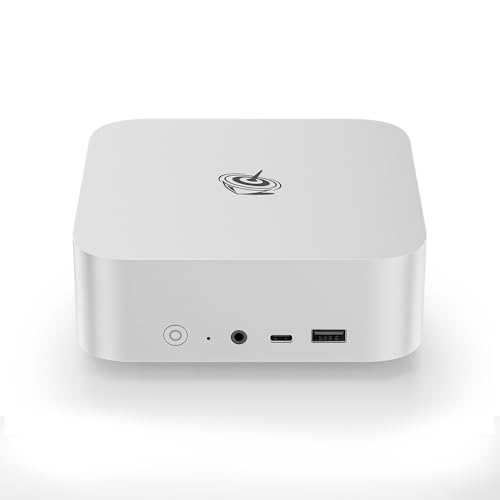
Where to buy
Check the latest price, availability and delivery on Amazon. Orders are placed on Amazon. We may earn a commission from qualifying purchases.
- Best overall for a tight desk: Beelink SER8 Mini PC, Ryzen 7 8745HS, 32GB DDR5, 1TB SSD — Check on Amazon
- GMKtec NucBox K8 Plus, Ryzen 7 8845HS, 32GB DDR5, 1TB SSD, OCuLink — Check on Amazon
- Apple Mac mini with M4 Chip, 16GB Memory, 256GB SSD — Check on Amazon
- Beelink SER5 MAX Mini PC, Ryzen 7 7735HS, 24GB RAM, 500GB SSD — Check on Amazon
- GMKtec NucBox M6 Mini PC, Ryzen 5 6600H, 16GB DDR5, 512GB SSD — Check on Amazon
See 1 more Amazon option
- Dell OptiPlex 5060 SFF Desktop, Core i7, 32GB RAM, 1TB SSD (Renewed) — Check on Amazon
Read the full guide ↓
Disclosure: As an Amazon Associate, reviewstook.com earns from qualifying purchases. Links to Amazon on this page are affiliate links; they cost you nothing extra. Listing details such as price and availability change often, so check the current Amazon listing before you buy.
A small space changes what a good home office PC is. When the desk is a corner of a bedroom, a kitchen counter, a shelf in a studio flat or the top of a dresser, the computer is not judged only on processor and memory — it is judged on the square inches it takes, the cables it drops behind the furniture, the warm air it pushes into a room that may already run hot, and whether it can live where you actually have room for it. This guide takes the six home office PCs we recommend under $700 and re-grades every one of them as an installation: how big the box really is, where its power supply has to live, how many display cables it will hang off the back of your desk, and what happens to its cooling if its only available home is a cupboard. Five of the six are mini PCs, the natural citizens of a small room. The sixth is a renewed small-form-factor business desktop — the largest object here by a wide margin, included for its extraordinary price but graded without mercy: in a small space it is a floor or under-desk relocation, not a desk machine.
Two ground rules govern everything below. First, dimensions: we print a measurement only where the maker’s own documentation or measured review coverage records one, and that turns out to be true for just two of these six machines. For the other four we grade by form-factor class — mini PC, or small-form-factor desktop — and the exact centimetres must come from the live listing before you order; the five-step checklist further down exists precisely for that. Anyone quoting a precise volume the maker never published is guessing — and a guess is a bad foundation for a shelf you have already measured. Second, the sealed-cabinet rule: no fan-cooled computer in this guide belongs inside a closed cupboard, a sealed desk pedestal or a drawer. These machines breathe through their cases. A mini PC in open air is a near-silent, near-invisible office tool; the same mini PC sealed into a furniture box is a slow cooker with a warranty claim in its future. If your only space is enclosed, change the space — a shelf, a ledge, the back of a monitor — not the computer’s ventilation.
In this guide
Quick Picks
Short on time, or comparing several options at once? Each row below names a small-space situation and the machine that suits it, with a link to the listing.
| Buyer type | Pick | Why it stands out | Link |
|---|---|---|---|
| Best overall for a small desk | Beelink SER8, Ryzen 7 8745HS, 32GB, 1TB | Documented sub-litre footprint (about 135 × 135 × 44.7 mm) and a measured noise figure — small enough to disappear behind a monitor | Check on Amazon |
| Best for a dock-driven small desk | GMKtec NucBox K8 Plus, Ryzen 7 8845HS, 32GB, 1TB | About a litre of documented chassis carrying two USB4 ports, OCuLink and up to four display outputs — check price on Amazon; buy only within budget | Check on Amazon |
| Smallest footprint, if you don’t need Windows | Apple Mac mini, M4 chip, 16GB, 256GB | The smallest machine in this guide by class, and the quietest — check price on Amazon before you buy | Check on Amazon |
| Best mid-price triple-monitor mini | Beelink SER5 MAX, Ryzen 7 7735HS, 24GB, 500GB | Three independent 4K outputs from a mini-PC-class box in the mid-range tier — three cables to plan for, not one | Check on Amazon |
| Best budget mini that still upgrades | GMKtec NucBox M6, Ryzen 5 6600H, 16GB, 512GB | Socketed RAM, dual SSD slots and USB4 in a mini-PC-class chassis in the budget tier — check price on Amazon | Check on Amazon |
| Best value — if it can live on the floor | Dell OptiPlex 5060 SFF, Core i7, 32GB, 1TB (Renewed) | 32GB of RAM and a 1TB SSD well within budget, in a small-form-factor tower that needs floor or under-desk room, not desk room | Check on Amazon |
How These Picks Were Chosen
The six machines are the same six this site recommends to home workers under $700, and the budget was applied the same way: a ceiling for a finished, working computer — RAM, storage and an operating system installed — with pricing checked against that ceiling in the United States. Listings drift, and several of these drift a great deal, so check price on Amazon rather than relying on a fixed figure. Two picks carry explicit buy-only guidance because their listings can spike above the budget; that guidance survives this re-grading untouched — a small desk is no excuse for overpaying.
What changes here is the grading. On top of the usual filters — every pick drives at least two external displays, no configuration under 16GB of memory, every machine either new from a maker that supports it or renewed through a recognized program — this guide applies an installation filter with five parts. Footprint class: where is this box honestly going to live — behind a monitor, on a shelf, on the desk, or on the floor? Documented size: a measurement is printed only when documentation or a measured review records one; everything else is graded by class and flagged for a live-listing check. The power supply’s address: a mini PC’s adapter and cord are part of its real footprint, and a desktop’s internal supply still dictates where the machine can sit relative to a socket. Cable drop: every display output a pick brags about is a cable that has to fall somewhere behind your furniture, so port counts are graded as cable counts. Heat and air: a small room feels a computer’s exhaust sooner than a big one, and every pick is graded on the assumption that it gets open air — because the sealed-cabinet option is refused for all six.
We did not use these PCs ourselves. Our evidence is the makers’ own material — listings, specification pages and manuals — read side by side for processor, memory layout, storage, display outputs and warranty terms, with the fullest-published spec sheets trusted most. The renewed machine is judged as in the base guide: a processor on Microsoft’s official Windows 11 supported list, standard replaceable wear parts, and the Amazon Renewed Guarantee — not a Dell factory warranty — behind it. None of that changes because the room got smaller; what changes is where the machine can honestly be put.
The 6 Best Home Office PCs for Small Spaces Under $700
Beelink SER8 Mini PC — Ryzen 7 8745HS, 32GB DDR5, 1TB SSD
Who it suits: The home worker whose desk is genuinely small — a corner, a shelf, a shared room — and who wants the strongest office machine in this guide to occupy the least documented space while doing it.
The SER8 is the only pick in this guide whose installation can be described with numbers, because Beelink publishes them and reviewers have measured the machine: the chassis is about 135 × 135 × 44.7 mm, roughly 0.81 litres, and about 0.75 kg. In installation terms that is a footprint smaller than a paperback book’s cover, thin enough to sit on a shelf beside one, and — as the base guide notes — small enough to mount behind a monitor, the single best trick a small desk has: the computer leaves the desk surface entirely and lives in the dead space behind the screen. Before counting on that, confirm the mounting arrangement on the live listing for the configuration you are buying; what is documented beyond argument is the size class, and the size class is what makes behind-monitor and on-shelf placements realistic rather than hopeful. Its power adapter still needs an address — a corner of the shelf or a spot behind the monitor where its cord drops out of sight; the five-step checklist below plans it.
The second installation fact is acoustic. Notebookcheck’s measured review recorded about 34.6 dB(A) under full Prime95-plus-FurMark load, among the quietest results in this class, and ordinary office work never loads the machine that hard. In a small room — especially in a bedroom or studio — that measured quiet is not a luxury specification; it is the difference between a computer you forget and a fan you hear on every call. The heat side of the same coin: it exhausts its modest warmth through its case vents, so it wants open air on its sides — a shelf with clearance, not a sealed pedestal drawer.
The machine inside the small box is the strongest all-round office specification here: a Ryzen 7 8745HS with Radeon 780M graphics driving three 4K displays over HDMI, DisplayPort and USB4, 32GB of DDR5 in upgradeable SO-DIMM slots (ceiling 64GB), a 1TB PCIe 4.0 SSD with a second M.2 slot free, 2.5-gigabit wired Ethernet and Windows 11 Pro. Three displays means three display cables plus power and network dropping behind the desk — the cable drop is the real installation cost of a triple-monitor mini, so route it once, deliberately, rather than discovering it. Two honest notes carry over at full size. There is no OCuLink port, so the external-GPU-dock route belongs to the GMKtec below. And some reviewers noted Wi-Fi dropouts traced to the wireless card sitting inside a metal case — in a small space the wired 2.5GbE port is usually within a short cable run of the router anyway, which turns that caveat into a routing decision: plan the Ethernet drop when you plan the desk. On price, match the configuration before you pay: check price on Amazon for the exact 32GB/1TB build, and confirm any smaller-configuration style is the one you want before paying.
- Documented 135 × 135 × 44.7 mm chassis (about 0.81 L) — the only pick here whose smallness is a published measurement, not a vibe.
- Measured around 34.6 dB(A) under full load: the quiet benchmark for a Windows mini, and the right temperament for a bedroom desk.
- 32GB of socketed DDR5 (to 64GB) and a second free M.2 slot — longevity that does not cost extra space later.
Honest limitation: No OCuLink port, three display cables to route, and pricing that swings with the memory market — check price on Amazon for the exact configuration before you buy.
Choose it if you want one machine that covers heavy office multitasking and several monitors while occupying a documented sub-litre of your room. Skip it if an eGPU dock is part of your plan, or the only home you can offer it is a closed cupboard — no pick in this guide survives that, and this one’s quiet cooling is wasted there.

GMKtec NucBox K8 Plus — Ryzen 7 8845HS, 32GB DDR5, 1TB SSD, OCuLink
Who it suits: The small-desk worker whose setup is a small port city — docking station, several monitors, external drives, a wired network — and who needs all of that connectivity to originate from one litre of computer.
The K8 Plus is the second pick whose size is documented rather than guessed: the chassis is about 132 × 125 × 58 mm, roughly a litre — a touch taller than the SER8, in the same behind-monitor and on-shelf class, and small enough that the box itself is never the problem in a small room. The problem, if there is one, is everything plugged into it. Two USB4 ports, HDMI 2.1 and DisplayPort 2.1 run up to four displays; twin 2.5-gigabit Ethernet serves homes with a NAS or a segmented network; and the native OCuLink port connects an external GPU dock at PCIe speeds. Count those as cables: a four-monitor desk drops four display cables, up to two network cables, a power cord and whatever the dock adds. On a small desk that cable drop is the installation. Plan a channel, a ledge or a cable spine for it before the machine arrives, because a litre of computer trailing nine cables functions worse than a bigger box with three.
The dock deserves its own honest sentence here. The OCuLink port is a genuine differentiator — the one credible route by which a mini PC here could later take on heavier graphics work — but the dock is a separate object with its own power supply, and in a small room it needs its own address: another shelf slot, another cord, another warm box. Buy the K8 Plus for the ports you will use this year, and treat the dock as an option whose space cost you have already pictured. The machine itself runs a conventional fan design — unremarkable next to the SER8’s measured quiet, though office loads rarely spin it up — and like every pick here it wants open air around its vents, not a cupboard.
Inside, the specification matches the SER8’s class: a Ryzen 7 8845HS with the same Radeon 780M graphics, 32GB of DDR5 across two SO-DIMM slots (rated to 96GB), a 1TB SSD with a second M.2 slot, and Windows 11 Pro. Then there is the price, which moves more than any other in this guide. Pricing for this complete 32GB/1TB listing is volatile, and the memory shortage has pushed it well beyond this guide’s ceiling at times. The recommendation is therefore conditional in a way the others are not: when it sits within budget, the K8 Plus is arguably the best-connected small-space office PC in this guide; when it sits above budget, walk away and wait, because the Beelink above it does most of the same office work, in a documented smaller chassis, without the drama. Check price on Amazon.
- Documented roughly-one-litre chassis (about 132 × 125 × 58 mm) carrying the connectivity ceiling of this guide.
- Native OCuLink plus two USB4 ports — the only pick here with a real eGPU-dock future, at a real future space cost.
- Memory in two slots rated to 96GB, plus a second M.2 slot — no mini here expands further.
Honest limitation: Its price has spiked well above budget during the shortage. This is a buy-only-within-budget pick, full stop — and its four-display talent is four cables of drop to manage.
Choose it if your small desk runs on docks and multiple monitors and you can route the cables like you mean it. Skip it if the live price sits above budget — at that point the SER8 above is the same office machine, in less documented space, for saner money.

Apple Mac mini — M4 Chip, 16GB Unified Memory, 256GB SSD
Who it suits: The home worker in the smallest room of all — a studio corner, a shared bedroom, a desk that folds away — whose software lives in a browser, in Microsoft 365’s Mac apps, or in Apple’s ecosystem.
By form-factor class, this is the smallest machine in the guide: a mini-PC-class box a clear step below even the two documented minis above in the space it asks of a desk, and the quietest computer here in ordinary use. We grade it by class rather than by measurement because this guide prints dimensions only where documentation or a measured review records them; stated by class, it is the pick most likely to vanish — onto a narrow shelf, beside a monitor stand, into the corner of a counter — and to be forgotten between purchase and replacement. Its power cord is its main tail; a small desk running a Mac mini is mostly a desk running a monitor, a keyboard and a mouse, which is exactly the point. It still breathes through its case and wants open air, but its thermal footprint in a small room is the gentlest here.
The M4 chip — a 10-core CPU and 10-core GPU — is the fastest-feeling desktop here for ordinary office work, and it comes with something no mini-PC brand can match: Apple’s stores, phone support and warranty infrastructure. Its HDMI and Thunderbolt connections drive a multi-monitor desk without fuss. Check price on Amazon, and favour a listing sold or shipped by Amazon or Apple where possible.
The limitations are structural, and in a small space two of them bite in a specific way. It runs macOS, not Windows: if your employer or clients require Windows-only software, this is simply the wrong computer. The 16GB of unified memory and the 256GB SSD are fixed at purchase and can never be upgraded — and 256GB is the smallest storage in this guide, which in practice means an external drive joins the desk as a second object needing its own address; price the machine as computer plus drive when you plan the shelf. The 512GB configuration sits in a higher tier, outside this budget. Pricing discipline applies here just as it does to the GMKtec: third-party sellers can ask well above the usual tier on this very listing, so buy only when it sits within budget, from a listing sold or shipped by Amazon or Apple where possible, and check price on Amazon.
- The smallest footprint class in this guide and the quietest operation — the machine most likely to disappear into a small room.
- Apple’s warranty, stores and support — the strongest aftercare here.
- Check price on Amazon — buy only within budget, ideally from Amazon or Apple.
Honest limitation: It is not a Windows PC, and its 16GB memory and 256GB storage are fixed forever — the storage ceiling quietly adds an external drive to your small desk’s population.
Choose it if your work is browser- and Mac-app-based and the desk is small enough that every object on it must justify itself. Skip it if Windows software is non-negotiable, 256GB of storage is not enough, or you expect to upgrade anything, ever.

Beelink SER5 MAX Mini PC — Ryzen 7 7735HS, 24GB RAM, 500GB SSD
Who it suits: The two- or three-monitor home worker in a small room who wants a modern, quiet mini PC with money left over — for the monitors themselves, a monitor arm that frees the desk, or a decent chair.
The SER5 MAX is a mini-PC-class box, graded here by class: our research for this guide documents no published dimensions for it, so the honest statement is that it belongs to the same behind-monitor, on-shelf family as the two picks above it, and the exact centimetres are a live-listing check you should make against your shelf before ordering — step one of the checklist below. What is documented, and what defines its installation, is its display wiring: HDMI 2.0, DisplayPort 1.4 and a USB-C port carrying video give it three independent 4K outputs, the same triple-monitor desk as costlier machines. In a small room, three monitors usually means the monitors are the desk — wall-mounted or on arms, with the little computer tucked behind one of them and three display cables dropping in a bundle. It is a good small-space pattern, and this is the cheapest pick that supports it properly.
The machine is the previous generation of the idea the SER8 perfects. Its Ryzen 7 7735HS is an eight-core chip with Radeon 680M graphics — a clear step below the 780M class, but comfortably more graphics than office work can use, and enough for casual photo editing. The configuration linked here pairs that 24GB with a 500GB SSD, Windows 11 Pro, 2.5-gigabit Ethernet and Wi-Fi 6. It sits in the mid-range tier — check price on Amazon — leaving room in the budget for the arms and screens that make a small desk work.
Its compromises are specific. The 24GB of LPDDR5 is soldered down: no upgrade exists, ever, so the multitasking ceiling you buy is the one you keep — generous for office work, but a ceiling all the same. Storage is the opposite story, with two M.2 PCIe 4.0 slots, so the 500GB drive can be joined or replaced cheaply later — an upgrade that costs a screwdriver session, not desk space. The USB-C port is a 10Gbps port with video, not USB4, which rules out the fastest docks and any eGPU ambitions. And one caution from owner coverage: Beelink sells several machines under the SER5 name, including an older 5800H model, so confirm the listing in front of you says 7735HS and 24GB before paying — a configuration check that matters doubly when you have measured a shelf for a specific box.
- Three independent 4K display outputs — the full multi-monitor desk, on arms, at a mid-budget price.
- 24GB of memory and Windows 11 Pro in the mid-range tier, leaving budget for the mounting hardware a small desk needs — check price on Amazon.
- A second M.2 slot means storage can grow even though memory cannot.
Honest limitation: The 24GB of RAM is soldered and final, there is no USB4, and its exact dimensions are a live-listing check rather than a figure this guide can print.
Choose it if three monitors on arms and a quiet, modern mini matter more than maximum memory. Skip it if you plan to keep a machine six or seven years — the soldered memory is what will end its service.

GMKtec NucBox M6 Mini PC — Ryzen 5 6600H, 16GB DDR5, 512GB SSD
Who it suits: The buyer whose whole desk — not just the PC line — has to fit the budget and the room, and who wants a new, warrantied Windows mini PC with genuine upgrade paths for the least money possible.
The M6 is the budget conscience of this guide, and in a small space its argument sharpens. It is a mini-PC-class machine, graded by class — our research documents no published dimensions for it, so measure from the live listing against your spot, as the checklist insists — which puts it in the same behind-monitor and on-shelf family as every other mini here. Its Ryzen 5 6600H is a six-core processor with Radeon 660M graphics, the modest member of this lineup, and for the work this guide is about that is enough: documents, mail, browsers, video calls and a dual-monitor desk run without complaint. Two displays means two display cables of drop — half the SER5 MAX’s bundle — which on a genuinely small desk is its own quiet virtue.
Structure, more than speed, is why the M6 sits in this guide ahead of cheaper no-name minis. Its 16GB of DDR5 is socketed SO-DIMM memory rather than solder, storage starts as a 512GB M.2 with a second slot beside it, and the ports — USB4, twin 2.5-gigabit Ethernet, Wi-Fi 6E, Windows 11 Pro — read like a costlier machine. It sits in the budget tier — check price on Amazon. In small-space terms that positioning is a floor-plan decision: buy the M6, and the savings leave room in the budget for the second monitor, the arm that lifts it off the desk and the ergonomic chair — the objects that actually determine whether a small office works. A top-of-budget box staring at one small screen on a bare desk is the worse room, every time.
The honest limits match the price. Sixteen gigabytes is the floor for comfortable 2026 office multitasking, not a luxury — heavy tab hoarders will feel it sooner than they would in the 32GB picks, though the socketed slot means a memory upgrade is a five-minute job rather than a new computer, and a job that adds no new object to the room. Anything visual tops out at the 660M’s level: office and light photo work, not creative or gaming duty. Support runs through GMKtec and the seller rather than a Dell- or Apple-sized network — normal for the category, and priced in. Like every pick here, it cools through its case and wants open air; its small warmth is easily shed on an open shelf and just as easily trapped in a closed one.
- Socketed DDR5 and dual SSD slots — the cheapest pick here that can actually grow, without growing in size.
- USB4, twin 2.5GbE and Windows 11 Pro in the budget tier — check price on Amazon.
- Leaves room in the budget for monitors, arms and furniture — where a small office’s comfort actually lives.
Honest limitation: 16GB of RAM and the 660M graphics are the floor of this guide — adequate for office work, with no headroom to lend creative tasks — and its exact size is a live-listing measurement, not a documented figure here.
Choose it if one $700 has to furnish the entire desk, or you like the idea of a new machine that grows in stages. Skip it if your multitasking is heavy from the first morning — the SER5 MAX and SER8 exist for that desk.

Dell OptiPlex 5060 SFF Desktop (Renewed) — Core i7, 32GB RAM, 1TB SSD
Who it suits: The value pragmatist with a small room but a usable floor: someone who needs a dependable Windows office desktop with generous memory and storage, would rather stay well within budget, and has somewhere honest to put a machine that is not a mini.
Let us grade the installation first, because in this guide it decides everything. The OptiPlex 5060 is a small-form-factor business desktop — a class of machine built to stand beside or beneath a desk in an office, not on top of a small one. Our research documents no published dimensions for this renewed listing, and we will not invent any: the honest grading is by class, and the class says this is the largest installation in the guide by a wide margin — a tower-class box that wants a floor spot with open air behind it, or a genuinely roomy under-desk bay, with its two standard DisplayPort cables and power cord rising to the desk from below. Planned that way, it works in a small room surprisingly well: the desk surface stays completely clear, the machine’s warmth exhausts at floor level, and the only things on the desk are screens and a keyboard. Planned as a desk object, it fails the premise of the guide. And the sealed-cabinet refusal applies to it most of all — a 2018 desktop in a closed cupboard is this guide’s worst thermal citizen.
What buys it that floor spot is the specification on offer for a renewed machine, which remains startling. Refurbished by a Microsoft Authorized Refurbisher and sold as Amazon Renewed, it carries a six-core Core i7-8700, 32GB of DDR4 RAM, a 1TB SSD and Windows 11 Pro — check price on Amazon. That memory and storage pairing matches the headline specs of the new machines at the top of this guide while sitting in a lower tier, in a business chassis built to be opened, serviced and kept running: the RAM and SSD are standard parts any technician can replace. The generation was chosen deliberately: the i7-8700 is on Microsoft’s official Windows 11 supported list, unlike the cheaper 6th- and 7th-generation renewed stock that runs Windows 11 only by workaround. For documents, spreadsheets, calls and browser work, six cores backed by 32GB is still honestly enough in 2026.
The other side of the ledger is unchanged by the room’s size. The chip is from 2018: it will not match the new minis for efficiency, it works less quietly than the SER8 — and at floor level, fan noise travels up a desk leg in a quiet bedroom more than buyers expect — and its integrated UHD Graphics 630 is an office display driver, nothing more. Dual monitors are standard via two DisplayPort 1.2 outputs; a third video output was an optional extra on this model, so do not count on it. What stands behind it is Amazon’s Renewed Guarantee — the inspection, testing and guarantee window of that program — rather than any Dell factory warranty, and the individual unit that arrives is a refurbished one, with a refurbished unit’s variance. Judge it as this guide does: a professionally renewed business tool with replaceable wear parts and a supported operating system, bought as a renewed value pick, that earns its place in a small space only if the floor plan honestly has a place for it.
- 32GB of RAM and a 1TB SSD — the top picks’ headline specs — in the budget tier for a renewed machine, with the desk surface left entirely clear — check price on Amazon.
- The i7-8700 sits on Microsoft’s Windows 11 supported list, which older renewed generations do not.
- RAM and SSD are ordinary, replaceable parts in a chassis built to be serviced.
Honest limitation: The largest installation in this guide — a floor or under-desk commitment, not a desk machine — with a 2018 processor, basic integrated graphics, and the Amazon Renewed Guarantee rather than a manufacturer warranty behind it.
Choose it if your work is documents, browsers and calls, your room has an honest floor spot with open air, and you would rather bank the savings for the desk around it. Skip it if the computer has to live on the desk, in a cupboard, or anywhere its size and fan would be a daily presence.

Comparison Table
| Product | Processor / Graphics | Memory / Storage | Small-space verdict | Link |
|---|---|---|---|---|
| Beelink SER8 | Ryzen 7 8745HS / Radeon 780M | 32GB DDR5 (to 64GB) / 1TB + spare slot | Documented ~0.81 L (135 × 135 × 44.7 mm); behind-monitor or shelf class; measured ~34.6 dB(A) | Check on Amazon |
| GMKtec NucBox K8 Plus | Ryzen 7 8845HS / Radeon 780M | 32GB DDR5 (to 96GB) / 1TB + spare slot | Documented ~1 L (about 132 × 125 × 58 mm); up to four display cables of drop — check price on Amazon; buy only within budget | Check on Amazon |
| Apple Mac mini (M4) | Apple M4 / 10-core GPU | 16GB fixed / 256GB fixed | Smallest footprint class here; storage ceiling adds an external drive to the desk — check price on Amazon | Check on Amazon |
| Beelink SER5 MAX | Ryzen 7 7735HS / Radeon 680M | 24GB soldered / 500GB, second slot | Mini-PC class (measure from the live listing); three 4K outputs = a three-cable drop | Check on Amazon |
| GMKtec NucBox M6 | Ryzen 5 6600H / Radeon 660M | 16GB socketed / 512GB, second slot | Mini-PC class (measure from the live listing); dual-monitor cable drop; funds the arms and screens | Check on Amazon |
| Dell OptiPlex 5060 SFF (Renewed) | Core i7-8700 / UHD Graphics 630 | 32GB DDR4 / 1TB SSD | Small-form-factor desktop class — floor or under-desk relocation only; never a sealed cupboard | Check on Amazon |
Measure Before You Buy: The Five-Step Checklist
Every disappointment in a small-space setup is a measurement somebody skipped. Work through these five steps in order — before ordering, not after the box arrives.
- Measure the spot. Decide where the computer will honestly live — behind the monitor, on a shelf, on the desk, on the floor — and measure that space in centimetres: width, depth and height. Then compare it against the machine’s size. Two picks in this guide publish theirs (the SER8 at about 135 × 135 × 44.7 mm; the K8 Plus at about 132 × 125 × 58 mm); for the other four, take the dimensions from the live listing’s specification section and write them down beside your measurements. If a listing publishes no dimensions at all, treat that as a reason to choose a pick that does.
- Check the ventilation clearance. Whatever spot you measured needs open air around the machine’s vents — a hand’s width of breathing room on the sides that breathe, and nothing sealed. A shelf with open front and back passes; a closed cupboard, a drawer and a sealed desk pedestal fail, for every pick in this guide, without exception. If the only available volume is enclosed, change the plan at this step — a wall-side ledge, a monitor-arm mount, a floor spot for the desktop — rather than discovering the refusal after delivery.
- Give the power supply an address. A mini PC’s power adapter and cord occupy real space: decide where they will sit — behind the monitor, on the shelf’s end, on the floor by the socket — and confirm the cord reaches from that address to both the machine and the wall without crossing your foot space under tension. The renewed desktop’s supply is internal, so its address question is simpler and stricter: the machine itself must sit within a calm cord’s reach of a socket, with its exhaust facing open room. A power strip bought to solve a reach problem belongs in this step’s plan, not in a later emergency.
- Trace the cable drop. Count the cables your chosen pick will actually run: one display cable per monitor (two for most desks here, three for the Beelinks, up to four for the K8 Plus), plus Ethernet if you wire it — and in a small room you usually should, since the router is rarely far and a wired run is one short, flat cable — plus any peripherals that are not wireless. Then trace where that bundle falls: behind the desk, down a leg, along a skirting board. If the drop lands in your foot space or across a walkway, reroute it on paper now; a cable channel or a desk-leg clip costs almost nothing at this step and a great deal of annoyance later.
- Then order. Only now — spot measured, air confirmed, power addressed, cables traced — place the order, and on the listing you actually check out, confirm the exact configuration one last time: processor, memory and storage. That check matters doubly here, where a barebone twin or a smaller-configuration style of the same model can sit one click from the machine you measured your shelf for.
How to Choose a Home Office PC for a Small Space Under $700
- Start with the room, not the processor. In a small space the installation decides first: behind-monitor and shelf placements favor the minis; a clear floor spot with open air is the renewed desktop’s only honest home; a sealed cupboard is nobody’s home. Choose the placement, and the shortlist chooses itself.
- Prefer documented dimensions. Two picks here publish their size (SER8, K8 Plus); four are graded by class. If your spot is tight to the centimetre, a published measurement beats a class estimate — and for the class-graded picks, the live listing’s specification section is a required read.
- Count your monitors, then count the cables. Two displays is the realistic minimum for serious office work and three is the comfort tier — but every display is a cable dropping behind small furniture. The Beelinks and the K8 Plus drive three or four; the renewed OptiPlex drives two on its standard DisplayPort outputs, with a third output an optional extra on that model, so plan on two.
- Size memory to the browser you actually run. Think of 16GB as the floor, 24GB as comfort and 32GB as the five-year choice. If a machine’s memory is soldered — the SER5 MAX and the Mac mini — the number on the listing is the number forever, and no later desk rearrangement changes it.
- Watch the storage line for hidden furniture. A 256GB or 512GB drive fills with sync folders and caches faster than buyers expect. Either start at 1TB, choose a machine with a second M.2 slot, or accept that an external drive becomes a permanent resident of your small desk — and give it an address in the plan.
- Value quiet in proportion to the room’s size. A fan you can hear is a daily tax, and the tax is higher in a bedroom or studio. Measured noise figures exist for the SER8 (about 34.6 dB(A) at full load) and the Mac mini is quieter still in practice; a 2018 SFF desktop will be the loudest machine here — one more reason it belongs at floor level, not ear level.
- Hold the price line on volatile listings. The K8 Plus and the Mac mini have each traded both far below and far above a sane level in recent months; check price on Amazon and hold the budget line — walk away when a listing sits above budget. A small desk does not make a shortage spike any smaller.
Common Buying Mistakes
- Sealing a mini PC inside a closed cupboard, drawer or desk pedestal because it fits. It fits, and then it cooks: every pick in this guide cools through its case and needs open air.
- Ordering before measuring — discovering that the shelf is 4 cm too shallow, the monitor’s stand leaves no behind-screen depth, or the floor spot is exactly where the chair’s castors live.
- Forgetting the power adapter’s footprint. The mini is small; the mini plus its adapter plus its cord, with nowhere planned for them, is a cable nest on the floor.
- Counting display outputs without counting display cables. A four-monitor K8 Plus desk is a nine-cable installation; on small furniture, the drop is the design problem.
- Letting a spike set your price. A K8 Plus spiking above budget, or a Mac mini offered above its usual tier by a third-party seller, is a signal to wait, not to hurry.
- Buying a 16GB soldered-memory machine because the price looked kind, then hitting its ceiling in year two with no upgrade available to buy.
- Trusting that every video port in a spec sheet is actually fitted. Renewed business desktops are the worst offenders — third outputs were frequently factory options — so plan around the standard fit the review states.
- Putting the renewed desktop on the desk because the desk is where computers go. Its honest homes are the floor and the under-desk bay; on a small desk it consumes the workspace it was bought to serve.
- Letting a renewed machine’s first days pass untested. Memory, drive health, fans and every port should all be exercised while the guarantee still makes any problem free to put right.
Final Recommendation
- Most small desks: Beelink SER8 — the documented sub-litre pick.
- Dock-driven, multi-monitor small desks: GMKtec NucBox K8 Plus — within budget, with the cables planned — check price on Amazon.
- The smallest room, Mac-based work: Apple Mac mini (M4) — check price on Amazon.
- Triple monitors on arms, mid-range tier: Beelink SER5 MAX.
- Whole-desk budgets: GMKtec NucBox M6, with the savings spent on screens, arms and seating.
- Maximum value, floor space available: Dell OptiPlex 5060 SFF (Renewed).
Our top two for a small space at this budget are the Beelink SER8 — 780M graphics, 32GB of upgradeable memory, a terabyte of storage and measured quiet inside the only chassis here whose smallness is a published measurement — and the Apple Mac mini, for buyers whose work fits macOS and whose room is small enough that the computer’s near-disappearance is the whole argument. Between them they frame the tier’s real decision: a Windows mini you can open and grow, or a sealed Mac you never think about again. If your desk runs on docks, the K8 Plus is the specialist pick when its price behaves; if the budget must cover the whole office, the M6 plus a monitor arm beats a flagship box on a bare desk; and if the floor plan honestly offers a floor spot, the renewed Dell remains the shrewdest specification in the guide. Workers in still-tighter quarters should start with Best Home Office PC For Small Spaces Under $500 or Best Home Office PC For Small Spaces Under $400, those furnishing a normal-sized room can compare the un-angled shortlist in Best Home Office PC Under $700, and those ready to spend past this tier should see Best Home Office PC For Small Spaces Under $800. Measure the spot, confirm the air, address the power, trace the cables — then order.
Frequently Asked Questions
Can I put a mini PC inside a closed cupboard or desk drawer?
No — not any pick in this guide. These machines cool through their cases and need open air around their vents; a sealed cupboard traps the exhaust, the fan works harder and louder, and sustained heat shortens the machine’s life. If the computer must live in furniture, the furniture needs an open back and real clearance — at which point it is a shelf, not a cupboard. The checklist above treats this as step two precisely because it eliminates more small-space plans than any other question.
Which pick takes the least space?
By documented measurement, the Beelink SER8: about 135 × 135 × 44.7 mm, roughly 0.81 litres — the only sub-litre figure this guide can print, because it and the K8 Plus’s roughly one litre are the only ones our research documents. By form-factor class, the Apple Mac mini is the smallest machine here, but we grade it by class rather than inventing a measurement. For a tight spot, then: choose between the documented SER8 and the class-leading Mac mini, and measure against the live listing before ordering.
Does the renewed Dell really belong in a small-space guide?
Only in one specific way: on the floor. As a small-form-factor desktop it is the largest installation here, and on a small desk it would consume the workspace it was bought to serve. But a small room with a clear floor spot and open air gets a remarkable deal from it — 32GB of RAM and a 1TB SSD in the budget tier for a renewed machine, with the desk surface left entirely clear — check price on Amazon. If the machine has to live on the desk or in a cupboard, it does not belong in your shortlist; the minis exist for exactly that case.
How do I know a mini PC will fit my shelf or sit behind my monitor?
Measure the spot first, then compare it with a number you trust. Two picks publish theirs in this guide (SER8, K8 Plus); for the rest, the live listing’s specification section carries the dimensions, and the checklist above walks the order of operations — spot, air, power, cables, order. Behind a monitor, also confirm the mounting arrangement for the exact configuration on the live listing, and leave the machine’s vents the clearance step two demands; a monitor’s back panel is a warm place, and the mini still needs to breathe.
Can these PCs run three monitors on a small desk?
Most of them can — and every count quoted here traces to a maker’s specification, not an estimate. Three 4K displays apiece come from the SER8 and the SER5 MAX, the K8 Plus reaches four, and the NucBox M6 is a comfortable two-screen machine. On a small desk, three monitors usually means arms or wall mounts, which is a space gain, not a cost — but budget the cable drop: three displays are three cables falling behind the furniture, and the checklist’s step four exists for them. The renewed OptiPlex is a two-display machine on its standard DisplayPort fit; its third output was a factory option, so two is the number to plan around.
Is a renewed business desktop a safe buy for work?
It is a deliberate calculation, and its review shows the working: pick a processor generation Windows 11 officially supports, buy through a recognized refurbishment channel — the Dell here comes from a Microsoft Authorized Refurbisher under the Amazon Renewed Guarantee — and put the machine through its paces inside the guarantee window. Against new, you surrender the long factory warranty and modern efficiency; in return you get generous memory and storage for a renewed machine, in a chassis of standard parts any technician can replace.


