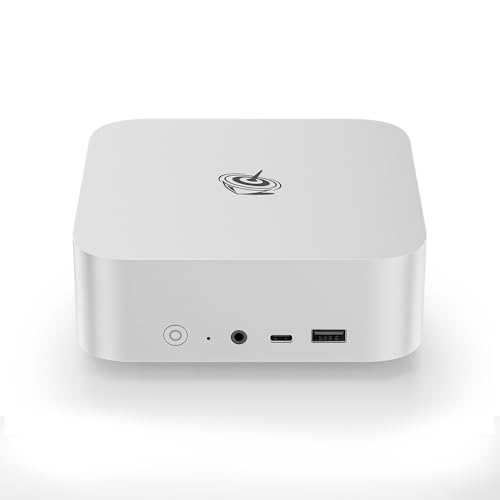
Where to buy
Check the latest price, availability and delivery on Amazon. Orders are placed on Amazon. We may earn a commission from qualifying purchases.
- Best overall: Beelink SER8 Mini PC, Ryzen 7 8745HS, 32GB DDR5, 1TB SSD — Check on Amazon
- GMKtec NucBox K8 Plus, Ryzen 7 8845HS, 32GB DDR5, 1TB SSD, OCuLink — Check on Amazon
- Apple Mac mini with M4 Chip, 16GB Memory, 256GB SSD — Check on Amazon
- Dell OptiPlex 5060 SFF Desktop, Core i7, 32GB RAM, 1TB SSD (Renewed) — Check on Amazon
- Beelink SER5 MAX Mini PC, Ryzen 7 7735HS, 24GB RAM, 500GB SSD — Check on Amazon
See 1 more Amazon option
- GMKtec NucBox M6 Mini PC, Ryzen 5 6600H, 16GB DDR5, 512GB SSD — Check on Amazon
Read the full guide ↓
Disclosure: As an Amazon Associate, reviewstook.com earns from qualifying purchases. Links to Amazon on this page are affiliate links; they cost you nothing extra. Listing details such as price and availability change often, so check the current Amazon listing before you buy.
Seven hundred dollars is where a home office PC stops being a compromise you apologize for. The cheaper tiers in this category ask you to pick your sacrifice: enough RAM or a current processor, a second monitor output or a quiet fan, a real warranty or a real price. At $700 those trades mostly disappear. This is the budget where 32GB of RAM becomes the standard configuration rather than the upsell, where 1TB SSDs replace the 256GB and 512GB drives that fill up in year two, and where the processors are current-generation laptop chips with integrated graphics strong enough to drive a three-monitor desk without breaking a sweat. It is also the budget where the two honest routes to a home office machine — a new mini PC, or a renewed business desktop built by a company with a service network — overlap in price, and choosing between them becomes a genuine judgment call about warranty and longevity rather than a question of what you can afford.
One honesty note before the picks: a home office PC is not a gaming PC wearing a blazer, and this guide does not pretend otherwise. None of the six machines below carries a discrete graphics card, and none is the right answer for serious gaming — the strongest integrated graphics here, AMD’s Radeon 780M class, is genuinely capable silicon that also handles light photo editing and everyday creative work, but its job in this guide is snappy multitasking across many windows and many monitors, not frame rates. What $700 buys an office worker is headroom: headroom for forty browser tabs and a video call and a spreadsheet that recalculates without sulking, headroom in storage, and headroom in the machine’s useful life. For most home workers we would start with the Beelink SER8 for its balance of power and quiet, or the renewed Dell OptiPlex 5060 if you would rather take a lower-cost renewed route and keep more of the budget for monitors. Below are the quick picks, detailed reviews of all six machines, a comparison table, a direct comparison of the renewed-desktop and new-mini-PC routes, the mistakes that waste money at this tier, and the questions home workers ask most.
In this guide
Quick Picks
Short on time, or comparing several options at once? Each row below names a home-office situation and the machine that suits it, with a link to the listing.
| Buyer type | Pick | Why it stands out | Link |
|---|---|---|---|
| Best overall | Beelink SER8, Ryzen 7 8745HS, 32GB, 1TB | 780M-class graphics, 32GB and 1TB as standard, and measured noise around 34.6 dB(A) under full load | Check on Amazon |
| Best for docks and multi-monitor desks | GMKtec NucBox K8 Plus, Ryzen 7 8845HS, 32GB, 1TB | Two USB4 ports, a native OCuLink port and dual 2.5GbE — the connectivity ceiling of this guide | Check on Amazon |
| Best if you don’t need Windows | Apple Mac mini, M4 chip, 16GB, 256GB | The quietest, smallest machine here, with Apple’s retail and support network behind it | Check on Amazon |
| Best value — renewed business desktop | Dell OptiPlex 5060 SFF, Core i7, 32GB, 1TB (Renewed) | 32GB of RAM and a 1TB SSD in a professionally refurbished business desktop | Check on Amazon |
| Best mid-price triple-monitor mini | Beelink SER5 MAX, Ryzen 7 7735HS, 24GB, 500GB | Three 4K display outputs and 24GB of RAM — check price on Amazon | Check on Amazon |
| Best budget pick that still upgrades | GMKtec NucBox M6, Ryzen 5 6600H, 16GB, 512GB | Socketed RAM, dual SSD slots and USB4 in a budget-tier mini — check price on Amazon | Check on Amazon |
How These Picks Were Chosen
The budget was applied as a ceiling for a finished, working computer: every machine below is a complete system with RAM, storage and an operating system installed, within this under-$700 budget in the United States. Where a price drifts — and in late 2026, with memory prices climbing, several of these listings drift a great deal — check the price on Amazon before you buy rather than relying on any fixed number. Two picks are especially volatile during the current memory shortage; the reviews flag that volatility in plain terms.
We did not use these PCs ourselves. We read the maker listings, specification pages and manuals, and compared processors, memory configuration, storage, display outputs and warranty terms, favoring listings and spec sheets that publish their numbers in full. Three office-specific filters sat on top of the usual ones. The first is the monitor filter: a home office machine must drive at least two external displays, and every port count in this guide comes from a maker’s specification or manual — where a renewed desktop’s third video output was an optional extra rather than standard equipment, the review says exactly that. The second is the memory filter: office work in 2026 is browser work, and browser work eats RAM, so configurations under 16GB were excluded entirely and 32GB machines were favored. The third is the support filter: every pick is either a new machine from a maker that sells and supports it directly, or a renewed business desktop refurbished through a recognized program — because a work machine you cannot get fixed is not cheap at any price.
The renewed-versus-new question runs through the whole guide, so the standard applied deserves stating here. A renewed business desktop like the Dell below is judged on three things: whether its processor is still officially supported by current Windows (the Core i7-8700 is on Microsoft’s Windows 11 supported list, which is why this generation was chosen over cheaper, older renewed stock), whether its wear parts — RAM and SSD — are standard and replaceable, and what actually backs it if it fails, which for Amazon Renewed machines is the Amazon Renewed Guarantee rather than a Dell factory warranty. New mini PCs win on warranty length, efficiency and noise; the renewed desktop wins on value for memory and storage and on being built from parts any repair shop recognizes. Both routes are represented below because at $700 both are defensible — for different buyers.
The 6 Best Home Office PCs Under $700
Beelink SER8 Mini PC — Ryzen 7 8745HS, 32GB DDR5, 1TB SSD
Who it suits: The home worker who wants the strongest all-round office machine in this guide — heavy multitasking, two or three monitors, some photo work on the side — and wants it to disappear into the desk rather than announce itself.
The SER8 is built around AMD’s Ryzen 7 8745HS, an eight-core processor with Radeon 780M integrated graphics — the strongest iGPU class available in mini PCs, and the honest center of this tier. In office terms that graphics chip is not about games: it is what lets the machine drive three 4K displays (over HDMI, DisplayPort and USB4) while a video call, a wall of browser tabs and a large spreadsheet all stay fluid, and it is what makes light photo editing in tools like Lightroom or Affinity Photo a realistic side use rather than a slideshow. The configuration that matters is the one this guide links: 32GB of DDR5 in upgradeable SO-DIMM slots (the ceiling is 64GB) and a 1TB PCIe 4.0 SSD with a second M.2 slot waiting for the day you outgrow it. That combination — current processor, 32GB, 1TB, room to grow — is precisely the set of things cheaper office PCs make you choose between.
The SER8’s second headline is noise. Notebookcheck’s measured review recorded about 34.6 dB(A) under full Prime95-plus-FurMark load — among the quietest results measured in this class, and in ordinary office use, which never loads the machine that hard, it is effectively a silent desk companion. The box itself is about 135 × 135 × 44.7 mm, roughly 0.8 liters, small enough to mount behind a monitor. It ships with Windows 11 Pro, which matters to office buyers working with BitLocker or remote-desktop hosting. Two honest notes: the SER8 has no OCuLink port, so the eGPU-dock route belongs to the GMKtec below; and some reviewers of this model noted Wi-Fi dropouts traced to the wireless card sitting inside a metal case — if your office depends on flawless Wi-Fi rather than the 2.5GbE wired port, read the recent owner reports on the live listing before ordering. On price, discipline matters: this listing family sells several configurations, so check the price on Amazon and confirm which configuration the listing is actually selling — the 32GB/1TB build is the one this guide links — before you pay.
- Radeon 780M graphics drive three 4K displays and handle light photo editing credibly.
- 32GB of socketed DDR5 (upgradeable to 64GB) and a second free M.2 slot — rare longevity in a mini PC.
- Measured around 34.6 dB(A) under full load: the quiet benchmark for a Windows mini at this tier.
Honest limitation: No OCuLink port, and its price swings with the memory market — check the live price and configuration on Amazon before ordering.
Choose it if you want one machine that covers heavy office multitasking, several monitors and light creative work for years. Skip it if an eGPU dock is part of your plan, or your Wi-Fi has to be perfect and you cannot run a cable.

GMKtec NucBox K8 Plus — Ryzen 7 8845HS, 32GB DDR5, 1TB SSD, OCuLink
Who it suits: Home workers whose desk is a small port city — docking station, several monitors, external drives, a wired network — and anyone who wants the option of an external GPU dock later without replacing the computer.
The K8 Plus uses AMD’s Ryzen 7 8845HS, the sibling of the SER8’s chip with the same Radeon 780M graphics, in the configuration this guide links: 32GB of DDR5 across two SO-DIMM slots (rated up to 96GB), a 1TB SSD with a second M.2 slot beside it, and Windows 11 Pro installed. Where it pulls ahead of everything else here is connectivity. Two USB4 ports, HDMI 2.1 and DisplayPort 2.1 outputs let it run up to four displays; two 2.5-gigabit Ethernet ports serve homes with a NAS or a segmented network; and the native OCuLink port is the real differentiator — it connects an external GPU dock at PCIe speeds, which is the one credible route by which a mini PC in this guide could later take on heavier graphics work. That dock is a separate purchase with its own power supply, and the section on docks below is upfront about that extra cost; the point here is that the port exists on this machine and on no other pick in the guide.
The caveat is price volatility, and it is not a small one. During the late-2026 memory shortage this complete 32GB/1TB listing has swung sharply, at times moving well above this guide’s budget. The recommendation is therefore conditional in a way the others are not: check the price on Amazon first, and only buy the K8 Plus when it sits within this budget — then it is arguably the best-connected home office PC in this guide. If the live price has spiked above the budget, walk away and wait, because the Beelink above it does most of the same office work without the drama. The chassis is about 132 × 125 × 58 mm — roughly a liter — and its cooling is a conventional fan design: unremarkable next to the SER8’s measured quiet, though office loads rarely spin it up. Buy this machine for its ports and its upgrade paths, at the right price, and it earns its place; buy it at a shortage spike and you have paid workstation money for a mini PC.
- Native OCuLink plus two USB4 ports — the only pick here with a real eGPU-dock future.
- Dual 2.5GbE LAN and up to four display outputs for serious desk setups.
- 32GB in two slots (to 96GB) and two M.2 slots: the most expandable mini in this guide.
Honest limitation: Its Amazon price is volatile during the memory shortage and has spiked well above this budget. This is a buy-only-when-it-sits-within-budget pick, full stop — check the price on Amazon before ordering.
Choose it if your desk runs on docks and multiple monitors, or you want the eGPU option banked for later. Skip it if the live price is above this budget — at that point the SER8 above is the same office machine for saner money.

Apple Mac mini — M4 Chip, 16GB Unified Memory, 256GB SSD
Who it suits: Home workers whose software lives in a browser, in Microsoft 365’s Mac apps, or in Apple’s ecosystem — and who value silence, smallness and a real support network over Windows compatibility.
Every guide to office computers under $700 has to reckon with this machine, so let us reckon honestly. The Mac mini with Apple’s M4 chip — a 10-core CPU and 10-core GPU — is the fastest-feeling, quietest and smallest desktop in this guide for ordinary office work, and it comes with something no mini-PC brand can match: Apple’s stores, phone support and warranty infrastructure. For documents, spreadsheets, video calls, browser-heavy work and even photo and video editing in Apple’s own apps, it is superb, and its HDMI and Thunderbolt connections drive a multi-monitor desk without fuss. It has been the machine to beat in this tier since it launched, so check the price on Amazon before you buy.
The limitations are structural, and office buyers should weigh them before the price seduces them. It runs macOS, not Windows: if your employer or clients require Windows-only software, this is not a workaround candidate, it is simply the wrong computer. The 16GB of unified memory and the 256GB SSD are fixed at purchase and can never be upgraded — 256GB is the smallest storage in this guide, and the 512GB configuration sits outside this budget. Its Amazon pricing needs the same discipline as the GMKtec’s: third-party offers on this listing can run well above the usual price, so check the price on Amazon and prefer a listing sold or shipped by Amazon or Apple, within this budget. Chosen with open eyes — Mac software, modest storage needs, right price — it is the pick that will still feel new in five years. Chosen as a cheap Windows PC, it will frustrate you from day one.
- M4 performance and near-silent operation in the smallest footprint here.
- Apple’s warranty, stores and support — the strongest aftercare in this guide.
- Check the price on Amazon — prefer offers sold or shipped by Amazon or Apple.
Honest limitation: It is not a Windows PC, and its 16GB memory and 256GB storage are fixed forever — the configuration discipline is total.
Choose it if your work is browser- and Mac-app-based and you want the quietest, best-supported desk machine under $700. Skip it if you need Windows software, more than 256GB of internal storage, or any upgrade path at all.

Dell OptiPlex 5060 SFF Desktop (Renewed) — Core i7, 32GB RAM, 1TB SSD
Who it suits: The value pragmatist: someone who needs a dependable Windows office desktop with generous memory and storage, would rather take a lower-cost renewed route than buy new, and understands exactly what “renewed” does and does not promise.
This is the other route through this guide, and on paper it is startling: a Dell OptiPlex 5060 small-form-factor desktop, refurbished by a Microsoft Authorized Refurbisher and sold as Amazon Renewed, carrying a six-core Core i7-8700, 32GB of DDR4 RAM, a 1TB SSD and Windows 11 Pro — check the price on Amazon. That memory and storage pairing matches the new machines at the top of this guide for notably less money, and it comes in a business chassis built to be opened, serviced and kept running: the RAM and SSD are standard parts any technician can replace, which is a longevity argument the sealed mini PCs cannot make. The processor generation was chosen deliberately: the i7-8700 is on Microsoft’s official Windows 11 supported list, unlike the cheaper 6th- and 7th-generation renewed stock that fills this category and runs Windows 11 only by workaround. For documents, browsers, calls and spreadsheets, six cores and 32GB remain genuinely sufficient in 2026.
Now the other side of the ledger, because renewed buying is a judgment, not a bargain hunt. The chip is from 2018: it will not match the new minis for efficiency, it idles and works less quietly than the SER8, and its integrated UHD Graphics 630 is an office display driver, nothing more — dual monitors are standard equipment here via two DisplayPort 1.2 outputs (a third video output was an optional extra on this model, so do not count on it), but there is no light-creative headroom of the kind the 780M machines offer. The backing is the Amazon Renewed Guarantee — inspection, testing and a guarantee window from Amazon — not a Dell factory warranty, and the unit you receive is a refurbished individual, not a new product. Judge it as this guide does: a professionally renewed business tool with replaceable wear parts and a supported operating system, bought for notably less, with the savings available for the monitors and chair that arguably matter more. On those terms it is not the cheap option; it is the shrewd one.
- 32GB of RAM and a 1TB SSD — the top picks’ headline specs — in a budget-friendly renewed desktop.
- Core i7-8700 is officially Windows 11 supported, unlike older renewed generations.
- Standard, replaceable RAM and SSD in a serviceable business chassis.
Honest limitation: A 2018 processor with basic integrated graphics, backed by the Amazon Renewed Guarantee rather than a manufacturer warranty.
Choose it if your work is documents, browsers and calls, and you would rather bank the savings. Skip it if you want a long factory warranty, the quietest desk, or any creative-work headroom.

Beelink SER5 MAX Mini PC — Ryzen 7 7735HS, 24GB RAM, 500GB SSD
Who it suits: The two- or three-monitor home worker who wants a modern, quiet mini PC with room to spare in the budget — for the monitors themselves, a dock, or a decent chair.
The SER5 MAX is the previous generation of the idea the SER8 perfects, and as a mid-range option it makes a strong case for itself. Its Ryzen 7 7735HS is an eight-core chip with Radeon 680M graphics — a clear step below the 780M class above, but still comfortably more graphics than office work can use, and enough for casual photo editing and light creative tasks. The display story is this pick’s strength: HDMI 2.0, DisplayPort 1.4 and a USB-C port carrying video give it three independent 4K outputs, the same triple-monitor desk as pricier machines. The linked configuration carries 24GB of memory and a 500GB SSD, ships with Windows 11 Pro, and adds 2.5-gigabit Ethernet and Wi-Fi 6. Check the price on Amazon — as a mid-range pick it can leave real room in the budget for the rest of the desk.
Its compromises are specific and worth naming. The 24GB of LPDDR5 memory is soldered: it cannot be upgraded, ever, so the machine’s multitasking ceiling is fixed at purchase — generous for office work, but a ceiling all the same. Storage is the opposite story, with two M.2 PCIe 4.0 slots, so the 500GB drive can be joined or replaced cheaply later. The USB-C port is a 10Gbps port with video, not USB4, which rules out the fastest docks and any eGPU ambitions; buyers who care about docks should look at the two picks above it. And one caution from owner coverage: Beelink sells several machines under the SER5 name, including an older 5800H model, so confirm the listing in front of you says 7735HS and 24GB before paying. None of that dents the core proposition — a triple-monitor, Windows 11 Pro mini PC with modern ports at a mid-range tier — but it does define who should step up to the SER8 instead: anyone who expects to keep the machine long enough to want more memory.
- Three independent 4K display outputs — the full multi-monitor desk at a mid-budget price.
- 24GB of memory and Windows 11 Pro in a mid-range mini — check price on Amazon.
- Two M.2 slots keep storage upgradeable even though memory is not.
Honest limitation: The 24GB of RAM is soldered and final, and there is no USB4 — dock and eGPU futures are closed off.
Choose it if three monitors and a quiet, modern mini matter more than maximum memory. Skip it if you keep machines for six or seven years — the fixed memory will become the reason you replace it.

GMKtec NucBox M6 Mini PC — Ryzen 5 6600H, 16GB DDR5, 512GB SSD
Who it suits: The buyer who wants a new, warrantied Windows mini PC with genuine upgrade paths for the least money possible — and is happy to let the savings fund the rest of the office.
The NucBox M6 is the budget conscience of this guide. Its Ryzen 5 6600H is a six-core processor with Radeon 660M graphics — the modest member of this lineup, a step below the 680M and two below the 780M class — and for the work this guide is about, that is enough: documents, mail, browsers, video calls and a dual-monitor desk run without complaint, and light photo sorting and basic edits are within its reach. What earns the M6 its place over cheaper no-name minis is its structure. The 16GB of DDR5 sits in a socketed SO-DIMM slot rather than being soldered down, there are two SSD slots (the fitted drive is a 512GB M.2), and the port selection reads like a pricier machine: USB4, dual 2.5-gigabit Ethernet, Wi-Fi 6E and Windows 11 Pro. As a budget-tier pick — check the price on Amazon — this guide’s whole budget argument inverts: buy the M6, spend what you save on the second monitor and the ergonomic chair, and your office is better than one built around a pricier box and a single screen.
The honest limits match the price. Sixteen gigabytes is the floor for comfortable 2026 office multitasking, not a luxury — heavy tab hoarders will feel it sooner than they would in the 32GB picks, though the socketed slot means a memory upgrade is a five-minute job rather than a new computer. The 660M graphics set the ceiling for anything visual: fine for office and light photo work, not a creative workstation and not a gaming machine. And GMKtec is a mini-PC brand, not Dell or Apple — support runs through the seller and the brand’s own channels, which is normal for this category and priced in. As an entry point that can grow — more RAM, a second SSD, a dock on the USB4 port — it is one of the most future-proof budget-tier spends a home worker can make, and the right answer for anyone whose total desk budget, not just the PC line, sits in this tier.
- Socketed DDR5 and dual SSD slots — the cheapest pick here that can actually grow.
- USB4, dual 2.5GbE and Windows 11 Pro in a budget-tier mini — check price on Amazon.
- Leaves half the budget for monitors and furniture, where comfort actually lives.
Honest limitation: 16GB of RAM and the 660M graphics are the floor of this guide — adequate for office work, with no headroom to lend creative tasks.
Choose it if the $700 covers your whole desk, or you want a new machine you can upgrade piecemeal. Skip it if you multitask heavily from day one — start at the SER5 MAX or SER8 instead.

Comparison Table
| Product | Processor / Graphics | Memory / Storage | Best use | Link |
|---|---|---|---|---|
| Beelink SER8 | Ryzen 7 8745HS / Radeon 780M | 32GB DDR5 (to 64GB) / 1TB + spare slot | Quiet all-rounder with light creative headroom | Check on Amazon |
| GMKtec NucBox K8 Plus | Ryzen 7 8845HS / Radeon 780M | 32GB DDR5 (to 96GB) / 1TB + spare slot | Docks, four displays, eGPU option — when within budget | Check on Amazon |
| Apple Mac mini (M4) | Apple M4 / 10-core GPU | 16GB fixed / 256GB fixed | Silence and support, if macOS fits your work | Check on Amazon |
| Dell OptiPlex 5060 SFF (Renewed) | Core i7-8700 / UHD Graphics 630 | 32GB DDR4 / 1TB SSD | Maximum RAM and storage in a renewed pick | Check on Amazon |
| Beelink SER5 MAX | Ryzen 7 7735HS / Radeon 680M | 24GB soldered / 500GB, second slot | Triple-monitor desk at a mid-range tier | Check on Amazon |
| GMKtec NucBox M6 | Ryzen 5 6600H / Radeon 660M | 16GB socketed / 512GB, second slot | Upgradeable starter that funds the rest of the desk | Check on Amazon |
How to Choose a Home Office PC Under $700
- Count your monitors first. Two displays is the realistic minimum for serious office work and three is the comfort tier. Every pick here drives at least two; the Beelinks and the K8 Plus drive three or four. Check the actual outputs against your monitors’ inputs before ordering — DisplayPort and HDMI are not interchangeable without adapters.
- Buy memory for your browser habits, not your intentions. Sixteen gigabytes is the floor, 24GB is comfortable, 32GB is the five-year answer. If a machine’s memory is soldered — the SER5 MAX and the Mac mini — the number on the listing is the number forever, so buy the ceiling you can live with.
- Treat 1TB as the storage standard at this budget. A 256GB or 512GB drive fills with sync folders, mail archives and application caches faster than buyers expect. Either start at 1TB or choose a machine with a second M.2 slot so the fix is a screwdriver, not a replacement.
- Decide the renewed question on warranty, not romance. A renewed business desktop trades a factory warranty for the Amazon Renewed Guarantee and a much lower price, in exchange for standard parts that are cheap to repair. A new mini PC reverses every term of that deal. Neither is the “smart” choice in the abstract — it depends on whether you’d rather hold savings or hold a warranty.
- Check Windows 11 support on any older machine. The renewed market is full of 6th- and 7th-generation processors that Microsoft does not officially support for Windows 11. The i7-8700 in this guide’s Dell is supported; anything older should be priced as the workaround it is.
- Value quiet if the office shares a home. A fan you can hear on every call is a daily tax. Measured noise figures exist for the SER8 (about 34.6 dB(A) at full load) and the Mac mini is quieter still in practice; an SFF desktop from 2018 will be the loudest machine in this guide, though still office-tolerable.
- Understand what USB4 and OCuLink actually buy. USB4 means fast single-cable docks and high-speed external storage. OCuLink means an external GPU dock — a genuinely useful upgrade path, but the dock, its power supply and the graphics card together cost extra beyond the PC, so treat the port as an option, not as performance you already own.
- Hold the price line on volatile listings. Two picks in this guide — the K8 Plus and the Mac mini — have prices that swing a great deal. Check the price on Amazon, and if a listing has spiked above this budget, walk away and wait. A home office PC is a five-year tool bought on a Tuesday; there is no Tuesday that justifies a shortage spike.
- Spend what you save where your body notices. If the renewed Dell or the M6 covers your work, the remaining budget does more good in a second monitor, a proper chair and a keyboard you like than in processor headroom you will never open. The PC is one line of the office, not the office.
Renewed Business Desktop or New Mini PC?
Because this budget is exactly where the two routes cross, it deserves a direct answer rather than a shrug. The renewed business desktop — this guide’s OptiPlex is the type specimen — gives you the most memory and storage per dollar, a chassis built for a decade of service with standard parts, and a processor that remains officially supported. What it takes in exchange is age: a 2018 chip sips more power, makes more noise, offers yesterday’s ports, and arrives with a guarantee measured in a return window rather than a warranty measured in years. Its longevity argument is repairability — when something wears out, the part is cheap and the fix is ordinary.
The new mini PC inverts the trade. You get a current processor, modern ports, measured quiet, real efficiency and a manufacturer’s warranty — and you pay for it in soldered memory, sealed storage on some models, and support that runs through a brand’s own channels rather than a local repair ecosystem. Its longevity argument is headroom: the machine is fast enough, and connected enough, to stay pleasant for five years without opening it. Our honest summary for a home worker: if the machine is your livelihood and downtime is billable, buy new and keep the warranty. If the work is ordinary office work and the budget is genuinely shared with the rest of the desk, the renewed desktop plus better furniture is the allocation most people would choose again. Readers furnishing a whole desk on less should also see Best Home Office PC Under $500 and Best Home Office PC Under $400.
What the Step Up to $700 Actually Buys
Shoppers reasonably ask whether this tier is real or whether a $400 office PC does the same job with a different badge. The step up is real, and it comes in four forms. The first is memory as standard: 32GB configurations replace 16GB ones, which is the difference between a browser that holds your whole working day and one that quietly discards tabs. The second is graphics class: the Radeon 780M machines run three or four displays and light creative work that cheaper integrated graphics handle grudgingly or not at all. The third is storage: 1TB drives and second slots replace the 256GB drives that dominate cheaper listings and fill within two years. The fourth is connection quality — USB4, OCuLink, dual 2.5-gigabit networking — which is what lets a small PC anchor a serious desk of docks and drives instead of merely sitting on it.
What the step up does not buy is equally worth stating. It does not buy a gaming PC: no discrete graphics card appears at this budget in an office-shaped machine, and buyers whose evenings matter as much as their workdays should look at the gaming guides instead, starting with Best Mini PC Under $700 for the small-machine landscape. It does not buy immunity from the current memory market — two listings in this very guide have spiked above budget during the shortage, which is why checking the live price before you order matters. And it does not buy a monitor, a chair or a quiet room. Spend the step up on memory, displays and storage, in that order, and it is the best-value move in the home office category.
Common Buying Mistakes
- Buying a renewed desktop with a 6th- or 7th-generation Intel processor and discovering Windows 11 is running on a workaround, not on Microsoft’s supported list.
- Paying a shortage spike. The K8 Plus and the Mac mini have both spiked well above sensible levels through some sellers — both are walk-away situations, not urgency.
- Choosing a soldered-memory machine at 16GB because the listing price looked gentle, then meeting the ceiling in year two with no upgrade to buy.
- Counting a barebone or a configurable listing’s headline price as the machine’s price. Confirm the exact configuration — processor, memory, storage — on the listing you actually check out.
- Assuming every video port on the spec sheet is fitted. On renewed business desktops especially, third display outputs were often optional extras; the standard fit is what the review states.
- Buying the PC with the whole budget and keeping a single small monitor. For office work, the second display returns more per dollar than any processor step in this guide.
- Expecting gaming performance from office integrated graphics beyond light and casual titles — the 780M is capable silicon, but it is not a graphics card.
- Ignoring the return window on a renewed machine. Test a renewed desktop hard in its first days — memory, drive health, fans, every port — while the guarantee makes problems free to fix.
Final Recommendation
- Most home workers: Beelink SER8.
- Dock-driven, multi-monitor desks: GMKtec NucBox K8 Plus — when it sits within budget.
- Mac-based workflows: Apple Mac mini (M4) — check price on Amazon.
- Maximum value, eyes open: Dell OptiPlex 5060 SFF (Renewed).
- Triple monitors at a mid-range tier: Beelink SER5 MAX.
- Whole-desk budgets: GMKtec NucBox M6, with the savings spent on screens and seating.
Our top two for home workers at this budget are the Beelink SER8, for the complete package of 780M graphics, 32GB of upgradeable memory, a terabyte of storage and measured quiet, and the renewed Dell OptiPlex 5060, for buyers who would rather have the same memory and storage headline for notably less and put the savings into the desk around it. Between them they frame the tier’s real decision: new and sealed with a warranty, or renewed and serviceable with savings. If your desk is built around docks, the K8 Plus is the specialist pick when its price behaves; if your work lives in Apple’s world, the Mac mini is the obvious machine at the right price; and if the budget must cover the whole office, the M6 plus a second monitor beats a flagship box staring at one screen. Workers equipping a tighter space can start with Best Home Office PC For Small Spaces Under $700, and those ready to spend past this tier should see Best Home Office PC Under $800. Count your monitors, buy memory for your real browser habits, check the price on Amazon, and check the live listing’s exact configuration before you order.
Frequently Asked Questions
Is 32GB of RAM really necessary for a home office PC?
Not necessary — but it is the difference between a machine that ages well and one that starts swapping to disk in year three. Modern office work is browser work, and browsers, chat clients, video-call apps and synced cloud drives each hold memory permanently. Sixteen gigabytes works today; 24GB is comfortable; 32GB is what this budget buys as standard, and on machines with soldered memory it is the only chance you get to choose.
Can these PCs run three monitors?
Most of them, yes — and the counts in this guide come from maker specifications, not guesses. The Beelink SER8 and SER5 MAX each drive three 4K displays, the GMKtec K8 Plus up to four, and the NucBox M6 handles a dual-monitor desk comfortably. The renewed OptiPlex drives two displays on its standard DisplayPort outputs; a third output was an optional extra on that model, so plan on two.
Is a renewed business desktop a safe buy for work?
It is a calculated buy, and the calculation is spelled out in its review: choose a processor generation that Windows 11 officially supports, buy through a recognized refurbishment channel — this guide’s Dell is refurbished by a Microsoft Authorized Refurbisher and backed by the Amazon Renewed Guarantee — and stress-test the machine during the guarantee window. What you give up versus new is the long factory warranty and modern efficiency; what you gain is generous memory and storage for a renewed machine, in a chassis built from standard, repairable parts.
Can a home office PC under $700 handle photo editing?
Light photo editing, yes — on the right picks. The Radeon 780M machines (SER8, K8 Plus) and the Mac mini handle Lightroom-style catalog work, RAW adjustments and social-media graphics credibly. The 680M SER5 MAX copes with lighter work, and the renewed Dell’s basic integrated graphics are for display output, not creative ambition. Sustained professional creative workloads — large video timelines, heavy batch rendering — belong to the workstation tier; see Best Workstation PC Under $700 for where that line sits at this budget.
Should I buy the Mac mini instead of a Windows mini PC?
Only if your software allows it. The Mac mini is the quietest, best-supported machine in this guide and superb value when it sits within this budget — check the price on Amazon — but it runs macOS, its memory and storage are fixed at purchase, and the 256GB base storage is the tightest here. If your employer’s tools are Windows-only, it is not a bargain at any price; if your work is browser- and Mac-app-based, it is arguably the pick of the guide.
What does an OCuLink or USB4 port do for an office worker?
USB4 is the practical one: it runs fast single-cable docking stations and high-speed external drives, so a laptop-style one-cable desk works with a mini PC. OCuLink is the speculative one: it connects an external GPU dock at near-internal speeds, which is a real future upgrade for graphics work — but the dock, its power supply and a graphics card together cost extra beyond the PC, so value the port as an option, never as included performance.


