
Where to buy
Check the latest price, availability and delivery on Amazon. Orders are placed on Amazon. We may earn a commission from qualifying purchases.
- Best for a small room overall: iBUYPOWER Y40 PRO, Ryzen 9 7900X, RTX 5070 Ti — Check on Amazon
- Flagship spec, nothing to assemble: Skytech King 95, Ryzen 7 9800X3D, RTX 5070 Ti — Check on Amazon
See 4 more Amazon options
- Build that leaves room in the budget for the desk: GIGABYTE GeForce RTX 5070 WINDFORCE OC SFF 12G — Check on Amazon
- Best DIY build: GIGABYTE GeForce RTX 5070 Ti WINDFORCE SFF 16G — Check on Amazon
- Creator build: AMD Ryzen 9 9900X, 12-Core — Check on Amazon
- The RTX 5080 build: GIGABYTE GeForce RTX 5080 WINDFORCE OC SFF 16G — Check on Amazon
Read the full guide ↓
Disclosure: As an Amazon Associate, reviewstook.com earns from qualifying purchases. Links to Amazon on this page are affiliate links; they cost you nothing extra. Listing details such as price and availability change often, so check the current Amazon listing before you buy.
Start with the sentence nobody selling you a “small form factor” dream wants in the first paragraph: at $2,500, none of the six verified paths in this guide is a small PC. Every graphics card here carries SFF in its model name — GIGABYTE’s WINDFORCE SFF line is built to a compact-card specification — and every build then installs that compact card in a full-size ATX tower, next to a dual-tower air cooler, because that is what the verified parts lists contain. No mini-ITX board, shoebox case or external power brick exists anywhere in the research behind this guide, and we will not invent one to make the keyword feel answered. What a small room changes at this budget is not the tower’s size. It changes everything around it: whether a build day takes over the only table you own, where a 360mm radiator is allowed to breathe, how much heat the room absorbs, how soon you will open the case again, and whether any headroom survives for the stand and cable channel the machine sits with.
So this guide grades the same six paths as our main under-$2,500 build guide — four parts lists and two prebuilts — on installation instead of raw specification. The order changes. The prebuilts lead, because in a small room the largest installation event is the build itself, and a machine that arrives in one box, assembled, licensed and warrantied, skips it entirely. The DIY build that fits comfortably with its licence covered comes next, because it alone leaves headroom behind for placement hardware — check price on Amazon for each linked pick to confirm where it sits against the budget on the day you buy. The flagship parts lists follow — same tower footprint, higher up this tier — and the RTX 5080 corner-cut build comes last, because a card documented at 360W, in a build that deletes the case to chase this budget, is the worst citizen a small room can host. One discipline runs through everything below: our research documents exactly one physical measurement, the 355mm of graphics card clearance in the Fractal Design North case the DIY builds use. No case dimensions, volumes or weights appear in the verified material for any pick, so none are printed here; where size matters we grade by form-factor class, and the checklist further down turns measuring into a five-step routine to finish before you order.
In this guide
Quick Picks
Short on time? Each row names a small-room situation and the path that suits it, with a link to the anchor listing. For every linked pick, check the current price on Amazon — the notes describe where each path sits within this tier, not a fixed figure.
| Small-room situation | Pick | Why it stands out | Link |
|---|---|---|---|
| No room to build in | iBUYPOWER Y40 PRO prebuilt | One box, zero assembly, 2TB fitted so the case stays shut; positioned within this tier with Windows included — check price on Amazon | Check on Amazon |
| Flagship spec, no build day | Skytech King 95 prebuilt | 9800X3D + RTX 5070 Ti assembled, published 850W Gold PSU; sits near the top of this tier — check the current price on Amazon and confirm it is inside the budget before ordering | Check on Amazon |
| Budget must buy the desk too | Ryzen 7 7800X3D + RTX 5070 build | The only DIY path that fits complete with the licence covered and still leaves placement headroom in the budget | Check on Amazon |
| Best DIY, patient GPU hunter | Ryzen 7 9800X3D + RTX 5070 Ti build | The flagship parts list, positioned at the top of this tier when the card is well placed — check price on Amazon | Check on Amazon |
| Works as hard as it games | Ryzen 9 9900X + RTX 5070 Ti build | Twelve cores on the same tower platform; positioned just below the flagship DIY build in this tier, with a planned memory upgrade later | Check on Amazon |
| The RTX 5080 question | RTX 5080 corner-cut build | Included for completeness: it is positioned above this tier — check price on Amazon — and it does not fit the budget or the room | Check on Amazon |
How These Picks Were Chosen
The method is identical to our main build guide, because a small room does not excuse fuzzy thinking. Every build is considered as a complete, working PC — CPU, card, board, memory, storage, power supply, cooler, case and a Windows 11 Home licence. The four DIY paths share one platform, itemized line by line from the verified research — an MSI B650 board, a Patriot 32GB DDR5-6000 CL30 kit, a Samsung 990 Pro 2TB drive, an MSI 850W Gold power supply, a Thermalright Peerless Assassin 120 SE cooler and a Fractal Design North case — before each build’s CPU and card are added. Graphics card positioning matters more than any other line, because the card is what moves a build within or beyond this tier: where a path only fits when the card is well placed, the review says so, and the instruction is always the same — check the current price on Amazon on the day you buy.
On top of that, each path is graded on five installation questions. Arrival: one finished tower, or eight boxes and a build day? Exhaust: what breathes, and where — a dual-tower cooler moving air front to back, a 360mm radiator needing a case edge of its own. Reopening: how soon the side panel comes off again, because in a small room every reopening is a furniture event. Cabling: no external brick exists — every supply is internal — but the power, display and network runs still need a drop that does not cross the room. Leftover: whether the budget survives the tower to pay for the stand and cable management that make a big tower livable in a small space. We measured nothing ourselves: the research documents one physical figure — the North’s 355mm of GPU clearance, published by Fractal — and no dimensions, volumes, weights or noise figures for any pick, so grades speak in form-factor classes.
What “Small” Honestly Means at This Budget
Pause on the three cards’ names, because they cause most of the confusion at this tier. The RTX 5070, 5070 Ti and 5080 here are all GIGABYTE WINDFORCE SFF models, and SFF — small form factor — is a real specification for the card itself. But a compact card inside a full-size ATX tower does not make a compact PC, any more than a narrow book makes a small bookshelf. The DIY builds put the SFF cards in Fractal’s North, whose documented 355mm of card clearance swallows any of them without a thought — a virtue for cooling and future swaps, and also the machine’s honest footprint: tower-class, floor-or-desk, with a tower’s appetite for clearance on every vented side.
The prebuilts are tower-class too. The King 95’s 360mm liquid cooler is itself a form-factor statement: a radiator that size mounts along a case edge and exhausts there — good news in one way, because the machine’s hottest air leaves at a predictable place whose gap you can plan, and demanding in another, because that edge can never be the one pushed against a wall. Treat the Y40 PRO, like the King 95, as a full tower until the live listing’s measurements say otherwise. None of the six paths mounts behind a monitor, fits a media shelf, or belongs inside a closed cabinet — a sealed cabinet starves every one of these machines, the air-cooled builds recirculating their own exhaust and the radiator build suffocating its exhaust edge, and no pick here is graded cabinet-safe. If the only home available is inside furniture, the honest move is a different class of machine entirely, covered in our guides to Best Small Form Factor Gaming PC Under $2500 and Best Mini Gaming PC Under $2500.
The Five-Step Measure-Before-You-Buy Checklist
- Measure the spot. Width, depth and height of the exact place the tower will live — floor bay, desk corner, side table — written down in numbers. Then open the live listing of the machine or case you are buying and compare its published dimensions against yours. Our research does not document case dimensions for any pick here, so the listing is the only honest source, and “tower-class” is a warning to do this step, not a substitute for it.
- Check the ventilation clearance. Every vented side needs open room air, and the exhaust side needs the most. For the King 95, identify which case edge carries the 360mm radiator and plan that edge’s gap first. For the air-cooled DIY builds the path is front intake to rear exhaust: neither end goes flush against a wall, a curtain or a desk side. If a side must sit close to something, make it a solid side, never a vented one.
- Give the power supply an address. All six paths hide the supply inside the tower — no external brick to mount, shelf or trip over, one genuine small-room kindness of this tier. The address question becomes the tower’s own: its rear panel, where the power cable lands, must reach a wall socket without the cable running taut across the room, and since the rear is also where the exhaust leaves, the socket run and the airflow run are planned together.
- Walk the cable drop. Display cable from the graphics card’s ports — not the motherboard’s — up to the monitor; USB to the desk; Ethernet if you are wiring it — in a small room usually a short, easy run, and worth doing. Count the cables, decide their channel — a desk-edge tray, a floor channel, clips along a leg — and buy that hardware out of the same budget conversation, not as an afterthought. Pick 3 below is the only path whose leftover funds this step by design.
- Then order. Spot measured, clearance planned, socket reached, cables routed on paper. If any step failed — the tower does not fit the bay, the radiator edge has nowhere to breathe, the only placement is a closed cabinet — stop and change the plan or the machine class, using Best Compact Gaming PC Under $2500 as the next read. Ordering first and measuring on delivery day is how towers end up exiled to the middle of floors.
The 6 Best Gaming PC Builds for Small Spaces Under $2,500
1. The One-Box Arrival — iBUYPOWER Y40 PRO (Prebuilt)
Who it suits: Small-room buyers whose space cannot host a build day — no spare table, no floor for eight boxes, no weekend to lose — who want the 5070 Ti tier working on delivery day.
The installation case for the Y40 PRO is a single sentence: it arrives as one tower, assembled, licensed and warrantied as a unit, and the largest physical event of owning it is carrying the box in. Compare any DIY path here, which begins with a motherboard on a table, antistatic bags, screws in a saucer and packaging stacked wherever it fits — in a studio or shared house, that sprawl is a real cost, and this pick deletes it. Inside the tower: a Ryzen 9 7900X, an RTX 5070 Ti 16GB, 32GB of DDR5, a 2TB NVMe drive and Windows 11 Home — check price on Amazon, where it is positioned within this tier with the licence included. The 2TB drive earns its place on installation grounds too: storage is the most common reason a new tower is reopened in its first year, and 2TB from the factory is the configuration least likely to see its side panel off before its second birthday. Set against the DIY flagship below — a parts list positioned higher in this tier before the licence is even considered — the prebuilt removes the build entirely while staying competitive within the budget.
Graded as an installation, two cautions keep it honest. The first is the power supply: iBUYPOWER’s verified listing material does not publish its wattage, which matters more in a small room than anywhere, because a card swap means dragging the tower out and opening it — confirm the wattage on the live listing before ordering. The second is that “prebuilt” does not mean “small”: nothing in the verified research documents this tower’s dimensions, so step one of the checklist applies to it exactly as it does to the DIY case. Its memory is DDR5-5200 rather than a builder’s 6000 CL30 kit; that trade does not change the installation grade. If the live listing has drifted to the top of or beyond this tier when you check the current price on Amazon, the pick’s whole argument — competitive and easier — weakens, and the flagship build below becomes the recommendation again.
- Arrives as one assembled, licensed tower: no build day, no packaging mountain, no assembly risk in a room that cannot spare the surface.
- 2TB fitted from the factory — the storage line most likely to force an early reopening is already the generous one.
- Positioned within this tier with the licence included — check the current price on Amazon to confirm it still undercuts the equivalent parts route on the day.
Honest limitation: The power supply wattage is not published in the verified listing material, so upgrade headroom is a live-listing question, not a number — and the tower’s dimensions are not in our research, so it must be measured like any other tower before it is promised a home.
Choose it if your room cannot host a build and you want this tier running this week. Skip it if its live positioning has drifted up to parts value, or if knowing and choosing every line inside the case is the point of the purchase.

2. The Flagship Spec, Assembled — Skytech King 95 (Prebuilt)
Who it suits: Buyers who want the flagship pairing itself — 9800X3D and RTX 5070 Ti, no substitutions — in a room where the build day is the obstacle, and can plan one case edge’s worth of exhaust clearance.
The King 95 configuration verified for this guide is pick 4’s specification, assembled: a Ryzen 7 9800X3D, an RTX 5070 Ti 16GB, 32GB of DDR5-5600, a 1TB Gen4 NVMe drive, a published 850W Gold ATX 3 power supply, a 360mm liquid cooler, Wi-Fi and Windows 11. It sits near the top of this tier — check the current price on Amazon, because this pick only belongs in the guide while that live positioning stays inside the budget; a higher listing tier would put it over this guide’s ceiling, full stop. Against the same specification bought as parts when card positioning is unfavourable, the assembled machine is the more competitive route, licence and assembly included. Two lines are worth more in a small room than the specification suggests. The published 850W Gold power supply is exactly the class a builder would specify, stated rather than hidden, so a future card swap is a planned one-part job instead of an investigation. And the 360mm radiator gives the machine a defined exhaust edge — its hottest air leaves along one case edge, so placement can be planned precisely: that edge gets the gap, and nothing about its cooling is guesswork.
The disciplines are three. Storage is 1TB where the DIY flagship carries 2TB, and on this class of machine a second drive is a near-term purchase — allow for it, and accept that fitting it is this pick’s one scheduled reopening. Skytech notes the graphics card brand may vary by production run — worth knowing before you fall in love with a cooler design in the photos. And the King 95 name covers a family of configurations, including a 2TB, DDR5-6000 variant positioned higher — check the model number on the live listing against the specification above, because the positioning described here belongs to this configuration and no other. None of that dents the central fact: the strongest specification in the guide, without a single screw turned by you.
- The exact flagship pairing, assembled and licensed, positioned near the top of this tier — check price on Amazon and confirm the configuration before ordering.
- A published 850W Gold ATX 3 power supply: the upgrade headroom is stated up front, so future work inside the case is planned, not exploratory.
- The 360mm radiator concentrates exhaust along one case edge — the easiest cooling layout in the guide to place deliberately.
Honest limitation: It qualifies only while its live positioning stays inside this tier; a higher listing would put it over budget. Storage is 1TB, so a second drive — and one reopening to fit it — is a near-term certainty, and the radiator’s edge must keep its clearance for the machine’s whole life, not just on delivery day.
Choose it if you want the flagship specification with the build deleted and can give its exhaust edge a permanent gap. Skip it if the listing is positioned at the higher end of its family, or if 2TB on day one matters more to you than the CPU.

3. The Build That Funds Its Own Placement — Ryzen 7 7800X3D + RTX 5070
Who it suits: Builders whose $2,500 has to cover the whole corner — tower, stand, cable channel, maybe the desk itself — and who would rather have a complete setup than the fastest tower standing on the floor.
The other three DIY paths only reach this budget by catching a card at a favourable point in its tier or putting off the Windows licence. This one simply fits — and the small-room consequence is the point of the pick: it is the only path that finishes the machine and leaves headroom for the placement. The parts are the previous generation’s gaming champion — a Ryzen 7 7800X3D, still carrying the same 96MB of stacked cache — and GIGABYTE’s WINDFORCE OC SFF RTX 5070, positioned in the more accessible part of this tier; check price on Amazon for both anchor parts. On the shared platform the build completes comfortably inside the budget with the Windows licence covered. What survives is the placement budget: a tower stand that lifts the case off carpet into cleaner air, a cable tray, a longer display cable that lets the tower sit where the room wants it — the unglamorous hardware that decides whether a tower feels installed or merely stored. The installation itself is the standard DIY one: a build day, then a tower-class footprint with front-to-back airflow to keep clear.
The platform is deliberately over-specified for the card, and in a small room that is a placement decision as much as a performance one. The B650 board, the 850W power supply and the North case — with its documented 355mm of card clearance — all outclass the RTX 5070, so the next upgrade is a card swap: one component, one short reopening, no rebuild sprawling across the room a second time. The compromise is the card itself, named precisely: the 5070 is a strong 1440p card and that is its designed tier, but its 12GB of memory is the first specification here that will age, where the 5070 Ti’s 16GB is the tier’s insurance; heavy ray tracing at 1440p with ultra textures is where the difference arrives soonest. The 7800X3D likewise trails its successor in CPU-bound titles, though beside a 5070 at 1440p the card is the limit in nearly everything. A 5070 in front of a good 1440p high-refresh monitor also beats a 5070 Ti driving a tired 1080p panel.
- The only DIY path that fits comfortably with the Windows licence covered, leaving headroom for the stand, tray and cables that install it properly.
- Platform deliberately outclasses the card, so the future upgrade is a single card swap rather than a second full build in a small room.
- The 7800X3D still sits among the best-value gaming processors in its class.
Honest limitation: The RTX 5070’s 12GB of VRAM is the first line in this build that will age out, and the card’s live positioning is volatile too — a listing positioned higher in the tier would erode the leftover that justifies the pick, so check the current price on Amazon first.
Choose it if the budget must also buy the screen, the stand or the desk — or if you would rather bank the difference toward a future card. Skip it if you already own a good 1440p or 4K monitor and plan to keep this card for four-plus years; that buyer wants the Ti’s 16GB.

4. The Flagship Build — Ryzen 7 9800X3D + RTX 5070 Ti
Who it suits: Builders with a room that can host one proper build day and a tower’s worth of permanent clearance, who want the strongest specification this budget can honestly name — and will hunt for the card well positioned in its tier rather than accept any listing.
As an installation, this is the reference DIY path the others are graded against. The parts arrive as eight separate purchases. Assembly wants a cleared table, the dual-tower Peerless Assassin cooler fitted before the board goes in, the graphics card last — the order our beginners guide at Best Gaming PC Build For Beginners Under $2500 walks through — and the finished machine lives in Fractal’s North, whose documented 355mm of card clearance means the SFF card sits in it with room to spare. Airflow is the classic tower path, front intake to rear exhaust, and the placement rule follows: the rear panel — also where the power and display cables land — keeps its gap, and the machine never goes in a closed cabinet. The specification inside is the consensus one, every line verified in the research: the 9800X3D, with 96MB of L3 cache from its second-generation 3D V-Cache and a documented 120W appetite the air cooler handles without drama; the WINDFORCE SFF RTX 5070 Ti — check price on Amazon, because this build’s place in the tier depends on that card’s positioning; and the shared platform. Native high-refresh 1440p is what this machine is for, with DLSS carrying the heaviest titles.
The condition is the one the main guide states, and a small room makes it sharper, not softer: this total belongs at the top of the tier and only fits the budget when the card is well placed within it. Priced with a card positioned at the expensive end of its range, the identical parts list moves beyond this guide’s ceiling, and the current memory market has eaten every other line’s slack. So this pick is two purchases: a platform fairly positioned today, and a card you buy when its live positioning behaves — check the current price on Amazon rather than assuming. Assemble the platform when you have the weekend, and the card’s later arrival is a five-minute, one-component job rather than a second build day. A retail Windows licence takes the complete machine to the very top of the budget and beyond it if the card is not well placed, stated openly, so fitting the full $2,500 with the licence covered means trimming the case or deferring activation.
- The fastest gaming CPU available, with 96MB of L3 cache — and a documented 120W draw the dual-tower air cooler is sized for.
- The documented 355mm of case clearance means the SFF card, and any realistic successor, fits without a tape measure ever coming out.
- No line in the build is a placeholder: each supporting part is a real, verified component — check price on Amazon for the linked card and CPU.
Honest limitation: The build’s place in this budget depends on the card’s live positioning; at the expensive end of its range the parts alone move into the next tier, and the build day itself is the largest single space commitment in this guide.
Choose it if you can wait for, or have already found, a 5070 Ti well positioned in its tier, and your room can give a tower its clearance permanently. Skip it if you are buying every part this week at whatever positioning the listings show — that version belongs to a higher budget, and picks 1 and 2 exist precisely for you.
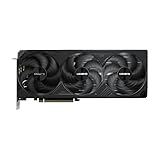
5. The Creator Build — Ryzen 9 9900X + RTX 5070 Ti
Who it suits: Streamers, editors and mixed-work builders whose PC earns its keep between gaming sessions — and whose small room doubles as the studio, so the machine’s footprint and its future reopenings both matter.
Physically, this is pick 4 in a different shirt: same eight-box arrival, same tower platform, same airflow, same placement rules. What changes is inside, and one planned change later. The Ryzen 9 9900X is positioned below the 9800X3D in this tier — check price on Amazon — buying twelve Zen 5 cores boosting to 5.6GHz: for a machine that games at night and renders, encodes or compiles by day, that is the value pick of the AM5 stack, and for a streamer the pairing is well judged, the spare cores absorbing the background load while the card’s encoder handles the stream itself. The rest of the list is pick 4’s, line for line — the same platform and the same WINDFORCE SFF 5070 Ti, well placed in its tier when this build fits. Taken together, the parts sit comfortably in the upper part of this budget, the most accessible route in this guide to a 5070 Ti machine with no weak line in it; the modest CPU saving versus the flagship is the whole difference in positioning. The 2TB of fast storage is the right default for a room that holds both a game library and a footage archive, and it postpones the storage reopening the King 95’s 1TB schedules early.
In purely CPU-bound games the 9900X gives back some performance to the 3D V-Cache chips — the cache earns its premium where esports and simulation titles live — and if your other work is a browser and a chat app, twelve cores will idle in the same tower as the flagship. The small-room-specific limitation is memory: 32GB is the right gaming specification and a workable creator one, but the 64GB configuration this CPU class invites means a second kit positioned as a significant extra purchase in the current memory market, taking the build out of this guide — and fitting it is a scheduled reopening, side panel off and tower dragged into the light, in a room where that is never a small event. Buy the 32GB now, revisit the second kit when the memory market calms, and take comfort that the board has the slots waiting.
- Twelve Zen 5 cores positioned below the eight-core gaming flagship in this tier, and the natural streaming-and-rendering specification of the six.
- Same no-weak-line platform as pick 4; the CPU positioning is the whole difference between the two builds.
- 2TB fitted from the start, so the archive-growing creator workflow does not force an early reopening.
Honest limitation: It trails the X3D chips in cache-sensitive games, and the 64GB configuration creators eventually want does not fit this budget at current memory positioning — it is a planned second purchase and a planned second opening of the case.
Choose it if your PC renders, encodes, compiles or streams as well as it games, and your room is also your studio. Skip it if the machine is purely for playing — pick 4’s cache is worth more to you than cores you will not use.

6. The RTX 5080 Build — Last in a Small Room
Who it suits: Nobody, at this budget, in this market — and in a small room the case against it is stronger than anywhere else, which is why the review exists: so that claim is reasoning rather than opinion.
Begin with the card. GIGABYTE’s WINDFORCE OC SFF is the most accessible RTX 5080 line we could verify, and even so it is positioned well above the other DIY cards — check price on Amazon. Give the build every advantage: pair it with the most accessible strong gaming CPU in this guide, the 7800X3D, because at 1440p and 4K the card, not the CPU, is the limit. Add the shared platform, already the disciplined version of a parts list, and the result is not close: the combination belongs to the next budget tier up, not this one. Now cut corners the way the forum posts suggest. Delete the case entirely — build in a cardboard box — and the build still sits above this budget, with no licence covered. Run it backwards: for this platform and CPU to fit $2,500, the card would have to be repositioned dramatically downward within its class, far from where its listings actually sit. In a general guide the argument ends there. In a small room it gets worse, because every corner this build cuts is one a small room feels first: the case is not packaging but the airflow path and acoustic enclosure, and deleting it leaves a 360W graphics card — the documented draw for this card class — heating the room from an open bench.
What the higher tier would buy is real: the 5080 is a genuine step over the 5070 Ti — independent comparative testing puts it roughly 15% ahead at 4K — and it makes native 4K a plan rather than a hope. A 5070 Ti in a balanced, properly cased machine will still be a good PC in four years; a 5080 starved by a bargain power supply, a small drive and no case is a card whose support act lets it down daily, in the room you sleep in. If the 5080 is the point of the build, the honest home for it is the next budget tier up, and our guide to Best Gaming PC Build Under $3000 is where this parts list belongs, with that tier’s small-spaces treatment at Best Gaming PC Build For Small Spaces Under $3000. If $2,500 and a small room are the points, the five paths above are not consolation prizes; they are the tier working as intended.
- Even the most accessible RTX 5080 line sits positioned above this tier on a disciplined platform — check the current price on Amazon to see the gap for yourself.
- Removing the case entirely still leaves the build above budget, before any Windows licence — and removes the airflow path a small room needs most.
- The card would need a dramatic repositioning within its class for the build to fit at all.
Honest limitation: This pick does not meet the budget, by design, and its documented 360W card is the largest heat source in the guide. Treat its link as the positioning to watch, not a recommendation to buy at $2,500.
Choose it if your honest ceiling is the next tier up and the 5080 is the non-negotiable part. Skip it if $2,500 is a hard limit — no current positioning in this card class makes this a $2,500 build.

Comparison Table
| Pick | Type | Position in this tier | Installation in a small room | Link |
|---|---|---|---|---|
| iBUYPOWER Y40 PRO | Prebuilt | Within this tier, licence included — check price on Amazon | One box, no build day; 2TB fitted; power supply wattage unpublished — verify before planning upgrades | Check on Amazon |
| Skytech King 95 | Prebuilt | Near the top of this tier — check the current price on Amazon and confirm the configuration | Assembled flagship spec; 360mm radiator exhausts along one case edge — that edge keeps its gap; 1TB means a second drive later | Check on Amazon |
| 7800X3D + RTX 5070 build | DIY parts list | Comfortably inside this tier with the licence covered, leaving placement headroom | One build day, then a tower; the only path whose leftover funds the stand and cable hardware | — |
| 9800X3D + RTX 5070 Ti build | DIY parts list | At the top of this tier when the card is well placed; moves above it when the card sits at the expensive end of its range | One build day; documented 355mm case clearance swallows the SFF card; front-to-back airflow to keep clear | — |
| 9900X + RTX 5070 Ti build | DIY parts list | Upper part of this tier, just below the flagship DIY build | Same tower and build day as the flagship; a 64GB memory kit later is one planned reopening | — |
| RTX 5080 corner-cut build | DIY parts list | Above this tier — belongs to the next budget band up | The guide’s largest heat source and the only path whose corner-cutting deletes the case — the worst small-room citizen | Check on Amazon |
How to Choose a Gaming PC Build for a Small Space Under $2,500
- Run the five-step checklist before any money moves. Measure the spot, plan the ventilation clearance, give the internal power supply its socket address, walk the cable drop, then order. The listings publish the dimensions our research does not; the checklist is how those numbers meet your room before the boxes do.
- Decide whether the room can host a build day. That answer splits this guide in half: with no surface to build on and nowhere for packaging to go, the prebuilts are not a convenience upgrade but the only honest recommendation — and in the current market they are also, at their live positioning, the competitive ones; check price on Amazon for both before assuming building is cheaper.
- Price the whole machine, not the exciting parts. At this tier the processor and card together account for only about half of an honest total. Cooler, board, memory, storage, power supply, case and licence make up the rest of every DIY build here — and the stand, tray and cables a small room needs come out of the same $2,500 conversation.
- Check the graphics card’s live positioning, not its headline positioning. The card moves the total more than every other line combined. Every path here states the condition it depends on; do the same with any build you copy, and check the current price on Amazon on the day.
- Keep the 16GB VRAM floor — unless the saving buys the room. At this budget a 12GB card needs a concrete justification, and pick 3 has the only one going: the saving completes the setup, screen and placement included. A 12GB card bought merely because it was cheaper is the specification that ages first, in the room you still sit in.
- Buy the power supply for the next card, not this one. An 850W Gold ATX 3.x unit with the native 12V-2×6 cable is well positioned in its class — cheap insurance in tier terms that turns your next upgrade into a short, planned reopening instead of a card-plus-power-supply rebuild across the only table you own. Never corner-cut this line to rescue a GPU upgrade; pick 6 shows where that road ends.
- Plan the exhaust before you plan the aesthetics. Identify where the machine’s hot air leaves — the rear of an air-cooled tower, the radiator edge of the King 95 — and give that path its clearance permanently. A tower that fits the bay but breathes against a wall does not fit the bay.
- Treat memory as a priced component again. With capacity diverted to AI accelerators, the 32GB DDR5-6000 CL30 kit currently sits far above its historical position in its class. A total that assumed last year’s memory positioning will be wrong before you start — and any future 64GB step belongs in the plan as a scheduled reopening.
- Compare against prebuilts on the day, not from habit. Building’s price advantage is a market condition, not a law of nature. Right now the two verified prebuilts compete strongly against their equivalent parts lists with the licence included; when retail card positioning normalizes, the relationship flips back — check both, every time.
Common Buying Mistakes
- Believing the SFF in a graphics card’s name makes the finished PC small. These are compact cards in full-size towers; the machine’s footprint is the case’s, and the case is tower-class in every path here.
- Putting any of these towers in a closed cabinet or media unit. Every pick needs open room air at its exhaust; a sealed cabinet starves air-cooled and liquid-cooled builds alike, and no pick in this guide is cabinet-safe.
- Ordering first and measuring on delivery day. With no case dimensions in our research, the live listing and your tape measure are the whole game — skip them and the tower ends up exiled to the middle of the floor.
- Copying a parts list that only fits when its GPU is well positioned in its tier and ordering it when the card sits at the expensive end of its range — the single largest budget error available on the 5070 Ti this year.
- Forgetting the cooler and the licence. None of the processors in the DIY builds ships with a cooler, and a retail Windows licence is a real line in the budget — together they are the classic “mystery overrun” in most failed budgets.
- Assuming a prebuilt’s specification from its name. The King 95 is a family of configurations and the Y40 PRO’s power supply wattage is unpublished; verify the model number and the lines that matter on the live listing.
- Spending the whole $2,500 on the tower and nothing on the placement — no stand off the carpet, no cable channel, a display cable too short for the only sensible spot. In a small room the setup is the product; pick 3 is built around that truth.
- Cutting the case, power supply or storage to force an RTX 5080 into the budget. Pick 6 works through that reasoning in full: even caseless it does not fit, and what remains is the worst machine in this guide to live next to.
Final Recommendation
- No room to build: the iBUYPOWER Y40 PRO — one box, 2TB fitted, licence included; check price on Amazon.
- Flagship spec without the build: the Skytech King 95, positioned near the top of this tier, with its radiator edge given a permanent gap.
- Buying a whole setup: the Ryzen 7 7800X3D + RTX 5070 build, and spend the leftover headroom on the stand, tray and screen it was designed to fund.
- Patient builders: the 9800X3D + RTX 5070 Ti flagship, when the card is well placed in its tier; creators take the 9900X version of the same tower.
- Set on an RTX 5080: raise the budget to the next tier up; the reasoning in pick 6 is not negotiable, and neither is the heat.
Our top two for a small room are the two prebuilts, and the choice between them is about which installation problem you would rather own. The Y40 PRO is the simplest arrival in the guide — one box, the generous 2TB drive, competitive positioning within the tier — with a single homework item: confirm the unpublished power supply wattage on the live listing before you plan around it. The King 95 sits higher in the tier and stores less, and in exchange hands you the flagship pairing itself, a power supply whose specification is published rather than guessed, and an exhaust layout you can plan to the inch. Builders with a surface to spare should start from pick 3 or pick 4, and a room smaller than any tower’s welcome should step down a class with Best Gaming PC Build For Small Spaces Under $1500. Resolution-first readers should compare Best Gaming PC Build For 1440p Gaming Under $2500, and streamers Best Gaming PC Build For Streaming Under $2500. Measure the spot, plan the exhaust, check live positioning on the day, and the $2,500 will buy a machine your room can actually live with.
Frequently Asked Questions
Is any PC in this guide actually small?
No — and the guide says so in its first paragraph rather than in a footnote. All six paths are tower-class: the DIY builds use a full-size ATX case, and both prebuilts are towers, one of them carrying a 360mm radiator. The SFF in the graphics cards’ names describes the cards, which are built to a compact-card specification, not the finished machines. What the small-spaces angle changes is the grading: arrival, exhaust, reopening, cabling and leftover. For a genuinely small machine, the verified options live in our guides to Best Small Form Factor Gaming PC Under $2500, Best Compact Gaming PC Under $2500 and Best Mini Gaming PC Under $2500.
Can I put one of these PCs in a TV stand or cabinet if I leave the door open?
Better than a closed door, and still not open air: the walls crowd the intake, the exhaust recirculates in the bay, and the door will not stay open for the machine’s whole life. No path here is cabinet-safe. A tower on a stand beside the furniture will out-cool and out-last the same tower in the bay — and pick 3’s leftover is sized to buy exactly that stand.
Can you really build a gaming PC for under $2,500 in 2026?
Yes, with named conditions. The balanced RTX 5070 build fits comfortably inside the budget in parts with the licence covered, and the RTX 5070 Ti builds fit at the top of the tier when the card is well placed in its range — check the current price on Amazon, because when the card sits at the expensive end of its range the same Ti parts lists move into the next tier. That is why this guide also lists prebuilts, two of which deliver the tier’s specification under $2,500 with the licence included at their live positioning. The full argument is in Best Gaming PC Build Under $2500.
Why not build around the RTX 5080 and cut costs elsewhere?
Because the positioning refuses, and a small room feels the refusal first. Even with the most accessible strong gaming CPU in this guide and a disciplined platform, the card’s place in its class puts the build in the next tier up. Deleting the case entirely still leaves it above budget before a licence — and deletes the airflow path and acoustic enclosure in the process, leaving a documented 360W card heating the room from an open bench. The card would need a dramatic repositioning within its class for this build to exist at all.
Is it cheaper to build or buy a gaming PC right now?
At the live positioning in this guide, buying is — unusually — the competitive route at this tier. The flagship specification as a finished DIY machine sits high in or beyond this tier when parts are bought at unfavourable positioning, while the Skytech King 95 sells the same specification, licensed and assembled, near the top of this tier, and the Y40 PRO is positioned lower still — check price on Amazon for both. The reason is narrow and temporary: retail card and memory positioning has moved far beyond the channels system builders buy through. When retail card positioning normalizes, building retakes the lead. Tighter budgets should start from Best Gaming PC Build Under $1500; bigger ones from Best Gaming PC Build Under $3000.
- Best Gaming PC Build Under $2500
- Best Gaming PC Build For Small Spaces Under $1500
- Best Gaming PC Build For Small Spaces Under $3000
- Best Gaming PC Build For Beginners Under $2500
- Best Gaming PC Build For Streaming Under $2500
- Best Prebuilt Gaming PC Under $2500
- Best Budget Gaming PC Under $2500
- Best Gaming PC Under $2500


