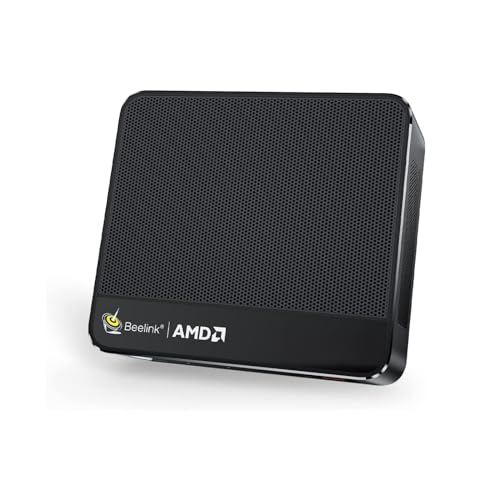
Where to buy
Check the latest price, availability and delivery on Amazon. Orders are placed on Amazon. We may earn a commission from qualifying purchases.
- Best overall compact gaming PC for a 1440p desk: Beelink SER5 MAX Mini PC, Ryzen 7 7735HS, Radeon 680M, 24GB RAM, 500GB SSD — Check on Amazon
- ACEMAGIC Mini Gaming PC, Ryzen 7 7735HS, Radeon 680M, 24GB RAM, 512GB SSD — Check on Amazon
- GMKtec NucBox M6 Mini PC, Ryzen 5 6600H, Radeon 660M, 16GB DDR5, 512GB SSD — Check on Amazon
- abytespark Gaming PC, Core i7, GTX 1660 Super 6GB, 16GB RAM, 1TB SSD — Check on Amazon
See 2 more Amazon options
- STGAubron Gaming PC, Ryzen 5 5500, Radeon RX 580 8GB, 16GB RAM, 512GB SSD — Check on Amazon
- KAMRUI E3B Mini Gaming PC, Ryzen 5 7430U, Radeon Vega 7, 32GB RAM, 512GB SSD — Check on Amazon
Read the full guide ↓
Disclosure: As an Amazon Associate, reviewstook.com earns from qualifying purchases. Links to Amazon on this page are affiliate links; they cost you nothing extra. Listing details such as price and availability change often, so check the current Amazon listing before you buy.
Start with the sentence most guides in this category bury: no compact gaming PC under $500 renders modern games natively at 1440p. Not the mini PCs, not the small towers, not anything in the verified Amazon market at this budget. Native 1440p rendering in current releases is work for a graphics class that starts well above this price, and any listing or headline implying otherwise is describing the monitor the PC plugs into, not the pixels the PC can produce. So this guide grades a different, honest question: what does “for 1440p gaming” legitimately mean when the whole computer costs less than a good 1440p monitor’s bigger siblings? It means three things. The PC outputs a sharp, native 1440p desktop — every pick here does that without effort. It renders games at 1080p or below and upscales them intelligently to fill the 1440p panel, which looks considerably better than it sounds. And in the lightest esports and older titles, the strongest picks reach toward genuinely native rendering. Buy on those terms and this budget works. Buy expecting native 1440p everywhere and no guide can save the purchase.
The hardware reality underneath is the same one that shapes the base version of this guide, Best Compact Gaming PC Under $500: there is no current-generation discrete GPU in a compact PC under $500. What exists is AMD’s Radeon 680M and 660M integrated graphics in sub-litre mini PCs — roughly GTX 1050 Ti-class performance in a box the size of a paperback — plus previous-generation discrete cards, a GTX 1660 Super and an RX 580, in two small-brand towers that trade the compactness away. That mix decides the 1440p story pick by pick. The GTX 1660 Super tower is the one machine here that can hold native 1440p in esports and older games at modest settings. The 680M mini PCs are the best upscaling machines: strong enough to render at 1080p and let FSR carry the image up to the panel. The weaker integrated picks render lower still, and the guide says so in their reviews rather than letting the keyword imply otherwise.
One more thing before the picks, because it reverses the usual buyer’s regret: pairing one of these PCs with a 1440p monitor is not a mistake. The monitor shows a crisp desktop, sharp text and clean video at full native resolution from day one, it flatters upscaled games more than a coarse 1080p panel does, and it will outlive this PC and serve the next one. The mistake is only in expecting the rendering to match the panel today. Below: the quick picks graded on their 1440p honesty, an explanation of rendering versus output, detailed reviews of all six machines, a comparison table, monitor-pairing advice, and the mistakes that waste money at this tier.
In this guide
Quick Picks
Short on time, or comparing several options at once? Each row below names a buyer type and the product that suits it, graded on how it really handles a 1440p screen, with a link to the listing.
| Buyer type | Pick | Why it stands out | Link |
|---|---|---|---|
| Best overall for a 1440p desk | Beelink SER5 MAX Mini PC, Ryzen 7 7735HS, 24GB, 500GB | Strongest integrated graphics in the guide renders at 1080p and upscales cleanly; VESA-mounts behind the 1440p monitor it feeds | Check on Amazon |
| Best for the living room | ACEMAGIC Mini Gaming PC, Ryzen 7 7735HS, 24GB, 512GB | The same 680M graphics in a flat 5-inch square that disappears next to a big screen | Check on Amazon |
| Best value | GMKtec NucBox M6 Mini PC, Ryzen 5 6600H, 16GB, 512GB | A budget-tier value pick — check price on Amazon — with the only socketed, upgradeable RAM in the guide | Check on Amazon |
| Closest to real 1440p gaming | abytespark Gaming PC, GTX 1660 Super 6GB, 16GB, 1TB | The only discrete GPU with the headroom to render esports and older titles at or near native 1440p — in a tower, not a mini | Check on Amazon |
| Best upgrade path | STGAubron Gaming PC, Ryzen 5 5500, RX 580 8GB, 16GB, 512GB | A modern AM4 platform that can grow toward real 1440p later — buy only when a dip brings its live price within this budget | Check on Amazon |
| Best budget pick | KAMRUI E3B Mini Gaming PC, Ryzen 5 7430U, 32GB, 512GB | 32GB of RAM and a VESA plate at a budget-tier price — check price on Amazon; a 1440p desktop machine first, light gaming second | Check on Amazon |
How These Picks Were Chosen
The six machines are the verified set from the base compact guide — same ASINs, same configurations — re-graded against a 1440p monitor instead of a tape measure. That re-grading used three tests the base guide did not need. The first is output honesty: can the machine drive a 1440p panel at its native resolution for desktop, video and interface work? All six pass trivially — displaying a desktop is light work, and two of the mini PCs are documented driving multiple 4K displays — so output alone earned nobody a place. The second test is rendering class: what resolution can the graphics actually sustain in games, judged by documented GPU class only. That is where the set separates into a discrete-card tower, two strong integrated machines, and three picks whose rendering ceiling sits at or below 1080p. The third test is upscaling support, derived strictly from each pick’s silicon: which machines can use FSR in games that include it, and whether any can use DLSS. The answer to the second half is no — there is no DLSS anywhere in this guide, for reasons the next section explains — and any review that implied otherwise would be inventing a feature.
We did not use these machines ourselves. We read the maker listings and specification pages, price-history records for the exact Amazon listings, and independent model documentation, and we compared graphics class, memory, storage, published dimensions. Prices in this category move weekly, so check the live price on Amazon before you buy rather than relying on any number quoted elsewhere, and note that two picks are especially price-sensitive: the STGAubron tower is a buy only when its live price sits within this budget, because it often sits well above it, and the GMKtec’s appeal depends on the deal pricing it regularly shows.
Two judgements specific to this angle ran through the selection. Memory matters twice at 1440p: integrated graphics borrow system RAM for video memory, and rendering — even rendering destined for upscaling — is hungrier than the same game at a 1080p target, so the 24GB configurations earned their places again here. And the size trade from the base guide still applies in full: a mini PC’s graphics can never be upgraded, so the rendering class you buy is the rendering class you retire — which is why the two towers, flawed and bulky, stay in the guide: they are the only picks whose 1440p story can improve later.
Rendering Is Not Output: What “1440p” Honestly Means Here
Two different numbers hide inside the phrase “1440p gaming,” and separating them is the whole skill of shopping this tier. The first is output resolution: the signal the PC sends the monitor. Set any of these six machines to 2560 × 1440 and the desktop, browser, video and game menus render at the panel’s full native sharpness — this costs almost nothing in graphics power and every pick does it. The second is render resolution: the resolution the game engine actually draws each frame at before that frame is scaled to fill the screen. Rendering is the expensive part. A modern game drawn natively at 1440p pushes roughly 78 percent more pixels than the same game at 1080p, and that is precisely the workload this budget’s graphics cannot sustain. So the honest configuration for most of this guide is native 1440p output wrapped around a lower render resolution — and the bridge between the two is upscaling.
Upscaling, in the form these machines use it, is AMD’s FSR, which is built into games individually and runs on any of the graphics hardware here, integrated or discrete. Its quality modes follow published scaling factors worth memorising, because they convert marketing into arithmetic. In Quality mode aimed at a 1440p output, the game renders internally at about 1707 × 960 and FSR reconstructs the frame up to 2560 × 1440 — softer than native in fine detail, but a large step above stretching a 1080p image, and on a dense 1440p panel it holds up well at desk distance. In Performance mode the internal render drops to about 1280 × 720, which buys real headroom for weak graphics at a real cost in clarity — a mode for the lightest picks and the heaviest games, not a default. Games without FSR usually offer a plain render-scale slider, which does the same job with a dumber scaler: render at 70–80 percent, output at 1440p, accept some blur. Either way, the workflow is identical — set the monitor to native, set the game’s internal resolution lower, and let the panel’s pixel density hide the seams.
DLSS deserves its own paragraph because shoppers ask for it by name and this guide cannot offer it. NVIDIA’s DLSS requires the Tensor cores found in RTX-branded cards. The one NVIDIA card in this set, the GTX 1660 Super, is a Turing-generation GTX part with no Tensor cores, so it cannot run DLSS — full stop; what it can run is FSR in games that include it, plus its own considerable native-rendering advantage over the integrated picks. The AMD machines, integrated and discrete alike, are FSR-only by design. None of that is a defect in any individual product; it is the shape of the sub-$500 market, and the reviews below grade how gracefully each pick handles the arrangement.
The 6 Best Compact Gaming PCs for 1440p Gaming Under $500
Beelink SER5 MAX Mini PC — Ryzen 7 7735HS, Radeon 680M, 24GB RAM, 500GB SSD
Who it suits: The 1440p desk buyer who wants the best version of the honest arrangement — a monitor running at full native sharpness, games rendered sensibly below it and upscaled, and the PC itself bolted out of sight behind the panel.
The SER5 MAX is the strongest upscaling machine in this guide because its Radeon 680M is the strongest integrated graphics verified under $500, roughly GTX 1050 Ti-class, and upscaling rewards exactly that kind of strength: the more genuine rendering the chip can do, the better the reconstructed image looks. Its natural habitat on a 1440p monitor is rendering modern games at 1080p and letting FSR in Quality mode carry them up to the panel — a combination that keeps settings respectable and the image convincingly sharp at desk distance. Esports and older titles can push the internal resolution higher, and the lightest of them approach native rendering at low settings, though upscaling usually remains the smoother choice even there. The eight-core Ryzen 7 7735HS underneath is never the bottleneck in this arrangement, and the 24GB of LPDDR5 matters in the way it always matters with integrated graphics: the 680M borrows its video memory from system RAM, so the extra capacity over a 16GB machine is partly graphics headroom, and rendering for a 1440p target spends it faster than a 1080p target would.
As a desk object it is built for exactly this pairing. The box measures 4.96 by 4.45 inches across and 1.65 inches tall — about 0.6 litres, under two pounds — and a VESA bracket in the box bolts it to the back of the monitor, which is the single most elegant 1440p setup this budget allows: the PC disappears, the panel shows a native 1440p desktop, and the cable run shrinks to inches. It is documented driving up to three 4K displays, so a 1440p monitor is far inside its output comfort zone, and a 2.5Gbps LAN port sits alongside Wi-Fi 6 for buyers who wire their desks. Check the live price on Amazon before you buy; this 24GB configuration is the one to buy in its family. The pressure point is storage: 500GB fills quickly once a few modern games — the same games whose rendering this guide is negotiating — land on it.
- Strongest integrated graphics in the guide: renders at 1080p, upscales to the 1440p panel with FSR Quality.
- About 0.6 litres with a VESA mount in the box — bolts behind the monitor it feeds.
- 24GB of RAM gives the shared-memory graphics real headroom for higher render targets.
Honest limitation: It does not render modern games natively at 1440p, and no settings menu changes that — upscaling is the deal, permanently, because neither the soldered RAM nor the graphics can ever be upgraded.
Choose it if your 1440p plan is the upscaled arrangement and you want its best-executing compact form. Skip it if native 1440p rendering is a genuine requirement — that requirement means a different budget, not a different mini PC.

ACEMAGIC Mini Gaming PC — Ryzen 7 7735HS, Radeon 680M, 24GB RAM, 512GB SSD
Who it suits: Living-room buyers putting a 1440p-capable screen at couch distance, where upscaling’s small softness penalty shrinks with every foot between the viewer and the panel.
The ACEMAGIC runs the same silicon as the Beelink — a Ryzen 7 7735HS with Radeon 680M graphics and 24GB of memory — so its rendering story is the same story told in a different room: games render at 1080p or below, FSR in Quality mode reconstructs them to the screen’s 1440p output, and the lightest esports and older titles reach higher internal resolutions at low settings. What changes is how forgiving the viewing geometry is. At a desk, an upscaled image is inspected; from a couch, it is watched — and the reconstruction artefacts that a close 1440p monitor can reveal mostly dissolve at living-room distance, which makes this machine arguably the most natural 1440p pairing in the guide despite identical hardware. Its flat 5.04 by 5.04 inch square, 1.61 inches tall and about 0.67 litres, was shaped for the TV stand: it sits among the streaming boxes, feeds the screen over one cable, and its documented triple-4K display support and 2.5Gbps LAN port mean a 1440p panel or TV asks nothing of it that it cannot do.
Check the live price on Amazon before you buy — this listing is sold by ACEMAGIC US — with the standing warning that this listing family deals aggressively and prices move fast, so the live listing is the only price to trust. The configuration warning matters more than the price: this is a multi-variant listing family, and the 24GB, 7735HS configuration is the one this review is about. The 16GB sibling is not a harmless saving in a 1440p context, because the graphics share that memory pool — confirm the exact chip and memory on the live listing before ordering, every time. Inside, the RAM is soldered and permanent, as with the Beelink, and a second M.2 slot eases the storage side of ownership. Treat the purchase as final in graphics terms: the 680M you buy is the 680M that will upscale for this machine’s whole life.
- Same 680M rendering class as the guide’s top pick, in a flat square made for a TV stand.
- Couch distance flatters upscaled output — the softness penalty fades with viewing distance.
- Check price on Amazon, with triple-display output documented.
Honest limitation: Identical silicon means identical ceilings — no native 1440p rendering in modern games — and the soldered memory makes the variant choice on the listing a lifetime decision.
Choose it if the 1440p screen lives in the living room and the gaming is the household’s shared, couch-based kind. Skip it if you game at a desk close to the panel, where the Beelink’s VESA arrangement serves the same silicon better.

GMKtec NucBox M6 Mini PC — Ryzen 5 6600H, Radeon 660M, 16GB DDR5, 512GB SSD
Who it suits: Value buyers with a 1440p monitor and a realistic library — esports, indies, older AAA — who would rather spend the savings on games than on rendering headroom they will not use.
Grade the M6 a clear step down in rendering class and it still earns its place, because it sits in a lower, budget tier than the 680M pair — check price on Amazon. Its Radeon 660M is a six-core integrated GPU, visibly below the 680M, and its honest 1440p workflow leans harder on the upscaling ladder — render esports and light titles at 1080p with FSR Quality reconstructing to the panel, and be ready to drop to Performance mode, with its roughly 1280 × 720 internal render, for heavier releases. The desktop side is unaffected: the panel runs at native 1440p for work, browsing and video, and the machine’s USB4 port, dual 2.5GbE LAN and Wi-Fi 6E make it a well-connected small desk hub. What the 660M cannot do is pretend to the 680M’s settings; this guide’s comparison table puts the two classes side by side precisely so the saving is weighed against the right cost.
The M6’s distinction in this guide is that it is the only mini PC here whose memory story is not final. Its 16GB of DDR5 sits in SO-DIMM sockets — upgradeable later, which matters at 1440p because integrated graphics drink from the system pool, and a future memory upgrade is the one rendering-adjacent improvement a mini PC in this set actually permits. Dual SSD slots similarly soften the 512GB starting point. Two warnings travel with it from the base guide, undiminished. First, related listings sell a barebones configuration with no RAM, SSD or operating system; the price that looks too good is that kit, so confirm you are ordering the complete machine. Second, its secondary fan buys cooling at the cost of noise — under sustained load it is the most audible mini PC in this guide, and at a quiet desk under a 1440p monitor you will hear it work. The box itself is about 5 by 5 by 2 inches, around 0.8 litres: genuinely compact, genuinely cheap, and honest about the class it renders in.
- A budget-tier deal pick — check price on Amazon — and the cheapest credible route to a 1440p-output gaming desk here.
- Socketed DDR5 RAM and dual SSD slots: the only mini in the guide that can grow into its monitor.
- USB4, dual 2.5GbE LAN and Wi-Fi 6E make it a strong small hub beyond gaming.
Honest limitation: The 660M renders a class below the 680M pair, so heavier games mean Performance-mode upscaling from a low internal render — visibly softer — and its fan is the most audible under load.
Choose it if your library is light, your budget is hard, and the upgradeable memory appeals. Skip it if modern releases at respectable settings are the point — that is the 680M pair’s job, at their price.

abytespark Gaming PC — Core i7, GTX 1660 Super 6GB, 16GB RAM, 1TB SSD
Who it suits: Buyers whose “compact” search was really a rendering search — the ones who want the most genuine 1440p gaming this budget can produce and will give up the mini-PC form to get it.
This tower holds the only graphics card in the guide with a real claim on native 1440p. The GTX 1660 Super is a proper discrete GPU with 6GB of its own GDDR6 memory — memory the integrated picks have to borrow — and it sits a clear class above the Radeon 680M. In esports titles and older games it can genuinely render at 1440p at modest settings, no reconstruction involved, and that makes it the answer for buyers who find upscaling’s softness hard to unsee. Modern releases still negotiate: render at 1080p and upscale, or run native at low settings and accept the strain. Its upscaling path needs one clarification this guide will not blur — the 1660 Super is a Turing-generation GTX card with no Tensor cores, so it does not support DLSS. Its upscaling is FSR, in games that include it, exactly like the AMD picks; its advantage is raw rendering headroom, not a smarter scaler. Check the live price on Amazon before ordering; with 16GB of RAM and a 1TB SSD, it is also the most conventionally specified machine here.
The costs are the ones the base guide flagged, unchanged. It is a tower — no dimensions are claimed for it because none are documented, and it is dozens of times the mini PCs’ volume; on a 1440p desk it takes the space the minis were bought to save. The processor behind the listing’s “Core i7” headline is an i7-7700, a 2017 quad-core on a platform with no upgrade path — adequate behind this GPU at these render targets, but a dead end, and the reason the card’s headroom cannot be cashed in with a future CPU swap. This listing family has also shown configuration drift under the same ASIN, so verify the delivered specification against the listing on arrival and use the return window if it differs. Buy it as what it is: the strongest fixed rendering package under $500, bought for the GPU, in a box that concedes the compact argument entirely.
- The only pick that renders esports and older titles at native 1440p — a real discrete GPU with 6GB of dedicated memory.
- A clear rendering class above every integrated pick in the guide.
- 1TB of storage as standard, the most here.
Honest limitation: No DLSS despite the NVIDIA badge — Turing GTX silicon lacks Tensor cores — and the 2017 quad-core platform behind the card has no upgrade path at all.
Choose it if native rendering in lighter titles matters more than footprint. Skip it if the PC must disappear behind the monitor, or you want any part of the platform to grow later.
STGAubron Gaming PC — Ryzen 5 5500, Radeon RX 580 8GB, 16GB RAM, 512GB SSD
Who it suits: Platform builders on a strict budget — buyers who accept the weakest 1440p rendering in the discrete pair today in exchange for the only machine here whose rendering class can be replaced tomorrow.
Start with the rule that governs this pick, because everything else is commentary: its live price often sits above this guide’s budget — so buy it only when a dip brings it within budget, check the live price on Amazon before deciding, and walk away when it sits above budget without regret. At a dip price, what the money buys is a Ryzen 5 5500 — a modern six-core processor on AMD’s AM4 platform — paired with an RX 580 carrying 8GB of GDDR5. The card is old Polaris silicon, and its 1440p story is the modest one: games render at 1080p or below and upscale to the panel, native 1440p belongs only to the oldest and lightest titles, and its FSR support extends only as far as individual games implement it. AMD has moved the RX 500 series to a legacy driver cadence, so do not expect fresh driver attention for new releases. As a renderer, it is outclassed by the abytespark’s card. That is not the reason it is in the guide.
The reason is the platform. The Ryzen 5 5500, the DDR4 memory and the standard tower layout mean this is the one pick whose graphics can be swapped later — when a future budget allows a modern card, this machine becomes a genuinely native-1440p PC while every mini in the guide stays exactly as capable as the day it arrived. Two cautions ride along. STGAubron does not publish the power supply’s wattage for this machine, and that unpublished number is what will decide how ambitious a future card can be; check it on the live listing and inside the case before planning upgrades around it. And like the abytespark, it is a tower with no documented dimensions claimed here — compact only in comparison with the largest gaming rigs. It ships with an RGB keyboard and mouse in the box and is sold by STG USA. Bought on a dip, by a buyer who will actually upgrade it, it is the long-game pick. Bought at full price as a finished 1440p machine, it is the guide’s clearest mistake.
- The only upgradeable graphics in the guide — an AM4 platform that can grow into native 1440p later.
- Modern six-core Ryzen 5 5500 underneath, a foundation worth building on.
- Keyboard and mouse included in the box.
Honest limitation: The RX 580’s own 1440p rendering is weak — 1080p renders and upscaling, legacy driver cadence — and the pick only makes sense within this budget, a level its price spends much of the year above.
Choose it if you will genuinely upgrade the graphics later and can wait for a price dip. Skip it if you want the best rendering on day one — that is the abytespark — or if the listing is sitting at its usual price above this budget.

KAMRUI E3B Mini Gaming PC — Ryzen 5 7430U, Radeon Vega 7, 32GB RAM, 512GB SSD
Who it suits: Buyers whose 1440p monitor is mostly a work and media screen, whose gaming is light — indies, classics, casual titles — and whose budget for the PC itself stops well short of $500.
The E3B’s place in a 1440p guide needs framing before specs, because its graphics are the weakest here and pretending otherwise would waste your money. Its Ryzen 5 7430U carries Radeon Vega 7 integrated graphics, a generation behind the 660M and two behind the 680M. What that buys, honestly, is an excellent 1440p desktop: the panel runs at full native resolution for documents, browsing, streaming video and the general computing this machine will mostly do, and it does so from a mini PC with a VESA plate included, ready to mount behind that monitor and vanish. Gaming renders low — light titles at 1080p internal resolution with upscaling to the panel, anything heavier at Performance-mode renders around 1280 × 720 — and the machine is at its best with the undemanding libraries it was priced for. It sits in the budget tier — check the live price on Amazon — and works as a sharp-screened everyday PC that also plays light games on a 1440p monitor. As a “1440p gaming PC” in the rendering sense, nothing at its price is, and this one does not pretend.
Its specifications hold one surprise worth the money: 32GB of dual-channel RAM, the most in this guide, in a machine whose graphics borrow from that pool — generous headroom that keeps the desktop side snappy with many things open, and upgradeable further to 64GB, with storage headroom to 2TB, per the listing’s coverage. The variant warning is the essential purchase step: a 16GB sibling configuration exists under a separate listing, and on a shared-memory machine that difference is a performance difference, not a footnote — confirm the 32GB configuration before ordering. No dimensions are documented in the verified sources for this machine, so none are claimed here; it is a mini PC with the mounting plate in the box, and that is the size claim the evidence supports. Buy it as the budget desktop-plus-light-gaming pick and it will satisfy. Buy it expecting the 680M machines’ rendering and it will not.
- A budget-tier pick — check price on Amazon — and a native 1440p desktop and light-gaming machine for the least money here.
- 32GB of dual-channel RAM, the most in the guide, with headroom to grow memory and storage.
- VESA plate included for the behind-the-monitor arrangement.
Honest limitation: Vega 7 is the weakest graphics in the guide — modern games mean low internal renders and Performance-mode upscaling, and demanding libraries are simply outside its brief.
Choose it if the 1440p screen is for work and media first and the games are light. Skip it if gaming is the primary purpose — the GMKtec above renders a class higher for similar money on deal.
Comparison Table
| Product | Graphics | How it really handles a 1440p screen | Link |
|---|---|---|---|
| Beelink SER5 MAX Mini PC, 7735HS | Radeon 680M integrated | Renders at 1080p, upscales with FSR Quality; lightest titles reach higher at low settings | Check on Amazon |
| ACEMAGIC Mini Gaming PC, 7735HS | Radeon 680M integrated | Same rendering class as the Beelink; couch distance hides upscaling’s softness | Check on Amazon |
| GMKtec NucBox M6 Mini PC, 6600H | Radeon 660M integrated | Renders at 1080p for light titles, Performance-mode upscaling for heavier ones | Check on Amazon |
| abytespark Gaming PC, GTX 1660 Super | GTX 1660 Super 6GB discrete | Native 1440p in esports and older titles at modest settings; upscaling for modern releases | Check on Amazon |
| STGAubron Gaming PC, Ryzen 5 5500 | RX 580 8GB discrete | Renders at 1080p or below and upscales; native 1440p only in the oldest, lightest games | Check on Amazon |
| KAMRUI E3B Mini Gaming PC, 7430U | Radeon Vega 7 integrated | Native 1440p desktop; games render at low internal resolutions and upscale | Check on Amazon |
How to Choose a Compact Gaming PC for a 1440p Monitor
- Separate the two resolutions before anything else. Output resolution is what the monitor receives; render resolution is what the game draws. At this budget you are buying native 1440p output and sub-native rendering, and every decision below follows from accepting that split rather than shopping against it.
- Learn the upscaling arithmetic. Quality-mode upscaling to a 1440p panel renders internally at about 1707 × 960; Performance mode renders at about 1280 × 720. When a game’s settings menu offers those modes, you now know exactly what each one costs and buys — Quality is the default worth using, Performance is the emergency lever.
- Check upscaling support per game, not per brand. Every pick in this guide upscales through FSR, which lives inside individual games — a title without FSR falls back to a plain render-scale slider. And no pick here runs DLSS: the one NVIDIA card is a GTX part without Tensor cores. Shop the feature that exists.
- Buy rendering class, because in a mini PC it is permanent. The honest ladder under $500 runs Vega 7 (light), Radeon 660M (esports and older titles), Radeon 680M (the upscaling class pick) — and then the discrete GTX 1660 Super in a tower. Match the class to your library, not your hopes, because the mini PCs can never move up it.
- Treat RAM as a graphics specification. Integrated graphics borrow system memory, and rendering toward a 1440p target spends it faster. The 24GB configurations exist in this guide for that reason; a 16GB variant of the same machine is a rendering downgrade wearing a discount.
- Set the monitor up correctly on day one. Run the panel at its native 1440p for the desktop, and set each game’s internal resolution or upscaling mode deliberately rather than accepting defaults. Ten minutes of settings is the cheapest image quality in this entire guide.
- Decide your relationship with upgrades honestly. If native 1440p is a destination rather than a day-one need, the STGAubron’s swappable graphics are the only route there from this guide — the mini PCs’ upscaled arrangement is their final form. Neither answer is wrong; buying a mini while planning to upgrade it is.
- Confirm the exact configuration at checkout. Mini PC listings are families, not products: the same page may sell 16GB and 24GB, barebones and complete, a weaker chip under a similar name. On shared-memory machines the variant is the performance, so thirty seconds on the live listing is non-negotiable.
- Price-watch this category. Coupons, Prime-only deals and checkout discounts move these machines’ prices week to week, and one pick — the STGAubron — is only a buy at all when a dip brings its live price within this budget. Check the live price on Amazon for each pick and let the market come to you.
Pairing a 1440p Monitor With a Sub-$500 PC
Because the monitor will be accused of being the mistake, let it be defended properly. A 1440p panel paired with any pick in this guide delivers its full value everywhere except inside demanding games: the desktop is visibly sharper than 1080p, text renders cleanly enough to work all day, video and streamed content use the resolution natively, and the panel’s denser pixel grid is precisely what makes upscaled games look as good as they do — reconstruction artefacts have finer pixels to hide in. Screens also outlive PCs. The compact machine bought today will be replaced years before the monitor is, and when the replacement is a PC that renders 1440p natively — whether that is a future tower or this guide’s step-up tier, Best Compact Gaming PC For 1440p Gaming Under $700 — the panel it needs will already be on the desk. Buying a 1080p monitor today to match a temporary PC’s rendering ceiling means buying the screen twice.
The pairing advice that follows is modest. Buy the 1440p monitor you actually want for the long term, and do not overspend on extreme refresh rates that this tier of rendering will rarely feed — resolution and panel quality will serve you longer than headline speed. Then configure the relationship honestly: native resolution on the desktop, upscaling modes set deliberately in games, and no apology for the arrangement. A sub-$500 PC on a 1440p monitor is a sharp everyday machine that plays its library well, waiting — with the expensive half already bought — for the day its replacement renders every pixel the panel can show.
Common Buying Mistakes
- Reading “1440p gaming PC” on a listing as a promise of native 1440p rendering. At this budget it describes the output signal, not the render — the distinction this guide opens with.
- Assuming the NVIDIA card supports DLSS. The GTX 1660 Super is a GTX part: no Tensor cores, no DLSS. Its upscaling is FSR, like everyone else here.
- Buying a 1440p monitor and then running the desktop at 1080p “to match the games.” The desktop costs nothing to render — run the panel natively and let only the games scale.
- Saving a little on a 16GB variant of a shared-memory mini PC, then discovering the RAM is soldered and the graphics drink from the same pool you just shrank.
- Ordering the wrong configuration from a multi-variant listing — a barebones kit with no RAM, SSD or OS, or a weaker sibling chip under a similar headline. Confirm chip, memory and storage on the live listing.
- Paying the STGAubron’s standing price without checking. Its entire case rests on dips that bring its live price within this budget — check the live price on Amazon first.
- Expecting a mini PC to grow into the monitor later. Storage, usually; RAM, rarely; graphics, never. The upscaled arrangement is the machine’s final form.
- Judging these machines against native-1440p benchmarks from hardware costing three times as much. Graded on the honest curve — 1080p renders, Quality upscaling, sharp desktop — the good picks here are genuinely good.
- Sealing a mini PC inside a closed cabinet and blaming the machine for the throttling and fan noise the placement caused. Compact PCs still need air.
Final Recommendation
- Most 1440p desk buyers: Beelink SER5 MAX Mini PC — the best upscaling arrangement in a box that bolts behind the monitor.
- Living-room 1440p screens: ACEMAGIC Mini Gaming PC — same rendering class, couch-friendly shape and distance.
- Value hunters: GMKtec NucBox M6 Mini PC — a class lower, a price tier lower, and the only memory that can grow.
- Native rendering where it counts: abytespark Gaming PC with GTX 1660 Super — esports and older titles at real 1440p, in a tower.
- Long-game builders: STGAubron Gaming PC — only when its live price is within budget, bought for the platform, not the card.
- 1440p desktop first, light games second: KAMRUI E3B Mini Gaming PC.
Our top two for 1440p shoppers at this budget are the Beelink SER5 MAX, because it executes the honest arrangement best — the strongest integrated rendering in the guide, upscaled cleanly to a panel it can hide behind — and the abytespark tower, because it is the one machine here that escapes the arrangement entirely in the titles where escaping is possible, rendering esports and older games at genuine native 1440p. Between them they frame the tier’s real choice: the best upscaled image in a true compact, or real rendering in a box that is not compact at all. The ACEMAGIC moves the Beelink’s idea to the living room, the GMKtec trades a rendering class for the guide’s best price, the STGAubron sells a future rather than a present, and the KAMRUI serves the screen-first buyer at the budget end of the tier. If your budget can stretch, the step up changes the rendering conversation — see Best Compact Gaming PC For 1440p Gaming Under $700 — and if it must shrink, Best Compact Gaming PC For 1440p Gaming Under $400 applies the same honesty a tier down. Set the monitor to native, set the render where your pick belongs, confirm the configuration, and check the live price before you order.
Frequently Asked Questions
Can any compact PC under $500 really game at native 1440p?
In modern games, no — and this guide is built around saying so. Native 1440p rendering in current releases needs a graphics class that starts above this budget. The exception is the abytespark tower, whose GTX 1660 Super can render esports and older titles at native 1440p at modest settings. Everything else here renders at 1080p or below and upscales to the panel, which is a good-looking, honest arrangement when knowingly bought.
Is a 1440p monitor wasted on one of these PCs?
No. The desktop, text, browsing and video all run at the panel’s full native resolution, upscaled games look better on a dense panel than on a coarse one, and the monitor will outlive the PC — when a future machine renders 1440p natively, its screen is already bought. For the wider market built around the resolution itself, Best 1440p Gaming PC Under $500 drops the compact requirement and grades the same budget purely on rendering.
Does the GTX 1660 Super support DLSS?
No. DLSS requires NVIDIA’s Tensor cores, which live in RTX-branded cards; the 1660 Super is a Turing-generation GTX card without them. It upscales through FSR in games that include FSR, like every other pick in this guide — its advantage is raw rendering headroom, including genuine native 1440p in lighter titles, not a proprietary scaler.
What is the difference between Quality and Performance upscaling at 1440p?
The internal render resolution. Quality mode aimed at a 1440p output renders the game at about 1707 × 960 and reconstructs it up to 2560 × 1440 — the mode worth defaulting to on the stronger picks. Performance mode renders at about 1280 × 720, buying headroom for weaker graphics or heavier games at a visible cost in clarity. Both output a native 1440p signal to the monitor; only the work behind the image changes.
Which pick should I buy if I already own a 1440p monitor?
For a desk, the Beelink SER5 MAX — it mounts behind the monitor you own and runs the best upscaled arrangement here. If your library is esports-heavy and desk space is negotiable, the abytespark renders more of it natively. Couch setups point to the ACEMAGIC, and tight budgets to the GMKtec. Buyers whose space matters as much as the screen should also read Best Compact Gaming PC For Small Spaces Under $500.
Will these PCs run a 1440p monitor for work and video?
Easily — that workload is not the constraint. Displaying a 1440p desktop is light work for every pick here, and the Beelink and ACEMAGIC are documented driving multiple 4K displays, several tiers above a single 1440p panel. The rendering limits in this guide apply to games, not to the desktop the monitor will show most of the day.
Can I upgrade one of these later to render 1440p natively?
Only one, realistically: the STGAubron tower, whose standard platform accepts a future graphics card — subject to checking its unpublished power-supply wattage before planning around it. The mini PCs’ graphics are part of their processors and can never change; their upscaled arrangement is permanent. That permanence is the size-for-upgradeability trade, and Best Small Form Factor Gaming PC Under $500 covers the middle-ground form factor for buyers who cannot accept it.


