Where to buy
Check the latest price, availability and delivery on Amazon. Orders are placed on Amazon. We may earn a commission from qualifying purchases.
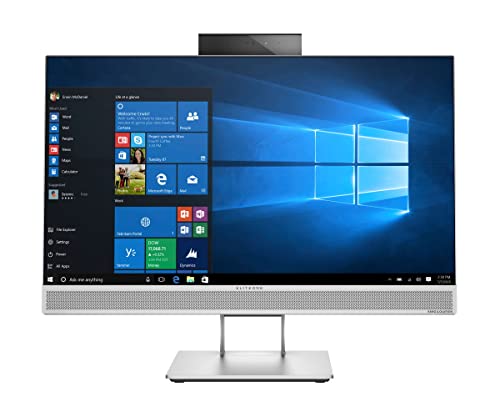
- Best overall for streaming: HP EliteOne 800 G4 All-in-One, 23.8″ FHD, Core i5-8500, 16GB RAM, 512GB SSD (Renewed) — Check on Amazon
- Best value streaming starter: HP ProOne 600 G4 All-in-One, 21.5″, Core i5-8500T, 8GB RAM, 256GB SSD (Renewed) — Check on Amazon
- Strongest processor in this tier — bring your own webcam: Dell OptiPlex 5260 All-in-One, 21.5″ FHD, Core i5-8400, 8GB RAM, 256GB SSD (Renewed) — Check on Amazon
- For talk and console streams, bought new: STGSivir All-in-One PC, 24″ FHD, 16GB RAM, 1TB SSD — Check on Amazon
See 2 more Amazon options
- Curved-screen pick — verify the listing first: MECHAZER All-in-One, 23.8″ Curved FHD, Core i7-7700HQ, 16GB RAM, 512GB SSD — Check on Amazon
- Best for streaming light games: PINGDY All-in-One, 23.8″ FHD IPS, Ryzen 5 3500U, 8GB RAM, 512GB SSD — Check on Amazon
Read the full guide ↓
Disclosure: As an Amazon Associate, reviewstook.com earns from qualifying purchases. Links to Amazon on this page are affiliate links; they cost you nothing extra. Listing details such as price and availability change often, so check the current Amazon listing before you buy.
Start with the fact that shapes everything in this guide: there is no graphics card in any all-in-one under $400, which means there is no NVENC encoder here either. The hardware encoder streamers usually rely on lives on a discrete NVIDIA GPU, and nothing at this budget has one. Every machine below runs integrated graphics — Intel UHD 630, an older Intel integrated chip, or AMD Radeon Vega 8 — so streaming from one of these computers means encoding with the fixed-function hardware built into the processor itself: Intel Quick Sync on the Intel picks, AMD’s own integrated encoder on the Ryzen pick, or, on the weakest machines, not really encoding gameplay at all. That is a narrower hobby than a gaming tower offers, but it is a real one, provided you match the content to the hardware.
Here is the realistic shape of it. These machines can stream light and older games they can also play, desktop and just-chatting content, art, music production, retro titles, and — importantly — console gameplay fed in through a USB capture card, where the all-in-one only has to encode a picture it did not have to render. The sensible output settings are 720p60 for anything moving fast and 1080p30 for talk and desktop content, sent at constant bitrate under Twitch’s roughly 6,000 kbps ceiling; most of these picks will honestly be happiest between 3,500 and 5,000 kbps. What they cannot do is play a modern demanding game and broadcast it at the same time: the same silicon would be rendering the game, compositing your OBS scene, running your browser dashboard and encoding the result, and something in that stack gives. This guide grades all six picks on exactly that simultaneous load — encoder first, then cores, memory, camera and network — because a streaming PC is not the machine that plays the game; it is the machine that does four jobs at once and drops frames when any one of them starves.
In this guide
Quick Picks
Short on time, or comparing several options at once? Each row below names a streaming use case and the all-in-one that suits it, with a link to the listing.
| Streaming use | Pick | Why it stands out | Link |
|---|---|---|---|
| Best overall for streaming | HP EliteOne 800 G4 All-in-One (Renewed) | Six cores, 16GB RAM and Quick Sync — the only pick with headroom for game, OBS, browser and recording at once | Check on Amazon |
| Best value streaming starter | HP ProOne 600 G4 All-in-One (Renewed) | Quick Sync and a built-in camera — check price on Amazon; positioned lower in this budget tier, leaving room for a microphone | Check on Amazon |
| Best processor in this tier | Dell OptiPlex 5260 All-in-One (Renewed) | Full-power six-core chip — check price on Amazon — but no webcam at all, so budget for one | Check on Amazon |
| Talk and console streams, new | STGSivir All-in-One PC 24 | 1TB SSD for recordings and a built-in webcam — with a very old dual-core processor, covered below | Check on Amazon |
| Best screen for a streamer | MECHAZER All-in-One 23.8″ Curved | Curved panel and eight threads — buy only when the listing confirms Windows and the current price on Amazon sits within the budget | Check on Amazon |
| Best for light-game streams | PINGDY All-in-One 23.8″ Ryzen 5 | Vega 8 is the strongest game-playing integrated graphics here, with AMD’s hardware encoder alongside | Check on Amazon |
How These Picks Were Chosen
The starting filter was the same as any all-in-one shortlist at this price: a real Amazon listing positioned at or under the $400 budget in the United States, sold as a complete machine — screen, computer, keyboard and mouse — rather than a mini PC or a bundle wearing an all-in-one label. Prices change often, so check the current price on Amazon for each pick, and treat a listing that has moved above the budget on the day you shop as out of scope for this guide. Renewed business machines dominate this budget, so seller grading, warranty length and returns windows were treated as part of the specification, not fine print.
On top of that sat a streaming filter, applied in a deliberate order. First, the encoder: does the processor carry a hardware encoder OBS can use, so encoding does not eat the same cores the game needs? Intel’s Quick Sync on the UHD 630 picks and AMD’s integrated encoder on the Ryzen pick pass that test; nothing here offers AV1 encoding, and no pick was credited with an encoder its documented silicon does not have. Second, simultaneous-load capacity: core count and RAM, judged against the real streaming stack of game plus OBS plus a browser full of dashboards plus chat. Third, the facecam question — a confirmed built-in webcam, an unconfirmed one, or none at all, with the need to add one noted openly. Fourth, the network: streaming is an upload workload, so a wired Ethernet path counts for more than a Wi-Fi bullet point. Fifth, storage, because local recordings at stream bitrate consume roughly two and a half to three gigabytes an hour and a 256GB SSD is a streaming constraint, not just a specification.
We did not stream from these computers ourselves. We read the Amazon listings and their specification tables, manufacturers’ datasheets where they exist, and independent price-tracking and refurbisher data, and we checked the encoder and core facts against the documented processor in each machine. That reading surfaced the same listing problems this batch of guides keeps finding — a memory type a machine never shipped with, a core count contradicted by the processor’s own model number, an operating-system field at war with the marketing — and where a listing’s table is wrong, the review follows the manufacturer’s data and flags the error so you can verify it yourself.
The 6 Best All-in-One PCs for Streaming Under $400
HP EliteOne 800 G4 All-in-One — Core i5-8500, 16GB RAM, 512GB SSD (Renewed)
Who it suits: Streamers who want the one machine in this guide that can play a light game, encode it, run the dashboard browser and keep a local recording at the same time — and who are comfortable buying renewed business hardware to get that headroom under $400.
The EliteOne’s streaming case rests on three numbers: six, sixteen and Quick Sync. The processor is an Intel Core i5-8500, a full desktop chip with six physical cores, and its integrated UHD 630 graphics carry Intel’s Quick Sync hardware encoder, which OBS can select directly. That division of labour is the whole game at this budget: Quick Sync turns your gameplay into the broadcast on fixed-function silicon, leaving the six cores for the game itself, OBS scene compositing and the browser tabs every streamer accumulates. The 16GB of RAM is the second half of the argument — it is the only pick here where game, OBS, a stream dashboard, chat and a music app can all stay resident without Windows swapping to disk mid-stream — and the 512GB SSD doubles the recording room of the cheaper picks, which matters once local copies of each broadcast start piling up at a few gigabytes an hour.
The supporting details are unusually complete for a renewed machine. A webcam is built in, so facecam works on day one; Wi-Fi is internal; both HDMI and DisplayPort outputs are available if you want a cheap second monitor for chat — the single quality-of-life upgrade streamers feel most — and a keyboard, mouse and even an Ethernet cable are in the box, which makes the wired connection this guide keeps recommending a five-minute job rather than a purchase. The listing states a one-year manufacturer warranty, far beyond the 90 days typical here, and that matters for a machine you intend to run under sustained streaming load. Two cautions carry over from the base research. Amazon’s spec table describes the memory as DDR5; HP’s own datasheet says DDR4-2666 in two slots, upgradeable to 32GB — follow the datasheet, check the live listing, and note that the possible memory upgrade is genuine streaming longevity, since RAM is the first wall the simultaneous stack hits. And this pick sits at the top of this budget tier, not in its lower half: check the current price on Amazon before you buy, and if this configuration has moved above the $400 budget on the day you shop, the same model with a 256GB SSD is the fallback configuration to look for from refurbishers.
- Quick Sync hardware encoding on UHD 630 — the encoder does not compete with the game for cores.
- Six desktop cores and 16GB RAM: the only pick with real simultaneous-load headroom.
- Built-in webcam, internal Wi-Fi, HDMI and DisplayPort out for a chat monitor.
- 512GB SSD for local recordings, and RAM upgradeable to 32GB per HP’s datasheet.
Honest limitation: It is a renewed 2018 business machine positioned at the top of this budget tier, its integrated graphics limit you to light games, and Quick Sync’s picture quality, while perfectly serviceable at 720p60 or 1080p30, is a step below what a discrete GPU’s encoder produces at the same bitrate.
Choose it if streaming is the main job and you want the fewest compromises this budget allows. Skip it if you intend to play and stream modern demanding games — no pick in this guide can do that — or buying renewed bothers you.

HP ProOne 600 G4 All-in-One — Core i5-8500T, 8GB RAM, 256GB SSD (Renewed)
Who it suits: New streamers who want working hardware encoding and a camera in the box positioned low in this budget tier, leaving room in the $400 budget for the microphone and lighting that make a bigger difference to viewers than any specification in this guide.
The ProOne runs the same encoder as the EliteOne — Quick Sync on Intel UHD 630 — behind a Core i5-8500T, the 35-watt low-power sibling of the same 8th-generation six-core family. For streaming, that trade is mostly favourable: the hardware encoder does not care about the T suffix, and six cores at a 2.1GHz base clock still cover a light game plus OBS plus a browser, while the low-power chip runs cool and quiet in a small room where the microphone sits close to the machine. The completeness helps a beginner more than raw speed would: camera, Wi-Fi and Bluetooth are all built in rather than dongle-based, the keyboard and mouse are included, the grading is Refurbished–Excellent and Windows 11 Pro is installed. Check the current price on Amazon for this renewed listing, sold through an Amazon-fulfilled seller — it is positioned low in this tier as a value way into hardware-encoded streaming in this guide, leaving more of your overall budget for a microphone than the picks positioned higher in the tier.
The limits are memory and storage, and streaming exposes both faster than office work does. Eight gigabytes of RAM is the floor for this stack: a light game, OBS and a browser will fit, but they will fit tightly, and a memory-hungry game or a dozen dashboard tabs will push Windows into swapping at exactly the moment you are live. Treat 8GB as a discipline — close what you are not using — rather than headroom. The 256GB SSD fills at the same arithmetic as everywhere else, roughly two and a half to three gigabytes per recorded hour, so recordings need regular offloading to an external drive or the cloud. The 21.5-inch screen is also the smallest class here, and the listing does not promise an IPS panel, so expect narrower viewing angles; for streaming that matters less than it sounds, because the audience never sees your screen — but if two people watch content together at the desk, check the live listing’s display details first.
- Quick Sync hardware encoding and a built-in camera — the complete starter kit in one box.
- Positioned low in this budget tier — check price on Amazon — leaving room in the budget for a mic.
- Six cores in a cool, quiet low-power package that suits small streaming rooms.
- Wi-Fi and Bluetooth built in, keyboard and mouse included, Refurbished–Excellent grading.
Honest limitation: 8GB of RAM and a 256GB SSD are the minimum viable streaming pairing, not a comfortable one — heavy multitaskers will feel the memory ceiling within the first month of regular broadcasts.
Choose it if you are starting out, your games are light, and you would rather spend the savings on audio. Skip it if you know your stack is heavy — that is the EliteOne’s 16GB, positioned at the top of this tier.

Dell OptiPlex 5260 All-in-One — Core i5-8400, 8GB RAM, 256GB SSD (Renewed)
Who it suits: Streamers on the tightest budget who can add a USB webcam themselves: this is the joint-strongest processor in the guide positioned low in this budget tier, with the best wired connectivity — provided the camera gap is planned for from the start.
The streaming hardware is genuinely strong for this tier. The Core i5-8400 is a full-power desktop processor — six cores boosting to 4.0GHz, the strongest sustained clocks here — with the same UHD 630 Quick Sync encoder as the HP picks, so the encode-versus-game division of labour works exactly as it should. Ignore the word “Quad-Core” in the Amazon title while you shop: the listing’s own description confirms six cores, the i5-8400 was never a quad-core part, and the episode is a tidy reminder to read spec tables instead of headlines. Check the current price on Amazon for renewed 5260s, which vary by seller and configuration. This listing is sold by BLUE DIMOND COMPUTER and graded Refurbished–Excellent, and it is positioned low in this budget tier as an entry to six-core hardware-encoded streaming in the guide.
Now the two gaps, because both are streaming-specific. First, the camera: the listing states there is none. A facecam is not optional equipment for most stream formats, so a basic USB webcam is a mandatory addition — it must be planned for, and it is covered openly in this guide’s what-$400-does-not-include section. Second, the network: Wi-Fi arrives as a USB dongle, and a USB Wi-Fi dongle is the wrong foundation for an upload workload — it also permanently occupies one of the five USB ports, with the webcam taking another. The fix is already on the back panel: this machine has wired Ethernet, a DisplayPort output for a second screen, three USB 3.1 and two USB 2.0 ports, and an SD card reader that creators moving camera footage will genuinely use. Stream wired, and the dongle becomes a backup rather than a liability. The warranty is the standard renewed 90 days rather than the EliteOne’s stated year, so run your streaming tests — encoder, camera, every port, a full-length test broadcast — inside the first week while returns are painless.
- Full-power six-core i5-8400 with Quick Sync — the strongest streaming CPU here for this tier.
- Positioned low in this budget tier — check price on Amazon — varying by seller and configuration.
- Wired Ethernet, DisplayPort out and an SD card reader — the most creator-ready ports here.
- Keyboard and mouse included; Refurbished–Excellent grading.
Honest limitation: There is no webcam at all, Wi-Fi comes via a port-consuming USB dongle you should not stream over, and the warranty is only 90 days — budget for a basic USB camera and test everything under streaming load in week one.
Choose it if you can wire it to Ethernet, you rarely mind adding a webcam, and processor strength for this tier is the priority. Skip it if your desk cannot reach a wired connection, or you want camera and coverage handled for you — the HP picks above do that.

STGSivir All-in-One PC 24 — 16GB RAM, 1TB SSD
Who it suits: Streamers whose content does not come from the PC itself — console gameplay through a capture card, just-chatting and desktop shows, podcasts with a picture — who want a new machine with a webcam and a big SSD, and who understand the processor warning before ordering.
The warning comes first because streaming makes it sharper, not softer. The listing’s headline sells a “Core i5” with 16GB of RAM and a 1TB SSD, but its own specification table names the chip: a Core i5-3470T, a 3rd-generation dual-core from the early 2010s, with a 2011 model year in the same table. Two cores is the whole story for streaming. There is an early version of Intel’s Quick Sync hardware encoder in silicon this old, and it works — but it is a first-generation implementation with visibly rougher quality than the UHD 630 picks, and there is no software-encoding fallback behind it, because x264 on two cores that are also running Windows, OBS and a browser is not a plan. Playing a game on this machine and encoding it at the same time is beyond it in any modern title. What remains is a legitimate niche: feed the picture in from somewhere else. With a capture card carrying a console, this machine only has to composite a scene and hardware-encode it — a job the dual-core can do at 720p — and suddenly the rest of the specification starts working for a streamer instead of against one.
That rest of the specification is genuinely streamer-friendly. The 1TB SSD is the largest here by a factor of two to four, and recordings are where streaming storage goes: local copies stop being a space negotiation. Sixteen gigabytes of RAM holds OBS, a browser and chat without strain. The webcam is built in, Wi-Fi and Bluetooth 5.0 are present, the 24-inch Full HD screen is the joint-largest in the guide, and an RGB keyboard and mouse set is included. It is also new rather than renewed, with a normal retail returns process — check the current price on Amazon before you buy. One check before ordering: the current listing title specifies Windows 11 Home while an older version of the listing described Windows 10 Home, so confirm the operating-system line on the live page. Buy this machine as an encode-and-present box for content generated elsewhere and it makes sense; buy it as a play-and-stream gaming PC and it will disappoint you on the first night.
- New, not renewed — full retail returns and no ex-corporate wear.
- 1TB SSD: the only pick where local recordings are not a space problem.
- Built-in webcam, 16GB RAM and the joint-largest screen here.
- Positioned at the top of this budget tier when new — check price on Amazon; used copies may sit lower in the tier.
Honest limitation: The dual-core 3rd-generation processor is by far the weakest streaming chip in this guide — hardware encoding only, at 720p, and only for content the machine is not also rendering. There is no meaningful upgrade path.
Choose it if your gameplay comes from a console and capture card, or your show is talk and desktop. Skip it if you intend to play PC games and stream them from the same machine — every other pick here does that better.

MECHAZER All-in-One 23.8″ Curved — Core i7-7700HQ, 16GB RAM, 512GB SSD
Who it suits: Streamers drawn to the curved screen and the eight-thread processor — and willing to do the most pre-purchase verification of any pick here, because this listing carries the biggest unanswered questions in the guide.
On paper, the streaming silicon is respectable. The Core i7-7700HQ is a 7th-generation mobile processor with four cores and eight threads, and its Intel integrated graphics include Quick Sync hardware encoding of the same family the UHD 630 picks use. The threads add a genuine second option those picks lack: at 720p, x264 on the veryfast preset is a realistic software-encoding fallback on eight threads in a way it never is on two or six loaded cores. Sixteen gigabytes of memory gives the simultaneous stack room, the 512GB SSD is adequate for recordings, and the hardware around it is streamer-aware: a 23.8-inch curved Full HD panel that makes long dashboard-and-chat sessions comfortable, dual-band Wi-Fi, Bluetooth 5.0, built-in speakers, six USB ports, an HDMI output for a second screen, a fingerprint reader and a wired keyboard and mouse, with a stated one-year warranty.
Two problems stand between that paper specification and a working stream, and both are about the listing rather than the hardware. The first is the operating system: Amazon’s structured data for this listing gives the OS as “DOS” — no Windows at all — while MECHAZER’s marketing elsewhere describes Windows 11 Pro preinstalled. Both cannot be true, and for a streamer the difference is total: a machine that boots to a DOS prompt streams nothing until you supply and install an operating system yourself. Read the live listing’s OS line and the recent buyer reviews, and walk away unless Windows is clearly confirmed. The second is the camera: at least one independent roundup of this model reports no built-in webcam, so confirm it on the live listing and budget for a USB webcam if it is absent. Price needs the same discipline — check the current price on Amazon for this exact listing, and treat this pick as qualifying only when that live price sits within the $400 budget; larger and variant configurations sit in higher tiers, so do not use them as a guide to this one — and the memory being DDR3-generation is a final reminder of the older platform under the modern styling.
- The only curved display here, with eight threads for a real software-encoding fallback.
- Quick Sync hardware encoding from its Intel integrated graphics.
- 16GB RAM, 512GB SSD, HDMI out, fingerprint reader and a stated one-year warranty.
- Dual-band Wi-Fi, Bluetooth 5.0 and speakers built in.
Honest limitation: Amazon’s own data lists the operating system as DOS against marketing that promises Windows 11 Pro, the webcam is unconfirmed, and you must confirm its live price sits within the $400 budget — this pick exists only when all three checks come back right on the day.
Choose it if the curved screen appeals, the live listing confirms Windows and a camera, and check the current price on Amazon sits within the $400 budget. Skip it if any check fails — an unclear OS alone ends the argument for a machine bought to go live.
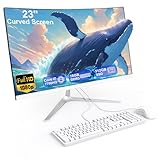
PINGDY All-in-One 23.8″ — Ryzen 5 3500U, 8GB RAM, 512GB SSD
Who it suits: Streamers whose content is light games played on the machine itself — indie, retro and esports-style titles at low settings — and who want the strongest integrated graphics in the guide paired with a hardware encoder, in a new machine.
This is the only pick where the graphics doing the playing are also the strongest here. The Ryzen 5 3500U — four cores, eight threads, a 2019 mobile processor — integrates Radeon Vega 8 graphics, which handle older and lighter games at low settings noticeably better than the Intel UHD 630 machines, and AMD’s hardware video encoder sits in the same silicon, available to OBS as its AMD encoder option. That pairing defines the pick: the game renders on Vega 8, the broadcast encodes on fixed-function AMD hardware, and the four cores handle OBS and the browser — a division of labour that works for genuinely light titles and collapses, as everywhere in this guide, the moment a demanding modern game enters the chat. The listing markets this machine “for Gaming”, and that word deserves the same rejection here as in the base guide: Vega 8 is the best integrated graphics under $400, which is a statement about a low ceiling, not a high one. The rest of the setup is sensible — a 23.8-inch Full HD IPS panel with the wide viewing angles a shared screen wants, a 512GB SSD, Wi-Fi, Bluetooth, a built-in speaker, and a keyboard and mouse included.
The constraints are memory and verification. Eight gigabytes of RAM is shared between Windows, the game, OBS and the browser, and Vega graphics draw their memory from that same pool — so the simultaneous stack on this pick has the least slack of any machine here, and stream discipline (browser tabs closed, game settings low) is mandatory rather than tidy. The listing’s paperwork also needs checking: its spec table garbles the processor as a “3450U” in one field and labels the memory DDR3 in another, when the 3500U is a DDR4 platform — confirm the configuration on the live listing and again on arrival, and use the returns process if what lands differs. A webcam is not among the extras the listing clearly documents, so verify it live and budget for a USB camera if it is not there. Finally, price: check the current price on Amazon — the pick qualifies when the live listing sits within the $400 budget, and not above it, and nothing in the listing promises a memory or storage upgrade path, so the configuration you order is the one you stream on.
- Radeon Vega 8: the strongest game-playing integrated graphics in this guide.
- AMD’s hardware encoder in the same chip — play light games and encode without core contention.
- A 23.8-inch Full HD IPS panel, plus 512GB of storage — twice what the lower-storage picks carry.
- Newest processor platform here, with Wi-Fi, Bluetooth and peripherals included.
Honest limitation: 8GB of RAM shared with the graphics is the tightest streaming ceiling in this guide, the spec table contains errors, the webcam is not clearly documented — check the current price on Amazon against the $400 budget before anything else.
Choose it if your stream is light games played on the machine and the live price is in budget. Skip it if you need 16GB of RAM, a confirmed webcam, or encoding headroom for anything heavier — the EliteOne covers all three.

Comparison Table
All six picks side by side, with the encoder each documented processor actually carries. Prices change often — renewed stock is repriced by each seller, so check the current price on Amazon for each listing before you buy.
| Model | Processor & encoder | RAM / Storage | Webcam | Price | Link |
|---|---|---|---|---|---|
| HP EliteOne 800 G4 (Renewed) | Core i5-8500, 6-core · Quick Sync (UHD 630) | 16GB / 512GB SSD | Built in | Top of this tier — check price on Amazon | Check on Amazon |
| HP ProOne 600 G4 (Renewed) | Core i5-8500T, 6-core · Quick Sync (UHD 630) | 8GB / 256GB SSD | Built in | Lower in this tier — check price on Amazon | Check on Amazon |
| Dell OptiPlex 5260 (Renewed) | Core i5-8400, 6-core · Quick Sync (UHD 630) | 8GB / 256GB SSD | None — add USB | Low in this tier — check price on Amazon | Check on Amazon |
| STGSivir All-in-One 24 | Core i5-3470T, 2-core · early Quick Sync | 16GB / 1TB SSD | Built in | Top of this tier — check price on Amazon | Check on Amazon |
| MECHAZER 23.8″ Curved | Core i7-7700HQ, 4-core/8-thread · Quick Sync | 16GB / 512GB SSD | Unconfirmed | Check price on Amazon | Check on Amazon |
| PINGDY All-in-One 23.8″ | Ryzen 5 3500U, 4-core/8-thread · AMD encoder (Vega 8) | 8GB / 512GB SSD | Not clearly documented | Check price on Amazon | Check on Amazon |
Set Up OBS Once, Correctly
Weak hardware punishes default settings, so the setup below is the difference between a stable stream and a slideshow on every machine in this guide. In OBS, open Settings and Output and choose the hardware encoder first: Quick Sync H.264 on the Intel picks, the AMD hardware encoder on the PINGDY. Software x264 is a fallback only on the eight-thread MECHAZER, at the veryfast preset and 720p — on the six-core picks it steals the cores your game is using, and on the dual-core STGSivir it is not an option at all. Set rate control to CBR, because Twitch expects a constant bitrate rather than a variable one: around 4,500–5,000 kbps for 720p60, 5,000–6,000 kbps for 1080p30 talk content if your upload genuinely sustains it, and less — 3,500 kbps at 720p30 — before you blame the PC for a connection problem. Set the keyframe interval to 2 seconds, which the platforms require and many beginners never touch.
Then learn the three counters in OBS’s Stats window, because each one names a different bottleneck and a different fix. Frames missed due to rendering lag mean the graphics are overloaded — OBS composites your scene on the same integrated graphics that render your game — so lower the output resolution, cap the game’s frame rate, and remove browser sources you do not need. Skipped frames due to encoding lag mean the encoder is saturated: confirm you are actually on the hardware encoder, drop to 720p, and lower the bitrate before touching anything else. Dropped frames are the network counter, and no setting inside the PC fixes them: lower the bitrate, change ingest server, and above all wire the connection. Which is the standing rule of this guide — stream over Ethernet wherever the machine offers a port. The EliteOne includes the cable, the Dell has the port and should never be streamed from its USB Wi-Fi dongle, and on any pick, a stream planned around Wi-Fi is a dropped-frames problem scheduled in advance. Run a private test stream at your final settings for fifteen minutes before your first public one; on hardware this modest, the test is not optional.
How to Choose an All-in-One for Streaming Under $400
Start with the encoder, not the screen. Streaming from integrated graphics is possible only because the processor carries a hardware encoder — Quick Sync on the Intel picks, AMD’s encoder on the Ryzen pick — that OBS can hand the broadcast to. That single fact decides more than any other specification here. No machine in this guide has NVENC or AV1 encoding, and any listing language implying gaming-tower streaming features at this price should be read as decoration.
Count cores against the whole stack, not the game. A stream is a game, OBS, a browser with dashboards and chat, and often a recording, all at once. Six cores handle that stack with a light game; four cores and eight threads handle it with discipline; two cores handle encoding only, with the content arriving from a console or the desktop. Match the pick to the format honestly and the machine will feel adequate; mismatch it and no setting will save the broadcast.
Treat RAM as a streaming specification. Sixteen gigabytes is comfortable, eight is a ceiling you will touch — and on the PINGDY the graphics borrow from the same pool, tightening it further. If you know your stack is heavy, the 16GB picks are not a luxury upgrade; they are the difference between streaming and swapping.
Settle the camera before you compare prices. Two picks confirm a built-in webcam, one has none at all, and two leave the question open in their listings. A basic USB webcam is the fix where it is needed, but it belongs in the comparison from the start — and built-in all-in-one microphones are uniformly the weakest audio link, so every pick in this guide, camera or not, eventually wants the external microphone covered in the next section.
Wire the network, then check storage. Upload stability is a cable, not a feature list: prefer a pick with an Ethernet port and use it. Then do the recording arithmetic — local copies at stream bitrate consume roughly two and a half to three gigabytes an hour — and decide whether a 256GB SSD with an offloading habit or a larger drive suits how often you stream.
Apply the renewed rules under load. Most of this budget is renewed business hardware: buy the grading and the warranty, not just the price, and stress-test the machine the way you will actually use it — a full test stream, every port, the camera — inside the first week, while the return window and the 90-day warranty are both wide open. If a used machine genuinely bothers you, the new picks are the alternative, with weaker processors as the standing trade.
What $400 Does Not Include
The machine is the platform, not the whole stream. None of the following is inside any pick’s price in this guide, and a realistic budget counts them separately. A USB webcam, where the pick needs one: mandatory for the Dell, which has no camera at all, and a possible addition for the MECHAZER and PINGDY if their live listings do not confirm one — a basic model is an inexpensive addition that is entirely adequate at facecam size. A real microphone: the built-in microphone beside any all-in-one webcam is the weakest link in the whole chain, and a basic USB microphone improves a stream more than any other single purchase. Lighting: a simple desk or ring light makes an inexpensive webcam look a class better. A capture card, only if you stream console games: basic USB cards cover 1080p30-class input, with name-brand 1080p60 cards positioned as a higher-tier step up — PC games played on the machine itself need no card at all, since OBS captures them directly. Add an optional second monitor for chat if a pick has the output for it, and the honest picture is a separate streaming kit budget on top of a camera-equipped pick, and more on top of one without. Buyers whose content needs more than this should step up to our guide to the Best All In One PC For Streaming Under $500, or consider a purpose-built machine from the Best Streaming PC Under $400 shortlist instead.
Common Buying Mistakes
Assuming a “streaming PC” at $400 has a graphics card. It does not — not here, and not anywhere at this price in an all-in-one. There is no NVENC encoder in this guide; encoding runs on the processor’s integrated hardware. Buyers who go live expecting tower-class features discover the truth in their first dropped-frames report.
Trying to play and stream a modern game on integrated graphics. The same silicon cannot render a demanding game, composite your scenes and encode the result. The realistic formats at this budget are light games, desktop and talk content, and console gameplay via capture card. Ignoring that does not produce a bad stream; it produces an unwatchable one.
Streaming over Wi-Fi — especially a USB dongle. Uploads are unforgiving of wireless wobble, and the Dell’s dongle Wi-Fi is a convenience for browsing, not a streaming foundation. If the machine has an Ethernet port, the cable is part of the streaming setup, full stop.
Setting 1080p60 and maximum bitrate on modest hardware. Ambition in the OBS settings is the most common self-inflicted encoding-lag problem at this tier. 720p60 for games and 1080p30 for talk, at a bitrate your upload sustains, looks better to viewers than a stuttering 1080p60 ever will.
Forgetting the webcam line item. One pick here has no camera, two do not clearly document one, and “the listing probably includes it” is not a plan for a facecam format. Confirm the camera on the live listing, or plan for the USB webcam in the comparison before you decide which pick suits you.
Trusting the headline instead of the spec table. A “Core i5” badge in this guide covers both a six-core 2018 processor and a dual-core from 2011; a title called a six-core chip “Quad-Core”; one listing’s data says DOS where its marketing promises Windows; another markets integrated graphics “for Gaming”. The full processor model, the operating-system line and the memory type live in the specification table and the manufacturer’s datasheet — two minutes there is the difference between the stream you planned and the machine that arrives.
Paying over the cap for yesterday’s listing. Renewed and budget listings are repriced constantly. Every pick here is presented for the $400 budget — check the current price on Amazon for each one, and for the two picks whose position in the tier is least certain, confirm the live listing sits within the budget. If it has moved above, wait, choose the pick that is in budget today, or step up deliberately — see our guide to the Best All In One PC Under $500 — rather than quietly overpaying.
Final Recommendation
For most streamers, the HP EliteOne 800 G4 (Renewed) is the all-in-one to stream from under $400: Quick Sync encoding, six cores, 16GB of RAM, a 512GB SSD, a built-in webcam and a stated one-year warranty make it the only pick with headroom for the whole simultaneous stack, at the top of the budget rather than beyond it. On a tighter spend, the HP ProOne 600 G4 (Renewed) — check price on Amazon — keeps the same hardware encoder and camera and frees budget for the microphone that matters more. The Dell OptiPlex 5260 is the value alternative if you will wire it and add a webcam; the STGSivir suits console and talk formats bought new; the MECHAZER is a verify-everything pick that only qualifies when its live price sits within the budget and Windows is confirmed; and the PINGDY is the light-game specialist. New to all of this? Our companion guide to the Best All In One PC For Beginners Under $400 explains the basics in plain terms; short on desk space, see the Best All In One PC For Small Spaces Under $400; and if you are wondering what these integrated graphics do with higher resolutions, the Best All In One PC For 1440p Gaming Under $400 guide gives the honest answer before you spend anything.
Frequently Asked Questions
Can you really stream from an all-in-one PC under $400? Yes — within a clearly bounded format. The processor’s hardware encoder (Intel Quick Sync on the Intel picks, AMD’s encoder on the Ryzen pick) carries the broadcast, and the realistic content is light games, desktop and talk shows, and console gameplay through a capture card, at 720p60 or 1080p30. Playing and streaming a modern demanding game is beyond every machine here.
Do any of these PCs have NVENC or AV1 encoding? No. NVENC lives on discrete NVIDIA graphics cards, and no all-in-one under $400 has one; AV1 encoding needs newer hardware than any pick here carries. Quick Sync and AMD’s integrated encoder are the tools available, and at Twitch bitrates they are serviceable — which is why the workflow in this guide is built around them.
Should I stream at 720p or 1080p from a machine like this? 720p60 for anything with fast motion, 1080p30 for talk and desktop content where the picture barely moves. Both sit comfortably under Twitch’s roughly 6,000 kbps constant-bitrate ceiling; most of these picks will look and behave best between 3,500 and 5,000 kbps, matched to an upload connection that can sustain the figure.
Can I stream console games from one of these all-in-ones? Yes, and it is the smartest format at this budget: a USB capture card feeds the console’s picture in, and the PC only composites and encodes it — light work that even the dual-core pick can do at 720p with its hardware encoder. The capture card is an extra purchase, covered in the what-$400-does-not-include section above; PC games played on the machine itself need no card.
Is a renewed all-in-one reliable enough to stream on? With the usual renewed discipline, yes: buy graded stock from established sellers, confirm the warranty (90 days is typical; the EliteOne here states a year), and run a full test stream inside the first week so any problem surfaces while returns are painless. These are ex-corporate machines built to a higher standard than most consumer PCs in this tier.
Why does my stream drop frames even though the game runs fine? Because streaming is four jobs, not one. Check the OBS Stats window: rendering lag points at the integrated graphics compositing your scene, encoding lag points at a saturated encoder (switch to the hardware encoder and lower the output), and dropped frames point at the network — lower the bitrate and, above all, replace Wi-Fi with an Ethernet cable.


