The best thermostat for energy savings is the thermostat that heats and cools only when the house needs it, and no longer. A smart thermostat learns the household routine, senses when rooms are empty, and adjusts the temperature by itself, so the heating does not run while everyone is out and the cooling does not fight an open window. This guide covers six smart thermostats that state energy saving in their listing titles, from Google, ecobee, Sensi, and Honeywell, and explains which one fits which home.
A thermostat saves energy in three ways, and the best thermostat for energy savings does all three. It learns the schedule, so it turns the heat down at night and up before the family wakes, without anyone touching it. It senses occupancy, so it does not heat an empty house, and it uses geofencing to know when the family is on the way home. It also reports on use, so the household can see when energy is wasted and change the habit that wastes it.
The six thermostats in this guide cover the main ways people save energy at home. The Google Nest Learning Thermostat (4th Gen, 2024) is the learning pick, with a temperature sensor included. The ecobee Smart Thermostat Premium is the premium pick, with a smart sensor and an air quality monitor. The ecobee Smart Thermostat Enhanced is the mid-range pick, with Energy Star certification. The ecobee Smart Thermostat Essential is the value pick, with Energy Star certification at a lower cost. The Sensi Touch 2 is the simple pick, with Wi-Fi and Alexa. The Honeywell Home T5 is the scheduling pick, with 7-day programming and geofencing.
This guide covers six best thermostat for energy savings picks, and every one of them is a genuine smart thermostat with its brand, model, and energy-saving feature stated in the listing title, so a buyer can tell exactly which thermostat is in the box. The comparison table below gives the short version, and the sections after it give the detail for each thermostat, including who each one fits and where each one falls short. The buying guide after the picks explains how to match the thermostat to the heating system, so a buyer who is still unsure can decide from the house first and the thermostat second.
A smart thermostat also deserves a word about the C-wire, because the wire decides whether the thermostat can be installed at all. A C-wire supplies continuous power to the thermostat, and most smart thermostats need one, including the Honeywell Home T5 and the Amazon Smart Thermostat in the search results. A buyer should check the existing wiring before ordering, and should look for a C-wire label on the old thermostat, because a home without one may need an adapter or a professional install. The Nest Learning Thermostat and the ecobee models in this guide are the picks that handle power most flexibly, but the buyer should still check.
In this guide
Quick picks: best thermostat for energy savings
| # | Product | Where to buy |
|---|---|---|
| 1 | Google Nest Learning Thermostat 4th Gen | Check on Amazon |
| 2 | ecobee Smart Thermostat Premium | Check on Amazon |
| 3 | ecobee Smart Thermostat Enhanced | Check on Amazon |
| 4 | ecobee Smart Thermostat Essential | Check on Amazon |
| 5 | Sensi Touch 2 Smart Thermostat | Check on Amazon |
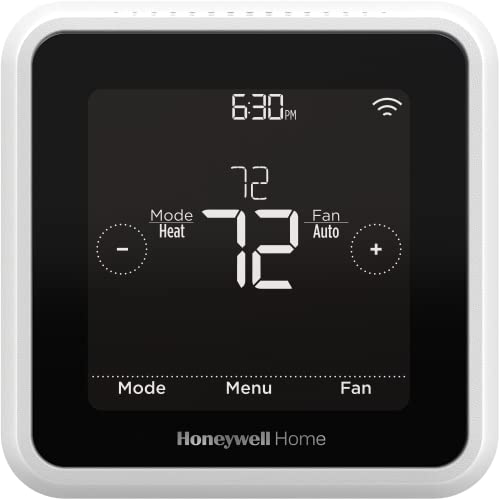
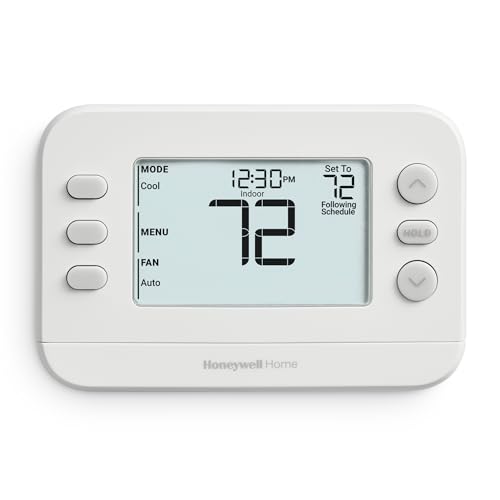
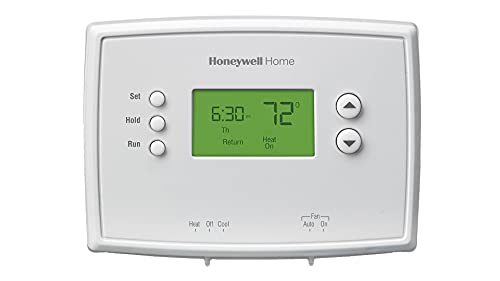
| 6 | Honeywell Home T5 Smart Thermostat | Check on Amazon |
How the picks were chosen for the best thermostat for energy savings
The picks were chosen from the product listings returned by the site product search, and only genuine smart thermostats made the list. Each listing title was checked for the brand, the model, and the energy-saving feature, and a thermostat was only linked when all of those matched the listing. Sensors, trim plates, wall plates, and accessories were not counted as picks, because the article is about thermostats that save energy, not about thermostat accessories in general.
Energy saving was the first filter, because the keyword sets it: every pick in this guide states energy saving or Energy Star certification in its listing title. The Google Nest Learning Thermostat states energy saving, the ecobee Premium states energy saving, the ecobee Enhanced and Essential both state Energy Star certification and energy saving, the Sensi Touch 2 states Energy Star certification, and the Honeywell Home T5 states Energy Star certification with geofencing. A thermostat whose title did not state energy saving or Energy Star was not chosen, even when the model is known to save energy.
Smart control was the second filter. A thermostat that saves energy must be able to learn, sense, or schedule, so the picks in this guide all state one of those features: the Nest Learning Thermostat learns the schedule, the ecobee Premium senses occupancy and air quality, the ecobee Enhanced and Essential are programmable, the Sensi Touch 2 is Wi-Fi connected with Alexa, and the Honeywell Home T5 is 7-day programmable with geofencing. A thermostat with no learning, sensing, or scheduling was not chosen, because it cannot save energy on its own.
The third filter was the listing itself. Every pick is a new listing from a known thermostat brand: Google, ecobee, Sensi, or Honeywell. Listings for used or renewed thermostats were excluded, and listings whose titles named a different model, a different brand, or an accessory were excluded too. The result is six smart thermostats that a buyer can order with confidence that the thermostat in the box matches the thermostat in the title.
What makes a thermostat good for energy savings
A good thermostat for energy savings is first of all a thermostat that learns, because a schedule that adapts itself saves more than a schedule that must be set by hand. The Google Nest Learning Thermostat (4th Gen, 2024) is the learning pick in this guide, and it adjusts the temperature from the household routine without being told. A thermostat that must be programmed by hand will be programmed once and forgotten, while a learning thermostat keeps adapting as the routine changes, and that is the difference that shows up on the energy bill.
Occupancy sensing is the second quality that matters, because a house that is empty should not be heated or cooled as if it were full. The ecobee Smart Thermostat Premium includes a smart sensor that knows when a room is occupied, and the Honeywell Home T5 uses geofencing to know when the family is away or on the way home. A thermostat without sensing will heat an empty house all day, and the saving from sensing is the saving that needs no effort from the household at all.
Energy Star certification is the third quality, because it is the independent mark that the thermostat meets a standard for efficiency. The ecobee Enhanced, the ecobee Essential, the Sensi Touch 2, and the Honeywell Home T5 in this guide all state Energy Star certification in their titles, which means they have been tested against a standard rather than merely claiming to save energy. A buyer who wants an independent check should look for those words in the title, and should treat them as the mark of a thermostat that has been verified.
Finally, a good thermostat for energy savings is one that the household will actually use. A thermostat with a clear touchscreen, a simple app, and voice control through Alexa, Siri, or Google Assistant will be adjusted when the house needs it, while a thermostat that is hard to read will be left alone and will waste energy. The Sensi Touch 2 states Wi-Fi and Alexa, the ecobee models state Siri, Alexa, and Google Assistant, and the Nest states Alexa, Apple HomeKit, and Google Home, so every pick in this guide can be controlled by voice as well as by touch.
Learning, sensing, and scheduling: how to choose
Learning is the feature to choose when the household routine is regular, and the Google Nest Learning Thermostat (4th Gen, 2024) is the learning pick in this guide. It watches when the household wakes, leaves, and returns, and it adjusts the temperature without being told, so the saving happens without effort. A buyer whose routine changes every week should not rely on learning alone, and should look at scheduling instead, but a buyer with a steady routine will find learning is the easiest saving in this guide.
Sensing is the feature to choose when rooms are used unevenly, and the ecobee Smart Thermostat Premium is the sensing pick in this guide. Its smart sensor knows when a room is occupied, and its air quality monitor watches the air the household breathes, so the heating follows the people rather than the schedule. A buyer with a large house, where some rooms sit empty for hours, will save the most from sensing, and should look for a thermostat that includes a sensor in the box.
Scheduling is the feature to choose when the routine is known in advance, and the Honeywell Home T5 is the scheduling pick in this guide, with 7-day programming and a touchscreen. A buyer who knows the week ahead can set the temperature for each day, and the geofencing will adjust it when the family leaves early or returns late. The ecobee Enhanced and Essential are also programmable, and they suit a buyer who wants a schedule without paying for learning or sensing.
Voice control and compatibility are the last choices, and the picks show the range. The Nest Learning Thermostat works with Alexa, Apple HomeKit, and Google Home, the ecobee models work with Siri, Alexa, and Google Assistant, and the Sensi Touch 2 works with Alexa. A buyer should check that the thermostat works with the voice assistant the house already uses, because a thermostat that cannot be controlled by voice will be controlled less often, and a thermostat that is controlled less often saves less energy.
Quick picks at a glance
| Thermostat | Energy feature | Voice control | Best for |
|---|---|---|---|
| Nest Learning 4th Gen | Learns schedule, sensor included | Alexa, HomeKit, Google Home | Learning and whole-home comfort |
| ecobee Premium | Smart sensor, air quality monitor | Siri, Alexa, Google Home | Sensing and air quality |
| ecobee Enhanced | Energy Star, programmable | Siri, Alexa, Google Assistant | Mid-range Energy Star saving |
| ecobee Essential | Energy Star, programmable | Siri, Alexa, Google Assistant | Value Energy Star saving |
| Sensi Touch 2 | Energy Star, Wi-Fi, Alexa | Alexa | Simple touchscreen control |
| Honeywell Home T5 | 7-day schedule, geofencing, Energy Star | Alexa | Scheduling and geofencing |
The best thermostat for energy savings

Google Nest Learning Thermostat (4th Gen, 2024)
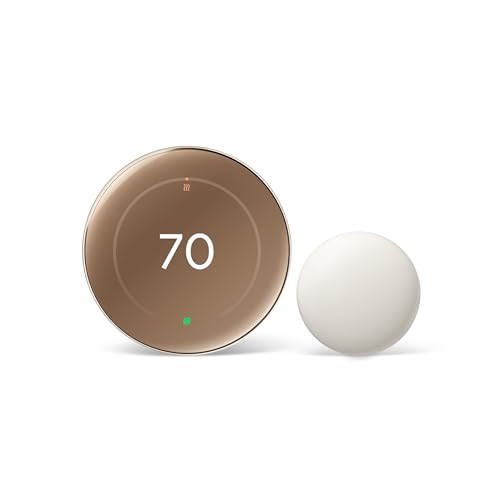
The Google Nest Learning Thermostat (4th Gen, 2024) is the learning pick in this guide, and it is the thermostat to choose when the buyer wants the thermostat to learn the routine by itself. The listing title states the brand, the Nest Learning Thermostat model, the 4th Gen 2024 version, the included Nest Temperature Sensor, the energy-saving label, and compatibility with Alexa, Apple HomeKit, and the Google Home app, in Polished Gold. That is a complete specification for a learning thermostat.
A learning thermostat earns its keep by watching the household and adjusting without being told, and the 4th Gen model does so with a temperature sensor that watches a second room as well. The sensor means the thermostat can balance the temperature between rooms, rather than trusting a single hallway reading, and the learning means the schedule improves as the routine settles. A buyer who wants the most automatic saving in this guide will find it here.
Key specs:
- Model: Nest Learning Thermostat, 4th Gen (2024)
- Sensor: Nest Temperature Sensor included
- Feature: energy saving
- Compatibility: Alexa, Apple HomeKit, Google Home
- Colour: Polished Gold
Strengths:
- Learns the household routine by itself
- Temperature sensor balances a second room
- Works with Alexa, HomeKit, and Google Home
Trade-offs:
- Learning needs a steady routine to work well
- Sensor covers one extra room only
- Polished Gold may not suit every hallway
The Google Nest Learning Thermostat fits the buyer who wants the thermostat to do the work. It is the pick for a family with a steady routine, a house with a cold second room, or a buyer who wants the most automatic saving.
Best for: automatic learning and whole-home comfort. Not suited for: a household with a routine that changes every week.
Check price on Amazon: Google Nest Learning Thermostat 4th Gen

ecobee Smart Thermostat Premium
The ecobee Smart Thermostat Premium is the premium pick in this guide, and it is the thermostat to choose when the buyer wants sensing and air quality as well as energy saving. The listing title states the brand, the Smart Thermostat Premium model, the Wi-Fi connection, the built-in Siri and Alexa, the Smart Sensor, the air quality monitor, and compatibility with Alexa, Siri, and Google Home, with the energy-saving label. That is the most complete feature list of any thermostat in this guide.
A smart sensor changes how a thermostat heats, because it knows when a room is occupied and heats the rooms people use, rather than the rooms they do not. The air quality monitor watches the air the household breathes, and the built-in voice control means the temperature can be changed without walking to the wall. A buyer with a large house, where some rooms sit empty for hours, will save the most from this pick, because the heating follows the people.
Key specs:
- Model: ecobee Smart Thermostat Premium
- Sensor: Smart Sensor included
- Feature: air quality monitor, energy saving
- Voice: Siri and Alexa built in
- Compatibility: Alexa, Siri, Google Home
Strengths:
- Smart sensor heats occupied rooms only
- Air quality monitor watches the air
- Voice control built in, no extra speaker needed
Trade-offs:
- Premium pick costs more than the other ecobee models
- Sensor covers one extra room only
- Air quality monitor adds nothing to heating alone
The ecobee Smart Thermostat Premium fits the buyer with a large house and uneven room use. It is the pick for a family that wants sensing, air quality, and voice control in one thermostat.
Best for: large homes with rooms that sit empty. Not suited for: a small flat, or a buyer who wants the lowest cost.
Check price on Amazon: ecobee Smart Thermostat Premium
ecobee Smart Thermostat Enhanced
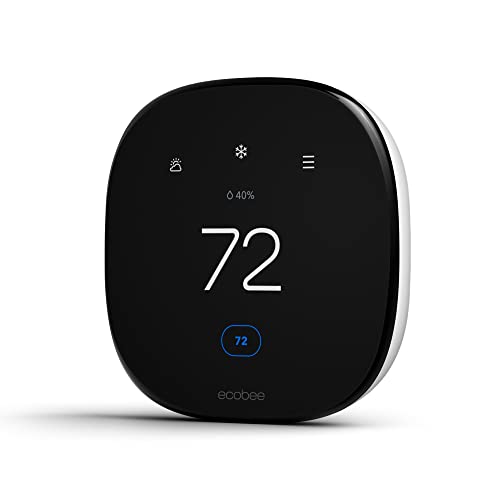
The ecobee Smart Thermostat Enhanced is the mid-range pick in this guide, and it is the thermostat to choose when the buyer wants Energy Star certification and voice control without the premium price. The listing title states the brand, the Smart Thermostat Enhanced model, the programmable Wi-Fi connection, compatibility with Siri, Alexa, and Google Assistant, the Energy Star certification, and the energy-saving label. That is a complete specification for a mid-range thermostat.
The Enhanced sits between the Premium and the Essential in the ecobee range, and it keeps the features that matter for saving energy: it is programmable, so the household can set the week ahead, it is Energy Star certified, so it meets an independent standard, and it works with the three main voice assistants. A buyer who wants a solid smart thermostat without paying for a sensor or an air quality monitor will find this is the one.
Key specs:
- Model: ecobee Smart Thermostat Enhanced
- Feature: programmable Wi-Fi, Energy Star
- Voice: Siri, Alexa, Google Assistant
- Saving: energy saving thermostat
- Use: smart home
Strengths:
- Energy Star certified
- Works with Siri, Alexa, and Google Assistant
- Programmable without the premium price
Trade-offs:
- No smart sensor included
- No air quality monitor
- No built-in voice speaker stated
The ecobee Smart Thermostat Enhanced fits the buyer who wants a solid mid-range thermostat. It is the pick for a household that programs the week ahead and wants an independent efficiency mark.
Best for: mid-range Energy Star saving. Not suited for: a buyer who wants room sensing, or the lowest cost.
Check price on Amazon: ecobee Smart Thermostat Enhanced

ecobee Smart Thermostat Essential
The ecobee Smart Thermostat Essential is the value pick in this guide, and it is the thermostat to choose when the buyer wants Energy Star certification at the lowest cost in the ecobee range. The listing title states the brand, the Smart Thermostat Essential model, the Wi-Fi connection, the Energy Star certification, the programmable feature, compatibility with Siri, Alexa, and Google Assistant, and the energy-saving label. That is a complete specification for a value thermostat.
The Essential keeps the core of the ecobee range: it is programmable, it is Energy Star certified, and it works with the three main voice assistants, so the household can set the week ahead and change the temperature by voice. What it leaves out is the sensor and the air quality monitor of the Premium, and the buyer who does not need those features will not miss them. A buyer who wants the cheapest way into an Energy Star smart thermostat will find it here.
Key specs:
- Model: ecobee Smart Thermostat Essential
- Feature: programmable Wi-Fi, Energy Star
- Voice: Siri, Alexa, Google Assistant
- Saving: energy saving thermostat
- Use: smart home
Strengths:
- Lowest cost in the ecobee range
- Energy Star certified
- Works with Siri, Alexa, and Google Assistant
Trade-offs:
- No smart sensor included
- No air quality monitor
- No built-in voice speaker stated
The ecobee Smart Thermostat Essential fits the buyer who wants Energy Star saving at the lowest cost. It is the pick for a first smart thermostat, a small home, or a rental where the premium features are not needed.
Best for: value Energy Star saving. Not suited for: a large house, or a buyer who wants room sensing.
Check price on Amazon: ecobee Smart Thermostat Essential

Sensi Touch 2 Smart Thermostat
The Sensi Touch 2 Smart Thermostat is the simple pick in this guide, and it is the thermostat to choose when the buyer wants a touchscreen and Alexa without a complicated setup. The listing title states the brand, the Sensi Touch 2 model, the smart thermostat label, the Wi-Fi connection, the Alexa compatibility, the Energy Star certification, and the model code ST76. That is a complete specification for a simple smart thermostat.
A touchscreen thermostat earns its place on the wall, because the household can see and change the temperature at a glance, and the Sensi Touch 2 does so with a colour display that is easy to read from across the room. The Wi-Fi connection means the temperature can be changed from the phone as well, and the Alexa compatibility means it can be changed by voice. The Energy Star certification is the independent mark that the thermostat meets a standard for efficiency, which is the point of this guide.
Key specs:
- Model: Sensi Touch 2, ST76
- Feature: Wi-Fi, Energy Star
- Voice: Alexa
- Display: touchscreen
- Use: smart thermostat
Strengths:
- Clear touchscreen is easy to read
- Energy Star certified
- Simple setup with Wi-Fi and Alexa
Trade-offs:
- Alexa only, no Siri or Google stated
- No learning feature stated
- No sensor included
The Sensi Touch 2 fits the buyer who wants a simple touchscreen thermostat. It is the pick for a household that uses Alexa, a hallway that needs a clear display, or a buyer who wants a straightforward install.
Best for: simple touchscreen control with Alexa. Not suited for: a household that uses Siri or Google Home, or a buyer who wants learning.
Check price on Amazon: Sensi Touch 2 Smart Thermostat

Honeywell Home T5 Smart Thermostat
The Honeywell Home T5 Smart Thermostat is the scheduling pick in this guide, and it is the thermostat to choose when the buyer wants to set the week ahead and let geofencing do the rest. The listing title states the brand, the Honeywell Home T5 model, the smart Wi-Fi label, the model code RTH8800WF2022, the 7-day programmable touchscreen, the Alexa readiness, the geofencing technology, the Energy Star certification, and the C-wire requirement. That is a complete specification for a scheduling thermostat.
A 7-day schedule suits a household that knows its week, because the temperature can be set for each day and left alone, and the geofencing adjusts it when the family leaves early or returns late. The touchscreen makes the schedule easy to set and easy to read, and the Energy Star certification is the independent mark that the thermostat meets a standard for efficiency. The C-wire requirement is the one thing to check before ordering, because the thermostat needs continuous power to run.
Key specs:
- Model: Honeywell Home T5, RTH8800WF2022
- Schedule: 7-day programmable touchscreen
- Feature: geofencing, Energy Star
- Voice: Alexa ready
- Power: C-wire required
Strengths:
- 7-day schedule suits a known routine
- Geofencing adjusts when the family leaves
- Energy Star certified
Trade-offs:
- C-wire required, check wiring first
- Alexa only, no Siri or Google stated
- No learning feature stated
The Honeywell Home T5 fits the buyer who knows the week ahead. It is the pick for a family with a regular schedule, a household that uses Alexa, or a buyer who wants geofencing without paying for learning.
Best for: scheduling and geofencing. Not suited for: a home without a C-wire, or a buyer who wants learning.
Check price on Amazon: Honeywell Home T5 Smart Thermostat
Buying guide: matching the thermostat to the home
Check the wiring before ordering
The first check is the wiring, because a smart thermostat needs power and most of them need a C-wire. The Honeywell Home T5 in this guide states that a C-wire is required, and a buyer should look for a C-wire label on the old thermostat before ordering. A home without a C-wire may need an adapter or a professional install, and the buyer should settle that before the thermostat arrives, because a thermostat that cannot be powered cannot save anything.
Match the feature to the routine
A household with a steady routine should choose learning, and the Google Nest Learning Thermostat in this guide is the learning pick. A household with rooms that sit empty should choose sensing, and the ecobee Premium is the sensing pick. A household that knows its week should choose scheduling, and the Honeywell Home T5 is the scheduling pick. The buyer should choose the feature that matches the routine, because a feature that does not match the routine will not be used, and a thermostat that is not used cannot save energy.
Look for Energy Star in the title
Energy Star certification is the independent mark that a thermostat meets a standard for efficiency, and the buyer should look for those words in the listing title. The ecobee Enhanced, the ecobee Essential, the Sensi Touch 2, and the Honeywell Home T5 in this guide all state Energy Star certification, which means they have been tested against a standard rather than merely claiming to save energy. A buyer who wants an independent check should treat those words as the mark to look for.
Check the voice assistant the house already uses
A thermostat that works with the voice assistant the house already uses will be controlled more often, and a thermostat that is controlled more often saves more energy. The Nest Learning Thermostat works with Alexa, Apple HomeKit, and Google Home, the ecobee models work with Siri, Alexa, and Google Assistant, and the Sensi Touch 2 and the Honeywell Home T5 work with Alexa. The buyer should check the assistant first, and should not buy a thermostat that cannot talk to the house.
Use the sensor where rooms run cold
A house with a cold bedroom or a hot upstairs room should use the temperature sensor that comes with the thermostat, because a single hallway reading cannot balance the whole house. The Google Nest Learning Thermostat in this guide includes a Nest Temperature Sensor, and the ecobee Premium includes a Smart Sensor, and the buyer should place the sensor in the room that runs coldest or hottest. The thermostat will then balance the temperature between rooms, rather than trusting one reading.
Using and caring for a smart thermostat
Let the thermostat learn for a few weeks
A learning thermostat needs time to learn the routine, and a buyer who keeps overriding it in the first week will teach it the wrong schedule. The buyer should set the temperature the household likes, leave the thermostat alone for a few weeks, and let it learn when the house is occupied and when it is empty. The saving grows as the learning settles, and the buyer who is patient will see the benefit.
Change the filter when the system works hard
A thermostat can only save energy when the heating and cooling system is healthy, and a clogged filter makes the system work harder for the same heat. The buyer should check the filter when the seasons change, and should replace it when it looks dirty, because a clean filter lets the system run at its best. A thermostat that calls for heat through a clogged filter wastes the energy it was bought to save.
Keep the sensor where people actually are
A temperature sensor only helps when it sits in a room people use, and a sensor left in a hallway or a cupboard will mislead the thermostat. The buyer should place the sensor in the bedroom or the living room, at about chest height and away from direct sunlight and draughts, so it reads the temperature the household feels. A sensor in the wrong place will heat a room nobody uses and leave the family cold.
Check the schedule when the routine changes
A schedule that fitted the summer will not fit the winter, and a buyer should check the thermostat when the seasons change, when the children go back to school, or when someone starts working from home. The learning thermostat will adapt on its own, but a scheduled thermostat needs the household to update it, and a schedule that is out of date will heat an empty house. A quick check each season keeps the saving alive.
Common mistakes when buying a thermostat for energy savings
Ordering without checking the C-wire
The most common mistake in this guide is ordering a smart thermostat for a home with no C-wire, and finding a thermostat that cannot be powered. The Honeywell Home T5 in this guide states that a C-wire is required, and the buyer should check the old thermostat for a C-wire label before ordering. A home without one may need an adapter or a professional install, and the buyer should settle that first.
Choosing learning for a routine that never settles
A learning thermostat suits a steady routine, and a household whose routine changes every week will teach it a schedule that is always wrong. The buyer with an irregular routine should choose scheduling instead, and the Honeywell Home T5 is the scheduling pick in this guide, because a schedule can be set for the week ahead and changed when the week changes. Learning is the easiest saving only when the routine is steady.
Heating rooms nobody uses
A thermostat that heats the whole house to one temperature wastes energy on rooms that sit empty, and a buyer with a large house should use sensing to heat the rooms people use. The ecobee Premium in this guide includes a smart sensor for exactly that reason, and the buyer should place it in the room the family uses most. A house that is heated evenly is a house that wastes heat in the empty rooms.
Setting the temperature too high and leaving it
A thermostat saves the most energy when the temperature is set a little lower in winter and a little higher in summer, and a buyer who sets it high and leaves it there will waste the saving the thermostat was bought to make. The buyer should set a temperature the household finds comfortable, not the highest the thermostat allows, and should let the schedule turn it down at night and when the house is empty.
Our recommendation for the best thermostat for energy savings
The best thermostat for energy savings is the one that matches the house, and the six picks in this guide cover the houses most buyers have. A buyer who wants the thermostat to learn the routine should choose the Google Nest Learning Thermostat (4th Gen, 2024), with its included temperature sensor and its compatibility with Alexa, Apple HomeKit, and Google Home. A buyer with a large house should choose the ecobee Smart Thermostat Premium, with its smart sensor and air quality monitor.
A buyer who wants a solid mid-range thermostat should choose the ecobee Smart Thermostat Enhanced, and a buyer who wants the lowest cost should choose the ecobee Smart Thermostat Essential, which keeps Energy Star certification and voice control. A buyer who wants a simple touchscreen should choose the Sensi Touch 2, and a buyer who knows the week ahead should choose the Honeywell Home T5, with its 7-day schedule and geofencing.
The single recommendation, for a buyer who wants one thermostat and one answer, is the Google Nest Learning Thermostat (4th Gen, 2024) for a household with a steady routine, and the ecobee Smart Thermostat Essential for a buyer who wants Energy Star saving at the lowest cost. Both state energy saving in their titles, both work with the main voice assistants, and both suit the homes they were chosen for.
Related reading on Reviewstook: see our guides to best thermostats for hot water baseboard heat, how to choose a smart thermostat, how to install a smart thermostat for more on this topic.
Frequently asked questions about the best thermostat for energy savings
How does a smart thermostat save energy?
A smart thermostat saves energy by heating and cooling only when the house needs it. It learns the household routine, senses when rooms are empty, and uses geofencing to know when the family is away, so the heating does not run while everyone is out. It also lets the household set a schedule, so the temperature turns down at night and up before the family wakes, without anyone touching it.
Do I need a C-wire for a smart thermostat?
Most smart thermostats need a C-wire, which supplies continuous power, and the Honeywell Home T5 in this guide states that a C-wire is required. A buyer should check the old thermostat for a C-wire label before ordering. A home without one may need an adapter or a professional install, and the buyer should settle that before the thermostat arrives.
What is Energy Star certification on a thermostat?
Energy Star certification is the independent mark that a thermostat meets a standard for efficiency. The ecobee Enhanced, the ecobee Essential, the Sensi Touch 2, and the Honeywell Home T5 in this guide all state Energy Star certification in their titles, which means they have been tested against a standard rather than merely claiming to save energy.
Can a smart thermostat work with Alexa?
Every pick in this guide works with Alexa, and the ecobee models also work with Siri and Google Assistant, while the Nest Learning Thermostat also works with Apple HomeKit and Google Home. A buyer should check that the thermostat works with the voice assistant the house already uses, because a thermostat that cannot be controlled by voice will be controlled less often.
Where should I place the temperature sensor?
A temperature sensor should sit in the room the family uses most, at about chest height and away from direct sunlight and draughts, so it reads the temperature the household feels. The Google Nest Learning Thermostat includes a Nest Temperature Sensor and the ecobee Premium includes a Smart Sensor, and the buyer should place it in the bedroom or the living room rather than a hallway.