Disclosure: As an Amazon Associate, reviewstook.com earns from qualifying purchases. Links on this page are affiliate links; they cost you nothing extra. Prices and availability change often, so check the current Amazon listing before you buy.
The rog swift oled pg27ucwm is a model name that sends a lot of shoppers in a circle: it appears in forum threads, in search suggestions and in the occasional specification comparison, yet when those shoppers go looking for one to buy, the shelf is empty. This article exists to give that search an honest ending. We checked the Amazon catalogue through the Creators API — twice, with separate searches — and no listing for a ROG Swift OLED PG27UCWM was returned. What the searches did return, repeatedly, was its near-namesake the PG27UCDM, a different monitor with a confusingly similar name. So this page does three useful things instead of pretending to sell you a ghost: it explains what the UCWM name would mean if the model follows ASUS’s naming logic, it separates that name rigorously from the UCDM you can actually buy, and it gives you the complete framework for judging any 27-inch 4K OLED — so that whether the UCWM surfaces later or you choose the verified alternative, you are deciding with your eyes open.
That honesty is not a consolation prize; it is the review this keyword deserves. Monitor model codes are a dialect, and misreading one letter has cost real buyers real money — ordering the M-suffixed panel they researched when the listing in front of them was a different variant entirely, or passing over the right monitor because a thread used a code nobody stocks. Everything below is written to make you fluent: the naming system, the verified landscape of ASUS’s 27-inch OLED range as it stands today, the buying criteria that apply to any panel in this class, and the practical setup and care guidance that owners of these QD-OLED displays actually need.
Key takeaways
- No verified Amazon listing for a ROG Swift OLED PG27UCWM was found in repeated Creators API searches — this article is therefore prose-only and links no product under that name.
- The monitor that does exist and is constantly confused with it is the PG27UCDM: a 27-inch 4K 240Hz QD-OLED with OLED Care Pro and a proximity sensor, covered in its own dedicated review on this site.
- ASUS model codes are systematic: size, resolution class, panel family and suffix letters each carry meaning, and one letter can mark a genuinely different variant.
- Any 27-inch 4K OLED purchase should be judged on panel care, port bandwidth, ergonomics and your seating distance — the framework in this guide applies whichever badge the panel wears.
- If a PG27UCWM listing appears in future, verify it the way this page models: exact title, exact model code, specification cross-check — before money moves.
In this guide
What would the name ROG Swift OLED PG27UCWM actually mean?
Read the code the way ASUS writes it. ROG Swift is the gaming-monitor brand line. OLED states the panel technology outright. PG is the Swift series prefix used across the premium gaming range. The 27 gives the size class — a 26.5-inch viewable panel sold as 27 inches. The U marks the resolution tier: in this range, U denotes UHD, the 3840 by 2160 resolution that defines the flagship models. C situates the model within its panel generation family, and the trailing letters are where variants live: the D in the verified PG27UCDM and the W in the name you searched for are not decoration. In ASUS’s wider monitor naming, W has historically been associated with white-edition models — the same panel and electronics in a white chassis, sold alongside the standard black version for builders of light-coloured setups. That is the most plausible reading of a PG27UCWM: a white variant of the 4K 27-inch OLED flagship.
Plausible, however, is not the same as purchasable, and the distinction is the spine of this article. White editions in the ROG ecosystem are real — white Strix graphics cards, white cases, white peripherals all exist for the substantial community that builds pale, RGB-lit rigs — so a white UCWM is a coherent product idea. But coherent ideas and stocked products are different things, and as of the checks behind this page, the catalogue evidence says the idea is all there is: no listing, no ASIN, no verified specification sheet attached to that exact code. It may be an announced-but-unshipped variant, a regional model, a name that circulated in a roadmap and never reached retail, or a persistent misreading that search engines have amplified. We do not know which, and this page will not invent an answer.
What we can do — and what a responsible review does with an unverifiable subject — is arm you for both futures. If the UCWM is a white edition of the UCDM, then everything known about the UCDM’s panel, ports and care system is the substance of the product, and the sections below on judging and setting up a 27-inch 4K QD-OLED are its review in all but colour. If it is something else — a different refresh rate, a different panel revision — then the verification checklist near the end of this page is how you establish that from a listing rather than from hope. Either way, the one move this page refuses is the one too much of the internet makes: quietly substituting the UCDM’s listing under the UCWM’s name and calling the job done.
How was the PG27UCWM checked, and what did the checks find?
The method matters because the conclusion is a negative, and negatives need receipts. The searches behind this article ran through the Creators API — Amazon’s own catalogue interface — using this site’s verified provider connection, the same channel used to confirm every linked product across our monitor coverage. Two separate searches targeted the PG27UCWM by name. Both returned the surrounding family and never the subject: the PG27UCDM in its listings, other ROG OLED models in adjacent sizes and resolutions, and nothing carrying the UCWM code. A single empty search can be a quirk of indexing; two, run as part of a batch that successfully verified dozens of neighbouring products, is evidence.
Context strengthens it. The same verification programme confirmed the rest of the current ROG OLED landscape without difficulty — the 27-inch 4K UCDM, the 32-inch UCDM-line models, the 1440p Strix OLEDs, the 5K Strix models. The catalogue is not hiding ROG OLED monitors generally; it is specifically silent on this code. That pattern is consistent with a model that has not reached Amazon retail, whatever its status elsewhere. Our standing rule follows from it: unverified products are written about in prose, never linked, and never replaced under their name by a sibling. The PG27UCDM is discussed below as what it is — the verified, buyable monitor nearest to your search — with its own review at our full PG27UCDM review, and the broader field is mapped in the best gaming monitors.
The verified neighbour: what the PG27UCDM offers today
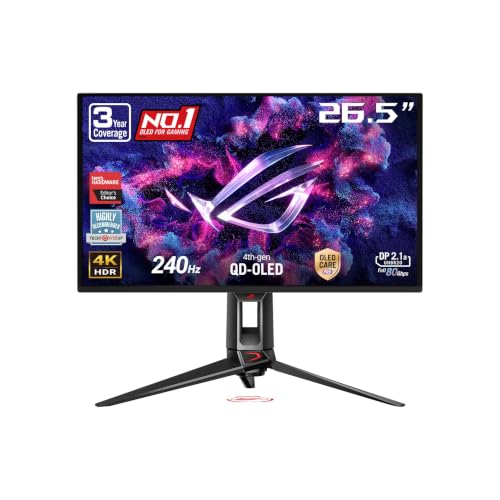
Since the UCDM is the monitor your search keeps landing on, it deserves a fair summary here — clearly labelled as a different model, so you can judge whether it serves the need that brought you to the UCWM name. It is a 27-inch-class QD-OLED at 4K resolution with a 240Hz refresh rate and 0.03ms-class response, G-SYNC compatibility and true 10-bit colour. Its ownership features are the current ROG flagship standard: a custom heatsink behind the panel, the OLED Care Pro suite of protective routines, and a Neo Proximity Sensor that dims or blanks the display when you leave the desk. DisplayPort 2.1 provides the full-bandwidth path for a modern graphics card, with HDMI and USB-C covering consoles and laptops.
If the UCWM you were hunting is indeed the white edition of this specification, then the practical difference between the two codes reduces to chassis colour and availability — and the decision becomes aesthetic and logistical rather than technical. A white monitor in a black setup looks like a mistake; a black monitor in a carefully built white setup looks like a compromise; both look identical from the front, in the dark, at the moment the game loads. Our advice to white-build owners is therefore patient but unsentimental: the panel you will stare at for five years matters more than the bezel you will glance at for five seconds, and if the white variant is not stocked when you need a monitor, the black UCDM is the same picture wearing a different coat. Owners who can wait, and whose build genuinely turns on the colour, should use the verification checklist below the moment a UCWM listing surfaces anywhere.
There is also a wider family to know about, because a shopper fixed on one code often has not seen the neighbouring shelves. The 32-inch members of the UCDM line trade pixel density for immersion and, in the UCDP’s case, add a dual-mode high-refresh option; the current revision of that line is covered at the PG32UCDM line and its latest revision. The 1440p Strix OLED branch trades resolution for still higher refresh rates at lower prices, and the ultrawide branch reshapes the canvas entirely — surveyed in our OLED ultrawide gaming monitor guide. And the UCWM’s own 32-inch namesake is in the same unverified position, examined at the ROG Swift OLED PG32UCWM. None of these are the monitor you searched for; all of them are the honest neighbourhood it lives in.
What should any 27-inch 4K OLED buyer check, whatever the badge?
Panel care, first and always. An OLED used as a desktop monitor faces static content — taskbars, toolbars, HUDs — for hours a day, and the manufacturer’s care system is your long-term image quality. Look for a thermal solution such as a custom heatsink, automated pixel-refresh cycles that run in standby, logo and taskbar management in firmware, and ideally a presence sensor that blanks the screen when the chair is empty. Then read the warranty’s panel terms with the same attention you give the price, because the care system and the warranty together are the manufacturer’s real statement of confidence.
Bandwidth you can actually use. A 4K 240Hz signal is demanding: DisplayPort 2.1 carries it natively from a current graphics card, while older connections rely on compression or simply cap the mode. Inventory your own machines before choosing — the gaming PC’s GPU outputs, the console’s HDMI, the work laptop’s USB-C — and pick the monitor whose port selection serves all three without adapters stacked on adapters. A USB-C input with meaningful power delivery quietly transforms weekday docking, and its absence is a daily friction no specification table captures.
Sync and response, understood correctly. G-SYNC Compatible or FreeSync-class variable refresh is table stakes in this class, and OLED response times are uniformly in the instant class — differences between OLED models on this axis are smaller than measurement error in real play. Spend your discrimination instead on refresh rate matched to your GPU and library: 240Hz at 4K is the current flagship settlement, and it is already beyond what cinematic titles will use and exactly what competitive titles reward.
Ergonomics, size and the geometry of your desk. Height adjustment is mandatory at this level; pivot serves document workers; a VESA mount serves everyone eventually. Then do the unglamorous measurement — eyes to screen — because 27 inches at 4K is a density argument that only pays inside its ideal distance band, roughly arm’s length to a little beyond. Shallower than that and a smaller or lower-resolution screen serves you better; deeper, and the 32-inch class takes over. The right monitor is the one whose geometry matches your furniture, a truth no review score can override.
Colour and HDR expectations, calibrated. Wide-gamut, true 10-bit colour is standard in this tier and serves creators genuinely. HDR on OLED is a contrast experience — highlights against true black — rather than a full-screen brightness contest, which bright LCDs still win. If your room is a sunroom, weight that honestly; if your sessions are evening and your curtains close, OLED’s version of HDR is the one filmmakers grade for.
How do you set up and care for a 27-inch QD-OLED once it is on the desk?
Connect for the full mode, then prove it. Use the highest-bandwidth input your graphics card offers, with a certified cable, and then open the GPU control panel and confirm the desktop is genuinely running at native resolution and full refresh — default fallbacks are common and silent. Enable variable refresh in both the driver and the monitor’s menu, and select the monitor’s low-latency game mode for play.
Give each kind of content its own settings. Competitive play wants the latency path and brightness matched to the room. Film and cinematic games want the accurate colour mode with HDR engaged and the room darkened. Desktop work wants moderation: a brightness you can face for eight hours, scaling that keeps text in the panel’s sweet spot, and — on QD-OLED — a quick check of fine text rendering in your main applications, adjusting system text settings if your eyes catch any fringing at your chosen size.
Install the care habits on day one. Short operating-system screen sleep as a backstop, auto-hidden taskbar, a rotating or plain dark wallpaper, varied window layouts for all-day applications, and an absolute rule of letting pixel-refresh cycles complete when the monitor schedules them. If the model carries a proximity sensor, tune its sensitivity during the first week: too eager and it blanks while you read; too lax and it never protects anything. These are fifteen minutes of setup that stand guard for years.
Keep firmware current. Modern OLED monitors are software products as much as panels; manufacturers ship care-routine refinements, compatibility fixes and occasionally new features through firmware and companion desktop software. Checking quarterly is a fair rhythm, and updating through the vendor’s own utility — rather than ignoring the prompt forever — is part of owning this class well.
What mistakes do shoppers make around model codes like this one?
The expensive mistake is assuming codes are interchangeable: UCDM for UCWM, a D for an R, last year’s letter for this year’s. Suffixes in monitor naming mark real variants — colour, panel revision, port selection, regional configuration — and a listing’s full title must be read to its last character before it is trusted. The second mistake is treating a search engine’s confidence as stock: suggestion boxes and generated comparisons happily discuss products that retail has never carried, and a page willing to link you a “UCWM” that is secretly a UCDM listing is telling you something about every other claim it makes. The third is buying the sibling in frustration without re-running your own criteria — size, distance, ports — as if the near-namesake automatically fits the desk the same way; usually it does, but the check costs two minutes. The fourth is ignoring the white-edition premium pattern generally: colour variants in gaming hardware often launch later, stock thinner and discount slower, so a build planned around one needs either patience or a fallback the builder genuinely likes. And the fifth is forgetting that absence today is not absence forever — a model unverified at this writing may ship next quarter, which is why the checklist below exists.
Reading an ASUS monitor name like a native: a field guide
Since a single letter brought you here, the complete grammar is worth having, because it will serve every future monitor search you run. ASUS gaming monitors carry their specification in their names with unusual honesty, once the code is learned. The brand prefix divides the house: ROG Swift is the premium gaming line, ROG Strix the broader gaming range beneath and beside it, TUF the value line. The letters that follow encode the panel’s family and generation in the maker’s internal order — a sequence that matters less than the numbers, because the numbers are where the shopper’s facts live. The first number pair is the size class: 27, 32, 34 and upward, always the viewable diagonal rounded the way the industry rounds, so a “27” is a 26.5-inch panel wearing its class name. The letter after the size is the resolution tier, and in the current Swift vocabulary U is the one that matters here: UHD, 3840 by 2160, the flagship density.
After the tier come the model stem and the variant letters, and this is where careful readers earn their money. The stem identifies the product within its tier — CDM in the family this page covers — and each trailing letter marks a real divergence: a panel revision, a feature fork like the dual-mode P, or a colour edition like the W this article chases. The practical rules follow directly. Never truncate a model name in a search and trust the results; the truncated stem is a family, not a product. Never assume two listings with adjacent codes are the same monitor at different prices; they are different products at their own prices until their specification blocks prove otherwise. And never let a marketplace title’s keyword tail — the string of near-identical codes sellers append for reach — substitute for the model the listing actually sells, which is stated, if it is stated honestly, in the title’s first phrase and the specification’s model field. A shopper armed with those three rules is immune to most of the confusion this corner of the catalogue generates, including every variety this review has described.
The grammar also explains why phantom names are so durable in this category specifically. Monitor names are compositional: anyone who knows the code can construct a plausible name for a product that does not exist, and the construction will look exactly as authoritative as a real one — because it is built from the same letters. Forums construct them speculatively, generators construct them automatically, and occasionally a manufacturer’s own roadmap constructs them prematurely. The catalogue, and only the catalogue, arbitrates. That is the whole epistemology of this page in one sentence, and it generalises far beyond ASUS: in any category where names are systems, existence is a listing, not a pattern.
What ownership of this class actually feels like across a year?
Because the verified sibling is the realistic purchase for most readers of this page, its ownership rhythm deserves a candid account — the rhythm any UCWM would share, since the electronics are the family’s. The first week is calibration and delight in roughly equal measure: picture modes tuned per content, the care settings configured, the proximity behaviour adjusted to your stillness threshold, and the recurring small shock of true black in scenes you have watched for years on lesser panels. The first month is when the monitor stops being an event and becomes the desk’s reference — other screens begin to look approximate, which owners report with the mixed feelings of people who have raised their own standards expensively.
The middle of the year is the care partnership’s quiet season. Pixel-refresh cycles run in standby and are noticed only as a line in a menu. The taskbar stays hidden, the wallpapers rotate, the screen sleeps when the chair empties — habits so thoroughly absorbed they stop registering as habits. This is the period the purchase is actually for, and it is uneventful in the way good infrastructure is uneventful. The year’s end brings the two maintenance truths of the class: firmware will have moved, and updating it is worth the ten minutes; and your GPU, not your panel, will be the component you are pricing replacements for, because a 4K 240Hz OLED is bought to be fed better over time, not to be replaced. A white variant, when and if it comes, will inherit this entire rhythm unchanged — which is the final reason the wait-versus-buy decision can be made on colour and patience alone, without fear that the substance is somehow different on the other side of the letter.
If a PG27UCWM listing appears, how do you verify it before buying?
Work the listing like an auditor. First, the title: the exact code PG27UCWM must appear, complete, not as a keyword string stuffed with every ROG code the seller could name. Second, the specification block: size class, 4K resolution, OLED panel type and refresh rate must be internally consistent and consistent with the UCDM-family specification the W-variant theory predicts — any deviation is either a different product or a listing error, and both are reasons to stop. Third, the seller and the terms: manufacturer-sold or authorised listings carry the warranty you are counting on for an OLED panel; a third-party listing at a suspicious discount is where mislabelled siblings breed. Fourth, the images: a genuine white edition shows a white chassis, stand and rear housing — stock renders of the black model under a white model’s title are a disqualifying tell. Fifth, cross-check the model on the manufacturer’s own product pages; a retail listing for a product the manufacturer does not acknowledge is not a discovery, it is a warning. Pass all five and you may genuinely be looking at the monitor this page could not find; fail any one and you are looking at the UCDM, a mistake, or worse.
Final recommendation
For the shopper who arrived here today with money ready: the verified purchase in this class is the PG27UCDM, assessed in full at the PG27UCDM reviewed in depth, and it should be bought as itself, gladly, if its specification fits your desk. For the shopper whose heart is set on the UCWM specifically — most plausibly the white edition for a build that deserves it — the recommendation is disciplined patience plus the verification checklist, not a substitute accepted under the wrong name. And for every reader, the durable lesson of this page is the framework: panel care, bandwidth, geometry and honest expectations decide satisfaction with any 27-inch 4K OLED, long after the alphabet of its model code has faded from memory.
Why do white gaming setups create phantom products like this one?
The white build is a genuine subculture with genuine economics, and it explains why an unverified white-variant name can circulate for seasons without a shelf to land on. Builders of pale setups plan whole desks as compositions — white case, white board, white peripherals, pastel lighting — and a single black rectangle in the middle of that composition is not a minor mismatch but the dominant object in the room, because a monitor is the largest thing on any desk. Demand for white flagships is therefore intense, vocal and concentrated, while the production economics run the other way: colour variants split a production run, complicate inventory, and sell in smaller absolute numbers than the black standard. Manufacturers announce or hint at white editions to serve the subculture, ship them late, in small batches, sometimes only in certain regions — and occasionally the hint outlives the plan.
Search behaviour then does the rest. Every forum thread asking “any news on the white one?”, every build planner listing it as a placeholder, every video title using the code for reach, teaches the search engines that the name is a product with an audience. Suggestion boxes begin completing it. Comparison generators, which assemble pages from name patterns rather than from stock, publish specifications borrowed from the black sibling with the variant’s name pasted on top — plausible in every detail except existence. A shopper arriving cold cannot easily tell which layer of that sediment is retail and which is folklore, because folklore in this industry wears specification tables and price-history charts. The defence is boring and total: a product is buyable when a verified listing with an exact title exists, from a seller the manufacturer acknowledges. Everything else is a research topic — interesting, discussable, and not a purchase.
There is a constructive side to the phenomenon worth naming. The persistence of the UCWM search is itself market information: it tells ASUS, and every rival watching the same data, that a white 27-inch 4K OLED flagship has a waiting audience. Products have been willed into production runs by less. The reader who wants this monitor to exist is therefore not wasting their searches — they are, in aggregate, the business case for it. They are simply not yet shopping, and a review page that respects them says so, rather than converting their hope into someone else’s affiliate click on the wrong monitor.
How does the 27-inch 4K OLED class compare with its neighbours, for a buyer starting from this name?
Suppose the UCWM search was really a size-and-class search in disguise — the shopper wants the current flagship tier of desktop OLED and landed on this code first. The class map then matters more than the code. At 27 inches, the choice is between 4K models like the verified UCDM, which maximise density and serve mixed work-and-play desks, and 1440p models at still higher refresh rates, which serve competitive specialists and cost less to feed. The 4K panel’s advantage is not a number but an experience repeated daily: text that reads like print, interfaces with no visible grid, distant detail in games resolved rather than suggested. The 1440p panel’s advantage is equally daily: frame rates a given GPU reaches more easily, and a purchase price that leaves budget for the rest of the desk.
Step up to 32 inches and the trade inverts again — density yields to immersion, desk depth becomes the entry fee, and the line covered at the PG32UCDM family in full takes over. Step sideways to ultrawide and the canvas changes shape entirely, trading the 16:9 world’s compatibility for peripheral wrap. The point of rehearsing the map here is that a phantom name often conceals a real, decidable question — which size, which resolution, which refresh — and that question can be settled today, with verified products, while the colourway question waits for its listing. Buyers who settle the decidable part first frequently discover the phantom mattered less than they thought: the picture is the product, and the picture is available.
The desk around the monitor: building the setup a flagship deserves
A monitor of this class is the centre of a small system, and the system’s other members decide how much of the panel’s quality survives contact with the room. The desk itself wants depth enough for the geometry this review keeps returning to, and a surface that does not wobble at typing force — a flagship on a trembling desk is a cinema on a boat. The chair and the monitor conspire on posture: screen height set so the eyes meet the upper third, distance set by the size class, and the keyboard placed so the shoulders, not the wrists, carry the day. Lighting is the third member: a lamp that never reflects in the glossy panel, a bias light behind the screen for dark-room sessions, and curtains or blinds that give the owner a say in the room’s brightness. None of this is exotic, and all of it together is worth more visible quality than the difference between adjacent monitor models — a fact the industry under-reports because it sells desks poorly and panels well.
The electronics around the panel deserve the same systems thinking. The graphics card is the panel’s partner across years, and its outputs decide which cables and modes are even available; buy the card and the monitor as one decision with two receipts. The cables themselves should be certified for the bandwidth in use and no longer than the run requires — excess length is signal risk purchased by the metre. A monitor arm, if the desk’s depth is precious, returns the stand’s footprint to the owner and makes the distance adjustable as chairs and habits change; verify the mount standard and the weight before ordering, and the installation is an afternoon’s pleasure rather than a weekend’s grievance. Finally, the unglamorous peripherals of care: a microfibre cloth that lives at the desk, because OLED screens are cleaned dry or barely damp and never with household sprays, and a surge protector worthy of the equipment behind it. A flagship deserves a considered entourage, and the entourage, unlike the phantom this page began with, is entirely in stock.
What to do while you wait: an interim-monitor strategy that wastes nothing
Patience is easier with a plan, so here is the interim strategy this page recommends to the white-build owner who has decided the UCWM is worth waiting for. First, separate the desk’s function from its photograph: the build can be completed, used and enjoyed behind an existing monitor — even an elderly one — because every other component’s value decays in a box and appreciates on a desk. Second, if an interim purchase is genuinely needed, buy it as an interim: a modest, verified monitor chosen for resale liquidity and adequacy rather than for glory, with the explicit intention of moving it to a second desk, a family member or the used market when the flagship arrives. Interim purchases fail when they pretend to be final ones and succeed when their whole budget and expectation are set by their temporary role.
Third, let the waiting period do research work. The verified sibling’s ownership literature — its care habits, its firmware rhythm, its desk geometry — is the UCWM’s literature in every respect but colour, and a buyer who has absorbed it will set up the white edition, when it comes, in an evening rather than a week. Fourth, set the trigger conditions in advance, in writing if necessary: the exact listing evidence that will count as the product’s arrival — the manufacturer’s own catalogue acknowledging the model, a verified listing passing the five-step audit — and a patience horizon after which the black flagship, bought gladly as itself, closes the question. Decided in advance, those triggers convert an open-ended vigil into a plan with an end, which is the difference between a considered purchase and a haunting. The monitor, when it exists, will not mind having been waited for properly.
A buyer’s timeline: how names like this usually resolve
Phantom variants follow a small number of life stories, and knowing them helps a shopper place a rational bet on the UCWM’s. The first story is the slow launch: a variant announced or listed in a manufacturer’s materials, delayed by production scheduling, and shipped a season or two later to no fanfare — the commonest fate of colour editions, whose production slots are the first sacrificed when a line is capacity-constrained. The second story is the regional life: the variant exists, sells respectably in markets the global catalogue barely indexes, and never crosses to the storefronts a given shopper can use — a real product that remains, for that shopper, functionally a rumour. The third is the quiet cancellation: the plan dies in a spreadsheet, the name persists in the sediment of pages written while it lived, and no announcement ever marks its passing, because companies announce arrivals, not absences. The fourth, rarest and happiest, is the resurrection: sustained search demand — exactly the signal this name keeps sending — persuades a maker to schedule the variant it had shelved, and the phantom takes a shelf years after its first sighting.
Each story implies a different posture. The slow launch rewards the patient builder with an interim plan, as the previous section describes. The regional life rewards the importer temperament — with its warranty caveats, which on an OLED panel are not footnotes but the substance of the risk. The quiet cancellation punishes indefinite waiting and rewards the trigger conditions set in advance: a date by which the verified black flagship, bought as itself, closes the file with no sense of defeat. The resurrection rewards the reader who kept the audit ready. What no story rewards is the purchase made in the phantom’s name from a listing that fails the audit — in every timeline, that buyer ends up with the wrong monitor or a story for the returns desk. Time will tell which story the UCWM is living. The framework in this article is written so that, whichever it is, you will have spent the waiting well: informed about the class, equipped for the desk, and holding a decision rule that does not depend on the ending.
How this page will be updated, and what readers should watch for
A review of an unverified product carries an obligation a normal review does not: it must be a living document, because its central fact can change with a single production run. This page’s position is therefore stated with its own review trigger attached. If a listing for the ROG Swift OLED PG27UCWM appears in the manufacturer’s catalogue data — exact title, exact code, official imagery — the article’s premise changes from absence to availability, and the correct response is a rewritten review: the verified product assessed on its own specification, its listing linked under its own name, and this long anatomy of its absence retired to a paragraph of history. Until that trigger fires, the page stands as written, and readers who revisit it should check the date of the verification it reports, because a negative is only as current as its last search.
Readers can run a lightweight version of the same watch themselves, and the habits are worth the paragraph. Watch the manufacturer’s own product pages rather than aggregators, because a genuine variant is acknowledged by its maker before it is discounted by a marketplace. Watch authorised retailers’ new-arrival listings rather than search results, because search results are where the sediment lives. Treat any sudden appearance of the code with a price attached as a claim to audit, not a discovery to celebrate — the five checks in this article take minutes, and they are the entire difference between the first genuine buyer of a white flagship and the latest victim of a retitled black one. And if you are the reader who finds it first, verified and real, then the community of searchers who kept this name alive will owe you a debt — because in the economics of phantom products, the audience’s persistence is part of what eventually puts them on shelves, and the audit is what makes the arrival mean something when it comes.
There is a final, broader reason this page exists in this form, and it is worth stating once, plainly. The internet’s product coverage is filling with pages that will happily review, rank and link anything a search box suggests, with specifications assembled from neighbours and confidence assembled from nothing. Against that tide, the only durable counterweight is the boring discipline this article has tried to model: verify through the manufacturer’s own data, link only what verification confirms, say exactly what could not be confirmed and why, and give the reader the tools to check the work. The PG27UCWM may never need this page again. The method will be needed on the next search, and the one after that, for as long as names are cheaper to invent than products are to build.
A last word on letters
It is fitting to end where the search began: with a single letter, and the respect it deserves. The difference between a UCDM and a UCWM is one character in a string of eleven, and everything in this long article — the verification method, the naming grammar, the white-build economics, the audit, the interim strategy — flows from taking that character seriously. Product names are contracts in miniature. The maker promises that a code denotes one configuration and no other; the catalogue promises that a listing under that code delivers it; the reviewer’s promise, the one this page has tried to keep, is to never blur the code for the sake of a link. When the UCWM honours its side of the contract by existing, this page will honour its own by rewriting itself around the verified fact. Until then, the letter stands as the most useful thing a monitor search can teach: read to the end of the name, because the end of the name is where the product is.
Frequently asked questions
Does the ROG Swift OLED PG27UCWM exist?
It may exist as an announced, regional or planned variant — most plausibly, by ASUS’s naming conventions, a white edition of the 27-inch 4K OLED flagship — but as of the catalogue checks behind this article, no Amazon listing carries that model, and two separate Creators API searches returned only neighbouring models. We therefore treat it as unverified: real enough to research, not stocked enough to link or to price. If it reaches retail, the verification checklist in this article is the way to confirm a listing is genuinely it.
What is the difference between the PG27UCWM and the PG27UCDM?
On verified evidence, the difference is a letter and a listing: the UCDM is a confirmed, stocked monitor — 27-inch 4K QD-OLED, 240Hz, OLED Care Pro, proximity sensor, DisplayPort 2.1 — while the UCWM has no confirmed specification of its own. By ASUS’s naming patterns the W most likely denotes a white-chassis variant of the same underlying product, which would make the two identical in picture and different in colour and availability. Until a UCWM specification is published by the manufacturer or a verified listing appears, any more precise difference would be invention, and this page does not invent specifications.
Should I wait for the UCWM or buy the UCDM now?
Decide by what the W would actually buy you. If it is the white finish for a themed build, and your current monitor still serves, waiting costs little and the checklist above protects the eventual purchase. If you need the panel’s capability now — the 4K density, the 240Hz motion, the OLED contrast — the UCDM delivers all of it today in black, and the picture you will watch for years is identical either way. What you should not do is split the difference by buying a listing that claims to be one and is quietly the other.
Why do websites list specifications for products that are not on sale?
Because the modern catalogue ecosystem generates pages faster than retail generates products: announcement coverage, roadmap leaks, retailer placeholders and automated comparison pages all persist long after — or long before — a product ships, and search engines surface them without distinguishing a stocked item from a rumour with a specification table. The defence is the habit this article models: a product is buyable when a verified listing with an exact title exists, and everything else is research material, not a shopping result.
Would a white OLED monitor perform any differently from the black version?
No — chassis colour is an industrial-design choice, not an electronic one. Panel, backlight-free emissive layer, heatsink, ports and firmware are shared between colour variants of the same model in this class, so picture quality, response and care behaviour are identical. The real differences are practical: white editions typically stock in smaller numbers, hold their price longer, and show desk dust and cable runs more visibly — while completing a light-themed build in a way no black panel can. Choose with your eyes on the setup, not on imagined performance.
What is the closest verified alternative if I want 27-inch 4K OLED today?
The PG27UCDM itself, which is less an alternative than the substance behind the name you searched — same size class, same resolution tier, same panel family, stocked and verified. Beyond ASUS, the 27-inch 4K OLED class includes rival QD-OLED and WOLED models from the other major gaming brands; the buying framework in this guide — care system, port bandwidth, ergonomics, seating distance — ranks them more reliably than any badge comparison. Start with the verified shortlist in our best gaming monitors coverage and apply the checks in order.
Would a white PG27UCWM show age differently from the black monitors around it?
It would, and white-desk builders should weigh that before falling for any pale flagship, real or rumoured. White plastics reveal dust, desk grime and cable scuffs that a charcoal chassis hides effortlessly, so a light monitor demands a gentler, more frequent wipe with a plain microfibre cloth. Prolonged direct sunlight can also warm older white plastics toward a faint cream tint over years, a change that is cosmetic yet impossible to reverse once it settles in. None of this makes a white edition a poor purchase; it makes it a deliberate one. Position any pale display out of harsh sun, route lighter cables where shoes and chair casters cannot mark them, and the finish will stay crisp far longer than sceptics predict.
If the PG27UCWM never appears, how else can a white setup get its centrepiece?
The honest route is to build around the verified black flagship and let the surrounding desk carry the pale theme instead. A white monitor arm lifts the PG27UCDM off its stand and visually lightens the whole arrangement, while a pale desk mat, keyboard and mouse pull the eye outward toward the lighter elements. Some owners add a carefully fitted vinyl skin to the rear housing, though that choice must never cover vents or the proximity sensor and should be treated as decoration rather than protection. What this approach refuses to do is reward a phantom listing with real money. Your centrepiece remains a genuine, warrantied product, and the aesthetic goal is achieved with accessories that can move to whatever display succeeds it. A small desk lamp with a warm bulb, placed behind the screen rather than beside it, completes the effect without washing the panel in reflections.
Related reading: the PG27UCDM in full · the PG32UCWM’s identical problem · the current PG32UCDM revision