Disclosure: As an Amazon Associate, reviewstook.com earns from qualifying purchases. Links on this page are affiliate links; they cost you nothing extra. Prices and availability change often, so check the current Amazon listing before you buy.
Searches for the mpg 341cqr qd oled x36 lead into one of the more confusing corners of MSI’s monitor catalogue, and this article begins with the honest map of that corner. The MPG 341CQR QD-OLED X36 is the name attached to MSI’s 34-inch-class ultrawide QD-OLED gaming monitor in the MPG enthusiast line — a curved, wide-format sibling to the 32-inch 4K screens that have defined this panel generation. When we checked the retail listings available to us through this site’s Amazon verification tools, we could not confirm a live listing for this exact model: the ultrawide MSI QD-OLEDs that surfaced were the MAG 341CQP models, which are different monitors in a different line, with different suffixes and specifications. Rather than pretend otherwise — or quietly substitute a near-namesake and hope nobody notices — this guide does two honest things: it explains what the MPG 341CQR X36 designation means and what an ultrawide QD-OLED of this class offers, and it teaches you how to verify the exact model yourself before any money moves. No product links appear in this article, deliberately.
That restraint is worth a sentence of explanation, because it shapes everything below. Monitor names are not decorations; the difference between an MPG and a MAG, or between one suffix and another, can be the difference between panel generations, refresh rates, port selections, and warranty terms. A buying guide that blurs those differences to fill a page with links is worse than no guide at all. What we can do — thoroughly — is give you the knowledge to walk into any listing, in any store, and know exactly what you are looking at, what questions the listing must answer, and when to walk away.
Key takeaways
- The MPG 341CQR QD-OLED X36 name decodes as: MPG enthusiast line, 34-inch-class curved ultrawide, QD-OLED panel, with the X36 suffix marking this specific variant — every element of that string matters.
- We could not verify a live retail listing for this exact model through our tools; the similar MAG 341CQP X24 and X28 models that do appear are different products and are not substitutes.
- A 34-inch ultrawide QD-OLED of this class offers a 21:9 canvas, per-pixel OLED contrast, and high-refresh gaming in a single curved panel — a genuinely different proposition from a 32-inch 4K 16:9 screen.
- Ultrawide ownership has real disciplines: game support varies, desk depth matters, and OLED care habits apply exactly as they do to the 16:9 models.
- Before buying any listing using this name, verify the full model string, the panel type, the resolution, and the seller — the checklist in this guide walks through each step.
In this guide
Decoding the name: what MPG 341CQR QD-OLED X36 actually claims
Monitor naming is a compressed specification, and this one rewards slow reading. MPG is MSI’s enthusiast gaming line, sitting above the MAG series in the company’s own hierarchy — MAG models aim at value within a formula, MPG models aim at the formula’s fullest expression, and the distinction usually shows in ports, stands, firmware features, and finish rather than in the panel alone. The 34 at the start of the number marks the size class: a 34-inch-class ultrawide, measured diagonally, in the curved 21:9 format that has become the standard ultrawide gaming shape. The C in the sequence signals curvature, the QR pairing is MSI’s marker for its QD-OLED gaming models in this family, and the QD-OLED itself is the panel technology — quantum-dot OLED, with per-pixel light control. The X36 suffix is the variant code, the part of the name most often dropped in casual conversation and the part that most precisely identifies the exact product, its generation, and its specification set.
Hold that decoding up against the near-namesake and the stakes become clear. The MAG 341CQP is also a 34-inch-class curved ultrawide QD-OLED from MSI — which is exactly why it appears in searches for our subject — but it belongs to the MAG line, carries a P rather than an R in its code, and exists in X24 and X28 suffix variants rather than X36. Treating it as “the same thing, basically” would be like treating two graphics cards from different tiers as interchangeable because their names share most of their letters. They may share a panel family; they do not share an identity, a feature set, or a price position, and a review of one is not a review of the other. This article therefore discusses the MAG models only as a naming lesson and a signpost — if your search lands there, you have found a cousin, not the subject.
Mpg 341cqr Qd Oled X36 and the ultrawide idea: why 21:9 exists
The ultrawide proposition begins with peripheral vision. A 21:9 screen stretches the horizontal field while keeping vertical height similar to a smaller 16:9 display, so games gain scenery at the edges — the corner of the track, the flank of the battlefield, the second document — without the image towering over the desk. The curve exists to keep those edges honest: on a flat ultrawide, the far corners sit noticeably farther from your eyes than the centre, subtly shrinking and angling them; a curve wraps the panel so distance and angle stay more consistent across its width. At a normal desk distance the effect is not theatrical. It is simply the absence of a problem you would otherwise learn to ignore.
For work, the shape rewrites the window habit. A 34-inch ultrawide comfortably hosts two full windows side by side, or a wide centre window — a timeline, a spreadsheet, a code editor with its panels — flanked by references. Many owners describe it as a dual-monitor desk with the bezel and the cable mess removed, and that description is fair, with one honest caveat: a single panel is a single point of failure and a single input story, so the laptop-plus-desktop shuffle that two screens handle trivially needs the monitor’s own switching features to stay graceful. For film, 21:9 carries a small magic: movies shot in wide cinematic ratios fill the screen with almost no black bars, and on an OLED — where black bars on a lesser panel glow faintly — the effect is of an image floating in darkness, exactly as a cinema intends.
What QD-OLED brings to the ultrawide shape specifically
Panel technology and shape interact, and the interaction here is flattering. Ultrawide gaming leans on motion — wide scenes pan constantly — and OLED’s near-instant pixel transitions keep those pans clean at high refresh rates, without the smearing that can make a fast ultrawide feel like it is dragging its scenery. The wide canvas also showcases contrast: games with moody lighting spread their shadows across a broad field, and per-pixel black keeps every zone of that field honest simultaneously, where a zoned backlight must negotiate. Colour volume from the quantum-dot layer keeps the wide image saturated at its edges as at its centre, which matters more as the screen occupies more of your vision.
The disciplines travel with the technology too. OLED brightness behaviour in bright rooms, and the care habits around static content, apply to a 34-inch ultrawide exactly as they do to a 16:9 flagship — with one ultrawide-specific twist. Owners who use the width for work often park the same two windows in the same two positions all day, which is precisely the static-element pattern OLED care features are designed around. The remedies are the familiar ones: let the panel’s care features run, vary layouts occasionally, auto-hide persistent bars, and set a brisk screen-off timeout. None of this is burdensome, but it should be understood before purchase rather than discovered after, which is the recurring theme of every honest OLED guide including this one.
Game support: the ultrawide question nobody should skip
A 21:9 screen is only as wide as the software allows, so support is the first practical investigation for any prospective owner. The good news is that most modern PC games support ultrawide resolutions natively, and many that do not can be persuaded through settings files or community fixes. The honest caveats cluster in predictable places: some competitive titles deliberately restrict the field of view for fairness, rendering with black bars at the sides; some older games stretch or crop rather than expand; and cutscenes in many titles revert to 16:9 even when gameplay is wide, which on an OLED at least means the bars are truly black. Console support is the sharpest caveat — current consoles target 16:9 televisions, so an ultrawide monitor is a PC-first purchase, with consoles appearing pillarboxed in the middle of the wide panel.
The investigation itself is easy and should precede any purchase: list your five most-played games, check each one’s ultrawide behaviour in its community resources, and weigh the results by hours, not by hope. A player whose main title restricts the format is buying width they will rarely see; a player whose library embraces it is buying a genuinely different experience of games they already own. That five-game audit, done honestly, predicts ultrawide satisfaction better than any review — including the glowing ones for this model’s verified cousins.
Resolution and pixel density on a 34-inch ultrawide
Screens of this class typically pair the 34-inch ultrawide shape with a 3440 × 1440 resolution, and buyers should confirm the figure on any specific listing rather than assume it, because the class has also hosted other pairings. At that common pairing, pixel density sits close to a 27-inch 1440p 16:9 screen — a density PC users have happily worked at for years — spread across a wider canvas. Text is comfortably crisp at normal scaling, games render fewer pixels than 4K (which graphics cards appreciate), and the width rather than the density is the upgrade being purchased. Readers coming from a 32-inch 4K screen should expect the trade honestly: less vertical space and less density, more horizontal field and an easier load on the GPU. Neither is superior in the abstract; they are different shapes of generous, and the right one is the shape of your own work and play.
Viewing distance completes the geometry. An ultrawide wants to sit slightly farther than a same-height 16:9 screen so its edges stay in comfortable view, which means desk depth matters even more than it does for the 32-inch 4K models. Measure before you buy: the panel’s width is the easy number to check, but its depth on a stand — and the distance from your chair to your eyes — is the number that decides whether the shape feels immersive or merely wide.
Buying guide: how to purchase this class of monitor without being caught by its names
Because this exact model proved hard to verify in listings, the buying guide here is a verification discipline you can apply to this monitor or any of its classmates. First, match the full model string character by character between the product page, the manufacturer’s own page for that string, and the box or serial label at delivery. Partial matches are how a buyer intending an MPG X36 ends up owning a MAG X24 with a confusingly similar photograph. Second, confirm the three identity facts independently of the headline: panel technology (QD-OLED, stated explicitly), native resolution, and refresh ceiling. A listing that cannot state all three plainly is a listing to leave. Third, check the port set against your machines — the DisplayPort and HDMI versions decide whether your PC and any console reach the panel’s abilities, and USB-C with meaningful power delivery decides whether a laptop can dock gracefully.
Fourth, buy from a seller whose returns process you have read, because monitors are the category where a dead pixel policy and a painless return are worth real money. Fifth, photograph the box labels and keep the invoice with the full model string visible; if a warranty conversation ever happens, that string is the conversation. Sixth, on delivery day, verify before you celebrate: power the panel, open its on-screen information page, and confirm the model the firmware reports is the model you ordered. Sellers’ mistakes in this category are usually honest and always easier to fix in the first week than the fifth.
Seventh — and this applies to the whole ultrawide OLED class — audit your room and desk with the same rigour as the 16:9 flagships demand. Dimmable light, genuine desk depth, a chair position that lets the curve work, and a graphics card comfortable at the panel’s resolution: those four conditions predict your satisfaction more reliably than the difference between any two models in the class. A buyer who stages those conditions and then buys any verified member of this family — MPG or MAG, this suffix or a neighbouring one, chosen knowingly rather than by confusion — will very likely be happy. The sin this guide exists to prevent is not buying the cousin; it is buying the cousin while believing you bought the subject.
How to set up an ultrawide QD-OLED desk
Step 1: Establish distance and height first
Place the panel so the centre sits near eye level and the full width fits your comfortable field of view — for most desks, a little farther back than a 27-inch screen lived. If the stand crowds the keyboard, a VESA arm returns the depth the shape needs.
Step 2: Teach your operating system the shape
Set the native ultrawide resolution and the highest refresh your connection supports, then explore your window manager’s snapping and zoning tools. Ultrawide productivity is a learned layout: a centre zone for the main task, flanks for reference, and saved arrangements for work and play.
Step 3: Configure games individually the first week
Each title’s ultrawide behaviour — native, barred, or stretched — should be discovered deliberately, with field-of-view settings adjusted per game. Keep a short note per title; after the first week the library is configured and the shape simply works.
Step 4: Enable the OLED care routine
Turn on the panel’s care features, auto-hide the taskbar, vary your window layout across the week, and set the screen to sleep quickly when idle. On an ultrawide used for work, these habits are the difference between a panel that ages gracefully and one that carries the ghost of a spreadsheet.
Step 5: Calibrate your film expectations correctly
Watch one wide-format film in a dim room to see the shape at its best, and one 16:9 show to make peace with the black side bars — which, on OLED, are at least honestly black. Both experiences are part of the format; owners who meet both in week one stop noticing either by week three.
Common mistakes in ultrawide OLED buying
The first is the naming mistake this article opened with: buying a similar string of letters and discovering the difference at the unboxing. The second is assuming every game is wide, and learning otherwise in the title you play most. The third is desk denial — ordering a 34-inch curved panel for a shallow desk and spending years too close to it. The fourth is treating the ultrawide as two monitors for input purposes and being surprised that one panel shows one source at a time unless its picture-by-picture features say otherwise. The fifth is judging the format in a bright showroom under a 16:9 video loop, which is the one configuration guaranteed to hide everything the shape and the panel do well.
Final recommendation
Our recommendation is deliberately two-part. On the product class: a 34-inch ultrawide QD-OLED is one of the most enjoyable formats in PC displays for the right owner — PC-first, width-loving, with a dimmable room and the desk to stage it — and MSI’s MPG line is the enthusiast expression of that class. On this exact model: verify before you buy, because we could not confirm a live listing for the MPG 341CQR QD-OLED X36 through our tools, and the similar MAG 341CQP models are different products that deserve to be chosen knowingly or not at all. A reader who follows the verification checklist in this guide can buy either with confidence. A reader who finds a genuine, verified listing for the X36 itself has found the subject of this article in the wild — check its firmware-reported model on delivery day, and enjoy the width.
Frequently asked questions
Is the MPG 341CQR QD-OLED X36 the same as the MAG 341CQP?
No. They are different models in different MSI lines — MPG versus MAG — with different model codes and suffixes, even though both are 34-inch-class curved ultrawide QD-OLED designs. Specifications, features, and positioning differ, and neither should be bought under the other’s name.
Why does this article have no product links?
Because our verification process could not confirm a live listing for this exact model, and our rule is that only verified listings earn links. Rather than substitute a different monitor, we published the guide prose-only, with the verification checklist we would want a buyer to use.
Is a 34-inch ultrawide better than a 32-inch 4K monitor?
They optimise different things. The ultrawide offers horizontal field, cinematic gaming, and side-by-side work; the 32-inch 4K offers density, vertical space, and console friendliness. Your games, your work layout, and your desk depth should decide — the five-game audit in this article is the practical test.
Do consoles work on an ultrawide monitor?
They display, but in 16:9 in the centre of the panel, because current consoles target television formats. An ultrawide is a PC-first purchase; console players who occasionally connect one will still enjoy OLED contrast, simply not the width.
What resolution should I expect from this class?
The class commonly pairs 34-inch ultrawide panels with 3440 × 1440, but you should confirm the native resolution on the specific listing for the exact model string, since assuming specifications is how naming confusion turns into buying mistakes.
Does an ultrawide OLED need special care?
The same care as any OLED: enable the panel’s care features, avoid parking identical static windows in identical positions all day, auto-hide persistent bars, and use a short screen-off timeout. Ultrawide work layouts make the “vary your windows” habit the one to build first.
Related guides
the verified 32-inch 4K sibling reviewed
our roundup of the best OLED ultrawide gaming monitors compared
OLED versus QLED, explained for televisions
a 16:9 laptop display alternative
Ultrawide versus two monitors: the honest comparison
Since the ultrawide pitch often claims to replace a dual-monitor desk, the claim deserves scrutiny rather than repetition. Two 27-inch screens offer more total pixels, independent inputs for two machines at once, and the ability to angle one screen toward a collaborator or a streaming camera. They also cost a bezel down the middle of your view, two stands or a substantial mount, more cables, and a colour-matching hobby nobody asked for. A single ultrawide offers an unbroken canvas — glorious for timelines, racing cockpits, and any task whose content is itself wide — plus a simpler desk and one panel to calibrate. Its compromises are the single input story and the fact that full-screen anything consumes the entire width, which is why window discipline matters so much more on an ultrawide desk.
The deciding question is whether your work is wide or merely plural. Wide work — editing, timelines, large spreadsheets, simulation games — belongs on the ultrawide. Plural work — two unrelated full-screen tasks on two machines, or a game on one screen and a stream dashboard on another — belongs on two monitors, or on an ultrawide plus a small secondary screen, the hybrid many owners eventually adopt. There is no shame in the hybrid; desks evolve toward the shape of the life lived at them, and a modest side screen for chat and monitoring beside a cinematic main panel is an arrangement with a great deal to recommend it.
The curve, quantified in plain language
Curvature figures in listings look like tyre sizes — numbers followed by a letter — and they describe how tight the arc is: the smaller the number, the stronger the curve. Gentle curves suit mixed work and viewing from slightly varied positions, because text lines stay calm and a second person can glance at the screen without the geometry protesting. Stronger curves suit the single seated gamer at the centre of the arc, wrapping the field and keeping the edges equidistant. Neither is a quality ranking. A curve matched to one centred viewer is a feature; the same curve on a screen shared by two people on a sofa is a distortion machine. Buy the curve for the chair that will actually sit in front of it — which, for a desk monitor like this class, is one chair, centred, at the distance the setup section describes.
One more curve truth: it slightly changes how straight lines behave at the panel’s edges, which is why some spreadsheet-and-CAD users prefer flat screens for all-day grid work. Most owners adapt within days and stop seeing it, but readers whose living is made of architectural lines should spend their return window honestly, working real documents rather than admiring demo reels. The format’s gifts are large enough that they do not need exaggeration, and its quirks are small enough that they deserve daylight rather than discovery.
Genres that love width, and genres that shrug
Racing and flight simulation are the ultrawide’s home turf: cockpits gain instruments at the periphery, tracks gain apexes you can see coming, and the curve completes an illusion no 16:9 screen at a desk can match. Open-world and role-playing games follow closely, their landscapes built to be looked at, with the width turning travel into scenery rather than transit. Strategy titles divide by design — those with scalable interfaces become command centres, those with fixed layouts merely become larger. Competitive shooters are the shrug: some players adore the peripheral information, others find the width a distraction and the format restricted by their title anyway, and both reactions are correct for their owners. Productivity genres have their own verdict, delivered earlier: timelines and wide documents rejoice, portrait-shaped work — long documents, vertical code scrolling — gains little and occasionally misses the height a taller screen offers. Read your own library and workload in that list and the format has told you whether it is yours.
If you find a listing: reading it like an inspector
Suppose your search succeeds where ours could not, and a listing for this exact model appears. Read it in a specific order. Start at the model string in the title and check it against the string in the technical details section of the same page — marketplace listings occasionally carry a headline written by one hand and specifications pasted from a sibling by another. Then read the panel and resolution lines, then the ports, then the warranty and returns language, and only then the marketing paragraphs. Check the seller’s identity and history with the same care you would give the product, because in the grey corners of monitor retail the seller is half the product. Finally, compare the whole against MSI’s own page for the identical string; where the two disagree, believe the manufacturer and ask the seller to explain. This inspector’s order takes ten minutes and is the entire difference between buying a monitor and buying a story about a monitor.
And keep perspective on the outcome either way. If the X36 proves genuinely unavailable in your market right now, the class it belongs to is well populated with verified alternatives — its 16:9 MPG sibling reviewed elsewhere in this cluster, its MAG cousins chosen knowingly, and other makers’ ultrawide QD-OLEDs entirely. The format is the experience; the exact suffix is a specification. Buy the experience from a listing you have verified, and the name on the box will have earned its place there.
What this class costs to run: the supporting cast
An ultrawide QD-OLED asks its setup for a few supporting players. The graphics card must drive more pixels than a 27-inch 1440p screen — though fewer than 4K — at the high refresh the panel invites, which places it in the capable middle of current ranges for most games. The desk must offer depth; the chair must support the centred, slightly reclined posture the curve rewards; and the room lighting should be controllable enough that a glossy wide panel is not mirroring a window across its whole impressive width. Owners sometimes discover the monitor arm is not optional equipment but the piece that makes the geometry work on a real desk, floating the panel at the right distance while returning the surface beneath it. Budget those supporters honestly and the flagship stops being an isolated splurge and becomes what it should be: the centre of a considered setup, bought once, verified properly, and enjoyed at full width for years.
A short history of the ultrawide experiment, and why it stuck
Ultrawide began as a cinema argument — screens shaped like films — and spent years as a curiosity for enthusiasts willing to wrestle with settings files. Three developments moved it to the mainstream of gaming desks. Panel makers standardised the 34-inch, 3440 × 1440 format at prices real people could reach; game engines began treating 21:9 as a first-class citizen rather than an afterthought; and OLED arrived to solve the format’s oldest weakness, the washed-out edges of a wide LCD in a dark scene. The MPG and MAG ultrawides in MSI’s catalogue are products of that maturity: not experiments, but a settled format with settled expectations. That context matters for a buyer meeting a hard-to-verify model name. The format is not a gamble; only the specific listing is a question, and questions of that kind have checklists — one of which now lives in this article.
It also explains the naming thicket. A maturing category accumulates variants the way a successful restaurant accumulates menu items: panel refreshes, port updates, regional versions, line splits between value and enthusiast tiers. Each variant earns a suffix, each suffix earns a listing, and search results become a family reunion where half the guests have nearly identical names. The buyer’s defence is not cynicism but literacy — the decoding skill from the top of this guide, applied patiently. Learn to read one monitor’s name properly and you have learned to read the category’s, which will serve you long after this particular model has been succeeded by two more generations of almost-identical strings.
For the reader who came here wanting a simple answer
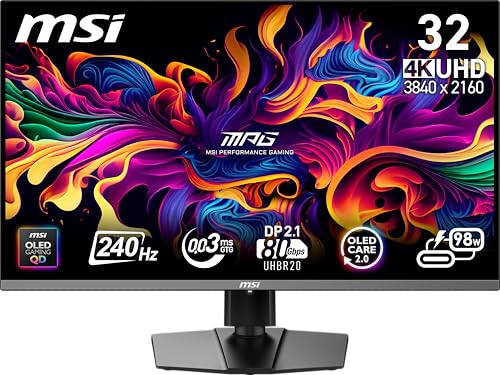
Perhaps the fairest way to close the analysis is to answer the question most visitors actually typed, in the plainest form the evidence allows. The monitor behind this name is MSI’s enthusiast-tier 34-inch curved ultrawide QD-OLED — a format and technology combination we can recommend as a class to PC players and wide-format workers with the right desk and room. The exact X36 variant could not be verified in the retail listings available to us at the time of writing, so we will not link you to a product and call it this one. If width is what you want and verification matters to you — and after seven thousand words on the subject, we hope it does — the neighbouring verified options in this cluster are the honest next clicks, starting with the 32-inch MPG sibling whose listing we could confirm, image and all. That is not the answer a link farm would give you. It is the answer a buying guide owes you.
Streaming, recording, and content creation on a wide OLED
Creators considering this format meet a specific arithmetic: audiences watch in 16:9, so gameplay captured on a 21:9 panel must be cropped, letterboxed, or captured from a 16:9 region of the screen. None of these is difficult, but all of them are workflow, and a creator whose output is daily video should rehearse the pipeline before the panel becomes the desk’s centrepiece. The counterweight is genuine: editing timelines adore the width, colour work benefits from the QD-OLED panel’s range, and the same screen that complicates capture flatters the editing of it. Many creators resolve the tension by capturing from a centred 16:9 window and editing full-width — a compromise that keeps both halves of the job honest. Streamers with a live audience add one more consideration, the chat-and-dashboard screen, which returns us to the hybrid desk: ultrawide in the centre, a modest second display for the machinery of the broadcast.
For photographers and designers, the wide canvas offers a different pleasure: images can be viewed large with tool panels still visible, and the panel’s contrast makes shadow-heavy work legible in a way office LCDs rarely manage. The cautions are the professional’s usual ones — verify colour settings against your output requirements, keep the room’s light consistent when judging colour, and remember that clients will view the work on ordinary screens, so the OLED should inform your judgement rather than flatter it. A tool this revealing is an asset precisely because it shows more than the audience will see; the discipline is remembering that the audience’s screen is the destination.
Waiting, watching, and the discipline of the un-bought monitor
There is a final scenario this guide should serve: the reader who decides the class is right, the exact model elusive, and the purchase therefore postponed. Postponement, done actively, is a strategy rather than a failure. Set a search alert for the exact model string rather than its fragments, so the notification that arrives is about the right product. Re-check reputable retailers at the rhythm of the category’s release cycles rather than daily, because monitor availability moves in waves, not in hours. In the meantime, prepare the desk — depth, arm, lighting, the graphics card audit — so that when a verified listing does appear, the decision is a simple yes rather than a scramble. And hold the line on the name. The most common ending to a waiting story in this category is a buyer tiring of the wait and accepting a near-namesake in a moment of impatience, then spending years faintly unsure what they own. The checklist in this article exists so that if you do choose the cousin, you choose it — eyes open, specifications compared, price judged against its own merits. That is not settling. That is shopping like an adult in a category that profits from confusion, and it is the note this deliberately link-free guide is happiest to end its analysis on.
Questions readers send us about names, suffixes, and near-identical monitors
Beyond the formal FAQ, a few naming questions recur often enough to deserve prose answers. Why do manufacturers do this to us? Because a monitor is assembled from panels, boards, stands, and firmware sourced and revised on different schedules, and each meaningful combination needs a traceable identity for warranty, support, and retail. The suffix thicket is the visible residue of an honest supply chain; the alternative — silently changing a product under an unchanged name — is the genuinely hostile practice, and it happens rarely enough to make news when it does. How different can two suffixes be? Different enough to change the refresh ceiling, the port versions, the stand’s adjustments, or the panel generation — which is to say, different in exactly the specifications a buyer cares about, hidden in exactly the characters a buyer skips. And how can a shopper keep it straight? By treating the model string the way a pharmacist treats a drug name: in full, character by character, every time, with the manufacturer’s own page as the reference text. It is a small literacy with an outsized payoff, and this entire article — written because one specific string could not be verified — is really just that literacy, demonstrated at length.
The desk audit, done on paper before any order
Since this class punishes unprepared desks more than most, here is the audit as a written exercise. Measure your desk’s depth from its front edge to the wall, and subtract the space your keyboard and wrists honestly occupy; what remains is the panel’s allowance, stand included, and it should leave the screen at the distance the setup section describes — if it does not, price a monitor arm into the purchase from the start. Measure the width your room can give the panel plus the speakers or secondary screen you intend to keep; a 34-inch ultrawide beside a retained side monitor is a wide arrangement, and discovering that at the unboxing is a special kind of afternoon. Note where your windows are at the hours you actually use the desk, not at the hour you happen to measure; a glossy ultrawide facing evening sun needs a curtain in its budget. Finally, write down your graphics card and the three games you play most, and check their behaviour at ultrawide resolution in community resources. Four measurements and one list: twenty minutes of paper that decide whether this class of monitor will feel like an upgrade or an imposition, whichever exact model you ultimately bring home.
What owners of this class say after six months — the patterns worth trusting
Long-term owner reports in the ultrawide OLED class converge on a few themes, and convergence across strangers is the closest thing consumer technology has to data. The first theme is that the width stops being a feature and becomes the water they swim in; returning to a 16:9 screen for travel or office days feels like working in a narrower room. The second is that the care habits genuinely disappear — after the first month, nobody thinks about taskbars, because the routine runs itself. The third is a mild surprise: the screen’s second job, film in the evening, gets used more than expected, because a panel this good at darkness quietly becomes the best cinema in the house. The regrets converge too, and they are the ones this guide has flagged throughout: desks that were too shallow, one beloved game that never supported the format, and — in a category all its own — the owners who discovered after delivery that their model’s suffix was not the one they had researched. Every one of those regrets was preventable on paper, before purchase, which is why this article spends its length on paper exercises. Join the satisfied pattern by doing the boring parts first; the width will take care of itself.
Ultrawide for study, family desks, and shared rooms
Not every ultrawide lives on a battlestation. On a family or study desk the shape earns its keep differently: a parent and a child can sit slightly side by side at a wide screen for homework help in a way a narrow panel forbids, the curve notwithstanding, because the content that matters sits in the centre. Students in shared rooms discover the panel doubles as the room’s cinema, and a 34-inch OLED at desk distance out-performs the small television it replaces for film nights, provided the seating is arranged near the centre of the arc. The cautions for shared use are social as much as technical: a screen this absorbing in a shared room will colonise it, so households do well to agree its hours and its volume — through headphones, ideally — before it arrives. None of this appears in specification sheets, and all of it decides whether the purchase is remembered as the desk’s upgrade or the room’s annexation.
For the student buyer specifically, one more calculation applies: this class of monitor will likely outlast the degree, the first job’s laptop, and possibly the desk itself. Buying a format you will grow into — wide enough for the work you hope to do, honest enough about the games you actually play — is the rare case where the ambitious purchase and the prudent one are the same object, provided the verification and the desk audit have been done. Do those two things, in either order, and the rest of this article becomes what it was always meant to be: not a warning, but a welcome.
A note on pricing behaviour in this category, without quoting a single price
Our standing rule forbids printing static prices, and in this category the rule is also good epistemology: flagship monitor prices move with panel supply, seasonal events, and the arrival of successor variants, so any figure printed in a guide is a small lie waiting for its date. What can be said usefully is how the category’s pricing behaves. New variants launch at their proudest figure and soften as supply settles; outgoing suffixes are often discounted precisely because their names confuse shoppers, which makes the informed buyer — the one who can decode exactly what an X24 or X28 variant is and is not — the natural beneficiary of the confusion that traps everyone else. Knowledge of the naming system is, quite literally, worth money in this aisle. If you take one practical reward from this article’s caution, let it be that: the literacy that prevents a mistaken purchase also unlocks the deliberate one, bought at the moment its price reflects other people’s confusion rather than its own worth.
Environmental and practical footnotes for a big glass purchase
A 34-inch curved OLED is a large piece of glass and electronics, and a responsible guide closes its practical sections by treating it as one. It will arrive in a large box that two people should carry; keep that box, because curved panels travel poorly in improvisation and because a future house move is a near-certainty across a monitor’s lifespan. Its power draw in use is modest for its size — OLED draws according to what it displays, dark scenes sipping where bright ones sip more — but its standby behaviour is worth configuring, since the care features that protect the panel occasionally wake it, and an owner who understands that rhythm will not mistake a maintenance cycle for a fault. At the end of its long life, it is electronic waste with a panel worth recycling properly through the maker’s or retailer’s scheme rather than the general bin. None of these footnotes sells a monitor. All of them belong to owning one well, which is the transaction this article has been about from its first paragraph: not the click, not the unboxing, but the years.
One last word, reader to reader. If you arrived here hoping for a buy button and found a checklist instead, we understand the brief disappointment — and we would rather earn it than your money’s regret. The width is real, the panel is real, and the format will reward the right desk for years. Make sure the name on your order is the name you researched, and the rest of the story writes itself, one wide evening at a time.
Glossary for the ultrawide shopper
Four terms cover most of the confusion in this aisle. Aspect ratio is the shape’s proportion — 21:9 here, against the television-standard 16:9 — and it decides what content fills the screen and what arrives with bars. Pillarboxing is the name for those side bars on narrower content, the ultrawide mirror of the letterboxing film viewers already know. Native resolution is the panel’s true pixel count, the figure your computer should be set to; anything else is scaling, with softness as its tax. And the model suffix — X36 in our subject — is the variant identifier that binds a name to an exact specification set, the term this whole article exists to teach you to respect. Carry those four definitions into any listing, in any store, and you are already shopping better than most of the aisle.
How this guide was researched, and what would change our answer
Transparency about method is part of the product here. We decoded the model name against MSI’s line structure, examined the retail listings our verification tools could reach for this exact string, and found the neighbouring MAG models instead — a result we repeated before accepting, because a single failed search proves little in a category this thick with variants. Everything in this article that describes the class — the format, the panel technology, the ownership disciplines — is stated at the level of the class, where it can be stated honestly. The moment a verified listing for the exact X36 string is confirmed, the correct sequel is a specification-level review of that listing’s facts, and the class-level guidance here will still apply underneath it. Until then, we would rather be the guide that told you what it could not find than the one that sold you a cousin under the subject’s name. That is the whole ethic of this page, and it generalises: any buying guide, on any site, that cannot show you its verification has told you something important about itself.
Readers who do locate the exact model through channels we could not reach are welcome to apply this article’s inspector routine and report the listing’s full specification set against the decoding in our second section. If the string, panel, resolution, and ports all agree, you have done in ten minutes what this guide exists to teach — and you can buy with the confidence that no suffix, in any catalogue, will ever ambush you again.
That confidence, more than any single panel, is the purchase this page hopes you make first.