Disclosure: As an Amazon Associate, reviewstook.com earns from qualifying purchases. Links on this page are affiliate links; they cost you nothing extra. Prices and availability change often, so check the current Amazon listing before you buy.
Figuring out how to choose between amd and intel for gaming is less about crowning a permanent winner than about matching a processor to your games, your graphics card, and the platform you will live with for the next several years. The honest summary of the current market is that AMD’s X3D chips are the gaming specialists, Intel’s hybrid chips are the all-rounders that also work and stream, and both companies sell mainstream parts that will satisfy most players completely. Anyone who tells you one brand is simply better has stopped paying attention to your specific build.
This guide uses six verified processors as its reference points: three from AMD, including the two X3D generations and a frugal mainstream chip, and three from Intel spanning its hybrid Core and newer Core Ultra lines. Around those anchors it builds the decision properly: what cache does for frame rates, why resolution changes the answer, how platform costs hide inside motherboard and memory choices, and which questions about your own habits should settle the argument before benchmarks get a vote.
Read the benchmark sections of any review with one caution in mind: CPU gaming tests are deliberately run at low resolutions with flagship graphics cards to expose processor differences that a balanced real-world build may never see. Those differences are real, and for the right buyer they matter enormously. For the wrong buyer they are an expensive solution to a bottleneck their system does not have.
Key takeaways
- AMD’s X3D processors are the specialist gaming choice, thanks to the extra cache stacked on the chip
- Intel’s hybrid designs pair strong gaming with many extra cores for streaming, recording, and work
- At higher resolutions the graphics card limits frame rates and the CPU gap narrows dramatically
- Platform cost is motherboard plus memory plus future upgrade path, not the processor’s price alone
- Your current motherboard may already have made this decision for you, and that is fine
In this guide
Six processors that define the current choice
These six are not the whole market, but they are its load-bearing walls: the two X3D generations that gaming buyers compare, AMD’s efficient mainstream alternative, Intel’s hybrid flagship-class gaming chip, its newer Core Ultra counterpart, and the Intel value pick that keeps appearing in sensible builds. Understand these six and the rest of both catalogues falls into place around them.
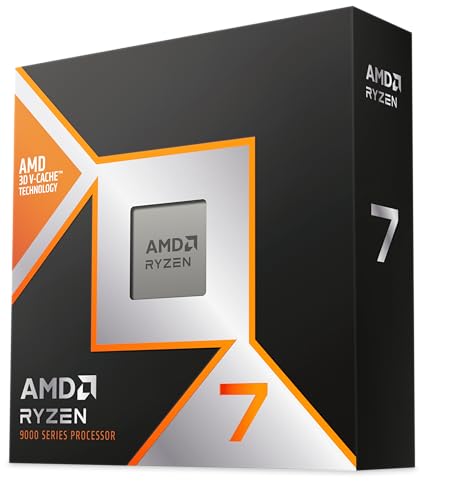
- AMD Ryzen 7 9800X3D — The current gaming flagship from AMD
- AMD Ryzen 7 7800X3D — The previous X3D champion, still a gaming great
- AMD Ryzen 7 9700X — The efficient mainstream Ryzen for balanced builds
- Intel Core i7-14700K — Twenty hybrid cores: gaming plus serious multitasking
- Intel Core Ultra 7 265K — Intel’s newest platform with twenty cores and an NPU
- Intel Core i5-14600K — The Intel value pick that games far above its tier

AMD Ryzen 7 9800X3D
The current gaming flagship from AMD
- Cores: 8 cores, 16 threads
- Cache design: 3D V-Cache stacked beneath the cores
- Platform: AMD AM5 socket
- Role: dedicated gaming-first builds
The 9800X3D is what happens when a company builds a processor around one question: what do games actually want? The answer, demonstrated across two generations now, is fast access to data, and AMD’s 3D V-Cache delivers it by stacking extra cache memory directly with the cores. This generation also rearranged the stack so the cache sits beneath the compute die, improving cooling and letting the chip sustain higher clocks than its predecessor, which removed the old X3D compromise where gaming brilliance came with slightly muted productivity behaviour.
For a buyer assembling a gaming machine around a strong graphics card, especially for high-refresh 1080p or 1440p play, competitive titles, or simulation games that devour cache, this is the reference processor of its generation. Its eight cores are entirely performance cores, so game threads never wander onto efficiency silicon. The premium it commands is real, and it buys nothing for a GPU-bound 4K build, which is why the sections below insist on matching the processor to the resolution and card it will actually serve.
Strengths
- Class-leading gaming performance in cache-sensitive titles
- Improved thermal design sustains clocks better than the prior X3D
- Eight full performance cores keep game threads consistent
Trade-offs
- Premium pricing for a gaming-specialist part
- Eight cores is fewer than hybrid rivals for heavy multitasking
- AM5 platform requires DDR5 memory, adding build cost
Best for: a dedicated high-refresh gaming rig built around a powerful graphics card / Not suited for: a mixed work-and-play machine that renders or compiles all day

AMD Ryzen 7 7800X3D
The previous X3D champion, still a gaming great
- Cores: 8 cores, 16 threads
- Cache design: 3D V-Cache
- Platform: AMD AM5 socket
- Efficiency: notably frugal under gaming load
The 7800X3D defined the modern gaming CPU: a chip that beat more expensive processors in games while drawing modest power, because its stacked cache let it feed frames without brute-force clocks. A generation later it remains a genuinely excellent gaming processor, and its position in the market has shifted from flagship to value alternative, which may make it the smarter buy whenever the price gap to the 9800X3D is wide and the rest of the build could use the difference.
Its virtues are the ones long-term owners feel: low power draw under gaming load means a quieter cooler and less heat in the case, and the AM5 platform beneath it is the same one its successor uses, so the motherboard and memory investment is identical. The honest limitations are its eight-core ceiling for heavy background work and single-threaded speeds a step behind the newest chips. For pure gaming at sensible prices, those limitations rarely speak during play.
Strengths
- Superb gaming performance per watt
- Same AM5 platform and upgrade path as its successor
- Often the value pick of the X3D family as prices settle
Trade-offs
- A generation behind on clocks and productivity speed
- Eight cores limits heavy streaming-plus-work multitasking
- Popularity keeps its price from falling as fast as expected
Best for: a gaming-first build that values efficiency and platform longevity / Not suited for: creators who need maximum core count alongside their gaming

AMD Ryzen 7 9700X
The efficient mainstream Ryzen for balanced builds
- Cores: 8 cores, 16 threads
- Design: standard cache, unlocked for tuning
- Platform: AMD AM5 socket
- Character: low power draw, quiet cooling
Not every AMD buyer needs the X3D treatment, and the 9700X is the reminder. It pairs the same modern architecture and AM5 platform with a conventional cache layout and a notably modest power envelope, which makes it a graceful fit for small-form-factor and quiet builds where the X3D’s premium would be wasted on a mid-range graphics card anyway. In GPU-bound gaming, which describes most 1440p and nearly all 4K play, its frame rates sit close enough to the flagships that the saving is real money kept.
Choose it when the build is balanced rather than specialised: gaming in the evenings, ordinary productivity in the day, a cooler that does not need to be exotic, and a power supply with an easier life. Its unlocked design leaves room for tuning if you enjoy it. What it will not do is match the X3D chips in the cache-sensitive competitive and simulation titles where stacked cache earns its fame, so players of those games should read this as the sensible alternative rather than the equivalent one.
Strengths
- Very low power draw suits small and quiet builds
- Modern architecture on the long-lived AM5 platform
- Costs meaningfully less than the X3D models
Trade-offs
- No stacked cache, so cache-sensitive games run slower
- Eight cores is a mainstream ceiling for heavy work
- Gaming flagships outrun it at low resolutions with big GPUs
Best for: balanced and small-form-factor builds with mid-range graphics cards / Not suited for: competitive or simulation players chasing maximum frame rates
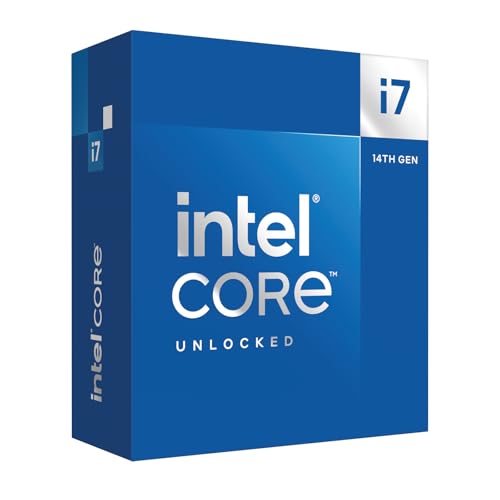
Intel Core i7-14700K
Twenty hybrid cores: gaming plus serious multitasking
- Cores: 20 total, 8 performance and 12 efficiency
- Graphics: integrated graphics included
- Design: unlocked, hybrid architecture
- Platform: Intel LGA1700 socket
The 14700K is Intel’s hybrid philosophy at full stretch: eight performance cores to run the game, twelve efficiency cores to absorb everything else, streaming encoding, voice chat, recording, browser tabs, background updates, without stealing cycles from the frames. For the player who streams seriously or keeps a workstation’s worth of tasks alive while gaming, that division of labour is a real advantage no eight-core chip can argue with, and its gaming performance in its own right is strong.
The platform story cuts the other way. LGA1700 is a finished platform, so this processor is an upgrade for an existing board or the heart of a build that accepts no CPU upgrade path in exchange for mature, often keenly priced motherboards and the choice of DDR4 or DDR5 memory on some boards. Its power draw under full multi-core load is also the highest here, demanding a serious cooler when all twenty cores work at once. Buy it as a complete, capable package for today rather than as a platform investment.
Strengths
- Twenty cores handle gaming plus streaming and work together
- Strong gaming performance with integrated graphics as a bonus
- Mature platform with wide motherboard and memory choice
Trade-offs
- LGA1700 offers no future CPU upgrade path
- High power draw under full load needs substantial cooling
- Hybrid scheduling very occasionally needs manual attention in older titles
Best for: streamers and power users who game and produce on one machine / Not suited for: a new build planned around years of drop-in CPU upgrades

Intel Core Ultra 7 265K
Intel’s newest platform with twenty cores and an NPU
- Cores: 20 total, 8 performance and 12 efficiency
- Top speed: up to 5.5 GHz
- Extras: integrated neural processing unit
- Platform: Intel LGA1851 socket
The Core Ultra 7 265K represents Intel’s newer direction: a tiled design on the fresh LGA1851 platform, twenty cores in the same hybrid arrangement, high clocks, and an onboard neural processing unit for the AI features operating systems are beginning to use. Its gaming performance is competitive without being the generation’s outright gaming champion, and its multi-core productivity is where it presses its case, often at better efficiency under sustained work than the older 14700K manages.
The decision around this chip is really a decision about Intel’s new platform. LGA1851 boards are DDR5-only and the platform is young, which means early-adopter pricing on motherboards balanced against the promise of support for future processors on the same socket. For a buyer who wants Intel’s ecosystem, current features, and a platform with a future, this is the Intel pick of this guide; for a buyer who wants the last frame per unit of currency in games alone, the X3D chips remain the awkward comparison it must answer.
Strengths
- Newest Intel platform with an upgrade future
- Twenty cores deliver strong productivity alongside gaming
- Improved efficiency under sustained multi-core work
Trade-offs
- Gaming performance trails the X3D specialists
- Young platform means pricier motherboards
- NPU features are still more promise than daily benefit for gamers
Best for: an Intel-loyal builder who wants the current platform and mixed workloads / Not suited for: a pure gaming build chasing the highest frame rates per spend

Intel Core i5-14600K
The Intel value pick that games far above its tier
- Cores: 14 total, 6 performance and 8 efficiency
- Design: unlocked, hybrid architecture
- Platform: Intel LGA1700 socket
- Character: strong gaming at a mid-range price
Every generation has a processor that embarrasses the tiers above it in value terms, and the 14600K is that chip for Intel’s 14th generation. Its six performance cores are the same calibre as its bigger siblings’, which is what games mostly use, and its eight efficiency cores keep background work out of the game’s way. Paired with a mid-range graphics card, it produces gaming experiences that flagships only surpass in benchmarks run under laboratory conditions.
The compromises mirror the 14700K’s: a finished platform beneath it, and power draw that asks for a competent cooler when fully loaded. Neither matters much at its price. This is the Intel processor for the builder who would rather put the saving into the graphics card, which is almost always where gaming money works hardest, and who accepts that the next CPU upgrade will arrive with a new motherboard, as it does for most owners in practice anyway.
Strengths
- Gaming performance far above its price tier
- Efficiency cores keep streaming and background tasks separated
- Savings fund a better graphics card, where they count more
Trade-offs
- Finished LGA1700 platform with no CPU upgrade path
- Fewer performance cores than the i7 for the heaviest games-plus-work mixes
- Needs a decent cooler to show its best under full load
Best for: value-focused gaming builds and upgrades on existing LGA1700 boards / Not suited for: buyers who keep a platform for many years of CPU swaps
The six processors on the axes that decide gaming builds
| Processor | Cores | Gaming character | Platform |
|---|---|---|---|
| Ryzen 7 9800X3D | 8 performance | Cache flagship | AM5, DDR5 |
| Ryzen 7 7800X3D | 8 performance | Efficient cache star | AM5, DDR5 |
| Ryzen 7 9700X | 8 performance | Balanced and frugal | AM5, DDR5 |
| Core i7-14700K | 8P + 12E | Hybrid all-rounder | LGA1700 |
| Core Ultra 7 265K | 8P + 12E | New-platform hybrid | LGA1851, DDR5 |
| Core i5-14600K | 6P + 8E | Value gaming pick | LGA1700 |
The pattern in the table is the whole modern market in miniature. AMD bets on fewer, cache-rich cores devoted entirely to the game. Intel bets on a division of labour, performance cores for the game and efficiency cores for everything orbiting it. Neither bet is wrong; they pay out in different households. The sections that follow exist to work out which household is yours.
What 3D V-Cache does, in plain language
A processor’s cache is its desk: the small, extremely fast memory where it keeps the data it is actively working on, as opposed to system RAM, which is the filing cabinet across the room. Games constantly reach for scattered data, physics states, world geometry, opponent positions, and every reach that misses the cache costs time while the core waits. AMD’s 3D V-Cache enlarges the desk dramatically by stacking an extra layer of cache memory on the chip, so far more of a game’s working set sits within instant reach.
That is why X3D chips shine unevenly. Titles with large, unpredictable data patterns, sprawling simulations, massively multiplayer games, strategy games with thousands of units, flight simulators, gain the most, sometimes transformatively. Tidy, GPU-bound titles gain little, because their bottleneck was never the processor’s desk. When you read that the 9800X3D is the fastest gaming CPU, translate it as: fastest where the game is cache-hungry, and merely excellent elsewhere. Your game library decides how much of that headline applies to you.
The second generation’s rearrangement, cache beneath the cores rather than above, also removed the first generation’s main compromise. With the heat-producing cores now in direct contact with the cooler, the 9800X3D sustains higher clocks and behaves more like a conventional flagship outside games. The specialist stopped asking its owners to apologise for it in ordinary work, which widened its audience from the purely gaming-obsessed to anyone whose heaviest hobby is games.
Intel’s hybrid design, in equally plain language
Intel’s recent processors contain two kinds of core. Performance cores are the sprinters, built for the latency-sensitive work of running a game engine. Efficiency cores are the pack mules, smaller and thriftier, handling background tasks in bulk. A hardware scheduler, working with the operating system, directs threads to the right core type moment by moment. When it works, which in modern Windows is nearly always, the game gets uninterrupted performance cores while streaming, recording, chat, and system housekeeping happen elsewhere.
The gaming consequence is subtle but real: hybrid chips rarely win the laboratory benchmark against an X3D, yet in a lived-in system full of launchers, overlays, browser tabs, and a stream running, they protect the experience differently, by giving the clutter somewhere to go. The buyer who plays in a clean system with nothing else running benefits least from hybrid design; the buyer whose PC is a busy household hub benefits most, and both buyers are rational.
There is one more hybrid dividend: integrated graphics on most of these Intel chips. A basic display output and hardware video encoding live on the processor, which means the machine still works if the graphics card fails or is sold during an upgrade, and streaming can be offloaded to the integrated encoder. AMD’s chips in this guide also carry basic integrated graphics on the AM5 platform, but Intel’s media engine has historically been the stronger tool for video work, a point creators weigh seriously.
Resolution and the graphics card change the verdict
A processor’s job in gaming is to prepare frames; the graphics card’s job is to draw them. At 1080p with a powerful card, drawing is fast, so preparation becomes the limit and CPU differences stand in the open: this is the arena where X3D chips build their towering benchmark leads. At 4K, drawing each frame takes so long that almost any modern processor can prepare the next one in time, and the same chips finish within a few percent of each other. Resolution is therefore not a detail in this decision; it is half the decision.
Apply that honestly to your own desk. If you play at 1440p on a mid-range card, your graphics card is the limit in most titles, and the sensible CPU is the one that costs less and leaves budget for the next GPU upgrade: a 9700X or a 14600K will serve you indistinguishably from the flagships in most of your library. If you play competitive titles at 1080p chasing a high-refresh monitor’s full rate, or you run the great cache-hungry simulators, the X3D premium is buying frames you will actually see.
The middle case, 1440p high-refresh with a strong card, is where judgement earns its keep. There the CPU matters in some titles and not others, and the right question is which of your specific games are CPU-bound. Look up benchmarks for your three most-played games rather than for a reviewer’s suite of ten you have never opened. This guide’s picks were chosen so that whichever way that research lands, a fitting processor is already on the page.
Platforms: the cost hiding under the processor
A processor is never bought alone. It arrives with a socket, and the socket dictates the motherboard, the memory generation, and the upgrade future. AMD’s AM5, beneath all three Ryzen picks here, uses DDR5 memory and has been AMD’s committed platform across multiple processor generations, with the company supporting sockets for years as a matter of stated policy. A buyer on AM5 today can reasonably expect tomorrow’s Ryzen to drop into today’s board with a BIOS update, which spreads the platform’s cost across two processors.
Intel’s picture is split by the picks in this guide. The 14700K and 14600K sit on LGA1700, a mature and affordable platform with the unusual flexibility of DDR4 or DDR5 boards, but one whose processor line is complete: the next Intel upgrade means a new motherboard. The Core Ultra 265K sits on LGA1851, the new platform, DDR5-only and priced like a young platform, carrying the expectation of future processors in exchange. Neither position is foolish; they are different wagers about whether you upgrade in place or rebuild wholesale.
Total the platform before judging any processor’s price. A cheaper CPU on a platform that forces a new motherboard and memory kit at the next upgrade can cost more across five years than a pricier CPU on a platform that accepts a drop-in successor. Conversely, a buyer who keeps a machine untouched for six years and then replaces everything gains nothing from socket longevity and should simply buy the best complete package for today. Know which buyer you are before the platform argument starts.
Power, heat, and the supporting cast
Processors differ in appetite, and the rest of the build pays the bill. The X3D chips are strikingly frugal under gaming load, which means a modest air cooler and a quiet case suffice, and small-form-factor builds adore them. The 9700X is thriftier still. Intel’s hybrid flagships, by contrast, can draw heavily when all their cores are unleashed, and they repay a serious cooler and a motherboard with strong power delivery; under gaming-only load they are far more moderate, but a buyer who also renders or compiles will meet the full appetite.
Motherboard quality interacts with that appetite. A high-draw Intel chip on a bargain board with weak voltage regulation will throttle in sustained work no matter what the cooler does, while the efficient Ryzen chips forgive modest boards entirely. When comparing build quotes, check that the Intel price includes a board and cooler honestly matched to the processor, because a flagship CPU starved by its supporting cast is the most common way Intel builds disappoint their owners, and it is a quoting failure, not a silicon one.
Which games actually separate these processors
Name the genres and the fog clears. Competitive shooters and battle royales played at low settings for maximum frame rate: X3D territory, where cache and core consistency produce the high, stable rates high-refresh monitors exist for. Grand strategy, city builders, flight and racing simulation, and heavily modded open worlds: also X3D-leaning, because their simulations are exactly the scattered-data workloads stacked cache devours. Story-driven AAA titles played at high settings and resolutions: a draw, decided by the graphics card, where every processor in this guide disappears behind the GPU.
Streaming and content creation overlay their own verdict. A player who streams gameplay while recording and running production software leans Intel hybrid or accepts that an eight-core X3D build wants a graphics-card encoder and a disciplined background. A player whose second monitor shows nothing but chat is not in that position and should not pay for twenty cores to solve it. The genres and habits you actually have, written down honestly, will point at a processor more reliably than any aggregate benchmark score.
The used-market and upgrade-in-place angles
Existing owners face a different question from new builders, and it often has a cheaper answer. An owner on an AM5 board with an early Ryzen processor can move to an X3D chip with a BIOS update and nothing else replaced, which is the single most cost-effective gaming upgrade in the current market. An owner on LGA1700 with an older Core i5 can step to a 14600K or 14700K the same way. In both ecosystems, the in-socket upgrade converts the platform debate from theory into arithmetic: the best processor for you may be the best one your motherboard already accepts.
The used market rewards the same thinking. Previous-generation flagships, including the 7800X3D when new stock pricing is stubborn, circulate at prices that undercut new mainstream chips while outgaming them in their specialisms. Buy used processors with more confidence than most components, since CPUs have no moving parts and rarely wear out, but insist on a returns window and test thoroughly on arrival, because bent pins and delidded experiments exist in the wild.
Latency, frame pacing, and why averages hide the truth
Two processors can post the same average frame rate and deliver different experiences, because averages conceal the dips. Frame pacing, the evenness of the time between frames, is what a player actually feels as smoothness, and it is where cache-rich and well-scheduled processors earn reputations that bar charts undersell. A game whose frames arrive in a steady rhythm at a slightly lower average feels better than one that sprints and stumbles at a higher average, especially on a high-refresh monitor without variable refresh to smooth the gaps.
When you research your own games, look for the low-percentile figures, the 1% and 0.1% lows, rather than the headline average. Those numbers describe the worst moments, the crowded city, the physics spike, the hundred-player drop, which are precisely the moments you bought a gaming processor for. X3D chips built their following on those columns of the chart. Intel’s hybrids, when their scheduling is behaving, post strong lows of their own. Judge both brands by the floor they guarantee, not the ceiling they advertise.
What about laptops, handhelds, and other form factors?
This guide’s processors are desktop parts, but the brand question follows gamers into other shapes. In gaming laptops, both companies compete fiercely and the answer depends on the specific model’s cooling more than the badge, because a laptop processor’s sustained performance is set by the chassis around it. In handheld PCs, AMD’s integrated designs have dominated recent devices thanks to their graphics efficiency, a reminder that the desktop’s X3D story is only one chapter of a much larger rivalry.
The transferable lesson is the method, not the verdict. In every form factor, ask what limits your games, what the platform costs as a whole, and what else the machine must do. A buyer who learns to ask those three questions stops needing a brand allegiance, which is fortunate, because the lead in this contest has changed hands repeatedly over the decades and will change again. Loyalty to a method outlasts loyalty to a logo.
Reading the next generation’s rumours without being misled
Every year brings leaks promising that one brand is about to end the contest forever, and every year the reality is a few percent here, a platform change there, and prices that rearrange the value table more than the performance one. The buyer’s defence is to remember that a processor purchased today competes against the games of the next several years, not against next autumn’s launch. A well-matched current chip, X3D for the cache-hungry, hybrid for the multitasker, mainstream for the GPU-bound, will not be embarrassed by a successor’s arrival.
If a launch is genuinely imminent and your build can wait a few weeks, waiting costs little and occasionally buys a generation. If the wait is measured in seasons of rumour, build now with the picks in this guide and play the games you already own. The most expensive processor decision is the one that keeps a finished build in a shopping cart while a library sits unplayed, and no benchmark published since has ever refunded that time.
Two sample builds that show the decision working
Build one: a competitive player on a 1080p high-refresh monitor, a strong mid-range graphics card, and a library of shooters and a flight simulator. Every signal points the same way: the games are CPU-bound, the cache-hungry simulator is on the list, and nothing but chat runs beside the games. The 9800X3D anchors the build, or the 7800X3D if its price leaves room for the better monitor the player will benefit from daily. An Intel build here would be perfectly capable and still be the second-best answer to this specific brief, which is the most useful sentence in this entire comparison.
Build two: a household machine that games at 4K on a television, streams weekend sessions to friends, edits the recordings, and runs a small business’s accounts software. The resolution makes the CPU a supporting actor, the streaming and editing want cores, and the budget is finite. The 14700K or the Core Ultra 265K anchors this build depending on whether the buyer prefers a mature bargain platform or the new one, and the money an X3D would have consumed goes to the graphics card that a 4K television actually taxes. Two builds, two correct answers, zero brand loyalty involved.
Thermals and acoustics as a tiebreaker
When performance and price leave two candidates standing, let heat arbitrate. The X3D and mainstream Ryzen chips’ frugality under gaming load means smaller coolers, slower fans, and cases that can prioritise quiet over airflow, which compounds in small-form-factor and living-room builds. Intel’s hybrids ask more of their cooling under full load, and while gaming alone rarely summons that full appetite, a buyer who also renders video will hear the difference between the ecosystems every working day.
This tiebreaker also runs through the power supply and the electricity bill over years of ownership, modestly but genuinely. None of it should overturn a decision the games themselves have already made, yet between near-equals it is the difference owners continue to notice long after benchmark bragging has faded. Choose the chip your case and your ears can live with, because they are the audience for every session the benchmarks never see.
How to decide between AMD and Intel in one sitting
This sequence converts the guide’s arguments into a decision. Answer each step with your real habits, not your aspirational ones.
Write down your resolution, refresh rate, and graphics card
These three facts determine whether your system is CPU-bound at all. A 4K display or a mid-range card means the processor decision is mostly about platform and price. A high-refresh 1080p or 1440p setup with a strong card means the processor is a performance component and the X3D question deserves its premium hearing.
List your five most-played games and mark the cache-hungry ones
Simulations, strategy, MMOs, and competitive titles played for maximum frame rate mark themselves. If three or more of your five are on that list, AMD’s X3D design was built for your library and the 9800X3D or 7800X3D should anchor your build. If your five are cinematic AAA titles at high settings, strike the cache premium from your budget with a clear conscience.
Decide what else the machine must do while gaming
Streaming to an audience, recording locally, running a business’s software, or hosting game servers all argue for core count, which argues for Intel’s hybrids or for accepting a higher AMD tier outside this guide’s gaming focus. Pure gaming with a browser and chat argues for the eight fast cores of the Ryzen picks and money saved toward the graphics card.
Price the whole platform, not the processor
Build two complete quotes: processor, motherboard, memory, and cooler, one per brand. Include the cooler each chip honestly needs and the memory the platform requires. The quote comparison, not the processor comparison, is the real price of the decision, and it frequently reverses the conclusion the headline prices suggested.
Weigh the upgrade you will actually make
If you are the kind of owner who swaps a CPU mid-platform, AMD’s AM5 longevity and Intel’s new LGA1851 are worth real money to you. If you keep machines whole until they are replaced, platform futures are worth nothing and today’s complete-package value, where the LGA1700 picks shine, should win. Be the buyer you have historically been, not the one you imagine becoming.
Make the call and stop re-litigating it
Both ecosystems will game beautifully for years, and the difference between a well-matched second choice and the perfect first choice is smaller than the difference either makes against a mismatched build. Decide with the steps above, put the saved energy into the graphics card and the monitor, and revisit the question at your next build, when both companies will have new arguments anyway.
Decision mistakes in the AMD versus Intel debate
Buying a flagship CPU for a 4K build
At 4K the graphics card is the bottleneck in nearly every title, so a flagship processor’s gaming premium purchases benchmark numbers rather than experiences. The same money added to the graphics card or the display transforms the build. Match the CPU to the resolution’s reality: strong, modern, and one tier below your enthusiasm.
Comparing processor prices without platform prices
A CPU that needs a new motherboard and a DDR5 kit is not competing at its sticker price against one that drops into your existing board. Whole-platform quotes are the only honest comparison, and they are also how existing owners discover that staying with their current brand is the bargain of the year.
Assuming more cores always means more frames
Games use a limited number of threads heavily and the rest lightly, which is why eight fast, cache-rich cores outrun twenty mixed cores in cache-hungry titles. Core count is a multitasking and productivity specification first. Buy cores for the work you run beside the game, not for the game alone.
Ignoring the games you actually play
Aggregate scores average away the only thing that matters: your library. A simulator devotee and a cinematic-action player need different processors and will both be misled by the same top-ten chart. Five minutes checking benchmarks for your own most-played titles outperforms an evening of general research.
Pairing a high-draw chip with a weak board and cooler
A flagship hybrid processor on a bargain motherboard under a small cooler will throttle and disappoint, and the owner will blame the brand. The supporting cast is part of the processor’s real price and real performance. If the budget will not stretch to both, step the processor down a tier and balance the build.
Final recommendation
For a dedicated gaming machine, especially at high refresh rates or in simulation and strategy titles, choose AMD’s X3D line: the 9800X3D if the budget is flagship, the 7800X3D if value matters more than the last increment. For a balanced build on a mid-range card, the 9700X delivers the AM5 platform’s future at a calmer price and power draw. For the machine that games and produces, streams and works, Intel’s hybrids earn their cores: the 265K on the new platform for a fresh build with a future, the 14700K for maximum present-day capability per platform, and the 14600K as the value champion of the entire page.
Notice that every one of those recommendations is conditional, because the question itself is conditional. The builders who regret this purchase are rarely the ones who picked the wrong brand; they are the ones who picked the right brand for somebody else’s games, resolution, and habits. Yours are the only ones that count, and now you have the framework to honour them.
A closing thought on temperament: the healthiest relationship with this rivalry is curiosity without tribalism. Read each generation on its merits, keep the receipts of your own usage rather than a reviewer’s, and let the platform you already own speak loudly in the decision, because sunk cost in a good motherboard is not a fallacy when the upgrade it enables is genuinely excellent. The six processors in this guide will all be somebody’s perfect answer this year. The work above exists to make sure one of them is yours for reasons you can articulate.
Frequently asked questions
Is AMD or Intel better for gaming right now?
For gaming alone, AMD’s X3D processors hold the performance crown in the titles that stress a CPU, thanks to their stacked cache, and the 9800X3D is the current flagship expression of that design. Intel’s best gaming chips are close behind in many titles and pull ahead the moment serious multitasking, streaming, or productivity joins the session. The accurate answer is that AMD wins the specialism and Intel wins the all-round contest, which is why this guide insists on your games, resolution, and habits as the deciding evidence rather than a brand verdict.
Does the CPU matter at 1440p and 4K?
Less, and at 4K much less. As resolution rises, the graphics card spends longer drawing each frame, and any modern processor can prepare frames faster than the card can draw them, so the gap between a flagship and a mainstream CPU shrinks to a few percent in most titles. At 1440p with a high-refresh monitor and a powerful card the CPU still matters in CPU-heavy genres. The practical rule: the higher your resolution and the stronger your graphics card’s workload, the more of your budget belongs to the card rather than the processor.
How many cores do I need for gaming and streaming?
For gaming alone, six to eight performance cores cover current titles comfortably, which is why both the eight-core Ryzens and Intel’s performance cores perform as they do. Adding simultaneous streaming changes the arithmetic only if the encoding and production work runs on the CPU; most streamers encode on the graphics card, which leaves the CPU free. Intel’s hybrid designs shine when the machine genuinely does several heavy things at once, because their efficiency cores absorb that work. Count your simultaneous workloads honestly and buy cores for the total, not for the game in isolation.
Should I upgrade my CPU or my graphics card first?
Upgrade whichever one is limiting your games, and diagnose before spending. If your graphics card’s utilisation sits near full while frame rates disappoint, the card is the limit and a CPU upgrade will do almost nothing. If utilisation is low while one or two CPU threads are saturated, the processor is the limit. In balanced older systems the graphics card is the limit far more often, which is why the standing advice is GPU first. The exception is a very old platform, where a modern CPU, board, and memory together unlock the card you already own.
Is AM5 or LGA1851 the safer platform bet?
Both are current platforms with manufacturer support ahead of them, and they differ in maturity rather than safety. AM5 is the established option with several processor generations already released for it and AMD’s track record of long socket support behind it. LGA1851 is Intel’s newer start, with its future generations still to arrive. A buyer who upgrades processors in place has historically been well served by AMD’s socket policy; a buyer loyal to Intel’s ecosystem and features takes the newer platform as the natural home for the next several years. Either bet is reasonable; the unreasonable bet is paying for a platform future you will never use.
Do I need DDR5 memory for a gaming build now?
On the current platforms in this guide, mostly yes: AM5 and LGA1851 are DDR5-only, so a fresh AMD build or a Core Ultra build includes DDR5 in its platform cost. The remaining DDR5 question belongs to LGA1700, where some boards accept DDR4 and let an upgrader keep an existing memory kit, a genuine saving that partly offsets that platform’s lack of a CPU future. For gaming performance itself, a sensible DDR5 kit’s speed matters modestly; capacity and stability matter more, and exotic memory speeds are among the worst value upgrades in a gaming build.
Can I switch from Intel to AMD, or the other way, without reinstalling everything?
The processor swap itself always means a new motherboard, and on current platforms usually new memory as well, so a brand switch is a platform rebuild rather than an upgrade. Your drives, graphics card, case, and usually your power supply carry over, and a modern operating system will often survive the transplant, though a clean installation is the tidy recommendation after changing the platform’s heart. Budget the switch as board plus processor plus memory, and the honest size of that number is exactly why the platform sections of this guide argue for choosing the ecosystem you can live with for years.
Are Intel’s efficiency cores ever a problem for games?
Rarely, and far less than in the hybrid design’s early days. The combination of hardware scheduling and modern operating systems directs game threads to the performance cores with high reliability, and the catalogue of titles that needed manual workarounds has shrunk to a handful of older or unusual cases, most now handled by updates. The practical experience of a current hybrid owner is that the efficiency cores are invisible during play and useful everywhere else. If you play a specific older title competitively, a quick search for that game’s name alongside the processor you are considering will tell you whether it is one of the exceptions.
Does either brand hold its value better for resale?
Gaming-specialist chips with a clear identity, the X3D models above all, tend to keep their used prices stubbornly high because their audience knows exactly what they are for, which is pleasant when you sell and annoying when you buy. Mainstream and hybrid chips depreciate more conventionally and become the used market’s bargains. Neither pattern should drive a new purchase, since the difference is a modest sum years from now, but it is worth knowing if you are the kind of owner who funds upgrades by selling the previous processor.
Which processor should a first-time builder choose?
The one whose platform quote fits the budget after the graphics card and monitor are properly funded, because a first build succeeds or fails on balance rather than on this single contest. In practice that often means a mainstream Ryzen or the Core i5-14600K, either of which will game happily for years while leaving money where a new player feels it most. First-time builders also benefit from the enormous community knowledge around both ecosystems, so support will be easy to find whichever badge is on the box. Choose, build, and play; the second build is where specialisation becomes fun.
How future-proof is an eight-core gaming processor?
Reasonably, based on the evidence of the last decade: games are built to run on consoles whose processors offer eight cores, and that target disciplines developers’ ambitions more than any desktop trend does. Eight strong cores with generous cache have aged gracefully in every recent generation, and there is little sign of mainstream games demanding more in the near term. The owners who feel core limits soonest are those whose machines do heavy work beside the game, which is a multitasking requirement rather than a gaming one, and it is priced and solved separately by the hybrid route.