Disclosure: As an Amazon Associate, reviewstook.com earns from qualifying purchases. Links on this page are affiliate links; they cost you nothing extra. Prices and availability change often, so check the current Amazon listing before you buy.
Fiber internet sounds like a single product, but anyone who has ordered it learns quickly that three separate things arrive under one name. There is the glass fibre strand that reaches your building, the speed tier you pay for each month, and the wireless network that carries that speed from a small box in the corner to the sofa, the desk, and the bedroom at the far end of the hall. When any one of those three links is weak, the whole service feels slow, even if the other two are excellent.
That distinction is the spine of this guide. The first half explains how fibre delivery actually works, where the optical network terminal belongs, and how to judge whether a faster tier would change anything in your home. The second half looks at three mesh systems that were verified for this article, because in most houses the router, not the fibre line, is what decides whether a gigabit plan feels like a gigabit plan.
Nothing here requires you to become a network engineer. You do need a few plain measurements: a speed test run over a cable, a speed test run over Wi-Fi in the room that feels worst, and an honest count of the people and screens sharing the connection at the busiest hour. With those three numbers in hand, every recommendation below becomes a simple comparison instead of a guess.
Key takeaways
- Fibre-to-the-home and fibre-to-the-cabinet are different products, and only the first one removes copper from the path entirely.
- The optical network terminal fixes where your router can sensibly live, so its placement shapes the whole wireless layout.
- Most households saturate their Wi-Fi long before they saturate a mid-tier fibre plan, which makes the mesh system the practical purchase.
- Wired backhaul between mesh nodes, where you can manage it, is the single most reliable upgrade for thick-walled homes.
In this guide
The brief answer on Fiber Internet
If your fibre line already tests well on a wired connection, your money belongs in the room-to-room network, not in a higher tier. The three systems below cover three different shapes of that problem. The TP-Link Deco X55 is the straightforward Wi-Fi 6 choice for a typical family home. The Netgear Orbi 770 is the Wi-Fi 7 step up for larger homes with many devices and a multi-gig port ready for faster tiers. The ASUS ZenWiFi BD4 is the Wi-Fi 7 alternative that leans on wired backhaul and free built-in security for houses where walls defeat wireless links.
| Item | Status | Entry |
|---|---|---|
| TP-Link Deco X55 | Confirmed page | Check price on Amazon |
| Netgear Orbi 770 | Verified page | Check price on Amazon |
| ASUS ZenWiFi BD4 | Verified entry | Check price on Amazon |
Read the table as a starting point rather than a ranking. A three-node mesh in a small flat is wasted hardware, and a single router in a long, brick-walled house will disappoint no matter how impressive its headline speed looks. Match the system to the building first, then to the plan tier, then to the device count, in that order.
Tools and models that genuinely assist
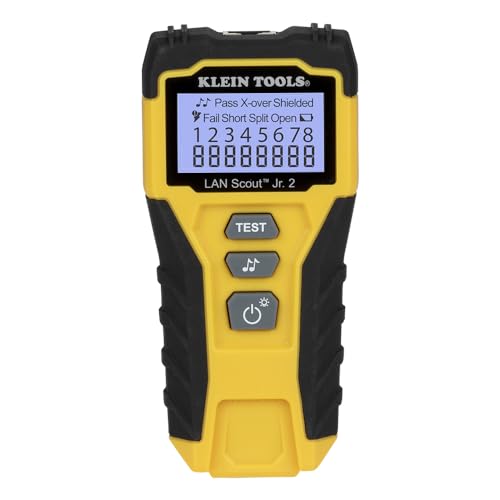
Three free habits do more for a fibre connection than most paid upgrades. The first is a wired baseline test: plug a laptop directly into the router, run a test twice, and write the numbers down, because every later argument about speed starts from that baseline. The second is a room-by-room wireless survey using the same test on your phone, standing where people actually sit. The third is a simple log of when the connection feels bad, since evening congestion, a microwave-heavy kitchen, and a failing cable each leave a different pattern in that log.
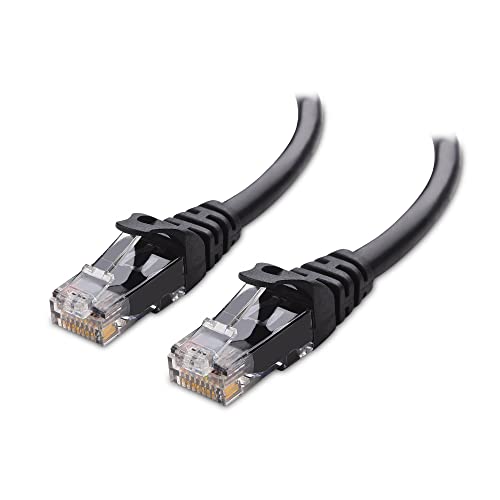
On the hardware side, a short, good-quality Ethernet cable is the most underrated tool in the house. It turns arguments into measurements, lets you wire a mesh node or a work computer permanently, and costs less than a single month of an unnecessary tier upgrade. Keep one in the drawer with the router passwords and the provider account number.
How the lineup was chosen
Each system in this guide was checked against the marketplace listing recorded for this article, and only products with a confirmed listing and a confirmed product image appear as linked picks. The three were chosen to span the realistic decision a fibre household faces: a proven Wi-Fi 6 mesh, a current Wi-Fi 7 mesh built for coverage and device count, and a Wi-Fi 7 mesh that assumes you may wire its nodes together.
Headline coverage figures were treated as orientation, not promises, because every maker measures coverage in open conditions that no real house matches. What counted more was the shape of the hardware: how many wired ports each unit carries, whether Ethernet backhaul is supported, and whether the system can grow by adding a node later instead of being replaced whole.
Detailed reviews

TP-Link Deco X55
The dependable Wi-Fi 6 starting point
| Unit | TP-Link Deco X55 |
|---|---|
| Line | Networking Guides |
| Features named on its entry | wireless operation, gigabit ports, mesh networking |
| Expense | Check price on Amazon |
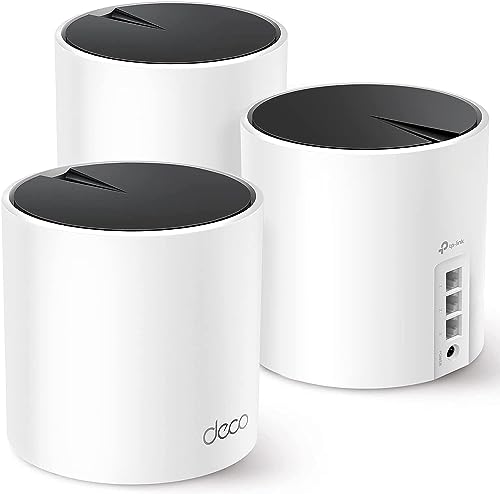
The Deco X55 is an AX3000 Wi-Fi 6 mesh system sold as a three-pack whose listing rates coverage at up to 6,500 square feet, with three gigabit ports on each unit and support for Ethernet backhaul. In plain terms, that means each node can either talk to its neighbours over the air or over a cable, and each node can also serve nearby wired devices such as a television, a games console, or a desktop that never moves.
For a fibre household, the appeal is balance rather than spectacle. Wi-Fi 6 handles the device mix most homes actually own, the three-pack layout suits a house spread over two floors, and the per-unit ports make it easy to wire the one or two devices whose traffic matters most. A work computer plugged into a satellite node stops competing with phones and tablets for airtime, and that single change often ends the complaints that people blame on their provider.
The honest limitation is headroom. Gigabit ports cap wired throughput at gigabit pace, so a future multi-gig tier would outgrow this hardware on the wired side, and Wi-Fi 6 cannot use the newest spectrum that Wi-Fi 7 systems add. If your provider roadmap and your device collection both point at multi-gig service within a couple of years, the two systems below fit that future better.
Strengths
- Three gigabit ports per unit make wired offload easy in every room that has a node.
- Ethernet backhaul support lets a cable rescue a node that walls would otherwise isolate.
- A mature Wi-Fi 6 platform that matches the radios in most laptops and phones already in homes.
Trade-offs
- Gigabit ports become the ceiling if you later move to a multi-gig fibre tier.
- No access to the extra Wi-Fi 7 spectrum, so dense apartment blocks stay more congested.
- Coverage depends heavily on node placement, as with every wireless-backhaul mesh.
Best for: a family house on a gigabit-or-slower tier that wants calm, even coverage without paying for speeds it cannot use yet. Not suited for: a home already shopping for multi-gig service. Check price on Amazon

Netgear Orbi 770
The Wi-Fi 7 coverage step up
| Label | Netgear Orbi 770 |
|---|---|
| Class | Networking Guides |
| Headline functions from its entry | mesh networking |
| Tag | Check price on Amazon |
The Orbi 770 series is a tri-band Wi-Fi 7 mesh sold here as a router with two satellites, rated by its listing for homes up to 8,000 square feet, aggregate speeds up to 11 Gbps, and around 100 connected devices, with a 2.5-gigabit port in the set. Those are ceiling figures rather than per-device promises, but they describe the intended household accurately: a large property, a long device list, and a fibre tier with room to grow.
The 2.5-gigabit port is the detail that matters most for fibre buyers. It is the doorway through which a faster-than-gigabit plan actually enters the house, and it also serves a wired desktop or a network storage box at speeds a gigabit port cannot reach. Tri-band operation gives the satellites a dedicated conversation with the router, which helps in big homes where a shared band would be carved up by client traffic.
Size is the counterweight. Large homes need this class of system; small ones gain little from it, and the hardware sits at the premium end of the mesh market. Buy it because your floor plan and device count demand it, not because the numbers on the box are the largest in the aisle.
Strengths
- The largest coverage envelope of the three systems here, aimed at genuinely big homes.
- A 2.5-gigabit port keeps the system relevant when a multi-gig tier arrives.
- Tri-band design protects node-to-router traffic from competing with phones and laptops.
Trade-offs
- Premium positioning buys capacity that a flat or small house simply cannot use.
- Ceiling speed figures describe combined bands, not what one laptop will ever see.
- A big footprint and a big box are overkill where one node would already cover everything.
Best for: a large, device-heavy home that wants one system to survive the next tier upgrade. Not suited for: compact homes where a smaller kit covers every room from a single node. Check price on Amazon

ASUS ZenWiFi BD4
The wired-backhaul Wi-Fi 7 alternative
| Whole | ASUS ZenWiFi BD4 |
|---|---|
| Class | Networking Guides |
| Extras named on its page | mesh networking |
| Expense | Check price on Amazon |
The ZenWiFi BD4 is a Wi-Fi 7 mesh three-pack rated by its listing at up to 6,500 square feet and 3.6 Gbps, with two 2.5-gigabit ports, subscription-free network security, parental controls, custom network names, and Ethernet backhaul described as suited to thick walls. That last phrase is the product in one line: this system assumes your walls are the enemy and gives you a cable-based answer.
Wired backhaul changes the character of a mesh. Instead of each node spending wireless capacity relaying its neighbours’ traffic, the cable carries that relay work silently and at full pace, leaving the air free for the devices people hold. In a house with masonry internal walls, foil-backed insulation, or a metal-clad extension, that difference is not marginal; it is often the difference between a mesh that works and one that merely installs.
The trade is effort and a lower headline speed than the Orbi. Running cable, even a single discreet run along skirting or through an existing conduit, takes an afternoon the wireless-only buyer skips. In return you get the most predictable performance of the three systems in difficult buildings, plus security features that do not ask for a subscription.
Strengths
- Ethernet backhaul positioning makes it the natural pick for thick-walled construction.
- Two 2.5-gigabit ports give both the incoming line and a wired node real headroom.
- Network security and parental controls are included without a subscription.
Trade-offs
- Its headline wireless speed sits below the larger Wi-Fi 7 rival in this guide.
- You only collect the full benefit if you are willing to run at least some cable.
- Custom network options reward a little setup patience rather than pure plug-and-go use.
Best for: a house whose walls defeat wireless relays and whose owner can run cable once. Not suited for: renters who cannot run cable and need a purely wireless answer. Check price on Amazon
Buying walkthrough: what truly determines Fiber Internet
Fibre-to-the-home versus fibre-to-the-cabinet
The two products share a name and almost nothing else. With fibre-to-the-home, a glass strand runs all the way into your property and terminates at the optical network terminal on your wall, so the signal travels as light until the last few feet. With fibre-to-the-cabinet, the glass stops at a street cabinet and the final stretch to your house rides the old copper telephone pair, which is exactly the stretch most prone to distance loss, water damage, and interference.
You can tell which product you have without calling anyone. A home installation has the small powered terminal box where the fibre enters; a cabinet installation arrives through an ordinary phone socket and a modem that speaks a copper-line protocol. If a provider quotes you a modest ceiling speed and talks about your distance from the cabinet, you are buying the copper-tailed version, and no router purchase will change that ceiling.
ONT placement and what it means for your router
The optical network terminal is installed where the fibre enters the building, and installers understandably choose the shortest, easiest entry point: a front corner, a hallway cupboard, sometimes a garage wall. Your router then has to live near that terminal, because the two connect by a short Ethernet lead. A router exiled to the worst corner of the house starts every wireless conversation at a disadvantage that no setting can fully repair.
You usually have more say than the rushed appointment suggests. Ask, before drilling starts, whether entry through a different wall is practical, and think in terms of centrality: a terminal near the middle of the home, or near the room where the main mesh node will sit, pays you back every day. If the terminal is already fixed in a bad spot, the practical fixes are a longer Ethernet run to a better router position or a mesh node wired directly from the terminal room.
Plan tiers and realistic household wants
Providers sell tiers by download headline, but households feel a plan through three narrower questions. Can two people hold video calls at once without either freezing? Can a large game or system download finish in the background without ruining an evening of streaming? And does the upload speed, often a fraction of the download figure, cope with cloud backups and sending big work files?
For most homes, a mid-tier full-fibre plan answers all three with room to spare, and the jump to the top tier mostly shortens rare, very large downloads. The households that genuinely feel a top tier are the ones with several simultaneous heavy users, a home server serving people outside the house, or work that moves enormous files daily. Everyone else is usually buying a bigger number for a bottleneck that lives in their own walls.
In-home wiring that wastes a fast line
Old cabling quietly taxes new services. A damaged or ancient Ethernet lead can negotiate a fraction of its intended speed while looking perfectly healthy, and a computer wired through an elderly powerline adapter or a forgotten intermediate switch may be crossing the house at speeds from another era. The wired baseline test exposes this instantly: if the laptop at the router is fast and the same laptop at the end of your house wiring is slow, the wiring is the story.
Power sockets and splitters cause a quieter version of the same problem. Terminals and routers plugged into loose multi-way adapters get knocked, half-seated, and power-cycled by accident, and each mystery restart looks like a provider fault. Give the network corner its own tidy power arrangement, label the plugs, and half of the household’s intermittent faults tend to retire.
Fiber Internet in real habits
Scene: a household upgrading from copper and re-measuring everything
A family moves from a cabinet-based service to full fibre and, on day one, runs the same tests they ran on the old line. Wired results jump exactly as promised. Wireless results in the back bedroom barely move, because that room was always limited by two brick walls and a router in the front hall, not by the street connection at all.
The useful lesson is that the upgrade split their problem in two and solved the half that lived outside. A mesh node placed in the middle room, later wired back to the router with a flat cable under a rug, finished the job. Their spending order was right only in hindsight: the line first, because it was on offer, but the mesh was what the bedroom had been waiting for all along.
Scene: a remote worker whose video calls freeze despite fast tests
A consultant tests her connection at nine in the morning, sees an excellent result, and still freezes twice in every afternoon call. Her log shows the pattern: the freezes coincide with a cloud backup starting on another machine and a housemate uploading video files, both pressing on the modest upload side of her plan while her download figure sat mostly idle.
Her fix cost nothing. She scheduled the backup for the small hours, wired her work laptop to the nearest mesh node instead of relying on a weak wireless hop, and turned on the router’s quality-of-service setting so call traffic goes first. The plan never changed. What changed was which traffic got priority and how her own machine reached the router.
Situation: a gamer chasing lower latency instead of bigger downloads
A player shopping for a new tier is really shopping for responsiveness, and download size is the wrong dial for that. Latency is set by the path: fibre itself is kind, but a wireless hop through a busy mesh, a router working hard on other traffic, and a distant game server each add their share. His test is simple: compare the in-game latency reading wired versus wireless, at a quiet hour and at the household’s busiest hour.
In his case the wired reading barely moved between quiet and busy times, while the wireless reading wandered badly in the evening. He kept his existing tier, wired the console to the nearest node, and spent the saved monthly difference once, on the cable and a small switch. Chasing latency with bandwidth would have cost him more every month and fixed none of it.
Configuration and first-week how-to
Step 1 for Fiber Internet: compare against the old gear one final time before selling it
Keep the old router running for the first evening if your provider allows it, and run the same tests in the same rooms on both networks. That side-by-side record tells you whether the new setup is genuinely better in the places that matter, and it gives you a fallback network while you experiment. Once the new system wins in every room you care about, retire the old kit properly.
Step 2 for Fiber Internet: tidy or keep the setup note before deciding it is settled
Write down the final node positions, the network name and password, the provider account reference, and which cable goes where, and keep that note where another adult in the house can find it. Networks fail at inconvenient times, and the person home alone with a flashing light should not need to reverse-engineer your afternoon of experiments.
Step 3 for Fiber Internet: run one typical session at default settings and write down what bothers you
Resist the urge to tune everything on day one. Live with the defaults through one normal evening of calls, streaming, and browsing, and note the specific annoyances in plain words: this room, this app, this hour. A written annoyance list turns later changes into experiments with a purpose instead of random setting-flipping.
Step 4 for Fiber Internet: schedule a two-session review to catch annoyances that only repetition reveals
Some faults need a week to show themselves: the node that drops every Sunday backup, the corner that fails only when the house is full. Put two short review sessions in the diary, a few days apart, re-run your room survey in each, and change one thing at a time between them. Two calm reviews beat a month of reactive fiddling.
Step 5 for Fiber Internet: save or photograph the final configuration that finally works
When the network reaches the state where nobody mentions it any more, photograph the cabling, screenshot the app settings, and store both with your setup note. A future router swap, a house move, or a curious relative unplugging things then becomes a restoration job measured in minutes rather than a fresh research project.
Common mistakes with Fiber Internet
Blaming the fibre line for a Wi-Fi dead zone
The most expensive mistake in this category is upgrading the plan to fix a room. If a wired test at the router is healthy, the line has already proven itself, and a faster tier delivers its extra speed to the same router that the dead room cannot hear. Diagnose by location before you spend by tier.
Buying the fastest band for a two-person apartment
Small homes with light use saturate nothing. A couple streaming in one room and browsing in another will never trouble a mid-tier plan, and the premium tier’s only visible effect is on the bill. Spend the difference on a good single router position, or save it entirely.
Letting the installer slot the ONT in the worst corner
Installation appointments run to a schedule, and the fastest entry point is rarely the best one for your network. Speak up before the drill comes out. Moving a terminal later is a second appointment and sometimes a second fee; choosing its wall on the day is a conversation.
Head-to-head: separating the lineup
The Deco X55 and the ZenWiFi BD4 look similar on a coverage line, and the difference is philosophy. The Deco is the calmer generalist: Wi-Fi 6, generous ports, and an easy life in a normal house. The BD4 is the specialist for difficult buildings: Wi-Fi 7 radios, faster ports, and a design that expects you to wire its nodes and rewards you with predictability when you do.
The Orbi 770 stands apart on scale. It is the pick when the house is large, the device list is long, and the plan may grow past a gigabit, because its coverage envelope and its multi-gig port are the two things the other systems cannot be upgraded into later. If none of those three conditions describes your home, its premium buys you very little that you will ever notice.
A useful tiebreaker is the five-year question. Mesh systems tend to stay in place far longer than phones or laptops, so ask which limitation would annoy you first: the Deco’s gigabit ceiling, the BD4’s lower headline speed, or the Orbi’s cost. The annoyance you can picture most clearly is usually the honest answer.
Living with the decision: upkeep and longevity
A fibre network asks for very little care, but the little matters. Keep firmware updates enabled so security fixes arrive without you thinking about them, restart the system occasionally if the maker recommends it, and dust the vents on units that live on shelves, because heat is the quiet enemy of always-on electronics.
Revisit your room survey once a year or whenever furniture, building work, or a new neighbour’s network changes the landscape. A node that was perfectly placed for the old sofa layout may be shouting through a new bookcase now. Ten minutes with a phone and your original notes keeps the system honest.
When something does go wrong, work from the wall outward: terminal lights first, then the wired test at the router, then the room survey. That order separates provider faults from home faults in minutes, and it gives any support call a factual starting point instead of a complaint.
Final recommendation
Start with the measurement, not the shopping. If your wired baseline is poor, your argument is with the provider or the line, and this page’s products cannot help until that is settled. If the baseline is strong and the rooms are uneven, you are shopping for exactly what is reviewed above.
Choose the Deco X55 for a normal house on a current-generation plan, the ZenWiFi BD4 when walls are the problem and cable is possible, and the Orbi 770 when the property and the device count are both large. Any of the three, placed carefully and reviewed once in its first week, will make a good fibre line feel like the upgrade you were promised.
Frequently asked questions
What matters most when choosing for fiber internet?
The match between three things matters most: the delivery type reaching your wall, the tier that fits your household’s busiest hour, and a home network that can carry that speed into every room. Of the three, the home network is the one buyers most often underfund, because the line gets the advertising and the router does the daily work.
How much should a beginner budget for fiber internet?
Budget in two parts. The recurring part is the monthly tier, where a mid-level full-fibre plan suits most homes and the top tier is a luxury unless your work moves huge files daily. The one-off part is the home network, where a sensible mesh system costs roughly a few months of tier upgrades and lasts for years, which is why it is usually the better place to put spare money.
Which slip do customers of fiber internet regret most?
Paying to upgrade the plan when the fault was a room. It is regretted most because it repeats monthly: the bill rises, the back bedroom stays slow, and the buyer concludes that fibre itself was oversold. A ten-minute wired test at the router would have redirected that money to a mesh node and ended the problem.
How long does it notably take to get used to a new fiber internet arrangement?
Most households settle within the first week. The first evening exposes placement problems, the next few days expose scheduling clashes such as backups colliding with calls, and by the end of the week the network has either faded into the background or produced a short, specific list of fixes. If you are still fighting it after two weeks, the problem is structural, usually placement or wiring, rather than a setting.
When is the premium decision in fiber internet really worth it?
The premium tier earns its keep when several heavy users collide daily, when someone works with very large files against a deadline, or when the home serves content to people outside it. The premium mesh earns its keep when the building is large or difficult. In both cases the test is the same: name the concrete moment each week where the cheaper option would visibly fail.
What should I confirm first if my fiber internet purchase disappoints?
Confirm the wired baseline at the router before anything else. That single test divides the world in two: a bad baseline means the line, the terminal, or the account needs the provider’s attention, while a good baseline means your disappointment lives inside your own network, where placement, wiring, and settings are all within your control.
Linked guides
- 4k Streaming Internet Speed Walkthrough
- Carbon Fiber vs Aluminum Tripods for Travel Photography
- Mesh Wifi Black Friday Deals
- Best Mesh Wifi System Under 30
- Best Mesh Wifi System for Apartments Under 30
- Best Mesh Wifi System for Gaming Under 30
One closing thought before the deeper sections below: a fibre connection is infrastructure, closer to plumbing than to a gadget. Judge it by whether it disappears. The best outcome of everything in this guide is a household that stops talking about its internet entirely.
One more angle: ONT placement and what it means for your router, revisited
Placement deserves a second look because it interacts with how mesh systems actually steer devices. A phone clings to the node it first joined more stubbornly than most people expect, so a badly placed main node near the front door can hold onto devices at the back of the house long after a nearer satellite would serve them better. Central placement is not tidiness; it is how you make the steering logic work with the house instead of against it.
There is also a power question hiding in placement. Terminals and routers need a socket that stays on, away from switches that other people treat as lamp controls. A surprising share of intermittent fibre faults end at a switched socket or a timer plug left over from Christmas lights. Check the boring details before suspecting the exotic ones.
One more angle: fibre-to-the-home versus fibre-to-the-cabinet, revisited
The distinction also decides your upgrade path. A full-fibre home can usually change tiers with a phone call, because the glass already supports far more than any current plan asks of it. A cabinet home is capped by copper physics, and its only real upgrade is the day full fibre reaches its street, which is a matter of the provider’s building programme rather than anything you can buy.
That is why cabinet customers should be conservative with network spending. A modest mesh that fixes today’s rooms is money well spent; an elaborate multi-gig system bought in hope is capacity with nothing to carry. Match the network to the line you actually have, and revisit the question if the street gets upgraded.
One more angle: in-home wiring that wastes a fast line, revisited
Wiring faults have a signature worth learning: they are stable. A bad cable or an ancient intermediate box produces the same disappointing result at every hour, in every test, while congestion and wireless interference come and go. Stability in a fault is a gift, because it points at hardware you can touch.
Work through the chain one link at a time, swapping a single cable or bypassing a single box between tests. The temptation to rewire everything at once destroys the evidence. Ten patient minutes of elimination will find what an afternoon of wholesale replacement might bury.
One more angle: plan tiers and realistic household wants, revisited
Tier regret runs in both directions. Some households overbuy and fund capacity they never touch; others cling to an entry tier while working from home on calls that fund the mortgage. The honest exercise is a busy-hour diary for one week: note every freeze, stall, or wait, and what else the house was doing at that moment.
If the diary shows collisions between heavy tasks, you have a scheduling or priority problem that a tier may only soften. If it shows a single ordinary task failing alone, you may genuinely be under-tiered or under-networked. Either way, the diary converts a sales conversation into an engineering one, which is where buyers win.
One more angle: ONT placement and what it means for your router, revisited
Renters face a tighter version of the placement problem, since drilling and permanent runs are often off the table. The renter’s toolkit is surface cable channel, flat Ethernet leads that pass under doors and carpets, and furniture arranged so the main node sits high and central on a shelf. None of it is glamorous, and all of it works.
What renters should avoid is compensating for a bad terminal position by stacking ever more powerful wireless hardware at the wrong end of the home. One discreet cable run, even an ugly one you negotiate with your landlord, outperforms a second premium node shouting through the same walls.
One more angle: fibre-to-the-home versus fibre-to-the-cabinet, revisited
Finally, keep expectations honest when neighbours compare services. Two houses on the same street can be on different products, different cabinets, and different internal wiring, so a neighbour’s glowing or dreadful experience transfers to your address only loosely. Your own wired baseline is the only review of your line that was written about your line.
That is the thread through this whole guide: measure your house, your rooms, and your busiest hour, then buy for the bottleneck you actually found. Fibre rewards that order of operations more reliably than any single product choice.
One more angle: upload speed, the half of the plan nobody advertises
Download figures dominate advertising because they are larger, but upload is where modern households actually collide. Video calls send as well as receive, cloud photo libraries sync upward all day, and a creator or remote worker pushing project files feels the upload ceiling as pure waiting. Two plans with identical download headlines can feel completely different in a working house if their upload allowances differ.
Test your upload the same way you test download: wired, twice, at a busy hour. Then watch what happens when a call and a backup run together. If the call degrades while the numbers still look respectable on paper, the fix is usually scheduling or priority settings rather than a new plan, because contention inside the house, not the street capacity, is doing the damage.
Only when a single upload task, running alone on a wired machine, still crawls should you suspect the tier itself. That distinction saves real money, since providers are delighted to sell a bigger download headline to a household whose actual shortage was upload management.
One more angle: latency, jitter, and why averages hide the problem
Averages flatter bad connections. A line can average a healthy speed across a minute while stalling for two seconds inside that minute, and it is the stall, not the average, that freezes a call or loses a game exchange. The measures that capture this are latency under load and jitter, the variation between successive response times, and both worsen when a router is working hard for other devices.
You do not need specialist tools to see it. Run a continuous test during a large download started on another machine and watch whether the response times stay level or spike. Level responses mean your router is prioritising well; wild spikes mean interactive traffic is queueing behind bulk traffic, which is precisely what quality-of-service settings exist to prevent.
This is also why a modest plan with a well-configured router can feel faster than a premium plan behind a neglected one. Speed is a capacity; responsiveness is a discipline. Fibre gives you the capacity cheaply, but the discipline is configured, not purchased.
One more angle: the provider router versus your own mesh
Most providers supply a capable router, and in a small home it may be all you need. The case for your own mesh rests on three specific failures of the supplied box: rooms it cannot reach, a device count it handles poorly, and settings it locks away. If none of those three describes your home, replacing it buys little, and this guide’s picks are aimed at households where at least one clearly does.
Where the supplied router does fail, placement of blame still matters. A provider box in a central position that struggles only in one far room argues for adding coverage, not for a premium tier. A provider box locked in a cupboard by the front door argues for a mesh whose main node can live there while satellites do the reaching.
Keep the supplied equipment even if you replace its wireless role. Support calls go more smoothly when the provider’s own hardware can be reconnected in minutes, and some services, particularly television bundles, expect to see it. A labelled box in a cupboard is cheap insurance against a long evening on hold.
One more angle: a calm troubleshooting order for bad evenings
When the connection feels dreadful, work this order and stop at the first stage that misbehaves. First, look at the terminal: its lights tell you whether the street side believes it is connected. Second, run the wired test at the router: a bad result here is the provider’s problem and no home purchase will fix it. Third, run the same test in the failing room: a good router result beside a bad room result is a coverage or wiring problem, yours to fix.
Fourth, ask what else the house was doing. A backup, a game download, and two calls at once is not a fault; it is arithmetic. Fifth, restart one thing at a time, terminal first, then router, then node, waiting between each, because restarting everything at once erases the evidence of which device was unhappy.
Written down, that order takes five minutes. Unwritten, the same evening becomes an hour of random unplugging and a support call that starts from nothing. The households that cope best with technology are rarely the ones with the best equipment; they are the ones with a sequence.
One more angle: Wi-Fi generations without the marketing fog
Each Wi-Fi generation mainly buys efficiency in crowded airspace rather than raw speed for a single device. Newer radios schedule many devices more gracefully, waste less airtime on overhead, and in the newest generation add spectrum that older devices cannot use. A house full of recent phones and laptops feels that efficiency; a house with two devices barely notices it.
That is the honest frame for choosing between the Wi-Fi 6 Deco and its Wi-Fi 7 rivals here. You are not buying a faster internet, because your fibre tier sets that ceiling. You are buying grace under load, room for devices you have not bought yet, and ports fast enough for tiers you have not ordered. Buy the generation that matches the household you expect to be in three years, not the one in this month’s advertisements.
And keep one unfashionable truth in view: a cable beats every generation. Any device that sits still and matters, a work computer, a console, a television, should be wired whenever a port is within reach. The best wireless network is the one with the fewest important devices forced to use it.
One more angle: security and guest access on a home fibre network
A faster line makes your home network a more worthwhile target and a busier one, since every smart plug, camera, and television now sits behind the same front door. The habits that matter are dull and effective: change the router’s administration password from its printed default, keep firmware updating itself, and use a strong, unique password for the main wireless network that you do not reuse anywhere else.
Guest access deserves more use than it gets. A separate guest network keeps visitors’ devices, and the growing crowd of inexpensive smart gadgets, away from the laptops and storage that hold your actual life. All three systems in this guide support the idea in some form, and the ASUS adds its security tooling without a subscription, which removes the usual excuse for leaving it switched off.
Parental controls belong in the same conversation, not as surveillance but as scheduling: device bedtimes, homework-hour pauses, and content filtering for younger children are network-level features that work on every device at once. Setting them at the router ends the unwinnable game of configuring each tablet, console, and phone separately.
One more angle: when to call the provider and what to bring
Providers respond to evidence. Call when your wired baseline at the router falls well short of your plan across several tests at different hours, when the terminal shows a fault light, or when the service drops entirely at patterned times. Bring dates, times, and the numbers you recorded, and say plainly what you have already ruled out inside the house.
That preparation changes the conversation. Instead of a scripted suggestion to restart equipment you have already restarted, you reach the stage where line tests get run and engineers get booked. It also protects you from the opposite failure, blaming the street for a dead room, because your own room survey is sitting beside the baseline figures.
If a fault is eventually traced to your own wiring or equipment, accept the finding gracefully and fix the actual cause. The goal was never to win an argument with a call centre; it was to make the back bedroom work. Evidence serves that goal whichever side of the wall the answer lands on.
One more angle: planning the network for the next house change
Homes change more often than networks do. A baby’s room becomes a study, a garage becomes a gym with a television, and an elderly parent moves into the extension with a tablet and a video-calling habit. Each change moves the demand on the network, and the systems that cope best are the ones that can grow by a node or shift a node without a full replacement.
That growth argument quietly favours mesh over a single powerful router. Adding a satellite to an existing mesh is a small, known purchase; discovering that a lone router cannot reach a converted garage means starting the research again. When you choose among the three systems here, you are partly choosing how gracefully the network absorbs the next rearrangement of your life.
Keep the spare cables, the setup note, and the box for one extra node in the same cupboard. Future you, standing in a newly converted room with a buffering screen, will be grateful that past you treated the network as a system to extend rather than a problem that was solved once and forgotten.
None of this requires buying capacity today for a room that does not exist yet. It requires only that the platform you choose has a sensible next step. All three systems here do, which is one reason they, rather than cheaper dead-end kits, earned their places in this guide.
One last practical habit ties the whole guide together: keep your baseline numbers somewhere permanent, dated, and repeat the same two tests after any major change, whether that change is a new tier, a new node, or building work in the house. A dated pair of numbers turns every future argument about the connection into a comparison, and comparisons are how households stop paying for the wrong fix. The line coming through your wall is capable of more than most homes ask of it; the craft is simply in carrying that capability, room by room, to the chairs where people actually sit.
Do that, and the next time someone in the house asks whether the internet is any good, the honest answer will be that nobody has thought about it for weeks.