Disclosure: As an Amazon Associate, reviewstook.com earns from qualifying purchases. Links on this page are affiliate links; they cost you nothing extra. Prices and availability change often, so check the current Amazon listing before you buy.
Every PC build forum eventually hosts the same argument: bronze vs gold psu, a difference of a few percent efficiency that somehow generates more heat than the power supplies themselves. The badges are real — 80 Plus Bronze and Gold certify measured efficiency at standard loads — but what those few percent mean for your electricity bill, your room’s temperature, your noise floor, and the quality of the unit you actually receive is widely misunderstood in both directions. Gold is neither a guarantee of a good power supply nor a meaningless sticker.
This bronze vs gold psu comparison does the arithmetic honestly, explains why the badge correlates with quality without causing it, and identifies the builds where Gold pays for itself and the ones where Bronze money is better spent elsewhere. Both ends of the argument are represented below by verified listings — a long-running Bronze unit and a current Gold design — because the badge debate makes most sense with actual power supplies attached to it.
Key takeaways
- Gold is roughly 3-5 percentage points more efficient than Bronze at typical loads — real, but small in money
- The badge certifies efficiency only; build quality, protections, and warranty must be judged separately
- Gold units tend to run quieter because less waste heat means slower fans
- For always-on or high-draw systems Gold pays back; for a lightly used gaming PC, buy quality first and badge second
In this guide
Bronze Vs Gold Psu: what the certification measures
The 80 Plus programme tests a power supply at 20, 50, and 100 percent of its rated load and certifies the conversion efficiency it finds. Bronze requires roughly 82, 85, and 82 percent at those points on the common 115 V scale; Gold raises the bar to about 87, 90, and 87. The lost percentage becomes heat inside the unit, which the fan must remove and your room must absorb. Nothing in the test measures voltage regulation, ripple, protection behaviour, component quality, or whether the unit will survive its warranty — a fact worth repeating, because the badge is routinely treated as a quality verdict when it is only an efficiency measurement.
Put money on the gap. A system drawing 400 watts from the wall’s perspective consumes about 471 watts through an 85-percent-efficient Bronze unit and about 444 through a 90-percent Gold — a difference near 27 watts. Run that system six hours a day, every day, and the annual saving is on the order of sixty kilowatt-hours: noticeable on a bill, decisive for nobody. Run it around the clock as a home server and the arithmetic trebles, which is why the always-on crowd cares about badges the gaming crowd can afford to shrug at.
Why Gold units are usually better built anyway
Efficiency is not free to manufacture. Reaching Gold typically requires better switching components, more capable rectification, and tighter design margins than reaching Bronze, and manufacturers usually pair that engineering with longer warranties, quieter fans, and modular cabling, because the customer paying for efficiency is also the customer who reads specifications. The badge thus correlates with overall quality in the marketplace, even though the certification itself guarantees none of it. Correlation is a useful shopping heuristic and a terrible proof.
The counterexamples matter. A mediocre Gold unit from an unknown brand, built down to a price with a optimistic label, can be a worse purchase than a Bronze unit from a maker with a reputation and a decade of reviews. The badge tells you the efficiency test was passed, once, by a sample. The brand’s track record, independent reviews with load testing, and the warranty length tell you about the ten thousand hours after the test. Shop the second list; let the badge break ties.
Heat, noise, and the small room effect
The most underrated Gold advantage is acoustic. Less waste heat means the fan works less, and in many Gold designs the fan stops entirely at low loads, removing the power supply from the system’s noise floor during desktop work and media playback. In a small room or a bedroom PC, that silence is worth more than the electricity saving, and it is the benefit owners mention unprompted. Bronze units with well-designed fans can be quiet too, but the efficiency headroom makes quiet easier to engineer, and the market reflects it.
Heat also matters in compact cases, where the power supply’s exhaust joins a crowded thermal budget. Thirty fewer watts of heat is trivial in a full tower and meaningful in a small-form-factor build already balancing a hot graphics card against limited airflow. Small-case builders should weight efficiency a tier higher than tower builders, not for the bill but for the temperatures of everything downstream of the power supply’s exhaust path.
When Bronze is the right answer
Bronze earns its place in budget builds that run a few hours a day, where the payback period on Gold’s premium stretches past the machine’s likely life, and in builds where the money saved funds something with a larger daily effect — a better graphics card, a larger SSD, a quieter case fan set. A quality Bronze unit from a reputable maker, correctly sized with headroom, is not a compromise that endangers components; the danger in cheap power supplies lives below Bronze, in unrated units with fictional wattage and absent protections.
Sizing discipline matters more than badge discipline at this end. A Bronze unit loafing at half load operates near its efficiency peak and sips proportionally less than its badge suggests, while an undersized Gold unit pinned near full load runs hot and loud despite its certification. Buy wattage headroom first, a reputable maker second, and the badge third, and the Bronze-versus-Gold question mostly answers itself as a rounding error on a well-built machine.
When Gold pays for itself
Gold’s case strengthens with hours and watts. A workstation rendering overnight, a home server that never sleeps, a mining-era survivor, a gaming rig in a hot climate where every watt becomes air-conditioning load — these profiles burn the efficiency gap into real money and real heat. Add the longer warranties Gold units typically carry, and the total cost of ownership argument completes itself: the premium buys electricity savings, silence, and coverage in one transaction.
There is also a platform argument. A quality Gold unit outlives builds; carried across two or three system upgrades, its premium amortises across a decade of service while a marginal unit gets replaced with each build for safety. Builders who keep a ‘forever’ power supply — correctly sized, fully modular, long warranty — routinely conclude that Gold was the cheap option all along. The badge debate looks different across ten years than across one product cycle.
The products worth a closer look
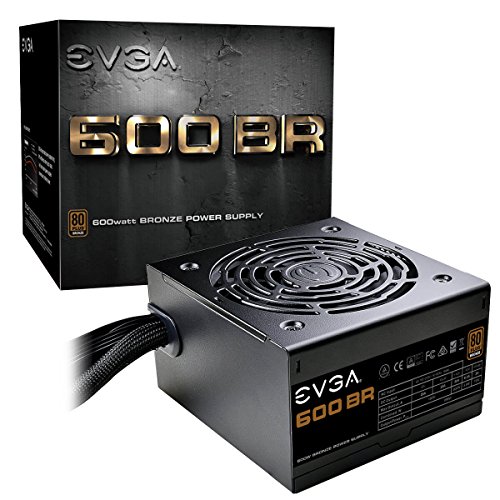
EVGA 600 BR 600W Bronze
The Bronze case, verified
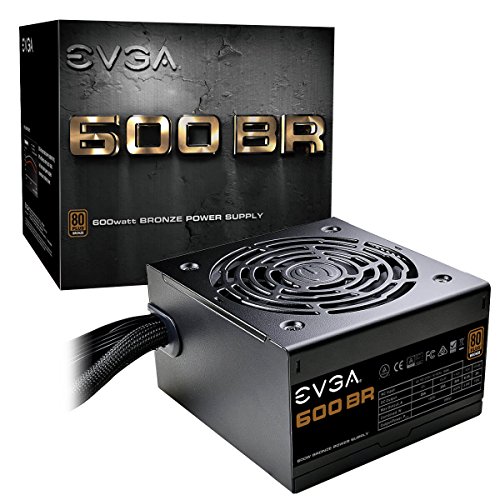
The EVGA 600 BR is the kind of Bronze unit this comparison defends: a named maker, an honest 600 watts, a certification you can look up, and a warranty that exists. It has powered a generation of budget and mid-range builds without drama, which is precisely the résumé a power supply should have. Its cables are fixed rather than modular, the expected economy at this level, and its fan keeps working where a Gold rival might fall silent.
Choose it when the build is a few-hours-a-day machine and the savings versus Gold belong in the graphics card or the SSD. Nothing about that choice endangers the system. It is the rational Bronze purchase: badge modest, fundamentals sound.
- 600 watts continuous output
- 80 Plus Bronze certified efficiency
- Fixed cabling
- Backed by a manufacturer warranty
Strengths
- Proven, widely deployed design
- Honest rating from a named maker
- Keeps budget builds safe and simple
Trade-offs
- Fixed cables crowd small cases
- Fan runs where Gold rivals may stop
- Shorter warranty than premium Gold units
Best for: budget and mid-range builds used a few hours daily / Not suited for: silent-PC pursuits or always-on servers

Corsair RM750e 750W Gold
The Gold case, verified
The RM750e shows what the Gold premium buys in a current design: fully modular cabling, a low-noise fan profile, modern ATX 3.1 and PCIe 5.1 readiness with the native high-power graphics connector included, and efficiency certified under both the 80 Plus tradition and the newer Cybenetics scheme named in its listing. It is the sort of unit builders carry across two or three systems, which is where its economics complete themselves.
Choose it for a main machine that works long hours, a quiet-room build, or any system you intend to keep and upgrade. The premium over Bronze is real; so is everything it purchases, provided your usage profile spends the hours that let efficiency and silence accumulate.
- 750 watts with fully modular cabling
- Gold-level certified efficiency
- ATX 3.1 and PCIe 5.1 ready with native 12V-2×6 cable
- Low-noise fan design
Strengths
- Silent manners at light loads
- Modular cables simplify compact builds
- Modern connector standard for current graphics cards
Trade-offs
- Costs meaningfully more than Bronze equivalents
- 750 watts is oversized for modest builds
- Premium only pays back across long hours
Best for: main rigs, quiet builds, and systems kept across upgrades / Not suited for: tight budgets where the difference funds a better GPU
Efficiency curves: why the load point changes the answer
Efficiency is not a single number but a curve, peaking near half load and falling at the extremes, and the certification samples it at three points. A system idling at 60 watts on a 750-watt unit lives at eight percent load, where even Gold units are at their least efficient and the Bronze-Gold gap narrows to almost nothing; the same system gaming at 400 watts sits in the curve’s sweet region where the badges were earned. Sizing interacts with the badge here in a way spec sheets hide: an oversized Gold unit idling inefficiently can waste as much at the desktop as a right-sized Bronze does under load.
The practical reading is that the badge comparison assumes sane sizing. Choose wattage so your gaming load lands between forty and sixty percent of the unit’s rating, and both badges perform near their certified best; ignore sizing, and you can make either badge look foolish. It is one more instance of this series’ recurring lesson — the system property beats the component property — wearing a power supply’s clothes.
The used and warranty dimension of the badge choice
Power supplies outlive their builds, so they circulate second-hand, and the badge interacts with age in ways buyers should price. A used Gold unit from a premium line, still inside a long warranty, is often a safer purchase than a new bargain Bronze with a short one, because the failure modes that matter — fan wear, capacitor ageing — are functions of hours and heat, and the Gold unit’s cooler-running life ages it slower. Warranty transferability varies by maker and region, so verify it rather than assuming; a non-transferable warranty makes the used unit a different product than its listing implies.
New buyers should read warranty length as the maker’s own confidence made contractual. The market’s pattern is consistent: the longest warranties attach to the best-engineered units regardless of badge, and a Bronze unit with an unusually long warranty is telling you something good about itself, just as a Gold unit with a suspiciously short one is confessing something. Badges certify a test; warranties certify a decade. When the two disagree, believe the decade.
The electricity bill argument, done with honest arithmetic
Efficiency debates online tend to be conducted with vibes, so let us conduct this one with a method you can rerun for your own machine and your own tariff. The saving from a more efficient supply is the difference in wasted energy, multiplied by the hours the machine actually draws meaningful power, multiplied by what your electricity costs. Every term in that sentence is routinely exaggerated: gaming PCs idle far more than they game, home tariffs vary wildly, and the efficiency gap between tiers is largest exactly where home machines spend the least time, at high sustained load.
| Usage pattern | Typical draw while active | What the tier gap is worth in practice |
|---|---|---|
| Office and browsing machine, on all day | Low, near the bottom of the supply’s range | Tiny in money; low-load efficiency behaviour matters more than the badge’s headline test points |
| Gaming PC, a few hours most evenings | Moderate to high in bursts | Real but modest: think of it as a small annual sum that takes years to repay a large purchase premium |
| Workstation rendering or training for long stretches | High and sustained | The strongest case for the higher tier; sustained load is where the gap lives and where heat matters too |
| Always-on home server | Low but truly continuous | Hours multiply everything: even small gaps compound across thousands of hours a year |
| Second PC used a few times a month | Whatever the task demands | Negligible; buy on quality, protections, and price, and let the badge be a tiebreaker |
Two conclusions survive the arithmetic. First, for the typical gaming machine, the tier upgrade repays itself slowly enough that it should be justified by the other things that travel with higher-tier models, such as quieter fans, modular cables, and longer warranties, rather than by the electricity alone. Second, for machines that work long and hard, the calculation flips and the higher tier is simply the rational purchase, with the lower heat output arriving as a second dividend in a quieter room.
There is also a grid-level honesty worth stating: if your motivation is environmental rather than financial, the efficient supply helps, but the larger levers are the hours the machine spends on and the components it powers. Tier choice is a fine-tuning of a system’s footprint, not its main theme.
What the badge does not measure, and why builders care about it more
- Ripple and voltage regulation. Clean, steady rails are what components actually live on, and the certification programme does not grade them. Two supplies sharing a badge can differ noticeably here, which is why serious reviews measure rather than read labels.
- Protection circuits that work. Over-current, over-voltage, short-circuit, and temperature protections are the supply’s promise to die alone if something fails. Their presence is usually documented; their competence is a matter of the maker’s engineering culture and independent testing.
- Fan quality and its control curve. The fan is the supply’s only moving part and its loudest possible failure. Better models treat it as an acoustic component, sometimes not spinning at all at low load; the badge is silent on the subject in every sense.
- Capacitor quality and temperature rating. Heat inside a supply is relentless, and the components that age fastest set the unit’s lifespan. This is invisible on a box and decisive across a decade.
- Hold-up time and behaviour on bad mains. Homes with flaky power, storms, or a shared circuit with a kettle and a microwave reward supplies that ride through brief sags without dropping the machine. Again: measured by reviewers, not certified by badges.
None of this makes the efficiency tier meaningless; it makes it one chapter in a longer specification. The experienced builder’s reading order is protections and platform quality first, wattage headroom second, acoustics third, and the badge as the summary of one real but narrow property: how much of the wall’s energy becomes the computer’s energy rather than the room’s heat.
Sizing and tier together: the decision most builds actually face
Buyers rarely choose tier in isolation; they choose a wattage and a tier inside a fixed budget, and that joint decision has a right shape. A supply run near its limit runs hot, loud, and less efficiently than the same machine on a larger unit loafing in its comfortable middle, so headroom is itself an efficiency feature. The budget question is therefore not bronze or gold in the abstract, but whether the same money buys more real-world good as extra wattage in the lower tier or as the higher tier at adequate wattage.
For most single-graphics-card gaming builds, adequate wattage with sensible headroom in the higher tier is the sweet spot the market has converged on, because the price step between tiers at mainstream wattages is modest and the quality entourage that travels with gold models is real. The cases that argue for the lower tier at higher wattage are budget builds with hungry older components, where every unit of currency must become capacity, and temporary builds whose upgrade path will replace the supply soon anyway.
Future upgrades belong in this calculation too. A supply is the component most likely to survive into your next build, and graphics cards have grown hungrier across generations more often than they have grown thriftier. Buying one tier or one size up, when the step is small, is insurance priced in the supply’s own currency, and it is the rare insurance that also runs quieter while you wait to claim on it.
Reading a specific model’s evidence before you buy
- Find an independent review with measurements. Load testing, ripple results, and a teardown photograph tell you more in ten minutes than a hundred user ratings, which mostly record that a supply arrived and the machine turned on.
- Check the warranty length as a quality signal. Makers price their confidence into warranty terms. A long warranty does not guarantee quality, but a short one on a supposedly premium unit is a question that deserves an answer.
- Confirm the connector set against your actual build. Modern graphics cards may want specific high-power connectors; modular cables you do not own cannot be improvised later. Count EPS and PCIe leads for your board and card, not for a generic build.
- Check physical depth against your case. Higher-wattage and higher-tier units can be longer, and compact cases have opinions about that. The supply that does not fit has an efficiency of zero.
- Look for the platform’s age and revision. Long-running model lines get quietly revised; recent reviews and recent production are what you want to match to the listing in your basket.
That five-step reading habit transfers to every supply you will ever buy, at any tier, which is worth more than the verdict on any single model. Badges summarise; evidence decides.
Inside the box: what physically differs between tiers
Efficiency is achieved, not declared, and the engineering routes to it explain why tiers correlate with build quality even though the certification measures neither. The classic route is the switching topology: simpler designs lose more energy as heat in their conversion stages, while the resonant and synchronous designs used at higher tiers convert with less waste and, as a by-product, run cooler and stress their components less. The fan then has less heat to remove, the capacitors live at lower temperatures, and the acoustic budget improves, all from an electrical decision taken for efficiency’s sake.
The second route is component grade in the conversion path itself: the switches, magnetics, and rectifiers whose losses set the efficiency ceiling. Better parts cost more and waste less, which is the honest reason a higher-tier unit’s price premium is not pure margin. A buyer cannot see these parts from outside the box, which is precisely why the teardown photograph in a serious review is worth more than the marketing page: it shows the topology and the component brands in a single image, and experienced readers can price the engineering from it.
| Internal feature | Typical lower-tier approach | Typical higher-tier approach | Side benefit beyond efficiency |
|---|---|---|---|
| Conversion topology | Simpler, harder-switching designs | Resonant or synchronous designs with lower losses | Cooler operation, less electrical stress |
| Rectification | Diode-based, with their fixed losses | Active switching that mimics ideal diodes | Less heat concentrated in one hot spot |
| Capacitors | Mixed grades, rated for standard temperatures | Higher-temperature ratings, often Japanese brands in key positions | Longer service life at real operating temperatures |
| Cooling | A fan that runs most of the time | Larger heatsinks and fans that idle or stop at low load | Silence during desktop work |
| Cabling | Fixed cables, all of them, always | Modular or semi-modular as the tier rises | Airflow and sanity inside smaller cases |
Read the side-benefit column as the real consumer story of the tiers. The efficiency certificate is the industry’s way of grading the conversion; the owner’s experience of the grade arrives as quiet, cool, longevity, and cabling sanity. That is why experienced builders defend the higher tier with an enthusiasm that pure electricity arithmetic cannot explain: they are not buying the percentage, they are buying its entourage.
The low-load problem: where home PCs actually live
Certification headlines are earned at moderate and high loads, but a home computer’s biography is written at low load: the overnight idle, the browsing evening, the workday of documents. Efficiency curves sag at the bottom of the range for most designs, because the supply’s own housekeeping consumption becomes a large fraction of a small total. Two supplies sharing a badge at half load can differ meaningfully at a tenth of it, and for the always-on machine, the home server, the office PC that never sleeps, that bottom region is where the annual energy is actually decided.
Newer certification programmes and voluntary low-load standards exist precisely because the classic badge under-measured this region, and serious reviews now report low-load efficiency as a matter of course. The buyer’s practice follows: if your machine idles for a living, weight the low-load measurements and any explicit low-load certification more heavily than the headline tier, and consider the smaller-wattage quality unit over the larger one, because a supply idles closer to its efficient region when its capacity is not vastly oversized for the machine beneath it.
There is a pleasing symmetry here with the sizing advice elsewhere in this guide. Headroom serves peak behaviour, acoustics, and upgrade insurance; restraint serves idle efficiency and price. The resolution is to size for the machine you own plus the one upgrade you genuinely foresee, not for an imagined flagship build, and to let the tier decision then be made on the quality evidence this guide has catalogued.
Failure behaviour: how supplies die, and how the good ones die politely
- The polite death is a refusal to start. A well-protected supply that reaches the end of its life, or meets a fault it cannot serve, shuts down and stays down, and the machine’s other components never learn anything happened. This is the outcome protections are bought for, and it is invisible precisely when it works.
- The impolite death takes hostages. A supply whose protections are absent or incompetent can fail by delivering wrong voltages on its way out, endangering the board and drives attached to it. This asymmetry, between a component dying alone and dying in company, is the deepest argument for buying supply quality beyond the efficiency question entirely.
- Ageing announces itself in small ways first. Coil whine that arrives in year three, a fan that grows a rattle, stability that degrades only at full load on hot days: these are a supply narrating its decline, and a machine that begins crashing under load after years of peace should suspect its oldest power component early.
- Surge and storm behaviour is part of the same story. A supply is the machine’s front door to the mains, and its input stage is the first thing bad power meets. In storm-prone or flaky-grid homes, the supply’s quality and a proper surge protector are a single combined purchase decision, not two separate ones.
None of this is visible on a badge, and all of it is visible in a maker’s protection list, warranty terms, and measured reviews, which is the recurring destination of this guide’s advice. The tier tells you how the supply sips; the evidence tells you how it behaves at the moments that decide whether you still own a computer afterwards.
The verdict framework: deciding in one sitting
This comparison can be closed with a sequence of questions short enough to answer in one sitting, because the preceding sections have done the arguing. First: how many hours a year does the machine work hard? Sustained, heavy use argues for the higher tier on arithmetic alone; light and intermittent use removes the arithmetic and leaves the entourage. Second: what travels with the tier in the specific models you are comparing? Warranty length, modularity, fan behaviour, and protection sets are the real purchase, and they are printed in the listings if you read past the badge. Third: what does the price step buy elsewhere in the build? A step small enough to be invisible against the build’s total should be taken for the entourage; a step that costs the build its storage or its case fans should be refused without guilt.
| Your situation | The framework’s answer | Why |
|---|---|---|
| Mainstream gaming build, evenings and weekends | Gold at adequate wattage, from a reviewed platform | The step is small, the entourage is real, and the unit will likely serve two builds |
| Strict budget build where every unit of currency fights | Bronze from the best-reviewed platform the budget holds | Platform quality outranks tier when the two compete for the same money |
| Workstation or always-on machine | Gold or above, sized with headroom | Hours multiply efficiency into money and heat into noise; the arithmetic leads |
| Compact, quiet-focused build | The tier whose fan behaviour and modularity suit the case | In small cases the entourage is the product; the badge is a footnote |
| Temporary or experimental build | Bronze, honestly chosen | A short service life should not pay decade premiums |
Notice what the framework never asks: which tier is better in the abstract. That question has no answer because it has no machine, no hours, and no budget attached, and the industry’s loudest arguments about these badges are usually that empty question being shouted by people picturing different builds. Attach the particulars and the argument dissolves into a decision, which is what buying advice is for.
Installation and first-week habits for a new supply
- Photograph the old installation before removing a cable. The photograph is the wiring diagram your memory will wish it had, especially for the front-panel and storage power runs that hide behind everything.
- Never reuse modular cables from another supply. The connectors fit and the pin assignments differ between makers and even between a maker’s generations. This is the one installation error that destroys hardware reliably, and it is committed by tidy people reusing a tidy cable drawer.
- Seat every connector until its latch speaks. The high-power graphics connector in particular has a generation of partially seated cautionary tales. A firm, straight push and a visual check of the latch are the whole ritual.
- Let the first week be a listening week. New fan behaviour, new coil sounds under specific loads, and stability across your real workloads are the supply’s introduction. Sounds that appear only in one game are information; log them before deciding they are character.
- Register the warranty and file the receipt with the build notes. A supply’s warranty is long enough to outlive your memory of buying it. The paperwork is the difference between a claim and an anecdote in year seven.
These habits are the ownership counterpart of the buying evidence this guide has catalogued: the supply is the machine’s foundation and its longest-serving component, and it rewards the owner who treats its installation and documentation with the same seriousness as its selection.
The tiers above and below: placing bronze and gold on the full ladder
Bronze and gold are the ladder’s middle, and the rungs beyond them clarify their value. Below bronze sit unrated and entry-rated units whose savings are bought with exactly the entourage this guide values, protections, components, and quiet, which is why the framework’s budget answer stops at bronze rather than descending further: it is the lowest rung where a reviewed platform can be trusted to die politely. Above gold, the platinum and titanium tiers refine efficiency further at prices that serve sustained-load economics and silence absolutists, and their existence flatters gold’s position as the point where the curve of returns bends.
That bend is the comparison’s final economic fact. Each tier step buys less additional efficiency than the step before it, while the entourage differences narrow as platforms converge at the top. Gold sits at the bend for most builders most of the time, which is not a slogan but a description of where the arithmetic, the acoustics, and the market’s own positioning have all arrived independently. Bronze remains the honest rung for budgets that cannot reach the bend without sacrificing the platform, and the framework in this guide exists to tell those two situations apart, in your build, with your numbers.
Power supply terms, translated for the last time
| Term | Plain meaning | Tier relevance |
|---|---|---|
| 80 Plus | The efficiency certification programme whose metals name the tiers | Grades conversion efficiency at set loads; the subject of this whole comparison |
| Ripple | Small unwanted fluctuations riding on the supply’s DC output | Unmeasured by the badge, decisive for component life, revealed by reviews |
| Hold-up time | How long the supply keeps the machine alive through a mains interruption | Matters in flaky-power homes; another badge-silent specification |
| Modular | Cables detach, so only the needed ones live in the case | Travels with higher tiers in the market; an airflow and sanity feature |
| ATX 3.x / PCIe 5.x readiness | Standards for modern transient loads and graphics connectors | The compatibility check that outranks tier for new high-end builds |
| Protections (OVP, OCP, SCP and kin) | Circuits that shut the supply down before faults propagate | The polite-death guarantee; read the list, not the badge, for it |
| Fan-stop / semi-passive | The fan rests entirely below a load or temperature threshold | Silence at desktop loads, commoner as tier and price rise |
| Japanese capacitors | A market shorthand for high-grade, high-temperature electrolytics | A longevity signal visible in teardowns, not a guarantee by itself |
That glossary is the comparison’s toolkit in pocket form. Every supply listing ever written can be parsed with it, and the parsing, as this guide has argued from its first section, is the skill that outlives any particular badge, tier, or model year.
The supply in the second build: planning the inheritance
A quality supply is the component most likely to be inherited by your next build, and planning that inheritance at purchase changes the specification in two places. Connectors come first: a supply bought with the modern high-power graphics connector and a generous set of modular cables can serve a future card without adapters, while a supply bought exactly for today’s card may strand the next one. Warranty comes second: a ten-year warranty bought today is not a promise about this build but about the next two, and its value should be priced across the builds it will plausibly serve rather than the one it starts in.
The inheritance also disciplines the tier decision one final time. A bronze unit bought as a stopgap and replaced at the next build costs its full price for one build’s service; a gold unit bought once and inherited costs its premium divided across two or three. Builders who know their rhythm, the annual upgrader, the five-year settler, can price the tiers against their own calendars instead of the market’s slogans, and the calendar, as in so much of this guide, is where the honest answer was waiting.
Coil whine, acoustics, and the supply’s voice
A supply speaks, in a voice owners describe as coil whine: a high, load-dependent note from its magnetics that some ears never hear and others cannot unhear. It is not a tier property, though the components and potting practices that suppress it correlate with the market’s upper half, and it is not a fault in the warranty sense unless it crosses into the genuinely extreme. It is, however, a first-week audition item of the first importance for quiet-build owners, because a whine that annoys in week one will be the machine’s defining sound by year one, and the return window is the only painless remedy.
- Audition under your real loads. Whine is load-shaped: the menu screens and frame-rate spikes of particular games provoke it in systems silent elsewhere. Test with the worst offender you own.
- Change one variable before concluding. A different wall socket circuit, a frame cap, or a cable reroute can move or remove the note, because whine is a system behaviour wearing a component’s name.
- Accept your own ears as the instrument. Audibility varies by person and by room; a supply silent to a reviewer may sing to you, and your audition outranks their measurement for your machine.
The voice belongs in this comparison because silence was one of the entourage’s chief members all along, and the supply, hidden in its shroud at the case’s floor, is the component whose voice owners are least prepared for. Audition it like a fan, return it like a fan, and the tier you chose will sound the way its brochure promised.
The second-hand supply question, answered carefully
Power supplies circulate in the used market at tempting prices, and this category above all others deserves a careful answer. A used supply’s history is invisible: its hours, its temperatures, its previous machine’s habits, and the storm it may have eaten are all unwritten, while its capacitors have been ageing on a clock the buyer cannot read. Against that invisibility stands the new unit’s warranty, which in this component is not a courtesy but the product’s core promise. The framework’s answer is therefore stern: buy supplies new, from the warrantied channel, and let other components carry the household’s second-hand cleverness.
The narrow exception proves the rule’s reasoning. A supply transferred within your own builds, whose history you personally are, is not a used purchase but an inheritance, and it is exactly the case this guide’s inheritance section planned for. The line is knowledge: a supply whose biography you know is an asset; a supply whose biography is a stranger’s secret is a lottery ticket priced like a bargain, in the one component whose failure mode can take the rest of the machine with it.
Reading the label like a technician: rails, ratings, and the fine print
- Read the combined 12-volt capacity, not the headline wattage alone. Modern machines live on the 12-volt rail almost entirely, and the label’s rail table, not the box’s largest number, states what the machine can actually draw.
- Check the operating temperature behind the rating. A unit rated at a realistic internal temperature is making a sterner promise than one rated in a cool laboratory breeze; the fine print’s temperature is a quality confession.
- Count the protections printed on the box against the review’s findings. A maker who lists them proudly and a reviewer who verified them are two witnesses; either alone is a claim.
- Match the form factor and cable lengths to the case. Compact cases and long runs punish assumptions, and the supply that fits electrically but not physically has an efficiency of zero, as this guide noted in another costume.
Label literacy is the buyer’s last independent instrument, the one that works in a shop with no reviews open and no signal. Between the badge that summarises and the label that specifies, the technician reads the label, and now so can you.
The one-sentence verdict, and its hundred qualifications
If this entire comparison were compressed into the sentence its readers will actually repeat, it would be this: buy the gold if the step is small and the platform is proven, buy the bronze if the budget forces a choice between tier and platform, and never buy either without reading one measured review. That sentence is true, and everything else in this guide is the hundred qualifications that keep it true: the hours that change the arithmetic, the entourage that changes the value, the label that changes the meaning of the badge, and the failure behaviour that changes the stakes from efficiency to survival.
Keep the sentence, then, but keep the qualifications closer. A power supply is the least visible and most consequential purchase in a build, the one whose quality is measured in decades and in disasters that do not happen. Decisions of that shape deserve better than a slogan, and the reader who has followed the argument this far is exactly the reader who will make the decision well: badge in one hand, evidence in the other, and the machine’s own biography as the judge.
A last experiment for the undecided
If the framework in this guide leaves you exactly on the fence, there is an experiment that costs nothing and settles the question for your machine personally: measure what your current system actually draws and how it behaves. A plug-in power meter, borrowed or bought for less than a night’s takeaway, will tell you your idle draw, your gaming draw, and your peak across a week of real use. Set those three numbers against the sizing and low-load sections of this guide and the fence usually dissolves, because the machine’s own biography is a more persuasive witness than any tier debate. Builders who measure once tend to keep measuring, and their subsequent purchases, in every category, show it.
Questions readers ask about this topic
How much money does a Gold PSU actually save?
At a typical gaming load around 400 watts, Gold saves roughly 25-30 watts versus Bronze — about sixty kilowatt-hours across a year of six-hour days, worth a modest sum on any tariff. The saving scales with hours and load: an always-on system saves roughly four times that. For most gaming PCs the electricity alone does not justify the premium quickly; the silence and warranty usually complete the argument.
Is a Bronze PSU safe for my components?
A Bronze unit from a reputable maker, correctly sized, is entirely safe — the certification is about efficiency, not protection. What endangers components is the tier below certification: unrated units with exaggerated wattage claims and missing protection circuits. Judge safety by the maker’s reputation, independent load-testing reviews, protection features, and warranty, not by the colour of the 80 Plus badge.
Does Gold mean quieter?
Usually, in practice. Higher efficiency produces less heat, so fans run slower, and many Gold designs stop their fan entirely at low load, making the power supply silent during desktop work. It is a tendency, not a guarantee — fan quality and curve design still matter — but across the market, Gold units dominate the quiet end. In a bedroom or small-room PC, this is often Gold’s most valuable property.
What about Platinum and Titanium — worth going higher?
Each step adds a few more points of efficiency at rising cost, and the returns diminish sharply for home users. Platinum makes sense for always-on, high-draw systems and for buyers who simply want the best-engineered units, since the top badges correlate with flagship build quality. For a typical gaming PC, Gold is the value peak of the curve; Bronze below it, Platinum above it, both defensible for specific profiles.
Can I trust the wattage on the box more than the badge?
Trust neither in isolation. Wattage claims from unknown makers can be fiction, while a certified badge at least proves a sample passed a real efficiency test at its rated loads. The reliable combination is a reputable brand, a certification you can look up, and an independent review that load-tested that exact model. If a deal contradicts all three, the deal is the problem.
My Bronze PSU works fine. Should I upgrade to Gold?
Almost never as a standalone upgrade. The electricity saving will not repay a replacement purchase within a sensible horizon, and a working quality unit is a known quantity. Upgrade when you build a new system, when you need more wattage or modern connectors, or when the old unit’s age and warranty status start to worry you — and let Gold be the natural choice at that moment rather than a destination in itself.
Is a Gold supply always built better than a Bronze one?
No, and the distinction matters: the certification grades energy efficiency at set loads, not component quality, protections, or acoustics. In practice the market correlates the two, because makers position their better platforms at higher tiers, so a typical gold model from a reputable maker is indeed a better-built object than a typical bronze one. But the correlation is a tendency, not a rule, and a well-reviewed bronze unit from a strong platform can outlive and out-measure a mediocre gold one. That is why the advice in this guide pairs the badge with evidence: reviews with measurements, warranty terms, and protection sets.
How much headroom should I buy above my system’s draw?
Aim for a supply whose rated capacity sits comfortably above your machine’s realistic peak, so that gaming loads land in the middle of its range where efficiency and quiet behaviour live. A practical approach is to estimate the peak draw of the processor and graphics card at stock settings, add the modest needs of the rest of the system, and then choose the next comfortable size up rather than the exact figure. That margin also absorbs the next graphics card, which is the upgrade most likely to raise the peak, and it costs less bought now than a second supply costs later.
Related guides
power supply ratings explained in this series
650 watt versus 750 watt power supplies
ATX 3.0 versus ATX 2.4 power supplies