Disclosure: As an Amazon Associate, reviewstook.com earns from qualifying purchases. Links to Amazon on this page are affiliate links; they cost you nothing extra.
The line between a smartwatch and a fitness tracker is blurry, and both can count steps and heart rate. The real differences are in screen size, apps, battery life and what you want the device to do.
This guide is based on product listings and general knowledge rather than our own testing. Features vary by model and year, so confirm the details on the product page. Smartwatch health readings are estimates and are not medical advice.
By the Reviewstook Editorial Team. Last updated: November 1, 2026.
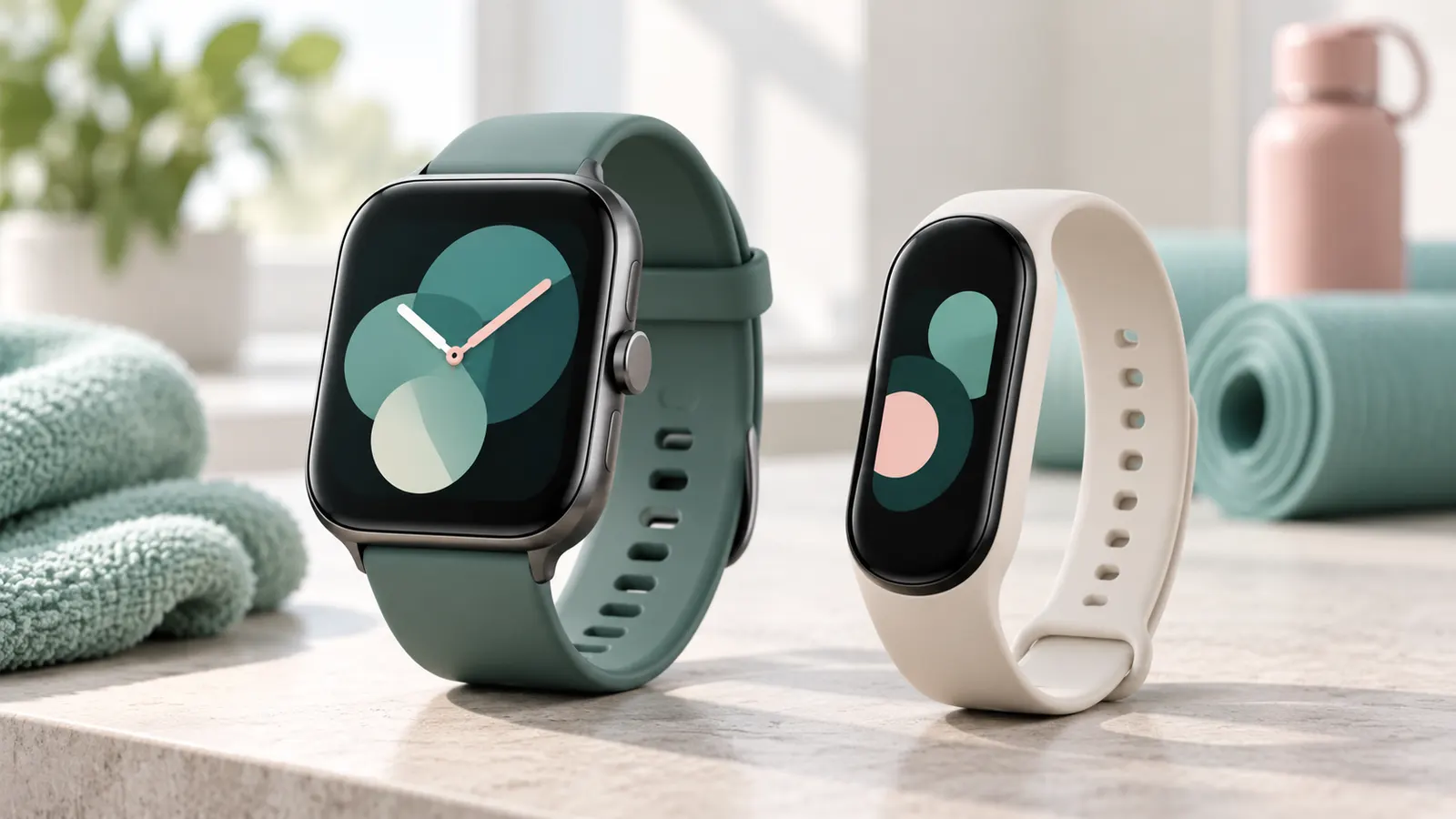
What a Fitness Tracker Does
A fitness tracker focuses on activity: steps, heart rate, sleep and workouts. They are usually slim and light with small screens, and many last a week or more on one charge. Some have GPS, but many rely on your phone.
In this guide
What a Smartwatch Adds
A smartwatch adds a larger screen, apps, voice assistants, notifications you can act on, music control and often calls. Many include GPS and payments. That extra capability uses more battery and costs more.
Side by Side
- Screen: trackers are small; smartwatches are larger and brighter.
- Battery: trackers usually last longer.
- Apps: smartwatches support more apps and replies.
- Price: trackers are often cheaper, though premium ones can match smartwatches.
- Comfort: trackers are lighter, which suits sleep tracking.
Who Should Choose Which
- Choose a tracker if you want simple health tracking, long battery life and low cost.
- Choose a smartwatch if you want calls, apps and a bigger display.
- Choose a fitness-focused smartwatch if you want both GPS workouts and smart features.
Check the Overlap
Some products blur the line: a tracker with GPS and a bright display, or a smartwatch with a week of battery. Judge the actual features on the product page rather than the category name.
Examples of Typical Uses
- Step counting, sleep and basic heart rate for a low price: fitness tracker.
- Workouts with maps and GPS pace: GPS smartwatch.
- Replying to messages and using apps: smartwatch.
- Wearing the device 24 hours a day with minimal charging: slim tracker.
Cost Over Time
Trackers are often cheaper to buy and to replace. Smartwatches cost more but may last longer in software support and can replace a phone for some tasks. Consider band replacement and charging cables in the total cost.
What About Smart Bands?
Smart bands sit between the two. They have bigger screens than basic trackers and often long battery life, but fewer apps than a smartwatch. Read the listing for what is included and whether they have GPS.
Phone Compatibility and Ecosystem
Whichever type you pick, the first practical check is whether it works with your phone. Many smartwatches pair fully only with one phone platform, and some features, such as replying to messages, paying with the watch or taking calls, may be limited when paired with a different one. Fitness trackers are generally more flexible and often work with both main phone platforms through a companion app, but even there features can differ.
Read the compatibility section of the product page and the listed minimum phone software version. Check whether the watch needs a specific app, whether that app is free, and whether some features sit behind a subscription. Some trackers and watches show only basic data without a paid plan, while others include everything. Review what the app does with your data and what permissions it requests, and check the privacy settings.
Think about the devices you already own. A watch from the same maker as your phone may offer tighter integration, such as unlocking your phone, syncing messages or controlling earbuds. A third-party tracker may offer a more neutral experience that follows you if you change phones. If you share a household with people on different platforms, a tracker with cross-platform support may be a safer choice. If you plan to switch phones soon, check what happens to your health history and whether it can be exported or moved to a new device. Finally, check the app store ratings and update history of the companion app, since a poorly maintained app can make good hardware frustrating.
Health Features and Their Limits
Both categories advertise health features, and it helps to know what they can and cannot do. Typical features include step counting, heart rate, sleep stages, workout recording, blood oxygen estimates, stress or recovery scores and cycle tracking. Some watches add electrocardiogram or irregular rhythm notifications, but availability varies by model and region, and these features require regulatory approval in some places. Check the product page to see what is stated for your location.
It is important to treat all of these readings as estimates. Wrist sensors can be affected by fit, skin tone, tattoos, movement and cold hands. Sleep stages are modelled from motion and heart rate, not measured the way a sleep study does. Calorie estimates are rough, and step counts can include arm movements that are not steps. These devices are good for tracking trends over days and weeks rather than for diagnosing conditions. If a device flags something that worries you, or if you have a medical condition, speak to a health professional rather than relying on the device.
Decide which metrics you really want. If you simply want to see more movement in your day and a rough sense of your sleep, a basic tracker is enough. If you train for events and want recovery guidance, training load or advanced running measures, check that the watch provides them and whether they need a subscription. More metrics do not always mean better results; a simple measure you check every day often beats a complex dashboard that you ignore.
Durability, Water Resistance and Daily Wear
A device you wear every day has to survive knocks, sweat and showers. Compare durability across categories by checking the case and screen materials, the water resistance rating and what the maker says about swimming. Water ratings are specific: a device rated for water exposure may be fine for rain and hand washing but not for swimming or hot showers, so read the details. Remember that seals can wear over time, and water resistance is not usually covered by the warranty if the device has been damaged.
- Screen protection: bigger displays on smartwatches are more exposed to scratches. A protective case or screen film may help, but check that it does not interfere with the touch response.
- Strap: trackers often use simple, replaceable bands, and some are integrated. Check whether you can replace the strap if it wears or breaks.
- Weight and thickness: trackers are slimmer and lighter, which helps overnight and when typing.
- Cleaning: rinse the device and dry the back after sweaty workouts, and clean contacts.
Also consider the work environment. Some workplaces restrict smartwatches, and a thick watch may be awkward with gloves, in a lab or during manual work. A slim tracker or smart band can be less obtrusive. Think about activities such as climbing, contact sports and weightlifting, where a hard case can scratch or bruise. In such cases a flexible band with a lower profile may be safer. Look at the repair and replacement options, too, as some devices are not designed to be repaired.
Subscriptions, Accessories and Total Cost
The purchase price does not always tell the full story. Some trackers and smartwatches rely on subscriptions to unlock detailed insights, coaching, cloud storage or extended history. Others give all the features for free. Check the product page and the app description to see what is included and what costs extra. If a subscription is optional, decide whether the free tier is enough for your needs.
Add up the additional costs you may meet. A spare strap or two, extra chargers, screen protectors and cases can add to the total. Cellular smartwatches need a plan with a carrier, which may add a monthly fee and requires coverage in your area. Payments on the wrist require a supported bank and wallet. Battery replacement or repair may cost money after the warranty period. Because trackers are often less expensive, replacing them every couple of years may be affordable. Smartwatches cost more up front, but may last longer if software updates continue.
Compare the support windows. A device that stops receiving app or firmware updates early may lose features or connect poorly with new phones. Check the maker’s stated policy where it exists. Also consider resale value: well-known smartwatches may keep resale value better than basic trackers, but condition matters most. When you balance cost against what you will really use, a mid-range choice that you wear every day beats a premium device that sits on the shelf.
A Simple Way to Decide
If you are still undecided, a short list of questions can settle it. Start by writing down the three things you want the device to do. If the list includes calls, apps, offline music, maps or payments, a smartwatch is the natural fit. If it includes steps, sleep, heart rate and a low-fuss routine, a tracker will probably do the job.
- Will you charge it every day, or do you want to charge it rarely?
- Do you want to read messages and reply on the wrist?
- Do you run or cycle with GPS, and do you want maps?
- Do you want to wear it to bed?
- Is your phone compatible, and is the app well maintained?
- What is your total budget, including accessories and subscriptions?
If your answers split between the two, consider a smart band or a fitness-focused smartwatch, which sit between them. Another way to decide is to start with the cheaper device. A tracker lets you find out whether you actually wear and use a wrist device, and you can upgrade later if you want more. Buy from a seller with a straightforward return policy and use the device for a full week before deciding. Pay attention to whether you check it often, whether you charge it without annoyance and whether the notifications help or distract. Signs it is time to switch types include constantly wanting a feature your device lacks, or finding that you never use the features you paid for.
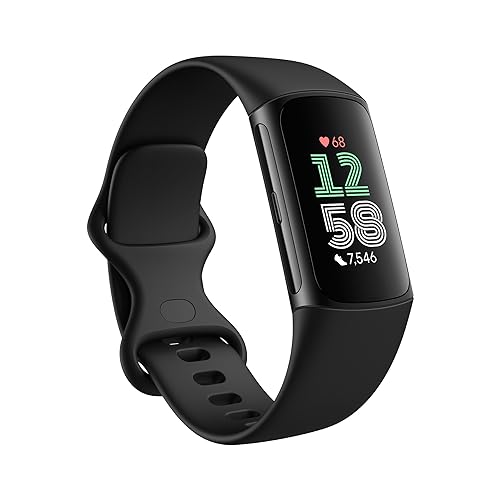
Ready to Buy? Start Here
If this guide helped you decide what to look for, these products are a place to start.
As an Amazon Associate we earn from qualifying purchases. Prices and availability are shown on Amazon.
A Glossary of Wearable Terms
Product pages for wearables throw out shorthand that can be confusing. Here is what the common terms mean.
- Optical heart rate sensor: a small light on the back of the device that estimates pulse by measuring blood flow near the skin. Accuracy varies with fit and activity.
- GPS: a built-in receiver that records your route. Some devices rely on your phone instead, which is called connected GPS.
- Accelerometer: a motion sensor that counts steps and detects movement.
- Always-on display: a screen that stays dimly lit so you can see the time without raising your wrist. It can shorten battery life.
- Water resistance level: a figure that describes how well the device handles water. Check the maker definition before swimming or showering.
- NFC: a short-range wireless feature used for contactless payments on some models.
- Companion app: the phone app that syncs your data and settings.
Decision Guide by Daily Routine
You mainly want step counts and workout logs
A simple tracker is often enough. It records activity, shows the time and lasts longer between charges. If you prefer not to look at a screen all day, a slim band keeps things simple.
You want notifications, apps and quick replies on the wrist
A smartwatch fits better. It mirrors messages from your phone, runs small apps and often supports voice assistants. Expect to charge it more often.
You run, swim or cycle seriously
Look at the sports modes, GPS behavior and battery life during activity. Some devices are built for endurance, and the maker pages list supported sports and features.
You want a gift for someone less technical
Choose a device with a clear display and an easy app. Check phone compatibility before you buy, since not every device works with every phone.
You wear it to bed or to the office
Think about comfort and style. A slim band or a watch that looks like a regular watch might feel more natural through the day.
Care and Daily Wear Notes
A device on your wrist collects sweat, soap and dust, so a simple routine keeps it comfortable. Wipe the case and sensors with a soft damp cloth after workouts, and dry the strap before you put it back on. Rotate between two bands if the maker offers them, so one can air out while you wear the other.
Loosen the strap a little when you are not exercising, because a snug fit gives better readings during activity but may feel tight at rest. If you notice redness or irritation, take the device off and give your skin a break. Follow the care guide for each band material, since silicone, fabric and metal each behave differently.
Keep the software current by installing updates from the official app, and charge the battery with the cable the maker supplies. Avoid using it in situations that exceed the maker guidance for water or heat.
Pre-Purchase Checklist
- Confirm that the device works with your phone model and software version.
- Read the battery life claims and the conditions behind them, such as whether GPS or the always-on display was active.
- Check the water resistance description and what activities the maker permits.
- Look at the strap size range and whether you can swap bands.
- Find out whether any features need a monthly fee or an account.
- Look at how the charger connects and whether it is proprietary.
- Read the privacy and data sharing information on the maker page.
Smartwatch and Tracker Compared Across Everyday Concerns
| Concern | Typical tracker | Typical smartwatch |
|---|---|---|
| Screen | Small, simple, sometimes monochrome | Larger color touch display |
| Battery between charges | Often several days or more | Often a day or a few days |
| Apps | Few or none | Many, depending on the platform |
| Notifications | Basic alerts | Rich alerts with some replies |
| Weight and size | Light and slim | Heavier and thicker |
| Learning curve | Short | Longer, with more settings |
Mistakes to Avoid When Choosing a Wearable
Buying features you will not use. It is easy to be drawn to long lists of sensors and apps. Ask yourself which three features you will use each week, and pick a device that handles those well.
Ignoring battery habits. A device that needs charging every night may not suit someone who dislikes routines, while a longer-lasting band fits a busy schedule. Think about when you could charge it.
Choosing the wrong size. Case size and band length affect comfort. Check the wrist measurements the maker lists and the band options.
Forgetting about the phone. Some features only work with certain phones. Confirm compatibility with your phone and your plans for upgrading it.
Assuming it replaces a coach or a doctor. A wearable offers data, not advice tailored to you. Use it as a prompt for curiosity, not a final verdict.
Using the Data Wisely
Wearables produce lots of numbers, but those numbers are estimates. Treat them as trends rather than exact measurements. Watching how your steps or workouts change over weeks tells you more than a single day can.
These devices are not medical equipment unless the maker clearly says so and the device has appropriate approval in your region. Do not use readings to diagnose or treat any condition. If you have a health concern, speak with a qualified professional, and follow their advice before relying on any gadget.
Finally, keep the strap clean and dry. Wipe the sensors with a soft cloth, give your skin a break if you notice irritation, and follow the care guide that came with the device.
The Decision in Practice: Four Weeks With Each Type of Device
Comparisons between smartwatches and fitness trackers tend to be written as feature lists, but the lived difference shows up across an ordinary month. A tracker asks almost nothing of you: you charge it occasionally, glance at it rarely, and let it quietly accumulate steps, sleep and heart data in the background. A smartwatch asks a little of you every day: a nightly or near-nightly charge, a decision about which notifications deserve your wrist, and a few minutes of setup whenever you change phones or add an app. Neither demand is unreasonable, but they suit different temperaments. People who love data but hate device maintenance consistently end up happier with trackers. People who enjoy their phone’s ecosystem and want the wrist to extend it consistently end up happier with smartwatches, and often slightly annoyed by a tracker’s silence when they try to reply to a message or check a map.
What each device does on a genuinely busy day
Picture a day of back-to-back obligations, a commute, a workout squeezed into lunch, and an evening of messages from family. The tracker records the day faithfully and says almost nothing; at night you open the app and the day is summarised. The smartwatch participates in the day: it filters the messages, holds the train ticket or boarding pass, times the workout, pays for coffee, and reminds you to leave for the school run. If that participation sounds like help, you are a smartwatch person. If it sounds like one more stream of demands competing for attention you do not have, you are a tracker person, and no discount on a smartwatch will change that. This temperament test predicts satisfaction better than any specification, because the hardware in both categories is now good enough that the deciding factor is how much device you want in your day.
Travel, and the charger question
Travel sharpens the difference. A tracker with multi-day battery life can cross a long weekend, often a full week, without its charger entering your bag, and if it does run low it has usually been warning you for days. A smartwatch makes the charger a packing-list item alongside the phone cable, and a forgotten charger can mean a dead watch by day two. Against that, the smartwatch repays its keep at the airport: boarding passes on the wrist, gate-change alerts you feel rather than hear, and contactless payment when your hands are full of luggage and documents. Frequent travellers split honestly on this. If your trips are short and charger discipline is already your habit, the smartwatch’s travel tricks are delightful. If you travel light, forget cables, or head off-grid, the tracker’s independence is worth more than any app.
Health Tracking: Where the Two Genuinely Differ and Where They Do Not
For core health recording — steps, heart rate, sleep duration and stages estimates, workout heart zones — a good modern tracker and a good modern smartwatch are closer than marketing suggests, because the underlying optical sensors and algorithms have converged. The differences appear at the edges. Smartwatches more often add features such as ECG apps, fall detection with emergency calling, and richer on-wrist displays of your data, while trackers more often win on wearability for sleep simply by being smaller and lighter overnight. Both categories estimate rather than measure sleep stages, both can be thrown by a loose fit, and both produce trends that are more trustworthy than any single night. Choose between them on which edge features you will actually use, and be sceptical of any feature you cannot imagine opening in the app a month from now.
Subscriptions and the true cost of the data
The device price is only the entry fee on some platforms. Certain tracker ecosystems place deeper analysis — readiness scores, detailed sleep coaching, long-term trend reports — behind a subscription, while smartwatch platforms more often include their core health apps in the purchase and charge instead for cellular plans or premium apps. Over two to three years, a subscription can quietly exceed the price difference between the devices you were comparing, so total the whole period before deciding: device, subscription months, a replacement strap or two, and any cellular plan. Also check what happens to your historical data if you stop subscribing or change brands; platforms differ in how much history you can export, and a long, continuous record is one of the most valuable things a wearable builds for you.
Use Cases That Point Clearly One Way or the Other
Choose a tracker if your phone is already your second screen
If your phone is always in your hand or on the desk in front of you, a smartwatch mostly duplicates a device you are already looking at, and duplication is where smartwatches go to die in drawers. A tracker adds the one thing the phone cannot do well — continuous body data — without competing for your attention. The same logic applies to people deliberately reducing screen time, people whose work forbids visible notifications, and people who simply prefer a traditional watch’s look for most of the day and want health tracking that stays invisible. A slim tracker under a shirt cuff, or even worn alongside a favourite mechanical watch in some cases, delivers the data without redesigning your day around another glowing rectangle.
Choose a smartwatch if your phone is often out of reach
The smartwatch case strengthens the more your phone is in another room, a locker, a bag or a charging corner. Cooks with messy hands, parents holding children, tradespeople on ladders, clinicians between patients, and anyone who exercises without pockets all live in the gap where a wrist reply, a wrist timer or a wrist payment is genuinely useful rather than a novelty. Cellular models extend that gap to phone-free runs and school-day contact for kids. If your honest answer to “how often do I wish I could check or answer something without fetching my phone” is “several times a day”, the smartwatch will earn its charging routine. If the answer is “rarely”, it will not, and the money is better spent on the best tracker and a strap you love wearing.
The hybrid path: start simple, upgrade deliberately
Many satisfied smartwatch owners started with a tracker, learned which data they actually reviewed, and upgraded only when they could name the smartwatch features they were missing. That path costs a little more overall but removes most of the guesswork, and a tracker remains useful afterwards as a sleep-only or travel device. The reverse path — buying the flagship smartwatch first and retreating to a tracker — usually means the smartwatch gathers dust, because few people downgrade a device they have already paid for even when it annoys them daily. If you are genuinely undecided, the tracker-first route is the cheaper experiment with the clearer signal: after three months you will know whether you crave a bigger screen and replies on your wrist, or whether silent data was all you ever wanted.
Care, Longevity and When to Replace Either Device
Both device types age the same way: the battery fades first, straps wear out, and software support eventually ends. You can slow the process with boring habits. Rinse or wipe the device after sweaty workouts, dry it before charging, keep it out of saunas and very hot showers unless the maker explicitly allows them, and avoid charging in direct sun or a hot car. Replace straps when they crack, stretch or irritate, because a failing strap is the main way devices end up lost or unworn. Expect a tracker to feel adequate for longer simply because it asks less of its battery and screen, while a smartwatch’s apps and display make ageing more visible. Replace either device when the battery no longer fits your routine, when security or app support ends, or when a sensor problem survives a clean, snug refit — not merely because a newer model launched, since wearable improvements are now incremental year to year and your historical data continuity is worth more than a marginal sensor upgrade.
Whichever you choose, set it up with restraint on day one: enable the notifications and health features you came for, leave the rest off, and review the arrangement after a fortnight. A wearable configured to your actual life, whether it is the silent tracker or the capable smartwatch, will still be on your wrist next year. One configured to impress you in the shop usually will not.
Reading the Data: What to Trust, What to Ignore, on Either Device
Both categories produce far more numbers than any owner can act on, and part of choosing well is deciding in advance which numbers deserve your attention. Trends over weeks — resting heart rate drifting down as fitness improves, sleep duration stabilising, step averages rising — are the reliable signal on both device types, because they average out the noise of individual days. Single readings deserve scepticism: one night of odd sleep stages after a late meal, one workout with a suspiciously high heart peak from a loose strap, one day of low steps because the device charged through your morning. Owners who react to single readings tend to lose trust in the device and then stop wearing it; owners who review weekly trends tend to keep both the device and the habits it encourages. Set a weekly rhythm — five minutes with the app on a quiet morning — and let the rest of the week be lived rather than measured.
Also understand what neither device can do. Neither replaces medical testing, neither diagnoses conditions from wrist data alone, and features with similar names can work quite differently between brands. If a health reading ever worries you persistently, the correct next step is a conversation with a clinician and proper equipment, not a different wearable. Used as a habit mirror and an early prompt to pay attention, both trackers and smartwatches are excellent. Used as oracles, both will eventually mislead you, and that disappointment says more about expectations than about the hardware.
Fit and Comfort: The Decider Nobody Puts in the Comparison Table
Every comparison table lists sensors and screens; almost none lists the factor that decides whether the device is worn at all. Trackers are smaller, lighter and usually forgotten on the wrist within minutes, which is why their sleep data tends to be more consistent — people actually keep them on overnight. Smartwatches are more present: heavier, taller, more likely to catch a cuff or press during push-ups, and more likely to be removed at a desk. If you have slim wrists, sleep on your side, or work with your hands, try before you buy if you possibly can, and weight overnight comfort as heavily as workout features if sleep tracking is among your reasons for buying. A device with slightly fewer features that you wear twenty-three hours a day produces better data and better value than a flagship worn twelve hours a day, and the gap compounds across months of records.
Straps, skin and the two-week settling period
Whichever category you choose, give the strap the same scrutiny as the device. Wear it clean and dry, loosen it a notch at night if your model allows comfortable overnight tracking that way, and wash fabric straps regularly because they hold sweat and soap that irritate skin. Most early irritation is moisture and residue rather than the device itself, and it resolves with rinsing, drying and a daily watch-free hour for your skin. Judge any new wearable after two weeks, not two days: the first days exaggerate both novelty and annoyance, while the fortnight mark reveals the device you will actually live with. If at two weeks you are still aware of it hourly, change the strap before you blame the category — and if you are still aware of it after the strap change, believe the evidence and switch categories while the return window is open.
A Final Five-Question Decision
Answer honestly and the choice usually makes itself. Do you want to reply to messages, take calls, pay or navigate from your wrist? If yes, smartwatch. Do you mainly want steps, sleep, heart trends and workout records with minimal fuss? If yes, tracker. Is nightly charging acceptable, or will it quietly kill the habit within a month? Be honest; your answer eliminates one category. Do you already live inside one phone ecosystem and use its assistant, wallet and apps daily? That ecosystem’s smartwatch will feel like an extension, while its tracker will feel like a guest. And finally, what is your total two-year budget including any subscription, spare straps and a possible cellular plan? Priced honestly over two years, the gap between the categories is often smaller — or larger — than the shelf prices suggested. There is no universal winner here, only the device whose demands and gifts match the life you actually lead.
What Happens After the First Month: Habits Each Device Builds
The most interesting difference between the two categories appears after the novelty fades, in the habits each device quietly trains. A tracker trains review habits: a weekly look at sleep and activity trends, a gradual awareness of how late nights, travel and training load show up in resting heart rate and recovery. Because the device itself stays silent, the habit lives in the app, and it tends to survive for years precisely because it asks so little. A smartwatch trains response habits: triaging messages from the wrist, reaching for the phone less, paying and unlocking and timing things without breaking stride. Those habits are about the day rather than the data, and owners who form them describe the watch as part of getting things done, not part of getting fit.
Neither habit set is superior; they solve different problems, and naming your problem is the whole decision. If your frustration is that you know nothing about your sleep, your recovery or your real activity level, buy the device that measures quietly and charges rarely. If your frustration is interruption, phone-fetching and missed alerts while your hands are busy, buy the device that participates. Buying the measurement device to solve an interruption problem leaves you informed and still interrupted; buying the participation device to solve a measurement problem leaves you connected and still guessing about your sleep. The categories overlap enough to confuse, but their centres of gravity are distinct, and choosing by centre of gravity is how owners end up still wearing the thing, happily, years later.
A note on buying for someone else
Wearables are popular gifts and frequently wrong ones, because the giver chooses by features while the wearer lives with fit, charging and notification demands. If you are buying for a partner, parent or teenager, weight their temperament over the spec sheet: the phone-averse get trackers, the gadget-happy get smartwatches, and anyone whose charging habits you have watched fail for years gets the longest battery you can find in either category. Include the receipt, mention the return window without embarrassment, and treat an exchange as the system working rather than the gift failing. A wearable that gets exchanged for the right category in week one beats a impressive box that retires to a drawer by month two.
More Decision Questions, Answered Honestly
Can one device do both jobs well enough?
Increasingly, yes, at the overlap. Many modern trackers display notifications, control music and handle basic replies in a limited way, while many smartwatches have become genuinely good health recorders with multi-day battery modes. If your needs sit near the middle — health tracking first, a glance at messages second, no interest in apps or calls — a capable tracker or a battery-focused smartwatch can serve you completely, and the categories’ border is exactly where you should shop. The way to use the overlap is to list your three non-negotiable jobs, test candidate devices against those three alone, and ignore the rest of both feature lists. Devices fail their owners at the edges of their design, not in the overlap, so a middle-needs buyer choosing in the middle of the market is making the safest purchase in this entire guide.
What about children and older parents?
For children, the deciding features are usually communication and location rather than fitness depth, which pushes toward smartwatch-style devices designed for kids, with parent-controlled contacts and durable, simple designs; a pure tracker suits the older child who simply wants activity and sleep recorded without a communication device at school. For older parents, prioritise the unglamorous virtues: a screen they can read without glasses, charging they can manage with stiff hands, fall or emergency features where the platform offers them, and an interface a family member can help configure remotely or on visits. In both cases the temperament rule from the main guide applies with extra force, because you are choosing for someone whose habits you know well — honour what you know about how they actually live with technology rather than what the advertisement imagines for them.
How long should I expect either device to last?
Plan on years rather than months from either category if you buy a current model from an established maker, with the battery as the component that ages most noticeably. Trackers often remain satisfactory longest in calendar terms, because their modest demands forgive a fading battery; smartwatches show age sooner through software ambitions and daily charging that grows from habit into necessity. You can extend both by the care habits described earlier — clean, dry, sensibly charged, straps replaced — and by buying the current generation rather than old stock when longevity is the priority. When the battery no longer fits your routine, or software support ends, replacement is maintenance rather than indulgence, and your exported history, if you have kept it, is the bridge to whichever category you choose next.
Frequently Asked Questions
Is a smartwatch better than a fitness tracker?
Not always. It depends on whether you want apps and a big screen or longer battery and lower cost.
Do fitness trackers have GPS?
Some do, but many use your phone’s GPS.
Which is better for sleep tracking?
A lighter tracker can be more comfortable overnight, but many smartwatches track sleep as well.
Can I take calls on a fitness tracker?
Most cannot; calling is more common on smartwatches.
Can I wear both?
You can, but most people find one device enough.
Is a smart band the same as a fitness tracker?
Usually yes, although some smart bands add notifications and better screens.
Will a fitness tracker work with both iPhone and Android?
Many do through a companion app, but features can differ by platform. Check the compatibility list and the minimum phone software version on the product page.
Do I need a subscription for a smartwatch or tracker?
Not always. Some devices include all features, while others reserve advanced insights or coaching for a paid plan. Read the app description and the product page before you buy.
Can a smartwatch replace my phone?
Some cellular models can handle calls, messages and music for short periods without a phone, but they need a plan and have limits. Most people still carry a phone.
Are heart rate readings accurate enough for training?
They are fine for trends and general effort, but they are estimates and can be affected by fit and movement. Some people use a chest strap for intense training; check what the device supports.
Is it safe to swim with a fitness tracker?
Only if the product page states a water rating and swim use. Check the exact wording, because water-resistant does not always mean suitable for swimming or hot showers.
How long should a smartwatch or tracker last?
Many people use one for two to four years. Battery wear, app support and software updates are the usual reasons to replace it, rather than outright failure.
What is better for a first-time user?
A simple tracker or smart band is an easy way to find out whether you like wearing a device. If you know you want apps and calls, start with a smartwatch.
Bottom Line
If you mainly want steps, sleep and heart rate, a fitness tracker is enough. If you want apps, calls and a larger screen, choose a smartwatch.
Related Reading
- Best Fitness Smartwatches
- Best Smartwatches
- Smartwatch Buying Guide: Compatibility, Features, Battery
- Smartwatch Battery Life: What to Expect and How to Extend It
- All Smartwatch guides


