Disclosure: As an Amazon Associate, reviewstook.com earns from qualifying purchases. Links to Amazon on this page are affiliate links; they cost you nothing extra. Prices and availability change often, so check the current Amazon listing before you buy.

Where to buy
Short on time? Start with the Samsung Galaxy Watch 7 (44mm, Bluetooth) at the top of this list, then compare the six best apple watch alternatives picks below — each name links to its Amazon listing so you can check price on Amazon today.
- Samsung Galaxy Watch 7 (44mm, Bluetooth) — Check on Amazon — Best Overall Alternative. Check price on Amazon before you buy; listings, colours and band options change often.
- Google Pixel Watch 3 (45mm, Wi-Fi) — Check on Amazon — Best for Google and Fitbit Fans. Check price on Amazon before you buy; listings, colours and band options change often.
- Garmin Venu 3 (45mm) — Check on Amazon — Best Battery Life. Check price on Amazon before you buy; listings, colours and band options change often.
- OnePlus Watch 2 (Black Steel) — Check on Amazon — Best Wear OS Battery and Build. Check price on Amazon before you buy; listings, colours and band options change often.
- Fitbit Sense 2 — Check on Amazon — Best for Stress and Sleep Focus. Check price on Amazon before you buy; listings, colours and band options change often.
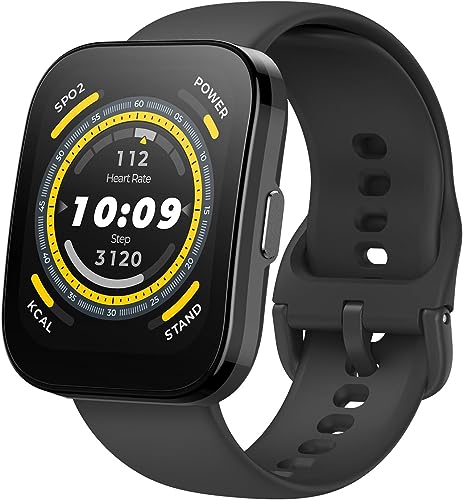
- Amazfit Balance (46mm) — Check on Amazon — Best Value. Check price on Amazon before you buy; listings, colours and band options change often.
Read the full guide ↓
Searching for the best apple watch alternatives usually starts with one of three frustrations: you switched to Android and your Apple Watch became a paperweight, you are tired of charging every single night, or you want proper training and sleep tools rather than a phone accessory that also counts steps. This guide is built for all three. Every pick below is a genuine alternative — a watch that replaces the Apple Watch’s job rather than imitating its look — and each one was chosen for a different kind of buyer, because the honest answer to “what should I buy instead?” depends entirely on your phone, your charging tolerance, and whether health tracking or smart features matter more to you.
One reality first: no alternative reproduces the Apple Watch experience on an iPhone, because Apple reserves its deepest integrations for its own watch. Android owners lose nothing — the Wear OS picks here are fully featured on Android — but iPhone owners should look hardest at the Garmin, Fitbit and Amazfit picks, which are the alternatives that genuinely work across both platforms. If you are still deciding which ecosystem you belong to, our smartwatch buying guide walks through the platform question in full, and readers comparing against Apple’s own range may also want our guide to the best smartwatches overall.
Battery life is where the alternatives quietly win. Apple’s mainstream watches are built around a daily charge; several watches below run for one to two weeks between charges on manufacturer-stated figures, which changes sleep tracking from a scheduling puzzle into something that simply happens every night. Health features differ just as much: Fitbit and Garmin present sleep and recovery in more depth, while Wear OS watches answer with better apps, payments and voice features. The six reviews below make those trade-offs explicit for each watch, and the buying guide after them explains how to weigh platform, battery, health depth and apps against each other. If budget is the real driver, pair this guide with our roundup of the best smartwatches under $150 before you decide.
In this guide
Quick Picks
These six earned their places for different reasons — no single watch wins every category, which is exactly why the badges matter more than the order.
| Pick | Badge | Key spec |
|---|---|---|
| Samsung Galaxy Watch 7 (44mm, Bluetooth) | Best Overall Alternative | 44mm case, 1.5-inch AMOLED display; Wear OS with Samsung One UI Watch |
| Google Pixel Watch 3 (45mm, Wi-Fi) | Best for Google and Fitbit Fans | 45mm case, Actua AMOLED display; Wear OS with Fitbit health and fitness tracking built in |
| Garmin Venu 3 (45mm) | Best Battery Life | 45mm case, 1.4-inch AMOLED touchscreen display; Manufacturer-stated battery up to 14 days in smartwatch mode |
| OnePlus Watch 2 (Black Steel) | Best Wear OS Battery and Build | Stainless steel case with sapphire crystal display cover (manufacturer-stated); Wear OS by Google, dual-engine architecture |
| Fitbit Sense 2 | Best for Stress and Sleep Focus | Manufacturer-stated battery of 6+ days; Built-in GPS, 24/7 heart rate tracking (manufacturer-stated) |
| Amazfit Balance (46mm) | Best Value | 46mm case, 1.5-inch AMOLED display; Manufacturer-stated battery up to 14 days typical use |
How These Picks Were Chosen
We built the shortlist from manufacturer specifications, platform documentation and the feature sets each brand actually publishes, then filtered for watches that replace the Apple Watch’s core jobs: notifications and calls, payments, health and sleep tracking, GPS exercise, and an app ecosystem that will still be supported in two years. Watches that only mimic the Apple Watch’s rectangular look without its software depth were cut, as were models whose health features exist on the box but not in the companion app.
Each pick was checked for phone compatibility first — the single most common reason an alternative disappoints — then for battery reality, health platform depth, and build quality at its tier. Badges reflect the job each watch does best rather than an overall ranking, and where a watch has a genuine weakness, such as Galaxy-only features or a subscription paywall, it is stated in its review rather than buried. Readers who already know they want Google’s platform should cross-check our best android smartwatches guide, which goes deeper on Wear OS specifically.
The 6 Best Apple Watch Alternatives

Samsung Galaxy Watch 7 (44mm, Bluetooth) — Best Overall Alternative
For Android owners leaving Apple behind, the Galaxy Watch 7 is the most complete like-for-like replacement: same do-everything brief, different ecosystem.
- 44mm case, 1.5-inch AMOLED display
- Wear OS with Samsung One UI Watch
- Manufacturer-stated heart rate, sleep and Energy Score features
- 5 ATM + IP68 water and dust resistance (manufacturer rating)
Strengths
- Bright, responsive AMOLED that stays readable outdoors
- Deep integration with Samsung and Android phones, including calls and notifications
- Manufacturer-stated sleep features include sleep coaching and an Energy Score
Trade-offs
- Best experience is with a Samsung Galaxy phone; some features are Galaxy-only
- Battery is a charge-every-day-or-two proposition for most users
- No iPhone compatibility
The Galaxy Watch 7 is Samsung’s mainstream Wear OS watch: a 44mm aluminum case, a bright 1.5-inch AMOLED, and the full Google app ecosystem sitting alongside Samsung’s own health platform. Samsung publishes heart rate tracking, sleep tracking with coaching, and an Energy Score that summarises readiness each morning. It handles calls, texts, contactless payments and music like a proper smartwatch rather than a fitness band with a big screen, and the dual-band GPS covers runs and rides without a phone along.
In daily alternative-duty it shines on the small things Apple users take for granted — quick message replies, tap-to-pay, a proper app store — while adding Samsung Health’s Energy Score each morning. Pair it with a Galaxy phone for the full feature set; on other Android phones a few Samsung-specific health features step aside, which is this watch’s main caveat as an alternative.
Honest limitation: Best experience is with a Samsung Galaxy phone; some features are Galaxy-only For some buyers that settles the question immediately; for others it is a fair trade for everything else this watch does well, but it should be a conscious decision rather than a surprise after the box is open.
Best for: Android owners who want the closest Apple Watch equivalent / Not suited for: iPhone owners — it will not pair at all

Google Pixel Watch 3 (45mm, Wi-Fi) — Best for Google and Fitbit Fans
The Pixel Watch 3 is the alternative for people who liked Apple’s simplicity but live in Google’s world, with Fitbit quietly doing the health heavy lifting.
- 45mm case, Actua AMOLED display
- Wear OS with Fitbit health and fitness tracking built in
- Manufacturer-stated 24-hour battery life
- Heart rate tracking and Fitbit sleep tracking (manufacturer-stated)
Strengths
- Fitbit sleep and readiness features are presented clearly in the Fitbit app
- Clean Wear OS software with Google apps, Wallet and Maps
- Two case sizes in the range, and the 45mm suits larger wrists
Trade-offs
- Manufacturer-stated battery is about a day, so nightly charging is the routine
- Some Fitbit insights sit behind the Fitbit Premium subscription
- Round, domed glass is pretty but picks up knocks more easily than a flat sapphire lens
The Pixel Watch 3 pairs Google’s Wear OS with the Fitbit platform Google acquired, which makes it the Android watch most focused on presenting health data in plain language. Google publishes a 24-hour battery rating, heart rate tracking, Fitbit sleep tracking with a Sleep Score, and advanced running features. The 45mm version finally gives bigger wrists a proper option, the Actua display is bright, and the software experience — Assistant, Wallet, Maps, Gmail — is the most Google-native you can put on a wrist.
As an alternative its pitch is coherence: Google apps on the wrist, Fitbit’s friendly sleep and readiness presentation in the app, and none of the duplicated-app clutter of some rivals. The cost is the charging rhythm — like the Apple Watch it replaces, this is a nightly-charge device, so sleep trackers must build the top-up into a morning routine.
Honest limitation: Manufacturer-stated battery is about a day, so nightly charging is the routine For some buyers that settles the question immediately; for others it is a fair trade for everything else this watch does well, but it should be a conscious decision rather than a surprise after the box is open.
Best for: Google phone owners and Fitbit loyalists / Not suited for: anyone escaping daily charging

Garmin Venu 3 (45mm) — Best Battery Life
The Venu 3 is the alternative for iPhone owners who cannot use Wear OS at all and Android owners who refuse to charge nightly — it simply works with both phones.
- 45mm case, 1.4-inch AMOLED touchscreen display
- Manufacturer-stated battery up to 14 days in smartwatch mode
- Built-in GPS and Garmin health features including Sleep Coach and Body Battery
- Speaker and microphone for calls from the wrist (manufacturer-stated)
Strengths
- Up to 14 days of manufacturer-stated battery dwarfs most AMOLED smartwatches
- Works with both Android and iPhone
- Garmin’s Sleep Coach and nap detection are unusually complete for sleep tracking
Trade-offs
- App ecosystem is Garmin’s own — no Google Play store on the watch
- Smart features are simpler than Wear OS or watchOS
- Touchscreen-first design takes adjustment if you prefer buttons
The Venu 3 is Garmin’s answer to the mainstream smartwatch: a 1.4-inch AMOLED in a 45mm case, a speaker and microphone for wrist calls, and Garmin’s full health platform underneath. Garmin publishes up to 14 days of battery in smartwatch mode, built-in GPS, Body Battery energy monitoring, and a Sleep Coach that factors naps into its guidance. Because it pairs with Android and iPhone alike, it is one of the few watches on this page that does not force a phone-ecosystem decision first.
Fourteen days of manufacturer-stated battery changes the relationship with the watch: sleep tracking happens every night by default, trips need no charger, and the health data set grows richer than stop-start wear ever allows. Garmin’s Sleep Coach and Body Battery give former Apple users noticeably deeper recovery insight, traded against a smaller app store.
Honest limitation: App ecosystem is Garmin’s own — no Google Play store on the watch For some buyers that settles the question immediately; for others it is a fair trade for everything else this watch does well, but it should be a conscious decision rather than a surprise after the box is open.
Best for: Cross-platform households and battery-first buyers / Not suited for: buyers who want a big third-party app store on the wrist

OnePlus Watch 2 (Black Steel) — Best Wear OS Battery and Build
The OnePlus Watch 2 answers the most common Apple Watch complaint — battery — inside the Wear OS world itself, with a steel-and-sapphire build as a bonus.
- Stainless steel case with sapphire crystal display cover (manufacturer-stated)
- Wear OS by Google, dual-engine architecture
- Manufacturer-stated battery up to 100 hours in Smart Mode
- 32GB storage (manufacturer-stated)
Strengths
- Up to 100 hours of manufacturer-stated battery is exceptional for Wear OS
- Sapphire crystal and steel build feel a step above the price tier
- Full Wear OS app access including Google Wallet and Maps
Trade-offs
- Large case will overwhelm smaller wrists
- One size only in this generation
- Health platform is less deep than Fitbit or Garmin for sleep analysis
The OnePlus Watch 2 solves Wear OS’s oldest problem — battery life — with a dual-engine design that hands low-power tasks to a second chipset. OnePlus publishes up to 100 hours in Smart Mode, a stainless steel case with a sapphire crystal front, 32GB of storage, and dual-frequency GPS. It runs full Wear OS, so Google apps and third-party watch faces are all available, and the build quality reads more like a traditional watch than a gadget.
Up to 100 hours of manufacturer-stated Smart Mode life means long weekends without a charger while keeping Google Wallet, Maps and the Play Store. It feels like a traditional watch in a way the Apple Watch never tries to, which makes it the alternative for buyers who want smarts without the gadget look.
Honest limitation: Large case will overwhelm smaller wrists For some buyers that settles the question immediately; for others it is a fair trade for everything else this watch does well, but it should be a conscious decision rather than a surprise after the box is open.
Best for: Style-conscious Android owners who hate daily charging / Not suited for: small wrists or iPhone owners

Fitbit Sense 2 — Best for Stress and Sleep Focus
The Sense 2 is the alternative for buyers who realised their Apple Watch was mostly a health device — Fitbit leans into stress and sleep harder than Apple does.
- Manufacturer-stated battery of 6+ days
- Built-in GPS, 24/7 heart rate tracking (manufacturer-stated)
- ECG app and SpO2 features as published by Fitbit
- Stress management tools including cEDA sensor (manufacturer-stated)
Strengths
- 6+ days of manufacturer-stated battery beats most full smartwatches
- Fitbit’s sleep staging and Sleep Score presentation are beginner-friendly
- Stress tracking with the cEDA sensor is a feature rivals mostly lack
Trade-offs
- Some detailed insights require a Fitbit Premium subscription
- App support is narrower than Wear OS or watchOS
- No offline music storage for most services
The Sense 2 is Fitbit’s flagship health watch, built around stress and sleep as much as exercise. Fitbit publishes 6+ days of battery, built-in GPS, continuous heart rate tracking, an ECG app, SpO2 readings, and a cEDA sensor for all-day stress tracking. The interface is deliberately simple — big tiles, plain-language scores — and the Fitbit app remains one of the clearest places to review sleep stages, resting heart rate trends and readiness over time.
The cEDA stress sensor, detailed sleep staging and plain-language scores make wellbeing the headline rather than a widget, and 6+ days of battery keeps overnight data continuous. You give up the rich app stores of Apple and Google, so this swap suits people whose watch time is mostly health glances, not app sessions.
Honest limitation: Some detailed insights require a Fitbit Premium subscription For some buyers that settles the question immediately; for others it is a fair trade for everything else this watch does well, but it should be a conscious decision rather than a surprise after the box is open.
Best for: Health-first buyers on either phone platform / Not suited for: app power users and music-storage fans

Amazfit Balance (46mm) — Best Value
The Balance is the alternative for buyers who like the Apple Watch idea but not its price tier or charging cable — it covers the essentials for less, on either phone.
- 46mm case, 1.5-inch AMOLED display
- Manufacturer-stated battery up to 14 days typical use
- Dual-band GPS (manufacturer-stated)
- Bluetooth calling and Amazon Alexa built in (manufacturer-stated)
Strengths
- Up to 14 days of manufacturer-stated battery with an AMOLED display
- Works with Android and iPhone through the Zepp app
- Body composition and Readiness features add depth beyond step counting
Trade-offs
- Zepp app ecosystem is smaller than Google or Apple stores
- Voice and smart features are more basic than Wear OS
- Brand support network is thinner than Samsung or Garmin
The Amazfit Balance is the value play that does not feel cheap: a 46mm case, a 1.5-inch AMOLED, dual-band GPS, Bluetooth calling, and a manufacturer-stated 14 days of typical battery. Amazfit publishes body composition analysis, a Readiness score drawn from sleep and recovery data, and compatibility with both Android and iPhone via the Zepp app. For buyers who want a real smartwatch screen without a daily charging habit, it undercuts the big brands while covering the essentials well.
Fourteen days of manufacturer-stated battery, Bluetooth calling, Alexa and dual-band GPS tick the boxes most switchers actually use, and the Zepp app presents sleep and Readiness clearly. The compromise is ecosystem polish: fewer apps, a thinner support network, and a companion app that is capable rather than beautiful.
Honest limitation: Zepp app ecosystem is smaller than Google or Apple stores For some buyers that settles the question immediately; for others it is a fair trade for everything else this watch does well, but it should be a conscious decision rather than a surprise after the box is open.
Best for: Value seekers wanting two-week battery on any phone / Not suited for: buyers who want the deepest app ecosystem
Comparison Table
| Pick | Badge | Case / display | Platform / battery headline | Standout feature |
|---|---|---|---|---|
| Samsung Galaxy Watch 7 (44mm, Bluetooth) | Best Overall Alternative | 44mm case, 1.5-inch AMOLED display | Wear OS with Samsung One UI Watch | Manufacturer-stated heart rate, sleep and Energy Score features |
| Google Pixel Watch 3 (45mm, Wi-Fi) | Best for Google and Fitbit Fans | 45mm case, Actua AMOLED display | Wear OS with Fitbit health and fitness tracking built in | Manufacturer-stated 24-hour battery life |
| Garmin Venu 3 (45mm) | Best Battery Life | 45mm case, 1.4-inch AMOLED touchscreen display | Manufacturer-stated battery up to 14 days in smartwatch mode | Built-in GPS and Garmin health features including Sleep Coach and Body Battery |
| OnePlus Watch 2 (Black Steel) | Best Wear OS Battery and Build | Stainless steel case with sapphire crystal display cover (manufacturer-stated) | Wear OS by Google, dual-engine architecture | Manufacturer-stated battery up to 100 hours in Smart Mode |
| Fitbit Sense 2 | Best for Stress and Sleep Focus | Manufacturer-stated battery of 6+ days | Built-in GPS, 24/7 heart rate tracking (manufacturer-stated) | ECG app and SpO2 features as published by Fitbit |
| Amazfit Balance (46mm) | Best Value | 46mm case, 1.5-inch AMOLED display | Manufacturer-stated battery up to 14 days typical use | Dual-band GPS (manufacturer-stated) |
Read the table by your non-negotiable first — phone compatibility, battery rhythm, or the one feature you will use weekly — and let it eliminate watches rather than trying to rank them in the abstract.
How to Choose an Apple Watch Alternative
Start with your phone, not the watch. This is the decision that eliminates half the field instantly. Wear OS watches — Samsung, Google, OnePlus — pair with Android only. Apple Watch pairs with iPhone only. Garmin, Fitbit and Amazfit sit in the middle and work with both, which is why cross-platform households and anyone who might switch phones should weight them heavily. Buying a brilliant watch that cannot pair with your phone is the most expensive mistake in this category, and it still happens constantly.
Decide your charging tolerance honestly. Manufacturer-stated battery figures split this field into two camps: roughly a day for full smartwatches from Apple, Samsung and Google, and one to two weeks for Garmin, Fitbit and Amazfit models. Neither is wrong, but they produce different ownership experiences. Daily charging means sleep tracking needs a planned top-up window; multi-week battery means sleep, travel and training data accumulate without thought. If you know you will not maintain a charging ritual, buy the battery, not the spec sheet.
Compare health platforms, not sensor lists. Nearly every watch here tracks heart rate, sleep and blood oxygen in some form. What differs is interpretation: Fitbit’s Sleep Score and stress tools, Garmin’s Body Battery and Sleep Coach, Samsung’s Energy Score. These summaries — described by each manufacturer as wellness features, not medical diagnosis — are what you will actually look at each morning, so choose the presentation style you will still be reading in six months. Our best health and heart rate watches guide compares the health-first models in more depth.
Check which features are phone-locked. Some Samsung health features require a Galaxy phone; some Pixel features favour Pixel phones; ECG availability varies by country on several brands. Read the fine print for your exact phone model before buying, especially if you are keeping an older handset.
Think about bands and the aftermarket. You will wear this daily, so band comfort and replacement cost matter. Standard-width lugs on Garmin and Amazfit models make third-party straps cheap and plentiful — see our guide to the best watch bands — while proprietary connectors lock you into one brand’s catalogue.
Key Takeaways
- Phone compatibility eliminates half the field — check it before comparing features.
- Alternatives beat Apple on battery: one to two weeks versus a daily charge.
- Garmin, Fitbit and Amazfit are the true cross-platform options.
- Compare health summaries (Sleep Score, Body Battery, Energy Score), not sensor lists.
How to Switch From an Apple Watch Without Losing Your Data
Moving platforms feels bigger than it is. Your historical Apple Health data stays in Apple Health on your iPhone regardless of what you wear next, and most alternative platforms import or coexist more gracefully than expected. Work through the switch methodically:
- Decide what history matters. Training logs in Strava or similar services follow you automatically; platform-locked badges and streaks do not, and accepting that early prevents buyer’s remorse.
- Set up the new watch’s app and complete a full week of wear before judging its health metrics — every platform needs baseline data before its scores mean anything.
- Wear the new watch overnight from the first night. Sleep and resting heart rate baselines are the foundation of every readiness score.
- Configure notifications ruthlessly during setup. Alternatives handle notifications differently from Apple, and mirroring every app alert is the fastest route to hating a new watch.
- Keep the Apple Watch until the new watch has survived a full week including a trip or a long training day — the edge cases are where alternatives prove or embarrass themselves.
Problem: the new watch’s sleep or readiness scores look wildly different from Apple’s. Fix: this is expected — each manufacturer defines its scores differently, and none is a medical measurement. Judge the new platform by whether its trends match how you feel over several weeks, not by whether its numbers match the old watch’s numbers.
Problem: a favourite Apple Watch app has no equivalent. Fix: check whether the service offers a Wear OS version, a Garmin Connect IQ app, or a phone-based workaround such as notification actions; most mainstream services cover at least Wear OS, and the gap matters less than expected once notifications are set up well.
Apple Watch Alternatives by Budget Tier
Alternatives make the most sense when you match them to a spending tier rather than shopping the whole market at once, because the compromises change character as you move up and down. At the value end, the Amazfit Balance territory, you are buying battery life, a good screen and competent health tracking, and you are giving up app-store depth and brand support networks. That is the right trade for a first smartwatch, a second watch for sport, or any buyer whose actual daily use is notifications, calls, sleep and step data. Nothing about the value tier is a compromise if those four jobs are the whole job.
The mid tier is where most switchers should land. Fitbit’s Sense 2 and Garmin’s Venu 3 live here, and the pattern at this level is specialisation: one watch leans into stress and sleep presentation, the other into training depth and battery. Both work across phone platforms, both will still feel current in three years, and both avoid the daily-charge commitment of the flagship smartwatches. If you are leaving Apple because of one specific frustration — the battery, the subscription-free basics, the training data — the mid tier contains a watch designed around exactly that frustration.
The flagship tier, home of the Galaxy Watch 7, Pixel Watch 3 and OnePlus Watch 2, buys software polish: full app stores, the best voice assistants, contactless payments that work everywhere, and the smoothest notification handling. What it does not buy is battery — flagship alternatives charge about as often as the Apple Watch they replace. Buyers who frame the flagship tier as “an Apple Watch that works with my Android phone” will be happy; buyers who frame it as an escape from charging will not, and should step down a tier to the specialists instead. That single distinction predicts satisfaction with an alternative better than any benchmark.
Living With an Alternative: The First Month
Week one with any alternative feels like wearing someone else’s shoes. Gestures differ — a swipe that archived a notification on Apple Watch opens a menu here — and every platform hides one setting you need in a place you would never look. This friction is normal, temporary, and a terrible basis for a return decision. By week three, muscle memory has rebuilt itself, and what remains is the platform’s genuine character: how its health summaries read at breakfast, whether its battery fits your routine, whether its notifications help or nag.
The health data deserves the same patience. Readiness and sleep scores across platforms are calibrated differently, so a switcher often concludes the new watch is “wrong” because its numbers differ from Apple’s. Neither watch is measuring you incorrectly in a simple sense; they are applying different models to similar signals, and each is most truthful as a trend against its own baseline. Give the new platform a fortnight of consistent wear — including nights — before comparing, and compare trends and how you feel, not absolute scores.
Finally, use the first month to prune. Every alternative ships with more enabled than anyone needs: turn off the notifications you have ignored ten times, delete the watch faces you never chose twice, and remove the apps you opened once. A curated alternative feels designed; a default alternative feels cluttered, and the difference is entirely in this housekeeping. Buyers who do it almost never drift back; buyers who leave everything on often blame the watch for noise they configured themselves.
Accessories and Ongoing Costs Worth Knowing About
An alternative’s purchase price is the start of its cost, not the total. Budget for the unglamorous essentials in the first month: a spare charging cable for travel (every brand here uses a proprietary charger, and a lost puck on a trip means a dead watch), a screen protector or case if your work is physical, and one strap upgrade — the stock strap is the most common reason a good watch ends up unworn. None of this is expensive relative to the watch, but discovering it piecemeal is how a “cheaper alternative” quietly stops being cheaper.
Subscriptions deserve a line in the budget too. Fitbit’s deeper analytics live in Premium; other platforms include their core summaries free. Neither model is unreasonable, but a three-year ownership comparison should count the subscription years if the paywalled insight is one you will actually use. Check before buying which specific features sit where — the reviews above flag the main cases — and remember that every watch here remains genuinely useful on its free tier.
Longevity is the final cost factor. Major brands here support their watches with software updates for years, and battery health is the usual ageing limit. Buying the current generation rather than a discounted older model typically buys an extra year or two of updates and a fresher battery — worth more, for a device worn daily, than the saving usually amounts to.
Which Alternative Fits Your Switching Reason?
It helps to name your actual reason for switching, because each reason has a correct answer on this page. Switching because you changed phones: Galaxy Watch 7 for Android polish, Pixel Watch 3 for Google purity — both are complete replacements, and the choice is taste. Switching because of battery: Venu 3 first, Balance second, OnePlus Watch 2 if you refuse to leave Wear OS. Switching because of health depth: Sense 2 for sleep and stress presentation, Venu 3 for training and recovery. Switching because of price: Balance, honestly assessed, does the essential jobs for the least money and the least charging. Switching because you simply want a change of scenery: OnePlus Watch 2, whose steel-and-sapphire traditionalism feels the least like swapping one gadget for another. Buyers who cannot name their reason usually end up buying twice — once for the spec sheet, once for the reason they discover later.
How the Platforms Handle Notifications, Calls and Payments
Day-to-day satisfaction with an alternative is decided less by headline features than by the hundred small interactions a watch mediates. Notifications are the first: Wear OS and watchOS-class systems let you act on alerts — reply, archive, dismiss — while Garmin, Fitbit and Amazfit lean towards reading and triage, with replies available in more limited forms depending on the phone. If your work life runs through your wrist, that actionability gap is the strongest argument for the Wear OS picks; if notifications are an interruption you manage rather than a workflow you perform, the simpler systems feel calmer and their batteries thank you.
Calls follow the same pattern. Watches with speakers and microphones — the Galaxy Watch 7, Pixel Watch 3, Venu 3 and Balance among these picks — can take a call on the wrist intelligibly in a quiet room or a car, which is genuinely useful when your hands are full or your phone is in another room. Watches without a speaker can still answer and divert, but the call itself happens on the phone. Payments are the third leg: Google Wallet on Wear OS is the broadest equivalent to Apple Pay, Samsung Pay serves Galaxy owners, and Garmin Pay covers a respectable bank list — worth checking your own bank against before assuming wrist payments will work for you. None of these gaps is hidden; manufacturers publish compatibility lists, and five minutes with them before purchase prevents the most common post-purchase disappointment in this entire category.
Music and podcasts complete the picture. Streaming and offline playback vary by platform and service in ways that change with licensing deals, so the only durable advice is to check your specific service against your specific watch at purchase time. Runners who leave the phone at home should treat this check as seriously as the phone-compatibility check — it is the second most common reason an otherwise excellent alternative gets returned.
Warranty, Updates and Resale: The Quiet Ownership Factors
Two ownership factors rarely appear in reviews and consistently matter by year two. The first is software support: the major brands in this guide publish update policies and have track records of supporting watches for several years, which keeps apps working and security current. When comparing a current model against a discounted predecessor, that support window is often the real difference between them. The second is resale and hand-me-down value. A Galaxy, Pixel, Garmin or Apple-class watch in good condition has a second life — sold, or passed to a family member — that no-name alternatives simply do not, because their apps and servers are the product, and those do not transfer. None of this should override the fundamentals of platform, battery and health fit that run through this guide, but for buyers who keep devices a long time, it is the difference between a watch that ages gracefully and one that becomes e-waste on a schedule set by someone else’s server.
Common Buying Mistakes
Buying a Wear OS watch for an iPhone. It will not pair. This sounds obvious and remains the category’s most common return reason — always confirm platform compatibility for your exact phone first.
Assuming “alternative” means identical. Each platform makes different trade-offs between apps, battery and health depth. Buyers who expect an Apple Watch clone with longer battery are disappointed by every watch on this page; buyers who pick the trade-off they prefer are happy with all six.
Ignoring subscription tiers. Fitbit and others reserve some detailed insights for premium subscriptions. The watches work well without them, but if a specific insight is your reason for buying, confirm whether it sits behind the paywall.
Forgetting the charger ecosystem. Every brand uses a proprietary charging puck or cable. A spare for your travel bag is a small cost that prevents the dead-watch-on-a-trip experience, and third-party chargers vary in quality — check our best smartwatches for swimming guide if water use is also on your list, since ratings differ by model.
Judging health scores in the first three days. Every platform on this page builds baselines over one to two weeks. Scores from the first nights are provisional; cancelling a purchase based on them wastes a watch that would have settled in.
Final Recommendation
For most Android owners, the Samsung Galaxy Watch 7 (44mm, Bluetooth) is the alternative to buy: it is the most complete Apple-Watch-shaped package on the other side of the fence, with the apps, payments and polish switchers expect. The runner-up depends on your phone: iPhone owners and battery-first buyers should take the Garmin Venu 3 (45mm) instead, whose two-week battery and cross-platform support make it the alternative that fits the widest range of lives. Either way, you are not settling — you are choosing the trade-off Apple never offered you.
Frequently Asked Questions
Can an Apple Watch alternative work with an iPhone?
Yes — Garmin, Fitbit and Amazfit watches pair with iPhones and cover notifications, calls where supported, health and sleep tracking. Wear OS watches from Samsung, Google and OnePlus are Android-only, and the Apple Watch itself is iPhone-only, so cross-platform brands are the safe choice if you may switch phones.
What is the closest alternative to the Apple Watch for Android users?
The Samsung Galaxy Watch 7 is the closest like-for-like: Wear OS apps, calls, contactless payments, and Samsung Health features including an Energy Score. The Google Pixel Watch 3 is the better pick if you prefer Google’s software and Fitbit’s health presentation.
Do alternatives track sleep as well as Apple Watch?
Several track it in more depth. Fitbit presents sleep stages and a Sleep Score, Garmin adds a Sleep Coach and Body Battery, and Samsung offers sleep coaching with an Energy Score. All are wellness features described by their manufacturers — none is a medical diagnosis tool.
How much better is the battery life on alternatives?
On manufacturer-stated figures, Garmin’s Venu 3 and the Amazfit Balance run up to about 14 days, the Fitbit Sense 2 more than 6 days, and the OnePlus Watch 2 up to 100 hours — versus roughly a day for a mainstream Apple Watch. Real-world results vary with settings like always-on display and GPS use.
Will my Apple Health data transfer to a new watch?
Historical data already in Apple Health stays there. New data from a Garmin, Fitbit or Amazfit watch syncs to its own app, and some platforms can write basic metrics back to Apple Health. Third-party services such as Strava carry your workout history across platforms automatically.
Are Apple Watch alternatives good for swimming?
Most picks here carry manufacturer water-resistance ratings suitable for pool swimming, but ratings and button guidance differ by model. Check the specific rating for the watch you choose and rinse it after salt or chlorinated water, as manufacturers advise.