Disclosure: As an Amazon Associate, reviewstook.com earns from qualifying purchases. Links to Amazon on this page are affiliate links; they cost you nothing extra.
Many smartwatches show sleep duration, stages and a score. These are estimates from motion and heart rate sensors, not medical measurements. This guide explains how they work and how to use them wisely.
This guide is based on product listings and general knowledge rather than our own testing. Features vary by model and year, so confirm the details on the product page. Smartwatch health readings are estimates and are not medical advice.
By the Reviewstook Editorial Team. Last updated: November 1, 2026.
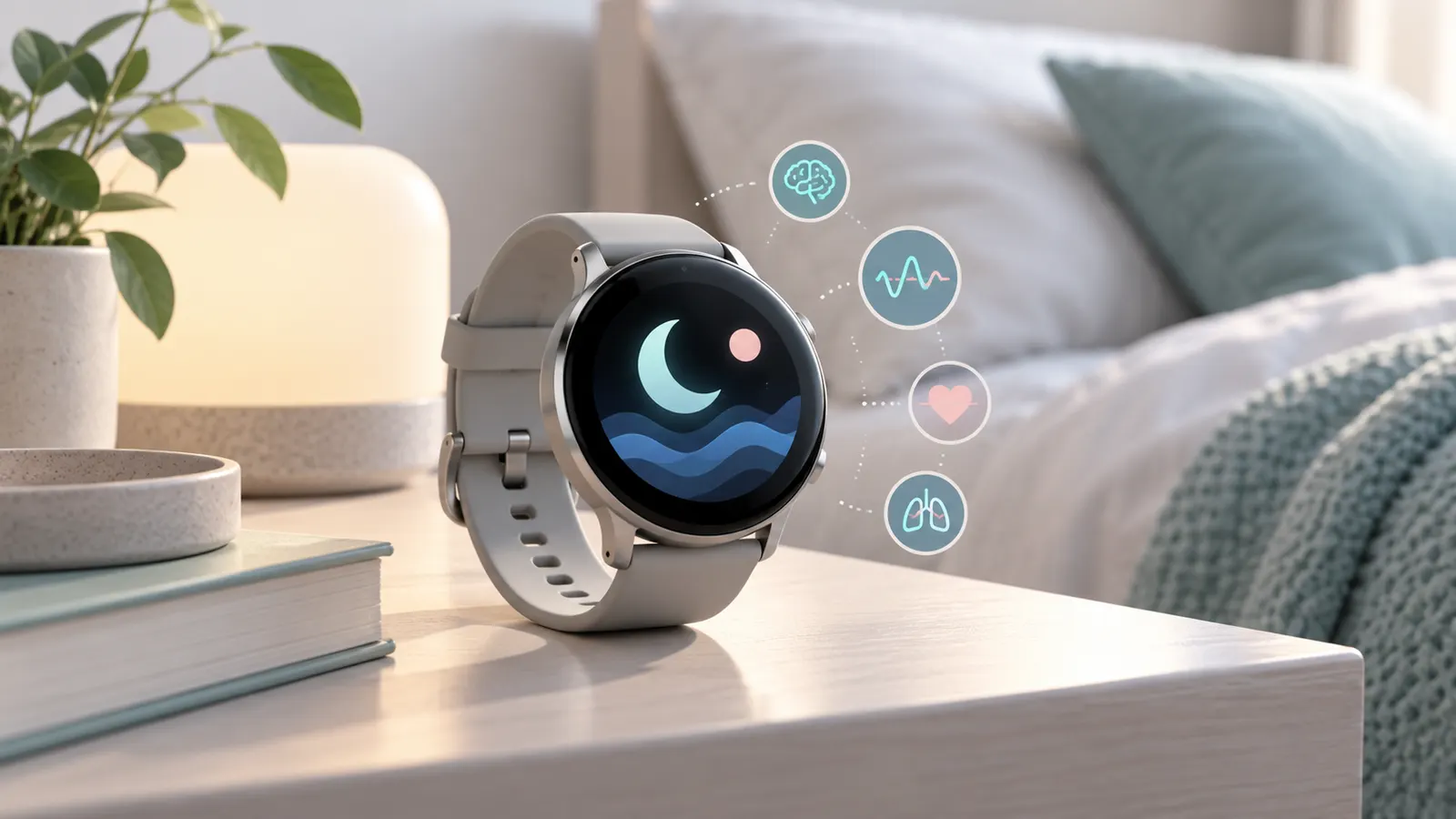
How Sleep Tracking Works
Most watches combine movement data with heart rate and, on some models, other sensor readings to estimate when you are asleep and how restful the night was. The algorithms guess sleep stages and do not measure brain activity the way a sleep lab does.
In this guide
How Accurate Is It?
Watches are usually better at estimating total sleep time than at identifying exact stages. Treat the numbers as trends over time. If a reading worries you or you have symptoms, speak with a health professional rather than relying on a watch.
What to Look For
- A comfortable, slim watch and soft strap for night wear.
- Battery life that lets you wear it overnight and still track the day.
- A clear app with sleep trends and bedtime reminders.
- An option to turn off bright screen wake-ups.
Tips for Better Results
- Wear the watch snugly but not tight.
- Charge during the day, such as while you shower.
- Keep a regular sleep schedule.
- Compare weekly trends, not single nights.
- Turn on do-not-disturb to avoid notifications.
Privacy
Sleep and health data are personal. Check the app’s privacy settings and what data it shares with the maker or other services.
What the Numbers Mean
- Total sleep time: the most reliable number.
- Sleep stages (light, deep, REM): estimates only.
- Sleep score: a summary from the app; formulas differ by brand.
- Resting heart rate: a trend more than a single reading.
When to Be Careful
Do not make medical decisions based on watch data. If you snore loudly, wake up gasping or feel very tired during the day, speak with a doctor rather than relying on your watch.
A One-Week Plan
- Wear the watch every night for a week.
- Note your bedtime and wake time to compare with the app.
- Look at weekly averages rather than single nights.
- Adjust one habit at a time, such as caffeine or screens.
The Sensors Behind the Estimates
Knowing what is inside a watch helps you judge what it can and cannot tell you about your night. Most models rely on an accelerometer, a small sensor that detects movement. When your wrist is still for a long time, the watch infers that you may be asleep. On its own this is a rough guide, because lying quietly in bed reading looks the same as sleeping to a motion sensor.
Many watches add an optical heart rate sensor on the underside, which shines light into the skin and measures changes as blood flows. Heart rate tends to fall during sleep and shifts between stages, so combining it with movement gives a better estimate. Some models list further sensors, such as ones for blood oxygen, skin temperature or breathing rate. Whether they are available, and how the data is used, differs by model and region, so read the product page and the maker’s explanation rather than assuming.
- A snug fit improves the contact needed by the optical sensor.
- Tattoos, dark skin tones, hair and sweat can affect optical readings on some devices, according to general sensor knowledge; check the maker’s guidance.
- Extra sensors add features, but they do not turn the watch into a medical device.
- Software updates can change how scores and stages are calculated, which is why your numbers may shift after an update.
When comparing models, ask what each sensor is actually used for in the sleep feature, and be wary of long lists of sensors that the sleep screen does not use. A simple, well-explained feature set is often more useful than a long list of measurements you do not understand.
Fit, Strap and Skin Comfort Overnight
A watch that you take off because it bothers you records nothing. Comfort at night differs from comfort during the day, because you roll over, press your wrist into pillows and may feel heat more. Weight and thickness matter: a thinner, lighter case is less likely to catch on bedding or press into your skin. Check the case size against your wrist, since oversized watches can feel clumsy and loose.
Strap material matters for both comfort and sensor accuracy. Soft silicone, fabric and woven bands are popular for sleeping because they flex and breathe to varying degrees. Hard or metal bands can feel cold and heavy, and leather can trap moisture. Look for a clasp that lies flat and does not dig into the inside of your wrist. Wear the watch a finger’s width above the wrist bone, snug enough that it does not slide, and loosen it a little at night if swelling or pressure bothers you.
- Clean the back of the watch and your wrist regularly, since sweat, lotion and dirt can irritate skin and interfere with sensors.
- Dry the strap after sweating or showering, following the maker’s care advice.
- Switch wrists or loosen the strap if you notice redness or marks, and stop wearing it if irritation persists.
- Consider replacement bands, which are often sold separately, if the supplied one is uncomfortable.
- If you are sensitive to certain metals or materials, check the listed materials before buying.
Choose the watch you will forget you are wearing; that tends to be the one that records the most complete nights.
Charging Routines and Battery Planning
Overnight tracking requires the watch to have enough battery when you go to bed. If you charge it at night, you lose the data you were trying to collect. So think about a routine that fits around your day. Many people charge while they shower and get ready in the morning, or while they work at a desk, so that the watch is full for the evening.
Check the battery life figures on the product page and treat them with caution, since they are usually based on specific usage assumptions that may not match yours. Features such as an always-on display, GPS workouts and frequent notifications reduce battery life. Sleep tracking itself uses power, because sensors run through the night. If a watch only lasts a day with your settings, you will need a regular charging window; if it lasts several days, you can charge less often.
- Pick a consistent charging time, so it becomes a habit.
- Set a low-battery reminder for the evening, if the app offers one.
- Check how long a short charge takes to provide enough power for a night.
- Use battery-saving modes, if available, without disabling the sleep feature.
- Keep the charging contacts clean and dry for reliable charging.
Also check whether the watch tracks naps, and whether it needs a manual start. Missing data from an uncharged watch can leave gaps in your weekly averages, so aim for as complete a record as you can.
Using Sleep Data to Build Better Habits
The value of sleep tracking lies in noticing patterns, not in chasing a perfect score. Begin with the simplest measure, your bedtime and wake time, and see how consistent they are across the week. Irregular schedules are common, and seeing them in black and white can be a prompt to adjust. Next, look at total sleep time and compare it with how rested you feel in the morning. If you feel fine on shorter nights, a score that says otherwise may be less important than your own experience.
Use your data to test small changes, one at a time, for a week or two. You might move your last coffee earlier, put screens away a little before bed, change the room temperature or add a short wind-down routine. Note the change in a journal or the app and watch whether the trend moves. Avoid making several changes at once, because you will not know which one helped.
- Compare weekdays with weekends to see whether your schedule swings widely.
- Pay attention to the time you fall asleep, but allow for the watch’s limits in identifying it.
- Look at how late meals, alcohol, exercise timing and stress line up with your poorer nights, without drawing firm conclusions from a few nights.
- Do not obsess over deep or REM minutes, which are estimates.
- Take a break from tracking if the numbers make you anxious about sleep.
If your nights are consistently poor despite good habits, or you have symptoms that concern you, speak with a health professional.
Alarms, Notifications and Screen Settings
How a watch behaves at night can make or break the experience. A bright screen that lights up when you turn over can wake you or your partner. Look for settings such as a bedtime mode, theater mode or a schedule that turns off the display and mutes notifications. Check that you can set it to turn on automatically at a chosen time, so you do not have to remember each night.
Many watches offer a vibrating alarm, which wakes you without sound. Some include a smart alarm that tries to wake you within a window, at a lighter point in your sleep. These features rely on the same estimates as the rest of the sleep data, so do not rely on them for something critical, such as catching an early flight; set a backup alarm. Test the vibration strength to be sure it wakes you but does not startle you.
- Keep do-not-disturb or sleep mode on during your usual sleeping hours, with exceptions only for contacts or alarms you choose.
- Turn off tap-to-wake or raise-to-wake while you sleep, if you find the screen turning on.
- Dim the display, or choose a dark watch face, for any time you check it at night.
- Check whether the sleep feature continues if you turn on airplane mode.
- Review privacy and sharing settings so that your sleep data goes only where you intend.
A few minutes spent adjusting these options usually improves both the comfort and the quality of your sleep record.
A Quick Checklist for Getting Cleaner Overnight Data
A smartwatch can only report on what its sensors capture, and a few simple habits make that data more consistent. These steps do not change what the watch is able to do, but they help you avoid gaps and misleading readings. Think of them as setting up a fair test for yourself, run the same way each night.
- Charge the watch earlier in the day so the battery does not run out overnight.
- Wear it snugly, one finger width above the wrist bone, so sensors keep contact with the skin.
- Clean the back of the watch and your wrist, since sweat and lotion can interfere with readings.
- Turn on the sleep feature in the companion app and check that the schedule matches your usual bedtime.
- Choose a band material that you can tolerate for hours.
- Check settings such as always-on display or notifications that could disturb you.
The manual or app guide from the maker explains the exact steps for your model, so follow those over any general tip.
Comfort and Wearability Compared
Comfort determines whether you actually wear a watch at night. A heavy case, a stiff band or a bright screen can make it hard to forget the device is there. Small details count, so consider how each factor affects you.
| Factor | What to look for |
|---|---|
| Case thickness | A slimmer case is less likely to catch on bedding |
| Band material | Soft silicone or fabric options for long wear |
| Weight | Lighter models feel less intrusive |
| Screen behavior | A dimmable or night mode setting |
| Skin sensitivity | Hypoallergenic band choices if you react to materials |
If you wear a watch during the day too, you may want to charge it in short windows, such as while you shower or get ready, rather than overnight.
Reading Your Sleep Report Without Over-Reading It
Most apps show a timeline with stages such as light, deep and REM, plus a score or summary. These numbers are estimates based on movement and heart rate patterns, not laboratory measurements. Use them to spot trends over weeks, not to judge a single night.
Look for patterns
Compare bedtime, wake time and total time in bed across a week. Changes you make, such as a consistent schedule, may show up more clearly over time.
Treat scores with caution
A score is a summary that depends on the maker formula. It can differ between brands and does not replace professional assessment.
Note the context
Illness, travel, alcohol, late meals and stress can affect the data. Writing brief notes in the app helps you interpret what you see.
When Data Raises Questions: Talk to a Professional
A watch is a consumer device, not a medical instrument. If you have concerns about your sleep, such as persistent tiredness, loud snoring, breathing pauses noticed by others or trouble staying asleep, speak with a doctor or a qualified sleep specialist. They can arrange proper assessment and advice. Do not use watch data to diagnose or treat any condition, and do not change medication or treatment because of a chart.
Likewise, read the maker statements about intended use. Some watches offer extra features that may have regulatory approval in certain regions, and the maker can explain what they cover.
Battery and Charging Routines That Fit Your Night
Overnight tracking uses battery, so your routine matters. Many people charge the watch while they cook, get ready for the day or sit at a desk. A short top-up can be enough, but check how much battery your model uses overnight and how long it takes to charge. Keep the charging cable somewhere you will remember, and never leave a device charging in an unsafe place such as under a pillow or on soft bedding.
- Set a daily reminder to charge at a consistent time.
- Use the charger supplied by the maker.
- Check the battery before bed and top up if needed.
- Keep the watch and charger dry and cool.
Privacy and Data Settings
Sleep and heart data are personal. Check what the app stores, where it syncs and who can see it. Check privacy settings, turn off sharing you do not want, and read how to export or delete your information. If you share a device or account with others, think about whose data appears where. Keep your phone and app updated so you receive the latest fixes from the maker.
Glossary of Terms in Sleep Reports
- Light sleep: a stage the watch estimates from movement and heart rate.
- Deep sleep: a stage that devices estimate, though accuracy varies.
- REM: another estimated stage; consumer devices cannot measure it directly.
- Resting heart rate: a measure taken during low activity, shown as a trend.
- Sleep score: a summary number created by the maker formula.
- Time in bed: the full period you stay in bed, including time awake.
Understanding these terms helps you read charts calmly and avoid drawing firm conclusions from a single estimate. The app help pages from the maker explain how each number is calculated for your model.
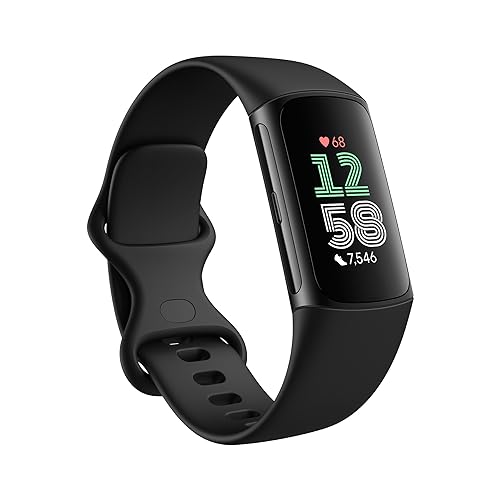
Ready to Buy? Start Here
If this guide helped you decide what to look for, these products are a place to start.
As an Amazon Associate we earn from qualifying purchases. Prices and availability are shown on Amazon.
Building a Sleep Routine the Watch Can Actually Measure
A sleep tracker rewards a boring routine, because regularity is what turns scattered nightly estimates into a trend worth reading. The most useful change most owners can make is not a supplement or a gadget setting but a consistent wake time, held within a narrow window even at weekends, since the watch’s estimates of your stages and readiness become far more interpretable when your schedule stops swinging. Give the watch a fair baseline: wear it consistently for at least a couple of weeks before judging any score it produces, because the algorithms calibrate against your own patterns and the first nights are the least representative. During that baseline period, resist changing five habits at once. If you alter your bedtime, your caffeine, your exercise timing and your screen habits in the same week, neither you nor the watch will know which change moved the numbers, and the experiment collapses into noise.
The hour before bed, seen through the data
Owners often discover the same lesson independently: the last hour of the day writes the first half of the night. Late, bright light, a heavy meal close to bed, alcohol that feels sedating but fragments the second half of the night, and a final scroll through stimulating content all show up in the record as delayed sleep onset, restless early hours or a suppressed share of the deeper stages the watch estimates. You do not need to become a monk; you need a wind-down that is repeatable on a wet Tuesday, not just on a virtuous Sunday. Dim the lights, park the phone outside the bedroom or at least beyond arm’s reach, keep the room cool, and let the watch’s bedtime reminders serve as a prompt rather than a judgement. Then watch what your own data does across a fortnight. Personal evidence, calmly gathered, changes behaviour more reliably than any generic sleep advice, and gathering it is precisely what the device on your wrist is for.
Naps, shift work and irregular lives
Not every life fits the tidy night the marketing describes. Shift workers, new parents, carers and frequent travellers sleep in fragments and at shifting hours, and a tracker can still help if it is set up honestly. Make sure the watch knows your actual schedule where the app allows it, judge your data by totals across the full day rather than by a single main sleep, and treat nap detection with suspicion until you have verified it catches your naps reliably. For shift workers especially, the valuable metrics are consistency within your pattern, total sleep across the rotation, and how you feel and perform at equivalent points in the cycle; comparing your record with a nine-to-five sleeper’s ideal ranges will only manufacture failure. Travellers crossing time zones should expect several nights of odd-looking data and should use light exposure, meals and short planned naps to shift the rhythm, reviewing the watch’s record afterwards to see how long adaptation genuinely took — useful knowledge for planning the next trip’s first days.
When the Watch Disagrees With How You Feel
Every long-term owner meets the morning where the watch announces excellent sleep after a wretched night, or warns of poor recovery on a day they feel wonderful. Neither event means the device is useless; both are reminders that the watch estimates stages and strain from movement, heart patterns and temperature, while your felt experience includes pain, dreams, mood, illness and a dozen other inputs no wrist sensor sees. The mature response is to log the disagreement rather than litigate it. Many apps allow a morning note or tag; a week of tags — late meal, hot room, unwell, anxious, celebration — turns mysterious scores into explained ones and reveals your personal disruptors far better than the stage chart does. If disagreements are constant and the numbers never match your experience at all, check the boring causes first: a loose strap, the watch worn on a different wrist than the settings claim, or another person’s profile active in the app. Persistent, dramatic mismatch after those checks is a fair reason to doubt that particular device on your particular wrist, because individual fit genuinely varies.
Sharing sleep data and keeping perspective
Sleep data has a social life now: partners compare scores, friends share screenshots, and households develop quiet competitions. A little of this is harmless fun, but scores compare badly between people because the algorithms, baselines and bodies differ, and a lower number is not a moral result. Keep comparisons within your own record, where they are meaningful, and be especially careful with teenagers, whose sleep is already pressured by school start times and whose relationship with a nightly grade can tip into anxiety quickly. If the watch’s verdict is the first thing you check and it colours the whole day regardless of how you feel, that is the device creating the problem it was bought to solve. The healthiest owners hold the data lightly: glance, learn the pattern across weeks, act on the two or three habits that clearly matter, and let individual nights be forgotten by breakfast.
Sleep Tracking for Specific Situations
Athletes and heavy training blocks
During hard training, sleep data earns its keep as an early-warning system rather than a scoreboard. The patterns worth watching are sustained changes: resting heart rate trending upward across several nights, heart rate variability suppressed relative to your own baseline, and sleep that shortens or fragments as load accumulates. Any one night is weather; a week of drift is climate, and it is a reasonable prompt to insert an easier day, eat and hydrate more deliberately, and protect bedtime before the drift becomes illness or injury. Avoid the trap of demanding perfect sleep scores during the very blocks that make sleep hardest — heavy legs, high energy expenditure and late evening sessions all disturb the night — and instead use the data to time your recovery: the taper and the days after key sessions are where sleep quality repays attention most. If you use a readiness or recovery score, learn what feeds it in your app and sanity-check it against how your warm-up feels; when score and body disagree repeatedly during a block, the body’s evidence, gathered over years of training, deserves the casting vote.
Illness, recovery and the nights that warn you
Many owners notice the watch seems to know they are getting ill before they do: resting heart rate creeps up, temperature-related metrics shift, and sleep turns restless the night before symptoms declare themselves. This is plausible — the body is already working — and the data can be genuinely useful if it prompts rest a day earlier than pride would allow. The discipline is to act proportionately: an odd night plus feeling fine means watch and wait; odd nights plus rising trends plus symptoms means take the recovery seriously and, if things persist or worsen, seek proper medical advice rather than consulting the watch harder. Wearables are at their best as prompts toward sensible behaviour and timely professional care. They are at their worst as substitutes for either, and sleep data in particular should never talk you out of seeing a clinician about snoring, witnessed apnoeas, or exhaustion that survives adequate time in bed, because those are questions for a sleep assessment, not for a more expensive tracker.
Older adults and shared bedrooms
For older owners, the priorities shift toward consistency, comfort and the metrics that support independence: regular sleep timing, total sleep, and overnight heart patterns reviewed as trends. Choose the watch for overnight wearability first — light, soft-strapped, easy to charge with arthritic hands or poor eyesight — because the best sleep device is the one that survives the bedtime routine. In shared bedrooms, remember the watch only knows its wearer: a partner’s restlessness, a pet’s patrols and a snoring spouse all disturb your sleep without appearing in your data except as awakenings you cannot explain. That gap is normal, and noting it prevents unfair verdicts on the watch and on yourself. Couples who both track sometimes enjoy comparing timing and duration; comparing stage percentages is where the fun should stop, for all the reasons of individual variation already covered in this guide.
Getting Clean Data: A Troubleshooting Pass
If your sleep records look implausible — nights recorded while the watch charged, sleep credited during a film, stages that never vary — work through the physical causes before blaming the algorithm. Confirm the watch is on the wrist named in the settings and worn above the wrist bone with the sensor flat; a watch that has slid toward the hand reads a different pulse and moves differently. Check that the strap is snug enough that the green sensor light does not leak visibly at the edges in a dark room. Make sure sleep schedules, focus modes and theatre modes are not telling the watch you are asleep when you are reading, and that automatic detection settings match how you want naps handled. Keep the app and firmware current, because sleep algorithms are among the most frequently revised parts of any platform. Then give the corrected setup a full week before judging: sleep algorithms lean on recent history, and a week of clean, consistent wearing is the fairest test of whether the device suits your nights.
Sleep Questions Owners Ask at 2 A.M.
Why does my watch say I was awake when I feel I slept through?
Because brief awakenings are a normal part of human sleep and are usually forgotten by morning. The watch detects movement and heart-pattern changes consistent with wakefulness and records them honestly; you, mercifully, do not store them. A handful of short awakenings scattered through the night is ordinary architecture, not broken sleep, and it becomes a problem mainly when the total time awake grows long or when you lie there experiencing it. Judge your night by the totals and by how you function, not by the mere presence of awake minutes in the chart. If the watch records long awake stretches you genuinely do not experience, suspect fit and position first — a loose watch on a restless arm can manufacture wakefulness — and only then wonder about the algorithm.
Can I improve my deep sleep, or is the number fixed?
The proportion of the night spent in the deeper stages is influenced by things partly in your gift: sufficient total sleep, consistent timing, a cool dark room, exercise during the day rather than immediately before bed, and restraint with alcohol and late caffeine. It is also influenced by age and individual physiology, which are not in your gift, and the watch’s stage boundaries are estimates in the first place. The healthy ambition is therefore not to maximise a percentage but to build the conditions and watch the trend respond across weeks. Owners who chase the number nightly with supplements and rituals often sleep worse for the anxiety of the chase. Treat the stage chart as a compass, not a scoreboard, and let how you feel at midday arbitrate whether last night was good enough.
My scores dropped after I changed my medication / had a baby / started training. Should I worry?
Expect the data to move when life moves, because the watch is recording a body in changed circumstances. New medications can alter heart patterns and sleep architecture, a newborn rewrites the night entirely, and a hard training block suppresses recovery metrics by design. In each case the useful question is whether the trend stabilises at a new normal as you adapt, and whether how you feel follows the same direction. Persistent deterioration without explanation, or symptoms such as loud snoring, witnessed pauses in breathing, or exhaustion despite adequate opportunity to sleep, are conversations for a clinician, and no wearable trend should delay them. The watch’s job in life’s upheavals is to document honestly so that you and, where needed, a professional can see the pattern clearly.
Is it worth wearing the watch every night, or can I track occasionally?
Occasional tracking answers occasional questions — how did the red-eye flight treat me, did the new mattress change anything — but trend features, baselines and readiness-style guidance are built on consistency and quietly degrade without it. If nightly wear irritates your skin or your sleep itself, the honest trade is to track most nights with a soft strap and a looser fit, and to forgive the gaps, rather than forcing a nightly perfection you abandon within the month. Many long-term owners settle into five or six nights a week and find their trends perfectly legible. What does not work is judging a sleep feature on three scattered nights in a fortnight; no algorithm on any wrist can know you from that, and dismissing the category on that evidence is the one sleep experiment guaranteed to teach you nothing.
Why does my partner’s watch give them better scores on the same nights?
Because the scores are not measuring the same night in the same body with the same ruler. Different brands use different algorithms and baselines, and even two identical watches calibrate against two different people’s histories, heart patterns and movement signatures. Your partner may also genuinely sleep differently — bodies differ in stage proportions, resting rates and restlessness in ways that have nothing to do with virtue. Compare each of you against your own past, trade only the useful observations — the room was hot, the late meal was a mistake — and let the household league table die the quiet death it deserves. Sleep is the least competitive activity in human life, and the data is happiest when treated that way.
Turning Sleep Data Into Decisions: Three Worked Examples
Abstract advice about trends becomes useful when it is applied, so consider three common patterns and the decisions they actually justify. First, the slow drift: across six weeks your resting heart rate has crept upward, your sleep has shortened by twenty minutes on average, and your readiness feels stale rather than disastrous. Nothing in any single night demanded action, but the drift coincides with a heavier work season and later bedtimes. The proportionate response is environmental, not medical: defend the wake time, move the last coffee earlier, and give the trend a fortnight to answer before concluding anything deeper is wrong. Second, the sharp break: three nights of fragmented sleep, elevated temperature-related readings and a sore throat on day three. The watch did not diagnose you; it documented your body beginning to fight something, and the correct decision — rest earlier, cancel the hard session, see a clinician if it develops — was yours, made sooner because the pattern was visible. Third, the false alarm: one terrible score after a night you experienced as deep and refreshing, with every other metric normal. The correct decision there is no decision; log it, note the late celebration that probably explains it, and let the week absorb it. Owners who handle all three patterns this way — drift with environment, breaks with respect, outliers with indifference — are using sleep tracking exactly as it deserves to be used, and they are the ones still wearing the watch, profitably, years later.
Keeping the habit alive after the novelty ends
Sleep tracking’s value curve is unusual: the first month is fascinating and nearly useless, because you have data without context, while the sixth month is quiet and genuinely valuable, because patterns have had time to declare themselves. The owners who reach the sixth month share small disciplines. They made overnight wear comfortable rather than heroic, with the right strap and a fit that forgets itself. They review on a rhythm — weekly, briefly — instead of interrogating every morning. They changed one habit at a time and let the record arbitrate. And they forgave the gaps: the charged-overnight nights, the holidays, the week the strap broke, none of which invalidate a trend built across seasons. If you are setting up sleep tracking today, aim for that owner, not the fascinated beginner. The beginner’s excitement is free and worthless; the veteran’s calm record of how they actually sleep is one of the most useful health documents a person can own, and it is built entirely out of ordinary nights, worn consistently, read patiently.
What to do with a sleep feature you have stopped trusting
If you have drifted into ignoring your watch’s sleep verdicts entirely, do not simply switch the feature off in frustration; rehabilitate it with a fair test. Correct the physical setup — position, snugness, the wrist named in the settings — then keep a one-line morning note for two weeks recording how rested you feel before you look at the watch’s opinion. At the end of the fortnight, compare the two records. Most owners discover the watch was tracking something real but narrower than they assumed: it is good at duration, timing and disruption, and merely suggestive about stages, and once its job description is corrected, trust returns at the right level. If the comparison shows no relationship at all between record and experience, you have learned something genuinely useful about that device on your body, and you can retire the feature with evidence rather than irritation — and let the watch earn its place with the tracking it does well for you.
Frequently Asked Questions
Are smartwatch sleep stages accurate?
They are estimates and may differ from clinical measurements.
Do I need a special watch for sleep?
No, but comfort and battery life matter.
Can a watch diagnose sleep problems?
No. See a health professional for concerns.
Is a smartwatch or a ring better?
It depends on comfort and preference; both give estimates.
How long should I track sleep before judging it?
At least a week, to see patterns.
Why does my watch say I slept when I was awake?
Lying still can look like sleep to a motion-based sensor.
Can I wear my smartwatch in bed if I have sensitive skin?
Many people do, but it depends on the materials. Check the listed case and strap materials, keep the watch and your wrist clean and dry, and stop wearing it if you notice irritation.
Does my watch track naps?
Some watches detect naps automatically and some need you to start tracking. Check the app and the product page for how your model handles short daytime sleep.
Why do my sleep numbers change after a software update?
Makers sometimes adjust their algorithms or how scores are calculated. Compare trends within the same software version when you can, and treat sudden changes with caution.
Is it better to wear the watch on my dominant or non-dominant wrist?
Either can work. Many people wear it on the non-dominant wrist for comfort. Choose the one that fits better and gives steady readings, and stay consistent so your data is comparable.
Can sleep tracking make sleep worse?
For some people, focusing on scores creates worry about sleep. If this happens, look at weekly trends only, hide the score, or stop tracking for a while.
Should I share my sleep data with other apps?
Only if you understand what is shared and why. Review the permissions in the watch app and the connected app, and turn off sharing you do not want.
How do I know whether my watch is recording a full night?
Check that it has enough charge at bedtime, fits snugly and that sleep tracking is enabled. In the morning, see whether the recorded bedtime and wake time match your own notes.
Bottom Line
Use sleep tracking to spot trends, choose a comfortable watch with enough battery life, and do not treat the numbers as medical advice.
Related Reading
- Best Smartwatches for Sleep Tracking
- Best Fitness Smartwatches
- Smartwatch Battery Life: What to Expect and How to Extend It
- Smartwatch vs Fitness Tracker: Which One Do You Need?
- All Smartwatch guides


