Disclosure: As an Amazon Associate, reviewstook.com earns from qualifying purchases. Links on this page are affiliate links; they cost you nothing extra. Prices and availability change often, so check the current Amazon listing before you buy.
Getting your marvel rivals options right is the cheapest performance upgrade in the entire game, because every setting in those menus is already paid for. Marvel Rivals is a fast, effects-dense hero shooter built on Unreal Engine 5, and its options screens hold the difference between a match that feels responsive and readable and one that feels like fighting underwater in a fireworks factory. This guide walks every major settings group — display, graphics quality, mouse and controller input, keybinds, reticle, audio and accessibility — explains what each option actually trades, and gives you a sane order to change them in, one variable at a time, so the setup you end with is tuned to your hardware and your heroes rather than copied blindly from a professional’s machine that shares nothing with yours.
Two principles govern everything that follows. First, frame rate and input responsiveness outrank visual splendour in a competitive shooter, because the game is decided in milliseconds and in how much of the fight you can actually see. Second, settings are personal in a way hardware is not: your monitor’s refresh rate, your graphics card, your hand size, your main hero’s aiming style and even your room’s lighting all belong in the final configuration. Treat the recommendations here as starting coordinates and the testing method as the real product, and you will end with options that fit like they were always yours.
Key takeaways for Marvel Rivals Options
- Set display mode, resolution and frame-rate behaviour first; every other judgement is distorted until the game’s foundation is stable.
- Lower the effects and shadow settings before touching resolution — Rivals’ fights are visually noisy, and clarity is a competitive resource.
- Mouse sensitivity should be built from your mousepad’s real width and tested in the practice range, not imported from another player’s setup.
- Per-hero settings exist for a reason: a hitscan duelist and a melee brawler want different sensitivities, reticles and keybind emphases.
- Change one group at a time and play real matches between changes, or you will never know which option helped and which merely coincided.
In this guide
Display options: the foundation everything stands on
Display mode and resolution
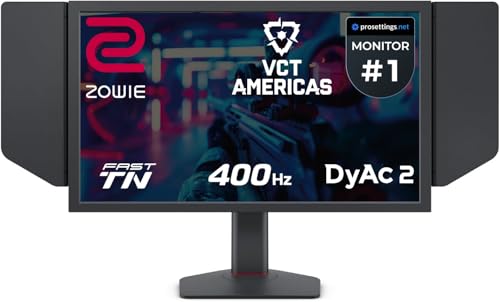
Run the game in fullscreen for the lowest input latency and the fewest compositor surprises; windowed modes are for streamers juggling captures and for troubleshooting, not for ranked evenings. Resolution should match your monitor’s native figure whenever your hardware allows, because upscaling a lower resolution softens exactly the distant silhouettes you need to identify early. If frames are scarce, prefer the game’s own resolution-scale and upscaling options over dropping the display resolution itself — the interface stays crisp while the 3D scene breathes. Players on high-refresh panels should read this alongside our review of the MSI MAG 274QPF X30MV, because the settings below assume you know what ceiling your display actually offers.
Frame rate caps, VSync and latency options
Turn VSync off for competitive play; its habit of holding frames to synchronise with the display adds input delay that a hero shooter punishes. Cap your frame rate deliberately instead — a cap a few frames below your monitor’s maximum, or at a level your system can hold in the heaviest team fights, produces steadier frame pacing than an uncapped rate that soars in menus and collapses in ultimates. Where the game offers low-latency or reflex-style options for your graphics hardware, enable them; they exist to shorten the path between your hand and the photon, which is the entire subject of this section. Then verify in the practice range and in one real match that the cap holds during a crowded fight, because a setting that only works in empty rooms is a rumour, not a configuration.
Brightness, contrast and seeing the fight
Calibrate brightness in the game’s own test image until the darkest details are just visible; Rivals’ maps range from bright arenas to moody interiors, and a screen set for the menu will betray you in the dark corners where flankers live. If your monitor offers a dark-stabiliser or black-equaliser style feature, a small amount helps competitive visibility, while aggressive amounts wash the image into grey soup. The goal is information: enemy outlines, ability tells and health bars should separate from the background at a glance, in every lighting the game ships.
Graphics quality options: buying frames with the right currency
The settings to lower first
Shadows, effects quality, foliage and post-processing are the expensive, clarity-stealing members of the menu. Shadows at high settings cost frames and add visual clutter that can mask movement; effects quality governs the density of the particle storm that every ultimate unleashes, and lowering it literally lets you see through fights that max settings turn opaque. Texture quality is the exception that proves the rule — it mostly consumes video memory rather than frame rate, so systems with memory to spare can keep textures handsome while the effects around them are trimmed. Work down the expensive list one notch at a time, testing in real matches, until your frame rate holds steady in the worst fights your heroes create.
Upscaling and frame generation, honestly weighed
Modern upscaling — the DLSS, FSR and XeSS family of options, plus the engine’s own solutions — renders the scene smaller and reconstructs it, buying real frames at a small cost in fine detail. For most players on mid-range hardware it is the correct trade in Rivals, set to a quality-leaning mode. Frame generation goes further, synthesising additional frames, and it deserves a colder eye in a competitive title: the displayed smoothness rises, but the generated frames do not respond to your input, so the game can look faster while feeling no faster — or fractionally slower. Players chasing responsiveness should build their setup on genuinely rendered frames and treat generation as a single-player luxury.
Anti-aliasing and sharpening
Edges in Rivals crawl with shimmer when anti-aliasing is weak, and shimmering edges are noise your eyes must filter from real movement. Use the anti-aliasing paired with your upscaling choice where the menu links them, and add sharpening in small increments until hero outlines look defined rather than crunchy. Oversharpening creates halos that can mimic outlines at distance — the one error worse than softness, because it manufactures false information instead of merely hiding real information.
Mouse and keyboard options: where matches are actually won
Sensitivity, built from your desk outward
Forget copying a professional’s number. Start from your mousepad: a full sweep across its usable width should turn your hero roughly one full rotation in game, then refine from there in the practice range against moving targets. Hitscan heroes reward the lower, steadier end of that range, where small corrections stay small; projectile and melee heroes tolerate — and sometimes prefer — a quicker turn for the constant re-aiming their fights demand. Rivals allows per-hero adjustment, and using it is not fussiness but accuracy about the fact that your heroes genuinely aim differently. Whatever you settle on, keep raw input behaviour enabled where offered and disable any operating-system mouse acceleration, because acceleration makes the same hand movement produce different results at different speeds, and consistency is the entire foundation muscle memory is poured on.
Keybinds that survive panic
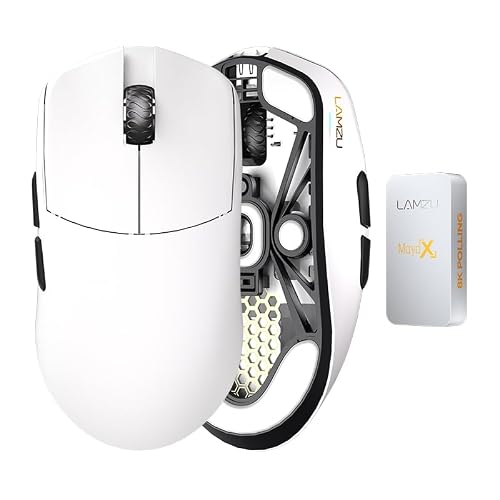
Abilities belong on keys your fingers can reach without leaving the movement keys, and the test is not comfort in the menu but survival in a dive: can you trigger your escape, your ultimate and your melee while strafing in both directions? Move anything that fails that test. Melee on a mouse side button, ultimate somewhere a startled hand cannot strike accidentally, and communication — ping and wheel commands — somewhere your thumb already lives. Players expanding their physical setup for exactly this kind of binding work will find kindred thinking in our macropads and standalone numpads guide, and in the aiming hardware itself in the Maya X esports mouse profile.
The reticle: small circle, large consequences
Build a reticle you can find without looking for it: a colour that contrasts with every map’s palette — the bright greens and cyans players favour exist because Rivals’ environments run warm — a centre dot for precision heroes, and outlines that stay visible against bright ability effects. Resist decorative complexity. The reticle’s job is to be the calm centre of a chaotic screen, and every flourish you add is attention taxed from the fight. Save per-hero reticles for the heroes whose weapons genuinely differ, such as scoped or spread weapons, and keep the family resemblance strong enough that switching heroes does not mean relearning where your aim lives.
Controller options, for the pad players
Curves, deadzones and the aim-assist conversation
Controller players should begin with deadzones: set the inner deadzone as low as your controller allows without drift appearing in the menu, because every point of unnecessary deadzone is aiming travel your thumbs pay for twice. Response curves are taste with consequences — linear curves mirror your stick faithfully and reward practised thumbs, while eased curves soften small movements for steadier tracking at the cost of snap. Aim assist settings in Rivals deserve honest experimentation rather than ideology: adjust strength and window in the practice range against strafing bots until tracking feels assisted rather than argued with, because assist that visibly pulls is assist set wrong for your hand, whatever the internet’s loudest voices claim.
Gyro, remapping and accessibility on pad
Where your platform and controller support additional inputs — back buttons, gyro aiming, full remapping — assign the jump and ability functions that currently force your thumbs off the sticks. The controller equivalent of the keyboard’s panic test applies: any function you need while aiming belongs somewhere that does not require abandoning aim to reach it. Accessibility options such as hold-versus-toggle choices, input buffering behaviour and vibration intensity are performance settings in disguise for many players; configure them for your hands without apology, because a setup you can execute for three hours beats an orthodox setup you can execute for twenty minutes.
Audio options: hearing the game you are playing
The mix that carries information
In Rivals, sound is reconnaissance. Ultimate voice lines, flank footsteps, ability cues and the direction of incoming fire all arrive through your ears before your eyes confirm them, so build the mix around information: effects and voice prominent, music present but subordinate, and any dynamic-range setting on its night or compressed mode if you play at modest volumes, so quiet cues survive. Headphone players should enable the game’s spatial or 3D audio option where offered and disable competing spatial processing elsewhere in the chain — double processing smears the very directions you are trying to read. Test the result in a real match by asking, at three random moments, whether you could tell where the nearest enemy was with your eyes closed. If not, the mix is entertainment, not equipment.
Voice chat and communication settings
Set push-to-talk on a key your thumb owns, keep voice activation only if your room is quiet and your microphone disciplined, and balance incoming voice above game audio during fights — a callout you cannot hear is worse than none, because the team believes it was delivered. Text chat, ping behaviour and the communication wheel deserve the same deliberate pass: the fastest ping is the one bound where your hand already is, and in a game of Rivals’ pace, the wheel you can operate without looking is the only wheel that exists.
How to tune your options in the right order
Step 1: Lock the foundation in one sitting
Display mode, native resolution, VSync off, frame cap chosen, low-latency options on, brightness calibrated. Play three matches without touching anything else, so your hands and eyes establish what the foundation feels like before the variables multiply.
Step 2: Spend one session on graphics
Lower shadows, effects and post-processing stepwise until frame rate holds in ultimate-heavy fights, keeping textures as high as your memory allows. Use the same hero on the same maps where possible, because changing heroes between tests contaminates the evidence exactly like changing settings does.
Step 3: Spend one session on aim
Practice range first — tracking drills, flick checks at your match distances — then real matches with the sensitivity unchanged for the whole session, however strange the first game feels. Sensitivity judged inside ten minutes is astrology; judged across a session, it becomes data. Adjust per hero only after the global figure has earned your trust.
Step 4: Bind, listen, and write it down
Finish with keybinds, reticle and audio in one pass, then record your final configuration somewhere outside the game — a note, a screenshot set, a settings backup where supported. Patches reset options, new machines forget them, and the player with a written configuration rebuilds in minutes what others rebuild in a weekend of ranked experimentation.
Settings mistakes that quietly cost matches
Copying a professional’s entire configuration is the founding error: their hardware, monitor, hand and hero pool are not yours, and their settings answer questions your setup is not asking. The second is maxing every graphics option because the card was expensive — in Rivals, visual noise is a mechanic, and the player who lowers effects is not surrendering beauty but purchasing information. Third comes sensitivity churn, the weekly reinvention that prevents muscle memory from ever forming; a good-enough sensitivity kept for a season beats a theoretically perfect one adopted monthly. Fourth, leaving VSync or an uncapped, unstable frame rate in place and blaming aim for what the pipeline did. And fifth, tuning everything in the practice range and nothing in matches, because bots do not create the particle storm, the panic or the frame drops that real fights — the only fights that count — reliably provide.
Frequently asked questions
What frame rate should I target in Marvel Rivals?
The highest rate your system can hold steadily through the heaviest team fights, capped just beneath your monitor’s refresh ceiling. A locked rate your hardware owns beats a higher average that collapses when ultimates stack, because consistency is what your aim calibrates against.
Should I use frame generation in Rivals?
For competitive play, generally no: generated frames raise displayed smoothness without responding to your input, which can make the game feel less connected even as counters climb. Build on rendered frames and upscaling first; treat generation as an option for casual sessions where spectacle matters more than response.
Is a lower sensitivity always better for aim?
No — it is better for the fine corrections hitscan heroes live on, and worse for the constant large turns that flankers, divers and melee heroes demand. The per-hero settings exist precisely because the honest answer differs by hero, and your mousepad’s physical width sets the outer limit for everyone.
Which graphics setting gives back the most frames?
Shadows and effects quality are usually the richest veins, followed by post-processing; texture quality is mostly a memory question rather than a frame-rate one. Lower in that order, one step at a time, testing in real fights rather than menus.
Do I need a high-refresh monitor to benefit from these options?
You benefit at any refresh rate — clarity, latency and consistency improvements are real on a 60Hz screen — but the ceiling on what settings can deliver is set by the display, which is why this guide pairs naturally with the MAG 274QPF X30MV high-refresh review for readers planning the hardware step.
Why do my settings feel wrong after every patch?
Patches occasionally reset or rename options, and balance changes alter which heroes and fights dominate your matches, which shifts what your settings must survive. Keep the written record described in the tuning steps, re-verify the foundation after major patches, and resist rebuilding everything for what is usually one moved option.
The final recommendation
Build your Marvel Rivals options the way good players build anything: foundation first, one variable at a time, evidence from real matches, and a written record at the end. Display and latency settings for responsiveness, graphics settings spent on clarity, sensitivity grown from your own desk, binds that survive panic, a reticle that stays calm, and audio mixed for information. Do that once, properly, and the menus close behind you for a season — which is where they belong, because the game was never in the options screen. It is in the fights the options finally let you see clearly. For the wider method behind this guide, our League of Legends options guide applies the same discipline to a very different game, and the Lamzu Maya X review covers the mouse those settings will steer.
Hero-by-hero settings thinking
The per-hero options stop being a curiosity once you notice how differently Rivals’ roster aims. A precision duelist lives in small corrections at long sightlines; her sensitivity, reticle and even her field of view are tuned for a world measured in pixels. A dive hero lives in rotation — the game is a sequence of turns toward the next target — and wants a sensitivity that makes the turn cheap and a reticle that survives chaos rather than decorating precision. A strategist supporting from the back line aims at allies as much as enemies, with projectiles that forgive differently, and may value a larger, calmer reticle and binds arranged around healing priorities. None of these players is using the game wrong; they are playing different games inside the same client, and the options menu’s willingness to remember separate configurations per hero is its most underused act of respect for that fact. Set your main’s configuration with full attention, give your secondary heroes a considered variant rather than a copy, and let flex picks inherit the nearest relative’s settings until they earn their own.
Field of view: the setting players feel before they understand
Field of view trades awareness against target size. Widening it shows more of the flank and the sky — where Rivals’ vertical heroes live — while shrinking everything at the centre; narrowing it enlarges the duel in front of you while quietly deleting the threat arriving from the side. Most players should begin at the wider end their comfort allows, because information about a threat beats magnification of a target you have already found, and then narrow only if motion sickness or genuine difficulty reading distant targets argues otherwise. Change it in small steps and give each step a full session: FOV is the setting the body judges, and the body needs time to file its report.
Network and system settings outside the game
Some of the options that decide matches live outside the client. A wired connection removes the jitter that no in-game setting can compensate for, and players on wireless should at least place themselves in the router’s honest range rather than its advertised one. Background downloads, cloud syncs and household streaming all tax the same pipe your match travels; the disciplined ranked session closes or schedules them rather than discovering them mid-fight. On the system side, keep graphics drivers current, let the game run without overlays you do not use, and ensure your power plan is not quietly throttling the machine to save electricity during the evening’s most important team fight. None of this is glamorous, and all of it is the difference between settings that were tuned on a healthy system and settings blamed for a sick one’s behaviour.
Accessibility options are performance options
Rivals ships with a meaningful accessibility suite — colour-blind support, subtitle and caption controls, hold-and-toggle alternatives, vibration and screen-shake adjustments — and this guide wants to say plainly that using them is optimisation, not concession. Screen shake that costs you tracking during ultimates should be reduced regardless of whose hands are on the mouse; colour adjustments that make enemy outlines separate from a particular map’s palette are visibility settings by another name; captions for important audio cues are information channels for noisy rooms and sleeping households as much as for deaf players. Configure the game for the senses and the room you actually have. The leaderboard does not award style points for playing with options set for somebody else’s body.
Console players: the same discipline, different menus
On console, the display conversation simplifies and sharpens: choose the performance mode wherever the game offers one, because Rivals’ ranked reality rewards frame rate over resolution spectacle even more starkly on fixed hardware, and confirm your television is in its game mode with its own processing — motion smoothing, noise reduction and their relatives — switched off, since a television’s helpful features are input lag wearing a kind face. Controller deadzones and curves then become the main craft, worked exactly as the controller section described. Console players should also mind the field-of-view slider where available and the aim-assist calibration with particular care, because on a television across a room, visibility is the scarcest resource in the entire setup and every option that protects it is ranked equipment.
A ranked-evening routine built on these settings
Settings reach their final form in routine. Before a serious session: two minutes in the practice range confirming sensitivity feels like yours today, one quick match to let the system and the hands warm together, and a glance at the frame counter during the first ultimate storm to confirm the foundation held. Between matches, change nothing. After the session, note — in the same document that holds your configuration — anything that felt wrong in a way you can name: a bind that failed under pressure, a fight you could not see through, a sound you missed. Those notes, accumulated over a fortnight, are the only patch notes your personal build ever needs, and they convert the vague itch to copy someone else’s settings into a short, specific list of your own repairs. Players who run this routine stop shopping for configurations within a month, because they have something better than a configuration: they have a method and a record, and the game on the other side of both.
When to revisit everything: hardware changes and new seasons
Two events justify a full re-tune rather than a tweak. A new monitor or graphics card changes the ceilings every other setting was built under, so the foundation session should be rerun from the top — display, cap, graphics spend, then aim verification — rather than inherited wholesale. A new competitive season with major balance or engine changes earns a lighter version of the same pass: verify the foundation, re-check the worst-fight frame rate, and confirm your main heroes’ per-hero settings still describe how those heroes play. Everything else — the weekly itch, the lost match, the streamer’s new video — earns nothing. Stability is a setting too, and it is the one this entire guide has been configuring underneath the others.
The science of sensitivity, in one honest section
Players argue about sensitivity in the units their favourite streamer uses, which is rather like arguing about shoe size in the units of a taller friend. The transferable measurement is distance: how far your hand travels to rotate your view through a full circle. That distance — measurable on your own desk with a ruler and thirty seconds — is the number that travels between games, mice and DPI settings, and recording it in your configuration document matters more than any single in-game figure. A longer distance buys precision and costs arm effort and turn speed; a shorter one buys agility and costs fine control. Rivals’ roster, unusually, wants both at once across its heroes, which is why the per-hero multipliers exist and why the sane architecture is one honest base distance, learned deeply, with modest per-hero deviations rather than a different universe for every character. Change the base rarely, change it in small steps, and never change it on the evidence of one bad evening — evenings lie, and the ruler does not.
Training drills that make settings visible
Settings hide their effects in matches, where a hundred other variables shout louder. The practice range is where they can be heard. Three drills repay a weekly ten minutes. First, tracking: follow a strafing target at your match distance for a minute without firing, and feel whether your crosshair lags behind your intention or overshoots it — the two signatures of a sensitivity that is too high or too low for your hand today. Second, target switching: move between spaced targets with the smallest motion that arrives cleanly, which exposes reticle visibility and FOV comfort better than any menu description. Third, the panic drill: execute your escape, ultimate and melee in sequence while moving in both directions, at speed, until the binds stop requiring thought. Run the same three drills after any settings change and the change stops being an opinion — it becomes a comparison, which is the only form in which settings knowledge actually exists.
Settings by role: a starting map for the roster
Duelists on hitscan weapons should bias toward the steadier sensitivity band, a minimal reticle with a centre dot, and graphics settings that protect long sightlines from effects noise, because their fights are decided at distance against small, fast targets. Duelists who dive should bias the other way — quicker turns, a reticle built for chaos, binds arranged so the engage and the exit are both under the strong fingers. Vanguards live in the middle distance and the middle of the fight; their settings should privilege visibility through effects above all, since a tank who cannot see the fight cannot hold it, and their larger models forgive sensitivity choices that would ruin a sniper. Strategists should arrange binds around ally-targeting and survival, keep audio cues for flank protection prominent, and consider a slightly wider field of view, because their game is the whole battlefield’s state rather than any single duel. These are starting maps, not commandments — your hand files amendments — but a new player who begins from the role’s logic will arrive at a personal configuration in a week, while one who begins from a famous stranger’s numbers may wander for a season.
Performance troubleshooting: when the settings are not the problem
A setup that stutters despite sane options is telling you to look elsewhere, in a specific order. Heat first: a laptop or small-form PC that boosts bravely for ten minutes and then throttles will produce exactly the collapsing frame rate players blame on patches, and the cure is airflow, a stand, or a frame cap set where the machine can live rather than where it can sprint. Drivers second: graphics drivers are the game’s second engine, and a corrupted or ancient one explains more mysteries than any menu. Background load third: browsers with dozens of tabs, recording software, and household cloud backups all eat the same resources the match wants. Storage fourth: a nearly full drive slows everything that streams from it, and Rivals streams constantly. Work that order before touching the options you so carefully built, because re-tuning good settings to compensate for a hot laptop is how configurations get ruined — the fault was never in the menus, and the menus cannot fix it.
The settings document: a template worth stealing
Close the project properly by writing the document this guide has mentioned throughout. It needs five short sections: your display foundation (mode, resolution, cap, latency options); your graphics spend (each quality setting’s final position and your upscaling choice); your aim (base distance per full turn, per-hero deviations, reticle description); your binds and audio mix in plain lists; and a dated change log with one line per adjustment and its reason. Kept beside your other gaming notes — the same habit this site recommends for League of Legends options — that document is the difference between a player who owns their setup and a player who rents it from the last video they watched. When the next patch, PC or season arrives, you will not be starting again. You will be revising, which is faster, calmer and — like everything else in this guide — measurably better where it counts: in the fights themselves.
Watching the fight: visibility settings as a system
It is worth gathering the visibility decisions into one place, because players tend to make them separately and blame them jointly. Enemy visibility in Rivals is a chain: the outline and health-bar presentation the game renders, the effects density that may bury them, the brightness and contrast that separate them from the map, the reticle that must not compete with them, and the field of view that decides how much of the scene they can appear in. A weakness anywhere in the chain reads, in the moment, as “I never saw them” — and the repair differs completely by link. If ultimates white out your screen, the effects setting is the link. If flankers emerge from dark corners unannounced, brightness and your monitor’s dark-area handling are the link. If you lose targets against bright maps specifically, the reticle’s colour is the link. Diagnose by circumstance — when does the blindness happen? — and repair the link that circumstance names, rather than rebuilding the whole chain each time a fight goes unseen. That diagnostic habit is the advanced form of everything this guide teaches: settings as a system, changed at the point of evidence.
Playing in a team: settings that serve five other people
Solo tuning optimises your own senses; team tuning optimises the squad’s information. Voice levels balanced so a strategist’s callout cuts through your duel, ping binds fast enough to mark a flanker mid-fight, text and wheel fallbacks for the teammate whose microphone failed — these are settings too, and in organised play they win as many fights as sensitivity does. Agree the conventions with your regular group: who calls, on which channel, with what brevity. Then configure your client to make the agreed thing the easy thing, because under pressure every player defaults to whatever their settings make effortless. A team whose options are tuned together plays, measurably, like a team with better aim than it has — which is the nicest trick the options menu performs anywhere in this guide.
A closing word on confidence
There is a psychological layer under all of this that settings guides rarely name. A player who trusts their setup stops spending attention on it mid-match — stops wondering whether the miss was the sensitivity, whether the stutter was the cap, whether the unseen flanker was the brightness — and that reclaimed attention is spent on the game itself, which is where matches are decided. The configuration you built through this guide may be, by some laboratory measure, a few percent from optimal. It will still outperform a theoretically superior setup you doubt, because doubt is a tax collected in every fight while sub-optimality is a tax collected in a few. So finish the tuning, write the document, and then — this is the final option, and the only one not in the menus — leave it alone and play. The heroes are waiting, the queue is short, and your options, at last, are yours.
One more pass: the settings players most often leave on the table
Before this guide closes, three neglected corners deserve their moment. The first is the practice-range configuration itself: set the bots to move the way your ranked opponents move, because drills against stationary targets certify a sensitivity that real strafing will vote against. The second is the replay habit — Rivals will show you your own matches, and ten minutes of replay after a session teaches more about your visibility and positioning settings than an hour of menu theory, because you can watch the flanker you never saw arrive, frame by frame, and identify exactly which link of the visibility chain failed. The third is humility about hardware envy: the settings in this guide extract most of what your current machine has, and the disciplined player on modest hardware with owned settings routinely outplays the drifting player on a flagship with borrowed ones. Exhaust the menus before you open the wallet; the menus, as this article began by saying, are already paid for — and unlike the wallet, they reward you the same evening you use them.
And if a single sentence must survive from these thousands of words, let it be the one the whole structure was built to prove: your settings should be a record of your own evidence — your screen, your card, your hand, your heroes — gathered patiently and changed reluctantly, because a setup with a history is a weapon, while a setup with a subscription to other people’s opinions is only ever a rumour you happen to be holding. Build the record, trust the record, and spend the season the record buys you becoming the player the record was made for.
A note for returning players after a break
Players coming back to Rivals after months away face a particular temptation: to rebuild everything at once, because the game has patched, the roster has grown and their hands have forgotten. Resist the bonfire. Load your documented configuration exactly as it was, play an evening on it, and let the record tell you which single thing the break actually changed — it is almost always the hands, not the settings, and hands recover in days while rebuilt settings take weeks to re-earn. Then make the one adjustment the evidence names, update the document’s date, and queue again. The configuration you kept is an asset that appreciates precisely in these moments; players without one start every return from zero, and wonder why the game feels foreign for a month.
The queue, in the end, is the only settings screen that matters — the one where all of this preparation either becomes a match played with clear eyes and quiet hands, or does not. Everything in this guide was written to be forgotten at exactly that moment, absorbed into reflex and record so completely that the game can finally be the only thing on your mind. Set it, document it, trust it — and play.
Two worked profiles: the modest PC and the strong PC
Abstract advice lands better with concrete shapes, so here are the two ends of the readership, configured by this guide’s logic. The modest PC — an older graphics card, a 1080p screen at a mainstream refresh rate — should run fullscreen at native resolution with upscaling on a quality-leaning mode, shadows and effects at their lower settings, textures as high as its memory tolerates, VSync off, and a frame cap set at the rate its worst fights actually sustain rather than the rate its menus achieve. Its player’s settings victory is steadiness: a number that never collapses, on a screen that stays readable, with a sensitivity the hand can trust because the frames underneath it stopped moving the goalposts.
The strong PC — current hardware, a high-refresh QHD panel of the kind reviewed in the MSI MAG 274QPF X30MV monitor review — should resist the temptation to max the menu just because it can. Its correct configuration keeps effects trimmed for visibility even at abundant frame rates, caps frames a breath below the panel’s ceiling for pacing, runs textures and models richly, and spends its surplus on consistency rather than spectacle. The two profiles look surprisingly alike in the settings that matter — clarity, latency, steadiness — and differ mostly in the numbers their ceilings allow, which is the final proof of this guide’s opening claim: the method is the product, and the hardware merely sets the budget the method spends.
What to do when a friend hands you their settings file
Sooner or later someone whose aim you admire will offer you their entire configuration, and it will feel like a shortcut to everything this guide made you earn. Accept it the way a cook accepts another cook’s recipe: as a document to learn from, not a spell to cast. Compare it section by section against your own record and note where it differs; try the single difference that addresses a problem you actually have, in isolation, for a full session; keep it only if your drills and your matches both vote yes. Most borrowed settings will fail that vote in most sections, and that is not an insult to their author — it is the predictable result of configurations being fitted to hands, screens and heroes the way shoes are fitted to feet. The compliment you can honestly pay your friend is the one this whole article pays its readers: their method clearly works for them, and yours, built the same patient way, will work for you.
There is a fitting symmetry to end on. Marvel Rivals is a game about heroes whose abilities only become reliable through practice — nobody expects a new player’s first ultimate to land like a veteran’s — and its options obey the same law. The menu is not a test you pass once but a kit you grow into, session by session, note by note, until the configuration and the player fit each other so closely that neither can be imagined apart. That fit is available to every reader of this guide, on every class of hardware, starting tonight, at no cost beyond the patience the game was always going to ask of you anyway. Spend the patience on the settings first, and the heroes will thank you in every fight that follows.
Now close the menus. The document is written, the foundation is locked, the drills are yours to keep — and somewhere in the queue there is a match that has been waiting, all this time, for the version of you that can finally see it clearly.
Postscript: settings as a habit of mind
Players who internalise this guide’s approach tend to notice it leaking, usefully, into the rest of their gaming life: every new title gets the same calm first evening — foundation, evidence, one variable at a time — and every settings screen stops being an exam and becomes a workshop. That transfer is the deepest value on offer here, deeper than any single recommendation about shadows or sensitivity, because games will keep arriving with new menus and new demands, while the method of meeting them stays the same. Marvel Rivals was this article’s classroom. The diploma is portable, the tuition was an evening, and the examination is every match you play from now on — sat with clear settings, steady frames and a hand that finally trusts the ground it stands on.
Take the method with you, then, and leave the menus behind — the next hero you master is waiting on the other side of a configuration that finally, completely, belongs to you.
One truly final practicality: after your next major patch, spend two minutes — no more — walking the foundation checklist before your first match, because patches move options quietly and two minutes of verification is cheaper than a ranked evening spent discovering a reset the hard way.
Then play the season on your own terms — the only terms, in the end, that a settings menu has ever really offered anyone willing to read it properly.
Good settings, like good teammates, disappear into the performance and let the performance take the credit. Yours are ready when you are.
Queue up, breathe out, and let the first fight be the first one you have ever played on a setup that was entirely, deliberately, evidence-built for the player holding the mouse.
That player, it turns out, was worth configuring for.
Welcome to the match.
A genuinely final drill: the settings audit you can run in nine minutes
For the player who has read this entire guide and wants one compact ritual to take away, here it is, timed and complete. Minute one: confirm fullscreen, native resolution and your frame cap in the display menu. Minutes two and three: stand in the practice range, fire your main hero’s abilities in a crowd of bots, and watch the frame counter for the collapse you capped against. Minutes four and five: run the tracking drill at your match distance and ask your hand, honestly, whether the sensitivity still feels like yours. Minute six: perform the panic sequence — escape, ultimate, melee, while strafing both ways — without looking at the keyboard. Minute seven: close your eyes during a bot fight and name the direction of the nearest enemy from sound alone. Minute eight: check your reticle against the brightest and darkest corners of the range until it survives both. Minute nine: open your settings document, date the audit, and write one line about anything that felt wrong. Nine minutes, once a month, is the entire maintenance contract of a competitive setup — cheaper than any upgrade, more valuable than most, and the reason players who run it stop reading settings guides altogether. They have become their own, which was this article’s ambition for you from its first paragraph.
Run the audit tonight, before the next session rather than during it, and notice how different the queue feels when it opens onto a setup that has already been questioned and answered. That calm — nine minutes of maintenance converted into an evening of undivided play — is the entire return on everything this guide asked you to read, and it renews itself every month you repeat the ritual.