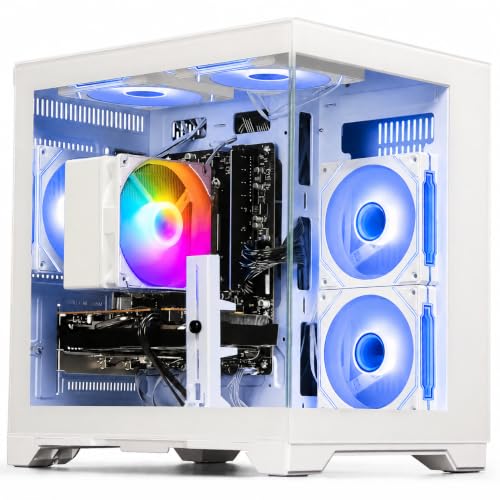
Disclosure: As an Amazon Associate, reviewstook.com earns from qualifying purchases. Links on this page are affiliate links at no extra cost to you; prices and availability change frequently, so check Amazon for the latest.
Is a 1080p Gaming PC Worth It in 2026? An Honest Value Analysis
Is a 1080p gaming PC worth it? The short answer is yes — for most players, it is the best-value purchase in PC gaming — but a short answer is not what a purchase of this size deserves, so this page does the long version properly. “Worth it” is a relationship between three things: what the machine costs across its whole life, not just at checkout; what it delivers, in the games you actually play, on the screen you actually own; and what the alternatives — a console, a higher-resolution PC, cloud gaming, or simply waiting — would deliver for the same commitment. Weigh those three honestly and the answer stops being a matter of opinion. For the majority of readers it will be a confident yes. For a specific minority — large-screen fidelity lovers, and buyers whose budget genuinely covers a complete 1440p system — the honest answer is “not for you”, and we will tell you exactly where that line sits.
One ground rule before the analysis: this page argues in tiers and proportions rather than fixed prices, because prebuilt prices move constantly and any figure printed here would be wrong within weeks. The reasoning, unlike the prices, does not expire. The machines cited as examples are verified current listings spanning the category’s tiers, and the criteria behind the verdict are the same ones used across this cluster — 1080p Gaming PC Buying Guide for the buying mechanics, 1080p Gaming PC Pros And Cons for the balanced ledger this analysis draws on.
In this guide
Key Takeaways
- On cost per hour of high-quality gaming, a sensibly bought 1080p PC beats every alternative for anyone who plays regularly — the machine’s price spreads across thousands of hours and a library you largely already own or buy cheaply.
- The value peaks in the mid tier: current-generation graphics, a terabyte of storage and a rated power supply deliver high settings and long life without the premium tier’s diminishing returns.
- Ownership costs favour 1080p throughout: cheaper monitors, cheaper upgrades, lower power draw, and streaming at the broadcast standard with no extra hardware.
- The verdict flips for two buyers: owners of large screens (32 inches and up), and fidelity-first players whose budget covers a complete 1440p system. For them, 1080p is the false economy.
- The traps that destroy value are specific and avoidable: integrated graphics, decade-old GPUs at modern prices, and dead-end platforms with minimal power supplies.
Where to Buy the Machines Used in This Analysis
Four verified machines anchor the tiers discussed below: an honest entry tower, the storage-value budget pick, the mid-tier sweet spot, and the premium no-compromise configuration. Use the links to check the latest price on Amazon for each exact configuration, and run the cost-per-hour arithmetic in this article against the real figures on the day you buy. reviewstook.com may earn a commission on qualifying purchases; the analysis names the tiers where we would not spend our own money, which is the only disclosure that actually matters.
WIWB Gaming PC Desktop (Ryzen 5 5500, RX 6500 XT) — AMD Ryzen 5 5500, Radeon RX 6500 XT, 16GB DDR4, 512GB SSD. Check on Amazon
ZYNEEX Prebuilt Gaming Desktop (Ryzen 5 5500, RTX 3050) — AMD Ryzen 5 5500, GeForce RTX 3050 6GB, 16GB DDR4 3200MHz, 1TB NVMe SSD. Check on Amazon
ZOTAC MEK Gaming PC (Ryzen 5 5500, RTX 5060) — AMD Ryzen 5 5500, GeForce RTX 5060 8GB, 16GB DDR4, 1TB NVMe SSD. Check on Amazon
KOTIN Gaming PC Desktop (Ryzen 7 8700F, RTX 5060 Ti, 32GB) — AMD Ryzen 7 8700F, GeForce RTX 5060 Ti 8GB, 32GB DDR5, 1TB SSD. Check on Amazon
The Cost Side: What a 1080p Gaming PC Really Costs Over Its Life
Start with the purchase, framed by tier. The entry tier — machines like the WIWB tower with its Ryzen 5 5500 and RX 6500 XT — buys genuine discrete-graphics gaming: esports at speed, mainstream titles at sensible settings, and a full Windows computer for everything else in life. The mid tier — the ZOTAC MEK’s formula of an RTX 5060, a terabyte of storage and a Gold-rated power supply — buys high settings across the board at this resolution and, crucially, time: current-generation features like modern DLSS that keep the machine relevant as games advance. The premium tier — the KOTIN 32GB configuration — buys surplus: maximum frame rates, streaming headroom and a platform that shrugs at the next resolution. None of these tiers is a mistake in itself; value is destroyed by mismatches between tier and owner, not by tiers.
Now the costs buyers forget. The monitor: at 1080p, an excellent high-refresh display costs a fraction of its 1440p equivalent, and it is not an optional accessory but half the experience — a cheap PC behind a great monitor feels faster than the reverse. Upgrades: a 1080p machine’s mid-life refresh is a mid-tier graphics card or an extra SSD, not a flagship; and if the tower was bought on a modern platform with power-supply headroom, those upgrades are swaps, not rebuilds. Power: a 1080p system draws meaningfully less electricity under load than a higher-resolution rig doing the same gaming, a small monthly mercy that compounds over years. Games themselves: PC libraries are routinely discounted, backwards compatibility is total, and there is no subscription toll for online play. Add the columns honestly and the total cost of ownership is where the 1080p case quietly becomes overwhelming — the machine is not just cheaper to buy, it is cheaper to live with, every month, in every category.
The Value Side: What You Actually Get
Against those costs, weigh the delivery. A mid-tier 1080p machine in 2026 plays the entire modern catalogue — not a curated subset, the catalogue — at high settings and frame rates that flatter fast monitors, with upscaling in reserve for the heaviest releases. It plays the competitive titles at the standard the professionals use. It streams at the resolution the platforms broadcast. It doubles, without apology, as a fast general-purpose computer for work, study and creation, which no console and no cloud subscription does. And it does all of this on day one and, with the longevity mechanics described below, for years. Cost per hour is the metric that settles “worth it” arguments: a machine used for ten hours of gaming a week — unremarkable for an enthusiast — delivers thousands of hours across a normal lifespan, and at that denominator even the premium tier’s cost per hour undercuts almost every other form of entertainment the same household buys. The buyers for whom the arithmetic fails are light users, and the alternatives section below is written for them.
Longevity: How Long the Value Lasts
A purchase is worth it for exactly as long as it keeps delivering, so longevity deserves its own examination. Three forces extend a 1080p machine’s life beyond its raw specifications. First, the player base: 1080p is where most PC gamers are, so developers optimise for it as a baseline — your machine is the target hardware, not an afterthought. Second, upscaling: DLSS and FSR improve yearly and apply retroactively to the games and cards that support them, effectively upgrading your graphics card through software. Third, the platform effect, which is in your control at purchase: a DDR5 motherboard and a properly rated power supply convert the machine’s eventual ageing from a replacement event into a component swap. Against those forces, the honest counterweight is the market’s slow drift upward in resolution, which narrows resale values and, eventually, the flagship experiences designed for higher pixel counts. Net assessment: a mid-tier 1080p machine bought today should deliver four to five years of high-quality service, with entry machines lasting as long in lighter libraries — a lifespan that makes the cost-per-hour case comfortably.
The Alternatives, Taken Seriously
A games console is the strongest alternative and deserves respect: for pure living-room gaming on a TV, at a fixed low entry cost, it is superb, and for a household that games only on a television it may be the correct answer. Its limits are the ones PCs exist to escape — no upgrade path, paid online play, a narrower and pricier game catalogue over time, no modding, and no second life as a work machine. If the tower would also replace an ageing family computer, the comparison collapses in the PC’s favour; if it would not, and the screen is a TV, think hard about the console. A 1440p PC is the right alternative for the large-screen fidelity buyer, fully analysed in 1080p Gaming PC Vs 1440p Gaming PC — worth it when funded completely, a false economy when funded halfway. Cloud gaming suits the genuinely occasional player: no hardware, instant access, but a perpetual subscription, latency that competitive players feel, image compression, and a library you rent rather than own. Waiting is the alternative nobody should choose by default: hardware improves on a treadmill with no finish line, and a good machine bought now delivers years of gaming that a marginally better machine bought later never repays.
Who It Is Worth It For — and Who It Is Not
Worth it, clearly: the regular player with a 24-to-27-inch desk setup; the competitive player at any budget; the student or first-time buyer whose machine must also be their computer; the streamer starting out; the back-catalogue player with a decade of games to enjoy. Not worth it: the owner of a 32-inch-plus screen or TV-first setup, for whom the sharpness ceiling is a daily tax — buy 1440p or a console honestly instead; the fidelity-first player with a complete 1440p budget, who would spend 1080p ownership quietly wishing otherwise; and the very occasional player, for whom a console or cloud subscription converts a capital purchase into a trivial monthly one. Notice what is absent from the “not worth it” list: anyone priced out by the premium tier. The category’s value does not live at the top. The entry and mid tiers — the WIWB, the ZYNEEX with its terabyte of storage, the ZOTAC — are where the worth-it case is strongest, which is the opposite of how most technology categories behave and the deepest reason this one endures. Our full reviews of the field, 1080p Gaming PC Reviews, rank the current machines by exactly this value logic.
How to Maximise the Value If You Buy
Buy the mid tier if you can reach it, the honest entry tier if you cannot, and the premium tier only with a named reason — streaming, 240Hz, or a planned 1440p move. Buy the platform, not just the parts: DDR5 and a rated power supply are value features, because they convert future replacements into upgrades. Spend on the monitor as if it were a component, because it is one. Set the machine up correctly on day one — graphics-card port, refresh rate, current drivers, DLSS enabled — using How To Set Up 1080p Gaming PC, because a misconfigured premium machine delivers entry-tier experience at premium cost, the single worst value outcome in the category. And buy games the PC way: wishlists, sales, bundles. The library economics of this platform reward patience so reliably that they belong in the worth-it calculation itself.
Common Mistakes That Destroy the Value
- Buying the trap listings. Integrated graphics or a decade-old GPU at a modern price converts a five-year asset into a one-year disappointment. The specification checks in How To Choose A 1080p Gaming PC take two minutes and prevent it entirely.
- Overbuying the tower and starving the monitor. A premium PC behind a 60Hz screen wastes the largest single share of its capability. Balance the system budget.
- Buying a dead-end platform to save a little. DDR4 and a minimal power supply save money once and cost it repeatedly, at every upgrade that becomes a replacement.
- Judging by checkout price alone. Ownership cost — monitor, upgrades, power, game prices, online fees — is where 1080p wins. Run the whole ledger.
- Waiting for the perfect moment. There is no final generation. A good machine now beats a theoretical machine later by exactly the years of gaming in between.
Final Recommendation
Verdict: yes — a 1080p gaming PC is worth it in 2026 for the large majority of players, and it is not close. No alternative matches its combination of high settings, high frame rates, affordable high-refresh monitors, low ownership costs, total backwards compatibility and a second life as a real computer. Buy at the entry tier for esports and lighter libraries, the mid tier for the full modern catalogue, and the premium tier only with a reason you can say out loud. Decline it, with our blessing, if your screen is large, your taste is fidelity-first and your budget funds 1440p completely — or if you barely play, in which case rent your gaming from a console or the cloud. Everyone else: buy the balanced machine, set it up properly, and stop reading comparison pages. The games are the point, and at 1080p they have never been cheaper to play this well.
The Cost-Per-Hour Test, Worked Properly
Abstract value claims settle nothing, so here is the arithmetic this article keeps invoking, done openly with proportions instead of prices. Take any tier’s total system cost — tower, monitor, peripherals — and divide it by the hours you will actually play across the machine’s life. A regular player at ten hours a week accumulates over two thousand hours in four years. At that denominator, even a premium-tier system costs less per hour than a single streamed film rental, less than the coffee beside the keyboard, less than almost any leisure line in the household budget — for the best version of the hobby, at high settings, on your own hardware, with a library you own. Drop to three hours a week and the same machine costs roughly three times as much per hour, still modest, but now the console and cloud alternatives start winning their heats, which is exactly why playtime honesty is the first input to the worth-it question. The formula never changes; only your hours do. Estimate them pessimistically — use your worst recent month, not your best — and the conclusion you reach will survive contact with reality.
Run the same test on the upgrade path and the platform argument prices itself. A machine bought on a modern platform with power-supply headroom converts its mid-life refresh into a single component — a graphics card, a drive — while a dead-end machine converts it into a second full purchase. Over two ownership cycles, the “expensive” platform is routinely the cheaper object, which is why this article treats the KOTIN-class specification as a value proposition rather than a luxury, and why the cheapest listings in the category, with their minimal power supplies and obsolete platforms, are so often the most expensive way to own a gaming PC. Worth-it analysis that stops at the checkout is not analysis; it is shopping.
The Hidden Ledger: Costs and Savings Nobody Puts in the Review
Beyond the obvious lines, a 1080p PC carries a tail of small economics that compound. Electricity: lower rendering loads mean lower draw under gaming, and in households where the machine runs daily, the annual difference against a higher-resolution rig is real money rather than a rounding error. Heat is the same coin’s other side — less air-conditioning load in summer, less fan noise buying its way into headsets and microphones. Game pricing: the PC ecosystem’s perpetual sales mean a patient player’s library costs a fraction of its console equivalent over years, and the back catalogue never orphans — the games you bought a decade ago install and run, which quietly deletes the rebuying cost that other platforms normalise. Repairs: a tower is modular, so the failure of one part is the price of one part, fitted by any local shop or by you with a video open; sealed alternatives price failures as replacements. Insurance, resale and hand-me-down value follow the same pattern — standard parts are liquid, useful and understood everywhere. None of these lines decides the question alone. Together they describe a platform whose economics keep paying small dividends for its entire life, which is what “worth it” actually means when the phrase is used carefully.
The Family and Shared-Household Case
One buyer deserves a section of their own, because their arithmetic is the strongest of all: the household. A 1080p gaming PC in a shared home is not one person’s hobby purchase; it is simultaneously the children’s homework machine, the household’s photo and document computer, the video-call terminal, the second television through streaming, and the gaming machine — five roles that would otherwise be five devices or five compromises. Its games library serves multiple players across years. Its upgrade path refreshes every role at once. When the cost is divided not by one player’s hours but by a household’s total use, the worth-it question stops being a debate and becomes a formality, and it explains a pattern sellers in this category know well: the family tower, bought “for the kids’ games”, becomes the most-used computer in the house within a month. If that is your situation, buy the mid tier, buy the good monitor, and do not let anyone talk you into the trap listings on the grounds that it is “only for games”. It will not be only for games by the end of the first week.
A Simple Decision Procedure
For readers who want the conclusion as a procedure rather than an essay: answer four questions. One — how many hours a week do you honestly play? Under two, rent your gaming (console or cloud) and stop here. Two — what screen will you use? A television or a monitor of 32 inches or more points away from 1080p; a desk monitor of 24 to 27 inches points directly at it. Three — does the machine have a second job (work, study, streaming, family use)? Yes strengthens the PC case at any tier. Four — which tier matches your library: esports and back catalogue, entry; the modern catalogue at high settings, mid; streaming, multitasking or a future 1440p move, premium. If your answers point at 1080p — and for most readers of a page with this title, they do — then the remaining work is purely mechanical: shortlist with 1080p Gaming PC Reviews, verify with the checks in How To Choose A 1080p Gaming PC, and buy without the lingering suspicion that a better answer existed. It did not. For your answers, this was it.
The Counter-Case, Steelmanned: When the Answer Is Genuinely No
An analysis that only argues one side is a sales page, so here is the strongest honest version of “no”. If your gaming happens on a large television, 1080p asks you to accept the weakest version of the experience — visible softness, a settings ceiling imposed by distance and size — while a console delivers the room’s native experience for less money and no decisions; the PC’s advantages in library economics take years to repay a mismatch you feel nightly. If your taste runs to the visual frontier — the releases bought specifically to see what graphics can now do — then 1080p is not a cheaper version of your hobby but a different, lesser one, and the money “saved” purchases a permanent low-grade regret that no cost-per-hour table can argue away; buy the complete 1440p system or wait until you can. If your play is genuinely occasional — a few hours a month, one game at a time — the capital sits idle, and subscriptions that convert idle capital into a small monthly fee are economically rational in a way enthusiasts rarely admit. And if your household already owns capable computers for work and study, the PC’s second-job argument, one of its strongest, simply does not apply to you. Four honest noes. If none of them describes you — and for the majority of readers who reached this page by searching the question, none of them does — then the yes that follows is not enthusiasm. It is arithmetic.
Worth It, Tier by Tier: the Final Breakdown
Entry tier — worth it for its audience, without reservation. The honest entry machines deliver the most popular gaming on earth at full quality for the category’s lowest commitment, and their only sin in most coverage is not being other machines. For esports, back catalogues and first PCs, the value per hour is the best in this entire analysis. Mid tier — the strongest worth-it case in PC gaming. Current-generation graphics, a terabyte of storage, a rated power supply and a modern or mature platform, at a price the console ecosystem approaches once its subscriptions and game prices are totalled — for the full modern catalogue at high settings. If this article has a thesis, it is that the mid tier of 1080p is where the industry’s value currently lives. Premium tier — worth it conditionally, and the conditions are checkable. Streaming, multitasking, very-high-refresh monitors, or a deliberate 1440p staging plan each justify it independently; absent all four, it is a pleasure purchase, and pleasure purchases are legitimate when made knowingly — the only illegitimate version is the one sold to a buyer who needed none of it. State your condition out loud before checkout. If you can, the premium is worth it to you, by definition, and no reviewer outranks that.
The Resale and Exit Test
A purchase is also worth examining from its exit, because every machine is eventually sold, gifted or retired, and the value recovered there is part of the original decision’s return. Standard-component 1080p towers exit well by the standards of consumer electronics. Their parts are the industry’s most common, so a whole machine finds buyers among students, families and first-time gamers — the exact audiences this article has described — and a parted-out machine finds them even faster, because mid-tier graphics cards, DDR memory, SSDs and cases all have liquid second-hand demand. The premium-platform machines exit best of all: a DDR5 tower with a quality power supply is a desirable used purchase years later precisely because its upgrade story still works for its second owner. Against this, set the trap listings one final time: an integrated-graphics tower or an obsolete-platform build has almost no exit value, because its second owner faces the same disappointment its first one did, and the market prices that knowledge accurately. Buying well is therefore doubly rewarded — once in the using, once in the leaving — and buying badly is doubly taxed. It is the last line of the worth-it ledger, and it lands where every other line has landed: the balanced, honestly specified 1080p machine is the purchase that keeps being right.
If You Take One Page of Notes From This Analysis
Distilled to its minimum, the worth-it case is five sentences. 1080p converts sensible money into high settings and high frame rates because it asks the least of the hardware. The mid tier is where that conversion is most efficient, and the entry tier is where it is most accessible. Ownership keeps paying — monitors, upgrades, power, games — long after the checkout is forgotten. The exceptions are specific and nameable: big screens, fidelity-first taste with a complete budget, and genuinely occasional play. And the only way to lose money in this category is to buy its traps, which two minutes of specification checks make impossible. Everything else in this article — the arithmetic, the alternatives, the household case, the exit test — is those five sentences with their working shown. If they describe your situation, the question in this page’s title has its answer, and the remaining task is the enjoyable one: choosing the machine, with the reviews and guides in this cluster as your shortlist and your checklist.
The Opportunity-Cost Test: What Else the Money Could Do
Worth-it analysis is incomplete until the money’s alternatives inside the hobby are priced, because the premium not spent on a tower does not vanish — it becomes other gaming. Consider what the step from the mid tier to the premium tier typically represents when redirected: a monitor upgrade that transforms every session, a year or more of games bought at sale prices, a genuinely good headset and the mouse you actually wanted, or a second screen for the desk. For many buyers, that bundle delivers more total gaming happiness than the premium tier’s headroom — which is the economic skeleton inside this article’s repeated advice to buy the mid tier and balance the system. Run the same test downward and it reverses: the step from the entry tier to the mid tier, redirected, buys peripherals and games too — but the mid tier’s purchase is different in kind, buying settings freedom and years of relevance in the entire modern catalogue, things no peripheral provides. Opportunity cost therefore blesses the middle and interrogates both ends: the entry tier must justify what it cannot play, the premium tier must justify what its surplus replaces, and the mid tier — the one that plays everything, on the platform that lasts, at the price the alternatives cannot match — simply has the least explaining to do. That is as close to a law as consumer advice gets, and it is why this analysis, having examined every alternative it could construct, ends where the market’s own centre of gravity sits.
A Word to the Reader Who Is Still Hesitating
Hesitation at this point is usually not about the analysis — it is about the permanence of spending, and it deserves a direct answer rather than more data. The fear underneath most delayed purchases is buying the wrong thing and living inside the mistake. Examine what that mistake could actually be, given the checks in this cluster: not a trap listing, because you know the specification tests; not a dead-end platform, because you know the platform question; not a mismatched monitor, because you know the pairing rule. The realistic worst case, after honest diligence, is a good machine that is five percent less ideal than another good machine — a difference you will never perceive in a single session of your actual gaming life. Against that bounded, invisible downside, weigh the certain cost of waiting: every month of analysis is a month of the gaming the purchase exists to provide, played on whatever you are tolerating now. The worth-it question has been answered by the arithmetic, the alternatives, the tiers and the exit test. What remains is not a decision problem. Buy the balanced machine, set it up properly, and let the next question you research be about a game.
The Intergenerational Test: Would You Recommend It to Family?
There is a final test that cuts through analysis paralysis, used by reviewers precisely because it cannot be gamed: would you recommend this purchase, at this tier, to a sibling, a parent, or your own child, spending their money as carefully as yours? Applied here, the test sorts the category instantly. The trap listings fail it without discussion — nobody who understood them would hand one to family. The entry tier passes it for the young player whose library it covers completely. The mid tier passes it for essentially everyone, which is why it is this article’s default answer. The premium tier passes it only when the named conditions — streaming, multitasking, high-refresh, the staged 1440p plan — are true of the specific person, because recommending surplus to family is just overspending with extra steps. And the category as a whole passes it in a way its alternatives struggle to match: a console recommendation expires with its generation, a cloud recommendation rents forever, but a well-bought 1080p tower serves a household for years and then serves a second one. When an analysis and the family test agree, as they do here, the conclusion is as settled as consumer questions ever get. A 1080p gaming PC, bought at the right tier with the traps avoided, is worth it — for you, and for anyone whose money you would spend as your own.
The Environmental Footnote to Worth It
One dimension of worth rarely priced into these decisions deserves its paragraph, because for a growing number of buyers it is part of the word’s meaning. A 1080p system, bought at the right tier and kept for its full life, is the lower-impact way to game on a PC: less electricity drawn per hour of play, fewer and cheaper components consumed across its upgrades, and a second life in another household that sealed or obsolete alternatives do not get. The single most impactful choice in the whole analysis, environmentally, is the same as the most impactful one financially — buy once, buy balanced, and keep it — because the machine never manufactured is the only one with no footprint, and every trap listing replaced within a year manufactures two machines to do one machine’s job. Buyers who weigh this dimension can therefore follow the financial advice in this article with a clear conscience: the value-optimal purchase and the impact-optimal purchase are, unusually, the same purchase. Worth it, in the fullest sense the phrase allows, turns out to be a property of the same short list of machines this analysis has recommended from its first page — honestly specified, sensibly tiered, and built to be kept.
The Answer, Restated for the Last Time
Pages like this one earn their length by refusing to answer a real question with a slogan — but they also owe the reader the slogan at the end, with the working attached. So: yes, a 1080p gaming PC is worth it in 2026, for the regular player at a desk, at the entry tier for light libraries, the mid tier for the modern catalogue, and the premium tier for named reasons. It is worth it in the purchase, in the monthly costs, in the upgrades that stay small and voluntary, in the library that never orphans, and in the exit that returns value instead of landfill. It is not worth it for the large-screen fidelity buyer with a complete alternative budget, nor for the genuinely occasional player better served by renting — and this analysis has named those readers as carefully as it named its own. Everyone else has been given arithmetic, alternatives, tiers, tests and a decision procedure, and they all converge. The question is answered. The shortlist is in this cluster. The games, as ever, are waiting.
Postscript: the Question Behind the Question
People rarely search “is it worth it” about purchases they are indifferent to; the search itself usually means the desire is real and the permission is missing. So it is worth saying, at the end of several thousand words of arithmetic, that the arithmetic was never the whole decision — it was the due diligence that lets a person enjoy a purchase without the background hum of doubt. If the analysis in this article cleared your specific situation — desk, library, budget, second jobs — then the remaining step is not more analysis but the purchase itself, made at the tier your answers named, from the shortlist this cluster verified. Gaming PCs are, among all major purchases, unusually honest objects: they return, daily and measurably, almost exactly what a well-chosen specification promises. Few things bought with real money can say as much. That reliability — more than any single tier, feature or frame rate — is the deepest sense in which the answer to this page’s question is yes.
The Five-Year Snapshot
Project the purchase forward to make the verdict tangible. In year one, the machine plays everything, the monitor impresses daily, and the cost feels present. In year two, upscaling has quietly absorbed the first heavy releases, the library has grown through sales, and the machine has also become the household’s default computer for a dozen unglamorous jobs. In year three, a friend replaces a console generation while your tower accepts the same games without ceremony. In year four, you consider a single component — perhaps storage, perhaps a graphics card if your taste has grown — and the platform you chose makes it an afternoon rather than a purchase. In year five, the machine is either still serving, demoted to a second room with honour, or sold to a student who will get three more years from it. Spread the original decision across that snapshot and the question in this page’s title answers itself in the only tense that matters — the future perfect: it will have been worth it.
There is also a quieter dividend worth naming before the close: competence. Owning a well-chosen PC teaches its owner how computers actually work — components, drivers, settings, upgrades — at exactly the pace the owner chooses, and that literacy transfers to every machine, job and purchase that follows. Consoles and cloud services are designed to teach nothing, which is their convenience and their cost. A first gaming PC bought well is therefore partly an education bought once and used for decades, and while no spreadsheet in this article priced it, every experienced owner we have ever met counts it among the returns. Worth, in the end, is everything the purchase gives back — and this one gives back more kinds of things than most.
The verdict, in the end, is not really about a resolution at all. It is about buying the honest version of a thing, at the tier your life actually requires, on a platform that respects your future — and at 1080p, uniquely in modern gaming, that purchase is available at every budget a reader of this page is likely to bring to it.
Frequently Asked Questions
Is a 1080p gaming PC worth it over a console?
For desk-based play, yes: no online subscription, cheaper games over time, mods, upgrades instead of replacement, and the machine doubles as a full computer. For TV-only living-room gaming, a console’s simplicity and low entry cost make it a genuinely competitive alternative.
How long will a 1080p gaming PC stay worth it?
A mid-tier machine should deliver four to five years of high-quality gaming, helped by developer optimisation for the resolution and by upscaling technology. Entry machines last as long in esports and back-catalogue libraries. Platform choice — DDR5 and a good power supply — is what turns year five into an upgrade instead of a replacement.
Is the premium tier worth the extra money?
Only with a specific reason: streaming or content creation alongside gaming, a 240Hz monitor to feed, heavy multitasking that justifies 32GB of memory, or a planned move to 1440p. For pure 1080p gaming on a typical monitor, the mid tier delivers the same visible experience.
Is 1080p a waste on a big monitor?
On screens of 32 inches and above at desk distance, the sharpness limits are visible enough that we would steer you to 1440p. At 24 inches it is entirely comfortable, and at 27 inches it is a legitimate preference call weighted by how much you value frame rate.
What is the cheapest way to get into 1080p gaming properly?
An honest entry-tier tower — discrete graphics card, 16GB of RAM, SSD storage — paired with an affordable high-refresh 1080p monitor. Spend nothing on integrated-graphics listings, however gaming-styled; they are the one purchase in this category that is never worth it.
Will my 1080p PC handle future games?
Yes, with the normal caveat that settings expectations evolve. Developers target the installed base, upscaling keeps mid hardware viable longer than raw specifications suggest, and a sensibly platformed tower accepts a graphics upgrade when the day eventually comes.
Is it worth waiting for the next generation instead?
Almost never. Each generation improves incrementally, prices reset rather than collapse, and the years of gaming in between are the actual product. Buy the good machine when you need it; the treadmill has no top step.


