Disclosure: As an Amazon Associate, reviewstook.com earns from qualifying purchases. Links on this page are affiliate links; they cost you nothing extra. Prices and availability change often, so check the current Amazon listing before you buy.
Learning how to clean a trackball mouse properly takes about ten minutes, a soft cloth, and the willingness to pop the ball out of its socket, and it will restore the smooth, precise glide your trackball had on the day it arrived. Trackballs do not wear out the way their owners fear; they accumulate. Skin oil, dust, pet hair, and the general film of a working desk migrate onto the ball and, more importantly, onto the tiny support bearings inside the cup, until the pointer starts to stutter, skip, and drag exactly when you need fine control.
This guide covers the full job in the right order: the quick daily wipe, the proper deep clean with the ball removed, cleaning the optical sensor window without damaging it, and the bearing care that makes the difference between a trackball that feels gritty and one that spins freely. It also covers what never to use, because the internet’s favourite solvents and lubricants include a few that will quietly ruin a ball’s finish or gum the bearings you just cleaned.
No products are linked in this article, deliberately. Cleaning a trackball is a technique, not a purchase, and everything required is already in a kitchen or bathroom cabinet. Where replacement parts or a new device genuinely become the answer, the final sections explain how to recognise that point honestly instead of cleaning a dead trackball forever.
Key takeaways
- Most trackball stutter is dirt on the ball and its three support bearings, not electronic failure
- Remove the ball for a real clean; wiping it in the socket only moves the grime around
- Clean the bearings and the sensor window as carefully as the ball itself
- Water and a drop of mild soap are enough; solvents and household lubricants cause the damage owners blame on age
- A two-minute weekly wipe prevents the deep clean from ever becoming an excavation
In this guide
The three levels of trackball cleaning
| Level | Time | What it covers | When |
|---|---|---|---|
| Quick wipe | Under a minute | Ball surface, shell, scroll ring | Daily or when glide feels off |
| Standard clean | About ten minutes | Ball removed, bearings, sensor window, socket | Monthly, or when stutter appears |
| Deep clean | Thirty minutes | Everything above plus bearing points and cable or contacts care | Quarterly, or after illness or a spill |
Most owners only ever perform the first level and then wonder why the second level becomes necessary. The table is a rhythm rather than a menu: small, frequent attention keeps the ball’s environment clean enough that the deeper levels stay quick when their turn comes. A trackball neglected for a year can absolutely be rescued by the deep clean, but it will take the full half hour and a certain amount of disbelief at what comes out of the socket.
Why trackballs get dirty in a way mice never do
A conventional mouse glides over a desk on its feet and reads the surface beneath it; its sensor window faces down and stays comparatively sheltered. A trackball inverts the arrangement. The ball is the surface, your fingers are in constant contact with it, and everything your hands carry, skin oil, hand cream, crumbs’ dust, pet dander, is delivered directly onto the one component whose smoothness decides the device’s feel. The ball then rolls that film down into the socket, where it collects on the support bearings like brake dust on a wheel.
Those bearings deserve an introduction, because they are the real subject of this guide. Inside the cup, the ball rests on three small contact points, either tiny fixed balls of ruby, ceramic, or steel, or small rollers depending on the model. When they are clean, the ball floats on them with almost no friction and a fingertip can set it spinning. When they are filmed with grime, each rotation drags, and the sensor reads that uneven motion as stutter. Nine trackball complaints out of ten are bearing complaints wearing a disguise.
The sensor itself is the third party in the arrangement. It watches the ball’s surface through a small window in the socket and tracks the pattern of specks and texture in the ball’s finish. A film of oil changes how that surface reflects, and dust on the window blurs the view. Cleaning only the ball and ignoring the window is the classic half-job: the glide returns, the tracking does not, and the owner concludes the device is dying when it is merely dirty in two places instead of one.
What you need, and what to keep away from the desk
The complete kit is short: a soft microfibre cloth, a second cloth or some cotton swabs for the socket, warm water, a drop of mild washing-up liquid, and a can of compressed air if you own one, though a dry swab does the same work more gently. A wooden toothpick or a plastic spudger helps with the scroll ring’s groove on models that have one. That is the entire list, and its shortness is the point: trackball cleaning is a soap-and-water discipline.
Now the exclusions, which matter more. Keep solvents away from the ball: acetone, strong alcohol solutions, and citrus degreasers can cloud or soften the resin finish that the sensor reads, and a clouded ball tracks badly forever. Keep household lubricants away from the bearings: sprays and oils attract dust, migrate onto the ball, and convert next month’s cleaning into a degreasing operation. The bearings in a trackball are designed to run dry and clean; the lubrication the system uses is, elegantly, the natural oil from your own fingers transferred through normal use.
One more exclusion concerns water and the device itself. The ball can be washed like a marble because it is one. The body of the trackball cannot: it contains the sensor, the switches, and on wireless models a battery and charging contacts. The socket gets a barely damp cloth or swab, never a rinse, and the device stays unplugged or switched off throughout, both for safety and so the pointer is not skating across your screen while you work.
Removing the ball without drama
Most trackballs release their ball in one of two ways. Many have a hole in the base beneath the socket: turn the device over, push a fingertip, a pencil’s eraser end, or another blunt object through the hole, and the ball pops up into your waiting other hand. Others simply let you lift or roll the ball out from the top with firm fingertip pressure, sometimes after twisting a retaining ring, as on models with a scroll ring around the ball. If your model has a ring, consult its manual once, because rings that unscrew resent being prised.
Do this over a desk or a towel, not over a hard floor and never over a sink. A trackball is a dense, polished sphere with a talent for escaping, bouncing, and rolling under furniture, and a dropped ball can chip, which converts a cleaning session into a replacement purchase. Work over a soft surface, keep a small bowl nearby to receive the ball, and if the ball does escape onto carpet, wash it again before it goes back, because it will return wearing the carpet’s entire history.
With the ball out, look into the socket before you touch anything. You will see the sensor window, usually a small dark lens at the base or side of the cup, and the three bearing points arranged around the wall. On a neglected device you may also see a visible tide-line of grey film and, occasionally, hair wound around a roller. This inspection is diagnostic: it tells you whether your stutter was the ball, the bearings, the window, or all three, and it takes ten seconds.
Cleaning the ball itself
Wash the ball in warm water with a single drop of mild washing-up liquid, working it between your palms and then with the microfibre cloth. The goal is to strip the accumulated oil film completely, and you can feel the moment it goes: a clean resin ball squeaks faintly against the cloth and stops feeling slippery. Rinse it thoroughly, because soap residue is itself a film, and dry it fully with the cloth before polishing it briefly with the dry side.
Inspect the ball while it is in your hand and clean. Look for chips, flat spots, and deep scratches, and run a fingernail lightly across any suspicious mark. Minor scuffs are cosmetic and the sensor reads through them happily, but a chip or a crack changes the ball’s roll and its optical pattern at that point, and no cleaning will restore it. A damaged ball is one of the few genuine end-of-life findings in this guide; replacement balls exist for popular models and are a legitimate repair rather than a new device.
Resist upgrading the ball’s finish while you wash it. Do not polish it with compounds, do not wax it, and do not apply the internet’s suggestion of rubbing it on your forehead to re-oil it before its first use after cleaning. A freshly washed ball feels slightly grabby for the first hour of use and then settles as your fingers recondition it naturally. That brief settling period is normal and is the sign the clean was thorough, not a sign you broke something.
The bearings: the ten minutes that actually fix it
With the ball washed and drying, turn to the socket. Wrap the microfibre cloth around a fingertip, dampen it very slightly, and wipe the inside of the cup in a slow circuit, pressing gently into the curve where the wall meets the base, because that gutter is where the film concentrates. Follow with cotton swabs for the details, rolling each swab as you work so it presents a clean surface, and expect a well-used trackball to surrender an embarrassing amount of grey.
Find the three bearing points and clean each one individually. On fixed-bearing designs they are small polished beads set into the cup wall; wipe each until it shines, and spin it with a fingertip if the design allows, to expose its whole surface. On roller designs, roll each roller through a full turn against a damp swab, then a dry one, because a roller cleaned on only one side carries its dirt back into service within the hour. A wooden toothpick lifts the felted ring of fibre that forms around roller axles; use it gently and never with metal tools.
Finish the socket with the sensor window. A dry cotton swab, or one barely breathed on, buffed lightly across the lens removes the dust film without risk. Do not press hard, do not use a wet swab that can leave a droplet to dry into a spot, and do not use compressed air at point-blank range, which can drive dust deeper into the housing on some designs. A gentle puff from a hand blower or a soft brush is the aggressive end of what a sensor window ever needs.
The shell, the scroll ring, and the buttons
While the socket dries, give the rest of the device its due, because a clean ball in a grubby shell is a job half finished. Wipe the palm rest and button surfaces with the barely damp cloth, working around the button seams where skin oil and dust form the familiar dark lines. On models with a scroll ring around the ball, rotate the ring slowly while holding the cloth against its groove; the ring’s knurling collects a paste of oil and dust that eventually makes rotation gritty, and it cleans up beautifully with patience.
Buttons that have begun to feel sticky usually have contamination at their seams rather than a failing switch. A swab dampened with water, run around the seam while you click the button repeatedly, works the grime out by capillary action and motion. Give the seam time to dry fully before use. If a button’s click itself has gone soft or double-fires on a clean device, that is a switch wearing out, which cleaning cannot repair, and it belongs in the honest-assessment section below rather than in another round of wiping.
Wireless models add two small tasks. Clean the charging contacts on the device and its dock or cable end with a dry swab, since a film there causes the mysterious overnight non-charging that owners blame on batteries. And check the battery compartment or USB port for the dust that migrates in from desks; a soft brush handles it. Wired models need only a glance at the cable’s strain relief, the point where cables eventually fray, which is worth knowing about before it fails mid-work.
How often to clean, and the two-minute habit that changes everything
The schedule in the comparison table, daily wipe, monthly standard clean, quarterly deep clean, is calibrated for a trackball in daily use in an ordinary home or office. Adjust it by evidence rather than by guilt: a workshop or a house with shedding pets shortens every interval, while a tidy desk and clean hands stretch them. The device itself tells you when the schedule is wrong. Glide that degrades within days of a deep clean means the environment is winning, and the answer is more frequent quick wipes, not harsher deep cleans.
The habit that changes everything is embarrassingly small: once a day, pop the ball out with a fingertip push, roll it across a clean microfibre cloth kept beside the keyboard, and drop it back in. Thirty seconds. That single routine removes the day’s oil film before it transfers to the bearings, and owners who adopt it routinely go months between standard cleans with a trackball that feels perpetually new. Pair it with a weekly wipe of the socket’s rim and you have captured most of this guide’s benefit for almost none of its effort.
Hand care is the unglamorous other half. Hand cream applied immediately before a long session will be on the ball within minutes; applying it at a break and letting it absorb first keeps most of it where it belongs. Eating at the desk is the other great accelerator of trackball grime, and while this guide would not presume to ban the desk lunch, it will note that the trackball keeps the receipts, in the socket, in grey, for months.
Thumb balls, finger balls, and how their cleaning differs
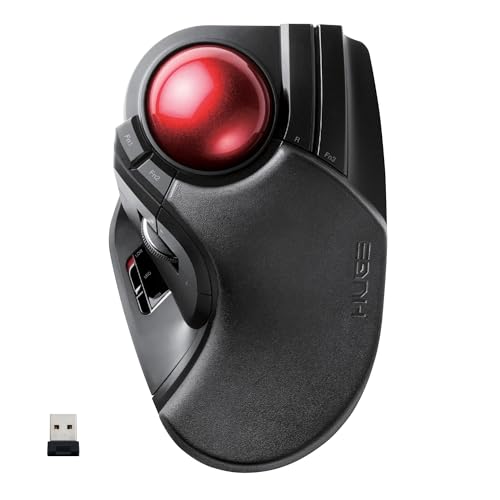
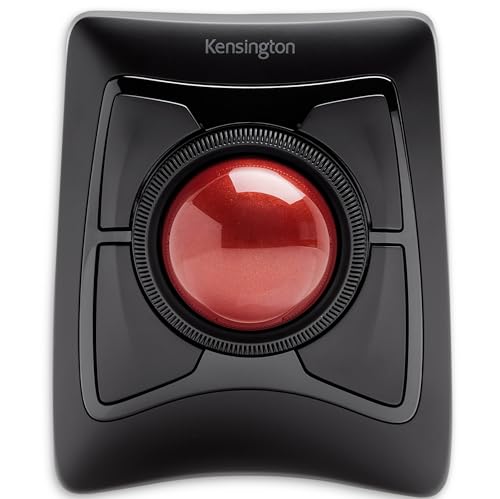
The two great trackball families foul in slightly different ways. A thumb-operated ball sits in a mouse-shaped shell and is worked by one digit, so its contamination concentrates where the thumb rests and rolls, and its socket is smaller and more enclosed, which makes swab access tighter and the base hole the essential route in. A finger-operated ball, the large central sphere of designs like the classic expert models, presents a broad surface to several fingers and to the room’s dust, so it gathers film faster across its whole area but rewards you with a socket you can practically reach into.
Adjust the routine to the design in front of you rather than following any guide, this one included, as liturgy. Thumb balls benefit from more frequent quick wipes, because the same small patch of ball passes the sensor constantly and a film there is read continuously. Finger balls benefit from attention to the scroll ring that surrounds many of them and to the wider gutter of their cups. Both families share the same non-negotiables: bearings cleaned individually, window buffed dry, ball washed with nothing stronger than mild soap.
Ambidextrous symmetrical models add one more consideration: they are used by both hands, sometimes by several people in a shared workspace, and shared devices deserve a hygiene-aware clean rather than a merely mechanical one. A standard clean with fresh swabs and a thorough ball wash is the right response to a trackball that changes hands, and it is another reason the deep clean exists in the rhythm table at the top of this guide.
Cleaning after a spill, an illness, or a workshop session
Life occasionally delivers the trackball a worse day than dust. A splash of coffee or soft drink near the device is the commonest emergency, and the response is speed with restraint: switch off and unplug at once, remove the ball, and let gravity and a dry cloth do the first work. Sugary liquid that dries inside the socket becomes a varnish on the bearings, so a prompt standard clean with damp swabs, repeated until the swabs come away clean, is worth more than any later heroics. Keep water minimal and patience maximal, and let the device dry open for hours before power returns.
After an illness in the household, a trackball is a high-touch surface that deserves the same attention as a door handle, adapted to its materials. Wash the ball with soap as usual, wipe the shell with a cloth dampened with a mild household disinfectant solution, keeping liquid out of seams and the socket, and clean the bearings mechanically as normal. The goal is a device that is hygienic without being chemically attacked, and soap, water, and restraint achieve it; soaking and spraying achieve the opposite.
Workshop and garage trackballs live the hardest lives, breathing sawdust and metal fines that ordinary office dust never dreams of. Their bearings need the deep-clean treatment at standard-clean intervals, and a soft brush kept at the bench for a daily flick around the socket rim pays for itself weekly. If a workshop trackball’s rollers have begun to feel notchy even when clean, abrasive dust may have scored them, and that is wear rather than dirt, to be judged by the replacement criteria in the FAQ.
The sensor window and tracking problems that are not dirt
Because this guide is about cleaning, it should be honest about the tracking faults cleaning cannot reach, so you can stop scrubbing and start diagnosing. A pointer that drifts or jitters with the ball held perfectly still is not a dirt symptom; suspect a reflective desk surface confusing a nearby mouse, wireless interference, or a sensor fault. A pointer that moves in steps at high speed but tracks beautifully when slow may be a polling or surface-pattern limit of the device rather than contamination.
Settings masquerade as dirt with impressive commitment. An operating system’s pointer acceleration changed by an update, a game’s raw-input toggle flipped by a patch, or a DPI setting nudged on the device itself can all feel exactly like a trackball going bad. The clean device that still behaves strangely deserves a settings audit and a test on a second computer before it deserves a shopping trip. Ten minutes of methodical checking protects a good trackball from being replaced by its own configuration.
Ball substitution is the last diagnostic worth knowing. If your model shares its ball size with another trackball in the house, swapping balls separates the variables elegantly: if the fault follows the ball, clean or replace the ball; if it stays with the body, the socket, sensor, or electronics own it. Few home diagnostics are this clean, and it is available only because trackballs, uniquely among pointing devices, keep their moving surface in a removable sphere.
Keeping a trackball clean in the real world
Environment beats effort. A trackball on a desk beside a window that opens onto a busy street, in a house with a long-haired cat whose favourite seat is the warm keyboard, will need its socket cleaned twice as often as the same device in a filtered, pet-free study, and no technique changes that arithmetic. What you can change is the micro-environment: a cover or even a cloth draped over the device overnight, a desk mat that traps dust before it migrates, and a hand-washing habit after handling pets or workshop materials before sitting down to the computer.
Travel deserves a mention because trackballs travel well and suffer for it. A ball carried loose in a bag arrives coated in the bag’s entire contents; carry the device in its case or a pouch, and give the ball a wash on arrival rather than grinding journey grit into the bearings for a week. Hotel desks and conference tables are unknown surfaces, and the thirty-second ball roll on your cloth before the first session is the traveller’s version of the daily habit.
Finally, recruit the device’s own feedback. Trackball owners develop an unconscious calibration for how their ball should feel, a particular spin, a particular silence as it rolls. Trust that calibration as an early-warning system. The day the spin feels a half-second shorter or the roll gains a whisper of texture, the bearings are asking for attention while the job is still a two-minute one. Every maintenance regime in this guide is just a way of answering that whisper before it becomes a shout.
What the manufacturers say, and where experience disagrees
Most trackball manuals devote a paragraph to cleaning, and it usually recommends a dry cloth and warns against liquids altogether. That advice is written for warranty departments: it is the guidance least likely to damage any unit in any hands. Experience refines it rather than refuting it. A dry cloth alone cannot remove the oil film that is the main contaminant, which is why the ball, the one part with no electronics, graduates to soap and water in this guide, while the body of the device keeps the manual’s caution in full.
Where experience and manuals agree completely is on lubricants: neither recommends them. They also agree on disassembly, which this guide has deliberately never suggested. Everything described here happens through the openings the design itself provides, the ball socket, the button seams, the base hole. The moment a repair seems to require opening the shell, it has left cleaning’s territory and entered the territory of the maker’s support, a warranty claim, or a confident hobbyist’s bench, and it should be recognised as such rather than drifted into with a screwdriver in hand.
A note for the newly converted: the first month with a trackball
Many readers will meet this guide in their first weeks of trackball ownership, when the device is clean but the relationship is not yet calibrated. Two reassurances belong here. First, the slight awkwardness of your aim is not dirt and will not wash off; it is a motor skill under construction, and the companion guide to using a trackball, linked below, addresses it properly. Second, the film that appears on a new ball within days is normal and is the beginning of the maintenance rhythm, not a defect in your particular unit.
Start the habits while they are cheap. Keep the cloth at the desk from day one, learn how your model’s ball releases before you need to remove it in a hurry, and do the first standard clean at the end of the first month whether it seems needed or not, purely as rehearsal. Owners who rehearse the routine on a clean device perform it calmly on a dirty one, and the trackball that results, smooth at year three, is the compound interest of those small early decisions.
Cleaning the trackballs built into keyboards and other odd formats
Not every trackball lives in its own shell. Compact keyboards with integrated balls, industrial control panels, arcade cabinets, and medical workstations all embed the same mechanism in housings that were not designed around your cleaning cloth. The principles travel even when the access does not: the ball still washes with mild soap if it can be removed, the bearings still want individual attention with a swab, and the sensor window still gets a dry buff and nothing wetter. What changes is restraint, because an embedded ball’s housing may be shared with a keyboard’s electronics on every side.
For an integrated unit, work with the power off and the device positioned so that nothing you loosen can fall into the keyboard’s switches. Use swabs barely dampened rather than cloths, which shed fibres and carry more water than you intend, and be patient with the gutter of the cup, where an embedded design’s grime has nowhere else to go. If the ball cannot be removed at all, clean it in sections by rolling it against a cloth as described in the FAQ, and accept the partial victory; even half the film removed is a transformation in feel.
Arcade and public-space trackballs deserve a final word because they are cleaned by strangers on schedules, and their balls are often larger, heavier, and retained by the control panel itself. Their maintenance adds panel removal to the job, which is a service task rather than a user one. The home reader’s takeaway is simply recognition: the sticky, reluctant trackball on a retro cabinet is the same grey film you now know how to remove from your own, scaled by a thousand players’ hands.
What to do with the ten minutes after the clean
A cleaning session ends with a short shakedown that owners skip and later regret skipping. Test the pointer at the slowest speed you use, tracing a small circle and a straight line, because slow movement is where residual bearing film announces itself as tiny hesitations. Spin the ball hard in each direction and listen: a clean trackball is nearly silent, and a faint rhythmic tick points to a fibre still wound on a roller or a bearing point you missed. Scroll through a long document to exercise the ring or wheel while the device is still open in front of you.
Then set the next appointment while the evidence is fresh. If the socket was lightly filmed, the standard interval stands; if it was an excavation, halve the interval and let the device earn its way back to longer ones. A note in your calendar sounds excessive for a mouse until the first time it prevents a mid-project stutter, at which point it reveals itself as the cheapest reliability system in your entire setup. Maintenance remembered is maintenance halved, because a trackball cleaned on schedule never needs rescuing.
Teaching the routine to a household or an office
Trackballs in shared spaces suffer from a tragedy of the commons: everyone notices the stutter, nobody owns the cloth. If your trackball lives on a family computer or a shared studio desk, the fix is organisational rather than technical. Leave the microfibre cloth visibly beside the device, mention the thirty-second ball roll the next time someone complains about the pointer, and let the deep clean be a named person’s monthly job rather than a communal intention. Devices maintained by a rota outlast devices maintained by a consensus.
There is also a courtesy dimension worth one paragraph. A shared trackball is a shared surface, and the standard clean in this guide doubles as basic hygiene between users in a way that a shared conventional mouse, with its seams and scroll wheel, rarely receives as thoroughly. Households that adopt the routine usually discover the trackball becoming the preferred shared pointer for exactly that reason: it is the one device in the house that is demonstrably, regularly clean.
The standard clean, step by step
This is the full monthly routine from start to finish. Allow ten unhurried minutes and work in order; each step prepares the next.
Switch off, unplug, and clear your workspace
Power the trackball down or unplug it so the pointer stays still and no moisture meets a live contact. Lay a towel or the microfibre cloth on the desk as your working surface, set a small bowl beside it for the ball, and gather the cloth, swabs, and mild soap before you begin. Trackball cleaning goes wrong through improvisation, a ball rolling away, a wet hand reaching for a dry cloth that is in another room, so the two minutes of staging are part of the method.
Remove the ball and inspect the socket
Push the ball out through the base hole or lift it free from the top, catching it in your other hand and placing it in the bowl. Turn the device over the towel and tap it gently to dislodge loose debris, then look into the socket and identify the sensor window and the three bearing points. Note what you see: heavy film on the bearings, a dusty window, or hair around a roller each predict a different share of the cleaning time ahead.
Wash and dry the ball
Wash the ball in warm water with a drop of mild washing-up liquid, working it with the cloth until it loses its slippery feel, then rinse it until the water runs clean and dry it completely. Set it aside in the bowl on the dry cloth. A ball returned damp takes its moisture straight to the bearings and the sensor window, so this drying step is a real step, not a pause.
Clean the socket, bearings, and sensor window
Wipe the cup with a barely damp cloth, clean each bearing point or roller individually with swabs until they shine and turn freely, lift any fibre rings with a wooden toothpick, and buff the sensor window last with a dry swab. Work from the dirtiest area to the cleanest, finishing at the window, so you never drag grime across a surface you have already finished. Leave the socket open for a few minutes to dry fully.
Wipe the shell and scroll ring while you wait
Use the waiting time on the exterior: palm rest, button seams, and the scroll ring’s groove, rotating the ring slowly against the cloth. Clean charging contacts on wireless models with a dry swab. By the time the exterior is done, the socket will be dry, and the device will look as well as it is about to feel.
Reassemble, test, and judge honestly
Drop the ball back in and roll it through slow circles, then fast spins in each direction. It should travel silently, spin freely when flicked, and track the pointer without skips at slow speed, which is the most sensitive test. Work for a quarter of an hour before concluding anything; a freshly cleaned ball settles as your fingers recondition it. If stutter persists on a demonstrably clean device, the problem has left cleaning’s territory, and the final sections of this guide address what to check next.
Cleaning mistakes that damage trackballs
Scrubbing the ball with solvents or abrasives
A clouded or roughened ball is a permanent tracking problem, because the sensor reads the ball’s surface pattern to do its job. Solvents, scouring pads, and polishing compounds all edit that pattern destructively. Warm water and mild soap remove everything a ball legitimately accumulates; anything stronger is treating a cleaning task as a restoration project and billing the ball for it.
Oiling the bearings to make them smoother
It feels logical and it is wrong. Trackball bearings are designed to run dry, and added oil collects dust into a grinding paste, migrates onto the ball, and turns the next clean into a degreasing. The silky glide of a healthy trackball comes from clean, polished contact points and the trace of natural skin oil the ball itself carries, not from anything in a spray can.
Washing the whole device or soaking the socket
Water inside the body reaches the sensor electronics, the switches, and the battery, and a trackball that survives the bath may fail a week later from corrosion you cannot see. Only the ball is washable. The body gets a barely damp cloth, the socket gets swabs, and anything wetter is a risk taken with a device that was never sealed against it.
Attacking the socket with metal tools
A screwdriver or a knife tip will certainly remove the felted grime ring around a roller, along with a shaving of the roller or its housing. Wooden toothpicks and plastic tools flex before they gouge, which is exactly the property you want near polished bearing surfaces. If a deposit will not yield to wood and patience, it will yield to a damp swab given another minute.
Cleaning only the ball and declaring the device dead
The most expensive mistake is diagnostic rather than physical: washing the ball, finding the stutter unchanged, and replacing a trackball whose bearings and sensor window were the entire problem. The socket is where trackballs go to feel old. Clean the whole system before pricing a successor, because the successor’s first month of accumulating the same film is already scheduled.
Final recommendation
A trackball that has had the full routine, ball washed, bearings polished by cloth, sensor window buffed, shell wiped, should feel close to new, because mechanically it is close to new: nothing in the device wears quickly except its cleanliness. If yours does, adopt the thirty-second daily ball roll and the monthly standard clean, and expect the deep clean to become a rare, quick event rather than a rescue.
If it does not, you have learned something worth the ten minutes: the fault is a chipped ball, a worn switch, a failing sensor, or a wireless connection problem, and each of those has its own remedy, from a replacement ball to the guides linked below. Cleaning first is never wasted, because it is the only diagnostic that also happens to be the cure for the commonest cause.
One encouragement to end on: of all the devices on your desk, the trackball is the one whose best days are the most recoverable. Keyboards accumulate wear in their switches, mice wear their feet and their cables, but a trackball’s prime is stored in a sphere and three polished points that a cloth can restore almost indefinitely. Owners who understand that stop shopping for replacements every time the pointer stumbles, and start reaching for the bowl, the soap, and the swabs. That reach, repeated on schedule, is the whole secret this guide had to tell.
Frequently asked questions
Why does my trackball still stutter after I wiped the ball?
Because the ball was probably only part of the dirt. The support bearings inside the socket carry a film that a wiped ball rolls straight back onto, and the sensor window may be dusty enough to blur tracking even with perfect glide. Pop the ball out and clean the three bearing points and the window as described in this guide, then test at slow pointer speeds, where stutter shows first. If a fully cleaned device still skips in the same pattern, inspect the ball for a chip and test the trackball on another computer to separate the device from its settings.
Can I put the ball in the dishwasher or use hand sanitiser on it?
Neither is a good idea. Dishwasher detergents are aggressive, the heat and the knocking around among cutlery risk the ball’s finish, and the ball is small enough to escape into the machine’s works. Hand sanitisers are alcohol gels that leave their own residue film and can cloud some resin finishes with repeated use. The ball asks for so little: warm water, a drop of mild washing-up liquid, and a cloth. Give it exactly that and it will outlast several computers.
My trackball ball feels scratchy right after cleaning. Did I damage it?
Almost certainly not; you cleaned it thoroughly, and a fully degreased ball has a slightly grabby first hour while your fingers redeposit the trace of natural oil the system normally runs on. Roll it through normal work and the glide returns, usually better than before the clean. The feeling to worry about is different: a catch or a click at the same point in every rotation suggests a chip or a flat spot, which you can confirm by marking the ball with a fingertip smudge and watching whether the catch follows the mark around.
How do I clean a trackball that does not let me remove the ball?
A few designs, mostly older or sealed units, retain the ball behind a ring or a fixed housing. Unscrew the retaining ring if the design provides one, following the maker’s instructions, rather than prising at it. If the ball truly cannot come out, work with what access you have: roll the ball slowly while holding a barely damp microfibre cloth against the exposed surface to clean it in sections, use swabs around the socket’s rim to reach the bearing area as far as possible, and keep the device’s manual or support page as your authority. Even a partial clean of this kind usually restores most of the glide.
Is compressed air a good idea inside the socket?
Used gently, from a distance, it can lift loose dust before you wipe, but it is the optional tool in this guide rather than an essential one. Blasting at close range can drive grit deeper into the housing and chill components with the propellant’s discharge. A soft brush, a hand blower, and swabs achieve the same result with more control and no risk. If you do use canned air, keep the can upright, use short bursts, and always follow with the swab work, because air redistributes fine film rather than removing it.
When should I stop cleaning and replace the trackball or its ball?
Three findings justify spending money. A chipped, cracked, or flat-spotted ball, which you can see and feel, and for which a replacement ball is the proportionate fix on models that offer one. A button that double-clicks or drops clicks on a scrupulously clean device, which is a switch at the end of its life. And tracking faults that follow the device to a second computer after a full clean, which point at the sensor or electronics. Everything short of those findings is dirt, and dirt is free to fix.
Can I use the oil from my skin deliberately to condition the ball?
Your fingers will do this unavoidably and sufficiently through ordinary use, which is why a freshly washed ball settles within the hour. Deliberate tricks, rubbing the ball on your forehead or palms as a ritual, add nothing except comedy and occasionally extra grime from whatever else was on that skin. The system’s design is self-conditioning at exactly the right rate. Trust it, and spend the saved ritual time on the bearings, which have no such arrangement and genuinely need you.
The ball keeps popping out or feels loose. Is that a cleaning issue?
Usually not, though check first for a felted ring of fibre under the ball or a bearing point displaced by an over-enthusiastic clean, either of which can lift the ball in its seat. A ball that has always sat loosely may be a mismatched replacement from another model, since visually similar balls differ by fractions of a millimetre. A socket that has grown loose over years suggests wear in the cup or a cracked retaining feature, which is body wear rather than dirt. Cleaning answers questions about glide and tracking; seating is a mechanical fit question and should be judged as one.
Will cleaning fix a trackball that double-clicks or drops clicks?
No, and it is important to know that before you spend an evening scrubbing hopefully. Double-clicking is a switch whose contacts have worn or oxidised past their reliable life, and dropped clicks are the same story told the other way. Cleaning the button seams can cure a button that feels sticky or physically obstructed, which is worth ruling out because it costs five minutes, but a clean device that still double-clicks needs a switch repair, a remapped button if the software allows it, or replacement. The honest boundary of this guide is that it cures dirt completely and wear not at all.
Does a trackball need cleaning less often if I use it with clean hands at a tidy desk?
Yes, measurably, and it is the one variable in this whole subject that is entirely yours. The film on the bearings is a census of everything your hands carried to the ball, so a user who washes their hands after meals, keeps food at a small distance, and works in a low-dust room can stretch every interval in this guide by half again. The schedule in the table assumes an average desk in an average house. Beat the average and the trackball will quietly repay you in months between deep cleans, which is the closest thing maintenance has to a loyalty programme.
Can I clean a trackball too often?
The ball itself, no: soap and water on a resin sphere is a gentle process that a daily wash would not harm, though it would be a strange use of a life. The socket deserves a little more respect, because every cleaning is a small chance to push a swab’s fibre somewhere it does not belong or to be rougher than the day required. Clean on evidence and on schedule rather than on anxiety, use the light touch this guide describes, and the device will tolerate decades of it. The owners who wear trackballs out do so with solvents and screwdrivers, not with cloths.
Should I clean a brand-new trackball before first use?
A quick ball roll on a clean cloth is enough. New devices sometimes carry a whisper of mould-release or packaging dust on the ball, and a thirty-second wipe removes it without ceremony. A full wash is unnecessary and delays the pleasure of the new device for no benefit. Save the standard clean for the end of the first month, as this guide suggests, when it doubles as your rehearsal of the routine on a device whose every part you can compare against its factory feel.