Disclosure: As an Amazon Associate, reviewstook.com earns from qualifying purchases. Links to Amazon on this page are affiliate links; they cost you nothing extra.
Dash cams are simple but details matter.
Last updated: November 1, 2026.
Dash cams are simple devices, but the details decide whether the footage is useful when you need it. Coverage, storage and local rules matter far more than a long feature list, and a few minutes of planning before you buy saves a lot of frustration later.
Which type
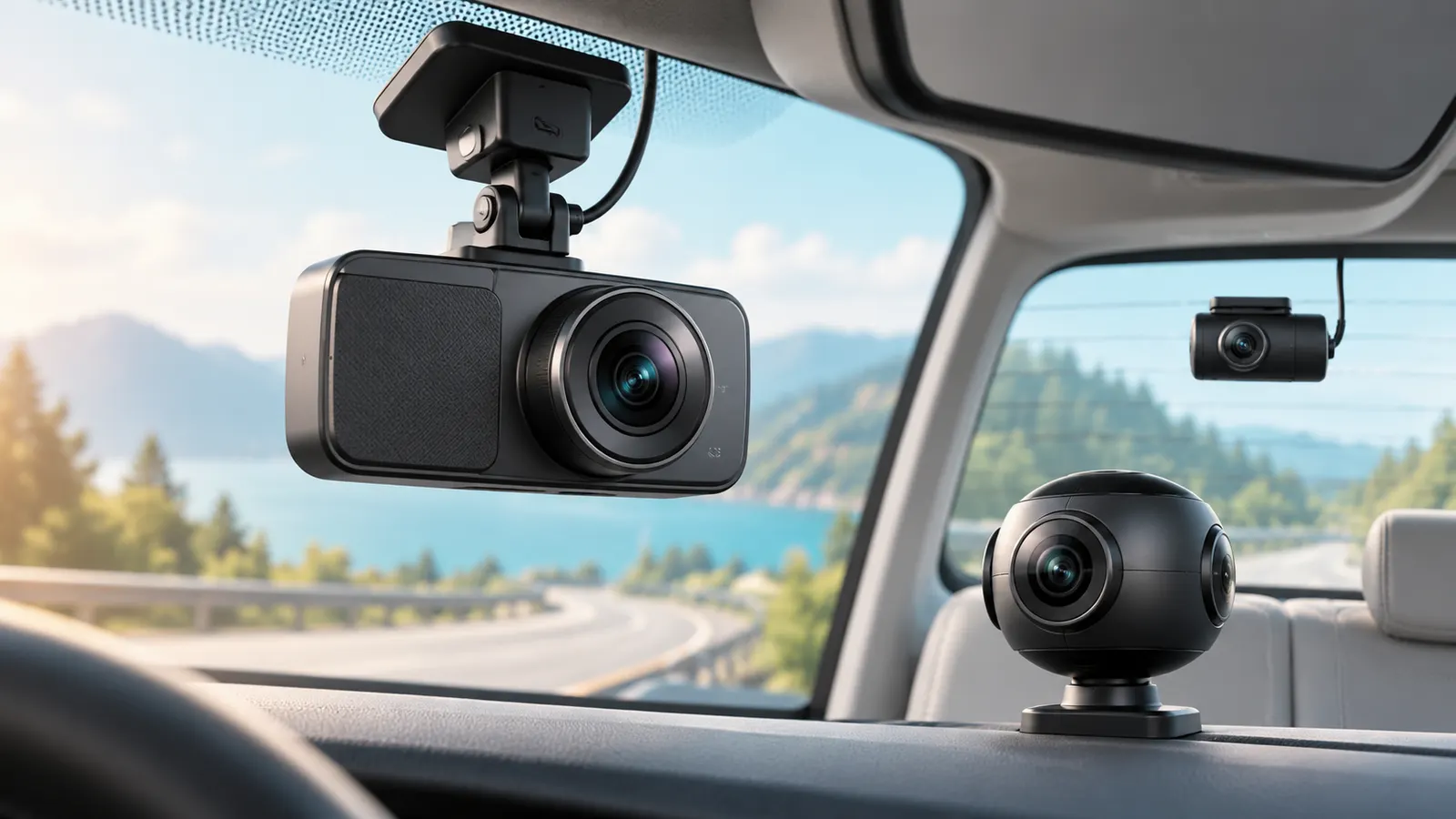
Start by deciding what you want the camera to see. The main types are:
- Front only: the simplest and most common choice, covering the road ahead and most incidents.
- Front and rear: adds a second camera for the back window, useful if rear impacts are a concern.
- Interior-facing: records the cabin, often used for taxis, rideshare and commercial vehicles.
- Multi-channel systems: several cameras for larger vehicles such as trucks or fleets.
Think about your driving. A commuter in dense traffic may want rear coverage, while someone on quiet roads may be fine with a single front camera. Look at video resolution, field of view and night performance, and read how the maker describes low-light recording. A wider view captures more lanes, but each object appears smaller.
See truck dash cams and premium dash cams.
In this guide
Memory card
Dash cams record continuously and overwrite old footage, which is hard on storage. Use a card designed for continuous recording, often described as high-endurance, and check the maker’s instructions for the largest capacity the camera supports.
Format the card in the camera when you set it up, and recheck it periodically. A card that has silently failed leaves you with no footage at the moment you need it. Replace cards at the interval the card maker suggests, and keep a spare.
Power and mounting
How the camera is powered and fixed affects reliability and safety:
- Heat resistance: parked cars get very hot. Some cameras use a capacitor instead of a battery, which tends to cope better with heat. Check the specifications.
- Cable routing: tuck the cable along the headliner and pillar trim so it cannot interfere with controls or airbags.
- Placement: mount behind the rear-view mirror, where it does not block your view, and where it is allowed.
- Parking mode: if you want recording while parked, check what power arrangement it needs, to avoid draining the car battery.
- Adhesive or suction mount: an adhesive mount tends to be more stable over bumps.
Legal
Recording laws vary by country, region and situation. Rules may cover where you can mount a camera on the windshield, whether audio can be recorded, and how footage may be shared or used. Some places restrict recording of other people without consent, especially with audio or interior cameras.
Check the rules where you drive before you buy and before you share footage online. If you carry passengers, consider telling them a camera is present. When unsure, look for guidance from official sources.
Video Quality, Field of View and Night Recording
Resolution gets most of the attention on a dash cam box, but what you really need is footage in which you can read a number plate, see a road sign and tell what happened. Higher resolution can help with detail, but it is only one ingredient. The lens, the sensor, the way the camera handles bright and dark areas in the same frame, and the video compression all affect how usable the footage is. A camera with a high resolution figure and weak low-light handling can produce worse night footage than a modest camera with a better sensor.
Field of view is a trade-off. A wide angle captures more lanes and the sides of the road, which is helpful at junctions and roundabouts. But the wider the lens, the smaller distant objects appear, so details such as plates can become harder to read. A moderate-to-wide view is often a sensible balance. Be wary of extreme angles that look dramatic in a product photo but leave you with small, distorted footage.
For night driving, look at how the maker describes low-light recording, whether the camera supports techniques to balance bright headlights and dark road, and whether sample footage on the listing looks credible. A polarizing filter, where offered, can reduce dashboard reflections on the windshield. Frame rate matters too, since higher rates give smoother motion but need more storage. Check the camera’s settings so that you can adjust exposure or turn on features that suit your region.
Loop Recording, Impact Sensors and File Protection
A dash cam records in a loop, which means that when the storage fills up, the oldest footage is overwritten. This is what keeps it recording without your attention, but it also means that important clips can be lost if they are not protected. Most cameras use a motion or impact sensor, often called a G-sensor, to detect a sudden jolt and lock the current clip so it is not overwritten. Many also have a button that lets you lock a clip manually.
It is worth learning how your chosen camera handles this. Check how sensitive the impact sensor is and whether you can adjust it. If it is too sensitive, bumpy roads will lock many clips and fill the protected area. If it is too weak, a minor collision may not trigger protection. Understand how much of the card is reserved for locked files and how to clear them.
- After any incident, stop recording or remove the card as soon as it is safe, so the footage is not overwritten.
- Copy important clips to a computer or phone straight away and keep the originals.
- Check the date and time settings, since a wrong clock can cause confusion when you need to prove when something happened.
- Check whether the camera adds a time stamp, speed or location overlay and whether you can turn it off.
Test the camera after setup by recording a short drive and playing it back on a computer. That tells you whether the footage is clear and whether the clips are saved as you expect.
Parking Mode and Hardwiring Considerations
Parking mode lets the camera watch the vehicle when it is parked and the engine is off. Some versions record only when they sense motion or a bump, while others record continuously at a lower rate. It sounds simple, but it brings power and heat considerations that are worth thinking about before you buy.
The camera needs a power source while parked. Options include a hardwire kit connected to the vehicle’s fuse box, an external battery pack designed for dash cams, or a camera that works for a limited time from its own built-in power. A hardwire kit usually has a voltage cutoff that stops the camera if the car battery drops too low, which helps avoid a flat battery. Check that the setting suits your vehicle and your usual parking time, and ask a qualified installer if you are not confident with the fuse box.
Think about heat as well. A parked car in summer can become very hot, and a camera running for long periods in those conditions is under stress. Cameras that use a capacitor rather than a battery are often described as better suited to high temperatures, but check the maker’s specifications. If you only park in a garage or a shaded area, parking mode may be less of a worry. If you rarely leave the car unattended in risky places, you might decide that parking mode is not worth the extra complexity.
Installing a Dash Cam Neatly and Safely
A tidy installation protects both your view and your footage. Before you stick anything down, switch on the camera and hold it in the intended spot to check the picture. Many dash cams have a screen or an app preview that shows the framing. The horizon should sit near the middle of the picture, with the hood only a small part of the view. Make sure the camera sits inside the area swept by the wipers, so rain does not blur the view.
Clean the glass where the mount will go, and let it dry fully. Press the adhesive pad firmly and, if the maker advises, wait before attaching the camera. Position the camera behind the rear-view mirror, where it is out of your line of sight, and check that it does not interfere with sensors, toll tags or any driver-assistance cameras near the mirror.
Route the power cable carefully.
- Run it along the edge of the headliner and down the pillar, using the gap behind the trim if possible.
- Keep the cable clear of airbags, which deploy from the pillars, and away from pedals and controls.
- Use the socket or hardwire kit the maker recommends, and check the voltage and current requirements.
- Secure the cable so it cannot dangle or snag.
If you are not comfortable working with trim panels or the fuse box, a professional can do it quickly. Recheck the position after a few days, since adhesive can shift.
Maintenance, Using Footage and Knowing When to Replace
Dash cams are easy to forget once mounted, which is why quiet failures are common. Make a habit of checking that the camera is recording. Watch for the indicator light or screen, and play back a clip every month or so. Reformat the memory card periodically, as the maker advises, and replace it at the interval suggested by the card maker, since heavy continuous writing wears cards out. Keep the lens and the windshield clean, and wipe away dust from the glass inside the car.
Keep the firmware up to date if the maker offers updates, because they can fix bugs and improve stability. If the camera has a battery, watch for swelling or poor performance in heat. Do not leave it on the dashboard in strong sun when it is not needed.
When you need to use footage, think about how you share it. Give copies to the police or your insurer if appropriate, and be careful about posting clips online, which can raise privacy issues and legal problems depending on where you live. Blur or avoid publishing faces and plates where rules require it.
Consider replacing the camera when it frequently restarts, stops recording, shows corrupted files, has a cracked lens, cannot hold the date and time or has a failing mount or cable. Budget tiers can be described simply. Basic models record the road ahead with few extras, mid-range models add better image handling and options such as Wi-Fi, and premium models add multiple channels and advanced parking features. Choose the tier that matches how you drive and what you want to capture.
A Quick Checklist Before You Choose a Dash Cam
A dash cam is a small device with a long list of possible features, and it is easy to pay for things you will never use. Before you compare models, write down your answers to the questions below. They will narrow the field faster than any spec sheet.
- Do you want a front camera only, or front and rear coverage?
- Will it record only while you drive, or also while the car is parked?
- How will it get power: the cigarette lighter socket, a USB port, or a hardwire kit?
- Where on the windshield will it sit without blocking your view?
- What size memory card does it support, and does it need a high-endurance type?
- Do you want a screen, or would a small device with a phone app suit you better?
- Do you drive in very hot or very cold weather that might affect the device?
Single, Dual and Interior Cameras Compared
| Setup | What it records | Good for |
|---|---|---|
| Front only | The road ahead | Everyday drivers who want a simple record |
| Front and rear | Ahead and behind the car | Anyone worried about rear collisions |
| Front and interior | The road and the cabin | Ride share drivers, subject to local rules |
| Three-channel | Front, rear and cabin | Drivers who want maximum coverage |
Cabin recording and audio recording can raise privacy rules, and those rules differ by place. Check local requirements, and tell passengers if you record them.
A Short Glossary
- Resolution: the detail captured in each frame, often named by lines or pixel counts.
- Frame rate: how many images are captured each second. Higher numbers give smoother motion.
- G-sensor: a motion sensor that locks a clip when it detects a sudden impact.
- Loop recording: the camera overwrites the oldest files when the card is full.
- Dynamic range: how well the camera handles bright and dark areas in one scene.
- Supercapacitor: a power part that tolerates heat better than a small battery in some designs.
Reading a Listing Without Getting Dazzled
Marketing for dash cams loves big numbers. A high resolution headline does not promise a readable plate at night, because lens quality, sensor size and image processing all matter. Look for sample footage, particularly night clips, and treat clips from the manufacturer with some caution since they are chosen to look good.
Field of view is another figure to read carefully. A very wide lens captures more lanes but makes distant objects smaller, so a plate may be harder to read. A moderate angle is often a good balance. Check whether the camera has a polarizing filter option to reduce windshield glare, and whether the mount uses adhesive or suction, since each has its own pros and cons for removal and heat.
When to Follow the Instructions and When to Hire an Installer
Plugging a dash cam into a socket is easy, but routing cables and hardwiring a kit involve your vehicle’s electrical system. Follow the maker’s instructions and your vehicle manual, and if you are unsure about fuse taps or airbag areas, ask a qualified installer. Never run cables where they could interfere with airbags or driving controls.
Laws about windshield mounting, recording and sharing footage vary by region, so check official local guidance. Keep a spare memory card, format it as the maker suggests, and check now and then that the camera is recording.
Thinking About Heat, Cold and Day-to-Day Reliability
A dash cam sits on a windshield, which is one of the harshest spots in a car. In summer the dashboard area can get extremely hot, and in winter it can drop well below freezing. That is why the type of power part inside the camera matters. Some designs use a small battery, while others use a capacitor, and makers often say the second type copes better with temperature extremes. Read the product page for the stated working temperature range, and compare it with the weather where you live.
Your habits can help. If you park in direct sun for long stretches, a sunshade or a shaded space reduces the strain, and unplugging a battery-based camera in a heat wave may be wise if the maker suggests it. Check the mount too. Adhesive pads tend to hold well but are awkward to move, while suction mounts are easy to reposition but can loosen as the glass heats and cools.
Reliability also depends on the memory card. Constant rewriting wears out ordinary cards, so look for cards sold for continuous recording, and replace them on the schedule the maker recommends. Every so often, play back a recent clip to confirm that video and audio are saved properly and that the date and time are correct. A short routine of checking the lens for dust, the mount for stability and the card for errors keeps the camera dependable when you need it most.
Deciding What Your Dash Cam Is Really For
Every dash cam purchase goes better when you name the job first, because the jobs pull the features in different directions. The most common job is the impartial witness: a camera that records every drive, keeps the last portion of footage safe after an impact, and asks nothing of you week to week. For that job, reliability, a healthy memory card and a mount that stays put matter far more than any headline resolution. The second job is the family record keeper, where the camera also watches a parked car, a new driver or a vehicle shared between several people, and parking mode, interior views and easy phone access move up the list. The third job is the road-trip camera, doubling as a holiday recorder, where picture quality and simple file saving matter most.
Write your job down in one sentence before you compare models, and let it settle arguments. A driver who mostly wants the witness should not pay for features aimed at film-making, and a driver who wants parking protection should not buy a camera that cannot support it properly and then blame the camera. The picks linked in this guide cover the witness role well, and the questions below help you decide whether your job needs more than that.
Front only, or front and rear
A front camera records the road you are driving into, which covers the majority of disputed incidents: the car that pulled out, the light that changed, the pedestrian who stepped off the kerb. A rear camera earns its place in the specific incidents a front camera cannot settle — the vehicle that struck you from behind and disputed it, or the parking knock while you were away. Interior cameras serve taxi, rideshare and family uses, recording passengers or a young driver, and they raise the strongest privacy questions, so choose one deliberately rather than by default. If budget forces a choice, most drivers should start with the best front camera they can manage and add a rear unit later if the system allows it, rather than buying a mediocre pair.
Getting the Installation Right the First Time
A dash cam install looks simple and mostly is, but the details decide whether the camera works for years or annoys you for a month. Clean the glass properly where the mount will sit, because adhesive pads fail on glass that carries a film of grime, and a camera that drops off on a hot day always chooses the worst moment. Mount it high, behind the mirror where local rules allow, so it sees the whole bonnet width without entering your own view of the road. Before you fix anything permanently, power the camera and check the live view: you want the horizon level, the bonnet edge just visible at the bottom of the frame, and no reflection of the dashboard filling the lower picture.
Cable routing is where patience pays. Tuck the cable along the headlining and down the pillar, keeping it clear of airbag deployment zones — if you are in any doubt about where those are in your car, that is the moment to use a professional installer rather than guess. Leave a little slack at the camera end so the mount can be adjusted, and avoid draping cable across the passenger footwell or the gear lever’s path. If you are hardwiring for parking mode, the fuse tap and the voltage cut-off setting deserve care: the cut-off is what stands between parking protection and a flat battery on a cold Monday, so set it conservatively and test the car after a parked weekend before you trust it.
The first week’s checks
In the first week, treat the camera as unproven. Each day, confirm it started with the engine and that the recording indicator behaved as expected. At the end of the week, pull the card and actually watch footage from the start, middle and end of a drive, at day and at night. You are checking that files are being written continuously, that loop recording is overwriting the oldest unprotected files, and that the picture is as clear as the live view promised. This one review catches nearly every early problem — a counterfeit or failing card, a loose power connection, a camera recording in a low default mode — while returning or exchanging is still painless.
Using Footage Well When Something Happens
If you are involved in an incident, the camera has already done its main job by the time you stop. Your job is to protect the evidence. Note the time, because finding a clip among hours of loops is far easier with a time than without one. If your camera has an emergency lock button and it is safe to use it, lock the file; otherwise, remove the card once you are safely parked and keep it somewhere it will not be overwritten by the drive home. Keep the original file exactly as it came off the card, and make copies for insurers or police rather than editing the only version.
Share footage with context. A clip shows what the camera saw from its fixed position; it does not show what you saw in the mirrors or heard. When you send a clip, add a short written account of the moments before it starts. Expect the other party’s insurer to do the same in reverse, and do not be unsettled if footage is interpreted differently at first — that is normal, and a clear, complete clip with a calm written account is the strongest combination most drivers can offer. Finally, check local rules before posting incident footage publicly; sharing number plates and faces online is treated differently in different places, and the middle of a claim is the wrong time to discover that.
More Questions Worth Asking
How long will a dash cam keep footage before it overwrites it?
It depends on the card size, the resolution and how much you drive, because loop recording keeps writing until the card is full and then replaces the oldest unprotected files. For a typical setup that can mean anything from a few hours of driving to several days. The practical lesson is to retrieve any clip you care about promptly — the same day if you can — and to treat the emergency lock feature as a safety net, not a filing system.
Does a dash cam record my speed and location?
Some do, if they have GPS, and the data is usually embedded in or stored alongside the video file. That can help an insurer place an incident precisely, and it can also show your own speed, so it cuts both ways and is worth knowing about before you share a file. If your camera offers GPS, decide deliberately whether to use it, and check what the file contains before sending it anywhere.
Can I leave a dash cam in a hot car all summer?
Cameras live in one of the harshest spots in the car, and heat is their main enemy. Models that use a capacitor instead of a battery generally tolerate heat better, which is worth favouring if your car bakes in the sun. Whatever you choose, a mount that keeps the camera shaded behind the mirror area helps, and if a camera starts shutting down or corrupting files in a heatwave, treat that as an early warning rather than a quirk, because the card and the camera are both telling you they are struggling.
Why is my night footage so much worse than the daytime footage?
Night is simply harder: less light, high contrast between headlights and darkness, and reflections from your own lights on a wet road. You can help the camera more than you might expect. Keep the windscreen clean inside and out, especially the area the camera looks through, aim the camera so the sky takes up less of the frame, and make sure your headlights are clean and working properly. Beyond that, judge any camera’s night performance by real night clips rather than by its resolution figure.
Should I tell my insurer I have a dash cam?
It is worth asking them, because policies and attitudes differ. Some insurers welcome footage and a few offer a discount; others simply treat the camera as neutral. What you should not do is assume the camera must help your case before you have watched the clip yourself. Review the footage first, and if you share it, share the complete relevant section rather than a trimmed fragment, because completeness is what makes footage persuasive.
Memory Cards, Explained Like It Matters (Because It Does)
More dash cams are let down by their memory card than by any other single part, so the card deserves more than the leftover budget. A dash cam writes continuously for hours, in heat and cold, which is a far harsher life than a camera card shooting holiday photos. Cards described as high endurance or made for dash cams and surveillance are built for that constant rewriting, and choosing one is the single cheapest reliability upgrade in this whole subject. Size matters for a different reason: a larger card holds more hours before the loop overwrites, which gives you a wider window to retrieve a clip after a long weekend away from the car.
Care for the card as a consumable, because it is one. Format it in the camera on a regular rhythm — many makers suggest monthly — which clears the file system errors that accumulate from thousands of small writes and sudden power cuts. Replace it at the first sign of trouble: a camera that reports card errors, produces a corrupted file, or occasionally fails to start recording is usually describing a dying card, not a dying camera. Keep the old card until the new one has survived a week of drives. And buy cards from reputable sellers, because counterfeit cards with fake capacities are common in exactly this market, and a fake card fails in exactly the way you least want: silently, at capacity, during the one drive that mattered.
Power choices beyond the cigarette socket
The lighter socket is the honest starting point: simple, reversible and easy to troubleshoot. Its limits are that it occupies the socket and usually dies with the ignition, which rules out parking mode. A hardwire kit solves both and hides the cable completely, at the cost of touching the car’s electrics. A battery pack made for dash cams is the middle path some drivers prefer, charging while you drive and powering parking mode without drawing on the car’s battery at all. None of these is the correct answer for everyone; the right one follows from whether you want parking cover, how long you will keep the car, and how comfortable you are — or your installer is — with the fuse box.
Second Cars, New Drivers and Other Real-Life Cases
A few situations deserve their own word. In a car driven by a new or young driver, a dash cam works best as a coaching tool rather than a trap: review a drive together occasionally, talk about the junction that went wrong, and the camera becomes part of learning instead of surveillance, which changes how it is received entirely. In a second car or a classic that is rarely driven, the risks flip — the battery sits, the card sits, and the camera may be dead on the one day the car goes out — so check it as part of waking the car up, and consider unplugging it during long storage. For drivers who change cars often, such as renters or those with a company pool car, a suction mount and socket power keep the setup portable, accepting a less tidy install in exchange for a camera that actually travels with you. In each case the principle from the start of this guide holds: name the job honestly, and the right setup follows from it without much argument.
How to Read Dash Cam Sample Footage Before You Buy
Nearly every listing shows sample footage, and nearly all of it is filmed on a bright day on a clean road, which tells you almost nothing. Learn to look past it. What you want to judge is the worst footage, not the best: search for owner-uploaded clips from the same model at night, in rain and in tunnels, where exposure changes suddenly and number plates are lit only by headlights. Pause those clips and ask the only question that matters for a witness camera — could I read that plate, at that distance, in those conditions? Also listen, if audio is included, for whether voices inside the car are intelligible, because a clear record of what was said and heard can matter in a dispute. A model whose ordinary owner footage looks steady and readable in poor conditions will serve you far better than one whose polished samples hide an average night performance, and ten minutes of this checking is the most valuable research in the whole purchase.
A Simple Buying Order That Avoids the Usual Regrets
If the choices feel tangled, buy in this order and stop when your job is covered. First, the camera itself, chosen for reliability and a picture you have verified in poor conditions. Second, a proper high-endurance card, sized generously. Third, the install, done neatly by you or by a professional if the pillar or the fuse box gives you pause. Fourth, and only if your job named it, parking mode done properly with its voltage protection set with care. What most buyers regret is not the camera they chose but the corners cut around it: the bargain card, the rushed cable, the parking mode wired without a cut-off. Spend your attention in that order, and the system you end up with will be boring in the best possible way — it will start with the engine, record the road, and be forgotten until the one day it is worth everything you paid for it.
When to Replace a Dash Cam Rather Than Repair the Setup
Dash cams age quietly. The picture stays acceptable while the reliability underneath thins: a battery-backed model whose internal battery has swollen or died may lose the last file in every power cut, a mount’s adhesive gives up one hot afternoon at a time, and a camera that needs its card reformatted ever more often is describing its own decline. Replace the camera when the pattern is in the device rather than the accessories — when a known-good card and a known-good power supply still produce missed recordings or corrupt files. Until then, suspect the card, the cable and the socket in that order, because they cause most of the funerals mistakenly held for healthy cameras. When you do replace, your install knowledge transfers completely, which is the quiet dividend of having set the first one up properly.
The Quiet Benefit Nobody Mentions
Owners often report an effect they did not buy the camera for: they drive a little more carefully themselves, knowing the record includes their own speed, their own lane discipline and their own voice. Insurers cannot measure that effect and listings never advertise it, but over years of uneventful drives it may be worth more than the incident the camera was bought for. It is a fitting place to end a buying guide — the best dash cam setup is the one that is never needed as evidence, in part because it was there.
Before You Click Buy: A Two-Minute Sanity Pass
Run one last pass over your shortlist with fresh eyes. Does the camera’s job, as you named it, match what this model is actually built to do? Have you seen its footage in the dark, not just in the sun? Is a proper card in the basket beside it, and do you know who is installing it and how it will be powered? If every answer is yes, you have done more useful research than most buyers, and you can order with confidence. If any answer is no, that answer — not a slightly bigger discount — is the thing to fix first, because it is the thing you will still be living with long after the price is forgotten.
One Sentence to Remember
If everything else in this guide fades, keep this: a dash cam earns its money through reliability, not resolution — buy the setup that will still be recording faithfully on an ordinary wet Tuesday two years from now, and you will have bought the right one.
And Then Forget About It
That forgetting is, in the end, the sign of a purchase done well: the camera becomes part of the car, like the mirrors, noticed only in the moment it quietly proves its worth.
Quick Answers
How much video resolution do I actually need?
Higher resolution helps with detail, but lens quality, sensor, night performance and field of view matter too. Check sample footage and the maker's low-light description when you compare.
What does the G-sensor do?
It detects a sudden jolt or impact and locks the current clip so it is not overwritten by loop recording. Check whether its sensitivity can be adjusted.
Can a dash cam drain my car battery?
It can if it runs while the engine is off without protection. A hardwire kit with a low-voltage cutoff, or a dedicated battery pack, helps. Check the maker's instructions.
How often should I replace the memory card?
Continuous recording wears cards out, so follow the card maker's guidance and replace it on a regular schedule. Check that footage is being saved by playing back clips.
Where is the best place to mount a dash cam?
Usually behind the rear-view mirror, within the wiper sweep, where it does not block your view. Check local rules on windshield mounting.
Should I keep recording after an accident?
Once it is safe, stop recording or remove the card so the footage is not overwritten, then copy the clips. Keep the originals.
Do I need a professional to install a hardwire kit?
Not always, but it involves the fuse box and careful routing. If you are unsure, a qualified installer can do it quickly and safely.
Does the date and time on the video matter?
Yes, an accurate clock helps when you need to show when something happened. Set it at installation and check it from time to time.
Bottom line
Choose coverage first, then quality. Decide which views you need, pick a reliable card and a safe mounting arrangement, and confirm the legal position where you drive. Extra features are a bonus, not a substitute for these basics.
Common questions
Do I need a rear camera?
Only if you want coverage of what happens behind the vehicle. A front camera covers the most common incidents, and a rear one adds protection for rear impacts and tailgating.
What about heat?
Hot cars are tough on electronics. Look for models that state they are designed for high temperatures, and avoid leaving the camera in direct sun when not needed.
Is Wi-Fi worth having?
It can make it easier to review and save clips on your phone without removing the card. It is a convenience, not a necessity, so weigh it against the extra complexity.
More Cameras Guides
- How to Choose a Trail Camera for Hunting or Wildlife
- Which Type of Camera Should You Buy?
- Best Dual Dash Cams for Cars
- Best 4-Channel Dash Cams for Rideshare and Taxis
- Best Premium Dash Cams
- Best Truck Dash Cams
- Best Cellular Game Cameras for Remote Photos
- Best WiFi Game Cameras with Apps


Ready to Buy? Start Here
If this guide helped you decide what to look for, these products are a place to start.


As an Amazon Associate we earn from qualifying purchases. Prices and availability are shown on Amazon.